







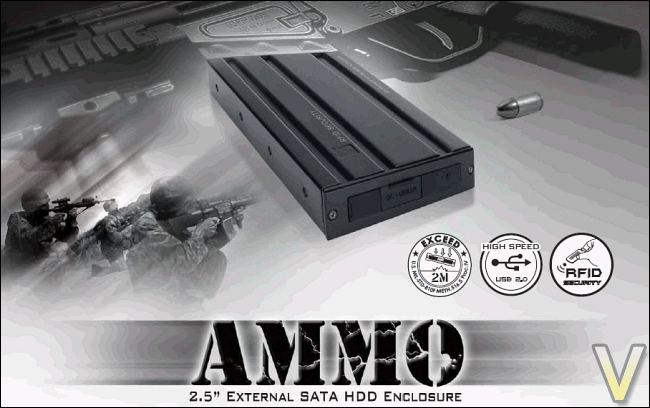
Inspired by the military, the AMMO looks to be a highly robust 2.5" HDD enclosure.
Product on Review: In Win AMMO External 2.5” Hard Drive EnclosureManufacturer and Sponsor: In Win
MSRP: $40 USD or £29
Street Price: $29.99-39.99 USD

The purpose of an external hard drive enclosure is fairly simple: to make a hard drive conveniently accessible from outside the computer case and to make it portable. This relatively straight-forward recipe forces manufacturers to make innovations if they want to have an edge in the market. In terms of performance, most hard drive enclosures are similar given the bottleneck caused the USB 2.0 interface. The eSATA interface has given the opportunity for manufacturers to optimize the performance of their external SATA hard drive enclosures. Nevertheless, eSATA connectors do not supply power at the moment and are not ideal for portability ends.
Performance is not the always the main feature that will set an external 2.5” hard drive enclosure apart from the rest. In fact, features such as durability, aesthetics, quality and security are more likely to attract consumers. In Win seeks to tap into these features with their newest military-themed enclosure, the AMMO. Whether they are successful in doing so or not will be determined in this review.
About IN-WIN Development : Link
IN-WIN Development Inc., an ISO 9001 manufacturer of professional computer chassis, power supplies and digital storage devices, is the leading provider of enclosure solutions to system integrators worldwide. Founded in 1986, IN-WIN provides high quality chassis that conform to all safety regulations, as well as unsurpassed customer service.
In Win has become a leading, top-notch manufacturer of core technology in order to meet market and consumer needs and demands. Our company’s management team has laid a strong foundation in terms of eight major elements: Innovation, Service, Speed, Value, Safety, Warmth, Faithfulness, and Diligence. These elements help In Win to remain a leader in the business realm and also help differentiate us from our competition.
Features and Specifications
The AMMO is an external hard drive enclosure that supports SATA 2.5” hard drives. These hard drives are made for notebooks. Given their small size compared to desktop-equivalent 3.5” hard drives, they are ideal for portable usage.
The feature set of the AMMO is fairly broad. Inspired by the military, the AMMO’s main feature is its unique ammunition design. Not only does the overall physical design of the AMMO resemble an M-16 cartridge, its strong stainless metal casing provides great durability.
Furthermore, the AMMO makes extensive use of rubber padding that provides anti-vibration and shock absorption, adding more to the overall durability of the enclosure.
According to In Win, the product exceeds the MIL-STD 810F Method 516.5 Procedure IV test method. In other words, the AMMO is able to withstand transit drops of 2 meters without causing the hard drive to have impaired functionality. This test method belongs to the MIL-STD-810 military standard, used by the United States Department of Defense. Without a doubt, In Win means serious business with the AMMO. I would have preferred if In Win provided more information in regards to this test method on their website, as this test is unknown for an average consumer.
For more information on the MIL-STD 810F Method, visit this link (page 327 of the PDF)
Also, the AMMO features data encryption through radio-frequency identification technology, or RFID technology. Basically, once the encryption is enabled, the data contained on a hard drive configured with the AMMO may only be accessible with the intermediate of a unique RFID tag. Without this RFID tag, the hard drive is effectively locked, even with the hard drive removed from the enclosure. This adds a good level of security to protect your data.
Link: Features and Specifications Website
Unique Ammunition Design
Thinking out of the box, In Win is proud to present an innovative design for conventional external HDD enclosures. The AMMO, a 2.5-inch external HDD enclosure with an ammunition cartridge design, features state-of-the-art shock and vibration absorbing padding, secured stainless metal case, excellent thermal solution, durability and an easy-to-grab texture!
Military-like Anti-vibration
Ammo is a most convenient HDD enclosure for those who are always on the go. With excellent secure portability and a durable metallic case, the AMMO is synonymous to military-like anti-shock and anti-vibration attributes providing the user a complete peace of mind!
RFID Technology
Ammo contains RFID technology with waterproof type design bringing security up to the highest level and becoming the ultimate companion and the perfect bodyguard for your precious data!
Character
The unique ammunition design with RFID security and stainless metal combined with military-like collision proof independence exemplifies the true character style of the AMMO!
Specifications
Data Transfer: USB2.0 up to 480mbps (60MB/s)
Interface: USB High Speed (2.0)
OS:
1. Windows 2000/XP/Vista
2. Mac OS 9.0 and greater (FAT)
Dimension (HxWxD) : 145 x 85 x 20mm
Data Security: RFID Data Encryption
HDD Support: 2.5” SATA Hard Disk Drive
Certificate:
1. CE
2. FCC
3. RoHS
Warranty: 3 Years Limited (The PCB board and USB 2.0 Cable are covered under the 1 year warranty)
Packaging and Contents
Staying true to the military theme, In Win has opted for a black and beige coloured packaging. The paper used has a grainy texture in order to give the box a rough and hostile feel. The front of the packaging gives out some of the main features of the AMMO, including the respect of MIL-STD 810F Method 516.5 Procedure IV, the RDIF technology and the USB 2.0 support. There is also a small white sticker stating “reddot design award, winner 2009”. No doubt, this prize was awarded to the AMMO because of In Win’s innovative approaches to an external hard drive enclosure. The back of the packaging outlines the various other features and specifications of the AMMO, which matches what was previously discussed in the “Features and Specifications” page. Notice the two small pieces of tape that hold the box inside its paper cover; they are striped with alternating black and beige colours.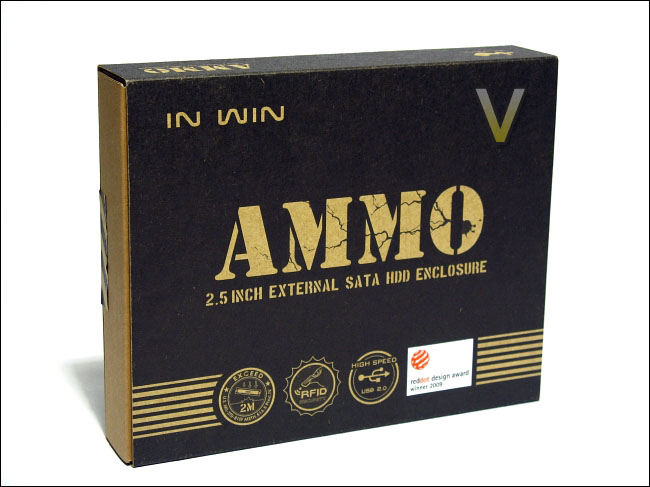
The front of the packaging
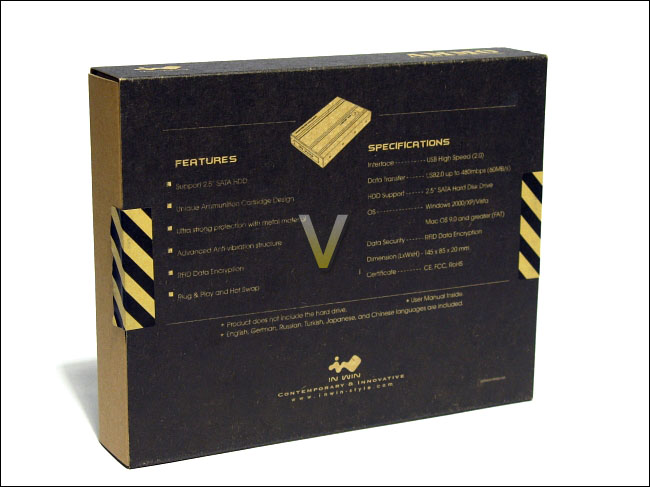
The back of the packaging
The product itself is packaged inside a brown carton box that is covered by paper, which had all the pertinent information written about the product on it. The external enclosure and the accessories are tightly packaged in two compartments. Besides the carton cut-outs, no Styrofoam was used in order to secure the AMMO. This, I believe, is a nice initiative by In Win to opt for carton and paper, which are recyclable and provides sufficient protection for the product, instead of Styrofoam. A minimal amount of plastic packaging is used to protect the accessories and the AMMO.
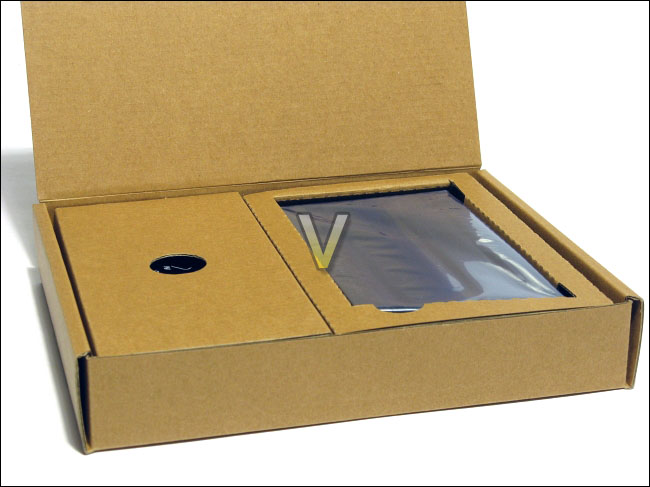
The box containing the AMMO and its accessories
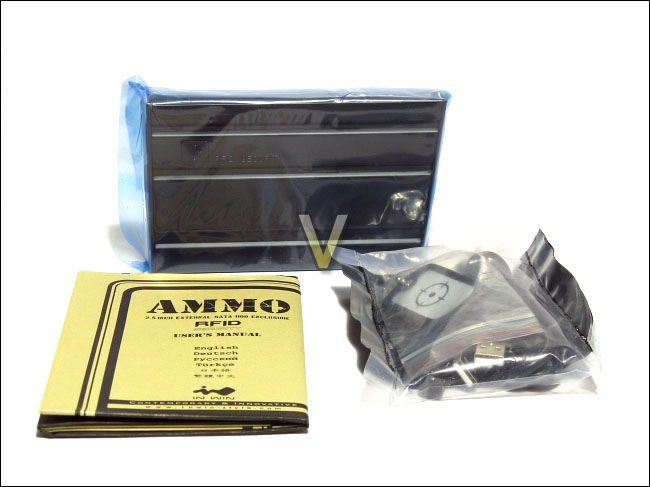
The AMMO, its manual and its accessories
In terms of contents, In Win has decided to include with the AMMO a manual, two RFID keys (a red key chain and a dog tag), a screw driver and a male mini-B USB to two male A USB cable. These two key chains are the RFID tags that will be needed in order to use the data encryption of the AMMO. The screwdriver has a magnetic head.
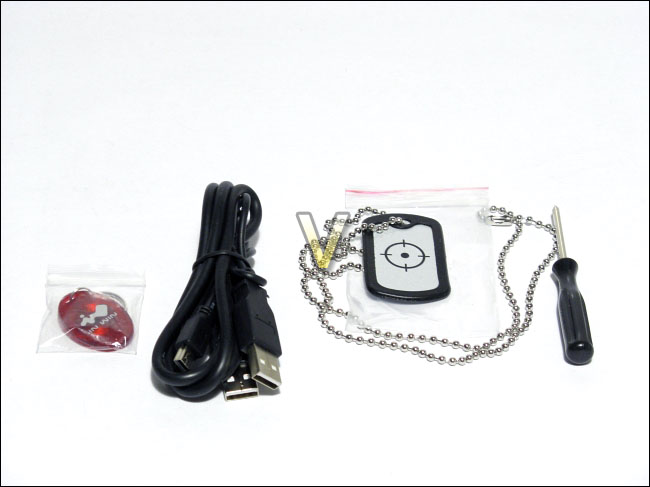
The accessories: two RFID tags, a screwdriver and a USB cable
The length of the cable from the mini-B USB to the first A USB is approximately 3.5 feet. The length between the two A USB connectors is about 8 inches. The total length of the cable is therefore about 4.2 feet, which is decent enough for its usage. After all, in most situations, the enclosure will be left on a computer case or near a notebook where USB ports are easily accessible.
In Win takes their military-inspired enclosure with great seriousness or humour, if you prefer. Indeed, they have decided to print a large shooting target on the front of their manual. I suppose the tech geek can simply stick the manual on the wall and start throwing screws at it as target practice! The manual is also written in a variety of languages, including English, German, Russian, Turkish, Japanese and Chinese. The manual is concise and easy to understand, a highly welcomed accomplishment from a company whose native language is not English.
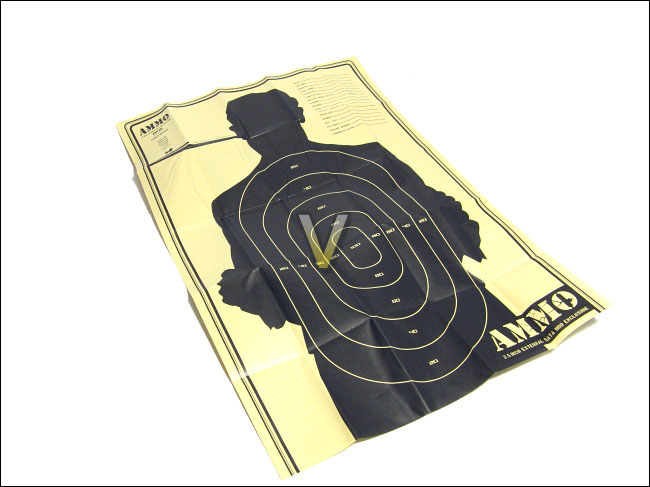
The shooting target on the manual
The overall packaging and accessories of the AMMO were very good. The military theme was consistent across the product and the packaging made very little use of non-recyclable material. The packaging used space efficiently without excessive usage of material. A good job to In Win on that is all I can say.
Overall Look
The AMMO, like its name might indicate, resembles a cartridge of a rifle, most likely the M-16 rifle. It has a smooth black matte finish and is made of stainless metal. Some sections of the AMMO are unfortunately made of plastic, such as the covers in the front and at the back of the AMMO. The plastic does not fit with the overall durable design of the AMMO.Three horizontal grooves run across each side of the enclosure. Not only do these grooves stay true to a rifle cartridge, it also helps a user grip the AMMO. The AMMO is not too large for an external 2.5” enclosure, but it is bigger than other enclosures that are geared towards a minimalist design. These grooves are therefore quite helpful to get a good hold of the AMMO in your hand. Four small circles are also punched at the top of the enclosure. The detail that In Win put into their enclosure is very nice. There is also a small window on the enclosure with “RDFI Security” written next to it. This will be used for RDFI authentication purposes.
At the front of the AMMO, we can see a cut-out in the plastic cover that reveals some rubber. The name of the company, In Win, is inscribed in the rubber.
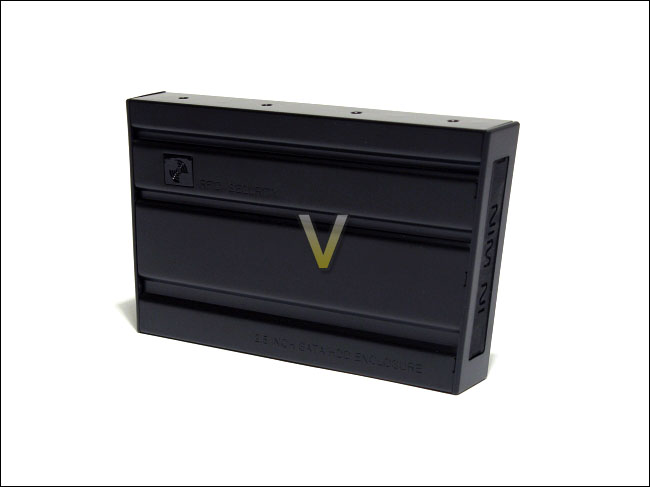
An overwiew of the AMMO
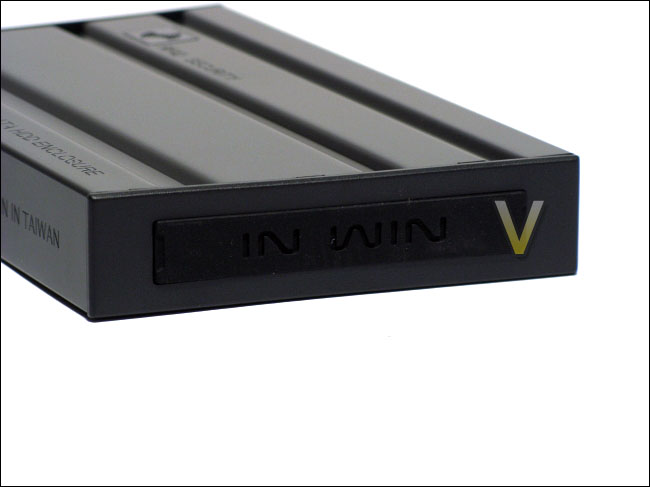
The front of the AMMO: plastic and rubber
Various words are inscribed here and there on the AMMO. The words “DESIGNED BY IN WIN IN TAIWAN” as well as “FCC” can be seen at the bottom of the unit (or left side, depending on your perspective.). The fact that these words are inscribed onto the metal adds to the military theme of durability. Indeed, words printed on a metal surface are prone to being scratched off and decreases the sense of toughness of the product.
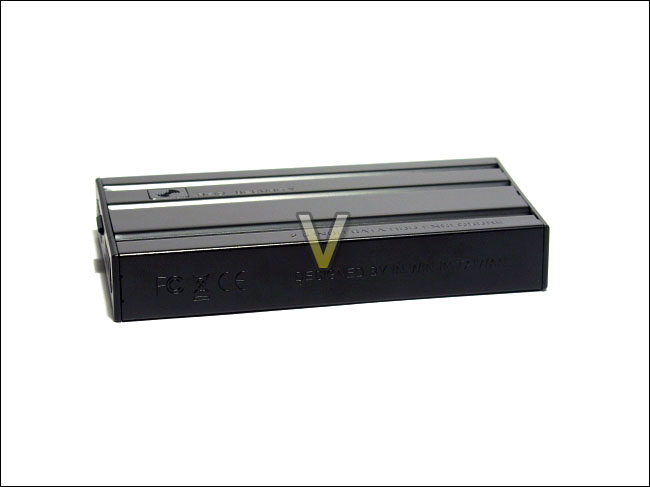
Various words are engraved onto the AMMO
At the back of the AMMO, we see once again a plastic cover with a cut-out that reveals rubber inside. Unlike the front of the AMMO, this plastic cover is held into place by two small black Phillips-head screws. The rubber at the center can be opened. Underneath it, we find a female mini-B USB connector and an input for a 5V DC power supply. These connectors are fairly common on all external 2.5” enclosures. The fact that they are protected by rubber is highly welcomed, but it does add some inconvenience when you want to quickly connect the enclosure to your computer.
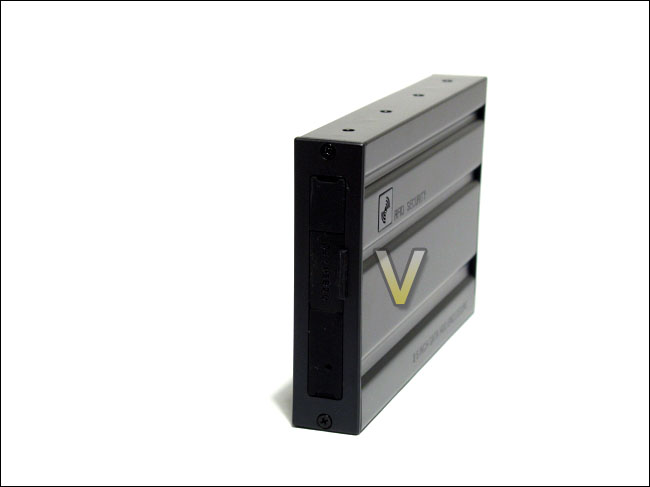
The back of the AMMO
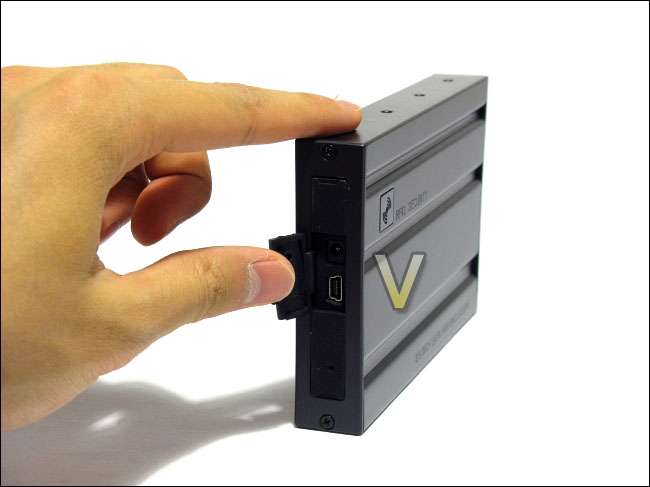
The available ports on the AMMO: USB 2.0 and 5V DC input
Closer Look
As stated earlier, the back of the AMMO has two black Phillips-head screws that hold the plastic cover in place. In Win has included a screwdriver for removing these screws and the task of doing so is not difficult. The magnetic screwdriver helps a lot to pick up the small screws. Once the screws are removed, the plastic cover can be removed. Then, the rubber tray of the hard drive can be slip out from the back by pushing on the rubber face on the front of the AMMO (recall the rubber side with “In Win” inscribed onto it). The rubber tray has a similar shape as the enclosure, but the fit is not too tight. Therefore, the rubber does not stick onto the sides of the casing and the tray is easily taken out of the enclosure. The screws that are used for the enclosure are quite small, however. I would have preferred if larger screws were used for added strength.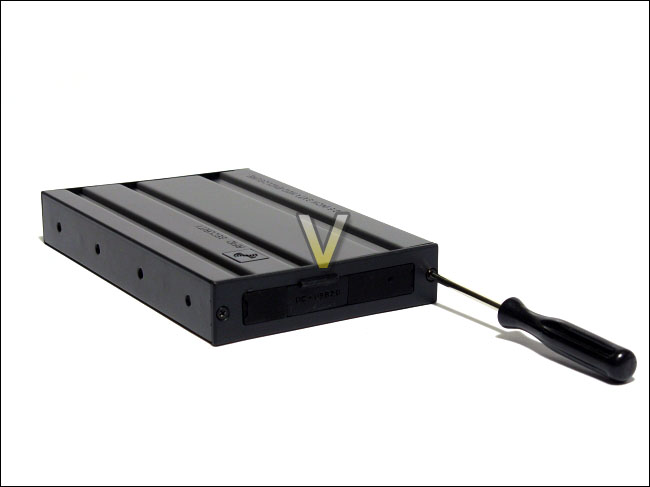
Two screws hold the plastic cover in place
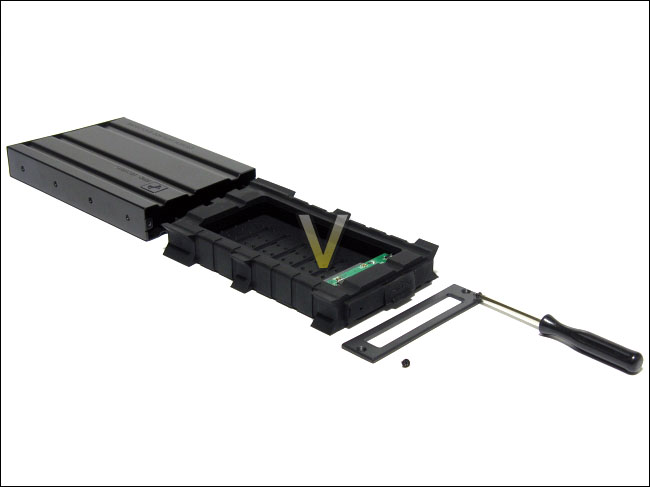
The rubber tray is easily taken out of the metal casing
The tray for the hard drive is made entirely or rubber, with the exception to the PCB board that holds the various connectors and the controller chip. The rubber is quite flexible and it holds a hard drive snugly in order to protect it. The rubber is quite thick and it has small protruding feet on its sides, no doubt for added shock absorption. There are small striped cut-outs at the bottom of the tray in order to increase the ventilation and to promote heat transfer to the metal casing.
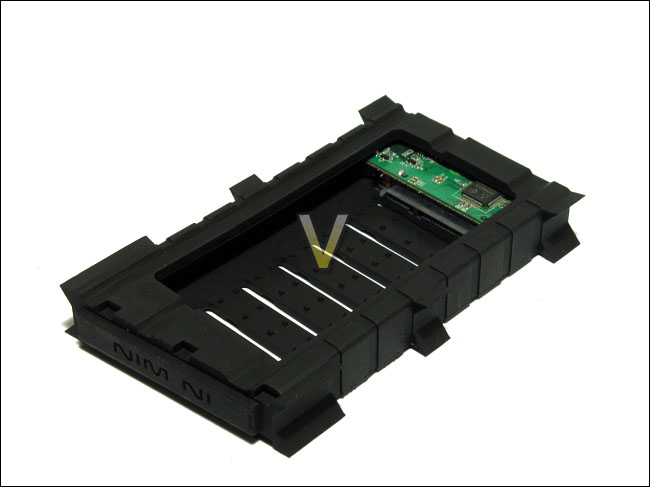
The top view of the rubber tray of the AMMO
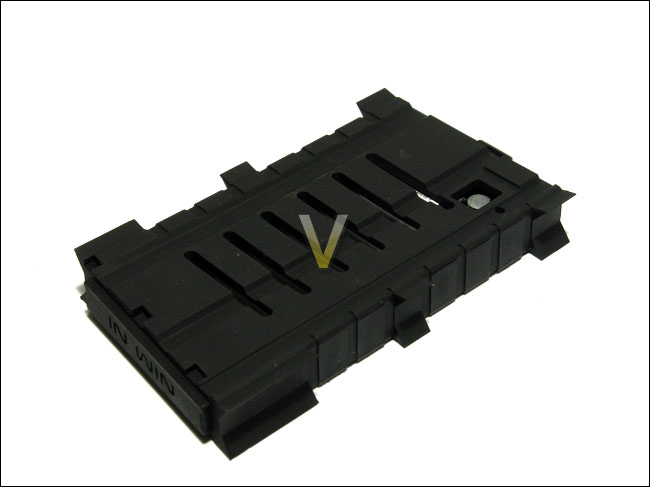
The bottom view of the rubber tray of the AMMO
The controller chip that the AMMO uses is the INNMAX IM7206. Various other manufacturers use this chip as well because it supports RDIF technology. The INNMAX controller chip is rated to support Advanced Encryption Standard, or AES. This encryption standard is widely used in the world due to its good level of security. Therefore, you can be sure that the AMMO provides sufficient data encryption to protect your data.
With the rubber tray removed from the casing, we can better see the thickness of the stainless metal casing. It is pretty thick, and looks to be of good quality.
More information on the INNMAX IM7206 can be found here: Link
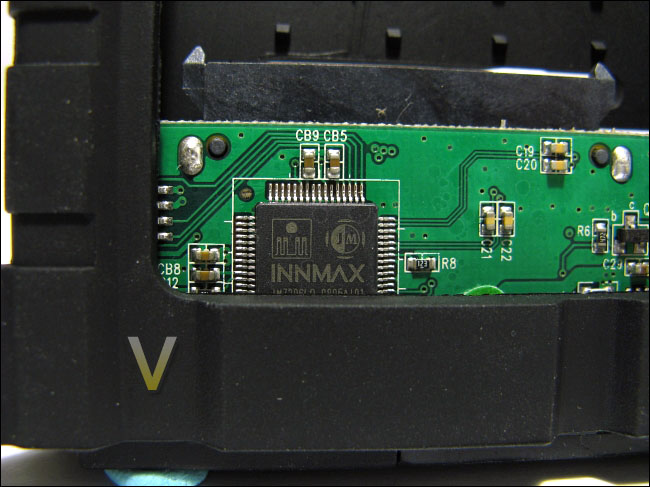
The INNMAX IM7206 controller chip
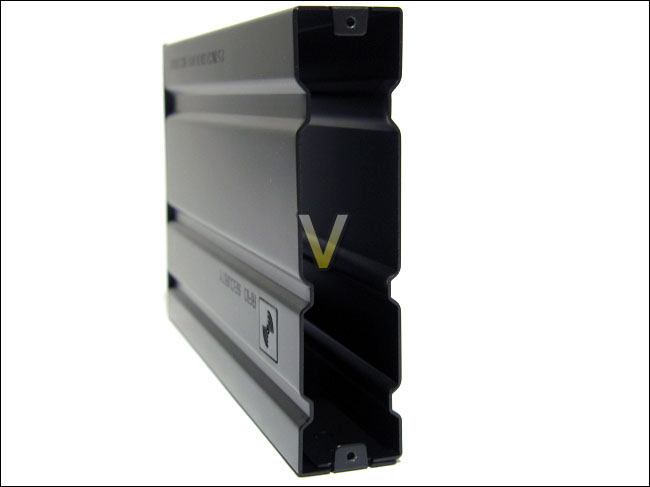
The thickness of the metal casing
Installation and Drivers
The installation of the hard drive into the AMMO is straightforward. The rubber is quite flexible. To install, I recommend placing the hard drive into the tray without connecting it to the SATA and power connectors by pushing the hard drive forward against the inner side of rubber. Once the hard drive is inside the rubber tray, place it so that it aligns with the connectors and let it go; the tightness of the rubber tray will push the hard drive into place. For a diagram on how to install the hard drive, take a look at the manual by In Win. It is quite well written:Link: User Manual of the AMMO
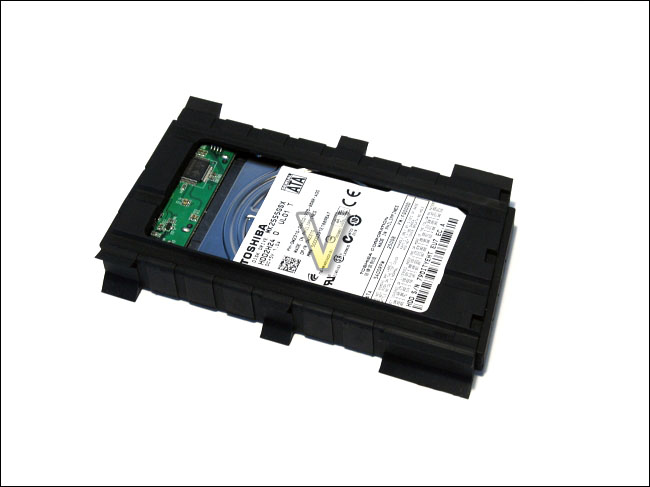
The hard drive installed into the AMMO
At this point, you will need to plug the AMMO into one or two USB ports on your computer with the included USB connector. The reason why the included cable has two male A USB connectors is to ensure that sufficient power is being supplied to the hard drive. Each USB 2.0 port can supply 2.5W. A typical hard drive usually needs about that much to power up, but there are some hard drives that require more than 4W to start. This is where connectors for two USB ports are needed, which can supply up to 5W. It is rare that a hard drive would need more than 5W to start given the fact that most modern 2.5” hard drive are quite energy efficient. Nevertheless, if your hard drive needs more than the power supplied by the USB ports, you will need a 5V DC power supply, which is not included. Once the AMMO is powered, you will see a small blue light at the back of the enclosure.
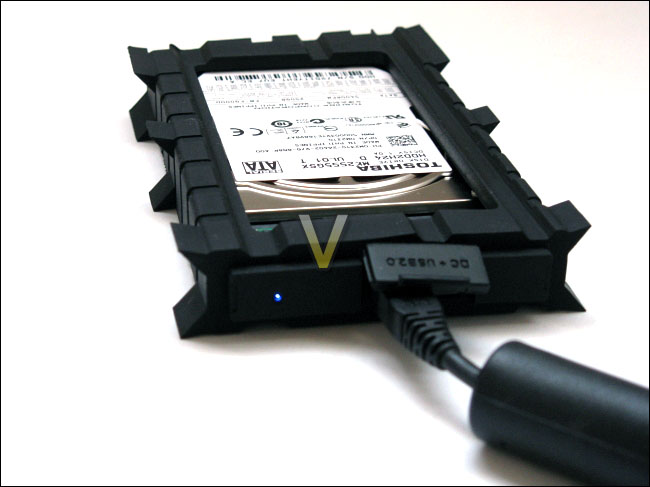
The AMMO plugged and powered
In order to enable the RFID data encryption by the AMMO, you will need to use hard drive with no partitions on it. If there is a partition on the hard drive, the encryption will not be available and the hard drive will be used as normally. Therefore, if you prefer not to use the data encryption of the AMMO, make sure that a partition was created on the hard drive beforehand. In order to setup and format the hard drive for data encryption, you will need to follow In Win’s handy guide:
Link: Hard drive encryption setup
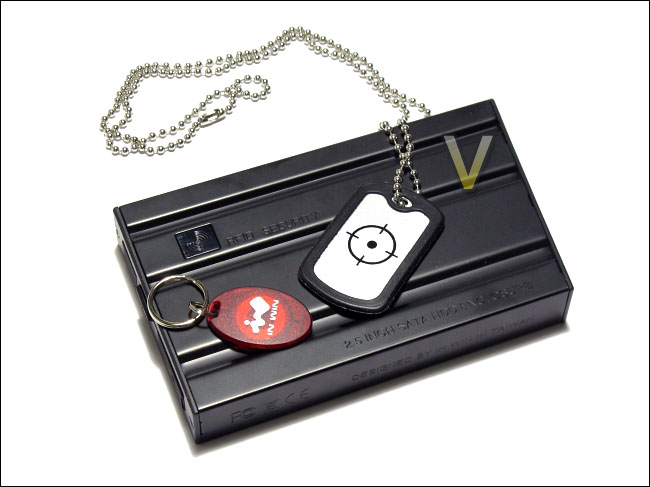
The AMMO and its two RFID tags
Once the hard drive has its partitions deleted using Windows’ Disk Management, is installed into the AMMO and is powered, a red LED will glow through the RFID window at the top of the AMMO. Three short beeps and a long beep will be made by the AMMO to indicate that the hard drive is ready for encryption. One of the two RFID tags provided by In Win will have to be placed above the sensor at about 5 mm. Once the authentication was made, the AMMO will beep once and a green LED will glow. The hard drive is now encrypted and the RFID tag is recognized by the AMMO. The second RFID tag provided by In Win will also need to placed over the sensor. Otherwise, only the first RFID tag used during the setup will be able to unlock the AMMO, which was confirmed during testing.
At this point, the hard drive in the AMMO will be detected and accessible through Windows. After initializing the hard drive and creating a partition, any data that you import into the hard drive will be encrypted thereafter.
For those that prefer not to use the data encryption of the AMMO, but still want an alternative method of data encryption, you might look into some free and open-source software, such as TrueCrypt:
Link: TrueCrypt Homepage
Overall, the installation process of the AMMO is simple at the best. Only two screws are needed throughout the process. The rubber tray holds the hard drive snugly and no doubt provides some protection, as well as anti-vibration benefits. The data encryption setup is painless and quick. The only downside of it is that only two RFID tags are provided. In the event that you lose these tags, In Win will not replace them because of security reasons. Also, the data on your hard drive will be lost because it is encrypted with AES (fairly strong encryption). A major inconvenience in the event that you lose your RFID tags, but a plus in security.
Test System and Testing Methodology
Testing MethodologyIn order to determine the In Win AMMO external 2.5” hard drive enclosure’s performance, the benchmarks of two software will be used: HD Tune and HD Tach. Both tests will measure the read performance of the AMMO using the USB 2.0 connector. The AMMO will be attached to the given ports on the I/O panel of a Gigabyte GA-MA78GM-S2H motherboard. The AMMO results will be compared to the transfer speeds of the hard drive installed using an internal SATA port. The hard drive that will be used for testing is the Toshiba MK2555GSX 250GB, a fairly modest 5400RPM SATA 3.0 Gb/s hard drive.
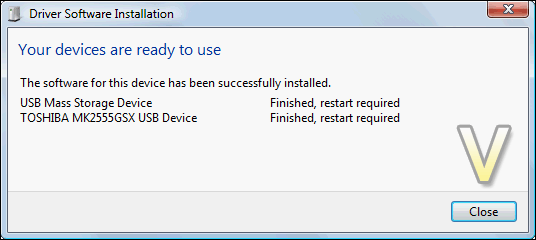
Benchmarks
– Test 1: Read performance in HD Tune 2.55
– Test 2: Read performance in HD Tach 3.0.4.0 (Long Bench with 32mb zones)
– Hard Drive Tested: Toshiba MK2555GSX 250GB 5400RPM SATA 3.0 Gb/s
Test Setup
– CPU: AMD Athlon X2 5000+ Black Edition @ 2.6 GHz 1.15V
– Motherboard: Gigabyte GA-MA78GM-S2H 780G
– RAM: Corsair XMS2 TWIN2X4096-6400C5 PC2-6400 2x2GB
– Case: Antec NSK3480 mATX
– Power supply: Antec EarthWatts 380W
– CPU cooler: Noctua NH-U12P with Noctua NF-P12 @ 5V
– Case fan: Noctua NF-P12 @ 5V
– Hard drive 1: Western Digital Caviar SE16 WD6400AAKS 640GB
– Hard drive 2: Toshiba MK2555GSX 250GB
– DVD Drive: LG GH22NS30 DVD Writer
– OS: Windows Vista Ultimate SP1 64bit
– Mouse pad: QPAD|UC Large
– Monitor: Dell E207WFP 20” TN
Test Results: HD Tune and HD Tach
Test 1: HD Tune 2.55Read performance
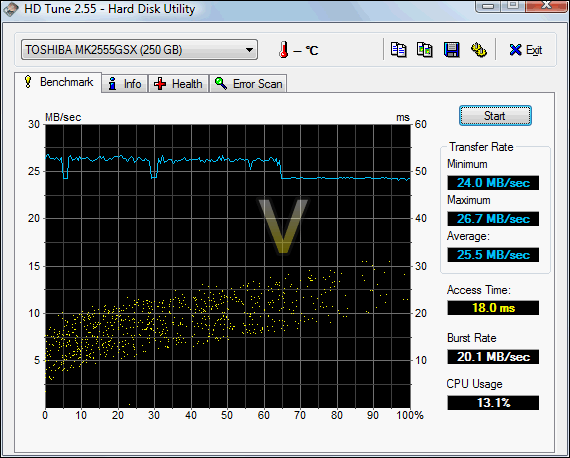
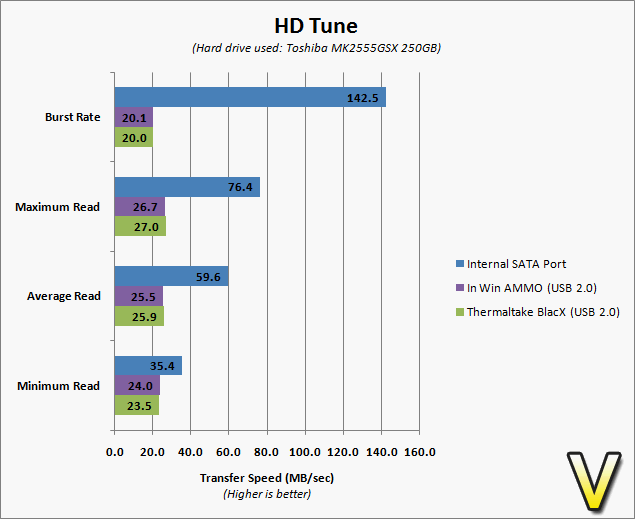
The USB 2.0 connection bottlenecked the performance of the hard drive. USB 2.0 is rated to up to 480 Mb/sec, which is equivalent to 60 MB/sec. From HD Tune, we can see that the average read transfer speed with the In Win AMMO was 24.0 MB/sec. The speed was consistent, although it did drop a little after half way of the test. There is nothing too alarming here. The burst rate was respectable at 20.1 MB/sec. Notice that temperature monitoring was not available.
Test 2: HD Tach 3.0.4.0
Read performance (Long Bench with 32mb zones)
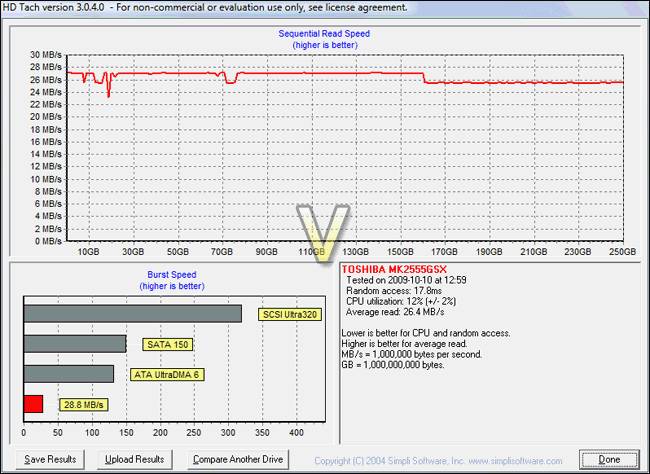
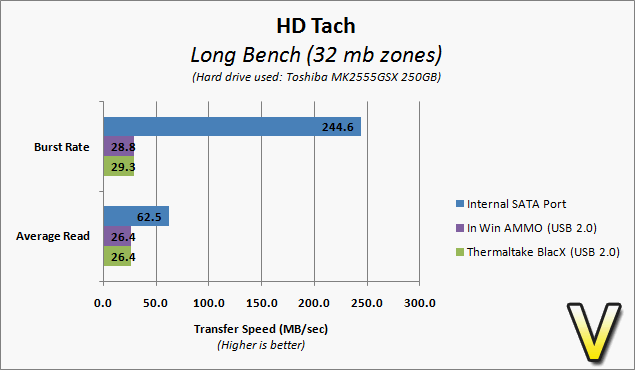
The test result from the long bench of HD Tach is similar to that of HD Tune. Here, however, we recorded a slightly higher average read speed of 26.4 MB/sec. The burst rate was also higher at 28.8 MB/sec. The discrepancies between the two tests demonstrate how large the margin of error is. Therefore, the performance results should not be taken with too much importance when comparing one external hard drive enclosure to another. It is simply a reference to see if the device is working properly within the norm.
Overall Usage
A summary of benchmarks and a comparison to an internal SATA connector
Unfortunately, I did not have any other external 2.5” hard drive enclosure on hand to compare the performance with the In Win AMMO. I have, however, the Thermaltake BlacX which does give some indication of how quick the AMMO’s transfer speeds are. As it can be seen on the two charts, the hard drive plugged to an internal SATA port yielded results that the AMMO could not reach. The only way for the AMMO to attain such speeds would be through eSATA, which is not supported. Yet, eSATA is not ideal for portability ends. Nevertheless, the difference in performance between the Thermaltake BlacX and the In Win AMMO was very little: as low as 0.1 MB/sec to as high as 0.5 MB/sec. It can then be concluded that the AMMO’s performance is well within the norms of a USB 2.0 device, and that it does not set any new records in this aspect.
Enabling or disabling the data encryption of the AMMO yielded insignificant differences.
Noise and Temperature
In terms of noise suppression, the In Win AMMO does an excellent job thanks to the fact that the tray holding the hard drive is entirely made of rubber. Rubber has excellent anti-vibration properties and will drown any vibrations that might be coming from the hard drive. The fact that the hard drive enclosure is sealed also helps to silence the hard drive.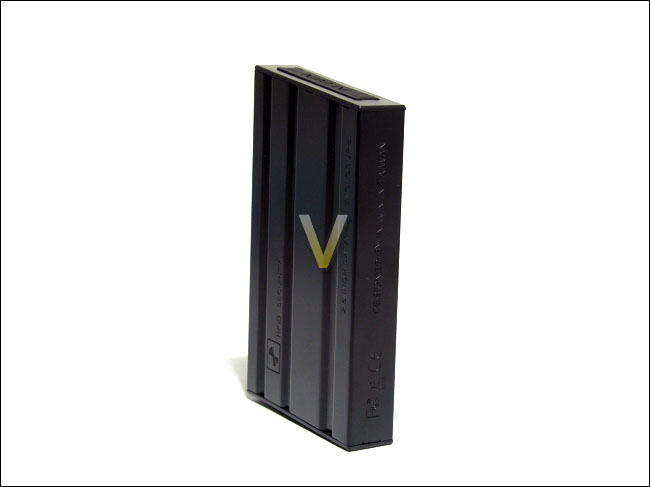
The heat dissipating properties of the AMMO were hard to determine given the fact that temperature monitoring was not available when using the device. Nevertheless, the casing made of stainless metal should provide decent cooling for the hard drive. The rubber tray also had some cut-outs here and there that will allow the hard to breathe easier. Even then, 2.5” hard drives are usually quite energy efficient and produce very little heat, given the fact that they were designed for a notebook environment where airflow is minimal.
Conclusion
The gaming community has increased in size in the recent years and it continuously expands. In Win hopes to please these potential customers with their latest external 2.5” hard drive enclosure by giving it a military theme. In terms of performance, the AMMO fits right in the norm of USB 2.0 devices. Nevertheless, the transfer speed of the AMMO is not the feat that sets it apart from the crowd.Not only does the AMMO boast bold aesthetics, it has great durability that is demonstrated by its capability of passing a military test standard. The usage of stainless metal and shock-absorbing rubber gives the AMMO its overall strength and it ensures that the hard drive contained within it will be protected. Also, the possibility of enabling data encryption or not through RFID technology is a highly welcomed feature for those who want to keep their data protected.
It is unfortunate that some plastic material slipped into the casing of the AMMO. The covers at the front and at the back holding the hard drive tray in place should have been made of stainless metal. Larger screws used to hold the cover in place might have been preferable as well, for added strength. Nevertheless, these issues are secondary to the overall excellent design of the AMMO.
Without a doubt, the In Win AMMO external 2.5” hard drive enclosure deserves Vortez Hardware’s Gold award.
Pros
[+] 3 year warranty
[+] Adequate USB 2.0 performance
[+] Excellent shock and vibration absorption capabilities
[+] Decent set of accessories
[+] Good material use in packaging
[+] Support for RFID technology
[+] Quick and painless hard drive installation
[+] Unsurpassed durability
Cons
[-] Fallbacks of RFID technology; dependent on RFID tags
[-] Slightly small screws
[-] Some plastic used in the casing
[-] Somewhat heavier and larger than most enclosures
Vortez Hardware would like to thank Nelly Hsieh of In Win Development for this review sample. We look forward to reviewing more In Win products in the future.
To discuss this review please visit our forum.
