







ASUS have sent us their P6T-SE motherboard for review. Affordable i7 – lets see how it performs!
Product on Review: P6T-SE X58
Manufacturer: ASUS
MSRP: Not mentioned on website
Street Price: £136.81
ASUS have kindly sent us their P6T-SE motherboard for review.
They are an incredibly well known and highly regarded company and are one of the major manufacturers in everything from motherboards and soundcards all the way to laptops and GPU’s.
ASUS, a technology-oriented company blessed with one of the world’s top R&
 teams, is well known for high-quality and innovative technology. As a leading provider of 3C (computers, communications and consumer electronics) total solutions, ASUS offers a complete product portfolio to compete in the new millennium.
To succeed in this ultra-competitive industry, great products need to be complimented by speed-to-market, cost and service. That’s why all 100,000 over employees of ASUS strive for the “ASUS Way of Total Quality Management” to offer the best quality without compromising cost and time-to-market while providing maximum value to all customers through world-class services.
With the advent of the newer and more affordable i5 chipset on the market i’m interested to see how this i7 board compares.
Specifications
Cpu:
Intel® Socket 1366 Core™ i7 Processor Extreme Edition/Core™ i7 Processor Supports Intel® Dynamic Speed Technology
Chipset:
Intel® X58 / ICH10R
Memory:
6 x DIMM, Max. 24 GB, DDR3 2000(O.C.)*/1866(O.C.)*/1800(O.C.)*/1600(O.C.)/1333/1066 Non-ECC,Un-buffered Memory
Triple channel memory architecture
Supports Intel® Extreme Memory Profile (XMP)
*Hyper DIMM support is subject to the physical characteristics of individual CPUs.
*Refer to www.asus.com or this user manual for the Memory QVL(Qualified Vendors Lidts).
Expansion Slots:
3 x PCIe 2.0 x16 (at x16/x16/x4 mode)
1 x PCIe x1
2 x PCI
Multi GPU support:
Supports ATI® Quad-GPU CrossFireX™ Technology
LAN:
Realtek® 8111C PCIe Gigabit LAN controller featuring AI NET2
USB:
12 USB 2.0 ports (6 ports at mid-board, 6 ports at back panel)
Overclocking Features:
Precision Tweaker 2
– vCore: Adjustable CPU voltage at 0.00625V increment
– vChipset (N.B.): 31-step chipset voltage control
SFS (Stepless Frequency Selection)
– PCI Express frequency tuning from 100MHz up to 180MHz at 1MHz increment
– Internal Base Clock tuning from 100MHz up to 500MHz at 1MHz increment
Overclocking Protection
– ASUS C.P.R.(CPU Parameter Recall)
Back panel I/O Ports:
1 x External SATA
1 x IEEE 1394a
1 x LAN(RJ45) port
6 x USB 2.0/1.1
8 -Channel Audio I/O
1 x PS/2 Keyboard (Purple)
1 x PS/2 mouse port (Green)
1 x Coaxial S/PDIF Output
1 x Optical S/PDIF Output
Internal I/O Connectors:
3 x USB connectors support additional 6 USB ports
1 x IDE connector
6 x SATA connectors
System Panel(Q-Connector)
1 x Power on switch
Support CD:
Drivers
ASUS PC Probe II
ASUS AI Suite
Anti-virus software (OEM version)
ASUS Update
Image-Editing Suite
Form Factor:
ATX Form Factor
12 inch x 9.6 inch ( 30.5 cm x 24.4 cm )
Despite being at the budget end of the Core i7 range it is quite well specced with multi GPU support, gigabit lan and support for up to 24gb of DDR3.
The X58 isn’t the newest chipset from Intel but it is one of the (if not THE)best on the market. It’s performance when married to a Core i7 chip is nothing short of astonishing with nothing on the market at the time that could compete.
It seems silly to say but in all honesty the P6T-SE is more of an ‘introductory’ level motherboard. Compared to it’s much more expensive ‘Deluxe’ and ‘RoG’ siblings it carries a much leaner specification. For example it only has an 8+2 phase power system compared to the P6T Deluxes 16+2 system.
As mentioned before though – it is still a Core i7 motherboard so ‘introductory’ level is really only a figure of speech at this point! Let’s take a look…
Packaging and board
ASUS have provided the P6T-SE with a colourful and vibrant box. It includes all the important information with the front typically covering the basics and the rear outlining yet more of the specific features and functions of the motherboard.
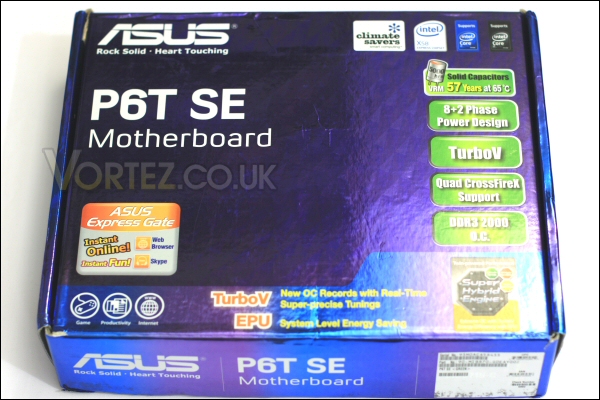
Box front.
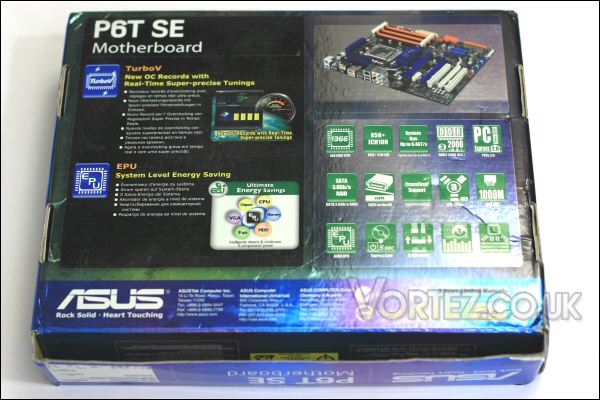
Box rear.
Upon opening we find a driver CD and a selection of SATA cables, an IDE cable, I/O backplate and the well known Q-connector for easy front panel connection.
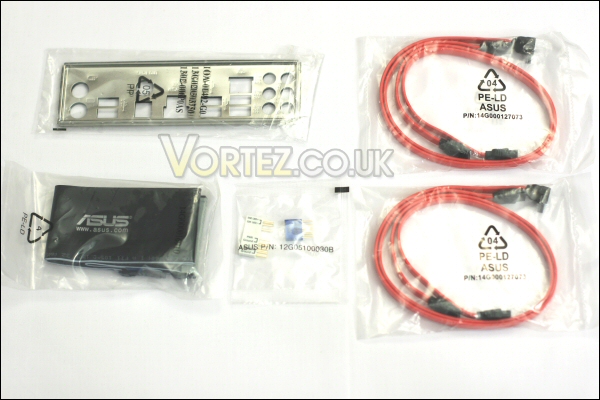
Cables and other goodies.
Also included are a Quick Start guide and the main P6T-SE user manual.
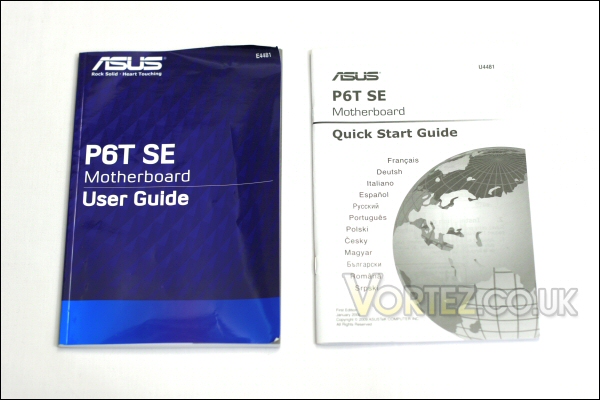
Instruction booklets.
Taking a look at the board itself you’d be hard pushed to imagine what is ‘budget’ about it. Heatsinks on everything that matter including the CPU’s power section.
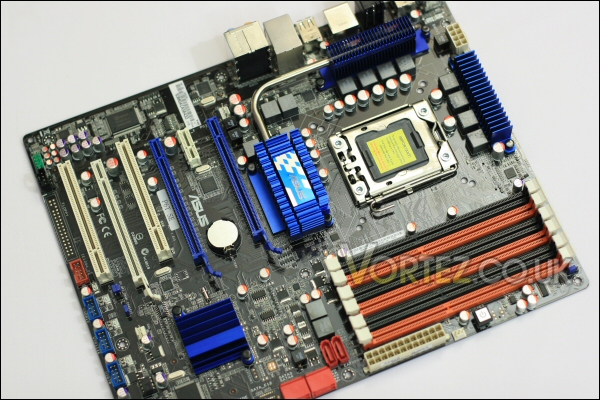
The P6T-SE.
The layout is tidy enough and the primarily black and blue finish is quite nice. I would say that the ram slots orange colour scheme may not be to everyone’s taste.
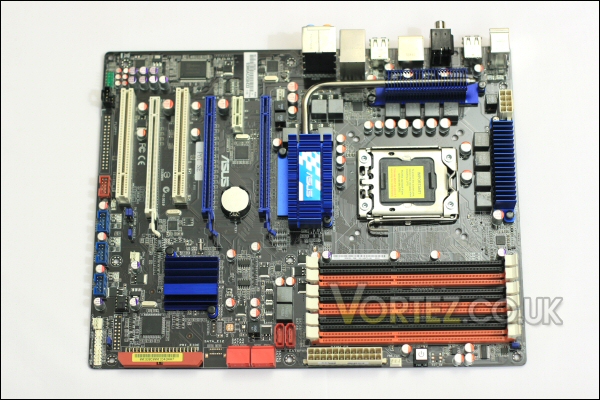
It’s nicely laid out and looks good.
The rear of the board is clutter free with only a Foxconn CPU backplate in place as well as a reference to ASUS’s own Stack Cool 2 heat dissipation technology.
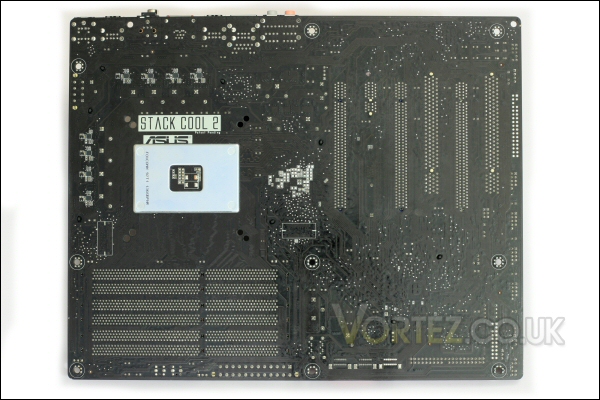
P6T-SE rear.
Up close we can see the Core i7 socket itself. This is the first Socket 1366 board that i’ve looked at and the size of the socket is quite a surprise.
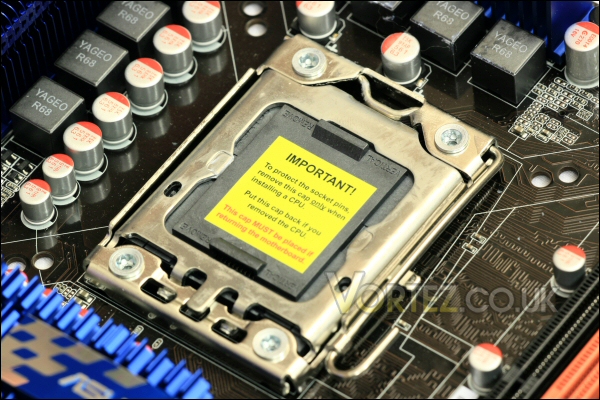
The Core i7 socket.
Indeed, only once the securing collar is swung back and the blanking plate removed can the sheer acreage be comprehended – it’s obviously to accommodate one serious chip! That’ll be quad core with hyperthreading too – in effect this produces 8 available threads for windows and other programs to use.
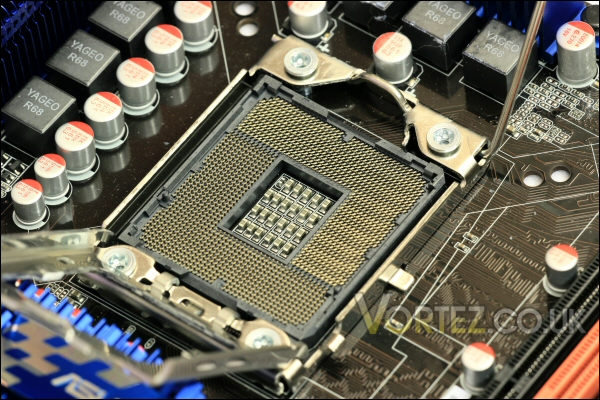
Socket open.
The board continued
Above the socket we find the 8-pin 12v socket and a standalone MOSFET heatsink.
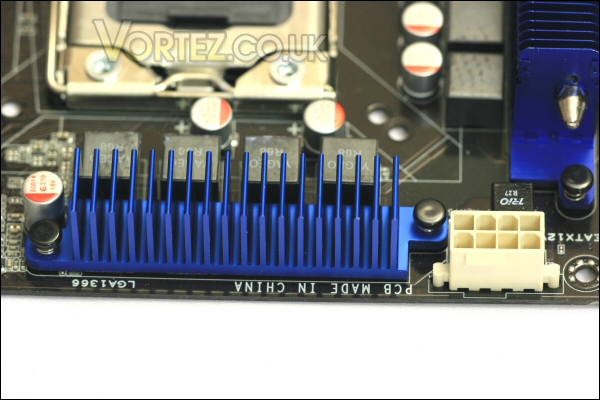
Heatsink and ATX 12v connector.
Further round we get to the six DDR3 DIMM slots. These work with the Core i7’s tri-channel memory controller. Up to 24gb can be installed in these if required although the majority of users will probably settle for a quarter of that! Alongside these there’s a lone 3-pin fan header, the boards 24-pin ATX connector and a convenient power switch – useful for testing the board when out of the case.
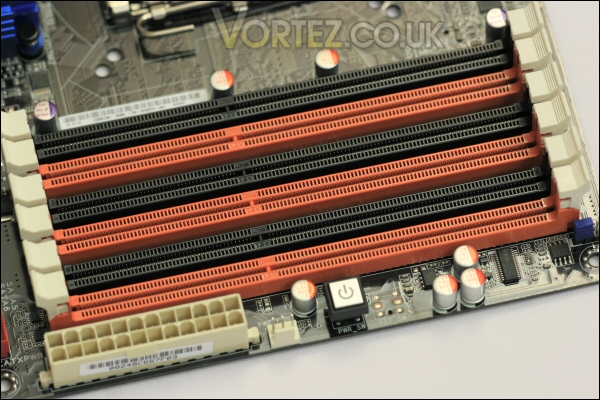
The six dimm slots – imposing!
Below this area we get to the six SATA sockets and the IDE connector. The placement is quite nice as they won’t interfere with any large installed GPU’s. In the background you can also see the passive heatsink which provides cooling for the Southbridge chip.
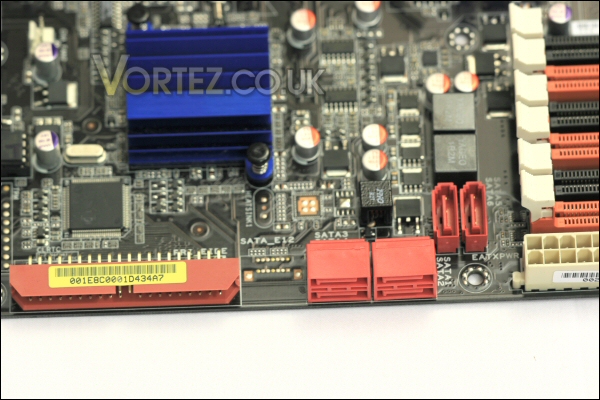
SATA and IDE connectivity.
Moving to the lower section of the board we find the front panel connection pins (to be used with the Q-connector) and all of the expansion sockets for additional USB and Firewire sockets. From this angle you can also better see the finned design of the Southbridge heatsink.
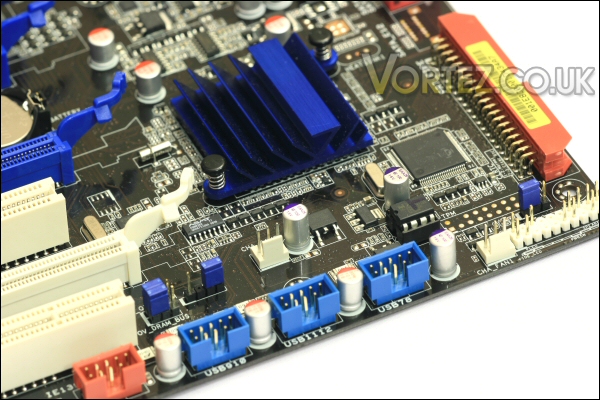
Front panel pins and USB/Firewire headers.
Above the USB and Firewire headers are the boards PCI-E and PCI slots. All the slots are fairly standard but only the two blue PCI-E 16x slots actually run at 16x – the lowest full length PCI-E slot only runs at 4x (another limitation of the downgraded SE board) so wouldn’t be recommended for graphics use. Relating to this the board also has no official Nvidia SLi capability. This was also removed to keep costs down and as a result the P6T-SE only officially supports ATi’s crossfire multi gpu system.
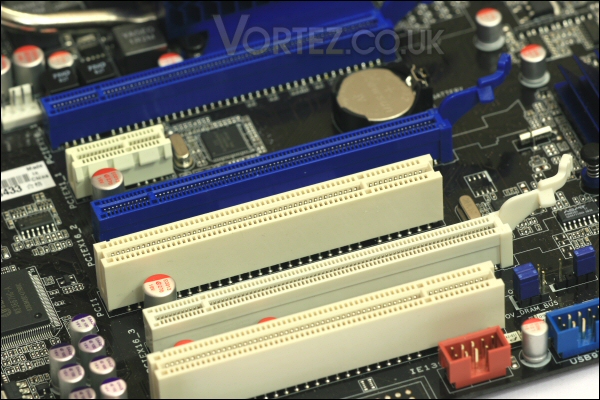
The board’s fully loaded with PCI and PCI-E slots.
Between the PCI-E/PCI slots and the cpu socket we see the X58 Northbridge. This is a much larger heatsink and is passive like all the others on the board.
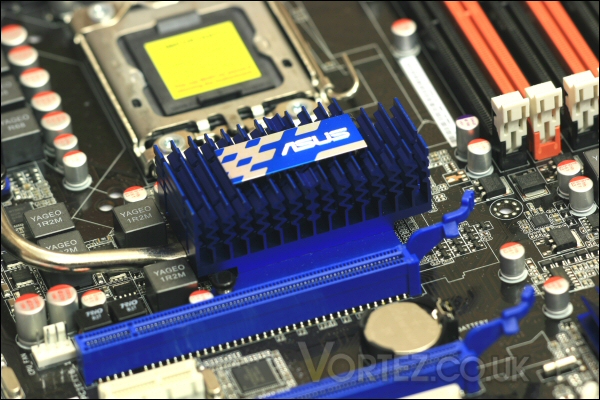
The P6T-SE’s Northbridge is a nice passive design.
The Northbridge sink is linked to the MOSFET heatsink located to the left of the i7 socket via a heatpipe. This should hopefully provide a little extra cooling performance for the chipset located beneath.
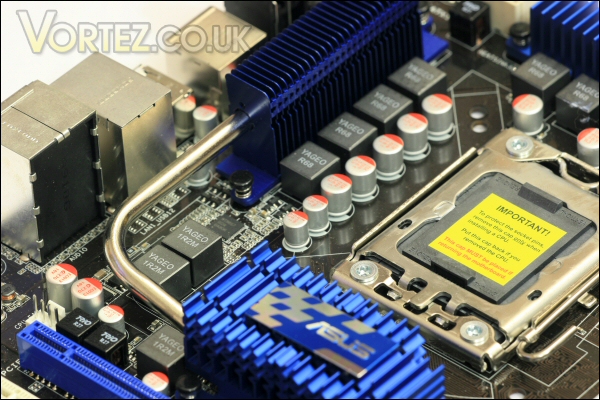
Heatpipe should aid cooling.
Finally we can take a look at the I/O rear panel connections. It’s quite a generic higher end layout providing standard mouse and keyboard PS2 connectivity, six usb sockets, optical and coaxial audio outputs, a firewire socket, an eSATA socket, the Gigabit lan socket and a full set of analogue audio sockets.
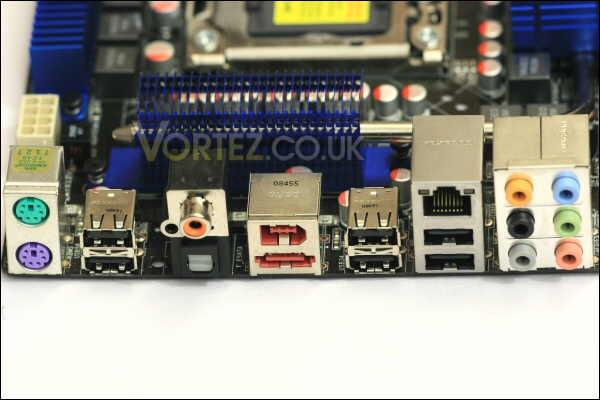
The rear panel.
Software
Programs available to the end user of the P6T-SE include the AI Suite which allows basic monitoring of system temps, fan speeds, clock speeds and voltage. From the main screen seen here you can choose one of four options. You can put the machine into sleep mode, start up fan expert, activate EPU-6 (an energy monitoring/saving program) or use TurboV.
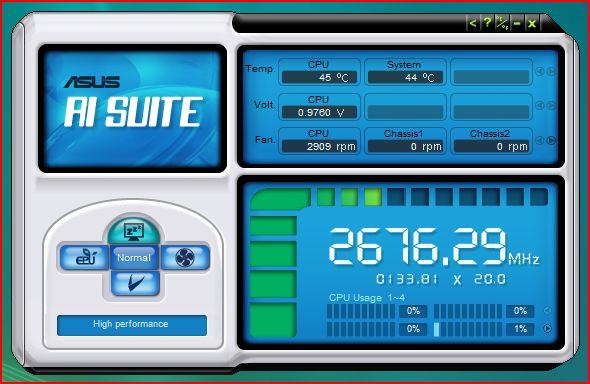
AI Suite.
Fan Expert is a complete fan control program where users are able to tailor their fan profiles to suit their specific needs.
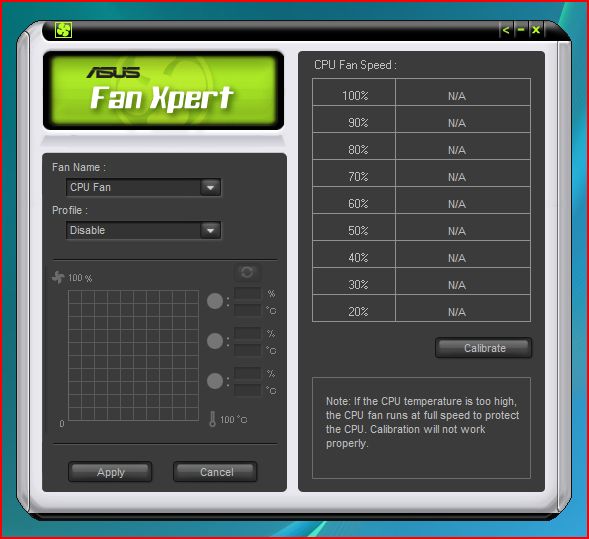
Fan Expert.
EPU-6 is an easy to use power saving program that tailors the PC’s performance characteristics to provide the best performance/power ratio.
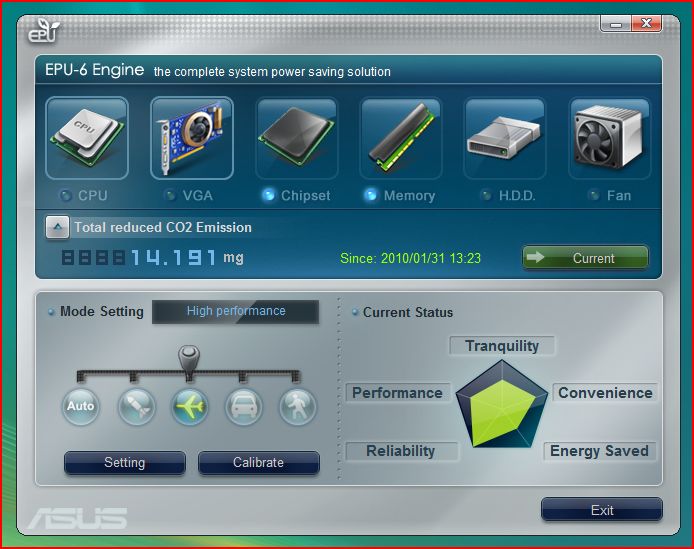
EPU-6.
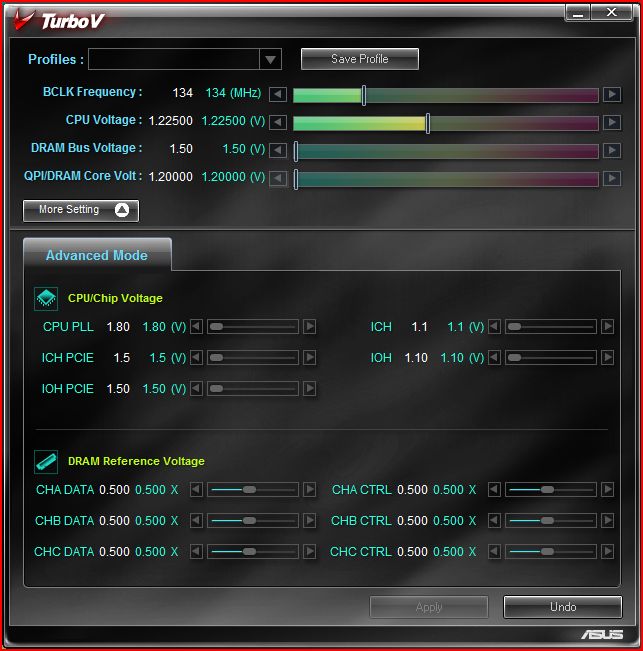
TurboV allows on the fly adjustment of various voltages and clock speeds across the board. This will for example allow users to clock up their PC for a gaming session and then return those clocks to normal afterwards. Much more convenient than the normal process of powering down the PC to make the same changes.
TurboV.
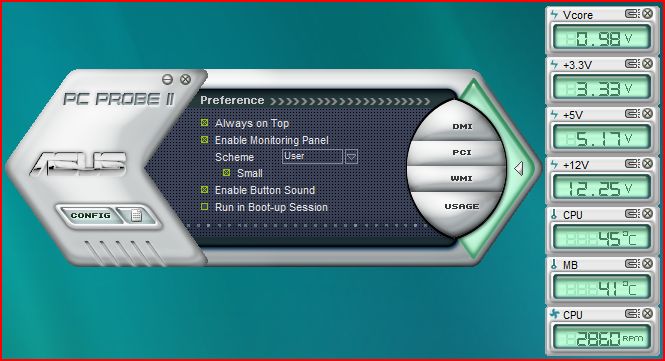
PC Probe II is also available. This also offers some of the functionality of the others and allows monitoring of voltages, temps and fan speeds.
PC Probe II.
Setup, installation and overclocking
Test setup
CPU: Core i7 920 @ 2.66ghz
RAM: 6gb Corsair DDR3
HDD: 250gb WD 7200rpm SATA HDD
Optical drive: LG Bluray/HDDVD Multidrive
CPU cooler: Coolermaster Hyper TX3
PSU: Hiper Type-R 580w
GPU: Gainward GTX260
Installation
Installation was quite easy. The new CPU socket worked well just like the i5 system i’ve recently tested. It was installed on a bench so the combination of the boards sheer size as well as the overall layout helped. This meant that the whole build was complete in no more than 10 minutes.
Overclocking
Overclocking was pretty straight forward. I changed both the multi to 21x (the maximum allowed with the i7 920 i received) and upped the v-core and Bclk (baseclock) settings.
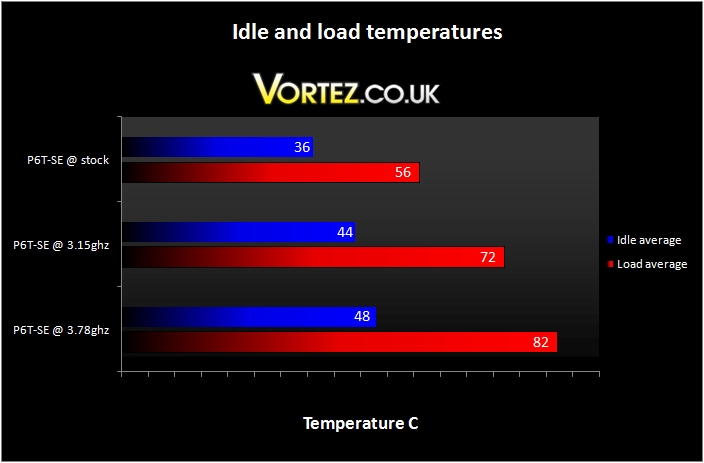
Initially i pushed the chip to a Bclk of 150mhz which returned a 3.15ghz clock. A decent enough overclock of almost 500mhz beyond stock speed.
I then pushed further and upped the Bclk to 180mhz which returned a clock of 3.78ghz – that’s a 1.1ghz overclock. At this clock the chip did run hot under full stress testing load but never skipped a beat during testing at this high speed.
Despite its lower cost it seemed to handle the clock well and i’ve no doubt that under better cooling 4ghz would be achievable.
Sound
The ASUS P6T-SE’s PWM fan control was excellent just like the last ASUS board i tested. It only ever throttled up during high load and even then did it in an unobtrusive and gradual manner. As you can see the board itself is a passive design too meaning the lack of fan noise really gives it extra brownie points! Only during high clocks did the fan really spool up – however, since it had to do this i can forgive it this minor indiscretion.
As with the Maximus III Gene review all i can say is that the P6T-SE has a quiet and effective approach to cooling.
Testing
I tested desktop performance initially using both Everest Ultimate (Trial Edition) and Futuremark’s PCMark05
Everest was first and when put up against similar competition we can see that the numbers speak for themselves.
Performance @ stock
Performance @ 3.15ghz
Performance @ 3.78ghz
Like the i5 i tested in the Maximus Gene III review recently the i7 is one seriously powerful chip – even at stock speeds! Only it’s slightly lower core clockspeed and its lower memory speeds (unrelated to the chip) return lower numbers when compared to the i5.
PCMark05 returns the same story. Very similar performance between the i5 and i7 with each trading blows at every similar overclock. The AMD is once again down on performance.
Physics and 3D 264.95 FPS
Web Page Rendering 3.67 Pages/s
File Decryption 73.83 MB/s
Multithreaded Test 2
Text Edit 153.89 Pages/s
Image Decompression 36.76 MPixels/s
Multithreaded Test 3
File Compression 11.86 MB/s
File Encryption 68.39 MB/s
Physics and 3D 319.2 FPS
Web Page Rendering 4.25 Pages/s
File Decryption 87.4 MB/s
Multithreaded Test 2
Text Edit 176.29 Pages/s
Image Decompression 42.9 MPixels/s
Multithreaded Test 3
File Compression 14.19 MB/s
File Encryption 84.62 MB/s
Physics and 3D 388.42 FPS
Web Page Rendering 5.02 Pages/s
File Decryption 104.97 MB/s
Multithreaded Test 2
Text Edit 217.63 Pages/s
Image Decompression 51.4 MPixels/s
Multithreaded Test 3
File Compression 17.05 MB/s
File Encryption 98.64 MB/s
Physics and 3D 275.01 FPS
Web Page Rendering 3.67 Pages/s
File Decryption 71.56 MB/s
Multithreaded Test 2
Text Edit 156.83 Pages/s
Image Decompression 36.75 MPixels/s
Multithreaded Test 3
File Compression 11.19 MB/s
File Encryption 68.36 MB/s
Physics and 3D 330.19 FPS
Web Page Rendering 4.13 Pages/s
File Decryption 85.44 MB/s
Multithreaded Test 2
Text Edit 198.93 Pages/s
Image Decompression 44.56 MPixels/s
Multithreaded Test 3
File Compression 13.69 MB/s
File Encryption 81.75 MB/s
Physics and 3D 406.18 FPS
Web Page Rendering 5.28 Pages/s
File Decryption 106.56 MB/s
Multithreaded Test 2
Text Edit 234.72 Pages/s
Image Decompression 55.46 MPixels/s
Multithreaded Test 3
File Compression 16.49 MB/s
File Encryption 104.29 MB/s
Physics and 3D 268.86 FPS
Web Page Rendering 3.69 Pages/s
File Decryption 82.47 MB/s
Multithreaded Test 2
Text Edit 178.53 Pages/s
Image Decompression 43.29 MPixels/s
Multithreaded Test 3
File Compression 10.37 MB/s
File Encryption 86.62 MB/s
Testing continued
We now move on to graphical performance – as the i7 has performed so similarly to the i5 i’d expect its gaming credentials to be just as impressive.
First up we take a look at the Futuremarks 3DMark Vantage benchmark program.
Vantage.
There wasn’t much point in adding the additional i5 results for the stock and 3.2ghz clocks since the i7 pipped it every time. Even with a 220mhz deficit the i7 returned a better Vantage result and almost matched it @ 3.15ghz.
Blacksite came next.
Blacksite.
Overall performance was good and was virtually identically comparable to the i5 and Maximus Gene III combo.
The last test involved Race Driver GRID.
Race Driver GRID.
Again performance was very nearly the same as the i5 system.
In each case all clocks at all resolutions were perfectly playable.
Conslusion
The ASUS P6T-SE is a nice motherboard. It might not feel as special, or be packaged quite as well as the higher end ASUS offerings but when you’re making such a saving over the other comparable X58 boards it’s acceptable.
The real question is whether it’s got anything over and above Intel’s own P55 type chipset. Yes it’s raw specs are better – it carries triple channel memory controllers vs dual channel and it has dual 16x PCI-E 2.0 slots vs the P55’s dual 8x PCI-E 2.0 slots – but is this enough?
Investing in a board like this will come to around £400 after both triple channel memory and a compatible chip is bought. The price of a top end P55 like the Maximus III Gene along with ram and a cpu will be much the same…
The ASUS P6T-SE X58 motherboard.
Ultimately the choice is up to you. If you find that you do a lot of encoding and raw data crunching then the power of the X58 and i7 combo is very impressive. However, if all you intend to do is game or use the pc as a general workhorse then something like the P55 and i5/i7 combo is probably the better choice. It has better power saving credentials, some newer technical features and will probably clock more aggressively than a P6T-SE + i7 920 combo as well.
Pros:
+ One of the most cost effective X58 motherboards
+ Good layout
+ Fanless cooling solution is effective and obviously silent
+ Software bundle includes some useful programs
+ X58 chipset is very powerful
+ Good gaming and desktop performance
Cons:
– Similar complete system cost when compared to Intel P55 solution
– Gaming and general desktop performance virtually identical to a P55 system
In conclusion the P6T-SE is simply a good, no nonsense motherboard! If you need raw processing power then it’s definitely a good option but for the majority of users i’d imagine a P55 style system may be the more desirable choice. As a result of this i choose to award it our \’Silver\’ award.
