







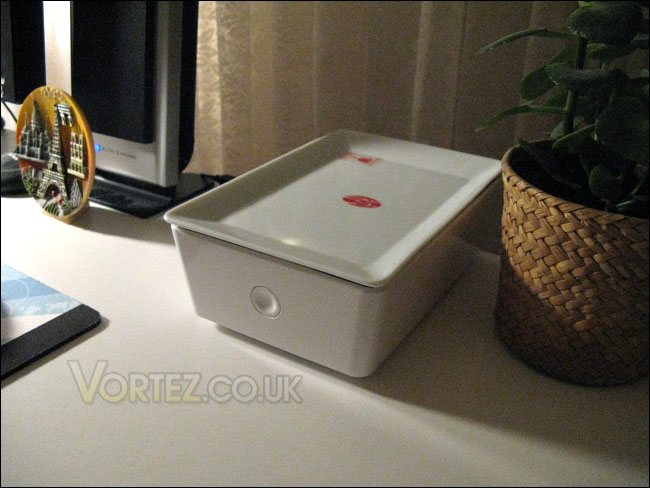
In addition to its USB 2.0 and eSATA support, the Na features a simple yet stylish exterior.
Product on Review: IN WIN Na External 3.5” Hard Drive EnclosureManufacturer and Sponsor: IN WIN
MSRP: Unknown
Street Price: USD $54.99
Better known for their computer cases, IN WIN has designed various quality products throughout the years. An aspect that is interesting about this Taiwanese company is that it tries to please both gaming-oriented and fashion-conscious users. It is evident from IN WIN product index (see Link) that some cases focus on an industrial and rugged design whereas others have trendy and stylish tones.
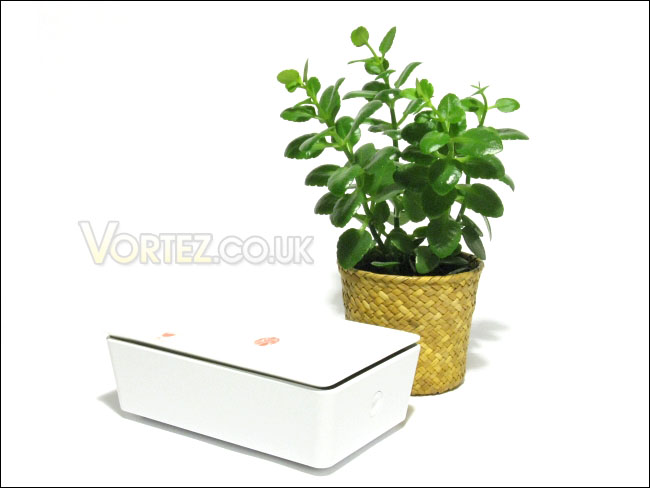
These same ideas have been brought to IN WIN’s storage devices. The AMMO, an external 2.5” hard drive enclosure, previously reviewed on Vortez Hardware (see Link) is oriented towards gamers with its evident war theme. On the other end of the spectrum, the Na is IN WIN’s external 3.5” hard drive enclosure with a simple yet attractive design.
With USB 2.0 and eSATA support, the IN WIN Na looks to be an all-round good enclosure. More will be discussed on this product in the following pages.
The IN WIN Na
About IN-WIN Development: Link
In Win has become a leading, top-notch manufacturer of core technology in order to meet market and consumer needs and demands. Our company’s management team has laid a strong foundation in terms of eight major elements: Innovation, Service, Speed, Value, Safety, Warmth, Faithfulness, and Diligence. These elements help In Win to remain a leader in the business realm and also help differentiate us from our competition.
Features and Specifications
Link: Features
Features:
• Design Philosophy
Combining a warm design aesthetic and a touch of Chinese culture, Na brings users an elegance not seen before in external hard drive enclosures.
• Culture & Art
The top plate of this 3.5” external storage device is adorned with a bit of Chinese calligraphy [納], meaning prosperity, wealth, and the spirit of generosity. The porcelain plate compliments the stylish silhouette providing users with the ultimate in storage solutions.
• Glamorous Chinaware
This uniquely designed Chinaware embellishes the word “納” on its surface. It features not only the ability to store data, but also provides the use of a pottery. The detail dedication in the design of such device displays the essence of the Chinese culture.
• Beautifully Hidden
Sprouting out from its vibrant character, the Na is able to hide pesky wires and cords that might get in the way of your calming storage experience.
• Anti Vibration
Patterned anti-vibration rubber was designed to prevent your Na from shocks and vibrations.
• Smart Fan Control
The 6cm silent fan is equipped with an automatic thermostat switch that can automatically detect the temperature to turn the fan on or off. This saves you electricity, keeps your hard drive in a controlled temperature, and is environmentally friendly.
Specifications
• External Material:
Plastic and Porcelain
• Interface:
1. USB2.0/1.1
2. e-SATA
• Certificate:
1. CE
2. FCC
3. RoHS
• HDD Support:
1. Support 3.5-inch SATA HDD
2. Up to 1000GB of storage
• Dimension(HxWxD):
131 × 201 × 70mm
• OS:
Windows 2000/XP/Vista
• Warranty:
1. 3-Year
2. The top procelain plate is not included in the warranty coverage.
• Transfer Rate:
1. 480Mbps w/ USB 2.0
2. 12Mbps w/ USB 1.1
3. 3.0Gbps w/ SATA II
4. 1.5Gbps w/ SATA I
• AC Input:
1. 100~240VAC
2. 50HZ~60Hz
3. 12V/2A
Packaging and Contents
The IN WIN Na comes in a large brown box with red text and images printed on it. Simplicity, it would seem, is the focus of the IN WIN Na. The front of the box has an image with the outline of the Na, and it gives a vague idea of what the product actually is. It isn’t exactly explicit, honestly, for the potential buyer who has never seen the product. As for the back of the box, various information regarding the features and specifications are given. This information is the same as that found on IN WIN’s website.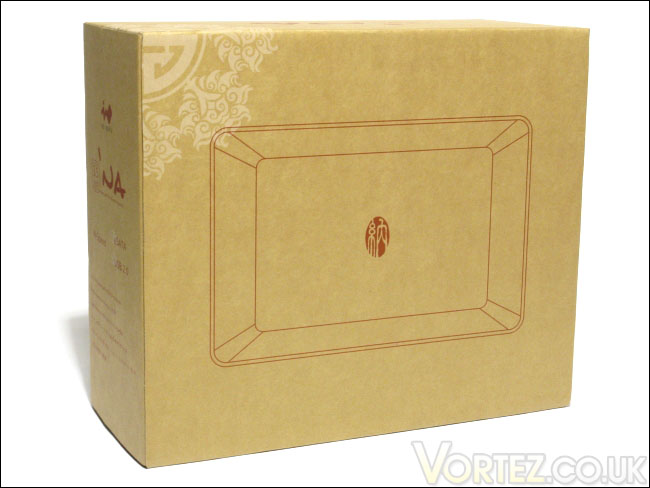
The front packaging
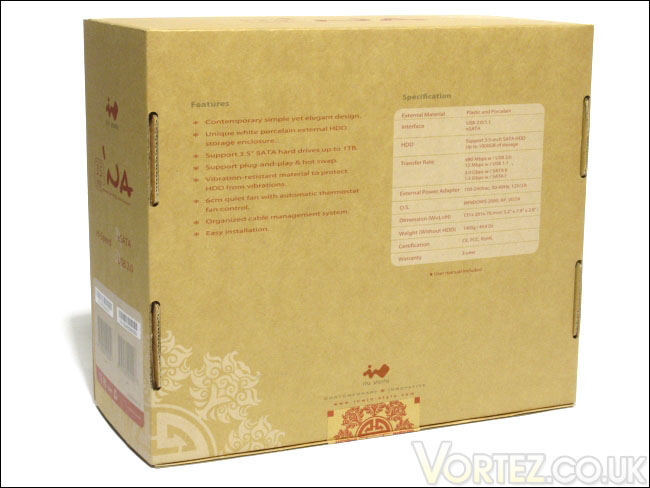
The back packaging
Given the fact that the IN WIN Na was designed with style in mind, IN WIN has taken the extra steps to make little things pretty. This is the case of the seal on the box.
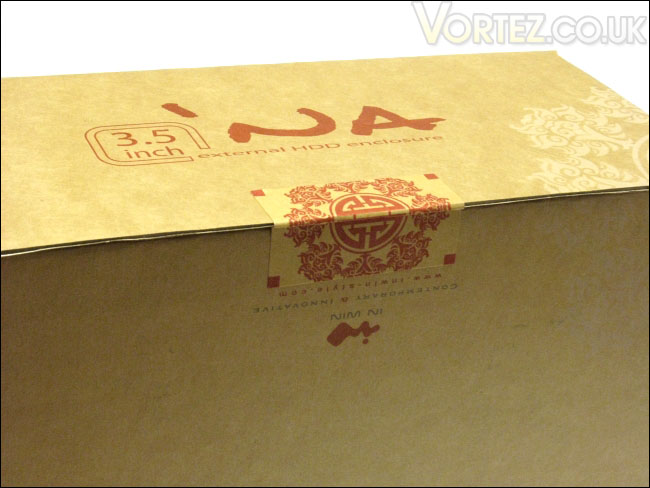
The seal
As like any other product, the package is opened after breaking the seal. All of the contents of the Na are neatly put into different compartments. In all, with everything taken out of the packaging, we find that there are 4 sections that hold the contents. In my opinion, the packaging material seemed to be in excess, especially when you consider that the accessories were individually and together packed in a plastic bag. A single plastic bag for all of the accessories would have been fine.
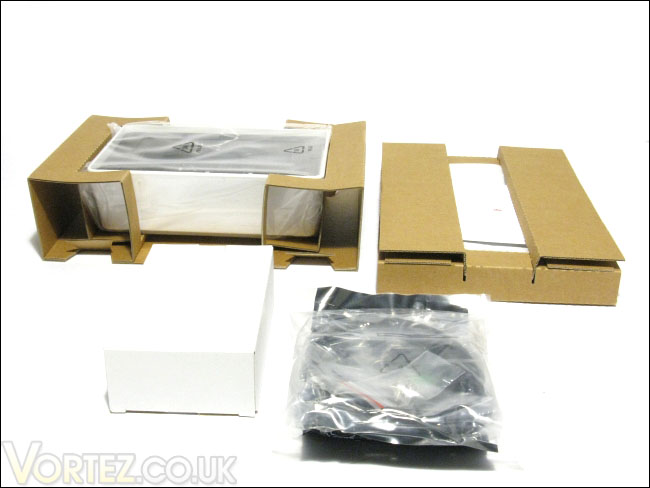
The contents of the package
In terms of package contents, we have the IN WIN Na enclosure, a 12V power adapter, a 3 feet USB A-male-to-B-male cable, a 19 ½ inches eSATA cable and four screws to secure the hard drive. Although the 3 feet USB cable is more than enough if you are planning to place the hard drive enclosure near your computer case, such as on the adjacent table, the 19 ½ inches eSATA cable is very underwhelming. The length of the eSATA cable allows you to place the enclosure, perhaps, on top of the computer case if you are using the eSATA port on the I/O panel of the motherboard. IN WIN should have provided a longer eSATA cable. A minimum of 3 feet would have been much better.
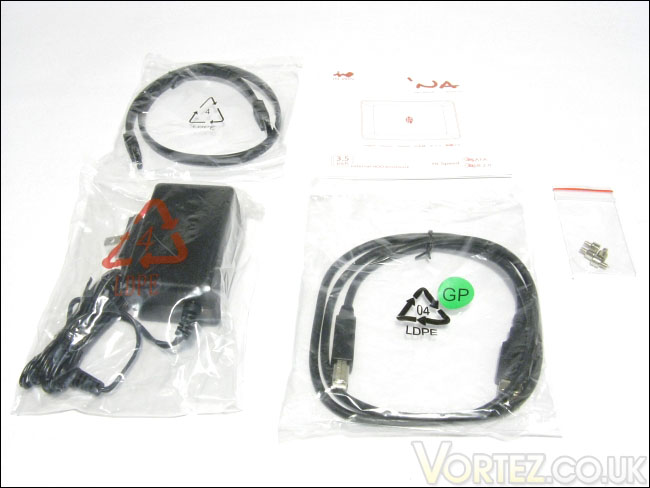
Power adapter, eSATA cable, USB cable, screws and manual
Closer Look: IN WIN Na
The IN WIN enclosure was initially protected by a thin plastic film, no doubt to protect from scratches during transit. The IN WIN Na’s exterior can be said to be made of two parts: the lid and the enclosure itself. The lid rests nicely on top of the enclosure and it is made of porcelain. Unfortunately, the lid itself is not secured to the enclosure, but it has four rubber feet to keep if from slipping off the enclosure. Also, the lid rests slightly inside the plastic enclosure to help it from slipping off. This concept makes sense, anyway, if you think of a pot and a lid. Nevertheless, this makes the IN WIN Na a bad candidate if you are planning to move it around in the house, from computer to computer, because of the risk of the lid falling off. Then again, the device was not designed to be transported around, given its rather hefty size.The enclosure itself is made of white plastic. At the front of the enclosure, we see a large circular power button that is fairly easy to depress to power on the device. It makes a nice click sound. Accidently bumping the button can easily turn on or turn off the device.
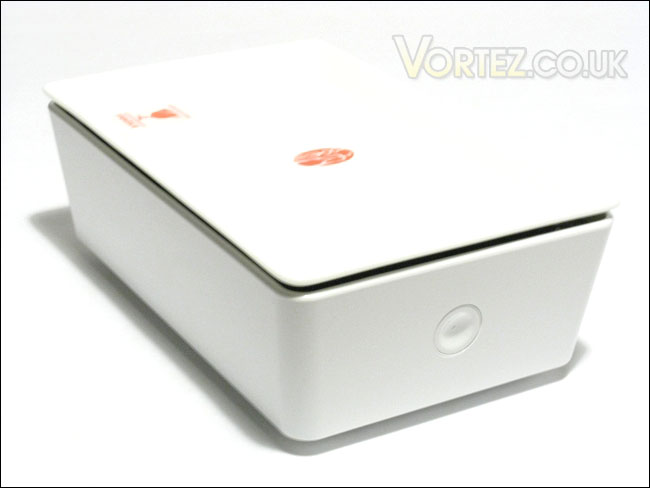
The IN WIN Na
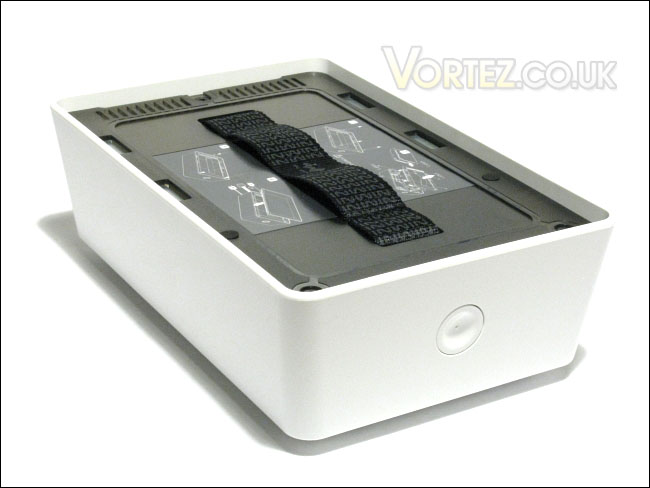
The IN WIN Na without its lid
As it was mentioned earlier, the lid itself is not secured to the enclosure. Furthermore, because it is made of porcelain, it is fragile and can break if ever you drop it. IN WIN has therefore decided not to provide any warranty on the porcelain lid, which is unfortunate. Nevertheless, in the event the lid is broken, a new lid may be ordered through IN WIN’s customer service for a fee of USD $9. It is a modest price, but it is always better to avoid carrying the product around to minimize the risk of damaging the lid. This is not to say that the lid is very easy to break; you can always place various objects on the lid, such as your keys, pens, or anything small, without any trouble.
In order to make the lid artistic, IN WIN writes the character 納 on top of it, the meaning being “prosperity, wealth, and the spirit of generosity”. Not bad at all. Again, the bottom of lid has 4 small rubber feet.
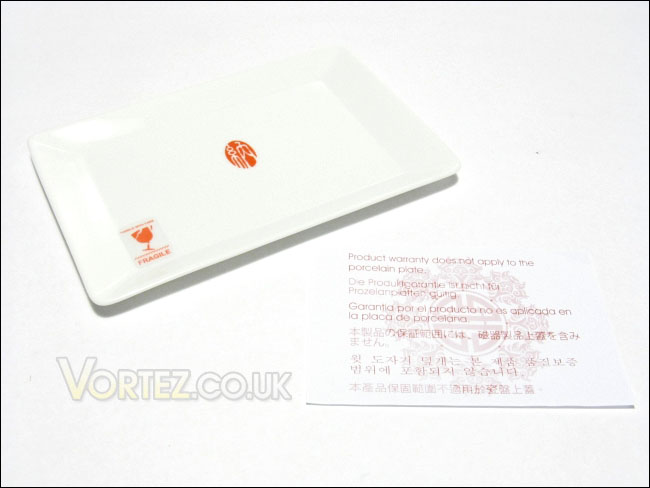
The top of the lid and the warning of no warranty against damage
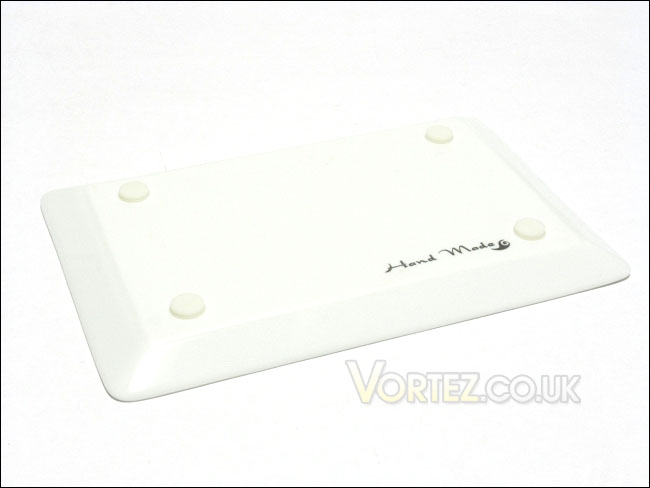
The bottom of the lid with four rubber feet
The bottom of the IN WIN Na, as we can see, has a small vent. This vent allows the 60 mm sleeve-bearing fan built into the Na to exhaust hot air coming from the hard drive, keeping the device cool. There is also a small cover that hides the three ports of the IN WIN Na, i.e. the USB, the eSATA and the power ports. The cover is more or less needed in my opinion, as you would probably never see these ports anyway when the product is placed on your table. In fact, the cover is more of a chore than anything, as you need to remove the cover to access the ports. The unfortunate thing is that you cannot use the device without it. Indeed, the cover itself has two of the four rubber feet of the Na.
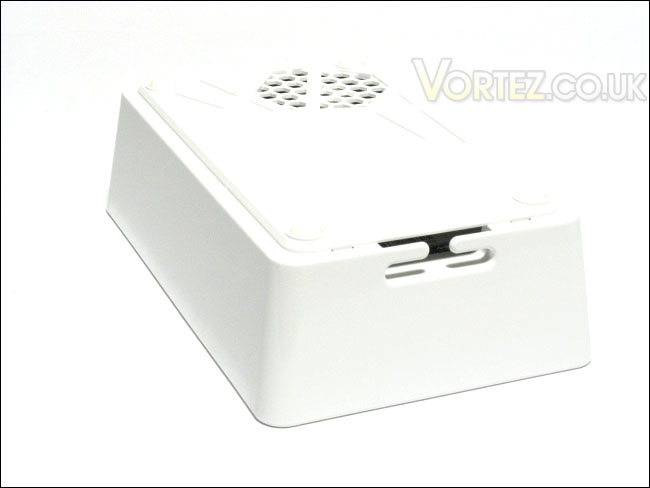
The bottom of the IN WIN Na
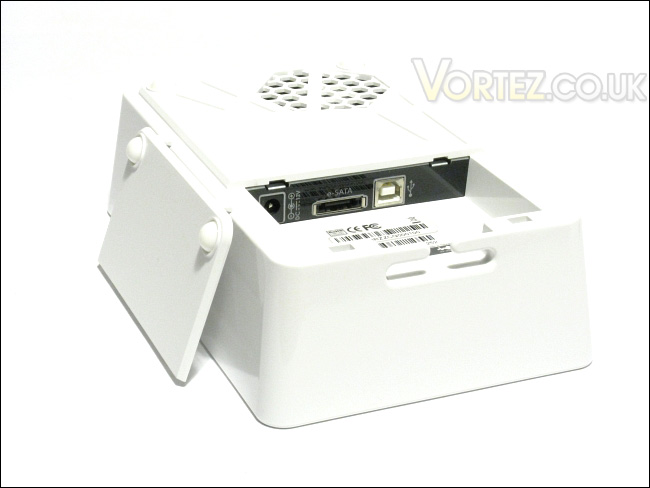
The bottom of the IN WIN Na with cover removed, and three ports: power, eSATA and USB
Closer Look: IN WIN Na (continued)
Inside the plastic casing of the IN WIN Na, we will find the hard drive tray that is held to the plastic casing by three small screws. The hard drive tray has a convenient strap that helps pulling the tray out of the case. It is quite handy, actually. The hard drive tray includes the important things of the enclosure: the PCB and the 60 mm fan that is located at the bottom of the enclosure. The hard drive tray also has four rubber washers pre-installed. These washers help reduce the vibration coming from the installed hard drive.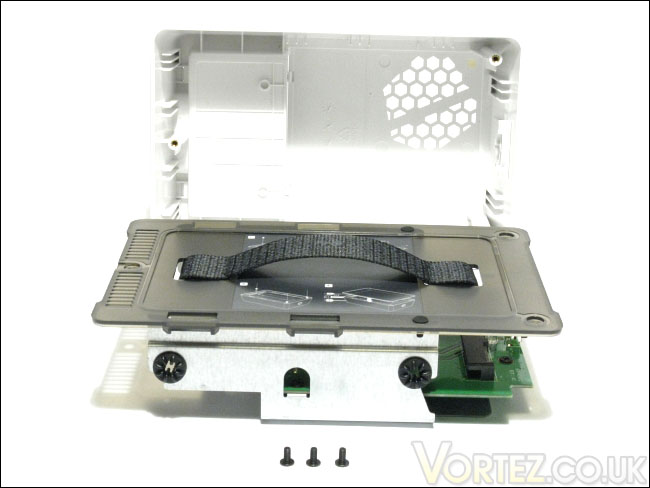
The hard drive tray
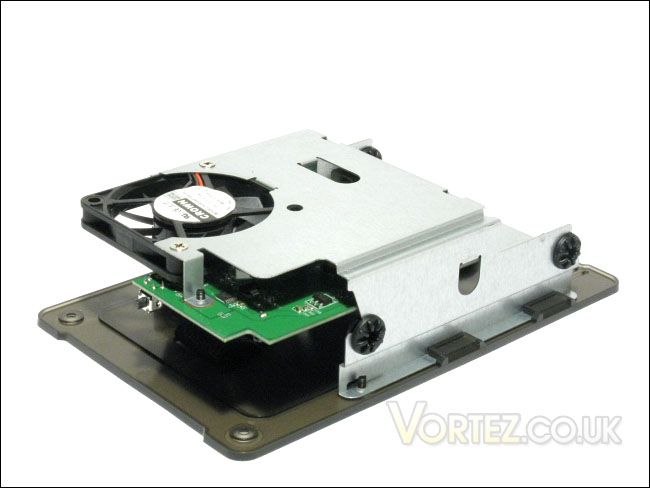
The bottom of the hard drive tray with the 60 mm fan
The fan that is installed into the IN WIN Na is held in place by two screws. Seeing as there were rubber washes for the hard drive, it would have been to see the fan installed with some anti-vibration rubber or silicone standoffs, simply to stay with the silence theme. The fan is manufactured by Crown and its model is AGE06010S12L. More information on this fan can be found on Crown’s website as well as this website. The fan is rated to work at 12V and at a maximum of 3500 RPM. However, IN WIN has configured the fan to spin at a maximum of 1400RPM when the internal temperature of the IN WIN Na reaches 45°C. This should provide more than enough airflow inside the enclosure to keep things cool and with minimal noise.
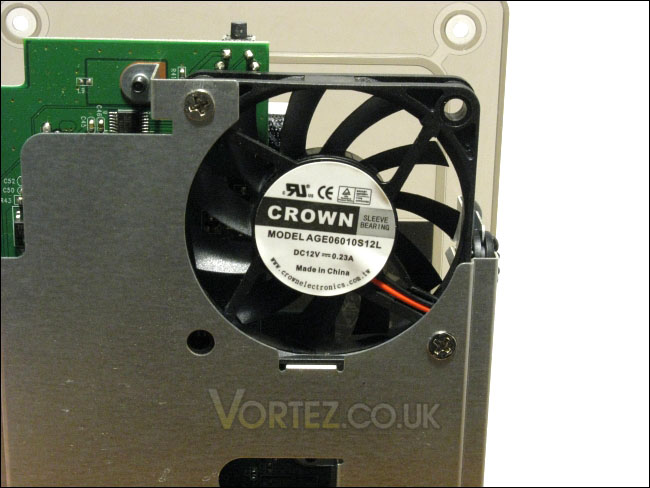
The 60 mm fan
In order to examine the PCB of the IN WIN Na, the plastic cover needs to be removed from the hard drive rails. The cover is held in place by two screws hidden under small rubber pads.
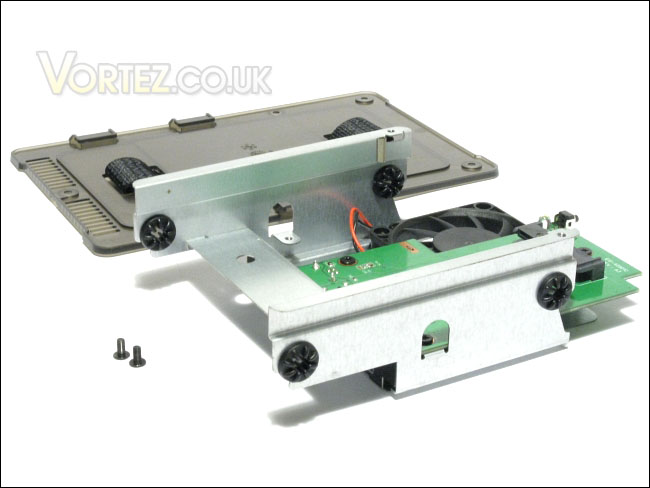
The plastic cover removed
Upon inspection of the PCB of the IN WIN Na, we found out that the chipset used is the Prolific PL-2571, a high speed USB to SATA II bridge controller. More information regarding this chipset can be found on Prolific’s website. The PCB that I received was the 610-4S901B, revision A3.
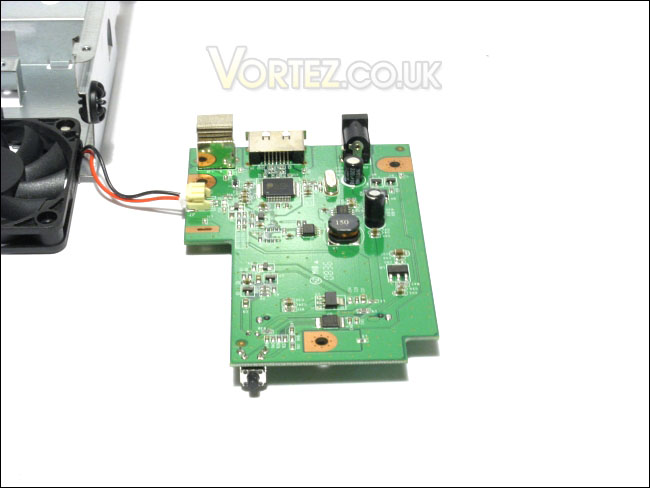
Closer Look: Accesories
The power adapter that comes with the IN WIN Na is the Asian Power Devices WA-24C12U, rated for a DC output of 12V and 2A. It comes with interchangeable plugs, which is the first that I have come across. No doubt you can find additional plugs at a hardware store. This design is much better than having the need of buying a whole new power adapter. The power cord has a respectable length of about 56 inches, which is more than enough for most setups.Other than the power adapter as accessory, IN Win has included a 3 feet USB B-male-to-A-male cord and a 19 ½ inches eSATA cable. As it was mentioned earlier, the length of the eSATA cable is very underwhelming, as it is more or less allows putting the IN WIN Na on top of the computer case.
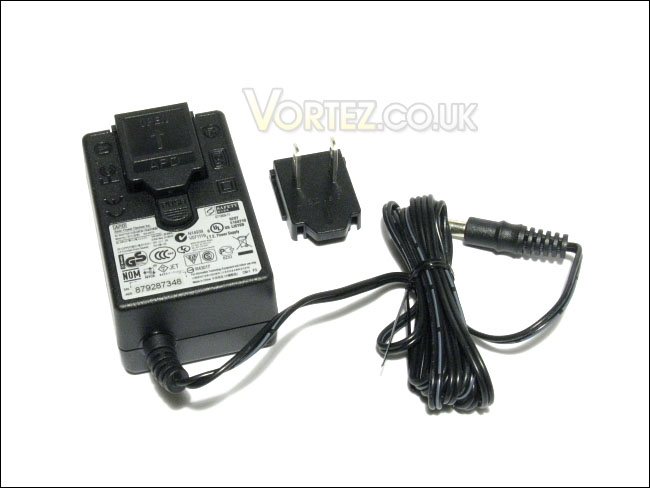
The power adapter
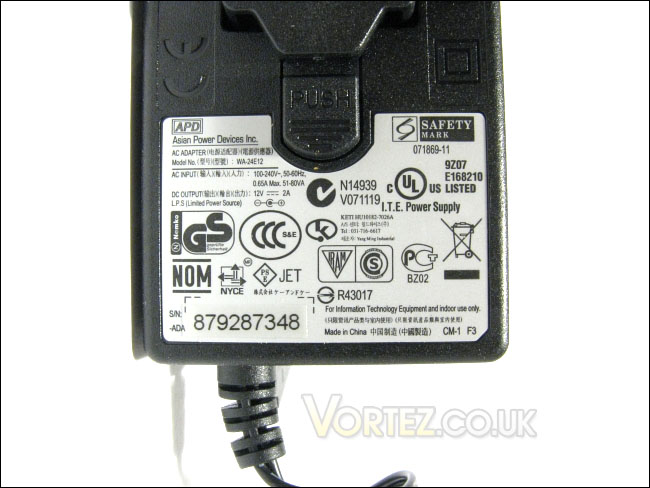
Asian Power Devices WA-24C12U
Installation and Drivers
The installation of the IN WIN Na is fairly straightforward. In fact, IN WIN has simplified the installation by having the instructions printed inside the enclosure, on top of the plastic cover of the hard drive tray. The steps are the following: unscrew the three screws holding the hard drive tray to the plastic cover, remove the plastic cover with the strap, slide the hard drive into the tray, screw the hard drive into place, and place the tray back into the casing.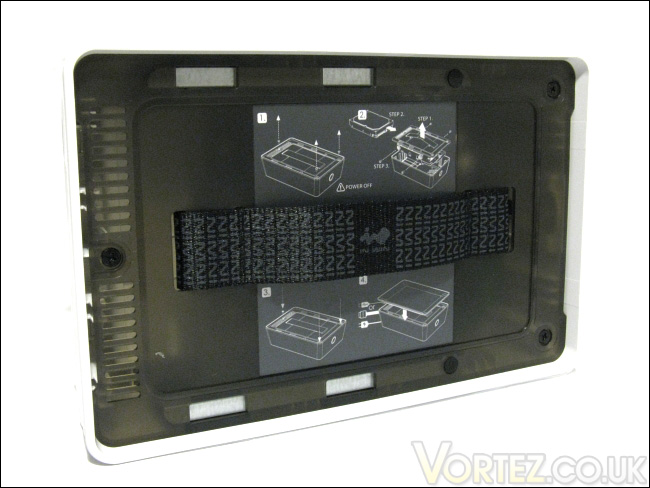
The installation instructions printed on the plastic cover
The IN WIN Na comes with four rubber washers pre-installed onto the hard drive tray. They make sliding the hard drive into the tray a bit harder because of the friction, but this does not make the installation a chore. The washers themselves are quite hard, but they do provide decent anti-vibration. No doubt, IN WIN Na must have made these washers harder than necessary to resist the hard drive’s friction against them during insllation.
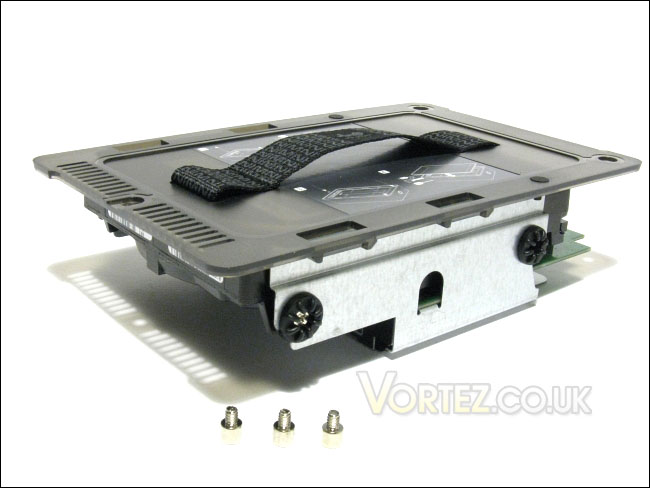
The hard drive installed and its screws
When powered on, the IN WIN Na emits a small white light near the front of the porcelain lid. It’s very subtle, but it’s no doubt nice and easy on the eyes. The hard drive automatically detected by Windows 7 and all the required drivers are automatically installed.
Test System and Testing Methodology
Testing MethodologyIn order to determine the IN WIN Nas’ performance, three programs will be used: HD Tune and HD Tach. These benchmarks will measure the read performance of the Na using the USB 2.0 and eSATA connector.
The Na will be attached to the given ports on the I/O panel of the Gigabyte GA-MA78GM-S2H motherboard. As it will be discussed later, there will be a problem when connecting the Na to the eSATA port of the motherboard. Therefore, the IN WIN Na was connected to the motherboard through the SATA-to-eSATA adapter of the Antec Easy SATA hot swap caddy.
The Na’s results will be compared to the transfer speeds of the hard drive installed using an internal SATA port. The hard drive that will be used for testing is the Hitachi DeskStar T7K500 HDT725025VLAT80 250GB, a fairly modest 7200RPM hard drive.
Benchmarks
– Test 1: Read performance in HD Tune 2.55
– Test 2: Read performance in HD Tach 3.0.4.0 (Long Bench with 32mb zones)
– Hard Drive Tested: Hitachi DeskStar T7K500 HDT725025VLAT80 250GB SATA2 7200RPM 8MB 8.5ms 3.5IN
Test Setup
– CPU: AMD Athlon X2 5000+ Black Edition @ 2.6 GHz 1.15V
– Motherboard: Gigabyte GA-MA78GM-S2H 780G
– RAM: Corsair XMS2 TWIN2X4096-6400C5 PC2-6400 2x2GB
– Case: Antec NSK3480 mATX
– Power supply: Antec EarthWatts 380W
– CPU cooler: Noctua NH-U12P with Noctua NF-P12 @ 5V
– Case fan: Noctua NF-P12 @ 5V
– Hard drive 1: Western Digital Caviar SE16 WD6400AAKS 640GB
– Hard drive 2: Hitachi DeskStar T7K500 HDT725025VLAT80 250GB
– DVD Drive: LG GH22NS30 DVD Writer
– OS: Windows 7 Ultimate (x64)
– Mouse pad: QPAD|UC Large
– Monitor: Dell E207WFP 20” TN
Test Results: HD Tune and HD Tach
Test 1: HD Tune 2.55Read performance
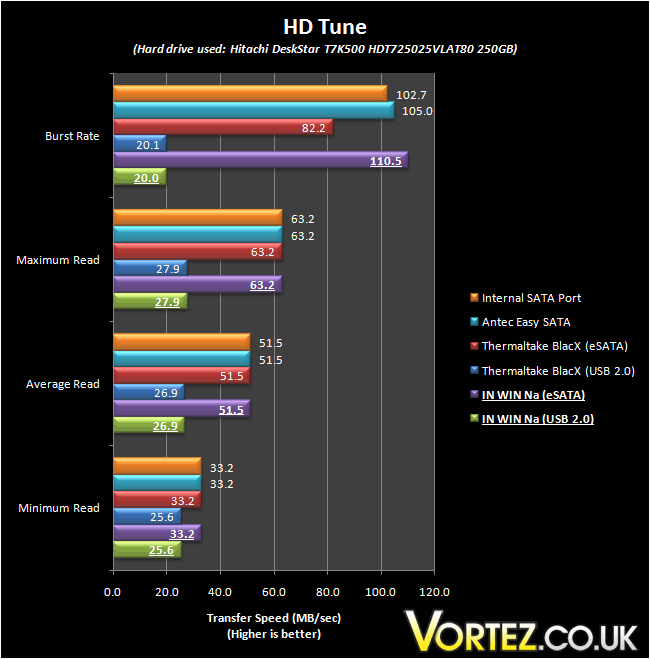
The USB 2.0 connection bottlenecked the performance of the hard drive. USB 2.0 is rated to up to 480 Mb/sec, which is equivalent to 60 MB/sec. On the other hand, SATA 3.0 Gbps is rated to up to 600MB/s of maximum, which exceeds the speed of any consumer level hard drive. From HD Tune, we can see that the average read transfer speed with the IN WIN Na was 26.9 MB/sec through USB 2.0 and 51.5 MB/s through eSATA. These results were consistent with the other enclosures we have tested in the past as well as the internal hard drive setup. There is nothing too alarming here.
Test 2: HD Tach 3.0.4.0
Read performance (Long Bench with 32mb zones)
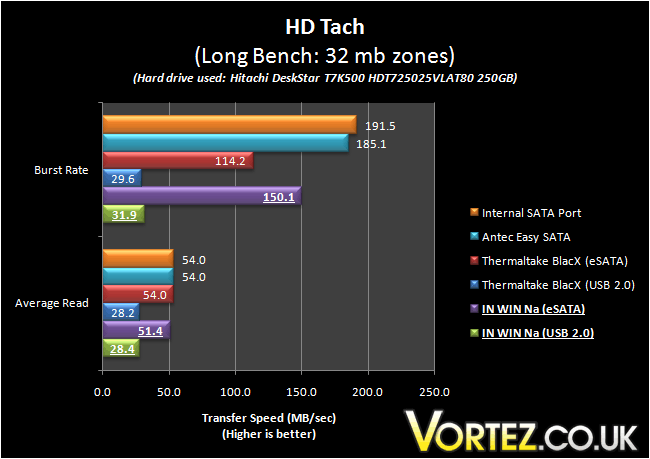
The results from HD Tach were similar to HD Tune. The IN WIN Na scored an average read speed of 28.4 MB/s through USB 2.0 and 51.4 MB/s through eSATA. The average read speed through eSATA was slightly slower than the other enclosures, but this is insignificant and can be easily caused by variability in the benchmark.
Noise and Temperature
In terms of temperature control, the IN WIN Na does a fairly good job in keeping things cool. The included fan only spins at 1400RPM when the internal temperature of the enclosure reaches 45°C. Throughout the test, however, we need have the fan spin up when the hard drive reached 37°C (ambient temperature: 25°C), and this temperature was maintained and dropped to 34°C. The fan stopped spinning once the lower temperature was reached.In terms of the noise characteristics of the fan, the fan has the typical buzzing associated with sleeve bearing fans. It’s very subtle unless you put your ear near the fan. It also emits a really faint high pitch noise, again only heard when really close to it. There was no ticking sound. At 1400RPM, the fan was very quiet, but not silent. It could still be heard a bit over the noise of the hard drive’s idle noise.
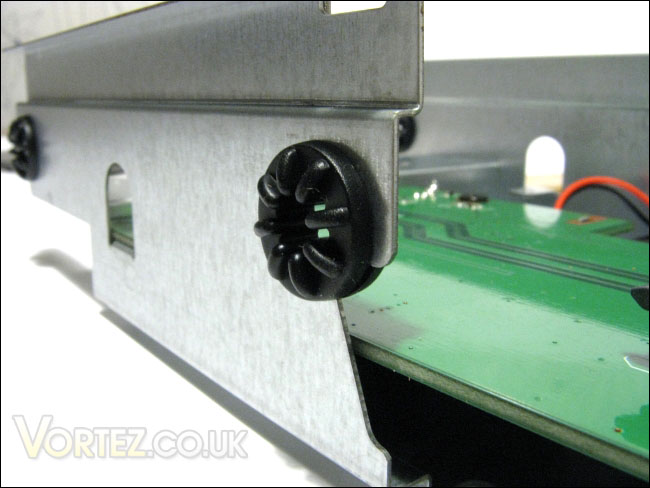
The rubber washers
Other than a fairly quiet fan, IN WIN has included rubber standoffs for the hard drive. This rubber is fairly hard, no doubt to resist friction when the hard drive is installed. Therefore, its anti-vibration is a bit underwhelming. Vibration was still transferred from the hard drive to the enclosure. However, the vibrations were muffled enough so that the enclosure was not making a resonating noise. You could still feel the enclosure vibrate when you touched it.
Issues with eSATA
Early in the testing of the IN WIN Na, there was a problem with the eSATA performance. In fact, the eSATA performance of the Na when connected to the eSATA port on the I/O panel of the Gigabyte GA-MA78GM-S2H 780G was abysmal: average read speed in HD Tune was 0.9 MB/s and the speed fluctuated greatly through the benchmark. Indeed, the hard drive was performing as if it was working under PIO mode.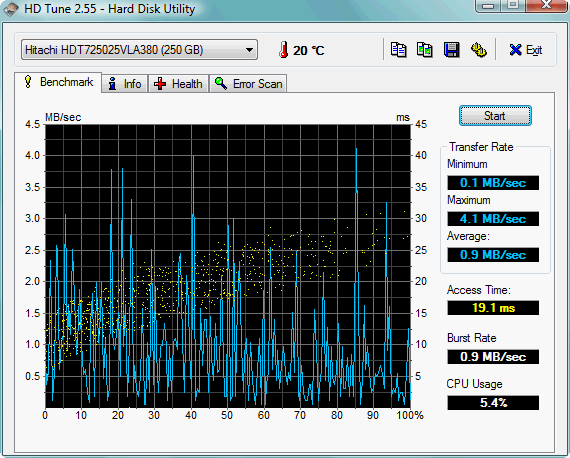
The strange eSATA performance
IN WIN was contacted regarding this issue, but no problem could be found as everything was working fine on their side. There was somehow incapability between this motherboard’s eSATA port and IN WIN Na’s eSATA port. This idea was reinforced by the fact that the eSATA performance was perfectly normal when using a SATA-to-eSATA adapter which was the Antec Easy SATA hot swap caddy. In other words, the read speeds were fine when the IN WIN Na was connected directly to one of the motherboard’s internal SATA ports.
If ever you purchase the IN WIN Na and use it on the Gigabyte GA-MA78GM-S2H 780G motherboard, you might experience the same problem. If ever this happens, you will need to purchase a SATA-to-eSATA adapter. There was no problem like this for the USB 2.0 connection with the Na.
Conclusion
In the effort to please the niche of trendy and fashion-conscious computer users, IN WIN has released various products, such as the Allure. Building on the same idea as the latter, IN WIN has produced a simple and attractive external hard drive enclosure, the Na.Although simple at first look, the IN WIN Na includes the features you would except from a modern external enclosure, such as support for USB 2.0 and eSATA connectivity. Through the benchmarks, we discovered that the Na performed as you would expect, with its average read speed equating the performance of other enclosures on the market. The unfortunate thing about the eSATA connectivity was, however, the apparent incompatibility with the test bench’s motherboard’s eSATA port, which translated to abysmal performance.
The Na also includes a pre-installed 60 mm fan that is rated to rotate at a maximum 1400 RPM. In addition to keeping the hard drive cool, it produced very little noise. In terms of noise control, the enclosure has 4 rubber washers to dampen the vibration of the hard drive. Installation and usage was quite good with a few minor issues such as the plastic cover over the ports, the fragile porcelain lid and the hefty size which renders the Na a bad candidate for portability.
In regards to other annoyances of the IN WIN Na, the most prominent one would have to be the disappointingly short eSATA cable. Most users will have to purchase a new one given the fact that the included one is only 19 ½ inches long.
With these issues aside, the IN WIN Na is a well built external hard drive enclosure with excellent performance, temperature control and noise levels. If you are looking to add a stylish enclosure, the IN WIN Na will easily compliment your trendy home. As such, the IN WIN Na deserves the Vortez Hardware Silver award.
Pros
+ Anti-vibration features
+ Easy installation
+ Excellent performance
+ Quiet 60 mm fan with adequate airflow performance
+ Stylish and simple
Cons
– Excessive packaging material
– Fragile porcelain lid
– More or less needed plastic cover over ports
– Performance issues under eSATA
– Short eSATA cable
To discuss this review please visit our forum.
