With several innovative new features the Pyra has a point to prove: so we take a look.
Product on Review: Roccat Pyra Wireless
Manufacturer: ROCCAT
Street Price: £46.71

ROCCAT have been around since 2005, and first started making some noise (and a name for itself) with its excellent range of gaming mice. The German company has since broadened its horizons and produced a number of other gaming orientated devices, such as keyboards and rather innovative looking cable bungees.
Today we will be looking at the Pyra, another feature rich, gaming orientated mouse with a twist: The Pyra is designed to cater for gamers on the move. It’s designed for those who don’t want to sacrifice features, usability or comfort but can’t afford the inconvenience and size of a standard mouse. Today we will be looking at the wireless flavour, although a wired version is available.
Here are the key features for the Pyra taken from ROCCAT’s website.
•WIRELESS USB GAMING MOUSE
with 1000Hz polling rate and 1ms response time
•EASYSHIFT[+] BUTTON DUPLICATOR
button duplication for 6 additional functions
•MOTION BLUE-OPTIC SENSOR
400dpi to 1600dpi for optimum precision
•ON-THE-FLY CHARGING VIA THE USB CABLE
nano receiver stowable in the mouse
•REST AND DEEP-SLEEP MODES
for a longer battery life
•WIDE, NON-SLIP MOUSEWHEEL
excellent grip and distinctive notch positions
•FOR NOTEBOOK GAMERS
for any sized hand, whether left or right
•ROCCAT™ GRIPTECH
featuring stabilizing, non-slip side grips
•MACRO MANAGER
create complex command sequences
One of the most interesting features of the Pyra is its ability to be used by both left and right handed gamers – something very few mice can currently offer. The EasyShift button duplicator is also of interest, doubling the number of assignments possible for each button, and something I will take a close look at later. Before we take a closer look at the mouse, I’ll leave you with this short Youtube clip, put together by ROCCAT.
Packaging and Setup
ROCCAT have never been one to skimp on packaging, and the Pyra is no different. The box itself is made of clear plastic, showing off the Pyra, which is held safely inside. Inside the box you get the following accessories: USB charging cable, 2x AAA rechargeable batteries, installation pack, carrying pouch and the mouse itself.
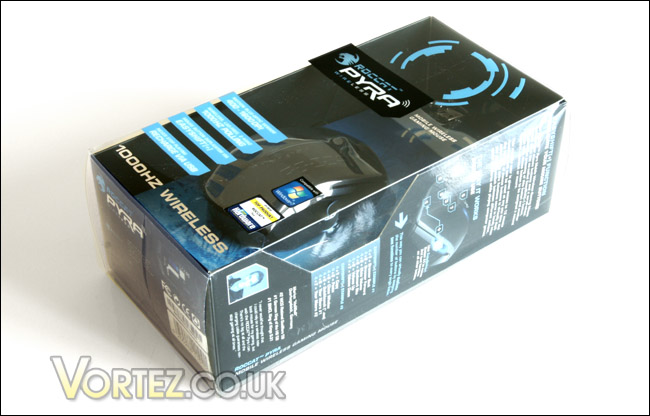
The clear plastic lets you see the mouse held within.
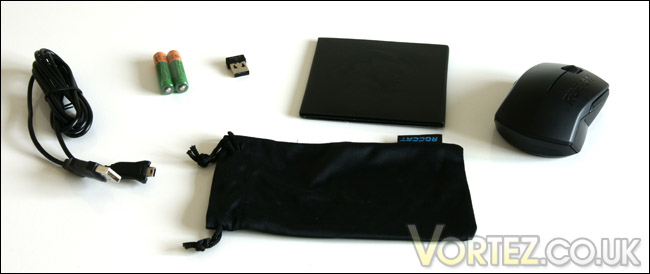
ROCCAT supply a very comprehensive bundle.
Upon taking a closer look at the installation pack it becomes apparent that this isn’t just your usual instruction leaflet. Although an instruction leaflet is present, there is also a mini CD and what looks like a credit card. It is in-fact a serial number to gain access to “ROCCAT world” – a place for all ROCCAT users to gather.
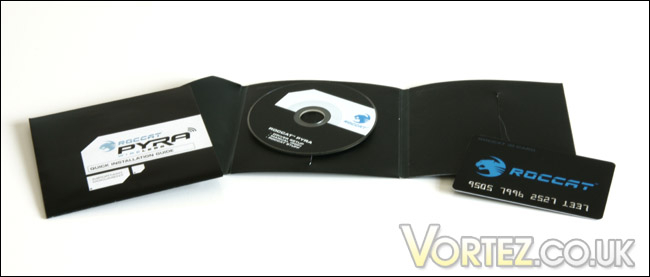
Notice the last four digits on the ‘credit card’
As yet ROCCAT haven’t devised a method of powering a wireless mouse without batteries, so the first thing you need to do is insert the two supplied AAA batteries into the mouse. On the bottom of the mouse there is also a little storage hole for the wireless adapter, which has a simple push-to-release mechanism.
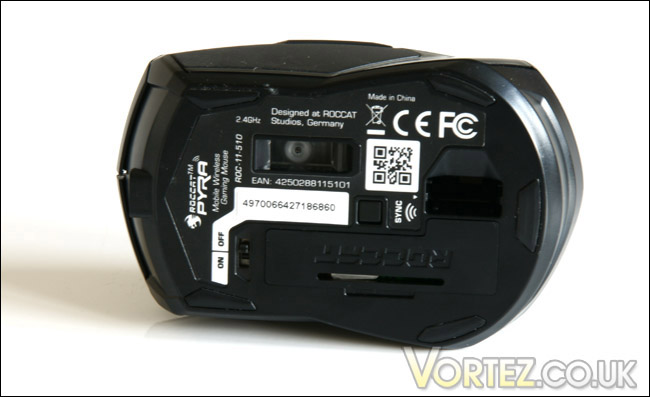
Here you can clearly see the hole in the mouse designed to accommodate the wireless adapter
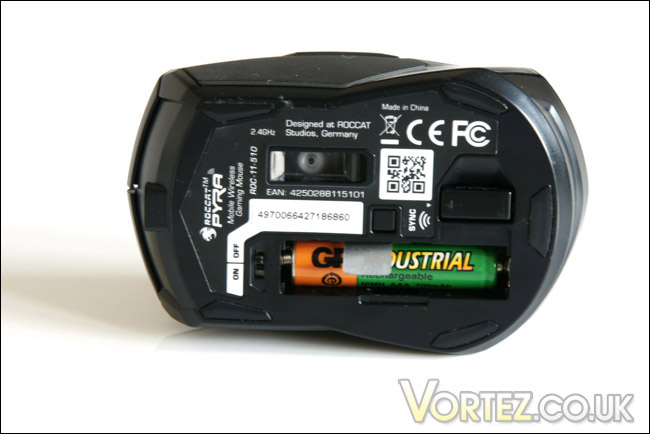
With batteries inserted you’re ready to go…
As the Pyra is designed for gamers on the move, it is noticeably smaller than your average mouse. For comparison I sat it next to my Logitech MX518 – you can clearly see the size difference.
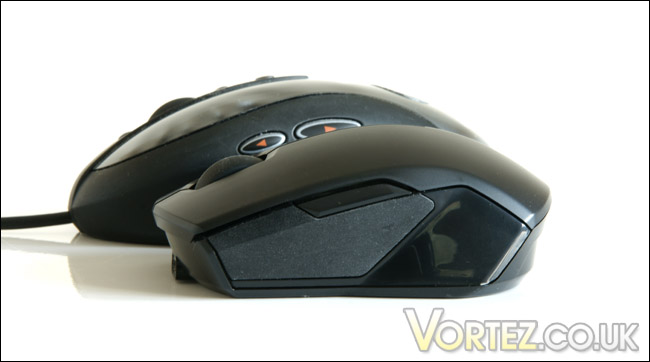
It’s so cute!
With the mouse charged up and ready to go, It’s time to take a closer look…
Up Close
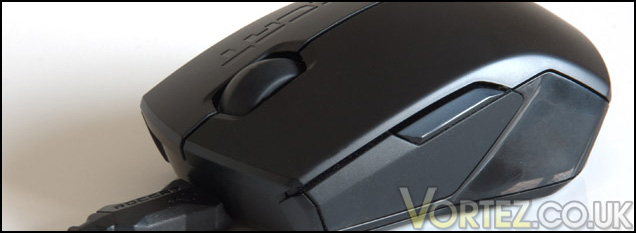
The mouse itself is of typical ROCCAT angular design, with blunt edges and pointed corners. On top there is the usual left and right buttons, with the scroll wheel nestled in between. As the mouse caters for both right and left handed users, the usual side button is found on both sides of the mouse.However, rather than having mouse button 4 duties, it’s actually an Easyshift hotkey, giving you an extra set of functions for all of the mouse’s buttons (including the scroll wheel). Within the supplied software you can select which side of the mouse utilises the Easyshift hotkey (This will depend on whether you are left or right handed). The button on the opposite side of the mouse then becomes vacant, and can have normal commands applied to it.
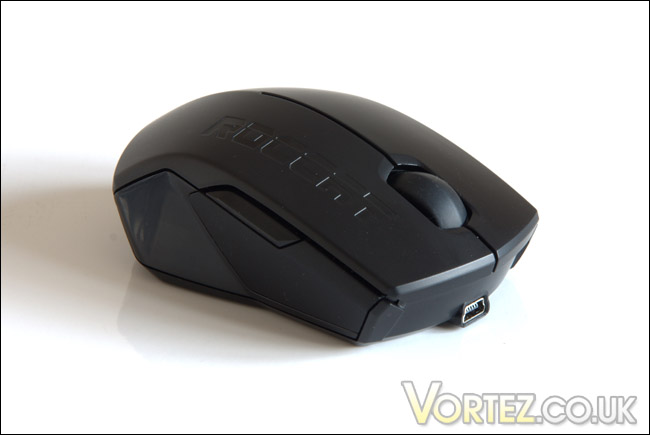
Easyshift = Tricky explanation.
Looking from the front you can clearly see the symmetrical nature of the mouse. The Mini USB port on the front allows you to charge and use the mouse once the batteries go flat – handy!
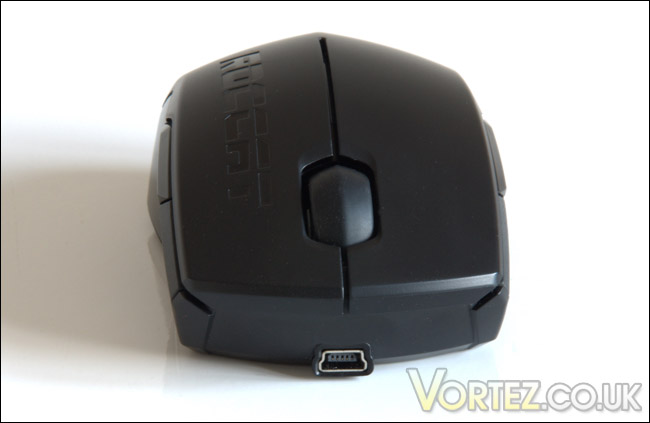
Line of symmetry down the middle.
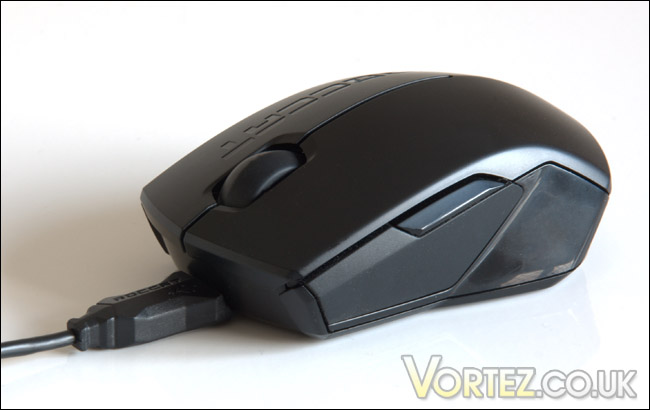
Charge and play – Happy days.
ROCCAT have also added a pulsating blue LED strip along the spine of the mouse, which matches the blue under-glow of the mouse’s optics rather nicely.
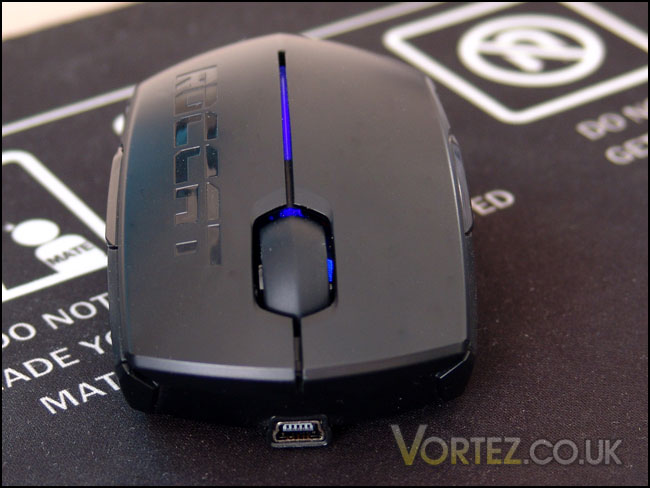
The pulsating blue glow is a nice touch.
The mouse itself looks great, but doesn’t have any hardware buttons to make adjustments to DPI or change the Easyshift hotkeys – that’s where the Software comes in. We take a look at ROCCAT’s effort on the next page…
Software
The Easyshift feature is all well and good, but how do you customise what all the buttons do? Well, that’s where the included CD comes in handy. Installing the ROCCAT software is a breeze, getting it all up and running took a matter of minutes.
Graphically the software is very pleasing on the eye and is all clearly and neatly laid out. The first screen has all the ‘basic’ options, such as sensitivity and scroll speed – all the stuff you’d expect to find.
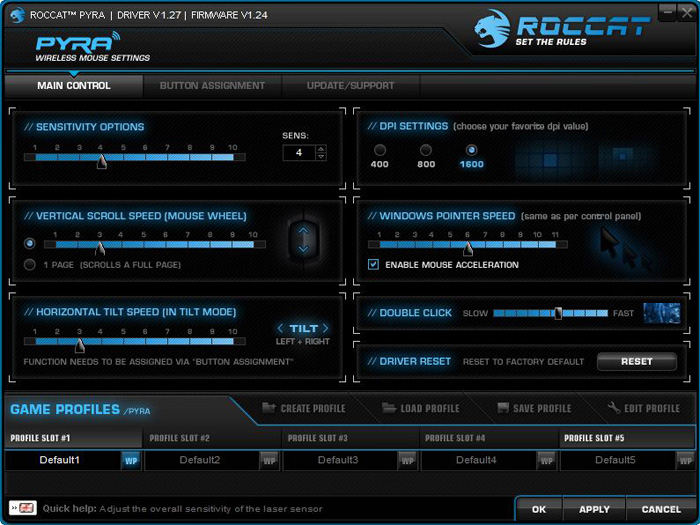
ROCCAT’s software is something of a dream to use.
Clicking the ‘Button Assignment’ tab takes you to the second page, which is where all the ‘fun’ stuff happens. The left hand diagram lets you change the standard mouse functions, whilst the right lets you adjust the Easyshift hotkey functions. There’s a fair selection of pre-configured functions, such as Back/Forward and Volume up/down controls.
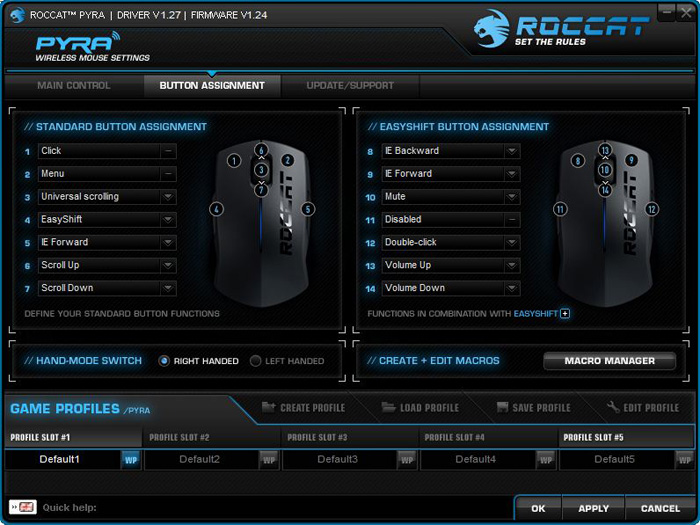
Nice clear diagrams make it easy to see exactly what you’re changing.
Customising the mouse to my desires took next to no time with supplied software, and I barely scratched the surface of what’s capable. With the ability to set up multiple profiles there is a virtually unlimited number of commands you can have at the dispense of your right (or left) hand.
Testing
Testing mice is difficult, as there is no clear cut way of showing whether it’s any good or not. Instead, I will offer you my opinion having used the mouse for a considerable number of hours. This testing involved using it for general PC work such as photo editing, as well as some intense gaming sessions.
Gaming
For a mouse so obviously designed for gamers this was the first port of call for testing. It just so happens that I’d just bought myself a copy of Bad Company 2, which gave me the perfect excuse to have an extended frag fest.

At first I was dearly missing my trusty old Logitech MX518 – the Pyra just seemed too small and I was constantly missing shots or clicking the wrong button which was rather frustrating. However, I persisted and eventually it started to pay off as I adjusted to the smaller form factor. Kills were coming back to me and once again I felt like I could place my crosshair pretty much exactly where I wanted it. The experience isn’t quite on par with a standard sized mouse, but it’s 90% of the way there, which is a great achievement considering the size of the mouse.
It also took some time to get used to the Easyshift button, but in the end I found myself using it more and more. If I were to be picky though it would’ve been nice to have a standard mouse button 4 alongside the Easyshift button. Although you can assign a button to perform the same function with Easyshift, for a button that I use so regularly it just wasn’t as fluent. On Bad Company 2, it was particularly frustrating as I use button 4 for melee, and being caught un-aware I simply wasn’t able to respond in time. The other option is to disable the Easyshift button altogether, but doing that drastically reduces the functionality of the mouse.
Normal Use
As an everyday mouse the Pyra is reasonable, but again the form factor lets it down. It just lacks the support that a full sized mouse can offer, reducing the overall comfort of using the mouse. It’s also quite difficult to do precise editing with the mouse, making Photoshopping a bit a awkward. The scroll wheel has a nice solid feel to it however, with a nice solid click as it rotates.
For web browsing and general day to day tasks the mouse is perfectly usable, with the wireless working well, giving me total desk freedom. With the Easyshift feature it also meant I was able to control my music from anywhere in the house – nice.
Conclusion
Mice designed for gamers on the move seem to be in short supply, especially those that cater for left handed users as well as right. ROCCAT have managed to satisfy both criteria extremely well. The attention to detail is great, with fantastic packaging and simple, easy-to-use software complementing a well designed and solidly engineered mouse.Whilst I found the Easyshift function useful, I wasn\’t completely bowled over by it. The fact I had to sacrifice such a useful button placement in exchange was a bit of an annoyance. I can see why ROCCAT have chosen to implement it in this way, but it would be nice to have the EasyShift button as an extra button, rather than replacing an already present mouse button. With a bit of work however, I think they could be onto a real winner.
At £46.71 it\’s certainly not cheap – this is no doubt due to the lack of competition in the market to push the price down. It\’s a shame it\’s not a little cheaper, as ROCCAT are probably pushing the majority of gamers budgets with the price tag. If a full sized mouse is out of the question though, this has got to be the next best thing and could well be answering a lot of gamers prayers – for which you pay a premium.
However, for desktop users, it\’s difficult to overlook the fundamental problem with this mouse: Size. It works superbly for its target market, but for desktop users a full sized mouse just can\’t be beaten. Ultimately then, this is a superb (if a bit on the expensive side) mouse, and for anyone looking to save space it\’s a great choice.
Pros
+ Excellent packaging
+ Wireless works well, even at range
+ Stow away dongle and small size make it the perfect travel companion
+ USB Cable allows you to charge and play at the same time
+ Easyshift hotkey gives the mouse a vast range of functions
+ Great software package
Cons
– Price is a little high
– Still lags behind full sized desktop mice in terms of comfort and precision
As a mobile gaming mouse the Pyra is great and gains itself the Vortez Silver award.