







Deadly and extremely venomous. We take a look at the all new Venom Edition of the popular Colossus.
Product on Review: BitFenix Colossus Venom Edition
Manufacturer and Sponsor: BitFenix
MSRP: £133 @ CCL / 159 EURO @ Caseking / 169 USD

There’s no arguing that for a certain new comer, 2010 has been both significant and successful. Never have we experienced such accomplishment from fresh blood.
BitFenix had overwhelming success with the launch of their Colossus Full Tower case earlier in the year. We loved it here at Vortez, so much so that it achieved our coveted Gold award. Following on from that launch they showcased a special edition version of the Colossus over at Gamescon 2010. This special edition version was lit with green LEDs and as was intended – drew in plenty of attention. So much so, that upon returning to HQ, BitFenix were inundated with emails and feedback asking if they were planning to launch the product to the retail market. With so much interest, BitFenix decided to go ahead and launch what we now know as the Colossus Venom Edition on 30th November.
Criticism from reviewers and fans brought BitFenix to launch a windowed version of the Colossus too. So now there are plenty of options available, black/black, white/white, white window, black window, venom, venom window.
In essence the Venom Edition we are looking at today has the same make-up as the Colossus. It has the same features, the same shape, the same size. The only differing facet is the new edition of green LED to give it that Venomous feel. Due to the fact that this case is fundamentally the same and I have already covered the original Colossus in great detail in our previous review. I will be covering the Venom Edition in less detail.

BitFenix’s Take:
Epic. Colossal. Deadly. Behold Colossus Venom – a wicked new twist to the award-winning Colossus PC Chassis. Offering a new green LED color option, unmatched expandability, security, and cooling all wrapped up in a modern and elegant body, Colossus Venom is an exercise in exacting chassis design. The result is a chassis like no other; a chassis that serves as an ideal enclosure for the most colossal gaming rigs.
Specifications
Materials SECC, ABS
Color (Int/Ext) Black/Black or White/White
Dimensions (WxHxD) 245 x 558 x 582 mm (ATX Full Tower)
Motherboard Sizes Mini-ITX, mATX, ATX, E-ATX
5.25″ Drive Bays x 5 (1 x external 3.5″; tool-free)
3.5″ Drive Bays x 7
2.5″ Drive Bays x 7 (using standard 3.5″ drive bays)
Cooling Front 1 x 230mm
Cooling Rear 1 x 140mm (optional)
Cooling Side Panel n/a
Cooling Top 1 x 230mm (or 1 x 140/120mm optional)
Cooling Bottom 1 x 140/120mm (optional)
PCI Slots 8 (tool-free)
I/O 2 x USB3.0, 2 x USB2.0, eSATA, Audio
Power Supply PS2 ATX (bottom, multi direction)
Packaging & First Look
The Colossus Venom packaging is the same as the Colossus packaging, the only difference is a distinguishing ‘Venom Edition’ sticker on the box. Inside, the case is wrapped within a clear plastic bag and secure in position with polystyrene pillars.
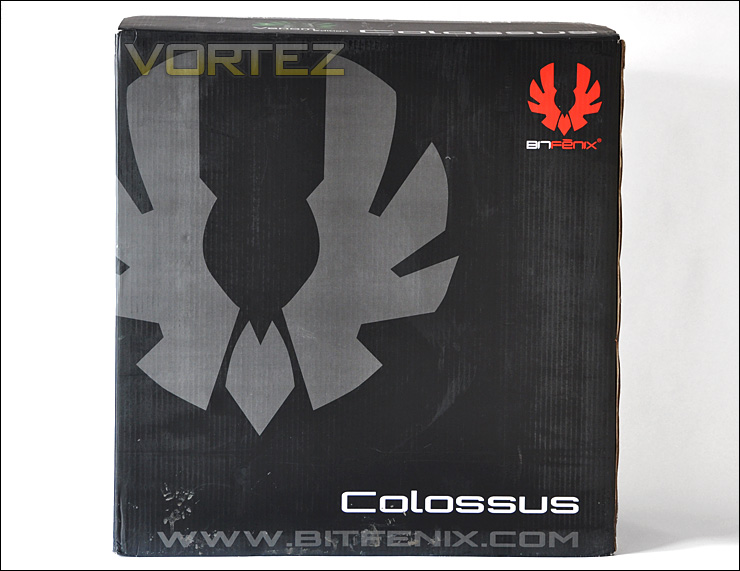
Colossus Venom packaging is the same as Colossus
Removing the Colossus Venom out of its packaging its clear to see that certainly from the exterior there is no difference between this and the original Colossus. In my Colossus review I took a look at the white version. Today we have the black version, which like the white variant has stunning, futuristic type looks. Our case features the BitFenix SofTouch which has a lovely surface feel.
Surrounding the front and sides we have Perspex waves and a BitFenix emblem which will illuminate when powered up. The side panels on the Colossus Venom are still rather heavy, which whilst difficult to manoeuvre with components inside, does offer great sound damping and promotes quietness.
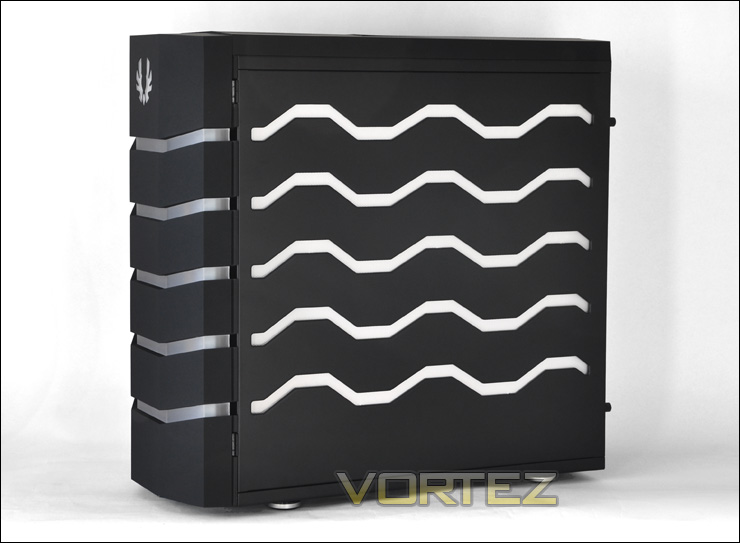
Unique visual appearance makes the Colossus stand out
Exterior
On closer observation, the front and back looks especially menacing in black. The front panel opens out to reveal mesh panelling and 5 x 5.25″ bays. Around the back we have a configuration for a bottom mounted PSU. 8 Expansion slots allow for plenty of graphics card options and an opening for rear mounted exhaust fan. Above this we have 4 rubber grommets for looping through tubing if you choose to integrate a water-cooling setup inside the Colossus Venom.
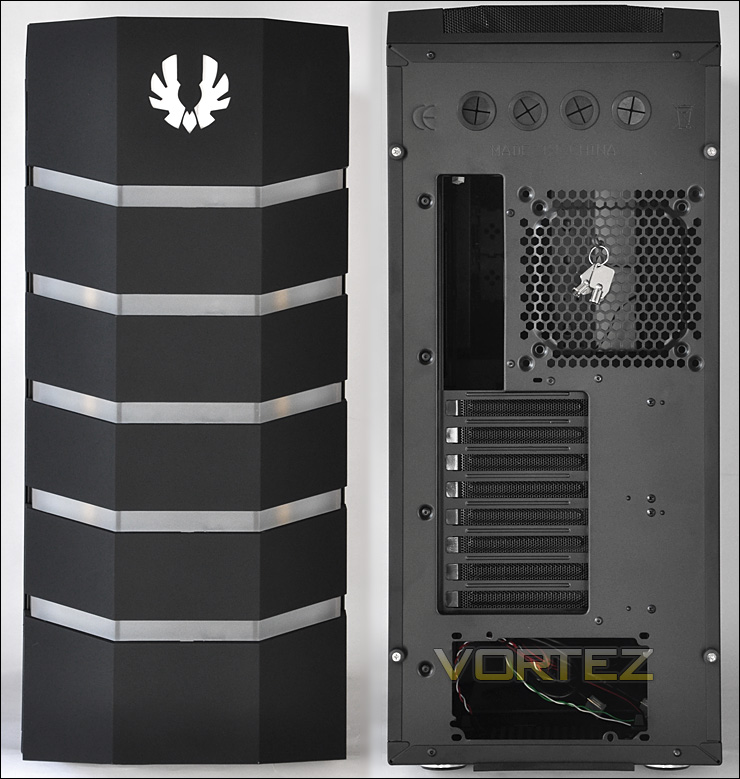
The front and back of the Colossus Venom
Opening the front panel door allows us to gain access to the S3 Storage compartment which has countless controls and functionality. First of all, along the edge we have reset and power controls, in the middle a large knob for controlling fan speeds within the case and then towards the right 2 LED buttons that allow for switching between red, green, off and shifting between solid or pulsating colours.
Behind this we have a tray that can harbour items such as phones, wallet, keys etc. On the walls of this compartment are USB2.0 ports, headphone/microphone sockets, 2 x USB3.0 ports and an eSATA port. This top compartment can be locked down with the key that comes attached the rear exhaust fan grill picture further up on this page. The idea with this compartment is that you can store valuables in this section but also plug in a headset have it routed down behind the door within the channels that BitFenix have integrated and prevent those around you (particularly if you are at a LAN event) from stealing peripherals. So ideally, you could have the mouse and keyboard routed to the USB ports too. A novel idea for keeping your much loved gaming peripherals safe.
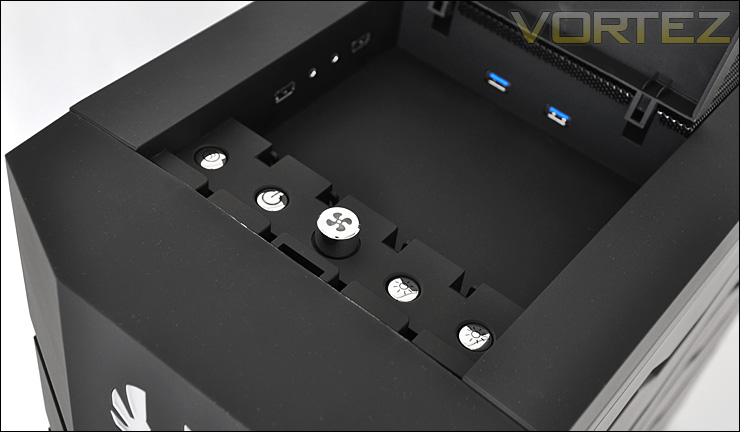
The front panel of the Colossus Venom has lots of useful functionality
At the top of the Colossus Venom we have a large mesh cover which underneath holds a 230mm fan. This panel can be removed to swap out the fan for a personal favourite or water-cooling reservoir.
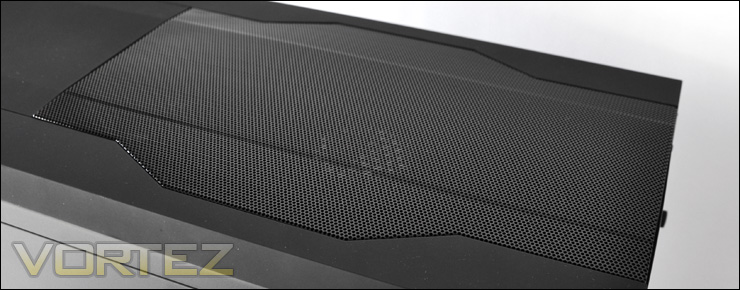
The top of the case has mesh panelling which is removable
So you might have gathered by now that from a visual stand-point the exterior of the Colossus Venom Edition is the same as the original Colossus.
Interior
With the side panels removed, the interior of the Colossus Venom Edition has a top quality finish. The motherboard CPU cooler backplate is especially large to cater for multiple socket types and there are rubber grommets for cable management along the top and sides of the motherboard tray to ensure the inside is kept neat and tidy.
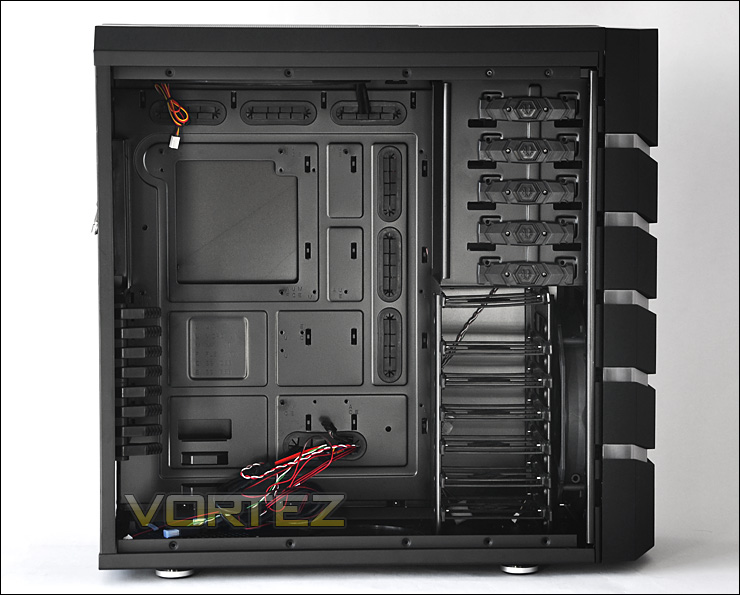
Lots of room inside
Yet again we have the same features throughout the inside of the Colossus Venom too. The bundle however, has a new addition. We now have an instructions manual to assist with the operation of certain features within the Colossus Venom. The absence of this manual left many puzzled as to how to operate certain features. Its good to see that BitFenix have listened to criticism here and included this, however small or insignificant it may appear.
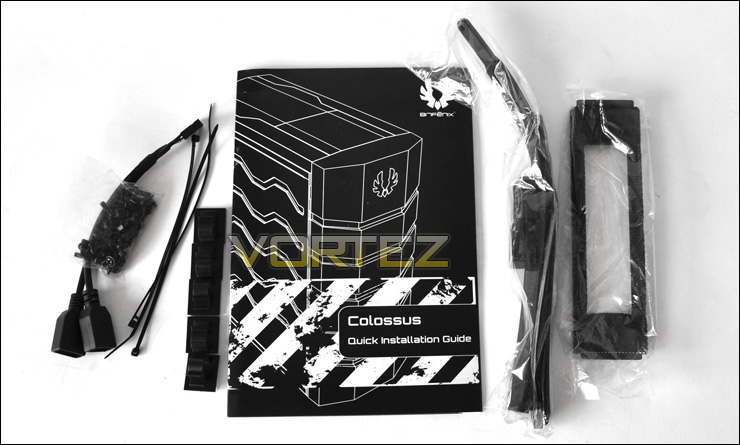
Bundle now includes an instructions manual
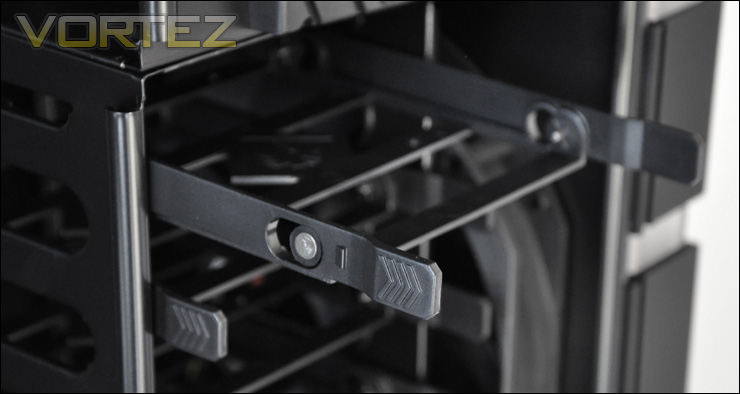
Installing devices within the Colossus Venom are very easy. Tool-less mechanisms are featured throughout. So for the expansion cards, a level is moved back and forth to lock the device into place. The HDD cage features 7 frames which allow you to fix into place 3.5″ and 2.5″ drives. These frames are quite thing and weightless, so if you have a number of them without drives within the cage its worthwhile removing them to avoid any rattling. Behind the HDD cage is a 230mm fan that can be controlled from the front panel. For optical drives we have another tool-less mechanism, to secure a drive in place a button just needs to be pressed in order to secure pins into the holes on the drive. Simple and easy.
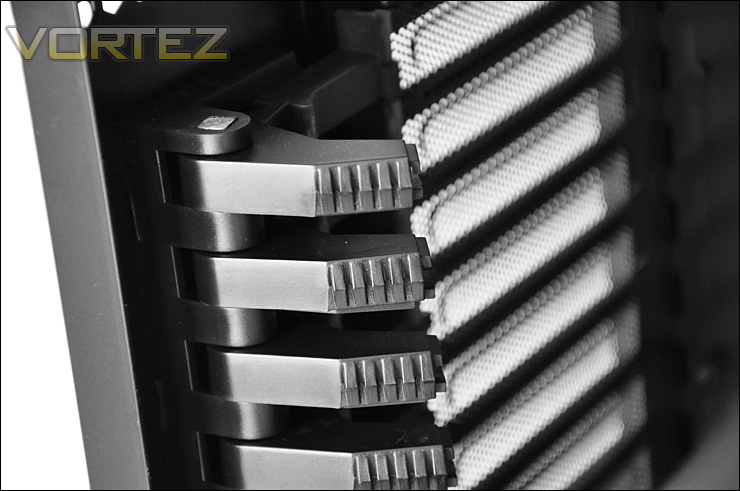
8 expansion levels allow easy installation/removal
HDD frames all fit inside a cage
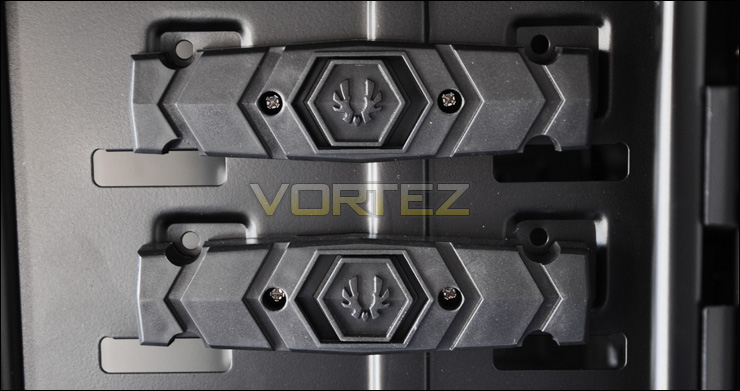
The touch of a button secures optical drives
Finally, looking at the rear and top of the Colossus Venom we can see an opening for the rear exhaust fan. BitFenix as with the original Colossus, do not include a fan here but you can choose to install one yourself. This particular position can host a 120mm or 140mm fan. Above the rear exhaust spacing there is a 230mm fan that has a 3-pin motherboard header cable. This can be removed, in place you can slot in one of your favourite fans or even fit in a water-cooling reservoir there is enough space. As with the other 230mm fan behind the HDD cage, this top mounted 230mm fan can be managed via the fan control located at the front panel.
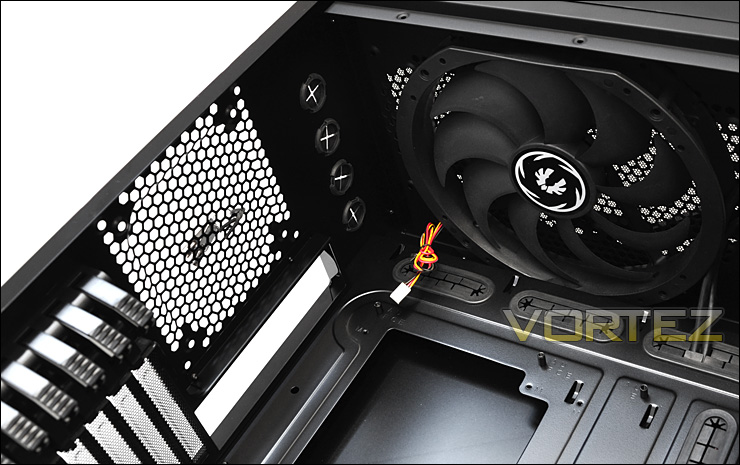
Cooling options at the rear and top of the Colossus Venom
Installation
Installing components into the Colossus Venom is a complete doddle thanks to the space available and access to tool-less design. As you can see from the below image, there is plenty of space around the motherboard for organising cables and getting at components.
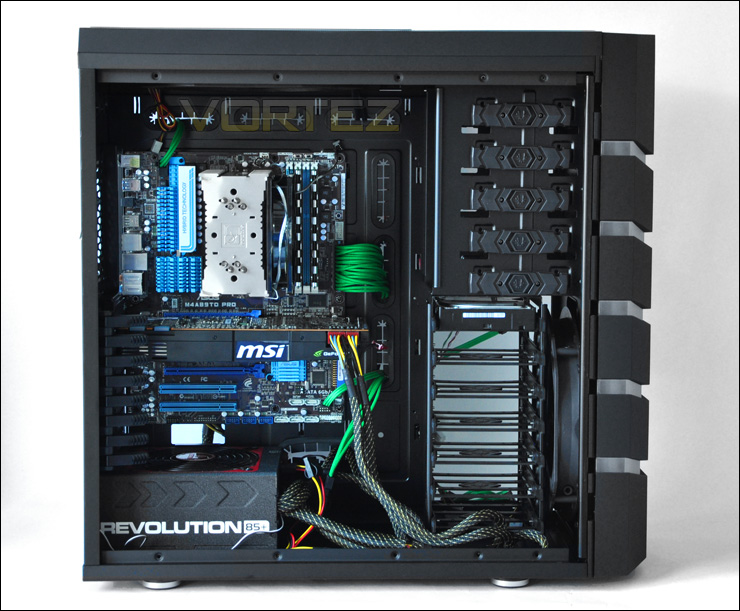
All components drop in with ease
Now you will have noticed from the above image that I have used custom extension cables for ATX, EATX and other cabling. BitFenix have recently extended their product range to include “Alchemy Premium Modding” these multi-sleeved cables come in a range of colours and offer an alternative to the traditional cabling coming from the PSU. If you want to brighten things up inside your case or even just have things better organised then the Alchemy cables are a neat idea.
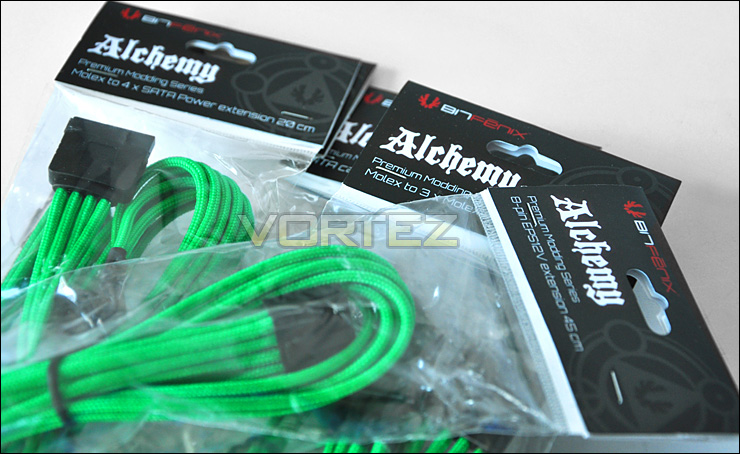
BitFenix Alchemy cables
The green really does complement the Venomous attributes of the case. What would look even better is if the component features on the motherboard were green also. But remember, you can choice from an assortment of colours. The cables themselves are braided and are great quality. You simply plug the female end of the cable to the male end of the PSU connector and hide the cabling behind the motherboard tray.
Incidentally, there is 2cm clearance between the back of the motherboard tray and the side panel – just like the original Colossus.
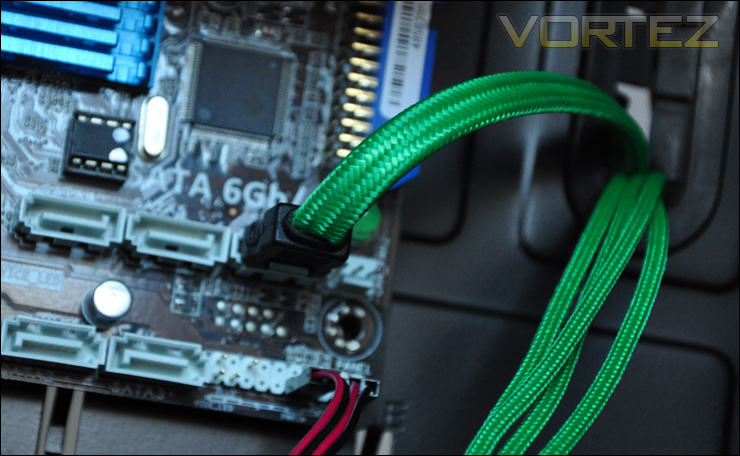
Another Alchemy cable – SATA
Installed within the Colossus Venom is the NVIDIA GTX 580 which is amongst the longest graphics cards on the market to date. As you can see there is at least 2 inches clearance to the HDD cage.
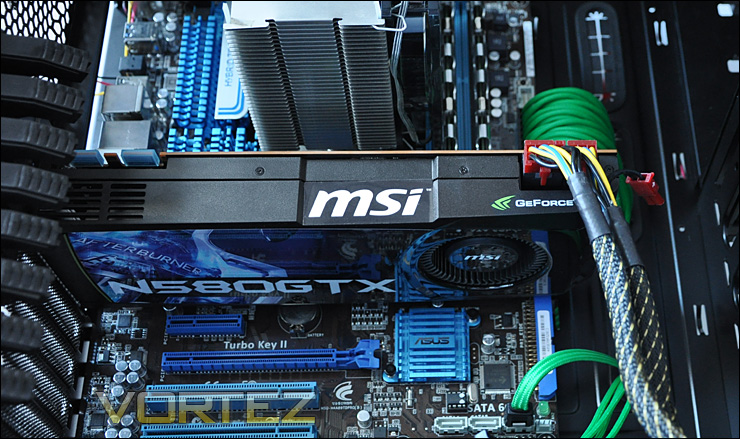
No problem for an NVIDIA GTX 580
With regards to the CPU cooler, again this had lots of clearance to the side panel. Installed here is a Noctua NH-U12P which has a height of 158mm. We can roughly get away with up to 170mm high coolers.
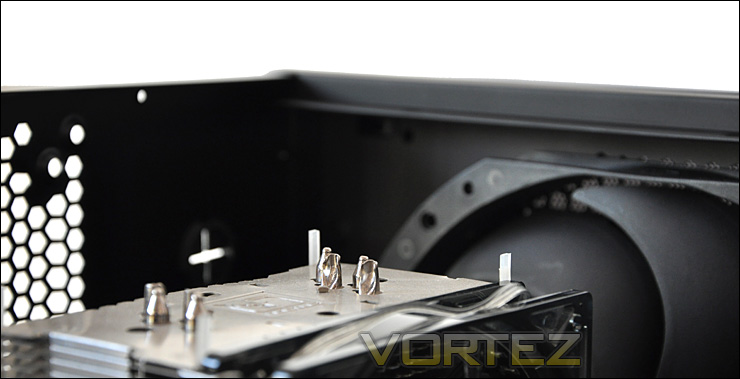
The Colossus Venom will host big CPU coolers
Thermal Performance
The BitFenix Colossus Venom has two rather large pre-installed fans, measuring in at 230mm at piece. Now, as mentioned previously there is no rear exhaust fan included with this case but for the purpose of testing I will be installing a Noctua NF-P14.
To discover the thermal performance of the Colossus Venom I will record idle temperatures after 20 minutes from a cold boot. I will then stress the system and temperatures will again be monitored after a 30 minute have elapsed. All fans are set to low during this test.
System Components
CPU AMD Phenom II X6 1055T 2.8GHz
Motherboard ASUS M4A89TD PRO
Graphics XFX HD5870
Memory 4GB Mushkin EM3-10666 DDR3
HDD Samsung Spinpoint 500GB SATA-II
PSU Enermax Revolution 85+ 850W

Our Colossus Venom shows impressive airflow results. Both 230mm fans were set to low for the test, the noise levels from this fan speed configuration are barely audible. The thick side panels aid the noise reduction, because moving the fans up to the highest setting causes little noise difference. BitFenix have cleverly devised a good method of dampening out the noise, but it does come at a cost – weight!
It’s important to note that BitFenix opt to leave out the rear exhaust fan. Some prefer the configuration without this fan. Some would even prefer to have no mesh grill at all in order to free up airflow and direct it upwards. At the bottom of the case it is possible to mount a fan. Installing a fan here would improve airflow as its directed up and out of the top of the case.
Lighting – AMD or NVIDIA
The Colossus Venom is a futuristic looking case, it stands tall and proud. It’s looks are unlike any other case on the market. Giving it unique character and prowess. As we saw with the original Colossus, BitFenix equipped the case with an indulgant lighting system. With the Venom Edition we have the option between red or green.
The lights can also be turned off completely or set in solid or pulsating state in either colour. This really does enhance the surroundings, giving lots of ambience to those late night gaming sessions.
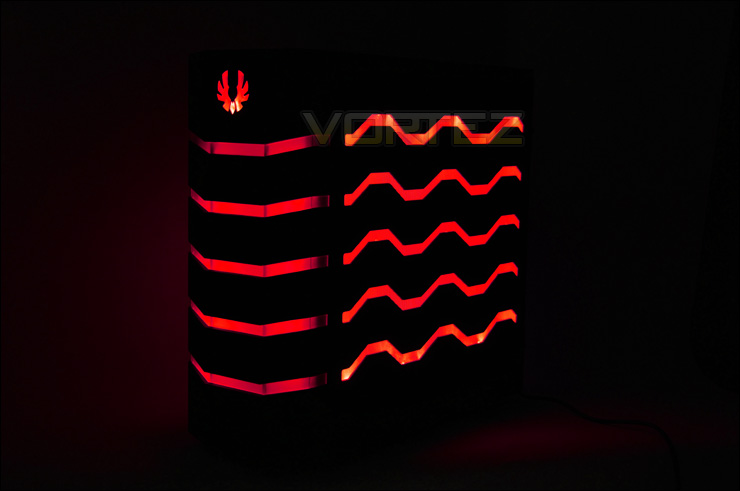
Exuberant red glow
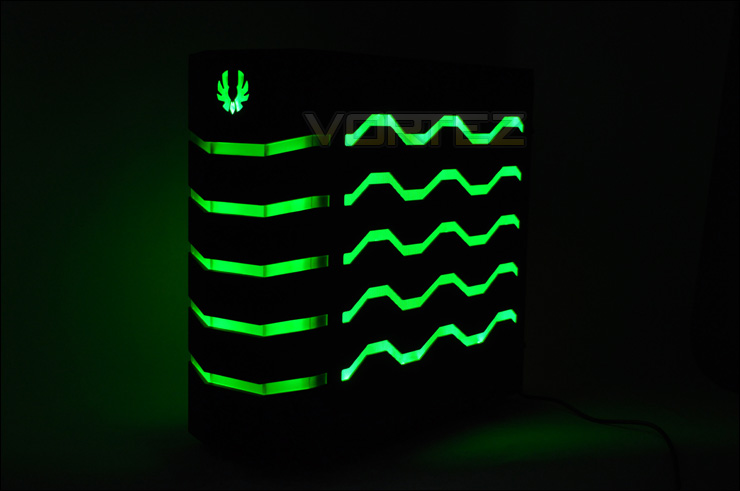
Deadly, venmous green
Conclusion
BitFenix had overwhelming success with their Colossus full tower case earlier on in the year. Building on that success they have brought something fresh to the market by offering the Venom Edition.The fans spoke, BitFenix heard. It’s always good to listen to criticism and build what you can call constructive, positive feedback. Many advocates of the original Colossus wanted to see a Windowed version of the case and once again, BitFenix listened and have made this possible with the Windowed version.
Most cases on the market that come with LED lighting usually come with a red or blue – or even both for their configuration. BitFenix step out of this trend that most are falling into by giving the option of colours. On the Venom I have looked at today there is a subtle distinction, if you haven’t already noticed. Red – AMD or green – NVIDIA. Avid graphics card followers will probably find this an interesting design concept, because even if they do change their hardware they can change the lighting to suite… unlike other cases.
So in essence the Colossus Venom Edition is the same case as the Colossus, it just has different lighting options.
A deadly twist to an award-winning case. The Venom Edition is fantastic – commendations again to BitFenix. As the year draws to a close, thoughts naturally go to the last 12 months. The successes and the failures throughout. BitFenix can confidently step into 2011 with yet another award from us, their head held high and a promising new year ahead of them – we are excited at seeing what new innovations they bring in 2011.
Video Review
Pros
+ Unique and attractive
+ Tool-less throughout
+ Lots of space
+ Good cooling
+ Good value for a Full Tower
+ Many variants available – windowed, colour and LED colours
Cons
– Weight
+ Unique and attractive
+ Tool-less throughout
+ Lots of space
+ Good cooling
+ Good value for a Full Tower
+ Many variants available – windowed, colour and LED colours
Cons
– Weight


