







Building on the success of a Shinobi, BitFenix bring an expanded version named Shinobi XL with XL-ATX compatibility, oddles of USB 3.0, and much more! Join us as we explore this new case.

Product on Review: BitFenix Shinobi XL.
Manufacturer and Sponsor: BitFenix
MSRP: £120 inc.VAT (GBP)
Building on the fame and fortune of a popular product is always a brave thing to do but this is exactly what BitFenix have done with their new Shinobi XL. The original Shinobi pulled in multiple awards and as a result BitFenix felt this burly mid-tower deserved some XL treatment and here we have Shinobi XL.
Shinobi XL is a larger version of the original; with room for XL-ATX even more device storage and water-cooling capabilities. BitFenix have also upped the connectivity ports on the front to include 4x USB 3.0 ports and a new SuperCharge port providing up to 2.5A for getting power to mobiles devices and such. Shinobi XL has certainly built lots of anticipation so let’s waste no further time and begin our analysis.
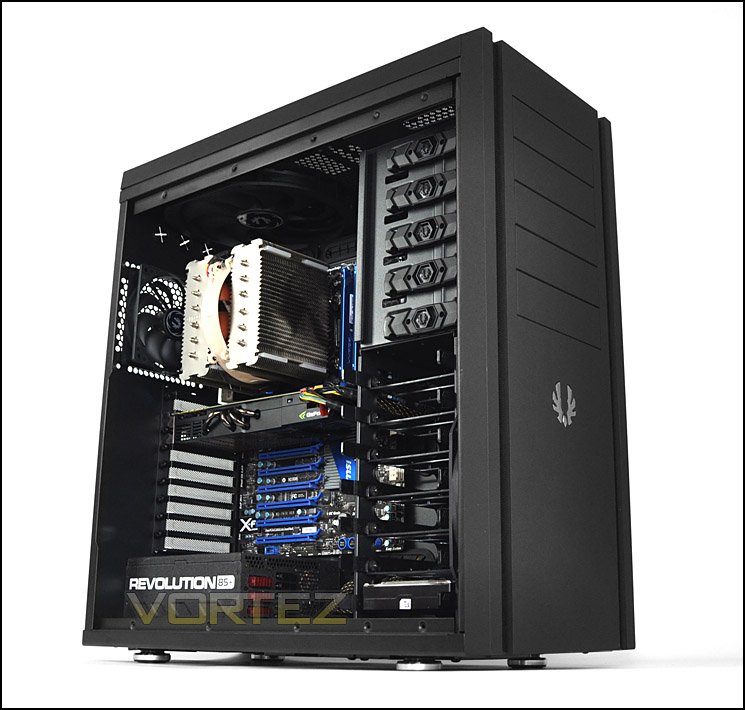
BitFenix take on Shinobi XL
Technical Specifications
Materials Steel, Plastic
Color (Int/Ext) Black/Black
Dimensions (HxWxD) 570 x 245 x 557mm (ATX Full Tower)
Motherboard Sizes Mini-ITX, mATX, ATX, XL-ATX
5.25” Drive Bays x 5
3.5” Drive Bays x 7
2.5” Drive Bays x 8 (using 3.5″ drive bays and 5.25″ adapter)
Cooling Front 1 x 230mm (included), or 3 x 120mm (optional)
Cooling Rear 1 x 120mm (included), or 1 x 140mm (optional)
Cooling Top 2 x 230mm (x 1 included), or 3 x 120mm (optional)
Cooling Bottom 2 x 120mm (optional)
PCI Slots 9
I/O 1 x SuperCharge™, 4 x USB 3.0, HD Audio
Power Supply PS2 ATX (bottom, multi direction)
Extras Superior watercooling support, FlexCage™, SofTouch™ Surface Treatment, filtered intakes, tool-free drive locking
Maximum CPU Cooler Height 181.1mm
Maximum Expansion Card Length 334mm (with HDD cage) / 487mm (with HDD cage removed)
Maximum MB Tray Clearance (rear) 32.5mm
Packaging & First Look
BitFenix packaged original Shinobi in an eco-friendly style of box and the same packaging method has been used for XL. The front simply has some text and the BitFenix logo whilst the rear identifies significant features along with the technical specifications down the side.
Within the box Shinobi XL is covered in a clear plastic sheet and held in place via Styrofoam pillars to protect the case whilst in transit.
Packaging is eco-friendly
With Shinobi XL finally out of its packaging we can take a look at how this chassis sizes up. Of course, its styling has been carried across from the original Shinobi case with subtle aesthetics that appeal to those who have a preference for minimalist case design.
Both side panels are completely solid with the top and front panels having BitFenix Softouch giving it that matt surface texture. Overall – a plain design, perhaps dull to some but to others it could be just up their street!
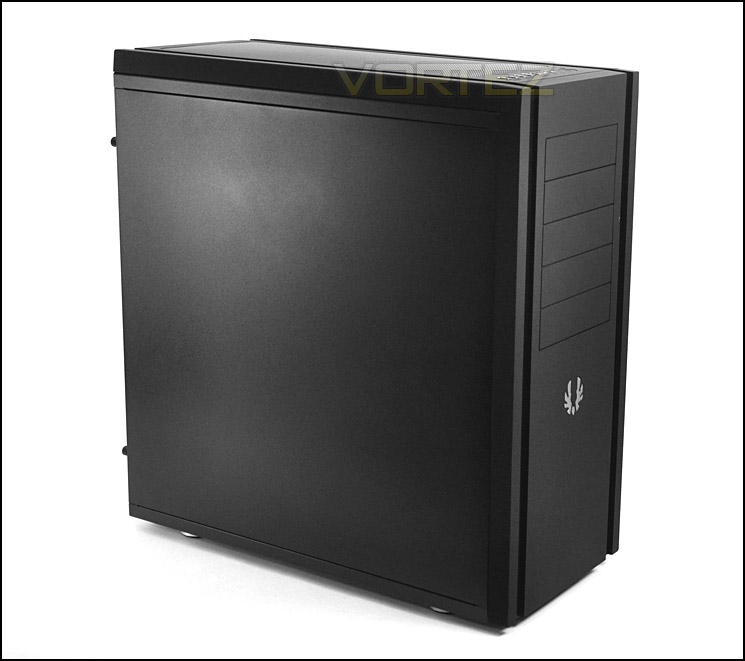
Simple, clean asthetics
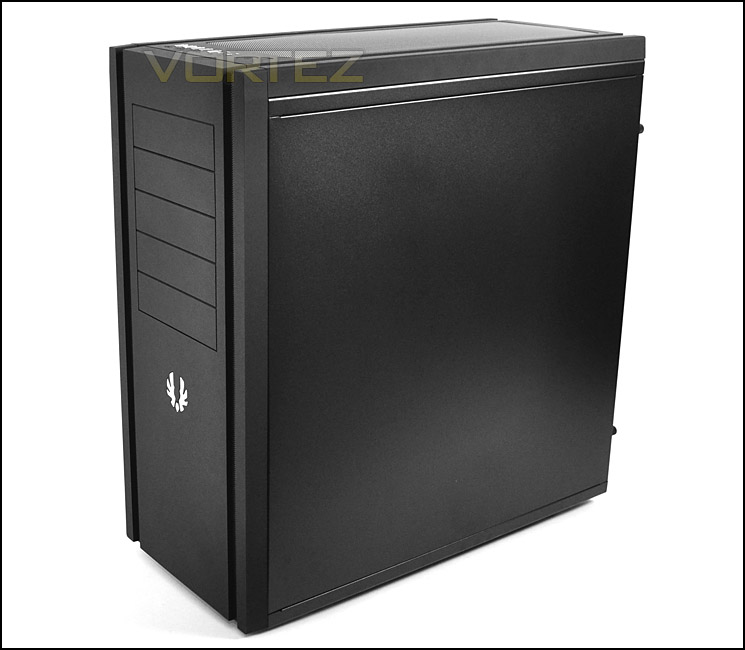
A similar design to original Shinobi – solid side panels
On the next page we will be taking a look at the external aspects of Shinobi XL.
Exterior
With the packaging out of the way we can take a good close up look at the various aspects of Shinobi XL’s external elements starting with the front and back.
The front is simply an extended version of the original case with even more 5.25” drive bays – 5 in total. BitFenix have again used SofTouch surface treatment to give it a matt finish, there is a BitFenix metallic logo in the very centre and mesh strips run down the indentions on either side. These mesh strips are removable and different coloured versions can be purchase to give the case that unique look.
Around the back – at the bottom there is space for mounting a PSU. Above this are 9x PCI expansion slot covers each with ventilation mesh. Above there is a 120mm rear exhaust fan and mounting holes to upgrade to a 140mm fan for those who want to go bigger. At the very top of the case there are 4x rubber grommets for feeding water-cooling tubes in and out of Shinobi XL.
NOTE: Front and top panels can be removed by simply pulling apart.
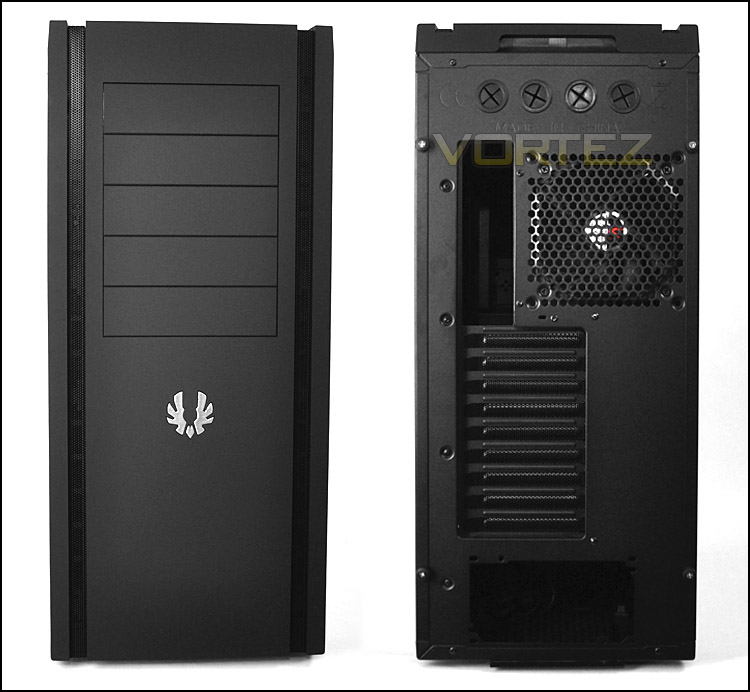
The front and back of Shinobi XL
Turning our attention to the front panel which resides at the top, towards the front – here we have an assortment of ports and buttons. We have:
• 1x Supercharge USB (yellow) – up to 2.5A to charge different devices
• 4x USB 3.0 ports (blue) – via the motherboard header
• Headphone and microphone jacks
• Large power button and smaller reset button
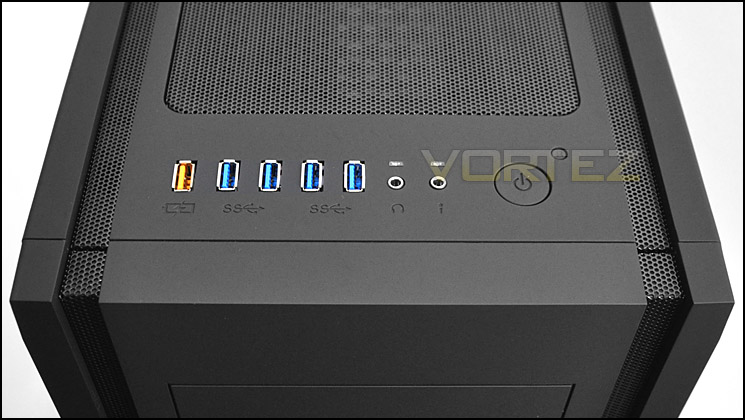
The front panel includes even more USB ports including a supercharge
The top panel on Shinobi XL is removable and features a large mesh section and underneath BitFenix have included a large 230mm cooling fan.
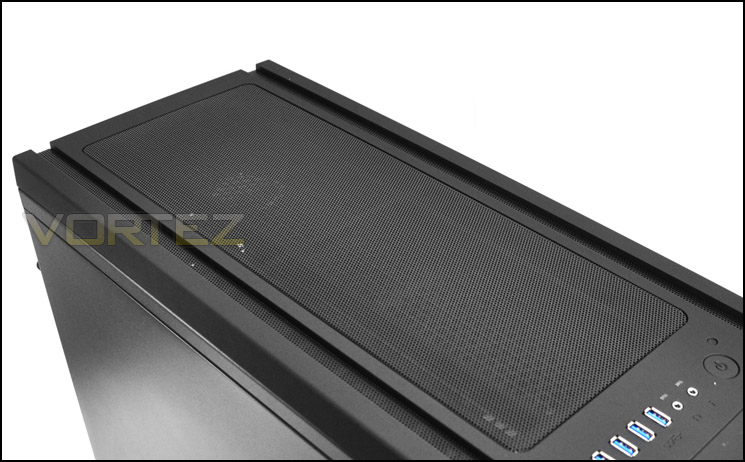
Removable top panel
Finally, onto the underside – here we have 4x rubber feet, a removable dust filter for the PSU and dual fan filters for bottom mounted cooling fans which are optional (not included).
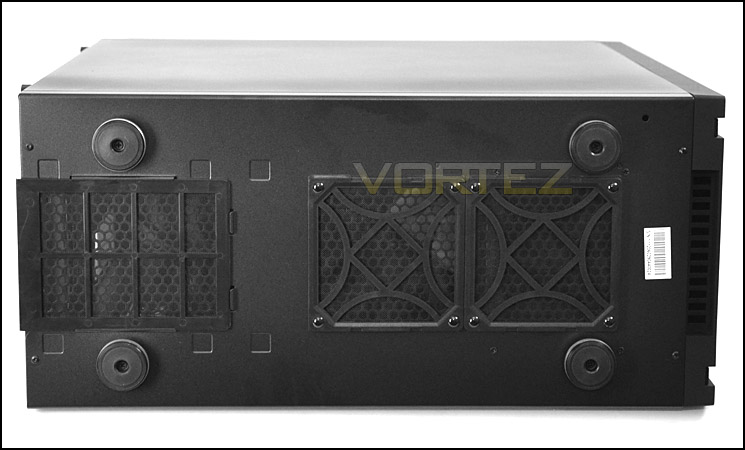
The underside of Shinobi XL
On the next page we will delve inside Shinobi XL and discover what features lie within.
Interior
As you would expect both side panels on Shinobi XL are fixed via dual thumbscrews. The side panels aren’t the cheap type you would find on some cases nowadays but are extremely thick and weighty.
With the side panels removed we get our first glimpse of what’s inside. The eagle eyed amongst you will recognise some similarities with BitFenix Colossus – Infact very little has changed apart from the PCI expansion slot levers. One thing is certain – there are lots of options for HDD storage and cable management has been at the top of the agenda. Overall – a good layout, extremely roomy and should be sufficient for those who are thinking about XL-ATX.
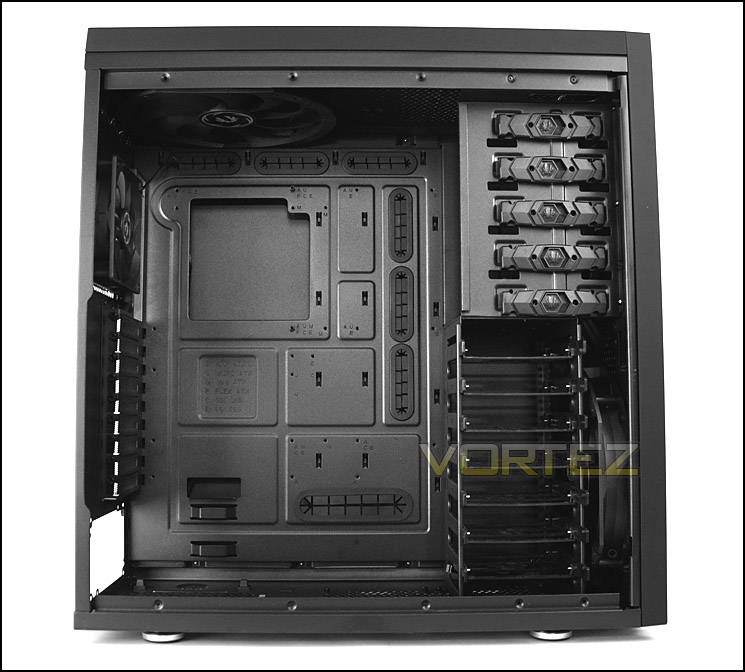
Clean, spacious region inside Shinobi XL
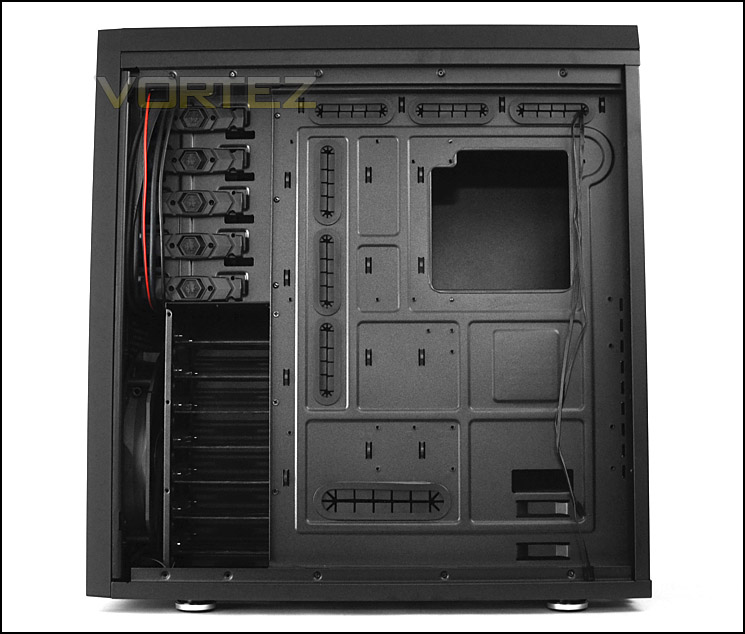
Lots of HDD storage and cable management grommets
Inside there are 4x rubber mounts for the PSU – these are primarily to prevent scratching but also offer some anti-vibration properties too. Underneath as shown, there is a removable dust filter. There are also a further 2x slots at the bottom for mounting dual 120mm fans. The HDD cage must be removed to get access to the other mounting position.
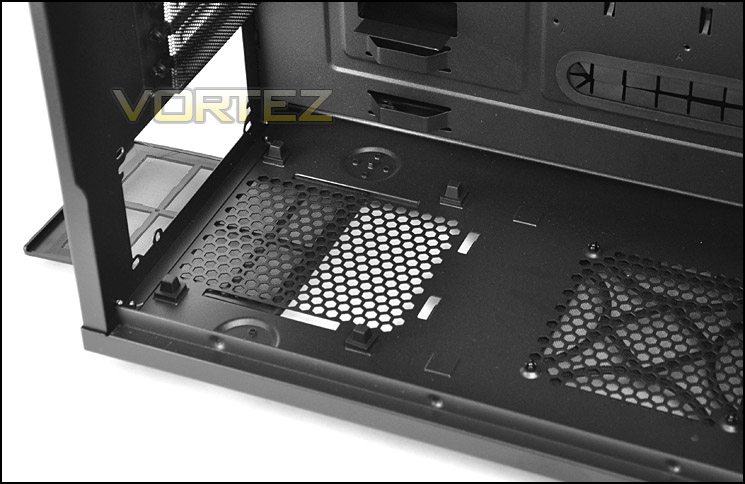
PSU has rubber mounts for seating
Further up there are 9x PCI expansion slot covers each of these have ventilation mesh for better airflow within the chassis and each also come with thumbscrews for easy removal.
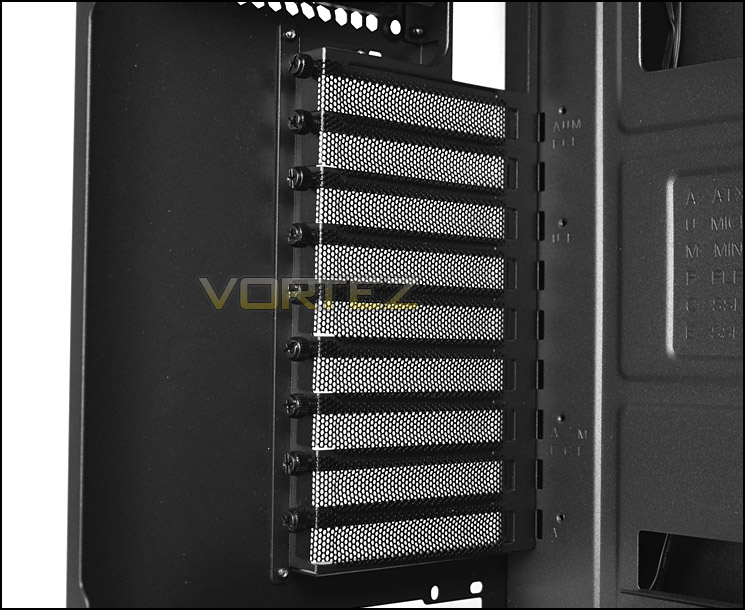
Multi GPU possibilities
On the next page we will continue our tour of the internal features of Shinobi XL.
Interior (Continued)
In terms of cooling, Shinobi XL makes use of a Spectre Pro 120mm rear exhaust fan which can be upgraded to 140mm and a gigantic Sprectre Pro 230mm cooling fan sits at the top to push out any unwanted heat from the CPU cooler. There is lots of space at the top of the chassis and a little later we will explore fitting water-cooling radiators inside here.
There is the option to fit another 230mm fan at the top of Shinobi XL or replacing the existing fan up to 3x 120mm fans can be attached instead.
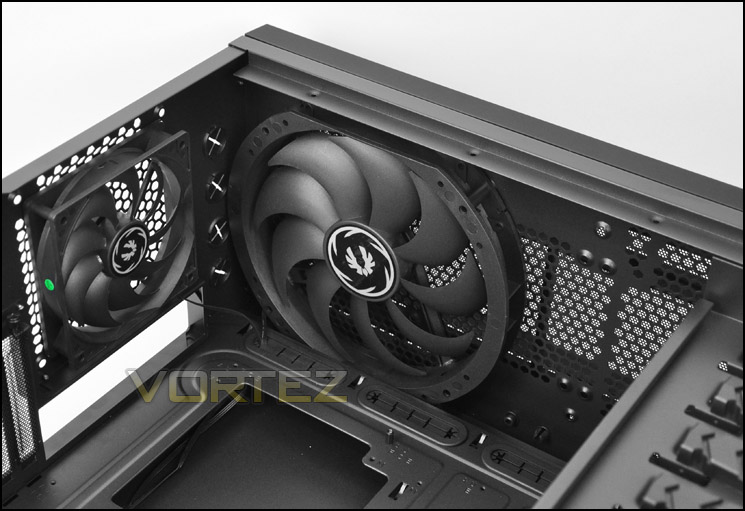
Plenty of cooling options within
Over on the other side of the chassis is the optical drive bay. Here there are a total of 5x 5.25” drive bays each with a tool-less design latch for quick and easy installation of devices. There is also a series of latches on the other side to provide a better balance of fixing.
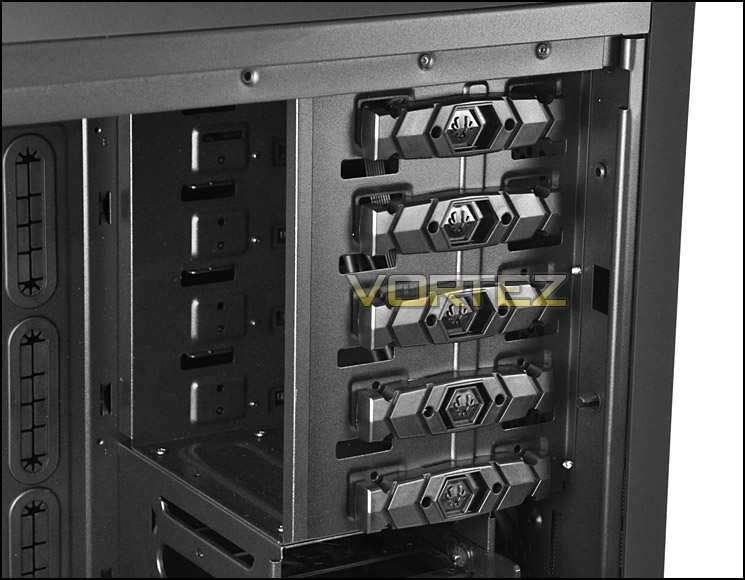
Optical drive bays with tool-less design latches
Beneath the optical drive bays is the HDD cage. This can accommodate up to 7x HDDs – 3.5” and 2.5”. The drive simply attaches to the tray. Behind the cage is another 230mm Spectre Pro intake cooling fan that provides cooling for the HDDs and also plans to drive air across the system. This HDD incidentally can be completely removed – screws at the top and bottom simply need removing. This will then give access to installing water-cooling radiators and allow the 2nd 120mm fan mount to be used at the bottom of Shinobi XL.
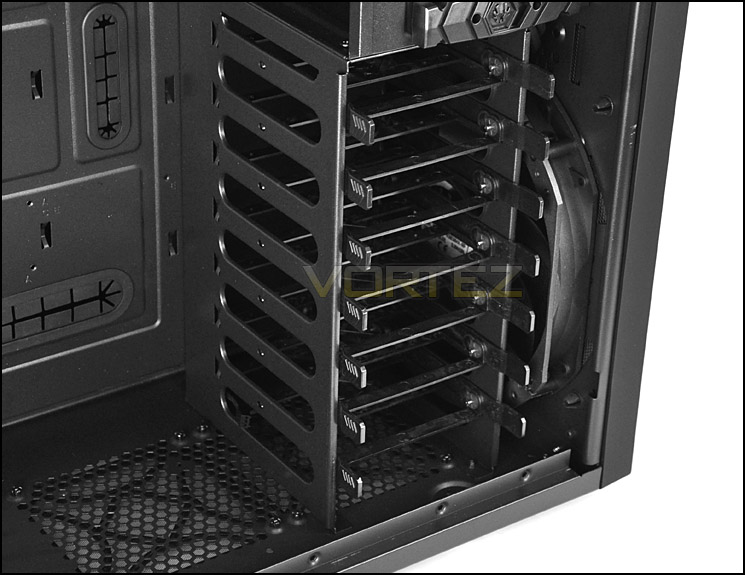
The HDD cage inside Shinobi XL is removable
With the tour now over – lets install our XL-ATX test system within Shinobi XL and discover its strengths and weaknesses (if any). Follow us over the page.
Installation
It’s great doing a full tour of an empty chassis as you discover its different features but how it handles a full system is much more important. Here at Vortez we have two different test systems for the case reviews and ATX system for full and mid-tower cases and an XL-ATX system for XL-ATX specific cases. Today we will be using the XL-ATX system to show off the full potential of Shinobi XL.
Shinobi XL handled the XL-ATX with ease. Getting components inside was quick and easy thanks to the masses of space and abundance of cable management grommets. BitFenix are now bundling a handy motherboard stand-off adapter which I think is a fantastic idea.
As you can see from the pictures creating a clean, tidy setup within this chassis is quite easy. I encountered no problems.
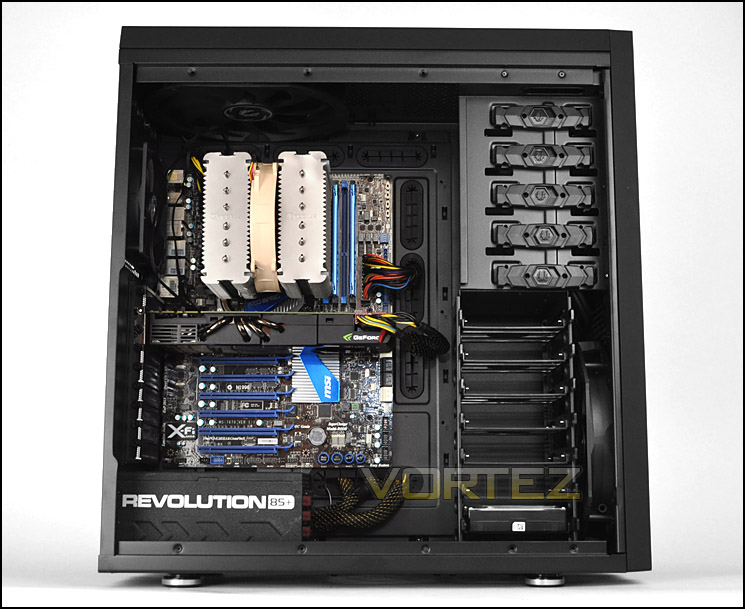
Installation complete – XL-ATX inside without any hitches
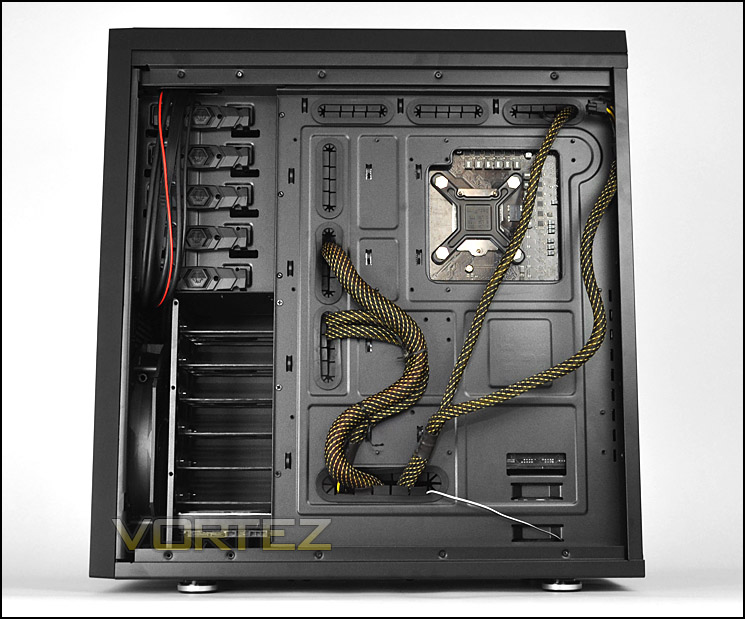
Cable management is great
HDD installation is exactly the same as other BitFenix cases – the drive simply slots into an available tray. These trays can accomodate 3.5″ and 2.5″ drives. 2.5″ drives will need screws attaching to the underside.
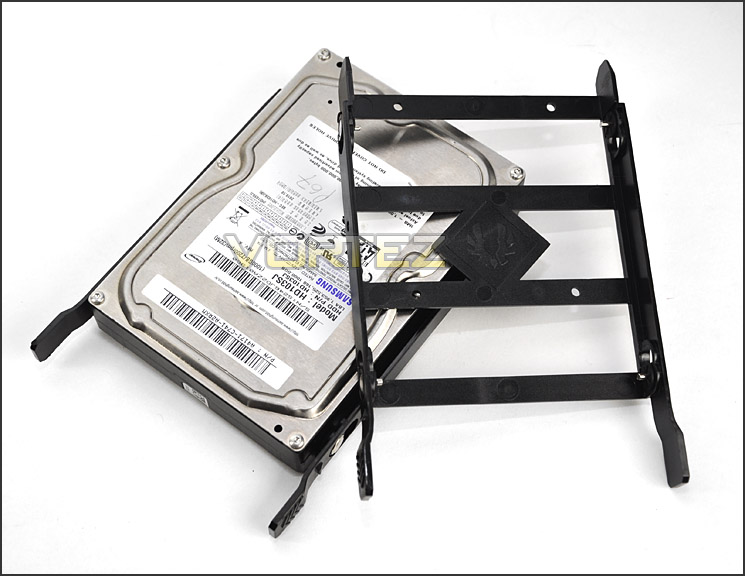
HDD installation
Clearance – CPU, GPU, WC, Cable Management
Clearance inside a chassis is essential to enthusiasts, in this section we will be looking at all areas to reveal just how flexible Shinobi XL really is.
First up the CPU Cooler – inside Shinobi XL there is inches of space before the top of the cooler touches the side panel. Pictured is the popular Noctua NH-D14 which is 160mm in height. Shinobi XL will accommodate all current air coolers on the market.
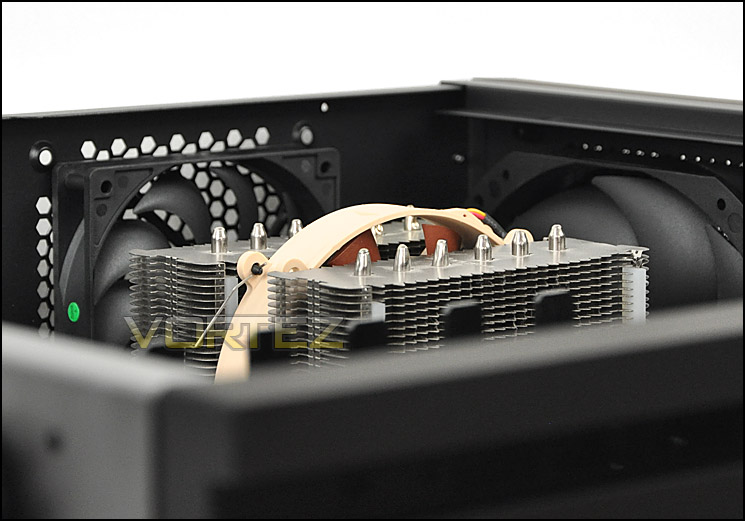
Lots of clearance for big CPU coolers
Over at the graphics card region we have a similar story to tell. There is lots of clearance here too, pictured is the NVIDIA GTX 480 which is 11” in length. Furthermore the HDD cage can be removed if the graphics card is too long but there is actually up to 12” of clearance here.
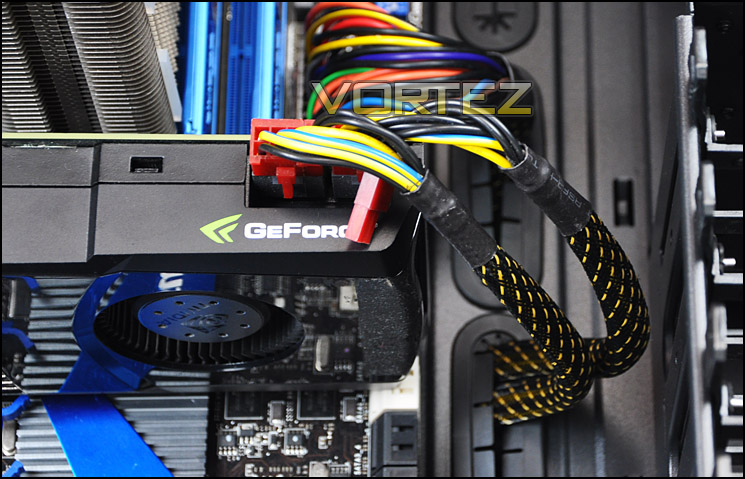
Clearance high-end graphics cards
Being such a large chassis and having designated spots for water-cooling the Shinobi has good clearance in this area too. At the top of the chassis with the top cooling fan removed there is sufficient space for a 60mm thick water-cooling radiator to fit. Pictured is the Phobya G Charger 240. There are even more options at the front of the chassis for installing a 240 radiator since the HDD cage is removable.
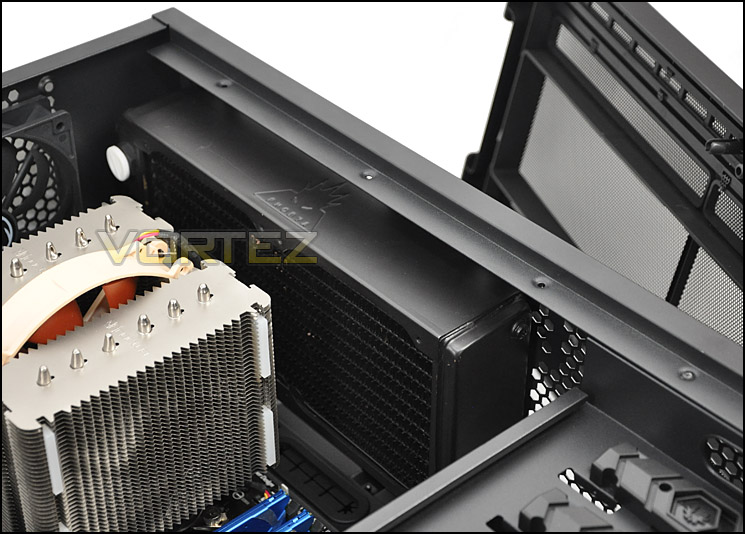
Water-cooling options within Shinobi XL
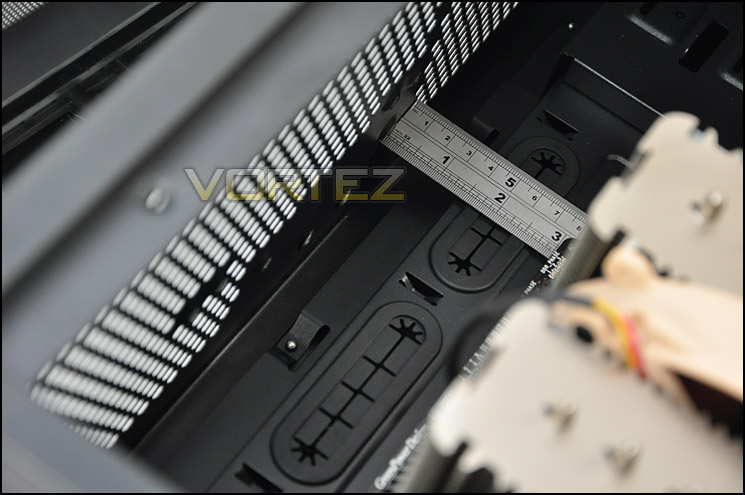
A clear 3” of space between motherboard and top of chassis
Finally behind the motherboard tray there is up to 3.5cm of clearance which provides more than sufficient space for keeping good cable management practise. This is actually one of the most generous cases for clearance in this area.
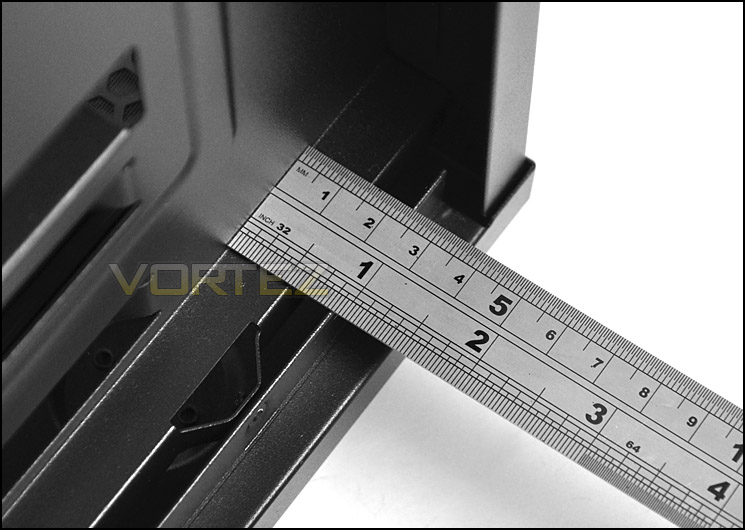
Huge clearance behind the motherboard tray
Thermal Performance Testing
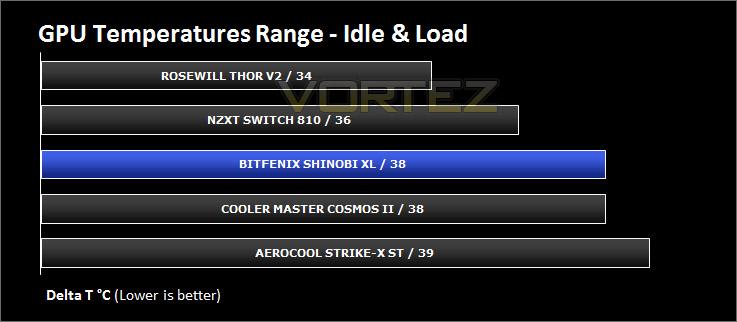
Since Shinobi XL is designed with XL-ATX in mind it’s only fair that we have installed our XL-ATX test system inside the chassis. Inside Shinobi XL there are 3 pre-installed fans positioned in traditional airflow regions which should create good, positive airflow – furthermore 2 of these fans are 230mm in size.
To discover the thermal performance of the Shinobi XL I will record idle temperatures after 20 minutes from a cold boot. I will then stress the system and temperatures will again be monitored after 30 minutes have elapsed. Fan controller will be set to high for all fans.
For the purpose of accurate analysis the idle and load temperatures for CPU and GPU will be recorded and the range between idle and load will be calculated to determine how efficient cooling is.
NOTE: Ambient temperature is 20C
System Components
CPU Intel Core i5 2500K
Motherboard MSI Big Bang Marshal (P67)
Graphics ZOTAC NVIDIA GTX 480 AMP
Memory 8GB Kingston HyperX Genesis 1600MHz CL9
HDD Samsung Spinpoint 500GB SATA-II
PSU Enermax Evolution 850+
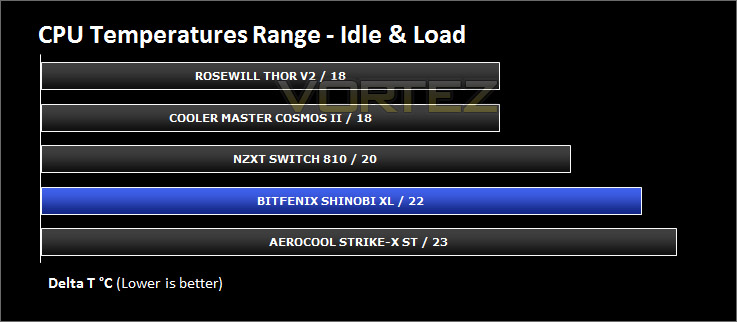
Conclusion
We’ve reviewed a good assortment of BitFenix cases since the company appeared on the scene and have always had a soft spot for their great products and keen attention to features and styling. Shinobi was a personal favourite of mine, with its elegant approach to case design and plentiful features but it is/was only a mid-tower in stature so the obvious move for BitFenix with only having a full tower in the shape of Colossus (with its loud and proud aesthetics) was to create an expanded version of this popular minimalist chassis, and so we have the Shinobi XL.
Shinobi XL continues a good thing and builds on the original chassis’ strengths of having sleek aesthetics and enough room to store high-end components. I found clearance to be very generous in all areas of the case which made way for ensuring cable management was kept on top form.
Getting our XL-ATX system inside Shinobi XL was no mean feat. Space and a tool-free design means getting the job done is without its hassles and there won’t be any clearance incompatibilities with long graphics cards or the biggest CPU coolers on the market.
I was also pleased to see that bigger translates to better – up to 4x USB 3.0 ports can be found on the front panel with a bonus SuperCharge port for getting juice to your much loved mobile devices. Priced at £120 inc. VAT the Shinobi XL will have some tough competition from other XL-ATX capable cases with a similar price-tag – though most are closer to the £150 mark.
When speaking about the topic of airflow sadly there is no ventilation at the front of Shinobi XL and this does hinder things slightly as the intake fan has little to draw in. Thankfully though the rear and top cooling fans do a decent job in exhausting heat from the system.
The eagle eyed amongst you will have recognised key similarities between the Shinobi XL’s internal layout and the Colossus internal layout – they are in fact almost identical. Going forward it will be interesting to see what BitFenix produce in the near future as they have used similar internal designs across most of their current lineup of products.
Shinobi XL is bound to be a success – the original has many an accolade for a reason and the XL version is just an extension, building on strength after strength. It’s also decent value for money!
+ Clean, professional aesthetics
+ Plenty of clearance in various areas
+ Great for cable management
+ Fairly priced
+ Extremely spacious
+ Sturdy side panels and chassis construction
+ Lots of USB 3.0 and a supercharge port
Cons
– Follows same internal design as other models
– HDD trays need to be better quality
– No ventilation at the front for intake fan

Click here for an explanation of our awards at Vortez.net. Thanks to Overclockers UK for providing the sample.


