







An elegant Ultra Tower built around silence, supporting XL-ATX and E-ATX. With plenty of space for water cooling is this the best silent chassis yet?

Product on Review: H630 Ultra Tower
Manufacturer and Sponsor : NZXT
Street Price: £130
NZXT’s passion in the computer chassis market has been proven by the success they have had in the Phantom and Switch series to name just a few. Today we are to look at a new chassis from one of their ranges which specifically tackles the issue of noise.
The H630 is classified as an ultra-tower – having support for XL-ATX, E-ATX and enough space to maintain brilliant cable management practises. NZXT have furnished the side and top panels with high-density noise damping material in a bid to keep noise levels to a minimum but will it really work?
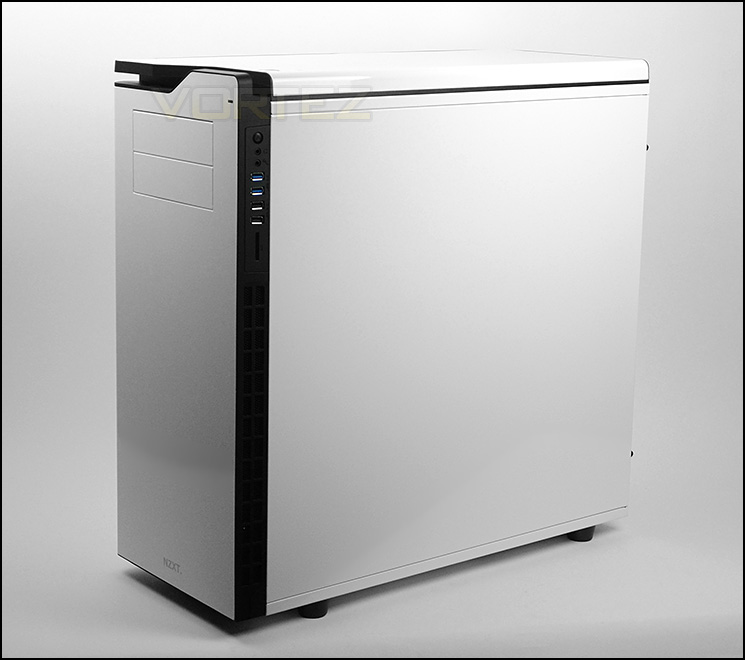
NZXT on their H630
Three words to describe the new H – an ear-defining change in the way you experience the PC.
Beautifully architected, the new H630 was engineered for one simple purpose: provide enthusiasts the ability to build the highest performing systems while remaining audibly invisible.
Ushering in a new era of silent, high performance systems, the NZXT H630 leads the industry with a high-density sound dampening design that doesn’t impede its cooling capabilities.
Beautifully architected, the new H630 was engineered for one simple purpose: provide enthusiasts the ability to build the highest performing systems while remaining audibly invisible.
Ushering in a new era of silent, high performance systems, the NZXT H630 leads the industry with a high-density sound dampening design that doesn’t impede its cooling capabilities.
Technical Specifications
Size
Ultra Tower
Model Number
CA-H630F-W1 Glossy White
CA-H630F-M1 Matte Black
Drive Bays
External 5.25″ x 2 (Tooless)
Internal 3.5″/2.5″: 8(2 x 2.5″ behind MB) 2 x 3HDD cage, 1 x 2HDD cage (Fully Modular)
Cooling System
Front 2 x 200 or 2 x 140 or 3 x 120mm ( 1 x 200mm included )
Top 2 x 200 or 2 x 140 or 3 x 120mm
Rear 1 x 140/120mm ( 1 x 140mm included )
Bottom 2 x 140/120mm
HDD Pivot 2 x 140/120mm
Filters
Front Side(Included)
Bottom Front (Included)
Bottom Rear(Included)
Radiator Support
Front 2 x 140 or 3 x 120mm
Top 2 x 140 or 3 x 120mm
Bottom 2 x 140/120
Rear 1 x 140/120mm
Clearance
CPU Cooler 190mm
VGA Card 354mm
Cable Management
27mm
Dimensions
245mm(W) x 547mm(H) x 567mm(D)
Material
SECC Steel, ABS Plastic
Motherboard Support
ITX, Micro-ATX, ATX, XL-ATX, EATX (347mm x 272mm)
Expansion Slots
9
External Electronics
1 x Audio/Mic 2 x USB 2.0, 2 x USB 3.0
SD Card Reader With SDHC & SDXC Support
I/O Panel LED On/Off
Product Weight
14 kg
Warranty
2 years
Ultra Tower
Model Number
CA-H630F-W1 Glossy White
CA-H630F-M1 Matte Black
Drive Bays
External 5.25″ x 2 (Tooless)
Internal 3.5″/2.5″: 8(2 x 2.5″ behind MB) 2 x 3HDD cage, 1 x 2HDD cage (Fully Modular)
Cooling System
Front 2 x 200 or 2 x 140 or 3 x 120mm ( 1 x 200mm included )
Top 2 x 200 or 2 x 140 or 3 x 120mm
Rear 1 x 140/120mm ( 1 x 140mm included )
Bottom 2 x 140/120mm
HDD Pivot 2 x 140/120mm
Filters
Front Side(Included)
Bottom Front (Included)
Bottom Rear(Included)
Radiator Support
Front 2 x 140 or 3 x 120mm
Top 2 x 140 or 3 x 120mm
Bottom 2 x 140/120
Rear 1 x 140/120mm
Clearance
CPU Cooler 190mm
VGA Card 354mm
Cable Management
27mm
Dimensions
245mm(W) x 547mm(H) x 567mm(D)
Material
SECC Steel, ABS Plastic
Motherboard Support
ITX, Micro-ATX, ATX, XL-ATX, EATX (347mm x 272mm)
Expansion Slots
9
External Electronics
1 x Audio/Mic 2 x USB 2.0, 2 x USB 3.0
SD Card Reader With SDHC & SDXC Support
I/O Panel LED On/Off
Product Weight
14 kg
Warranty
2 years
Packaging & First Look
H630 is packaged in a professionally designed, double reinforced cardboard box. The sheer size of the packaging is an indicator of the magnitude of the case within. The front shows a depiction of H630 whilst the sides list the technical specification and the rear details the feature-set.
Within the box, H630 is covered in a clear plastic cover and dual polystyrene pillars help to ensure a safe arrival.
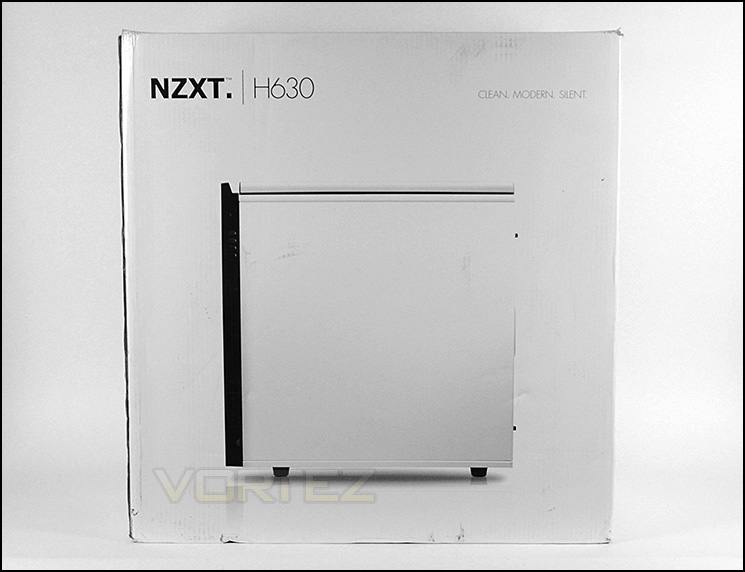
The Packaging for H630
Extracting the case from its packaging, we are met with a very elegant computer chassis. Being from the H series, H630 has its focus based upon silence and to that end both side panels are closed off and have no significant features. The inside of both side panels (and the top) feature a thick layer of synthetic noise damping material to help shield unwanted noise escaping.
This discreet approach to case design is one that is particular favoured nowadays to suit contemporary office configurations. Subtle and smooth contours are a welcome departure from the whacky gamer cases and we really like what NZXT have done with H630 from a visual standpoint. For those who prefer a dark version, NZXT also offer this case in matte black.
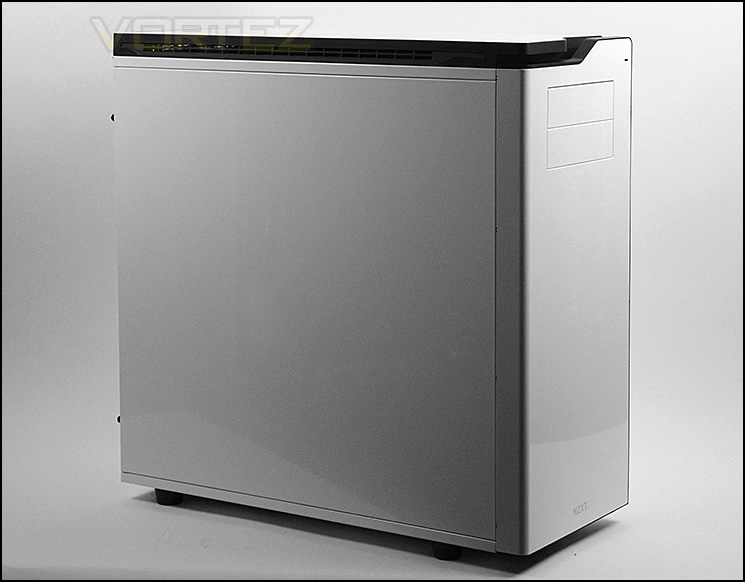
H630 in all its glory
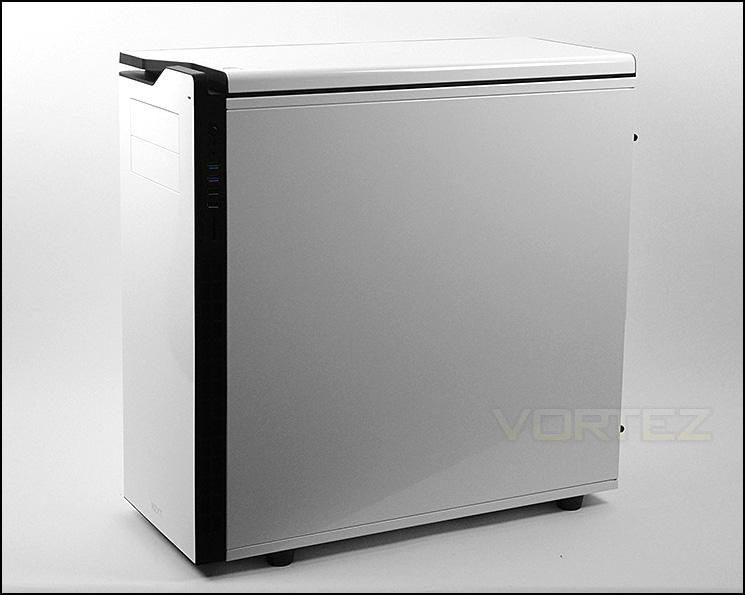
Simple, elegant and minimalist styling
Over the page we will take a closer look at the external elements of the H630 Ultra Tower.
Exterior
Continuing with the minimalist styling, the front of H630 has a super-smooth, glossy white front panel. The only distinct characteristics being the NZXT logo at the bottom and the dual 5.25” drive bays at the top – which can be removed from the inside.
Around the back, at the bottom there is allocation for fitting the PSU. Above this there are a total of nine PCI expansion slot covers which have been coated black to give a two-tone appearance. All expansion covers have ventilation cut-outs, additional ventilation can be found to the immediate right. At the top NZXT have equipped H630 with a 140mm rear exhaust fan – this placement can also house a 120mm fan which also provides support for 120/140mm radiators.
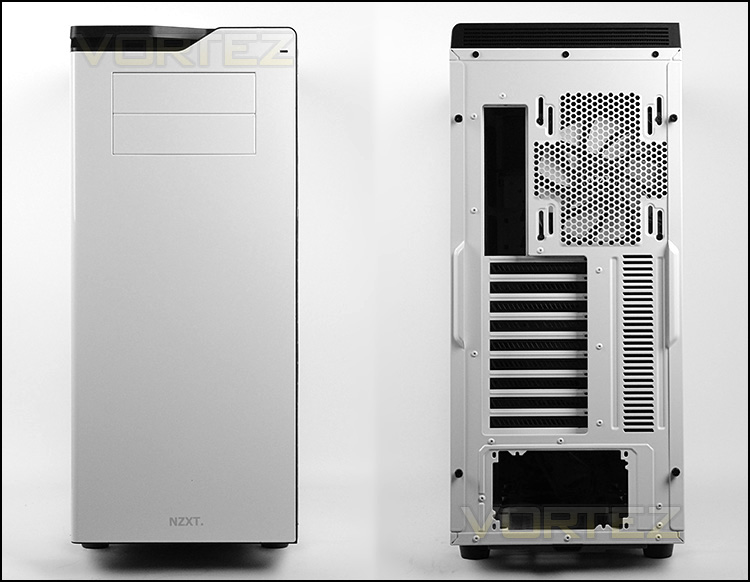
The front and back of H630
On the right-hand edge of H630, NZXT have placed the front panel connectivity. Here there are quite an assortment of options including:
• Rear IO LED on/off switch
• Headphone/microphone jacks
• 2x USB 3.0 ports
• 2x USB 2.0 ports
• Card reader slot – SDHC & SDXC support
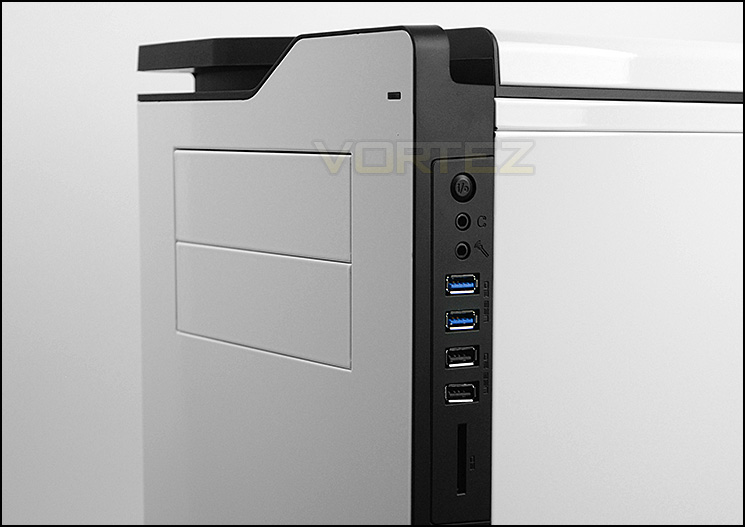
A multitude of options for connectivity
Up at the top of H630 there is another closed off panel, the only noteworthy feature is the large power button and smaller reset button. Cooling fans/radiators can be attached inside though – ventilation is found via the mesh on the sides.
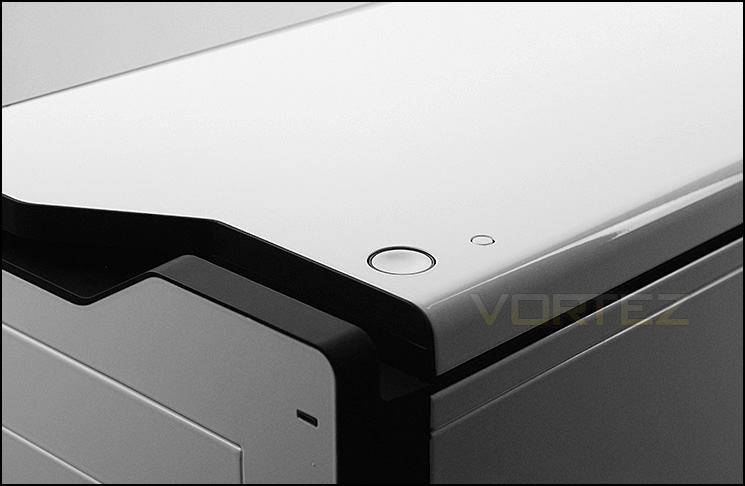
Closed off top panel with power/reset buttons
On the underside of the chassis, NZXT have given H630 four rubber feet which also give the case some elevation if it is placed on the floor. These feet help to keep the chassis from slipping on smooth surfaces. On the underside there are dust filters for the PSU and optional cooling fans – both filters can be removed whilst the case is stood up.
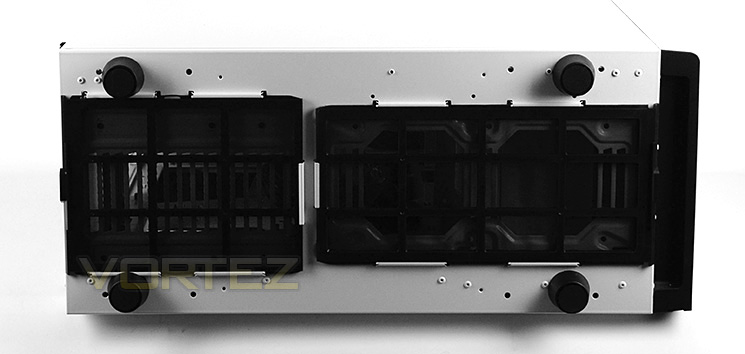
Filters and rubber feet on the underside
On the next page we will move inside the chassis to reveal the features and attributes.
Interior
The side panels on H630 are fixed in place with dual thumbscrews. With both of these panels removed we can take a good look at the internal layout and features.
NZXT have furnished the inside in a two-tone appearance with numerous tool-free mechanisms to install devices. The inside can house up to XL-ATX and E-ATX form factors which is welcomed but expected for a case of this calibre.
Cable management has been well thought-out with grommets in key areas and clearance to help maintain clean routing.
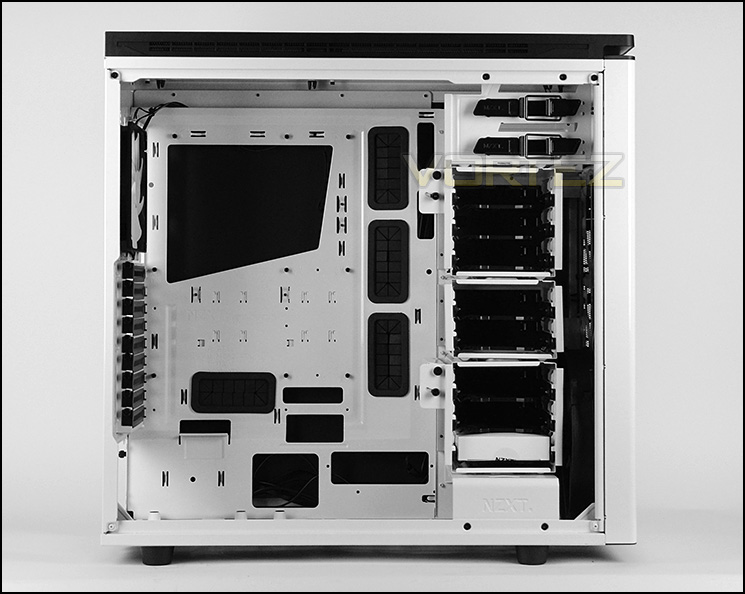
XL-ATX and E-ATX compatibility
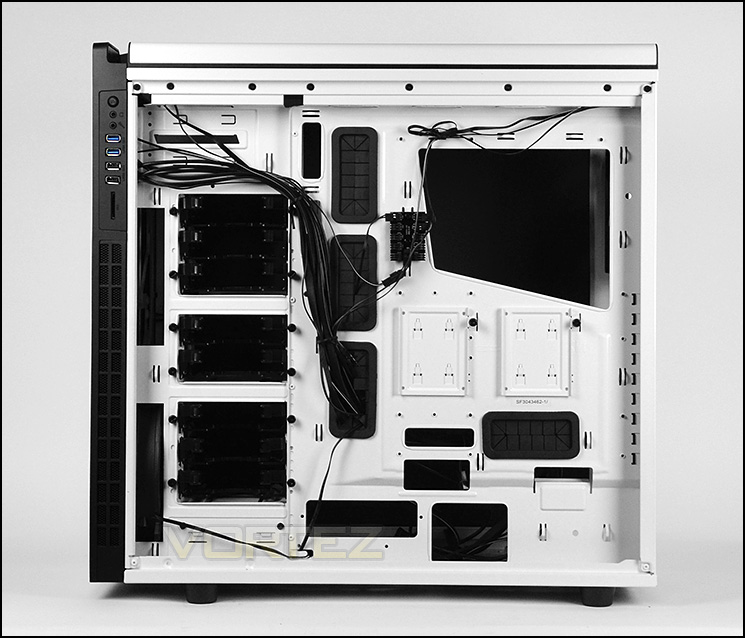
Good space for cable routing
Moving in for a closer look at the different elements of H630 we come to the PSU area first of all. In this area there are a series of rubber pads for anti-vibration. Long PSUs are also supported and NZXT have given the underside a removable dust filter.
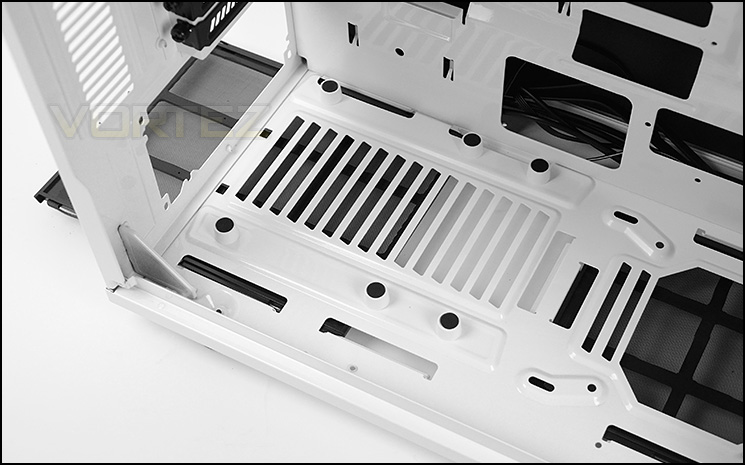
Anti-vibration padding and dust filter for the PSU
There are a multitude of PCI expansion slots within H630 for multi-GPU configurations. There are a total of nine covers, each with ventilation and thumbscrews for easy removal. These covers span to the bottom of the motherboard tray for XL-ATX motherboards.
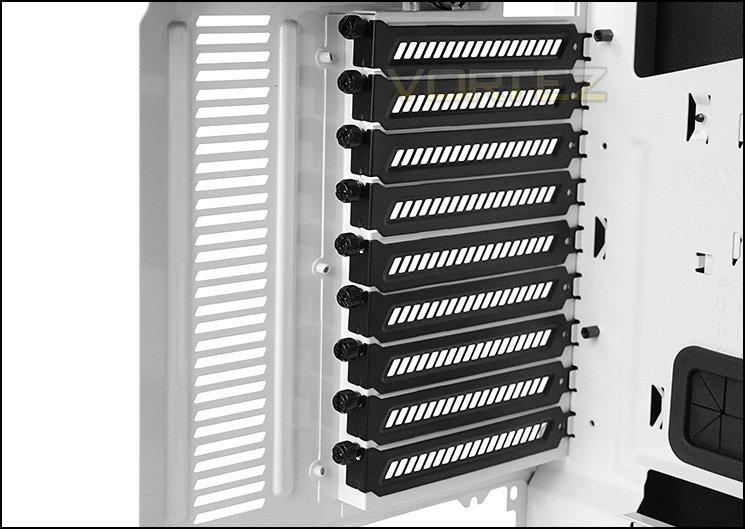
Multi-GPU support
Interior (Continued)
Further up inside the case, there is a 140mm rear exhaust cooling fan – as mentioned previously, there is allocation for a 120mm cooling fan too, and thus meaning 120/140mm radiators can be placed here too.
At the top of H630 there is a thick layer of noise damping material and allocation for 2 x 200 or 2 x 140 or 3 x 120mm cooling fans and radiators up to 360mm – we will delve into radiator clearance later in the review.
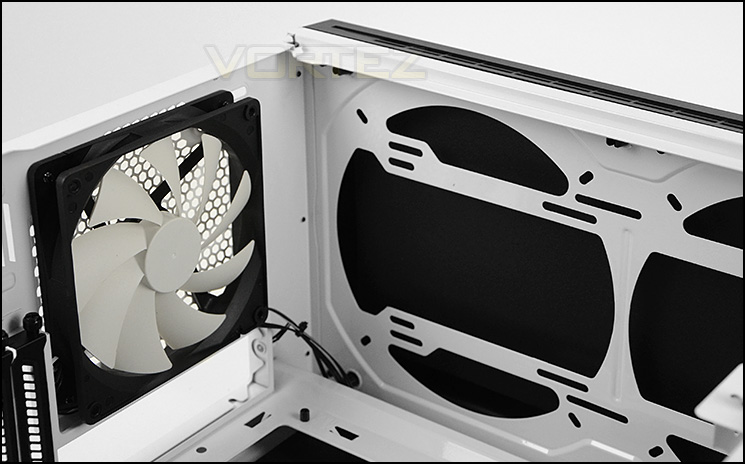
140mm rear exhaust and optional placements at the top
Over on the other side of the case, there are 2x 5.25” drive bay slots which each have a tool-free mechanism to assist adding/removing a device. The latch system is something which has been seen on previous cases and is easy to use.
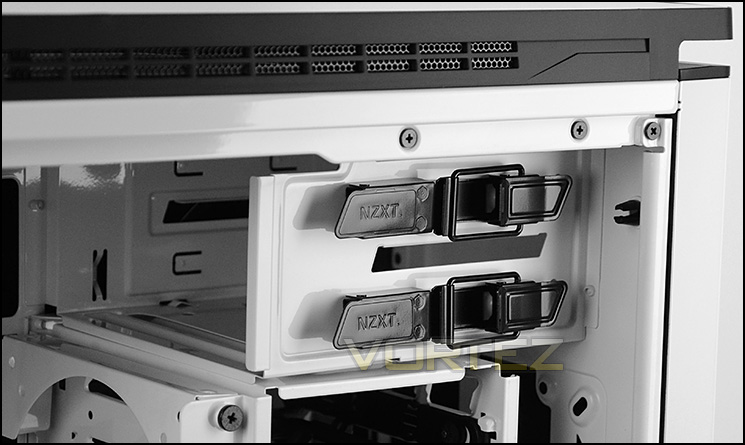
Tool-free installation for optical drives
Placed at the front of the case are three storage cages which can be individually detached from the chassis. Inside the cages there are total of eight storage trays which can accommodate 2.5” and 3.5” drives.
NZXT have also given the cages two pivoting brackets which can house 2x 120/140mm cooling fans to provide extra airflow.
Behind the cages is a large 200mm cooling fans which is positioned to be an intake. At the front there is allocation for 2 x 200 or 2 x 140 or 3 x 120mm. Later in the review we will take a look at radiator support.
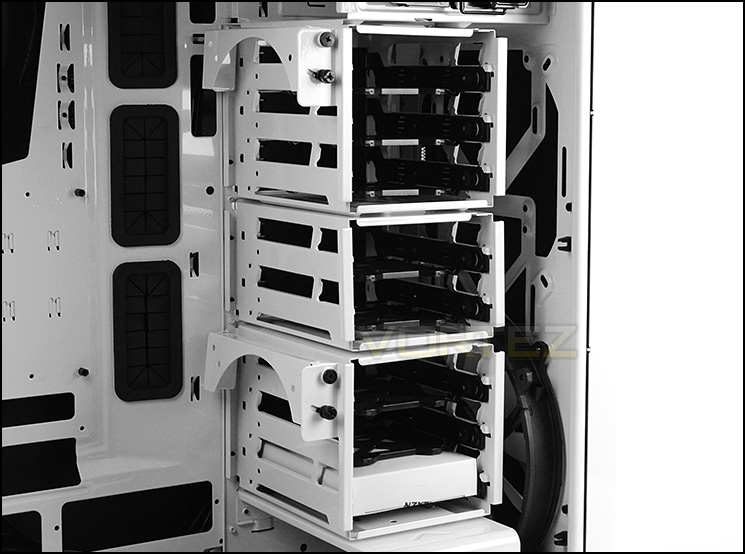
A plethora of options for storage with interchangeable cages
Finally, at the bottom of the case NZXT have cleverly made allowance for 2 x 140/120mm cooling fans and obviously radiator support too. Both fan slots are covered by a detachable dust filter.
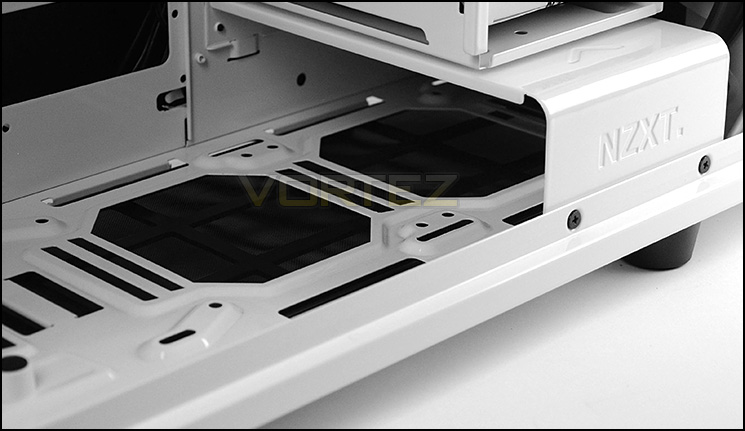
Optional fan placements at the bottom
Installation
Thanks to the massive expanse within the chassis and tool-free mechanisms, the installation process is a breeze. It’s also pleasing to see excellent build quality, nothing feels flimsy or cheap.
We installed our XL-ATX system within H630 to see how this case can handle such a large form factor and again, we are pleased to say there were no problems whatsoever. Cable management is a particular highlight with this case due to the generous clearance behind the motherboard tray and well-placed grommets.
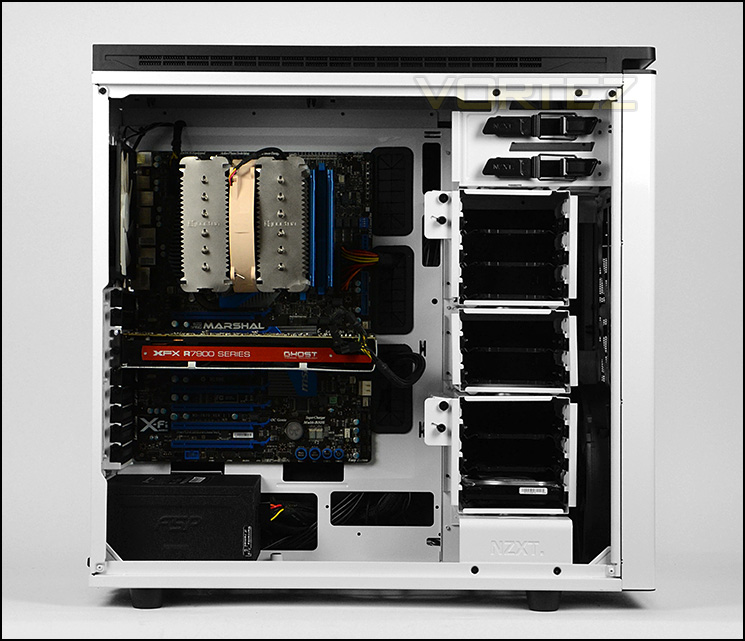
XL-ATX installed in a breeze
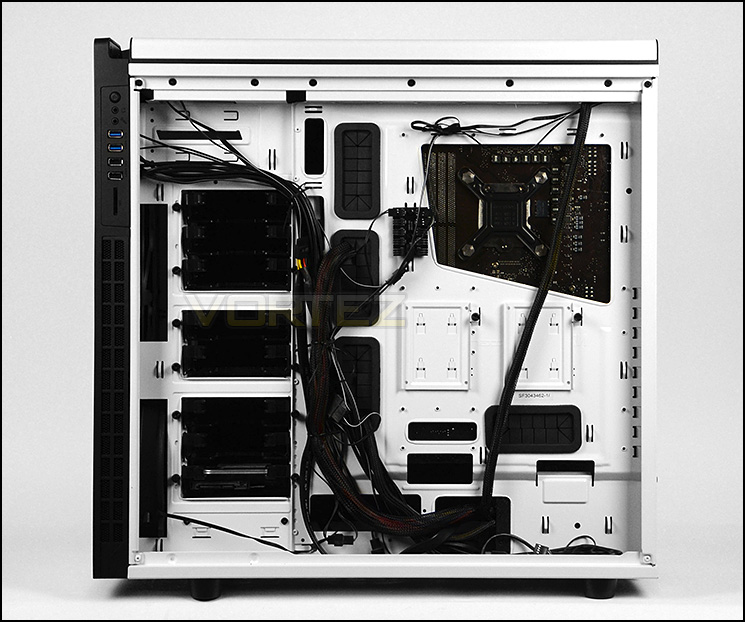
Great cable management options
Clearance – CPU Cooler, GPU
The clearance options within a chassis are paramount to the enthusiast since they highlight which hardware can and cannot fit inside.
The CPU cooler has a very generous amount of clearance – up to 190mm is available for flagship offerings. Pictured is Noctua NH-D14, which is dwarfed by this allocation!
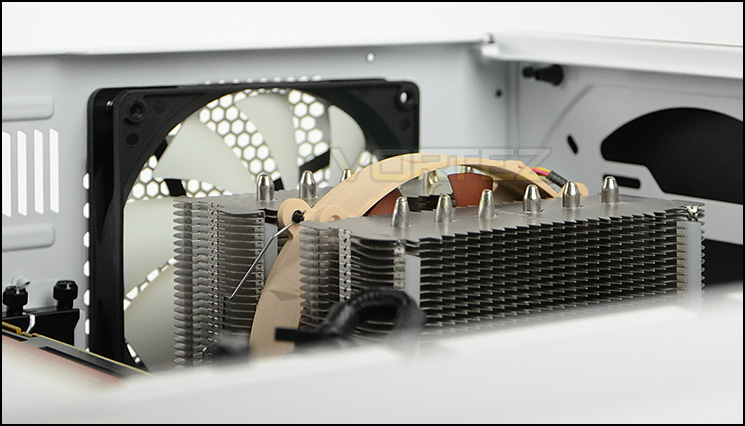
Up to 190mm of clearance for the CPU cooler
Graphics card clearance is also very good, with 354mm (13”+) before the card will touch the HDD cage. Irrespective of this, the HDD cages can be removed anyway to allow even more space. Pictured is XFX HD 7970 DD Edition which is 10.5” in length.
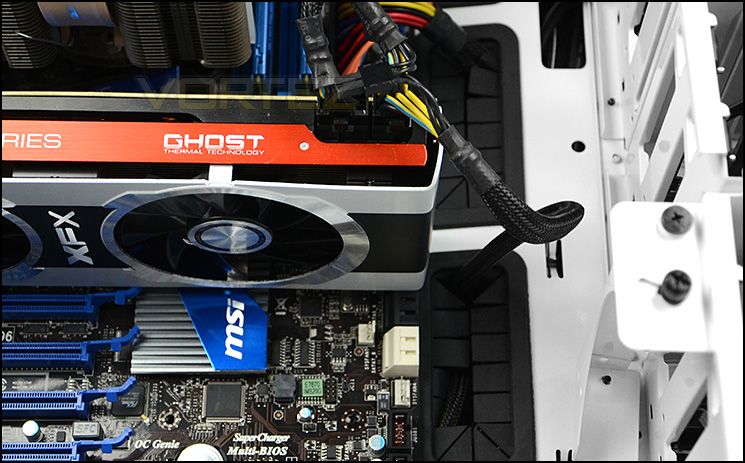
Good clearance for high-end graphics
Clearance – Water Cooling, Cable Management
Those who are wanting to go down the water cooling route will be pleased to know there are lots of options available to house different sized radiators inside H630.
At the top up to 360mm radiators can be installed and there is plenty of room to install fans on the inside too. Pictured is Phobya G-Charger 360 which is 60mm thick.
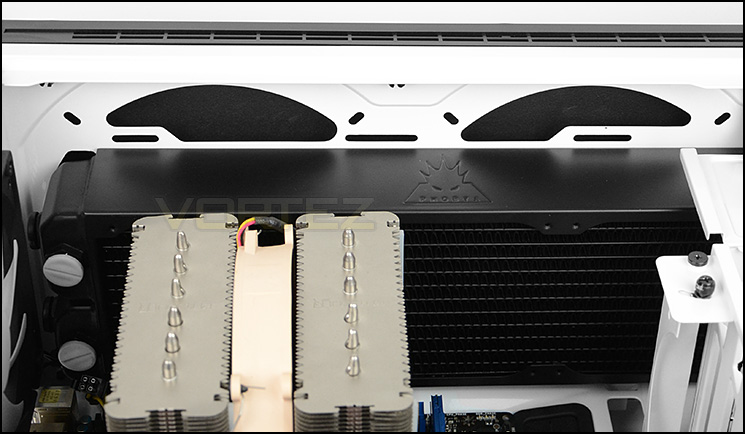
Up to 360mm radiators can fit at the top
At the front of H630, there are mounting holes for 2 x 140 or 3 x 120mm. Unfortunately thicker (60mm) radiators do not fit with the HDD cages installed but the thinner type – those found on ALCs such as Kraken or H100 will fit at the front with the HDD cages installed as pictured below.
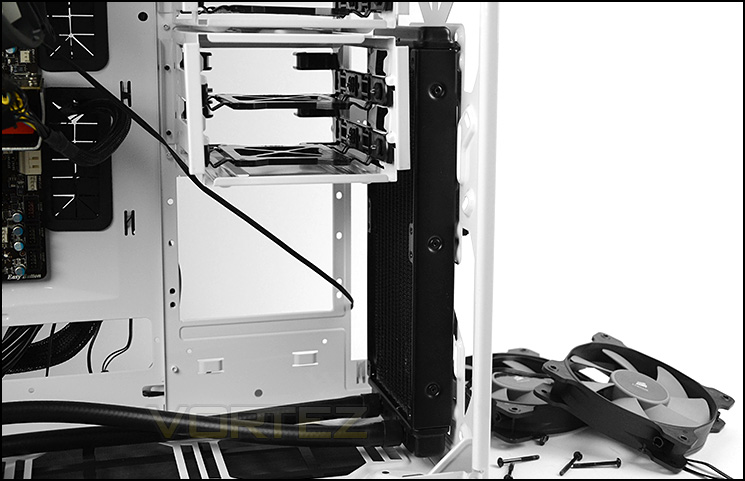
Different options available at the front too
At the bottom there are 2 x 140/120 mounting holes and we are pleased to report the thicker 60mm radiators will fit in this region – the lower HDD cage will need to be removed as a result though. Pictured below is Phobya G-Charger 240.
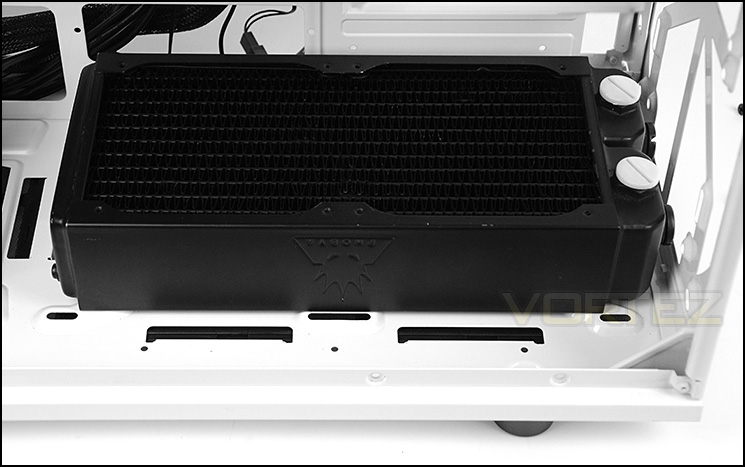
Up to 240mm radiators fit at the bottom
Behind the motherboard tray there is a generous helping of clearance between the tray and the side panel. An astounding of 3.5cm can be measured – this means cable management is easy to keep tidy.
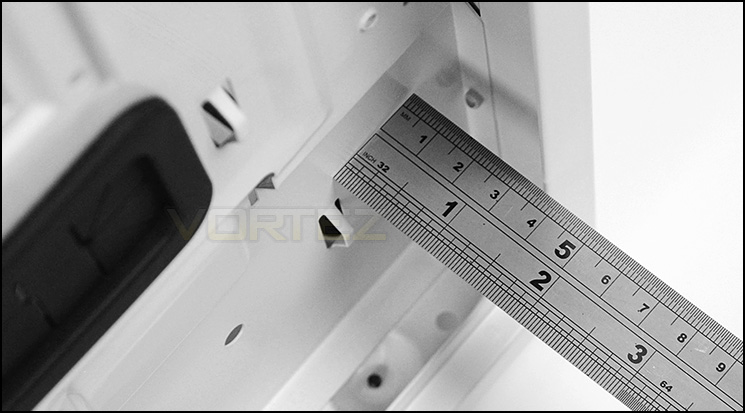
Up to 3.5cm of clearance behind the motherboard tray
Thermal Performance Testing
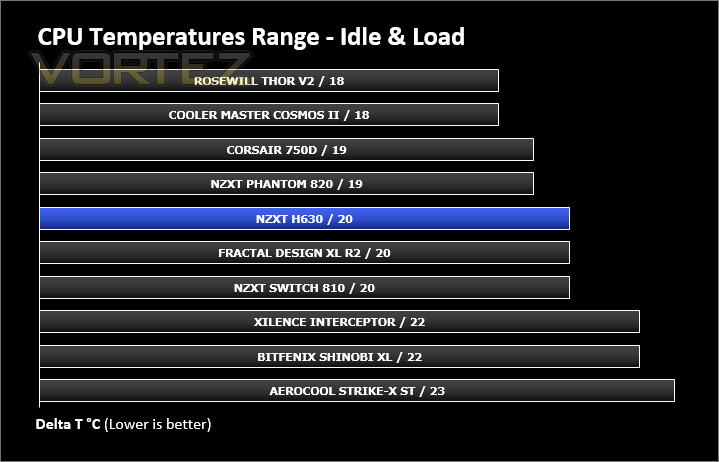
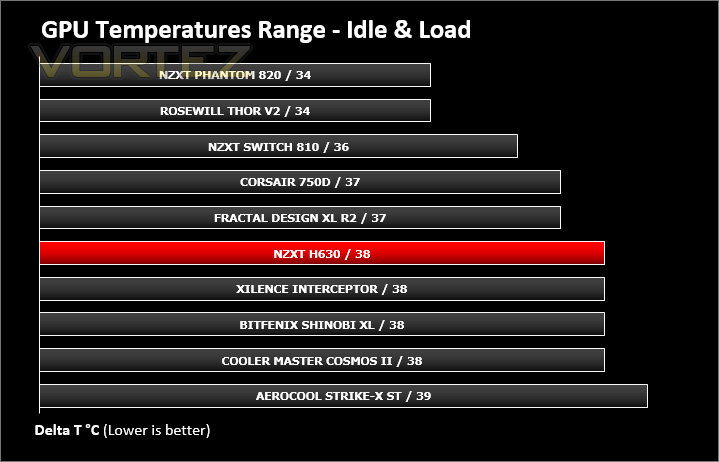
H630 has just two cooling fans one 140mm rear exhaust and a front 200mm intake. These fans are positioned in key areas and configured as a push/pull which usually yields good results but there is a reduction in ventilation due to the panels being closed off for silence.
To discover the thermal performance of the H630 we will record idle temperatures after 20 minutes from a cold boot. We will then stress the system and temperatures will again be monitored after 30 minutes have elapsed.
For the purpose of accurate analysis the idle and load temperatures for CPU and GPU will be recorded and the range between idle and load will be calculated to determine how efficient cooling is.
NOTE: Ambient temperature is 20C
System Components
CPU Intel Core i5 2500K
Motherboard MSI Big Bang Marshal (P67)
Graphics ZOTAC NVIDIA GTX 480 AMP (Different to GPU used in pictures)
Memory 8GB Kingston HyperX Genesis 1600MHz CL9
HDD Samsung Spinpoint 500GB SATA-II
PSU FSP AURUM 620M
Motherboard MSI Big Bang Marshal (P67)
Graphics ZOTAC NVIDIA GTX 480 AMP (Different to GPU used in pictures)
Memory 8GB Kingston HyperX Genesis 1600MHz CL9
HDD Samsung Spinpoint 500GB SATA-II
PSU FSP AURUM 620M
Noise
As can be expected, thanks to the thick panels and noise damping material – hearing the cooling fans inside H630 is quite difficult. NZXT have done a great job in keeping noise levels to an absolute minimum.
Conclusion
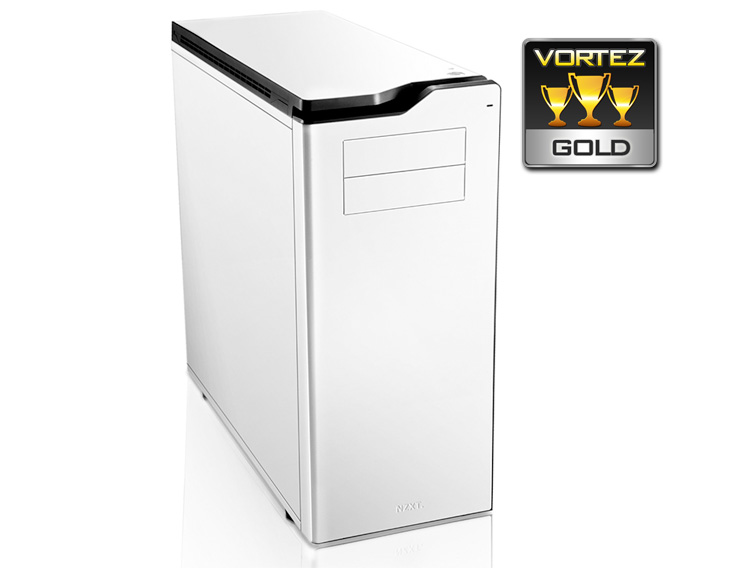
NZXT’s H630 is primarily designed to be a low-noise option, whilst accommodating flagship products from the bigger form factors like XL-ATX and E-ATX. We are pleased to report that this case easily attains both these attributes.
In our testing the noise levels were kept to an absolute minimum thanks to the thick, closed off panels and high-density noise damping material within.
The spacious internal layout of H630 lends itself to not only supporting the bigger form factor motherboards but also large CPU coolers, long graphics cards, great cable management and numerous locations for going down the water cooling route.
At a cost of £130 the H630 is good value. It ticks all the boxes for the most demanding of system builders out there. Although, we would have liked to see a fan controller in order to tweak the noise/performance of the cooling.
The H630 has all hallmarks of a brilliant ultra-tower. It really is difficult to find fault with this case. Those on a mission to cover all bases and bring a touch of elegance to their office should look no further.
Pros
+ Minimalist aesthetics
+ Very quiet
+ Great build quality
+ Superb for cable management
+ Plenty of storage options
+ Support for different sized radiators
+ XL-ATX and E-ATX compatible
+ Rear I/O LED lighting
Cons
– No fan controller
– No rubber grommets beside PSU
+ Minimalist aesthetics
+ Very quiet
+ Great build quality
+ Superb for cable management
+ Plenty of storage options
+ Support for different sized radiators
+ XL-ATX and E-ATX compatible
+ Rear I/O LED lighting
Cons
– No fan controller
– No rubber grommets beside PSU

Click here for an explanation of our awards at Vortez.net.


