







Strong, fast, accurate, configurable, reliable, intuitive and comfortable are just some of the words describing the new Strike Pro mechanical keyboard from Ozone.

Product on Review: Ozone Strike Pro
Manufacturer: Ozone Gaming
Street Price: £74.95 inc VAT
It’s been a while since we reviewed the first mechanical keyboard from Ozone. The ‘Strike’ was not a bad keyboard and performed very well so to that end if you were looking for a no-nonsense mechanical keyboard that offering was worthy of consideration. We however found that it was lacking in some areas when compared to the competition. The lack of finesse, additional options and configurability meant the original strike was little more than any other basic mechanical keyboard on the market. Ozone has since upped their game and today we get to analyse their latest mechanical keyboard in the guise of the Strike Pro.
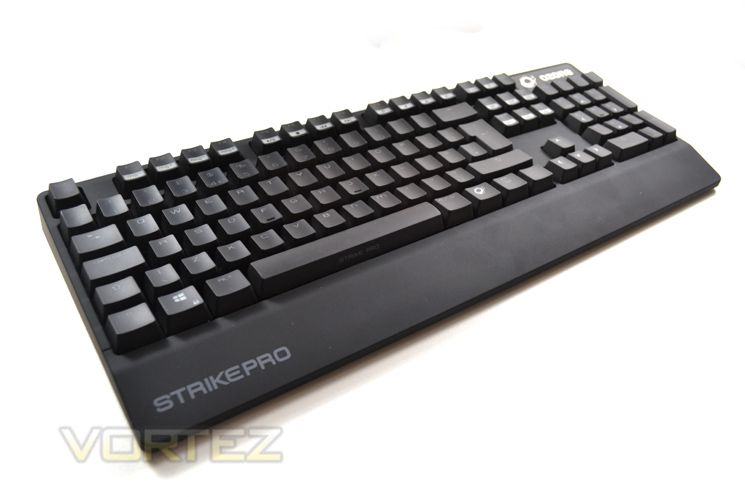
Among other features, the Pro has enhancements such as back-lighting, macro facility, 64kb on-board memory and the option of 4 different MX Cherry key switches. Many would say these additional features are not needed and only serve to clutter a sleek product. Implementation of these new features and ease of use then is of paramount importance and an area we will certainly be examining throughout this review.
Here’s what Ozone had to say about their product:
Strike Pro leads the evolution of gaming at its best. From the matchless tactile feel of its keys, to the stunning LED back-lights, everything in Strike Pro is aimed towards gaming.
Sensitivity is not incompatible with precision. Control is not isolated from speed. The new Ozone keyboard, Strike Pro, combines sensitivity, precision, control and speed in order to facilitate interaction.
Sensitivity is not incompatible with precision. Control is not isolated from speed. The new Ozone keyboard, Strike Pro, combines sensitivity, precision, control and speed in order to facilitate interaction.
Technical Specification
Keyboard:STRIKE PRO 104 Keys Cherry Switch Mechanical Keyboard
Compatible: IBM PC ,Win7,Win8, WinNT,Win2003, Win XP or Win Vista
Size: H: 34.30±1mm x L: 441.25±1 mm x W: 135.70±1mm
Weight: 1300 G
Cable Length: 1.5m Braided Cable
Keycaps/ Main Housing:ABS 94HB
Inner Metal Plate:SPCC
Feet:ABS+TPR
Voltage: 4.75V +/- 10%
Power Consumption: ≤ 250 mA
Memory: 64 KB on board memory
Connector: USB 18K gold plated
Nkey Rollover: All (104keys) keys with Nkey Rollover (anti-ghost)
Working Mode: Normal PC Mode/ Gaming Mode
Gaming Mode: Deactivation of Win Key / “AWSD” & “Arrow Keys” function swappable/ Macro Function through Software
HUB & Audio: USB x 1 / Audio x 1 / Mic x 1
LED Backlit: White LED with Gaming Keys in Red LED / 6 backlit options (OFF/ 100% breathing/ 30%/ 70%/ 100% still / Gaming Key [ESC, QWEASD & 4 Direction Keys] light up only)
Compatible: IBM PC ,Win7,Win8, WinNT,Win2003, Win XP or Win Vista
Size: H: 34.30±1mm x L: 441.25±1 mm x W: 135.70±1mm
Weight: 1300 G
Cable Length: 1.5m Braided Cable
Keycaps/ Main Housing:ABS 94HB
Inner Metal Plate:SPCC
Feet:ABS+TPR
Voltage: 4.75V +/- 10%
Power Consumption: ≤ 250 mA
Memory: 64 KB on board memory
Connector: USB 18K gold plated
Nkey Rollover: All (104keys) keys with Nkey Rollover (anti-ghost)
Working Mode: Normal PC Mode/ Gaming Mode
Gaming Mode: Deactivation of Win Key / “AWSD” & “Arrow Keys” function swappable/ Macro Function through Software
HUB & Audio: USB x 1 / Audio x 1 / Mic x 1
LED Backlit: White LED with Gaming Keys in Red LED / 6 backlit options (OFF/ 100% breathing/ 30%/ 70%/ 100% still / Gaming Key [ESC, QWEASD & 4 Direction Keys] light up only)
Packaging & Accessories
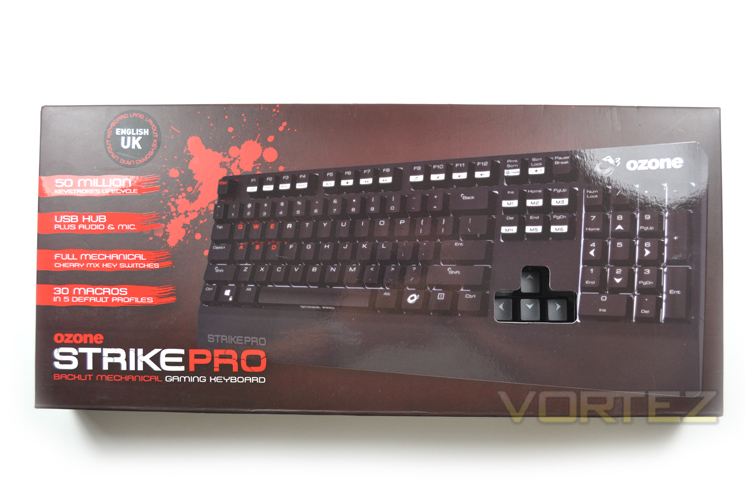
The Strike Pro, like its brethren is well packaged and arrives in an attractive deep red box. The external packaging is relatively small, especially in depth as we expected a much deeper product but this is not to say that the keyboard is not adequately protected.
To the front of the package, OZONE have seen fit to have an exposed window allowing you to push the arrow keys to get a feel for the MX Cherry switch of which there are four to choose from when placing your order: Red, Black, Brown and Blue.
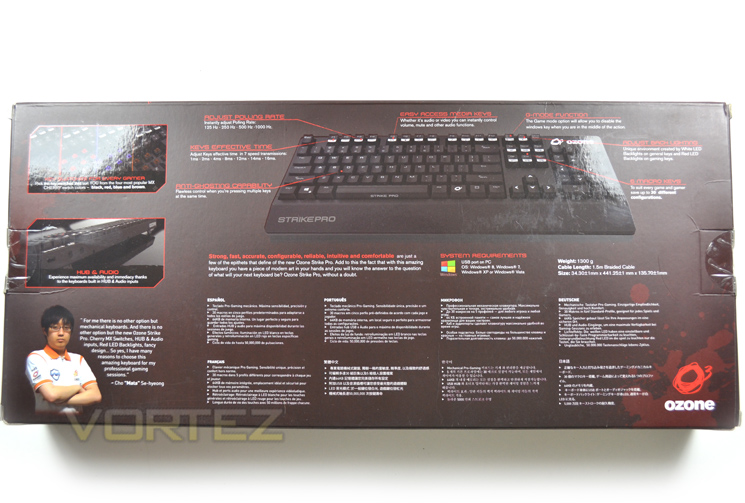
The rear of the packaging goes into great detail in multiple languages to describe the keyboard’s main features. Cho “Mata” Se-hyeong of the Samsung pro gaming Team gives his endorsement for the Strike pro keyboard explaining that there is no other option for him other than mechanical keyboards for his gaming sessions.
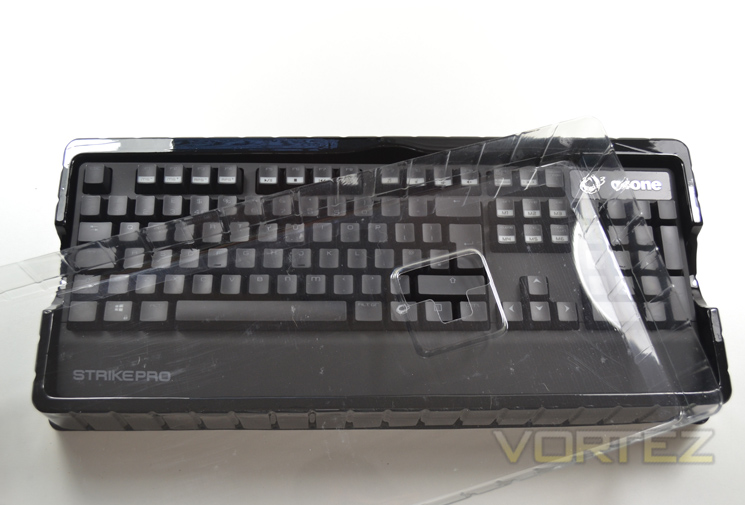
The Keyboard itself is protected by a snug fitting plastic brace. This is an excellent method of protecting a keyboard of this design as a thin sliver of foam does not always afford the protection required and occasionally we have received keyboards that have slight scratches due to rough handling in transit. We are happy to say there were no such anomalies with the Ozone Strike Pro.
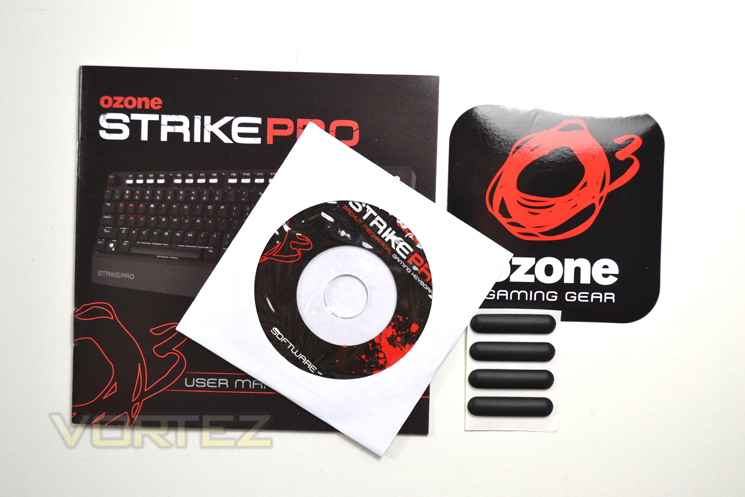
The package includes a very good manual detailing how macros work, how to setup profiles and backlight options along with an array of other features. Also included is a software disc to program the keyboard. A neat addition to the accessories was the inclusion of an extra set of rubber feet. Being a keyboard aimed at gamers, Ozone are aware that items such as can and do wear do or go missing so adding a spare set to keep the keyboard in position when this happens is very good foresight.
First Look
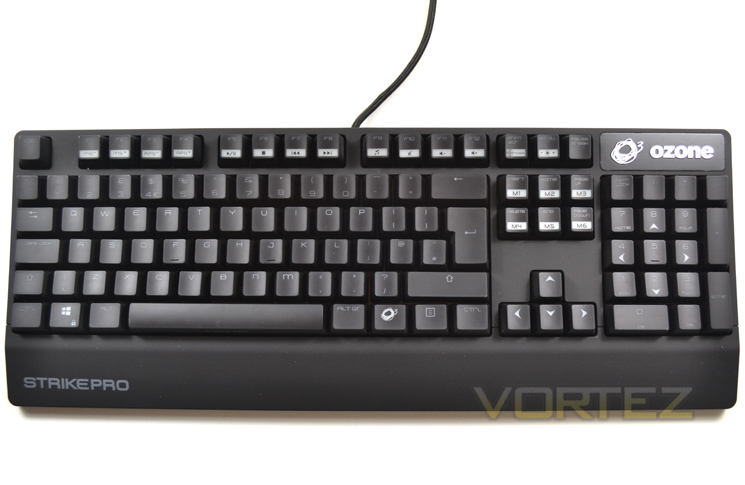
At first glance the keyboard looks pretty much like most mechanical gaming keyboards. It is not oversized and is similar in size to a bog standard Dell office keyboard minus the wrist rest. Looking closer though we see that OZONE have gone a step further than much of the competition by providing a rubberised coating to the main frame while the keys themselves are silky/matt to the touch. Without the back-light illuminating the keys, identifying individual key functions is not the easiest, especially in dim lighting so unless you’re an adept typist, writing an essay would be cumbersome without the back-lighting enabled.
The layout is, however, very good and intuitive with the main keyset uncluttered thanks to the separate media key functions being dedicated to the function F1-F12 keyset.
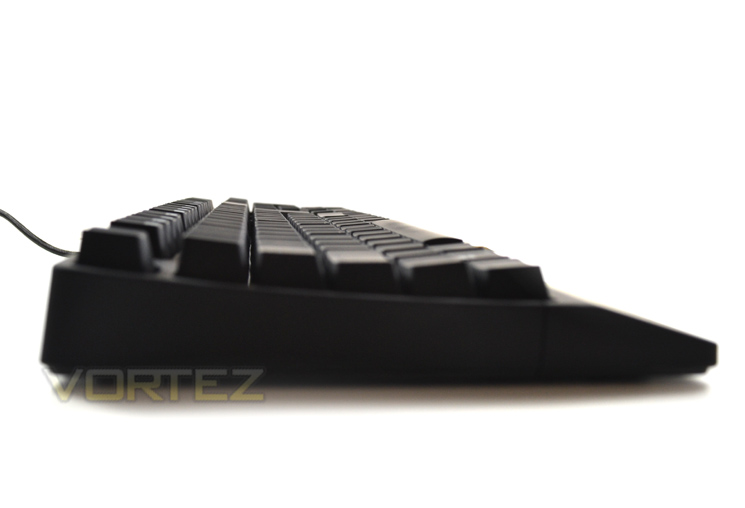
With the legs folded away, we see that the profile of the keyboard is curved in nature with the bottom most keys actually rising away from the user. While we will go into the ergonomics of the keyboard later in the review we do not feel this is the best position for either gamers or typists. Rising the keyboard legs does compensate somewhat but this also creates a separate issue which made our wrist cramp slightly after extended use but more on this later.
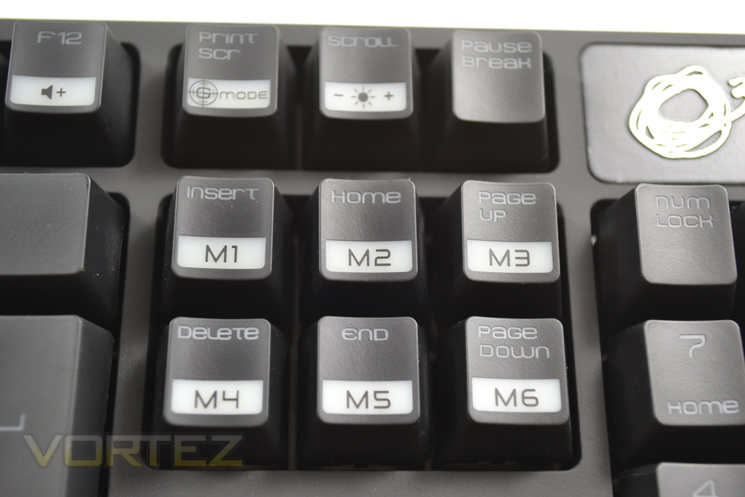
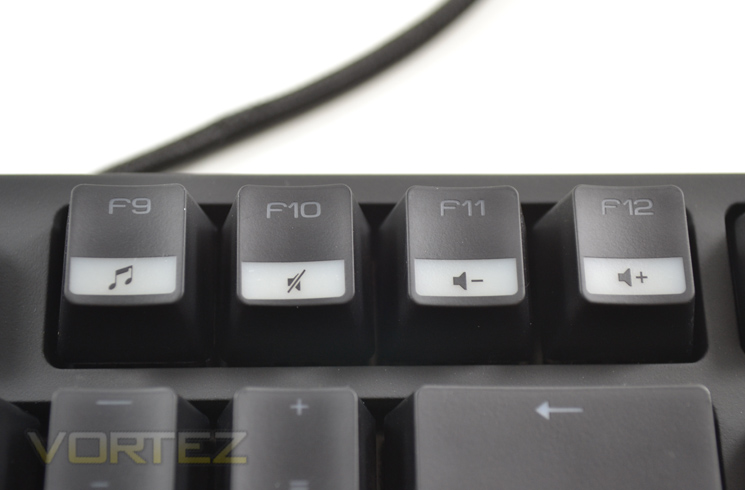
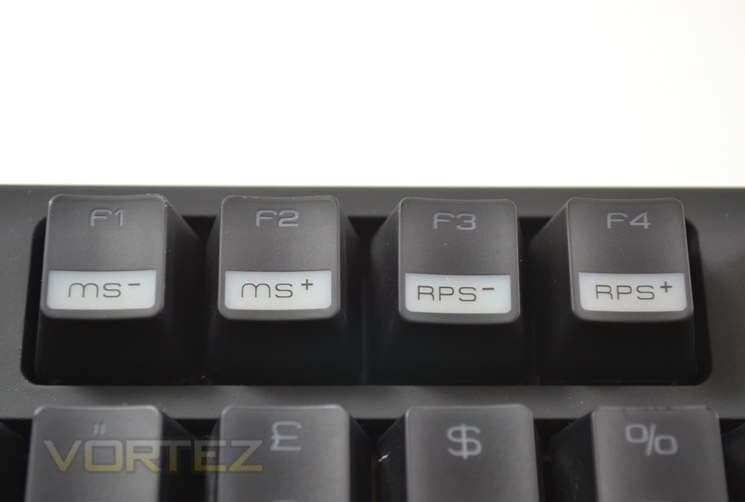
The Strike Pro features a plethora of media function keys which are accessed using the ‘O’ zone key in conjunction with each media key. This is a great feature as the last thing you need popping up while fragging some poor soul is WMP or the desktop through a misplaced finger! The Macro functions are also easily accessed along with the profiles which can be configured using the included software.
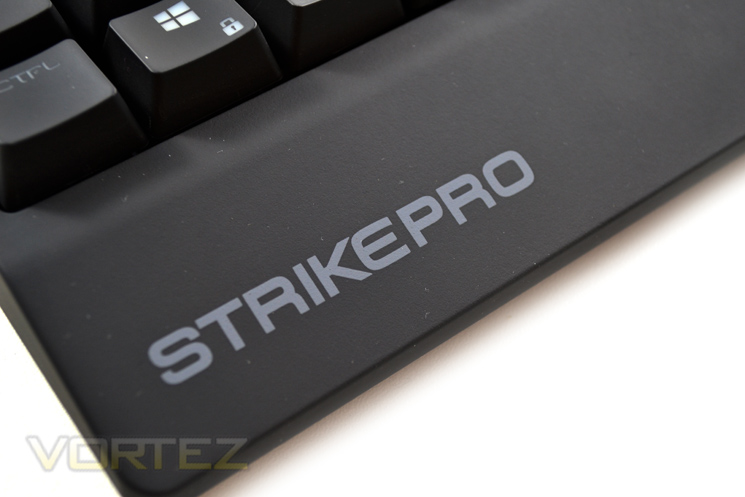
The palm rest forms part of the frame of the keyboard and cannot be removed. We are not sure we liked this ‘feature’ nor this particular design of palm rest as it barely supported our palms and unless you have child like hands it doesn’t appear to serve any functional purpose.
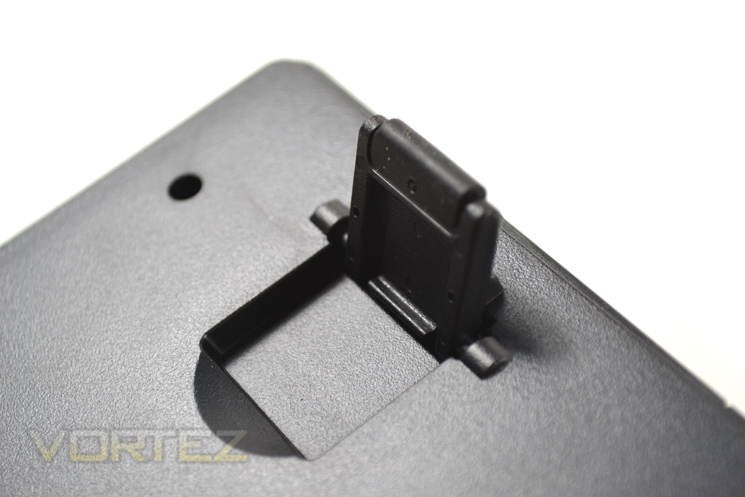
The extendable feet of the keyboard are always a welcome addition and the rubber coating act as non slip during intense use which was great in use as the keyboard felt both sturdy and resistant to abuse.
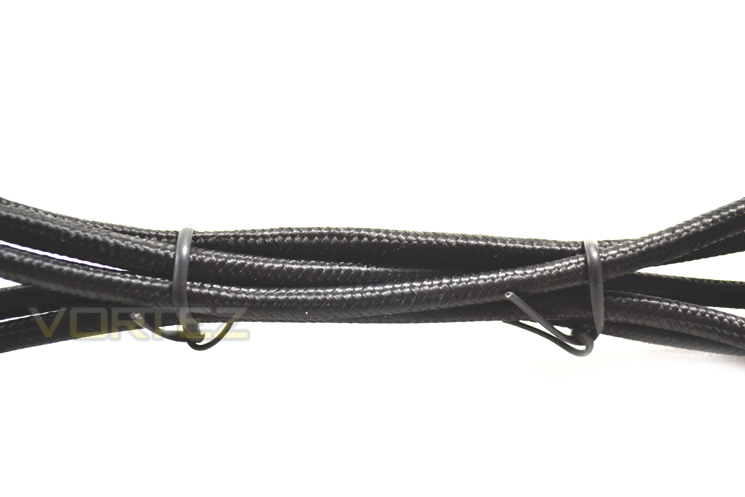
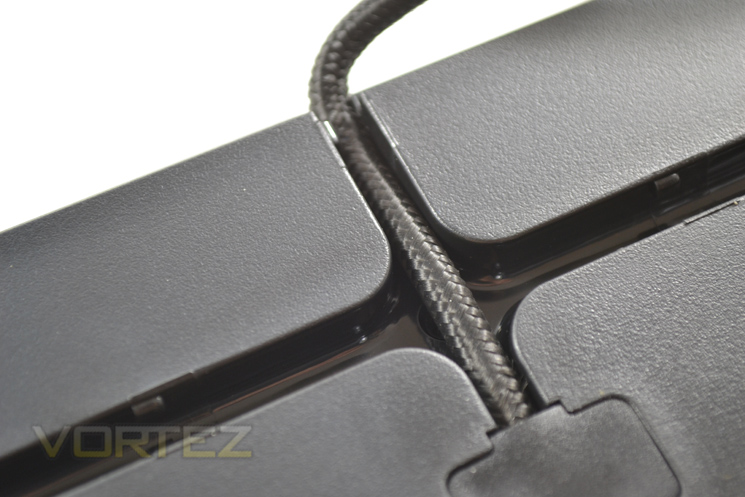
The cabling of the keyboard is fully braided however this made the keyboard cable much thicker than it really was. Fear not though because the cable can be hidden beneath the keyboard and directed in most any direction to assist in keeping a cable and clutter free desk space.
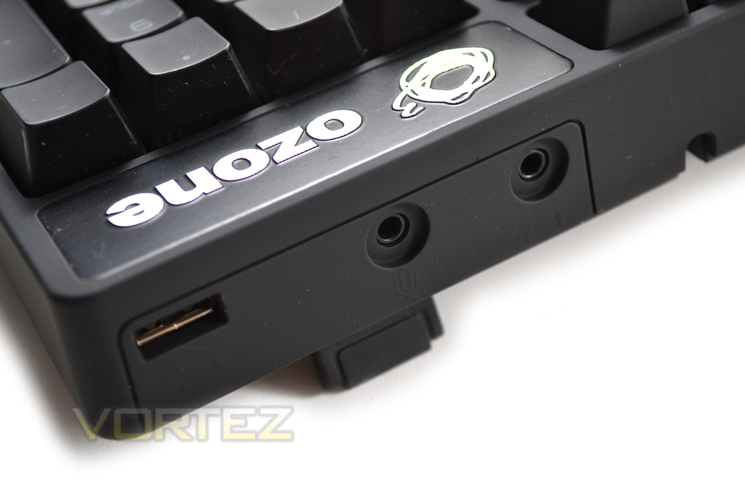
The attachments are all gold plated which serve for excellent connectivity and durability. The additional 3.5mm cables are audio/mic plugs which are extensions to the rear of the inputs of the keyboard allowing you to plug your gaming headset directly through the keyboard rather than fiddling around the back of your main PC unit.
Lighting, Switchgear & Performance
Mechanical switchgear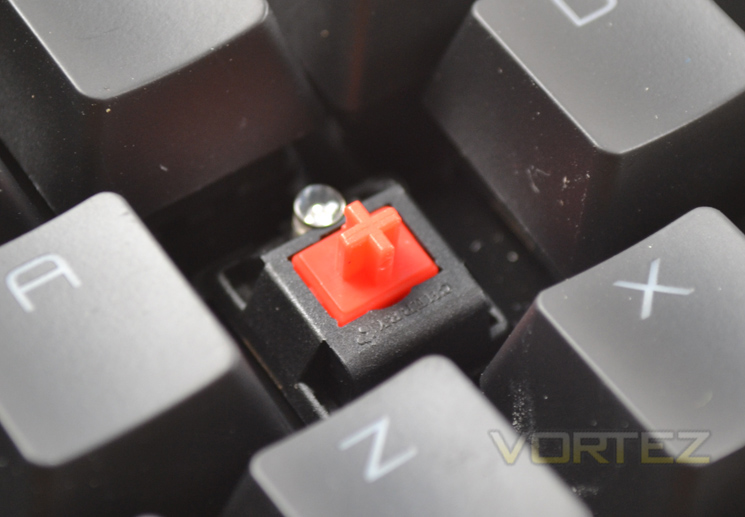
One of the biggest attractions to the Strike Pro is that it can be ordered with one of four types of MX Cherry mechanical switches. Red or Black, (weak/strong non tactile), Blue or Brown (weak/Strong tactile). So whether you long tactile feedback or a light/strong key press, the options are available. Our model was fitted with the red MX switches which are great for light, fast typing but if like me you have shovels for hands and sausages for fingers, black or brown switches may be better! If you can, we advise to give all the switches a try at your nearest stockist (Overclockers UK) to see which suits you best because they can easily make or break a keyboards appeal depending on your personal preference.
Whichever switch you prefer, you will certainly appreciate the accuracy of mechanical switches and will struggle to go back to the wobbly, rubber membrane type keyboards.
Lighting
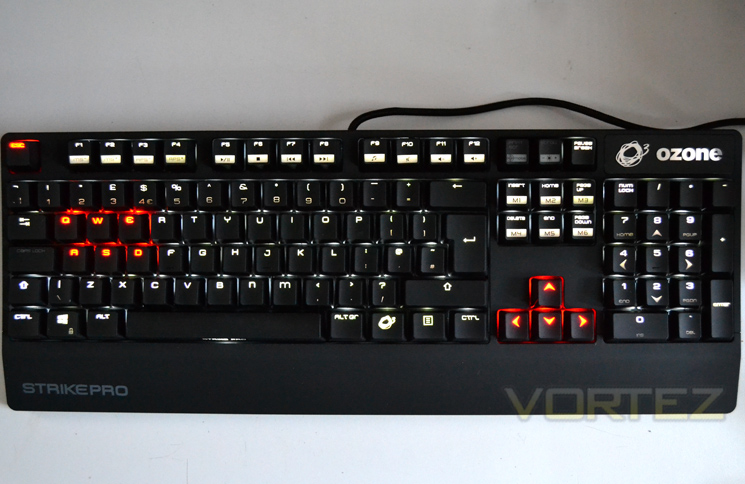
It can be claimed that keyboard lighting is simply a gimmick but we disagree. While it is true, it will have little use other than aesthetics for those who know where each key is, for those that don’t it is another tool in the box to speed up reactions. Anything that can enhance reaction time in gaming can only be a good thing in our book!
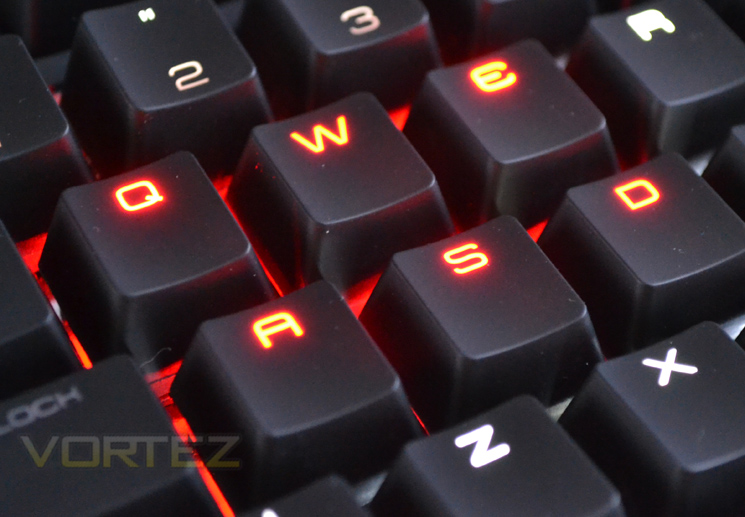
The Ozone Strike Pro allows the user to fully illuminate the keyboard but also has a few different modes to the lighting. First there is the staged lighting which can be increased to four stages (off, low, medium, high) along with pulse and gaming. The pulse function slowly ‘breathes’ the led on/off with varying intensity while the gaming function illuminates only the QEWSAD, ESC and arrow keys.
Performance
We tested the keyboard in a variety of scenarios as follows:
General use
While primarily a gaming keyboard we believe that 99% of users will also be using this product as their general use keyboard so it is important it can also cope with the demands of everyday use. We typed up this review using the keyboard and while Cheery MX Red switches were not our preference (too many miss-strokes) it was a pleasure to use. Our one concern was that after a shorter time than expected we started to suffer cramping due to either the undersized palm rest or the angle of the key set. Which caused our issues we cannot say for sure however after trying the keyboard with both legs extended and folded away we couldn’t say we were ever 100% comfortable.
Gaming
Here is where the keyboard came alive.
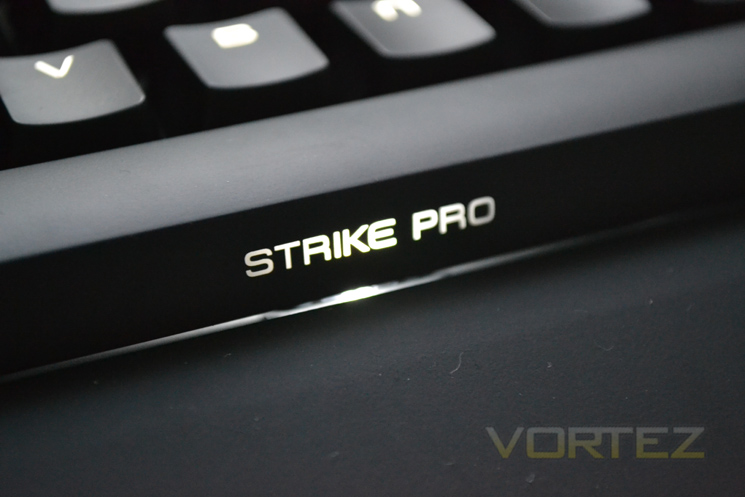
For FPS, the keyboard was as expected sublime. Straffing performance was excellent with key response firm and assured while extremely fast. As with the general use complaint we did find that the keystrokes were a little too small for our liking which resulted in grenades being thrown and macros being initiated unintentionally but this is not a fault of the keyboard or the switches, it is just that the red switches not best suited to my clumsiness! The rubberised texture did make our hands a little sweaty but did well to counter this by keeping a grip. We can’t recall the keyboard moving under the strain of hours of gaming either which was great. If only the palm rest was bigger and more textured it would be near perfect.
The keyboard is full n-key roll-over meaning that multiple key-presses can be in-putted simultaneously. It is also worth noting that being a mechanical keyboard it is built to last (50 million keystrokes). When you first pick the keyboard up you will note that it is much, much more heavier than a regular keyboard due to the switches which we will add have never failed us yet despite years of abuse.
Software
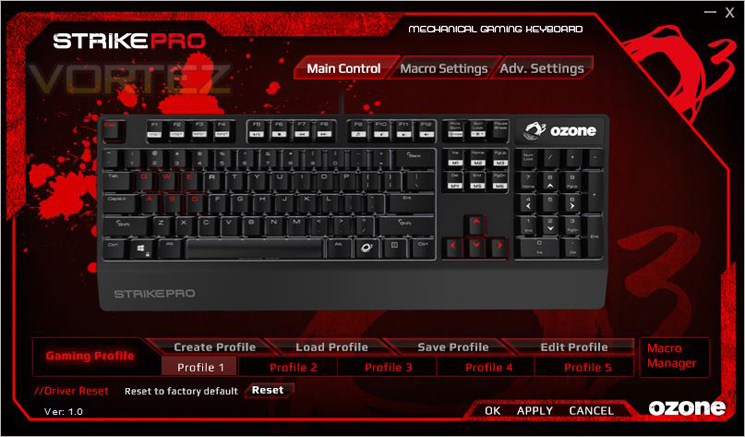
The software can either be installed from the included CD or download. We opted to download the most recent edition which as it happens was still v1.0.
The front end of the software features an interactive picture of the keyboard. Above this are your three main options of Main Control, Macro Settings and Advanced Settings. Below the keyboard are your profile settings along with a factory reset option should things get messy and you wish to revert to factory defaults. Our main complaint here is that the profile could not be changed with a key-press. Instead the only we managed to change the profile was via this software interface. Not a ‘game changer’ but not exactly an efficient process either. The profiles can be set to change automatically depending on the executable loaded but we can think of times we do not wish this to occur and would instead prefer profile ‘keys’.
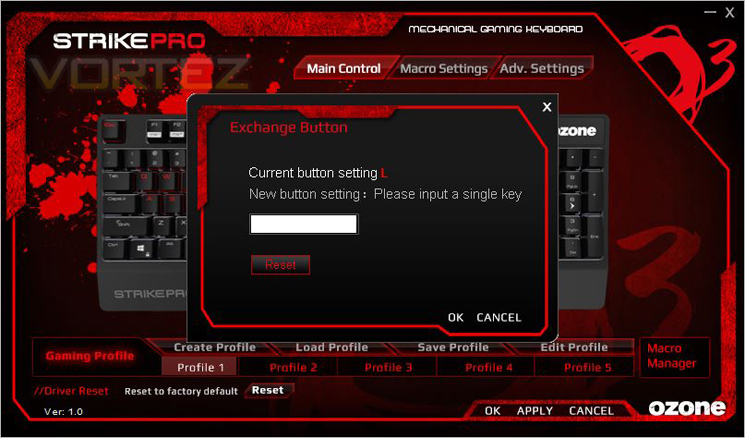
Don’t like QWERTY? Well you can assign any key to any function pretty much. Hate the windows key? Want it to be your ‘prone’ button but can’t assign windows button in game? Not a problem. Just assign a letter to that button and change the keyboard command in game and hey presto!
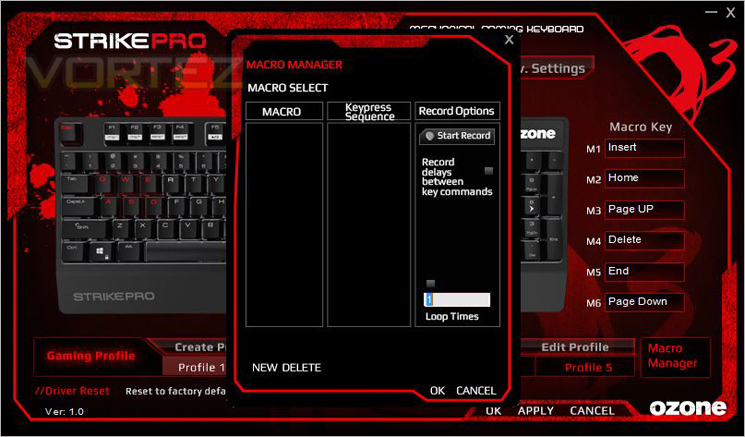
Macro settings are a big feature of gaming keyboards to the point we would say if your keyboard does not have this function then it is not a true ‘gaming’ keyboard’. the macro functionality of the Strike Pro is extremely easy use. So much so we didn’t need to read the instruction booklet and figured it out within seconds. Key press can be timed or be consecutive with the option to record delays between this key-presses.
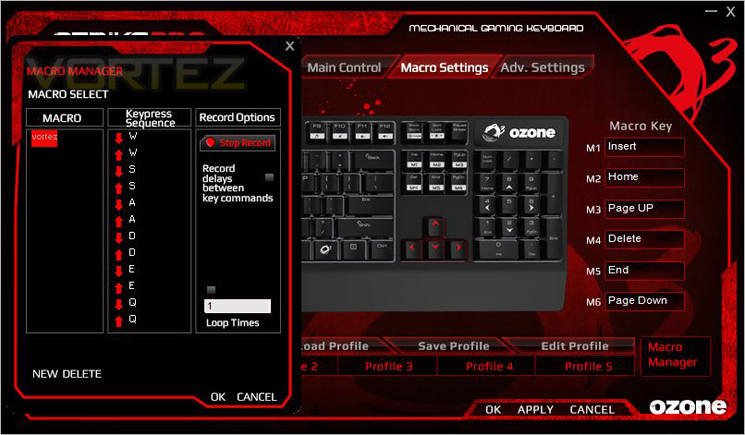
Some standard macros can be set using the M1-M6 keys such as show desktop, maximise, minimise etc but we feel these keys will be reserved for in-game macro creation.
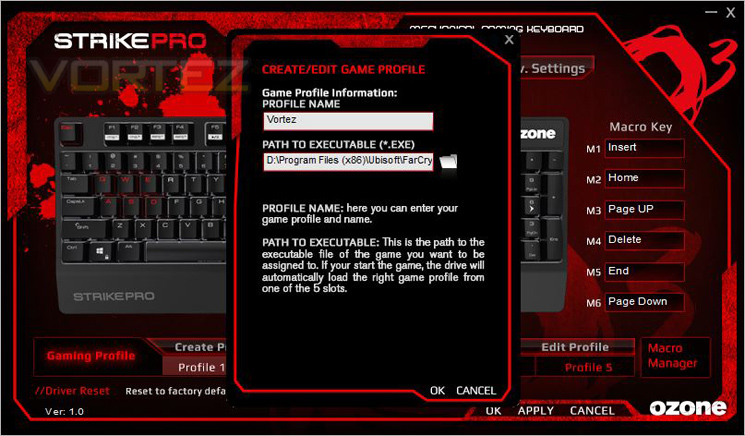
Another neat function of the Macro keys is the ability to set them to open a program and indeed to have a profile set to the programme you have opened. So should you want Photoshop to carry out a specific task, this can be done here. Load up a game of BF4 and your macros that are assigned to a different profile will be loaded. Neat!
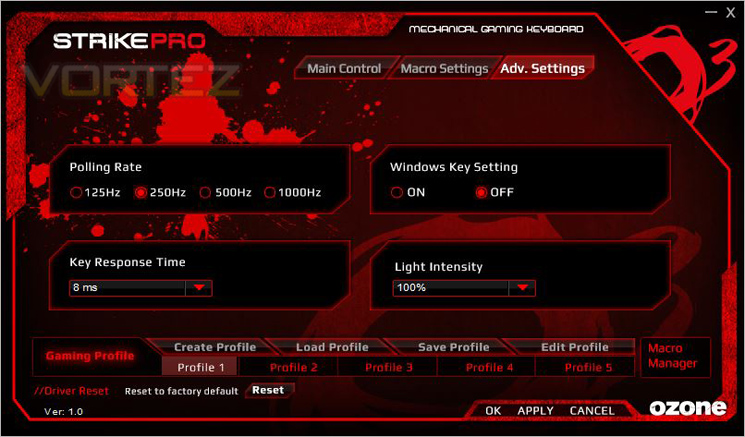
Finally we come to the advanced settings page. We see little reason to lower the polling rate of the keyboard or indeed not to have it on its highest setting. Also we couldn’t think of an occasion when you want a lower key response so this was changed to the lowest possible setting. As this is primarily a gaming keyboard it was nice to see a semi-permanent windows key disablement function. Here is where you can also adjust the keyboards lighting.
That pretty much winds up the software section. The included software is very attractive to look at but we feel there were occasions when the detail was hard to see as red on a black background hardly stands out. The software was however, relatively simple and intuitive in use. We would perhaps like to see a faster flashing (saving) process whereby the keyboard is flashed when loading/saving a profile to the 64KB on-board memory but this is only a minor complaint. Overall the software gets a thumbs up from us.
Conclusion
The Ozone Strike Pro is a big improvement over the original Strike. Firstly, the obvious improvement is the inclusion of customised lighting. While not quite to the customisable levels of say the Logitech G19, the Strike Pro looks great with contrasting red and white lighting which itself can be lowered or raised depending on the intensity desired. The mechanical key switches remain however OZONE had the foresight not to restrict its model to just one type with four of the most common types on offer. So whether you prefer strong/light, tactile or not, there is a keyboard switch to suit any taste. The software is good and easy to use with plenty of options to allow you to further configure the keyboard functions to your own preference.
You would be forgiven for thinking that like so many other mechanical keyboards on the market that this would cost in excess of £100. You would be wrong. Costing a fiver short of £80 the Ozone Strike Pro could easily be considered something of a bargain. For sure, £75 is hardly cheap for a keyboard but £75 for a keyboard of this quality that offers the more features than the competition in the same price bracket features is not a bad deal at all. It is robust, a joy to use while gaming, plenty of features and as already mentioned, a very good price. What’s not to like? Well a couple of things actually.
First the ergonomics: While we weren’t overly concerned when gaming, we felt that over time when used as a ‘writing’ keyboard the Ozone Strike Pro could become tiresome, especially with Cheery Reds. We would prefer the ‘clickity clak’ of browns or blues for that. Now obviously this is an option only you can decide. What you may not be able to change is the overall ergonomics of the keyboard which we found to be less than perfect when used for extended periods. Secondly, and perhaps connect to our first criticism is the lack of girth on the palm rest. The rest seems to be more of an afterthought than anything else as it simply doesn’t support the palm and certainly not the wrist. While any support is welcomed, we would have preferred a larger rest be that detachable or not. As it stands the rest being built into the frame is not fit for purpose.
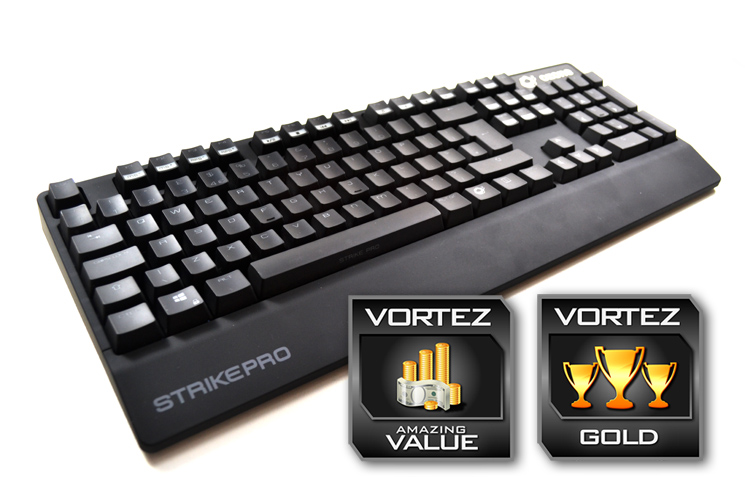
Those points aside the Ozone Strike Pro is a very good keyboard indeed and one we have no hesitations in recommending. With a few tweaks it could well be in platinum territory but for now it will have to settle for a well deserved Gold award.
The Ozone Strike Pro is a keyboard that offers high end customisation and performance at a price much lower than expected.
Pros
+ Optional Cherry MX switchgear
+ Customisable back lighting
+ Macro Functionality
+ Full NKRO
+ Disable Windows key on-the-fly
+ LED backlit
Cons
– Can become uncomfortable after extended use
– Thin Palm rest
+ Optional Cherry MX switchgear
+ Customisable back lighting
+ Macro Functionality
+ Full NKRO
+ Disable Windows key on-the-fly
+ LED backlit
Cons
– Can become uncomfortable after extended use
– Thin Palm rest
Available now at Overclockers UK

Click here for an explanation of our awards at Vortez.net.


