







Using the latest in wireless technology, the Sensei Wireless laser gaming mouse delivers the same high-performance as the original Sensei but offers more flexibility.

Product on Review: Sensei Wireless Laser Gaming Mouse
Manufacturer: SteelSeries
Street Price: £130 GBP / $150 USD
There is a zeal in the 21st Century to replace wired products with wireless representations in a bid to not only adopt a clean, minimalist environment but also provide a flexible experience. The main difficulty over the years has been the cost of developing such wireless technology for common household and computing products.
The desire to have wireless peripherals has been a strong one in gaming circles but issues such as lag, distortion and other performance related issues have plagued such hardware but today SteelSeries hope to conquer these problems by presenting us with a new gaming mouse based upon their popular Sensei.
SteelSeries Sensei Wireless is a laser gaming mouse which, as its name suggests, does not require a cable for operation. Sensei Wireless is packed with a multitude of high-grade components and features which promise to alleviate any interruptions whilst gaming. All of which are backed by the renowned SteelSeries Engine3 software suite.
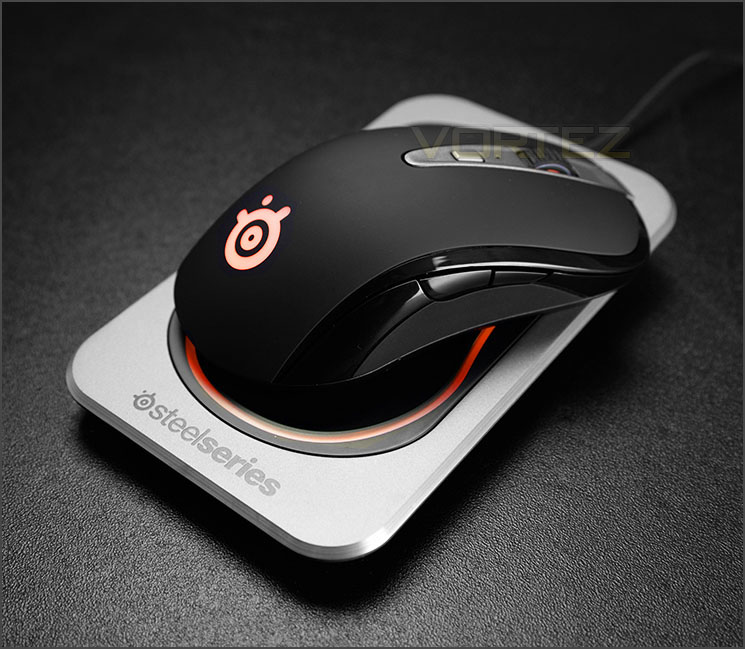
SteelSeries on their Sensei Wireless
Sensei Wireless uses the latest in wireless technology to deliver exactly the same performance of our wired Sensei tournament-grade mouse. We equipped the mouse with the highest polling rate on the market (1000 Hz), delivering a 1ms response time that eliminates wireless lag. We use a high-speed, proprietary 2.4 GHz wireless solution that is optimized for extremely high data throughput and allows for incredibly low latency. Additionally the Pixart ADNS 9800 laser sensor allows you to ramp up the CPI to 8200.
Technical Specifications
LASER SENSOR
– 50 to 8200 Adjustable CPI
– 1 ms Response Rate / 1000 Hz Polling Rate
– 150 Inches Per Second (IPS)
– 30 g Acceleration
PROPERTIES
– 16 hrs Battery Life, Max 20 hrs
– 8 Programmable Buttons
– 16.8 M Color Illumination w. 4 Zones
– Soft-Touch Coating
– Cable Texture: Braided
STEELSERIES SWITCHES
– > 30 Million Click Durability
SIZE & WEIGHT
– Weight: 120 g (0.264 lbs)
– Height: 41 mm (1.61 in)
– Width: 69 mm (2.72 in)
– Length: 129 mm (5.08 in)
– Cable Length: 2 m (6.5 ft)
– Base: 165x100x24 mm, 208 g
– 50 to 8200 Adjustable CPI
– 1 ms Response Rate / 1000 Hz Polling Rate
– 150 Inches Per Second (IPS)
– 30 g Acceleration
PROPERTIES
– 16 hrs Battery Life, Max 20 hrs
– 8 Programmable Buttons
– 16.8 M Color Illumination w. 4 Zones
– Soft-Touch Coating
– Cable Texture: Braided
STEELSERIES SWITCHES
– > 30 Million Click Durability
SIZE & WEIGHT
– Weight: 120 g (0.264 lbs)
– Height: 41 mm (1.61 in)
– Width: 69 mm (2.72 in)
– Length: 129 mm (5.08 in)
– Cable Length: 2 m (6.5 ft)
– Base: 165x100x24 mm, 208 g
Packaging & Bundle
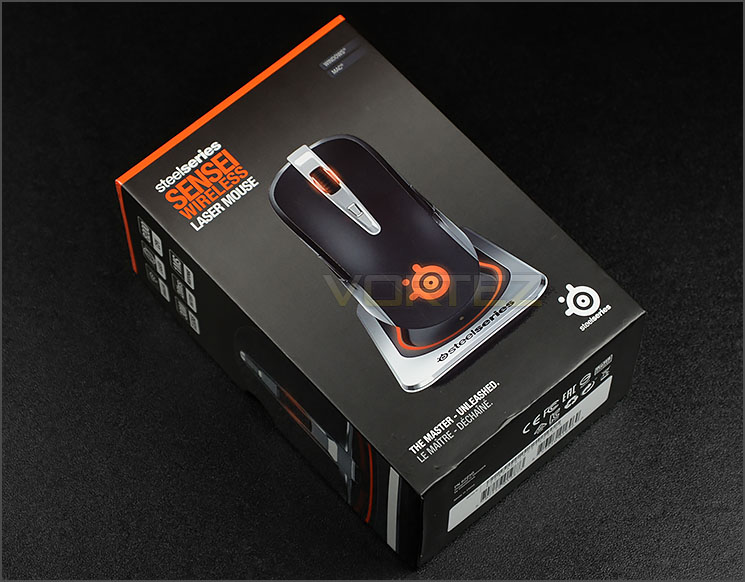
Packaging for Sensei Wireless
Sensei Wireless arrives in a small, sleek looking box. This box is packed with information and illustrations of the mouse. As we expect from SteelSeries, the packaging is presented in a very professional manner.
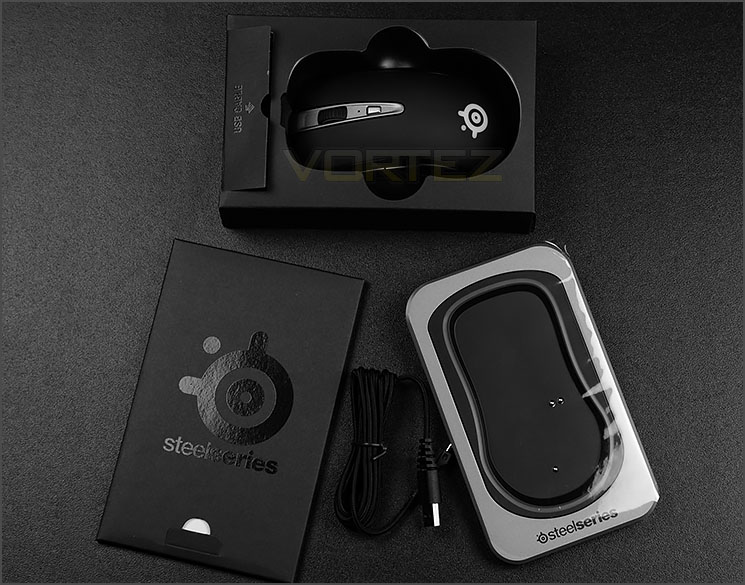
The bundled items
Inside the box, Sensei Wireless sits inside a protective container and SteelSeries include a set of bundled items with the mouse which include:
• Cardboard Booklet: User guide, quick start, sticker
• USB to Micro USB Cable
• Wireless Docking/Charging Unit
Since our mouse is wireless, it requires a device to supply charge and supply power. The USB cable connects between the computer and the docking unit to achieve this.
On the next page we’ll be looking at the mouse in close detail.
Closer Look
Sensei Wireless in all its glory
Adopting the same ambidextrous design as the original Sensei and [RAW] edition, Sensei Wireless can be used by left and right-handed gamers. SteelSeries have opted for a two-tone texture on the mouse by furnishing it with a matt material in the middle region and glossy texture around the edges.
Super-sleek and stylish
Matt and glossy aesthetics
Since this mouse is indeed ambidextrous, both sides of Sensei Wireless feature two buttons. These buttons are located so that the thumb and ring/pinky fingers can easily make use of them. Below the glossy band which both buttons sit on, SteelSeries has included a matt section for added grip.
A head-on view
Observing Sensei Wireless from the front there is a thing silver band which passed through both the left and right buttons. This band contains a button with corresponding LED. This button by default acts as the CPI toggle – adjusting the sensitivity of movement. But as with all buttons on this mouse, they can be modified to the user’s preference and use a 30 million click switch to ensure maximum durability. Further forward from this there is a middle scrolling wheel which moves in small increments, snapping in a tight motion as opposed to loose.
Numerous features on the underside
On the underneath of Sensei Wireless there are quite a selection of different features to identify. The usual placement of four Teflon glide pads can be found in significant areas of the mouse, as can the laser sensor in the very centre which is a Pixart ADNS 9800 laser sensor with a 1ms response time. This sensor is capable of 8200 Max CPI.
Also included on the underside is a switch immediately next to the USB connector at the front of the mouse. Gamers can opt to use the cable with the mouse and this switch here locks the cable into position. It’s important to switch the mouse off before detaching the cable.
Around the sensor there is an on/off switch and a “Connect” button which allows the user to sync the mouse to the charging dock. The three metallic dots on the underneath enable the docking station to interface with the mouse.
Fully charged and ready for action
The charging dock is quite a robust device which uses steel for its construction. Both the dock and mouse have LEDs which can be individually modified – there is a phenomenal 16.8 million colours to choose from with different animation effects too.
Software & Performance
In order to customise Sensei Wireless you must install SteelSeries Engine3. This powerful software gives the user a multitude of options to modify and we’ve made a short overview to highlight some of the features that can be enjoyed below. There is some pixellation distortion – please ignore this, YouTube is at fault!
Performance
Sensei Wireless follows a traditional shape for SteelSeries. There is a reason why Sensei has remained a firm favourite within the gaming scene – it sits within mid-large hands comfortably with all buttons in easy reach. Its design is simple and elegant but it’s under the hood where all the technical advantages come in.
This mouse uses a Pixart ADNS 9800 high-end laser sensor which tracks extremely well on different surfaces. The added bonus of being able to tweak the options inside SteelSeries’ software is great because sensitivity, acceleration and polling rates can all be altered on the fly. The CPI is extreme flexible on this mouse, making it a superb option for different genres and gamers.
We tested Sensei Wireless in a variety of different games and it responded well, with zero lag. Movement with this mouse is accurate and precise regardless of the game type – FPS or MMO.
We also experienced no glide or friction issues in the 16-18 hours we maintained battery life. We really the fact there is an option to go wired if the mouse has low-battery and the mouse is needing to be used.
Conclusion
Sensei Wireless adopts the motto: “Ditch the wires, keep the performance.” And this bold statement is certainly very true.
There is a reason why the original Sensei and RAW edition are so popular and it’s because of the simplistic design, high-performance features and intuitive software. Fans can now enjoy the delights of such a mouse without the hassle of having to have a cable attached and SteelSeries have actually gone one step further with Sensei Wireless by providing flexibility in this particular department – because of the design you can opt to use the mouse wired or wireless, the choice if yours.
It isn’t especially difficult nowadays to engineer a product with good features but refining the software suit is often where companies fall short. Fine tuning the hardware and software for a product is the ‘Pièce de résistance’ – it’s the icing on the cake. Sensei Wireless comes equipped with a plethora of notable features – 8200 CPI laser sensor (Pixart ADNS 9800), 30M clicks, 1MS response and of course the delightful Engine3 software. SteelSeries manage to deliver on both these elements and they do it well.
Not only can you customise the numerous buttons with commands and macros and modify options such as the lift off, but the LED configuration allows for a 16.8M colour alteration so that you can adjust things to how you want them.
Sensei Wireless performed excellently in the different games we tested as well as around the Windows environment for general usage such as web browsing. We encountered no issues with lag or traction and we even enjoyed up to 18 hours of operation too.
The price is surely where most consumers will probably gasp. At a cost of £130 GBP / $150 USD, Sensei Wireless is among the most expensive gaming mice we have tested, but it does pack in an extensive list of features, some of which push this mouse into a different calibre and indeed territory.
Sensei Wireless changes the negative vibe looming over cable-less gaming peripherals and it also brings flexibility directly into the hand of the gamer.
Pros
+ Simple & elegant
+ Option to use as wireless or wired
+ Metal charging dock
+ Lots of options to tweak
+ LED customisation – 16.8M colours
+ Excellent performance
+ Easy to use software
Cons
– Expensive
+ Simple & elegant
+ Option to use as wireless or wired
+ Metal charging dock
+ Lots of options to tweak
+ LED customisation – 16.8M colours
+ Excellent performance
+ Easy to use software
Cons
– Expensive

Click here for an explanation of our awards at Vortez.net.


