







Raijintek’s first computer case which is designed for Mini-ITX and is presented in aluminium for elegance and yet is a surprisingly affordable chassis.

Product on Review: Metis Window (Gold)
Manufacturer and Sponsor: Raijintek
Street Price: £39.95 GBP / $65 USD
Last year saw newcomers Raijintek enter the IT industry with a range of CPU coolers to keep budding enthusiasts entertained. Amongst the variety of different coolers Raijintek has introduced, came a surprising set of price-tags too – this brand is all about bang for buck and today’s review sample takes us to observing the brand’s efforts in designing their very first computer case.
Metis is an aluminium computer case which is primarily designed for Mini-ITX configurations. This computer chassis is super-compact, lightweight and comes in a variety of different colours. With such a low-cost offering, has Raijintek cut any corners? Let’s find out!
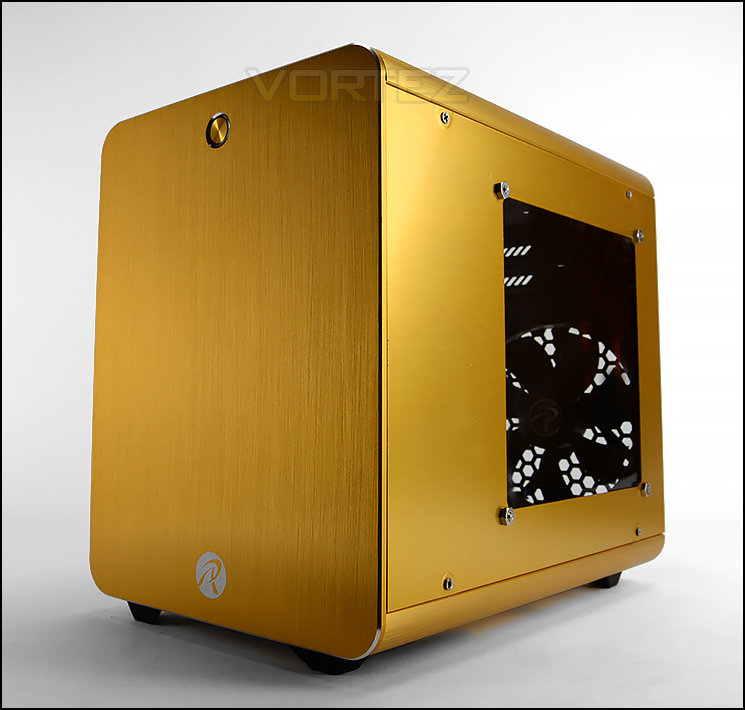
Raijintek on their Metis
METIS, RAIJINTEK’s first aluminum Mini-ITX case in 2014, has a remarkable elegant appearance design and high compatibility of system components. Although a Mini-ITX case, METIS is compatible with regular/ standard ATX Power supply, 170mm VGA card, 160mm height CPU cooler as well as one 120mm fan pre-installed at rear. Entirely black coated inside, aluminum color hair-silk anodized appearance and a transparent side panel, METIS satisfies not only your request of looking for elegant taste, but simultaneously satisfies the joy of installing a performing case.
Technical Specifications
Product Name
METIS / METIS CLASSIC
Product Number
0R200006~10 / 0R200018, 0R200011~15 / 0R200019
Dimension [WxDxH]
190x277x254 mm
Weight
2.8 kg [N.W.] 3.2 kg [G.W.]
Material
Aluminum 1.5mm [Surface]; SPCC 0.5mm [Interior]
Color
Black / Red / Silver / Blue / Green / Gold
M/B Support
Mini-ITX
Drive Bay
Internal 3.5″ HDD*1, 2.5″ HDD*2
Expansion Slot
PCI Slots [Tool-Free] *2
I/O Panel
USB3.0*2, HD Audio*1
Power Supply
PS/2 [Internal Bottom-mount]
Cooling System
Rear Fan: 120mm*1pcs [pre-installed]
CPU Cooler Height
160mm [Max.]
Graphic Card Length
170mm [Max.]
Side Panel Style
Window / Flat [Vent]
METIS / METIS CLASSIC
Product Number
0R200006~10 / 0R200018, 0R200011~15 / 0R200019
Dimension [WxDxH]
190x277x254 mm
Weight
2.8 kg [N.W.] 3.2 kg [G.W.]
Material
Aluminum 1.5mm [Surface]; SPCC 0.5mm [Interior]
Color
Black / Red / Silver / Blue / Green / Gold
M/B Support
Mini-ITX
Drive Bay
Internal 3.5″ HDD*1, 2.5″ HDD*2
Expansion Slot
PCI Slots [Tool-Free] *2
I/O Panel
USB3.0*2, HD Audio*1
Power Supply
PS/2 [Internal Bottom-mount]
Cooling System
Rear Fan: 120mm*1pcs [pre-installed]
CPU Cooler Height
160mm [Max.]
Graphic Card Length
170mm [Max.]
Side Panel Style
Window / Flat [Vent]
Packaging & First Look
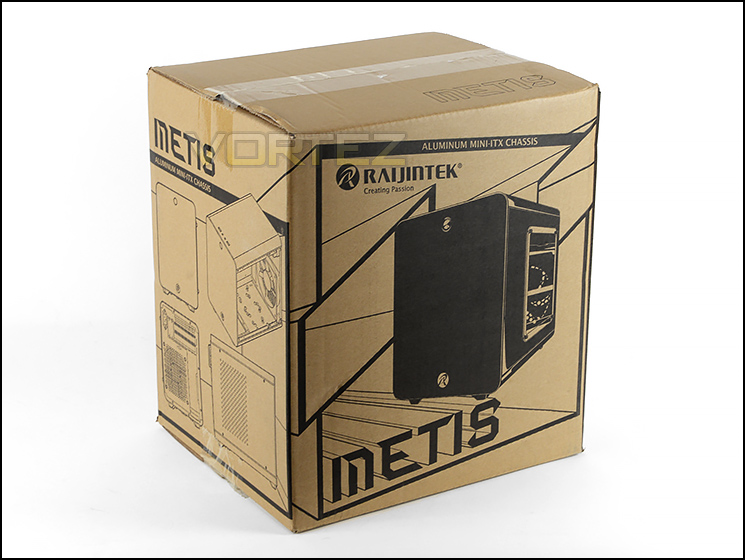
Packaging for Metis
Following an eco-friendly approach to packaging, Metis arrives in a small, recyclable box which has some illustrations of the case and details the technical specifications too. The sides reveal multiple angles of Metis to whet the appetite.
Inside, the case is covered in a clear plastic sheet and two polystyrene blocks help to keep the case from moving whilst in transit.
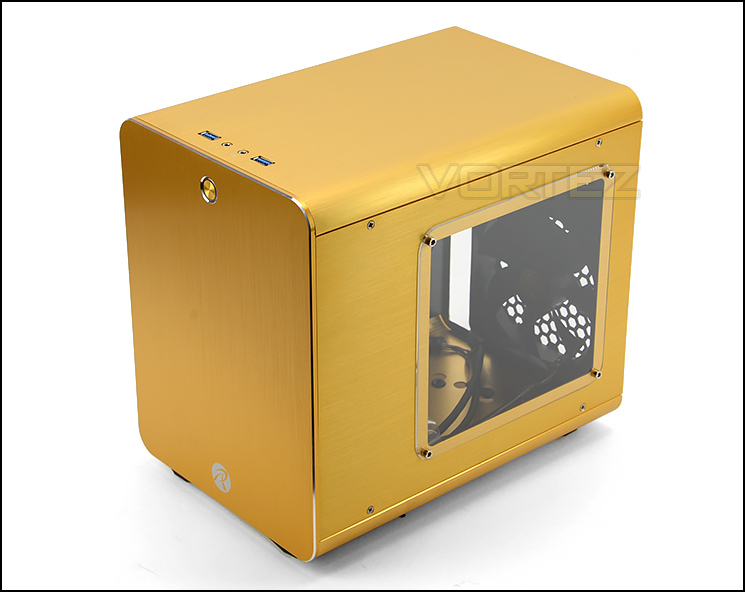
Prominent side is switched
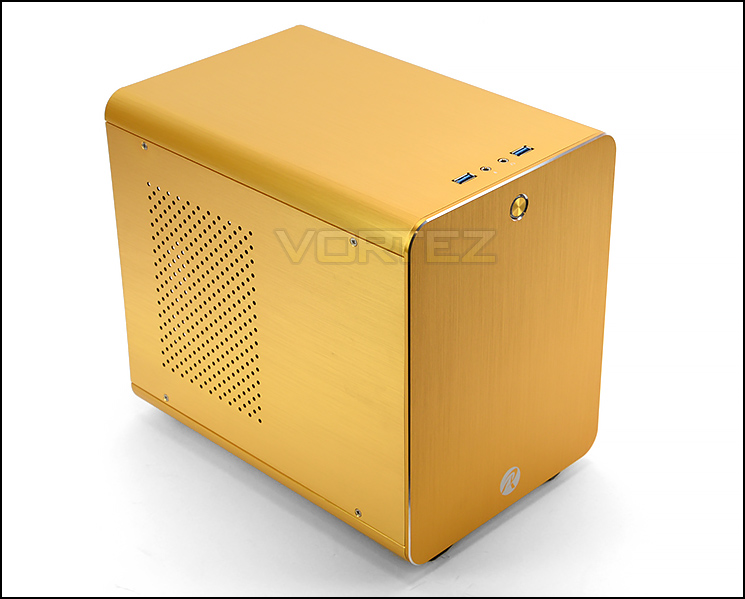
Aluminium design delivers sleek styling
Metis is a small computer chassis which is primarily concerned with Mini-ITX support. Raijintek provide this case in a variety of different colours and even offer a windowed and non-windowed version. Today we’ll be looking at the windowed gold edition.
Raijintek has engineered this case to make use of aluminium for all elements except the motherboard tray. Using this material and utilising such a small set of dimensions means that Metis is extremely lightweight and can be easily transported (if desired).
The prominent side is actually on the reverse of the typical computer chassis and has a small Perspex window for a preview inside the case whilst the other side simply has a perforated region to allow some ventilation.
Exterior
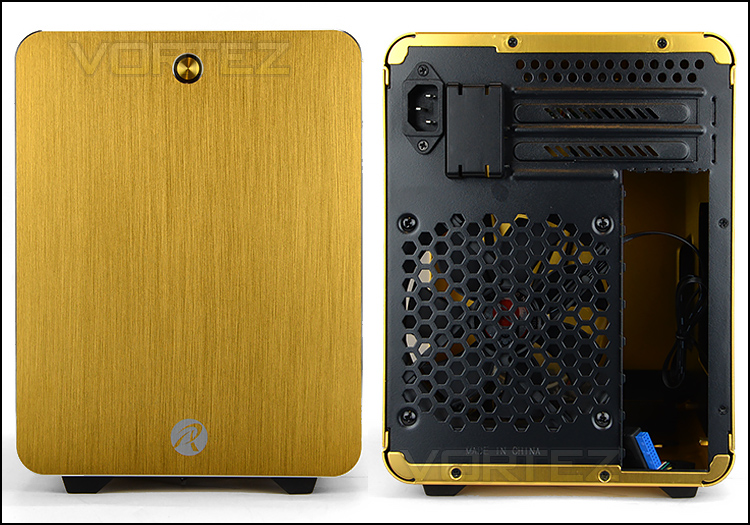
The front and back of Metis
The front of Metis features a single, one-piece sheet of aluminium which has the Raijintek logo and a nicely designed power button. Since we’re dealing with compact dimensions 5.25” support has been omitted from this case and therefore we have no covers at the front.
The rear of Metis alludes to the switch in sides for the motherboard tray but also highlights a rotation too. There are two PCI expansion slot covers at the top of the case and an integrated power socket – Raijintek has included an extension cable so that the PSU can be installed at the front of the case. A single 120mm rear exhaust fan is included and will act as the primary source for active cooling support.
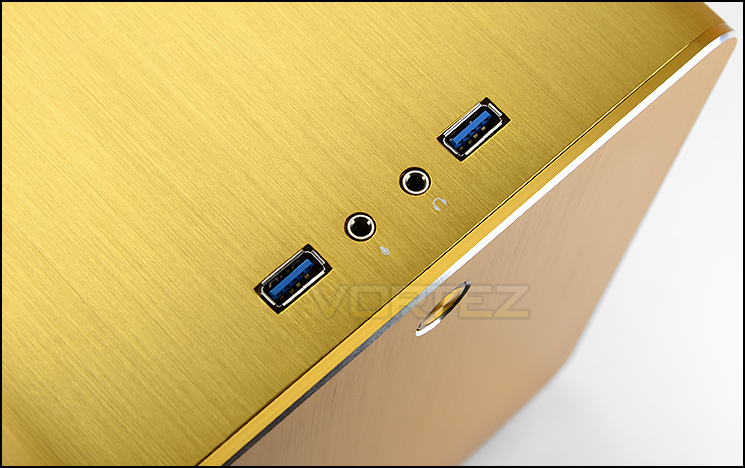
Ports at the top of the chassis
Up at the very top of Metis there are just a few ports to make use of. Included are two USB 3.0 ports and a headphone/microphone jack. The USB cable which plugs into the motherboard uses a USB 3.0 header but also has the legacy USB 2.0 plug too in case your motherboard lacks USB 3.0.
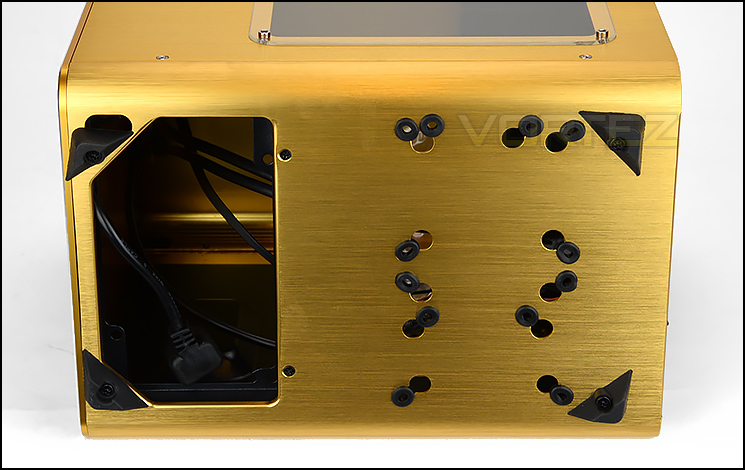
The underneath of Metis
Flipping the case over, we can see that Metis uses a different design than we’re typically accustomed to. There is a large opening at the bottom for the PSU and this is where the extension cable will connect to the back of the unit.
Raijintek include four rubber feet to prevent the case from slipping around and we can also see a number of circular rubber grommets – these rings allow SSDs to be installed within Metis, we’ll be looking at this closer on the next page.
Interior
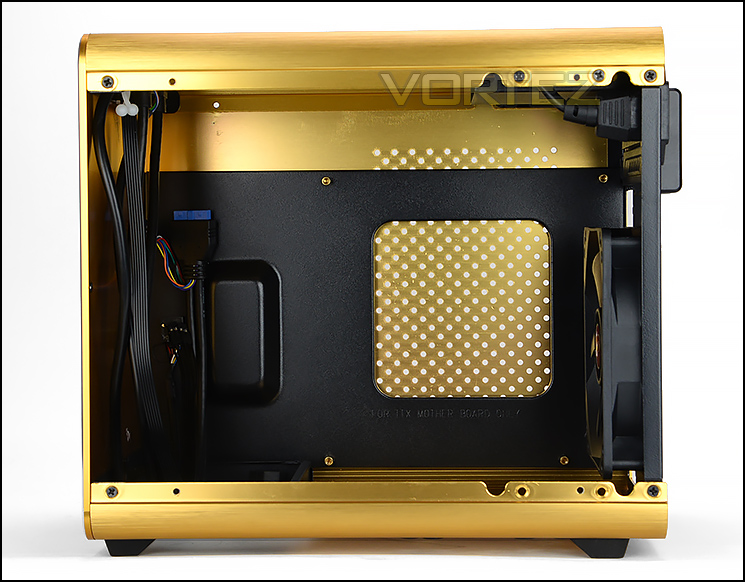
A look inside Metis
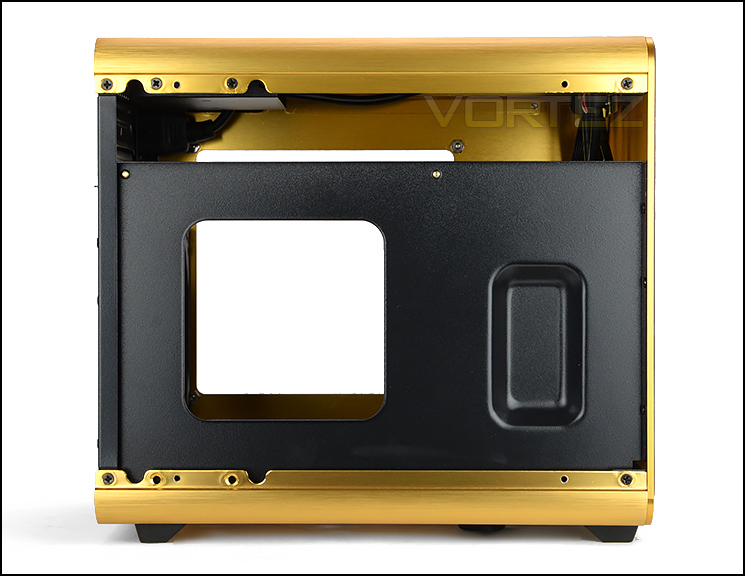
Black powder coated motherboard tray
In order to detach the side panels from Metis four screws need to be removed from the face of the actual panel. Detaching the panel isn’t difficult but putting it back onto the chassis can be awkward because you have to balance and hold the panel in place while tightening the screws.
The motherboard tray inside Metis is on the reverse side, has been rotated and is powder coated black. Due to the physical dimensions of this case and the mounting allocation it’s only possible to install Mini-ITX motherboards. Since there is very little space behind the motherboard tray and no other space to route cables we’re uncertain how easy cable management will be.
Power supply allocation at the front of the case
Located at the front of the case there is space for installing the PSU. Standard ATX units are supported and as mentioned previously there is an extension cable so the PSU can be installed with the connector facing the bottom of the case.
Incidentally, in this particular area there are marks on the inside of the front panel. These marks are left by the cables which are free to rub against the aluminium panel. Since we’re dealing with a premium alu-material we’d like to see Raijintek protecting the cables from damaging the inside of the case.
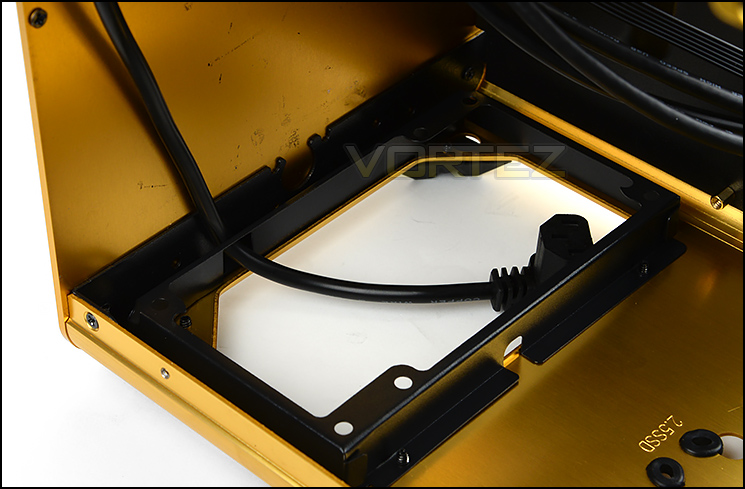
SSD storage support at the bottom
Also found at the bottom of the case is the 2.5” / SSD support. Metis can entertain up to two of these drives – there are respective rubber hoops which work in conjunction with screws to securely fit the drive into place.
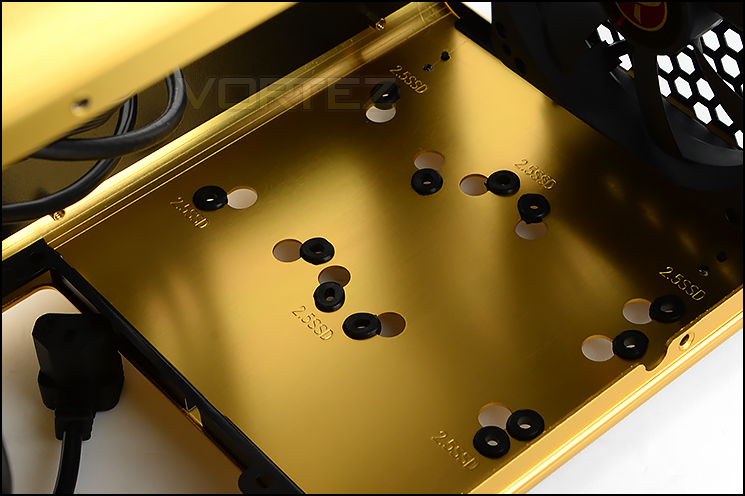
A 120mm rear exhaust fan is included
At the back of Metis there is a tray for fitting a single 3.5” drive at the very top. Directly below this there are two PCI expansion slot covers for adding in a discreet graphics card – both these covers have ventilation holes but use a standard screw to fixture.
Providing the primary source of cooling inside Metis is a single 120mm rear exhaust fan. This fan uses a 3-pin connector.
Installation
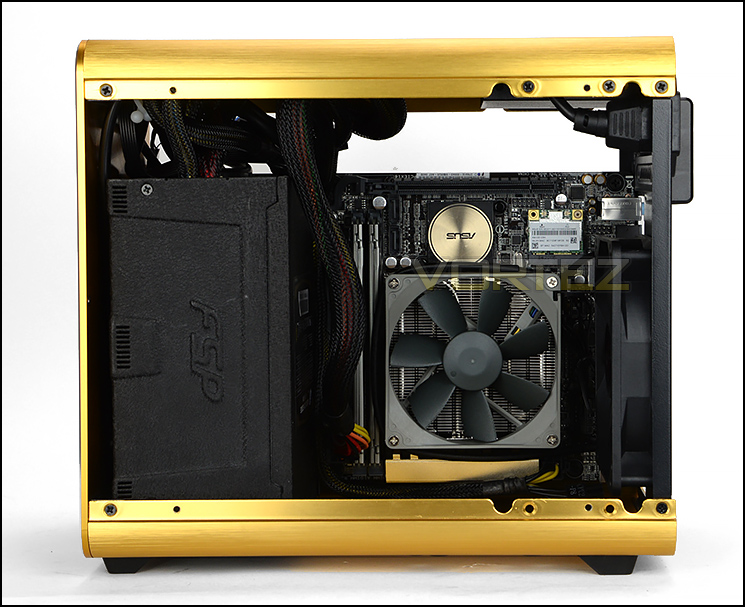
Installation complete!
Due to space limitations, installing kit inside Metis can be quite tricky. We’d advise installing the PSU first and then plugging in the 24-pin and EPS/CPU power cables directly to the motherboard without it being fixed onto the tray because once both components are attached, getting those cables plugged in is extremely cumbersome.
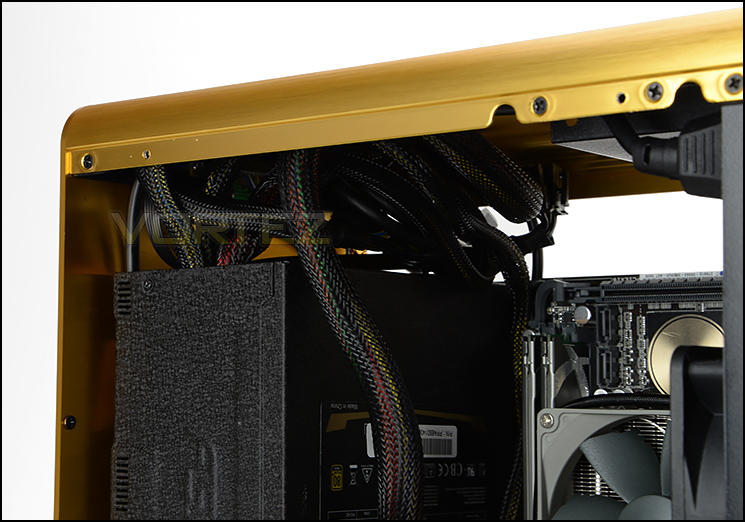
Little space for arranging cables
Inside Metis there doesn’t appear to be anywhere to tie cables back. Not only is there very little space but Raijintek hasn’t included any hooks either. This is rather disappointing and results in a jumbled mess at the top of the case.
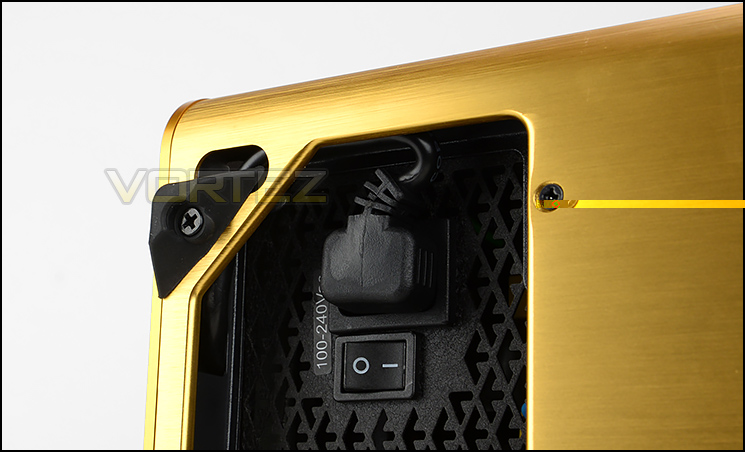
Cramped PSU extension
There is only one orientation for the PSU to sit since the extension cable only reaches so far. Even in the correct location, getting that cable in is quite troublesome. As you can see from the above picture, the cable/connector is forced into a concerning position.
Overall, installation was longer than usual due to having to struggle reaching certain areas. We feel there could be some slight modifications to make life a little easier in this regard.
Clearance – CPU Cooler, Graphics Card
Critical to any case are the clearance options as this helps to identify which components will fit inside the chassis.
CPU Cooler
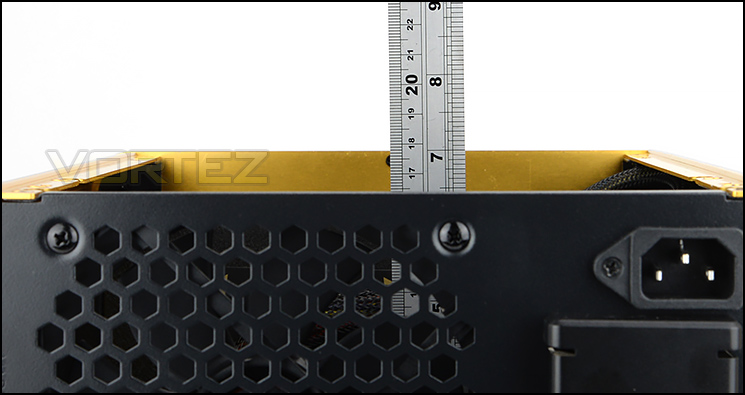
Reasonable space for top-end coolers
Metis has enough space to accommodate big CPU coolers. Available is a maximum of approximately 160mm. This covers a wide range of different solutions – including some of the bigger options such as Noctua NH-D14 and Thermalright Silver Arrow.
Graphics Card
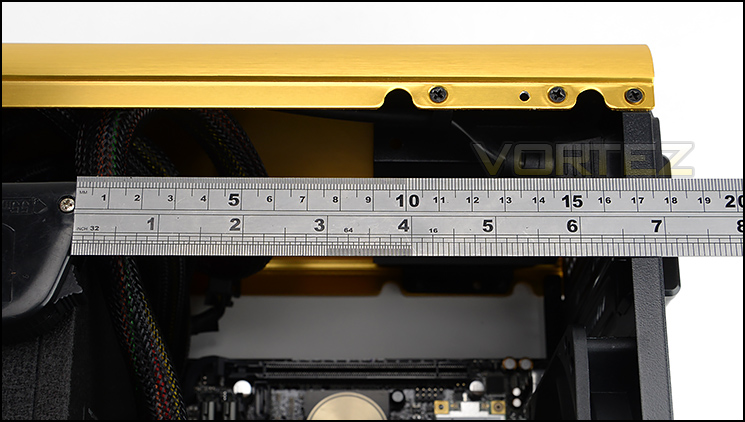
Only small graphics cards will fit
Since we have the PSU as a clear obstruction for the graphics card clearance we are restricted to approximately 17cm / 6.6”. This certainly reduces the choice of cards, should you want to add in a dedicated graphics card but its pleasing to see manufacturers are now designing “mini” version of high-end graphics cards which are designed for this very situation.
Thermal Performance Testing
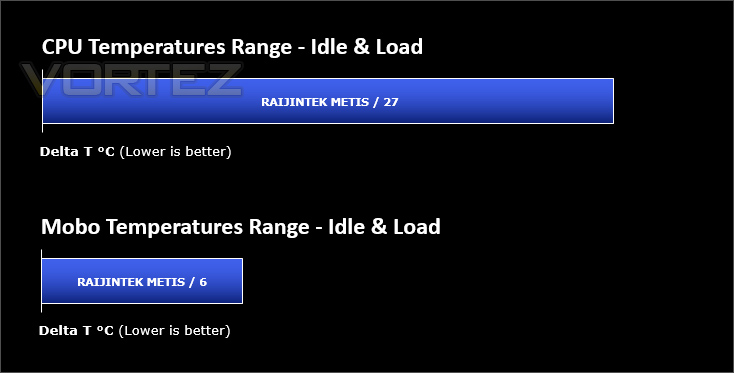
Inside Metis we have just a single 120mm cooling fan which is configured to be a rear exhaust. With a lack of push/pull the performance could be affected.
To discover the thermal performance of Metis we will record idle temperatures after 20 minutes from a cold boot. We will then stress the system and temperatures will again be monitored after 30 minutes have elapsed.
For the purpose of accurate analysis the idle and load temperatures for CPU and motherboard sensors will be recorded and the range between idle and load will be calculated to determine how efficient cooling is.
NOTE: Ambient temperature is 20C
System Components
CPU Intel Pentium K Anniversary G3258
Motherboard ASUS Z97I-Plus
Graphics N/A
Memory 4GB Kingston HyperX DDR3
HDD Samsung Spinpoint 500GB SATA-II
PSU FSP Aurum 650W
Motherboard ASUS Z97I-Plus
Graphics N/A
Memory 4GB Kingston HyperX DDR3
HDD Samsung Spinpoint 500GB SATA-II
PSU FSP Aurum 650W
Noise
Having just a single 120mm cooling fan which operates at 1300RPM, noise levels are very low indeed. If you’re on the hunt for a low-noise Mini-ITX case, then this is a good option to go with.
(Since we’re using our new Mini-ITX test configuration we’ve restarted benchmarking again – therefore there is only one result)
Conclusion
Entering an already successful marketplace is always a brave movement to engage in and for Raijintek’s first attempt at designing a case, they’ve done a decent job!
Being primarily designed for Mini-ITX motherboards, Metis appeals to enthusiasts and system builders who plan to build a configuration based around small form factor. When we say “Small form factor” we really mean just that when speaking of Metis. This case is very compact in its physical dimensions which has a two-edged sword depending on your viewpoint – All space is made use of and as such the overall size of Metis is small but installing kit inside the case is cumbersome. During our experience with the case, it took us a while to get completely set up and we did encounter some annoyances.
From an aesthetic standpoint Raijintek has produced an attractive, dainty computer chassis which carries with it a level of finesse thanks to the brushed aluminium external elements. We also believe the company has made an excellent move by offering multiple colours because consumers want choice nowadays and with different hardware being styled for visual impression, the chance to create a theme is the “done thing”.
Metis has sufficient space to install big CPU coolers which is a particular perk for this form factor. For graphics card compatibility we are somewhat restricted though and if system builders are planning to add in a dedicated solution only small cards will fit. It’s the cable management which we feel is lacking inside this case – there is little space to conceal cables and nothing to tie them to in order to maintain a clean and tidy configuration. We’d have liked to see Raijintek alter the case to provide some support for cable management.
Being priced at just £39.95 GBP / $65 USD is one of the biggest highlights for this tiny computer chassis. Rival cases are typically more expensive than Metis and lack the premium aluminium treatment.
Raijintek has done a great job with their very first computer case. Metis is an attractive Mini-ITX case which won’t break the bank or leave a giant hole in your pocket
Pros
+ Nice aesthetics
+ Available in an assortment of colours
+ Aluminium externals
+ Extremely compact
+ Low-noise
+ Low-cost
Cons
– Scuffs from cables inside
– Installation is cumbersome
– Lacks cable management features
+ Nice aesthetics
+ Available in an assortment of colours
+ Aluminium externals
+ Extremely compact
+ Low-noise
+ Low-cost
Cons
– Scuffs from cables inside
– Installation is cumbersome
– Lacks cable management features

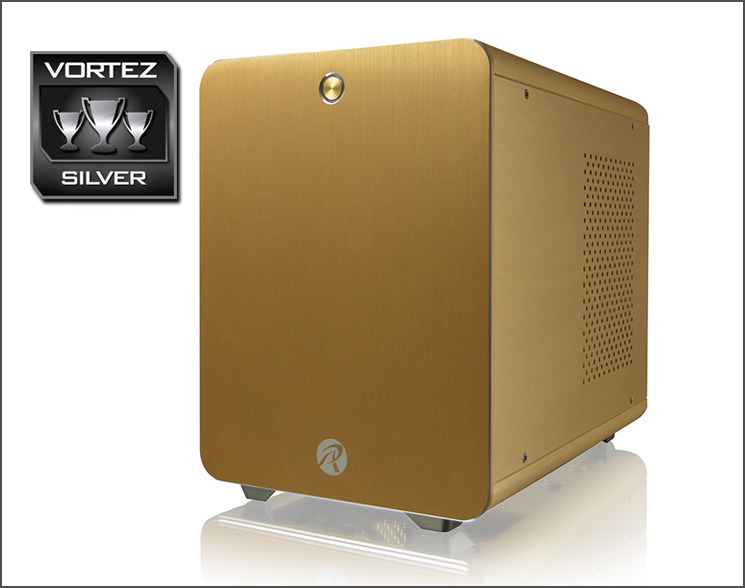
Click here for an explanation of our awards at Vortez.net.


