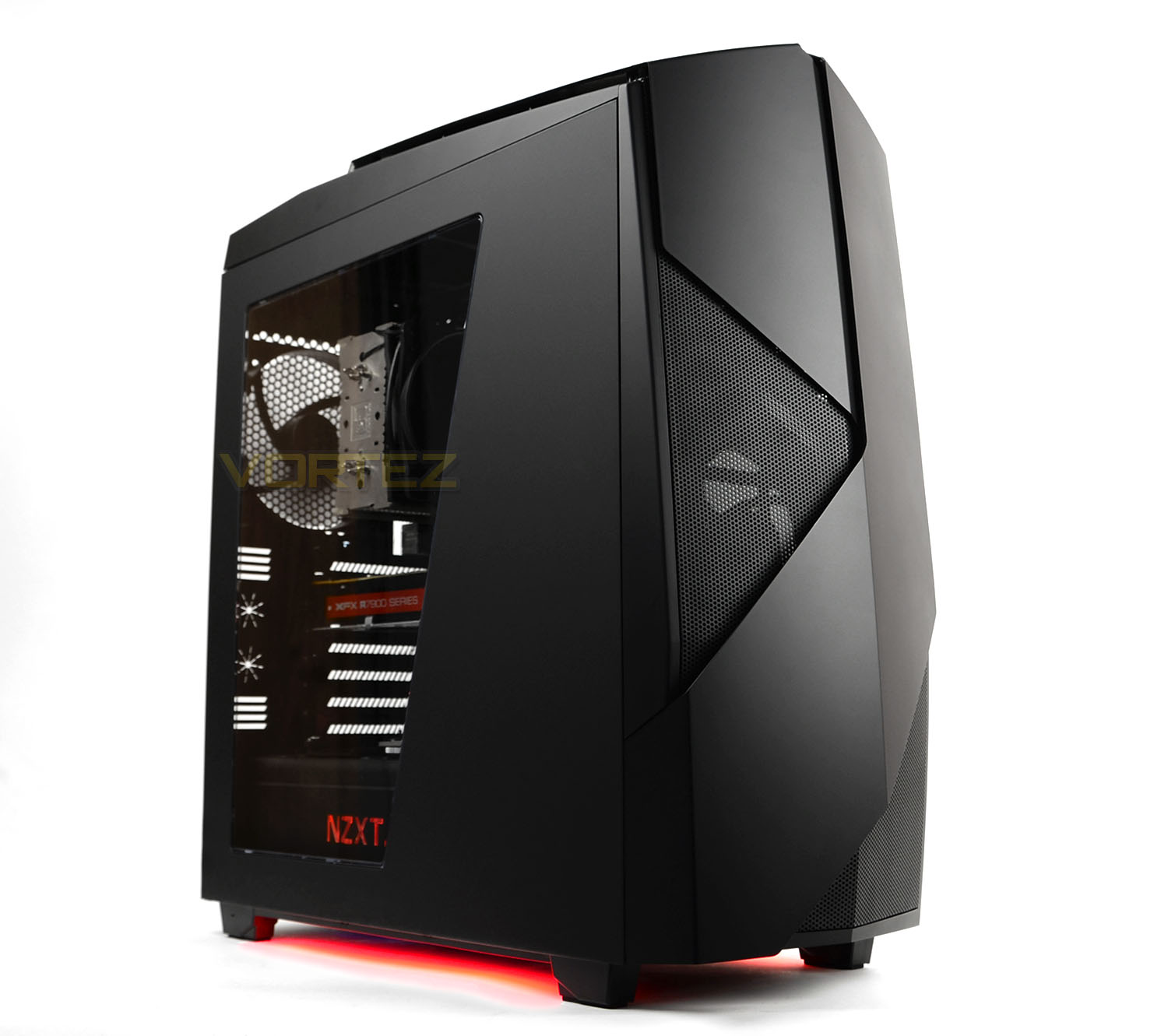
Bold is back – The Noctis 450 is a mid-tower with a confident statement. This chassis is packed with innovation and stylish aesthetics – appealing to every system builders needs.

Product on Review: Noctis 450
Manufacturer & Sponsor : NZXT
Street Price: £110 GBP / $130 USD
NZXT has gone from strength to strength with their computer case design. Over the years we’ve seen them rise up as a prominent force within this category. One aspect which seems fairly evident with the brand is their passion to innovate and think outside the box and today’s review sees us examine a new product of theirs which epitomises this very movement.
Noctis 450 is a mid-tower chassis which has been designed to stand out from the crowd. NZXT has furnished this new case with a stylish aesthetic which delivers a bold statement. System builders will be pleased to discover a range of useful features such as an 8-channel PWM fan hub, four cooling fans, LED lighting control and advanced cable management.
Noctis 450 looks set to impress, so let’s begin our look at this exciting new case!
NZXT on their Noctis 450
Ushering NZXT’s return to bold and daring designs, the Noctis 450 marries the modern functionality of an award winning chassis with NZXT’s renowned aggressive design style.
Technical Specifications
Drive Bays
External 5.25″: 0
Internal 3.5″/2.5″: 6+2
Cooling System
Front: 2x 140/3x120mm (3 x 120mm FN V2 Fans Included)
Top: 2x 140/3x120mm
Rear: 1x 140/120mm (1 x 140mm FN V2 Fan Included)
Filters Front (Included)
Bottom Rear(Included)
Radiator Support
Front 2 x 140 or 3 x 120mm
Top 2 x 140 or 3 x 120mm
Rear 1 x 140/120mm
Clearance
GPU Clearance with HDD Cage: 294mm
GPU Clearance without HDD Cage: 406.2mm
CPU Cooler: 180mm
Cable Management Lowest Point – 17.7mm; Highest Point: 32.5mm
Dimensions
220mm x 567mm x 544mm
Material
SECC Steel, ABS Plastic
Motherboard Support
Mini-ITX, microATX, ATX
Expansion Slots
7
External Electronics
1 x Audio/Mic
I/O Panel and Lighting System LED On/Off
Fan Model
FN V2 120mm (Link)
Fan Speed: 1200 RPM
Airflow: 45 CFM
Air Pressure: 0.9mm – H20
Noise: 21dBA
Bearing: Rifle
FN V2 140mm (Link)
Fan Speed: 1200 RPM
Air Flow: 50 CFM
Air Pressure: 0.9mm-H20
Noise: 21dBA
Bearing: Rifle
Product Weight
9.5 kg
Warranty
2 Years
External 5.25″: 0
Internal 3.5″/2.5″: 6+2
Cooling System
Front: 2x 140/3x120mm (3 x 120mm FN V2 Fans Included)
Top: 2x 140/3x120mm
Rear: 1x 140/120mm (1 x 140mm FN V2 Fan Included)
Filters Front (Included)
Bottom Rear(Included)
Radiator Support
Front 2 x 140 or 3 x 120mm
Top 2 x 140 or 3 x 120mm
Rear 1 x 140/120mm
Clearance
GPU Clearance with HDD Cage: 294mm
GPU Clearance without HDD Cage: 406.2mm
CPU Cooler: 180mm
Cable Management Lowest Point – 17.7mm; Highest Point: 32.5mm
Dimensions
220mm x 567mm x 544mm
Material
SECC Steel, ABS Plastic
Motherboard Support
Mini-ITX, microATX, ATX
Expansion Slots
7
External Electronics
1 x Audio/Mic
I/O Panel and Lighting System LED On/Off
Fan Model
FN V2 120mm (Link)
Fan Speed: 1200 RPM
Airflow: 45 CFM
Air Pressure: 0.9mm – H20
Noise: 21dBA
Bearing: Rifle
FN V2 140mm (Link)
Fan Speed: 1200 RPM
Air Flow: 50 CFM
Air Pressure: 0.9mm-H20
Noise: 21dBA
Bearing: Rifle
Product Weight
9.5 kg
Warranty
2 Years
Packaging & First Look
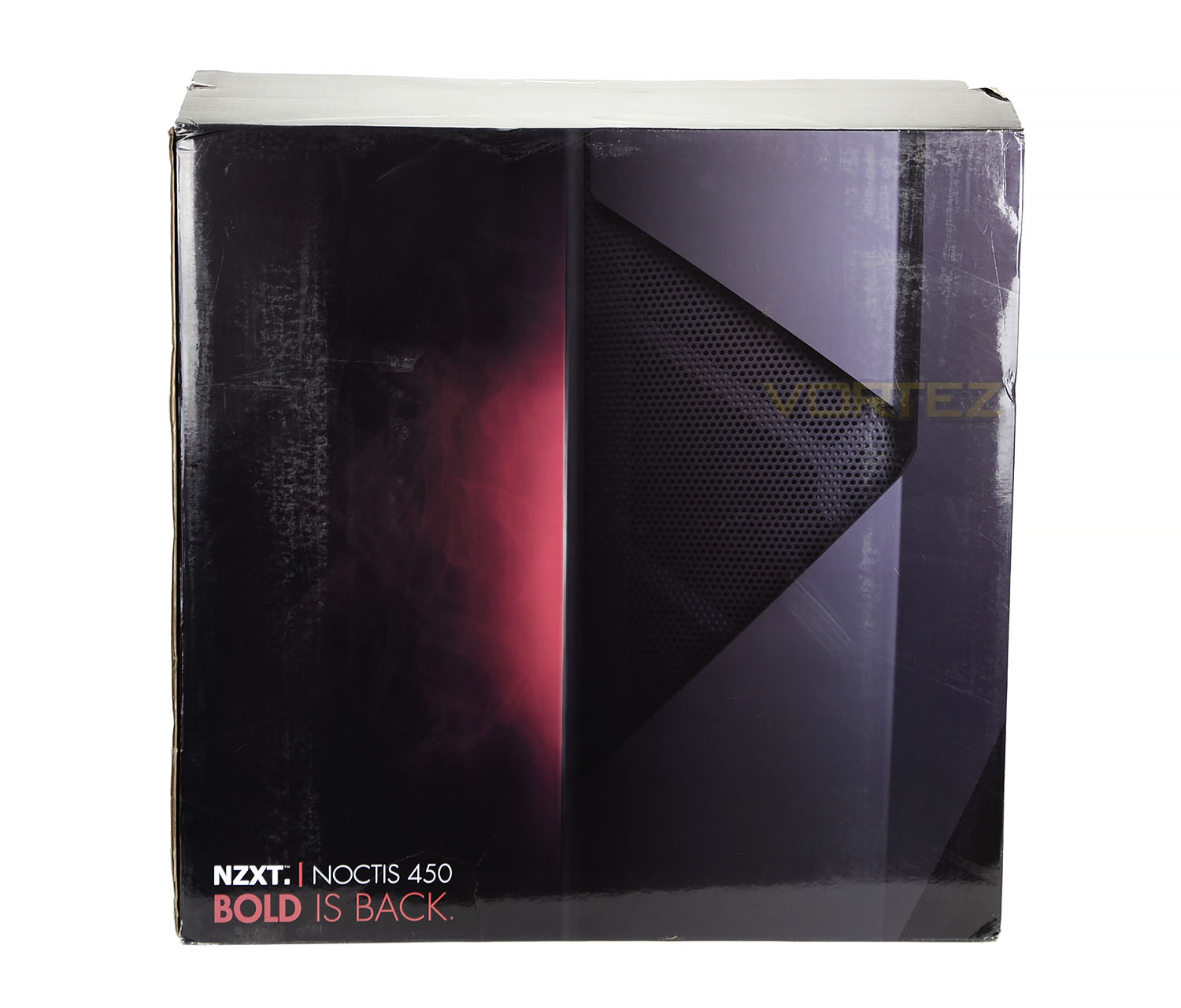
Noctis 450 arrives in a large and professionally designed box which teases the consumer by depicting the case with some close-up detailing. Over on the reverse there is a grid of pictures which provide a run-down of Noctis 450’s feature-set.
Inside, the case is covered in a clear plastic sheet and NZXT has supported it with dual polystyrene pillars for extra-protection during transit.
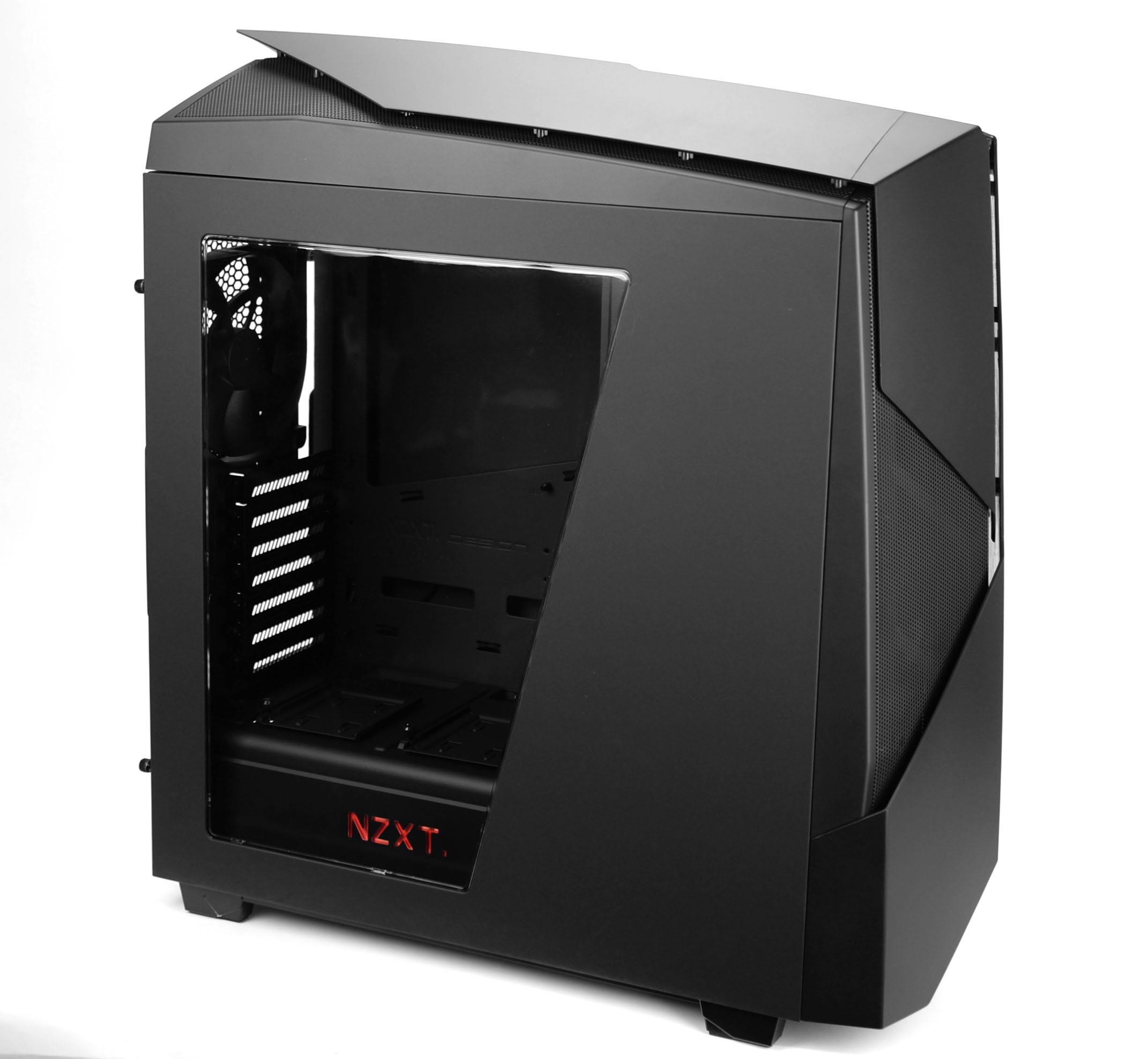
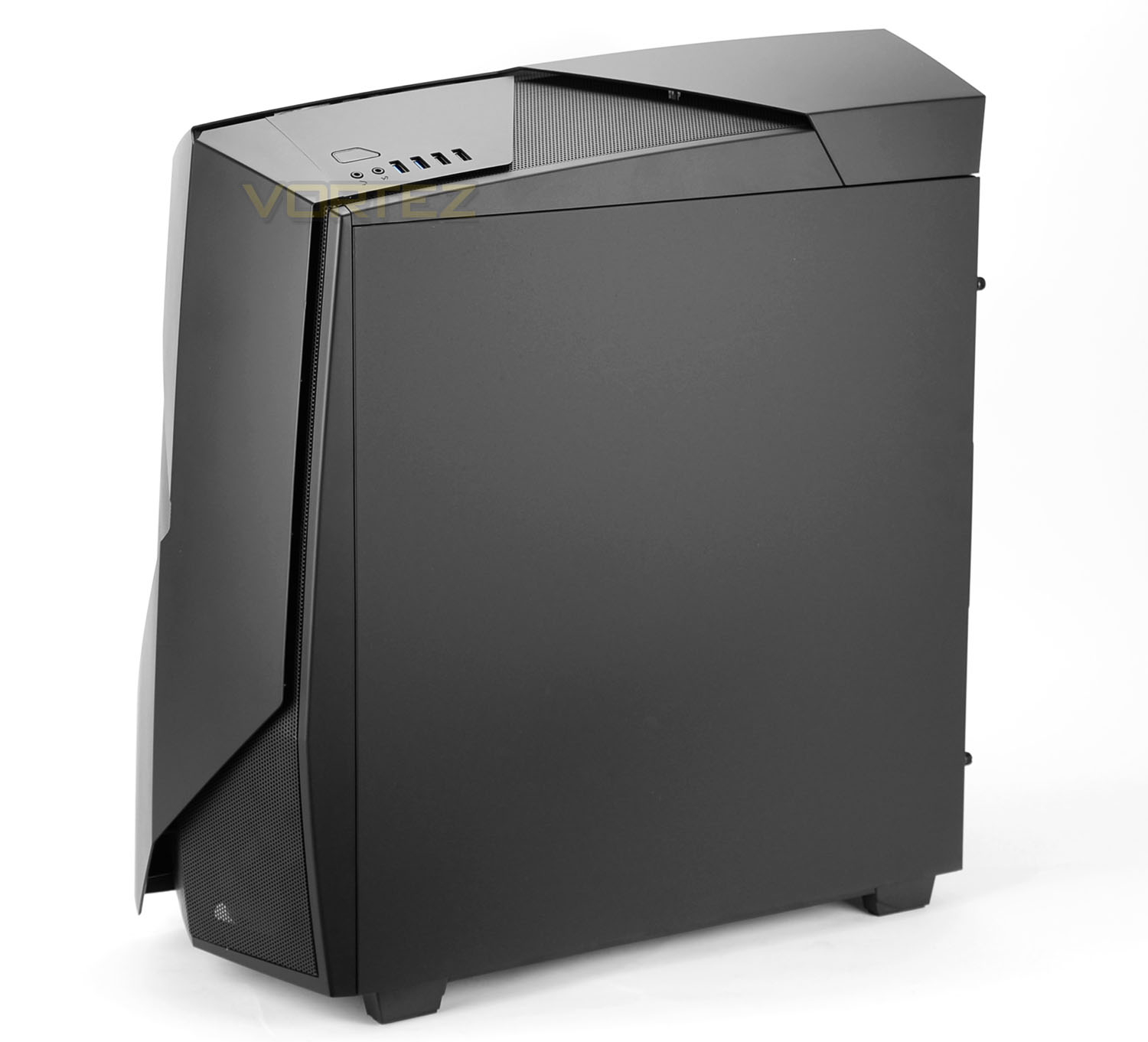
Unveiling Noctis 450 from its packaging its clear to see why NZXT market this case with the phrase “Bold is back”. Noctis 450 has a strong and resilient external design. The front and top sections utilise powerful accents which really give this case depth.
On the prominent side there is a cut-out with a section of Perspex – this allows a sneak preview inside the case at the internal components. While over on the reverse there is a solid panel with no significant features. Noctis 450 makes use of a matt surface texture rather than a glossy finish.
Exterior
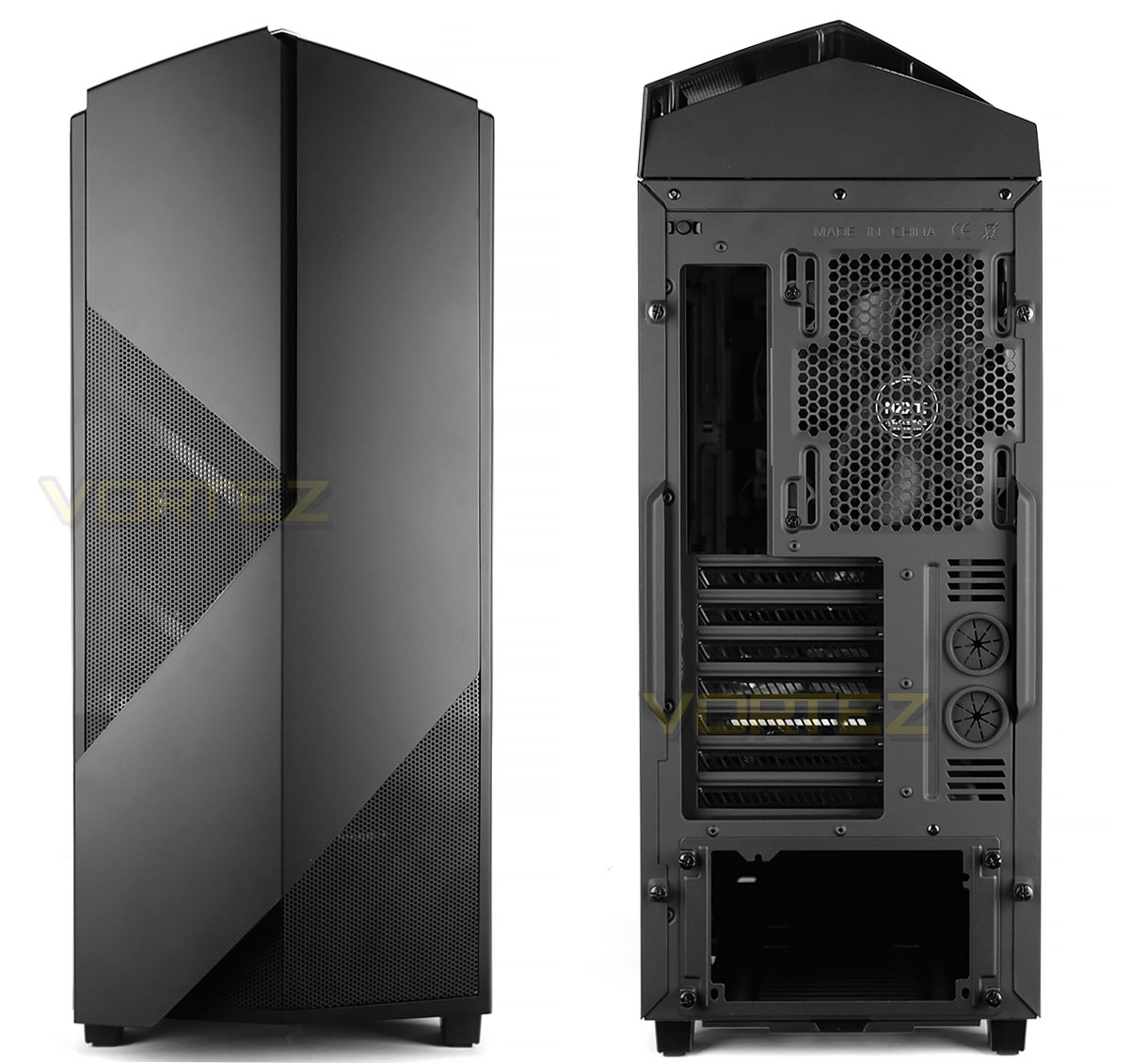
The front of Noctis 450 uses a plastic fascia which has a central fold with perforated mesh and a soft matt surface texture – there are no 5.25” drive bay covers. This panel can be removed as shown below.
Around the back there is an opening at the bottom for mounting the PSU. The PSU will need to be installed from the rear by removing the facing plate. Above this there are seven PCI expansion slot covers, each with ventilation cut-outs and there is more ventilation to the side with circular rubber grommets. In the upper region there is an FN V2 140mm cooling fan pre-installed.
In the far left corner there is a small switch – this controls the LED functionality throughout the case. Allowing the logo, floor and rear IO lighting to be modified.
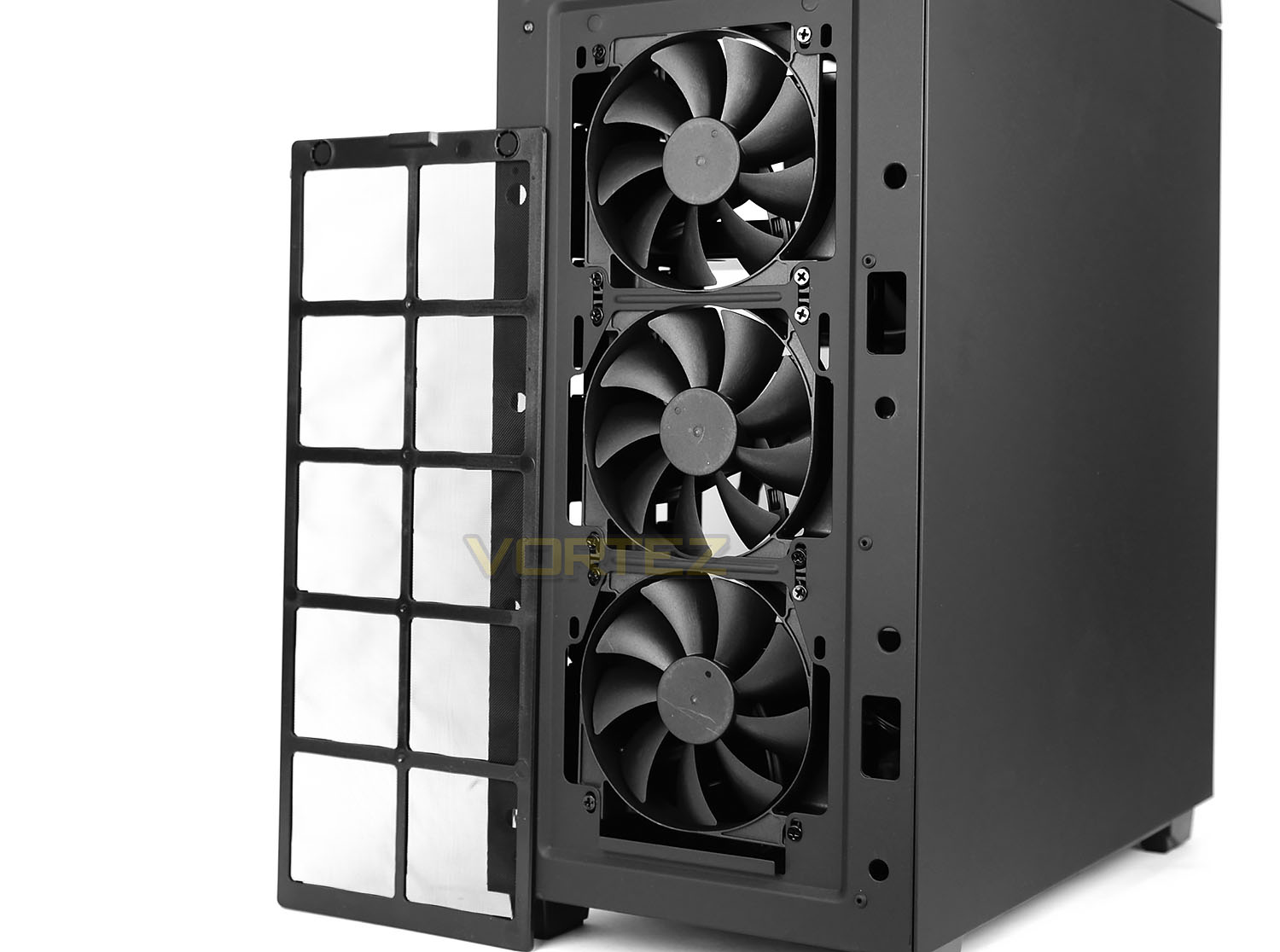
Detaching the front fascia reveals a trio of FN V2 120mm cooling fans. These fans bring cool air into the case since they are configured as intakes. There is also mounting holes at the front for two 140mm fans – hinting at the possibility to house 240/280mm radiators.
NZXT include a magnetic dust filter which can be easily removed and cleaned.
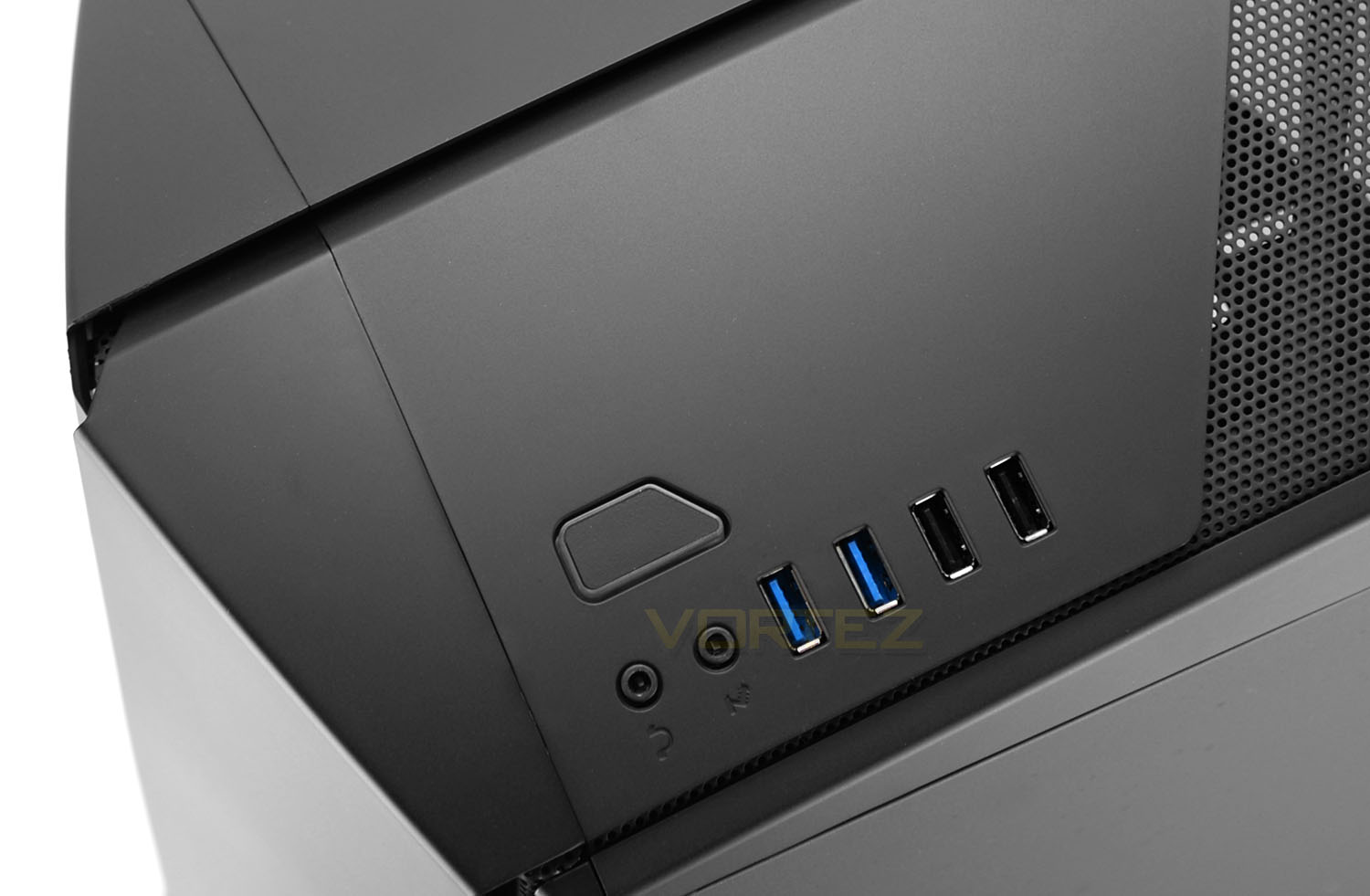
Up at the top of Noctis 450 there is a small selection of ports and a button which comprise of the front panel connectivity.
Included are two USB 3.0 ports, two USB 2.0 ports, headphone and microphone jacks and a power button.
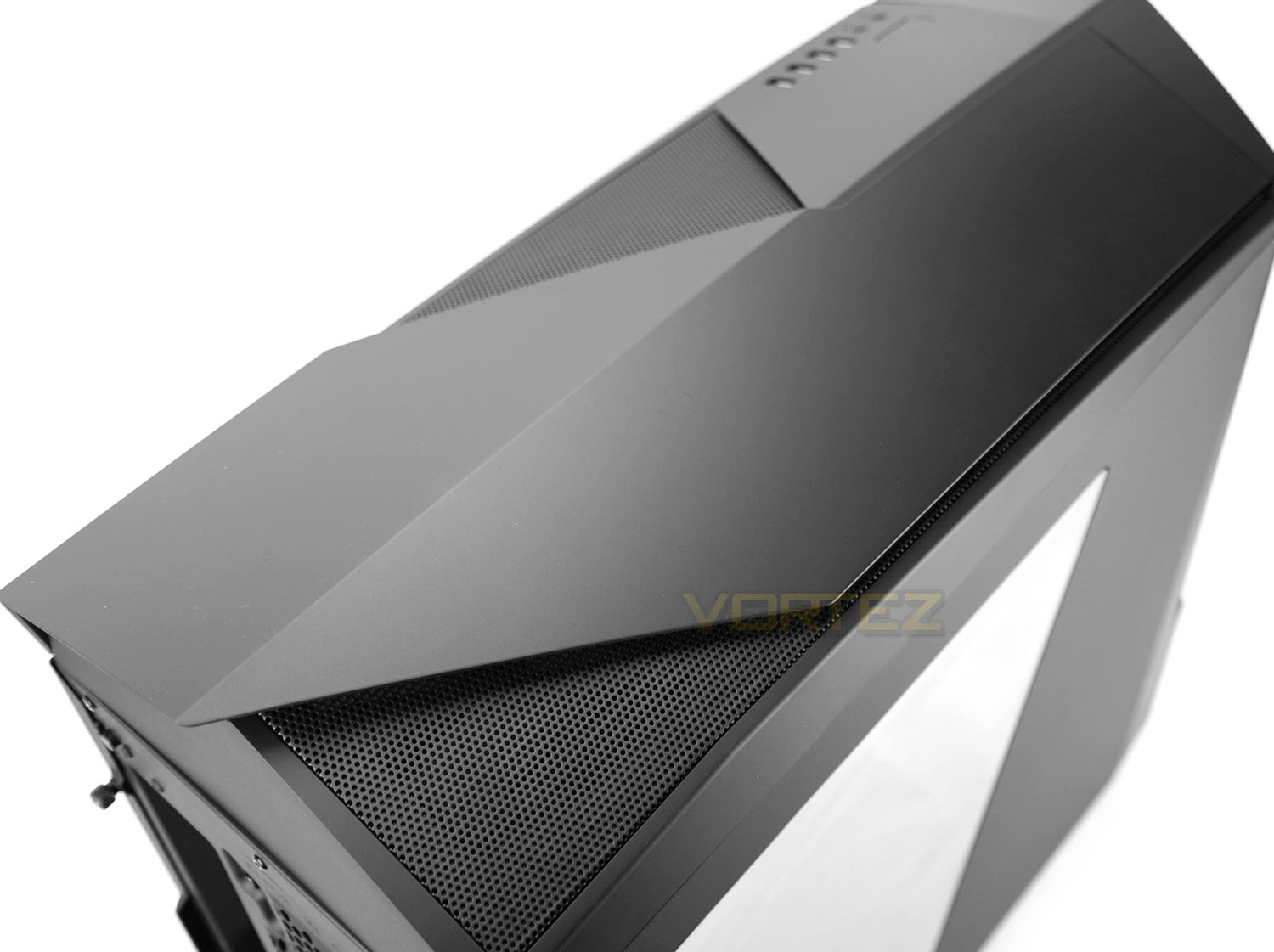
Further back from these controls is the top section of the case which, just like the front, makes use of a folded plastic panel with sharp contours and two sections of perforated mesh to allow the upper section some ventilation. This panel can also be removed and features space for mounting cooling fans/radiators – we’ll be exploring this when we move inside the chassis.
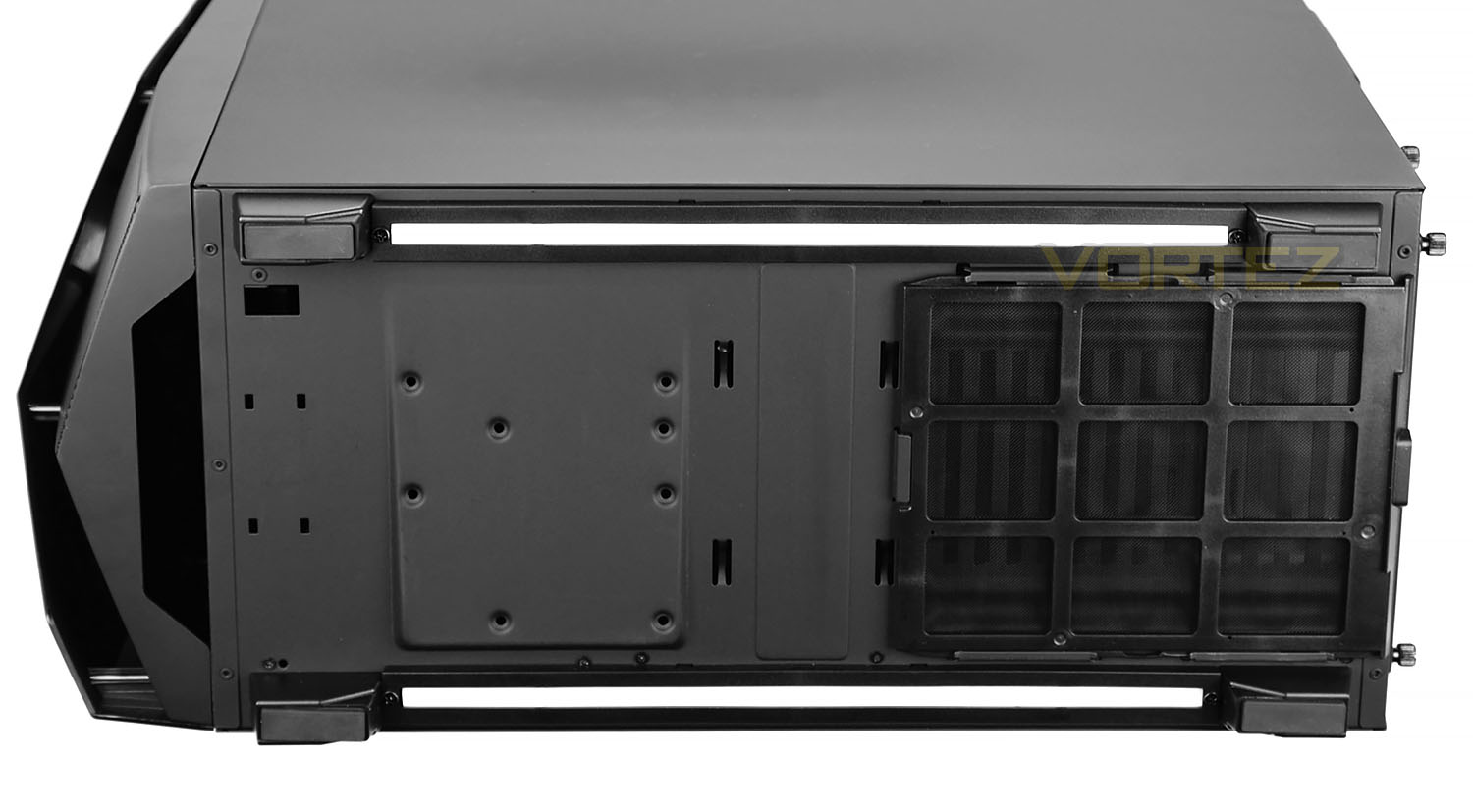
Flipping Noctis 450 over onto its side we can see the underneath of the case. There are four rubber feet to prevent the case from slipping on smooth surfaces and between these feet there are two long LED strips – when the system is powered up these LEDs will illuminate the flooring. Also seen from this view is the detachable dust filter which sits just below the PSU. This can be taken away and cleaned without having to place the case on its side.
On the next page we’ll be moving inside the case for a look at the internal layout and features.
Interior
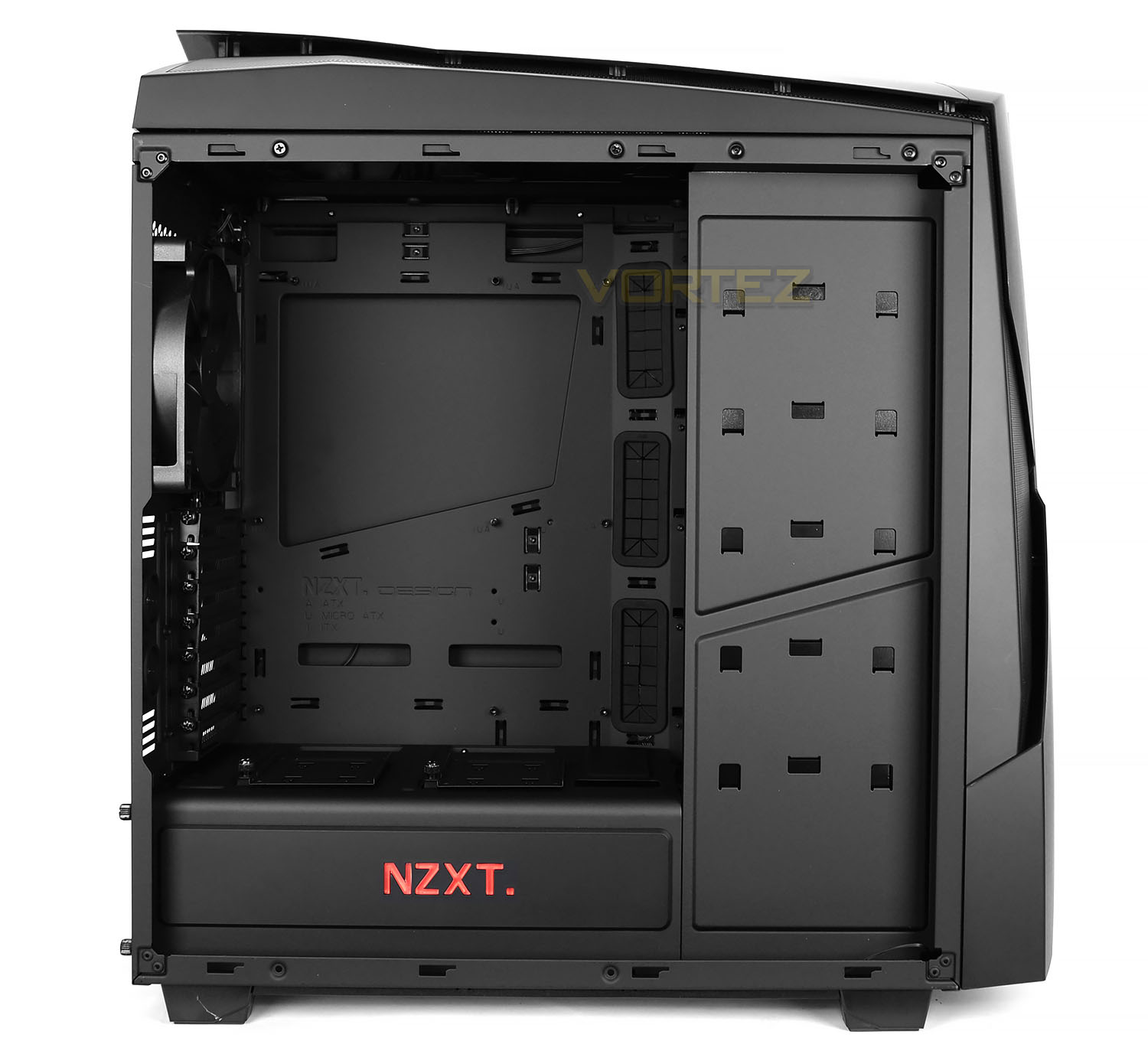
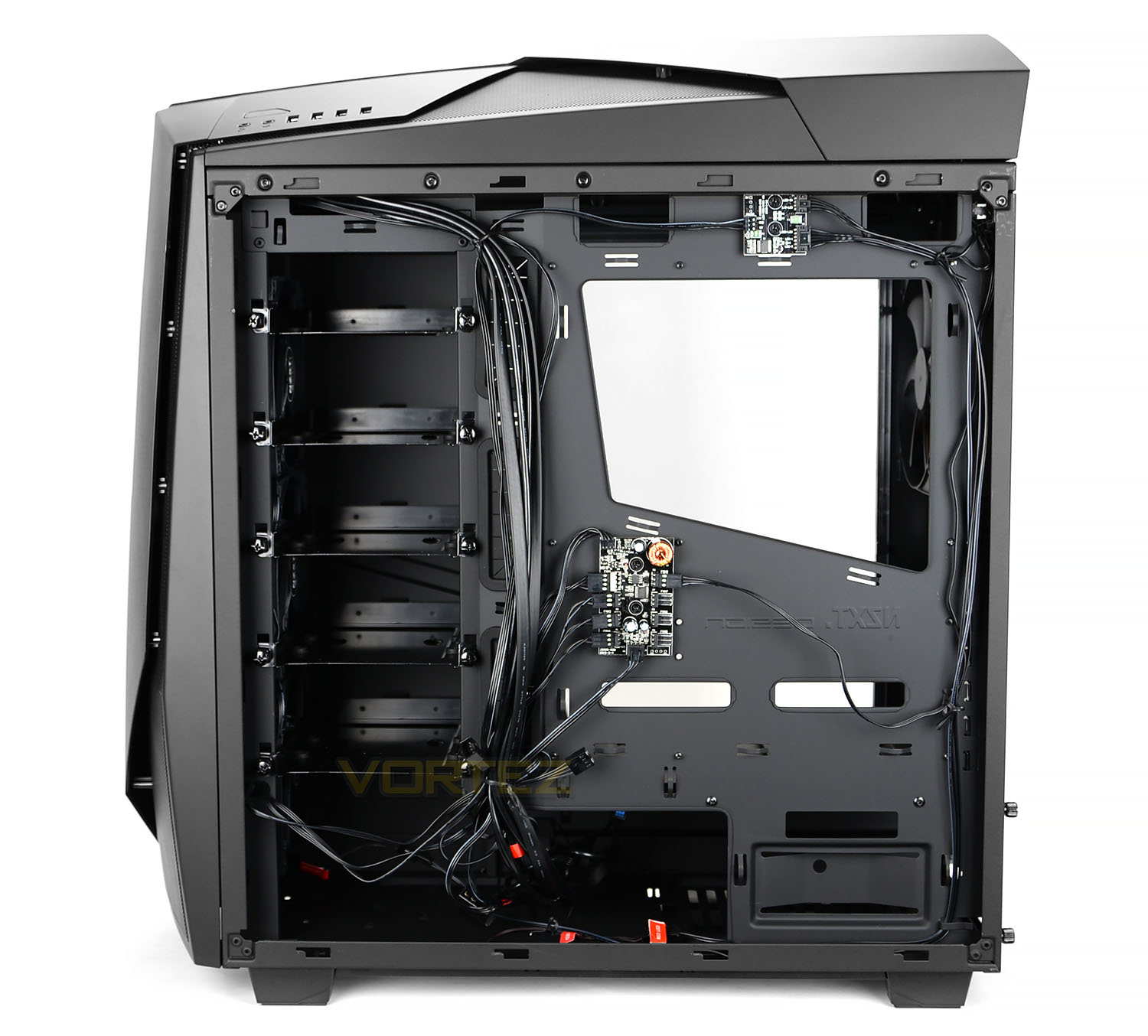
Both side panels have two thumbscrews to fix them onto the chassis. After removing them we can clearly see the internal design of Noctis 450. This case continues to tout the bold expressions we saw on the outside by offering some unique features. There are plenty of tool-free options inside with numerous cable management grommets around the motherboard tray too.
Noctis 450 can accommodate Mini-ITX, Micro-ATX and ATX form factors.
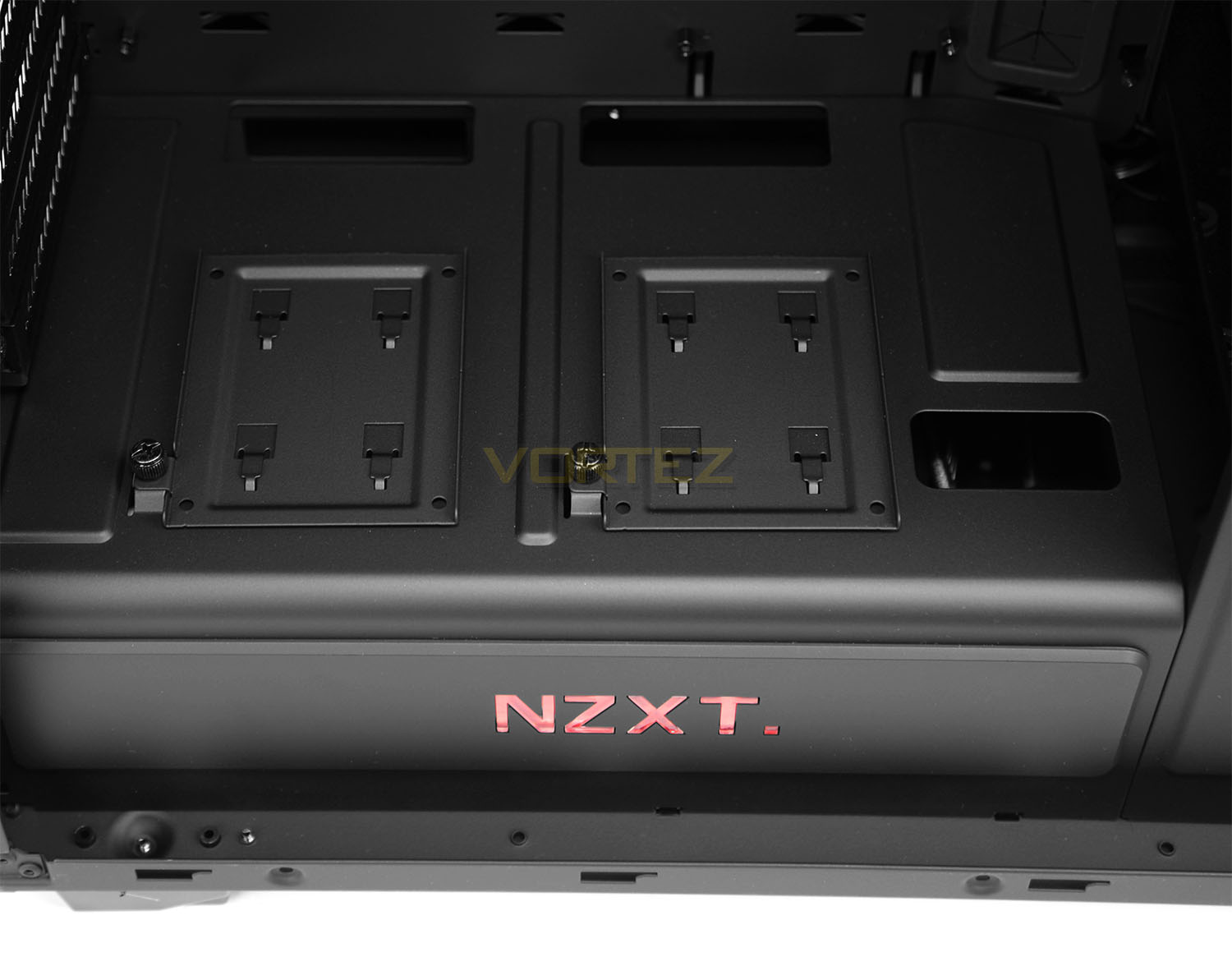
NZXT has built a chamber for the PSU to reside in – this chamber has the NZXT logo stamped on the side which also acts as an LED. Once the system is powered up this logo will glow RED – the option to have this on/off can be controlled via the switch on the rear of the case.
On the topside of this chamber there are two SSD (2.5”) drive mounts. The plates are fixed onto the panel via a single thumbscrew – drives are attached by applying screws to the underside.
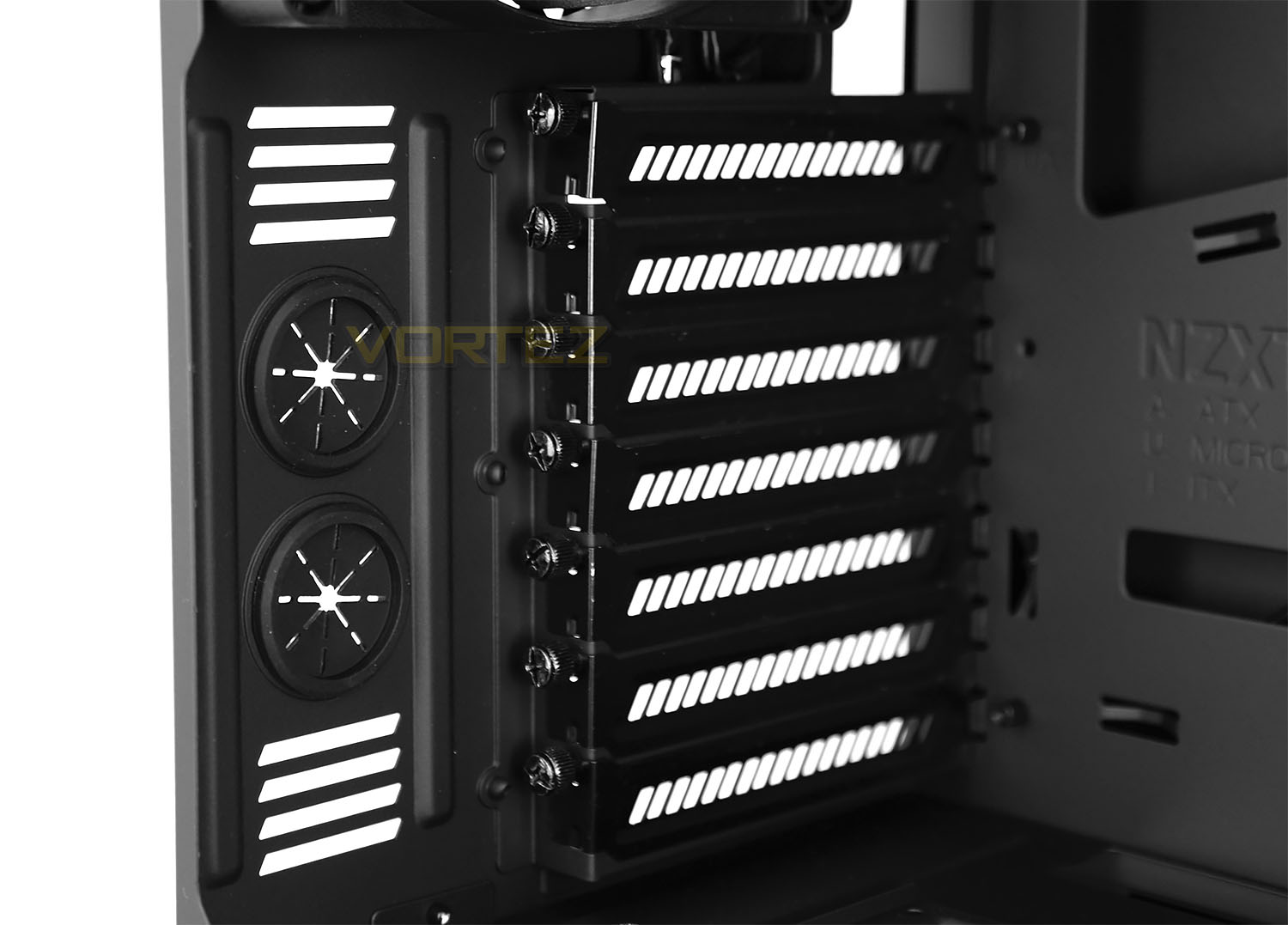
To the rear of the case there are a series of seven PCI expansion slot covers, each have ventilation for better airflow inside the case and feature thumbscrews for easy removal. To the immediate left are some circular rubber grommets.
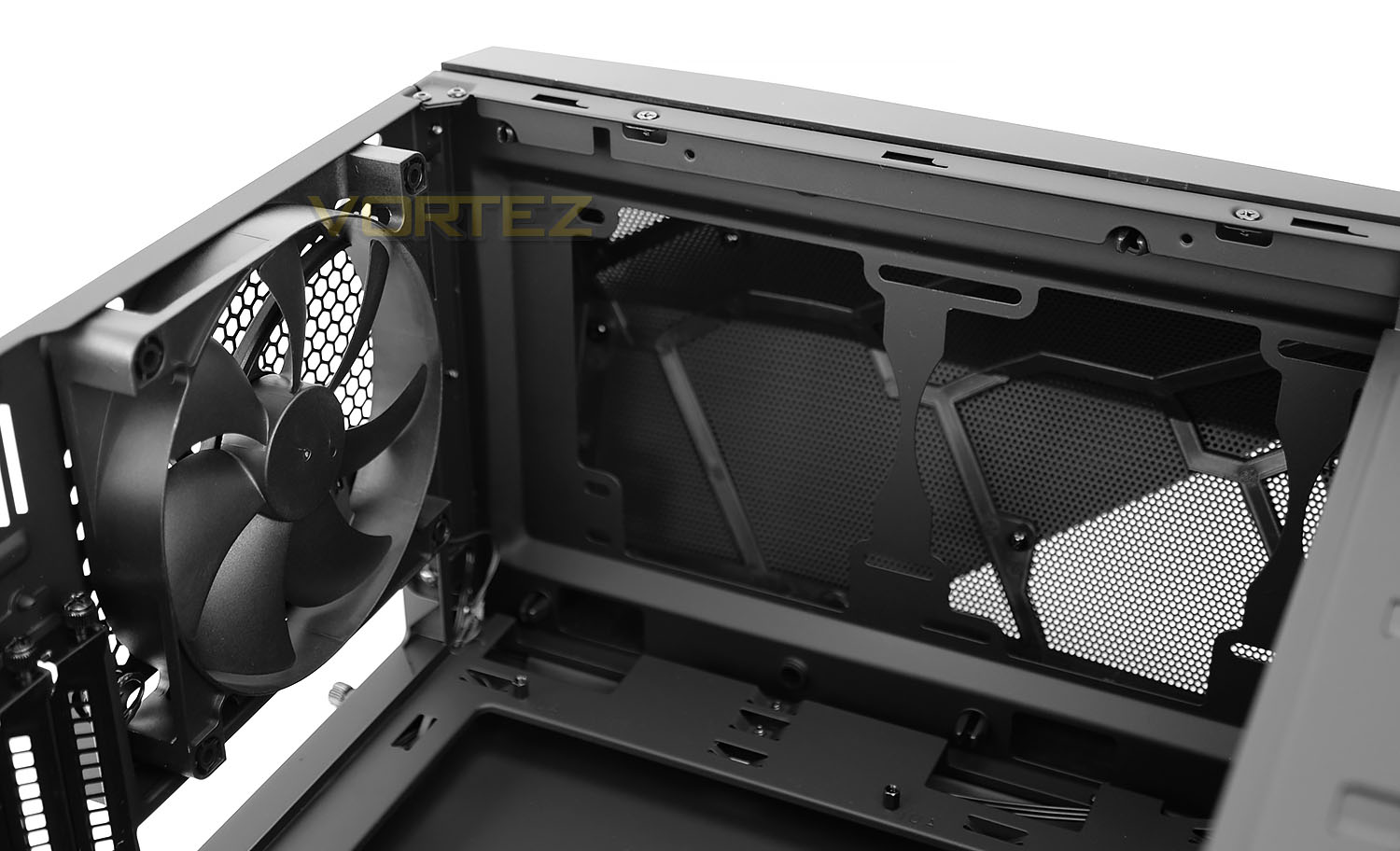
NZXT has included an FN V2 140mm cooling fan which is configured to be an exhaust – drawing out unwanted heat.
At the top of the chassis there are some slots for adding in some optional cooling fans. 2×140/3x120mm are supported and therefore 240/280mm radiators too.
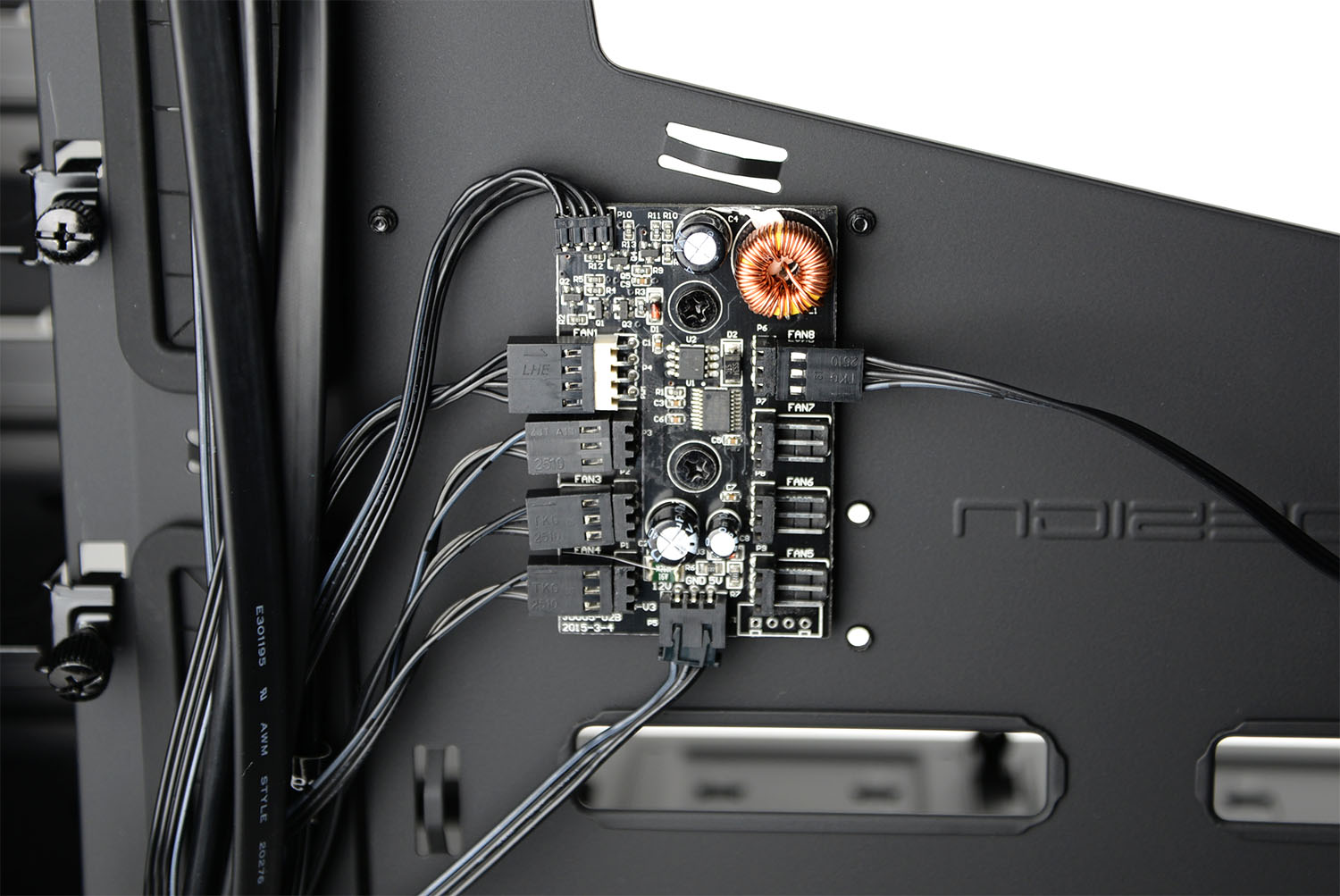
On the reverse of the motherboard NZXT has included a handy 8-channel PWM fan header for improved cooling fan management. With Noctis 450 having four cooling fans pre-installed it certainly makes the task of arranging the cables much easier and of course frees up the fan headers on the motherboard.
For those wanting to have more control over the cooling fans – the hub can be connected to the motherboard via fan header and NZXT’s CAM software can be loaded for advanced profiling.
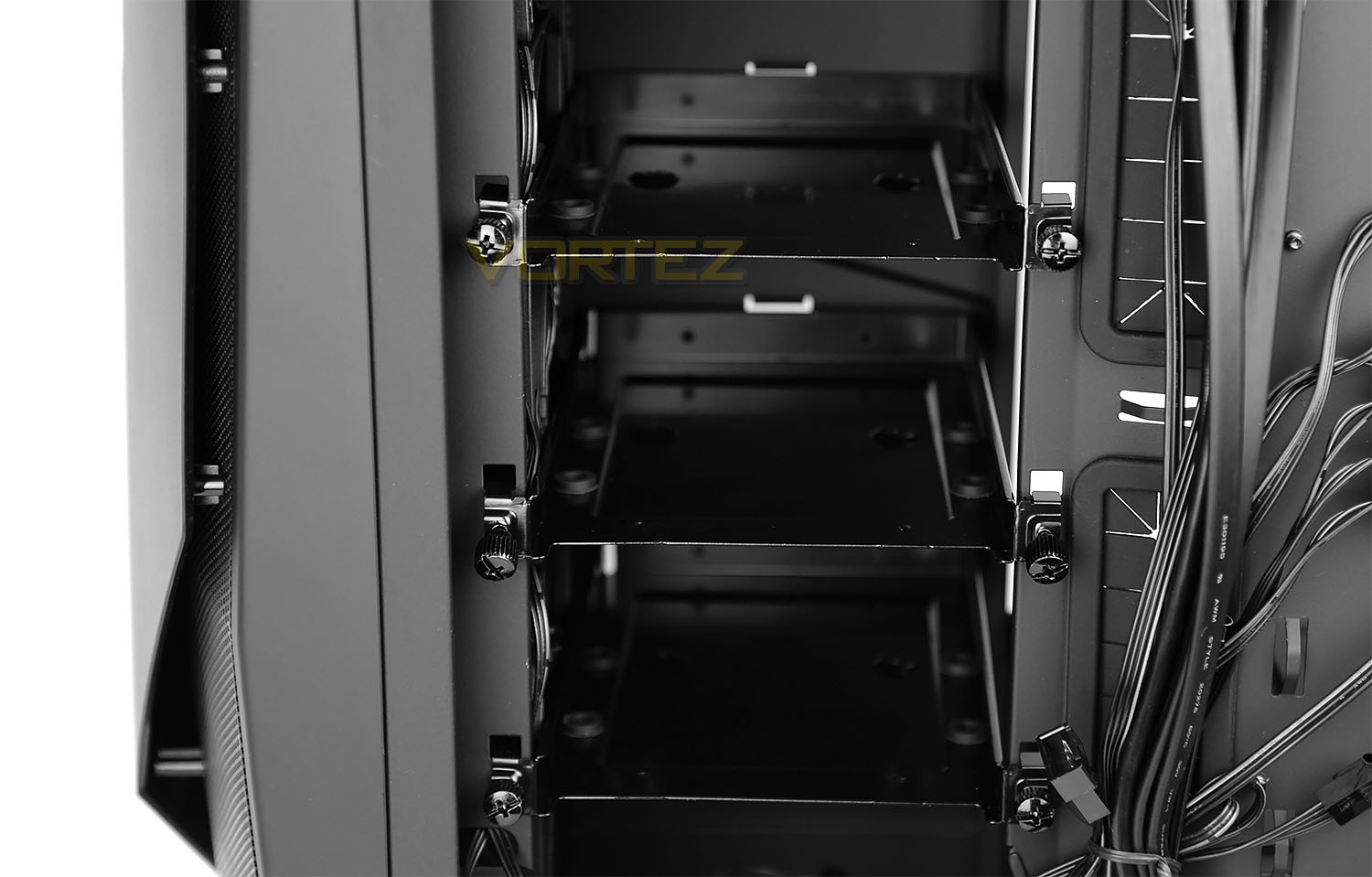
Now since the usual spot for attaching HDDs is different within Noctis 450, many of you will be wondering where the main storage is located. Well, this is found on the reverse side. Here there is a large section which can house a total of 6x 2.5” or 3.5” drives. This modular stack of trays are held into place with thumbscrews.
Installation
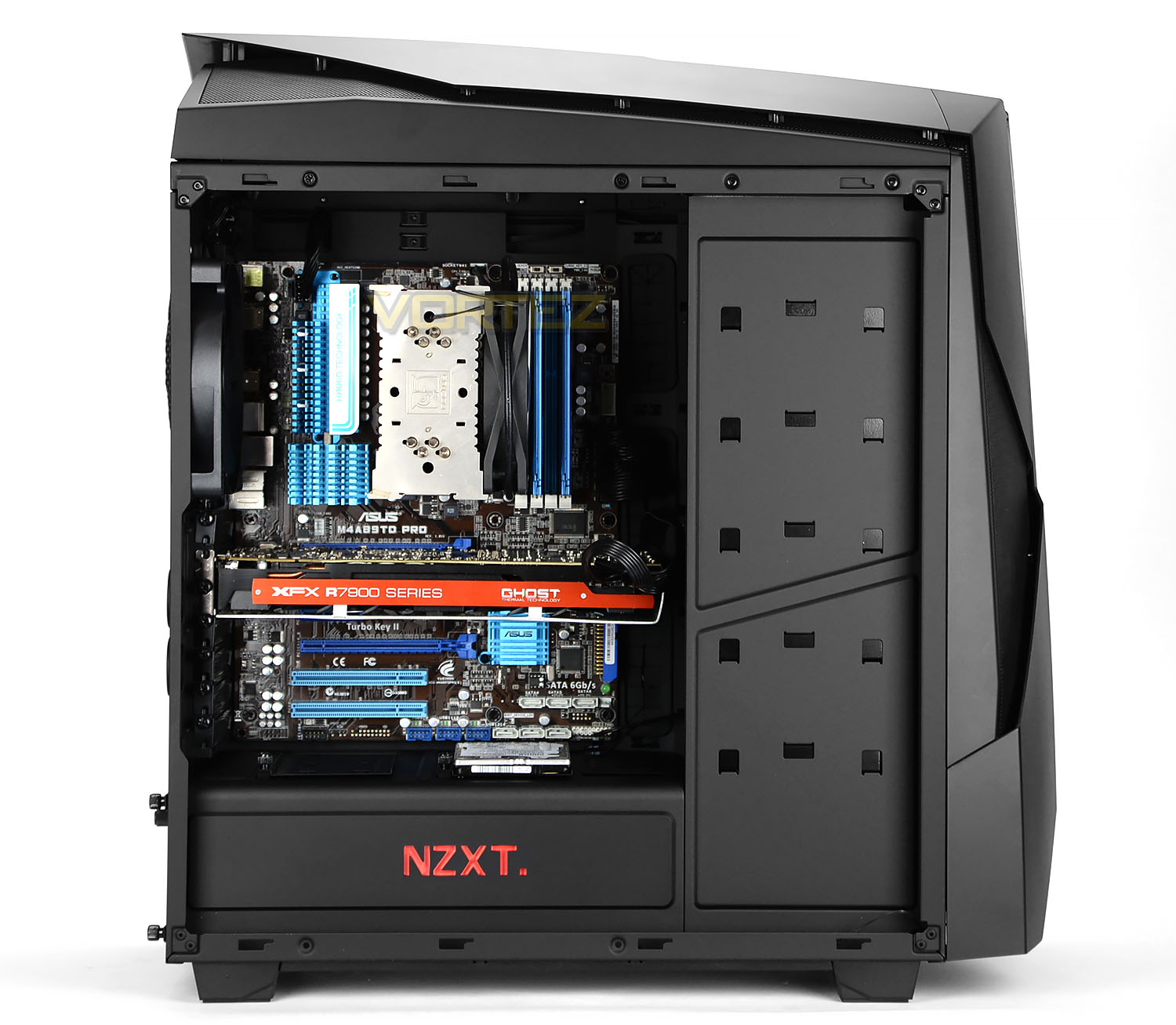
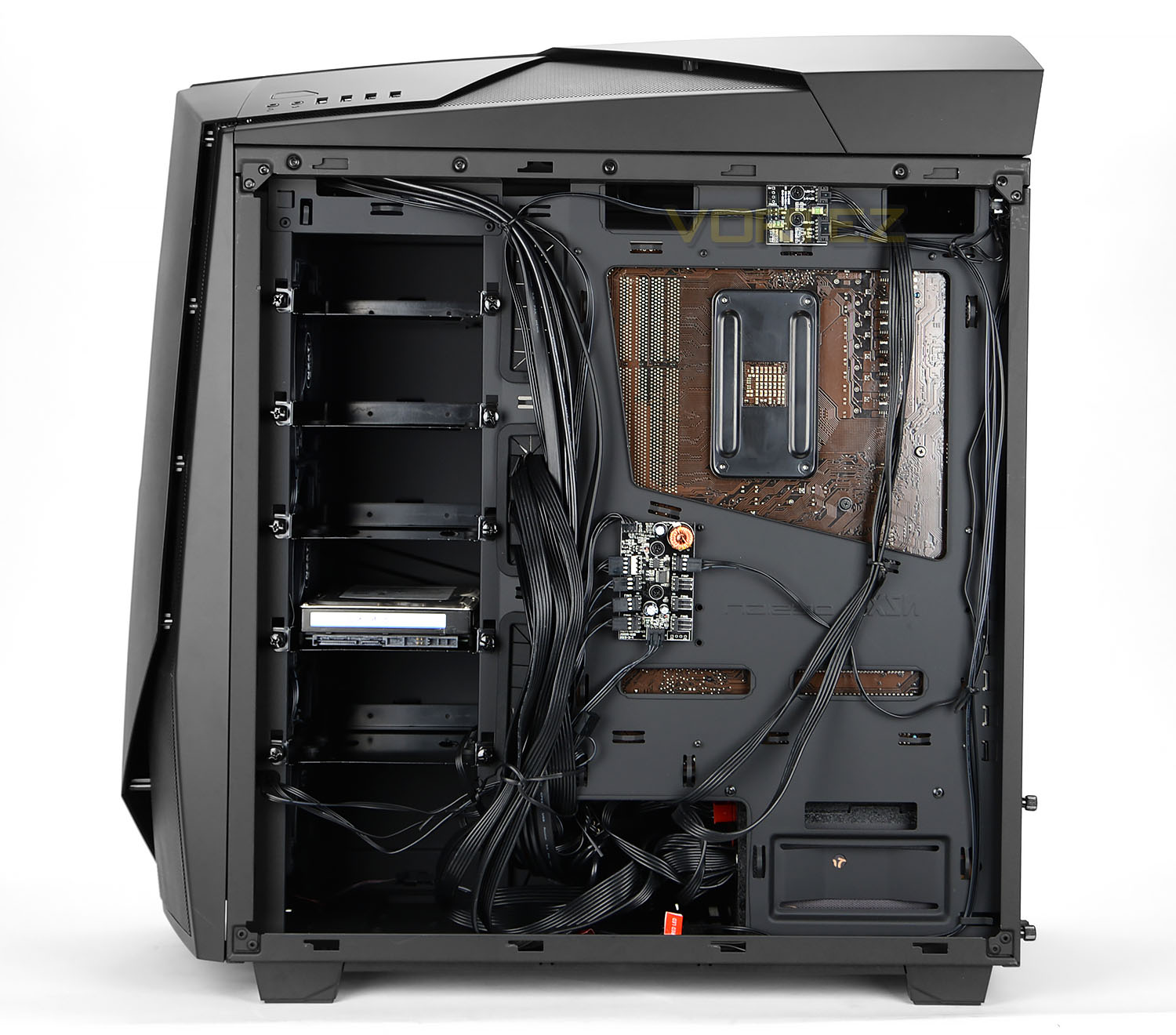
Since Noctis 450 takes ATX as the biggest form factor we installed our ATX test rig inside the case and we can confidently report that the entire process was an absolute breeze. All of the hardware transferred into the case without any difficulties thanks to the clearance options and built-in features. The cable management is a particular highlight because the PSU chamber allows the bulk of cables to be tied back and hidden.
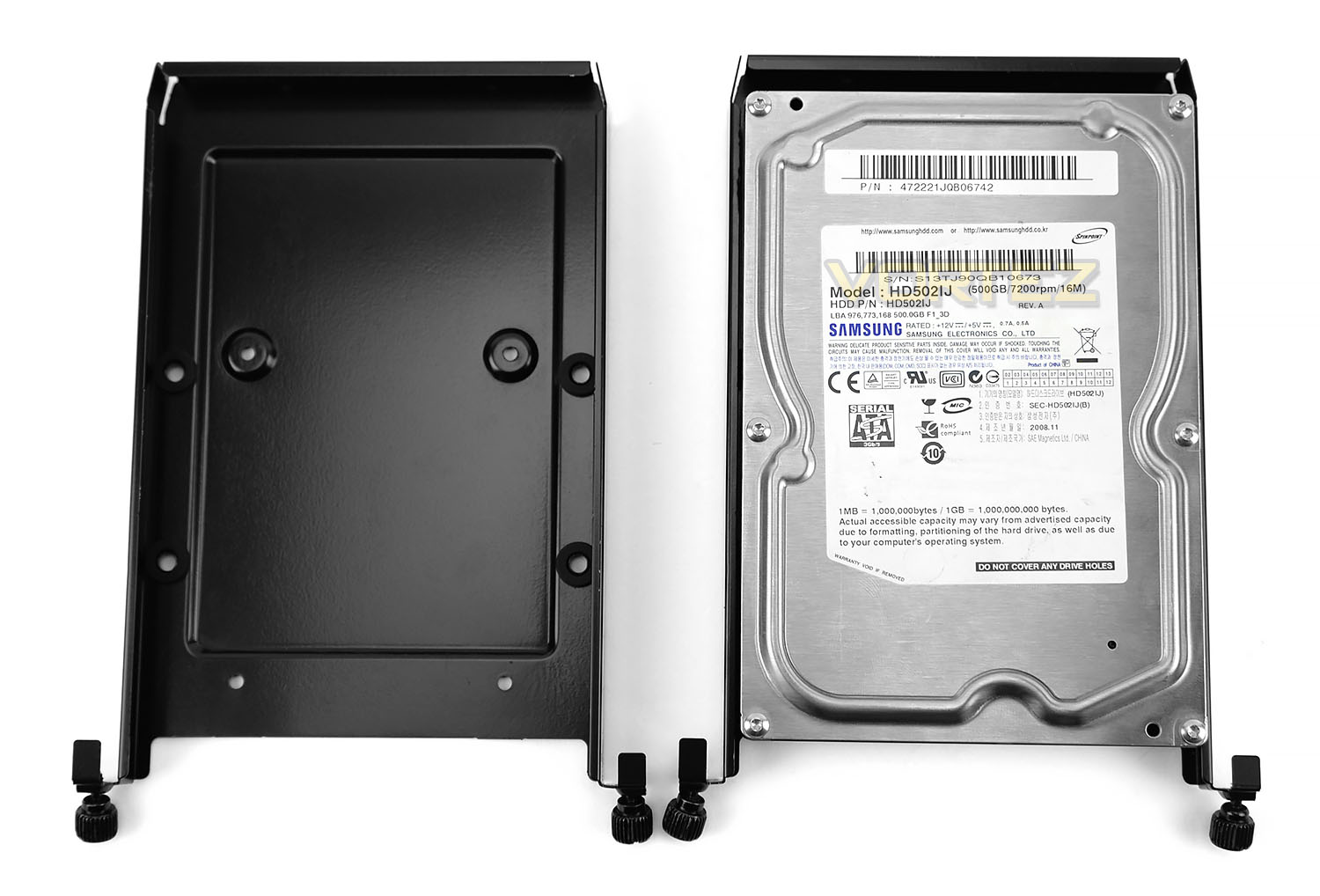
Installing hard drives is easy – the drive simply slots onto one of the provided trays and screws are applied to the underside.
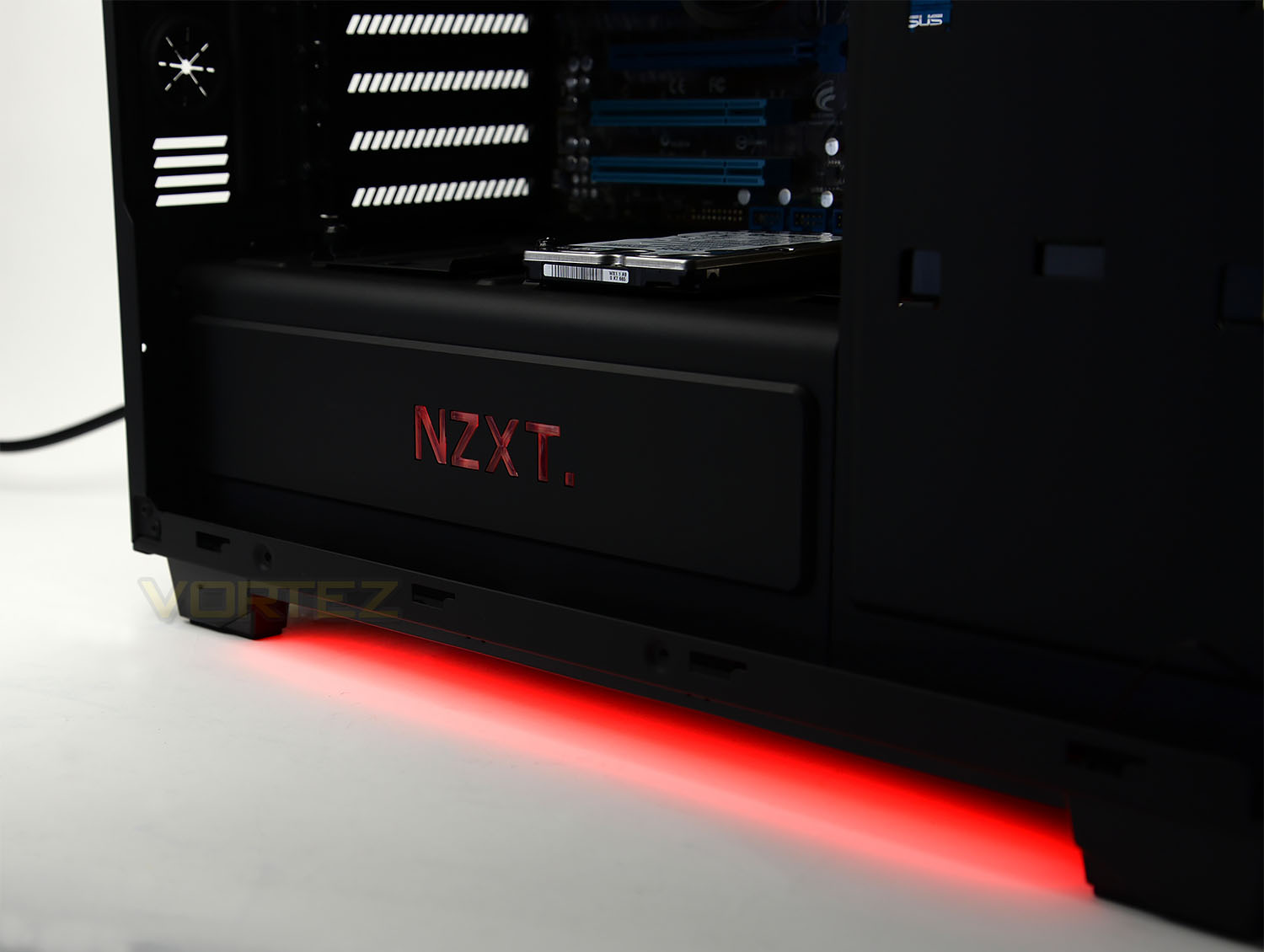
The lighting effects can be controlled via the switch on the case – the molex connection just needs to be connected to the PSU. Along with the rear IO section and NZXT logo, the underside of Noctis 450 illuminates with an impressive glow and it adds to what is an already eye-catching computer case.
Clearance – CPU Cooler, GPU, WC, Cable Management
The amount of space inside a computer chassis is essential for system builders and therefore in this section we’ll be identifying all the clearance options for critical components.
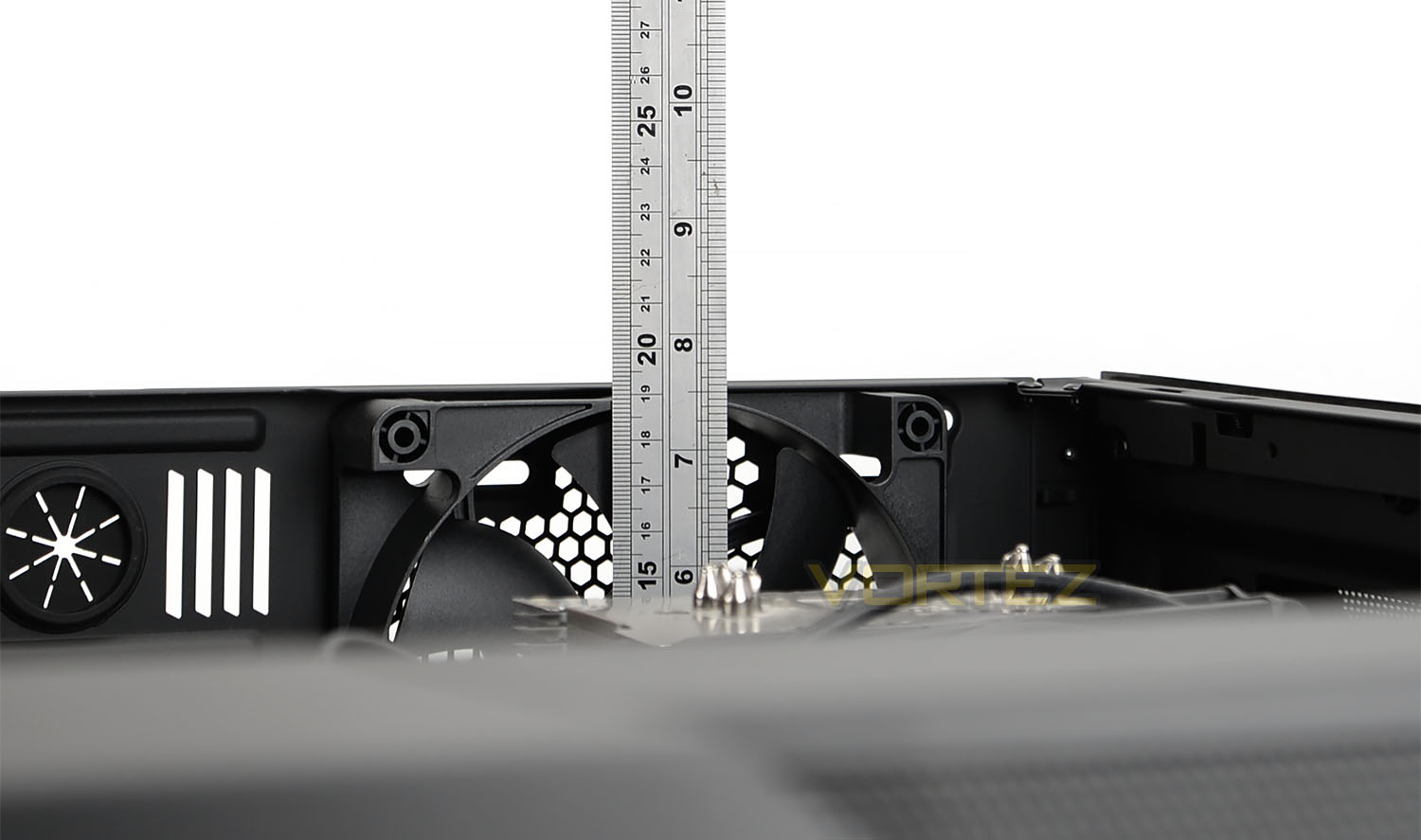
CPU Cooler
For the CPU cooler there is approximately 190mm of height for even the biggest flagship air coolers to fit inside Noctis 450. This is a large amount of space – unseen with many other rival options out there.
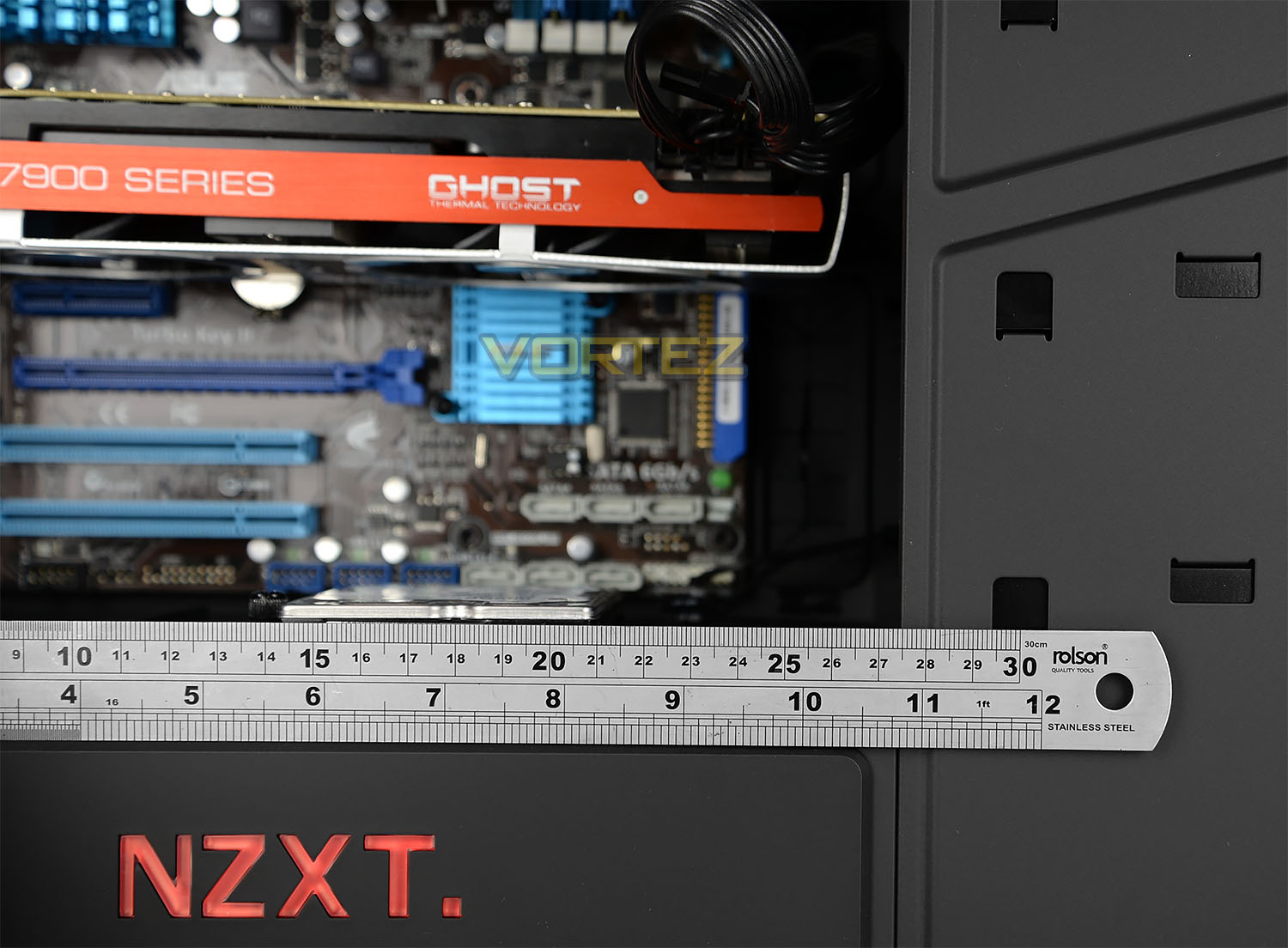
Graphics Card
Due to the modular HDD section on Noctis 450, the biggest graphics cards can be housed inside the case without any hiccups but with all the trays attached there is just over 10.5” (260mm) – dual card configurations are of course fully supported also.
Water cooling
Noctis 450 has both the space and allocation slots for installing different sized radiators. At the top we can house 240/280mm radiators and at the front we can also install the same specification of radiators. Pictures will be added soon.
Cable Management
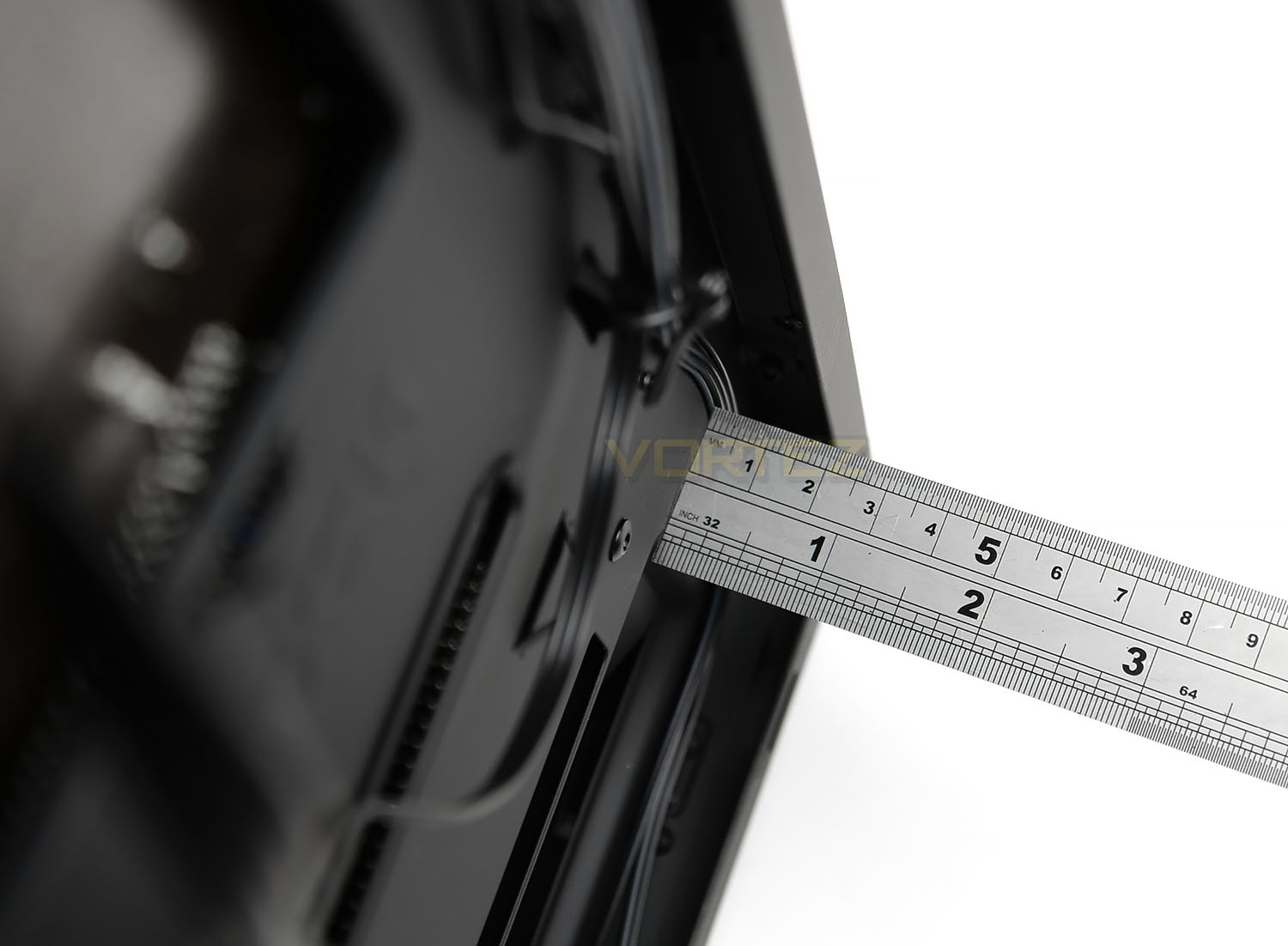
Behind the motherboard tray there are different areas we can measure for the clearance between the tray and the side panel but in the area directly next to the PSU there is around 1.5cm which is a reasonable amount of space. The added bonus with Noctis 450 is that all of the cables can be stored inside the PSU chamber – some of which can avoid trailing across the back.
Thermal Performance Testing
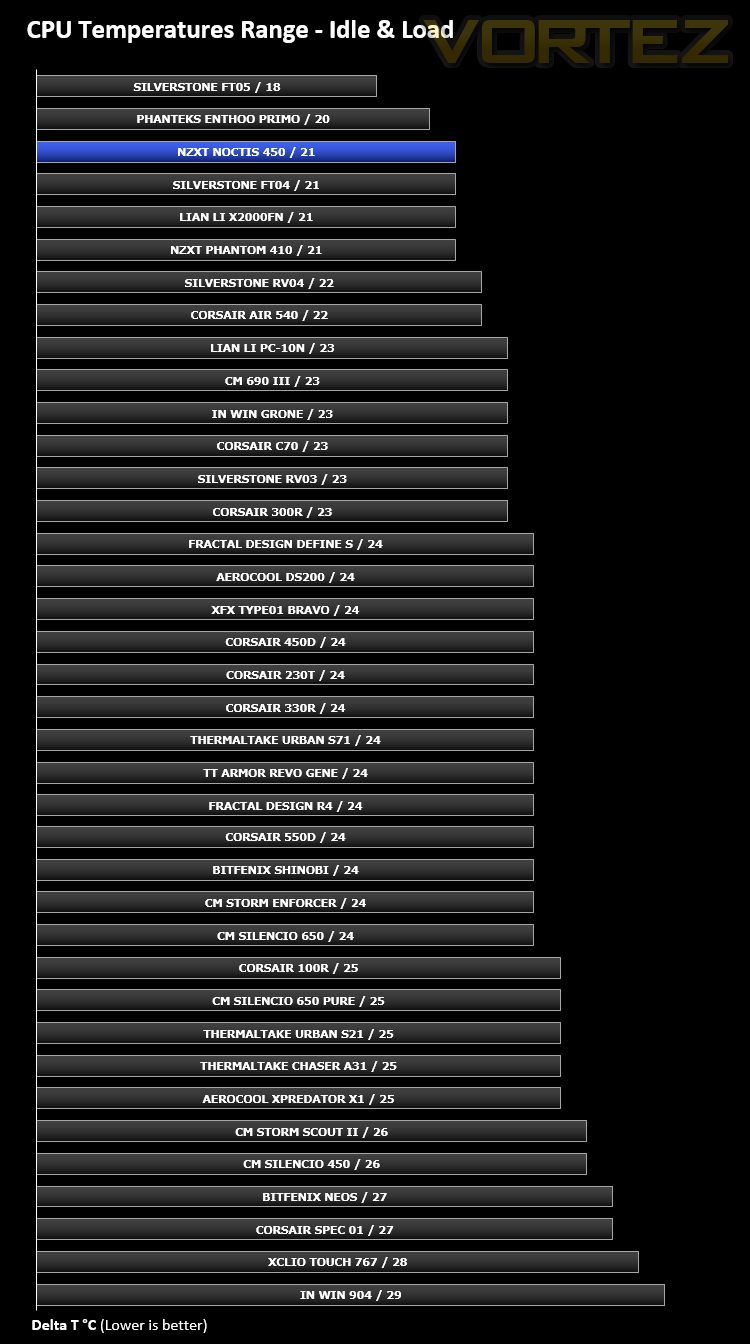
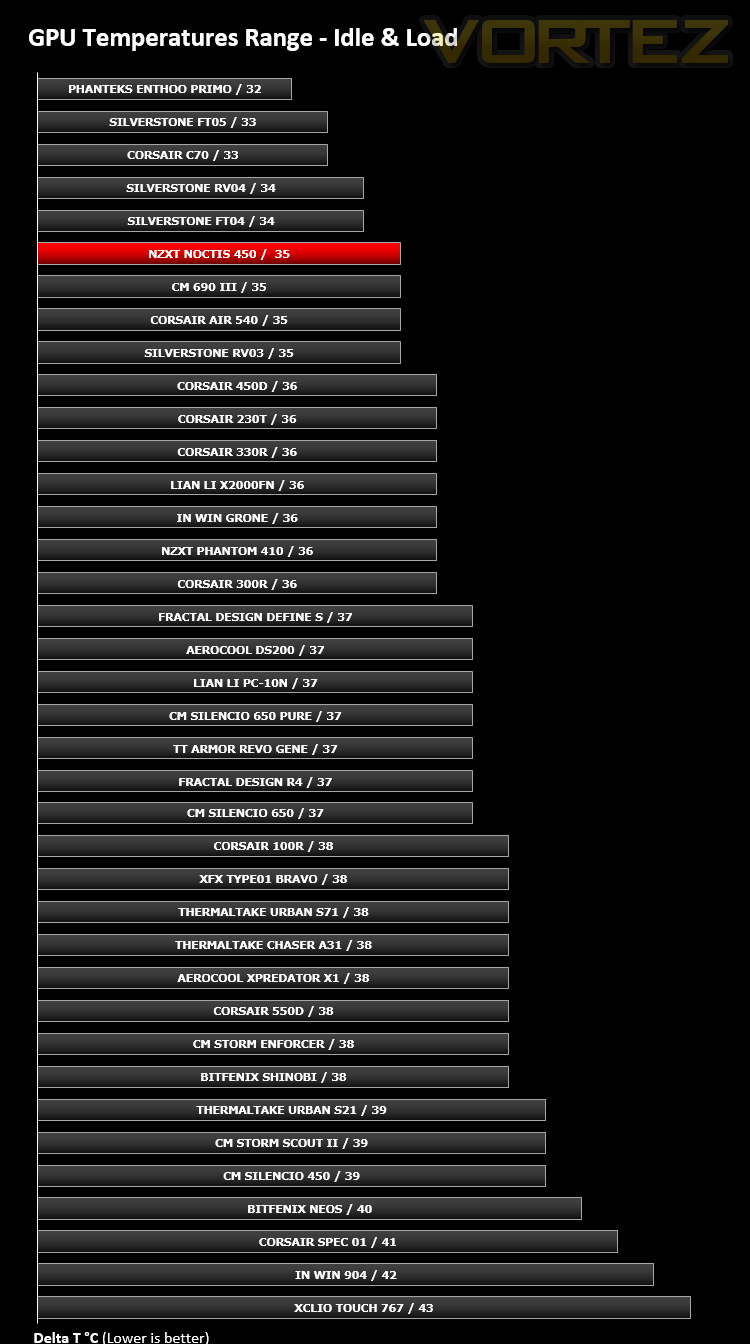
Inside Noctis 450 we have four cooling fans – one 140mm fan at the rear and three 120mm cooling fans at the front. This push/pull configuration usually presents good results and since there is such a strong presence of airflow from the front of the case, we expect decent results.
To discover the thermal performance of Noctis 450 we will record idle temperatures after 20 minutes from a cold boot. We will then stress the system and temperatures will again be monitored after 30 minutes have elapsed.
For the purpose of accurate analysis the idle and load temperatures for CPU and GPU will be recorded and the range between idle and load will be calculated to determine how efficient cooling is.
NOTE: Ambient temperature is 20C
System Components
CPU AMD Phenom II X6 1055T 2.8GHz
Motherboard ASUS M4A89TD PRO
Graphics NVIDIA GTX 480 (Different from card pictured)
Memory 4GB Kingston HyperX DDR3
HDD Samsung Spinpoint 500GB SATA-II
PSU DeepCool DQ750
Motherboard ASUS M4A89TD PRO
Graphics NVIDIA GTX 480 (Different from card pictured)
Memory 4GB Kingston HyperX DDR3
HDD Samsung Spinpoint 500GB SATA-II
PSU DeepCool DQ750
Noise
The inclusion of four cooling fans is always going to noticeable but Noctis 450 has thick panels which help to reduce the noise somewhat. So, the cooling fans can be heard but the noise isn’t loud or disturbing.
Conclusion
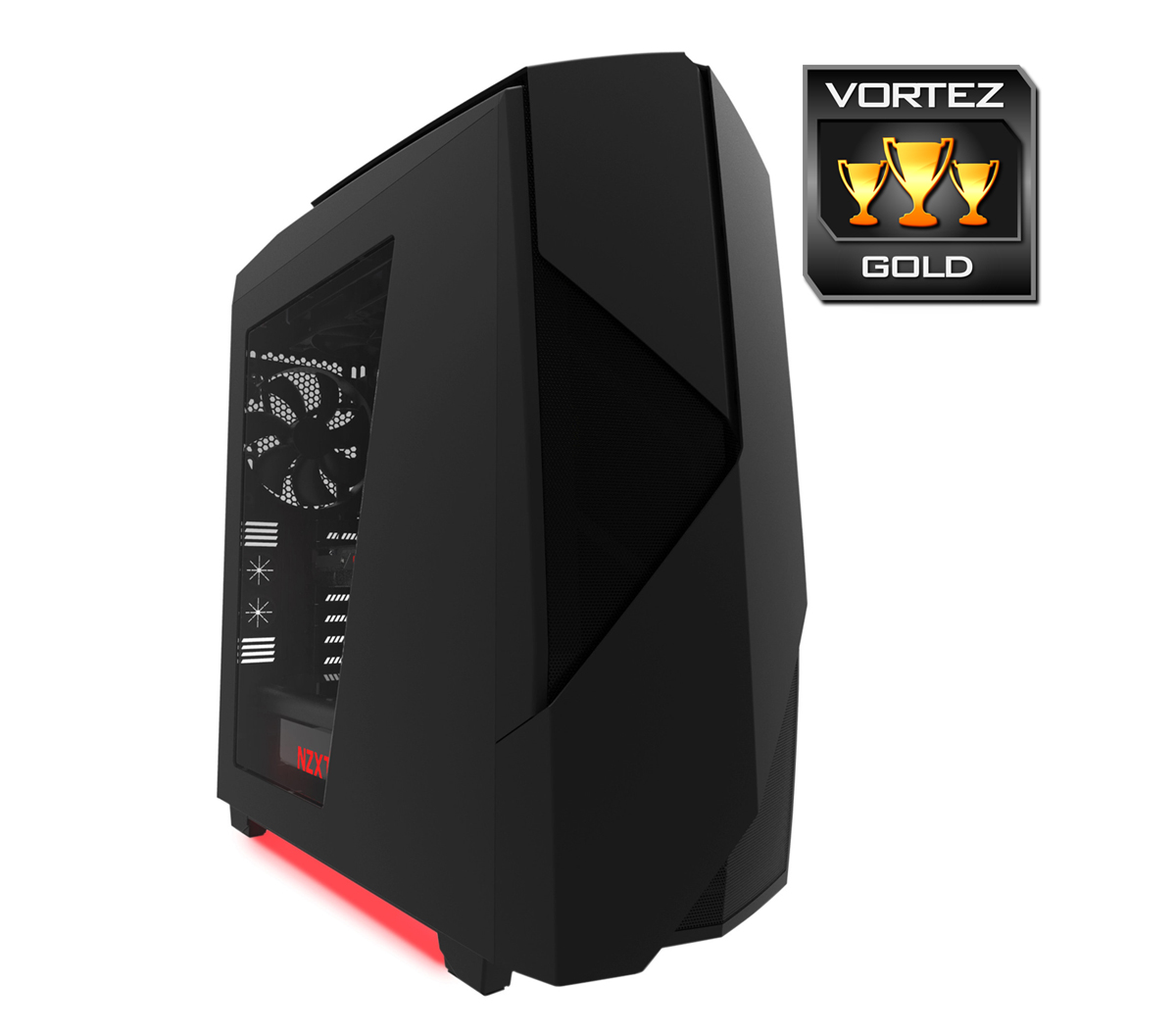
NZXT set out to create a bold statement with Noctis 450 and that they have certainly achieved. This case may adopt similarities to the Phantom series but it still manages to offer something unique.
We simply love what NZXT has done with the styling on this case. The sharp accents create depth and the matt finish is super-sleek. This isn’t just an external thing either, inside the innovation continues with a useful chamber doubling up as a PSU compartment and cable management disguise. A handy 8-channel PWM hub assists with that cable management and can even be paired up with NZXT’s CAM software to supply full control over the cooling system. By having four cooling fans pre-installed in key areas the cooling performance yields great results.
In our experience we discovered that Noctis 450 can accommodate a wide selection of different hardware. This case offers flexibility for components such as CPU coolers, graphics cards and water cooling radiators.
Noctis 450 is priced at £110 GBP / $130 USD – leaning towards the upper end of the mid-tower category. For the price, we’re getting a whole lot of case though – Noctis 450 is loaded with a plethora of features, fans and options.
Bold is certainly back with the Noctis 450. NZXT has designed a stunning mid-tower which is packed with a multitude of innovative features – avid system builders will struggle to find any faults with this delightful chassis.
VIDEO REVIEW – VORTEZ TV
Pros
+ Eye-catching design
+ Stunning finish
+ Spacious internal layout
+ Packed with useful features
+ Excellent cable management options
+ Good cooling performance
+ Can accommodate high-end kit
+ Added bonus of LED lighting
Cons
– Matt finish picks up marks easily
+ Eye-catching design
+ Stunning finish
+ Spacious internal layout
+ Packed with useful features
+ Excellent cable management options
+ Good cooling performance
+ Can accommodate high-end kit
+ Added bonus of LED lighting
Cons
– Matt finish picks up marks easily

Click here for an explanation of our awards at Vortez.net.