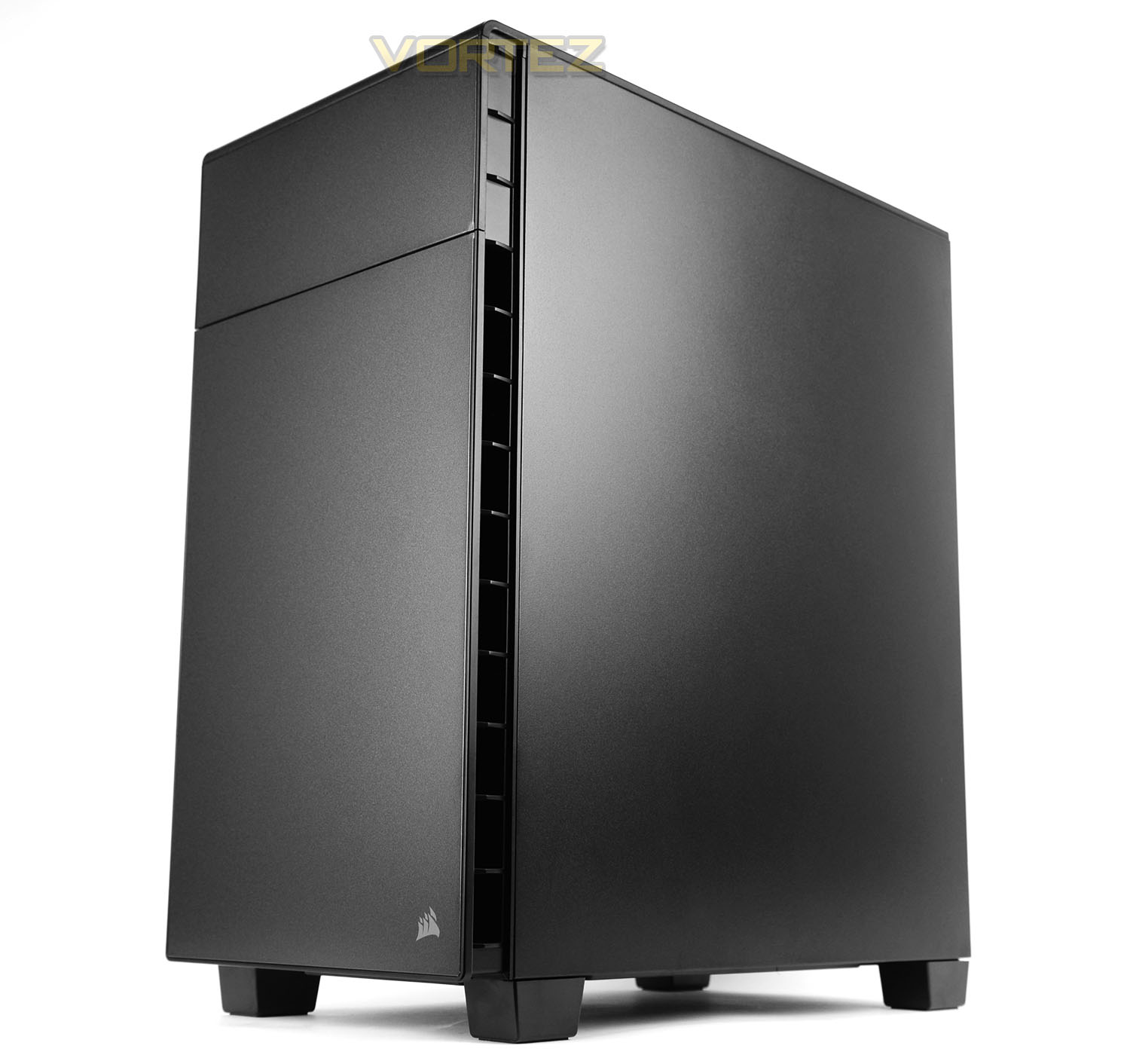
Corsair being a distinctive silent, mid-tower to the market which utilises an inverted motherboard tray. 600Q is laden with features and promises to deliver the ultimate silence.

Product On Review: Carbide Series 600Q
Manufacturer & Sponsor: Corsair
Street Price: £119 GBP / $150 USD
Corsair are a force to be reckoned with in the broad range of sectors they are involved in but more especially the computer chassis arena. They have brought many successful offerings to the table over the years and we have had the delight in putting these cases under close scrutiny but today’s review sample is a step into what is regarded as new territory for the multi-award winning brand.
In the computer chase market its unusual for a brand to break away from tradition and develop something truly innovative but Corsair are attempting to freshen things up with a new addition to the Carbide Series today. The 600Q brings with it a unique design which sees the motherboard tray inverted; the idea being one which will aid thermal performance within a silent computer chassis. Will the creative attributes of 600Q be a success or failure? Join us as we closely examine this exciting new case.
Corsair on their 600Q
The Carbide Series Clear 600C and Quiet 600Q are at the cutting edge of case design, offering ultimate silence or ultimate style – without sacrificing ultimate performance.
Technical Specifications
Form Factor
ATX
Dimensions (H x W x D)
454mm x 260mm x 535mm (17.87” x 10.24” x 21.06”)
Drive Bays
Front: 2x 5.25” tool-free (hidden behind door)
Internal: 3x 2.5” tool-free, 2x 2.5”/3.5” tool-free
Cooling
Front: 2x 140mm AF140L fan (only one installed in 600Q; extra fan included in accessory kit)
Rear: 1x 140mm AF140L fan
Bottom: Supports up to 3x 120mm fans or 2x 140mm fans
Radiator Support
Front: Up to 240mm/280mm
Rear: Up to 140mm
Bottom: Up to 280mm/360mm
Expansion Slots
8
I/O Ports
2x USB 2.0
2x USB 3.0
Headphone and mic
3-channel, 3-speed fan controller
Power Supply Standard
ATX (not included)
Clearances
Heatsink: 200mm
PSU: 210mm
Graphics: 370mm
ATX
Dimensions (H x W x D)
454mm x 260mm x 535mm (17.87” x 10.24” x 21.06”)
Drive Bays
Front: 2x 5.25” tool-free (hidden behind door)
Internal: 3x 2.5” tool-free, 2x 2.5”/3.5” tool-free
Cooling
Front: 2x 140mm AF140L fan (only one installed in 600Q; extra fan included in accessory kit)
Rear: 1x 140mm AF140L fan
Bottom: Supports up to 3x 120mm fans or 2x 140mm fans
Radiator Support
Front: Up to 240mm/280mm
Rear: Up to 140mm
Bottom: Up to 280mm/360mm
Expansion Slots
8
I/O Ports
2x USB 2.0
2x USB 3.0
Headphone and mic
3-channel, 3-speed fan controller
Power Supply Standard
ATX (not included)
Clearances
Heatsink: 200mm
PSU: 210mm
Graphics: 370mm
Packaging & First Look

In true Corsair fashion the 600Q arrives in an eco-friendly box which is recyclable. The front has an illustration of the case while the reverse highlights key features via a schematic diagram. Inside the box, the case is covered in a fabric sheet and polystyrene blocks are used to protect the unit while its with the courier.
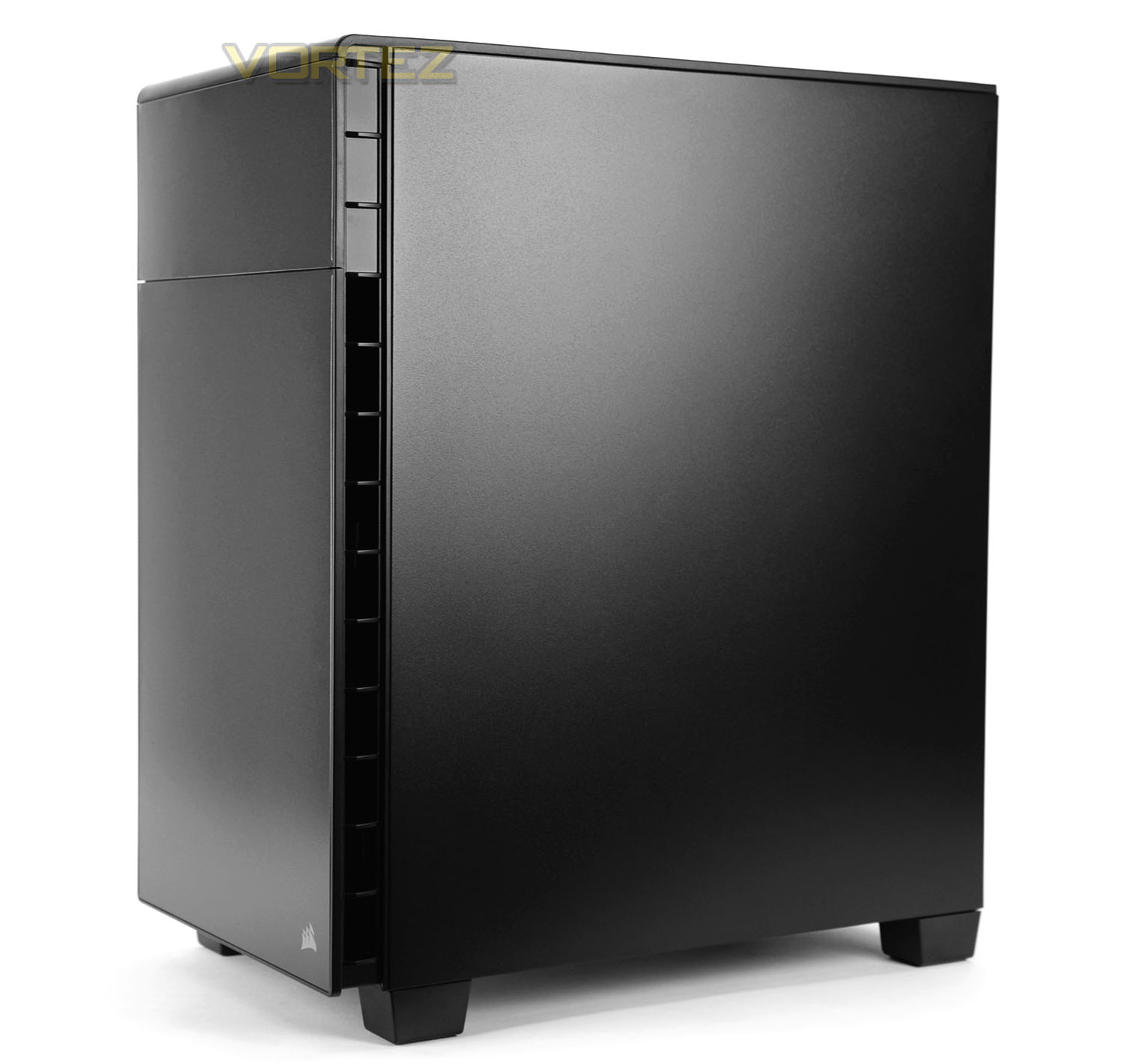
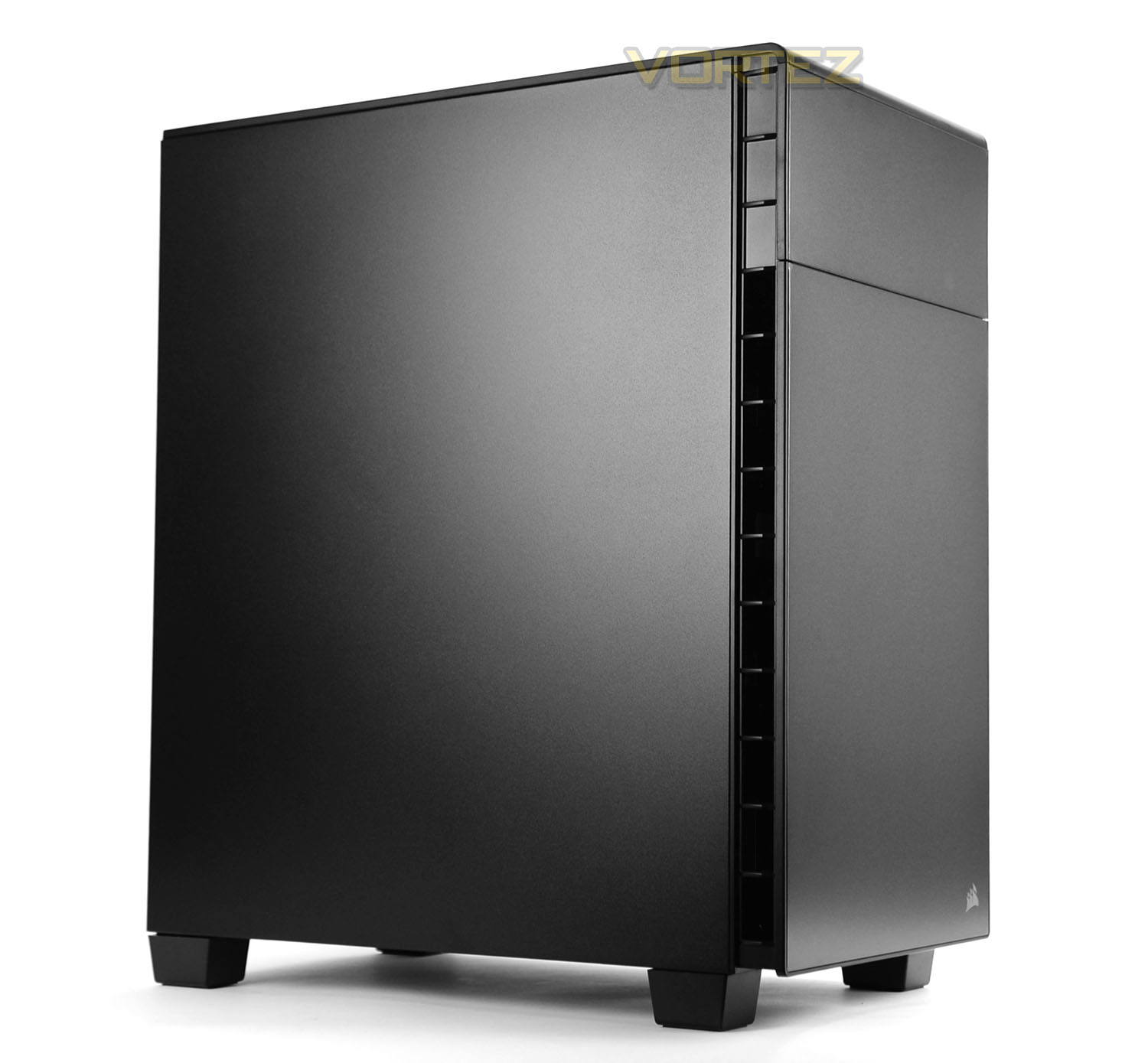
Since the 600Q is intended for silent computing the design lends itself to having closed off panels throughout. Either side of 600Q is identical, with no significant features. Since this case is inverted, the design is reversed and the prominent side is flipped over – something we’ll be exploring when we delve inside the chassis.
Overall, the design is rather simplistic in its approach – bringing a degree of minimalism and elegance. Compared to other Corsair tower cases, 600Q is notably shorter and wider and the finish can be described as semi-sheen; which will collect the faintest of fingerprints but they disappear with very little effort required.
Exterior
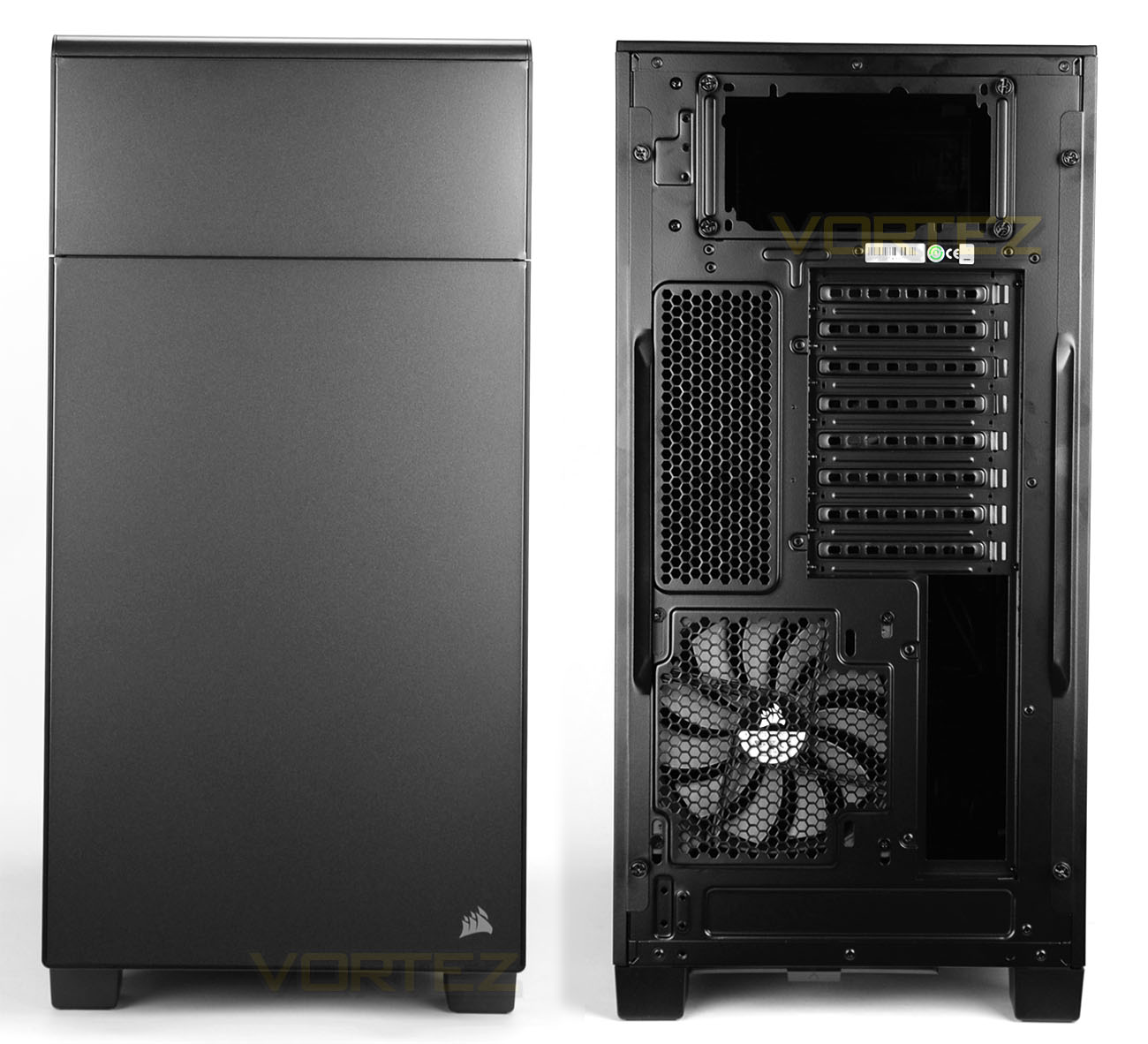
The front of 600Q includes a solid plastic fascia with the Corsair emblem in the bottom right with the upper section using a left-pivoting cover for optical devices.
Around the back of the chassis we see the first indicative sign of the inverted motherboard tray – there is a AF140L cooling fan at the bottom (positioned as an exhaust) with the motherboard IO slot to the immediate right. Further up from this there are a series of eight PCI expansion slot covers and a large perforated mesh section. The PSU allocation is at the very top of 600Q.
So this is certainly an intriguing design and we’ll see the full extent of this reversal when we go inside the chassis on the next page.
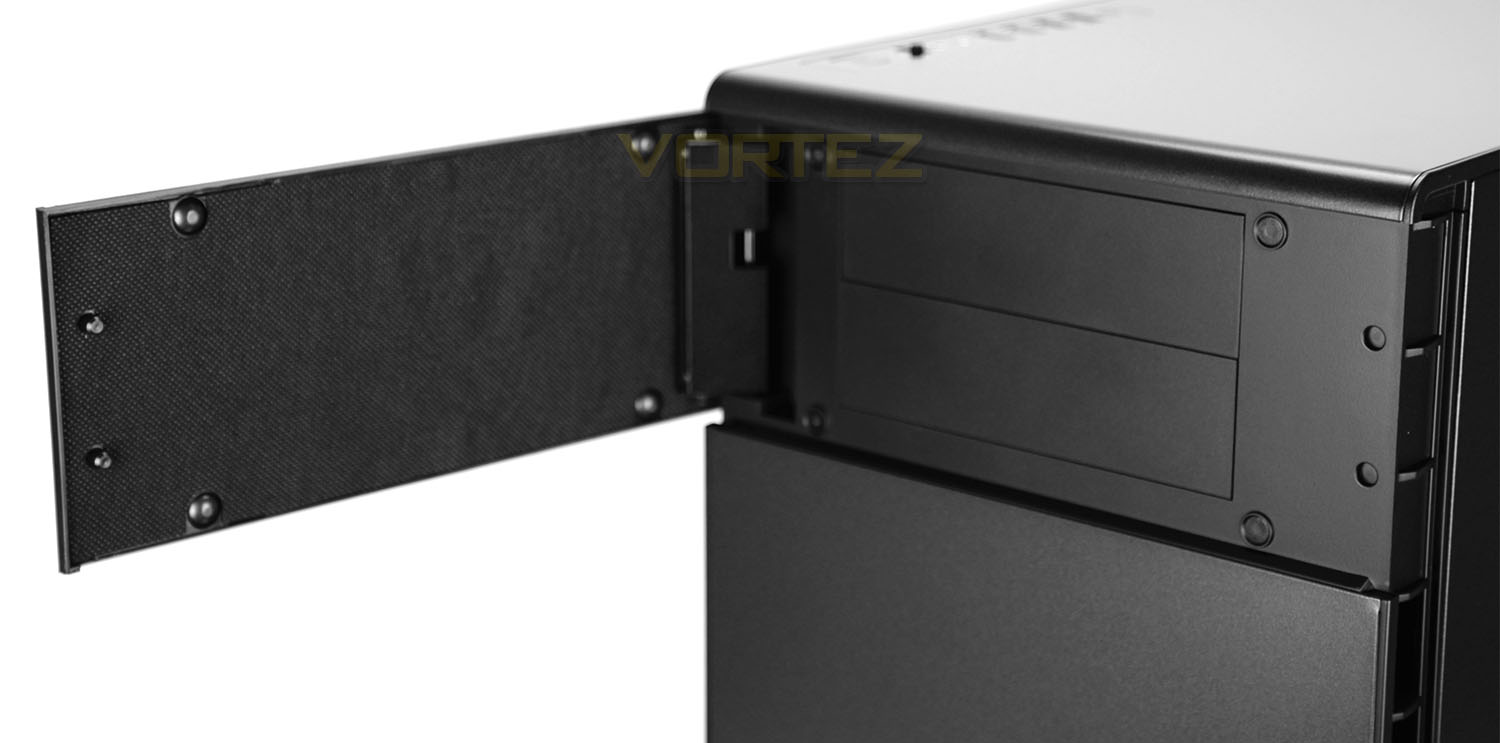
There are two optical drive bays at the top of 600Q, with the covers being removed from the inside of the case. There is a small door which is hinged from the left side and which has noise damping material to drown out any undesirable sound from the internal components. This material is found throughout 600Q on all outward facing panels.
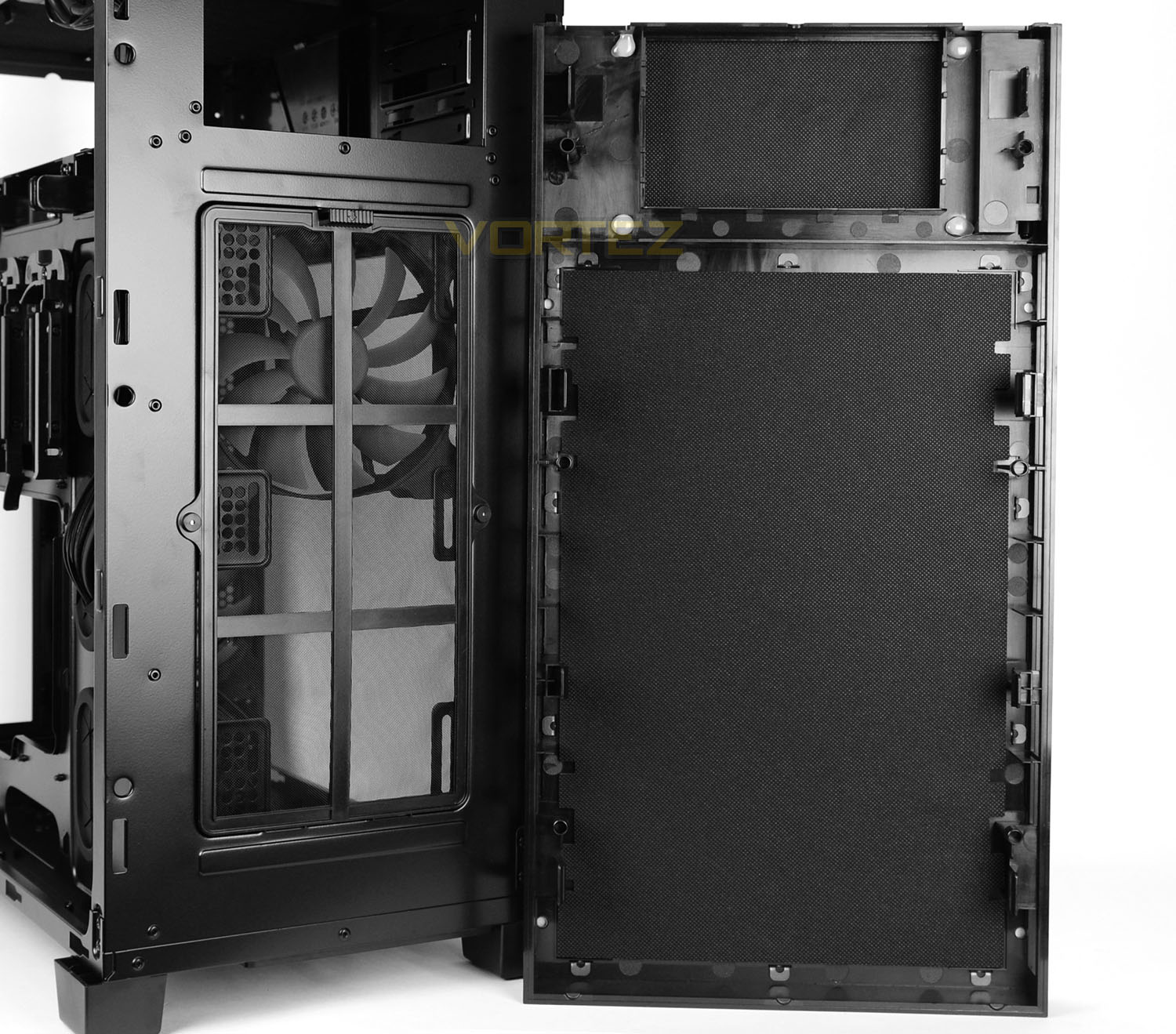
The front panel fascia is detachable as can be shown above, once removed we can see more noise damping material layered on the inside and there is a dust filter fixed to the front of the chassis, with a cooling fan and mounting holes to attach additional cooling.
The fan is another AF140L – a 140mm solution which is configured to be an intake, pulling cool air in and across the system. There is further allocation for adding in another 140mm fan – Corsair actually supply an additional AF140L within the package to allow the customer to decide if and where they’d like to install.
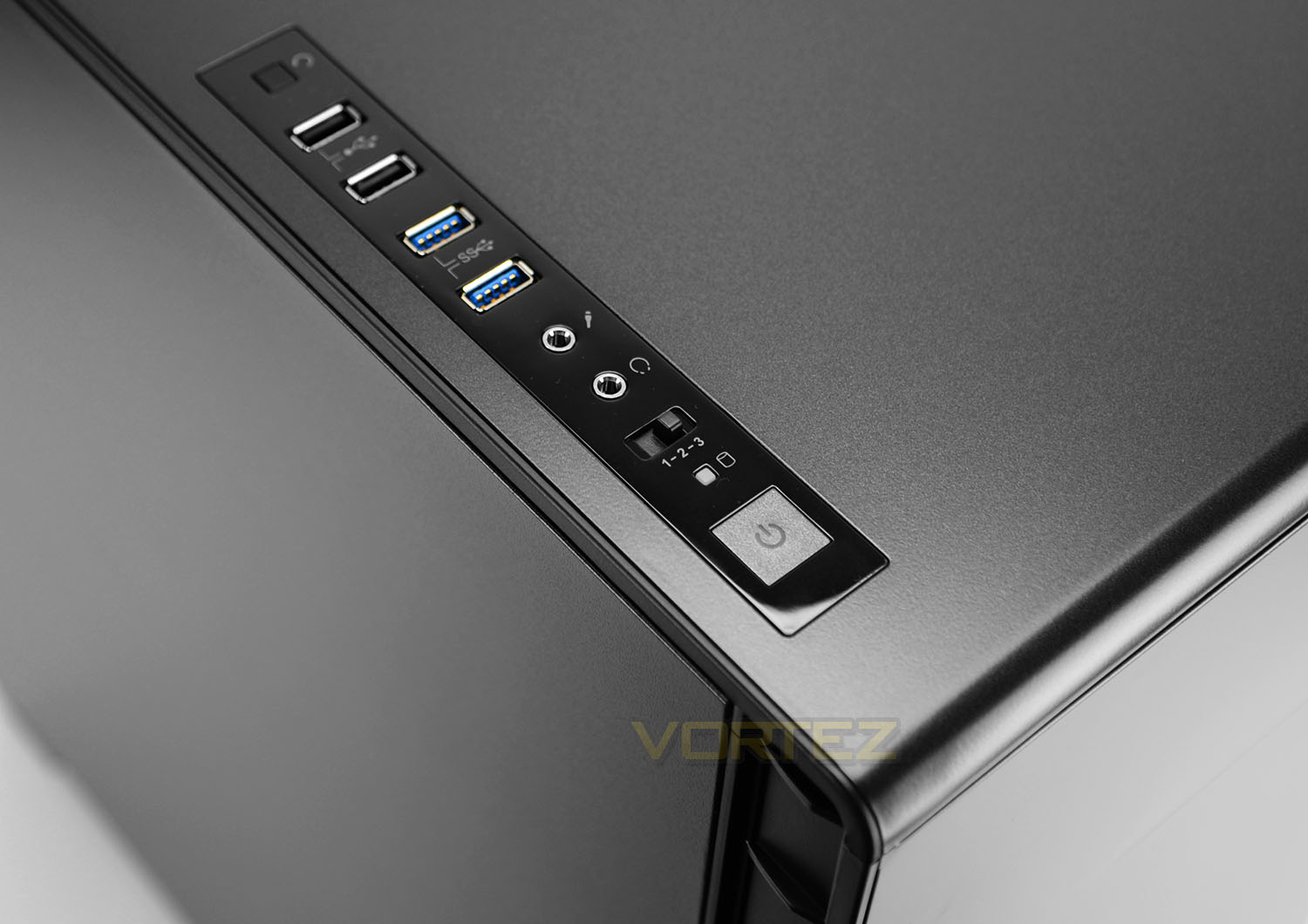
Located at the top of 600Q we have the front panel connectivity. This consists of quite a few ports/buttons and sits on a glossy plastic strip. The available options here are:
• Reset button
• 2x USB 2.0 ports
• 2x USB 3.0 ports
• Headphone and microphone jacks
• Three-speed fan controller
• Activity LEDs
• Power button
The inclusion of a fan controller is a useful feature to have. Not only does this switch allow low, medium and high fan speed settings but a trio of fans can be connected to make use of this management feature.
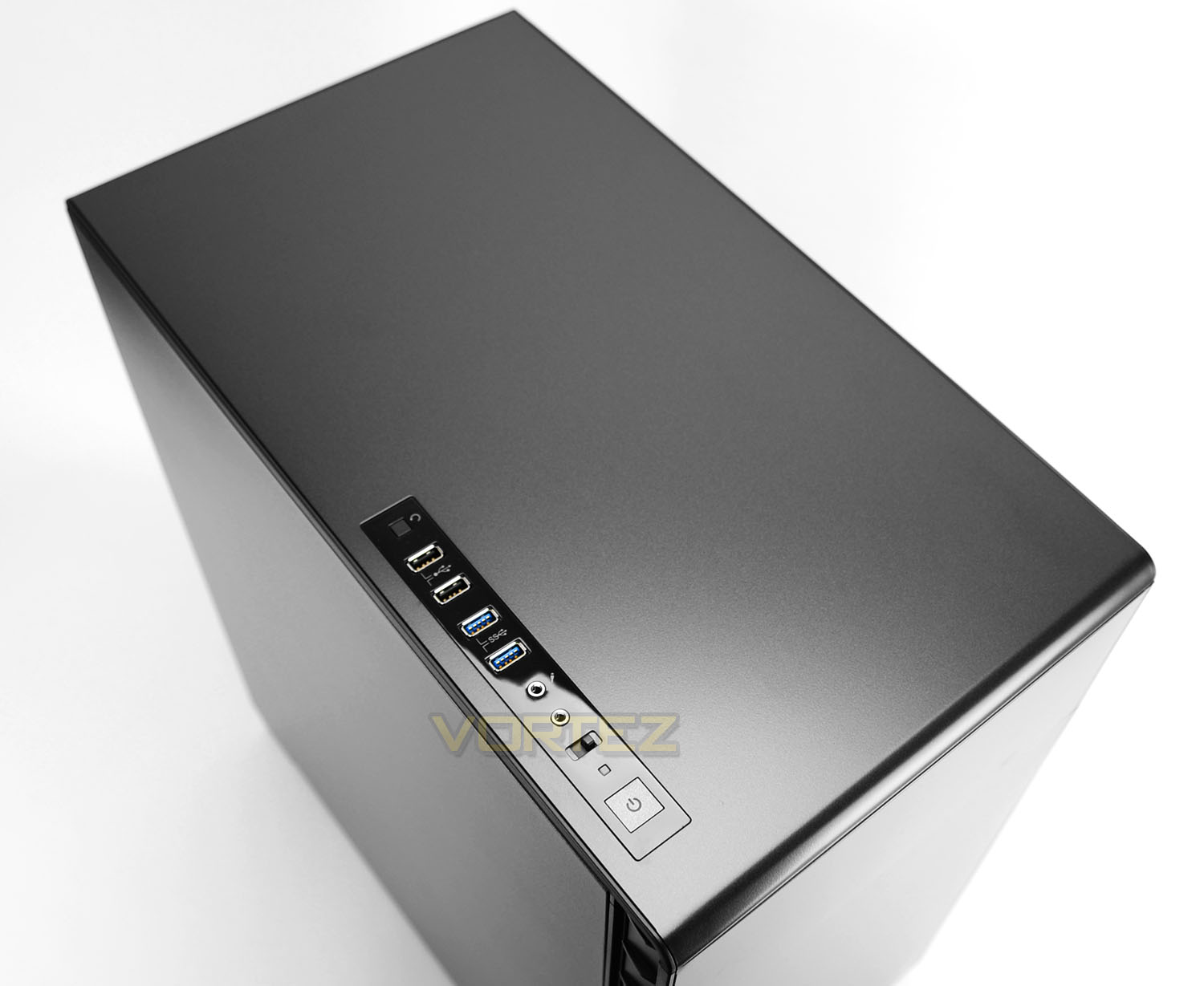
Casting an eye over the top of 600Q reveals a solid panel with no significant standout features – since the PSU is going to reside within the top section of the chassis there are no mounting holes or perforated mesh required.
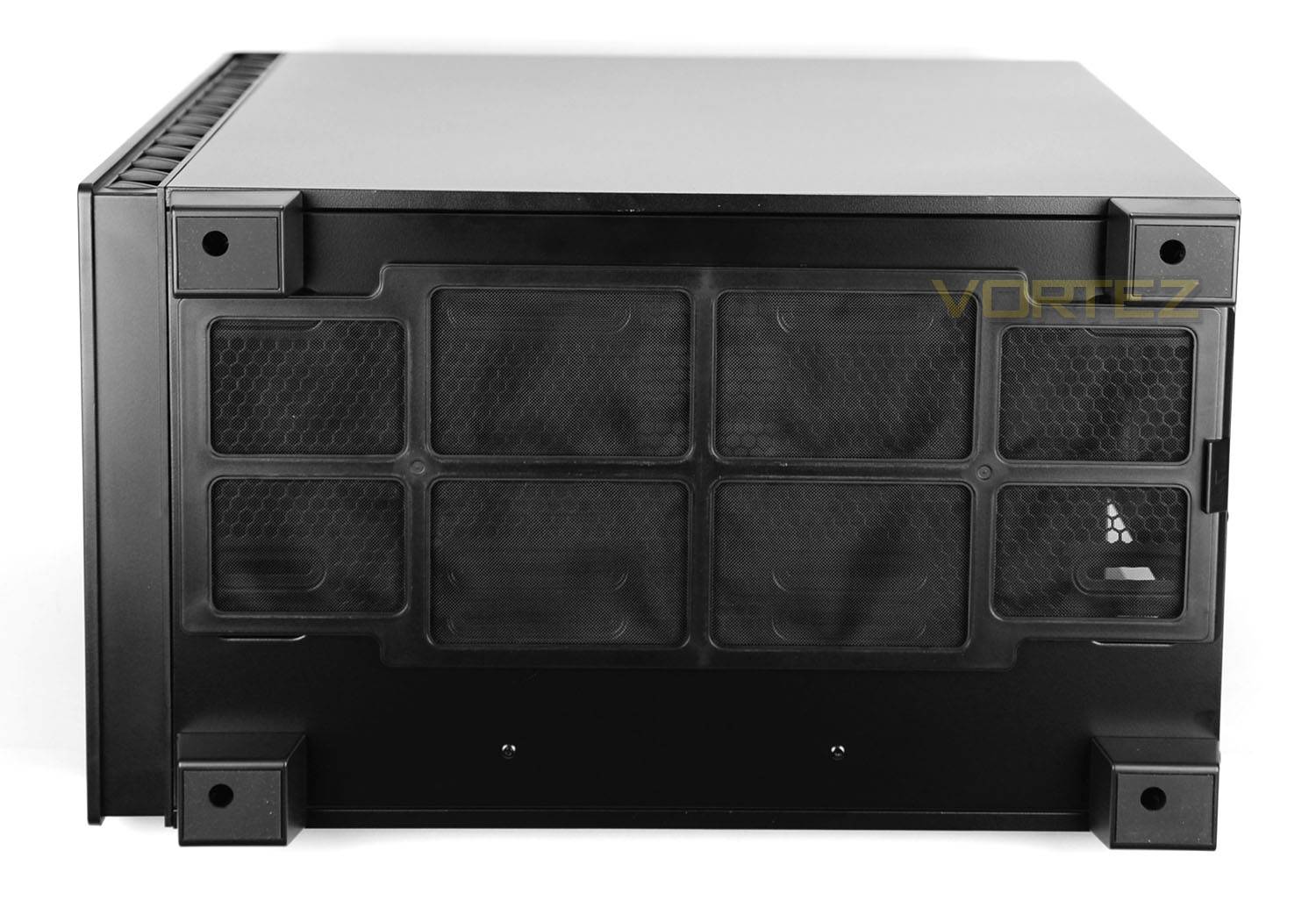
Flipping the case over onto its side we can see the underside of 600Q. This consists of four feet which have a layer of anti-slip rubber and a large, detachable dust filter which covers the perforated mesh/optional cooling fan placements at the bottom of the chassis.
On the next page we’ll explore the insides of 600Q.
Interior
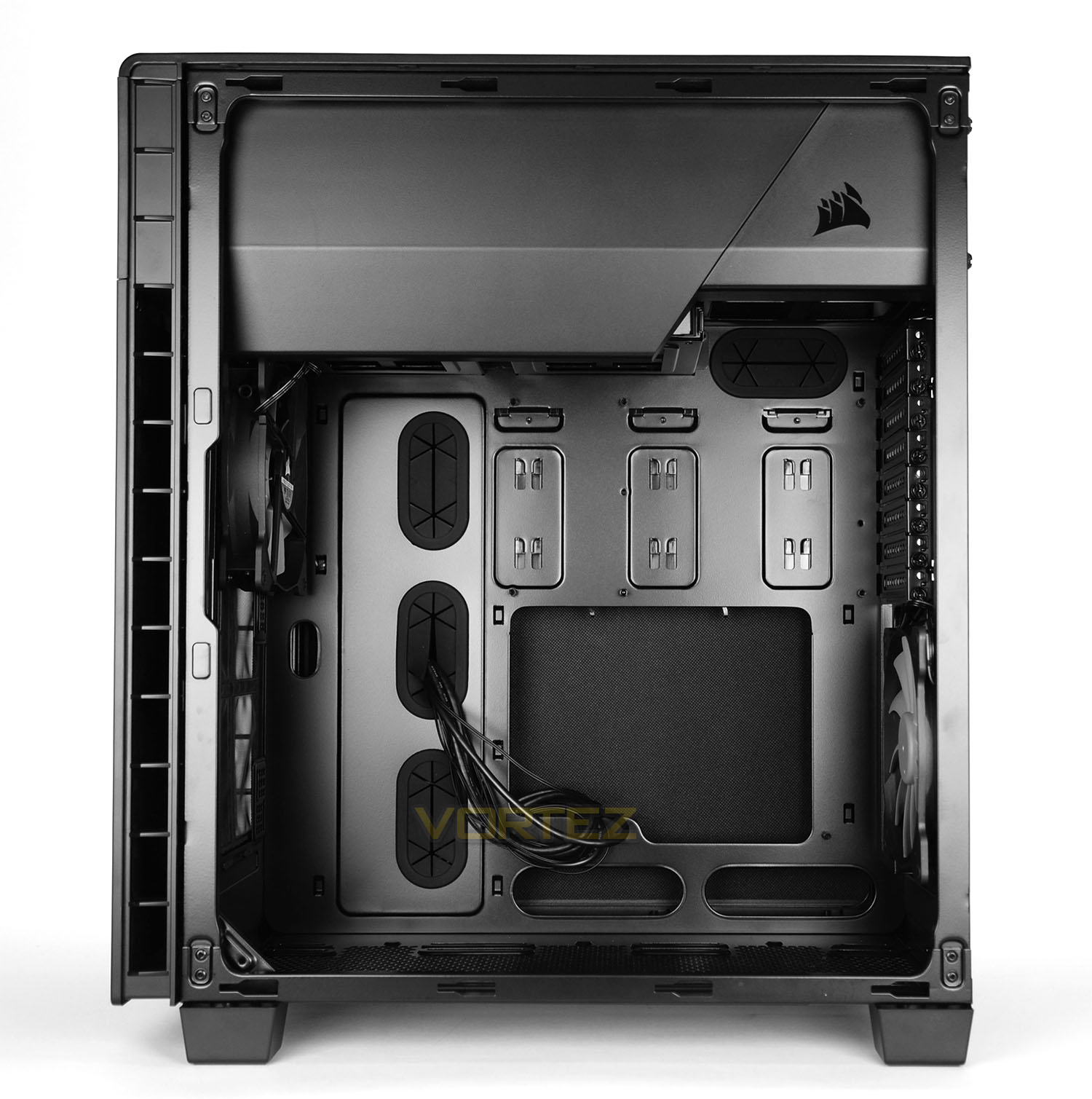
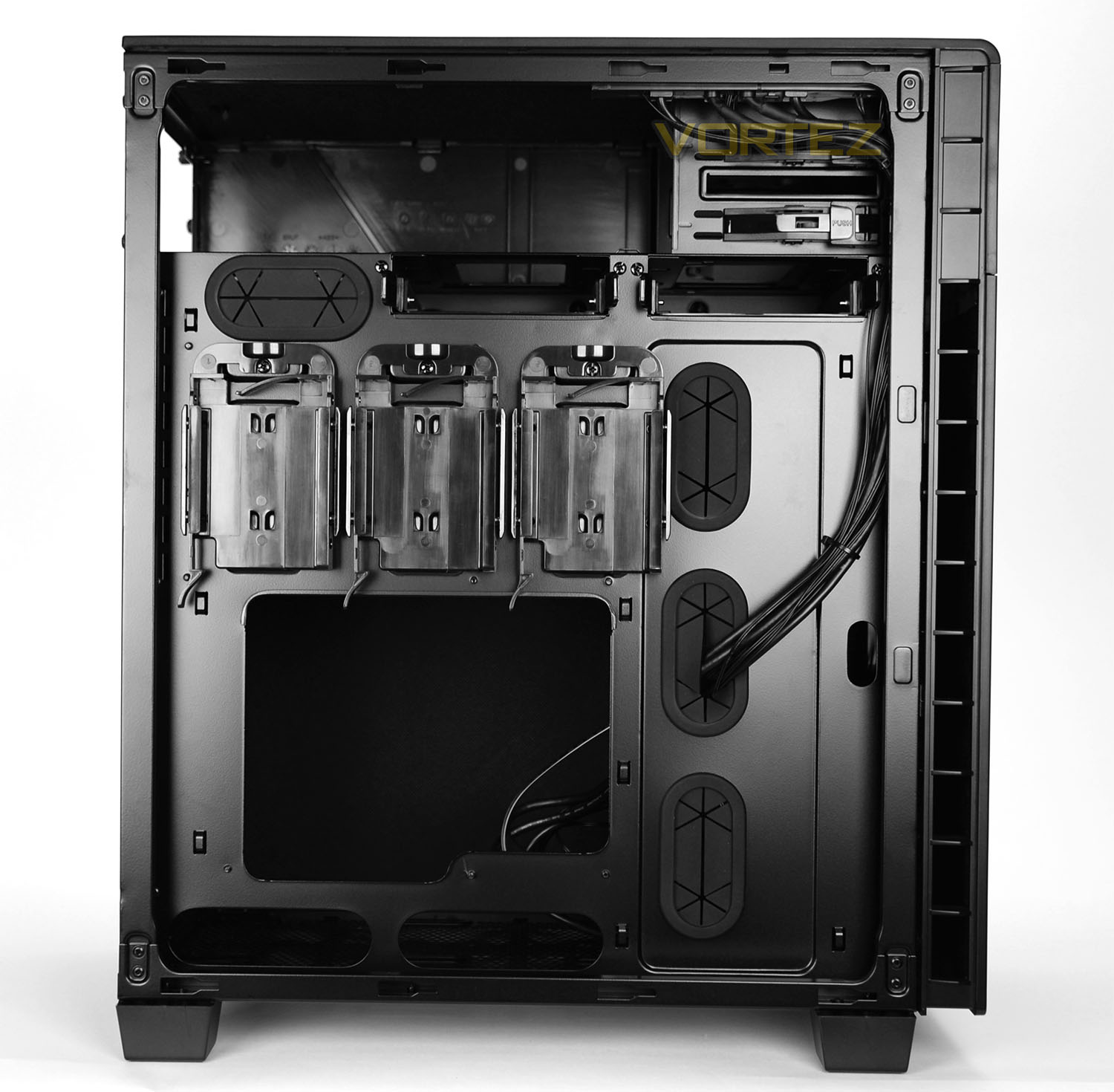
Both side panels on 600Q use dual thumbscrews for fixture and on the inside of each panel there is more noise damping material.
Removing the side panels reveals a unique and exciting layout. Not only is the motherboard tray on the alternate side to the traditional computer tower, but the tray is also rotated – the CPU cooler will feature at the bottom of the chassis and the PCI devise at the top. Corsair has powder coated the insides black and there are plenty of routes, grommets and cable hooks to keep things tidy.
Tool-free mechanisms are used throughout to install hardware and we’re especially pleased to see a trio of SSD mounts on the backside of the motherboard tray.
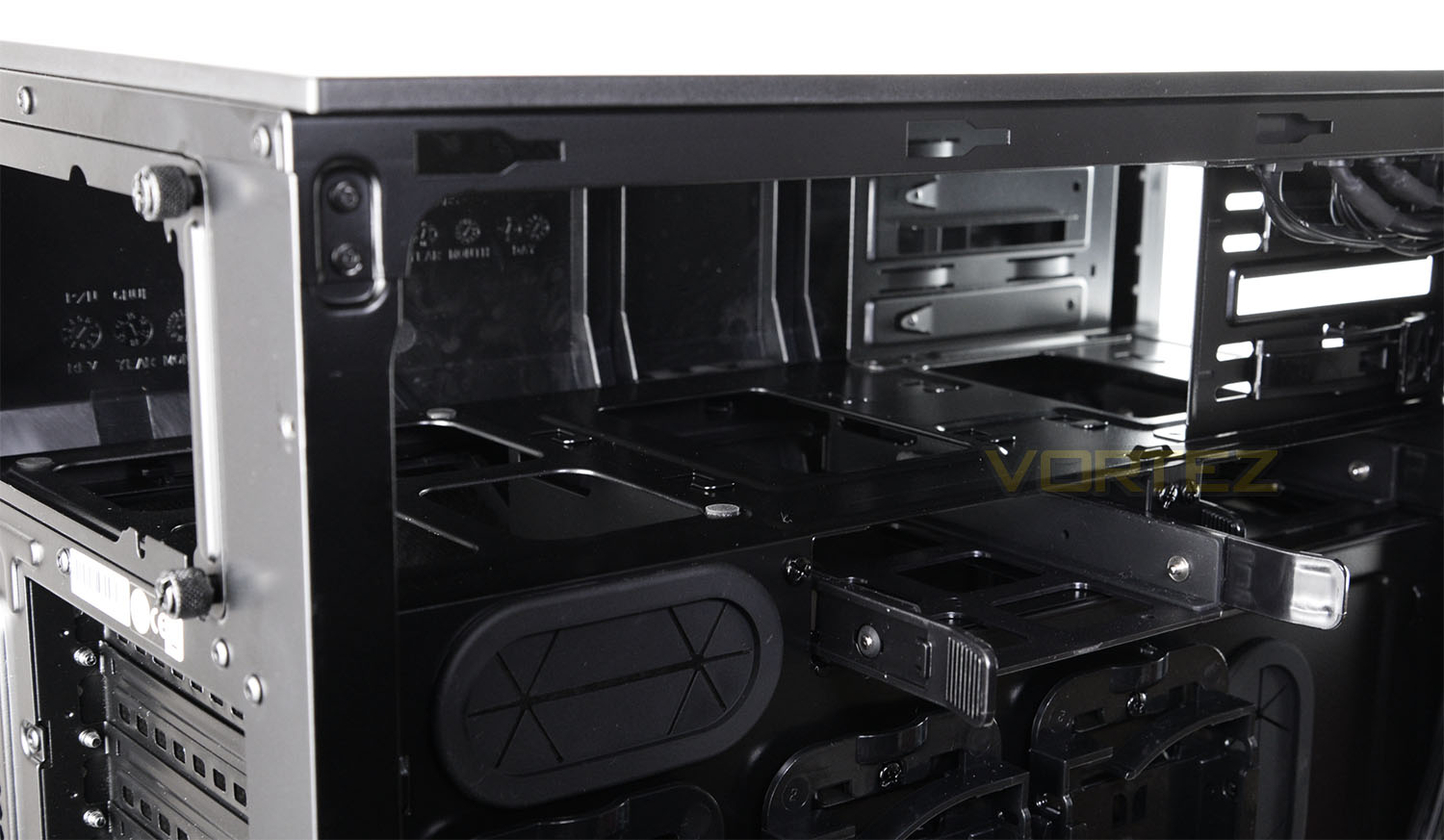
Moving in for a closer look at the inside we begin with the PSU area. The top section has been allocated to house the PSU and this can be accessed from the reverse side or from the rear. Corsair has placed anti-vibration pads to give the PSU a soft cushion.
Below the PSU there are two 3.5” drive bays which each have HDD trays for tool-free installation of storage.
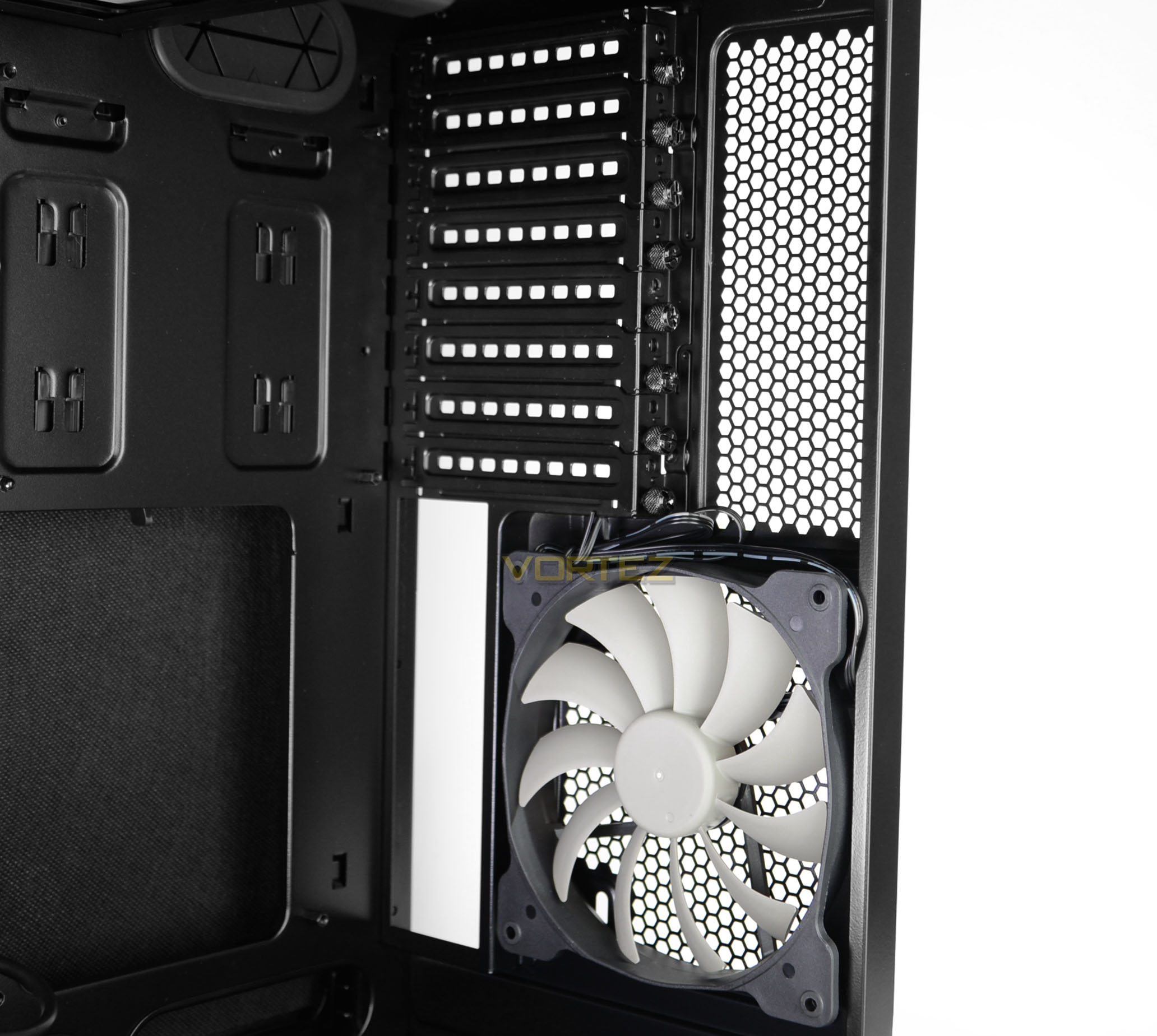
Towards the back of the chassis Corsair has included a 140mm exhaust cooling fan (AF140L) and a series of eight PCI expansion slot covers – each have ventilation cut-outs and use thumbscrews for easy removal.
The fan is designed to sit parallel to the CPU cooler and opposite the front cooling fans for a push-pull configuration.
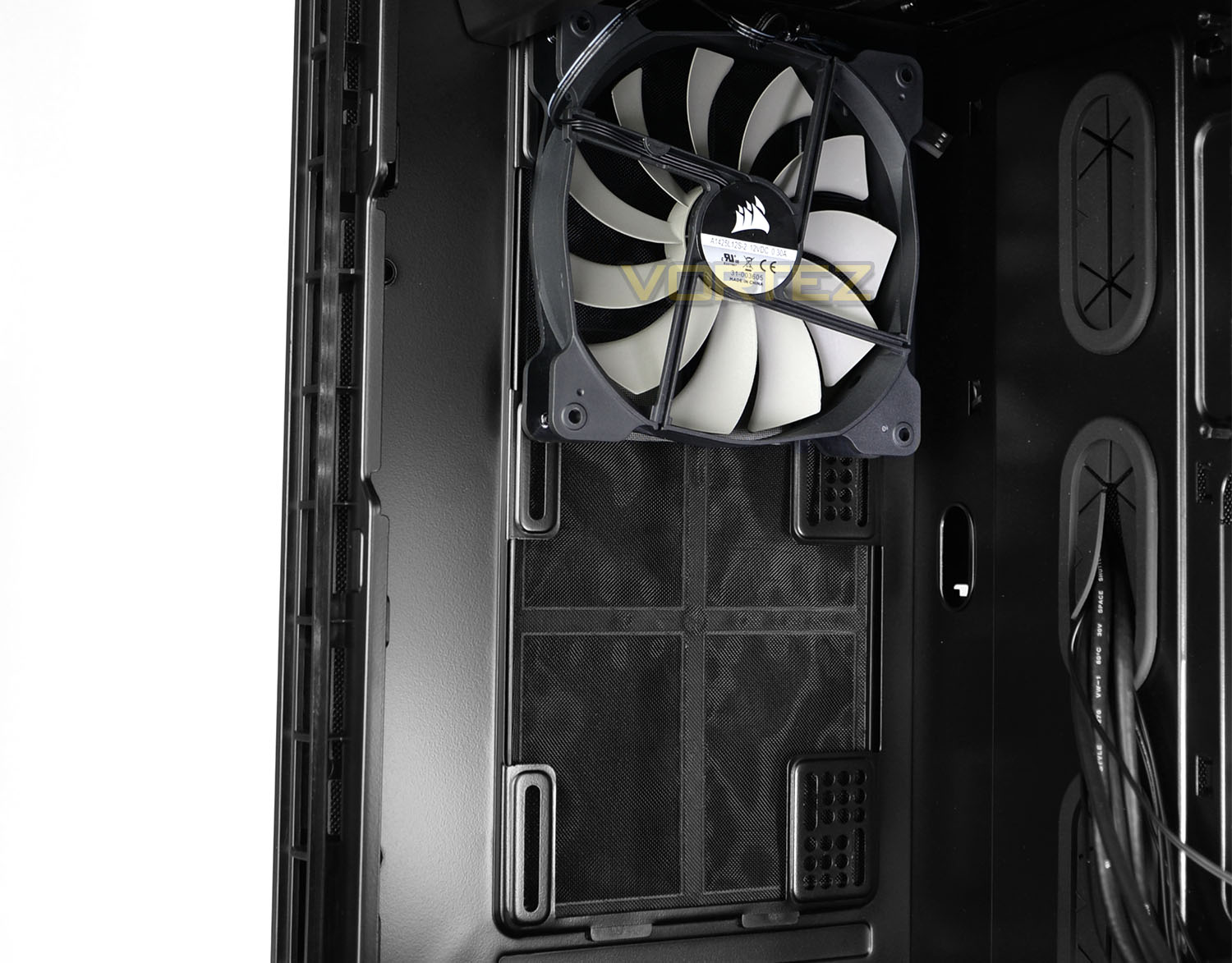
The front cooling allocation consists of a single AF140L which is configured as an intake and as mentioned previously there are mounting holes for another 140mm cooling fan – Corsair actually supply an additional AF140L with the packaging and it would be advisable to install it in this area to maximise on cooling performance (if that’s the intended purpose).
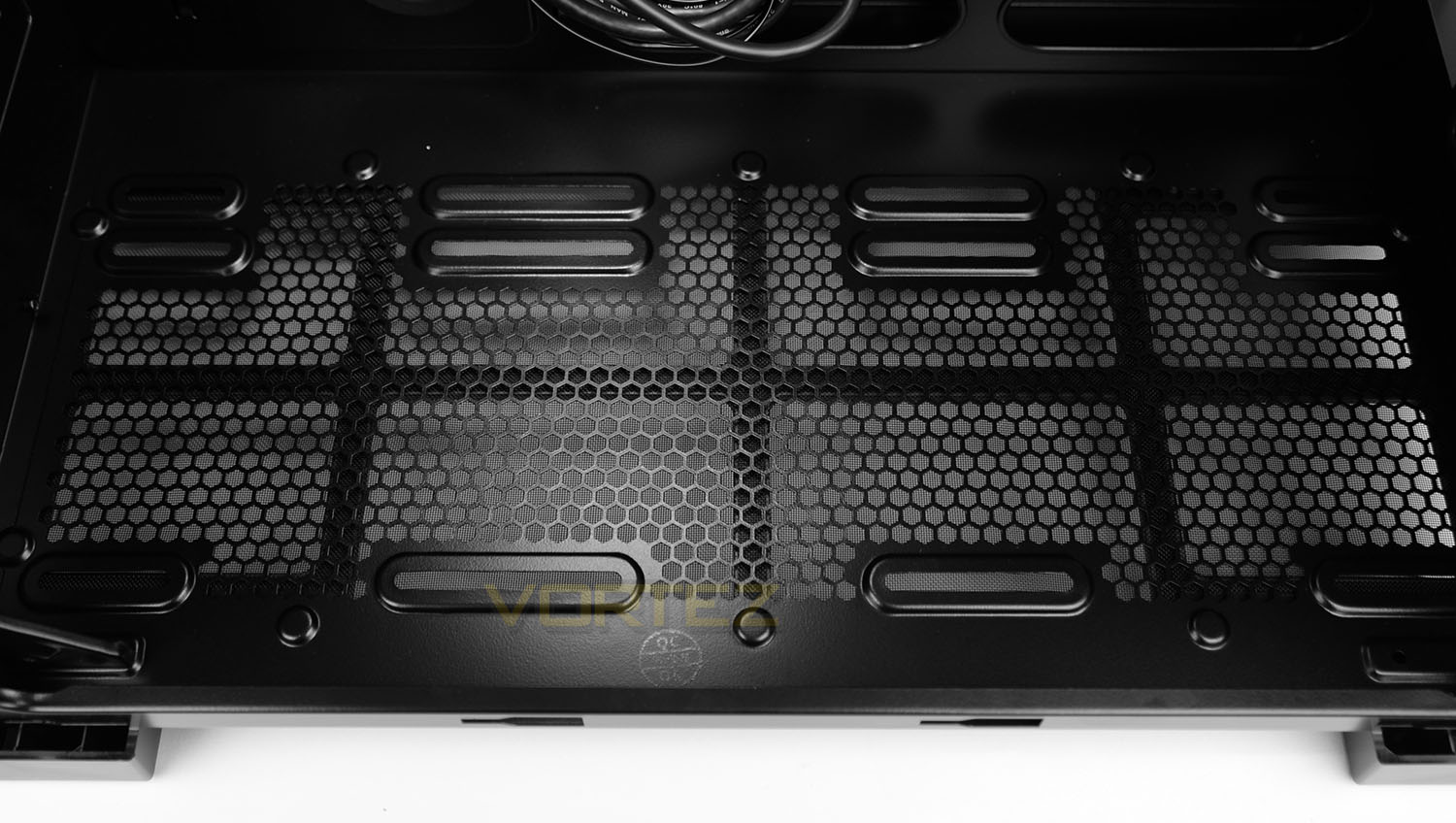
Running along the bottom of 600Q there is a large perforated mesh section which has mounting holes for installing a trio of 120mm or dual-140mm cooling fans. Since this region is also in close proximity to the CPU, we can also monopolize by installing a closed loop solution – the bottom can house a 240mm, 280mm or 360mm radiator.
Installation
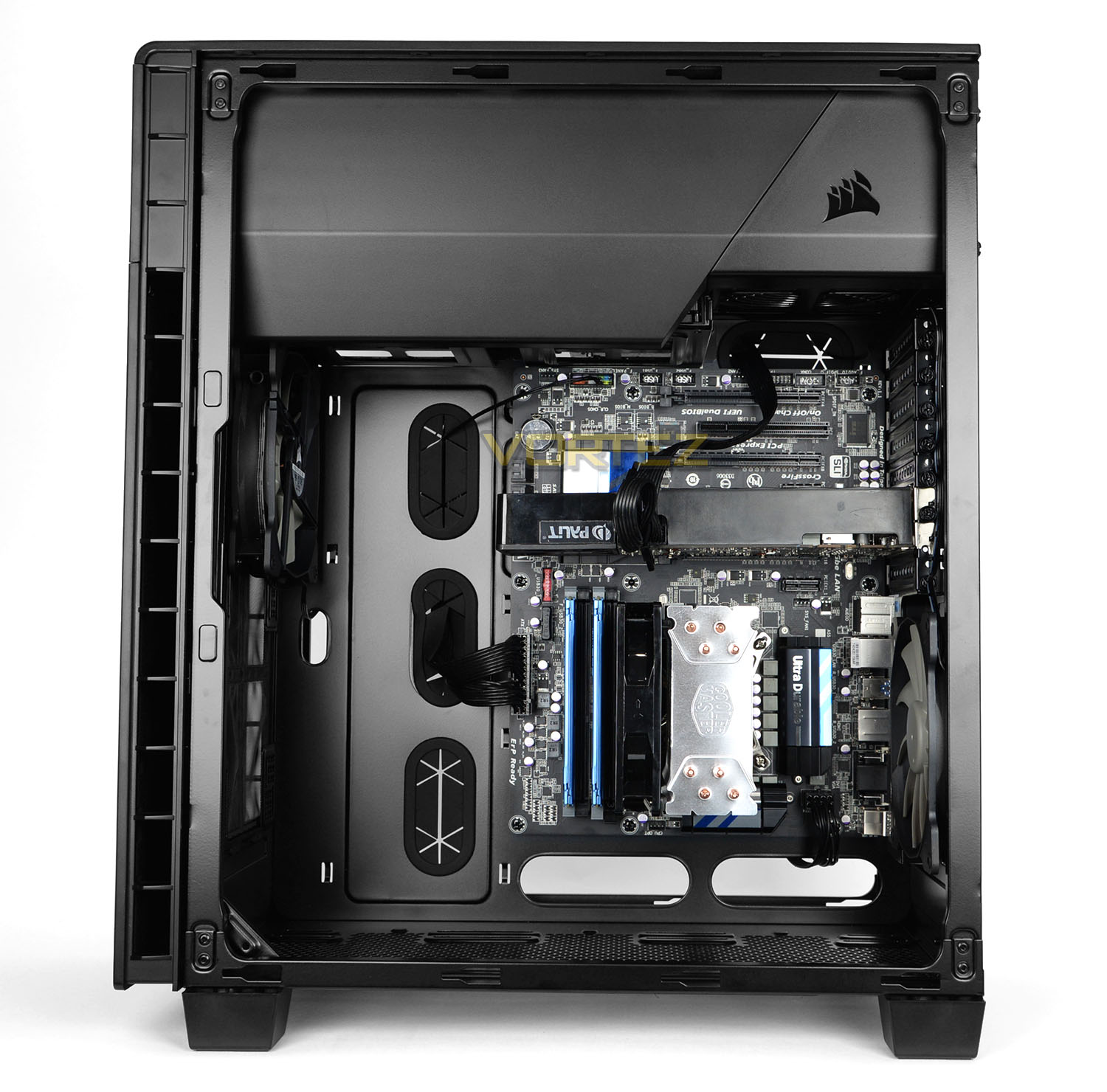
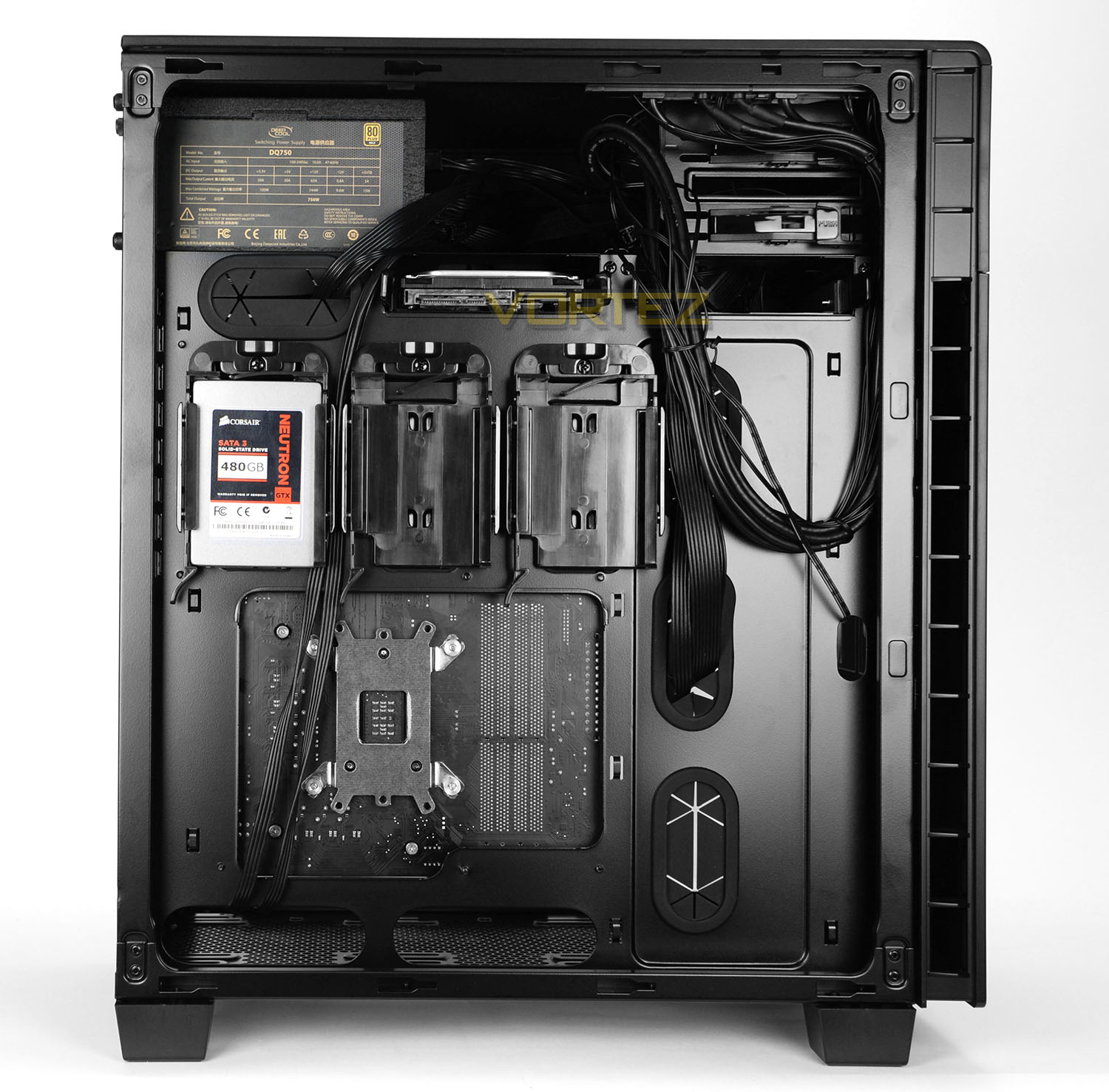
Transferring hardware into 600Q is without any issues or concerns. The installation process took very little time thanks to the space, tool-less mechanisms, and clear cable routes. The only thing we would mention is the CPU power cable has quite a distance to travel and while we’d have liked to keep it over to the far-left, due to the length of the cable, it was necessary to feed the cables between the SSD mounts as shown above. In the current position the cables cause no obstruction to these SSD mounts but for great flexibility it may be advisable to have an extension cable on-hand.
Overall, the system looks tidy and we can certainly verify that 600Q is a practical chassis to work with.
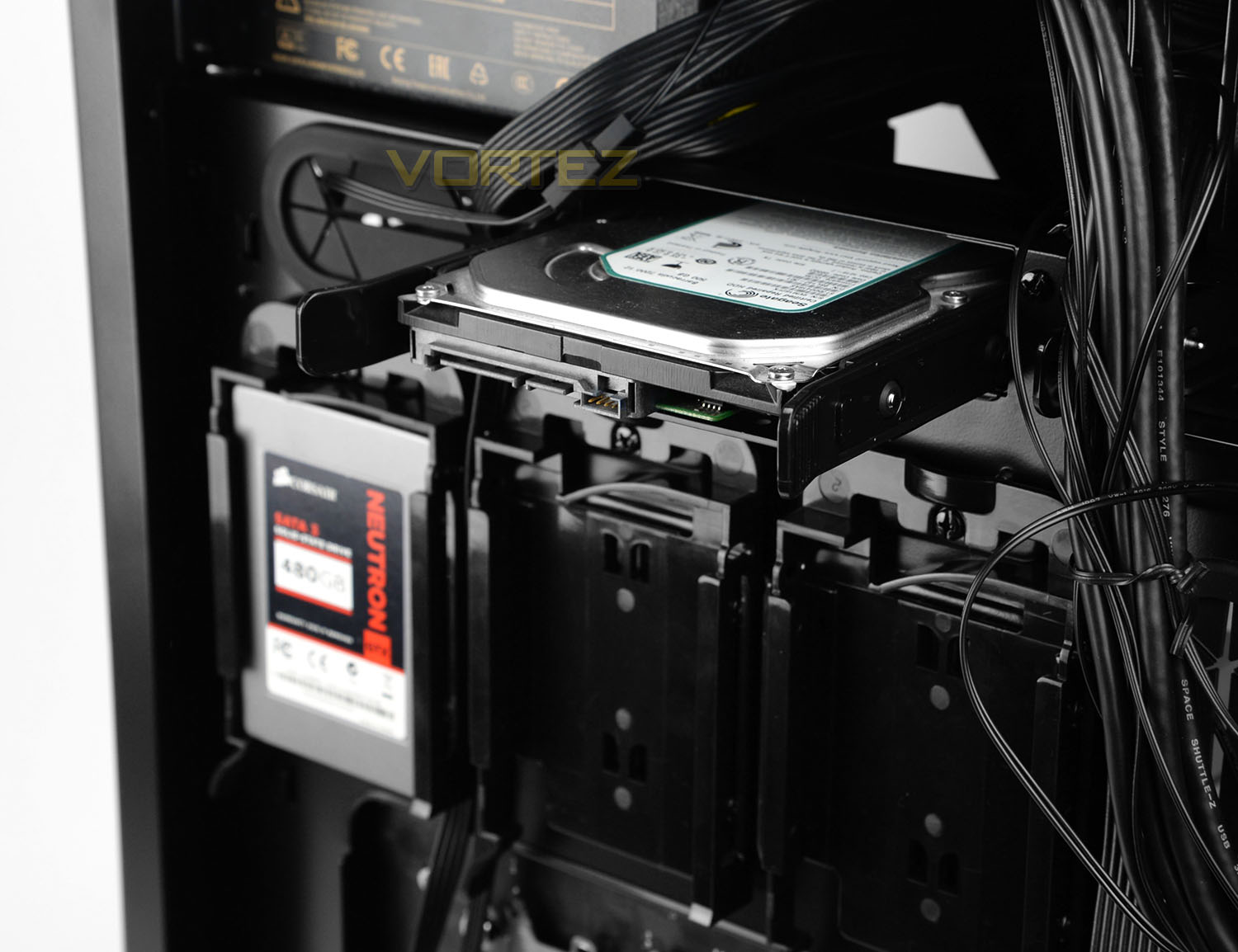
As already mentioned to install storage drives within 600Q there are tool-less techniques implemented to achieve this – the 3.5” drive is simply placed into a tray while a 2.5” (SSD) drive can be placed into docks mounted on the reverse of the motherboard tray. Both require no screws but screws can be attached for stronger/permanent fixture.
On the next page we’ll take a look at the clearance options inside 600Q.
Clearance – CPU Cooler, GPU, Cable Management, Water
Measuring the clearance options inside a computer case helps to identify whether specific hardware will fit into the chassis and this information is imperative to system builders.
CPU Cooler
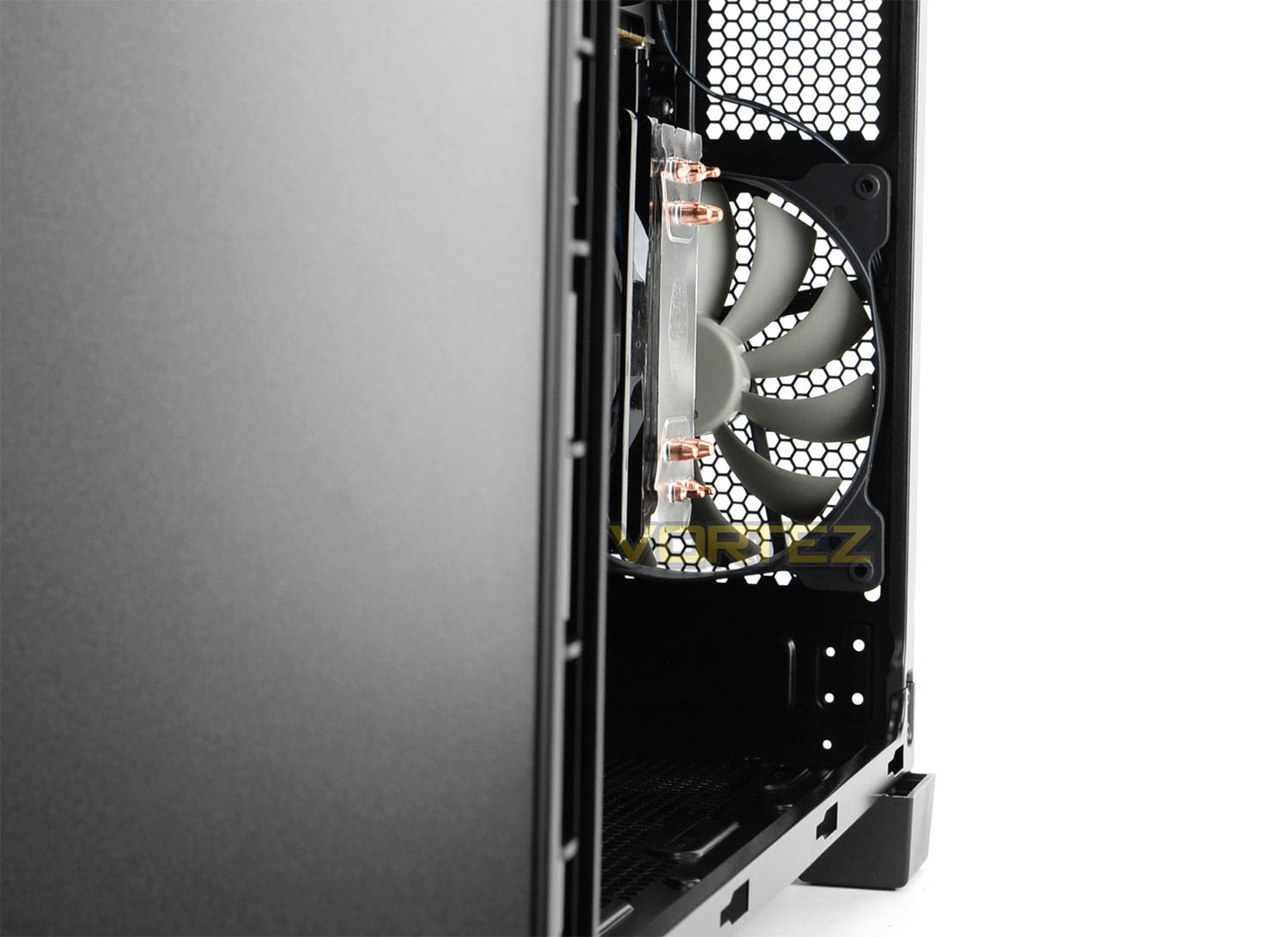
Due to the wide dimensions of 600Q, this case provides up to a whopping 200mm of space for the height of the CPU cooler. This means that flagship offerings from the likes of Noctua and Thermalright will comfortably sit within the case without any obstruction issues with the side panel. Installed in the picture above is the Cooler Master Hyper 212 EVO.
Graphics Card
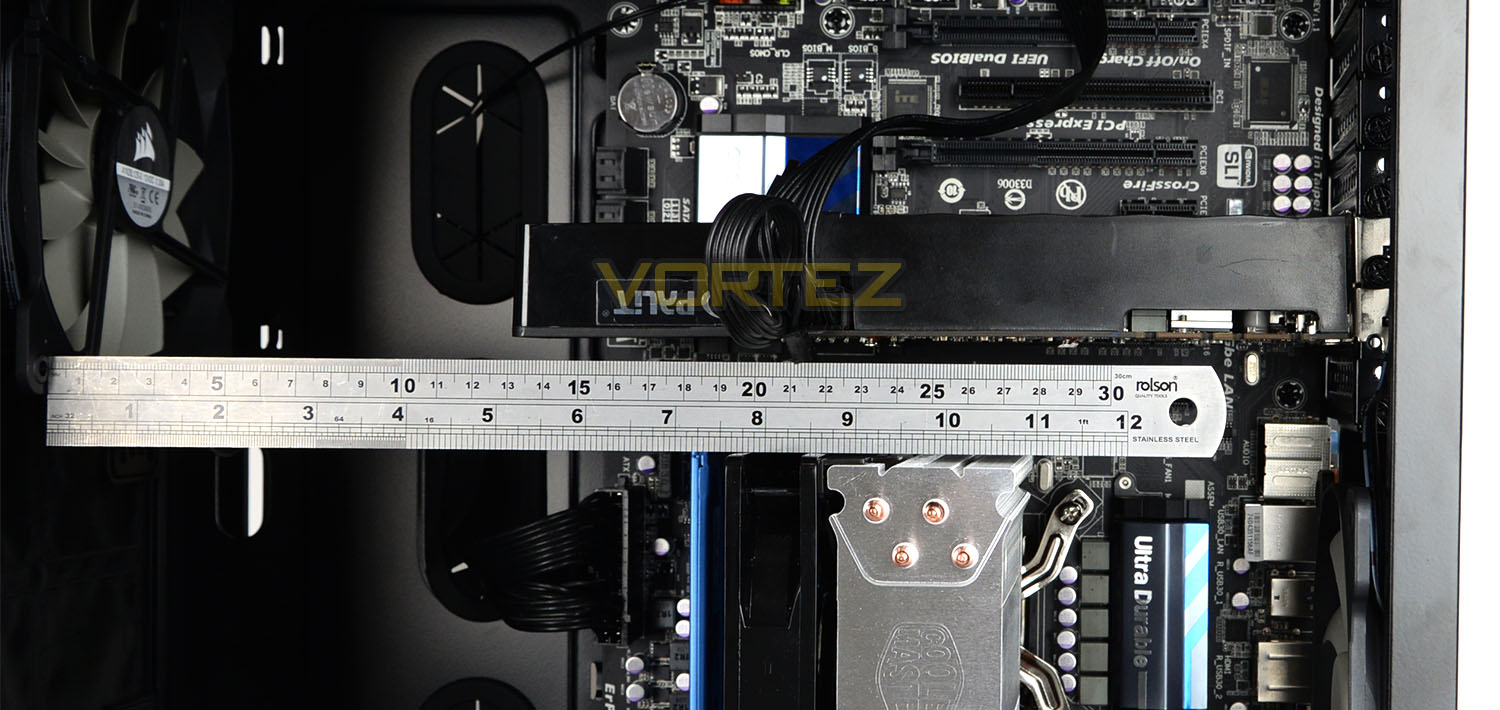
For the graphics card clearance there is approximately 370mm of clearance – which, again is quite a generous sum and will mean that high-end graphics cards can be installed. Furthermore to this, since there are no cages/devices at the front of the motherboard tray, multi-GPU configurations benefit from the space amount of clearance space too.
Cable Management
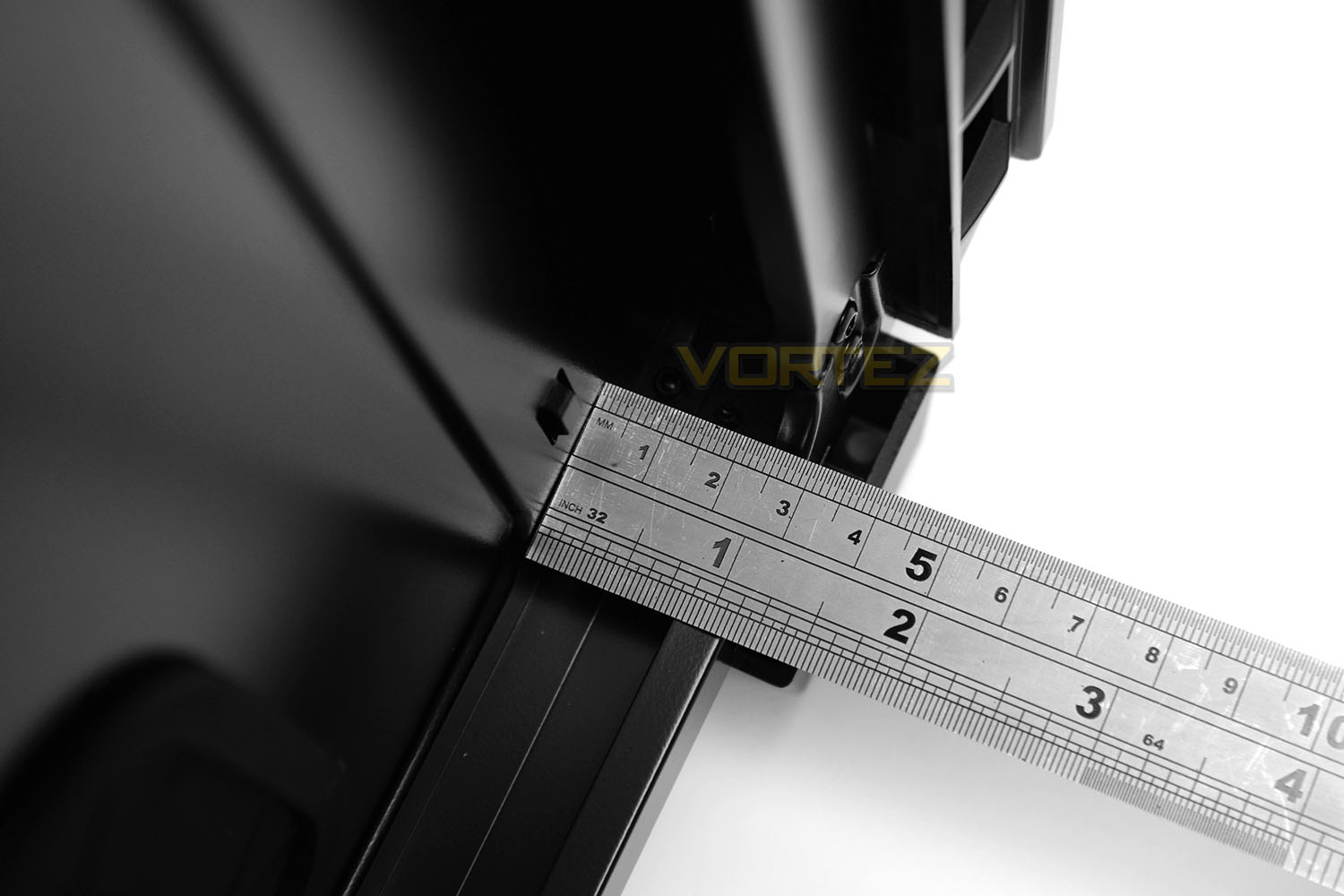
Behind the motherboard tray is the area where most cables are routed and this particular aspect of the case is essential for good cable management practise. We have up to around 20mm, which is a decent figure for routing the thicker 24-pin ATX and any other redundant cables behind the tray.
With this amount of space, we can easily get the side panel back onto the chassis without excess of cables obstructing.
Water Cooling
600Q can accommodate a 140/120mm radiator at the back, a 240/280mm radiator at the front of the chassis (after removing the cooling fan(s) of course and can also house 240, 280 and 360mm radiators at the bottom. This in turn means that there are a number of options for those wanting to use closed loops or custom water cooled setups. (Pictures coming soon).
Thermal Performance Testing
Within 600Q there two cooling fans which are 140mm in specification. One is an intake (at the front) and the other is an exhaust (at the rear). Corsair also include an additional cooling fan (140mm) to install within 600Q and for the purpose of testing we’ll be including this too– installing at the front with the other intake. So we’ll have a total of three 140mm cooling fans, delivering a push-pull configuration.
To discover the thermal performance of 600Q we will record idle temperatures after 20 minutes from a cold boot. We will then stress the system and temperatures will again be monitored after 20 minutes have elapsed.
The delta temperatures are recorded for the test with the ambient being subtracted from the reported maximum core temperatures from the test.
Fan controller will be set to maximum for this test.
System Components
CPU Intel Pentium K G3258 @ 4GHz
Motherboard GIGABYTE Z87X-D3H
CPU Cooler Cooler Master Hyper 212 EVO
Graphics NVIDIA GTX 760
Memory 4GB Kingston HyperX DDR3
HDD Samsung Spinpoint 500GB SATA-II
PSU DeepCool DQ750
Motherboard GIGABYTE Z87X-D3H
CPU Cooler Cooler Master Hyper 212 EVO
Graphics NVIDIA GTX 760
Memory 4GB Kingston HyperX DDR3
HDD Samsung Spinpoint 500GB SATA-II
PSU DeepCool DQ750
Noise
A combination of thick panels and noise damping material contribute to very low sound emitted from 600Q. Very little noise leaks from the case due to the combination of closed off panels and noise damping.

Conclusion
Corsair’s 600Q is a dramatic departure from conventional computer chassis with its routine features. Instead, this new case steps into a new arena and offers up something rather exciting and distinctive.
An initial look at from the outside of 600Q gives no indication of the elaborate design within. Externally we have a subtle, sleek and elegant appearance which oozes style. The width of 600Q hints at extra space for high-end components and this is indeed true – inside there is a spacious layout which will entertain extremely large CPU coolers, long multi-GPU configurations and a variety of water cooling solutions.
Not only is the inverted motherboard tray a quirky take on computer case design but it supplies an alternative cooling methodology too. Critical components like the CPU and its cooler are in direct airflow with the cooling fan pathway and this lends itself to great thermal performance – even though 600Q is regarded a silent chassis (which are known for being less capable for cooling). Low-noise cooling fans, thick closed off panels and noise damping material make 600Q an acoustic masterpiece; bringing noise levels to a minimum. There is even a fan controller if more regulation over sound/cooling is required.
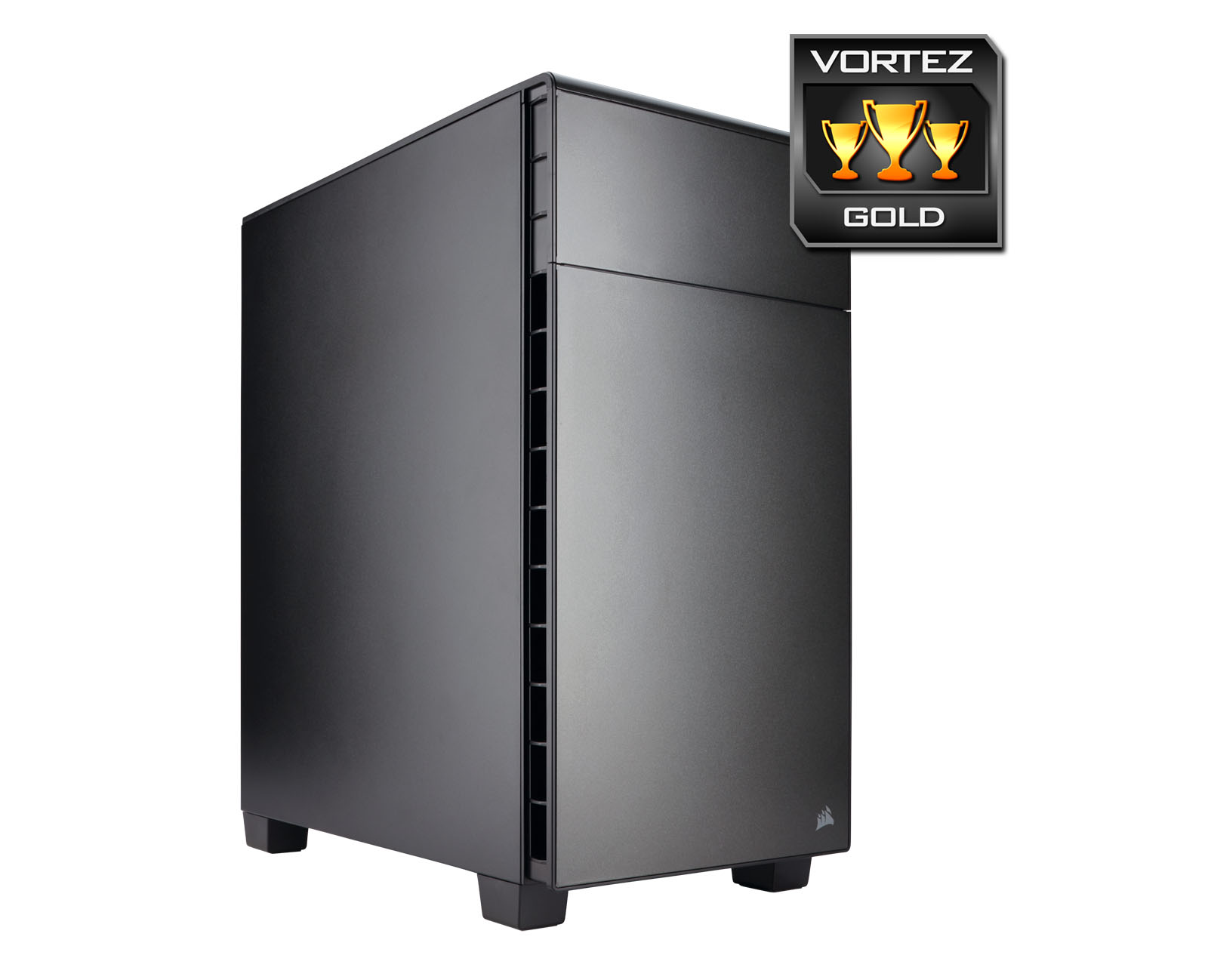
The 600Q is priced at £119 GBP / $150 USD which is stepping into a costly territory. Many cases of a similar stature in the silent case arena are priced around £90 GBP / $120 but we have to remember 600Q is unconventional, distinct and a lot of fun to build inside and offers a plethora of useful features.
Corsair’s new Carbide 600Q is a decidedly impressive computer chassis. As silent cases go, this is among one of the best we’ve had the pleasure of examining – while low-noise is the order of the day, cooling performance is also notably good too. Inside, the quirky design can accommodate a wide-selection of components including plenty of water cooling support.
VIDEO REVIEW – VORTEZ TV
Pros
+ Subtle, sleek design
+ Great build-quality
+ Low-noise
+ Easy to install hardware
+ Caters for variety of high-end components
+ Fan controller included
+ Additional AF140L supplied
Cons
– Long distance for CPU power to stretch
+ Subtle, sleek design
+ Great build-quality
+ Low-noise
+ Easy to install hardware
+ Caters for variety of high-end components
+ Fan controller included
+ Additional AF140L supplied
Cons
– Long distance for CPU power to stretch