We sink our teeth into the RIPJAWS KM780 mechanical keyboard that features RGB lighting, an aluminium faceplate and is shipped with custom keycaps.

Product on Review: G.Skill RIPJAWS KM780 RGB
Manufacturer & Sponsor: G.Skill
Street Price: US: $169.99
A little while ago we took a look at the MX780 RIPJAWS mouse. Now to compliment that, we get to have a hands on with the RIPJAWS KM780 RGB keyboard. On paper there is a lot to like, such as 100% anti-ghosting/ full NKRO, fully programmable keys, per-key customisable RGB backlighting, dedicated macros, dedicated media controls, bonus keycaps and a wrist rest as well as the fan favourite USB/audio pass-through. Then, we get a choice of Cherry MX Red, Blue and Brown flavours that are set into a beautiful black anodized aluminium faceplate. It almost sounds a little too good to be true. This is where we would have to point you towards its pricing, at $169.99, it will have to make a strong impression against some tough competition.
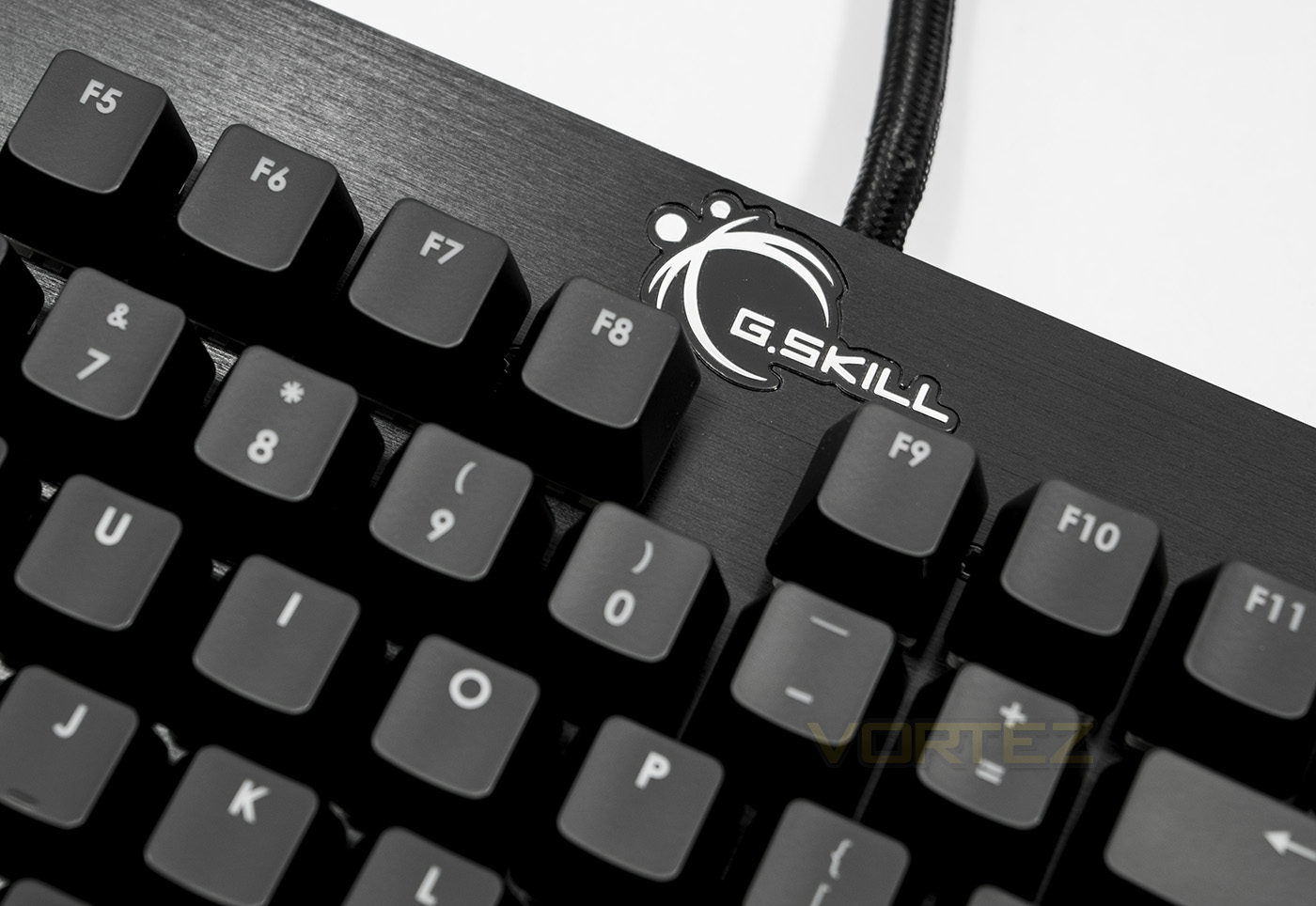
Overview by G.Skill
100% Cherry MX mechanical keyswitch in RGB backlighting, per-key programmability, on-the-fly macro recording, 6 extra macro keys, full media control with LED volume display, foldable mouse cable holder, and custom gaming keycaps. The RIPJAWS KM780 RGB mechanical gaming keyboard is designed and built with durability and practicality in mind for the ultimate gaming and typing experience.
Technical Specifications
Series: KM780 Mechanical Gaming Keyboard
Keyboard Type: Mechanical
Key Switch: Cherry MX RGB Brown Switch
Backlighting: Yes
Anti-Ghosting: Yes
Full N-Key Rollover: Yes
Gaming Mode Option: Yes
On-board profile: 3
Additional Macro Keys: 6
Dedicated Media Control Panel: Yes
Audio-in and Microphone-out: Yes
USB Passthrough: Yes
Mouse Cable Holder: Yes
Detachable palm rest: Yes
Dimensions: 518 x 172 x 48 mm
Dimensions w/ palm rest: 518 x 228 x 48 mm
Weight: 1.36 kg
Weight w/ palm rest: 1.54 kg
Warranty: 2-Year Limited Warranty
Keyboard Type: Mechanical
Key Switch: Cherry MX RGB Brown Switch
Backlighting: Yes
Anti-Ghosting: Yes
Full N-Key Rollover: Yes
Gaming Mode Option: Yes
On-board profile: 3
Additional Macro Keys: 6
Dedicated Media Control Panel: Yes
Audio-in and Microphone-out: Yes
USB Passthrough: Yes
Mouse Cable Holder: Yes
Detachable palm rest: Yes
Dimensions: 518 x 172 x 48 mm
Dimensions w/ palm rest: 518 x 228 x 48 mm
Weight: 1.36 kg
Weight w/ palm rest: 1.54 kg
Warranty: 2-Year Limited Warranty
Packaging & Bundle
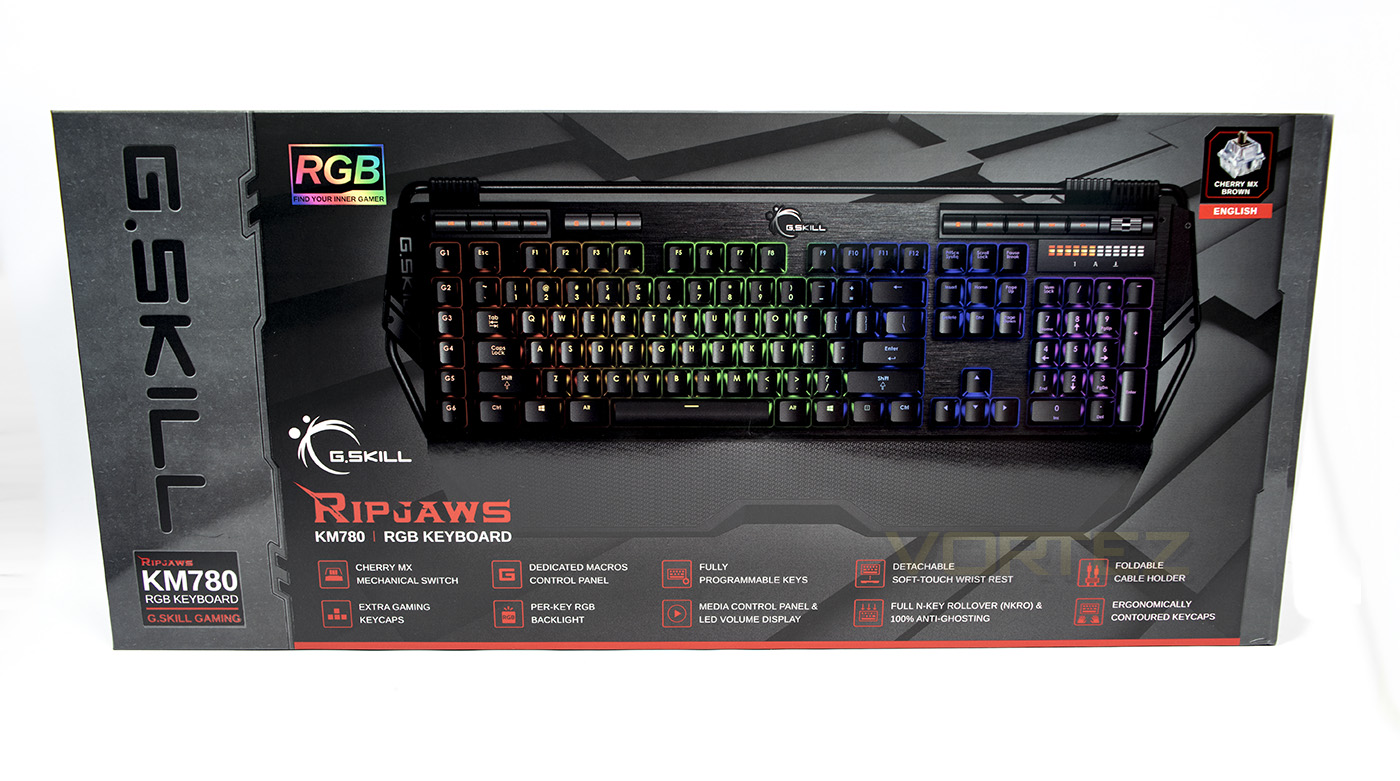
The box style is cleanly laid out, displaying many features along the bottom and shows us that this model uses the Cherry MX Brown switches.
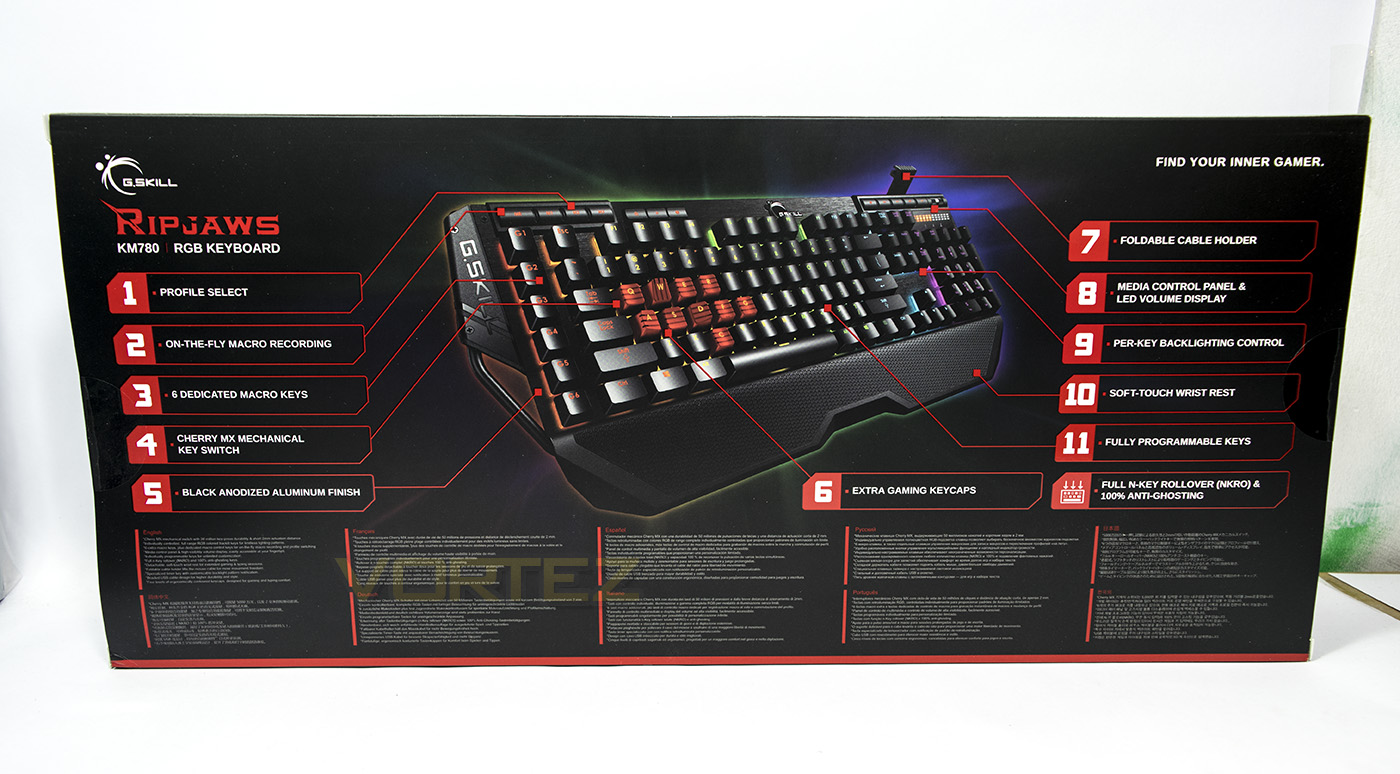
At the back we get a large diagram and shows us that it includes additional gaming keycaps.
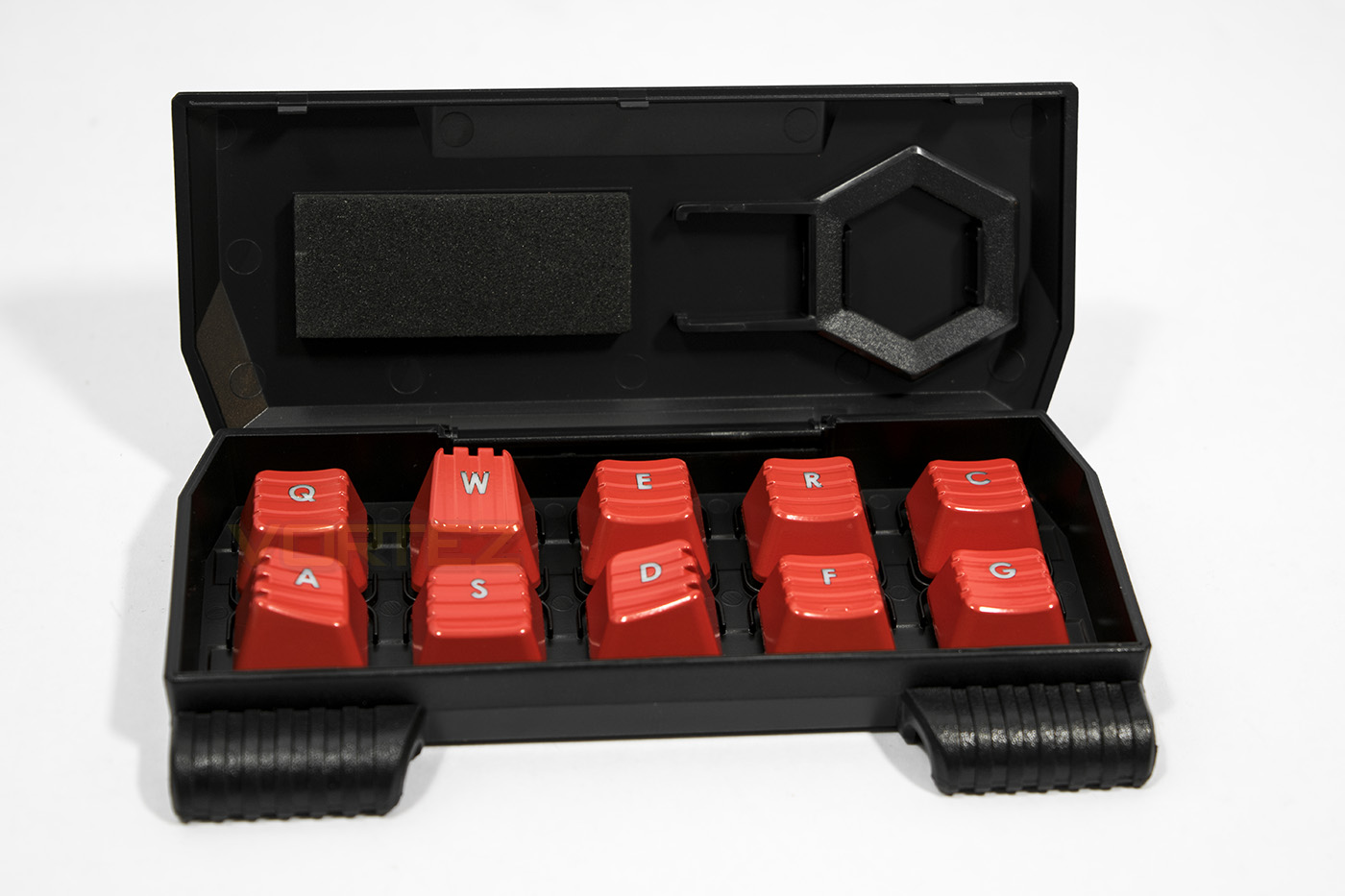
The extra keycaps come in their own case that can clip to the keyboard. It houses an extra 10 shaped keycaps that are set in bright red and also includes a keycap remover.
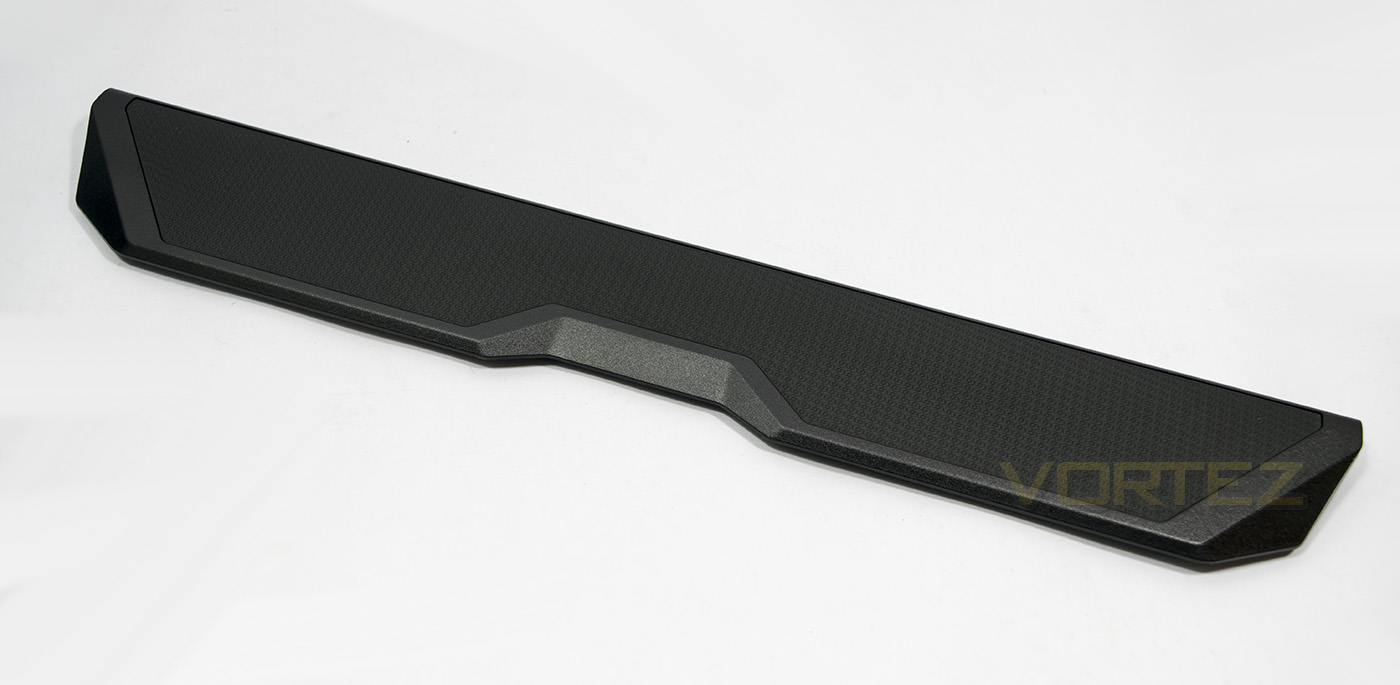
The KM780 also includes a large wrist rest.
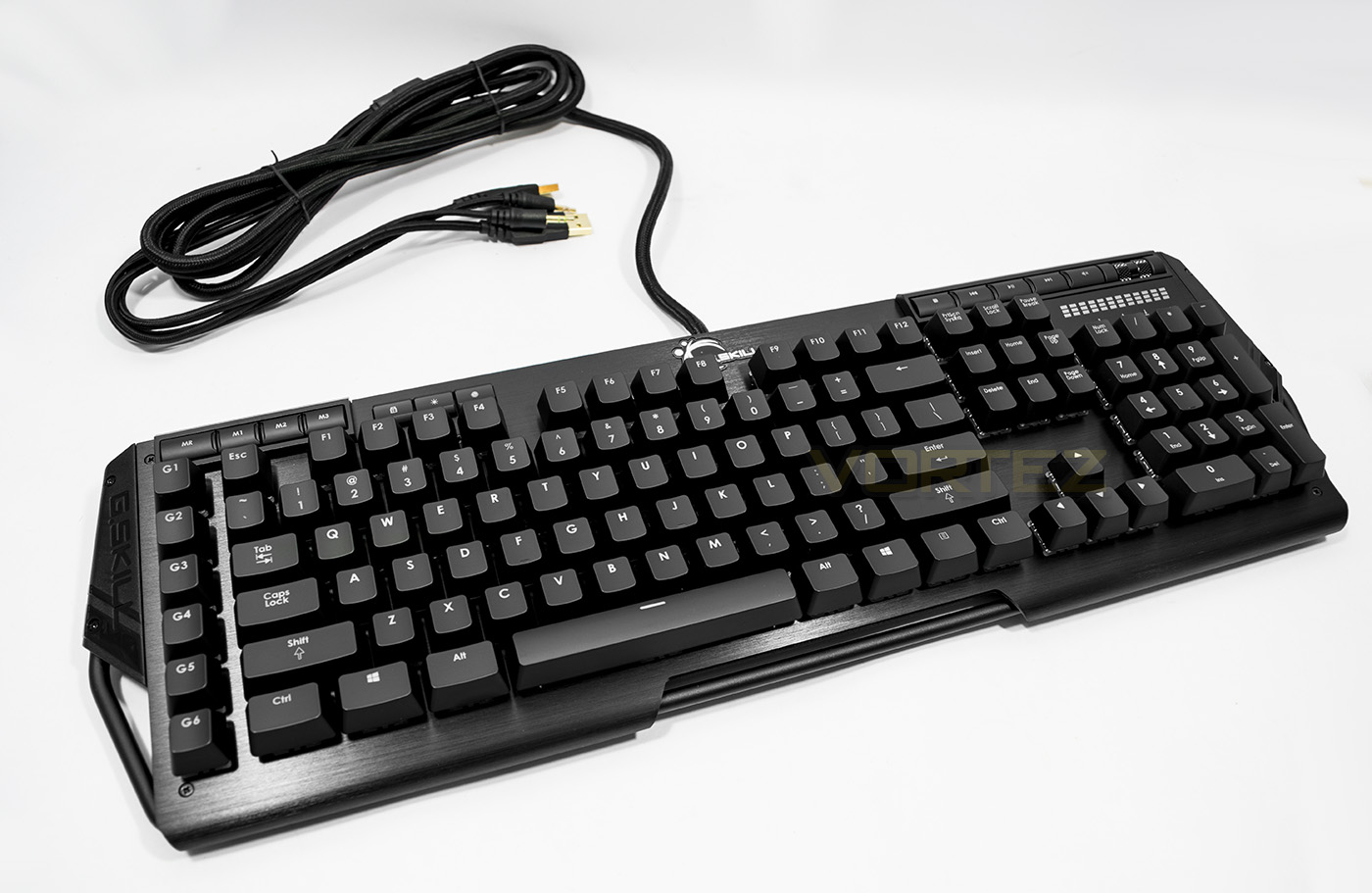
The KM780 has an interesting design, using a large metal rod which surrounds the entirety of the frame. The switches are set into an anodized black aluminium faceplate which looks very sleek, and will be easy to keep clean from dust.
Closer Look
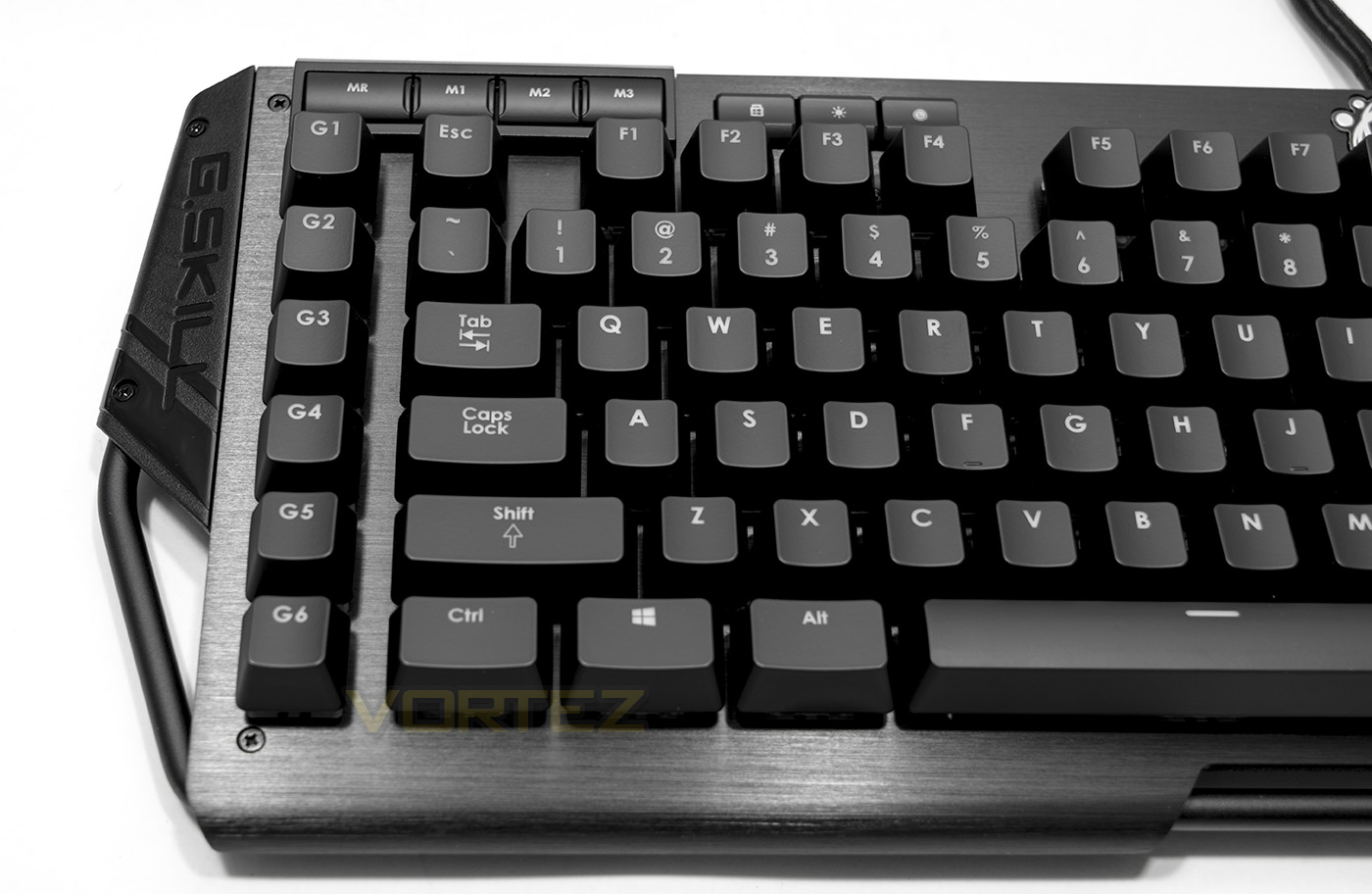
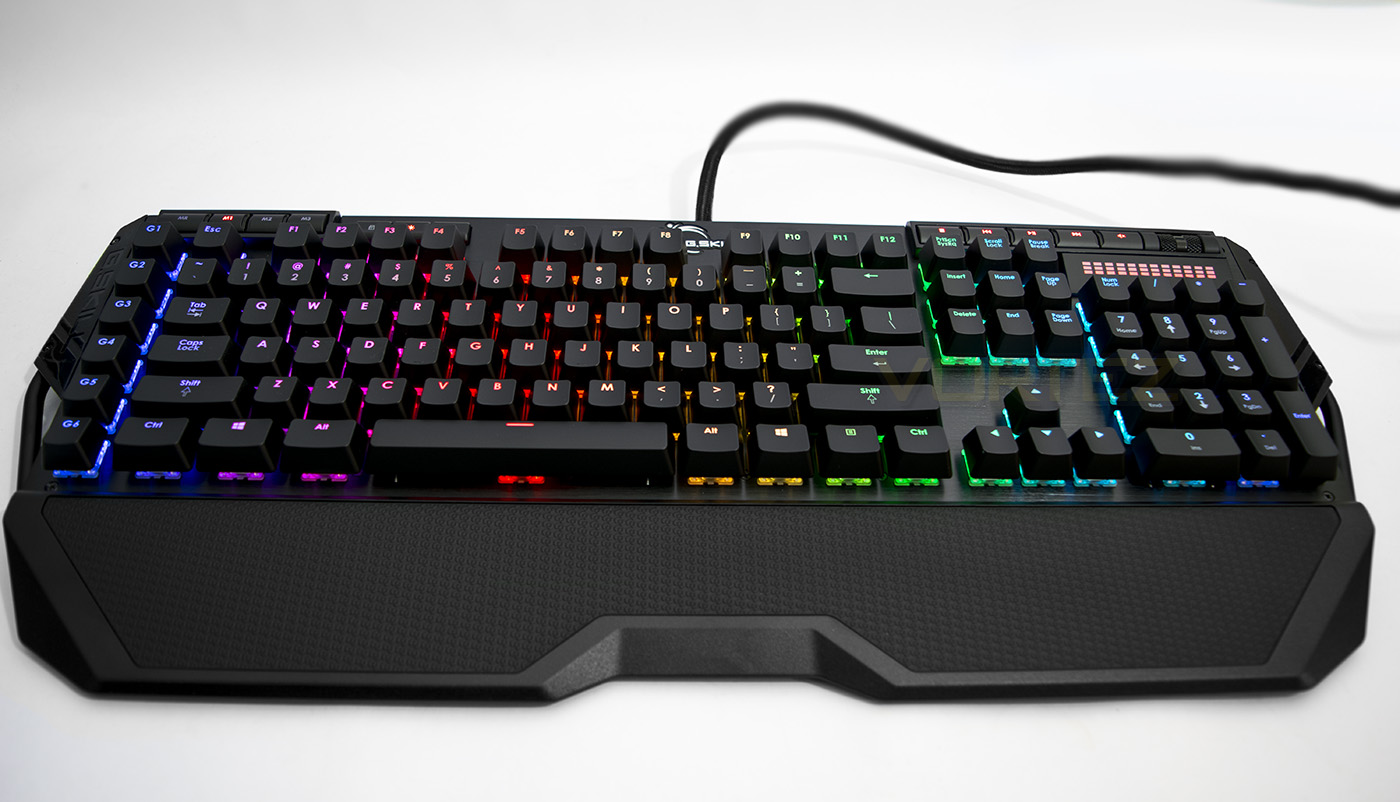
On the left side of the keyboard we get a closer look at the bar that surrounds the KM780 keyboard which acts as an interesting mount for the faceplate as well as the keycap case and the mouse cable router (currently folded). There are 6 dedicated macro keys on the left hand side, and in the top left there is a macro record button, and 3x mode buttons. Along the top there is also a windows lock key, LED brightness key and a timer/alert key.
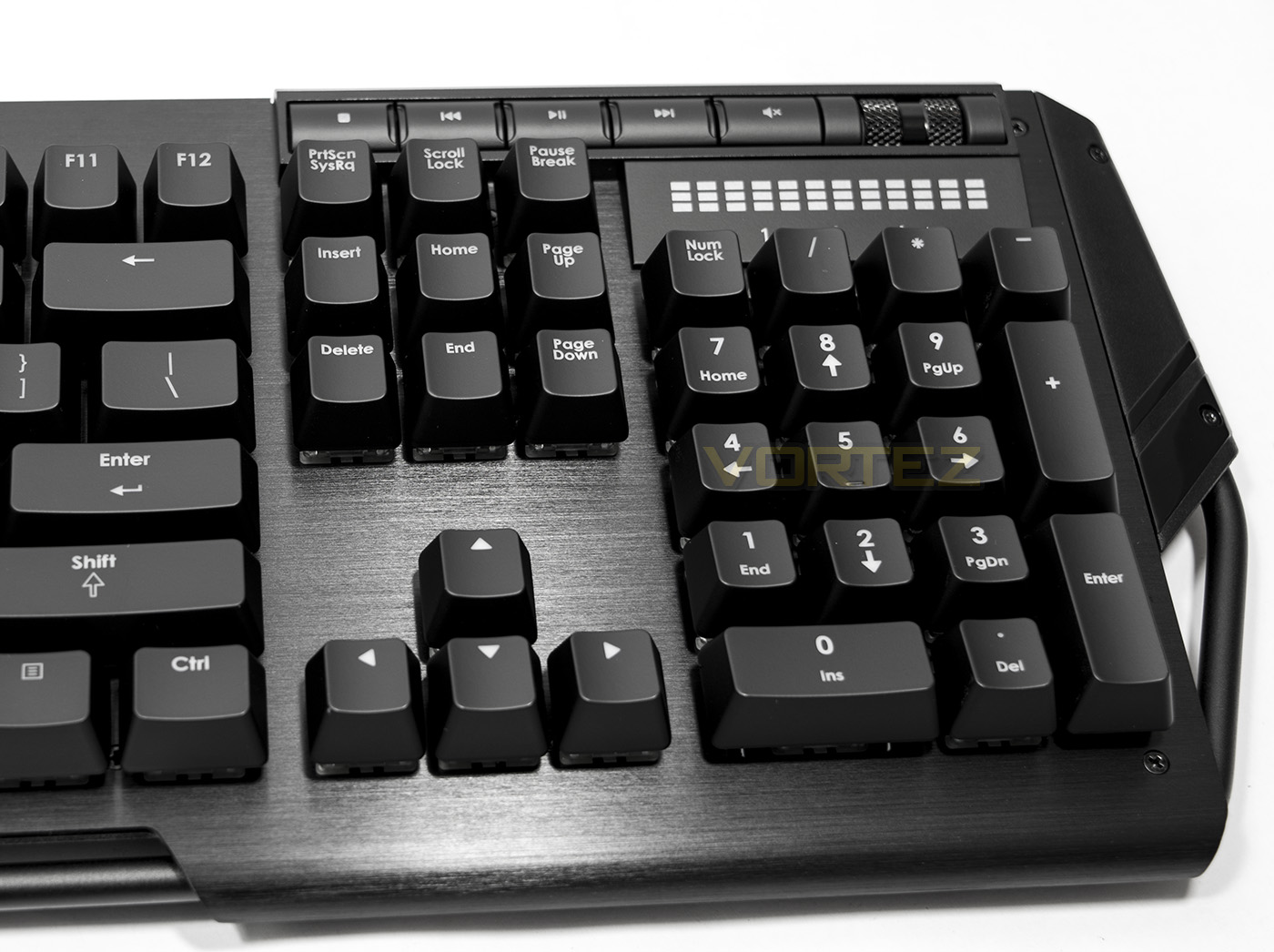
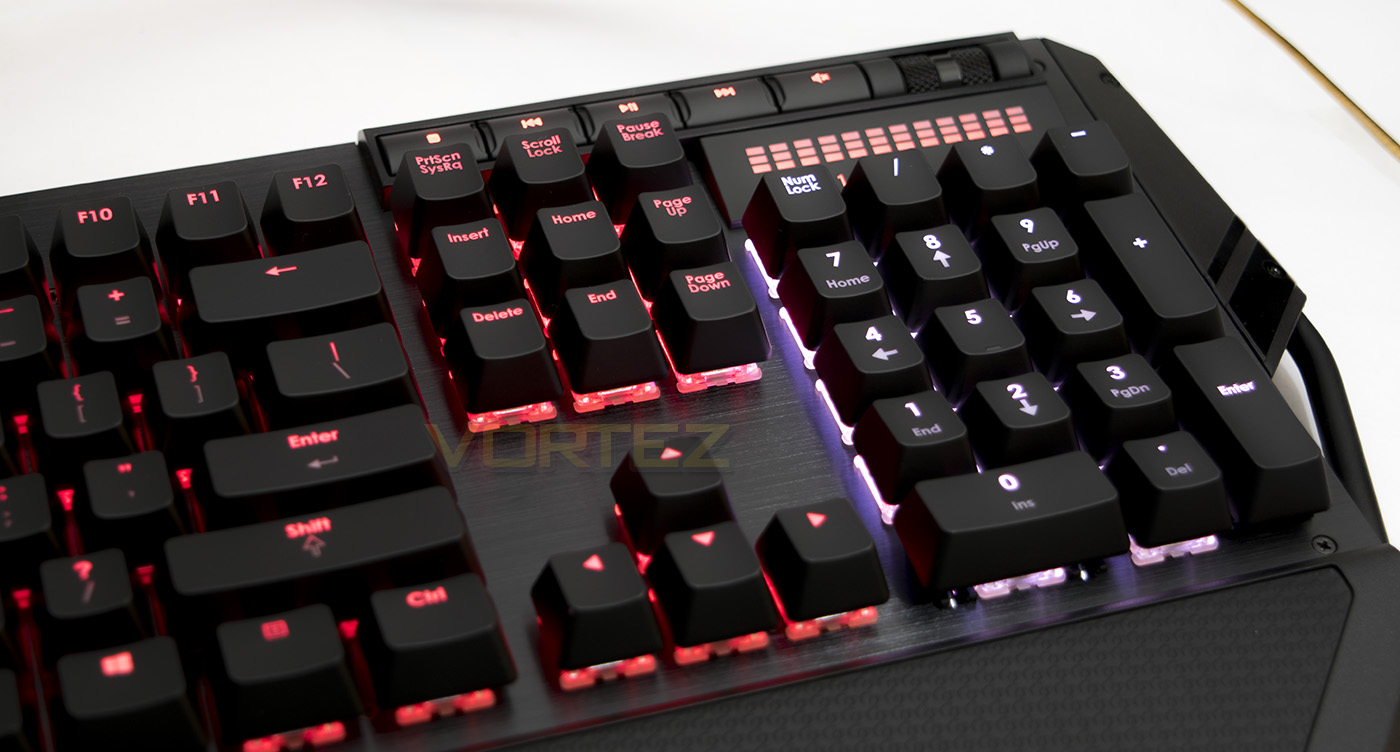
Rather than going down the route of using an Fn key, G.SKILL have included a set of dedicated media keys including a volume roller and an LED volume indicator.
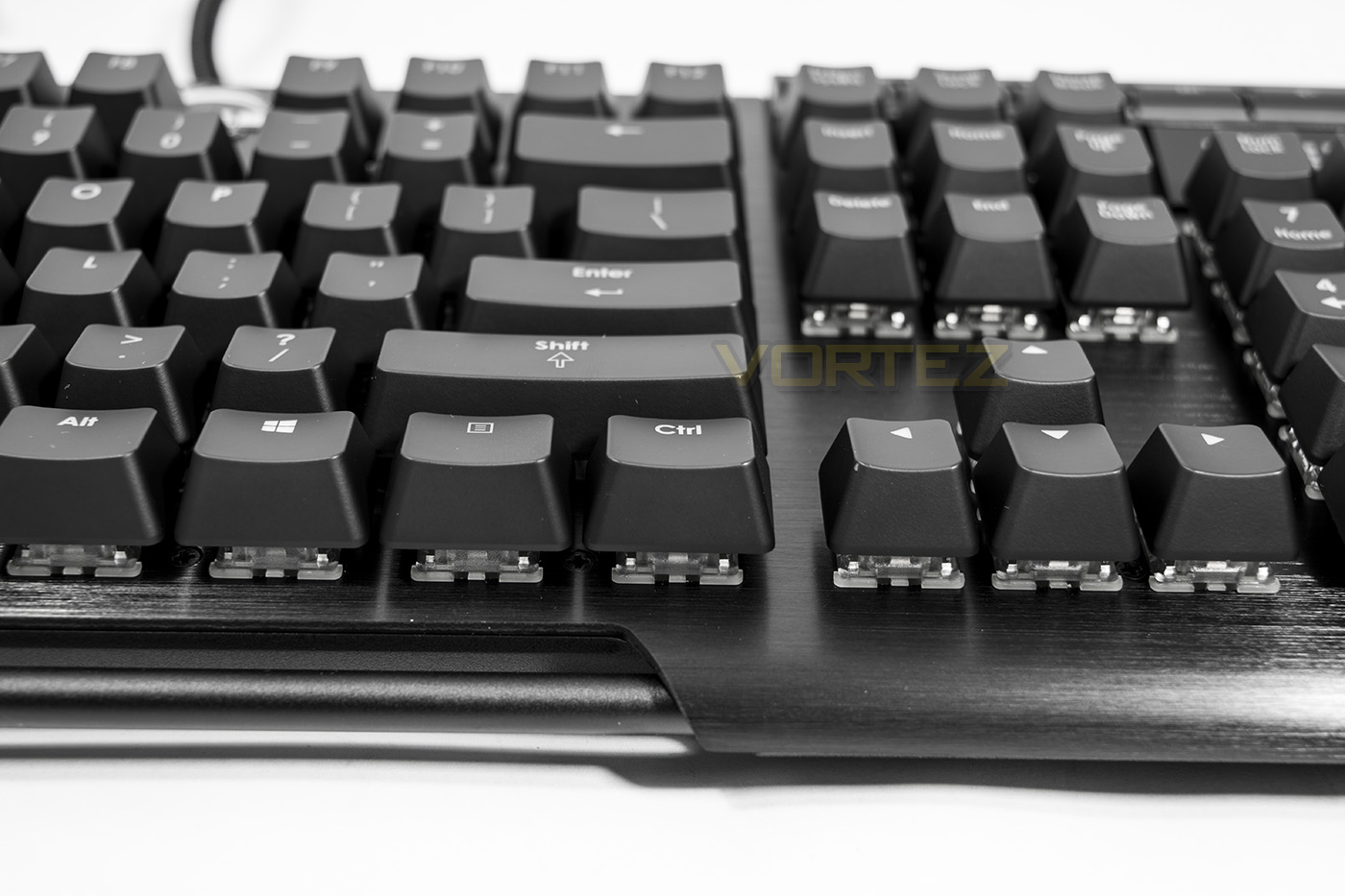
Unlike some of the other keyboards we have seen lately, this keyboard doesn’t sport a white background to help the LED lighting pop out, (as seen on the Corsair STRAFE RGB and the Razer Blackwidow Chroma), though it does have the advantage of having the switches set directly into the aluminium faceplate, meaning it will be much easier to clean as there is no cavern for dust or hair to get caught.
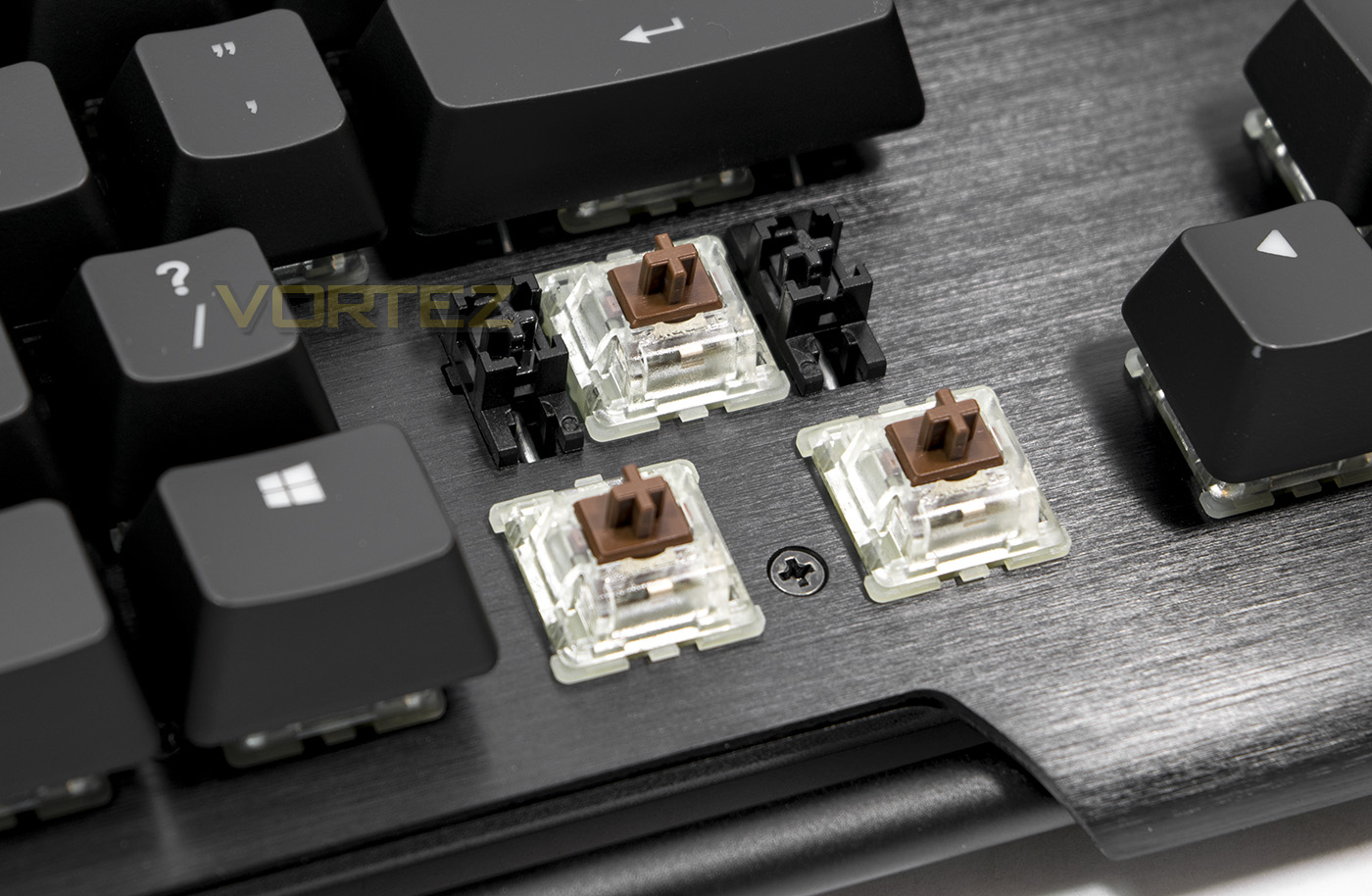
Using genuine Cherry MX Brown along with the large key assists.
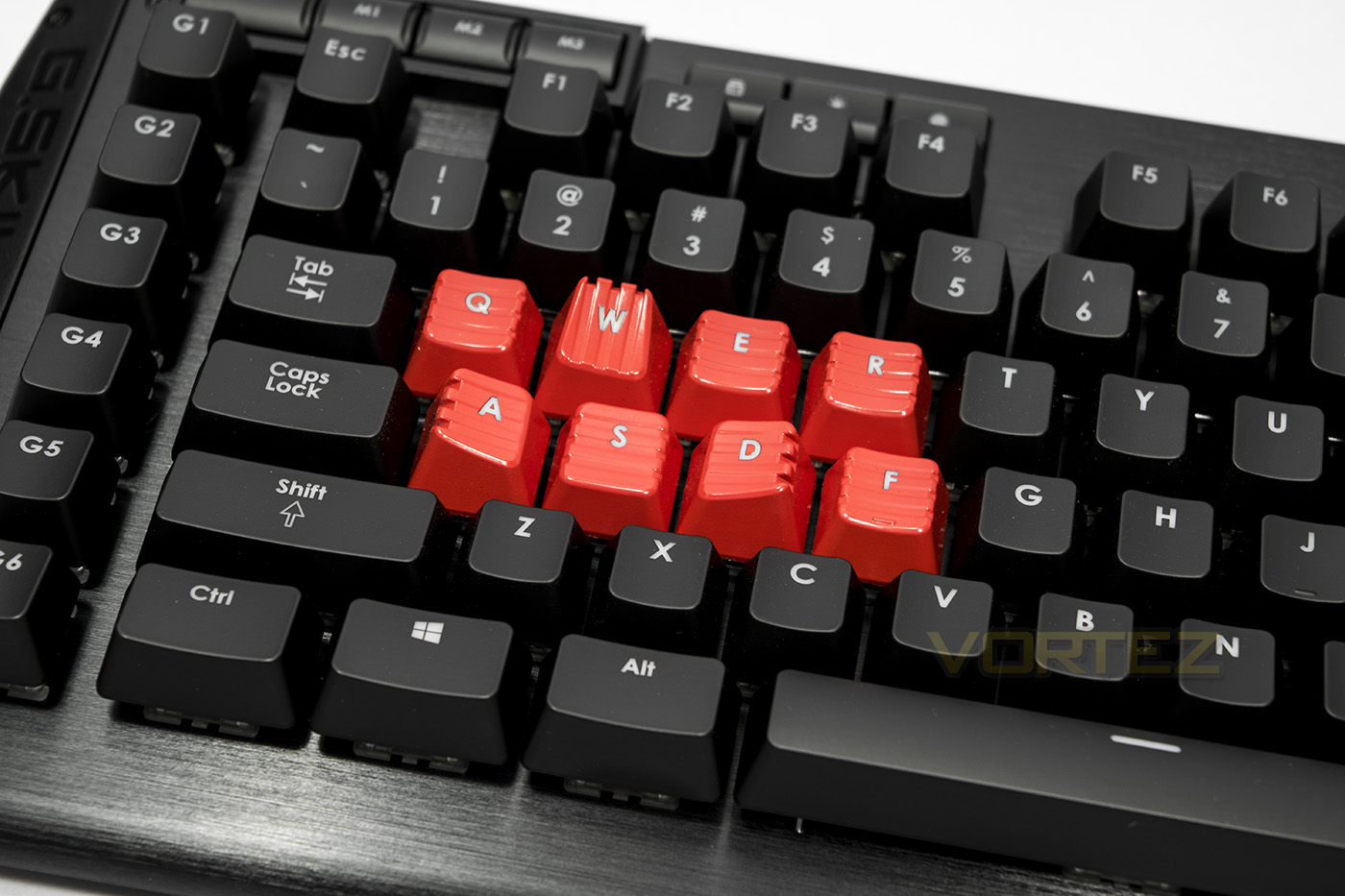
Installed some of the gaming keycaps as to what we would normally use, note the tactile shape of the WAD keys to help with easy locating of the WASD keys.
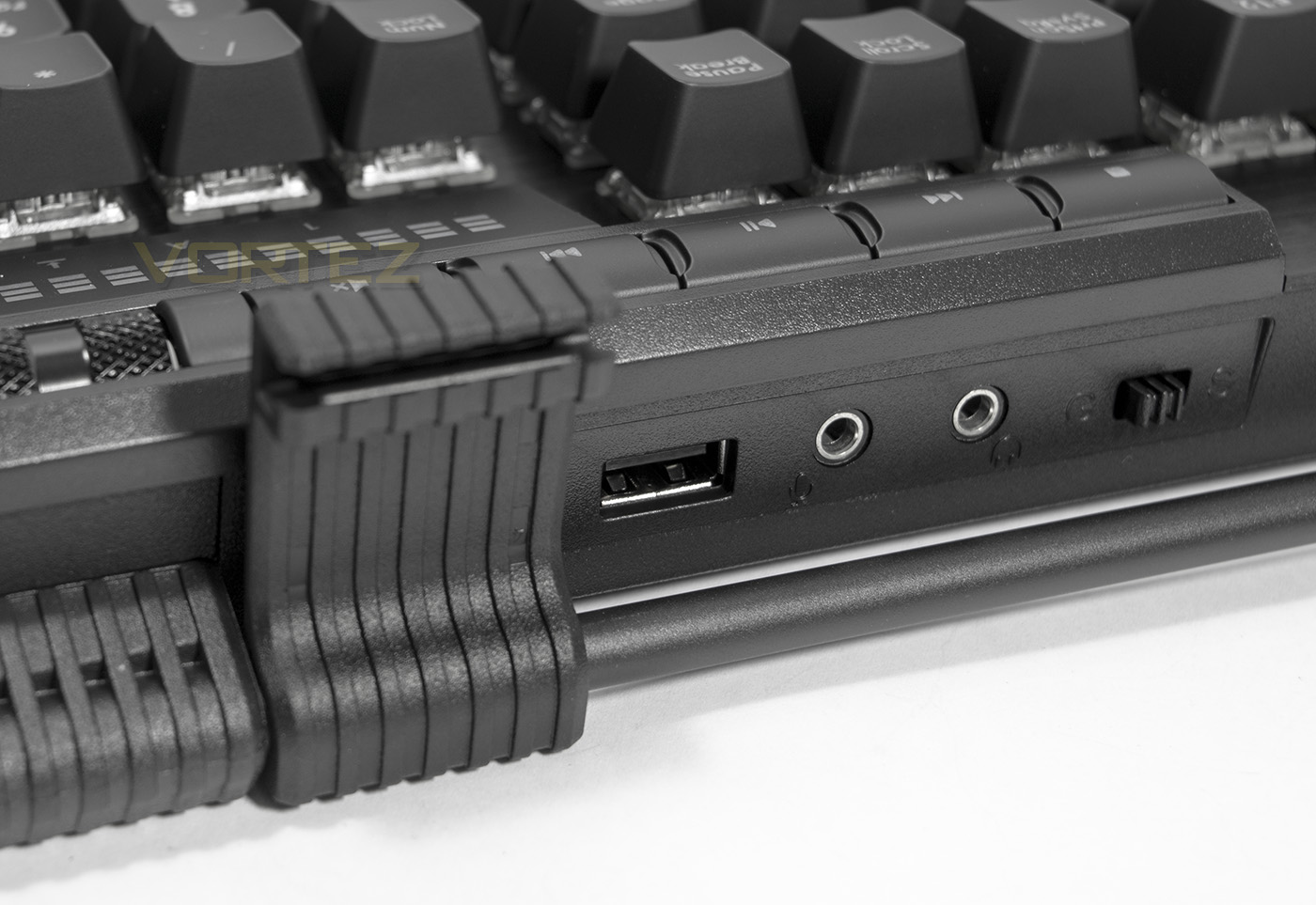
On the left is the mouse cable router folded out, next to the USB and audio ports. The switch is used to select full NKRO (G) or 6KRO (S).
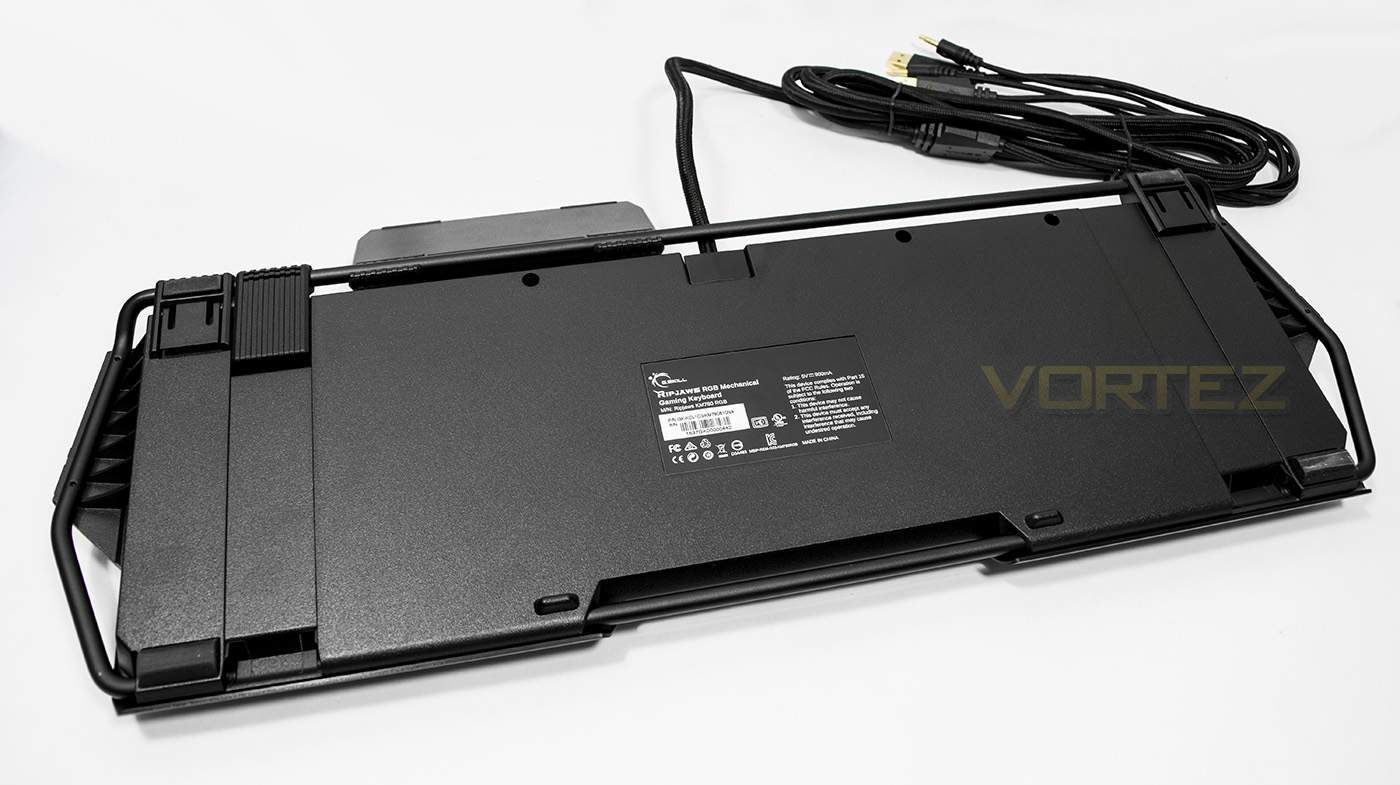
The underside is rather plain, but gives a good show of the metal rod that surrounds the keyboard. Looking at it from this perspective makes you wonder if people would prefer a slightly smaller keyboard over the design/functionality, but it is a welcome change.
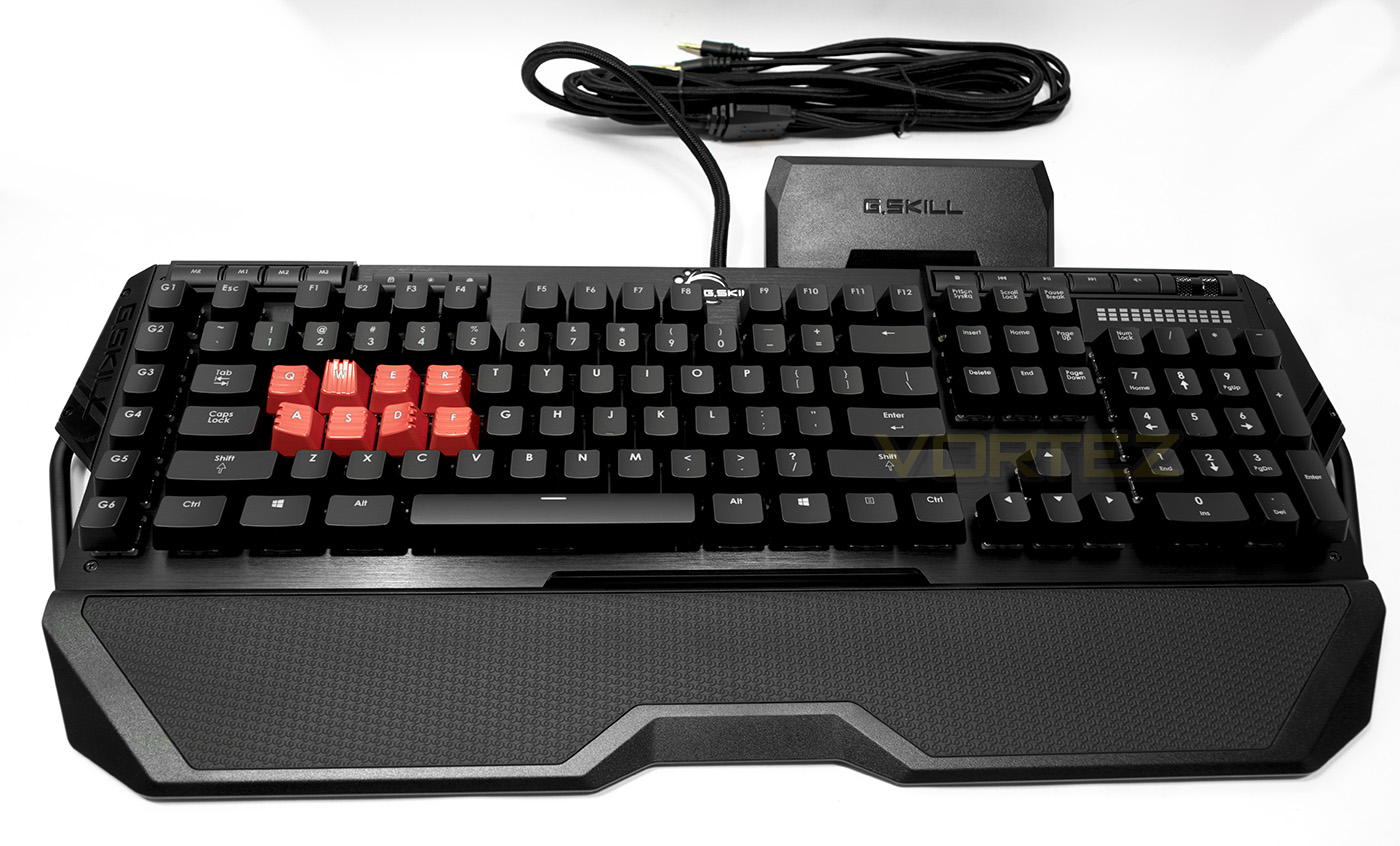
The RIPJAWS KM780 looks elegant with notes of aggressive gamer styling, almost a perfect fusion aesthetically.
Software & Lighting
On plugging in, the keyboard will glow a monotone red colour and will provide you with basic functionality. To customise the lighting, save macros and reprogram the keys you will need to download and install the latest software/firmware, it would also be useful to read the user guide.
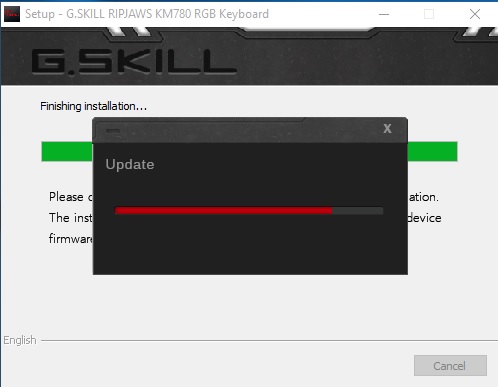
Once completing the installation process, it will automatically update the keyboards firmware. The layout is similar to the Corsair Utility Engine, and is easy to navigate through each tab with the keyboard display representing each key. There are various drop down menus for changing the lighting effect and can be a little confusing, but with a little trial and error it is easy to figure out. The macro recorder is comprehensive and easy to work with, and unlike some it records mouse buttons/clicks also.
In conclusion, the software is certainly headed in the right direction, unfortunately we did have several issues with getting it to run correctly on Windows 10. After installation we could only open the software once, and if we wanted to access the software again, we needed to restart our system. Though it would appear that there are regular software/firmware updates so hopefully this will be fixed, though this is something we also observed with the supporting software for the MX780 mouse. There is a note about software/firmware compatibility for proper operation of the download page, as well as mentioning that Microsoft .NET Framework 3.5 is required, though none of this helped.
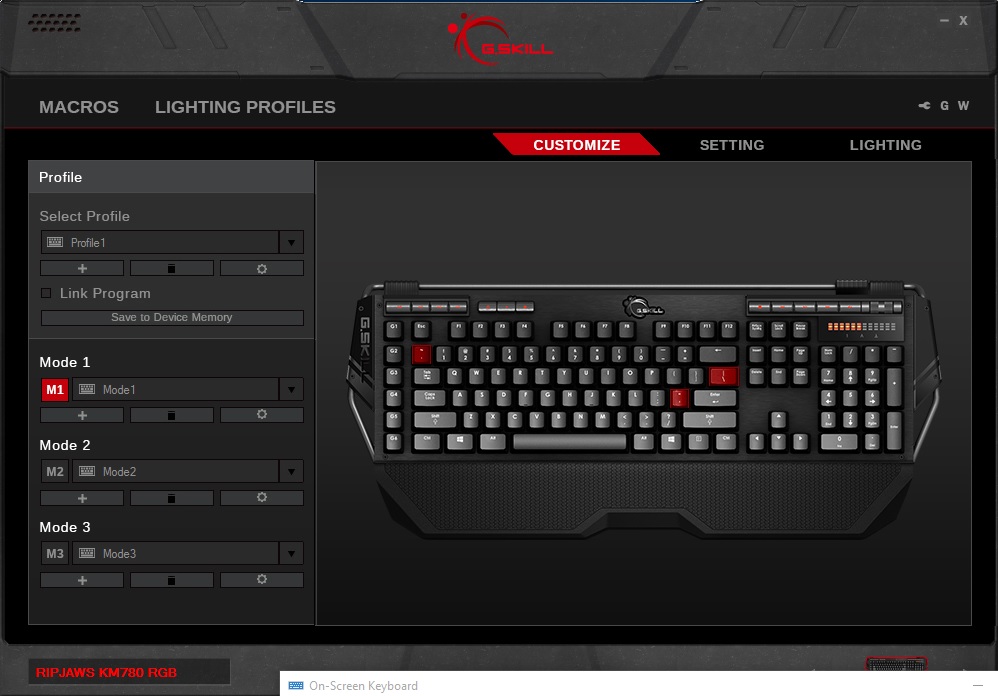
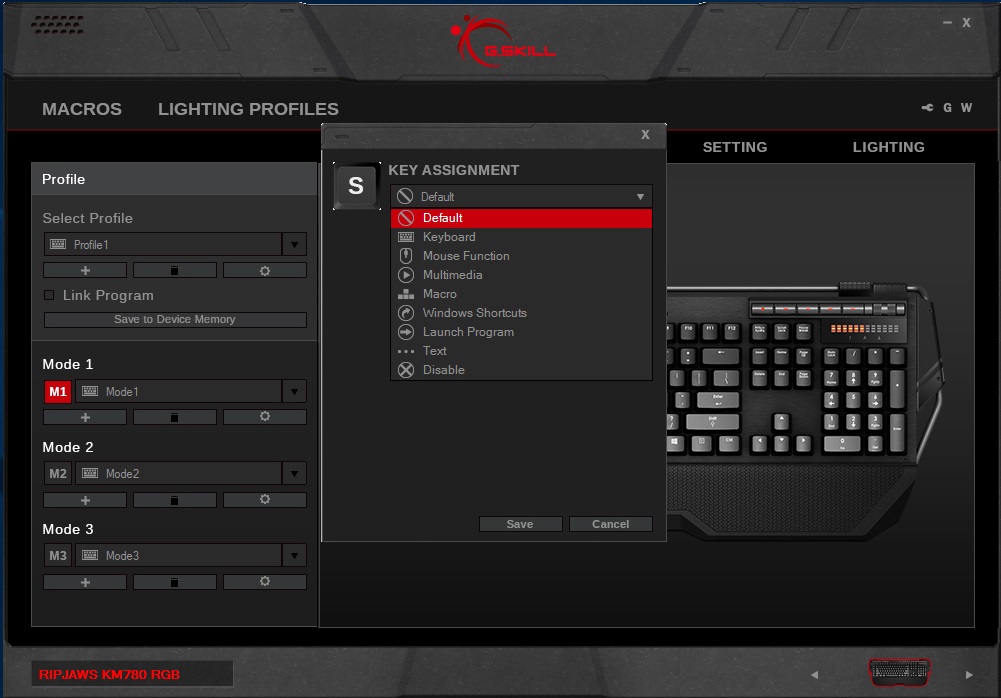
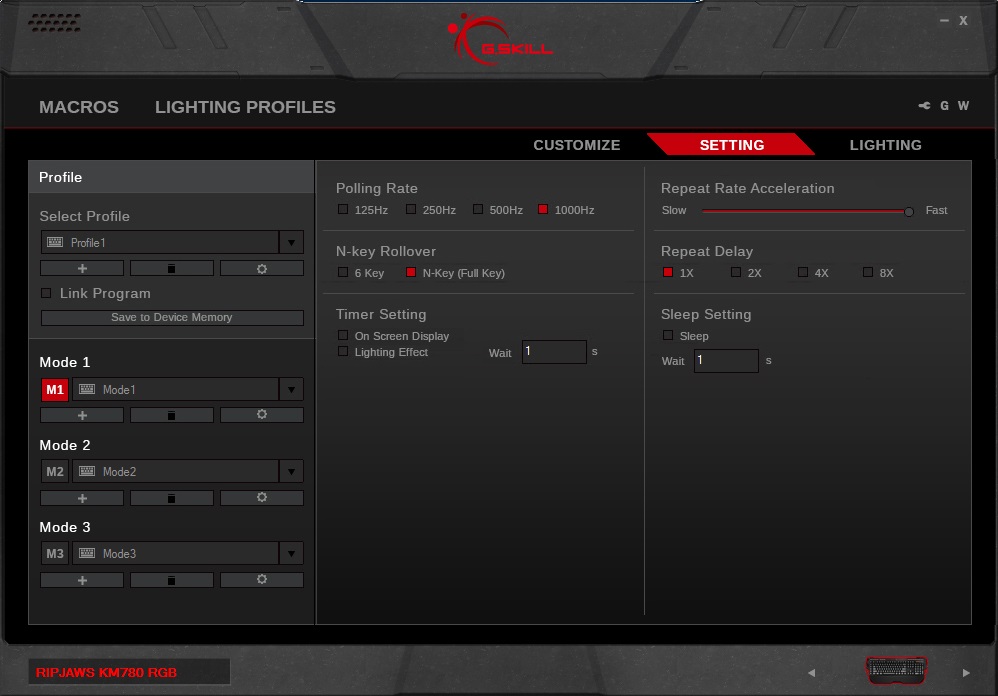
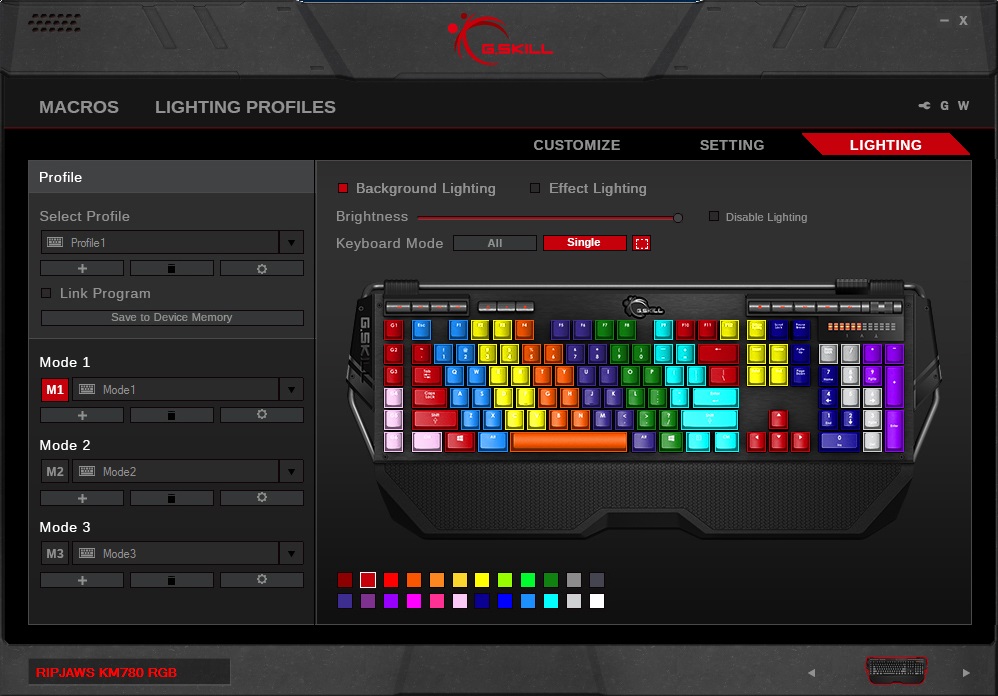
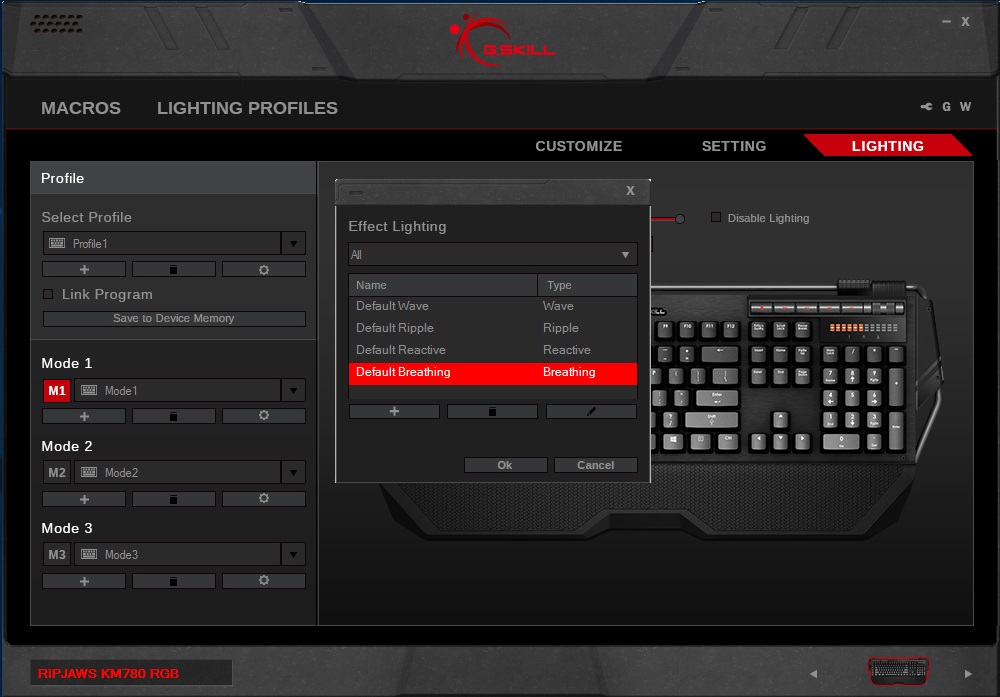
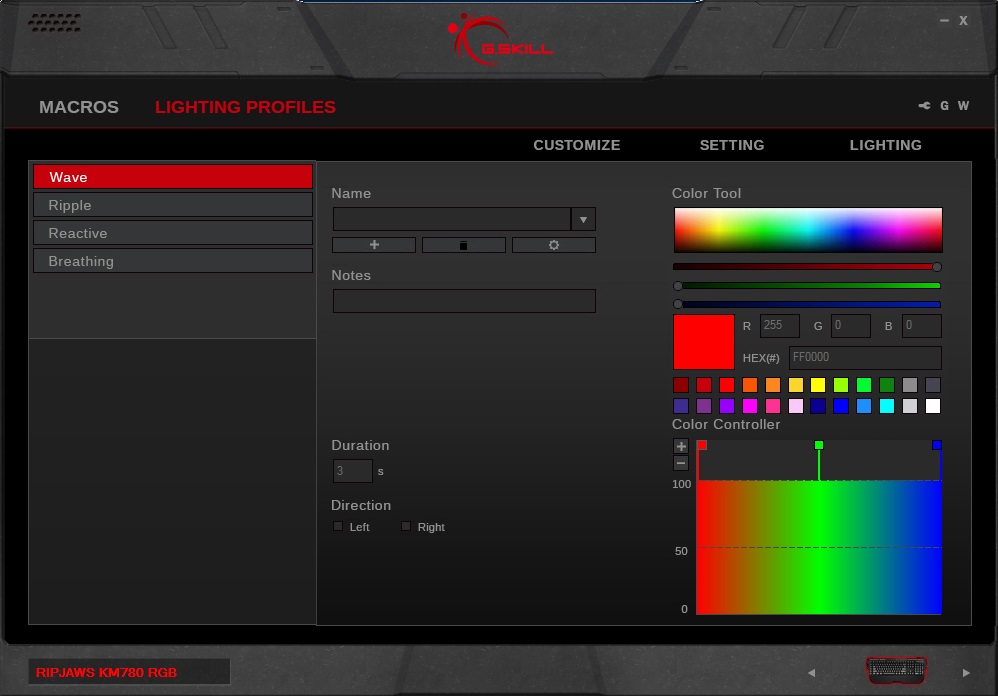
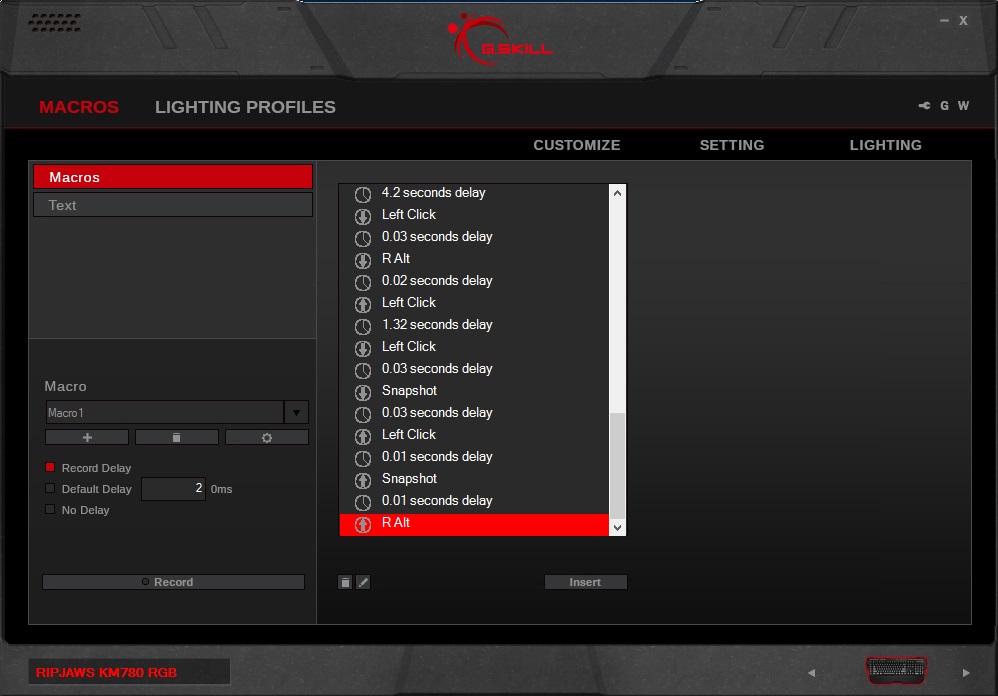
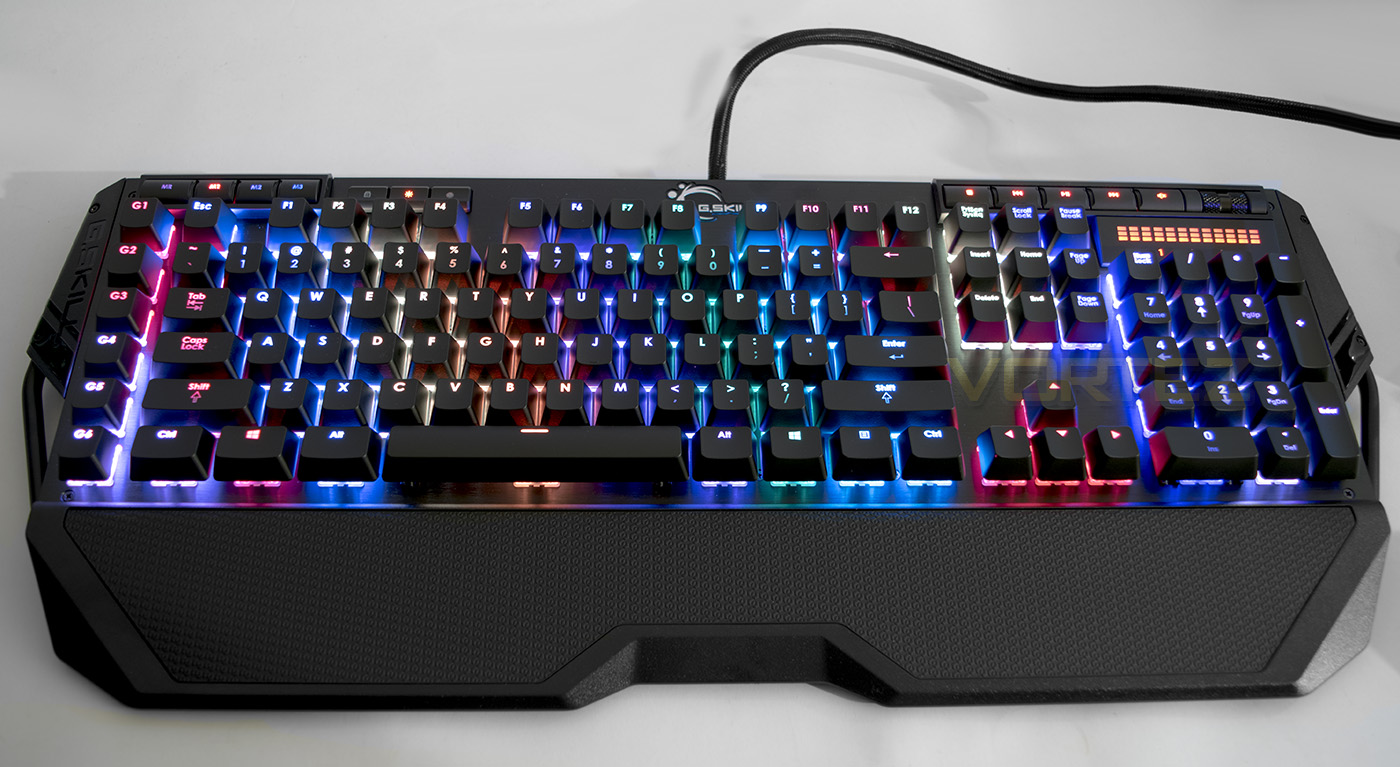
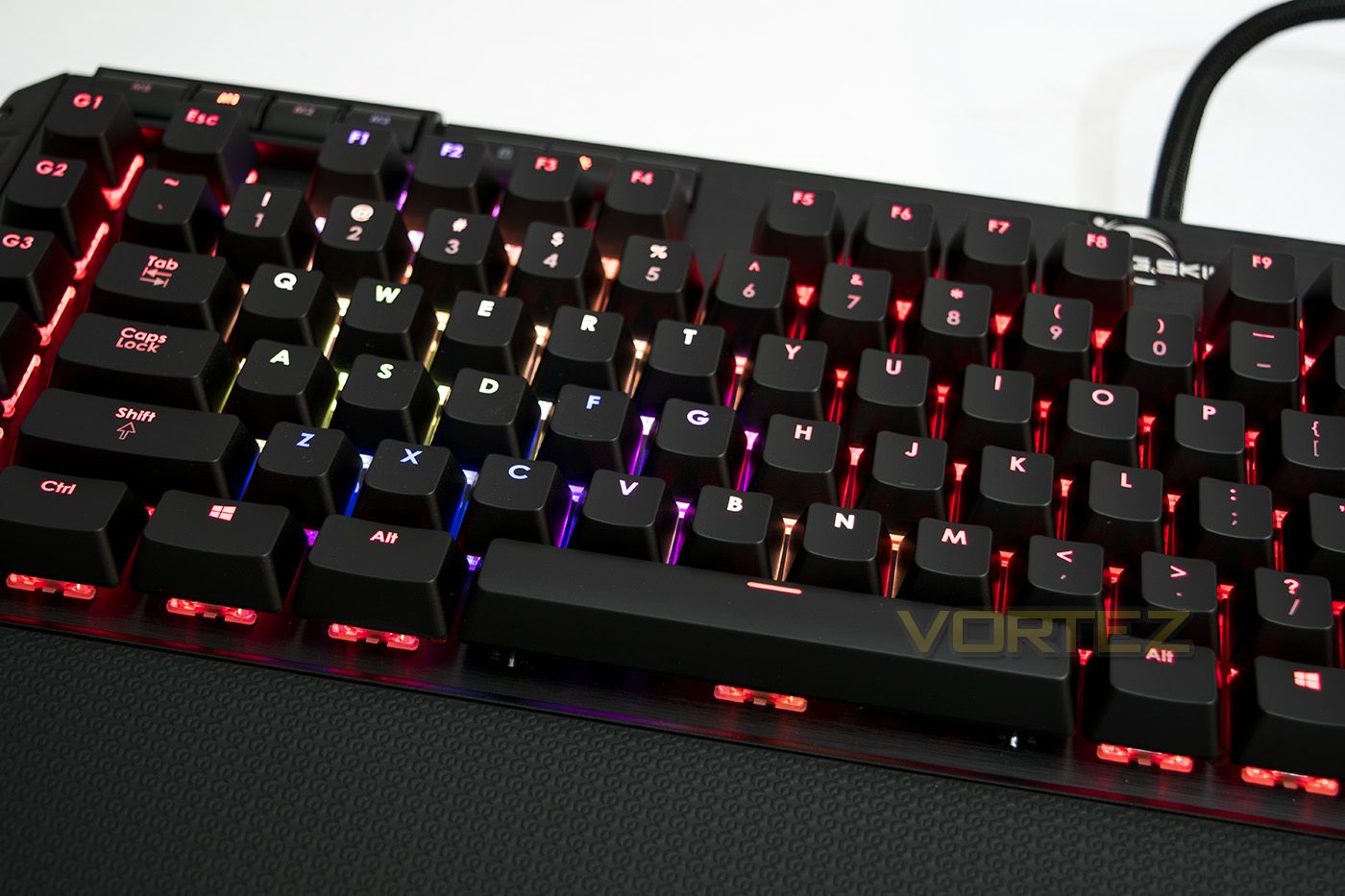
The lighting is vibrant and very colourful, but not as bright as it could be though this is down to the use of the aluminium faceplate. The white balance looks a little pinkish, but throughout most of the colours, G.SKILL have done a great job delivering a highly capable RGB lighting system. The per-key lighting is easy to customise, yet some will be slightly disappointed that it lacks the programmability of other similarly priced keyboards as the effects are rather limited and any animated effects feel less fluid than many others we have looked at. The ripple is a little ‘laggy’ and the default and custom settings seemed to be stuck on a solid red lighting which would go dark once pressed, returning to the solid red lighting once the ripple has dispersed. Nothing I did seemed to change this.
Performance Testing
Setup, Design & Observations
Aesthetically, the KM780 is a beautiful merge of gaming design with sleek/simplicity, falling somewhere between the plain, and the outlandish and managing to pull it off very well. The build quality is fantastic with little if any major flaw, though the metal bar feels a little bouncy when attaching/removing the keycap case. This isn’t necessarily a bad thing as it may help with protecting the keyboard in a situation such as being dropped on edge.
The standard keycaps are ergonomically contoured making them feel great while typing and gaming. The wrist rest adds to the comfort of using the RIPJAWS KM780 too, making it a well received inclusion. The additional gaming keycaps are a nice bonus but have a rather steep incline to them, combined with their glossy finish, your fingers slide together in a rather forceful manner. In conclusion the keys could be better, but they are nice to have.
The media keys press nicely, and the volume roller feels heavy, yet smooth in a satisfying manner, if you are not a fan of having multiple functioning keys with use of an Fn key and very much prefer dedicated media keys, the KM780 does this well.
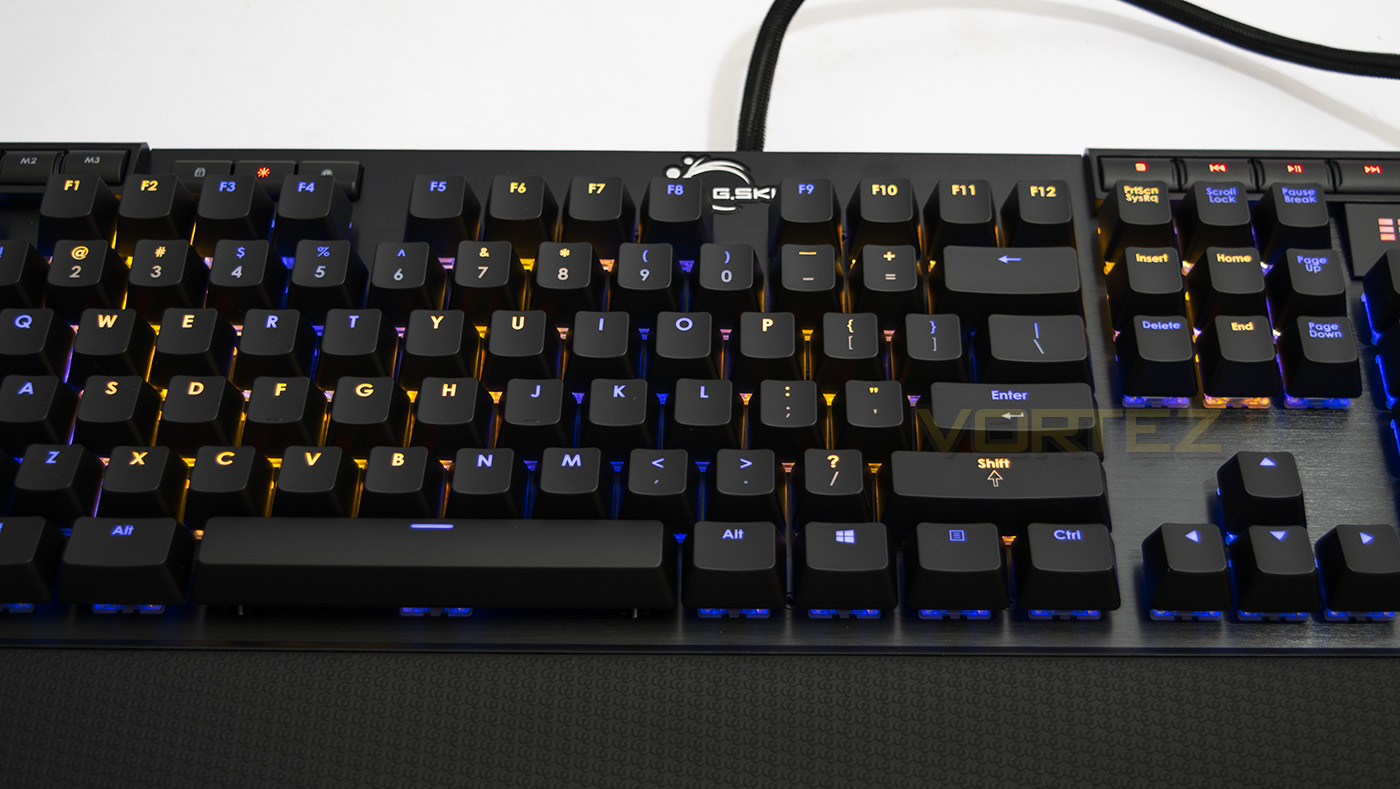
As each key is fully programmable, there a limitless amount of customisation at your fingertips, whether it is text or keystroke macros, additional functionality of the keys, like setting the dedicated macro keys for features like open internet browser/calculator or other, and then instantly swapping to an additional mode for gaming with its own separate lighting/layout and macros for gaming, is entirely up to you.
The keyboard we are looking at is kitted out with Cherry MX Browns, but it is also available in Blue and Red. This means that there is a good selection for individual preferences
Conclusion
We spent a lot of time with the G.SKILL RIPJAWS KM780 RGB and it is one of the more standout keyboards we have used for a while. Featuring Cherry MX Switches set in a beautiful body and ergonomically shaped keys, the list of what this keyboard can do will tick the boxes for almost everyone. The dedicated media keys simplify user interaction compared to keyboards that rely on the use of an Fn key, and to top it off we get customisable RGB lighting and fully programmable keys.
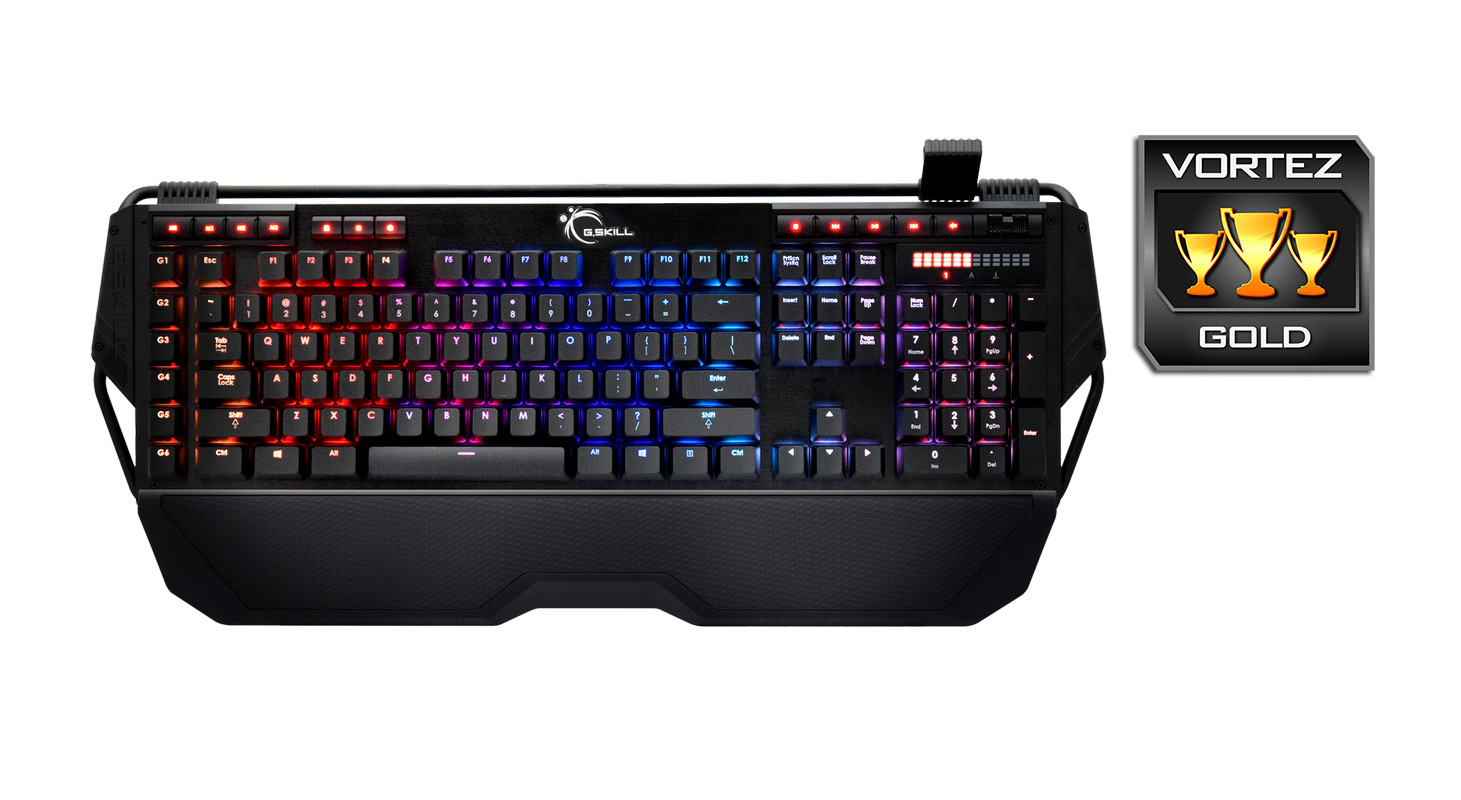
The biggest downside to the RIPJAWS KM780 RGB start when you look at the price and compare it to various other keyboards available. Most notably would be the Corsair STRAFE RGB and the Razer Blackwidow Chroma. Though, we could argue that that KM780 is closer to the STRAFE RGB in both performance (both use Cherry MX switches, feature full NKRO), it falls short in the lighting department and the STRAFE RGB even has exclusive Cherry MX Silent switches. We could then counter with saying that the KM780 has a sexy aluminium faceplate and a more interesting design, which in our opinion is true, though many could easily counter with the fact that the KM780 is larger in WxDxH taking up more desk real estate for no real reason and others would also point towards the Corsair K70 RGB if you are looking for an aluminium faceplate.
Still, if you don’t care that much for animated lighting effects and simply like the idea of customisable lighting more for function such as key mapping, it is hard to deny that this keyboard from G.SKILL is a gem in its own right. Then like us, you will thoroughly enjoy your time with the RIPJAWS KM780 RGB, we just hope that the software bug can be fixed.
The G.SKILL RIPJAWS KM780 RGB is packed with all the relevant features of a high performance mechanical keyboard, its distinct charm will undoubtedly capture the attention of gamers.
Pros.
+ Attractive design
+ Comfortable to use
+ Aluminium faceplate
+ Profile and mode saving
+ Dedicated media keys
+ USB/ Audio passthrough
+ Included bonus keycaps and wrist rest
+ Available in Cherry MX Red, Blue and Brown
Mediocre
+- RGB lighting effects
Cons.
– Price
– Buggy software
+ Attractive design
+ Comfortable to use
+ Aluminium faceplate
+ Profile and mode saving
+ Dedicated media keys
+ USB/ Audio passthrough
+ Included bonus keycaps and wrist rest
+ Available in Cherry MX Red, Blue and Brown
Mediocre
+- RGB lighting effects
Cons.
– Price
– Buggy software
Click here for an explanation of our awards at Vortez.net.