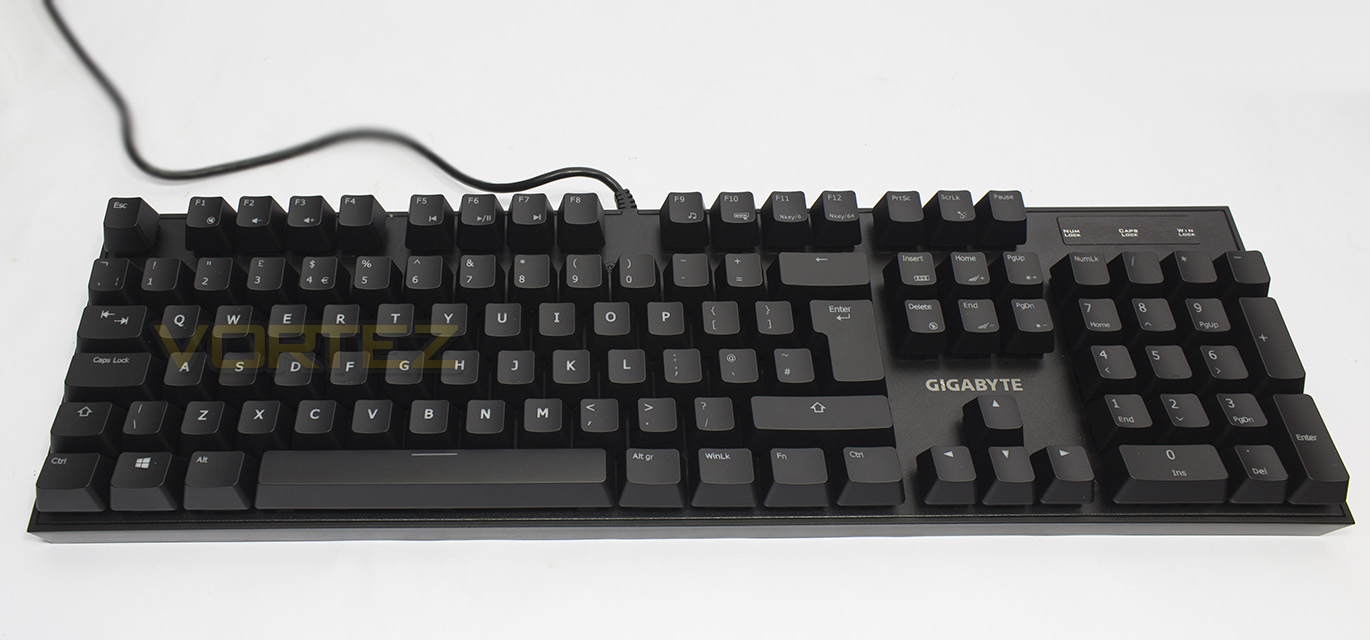
The FORCE K85 RGB is a no frills mechanical keyboard that features RGB backlighting in a compact frame for a price that will make your wallet smile.

Product on Review: GIGABYTE FORCE K85 RGB
Manufacturer & Sponsor: GIGABYTE
Street Price: UK: £69.99, US: $79.99
Mechanical keyboards are, for good reason, dominating the gaming keyboards of choice for the majority of people. Though there has been a shift in popularity of the full feature, large sized gaming keyboards to a more compact, frameless design. This has been popularised by pro esports gamers for sake of portability and convenience as well as reducing the overall area required from the desktop.
The FORCE K85 RGB features an exposed switch, or ‘island’ design to heart creating an elegant and compact aesthetic that as a side effect is also easy to clean and maintain. GIGABYTE have chosen to use robust mechanical switches with a 2mm actuation point that are rated for a 70 million key press lifespan. Other gamer friendly features include a dedicated Windows lock button and a selectable 6 to 64 key anti-ghosting setting. Despite being a no frills design, it also affords some customisable RGB lighting which is a fair selling point considering that the majority of the competition in this price range tends to offer just a single colour.
About GIGABYTE Gaming
GIGABYTE shares the same passion for gaming as all gamers. Therefore we have extended the premium gaming brand – AORUS, the pinnacle of our hardware excellence, to provide a full spectrum of innovative gaming products that deliver the ultimate performance and exemplify PC’s capability of bringing gamers unprecedented delights. We continue to participate in global gaming events, connect with the community and actively listening to gamers’ desires in order to create marvelous products that are focused on gamers’ needs. AORUS is a team of gamers in the PC industry, looking to side with gamers on the gaming conquest, to challenge the limits, and become legendary.
Technical Specifications
Interface USB 2.0
Activation Gaming Mechanical Switch
Switch Type Red / Blue
Switch Life 70 million times
Key Profile Standard
Travel Distance 4mm to the bottom
Activation Distance 2mm to actuation point
Peak Force Red : 45g +/- 15g
Blue : 50g +/- 15g
Simultaneous Key input USB N-Key Rollover (NKRO)
Report Rate max 1000Hz
Backlighting 16.8M Full Spectrum RGB
Multimedia Hotkey 8
Dimension 438(L)* 131(W)* 40(H) mm
Weight 1100g ±10%
Cable Length 1.8m
Software GIGABYTE FORCE
OS Support Windows XP/ Windows 7 / Windows 8/ Windows 10
Activation Gaming Mechanical Switch
Switch Type Red / Blue
Switch Life 70 million times
Key Profile Standard
Travel Distance 4mm to the bottom
Activation Distance 2mm to actuation point
Peak Force Red : 45g +/- 15g
Blue : 50g +/- 15g
Simultaneous Key input USB N-Key Rollover (NKRO)
Report Rate max 1000Hz
Backlighting 16.8M Full Spectrum RGB
Multimedia Hotkey 8
Dimension 438(L)* 131(W)* 40(H) mm
Weight 1100g ±10%
Cable Length 1.8m
Software GIGABYTE FORCE
OS Support Windows XP/ Windows 7 / Windows 8/ Windows 10
Packaging & First Look
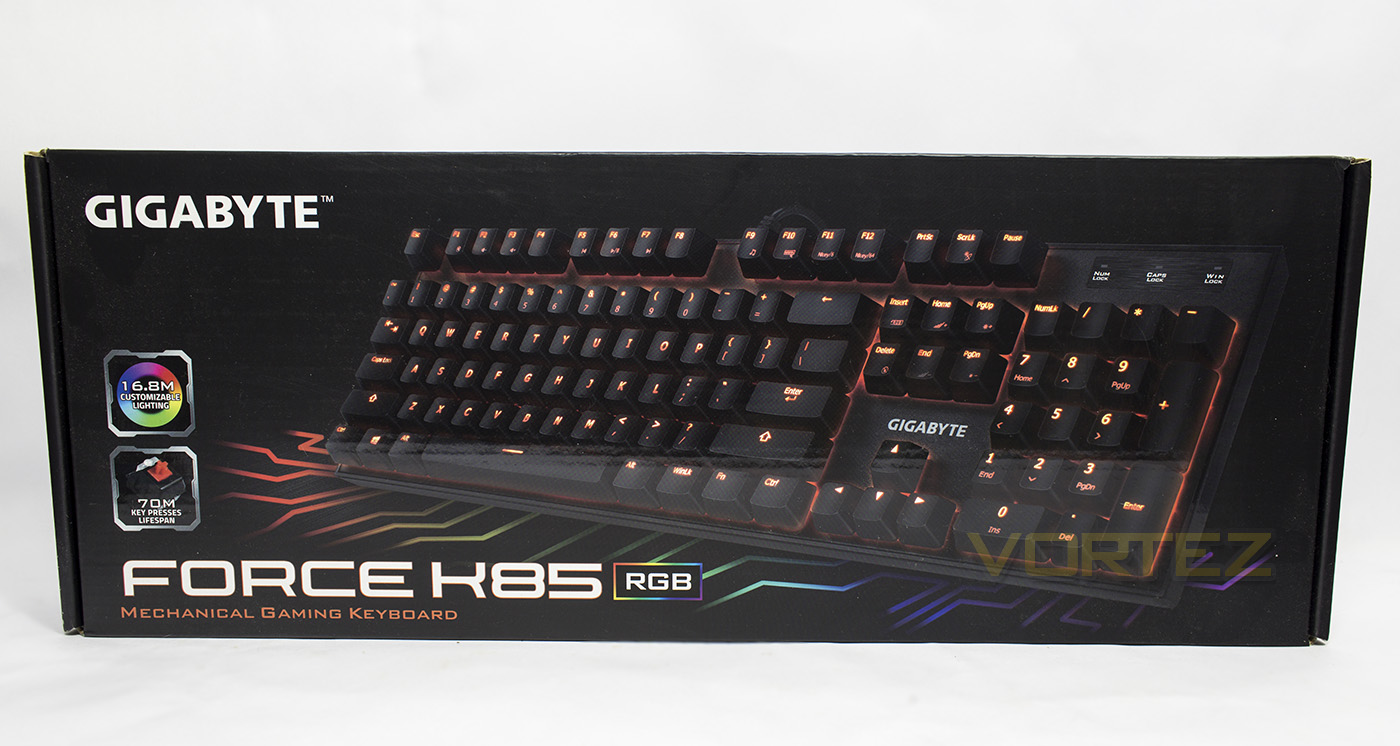
The Force K85 RGB packaging features a clear image of the product and a subtle dose of colour in the background showing off its key selling point.
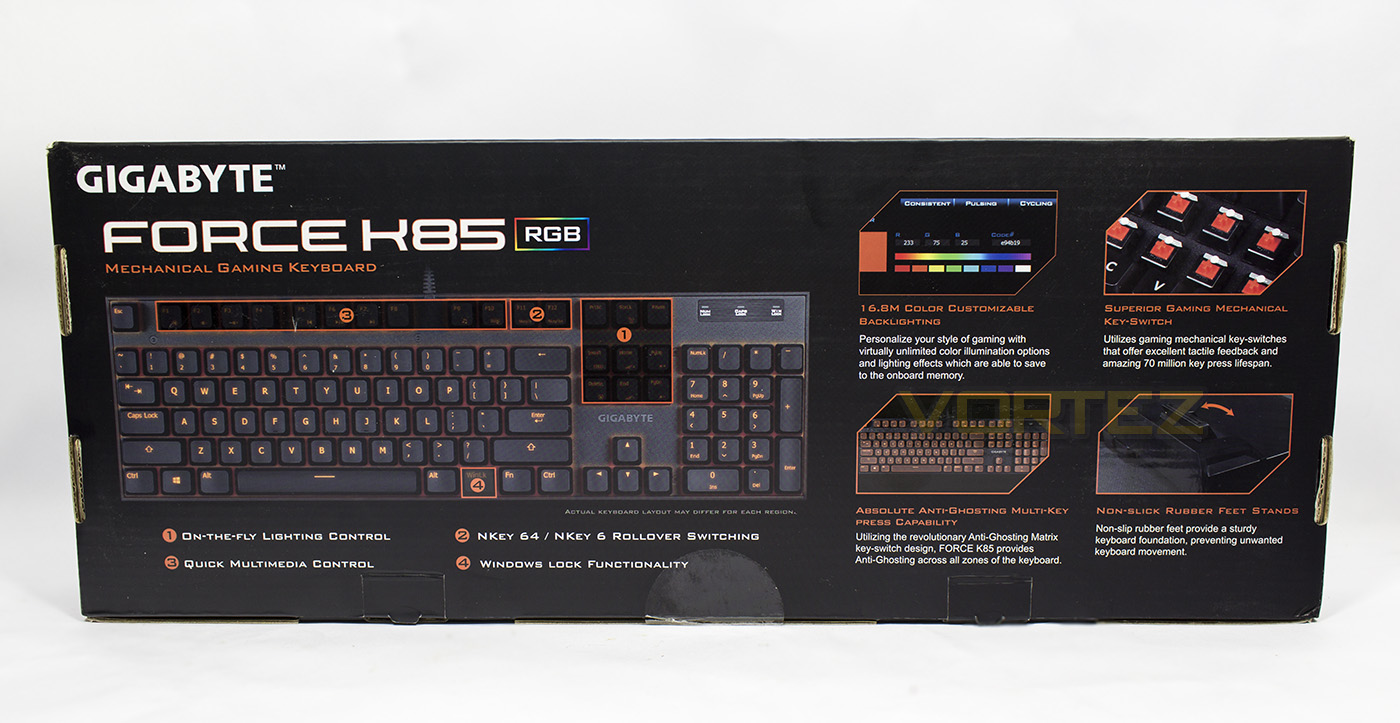
The reverse side of the box gives us a diagram showing us various onboard controls, and information about the mechanical switches.
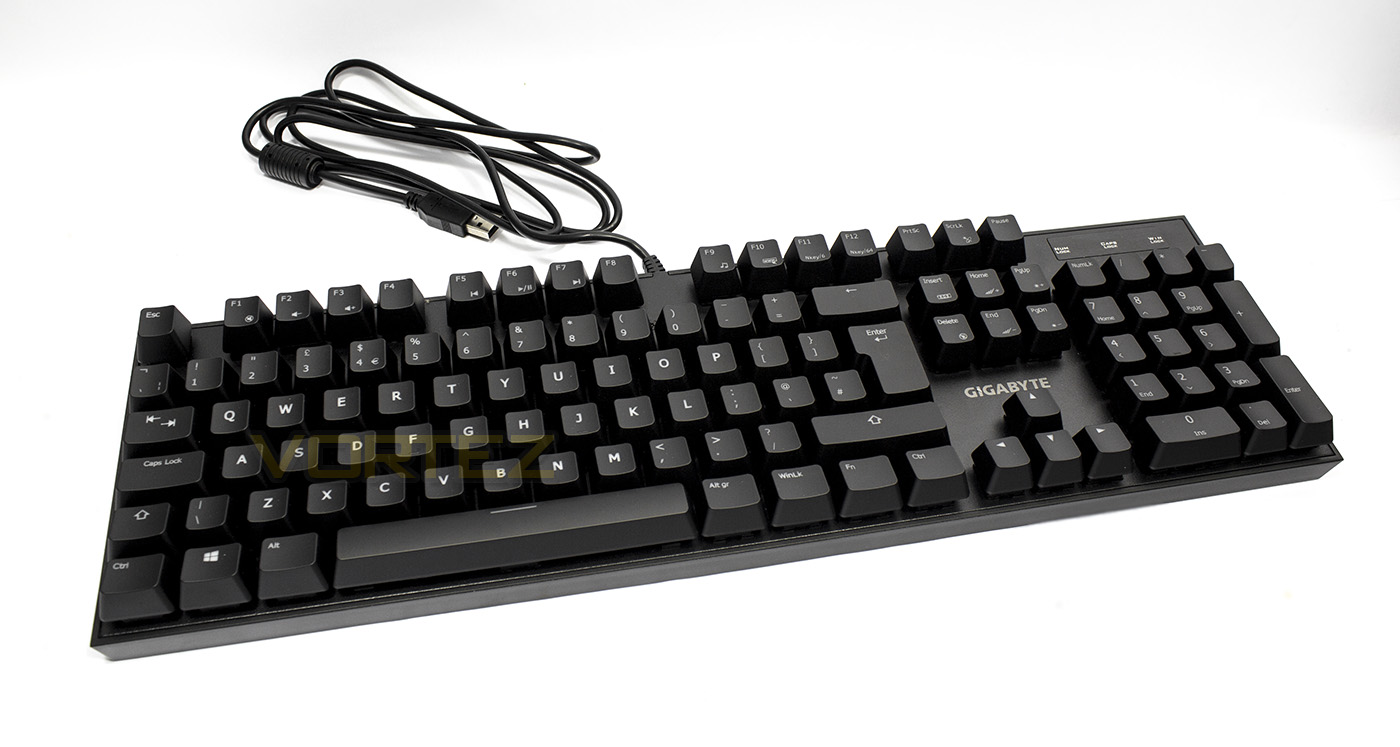
The Force K85 RGB looks compact, and features a small outer bezel that surrounds the mounting plate. The 1.8m cable is long enough for most situations, though it is a shame it isn’t braided.
Closer Look
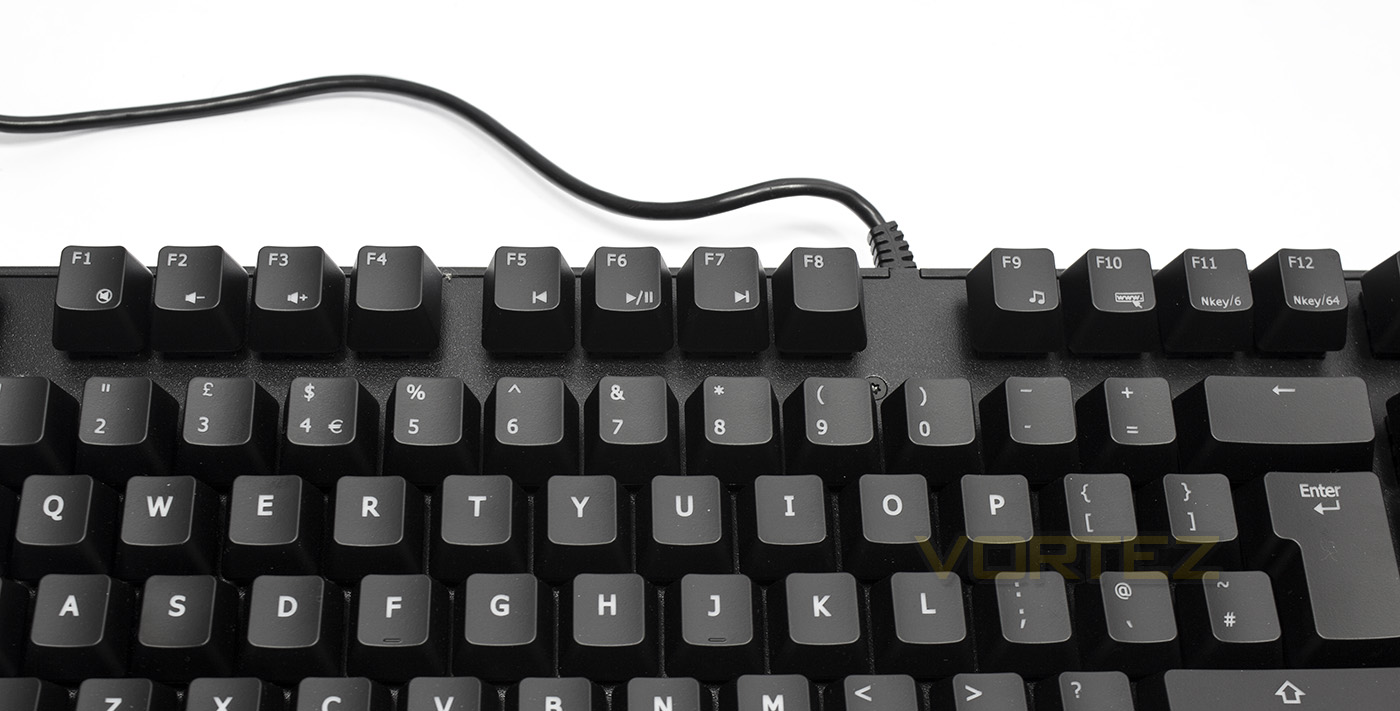
There are a selection of (Fn) media keys doubled up with the F keys including mute, volume down/up, skip back, play/pause, skip forward, open media player, open internet browser, select 6KRO and select 64KRO.
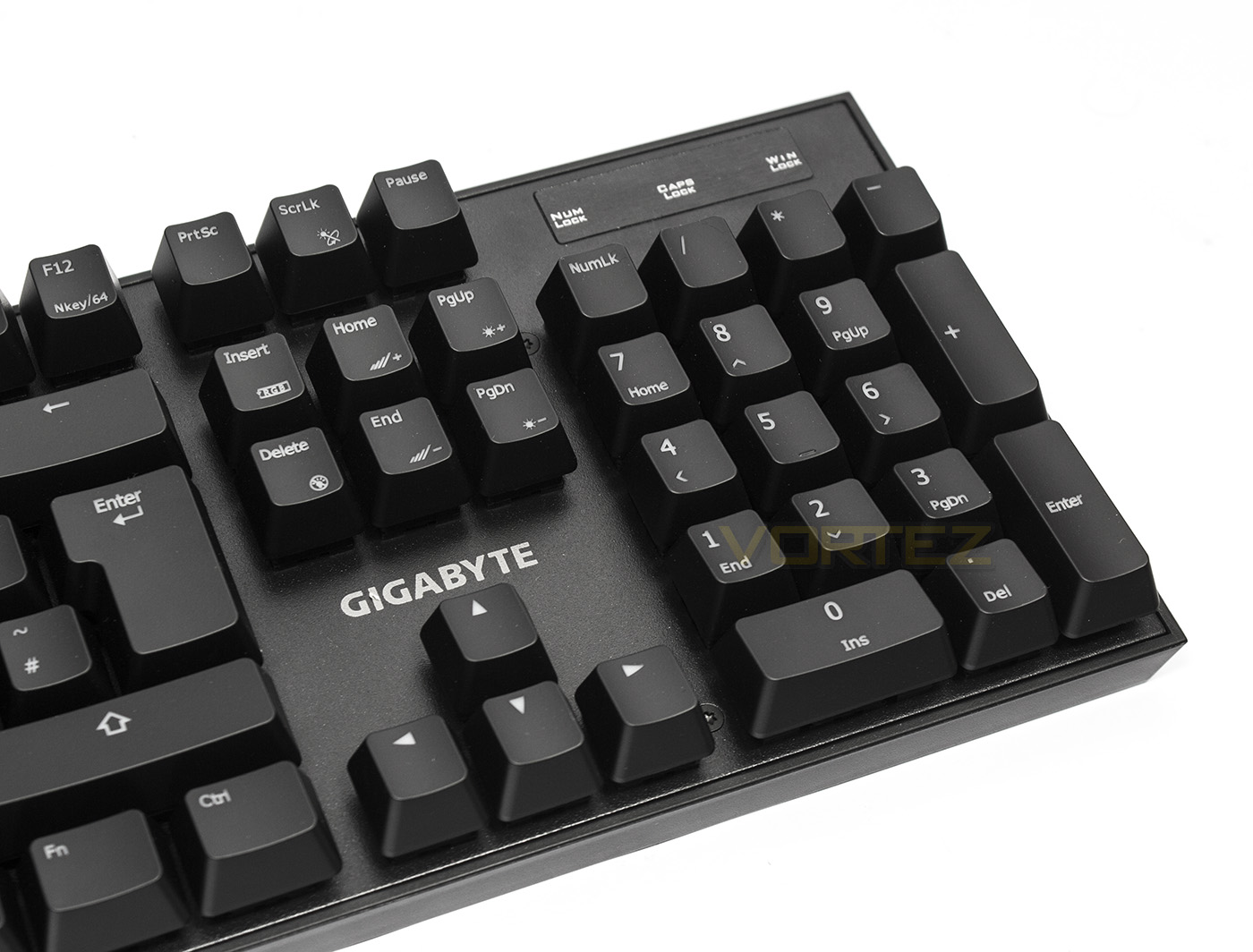
The Force K85 RGB also features a selection of lighting controls as Fn keys as to enable the majority of the effects accessible without drivers. This includes toggle effect (ScrLK) between consistent, pulse and cycle. There are also controls to adjust the colour, speed of the effect as well as brightness.
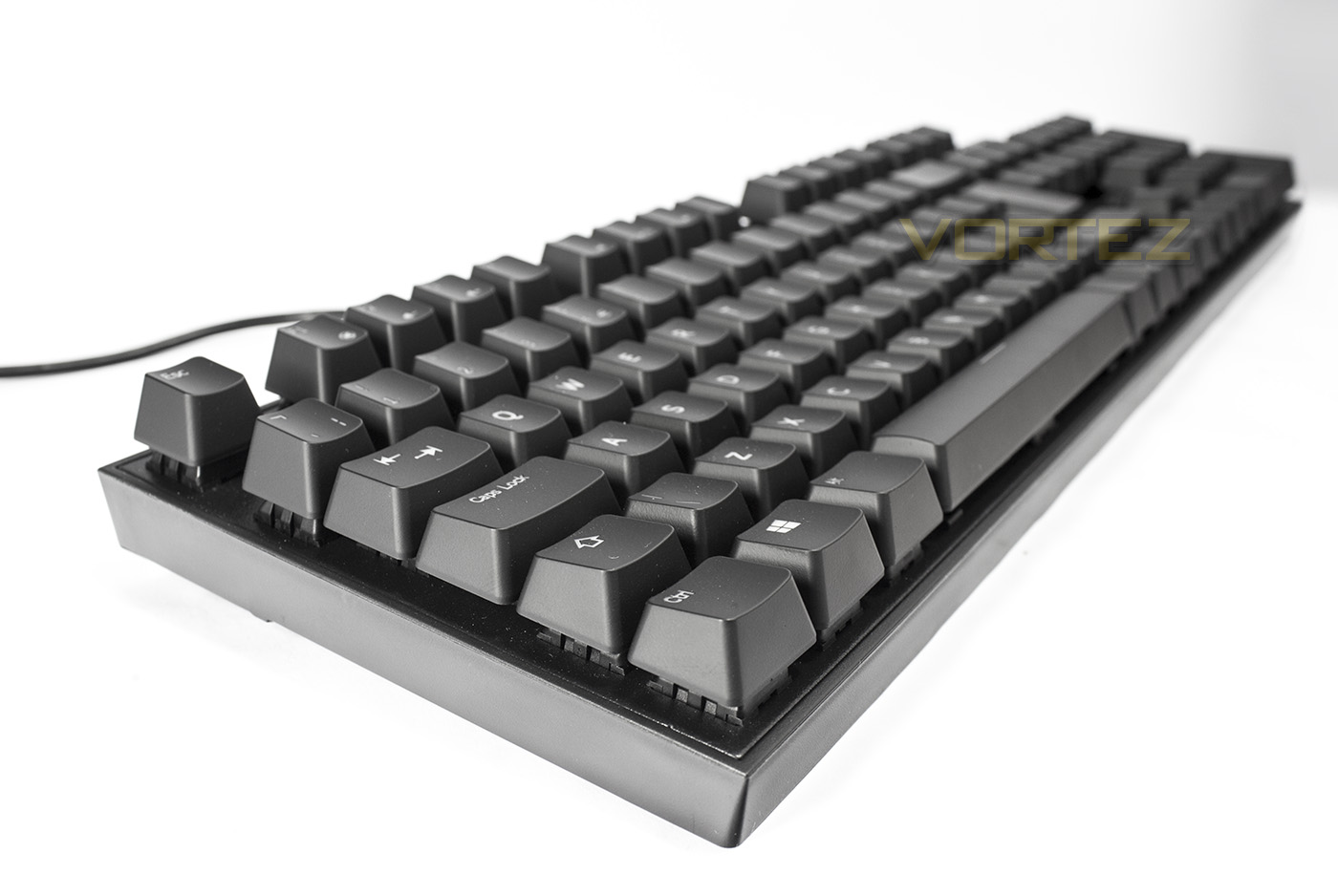
The side view offers up a view of the base, showing the exposed switches and its total height of 40mm.
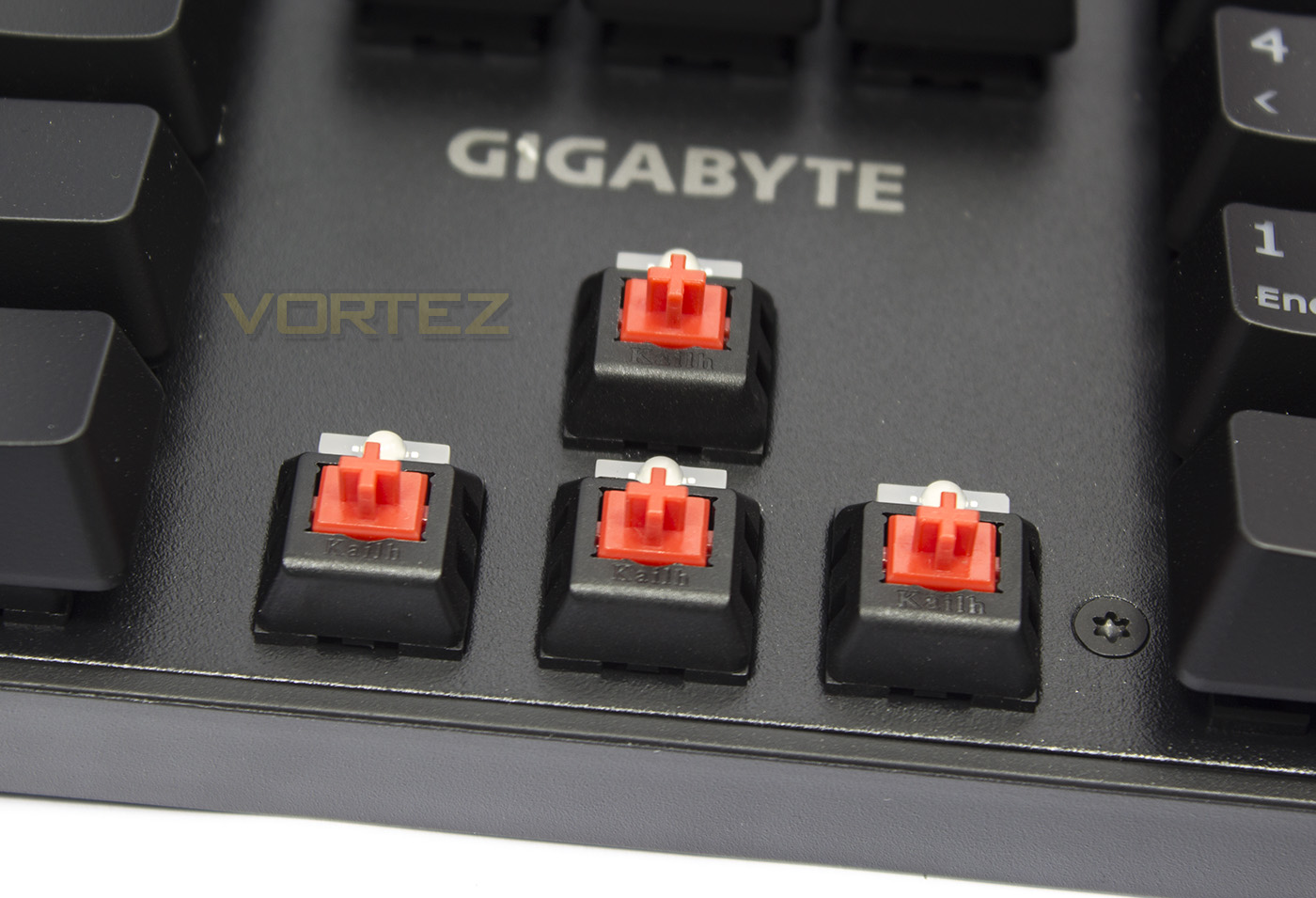
Lifting off the keycaps we see that GIGABYTE have used Kailh red switches with embedded RGB LEDs. The Force K85 RGB is also available in Kailh Blue.
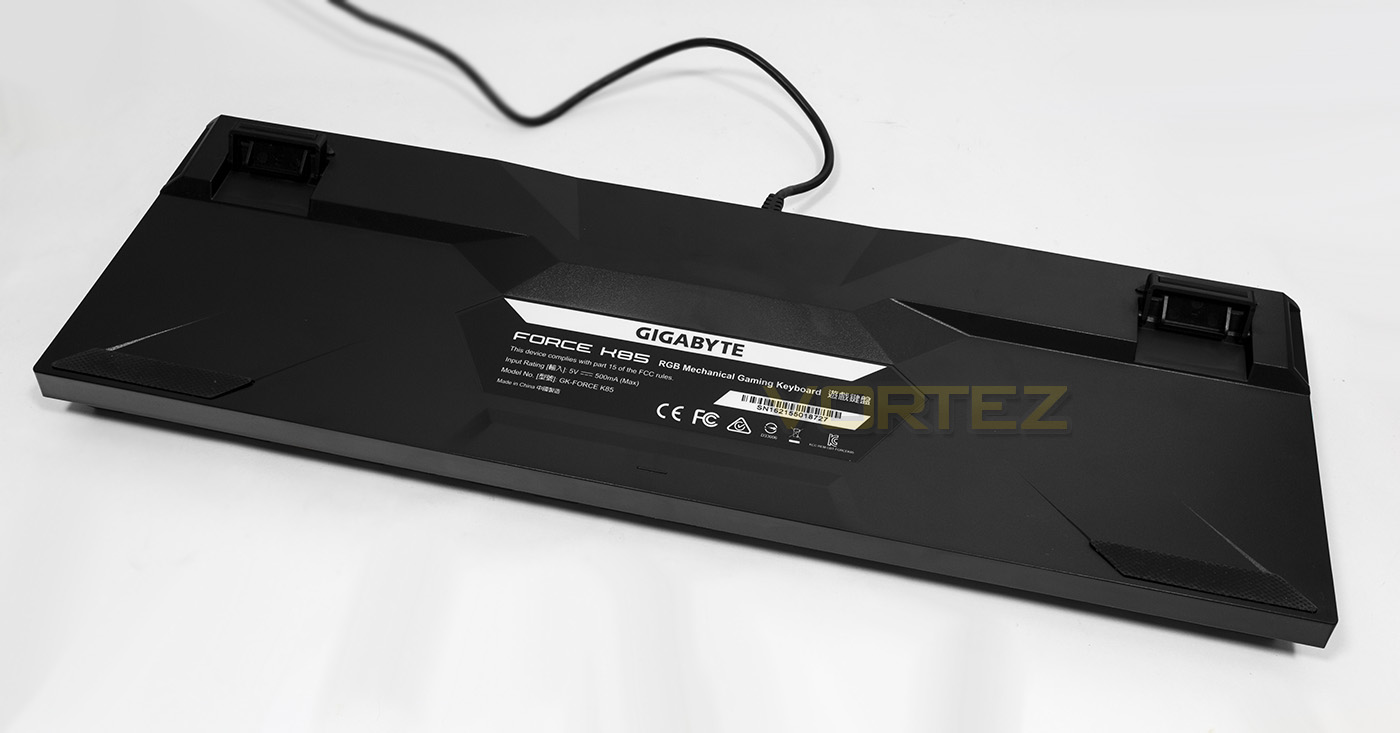
The underside features large rubberised grips for stability as well as the expected adjustable feet.
Software & Lighting
The Force K85 is suited well to be used driverless, but if you want to access some lighting controls unavailable otherwise, including custom colours, the software is available to download from the product page. The software is relatively lightweight and only provides lighting controls. There are no macro recorders or key programming, nor any advanced individual lighting effects.
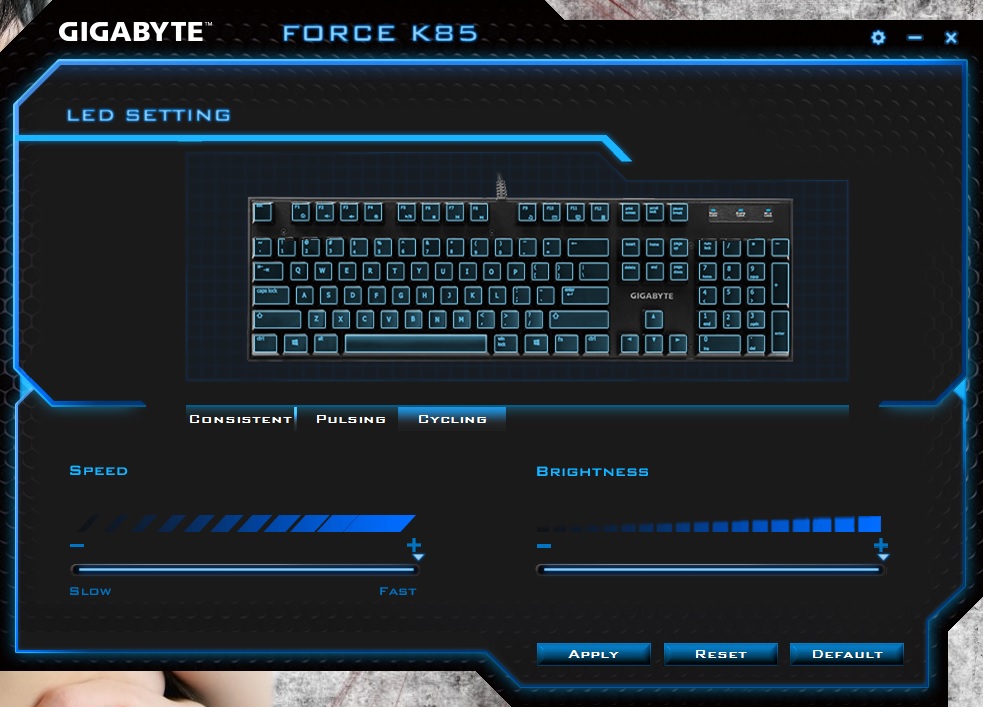
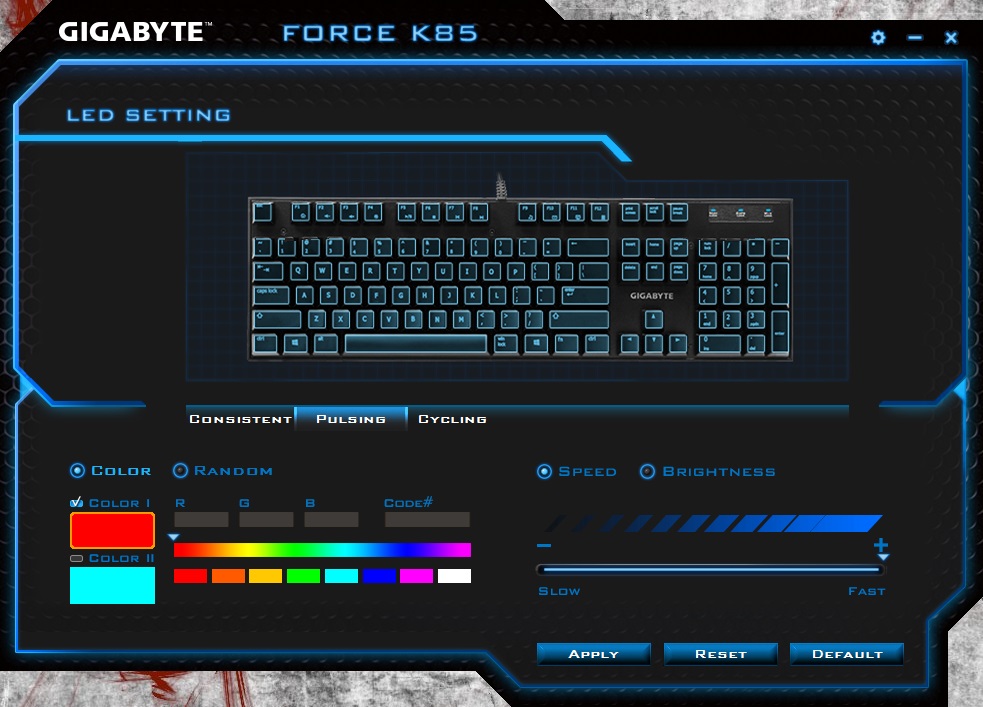
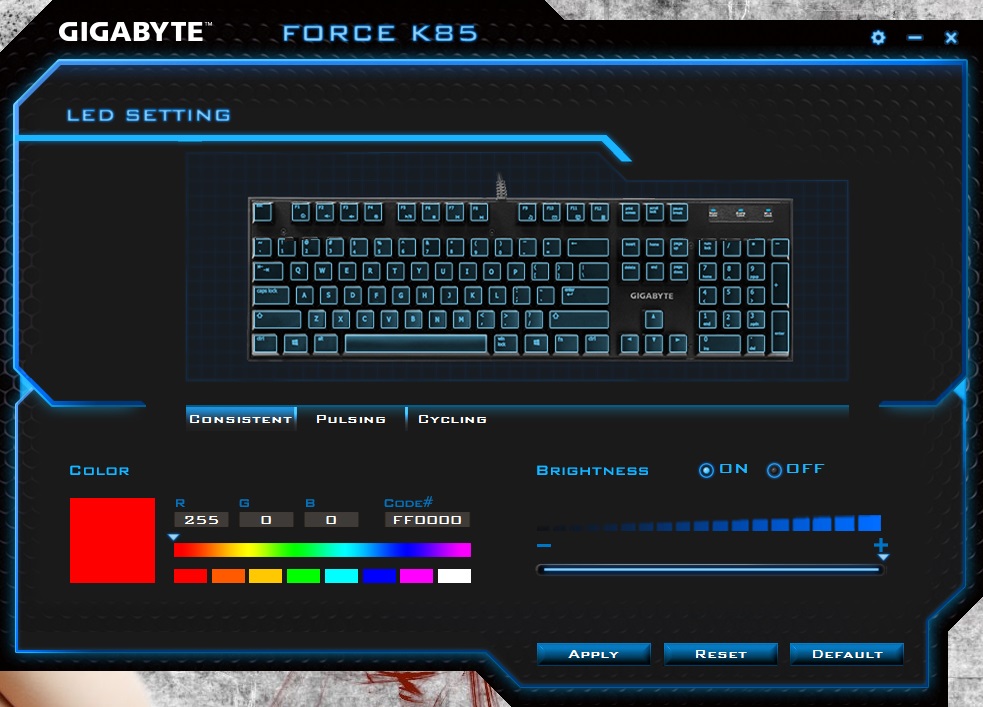
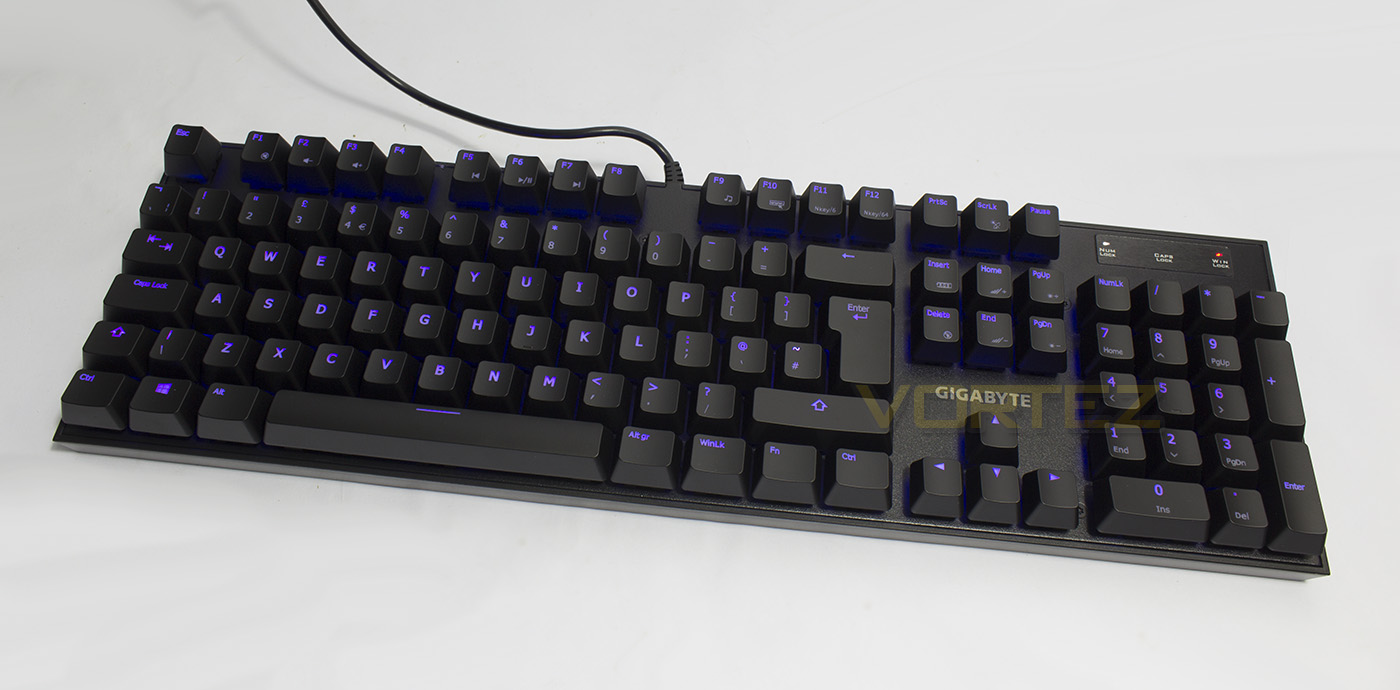
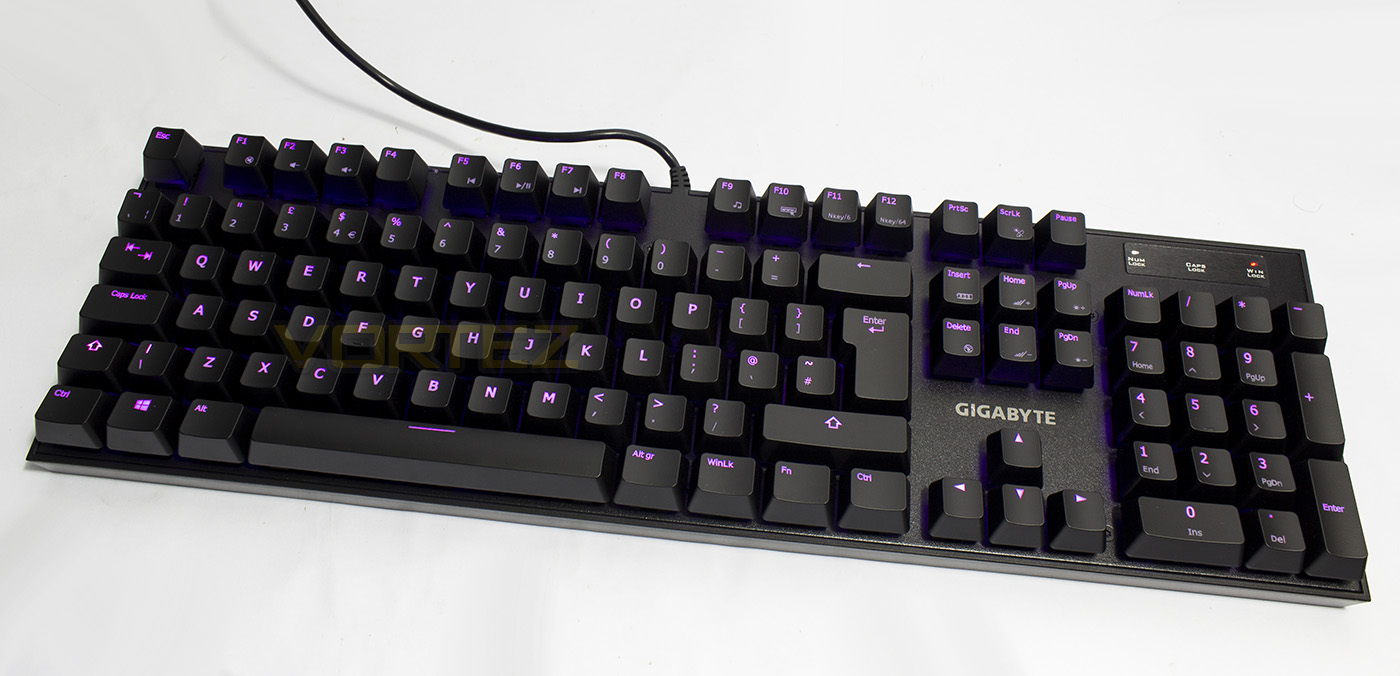
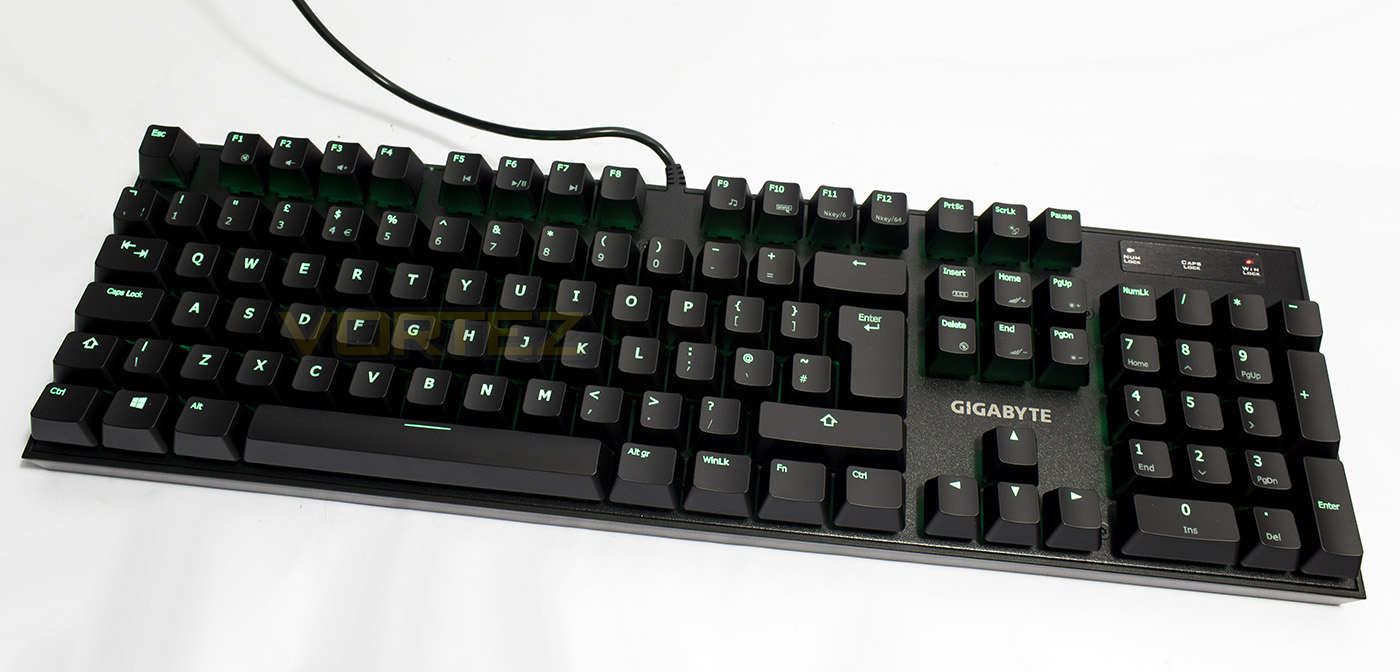
The lighting is a pleasantly vibrant and it renders all colours to an attractive degree. The accuracy of the given chart is not perfect, such as ‘yellow’ is actually more situated in the presented orange band while yellow (in the software) itself is rendered as more of a green. Desspite this, the colours can be selected by eye giving good results. White is rendered fairly decently though it has a slightly cyan/turquoise tone to it, I found a more balanced white to be R:255 G:200 B200.
Performance Testing
Setup, Design & Observations
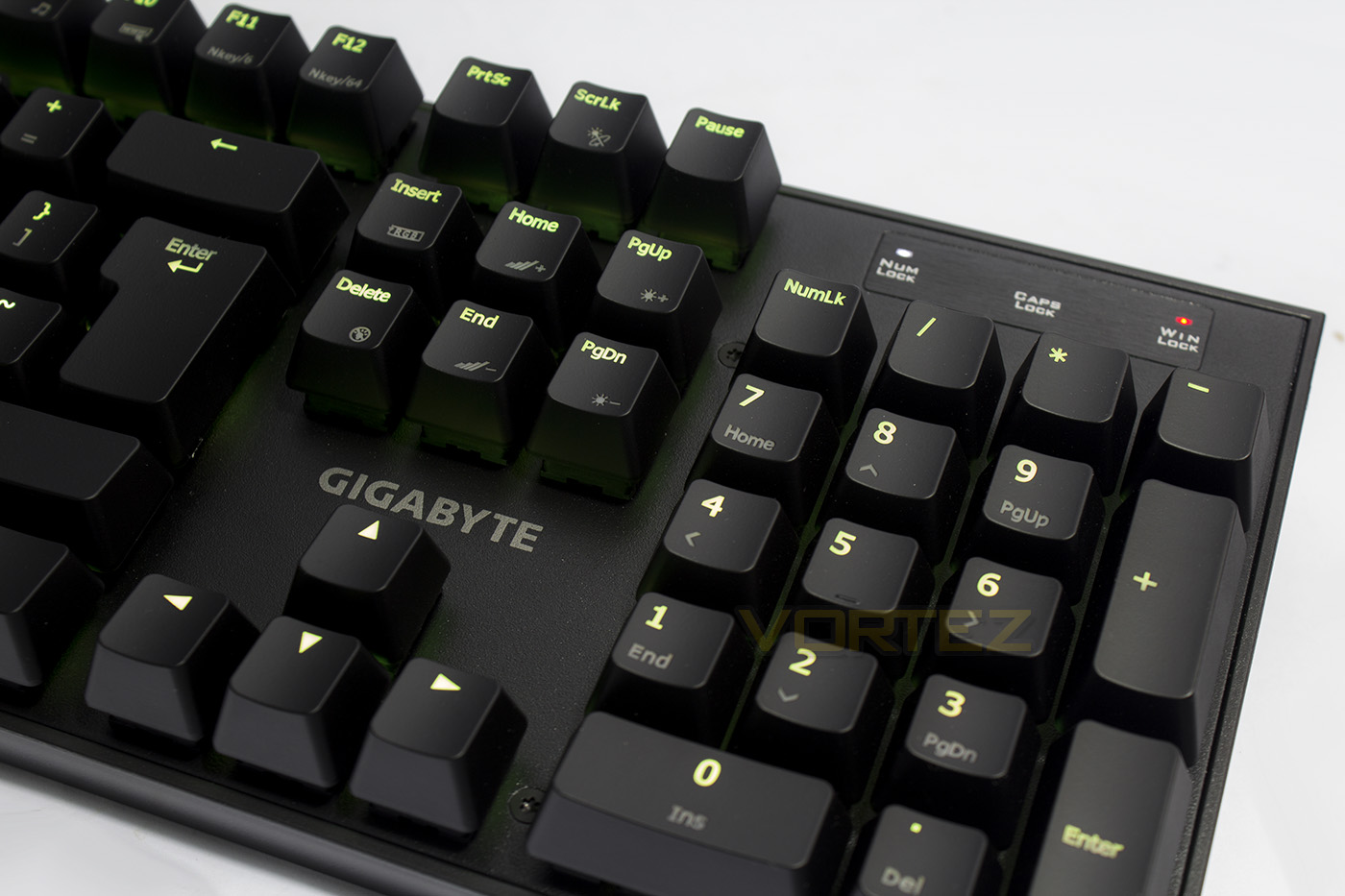
Out the box, the Force K85 RGB has a fair bit of heft to it due to its compact size and its 1.1Kg mass. This makes it quite a powerful weapon if you had it on you in a bar fight. On the plus side, you know that it isn’t likely to move anywhere or slide around on your desktop thanks to its large rubber pads on the underside. Needless to say, it is built like a tank from the keycaps to the base.
That level of robustness transfers over to the mechanical switches too, rated at 70m keystrokes. Kailh switches are a popular choice for their reliability as well as their affordability compared to CHERRY MX. The Force K85 RGB is available in the linear Red and clicky blue switches. As our version is the red switches we can only report our findings as such. It our experience, the Kailh blue switches tend to be a little more consistent in feel, as the linear red switches, in use, feel rather inconsistent in actuation force, and it can feel rather strange having a variation of forces while typing. Though the effect is subtle and nothing concerning, it can simply seem ‘strange’ and is simply different to CHERRY MX Red, on the plus side, the Kailh Red switches actually sound rather quiet, lacking the typical ‘clack’ one would normally expect. On the larger keys (shift, spacebar etc), rather than using a metal distribution bar GIGABYTE have opted to use dummy switches which help distribute the load and provide a more even key press. This means that the larger keycaps are easier to remove and maintain which is a nice little bonus.
The height of the keyboard is fine for the main, but I would prefer it to have been a little lower than its 40mm height, as it can be a bit of a strain over long periods without a wrist rest. I found while typing that my left wrist was at a more undesirable angle, while my right hand preferred to hover, of course both scenarios not ideal unless you want carpel tunnel or an RSI in your shoulder. There are plenty of third party wrist rests available, but a simply offering out the box would have gone down well here.
Performance
Putting the Force K85 RGB to test, we found that the switches gave a great level of control in game. The force and quietness of the switches proved to be great for feedback while moving in CS:GO, but also raised comments while in-game as some noticed that they couldn’t hear any ‘typing sounds’. The dedicated WinLK key added to the gaming experience due to being able to instantly enable/disable the Windows key, however it doesn’t disable other combination keys like many ‘gaming modes’ tend to, such as ‘alt + F4’. In general use, the switches were fine, but I wouldn’t recommend the red version for those that spend a lot of time typing, useless you have a specific preference for the linear feel.
Conclusion
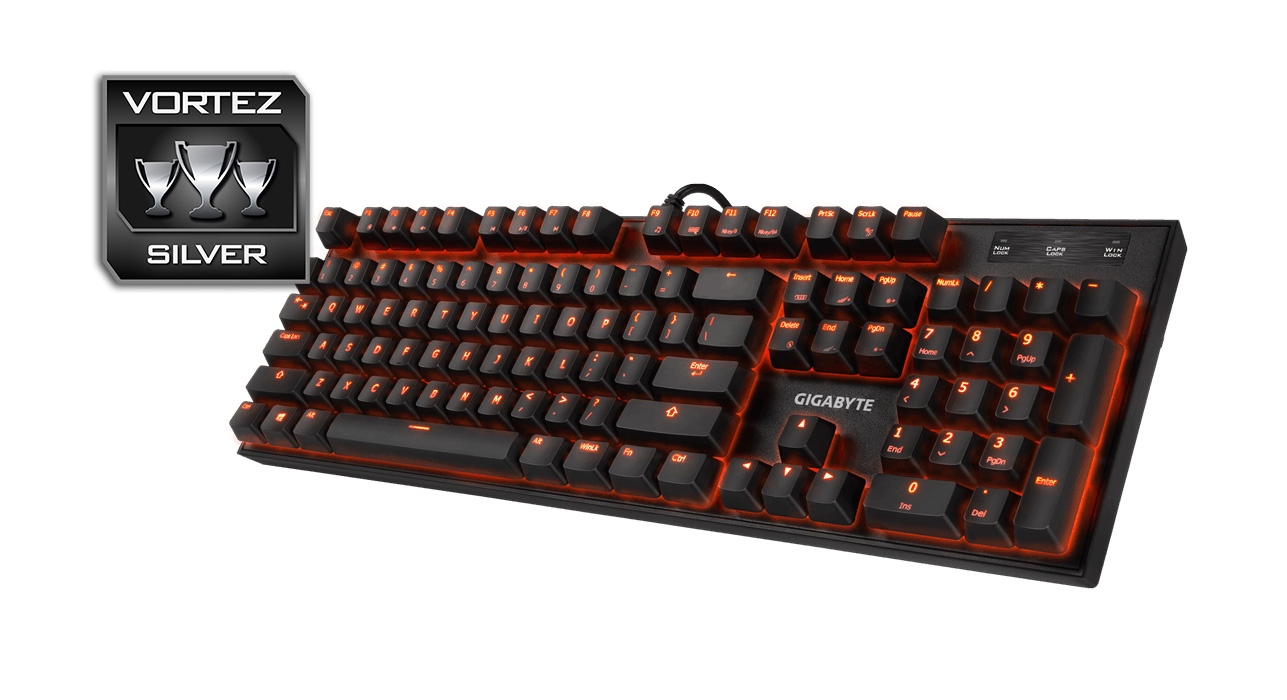
The GIGABYTE FORCE K85 RGB keyboard is a heavyweight in regards to construction quality and robustness. The base feels solid, the keycaps are well made, and the switches themselves are rated for 70 million key presses. The compact frame is attractive, and it sells itself on the basis of raw, out the box performance (with 95% of its features accessible without the need for the software). The vibrant customisable RGB backlighting helps it stand out from many other mechanical keyboards at this highly competitive price point.
When we consider that the Force K85 RGB can be found for £69, that is a fair £10 cheaper than the ROCCAT SUORA, it can become easy to understand the value GIGABYTE have been able to provide the end user. Though it also feels a little too… empty? Sure, people love the raw, performance out the box without requiring drivers. Sure people love the compact and elegant design ethic. But the FORCE K85 RGB is literally as raw as a mechanical keyboard can get with RGB lighting. There are many ‘nice to haves’ that this has not. Like for example, the ROCCAT SUORA features 6 programmable macro keys. Sure, you don’t need to use them, but if you want to install the software, you can, along with accessing various other features. The software for the FORCE K85 only enables you to choose the exact hue of lighting. Otherwise all other features can be accessed onboard. It would have been nice to have a macro recorder, or considering that this is a RGB keyboard, it would have been nice to have had per-key LED customisation, a feature that is useful and more desirable than ‘effects’. I humble wrist rest or USB/audio pass-through would have helped the FORCE K85 RGB shine that little brighter.
That being said, it is certainly a well made mechanical keyboard that gamers should pay attention to. It has vibrant RGB LED lighting, a compact frame, and competitive price tag.
The FORCE K85 RGB is a great value mechanical keyboard that is both robust in construction and in performance.
Pros.
+ Solid construction throughout
+ Attractive RGB backlighting
+ Available in Red and Blue switches
+ 64 key anti-ghosting
+ Price
Cons.
– No per-key LED customisation
– No included wrist rest
– Limited software/ no programmability
+ Solid construction throughout
+ Attractive RGB backlighting
+ Available in Red and Blue switches
+ 64 key anti-ghosting
+ Price
Cons.
– No per-key LED customisation
– No included wrist rest
– Limited software/ no programmability
Click here for an explanation of our awards at Vortez.net.