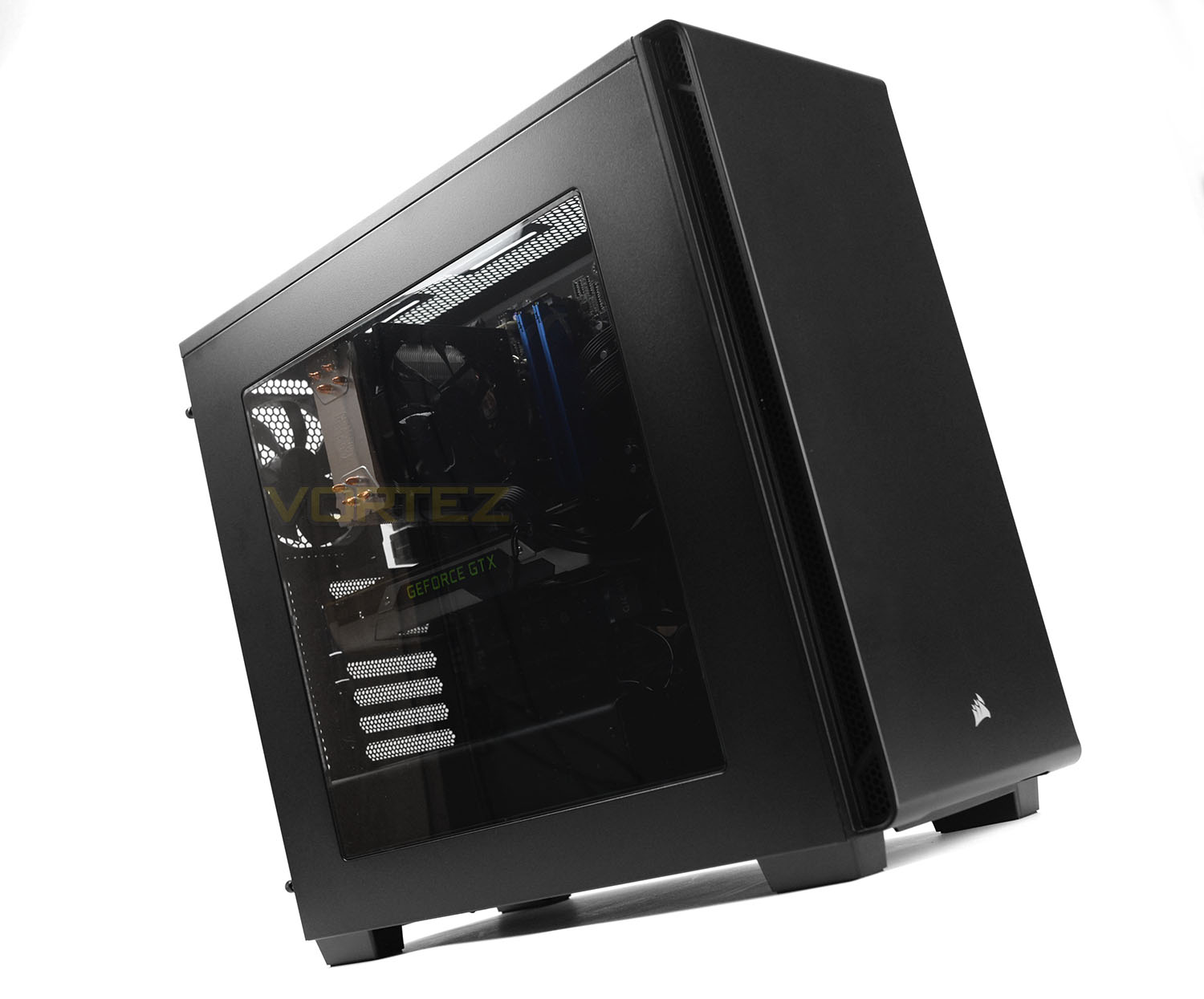
A new addition to the Carbide Series – the 270R Mid Tower chassis is equipped with useful features but arrives at an affordable price-tag.

Product on Review: Carbide Series 270R
Manufacturer & Sponsor: Corsair
Street Price: £65 GBP / $69 USD
Although the computer chassis market is thriving, there are few innovators within this arena. One company which has risen to the challenge of keeping their product lines fresh, desirous and intriguing are Corsair. This week is a prime example of how this brand remains at the top of their game, a successful launch of the new Crystal Series has given Corsair the spotlight in the lead-up to the end of the year. Alongside the 460X and 570X, the humble Carbide Series 270R was announced and today, we’ll be exploring this chassis in plenty of detail.
Under our observation today is the new Carbide Series 270R, a budget friendly mid-tower which packs in a flexible feature-set to include accommodate for high-performance coolers, graphics cards and even radiators. Are you looking for a basic case which doesn’t break the bank but offers the essentials? This could be the right case for you!
Corsair on their Carbide Series 270R
Solid, sleek and understated, the CORSAIR Carbide Series 270R offers all the essentials of a high-end PC case, while retaining a spacious internal layout and versatile cooling options. Available with either a huge transparent window or solid side panel, the 270R’s minimalist exterior hides an expansive interior that’s designed to make building a PC as easy as possible. Deep cable routing channels, numerous tie-down points and conveniently located drive bays combine with a dedicated cable routing compartment that surrounds the PSU, making clean and professional builds simple. The 270R windowed comes equipped with a red-LED lit AF120 120mm intake fan and black AF120 120mm exhaust fan, while the 270R non-windowed ships with a single black AF120 120mm exhaust. Whichever you choose, the 270R offers great out-of-box cooling while also supporting a wealth of liquid cooling radiators and cooling upgrades. Able to mount up to a 360mm radiator in the front and a 240mm radiator in the roof, the 270R can accommodate almost anything your next PC might require, both now and in the future. It’s everything PC builders need for the essential PC build.
Technical Specifications
Below are the technical specifications surrounding Carbide Series 270R, supplied by Corsair.
Warranty
Two years
Weight
7.28kg
Form Factor
Mid-Tower
Dimensions
509mm x 210mm x 460mm
Motherboard Support
Mini-ITX, MicroATX, ATX
Maximum GPU Length
370mm
Maximum CPU Cooler Height
170mm
Maximum PSU Length
225mm
Expansion Slots
7
Drive Bays
(x2) 3.5in
(x2) 2.5in
Material
Steel
Power Supply
ATX (not included)
External Connections
(x2) USB 3.0
(x1) Headphone Port
(x1) Microphone Port
Fan Mount Locations
Front: (x3) 120mm or (x2) 140mm
Top: (x2) 120/140mm
Rear: (x1) 120mm
Fans Included
Front: (x1) 120mm red LED
Rear: (x1) 120mm
Radiator Mount Locations
Front: 120/240/280/360mm
Top: 120/240mm
Rear: 120mm
Compatible Corsair Liquid Coolers
H55, H60, H75, H80i, H90, H100i, H105, H110
Two years
Weight
7.28kg
Form Factor
Mid-Tower
Dimensions
509mm x 210mm x 460mm
Motherboard Support
Mini-ITX, MicroATX, ATX
Maximum GPU Length
370mm
Maximum CPU Cooler Height
170mm
Maximum PSU Length
225mm
Expansion Slots
7
Drive Bays
(x2) 3.5in
(x2) 2.5in
Material
Steel
Power Supply
ATX (not included)
External Connections
(x2) USB 3.0
(x1) Headphone Port
(x1) Microphone Port
Fan Mount Locations
Front: (x3) 120mm or (x2) 140mm
Top: (x2) 120/140mm
Rear: (x1) 120mm
Fans Included
Front: (x1) 120mm red LED
Rear: (x1) 120mm
Radiator Mount Locations
Front: 120/240/280/360mm
Top: 120/240mm
Rear: 120mm
Compatible Corsair Liquid Coolers
H55, H60, H75, H80i, H90, H100i, H105, H110
Exterior
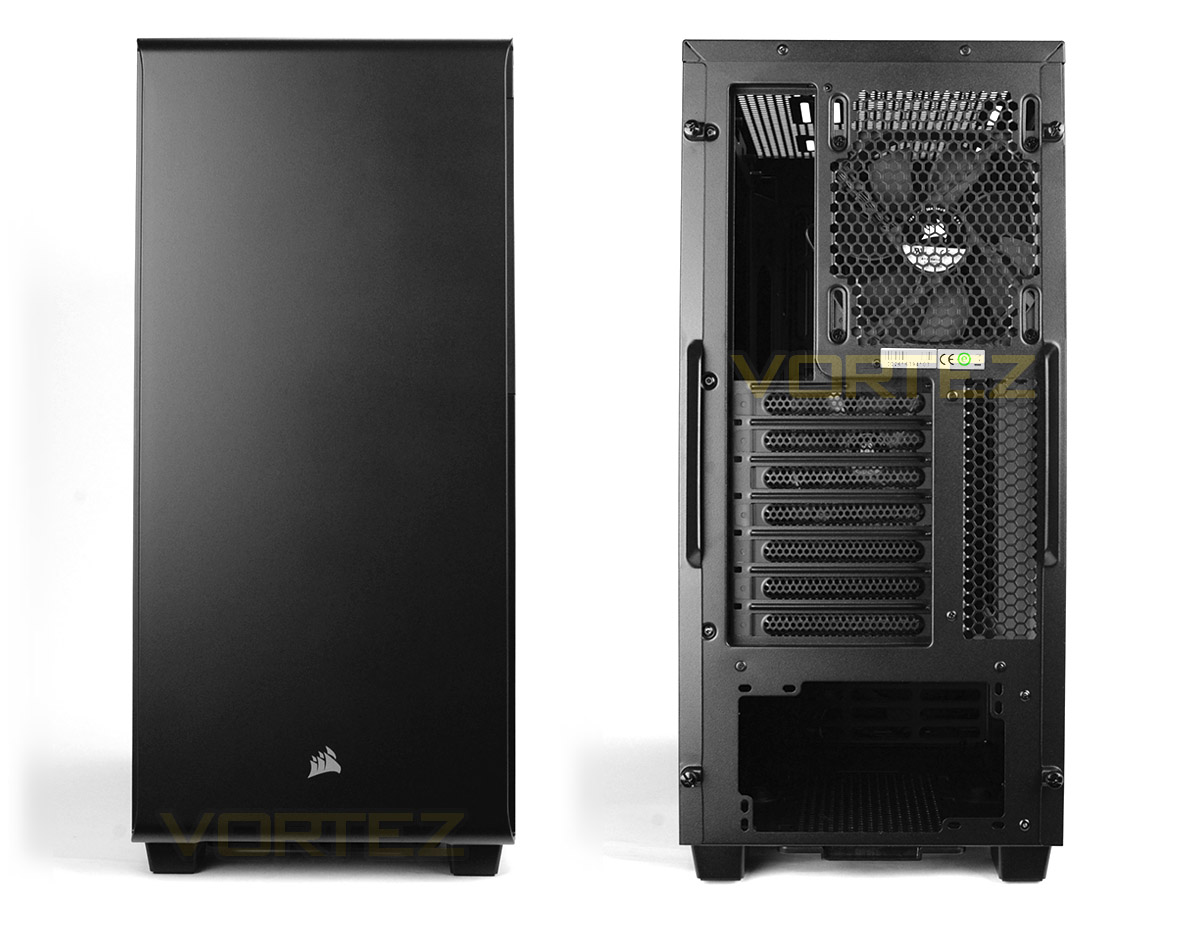
At the front of 270R we have a flat, plastic fascia which has no obvious features aside from the Corsair emblem at the very bottom. This, therefore, alludes to having no optical (5.25”) drive bays inside this chassis.
Around the back, we have an opening at the bottom for installing the PSU, seven PCI expansion slot covers and a 120mm rear exhaust cooling fan – a fairly standard layout for a mid-tower.
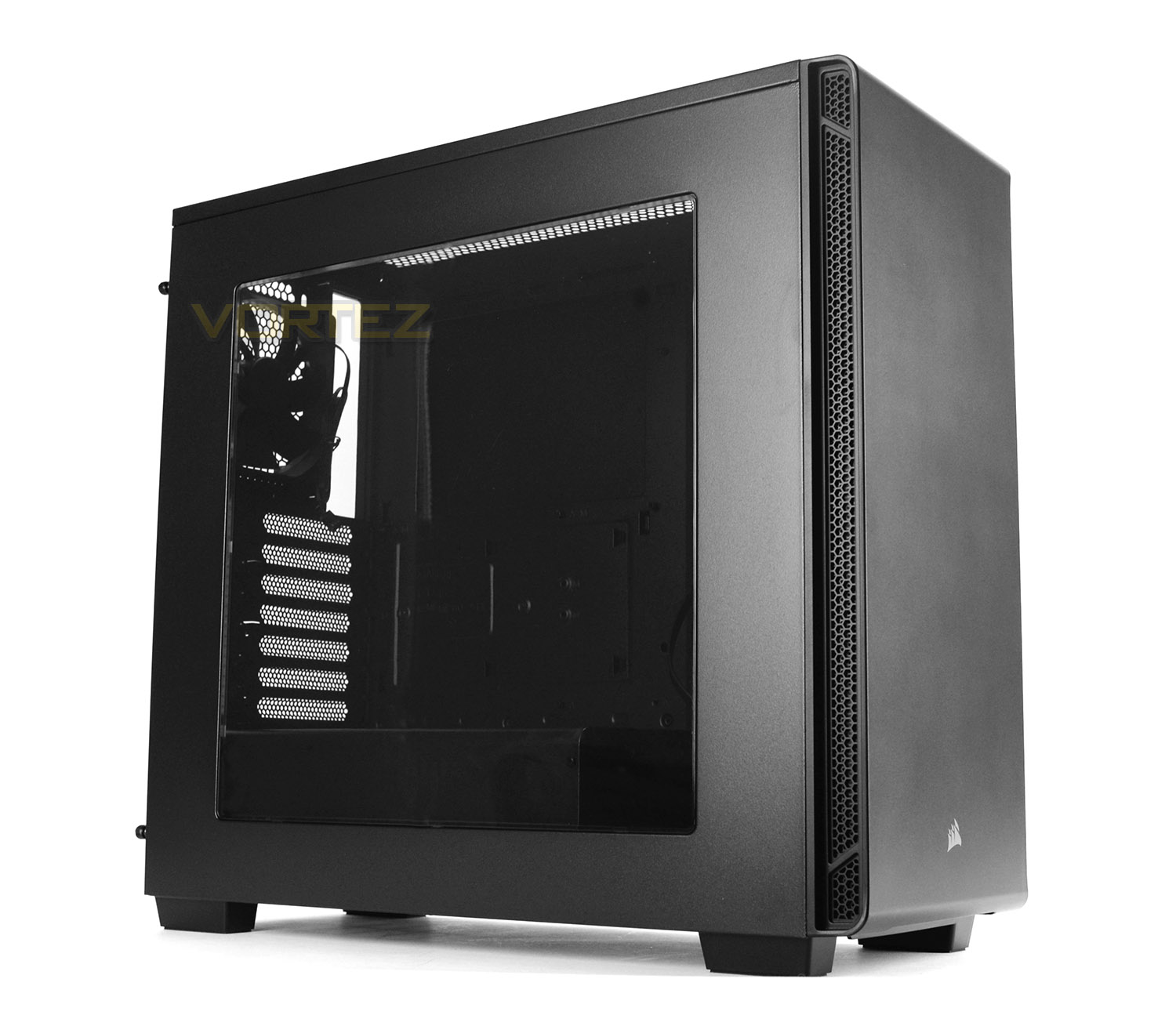
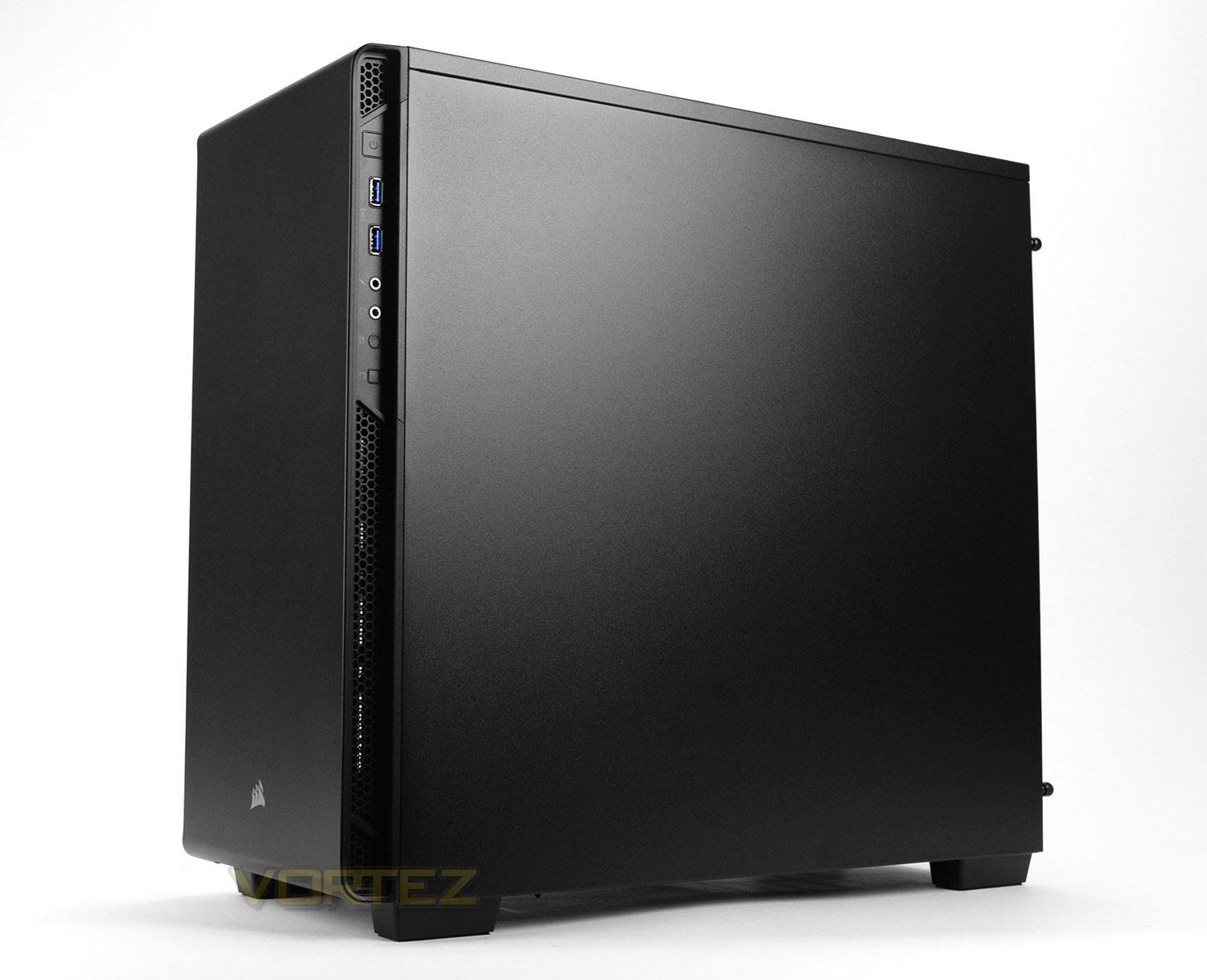
Viewing 270R from the side we can see that the front panel fascia has an area of ventilation running down each edge for the front cooling fans to gain air circulation.
On the prominent side, we have a large Perspex window which gives an overview of the internal components within, while on the reverse side, there are no distinct features – just a solid steel panel.
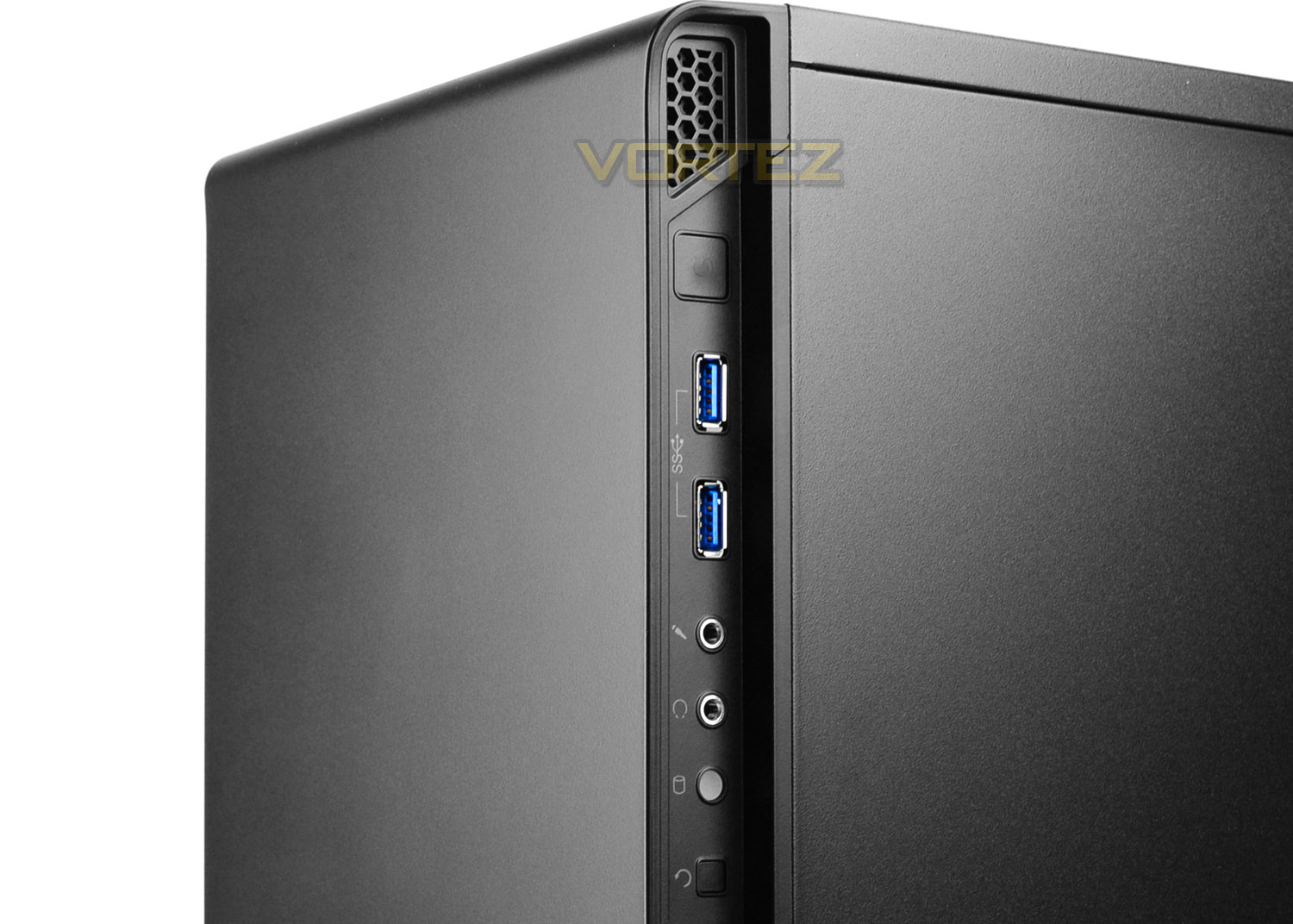
The front panel connectivity has been designed to run in a vertical line inside a recess on the right-side. In some scenarios, this will offer nice, discreet placement, while in others if the case is designed to sit next to a wall or desk, then this could interfere with access. Available here we have the following:
• Power button
• 2x USB 3.0 ports
• Headphone and microphone jacks
• HDD activity LED
• Reset button

Up at the top of the chassis we have a large area of honeycomb perforation. Having such an open area will mean that dust (and anything else) will fall inside the case and onto the system. We’d have liked to see a cover of some sort to counter this issue.
Corsair has designed the top to allow 2x 120/140mm cooling fans. The placement of these devices can be adjusted since we have strips rather than just mounting holes.
Interior
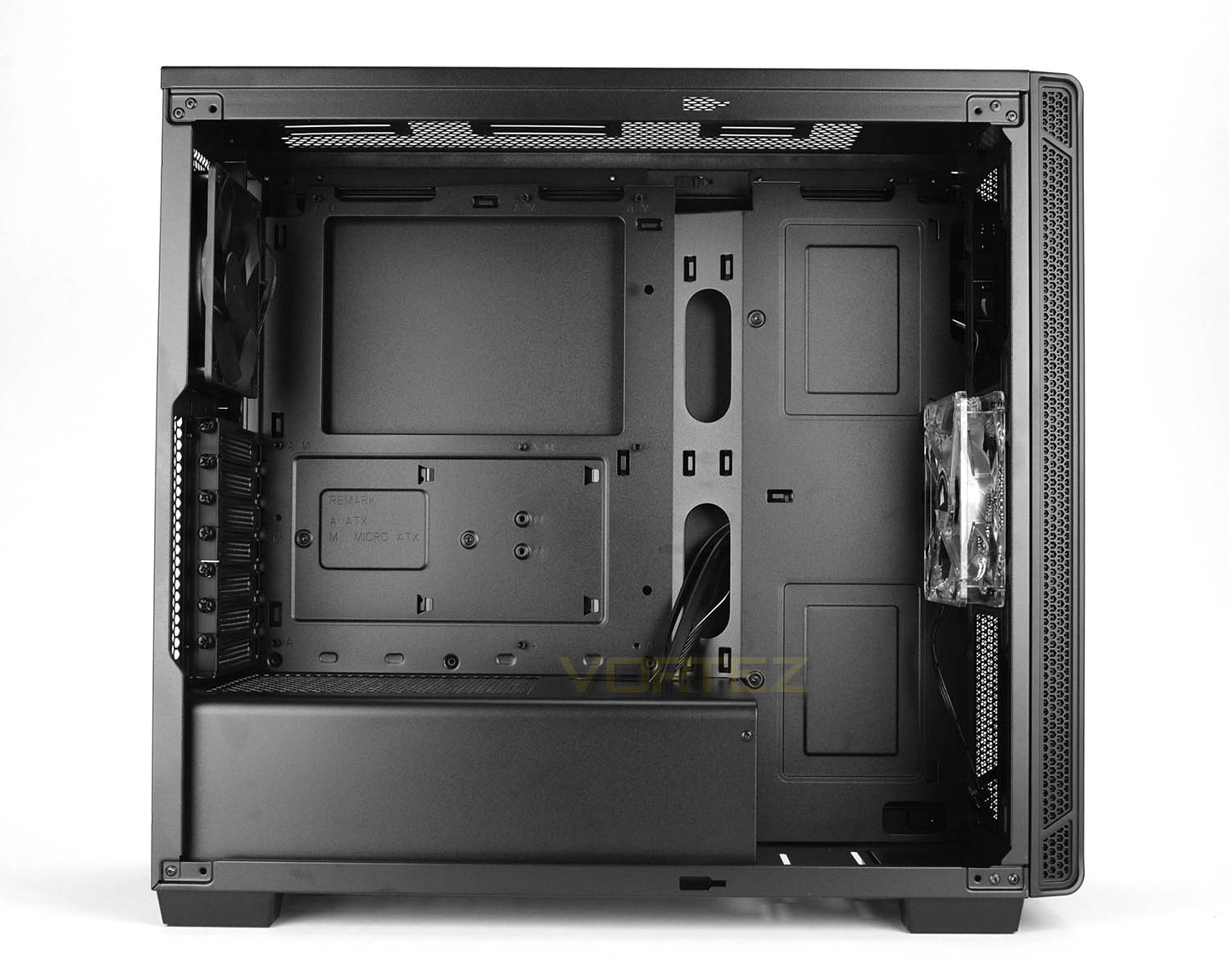
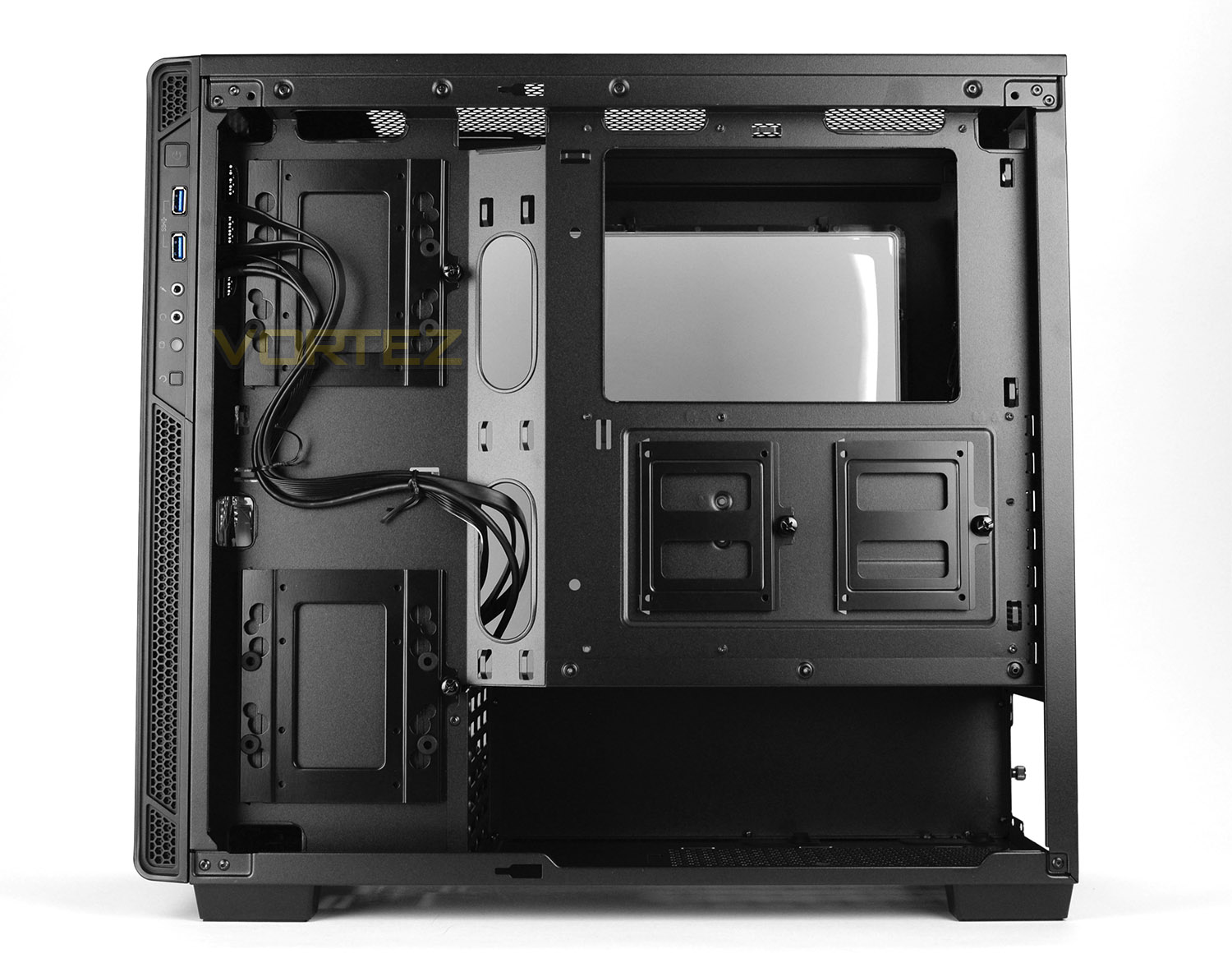
Both side panels on 270R are fixed into place with two thumbscrews on either side. Once removing these panels we’re met by a clean and well-kitted out internal design. The motherboard tray can entertain ATX, M-ATX and Mini-ITX motherboards and there are a lineup of tool-free mechanisms for installing hardware. Corsair has engineered this case to deliver great cable management, and from a first glance it appears all the ingredients are there to achieve this. Let’s now take a closer look…
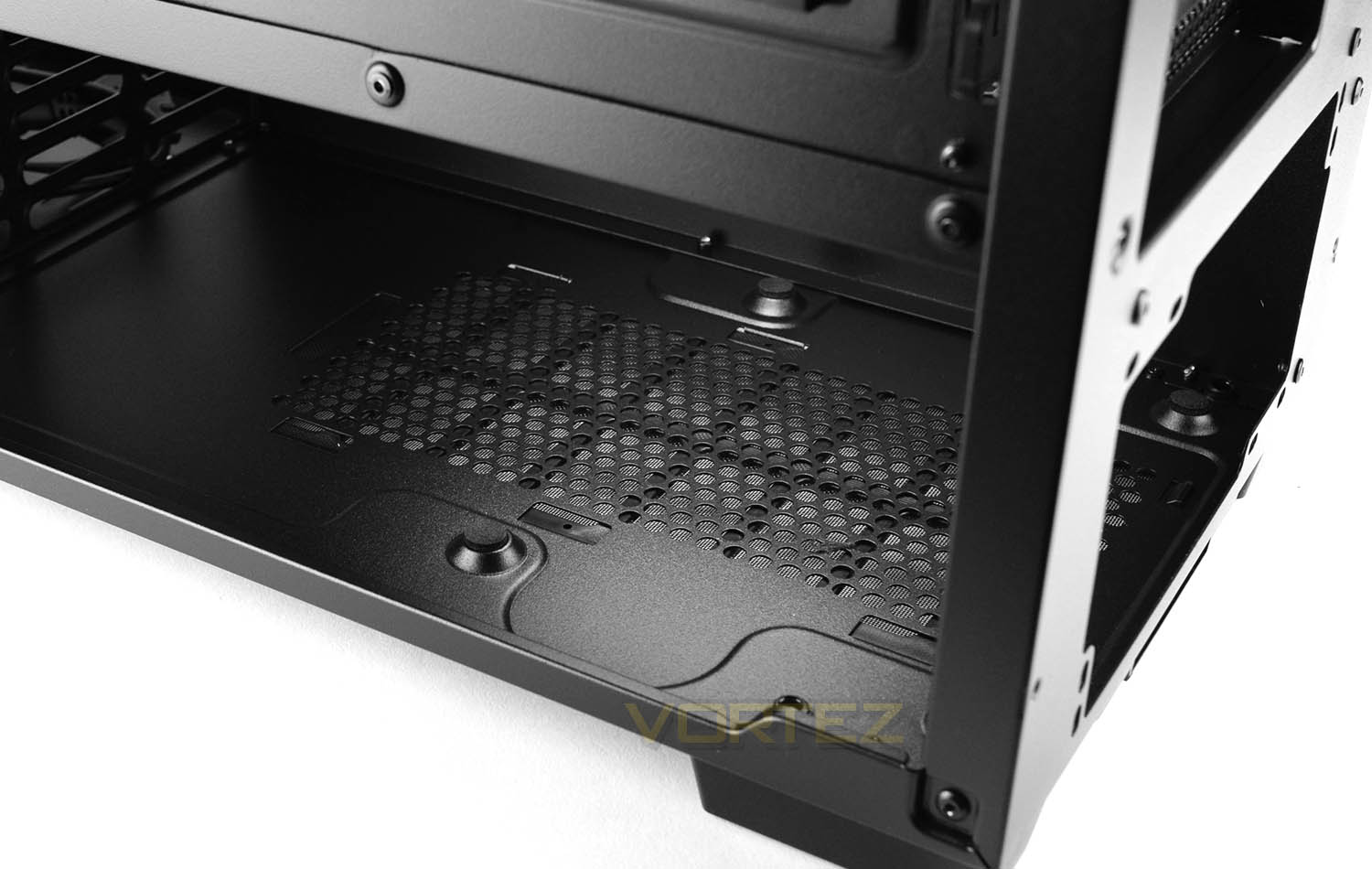
The placement for the power supply is found at the very bottom of the chassis and access from the reverse-side is necessary to install this unit. In this lower section, there is a dust filter underneath which pulls out and can be cleaned and there are rubber pads so prevent scratching.
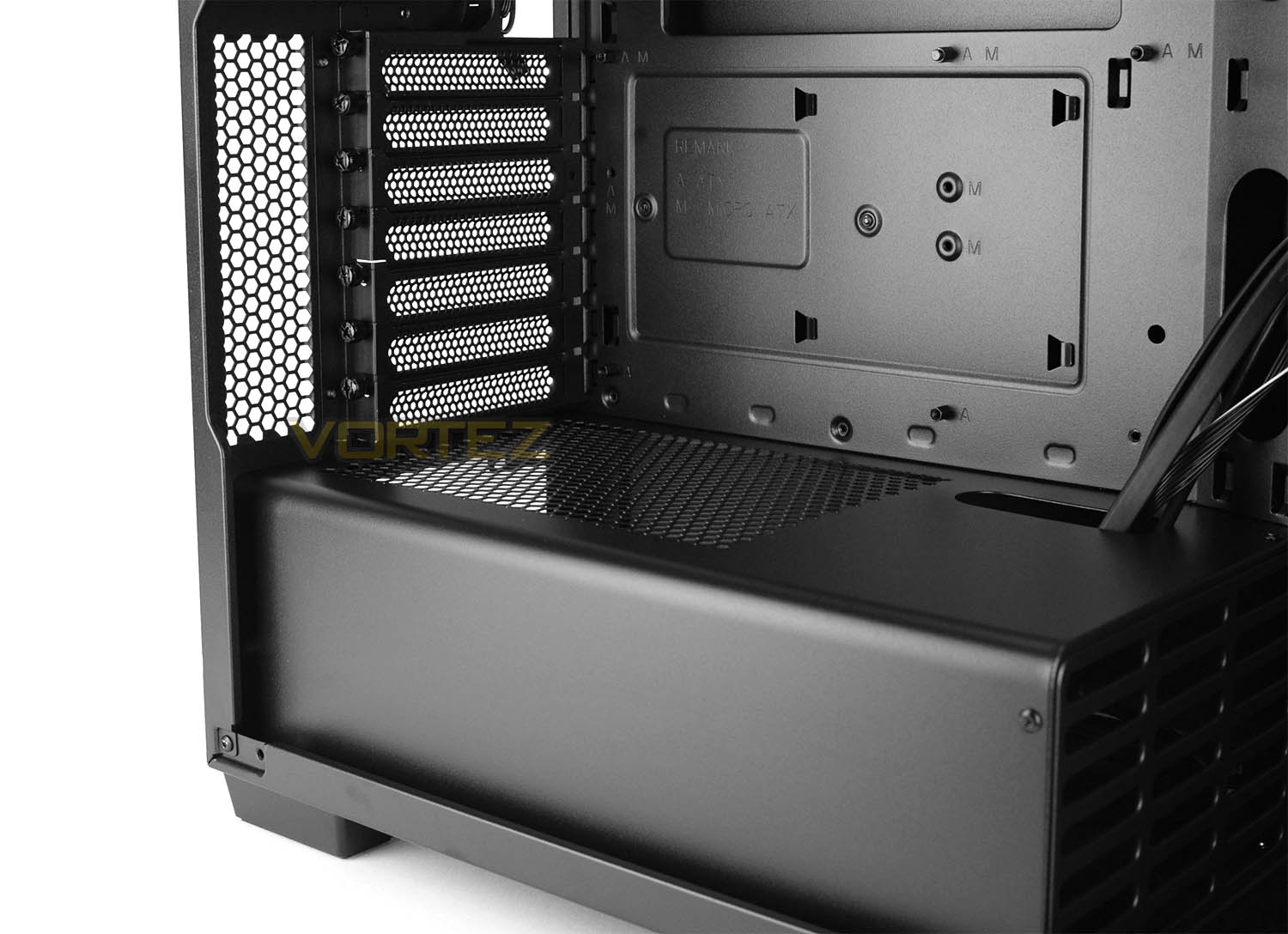
Over in the main chamber (from the other side), we can clearly see that there is a metal cover which will conceal the PSU. This cover will ensure a clean, tidy configuration and effectively hides any cabling that can look messy.
Above this there are a seven PCI expansion slot covers. Each cover has the cut-outs to encourage better airflow and also feature a thumbscrew for easy removal/installation of devices.
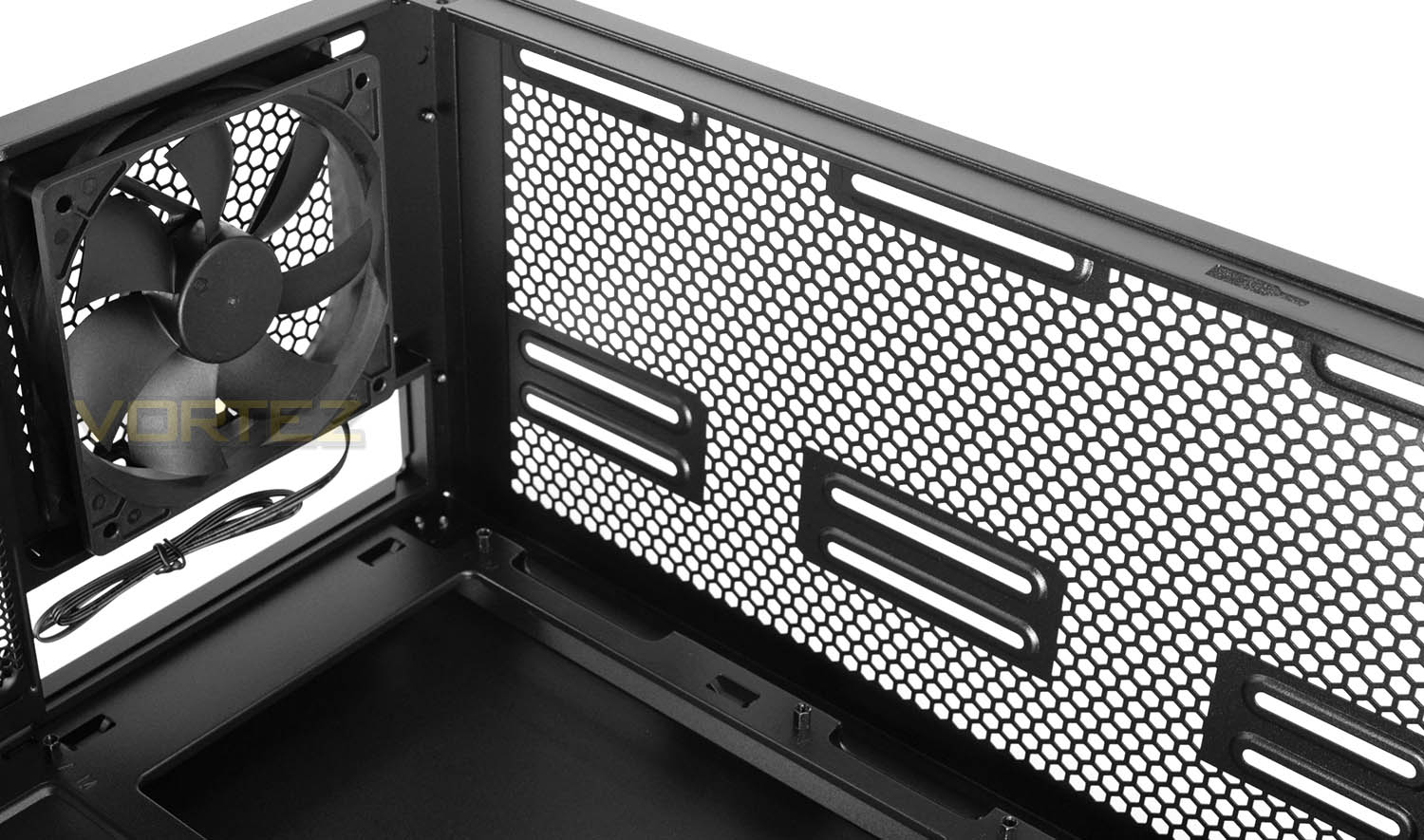
Corsair include a 120mm rear exhaust cooling fan inside 270R, which is great to see as this will help to flush out any unwanted heat.
Immediately next to this fan we have the optional spots for 2x 120/140mm fans and therefore the choice to install a 240/280mm radiator. We’ll look at installing this type of device later in the article.
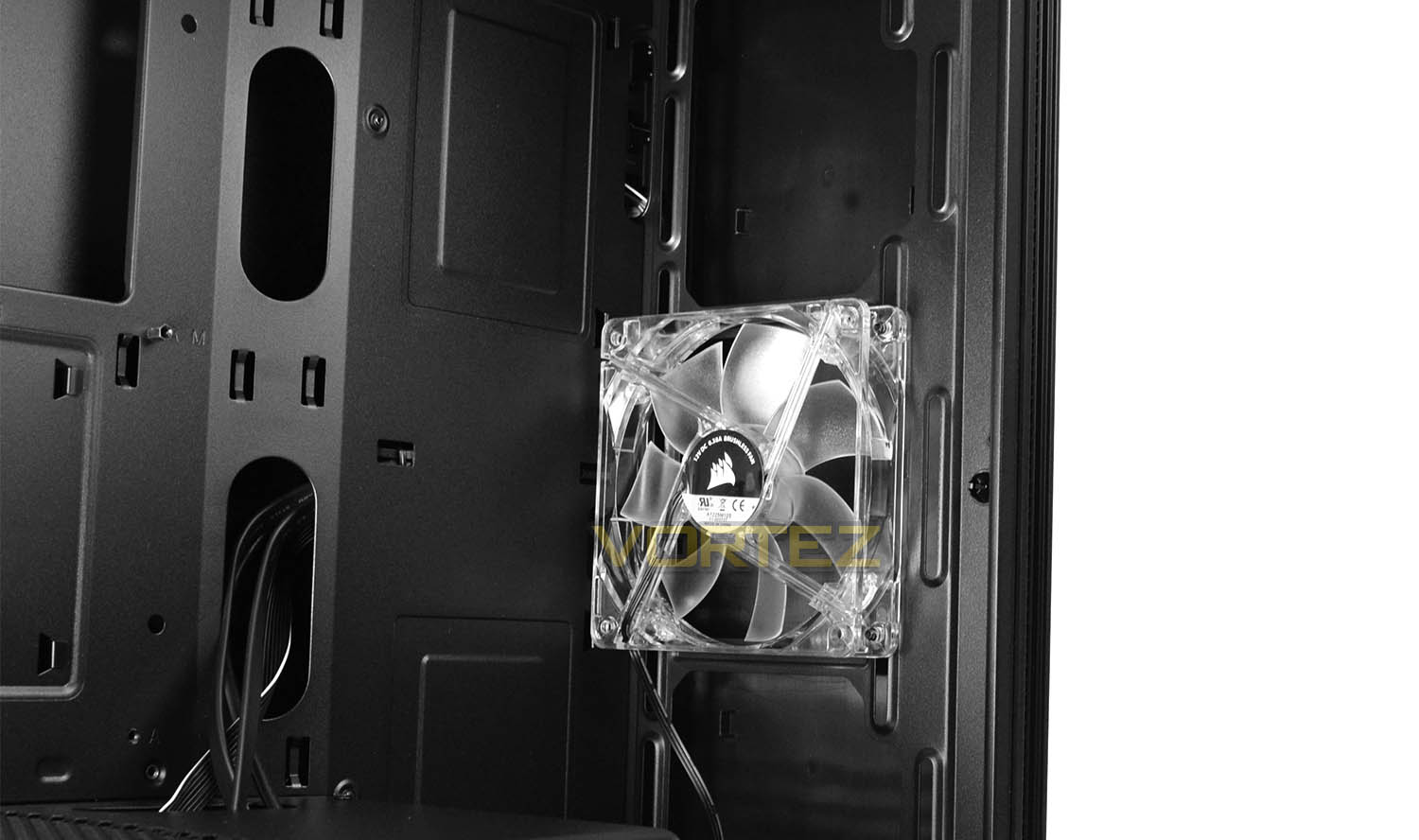
Over at the front of 270R, Corsair has decided to avoid including a 5.25” drive cage – which is a popular decision nowadays since most people opt for USB over optical.
Included at the front is another 120mm cooling fan, this time we have an LED variant which emits a red glow when powered up. Using an LED fan inside a case which has the front panel closed off is a strange design choice – since the glow will be difficult to see.
At the front, we also have space for installing a total of 3x 120mm or 2x 140mm fans. This also means radiators up to 360mm can be installed too.
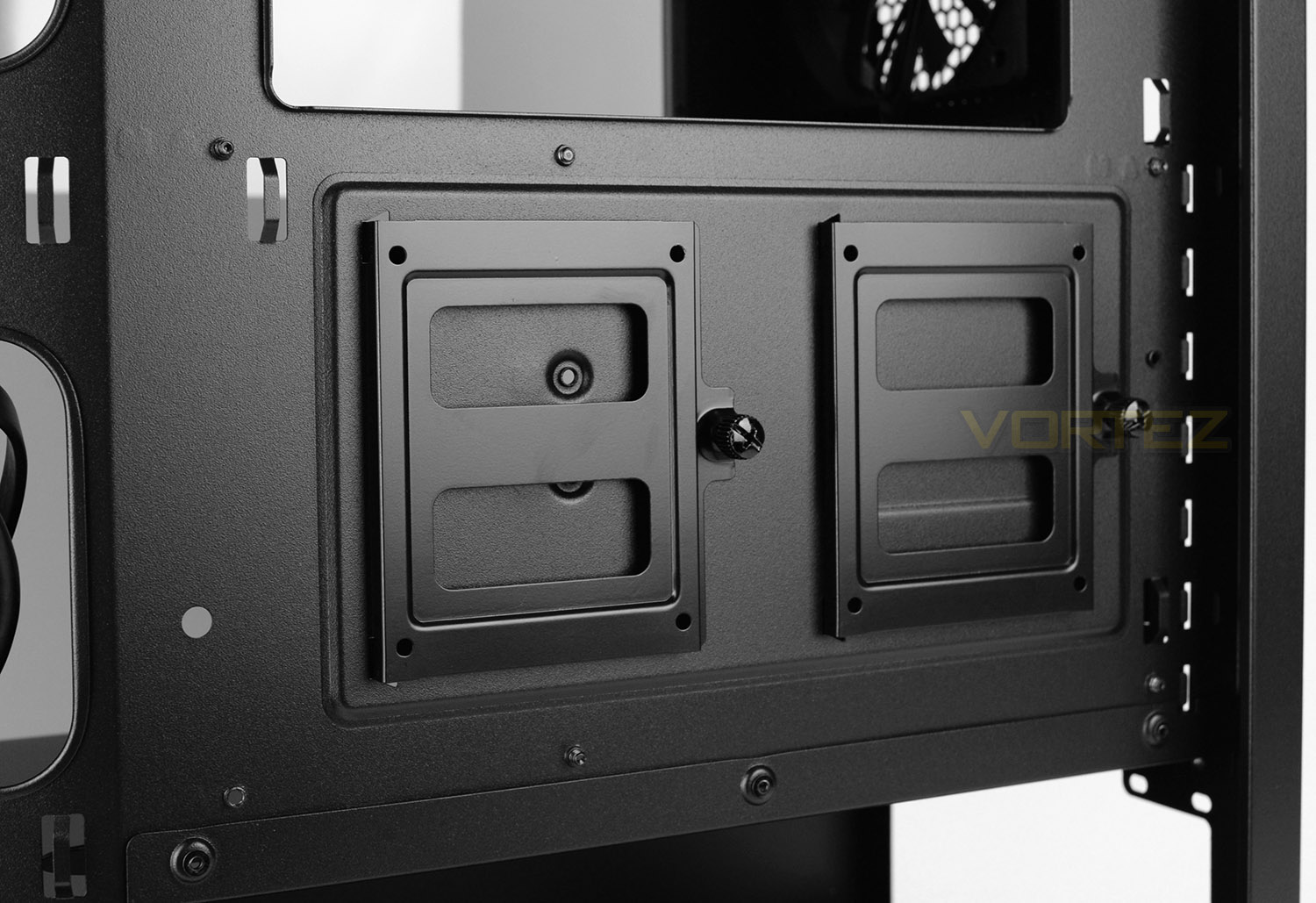
For storage, 270R offers two separate tools for different sized drives. For 2.5” SSDs there are two metal trays which sit directly behind the motherboard tray which can be detached from the chassis via a thumbscrew, the SSD just fixes by using four screws to the underside. This is a great use of space!
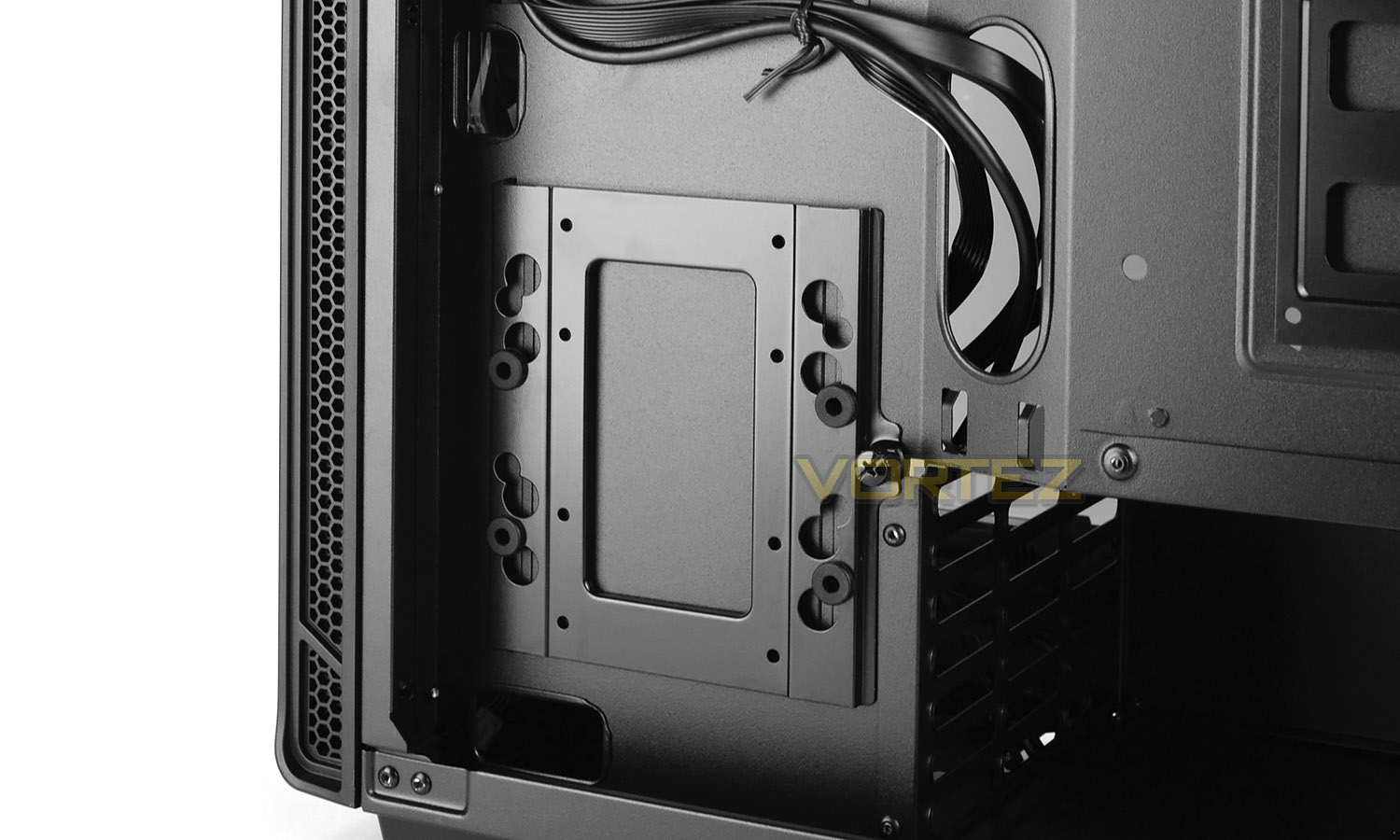
Larger drives which are 3.5” can be installed in either of the two bigger metal trays which sit towards the front of the 270R – again, screws just need applying to the underside of the drive. These trays can also accommodate 2.5” drives.
Installation
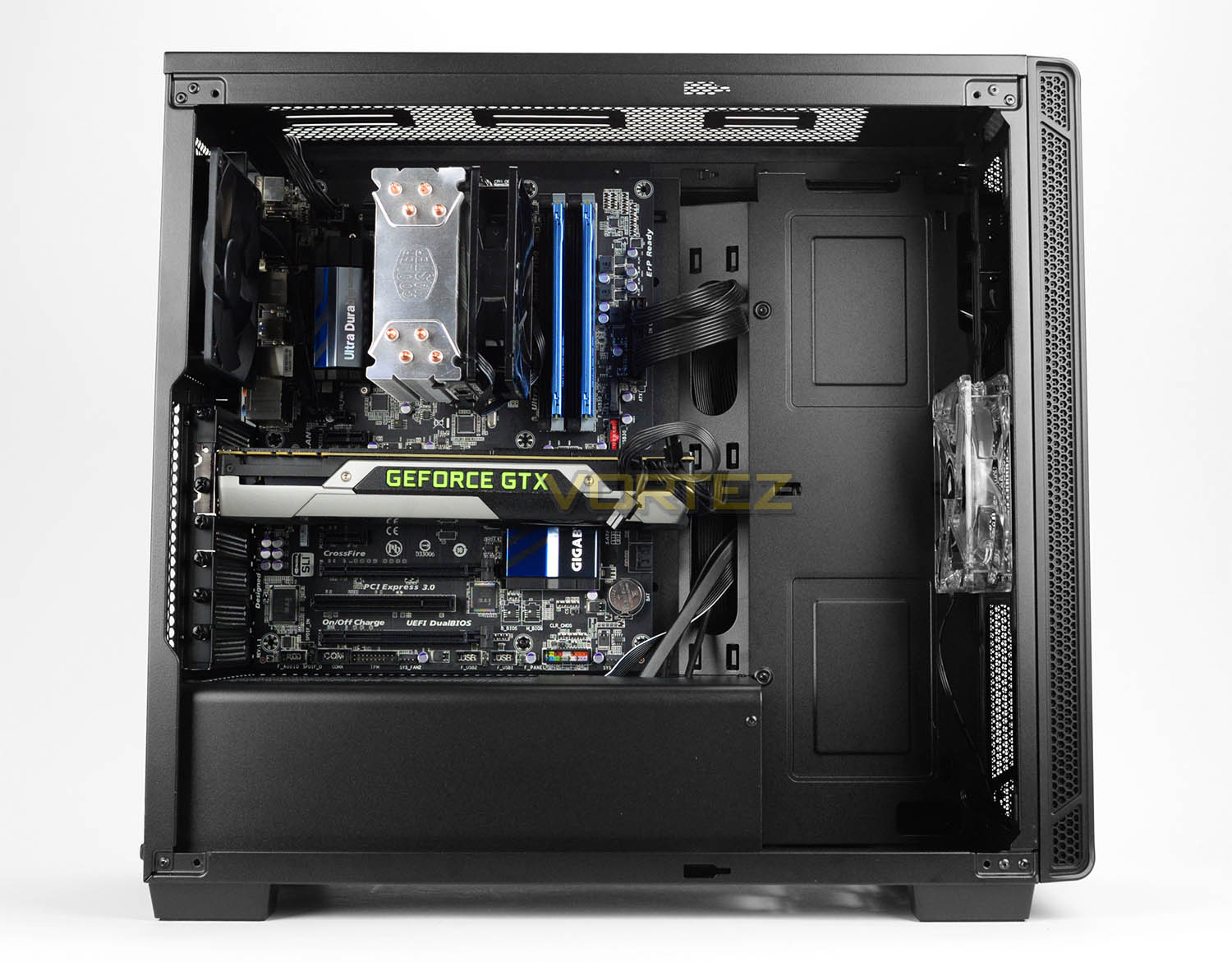
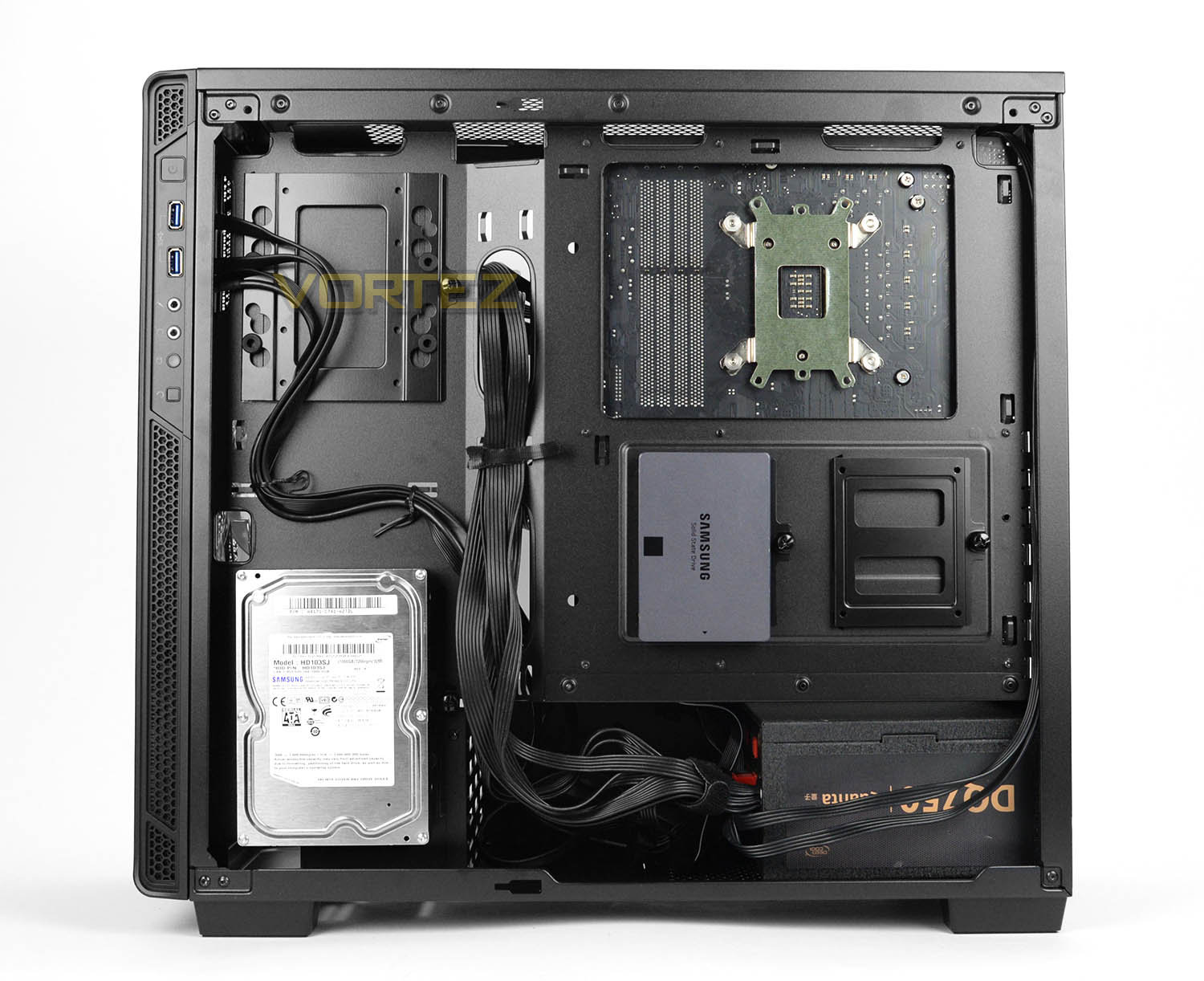
Installing kit inside 270R is very easy thanks to the layout and features available. We installed our ATX-based test rig inside this case and encountered no problems during the entire process.
As you can see from the above pictures, the cut-outs on the motherboard tray, PSU cover and space inside the chassis translates to a very tidy configuration with almost no cables in sight.
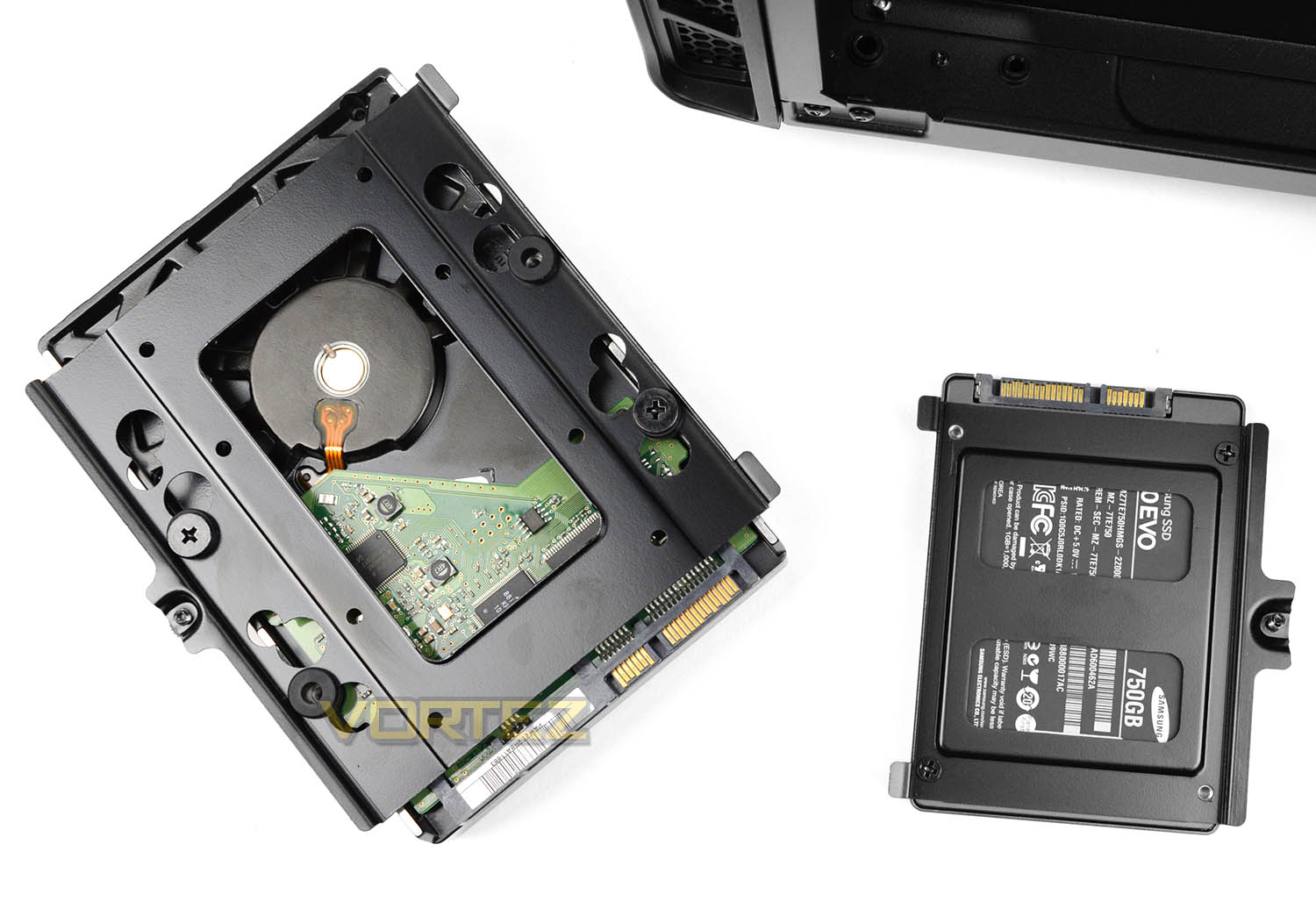
To install devices like the storage, we simply needed to place either the 3.5” or 2.5” drives into the trays and fix screws to the underside.
Clearance – CPU Cooler, GPU, Cable Management, WC
The clearance options inside a chassis are imperative to establishing whether specific hardware will fit or not. In this part of the review we go to significant areas of the case to discover what the limitations are.
CPU Cooler
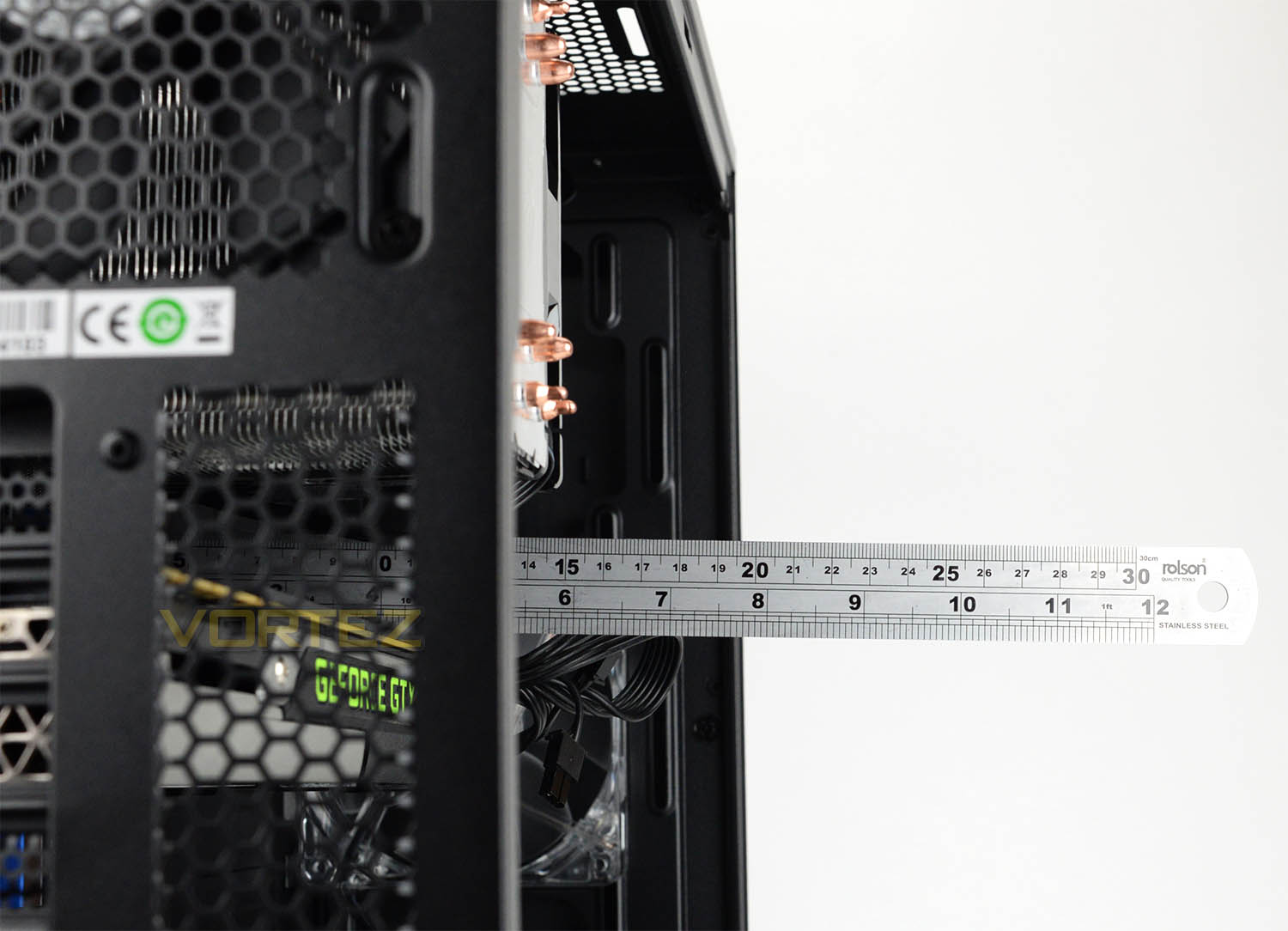
Inside 270R, we have a maximum of 170mm for the maximum height on the CPU cooler. Installed within the case we’ve used the Cooler Master Hyper 212 EVO which is 159mm in height and there is plenty of space beyond this before the heatpipes touch the side panel.
Graphics Card
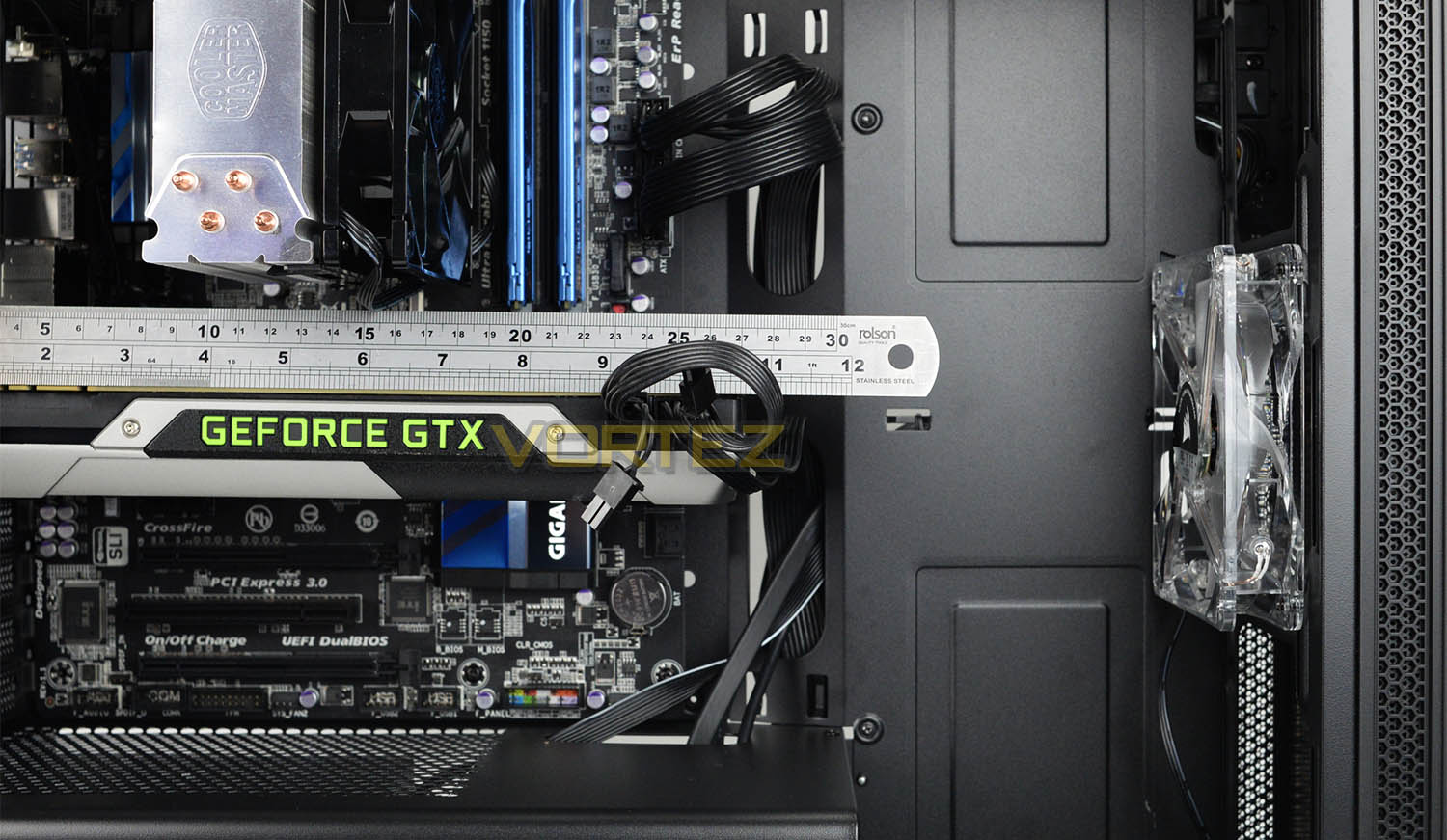
When we look at the graphics card department, there is approximately 370mm in total space for the length of the card. The largest cards are around 300mm, so this space is more than ample for anything currently on the market and since there are no storage cages at the front of the chassis, SLI and CrossFire is possible too.
Cable Management
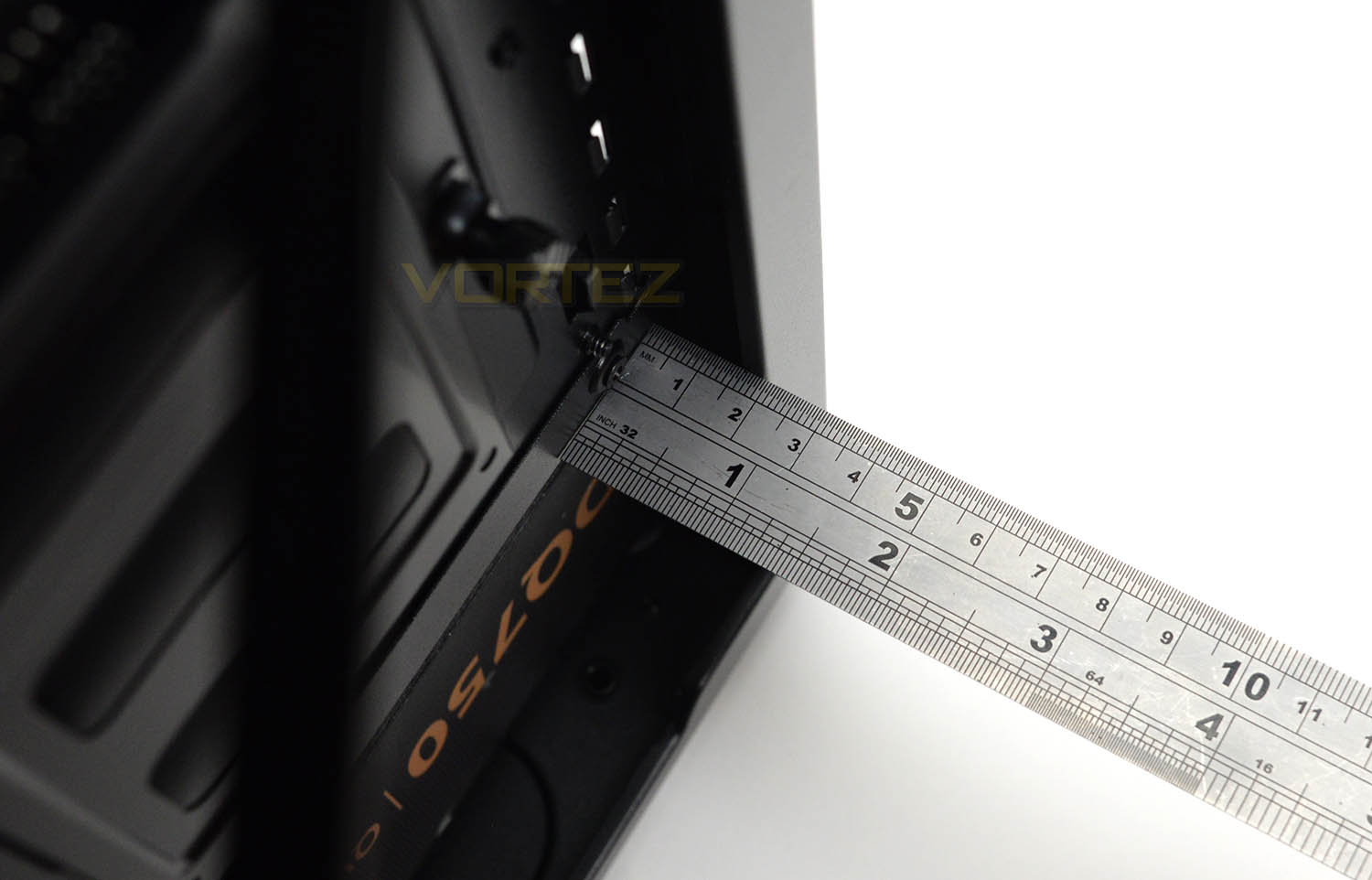
The area behind the motherboard tray allows redundant cables to be routed and can affect the tidiness inside a chassis. So, we have approximately 1.7cm behind the motherboard tray which is sufficient for basic control over those unruly cables. The inclusion of the PSU cover offers significant help in this particular area.
Water Cooling
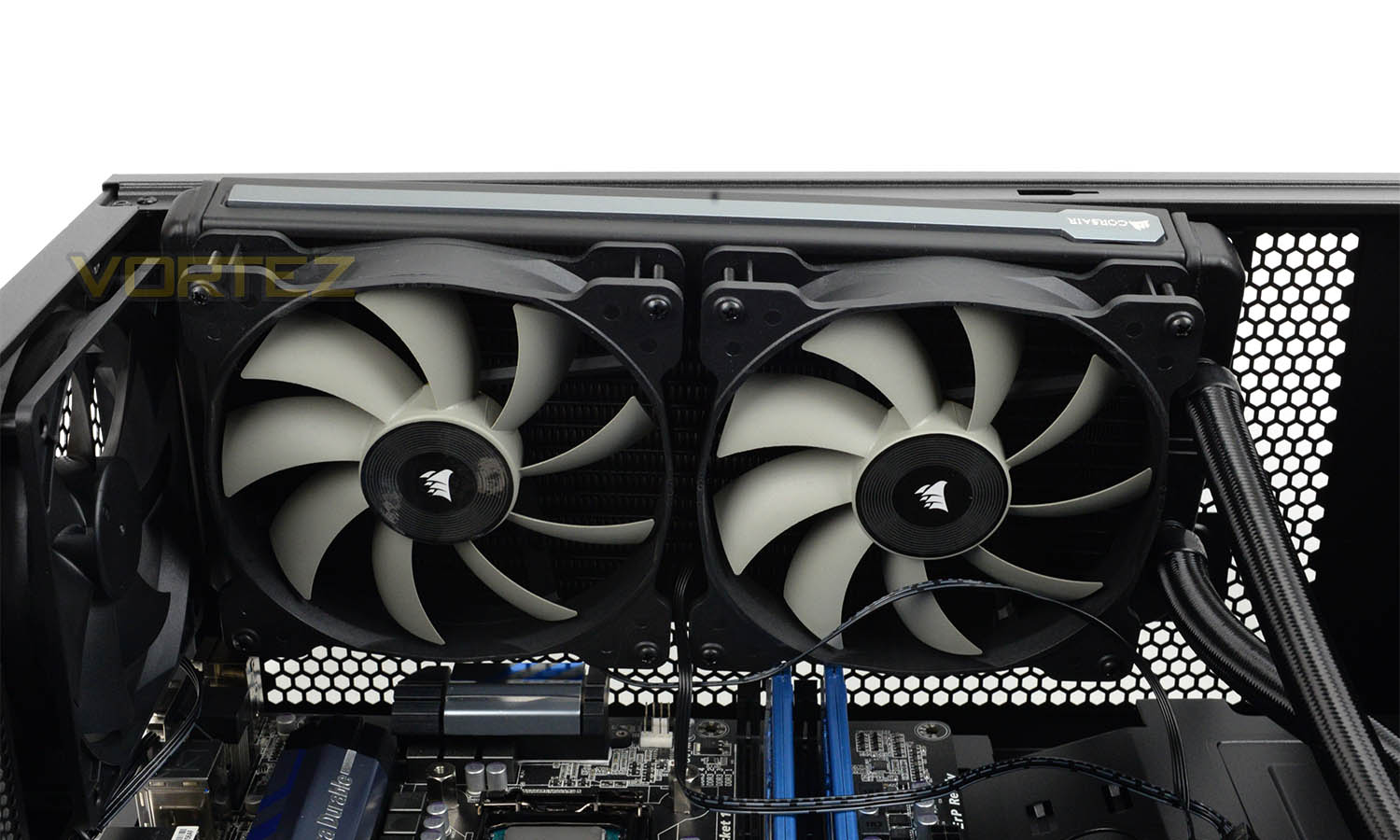
Closed loop liquid coolers are an incredibly popular way to cool the CPU nowadays and 270R has allocation in different areas to cater for this. At the top, Corsair state accommodation for 240/280mm radiators but we had problems fitting the radiator and fans inside the chassis because there simply wasn’t enough space between the top of the case and the motherboard. The fans touched heatsinks and low-profile memory on the motherboard.
At the front, we have the most amount of space and this is by far the best place to fit a radiator/fan combo if you’re wanting to add in something like a Corsair Hydro Series solution. At the front, we can install a 360/280/240mm radiator.
Thermal Performance Testing
Inside the 270R we have two AF120 cooling fans – one is placed at the front and another is configured as a rear exhaust. This push-pull methodology usually translates to good results.
To discover the thermal performance of 270R we will record idle temperatures after 20 minutes from a cold boot. We will then stress the system and temperatures will again be monitored after 30 minutes have elapsed.
For the purpose of accurate analysis, the idle and load temperatures for CPU will be recorded and the range between idle and load will be calculated to determine how efficient cooling is.
NOTE: Ambient temperature is 20C
System Components
CPU Intel Pentium K G3258 @ 4GHz
Motherboard GIGABYTE Z87X-D3H
CPU Cooler Cooler Master Hyper 212 EVO
Graphics NVIDIA GTX 760
Memory 4GB Kingston HyperX DDR3
HDD Samsung Spinpoint 500GB SATA-II
PSU DeepCool DQ750
Motherboard GIGABYTE Z87X-D3H
CPU Cooler Cooler Master Hyper 212 EVO
Graphics NVIDIA GTX 760
Memory 4GB Kingston HyperX DDR3
HDD Samsung Spinpoint 500GB SATA-II
PSU DeepCool DQ750
Noise
Very little noise can be heard from the two cooling fans inside 270R. AF120s are renowned for being low-noise and they certainly live up to this.
Conclusion
This past week we’ve been focussed on two cases from Corsair’s new Crystal Series which aren’t within every system builders budget. Along with the 460X and 570X, Corsair released a new model to join their existing Carbide Series which is much more budget friendly. Enter, the 270R…
When building a new system, the final sum can come as quite a surprise once high-value components such as the CPU and graphics card are factored in, and therefore some enthusiasts prefer to choose an enclosure which is in the sub £100/$100 zone. The 270R appears to deliver the ideal balance between value and features.
Adopting a clean and tidy aesthetic is the name of the game here. Corsair has adorned this mid-tower with a subtle design on the exterior so that the visual impact is easy on the eye – the aesthetics are such that 270R will blend into the office space easily. Inside, we can install a range of different components; even reaching into the high-end department, with enough space for big CPU coolers and large graphics cards. The omission of the HDD/optical cages in the main chamber completely frees up space and encourages better airflow over the system. For a case with this price-tag, we’re impressed by how much space there is, and how much allocation there is – various areas can host different sized radiators, though we did have difficulty installing a 280mm radiator with its fans at the top of the chassis due to poor clearance from the motherboard to the top of the chassis.
Another aspect we were very pleased about was the cable management. The cut-outs and PSU cover allow you to route cables around the back of the case easily and this translates to a cable-free region over on the prominent side where the system is on full display with the Perspex side panel.
The two included cooling fans inside 270R present adequate results and emit very little noise, thanks to the models used and the closed off design from the front fascia. Why Corsair decided to use an LED fan for the front cooling remains a mystery – the front panel conceals the glow and the side panel reveals very little light from this fan.
The 270R arrives on the market with a price-tag of £65 GBP / $69 USD which isn’t exactly entry level, nor is it high-end. We’d classify this as a tier up from budget – a fairly basic chassis, offering some good features for a reasonable cost.
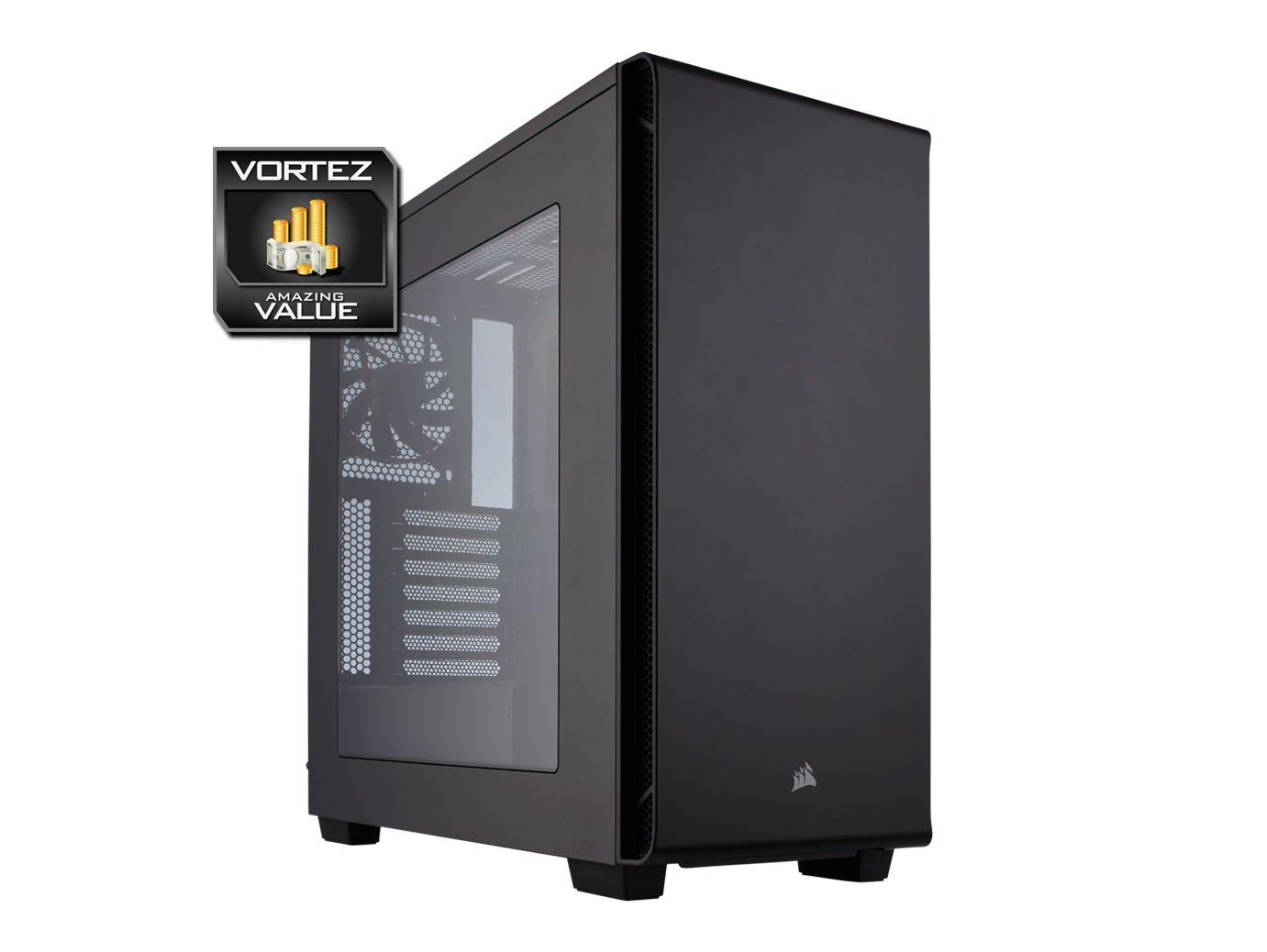
The Carbide Series 270R represents great value for money. This mid-tower supplies some nifty features which will come in handy for system builders who are on a tighter budget.
Pros
+ Subtle styling
+ Affordable
+ Can host high-end kit
+ Space to install more fans/radiators
+ Great cable management features
+ Quiet operation
Cons
– 280mm rad/fan combo doesn’t fit at top
– Only four storage ports
+ Subtle styling
+ Affordable
+ Can host high-end kit
+ Space to install more fans/radiators
+ Great cable management features
+ Quiet operation
Cons
– 280mm rad/fan combo doesn’t fit at top
– Only four storage ports
Click here for an explanation of our awards at Vortez.net.