Taking over from the Pro – Gaming line of motherboards, the ROG STRIX moves in to give gamers a feature rich motherboard with stunning RGB LED lighting.

Product on Review: ROG STRIX X370-F Gaming
Manufacturer & Sponsor: ASUS
Street Price: £189.99 GBP / $199 USD
Performance and style has been wrapped up and consolidated with the STRIX branding, which is now falling under the ROG umbrella. As expected, we get a visual feast of bold styling, with neutral toned chipset coolers, along with vibrant RGB LED lighting powered by the ASUS Aura software. Being based on the X370 chipset, the ROG STRIX X370-F Gaming supports both CrossfireX and SLI, and so it features two reinforced ‘SafeSlots’ to firmly hold your beefy graphics cards in place. There is support for 3200MHz dual channel DDR4 memory, and a NVMe M.2 slot for high-speed storage. Gamers will be happy to know that ASUS have used a low latency Intel I211-AT LAN chipset, which is supported by the GameFirst software, along with the LANGuard technology to protect the motherboard against any power surges. As an additional treat, ASUS have given gamers an exceptional onboard audio solution with their SupremeFX technology and the exclusive S1220A audio codec supported by the RC4580 and OPA1688 op-amps.
Coming in at around £190, it is priced significantly lower than the Crosshair VI Hero, and does away with various features that are more geared towards enthusiasts and pro-overclockers, giving gamers a more specialised motherboard catering more for their needs. Despite that, ASUS have implemented their exclusive technologies and a robust circuitry to enable gamers a stable overclocking experience, including a baseclock generator for total control.
Overview by ASUS
ROG Strix X370-F Gaming motherboards continue the proud legacy of the Pro Gaming series with acclaimed ROG innovations. ROG Strix X370-F Gaming motherboards combine bold aesthetics with premier performance and incredible audio to deliver unrivaled gaming experiences and style. Support for the latest AMD processors and technologies, plus exclusive ROG innovations, take performance to the next level to give you the edge against opponents. ROG Strix X370-F Gaming charges every movement of every game with thrilling energy and equips you with epic speed and agility. Join the Republic with ROG Strix X370-F Gaming and dominate your game!
Technical Specifications
CPU
AMD AM4 Socket for AMD Ryzen™/7th Generation A-series/Athlon™ Processors
Supports AM4 Socket 14 nm CPU
Supports CPU up to 8 cores
* Refer to www.asus.com for CPU support list
Chipset
AMD X370
Memory
AMD Ryzen™ Processors
4 x DIMM, Max. 64GB, DDR4 3200(O.C.)/2666/2400/2133 MHz ECC and non-ECC, Un-buffered Memory *
AMD 7th Generation A-series/Athlon™ Processors
4 x DIMM, Max. 64GB, DDR4 2400/2133 MHz Non-ECC, Un-buffered Memory *
Dual Channel Memory Architecture
* Refer to www.asus.com for the Memory QVL (Qualified Vendors Lists).
Multi-GPU Support
Supports NVIDIA® 2-Way SLI™ Technology
Supports AMD 3-Way CrossFireX™ Technology
Expansion Slots
AMD Ryzen™ Processors
2 x PCIe 3.0/2.0 x16 (x16 or dual x8)
AMD 7th Generation A-series/Athlon™ Processors
1 x PCIe 3.0/2.0 x16 (x8 mode)
AMD X370 chipset
1 x PCIe 2.0 x16 (max at x4 mode) *1
3 x PCIe 2.0 x1
Storage
AMD Ryzen™ Processors :
1 x M.2 Socket 3, with M key, type 2242/2260/2280/22110 storage devices support (SATA & PCIE 3.0 x 4 mode)
AMD 7th Generation A-series/Athlon™ Processors :
1 x M.2 Socket 3, with M key, type 2242/2260/2280/22110 storage devices support (SATA mode)
AMD X370 chipset :
8 x SATA 6Gb/s port(s),
Support Raid 0, 1, 10
LAN
Intel® I211-AT, 1 x Gigabit LAN Controller(s)
Anti-surge LANGuard
ROG GameFirst Technology
Audio
ROG SupremeFX 8-Channel High Definition Audio CODEC S1220A
– Dual Headphone Amplifiers
– Impedance sense for front and rear headphone outputs
– Supports : Jack-detection, Multi-streaming, Front Panel Jack-retasking
– High quality 120 dB SNR stereo playback output and 113 dB SNR recording input
– SupremeFX Shielding Technology
– Supports up to 32-Bit/192kHz playback *2
Audio Feature :
– Optical S/PDIF out port(s) at back panel
– Sonic Radar III
– Sonic Studio III
USB Ports
AMD Ryzen™/7th Generation A-series/Athlon™ Processors :
4 x USB 3.1 Gen 1 port(s) (4 at back panel, blue)
AMD X370 chipset :
1 x USB 3.1 Gen 2 front panel connector port(s)
AMD X370 chipset :
6 x USB 3.1 Gen 1 port(s) (2 at back panel, blue, 4 at mid-board)
AMD X370 chipset :
4 x USB 2.0 port(s) (2 at back panel, black, 2 at mid-board)
ASMedia® USB 3.1 Gen 2 controller :
2 x USB 3.1 Gen 2 port(s) (2 at back panel, red, Type-A + USB Type-CTM)
ROG Exclusive Features
ROG RAMCache II
ROG CPU-Z
ROG CloneDrive
Overwolf
GameFirst IV
Special Features
5-Way Optimization by Dual Intelligent Processors 5
– Whole system optimization with a single click! 5-Way Optimization tuning key perfectly consolidates TPU, EPU, DIGI+ VRM, Fan Xpert 4, and Turbo App together, providing better CPU performance, efficient power saving, precise digital power control, whole system cooling and even tailor your own app usages.
TPU
– Auto Tuning, TurboV, GPU Boost
– Fan Xpert 4 featuring Fan Auto Tuning function and multiple thermistors
Gamer’s Guardian:
– ESD Guards on LAN, Audio, KBMS and USB3.0/2.0 ports
– DRAM Overcurrent Protection
– Stainless Steel Back I/O
– Highly Durable Components
– DIGI+ VRM
– SafeSlot
ASUS EPU :
– EPU
AURA :
– Aura Lighting Control
ASUS Exclusive Features:[b/]
– AI Suite 3
– Ai Charger
ASUS EZ DIY :
– ASUS CrashFree BIOS 3
– ASUS EZ Flash 3
ASUS Q-Design :
– ASUS Q-Shield
– ASUS Q-LED (CPU, DRAM, Boot Device LED)
– ASUS Q-Slot
– ASUS Q-DIMM
Gaming Aesthetics :
– 3D printing friendly
– AURA-RGB Lighting
Digi+VRM
Back I/O Ports
1 x DisplayPort
1 x HDMI
1 x LAN (RJ45) port(s)
2 x USB 3.1 Gen 2 Type-A + USB Type-CTM
6 x USB 3.1 Gen 1
2 x USB 2.0
1 x Optical S/PDIF out
5 x Audio jack(s)
Internal I/O Ports
2 x RGB Header(s)
2 x USB 3.1 Gen 1 connector(s) support(s) additional 4 USB 3.1 Gen 1 port(s)
1 x USB 2.0 connector(s) support(s) additional 2 USB 2.0 port(s)
1 x M.2 Socket 3 with M key, type 2242/2260/2280/22110 storage devices support (SATA & PCIE 3.0 x 4 mode)
1 x TPM connector(s)
8 x SATA 6Gb/s connector(s)
1 x CPU Fan connector(s)
1 x CPU OPT Fan connector(s)
3 x Chassis Fan connector(s)
1 x AIO_PUMP connector
1 x W_PUMP+ connector
1 x 24-pin EATX Power connector(s)
1 x 8-pin ATX 12V Power connector(s)
1 x Front panel audio connector(s) (AAFP)
1 x Thermal sensor connector(s)
1 x Clear CMOS jumper(s)
1 x System panel connector
1 x USB 3.1 Gen 2 front panel connector
Accessories
User’s manual
I/O Shield
4 x SATA 6Gb/s cable(s)
1 x M.2 Screw Package
1 x Supporting DVD
1 x SLI HB BRIDGE(2-WAY-M)
1 x ROG Strix stickers
1 x 10-in-1 ROG cable label
1 x Cable ties pack(s)
1 x Extension Cable for RGB strips (80 cm)
1 x 3D printing mount package
BIOS
128 Mb Flash ROM, UEFI AMI BIOS, PnP, WfM2.0, SM BIOS 3.0 ACPI 6.1, Multi-language BIOS,ASUS EZ Flash 3, CrashFree BIOS 3, F11 EZ Tuning Wizard, F6 Qfan Control, F3 My Favourites, Last Modified log, F12 PrintScreen, and ASUS DRAM SPD (Serial Presence Detect) memory information
Manageability
WfM 2.0, DMI 3.0, WOL by PME, PXE
Support Disc
Drivers
ASUS Utilities
Anti-virus software (OEM version)
Operating System
Windows® 10 64-bit
Form Factor
ATX Form Factor
12 inch x 9.6 inch ( 30.5 cm x 24.4 cm )
Note
*1 PCIEX16_3 Socket shares bandwidth witch PCIEX1_2 and PCIEX1_3
*2 Due to limitations in HDA bandwidth, 32-Bit/192kHz is not supported for 8-Channel audio.
*3 ROG GameFirst IV is only available for Windows® 10 64-bit.
AMD AM4 Socket for AMD Ryzen™/7th Generation A-series/Athlon™ Processors
Supports AM4 Socket 14 nm CPU
Supports CPU up to 8 cores
* Refer to www.asus.com for CPU support list
Chipset
AMD X370
Memory
AMD Ryzen™ Processors
4 x DIMM, Max. 64GB, DDR4 3200(O.C.)/2666/2400/2133 MHz ECC and non-ECC, Un-buffered Memory *
AMD 7th Generation A-series/Athlon™ Processors
4 x DIMM, Max. 64GB, DDR4 2400/2133 MHz Non-ECC, Un-buffered Memory *
Dual Channel Memory Architecture
* Refer to www.asus.com for the Memory QVL (Qualified Vendors Lists).
Multi-GPU Support
Supports NVIDIA® 2-Way SLI™ Technology
Supports AMD 3-Way CrossFireX™ Technology
Expansion Slots
AMD Ryzen™ Processors
2 x PCIe 3.0/2.0 x16 (x16 or dual x8)
AMD 7th Generation A-series/Athlon™ Processors
1 x PCIe 3.0/2.0 x16 (x8 mode)
AMD X370 chipset
1 x PCIe 2.0 x16 (max at x4 mode) *1
3 x PCIe 2.0 x1
Storage
AMD Ryzen™ Processors :
1 x M.2 Socket 3, with M key, type 2242/2260/2280/22110 storage devices support (SATA & PCIE 3.0 x 4 mode)
AMD 7th Generation A-series/Athlon™ Processors :
1 x M.2 Socket 3, with M key, type 2242/2260/2280/22110 storage devices support (SATA mode)
AMD X370 chipset :
8 x SATA 6Gb/s port(s),
Support Raid 0, 1, 10
LAN
Intel® I211-AT, 1 x Gigabit LAN Controller(s)
Anti-surge LANGuard
ROG GameFirst Technology
Audio
ROG SupremeFX 8-Channel High Definition Audio CODEC S1220A
– Dual Headphone Amplifiers
– Impedance sense for front and rear headphone outputs
– Supports : Jack-detection, Multi-streaming, Front Panel Jack-retasking
– High quality 120 dB SNR stereo playback output and 113 dB SNR recording input
– SupremeFX Shielding Technology
– Supports up to 32-Bit/192kHz playback *2
Audio Feature :
– Optical S/PDIF out port(s) at back panel
– Sonic Radar III
– Sonic Studio III
USB Ports
AMD Ryzen™/7th Generation A-series/Athlon™ Processors :
4 x USB 3.1 Gen 1 port(s) (4 at back panel, blue)
AMD X370 chipset :
1 x USB 3.1 Gen 2 front panel connector port(s)
AMD X370 chipset :
6 x USB 3.1 Gen 1 port(s) (2 at back panel, blue, 4 at mid-board)
AMD X370 chipset :
4 x USB 2.0 port(s) (2 at back panel, black, 2 at mid-board)
ASMedia® USB 3.1 Gen 2 controller :
2 x USB 3.1 Gen 2 port(s) (2 at back panel, red, Type-A + USB Type-CTM)
ROG Exclusive Features
ROG RAMCache II
ROG CPU-Z
ROG CloneDrive
Overwolf
GameFirst IV
Special Features
5-Way Optimization by Dual Intelligent Processors 5
– Whole system optimization with a single click! 5-Way Optimization tuning key perfectly consolidates TPU, EPU, DIGI+ VRM, Fan Xpert 4, and Turbo App together, providing better CPU performance, efficient power saving, precise digital power control, whole system cooling and even tailor your own app usages.
TPU
– Auto Tuning, TurboV, GPU Boost
– Fan Xpert 4 featuring Fan Auto Tuning function and multiple thermistors
Gamer’s Guardian:
– ESD Guards on LAN, Audio, KBMS and USB3.0/2.0 ports
– DRAM Overcurrent Protection
– Stainless Steel Back I/O
– Highly Durable Components
– DIGI+ VRM
– SafeSlot
ASUS EPU :
– EPU
AURA :
– Aura Lighting Control
ASUS Exclusive Features:[b/]
– AI Suite 3
– Ai Charger
ASUS EZ DIY :
– ASUS CrashFree BIOS 3
– ASUS EZ Flash 3
ASUS Q-Design :
– ASUS Q-Shield
– ASUS Q-LED (CPU, DRAM, Boot Device LED)
– ASUS Q-Slot
– ASUS Q-DIMM
Gaming Aesthetics :
– 3D printing friendly
– AURA-RGB Lighting
Digi+VRM
Back I/O Ports
1 x DisplayPort
1 x HDMI
1 x LAN (RJ45) port(s)
2 x USB 3.1 Gen 2 Type-A + USB Type-CTM
6 x USB 3.1 Gen 1
2 x USB 2.0
1 x Optical S/PDIF out
5 x Audio jack(s)
Internal I/O Ports
2 x RGB Header(s)
2 x USB 3.1 Gen 1 connector(s) support(s) additional 4 USB 3.1 Gen 1 port(s)
1 x USB 2.0 connector(s) support(s) additional 2 USB 2.0 port(s)
1 x M.2 Socket 3 with M key, type 2242/2260/2280/22110 storage devices support (SATA & PCIE 3.0 x 4 mode)
1 x TPM connector(s)
8 x SATA 6Gb/s connector(s)
1 x CPU Fan connector(s)
1 x CPU OPT Fan connector(s)
3 x Chassis Fan connector(s)
1 x AIO_PUMP connector
1 x W_PUMP+ connector
1 x 24-pin EATX Power connector(s)
1 x 8-pin ATX 12V Power connector(s)
1 x Front panel audio connector(s) (AAFP)
1 x Thermal sensor connector(s)
1 x Clear CMOS jumper(s)
1 x System panel connector
1 x USB 3.1 Gen 2 front panel connector
Accessories
User’s manual
I/O Shield
4 x SATA 6Gb/s cable(s)
1 x M.2 Screw Package
1 x Supporting DVD
1 x SLI HB BRIDGE(2-WAY-M)
1 x ROG Strix stickers
1 x 10-in-1 ROG cable label
1 x Cable ties pack(s)
1 x Extension Cable for RGB strips (80 cm)
1 x 3D printing mount package
BIOS
128 Mb Flash ROM, UEFI AMI BIOS, PnP, WfM2.0, SM BIOS 3.0 ACPI 6.1, Multi-language BIOS,ASUS EZ Flash 3, CrashFree BIOS 3, F11 EZ Tuning Wizard, F6 Qfan Control, F3 My Favourites, Last Modified log, F12 PrintScreen, and ASUS DRAM SPD (Serial Presence Detect) memory information
Manageability
WfM 2.0, DMI 3.0, WOL by PME, PXE
Support Disc
Drivers
ASUS Utilities
Anti-virus software (OEM version)
Operating System
Windows® 10 64-bit
Form Factor
ATX Form Factor
12 inch x 9.6 inch ( 30.5 cm x 24.4 cm )
Note
*1 PCIEX16_3 Socket shares bandwidth witch PCIEX1_2 and PCIEX1_3
*2 Due to limitations in HDA bandwidth, 32-Bit/192kHz is not supported for 8-Channel audio.
*3 ROG GameFirst IV is only available for Windows® 10 64-bit.
Packaging & First Look
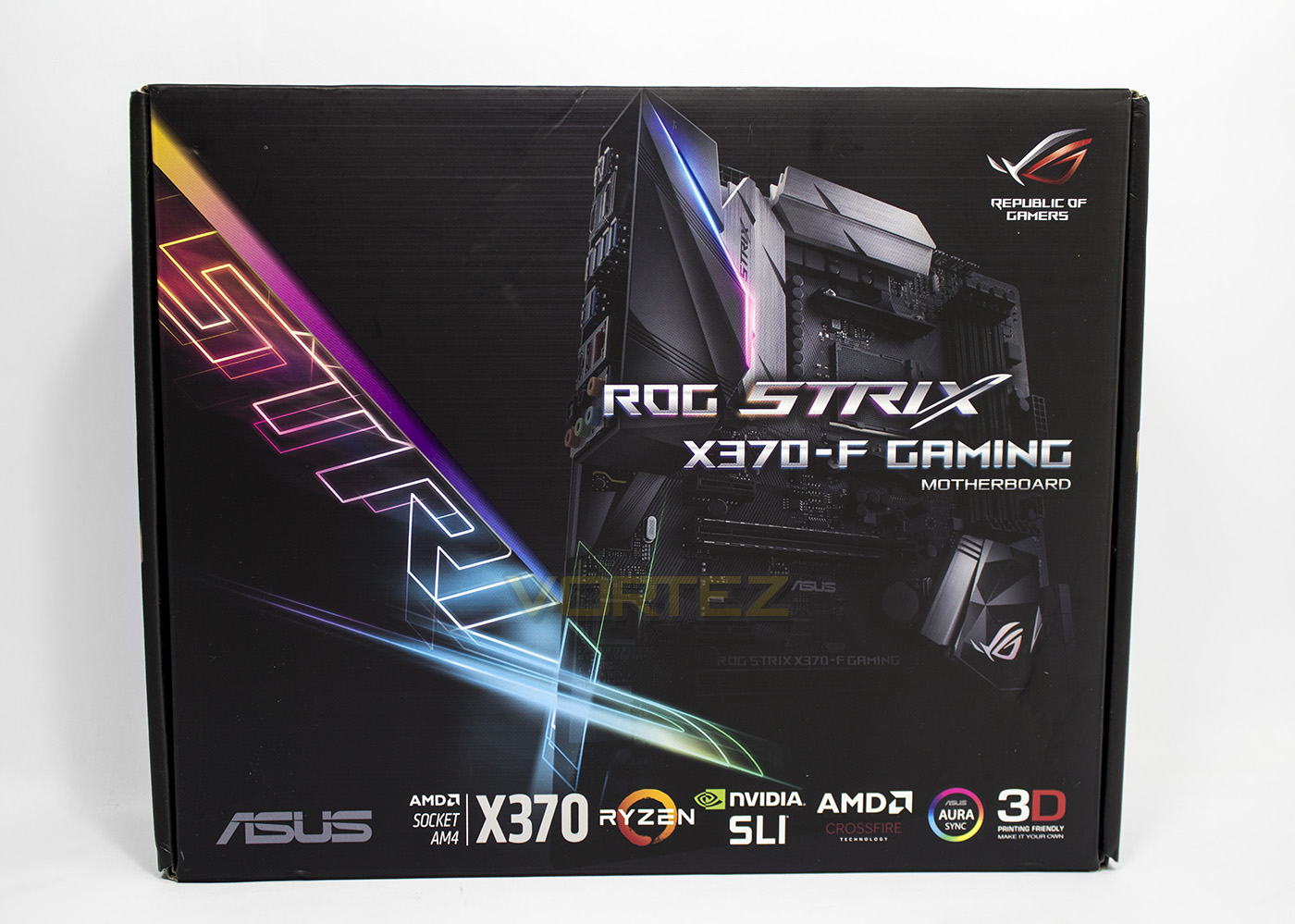
Sleek and colourful, the packaging gives all the necessary information with an image of the motherboard brooding like Batman in the background.
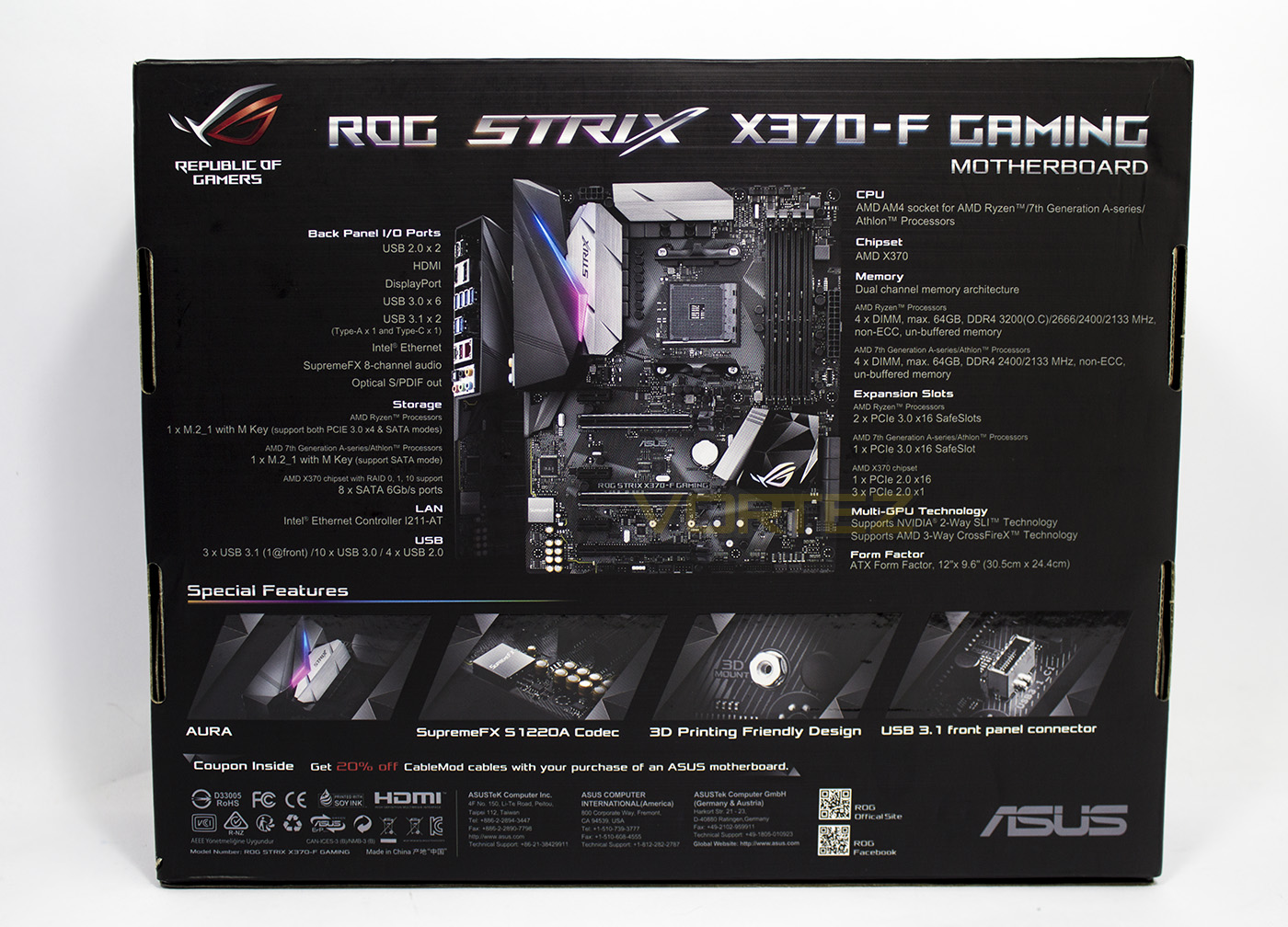
The rear side gives a breakdown of its features and specification.
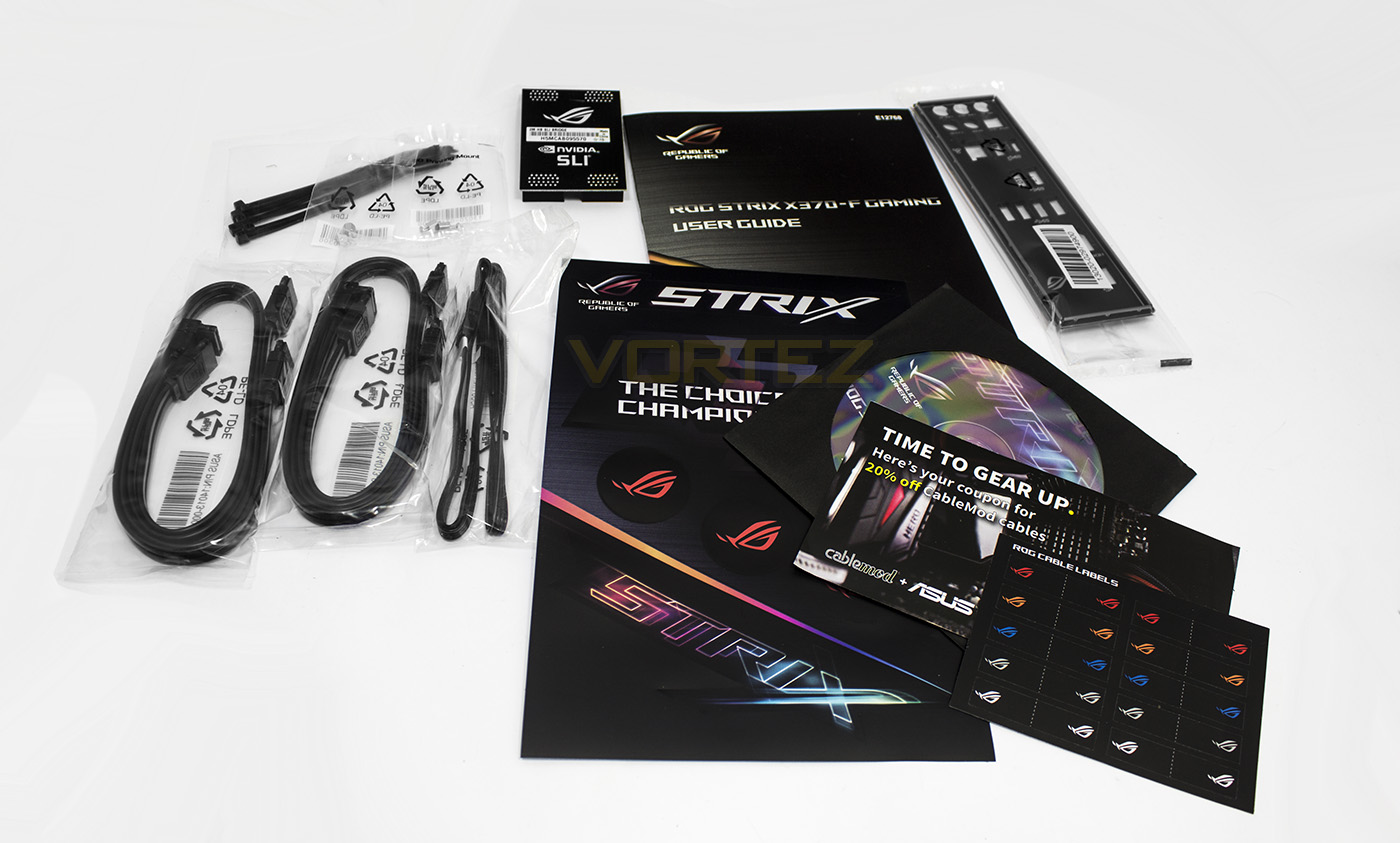
Inside the packaging the ROG STRIX X370-F Gaming ships with: 4x SATA cables, cable ties, an RGB LED extension cable, NVidia SLI bridge, manual, driver disc, quick start guide, ROG cable identifiers, Q-Shield, and a Cable-Mods discount code.
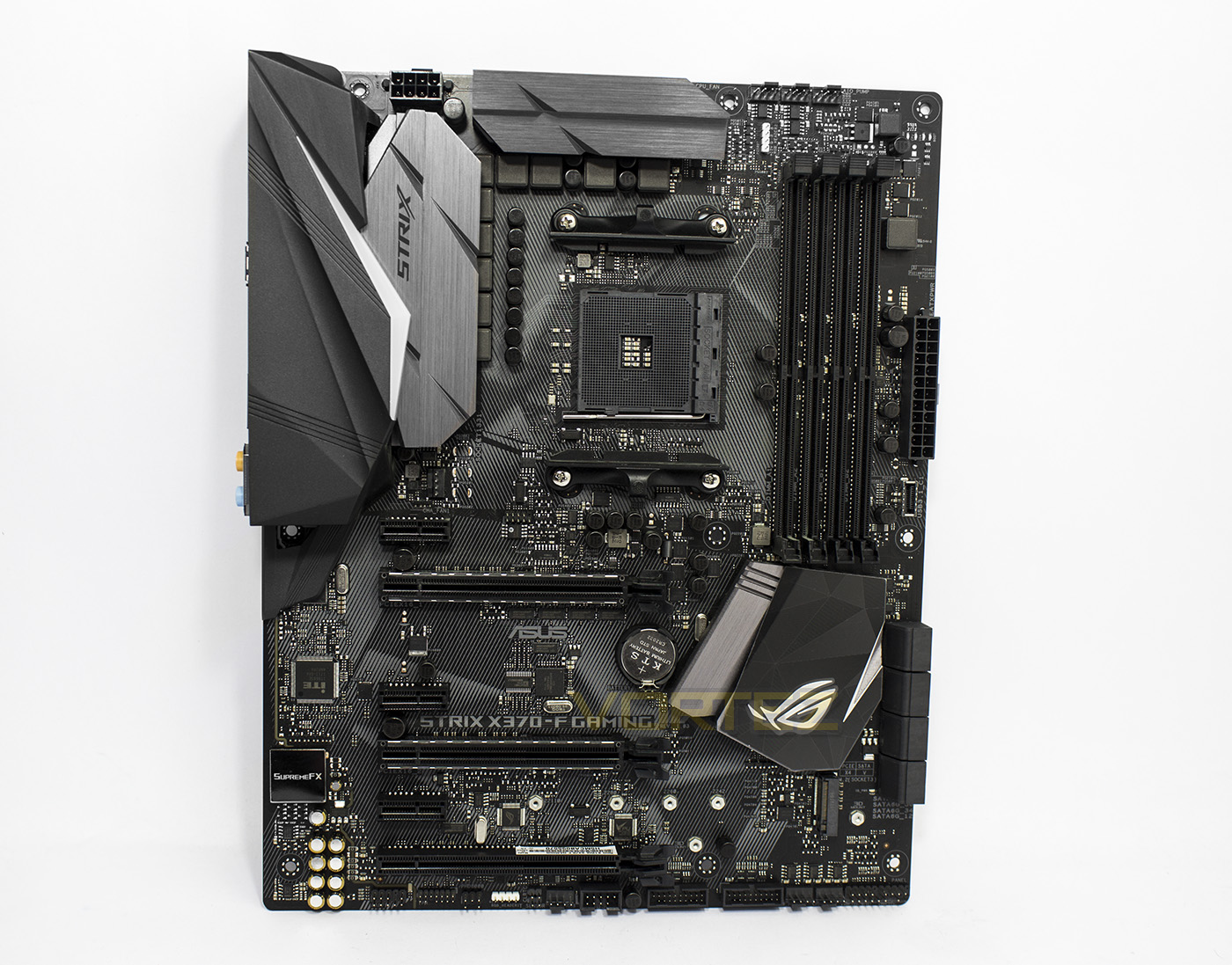
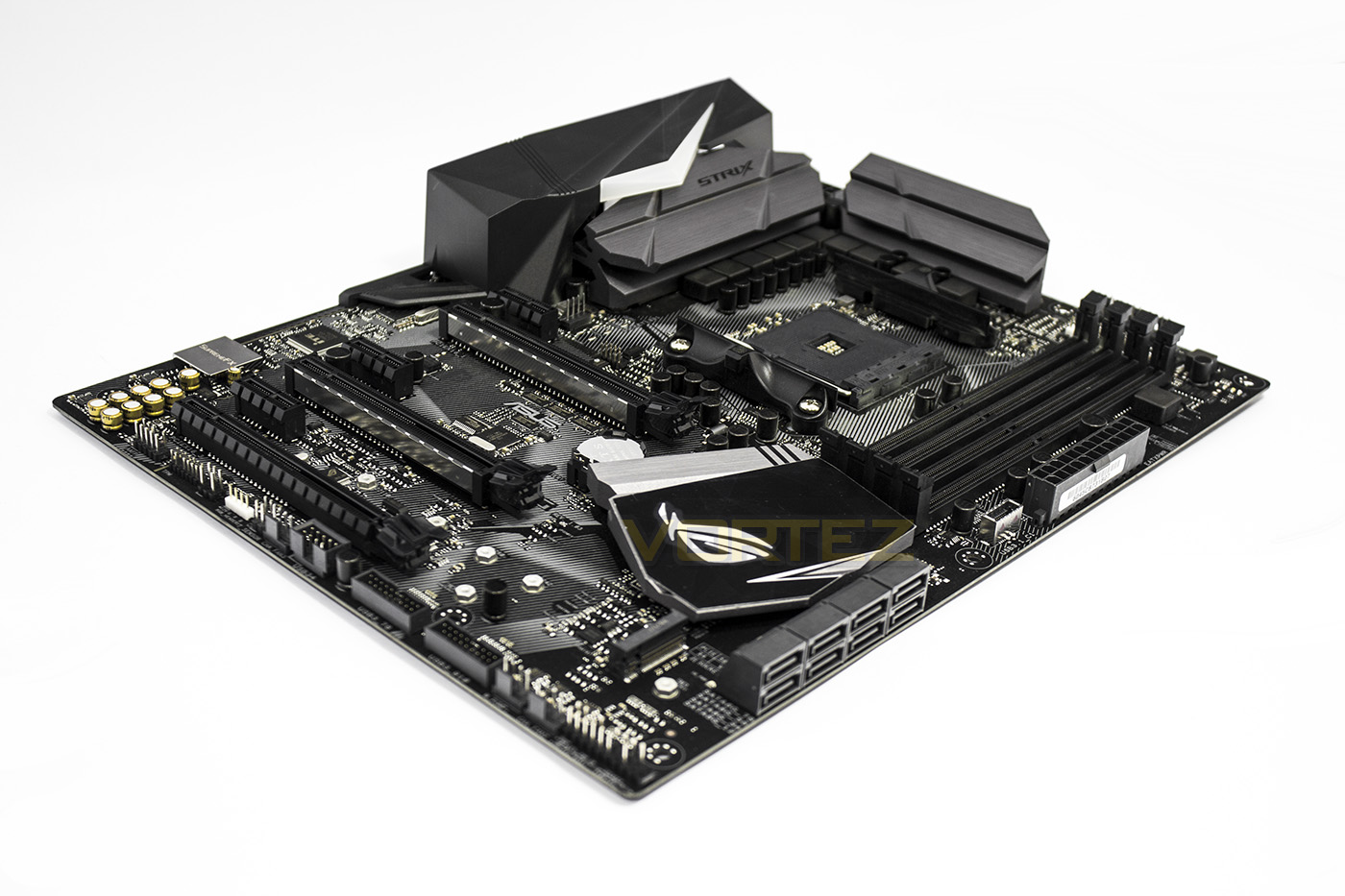
The layout is similar to many we have seen before, one which has started to become fairly standard. There is a PCIe x1 slot at the top, giving space between the main PCIe x16 and the CPU cooler, then a triple slot clearance until the second PCIe X16 lane (x8). There is large gunmetal grey chipset coolers as well as a rear I/O shroud which features RGB lighting. There is an M.2 slot beneath the chipset cooler, and in the bottom left we can see the SupremeFX audio solution surrounded by the high quality Nichicon capacitors.
Closer Look
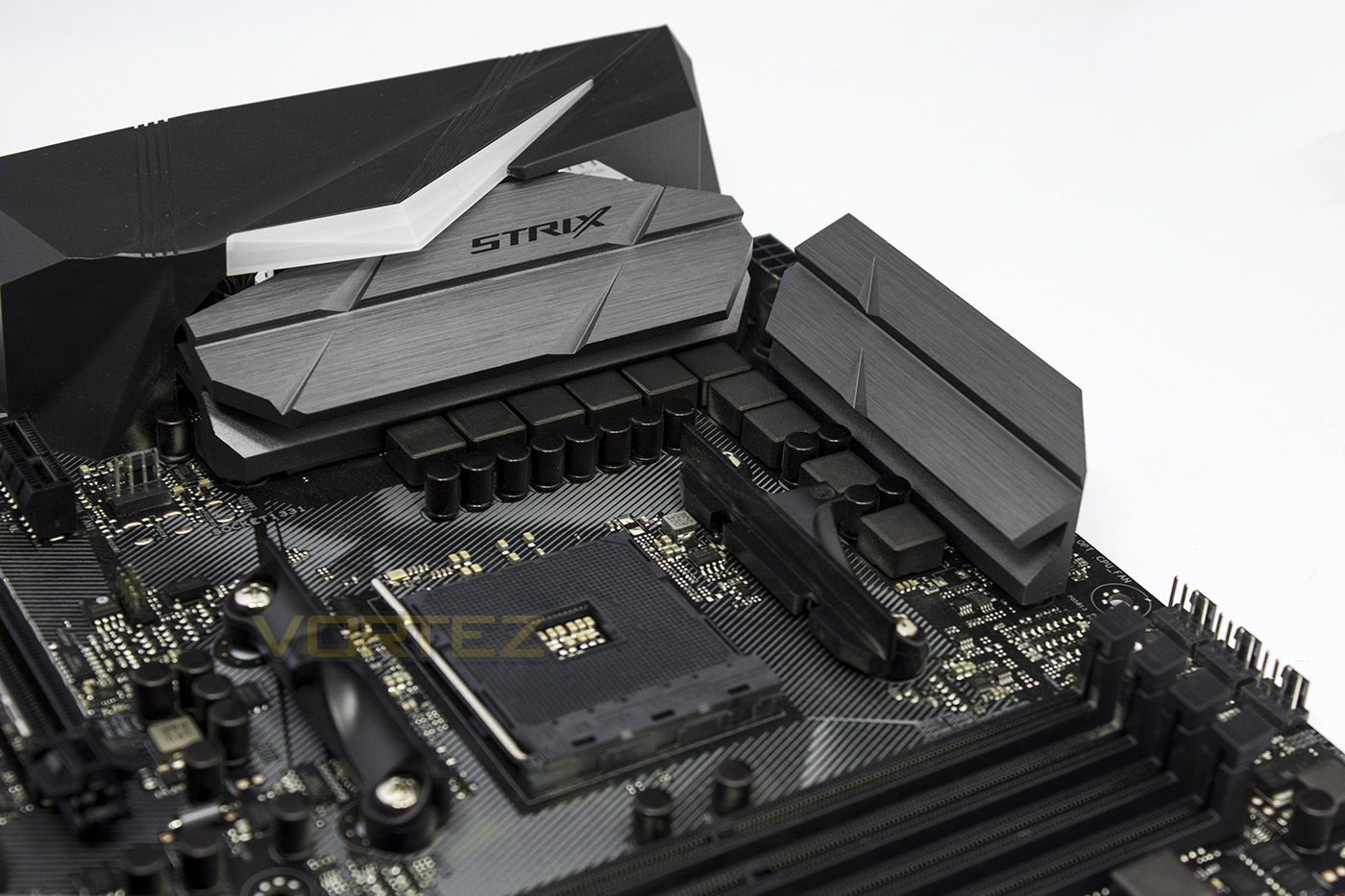
The CPU is supplied power by an 8+2 DIGI phase system, ensuring stable and efficient delivery. On the left there is a 4pin system fan header, while on the right there is a trio of 4pin fan headers fro CPU, CPU OPT and AIO pump.
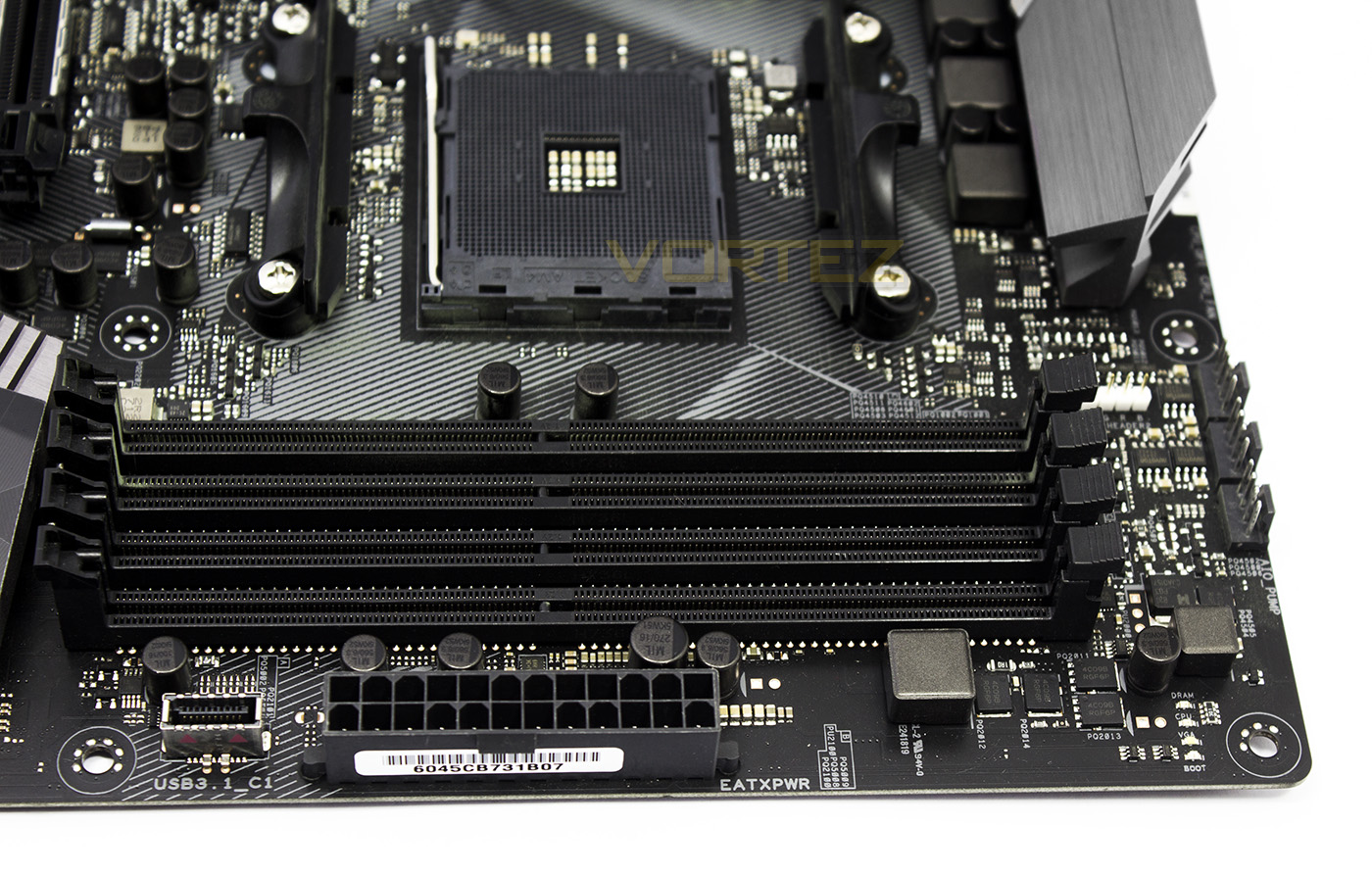
In the very top right of the board there are the Q-LEDs (debug LEDs) giving clear indication on POST what may be causing issues with your system, and on the left of the 24pin ATX power socket is a USB 3.1 G2 header.
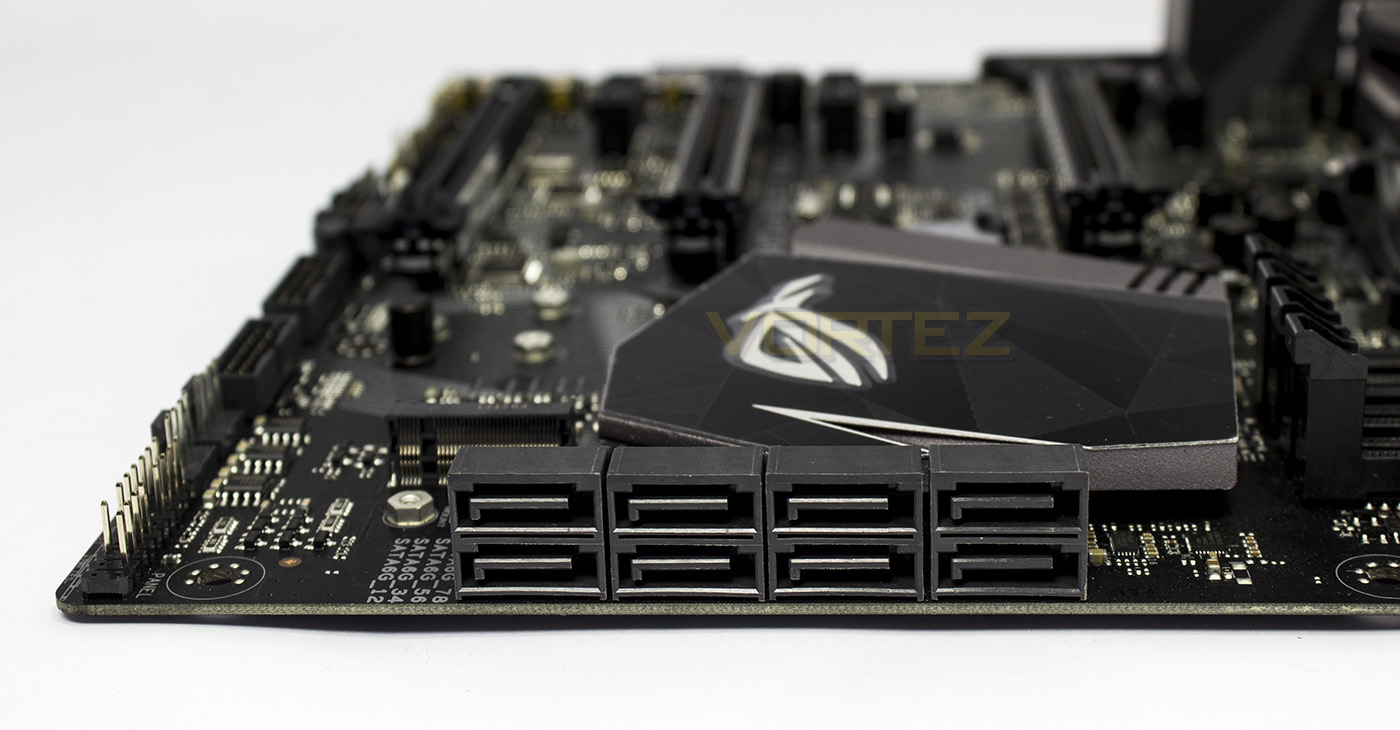
Though we don’t find any SATA Express, or NVMe U.2 ports, ASUS have provided 8x SATA 6Gb/s ports.
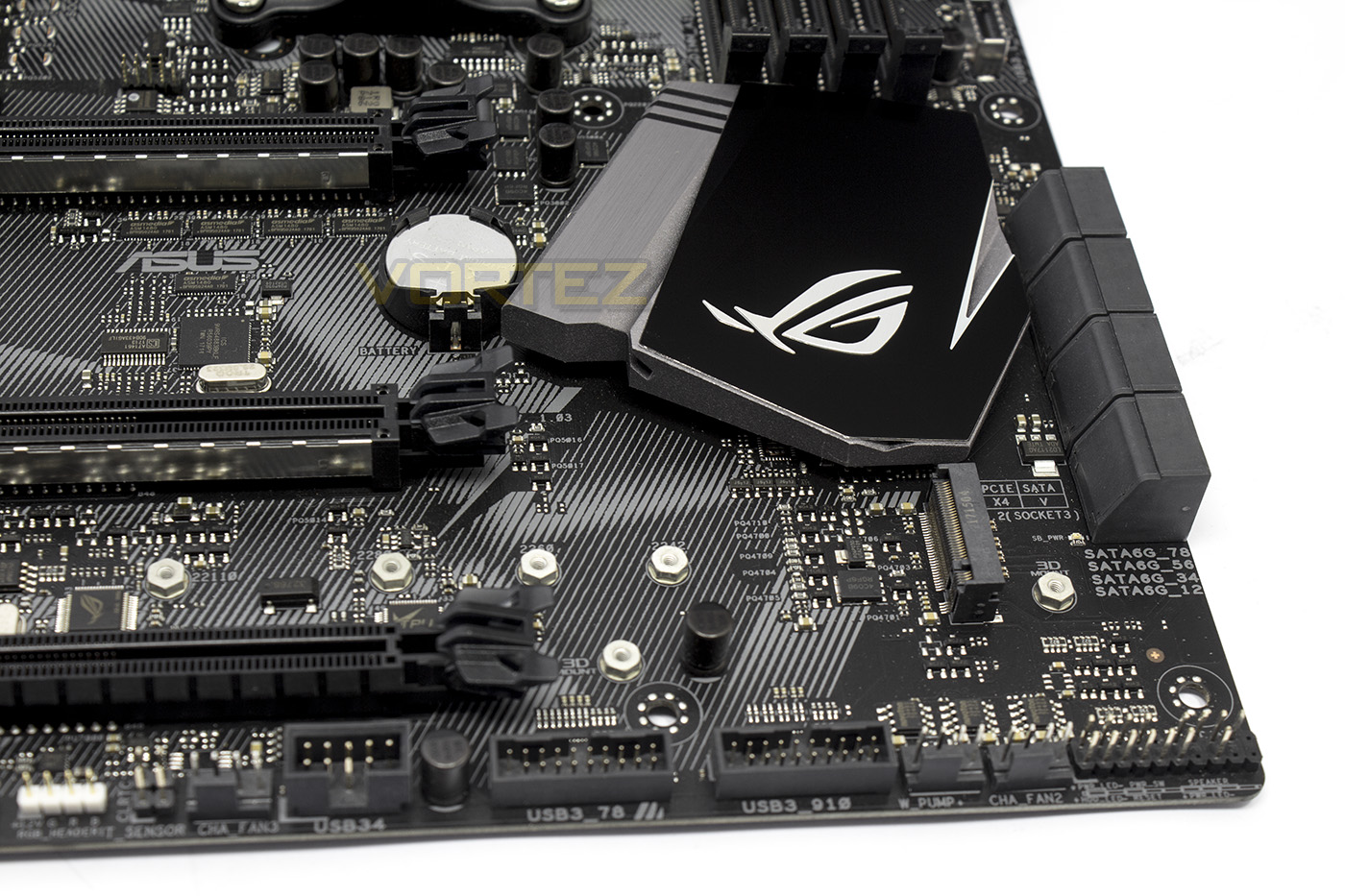
The M.2 slot supports up to 110mm SSDs, and the bottom right corner throws up internal connectors for USB 2.0, 2x USB 3.1 G1, 2x 4pin fan headers (all fan headers outpu 1A, except the bottom water pump header which can output 3A/36W), and of course the front panel chassis headers.
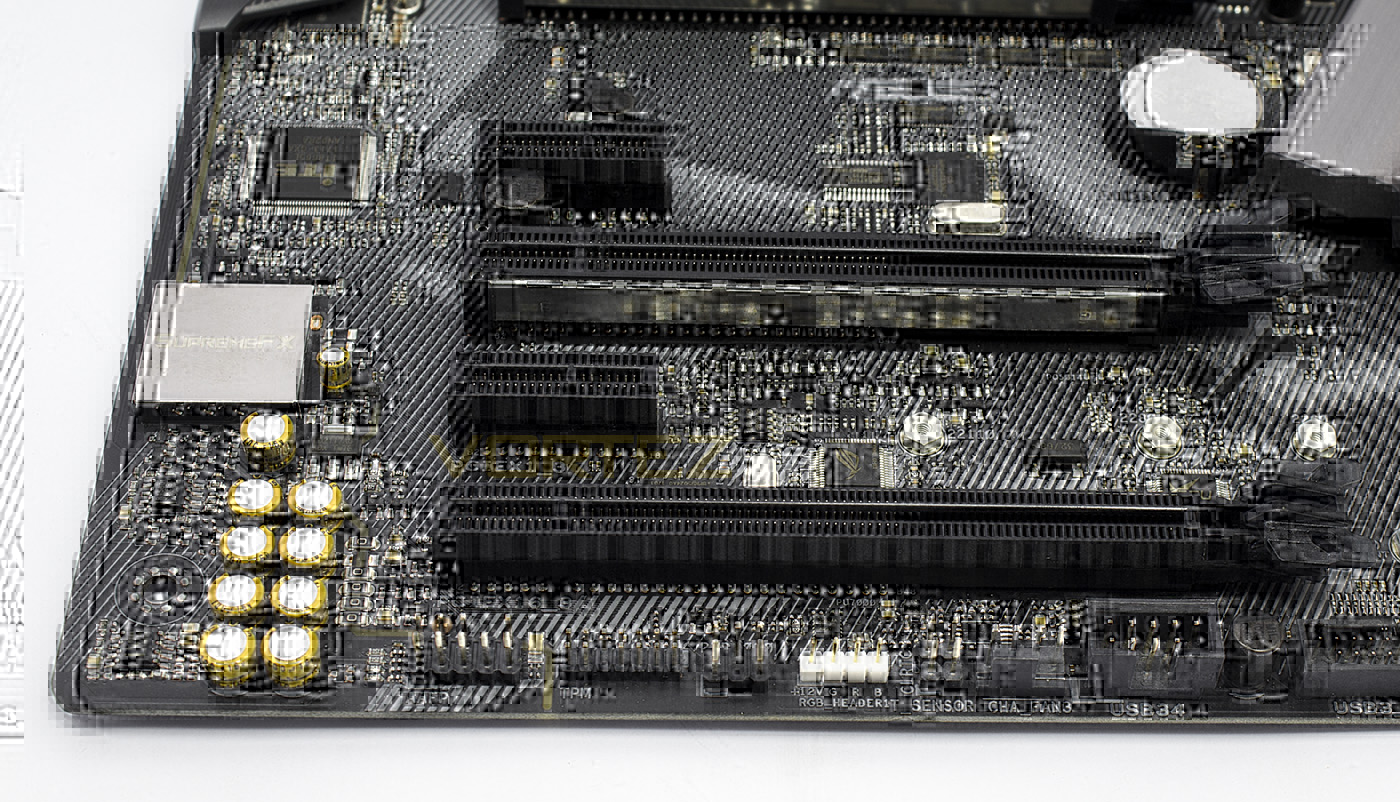
The bottom left corner is dominated by the SupremeFX audio circuitry that has been isolated, along with the front panel audio connector. There are additional headers for TPM, an RGB LED header, as well as a thermal sensor header.
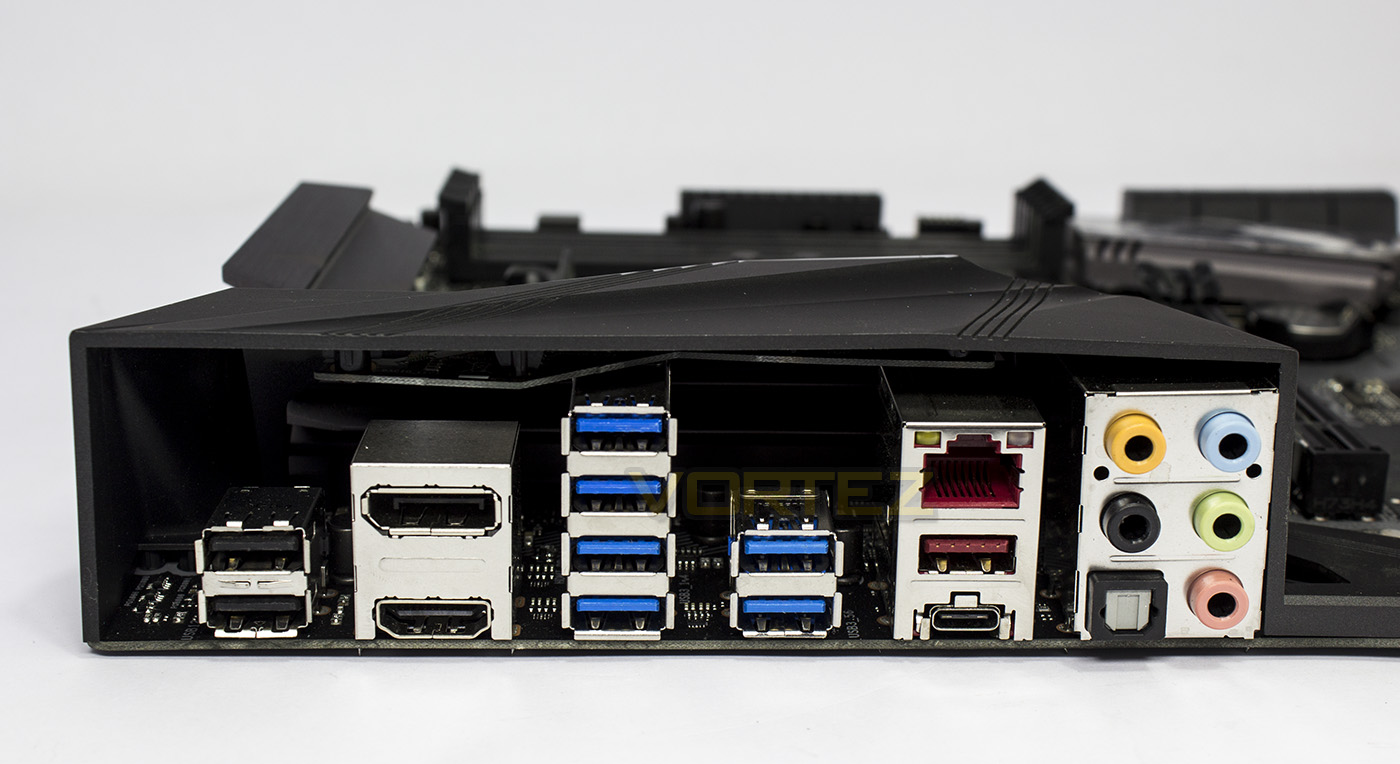
The rear input/output provides users with: 2x USB 2.0, HDMI, DisplayPort, 6x USB 3.1 G1, 1x USB 3.1 G2 Type A, 1x USB 3.1 G2 Type C, Lan, optical S/PDIF output, and 5x audio jacks.
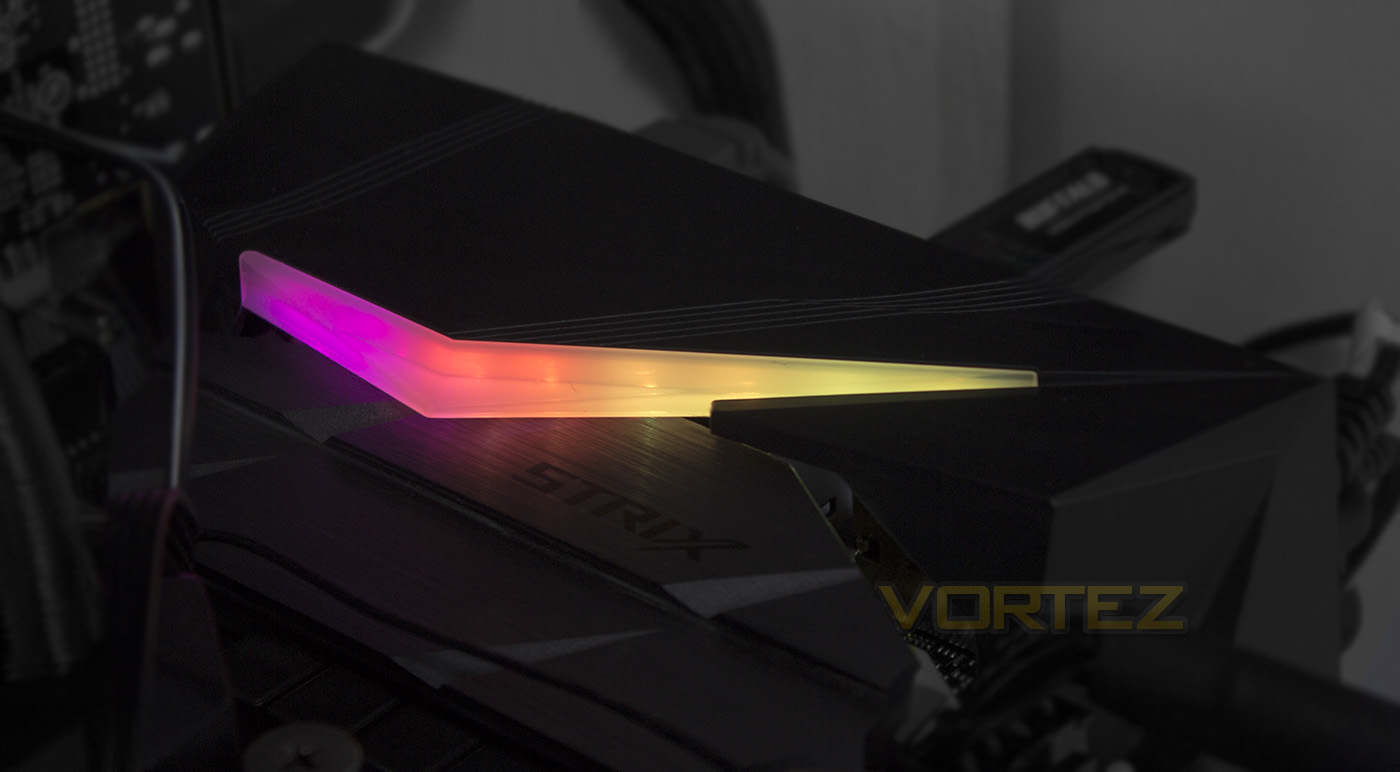
There is only one RGB LED lighting zone, but it consists of around 9 LEDs which can produce several advanced lighting effects controlled by the Aura Software. By default it starts up in the ‘wave’ mode, and it looks awesome.
Test Setup & Overclocking
Test SetupCPU AMD Ryzen 7 1800X
Cooling Corsair Hydro H115i
Motherboard ASUS ROG STRIX X370-F Gaming
Memory 2x 8GB Corsair Vengeance LPX 3200MHz @ 2666MHz
Graphics AMD Radeon RX 480 8GB
Storage Corsair Force LE 480GB
PSU Corsair RM750X 80 Plus Gold Certified PSU
Cooling Corsair Hydro H115i
Motherboard ASUS ROG STRIX X370-F Gaming
Memory 2x 8GB Corsair Vengeance LPX 3200MHz @ 2666MHz
Graphics AMD Radeon RX 480 8GB
Storage Corsair Force LE 480GB
PSU Corsair RM750X 80 Plus Gold Certified PSU
Benchmarks
Cinebench R15 – CPU/OpenGL Score
x264 HD 4.0 – 1st and 2nd pass encoding
SiSoftware SANDRA – CPU & Memory benchmarks
POV-RAY – CPU benchmarks
TrueCrypt – CPU benchmarks
AIDA64 – CPU benchmarks & Memory
PCMark 8 – Home Suite & Photoshop
3DMark FireStrike – 3D Benchmark
Games – Rise of the Tomb Raider & Total War: WARHAMMER
x264 HD 4.0 – 1st and 2nd pass encoding
SiSoftware SANDRA – CPU & Memory benchmarks
POV-RAY – CPU benchmarks
TrueCrypt – CPU benchmarks
AIDA64 – CPU benchmarks & Memory
PCMark 8 – Home Suite & Photoshop
3DMark FireStrike – 3D Benchmark
Games – Rise of the Tomb Raider & Total War: WARHAMMER
Other Software
Temperature Analysis: Aida64 & Ryzen Master
Stress Testing Software: AIDA64 Stability Test
CPU Specification Monitoring: CPU-Z
Performance Monitoring: MSI Afterburner
Stress Testing Software: AIDA64 Stability Test
CPU Specification Monitoring: CPU-Z
Performance Monitoring: MSI Afterburner
Software
Being part of the ROG series, we find a host of exclusive gamer orientated software exclusive to ASUS, including the Gamefirst IV and Sonic Radar, along with other ASUS exclusive software like ASUS AURA for lighting control and the latest version of the Ai Suite.
BIOS
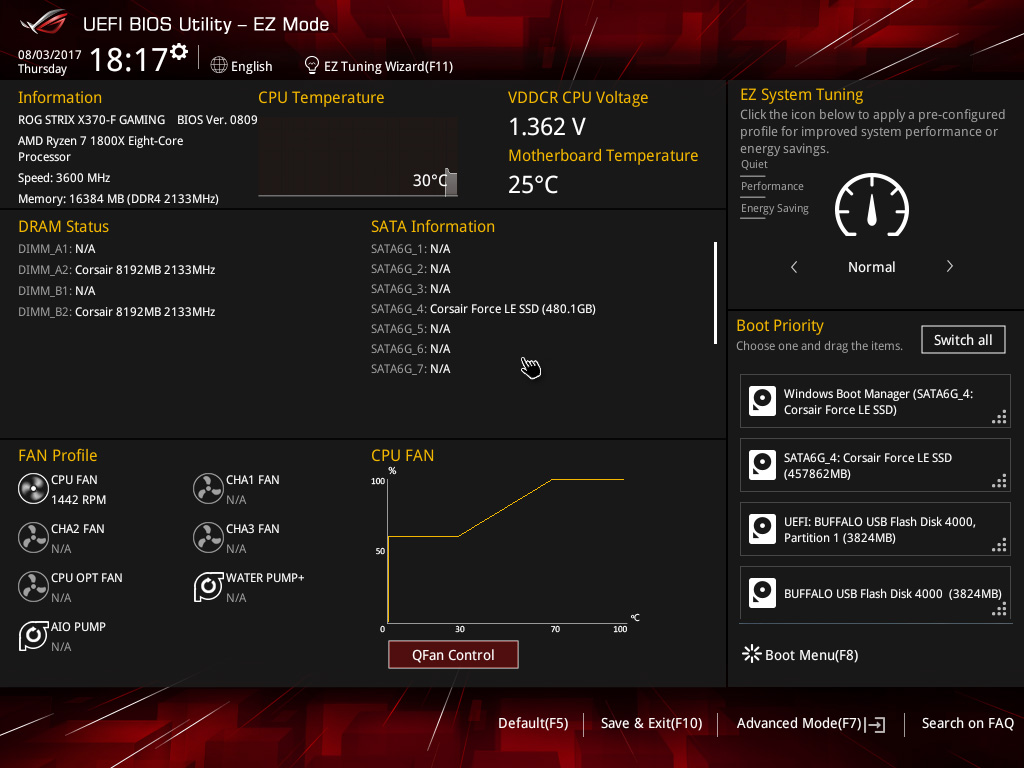
The BIOS is pretty much identical to that of other ASUS ROG motherboards, however we felt that the UI was a little unresponsive/laggy while navigating the latest version. Despite that, it functions very well and is comprehensive of all the options you could want for tweaking and overclocking.
Overclocking
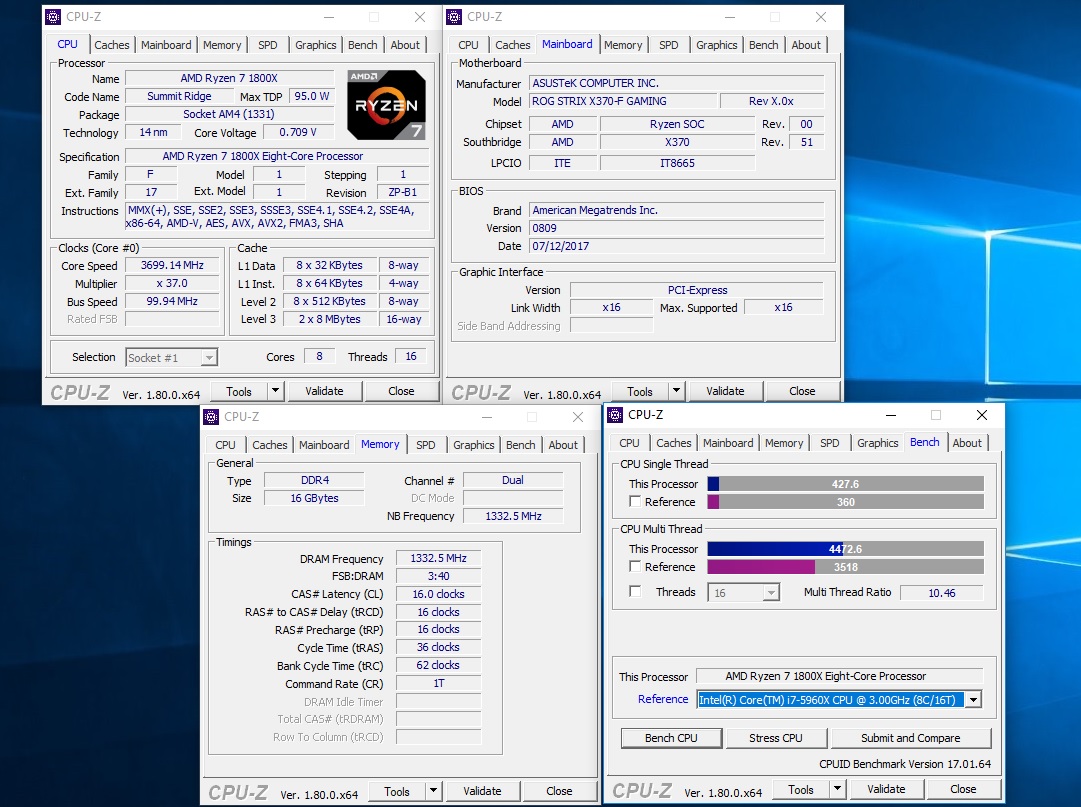
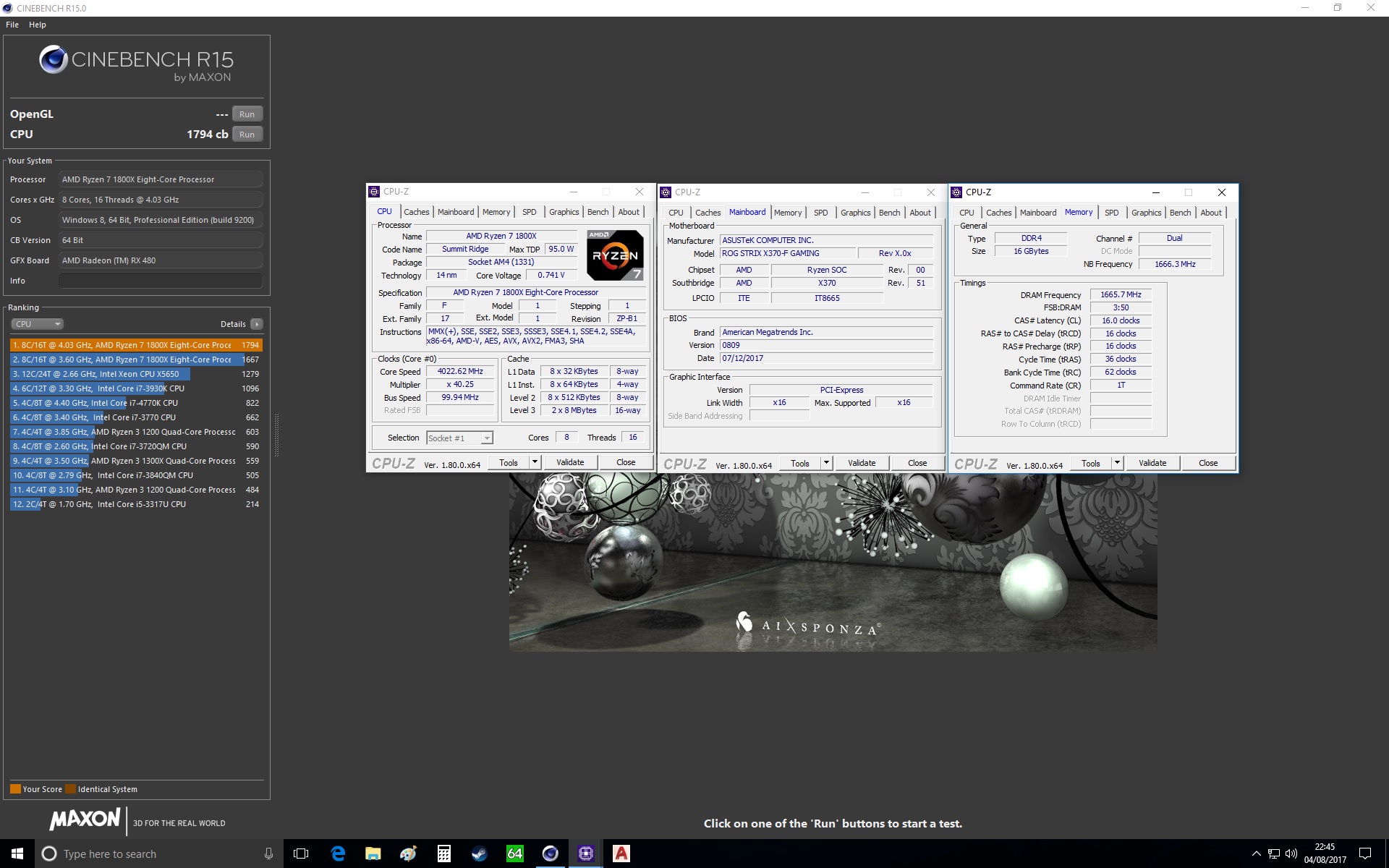
Overclocking is fairly straight forward, and there are various options for it, however, unlike the Crosshair VI Hero, which reached 4.15GHz, the ROG STRIX X370-F could barely hold a little over 4GHz bench-stable. It is worth noting that, unlike others in this price range, the STRIX has a baseclock generator which allows for adjustments of the baseclock, which should help some get more out of their system performance, but again, this will likely be down to the limitation of your CPU.
Benchmarks: Power Consumption
It’s interesting to note the power consumption across all motherboards. Although they are using the Z270 chipset, energy results can fluctuate between manufacturers due to the features and specifications that are integrated. First of all, for the idle tests the system is cold booted into Windows and no additional applications are executed – the watts are noted on the external energy monitor we use and then the system is loaded with 3DMark FireStrike – watts are again monitored for the duration of the test and the highest rated wattage result is then noted down. Below are the results of this energy test.
Benchmarks: Cinebench R15
CINEBENCH is a real-world cross platform test suite that evaluates your computer’s performance capabilities. CINEBENCH is based on MAXON’s award-winning animation software CINEMA 4D, which is used extensively by studios and production houses worldwide for 3D content creation. MAXON software has been used in blockbuster movies such as Iron Man 3, Oblivion, Life of Pi or Prometheus and many more.
Benchmarks: X264 HD
Simply put, this test measures how fast your machine can encode a short, DVD quality MPEG-2 video clip into a high-quality x264 video clip. What’s x264, you ask? It’s more or less the next-generation Xvid/DivX codec. I think it’s ideal for a benchmark because the application (x264.exe) reports fairly accurate compression results (in frames per second) for each pass of the video encoding process, and it uses multi-core processors very efficiently.
Benchmarks: SiSoftware SANDRA
SANDRA isn’t always a benchmark that is included in hardware reviews but we believe it shouldn’t be ignored. SANDRA provides a vigorous package that tests your system in a rather large array of benchmarks. There are many aspects of benchmark that can be executed. We will be considering – CPU and memory tests.
Benchmarks: POV-RAY
Persistence of Vision Raytracer’s PovRay is a free and open source 3D animator application with versions for computers with different operating systems.
This product allows users to build their custom 3D worlds with excellent quality despite their computer’s hardware. It has adjustable options for levels of radiance, refraction, and reflection. Calculation time may vary depending on the computer model, but PovRay can adapt to many computer builds, and is supported by the open source community.
This product allows users to build their custom 3D worlds with excellent quality despite their computer’s hardware. It has adjustable options for levels of radiance, refraction, and reflection. Calculation time may vary depending on the computer model, but PovRay can adapt to many computer builds, and is supported by the open source community.
Benchmarks: TrueCrypt
TrueCrypt is a discontinued source-available freeware utility used for on-the-fly encryption (OTFE). It can create a virtual encrypted disk within a file or encrypt a partition or (under Microsoft Windows except Windows 8 with GPT) the entire storage device (pre-boot authentication).
Benchmarks: AIDA64
AIDA64 Product PageThis simple integer benchmark focuses on the branch prediction capabilities and the misprediction penalties of the CPU. It finds the solutions for the classic “Queens problem” on a 10 by 10 sized chessboard. At the same clock speed theoretically the processor with the shorter pipeline and smaller misprediction penalties will attain higher benchmark scores. For example — with HyperThreading disabled — the Intel Northwood core processors get higher scores than the Intel Prescott core based ones due to the 20-step vs 31-step long pipeline. CPU Queen test uses integer MMX, SSE2 and SSSE3 optimizations.
Benchmarks: PCMark 8
PCMark 8 combines performance benchmarking with battery life measurement and includes tests based on popular Adobe and Microsoft applications. Whether you are looking for long battery life, or maximum power, PCMark 8 will help you find the devices that offer the perfect combination of efficiency and performance for your needs. It’s the complete PC performance benchmark for home and business.
Benchmarks: PCMark 8 Photoshop
The PCMark 8 Applications benchmark measures system performance using popular applications from the Adobe Creative Suite and Microsoft Office. You can choose which tests to run based on the applications installed on your system. Each test automatically steps through a series of actions such as opening, editing and saving a file. The results are used to calculate the PCMark 8 Applications scores for the system.
Benchmarks: 3DMark
3DMark FireStrike Product PageFire Strike is our new showcase DirectX 11 benchmark designed for high-performance gaming PCs. It is our most ambitious and technical benchmark ever, featuring real-time graphics rendered with detail and complexity far beyond what is found in other benchmarks and games today. Fire Strike will only be available in the Windows editions of 3DMark initially.
VR Performance – VRMark
VRMark Product PageVRMark includes two VR benchmark tests that run on your monitor, no headset required, or on a connected HMD. At the end of each test, you’ll see whether your PC is VR ready, and if not, how far it falls short.
Gaming Performance – Rise of the Tomb Raider & Total War: WARHAMMER
It’s important for us to perform a number of game benchmarks as well as the synthetic tests because gamers will want to know if there are any significant benefits. So here we have two recent gaming titles.
Conclusion
In recent years, I have sometimes felt that the expanding line of ROG motherboards had started to dilute the essence of what the Republic of Gamers franchise was founded to be, with some slightly older platforms seeing such variants as (Ranger-Formula-Hero-Extreme). Now with the STRIX branding falling under the ROG umbrella, things seem a little clearer, STRIX = Gamer heaven. We see a motherboard packed with high-end features, but significantly cut down on enthusiast overclocking features that may not necessarily be needed by gamers, ever. The cost saving is then fed back to the consumer and the result is an incredibly competitive, high-quality motherboard. It’s understated aesthetics are attractive, and taken at face value somewhat… bland… but the point is, the neutral greyscale design compliments RGB lighting. The RGB lighting is very bright and very visible through a chassis window. It consists of around 9 or 10 LEDs which each can display various advanced lighting effects that can then be paired up with an RGB LED lighting strip, or even memory modules such as the Team Group Delta RGB.
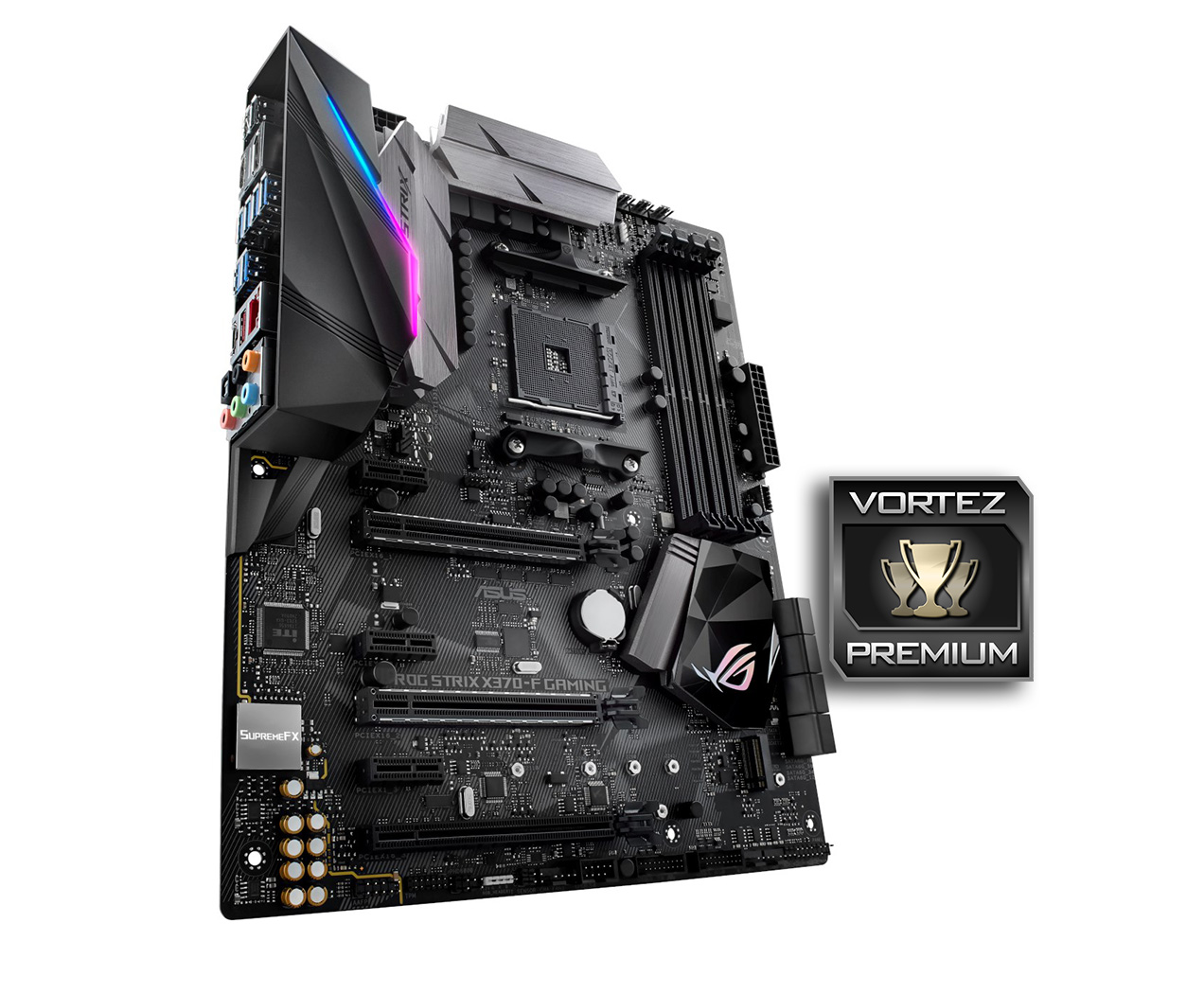
Two of the PCIe x16 slots both feature steel reinforcement (SafeSlot) for multi-GPU setups, and there are various circuitry protections in place too (LAN Guard, DRAM Over-current Protection), so you can be confident that ASUS have created a motherboard capable of handing whatever you throw at is without being destroyed (metaphorically speaking). Something we are seeing a lot of lately, are BIOS improvements, allowing the CPU to comfortably pair with 3200MHz DDR4 memory, which will give a nice bump in performance.
ASUS have entered the ROG STRIX X370-F at a very competitive price point, and there are only a few points we feel the need to mention. One of which is that we would liked to have seen a second RGB lighting zone to really help it stand out, also the BIOS was a little laggy (but this didn’t really cause any issues and may be an easy fix with an update). Aside from these, we have little doubt that this will be a favourite amongst gamers moving to the AM4 platform.
Packed full of quality features, the ROG STRIX X370-F gaming can give you an incredible foundation for a gaming system.
Pros
+ Attractive design
+ SupremeFX audio w/ ALC 1220A
+ Exclusive ASUS features (5-way optimisation)
+ ASUS Aura RGB lighting
+ 8x SATA ports
+ RGB LED header
+ Display Port and HDMI video out
+ Intel LAN + Gamefirst software
+ 3D Print support
+ USB 3.1 G2 front panel connector
+ Baseclock Generator
+ Competitive pricing
Neutral
+- Single RGB lighting zone
Cons
– Slightly laggy BIOS
+ Attractive design
+ SupremeFX audio w/ ALC 1220A
+ Exclusive ASUS features (5-way optimisation)
+ ASUS Aura RGB lighting
+ 8x SATA ports
+ RGB LED header
+ Display Port and HDMI video out
+ Intel LAN + Gamefirst software
+ 3D Print support
+ USB 3.1 G2 front panel connector
+ Baseclock Generator
+ Competitive pricing
Neutral
+- Single RGB lighting zone
Cons
– Slightly laggy BIOS
Click here for an explanation of our awards at Vortez.net.