Razer claim 100% transmission stability and their most accurate sensor to date are included within the Razer Lancehead, read on to find out more

Product on Review: Razer Lancehead
Manufacturer: Razer
Street Price: £139.99 / $139.99
Razer is best known for their peripherals, namely mice, keyboards and headsets. The 3-headed serpent has become synonymous with top-quality gamer gear with the Razer Lancehead claiming to be their best mouse yet, packed full of bleeding-edge technology and top-class performance.
The Razer Lancehead Tournament Edition has been around for a few months now, but recently they’ve bolstered that design with the beauty of a wireless connection, foregoing those wires completely (until it requires a charge, of course). Razer also changed the sensor from an optical to a 5G 16,000 DPI laser sensor, the most accurate on the market, apparently.
Up until recently, wireless mice have been unsuitable for serious gaming due to interference and battery life concerns. Razer says that they’ve addressed these issues through clever channel-scanning technology (Adaptive Frequency Technology) and super-efficient circuitry, despite the RGB lighting.
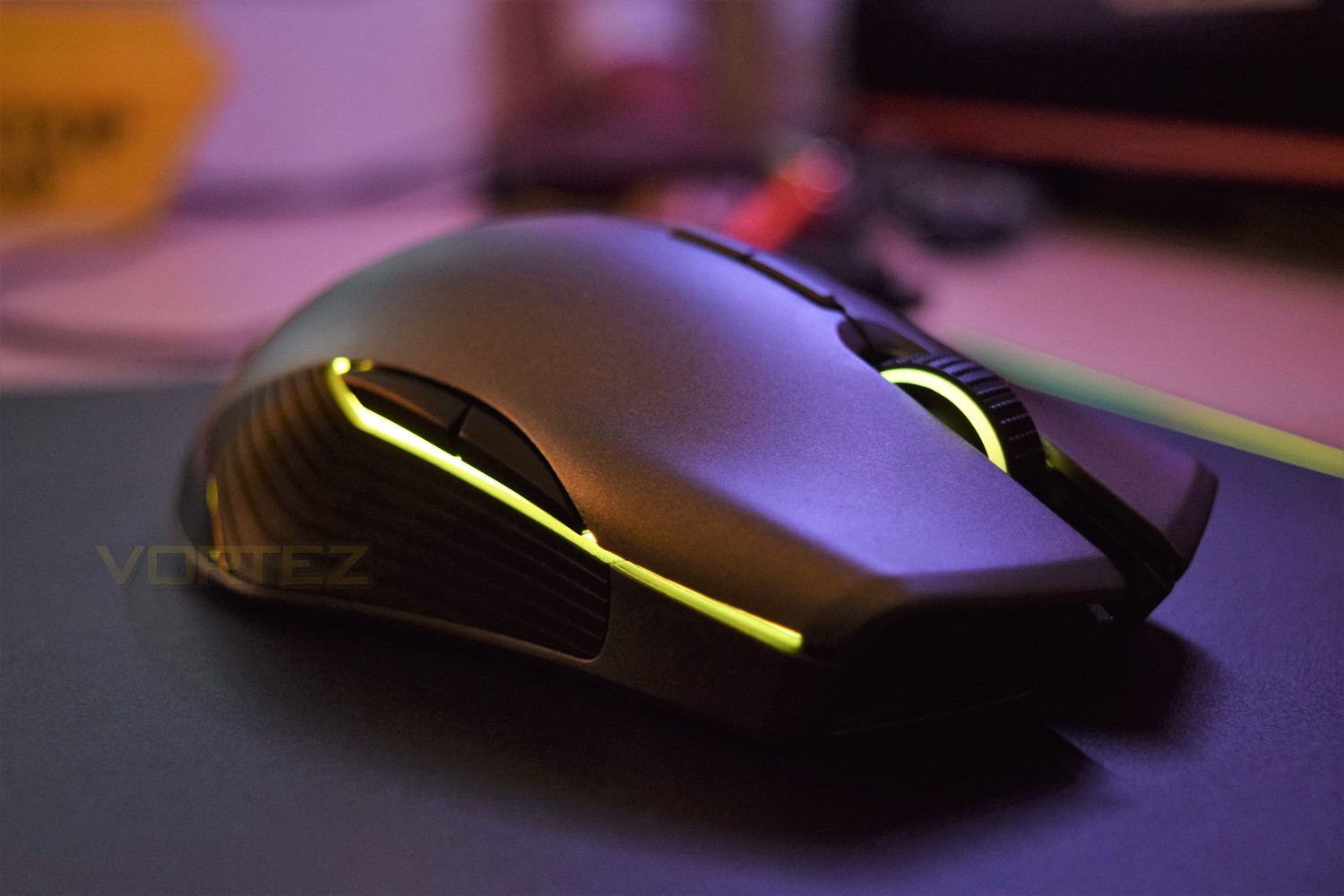
Razer on the Lancehead:
Featuring our 5G laser sensor which gives you 16,000 DPI and 210 Inches per Second (IPS) tracking, the Razer Lancehead gives you the undeniable advantage of having the most precise laser sensor in the world. Focused on giving you more precision and speed, this mouse sensor also comes with 50 G acceleration, so that every move you make is tracked perfectly.
Technical Specifications
• True 16,000 DPI 5G laser sensor
• Up to 210 inches per second (IPS) / 50 G acceleration
• Adaptive Frequency Technology
• Razer™ Mechanical Mouse Switches
• On-The-Fly Sensitivity Adjustment
• Gaming-grade tactile scroll wheel
• Ambidextrous design with enhanced rubber side grips
• Razer Chroma™ lighting with true 16.8 million customizable colour options
• Inter-device colour synchronization
• Nine independently programmable Hyperesponse buttons
• 1000 Hz Ultrapolling
• 2.4 GHz dongle
• Razer Synapse 3 (Beta) enabled (Coming soon)
• 2.1 m / 7 ft braided fibre USB charging cable
• Approximate size: 117 mm / 4.6 in (Length) x 71 mm / 2.79 in (Width) x 38 mm / 1.49 in (Height)
• Approximate weight: 111 g / 0.24 lbs (Excluding cable)
• Battery life: Approximately 24 hours (with lighting) (Life expectancy of the battery depends on its usage settings)
• Up to 210 inches per second (IPS) / 50 G acceleration
• Adaptive Frequency Technology
• Razer™ Mechanical Mouse Switches
• On-The-Fly Sensitivity Adjustment
• Gaming-grade tactile scroll wheel
• Ambidextrous design with enhanced rubber side grips
• Razer Chroma™ lighting with true 16.8 million customizable colour options
• Inter-device colour synchronization
• Nine independently programmable Hyperesponse buttons
• 1000 Hz Ultrapolling
• 2.4 GHz dongle
• Razer Synapse 3 (Beta) enabled (Coming soon)
• 2.1 m / 7 ft braided fibre USB charging cable
• Approximate size: 117 mm / 4.6 in (Length) x 71 mm / 2.79 in (Width) x 38 mm / 1.49 in (Height)
• Approximate weight: 111 g / 0.24 lbs (Excluding cable)
• Battery life: Approximately 24 hours (with lighting) (Life expectancy of the battery depends on its usage settings)
Packaging & First Look
This will surprise no-one to find out that the Lancehead arrives in a black and green box. A large picture of the mouse is plastered across the front with the bare minimum of information.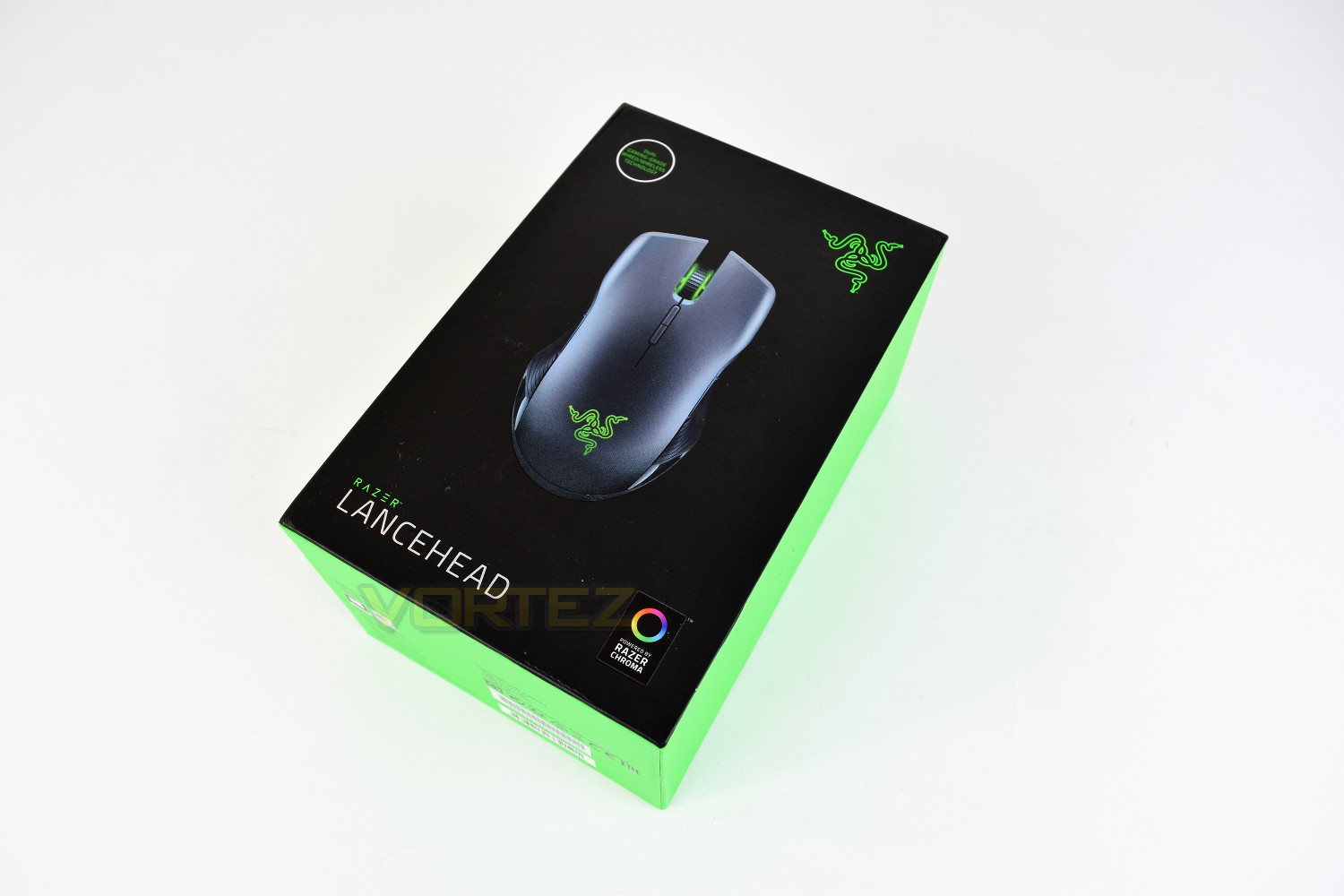
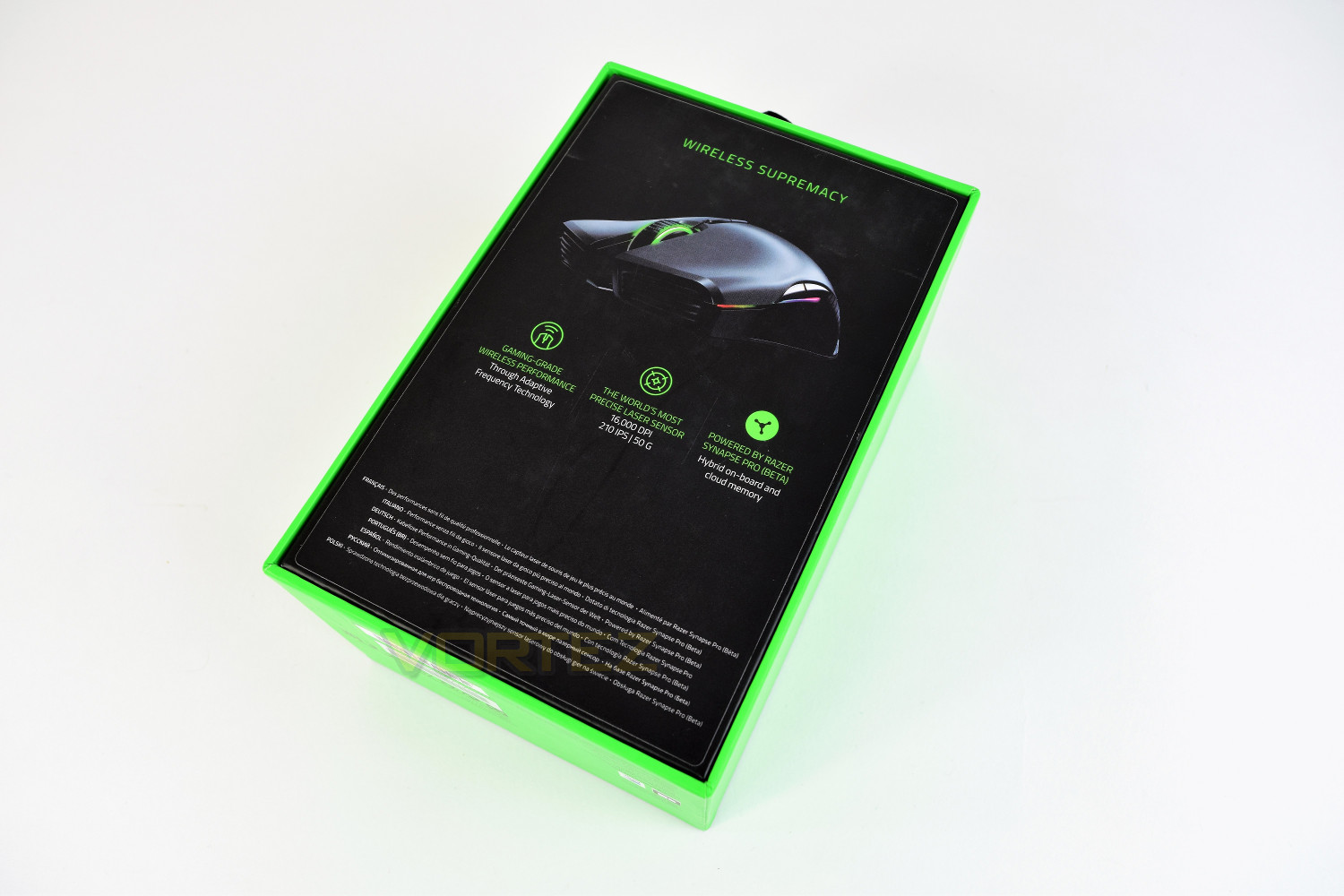
The rear of the box gives a little more detail, mainly regarding the performance of the wireless and the 5G laser sensor.
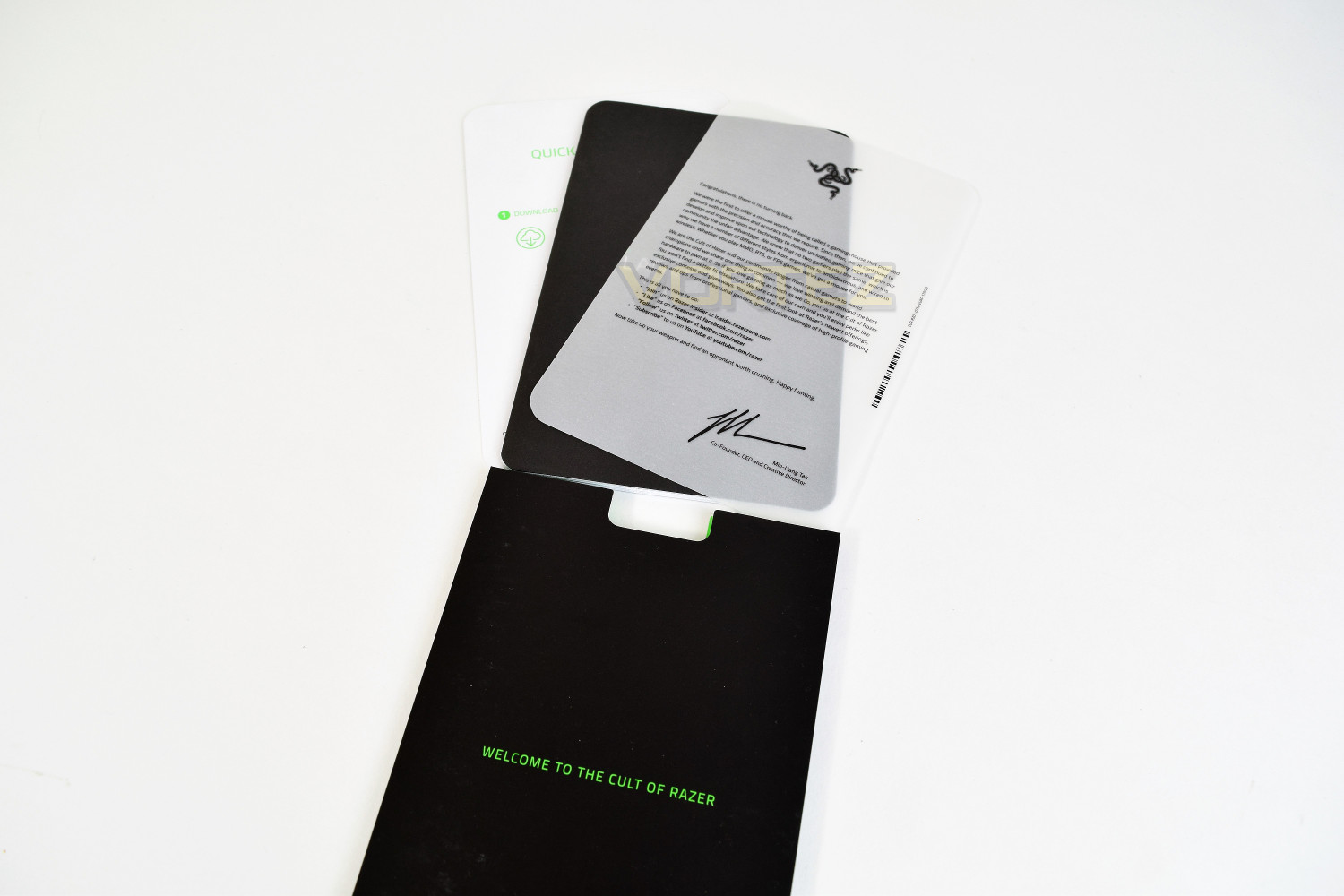
Included extras comprise of a quick start guide and a small write up from Razer.
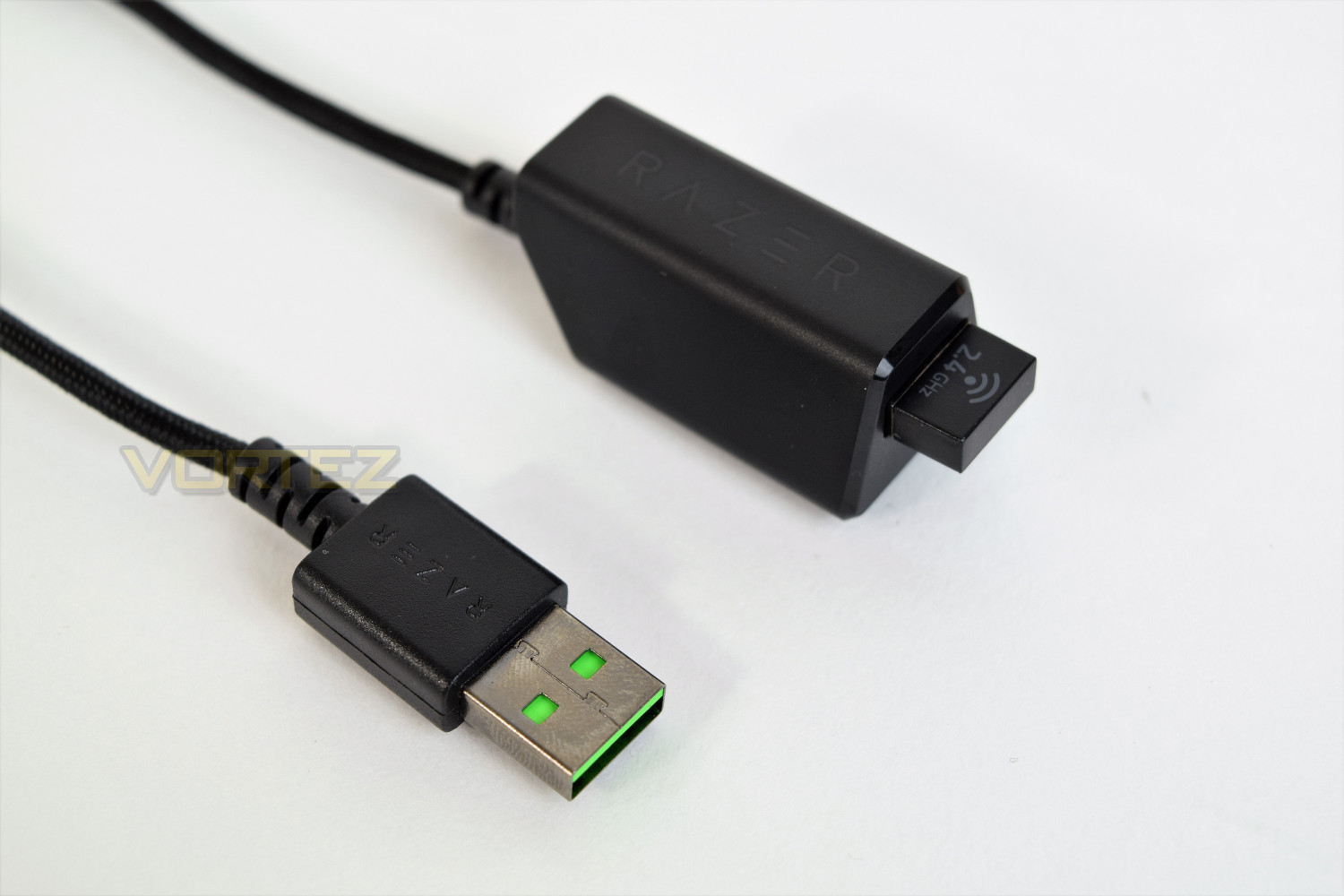
The mouse also comes with a unique micro-USB cable, which is inserted into the front of the mouse, under the scroll wheel to charge. There’s also the 2.4GHz adaptor and a handy ‘dock’ within which it can sit.
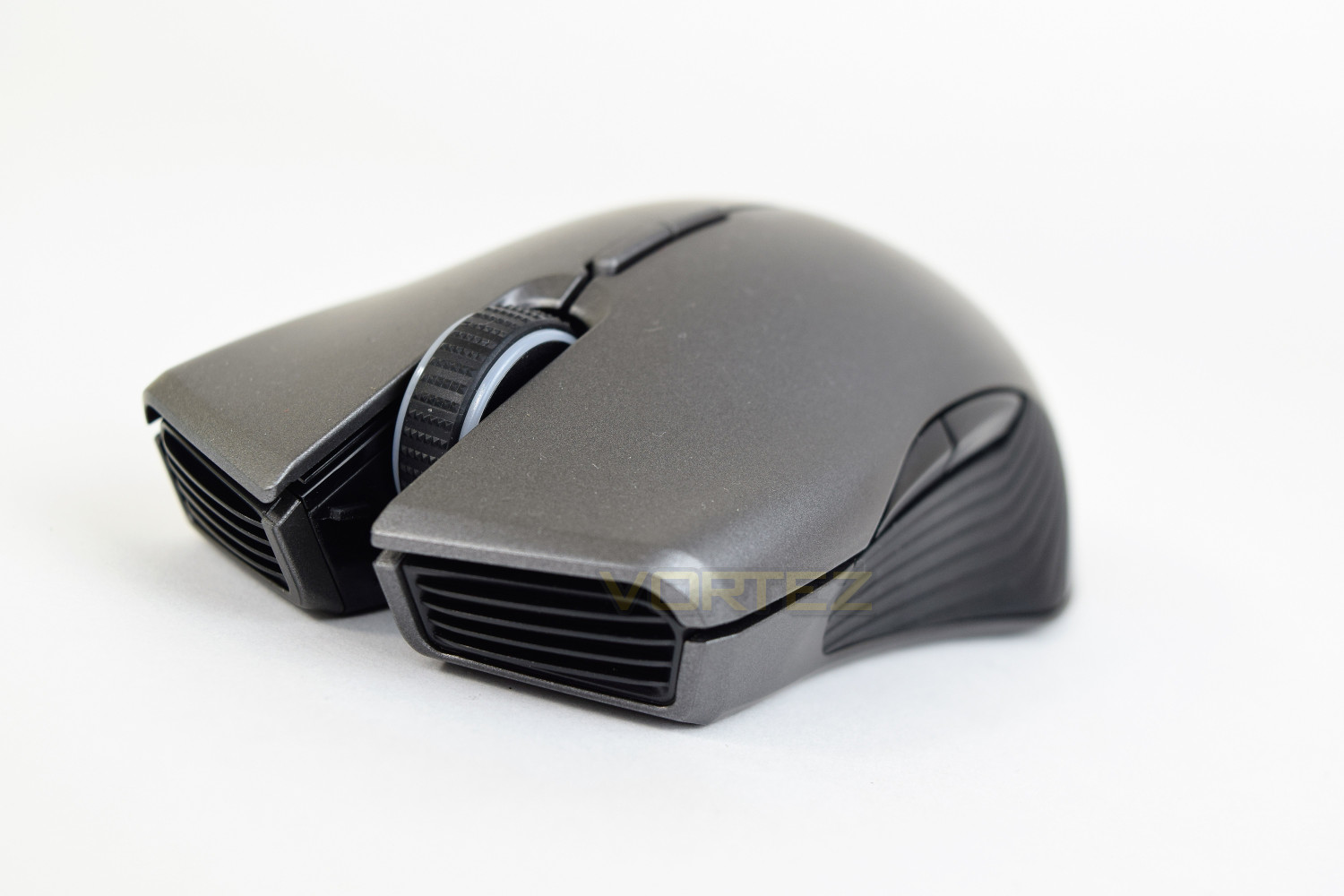
The mouse, going by first impressions, looks excellent in the gunmetal finish.
Closer Look
The Razer Lancehead comes in gunmetal only, but it looks stunning in this colour. The curves and lines are designed very well. As you may have already noticed, the Lancehead is ambidextrous.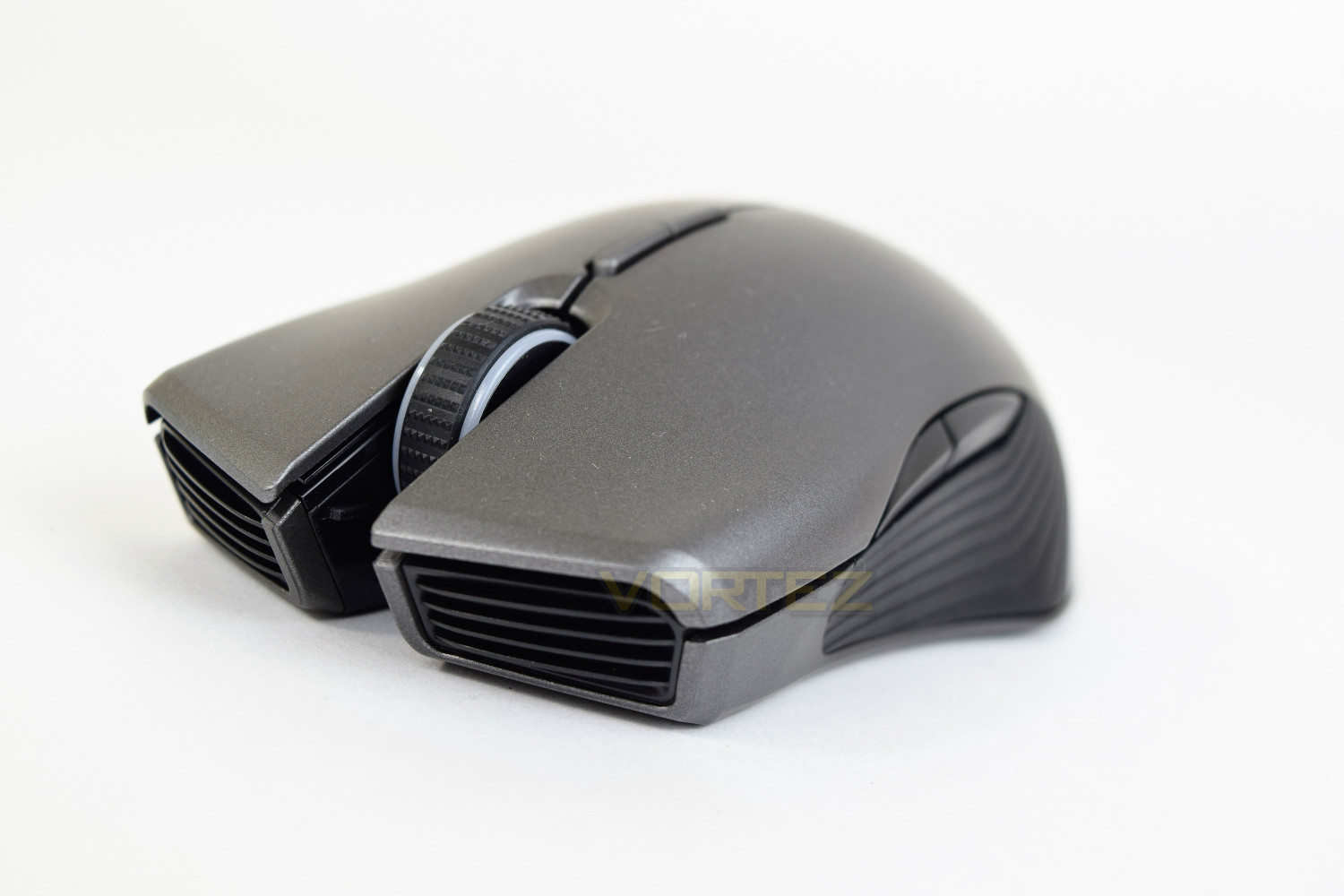
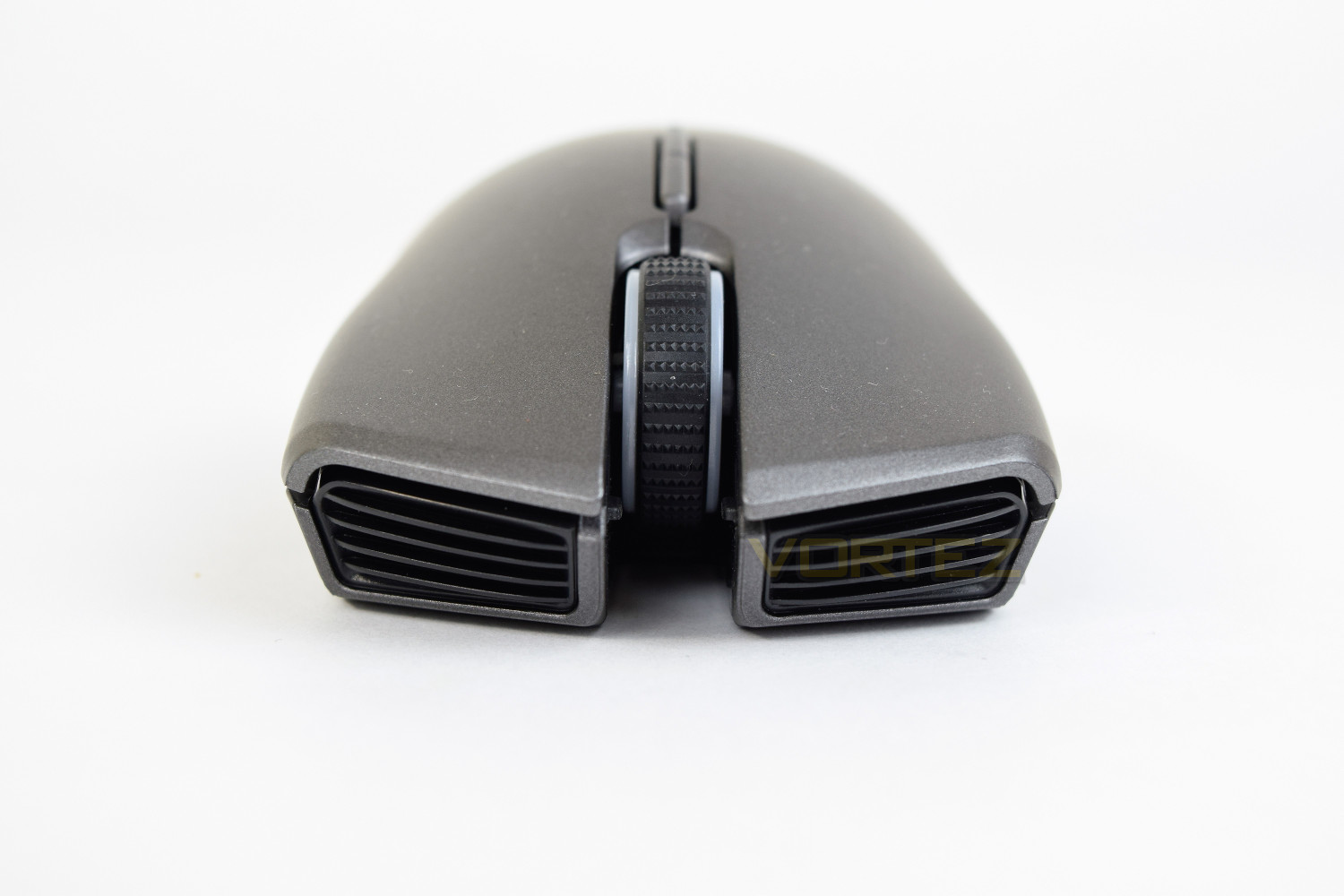
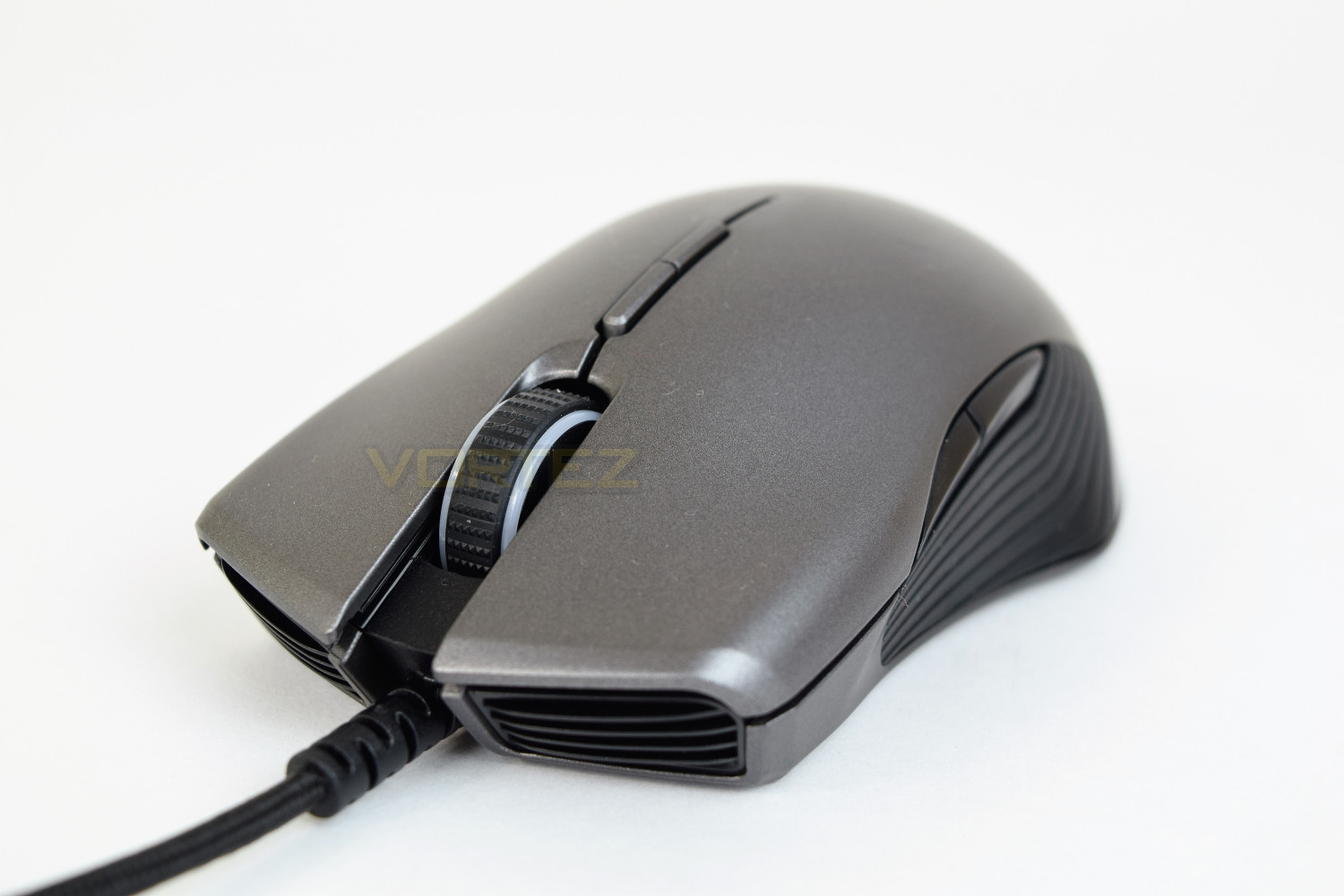
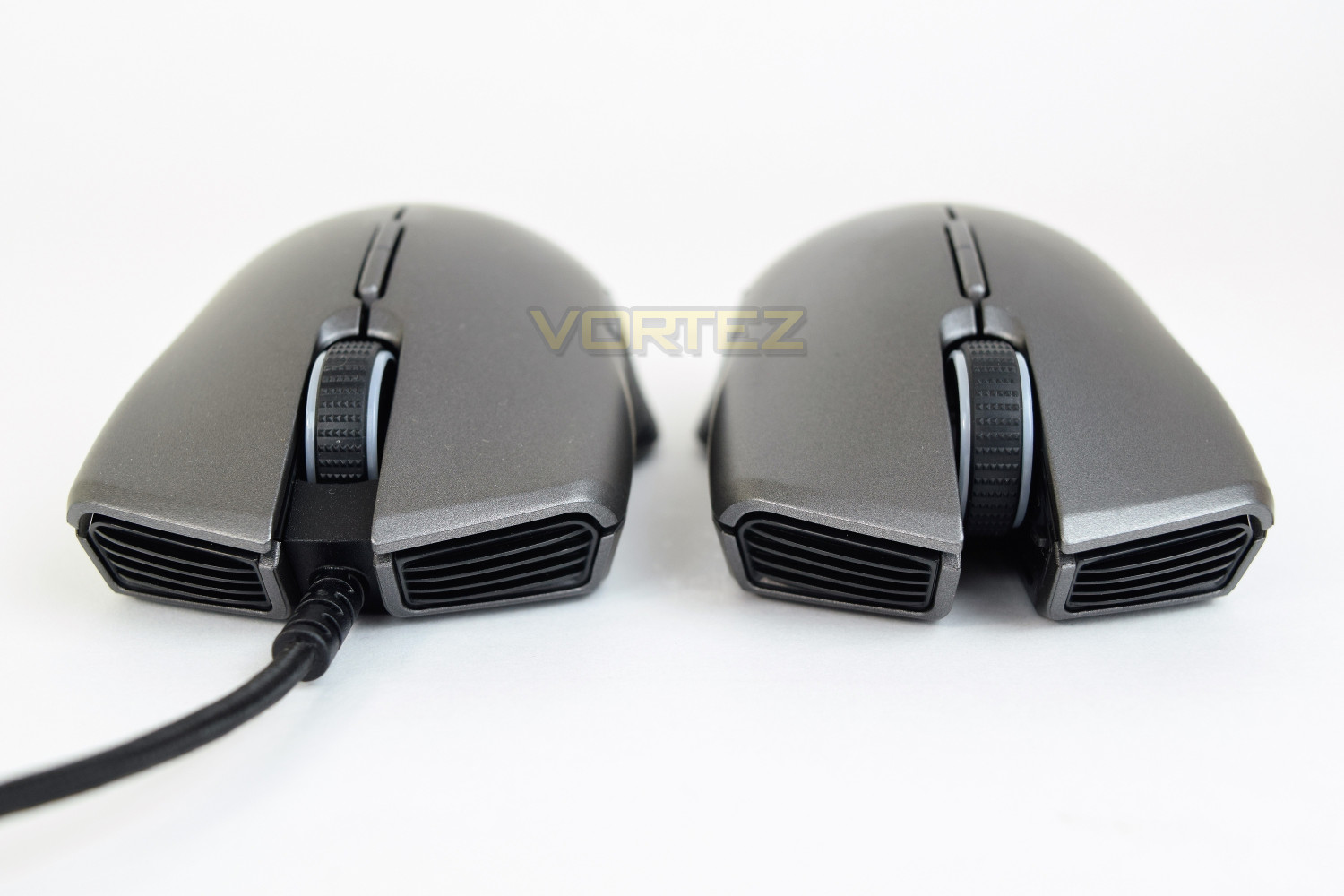
The front of the mouse features two huge, non-functional, grills and a huge studded scroll wheel. That void underneath the wheel is for charging access with the included USB cable. The scroll wheel includes an RGB LED.
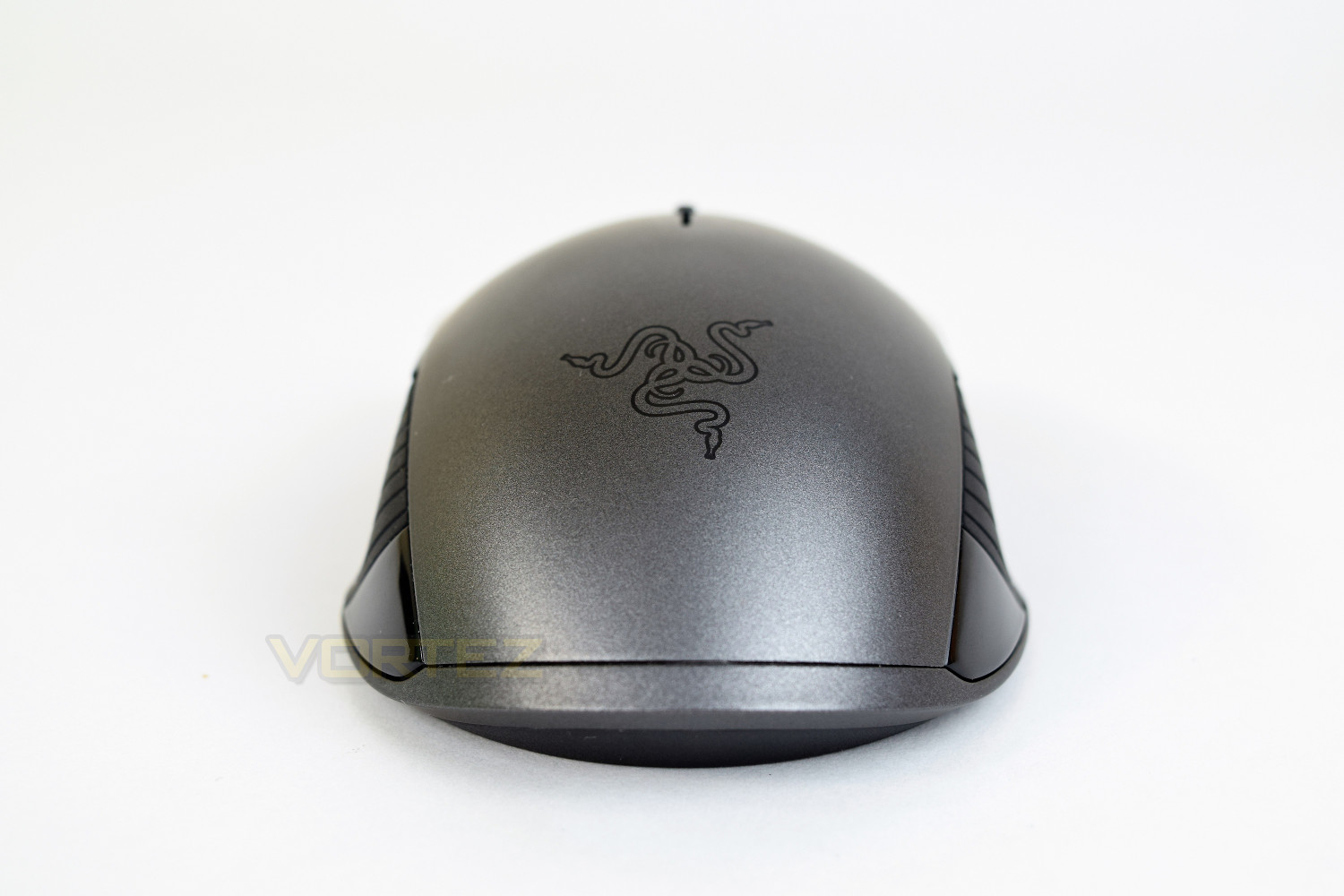
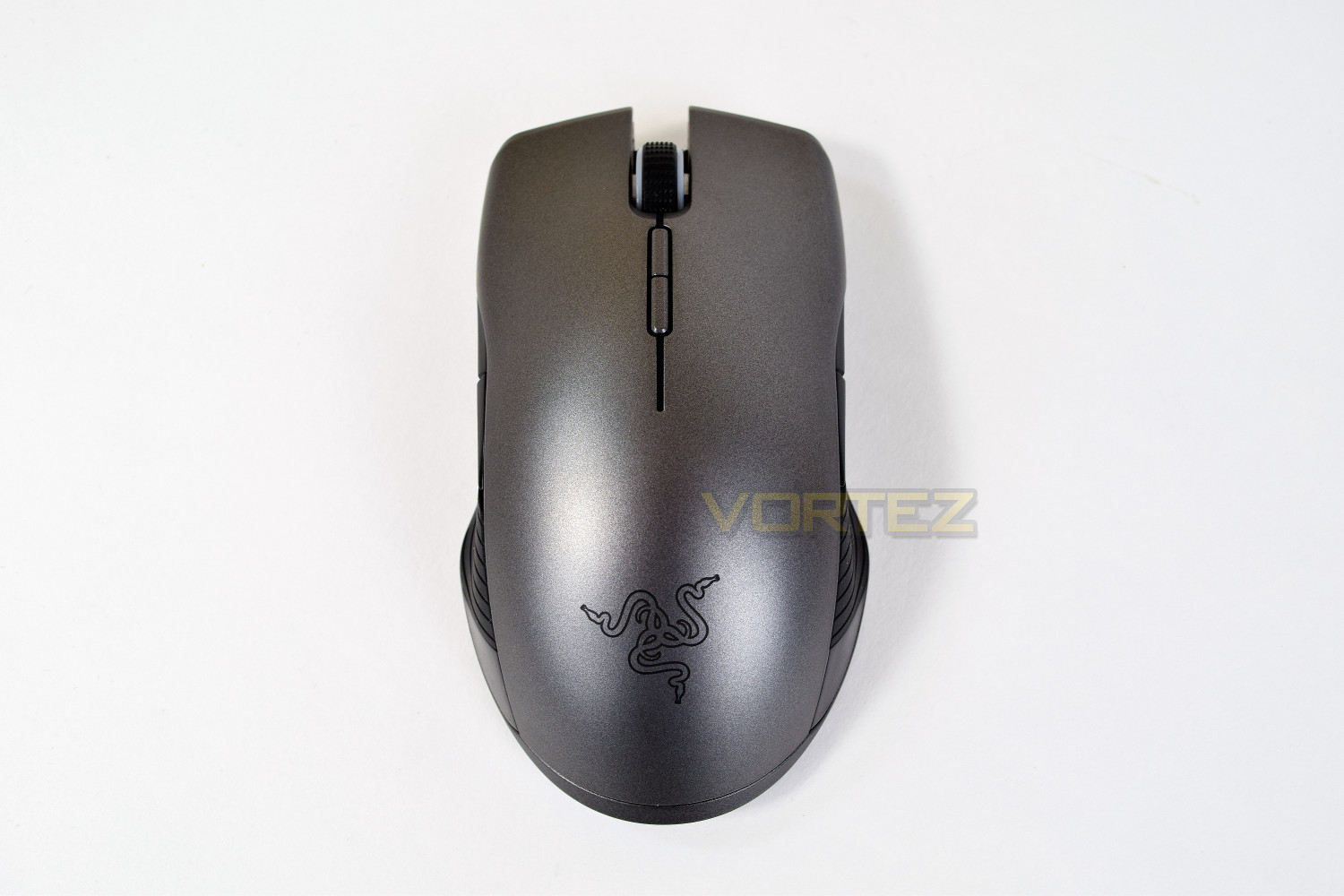
The rear of the mouse features the tri-headed serpent which everyone will recognise. This angle further illustrates that ambidextrous shape.
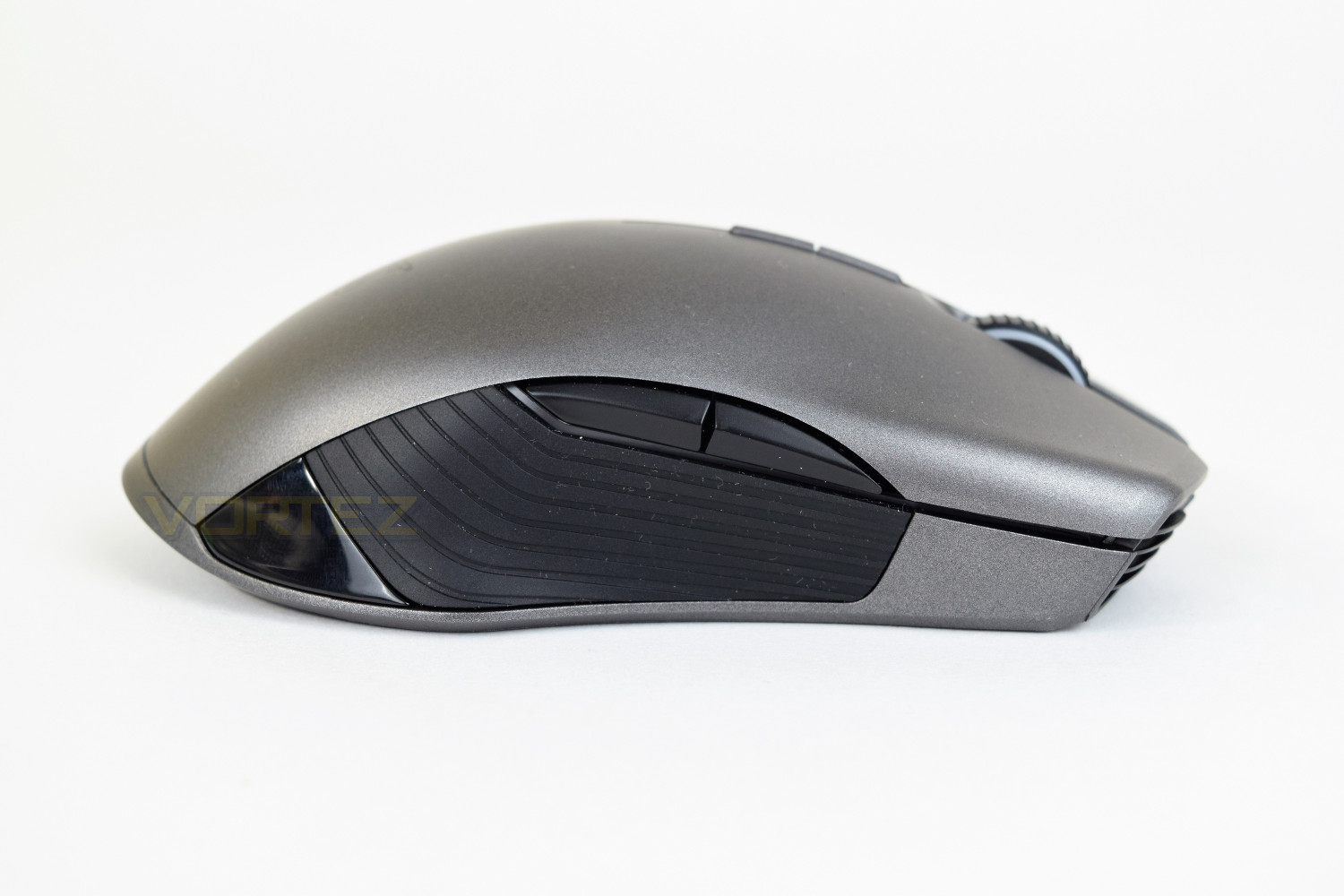
The left-hand side mirrors the right-hand side to ensure the mouse is compatible, regardless of handedness. There are two slim thumb buttons, just above the grooved rubber zones, between which is the RGB LED strip which houses 7 LEDs on each side.
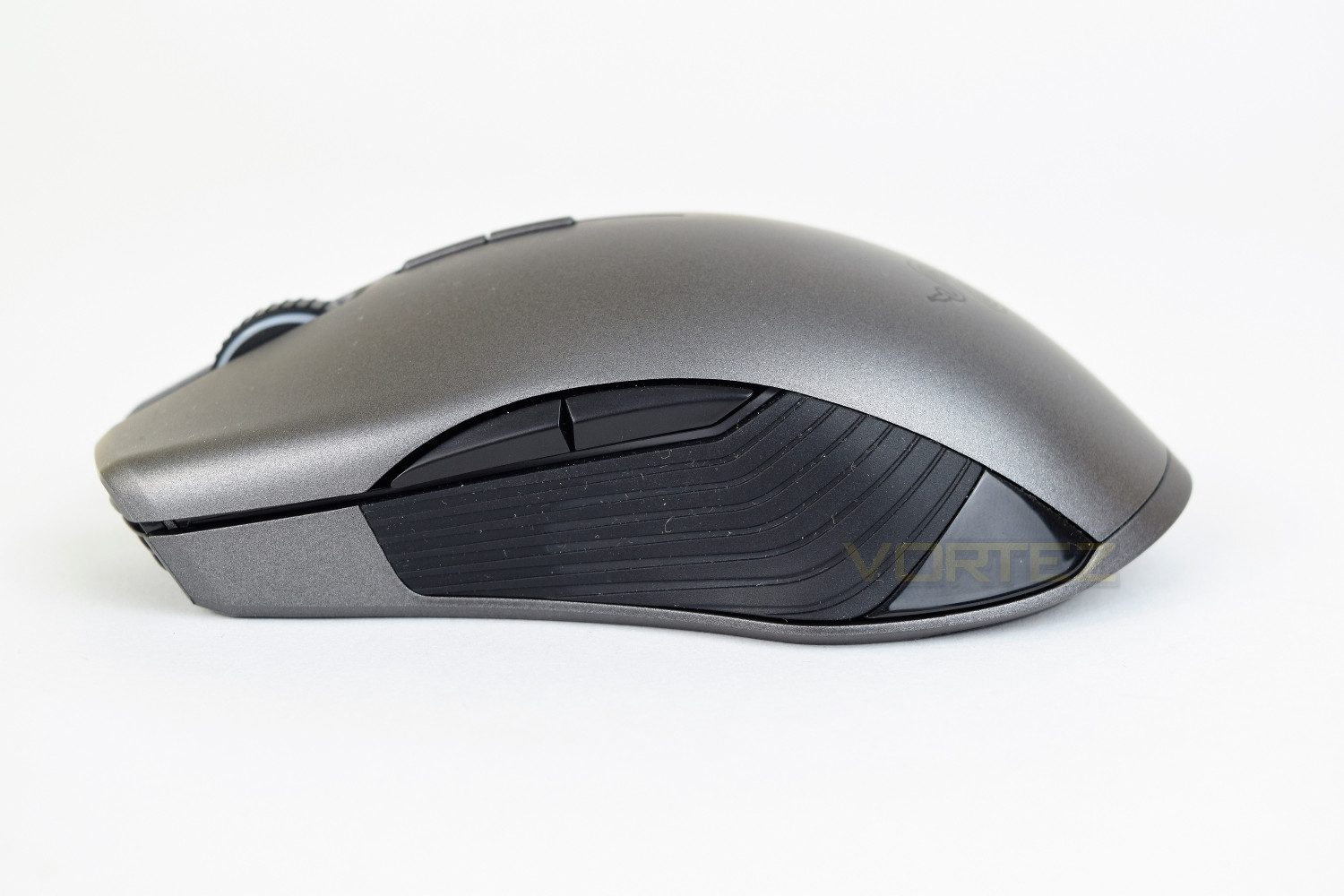
The top of the mouse, as you can see, is wider towards the back, on both sides. The two buttons in the centre control the DPI settings.
Closer Look (Continued)
The Lancehead houses the 16,000 DPI laser sensor central in the mouse, ensuring the mouse feels the same in either hand; that small rectangle around the sensor is designed to keep any foreign objects away from the sensor. You will also notice the red power switch, which obviously has a hidden green zone. The textured button above can switch through pre-installed profiles for use on-the-fly.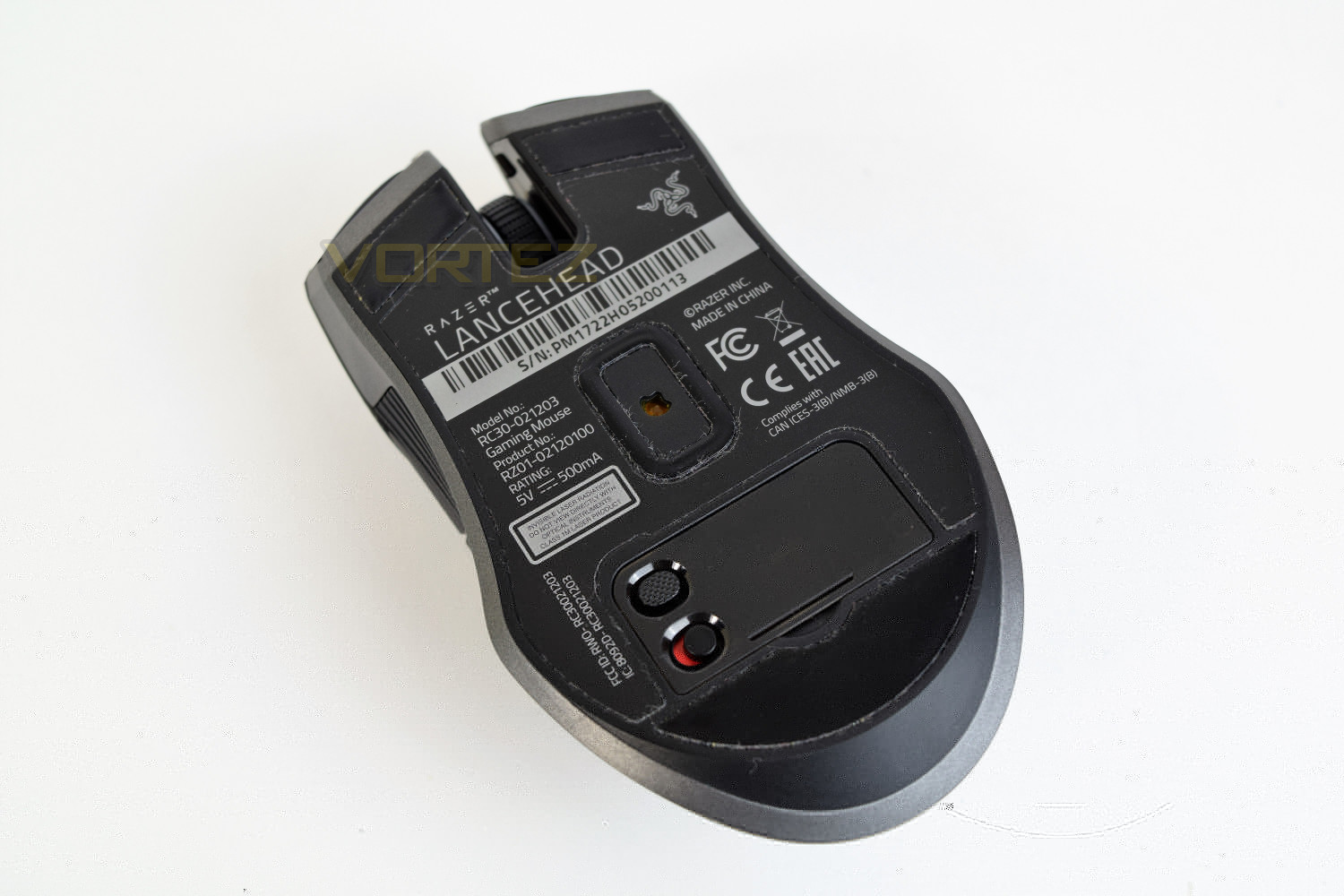
The 2.4GHz antenna dongle can be stowed behind that plastic lid, in a neat little compartment. Handy if you’re taking only the mouse with you to an event or some such.
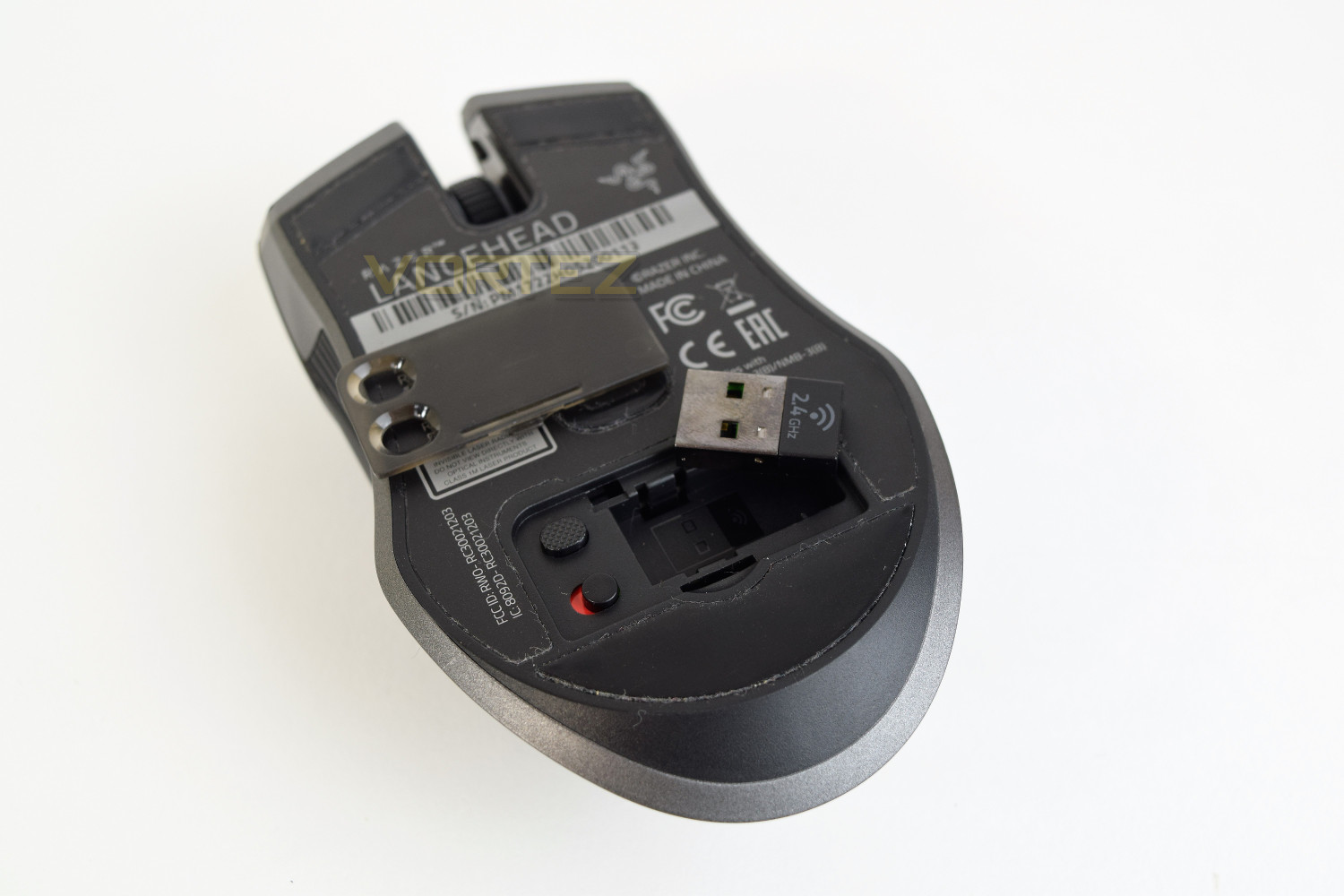
The mouse still looks great, even when connected via the wire; the mouse can be permanently wired, through the extremely long 2.1M cable, if you so wish.
Software
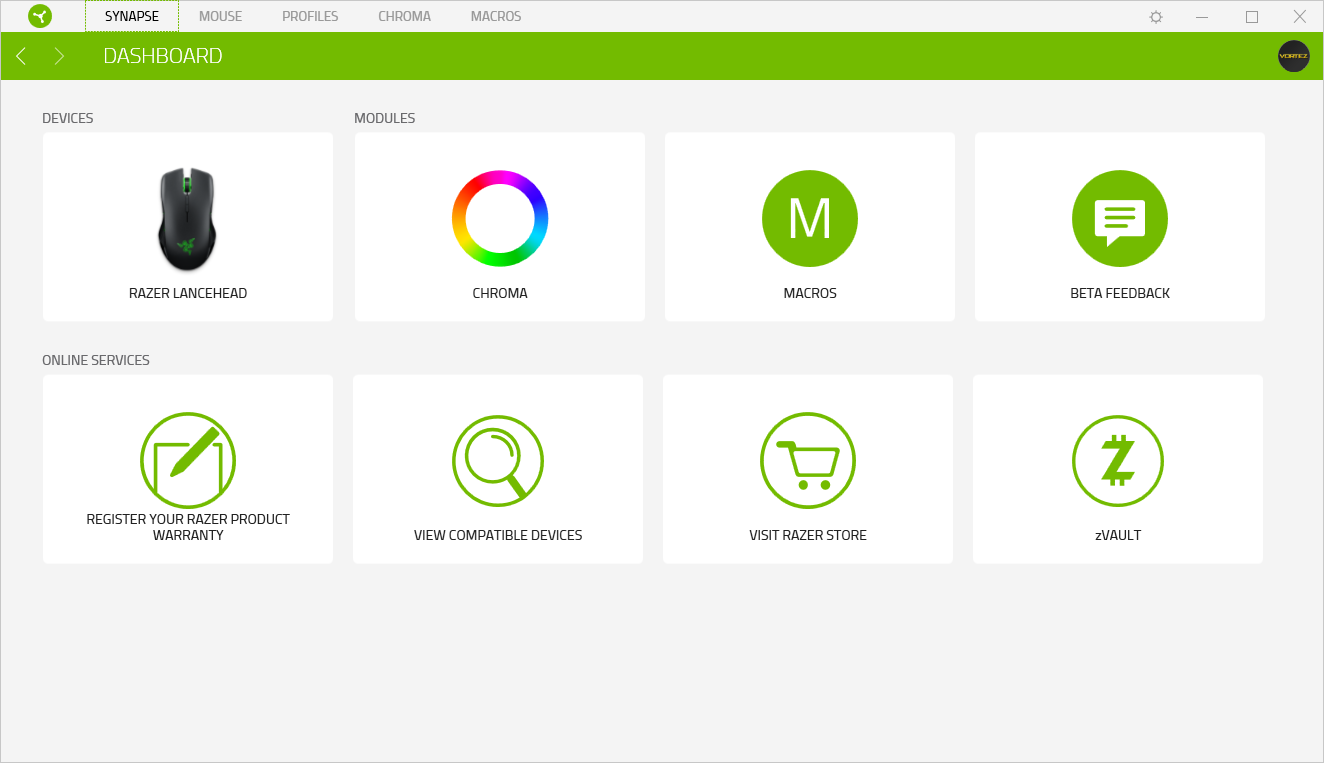
Razer has released their latest software version on the back of the Lancehead; Razer Synapse 3.0. The software is currently in beta and does suffer a couple of small bugs, but nothing too major, we have it on good word that they’re working hard to make this their best software version yet. The beta software is currently limited only to the Lancehead and Lancehead Tournament Editions.Upon the initial launch, you’re offered the chance of a walk-through the software, this is quite in-depth and a lot to take in at first, though you can repeat it at any time.
The landing page is the Synapse Dashboard, allowing easy and convenient access to all of the relevant areas.
Within the mouse customisation is a whole host of options, starting off with the button options. Razer employs a technique called “Hypershift” which allows you an entirely new set of controls with a click of the button; media or volume controls can be adjusted without taking your hand away from the mouse.
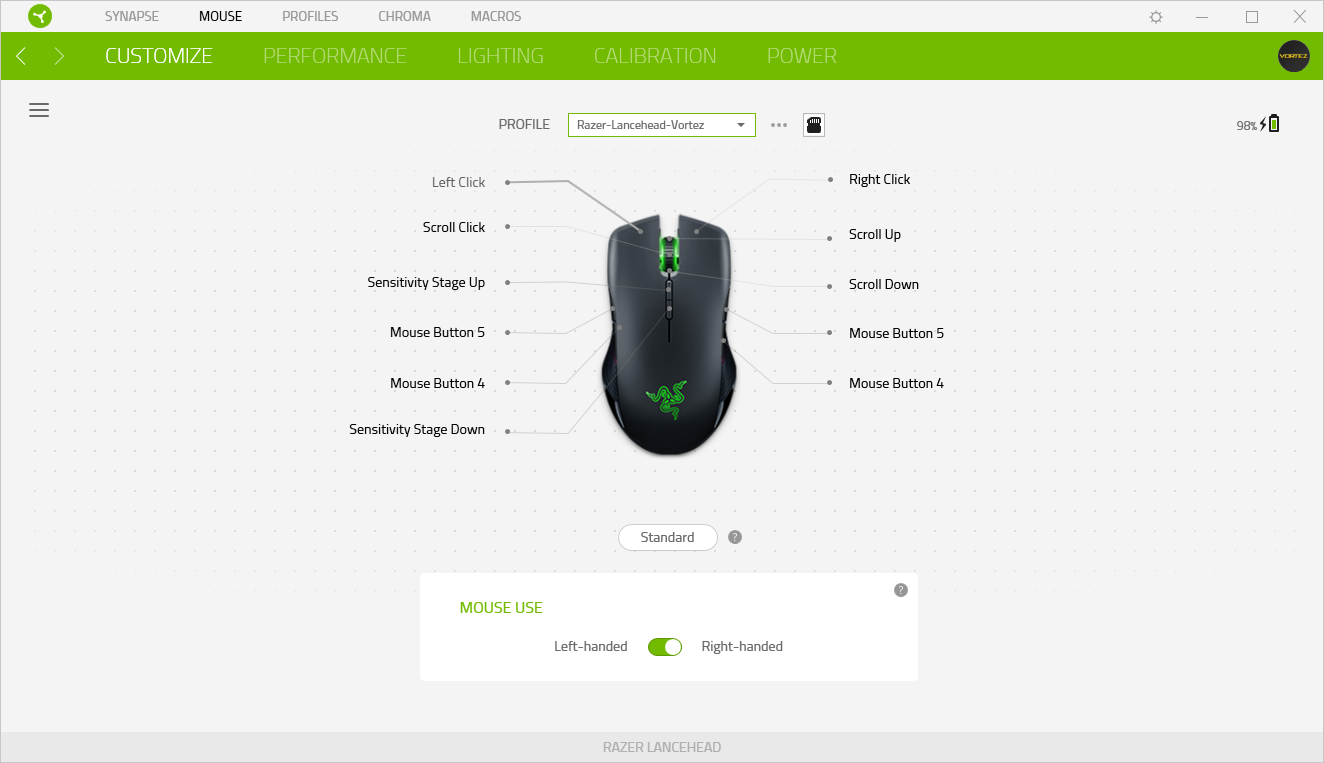
The following tab allows you to control all of the particulars regarding the sensor. The software allows up to 5 DPI stages to be configured to the top buttons on the mouse.
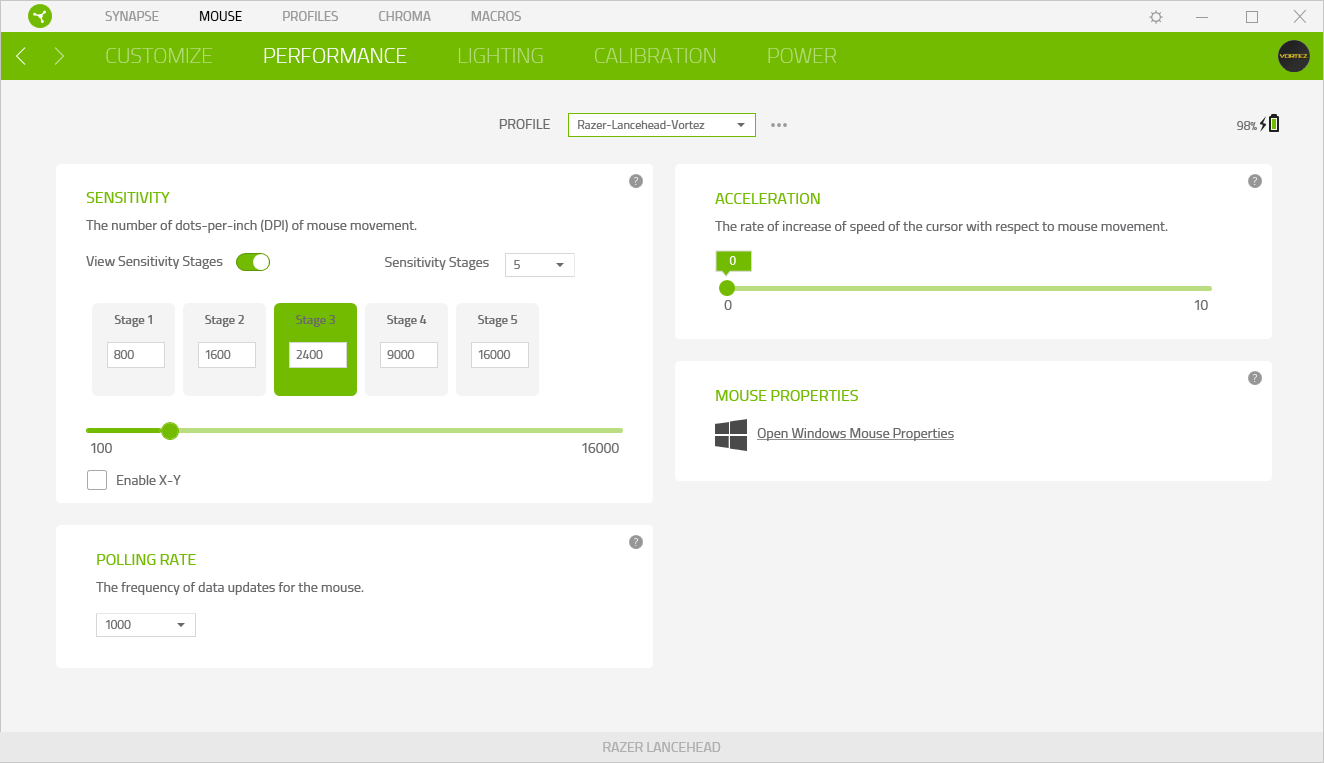
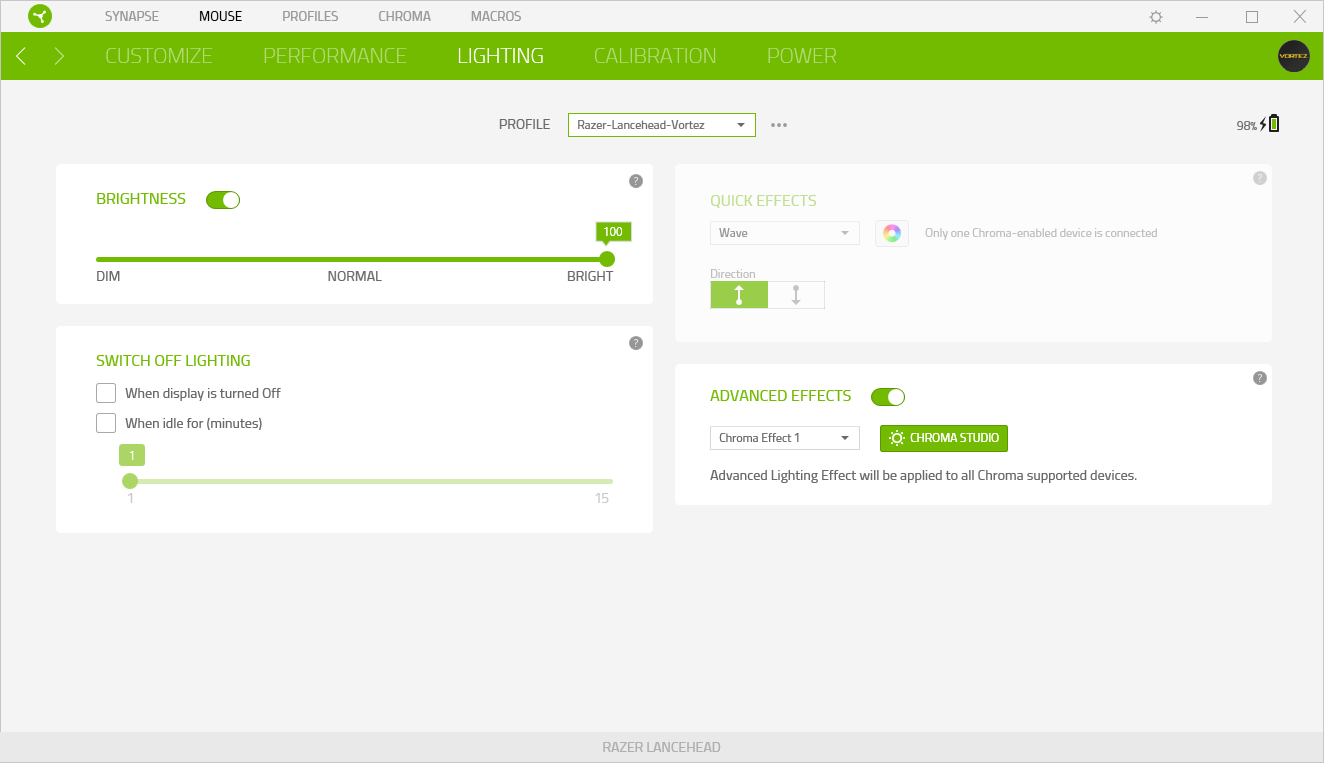
The lighting is controlled separately of the RGB effects, with this tab mainly used for power saving.
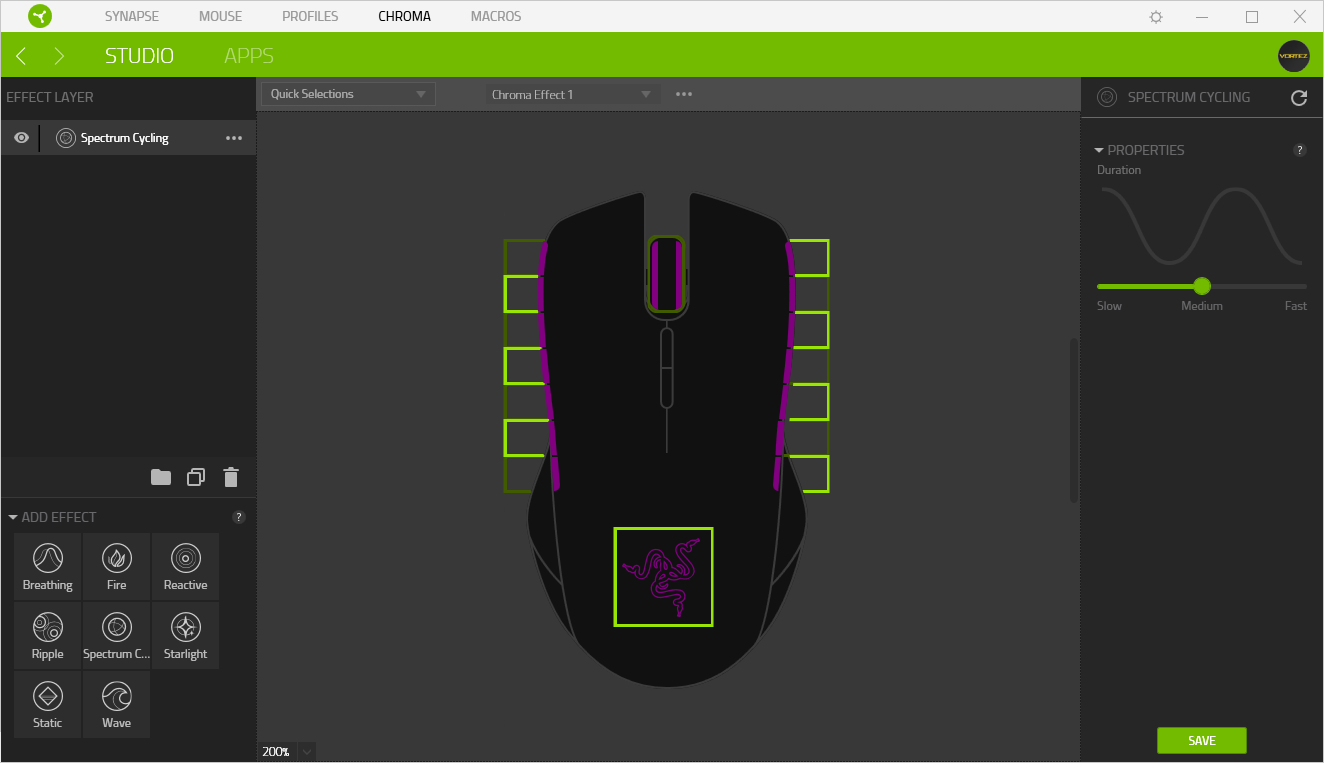
Chroma – this is where the magic happens. The Lancehead houses 7 LEDs on each side, along with the mouse wheel and Razer logo on the back, totalling 16 LEDs; all of which are completely independent of each other, and can even have separate effects applied to each. The Chroma section is excellent and should really come to life once more of their products are supported by Synapse 3.0.
The Macro editor is extremely well featured, allowing you to record long strings of button presses and tag them to any button on the mouse.

Performance Testing
First things first, the Razer Lancehead costs just shy of £140; this is a huge price when compared to perfectly useable alternatives priced around £60. This has to be considered heavily while testing the mouse, there’s absolutely no room for anything but perfection, frankly.The laser sensor that Razer has chosen to use in the Lancehead is incredibly sensitive, so much so that dust and dirt are detected with such accuracy that it can throw the cursor way off. They have used a small Teflon curtain around the sensor to minimise any of this, along with advanced processing within the mouse to adjust for any abnormalities of this kind.
The performance of the sensor is amazing, it detects the smallest of movements when ramped all the way up to 16,000 DPI, though this is way beyond the useable range. We found the sweet spot was between 2000 and 3000, offering incredible accuracy and dependability. Battlefield 4, Paladins, Orcs Must Die: Unchained and War Thunder were the chosen games for testing.
The Razer-designed, OMROM-built switches under the right and left click feel fantastic, they’re clicky and provide plenty spring to make fast-clicking possible. Both sides feel identical, furthering the ambidextrous nature of the mouse.
The shape of the Lancehead is good, however, it is on the smaller side. Obviously, due to the ambidextrous design, it doesn’t quite have the same feel as a mouse designed for one particular hand but it does fit the 3 primary grip styles. The rubber grips on the side are good, that being said, the channels running horizontally along the mouse can encourage your fingers to move towards the back of the mouse once sweat is introduced after an intense round in-game. The scroll wheel is positioned well and features a positive click while still allowing the user to scroll long web pages without too much effort.
As always with Razer products, the build quality is class-leading. Everything feels as though it’s put together as well as it can be, with nothing considered ‘cheap’.
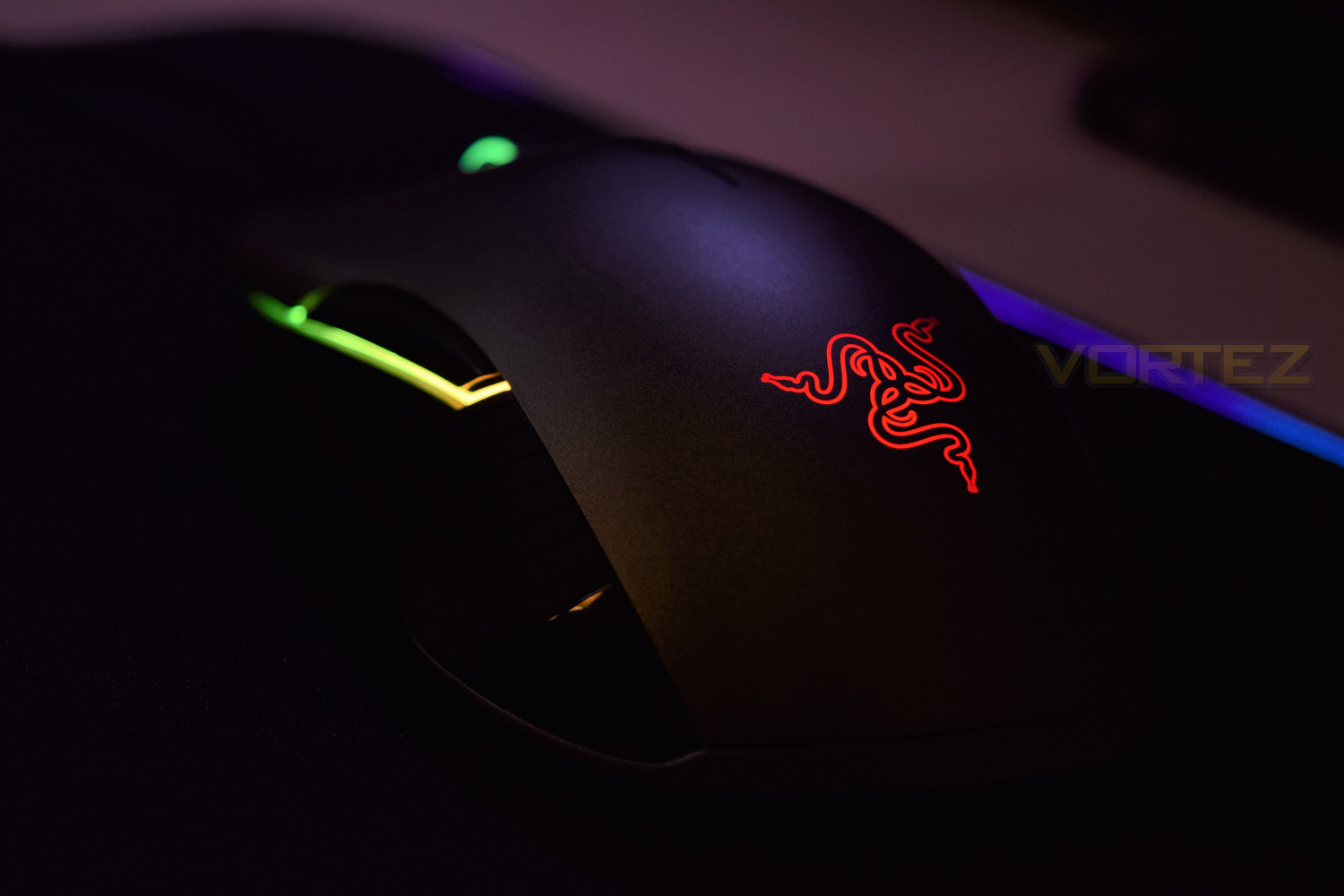
RGB lighting is a massive plus point for the Lancehead, the ability to independently control 16 different LEDs, with a range of 16,700,000 colours to choose from can create some wild effects. The Spectrum Cycling was beautiful and very vibrant on the brightest setting, battery life suffers massively in this state, however.
Razer claims that the Lancehead can last 24 hours, with RGB lighting. During our testing, we found that to be pretty much the case, getting around 22/23 hours with the RGB lighting set to one static colour and on the dimmest setting. With Spectrum Cycling active and the LEDs turned up to their brightest, the mouse lasted around 8-10 hours. The braided 2.1M cable, with unique micro-USB adaptor, makes charging very easy. With the cable being 2.1M in length, being able to tidy away some of that wire is important, though unfortunately, the included rubber cable wrap is possibly the worst we’ve seen, being stupidly fiddly to reuse – that could be much better.
Wireless performance was perfect, with absolutely no issues what-so-ever; obviously, Razer’s efforts to develop their Adaptive Frequency Technology (AFT) has paid dividends. The system scans the 2.4GHz frequency band hundreds of times per second, looking for the strongest, cleanest signal, it will then carry on using that band until it detects a stronger signal; in which case, the Lancehead then seamlessly hops over to maintain “absolute wireless supremacy”. This may not appear important in a domestic environment, where you may only be using a wireless headset and have a 2.4GHz router nearby, but in a LAN or eSports event, where hundreds of devices may be battling for bandwidth, being able to pair to the cleanest signal can win you precious milliseconds.
Conclusion
As an entire package, the Lancehead is fantastic. Razer has employed some serious technology and expertise to achieve the kind of wireless stability and sensor performance this thing produces in a relatively small mouse. The battery life is good considering there are 16 RGB LEDs and a 5G laser sensor.We were seriously impressed by the RGB lighting, the colour reproduction was fantastic but seriously bright at the same time. Transitions were smooth and felt great; all bolstered together by the brilliant Chroma software.
Providing you don’t run the RGB LEDs at their brightest setting, you can get 3 full days of use out of the Lancehead, this is somewhere around what Razer claim. 8-10 hours, with the RGBs roaring away, is reasonable considering their brightness.
The biggest hurdle for any potential customer will be that £140 price tag, that will take a lot of stomaching for most consumers, though there are many positive points to consider while purchasing.
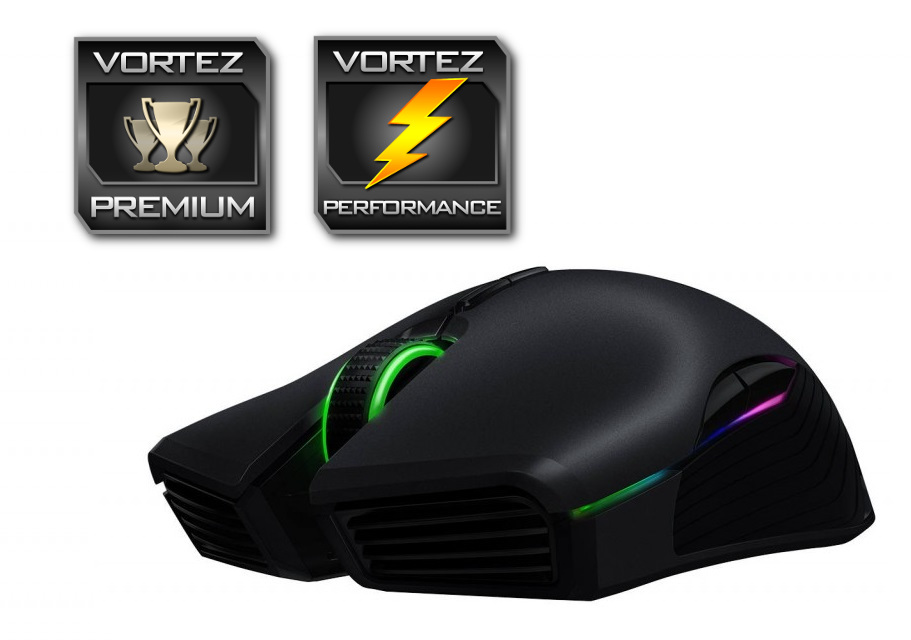
Razer has thrown the book at this thing, creating the ultimate wireless mouse.
Pros
+ 100% Wireless stability
+ Incredible RGB lighting
+ Great Chroma software
+ Good battery life
+ Excellent build quality
+ Very comfortable as an ambidextrous mouse
Neutral
+- Battery life suffers hugely with 100% LED brightness
+- Synapse 3.0 is still in beta
Cons
– £140 is expensive
– Laser sensor can be too sensitive
+ 100% Wireless stability
+ Incredible RGB lighting
+ Great Chroma software
+ Good battery life
+ Excellent build quality
+ Very comfortable as an ambidextrous mouse
Neutral
+- Battery life suffers hugely with 100% LED brightness
+- Synapse 3.0 is still in beta
Cons
– £140 is expensive
– Laser sensor can be too sensitive
Click here for an explanation of our awards at Vortez.net.