A new Aluminium Mini-ITX computer chassis boasting excellent build quality and features. Is this a better alternative to the DAN Cases A4-SFX?

Product on Review: Rocket Mini-ITX Case
Manufacturer & Sponsor : Kolink
Street Price: £159 GBP @ OCUK / €159 EURO
Mini-ITX computer cases have grown in popularity with the introduction of other Mini-ITX-based components. Most recently, we reviewed the GIGABYTE H370N WIFI allowing gamers to tap into the power of Intel’s 8th Generation with the SFF (Small Form Factor).
Today we’ll be exploring a new Mini-ITX computer case; Kolink Rocket. This tiny enclosure has a volume which amounts to a mere 9.6 litres and yet it can house a wide-selection of high-performance kit. More notably, graphics cards up to 310mm in length.
Many have drawn comparisons between Rocket and the DAN Cases A4-SFX. We haven’t encountered the A4 but there are definitely some likenesses – however the A4 costs considerably more cash. So the question is, is this a better value for money option?
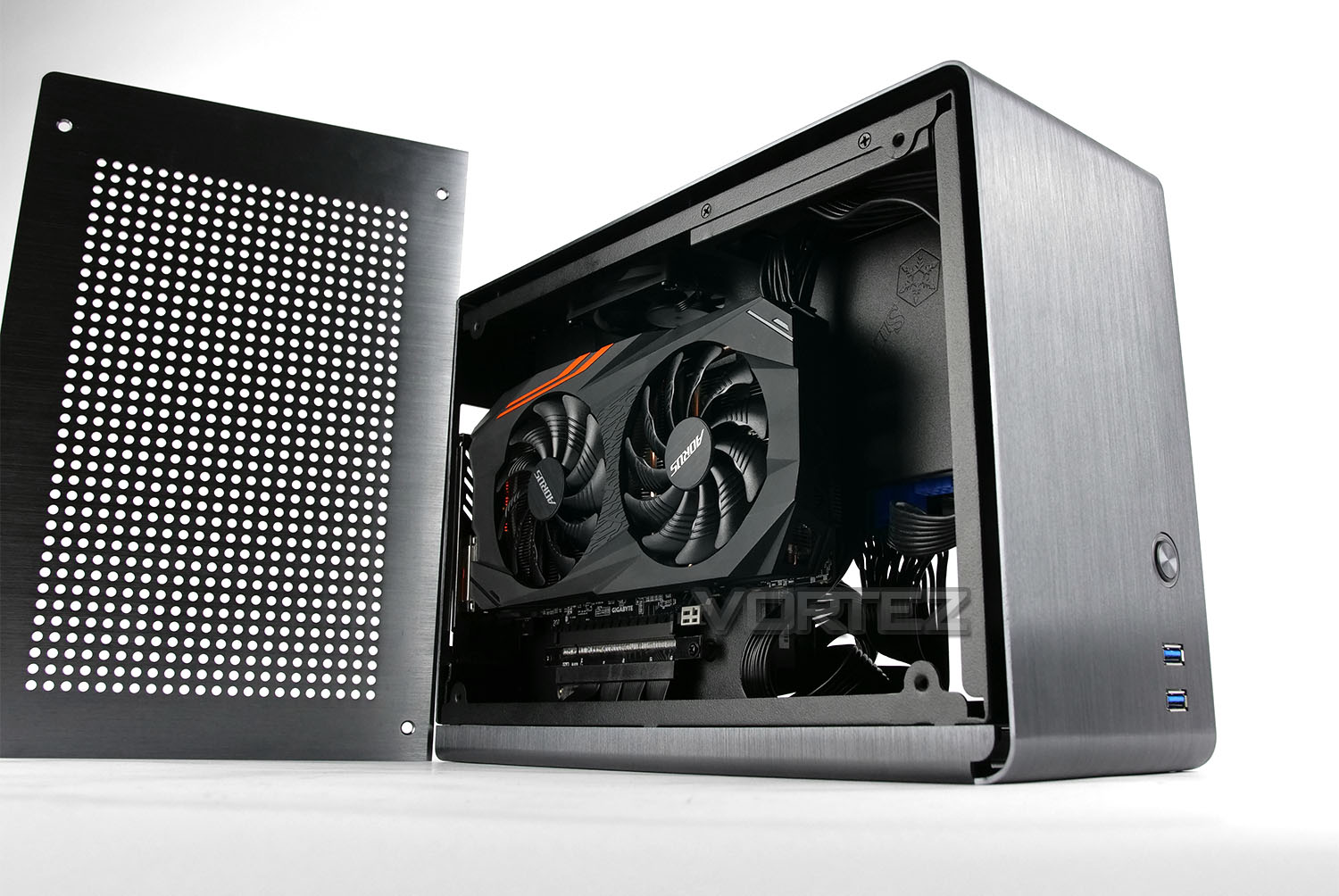
About Rocket
Kolink has developed the stylish and premium SFF (Small Form Factor) Rocket case, perfect for Mini-ITX motherboards and constructed entirely from aluminium. This exceptionally compact gaming case not only looks high-end, its low weight and diminutive proportions also make it highly portable and easy to transport. Behind its stylish exterior lies an extensive range of options for installing premium PC hardware due to its clever use of space.
Technical Specifications
Below are the technical details surrounding Kolink Rocket:
Dimensions: 125 x 235 x 328 mm (W x H x D)
Material: Aluminium (anodised, brushed), SECC steel interior
Thickness: 2 mm
Weight: 3.5 kg
Volume: 9.6 l
Colour: Titanium Grey
Form Factor: Mini-ITX
Total Possible Fans:
1x 80mm fan (pre-installed, 4-Pin PWM, FDB bearings)
Drive Bay: 2x 2.5″
PSU: SFX or SFX-L (optional)
Expansion Slots: 2 (Dual-Slot)
I/O Panel:
2x USB 3.0 (internal connection)
Special Feature: PCIe 3.0 x16 Riser Module for GPU installation
Hardware Compatibility:
Maximum CPU cooler height: 54 mm
Maximum GPU length: 310 mm
Maximum GPU height: 40 mm (Dual-Slot)
Maximum PSU length: 130 mm
Material: Aluminium (anodised, brushed), SECC steel interior
Thickness: 2 mm
Weight: 3.5 kg
Volume: 9.6 l
Colour: Titanium Grey
Form Factor: Mini-ITX
Total Possible Fans:
1x 80mm fan (pre-installed, 4-Pin PWM, FDB bearings)
Drive Bay: 2x 2.5″
PSU: SFX or SFX-L (optional)
Expansion Slots: 2 (Dual-Slot)
I/O Panel:
2x USB 3.0 (internal connection)
Special Feature: PCIe 3.0 x16 Riser Module for GPU installation
Hardware Compatibility:
Maximum CPU cooler height: 54 mm
Maximum GPU length: 310 mm
Maximum GPU height: 40 mm (Dual-Slot)
Maximum PSU length: 130 mm
Closer Look
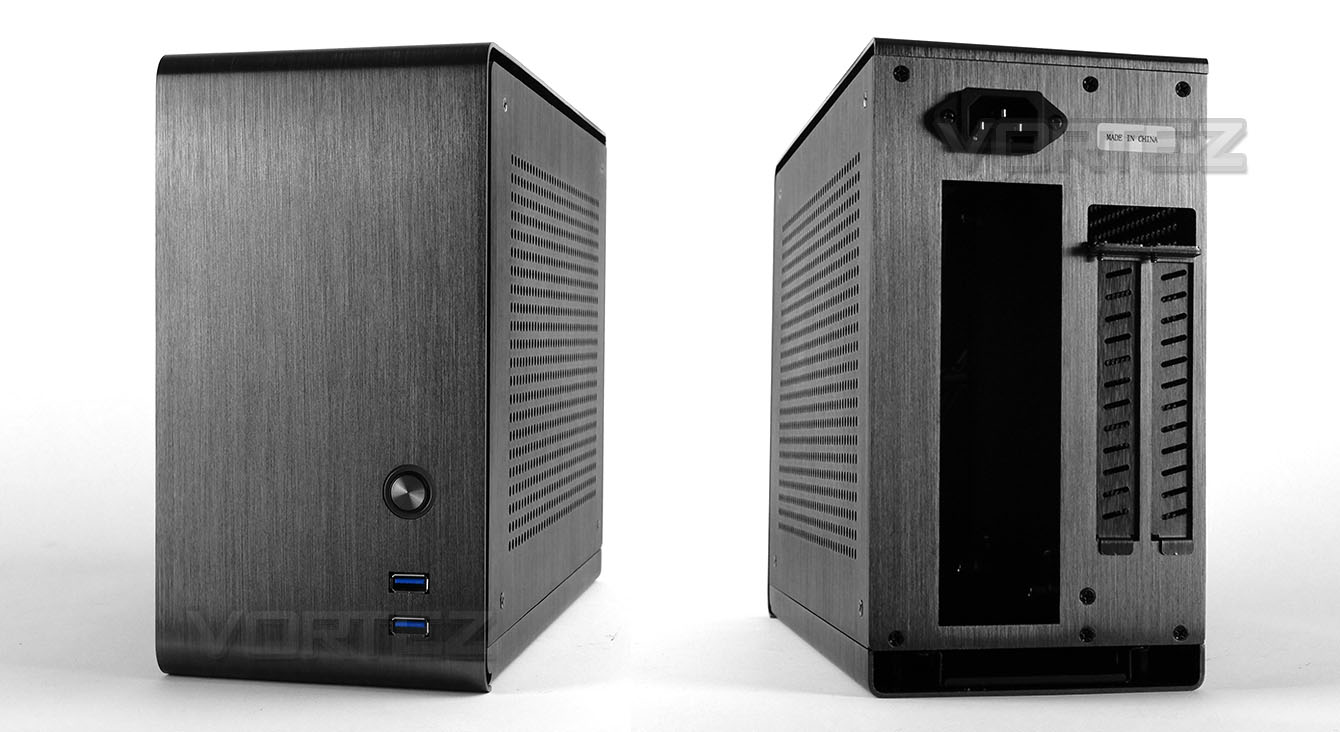
There is no mistaking Rocket’s underlying material – our eyes are met by luxurious aluminium construction with a brushed finish and anodizing. We’re also pleased to report that the exterior of this case repels fingerprints.
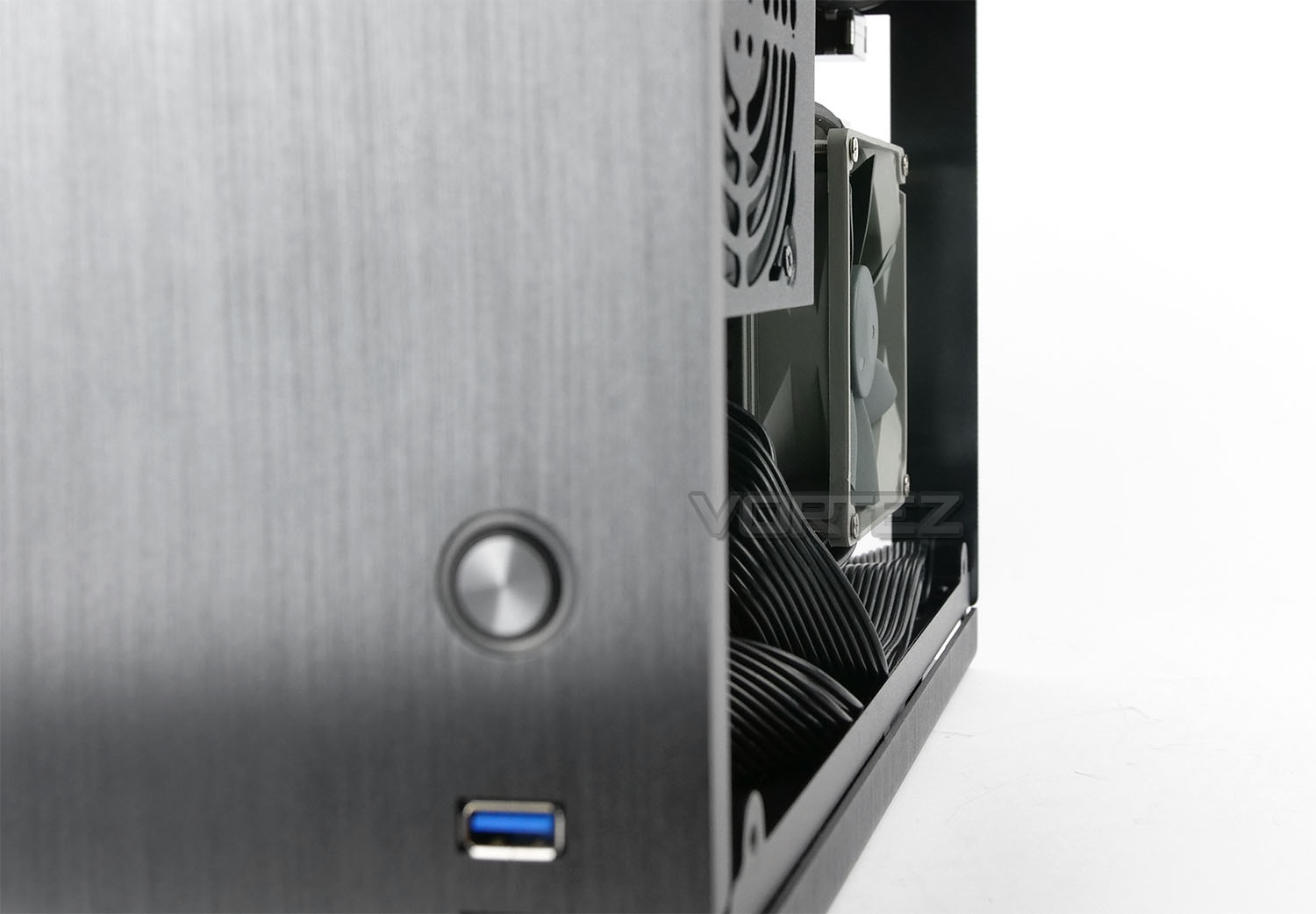
At the front of Rocket we have a flat, brushed aluminium panel which carries two USB 3.0 ports and a large, circular power button. The USB 3.0 ports use a standard single USB 3.0 header connection.
Around the back there is a large space for the rear IO section of the motherboard, two aluminium PCI covers with ventilation cut-outs and at the top you’ll notice we have a 3-pin PSU connection – the reason this is present is due to the fact that Kolink has used an extension cable for flexible PSU placement.
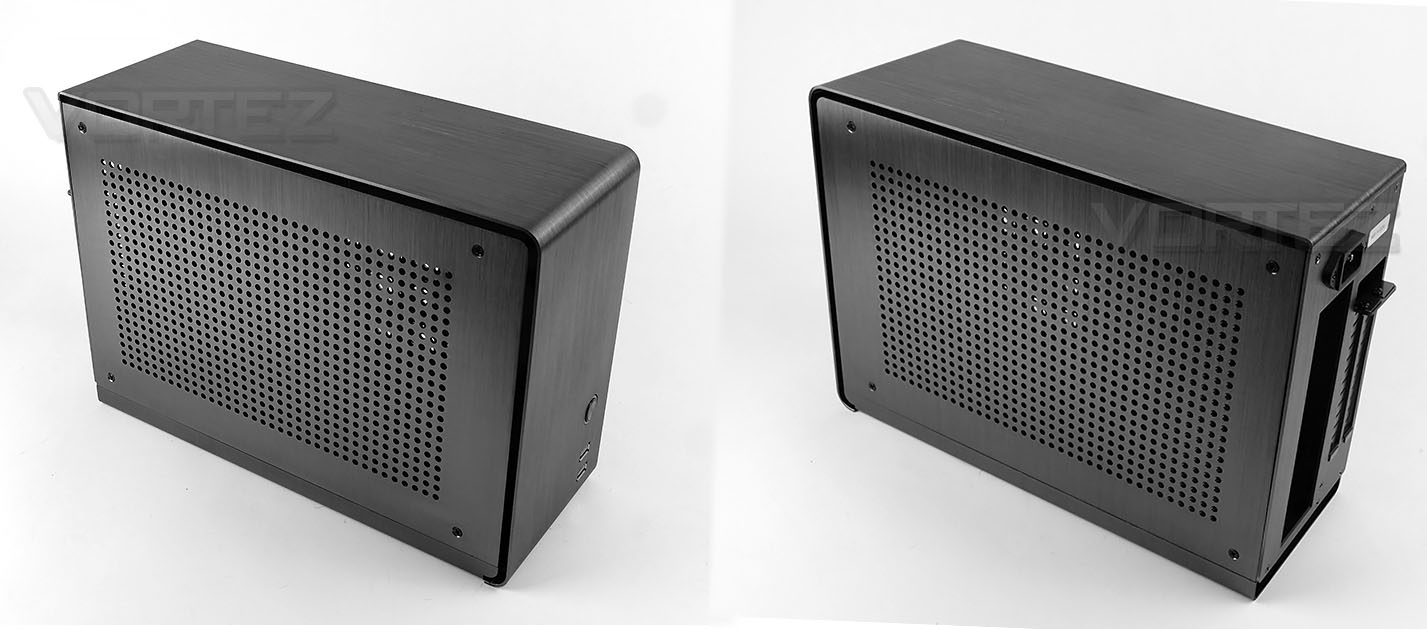
Both sides of Rocket are identical, featuring a single sheet of perforated aluminium. Both panels are secured to the chassis with four screws. While there is no support for attaching cooling fans to these panels, they do offer a degree of ventilation for both sides of the installed system components.
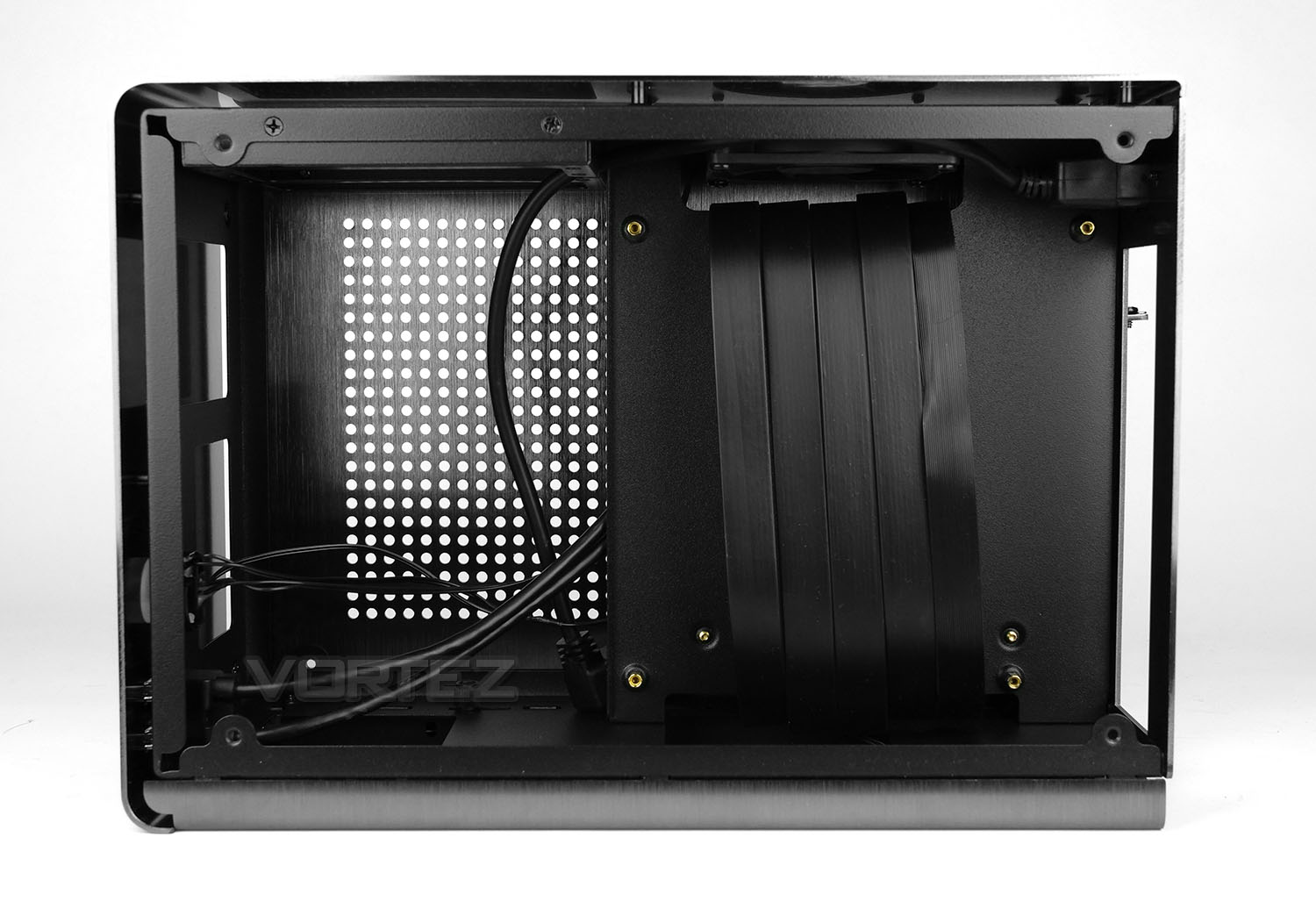
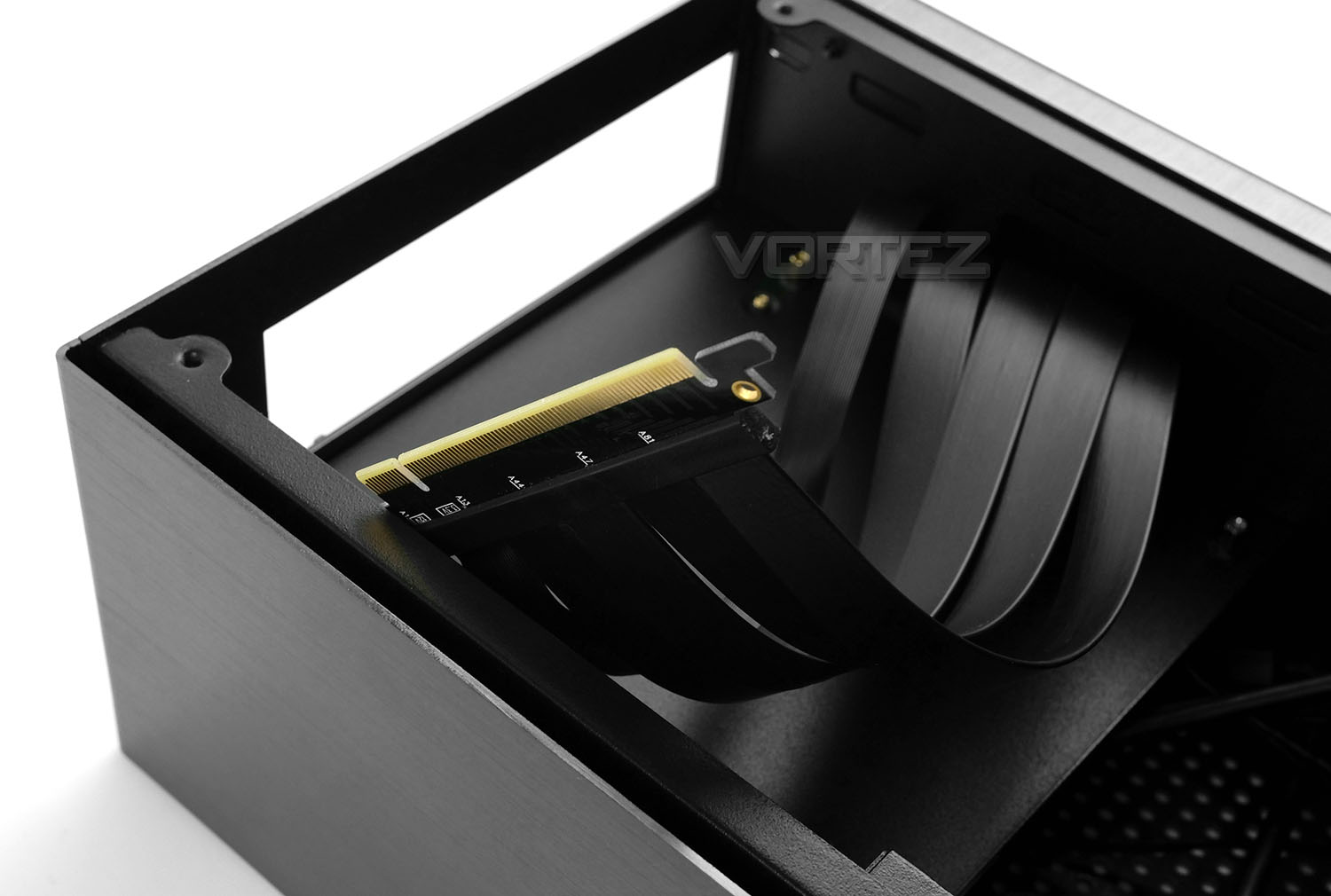
After detaching the side panels we are greeted by a dual-chamber internal design. The chassis within opts for steel construction. Rocket has been designed to work exclusively with Mini-ITX motherboards and there are four standoffs already attached to the motherboard tray. At the top of this tray there is a pre-installed cooling fan which is 80mm (4-pin PWM). Visible from this side we have the riser cable which marries up to the graphics card and allows it to be installed behind the motherboard tray. Kolink has matched this up with the colour of the internal design so that it won’t be as visible.
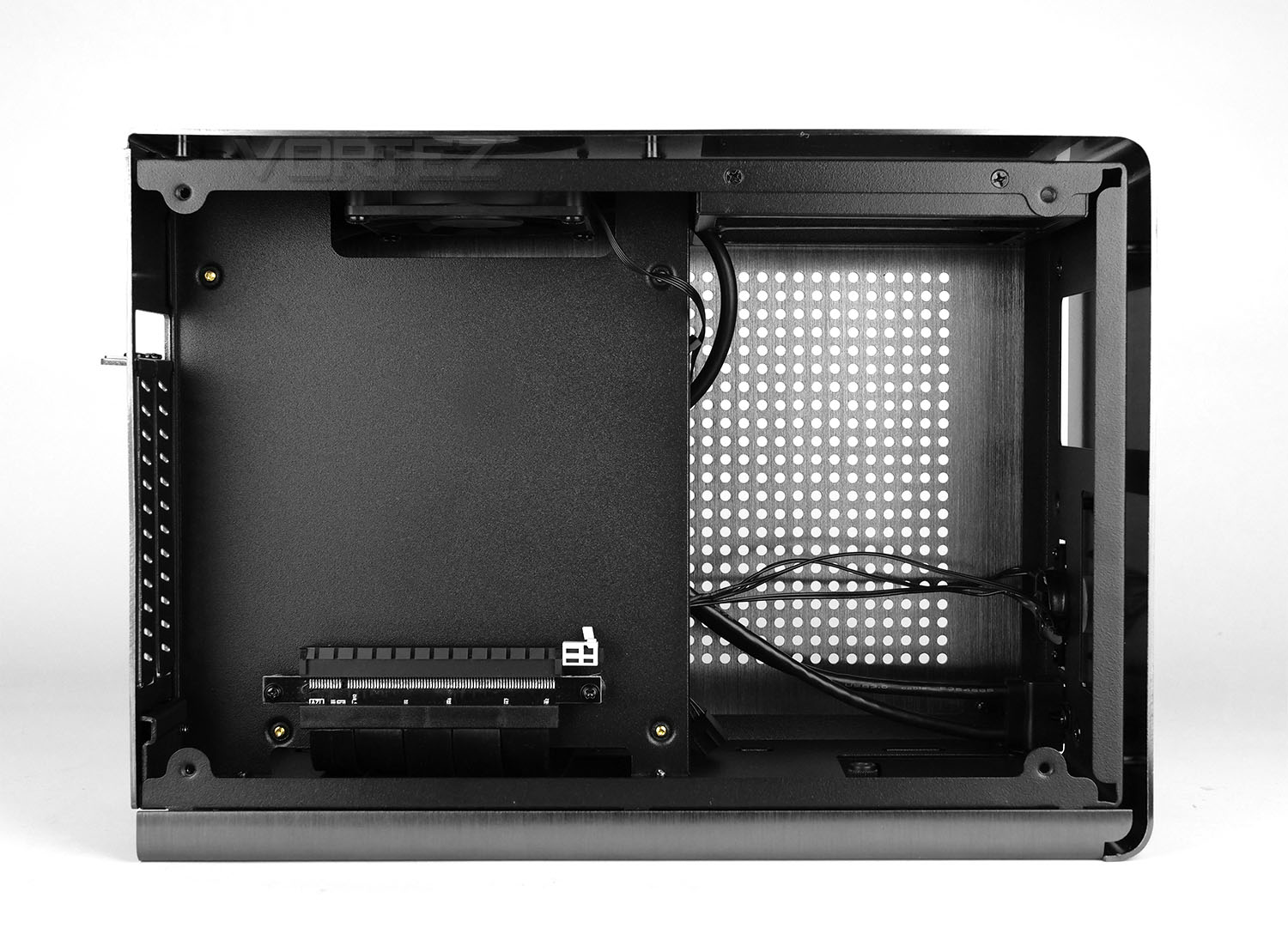
Over on the reverse we have the other chamber which features the alternate end of that riser cable. This PCI slot fully supports PCI Express 3.0 X16 and since we have twin PCI covers, we can install a dual-slot graphics card into this area.
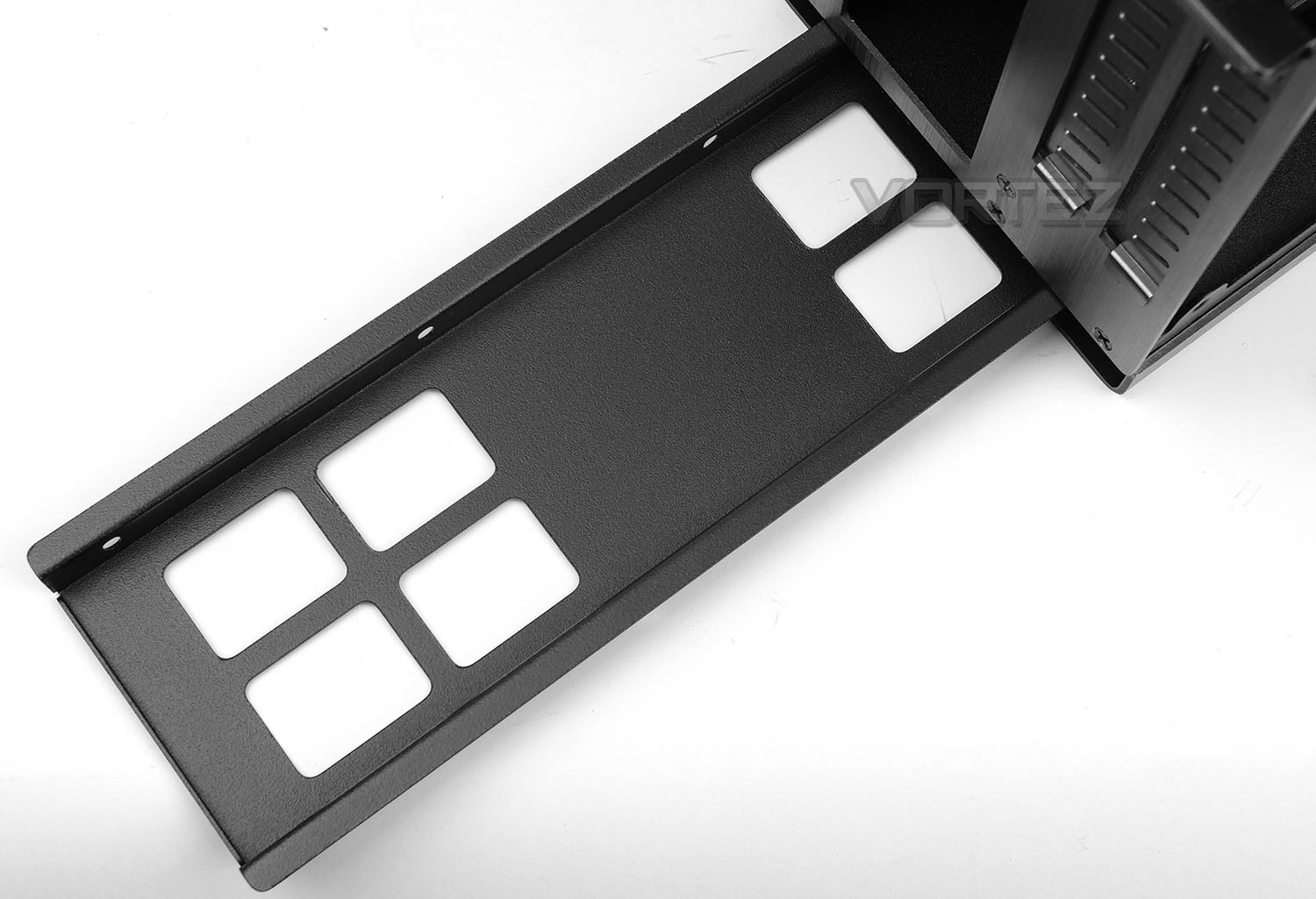
In the lower section of Rocket there is a detachable storage tray. This is released by removing a thumbscrew. The tray allows for two SSDs to be installed and due to the nature of this item, storage can be tucked away, out of sight – which is a good use of space.
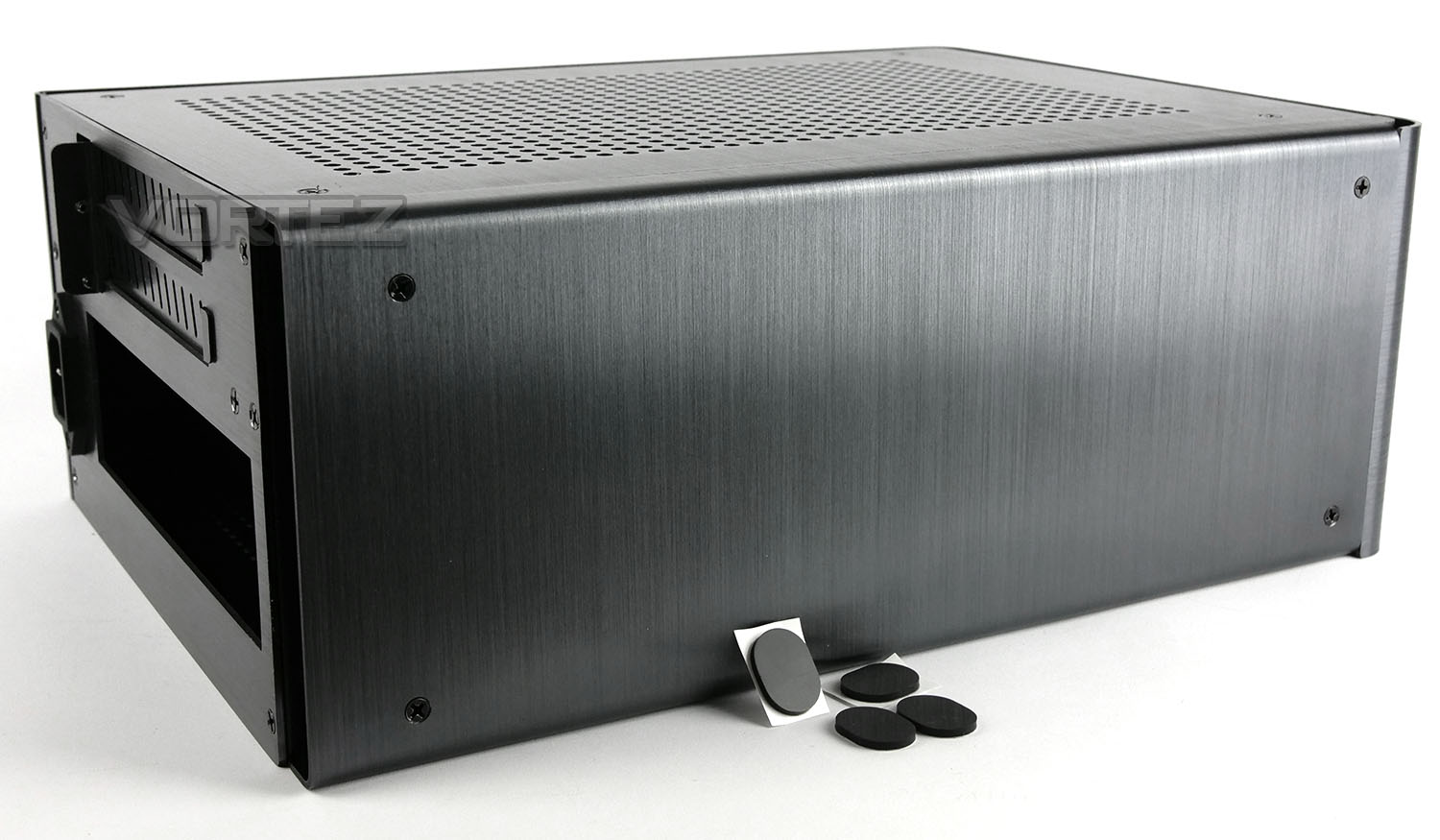
On the underside of Rocket there is more brushed aluminium and strangely enough, there are no pre-attached feet to protect the underneath and prevent the case from sliding around.
Instead, Kolink provide a selection of rubber pads which can be ‘stuck onto’ the bottom of the chassis. We’d have preferred a better quality solution than sticky pads – even if it meant attaching them ourselves, we’d have like to see rubber feet that can be screwed in, or if applying screws is out of the equation some type of rubber latch design would be far more suited.
Installation
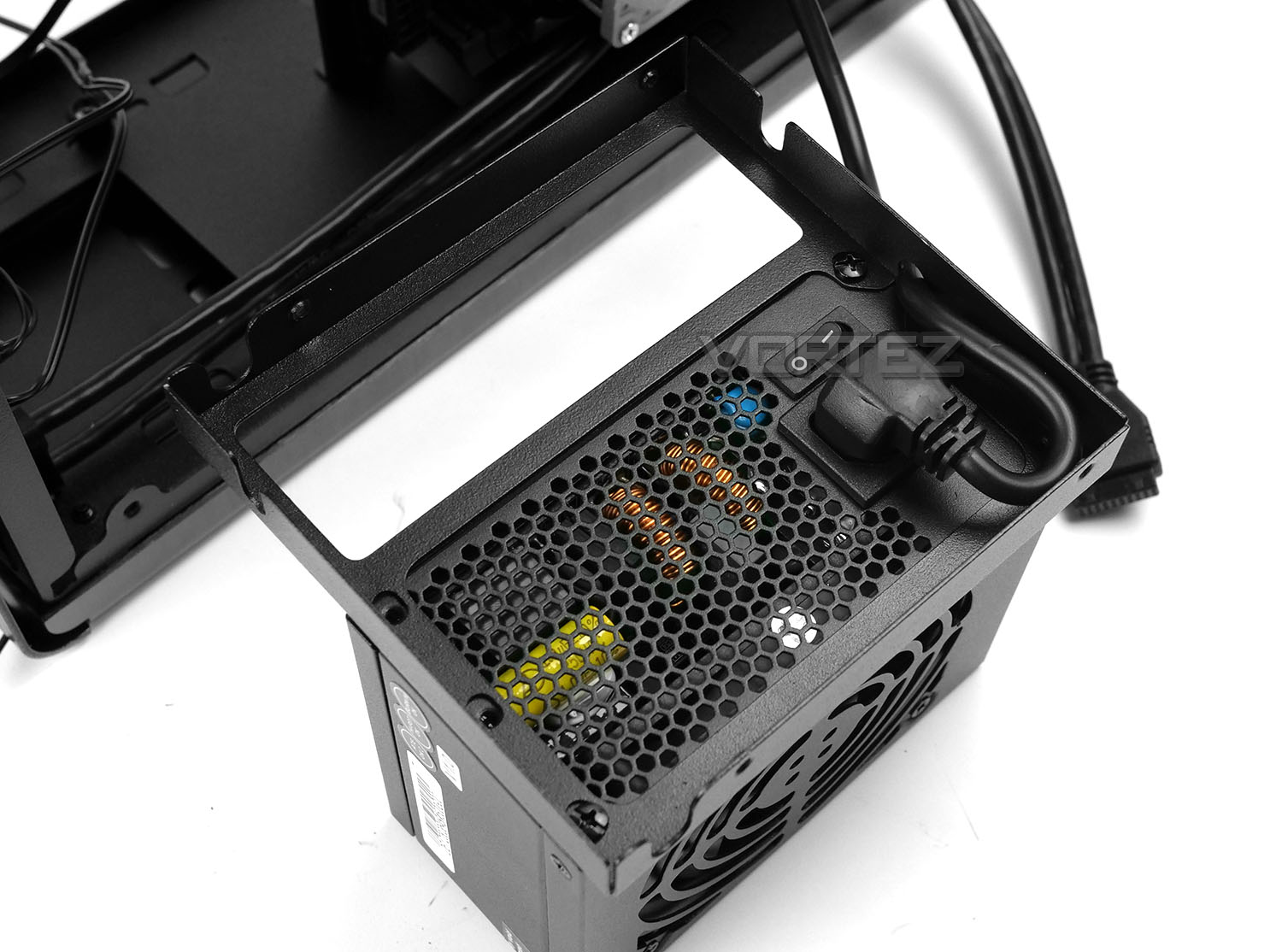
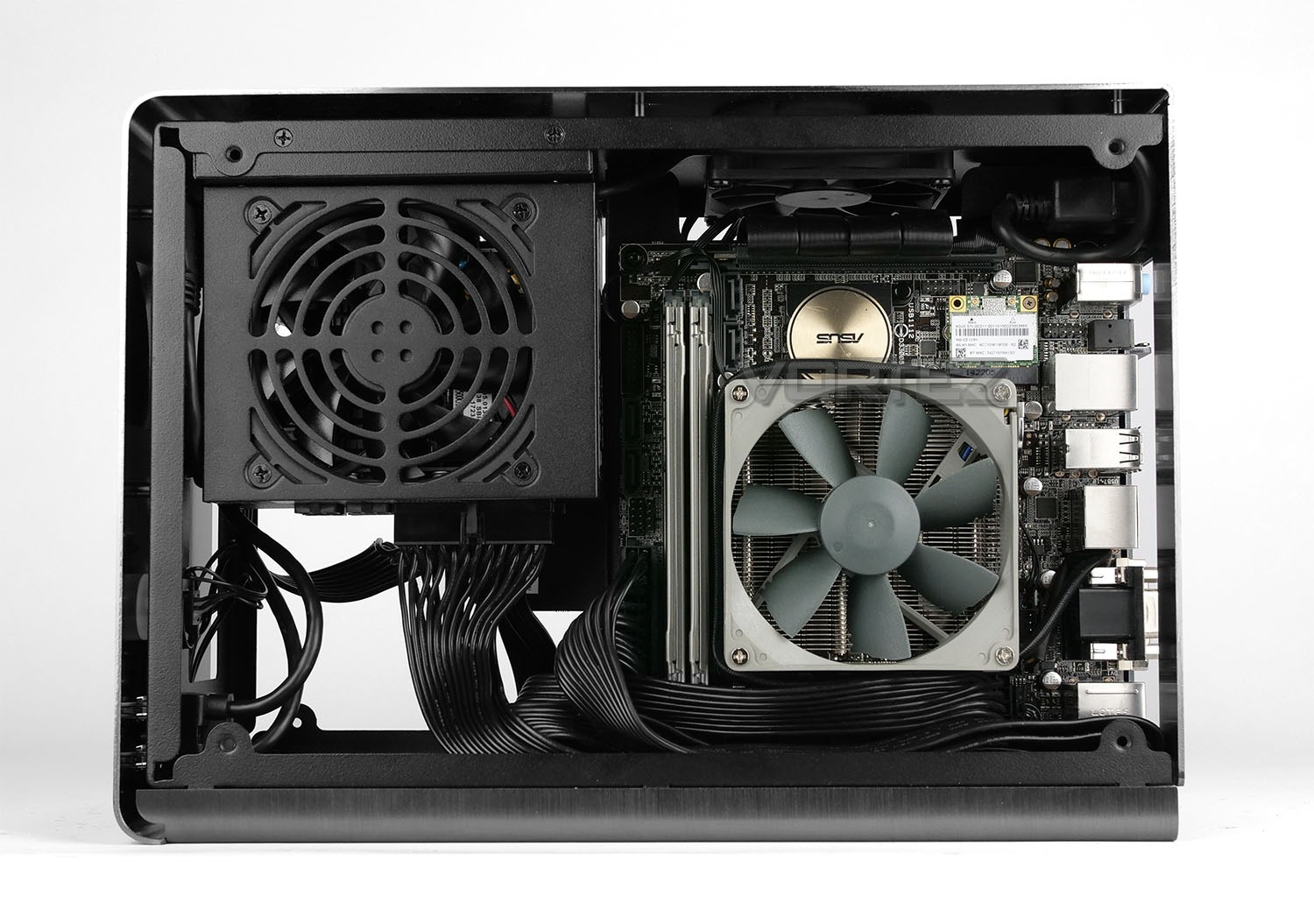
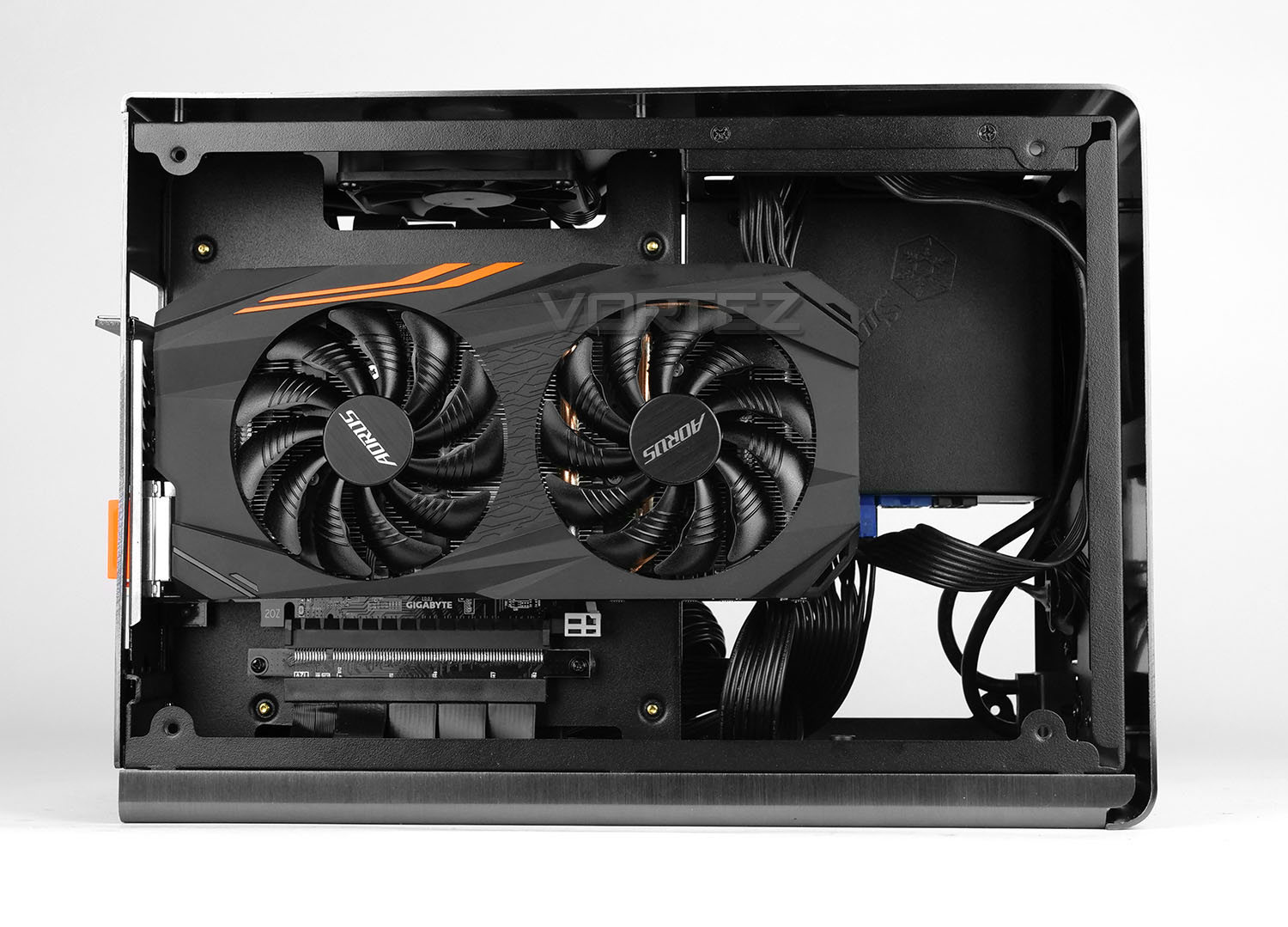
Since Rocket is solely designed for Mini-ITX, we installed our Mini-ITX test system inside this case. The installation did take longer than expected due to the tight space limitations and reconfiguring certain parts – for example, the riser cable needs removing in order to have it feed behind the motherboard and we’d certainly advise doing this as the first step of any system installation.
The PSU bracket also needs to be removed from the chassis and attached to the PSU prior to moving the unit into the case. (As shown above). The orientation of the bracket and extension cable will vary depending on the design of your SFX unit and it took us a few attempts to attach the bracket in the correct way to the PSU and back into the chassis itself due to the limited space within.
Since the inside is rather cramped, we admittedly scratched some of the inside which was disappointing. Overall though, we’re pleased with how the installation went – our advice would be to just take your time!
Clearance
In this next section we’ll identify the clearance limitations within Rocket in an attempt to highlight what will fit and what won’t.
CPU Cooler
Kolink specify that users can install a CPU cooler which is 54mm. However, we can confirm that coolers up to 60mm will fit. Installed we have the Noctua NH-L9i which measures 50mm in height.
Graphics Card
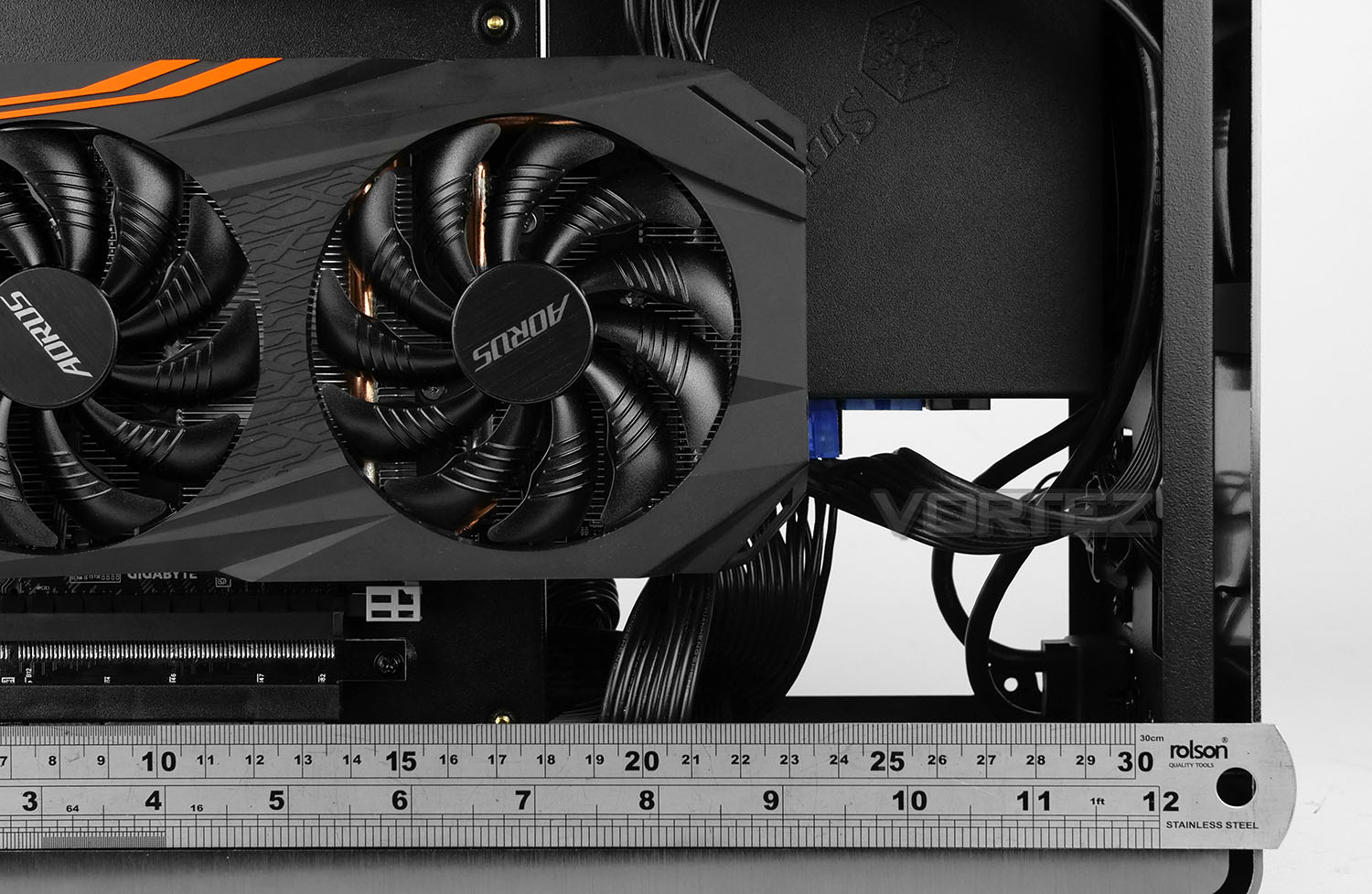
Moving on to the graphics card department, over inside the other chamber we have plenty of space for high-performance solutions. In this region we have up to 310mm. There is also a limitation on the height which should be considered, cards can be no larger than 40mm.
When considering this case, it’s worth noting the placement of PCI-E power on your graphics card.
Other
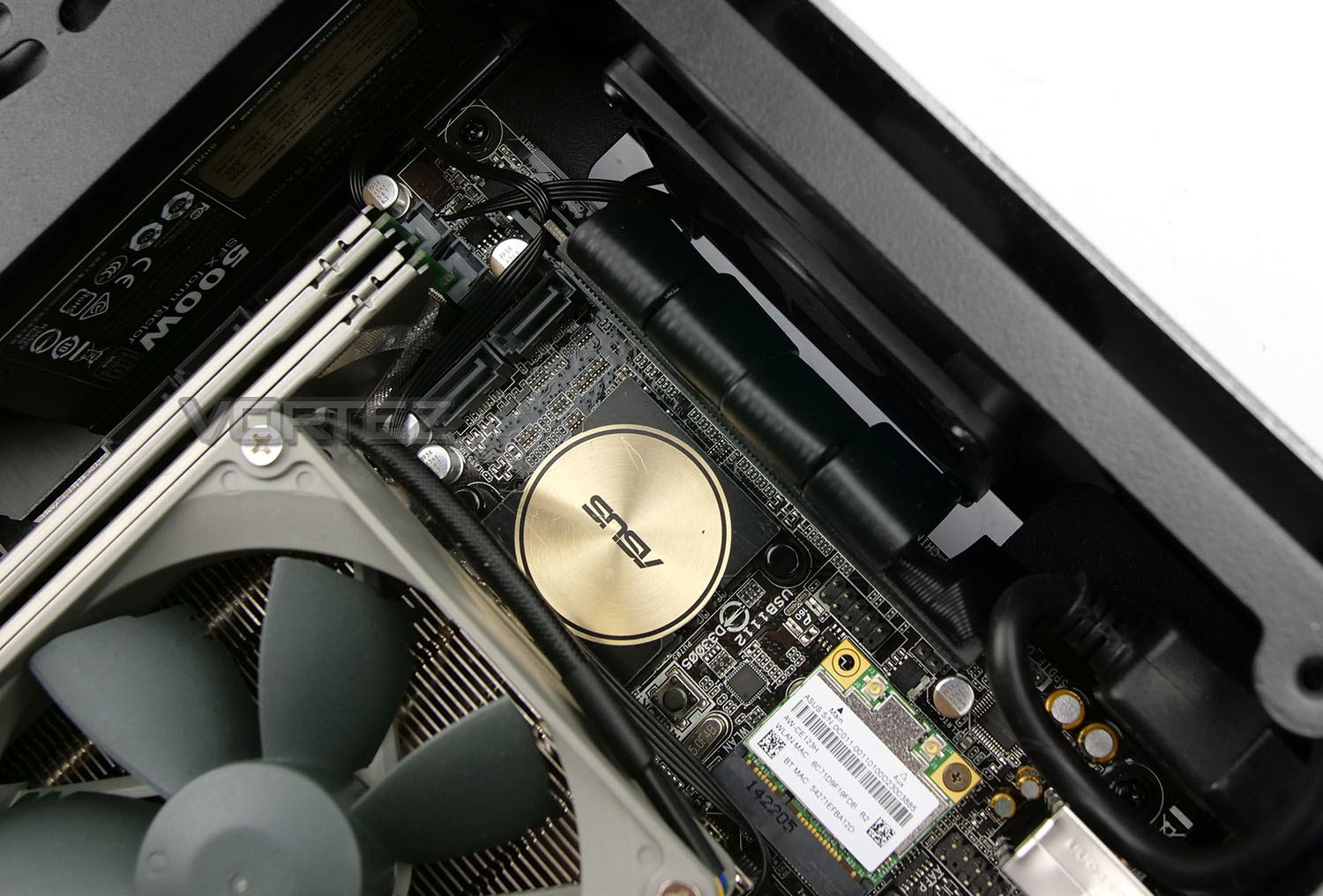
Along with the core components, there are other elements which should be carefully considered. The area at the top of the motherboard tray involves a very small amount of clearance for the riser cable and cooling fan (as shown in the picture above). Care should be taken to ensure the riser cable is adequately threaded under the motherboard and as tightly as possible to avoid any collision with the cooling fan.
Thermal Performance Testing
Inside Rocket there is just a single 80mm fan included. This fan is configured to be an exhaust – driving heat away from the system and into the ventilation gaps on the top-plate.
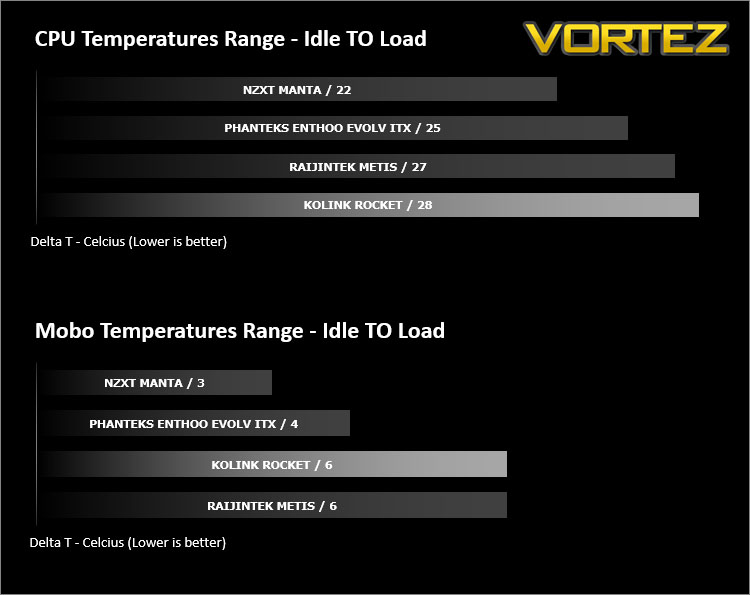
To discover the thermal performance of Rocket we will record idle temperatures after 20 minutes from a cold boot. We will then stress the system and temperatures will again be monitored after 30 minutes have elapsed.
For the purpose of accurate analysis the idle and load temperatures for CPU and motherboard sensors will be recorded and the range between idle and load will be calculated to determine how efficient cooling is.
NOTE: Ambient temperature is 20C
System Components
CPU Intel Pentium K Anniversary G3258
Motherboard ASUS Z97I-Plus
CPU Cooler Noctua NH-L9i
Graphics AORUS RX 570
Memory 4GB Kingston HyperX DDR3
SSD Crucial MX300
PSU SilverStone SX500-G
Motherboard ASUS Z97I-Plus
CPU Cooler Noctua NH-L9i
Graphics AORUS RX 570
Memory 4GB Kingston HyperX DDR3
SSD Crucial MX300
PSU SilverStone SX500-G
Noise
There is very little noise coming from Kolink Rocket due to the inclusion of just one cooling fan. This 80mm fan does not cause any noticeable disruption due to the low-noise nature.
(Since we’re using our new Mini-ITX test configuration we’ve restarted benchmarking again – therefore there is only a few comparable results)
Conclusion
Kolink may not be a name which is widely known but they’re certainly here to make an impact with Rocket.
Having already teased pictures on our social media pages of this computer case, it’s evident that hardware enthusiasts note some key similarities between Kolink’s Rocket and DAN Cases A4-SFX. There certainly are indeed some likenesses, but Kolink seem to have improved on this popular Mini-ITX chassis both in features and more importantly, on price.
Aluminium designs are often reserved for the finest of builds and Kolink’s Rocket excudes elegance and class with its anodized finish. Build quality is exceptional and it’s hard not to like the overall look and feel of this chassis. One particular favourite of ours is the fact that no matter how much you touch those outer panels, there are no annoying finger prints left on the surface.
Inside, the chassis can accommodate a range of different hardware. Although we are limited to 60mm with the CPU cooler (and liquid cooling isn’t an option) we do have support for graphics cards up to 310mm – covering a great many options out there on the market.
The installation demands extra care due to some of the design implementations (Riser cable, PSU bracket and cabling) and it’s important to allow additional care/time for the routing of the riser cable and PSU extension cable. The former if not properly installed will catch on the fan blades.
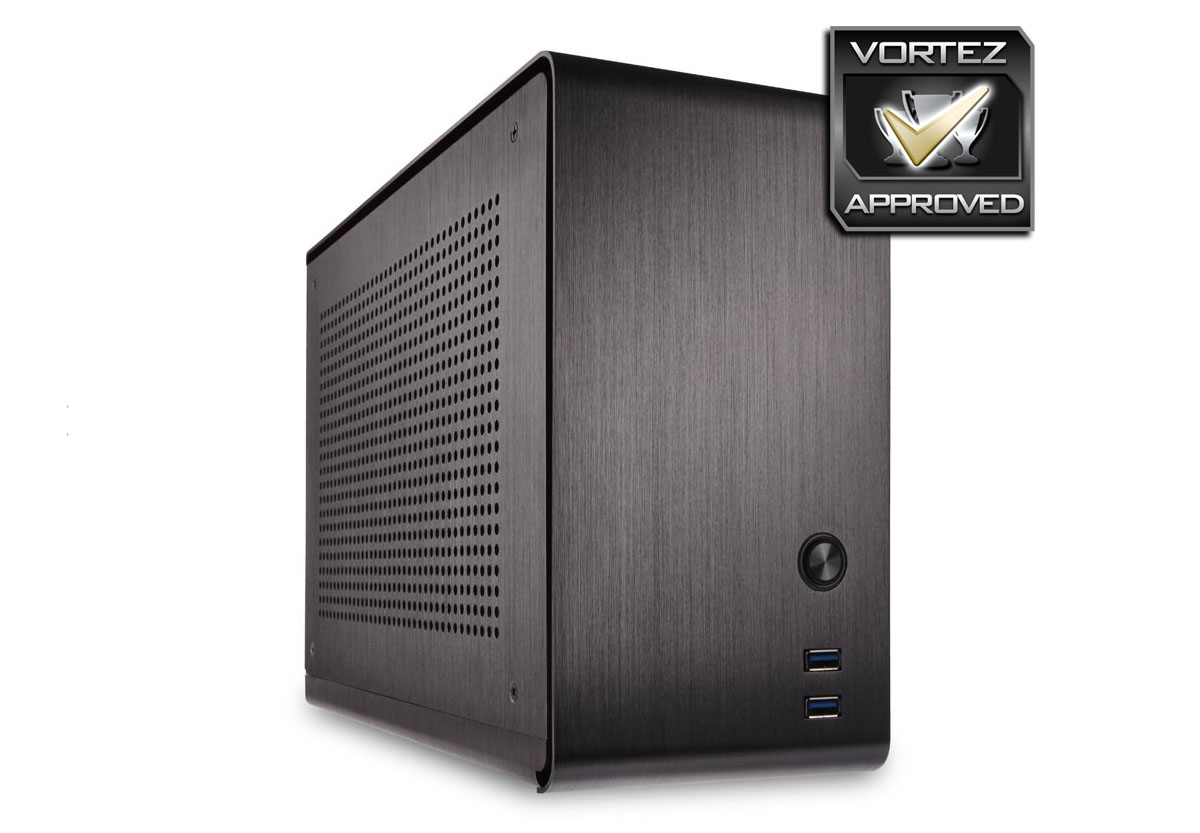
Even though Kolink Rocket is a fine example of a premium Mini-ITX chassis, there are some improvements which can be made. The cooling fan does very little to aid computer chassis airflow and we’d have preferred an intake over an exhaust if only one is included. Applying sticky pads for the feet is difficult not to ciritise on a case costing this amount of case.
Rocket comes in with a price-tag of £159 GBP @ OCUK / €159 EURO – making it an expensive outright purchase. Though we are reminded that DAN Cases A4-SFX is £250 and has some inferior design choices, while lacking an additional USB 3.0 port.
For those wanting to splash out on a new Mini-ITX computer case, you can’t go far wrong with the Kolink Rocket. This luxurious aluminium case goes head-to-head with the DAN Cases A4-SFX and comes out on top!
Pros
+ Stunning visual appearance
+ Exceptional build quality
+ Low-noise operation
+ Supports big graphics cards
+ Good cable management
+ Beats the DAN Cases A4-SFX on price
Cons
– CPU coolers limited to 60mm
– Still pricey
– Just one 80mm cooling fan included
– Sticky pads for feet
+ Stunning visual appearance
+ Exceptional build quality
+ Low-noise operation
+ Supports big graphics cards
+ Good cable management
+ Beats the DAN Cases A4-SFX on price
Cons
– CPU coolers limited to 60mm
– Still pricey
– Just one 80mm cooling fan included
– Sticky pads for feet
Click here for an explanation of our awards at Vortez.net.
Stay connected with the Vortez Social Media pages: