The ASUS ROG Strix Flare does face some seriously tough competition in its price bracket and even though it has a fully stocked arsenal of features, does it do it enough to stand out from the rest?

Product on Review: ROG Strix Flare
Manufacturer: ASUS
Street Price: £139.99 / $179.99 / AUS$ 249.99
The sub £150 price bracket is not short of great keyboards with the likes of Corsair, Razer, Logitech and Cooler Master providing some impressive choices. Question is, does the ROG Strix Flare do enough to set itself apart? Well, it’s certainly off to a great start with a fresh aesthetic that is unquestionably different to what the competition is offering. It features unique elements that fuse two different finishes into a very coherent design.
Of course, having a stylish design isn’t enough, and there are a lot more factors to consider when looking at a new keyboard, but it’s safe to say the Strix Flare does not disappoint on that front. It uses ASUS’s AURA SYNC lighting which provides a comprehensive toolkit to customise the lighting on your keyboard. This means that if you use other ROG branded products that are compatible with AURA SYNC, you can create a very nice lighting ecosystem.
The ROG Strix Flare is also sporting genuine Cherry MX switches of which there are four options to choose from. There is either the MX Black, Blue, Brown or RED, each offering their own characteristics. The ROG STRIX Flare also has dedicated media keys as well as a USB pass-through and much more.
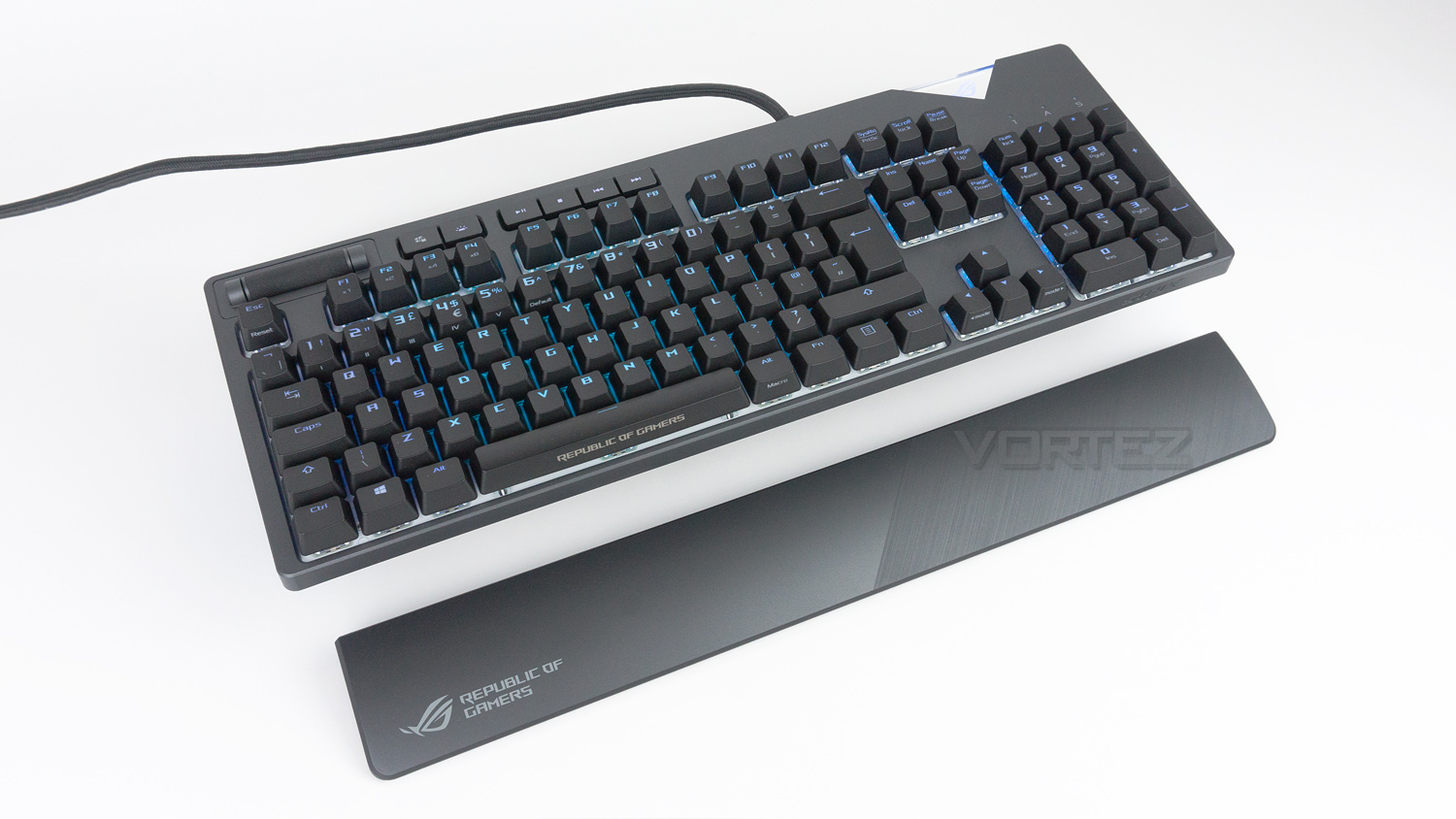
It is clear that the Strix Flare is not short on features, but then again neither are its rivals, so the Strix is in for a tough battle.
ASUS on the ROG Strix Flare:
Flare up your game with ROG Strix Flare – a mechanical gaming keyboard that’s got everything you want and more. Feel the satisfaction of every keystroke with world-renowned Cherry MX switches. Enjoy instant access to dedicated media keys on the upper left while gaming. And experience an unparalleled level of personalisation with a customisable badge illuminated by Aura Sync RGB lighting. Boast your gaming flair as you dominate the battlefield.
Technical Specifications
Keyboard
Switches: Cherry MX
Variants
Black: 60g actuation force, 2mm to actuate, 4mm to bottom
Blue: 50g actuation force, 60g tactile force, 2.2mm to actuate, 4mm to bottom
Brown: 45g actuation force, 55g tactile force, 2mm to actuate, 4mm to bottom
Red: 45g actuation force, 2mm to actuate, 4mm to bottom
Polling rate: 1000Hz
Macro keys: All-keys programmable
Anti-ghosting: N-key rollover
Dedicated media controls
Per-key RGB LEDs
Connectivity: Wired
Colour: Steel Grey
Dimensions & Weight
Dimensions: 454 x 155 x 31mm
Weight: 1256g with cable
Cable length: 2m
System requirements
Windows 10, Windows 10 64-bit, Windows 7
Two USB ports
Internet connection for driver installation and software
Switches: Cherry MX
Variants
Black: 60g actuation force, 2mm to actuate, 4mm to bottom
Blue: 50g actuation force, 60g tactile force, 2.2mm to actuate, 4mm to bottom
Brown: 45g actuation force, 55g tactile force, 2mm to actuate, 4mm to bottom
Red: 45g actuation force, 2mm to actuate, 4mm to bottom
Polling rate: 1000Hz
Macro keys: All-keys programmable
Anti-ghosting: N-key rollover
Dedicated media controls
Per-key RGB LEDs
Connectivity: Wired
Colour: Steel Grey
Dimensions & Weight
Dimensions: 454 x 155 x 31mm
Weight: 1256g with cable
Cable length: 2m
System requirements
Windows 10, Windows 10 64-bit, Windows 7
Two USB ports
Internet connection for driver installation and software
Packaging & First Look
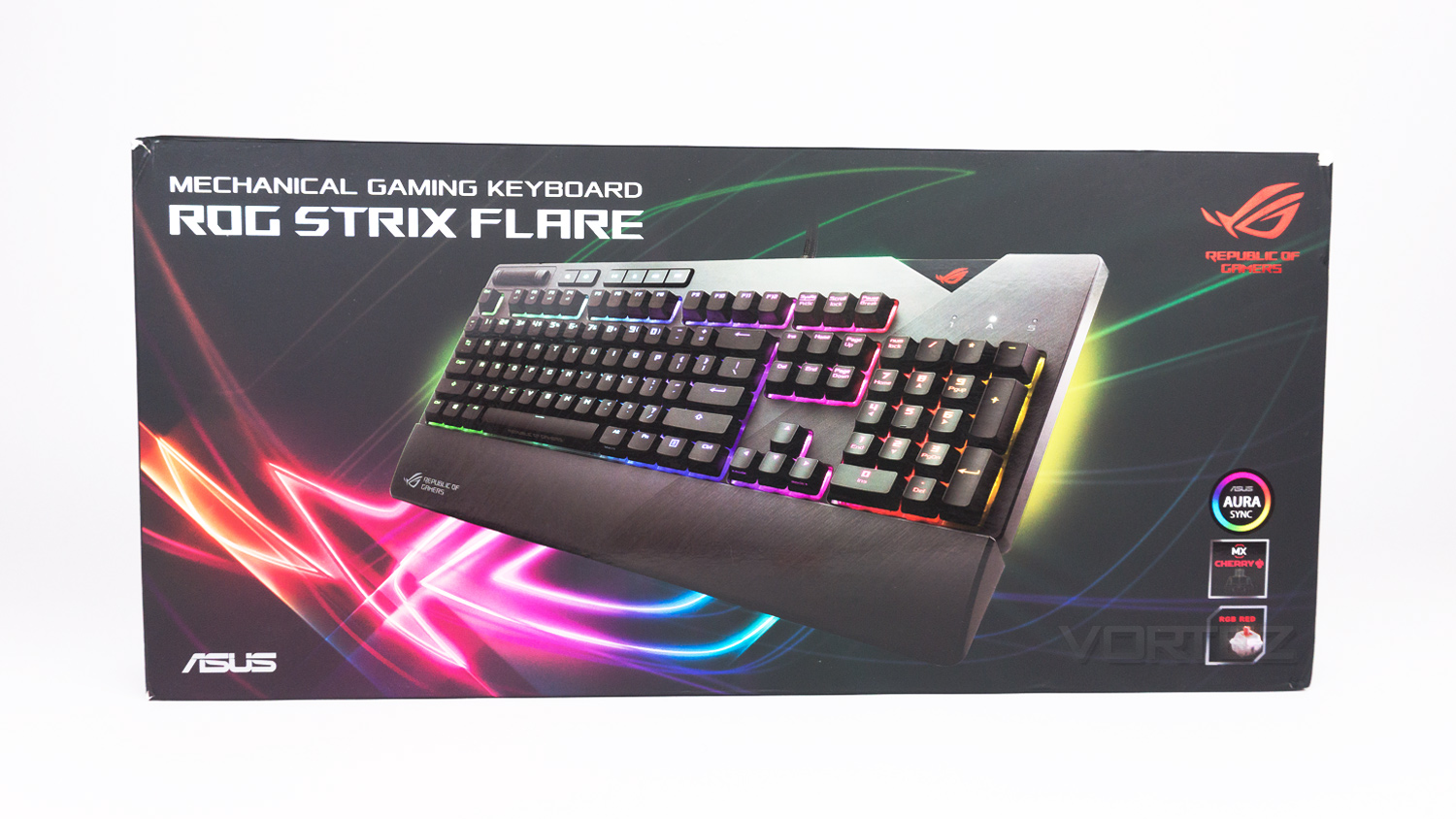
The ROG Strix Flare comes in a heavily stylised box where the Strix Flare is slightly off centred and has the ROG emblem behind it. There is some useful information in the bottom right that lets you know which of the Cherry MX switches are used in the keyboard.
Inside is a secondary thick box that features the ROG emblem in the centre.
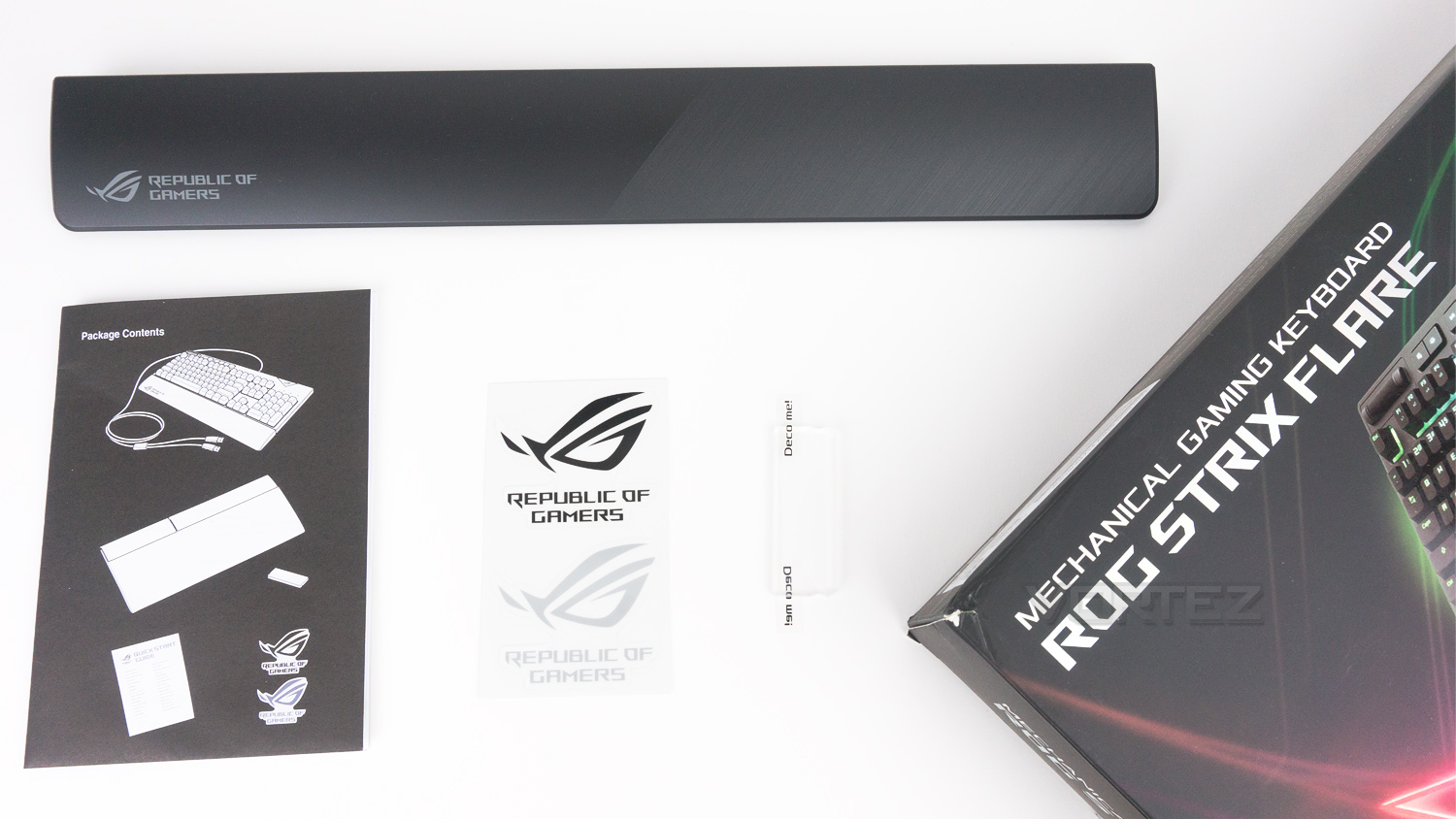
Included with the ROG Strix Flare is the quick start guide as well as the removable wrist rest, a blank acrylic badge and a pair of stickers.
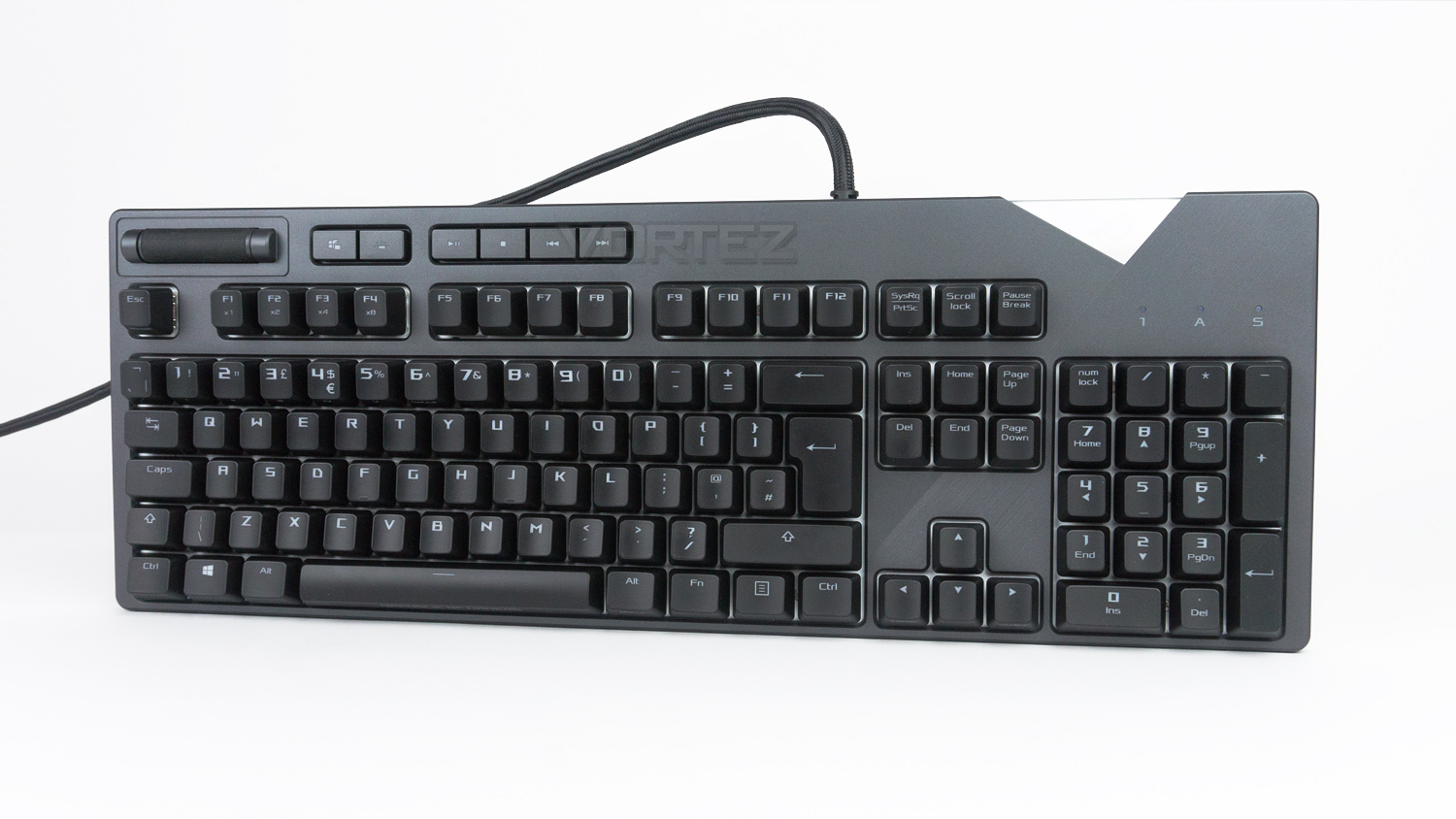
First impressions are very important, and the ROG Strix Flare certainly does deliver. The main design cues are striking yet tasteful as it blends traditional keyboard features with a fresh take on aesthetics.
Closer Look
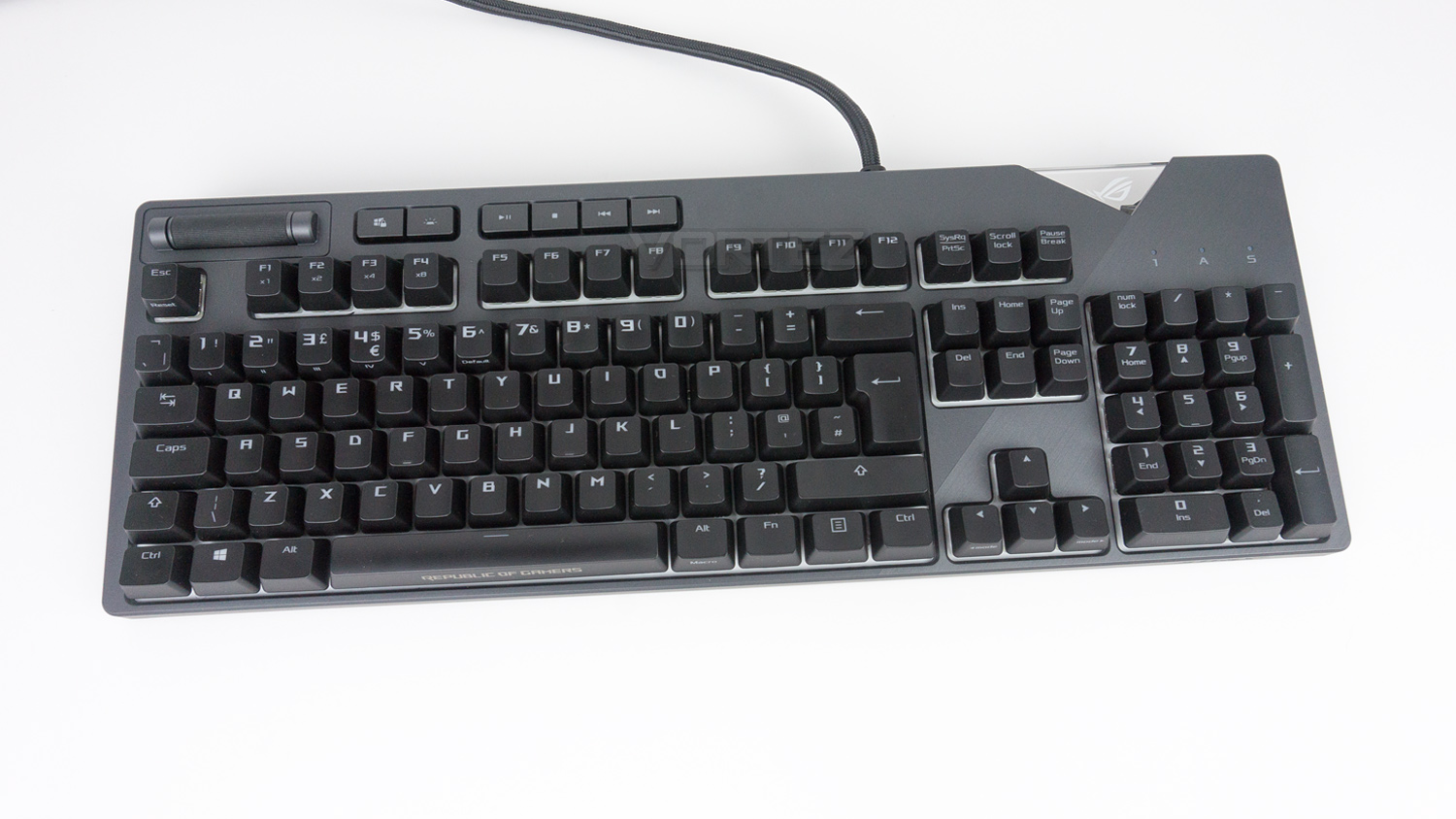
The ROG STRIX FLARE measures in at 454 x 155 x 31 mm which is a touch on the larger side. Keep in mind that the dimensions are without the wrist rest. The main layout is well organised, and the keys are nicely spaced. There is also a full-sized number pad if you need to use the ROG Strix Flare for more than just gaming.
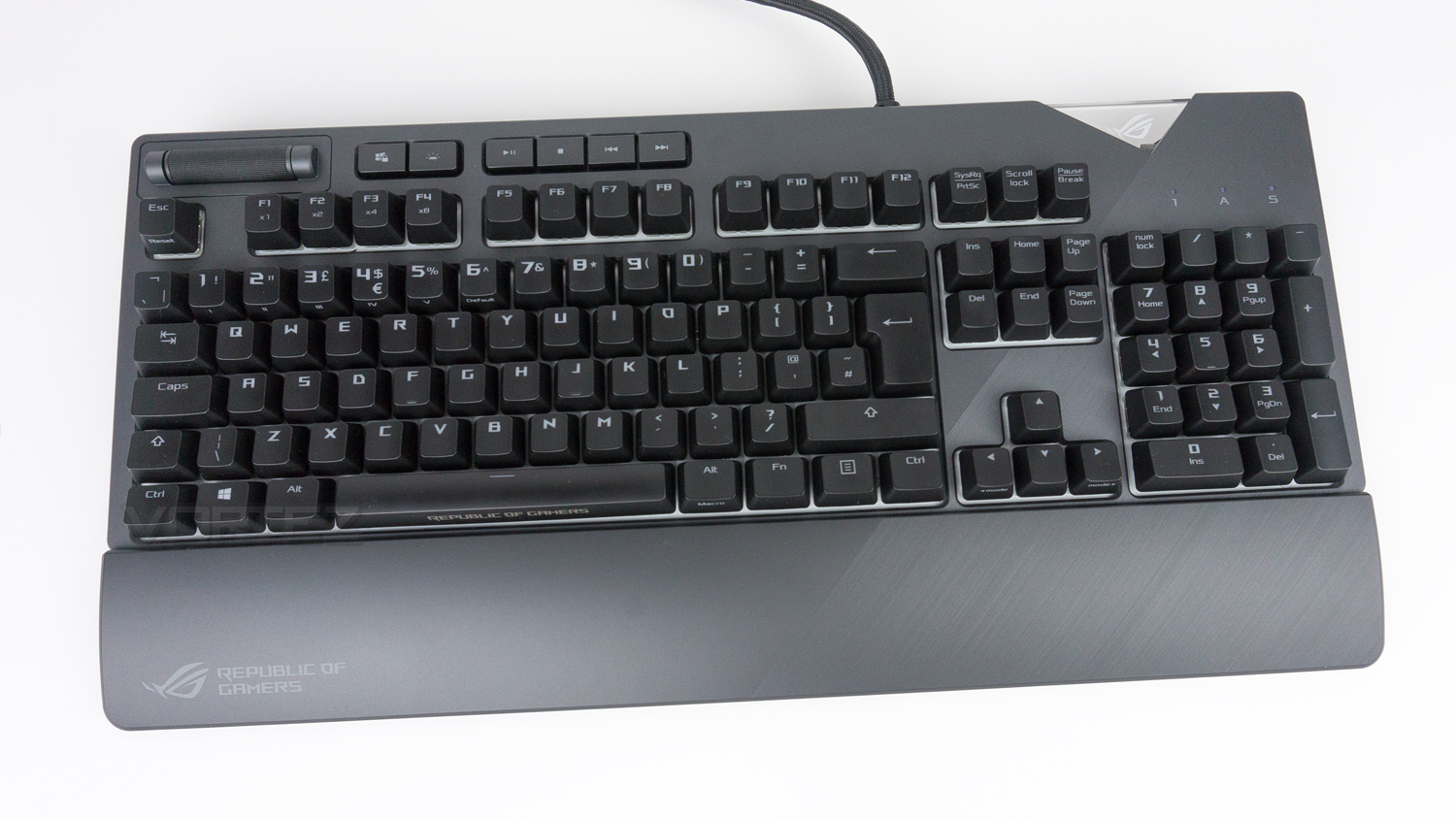
Adding the wrist rest does add an additional 60mm to the overall width bringing the total to 215mm. The wrist rest connects to the ROG Strix Flare via a set of cutouts in the underside of the keyboard. This design enables the quick detaching and re-attaching of it, while also keeping it securely in place.
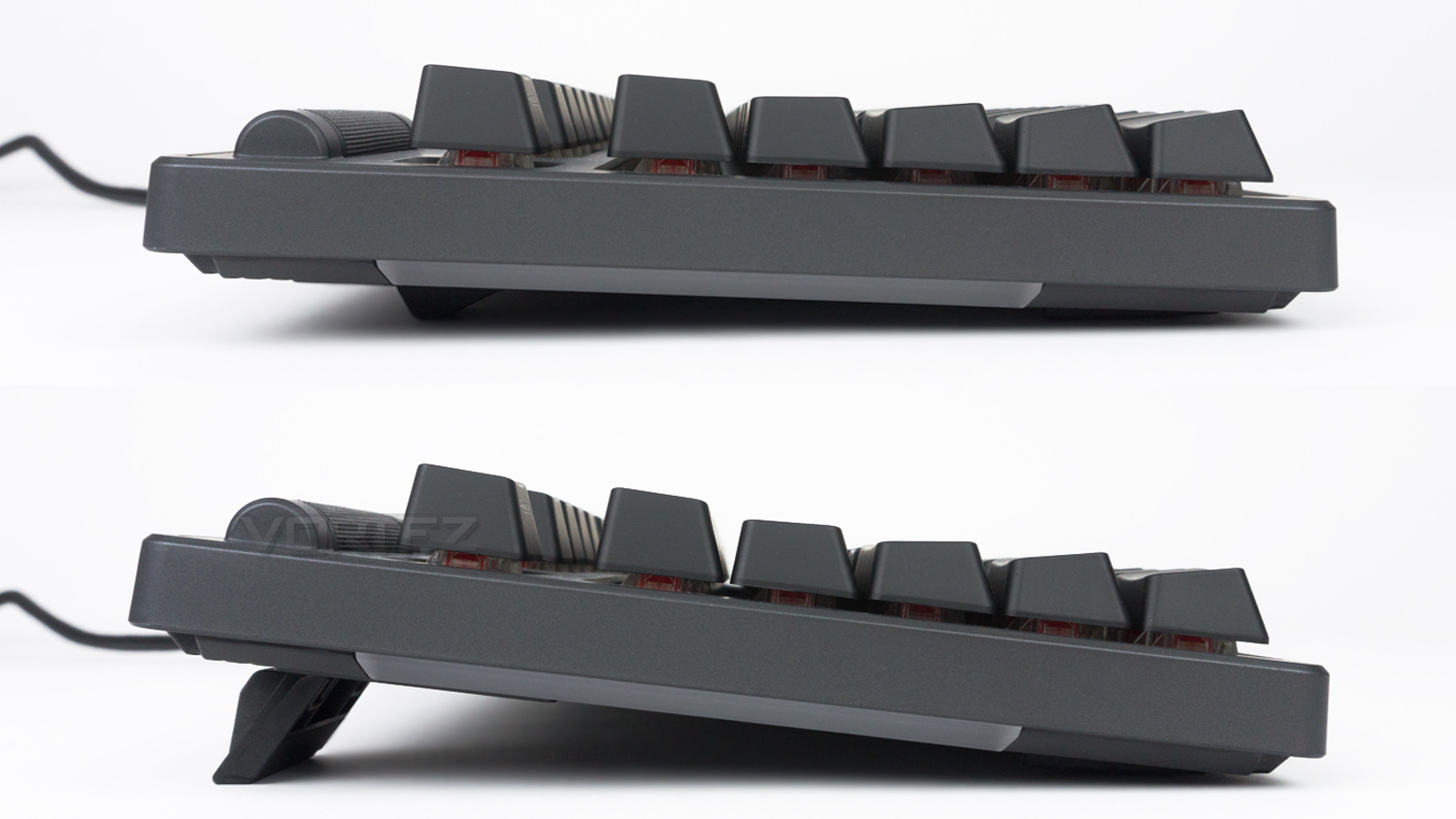
The keyboard is slightly raised when looked at from the side thanks to the thick rubber feet underneath the keyboard. This height can be altered by utilising the riser feet which provide an extra 10mm of lift.
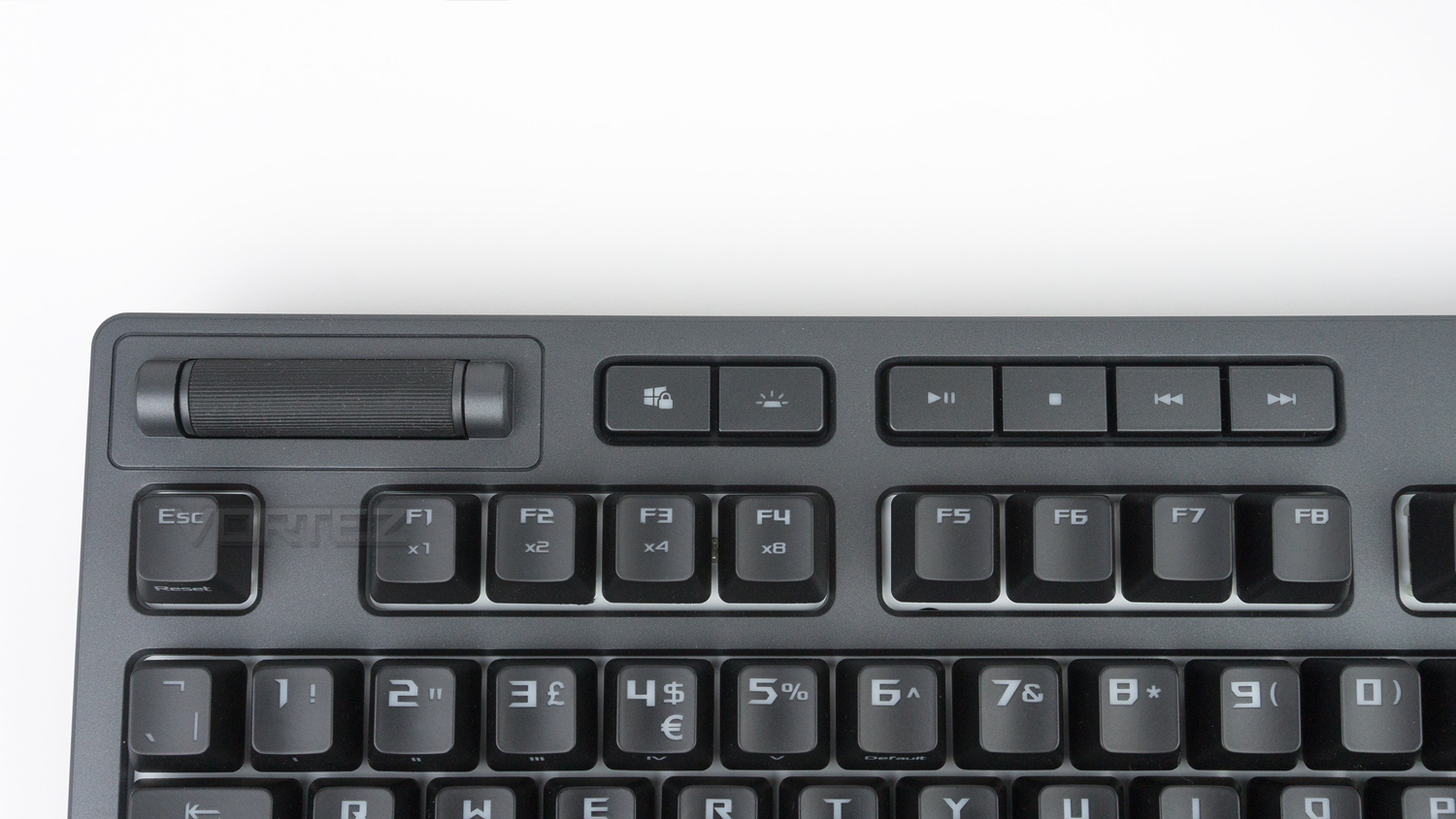
The top left of the keyboard features the dedicated media controls, the windows lock key and key for the illuminations brightness.
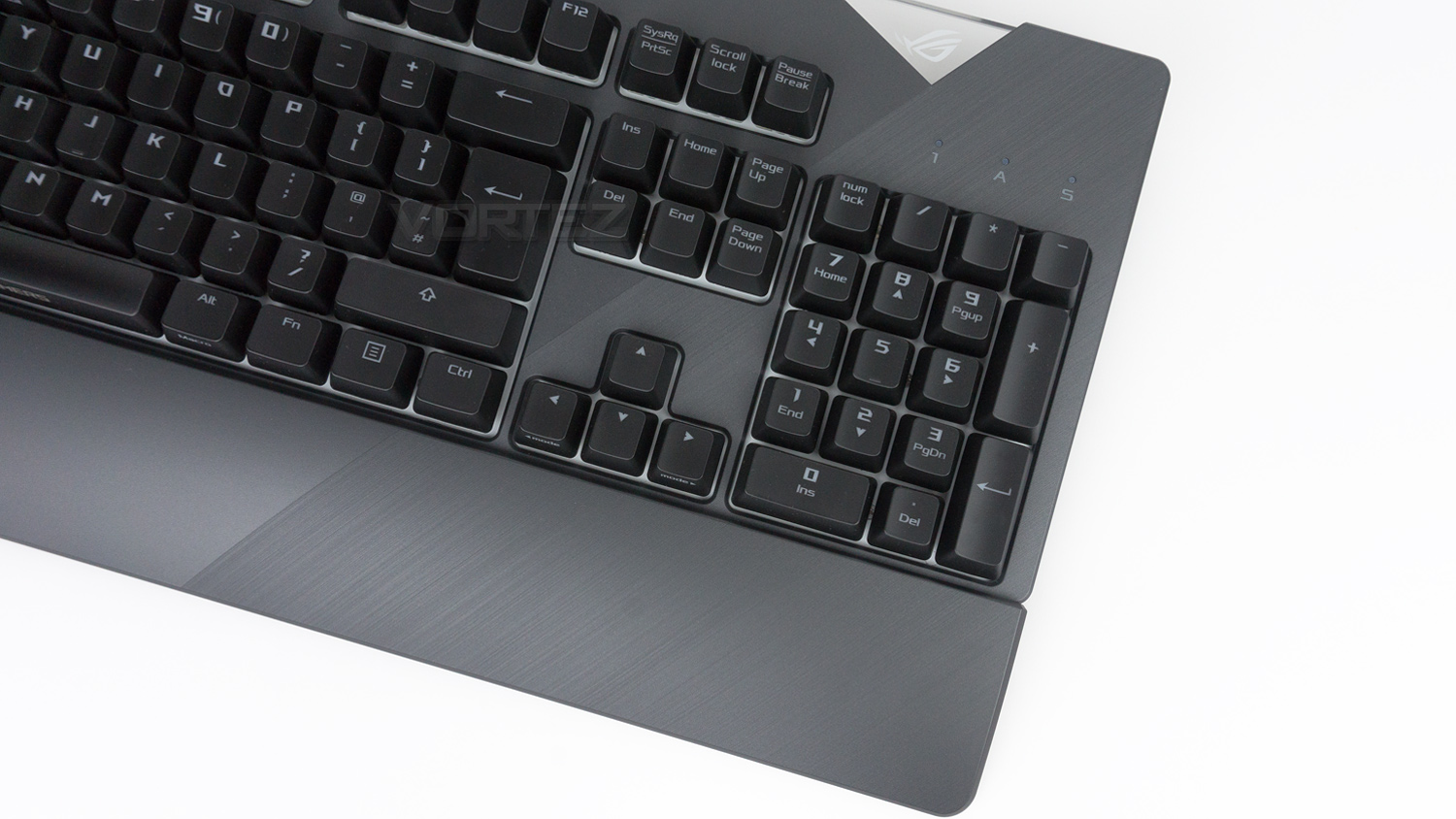
On the right side of the keyboard, ASUS has implemented a brushed effect design element that is a very nice contrast against the smooth satin finish found on the rest of the keyboard.
Closer Look (Continued)
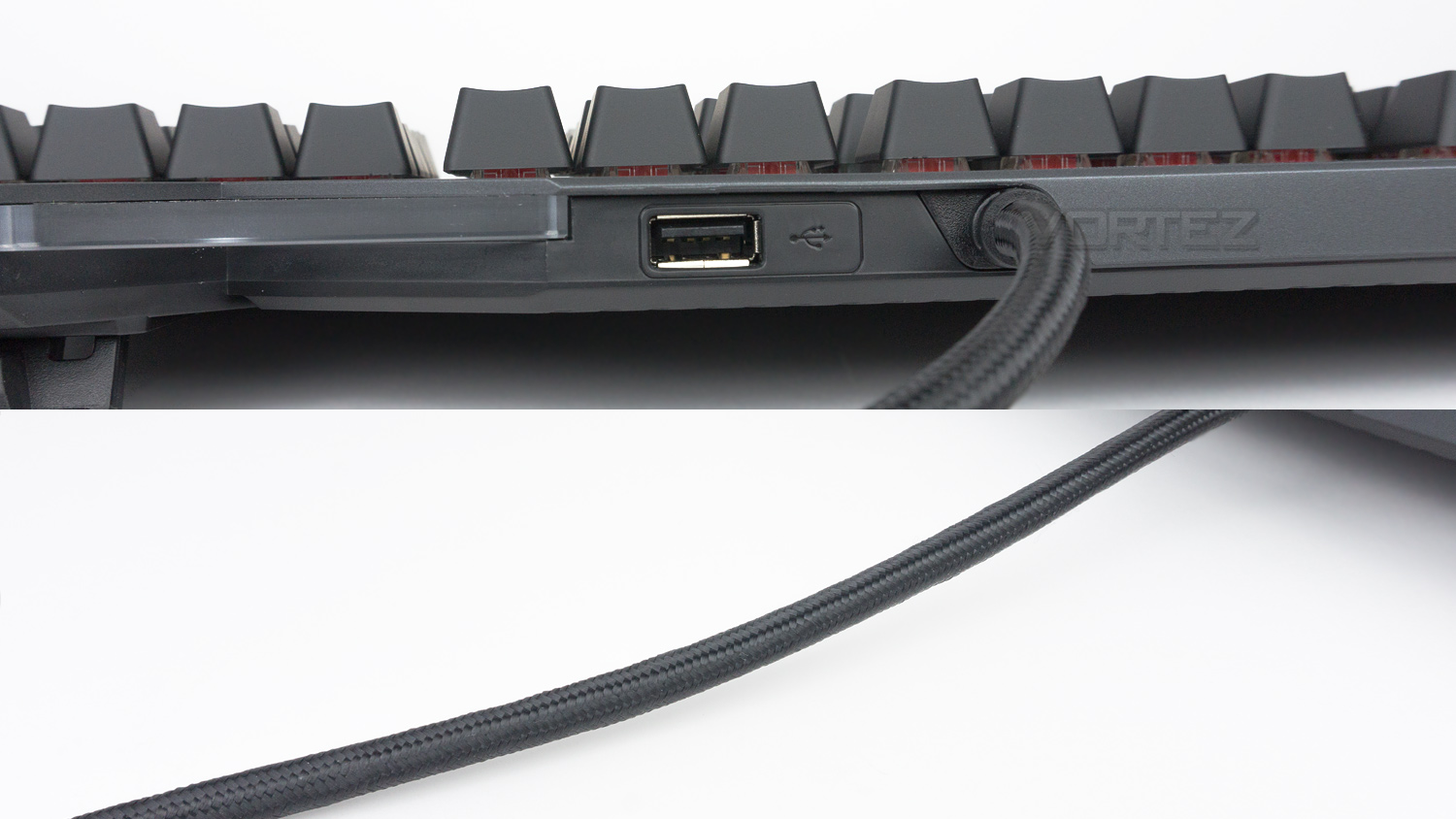
On the outer edge of the keyboard next to the cable, there is a single USB pass-through. The cable used for the ROG Strix Flare is none removable and finished in a braided fabric, it’s also quite thick meaning it could pose an issue when trying to sort out any cable management.
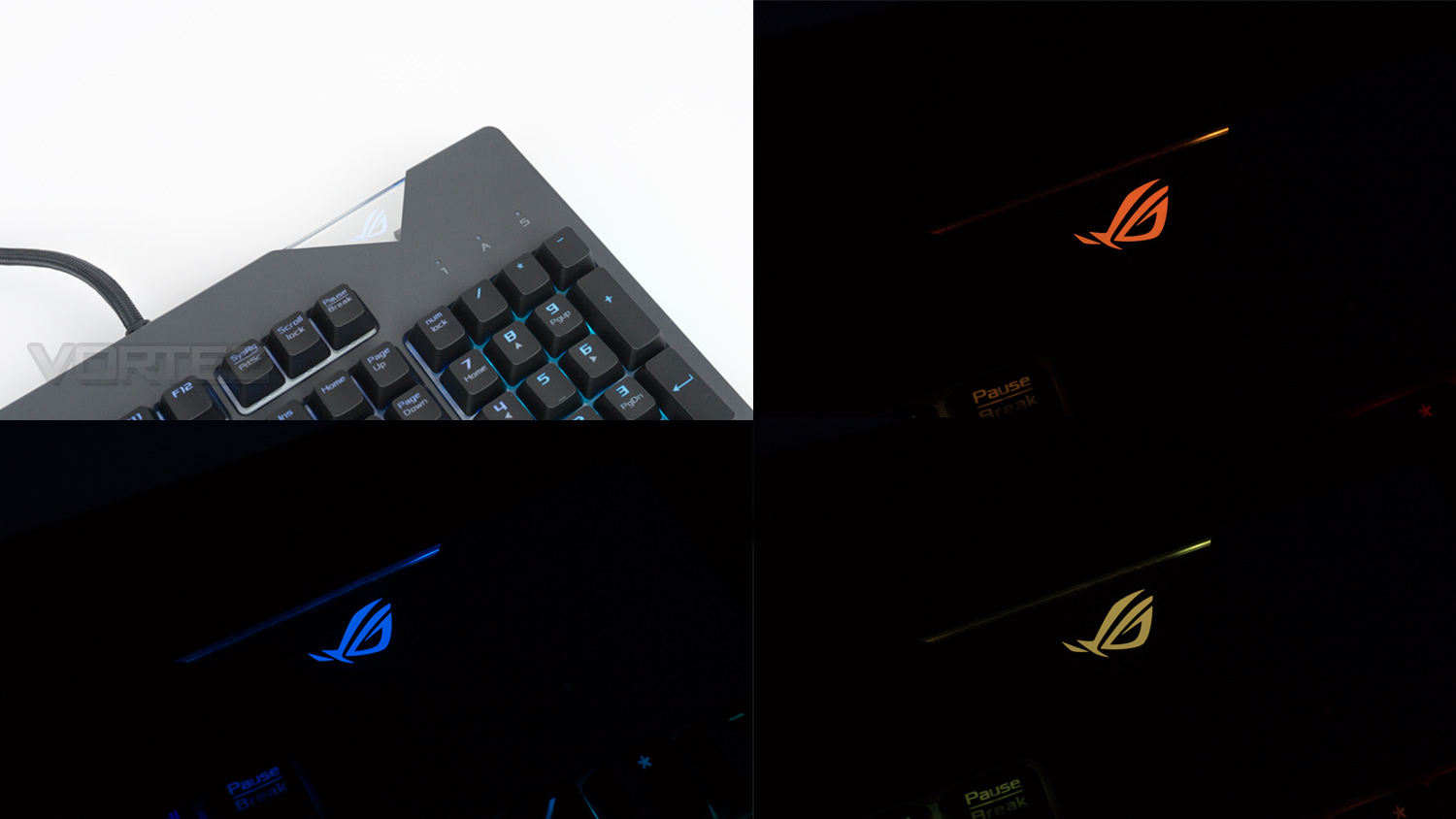
The top right corner on the keyboard has a removable design element that displays the ROG emblem. This can be removed and customised – using the supplied blank badge, with your own design.
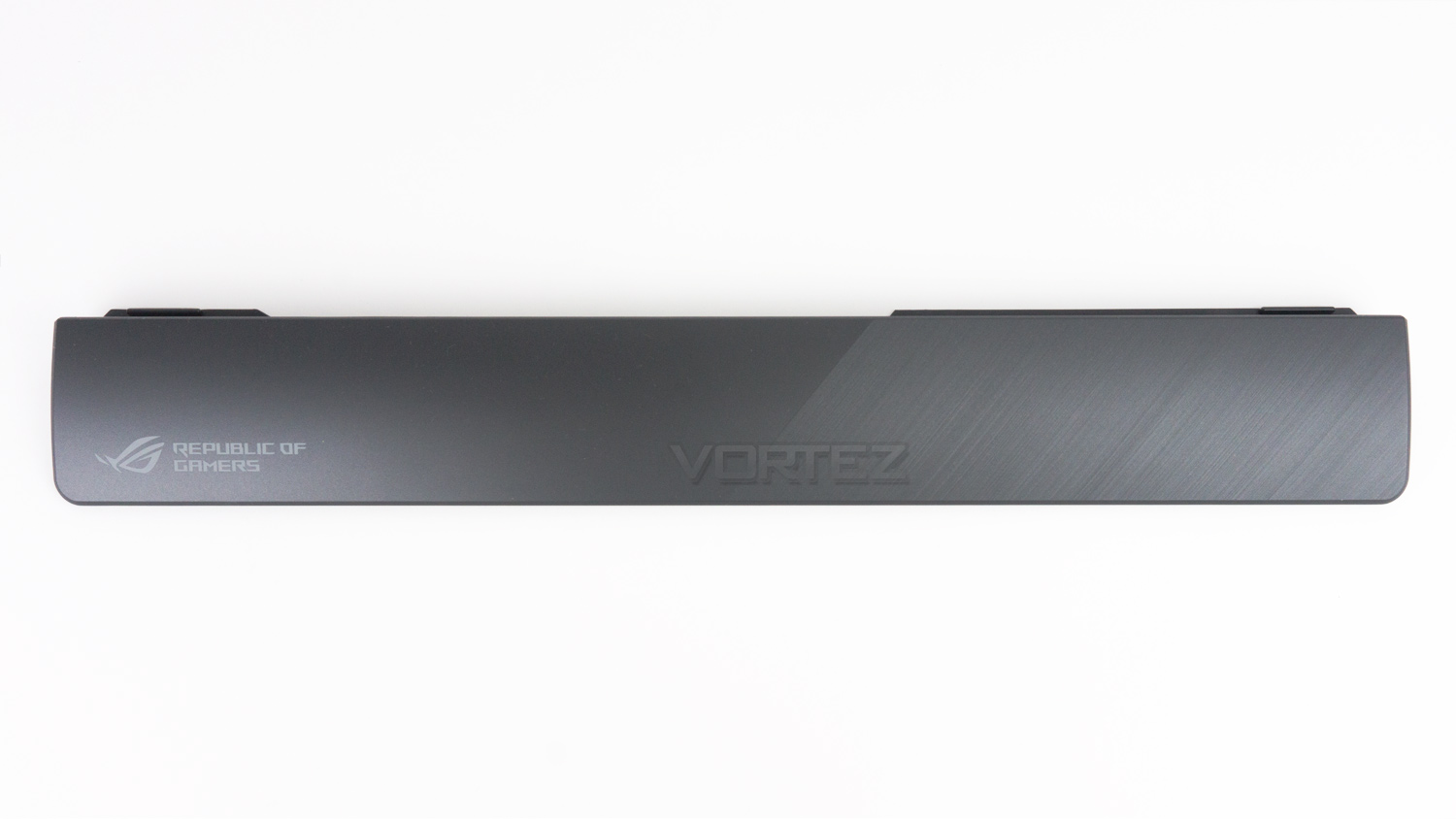
The removable wrist rest features the ROG logo and the same brushed effect as the keyboard. When placed together, the overall look is very seamless. The colour matching between the keyboard and wrist rest is spot on as well.
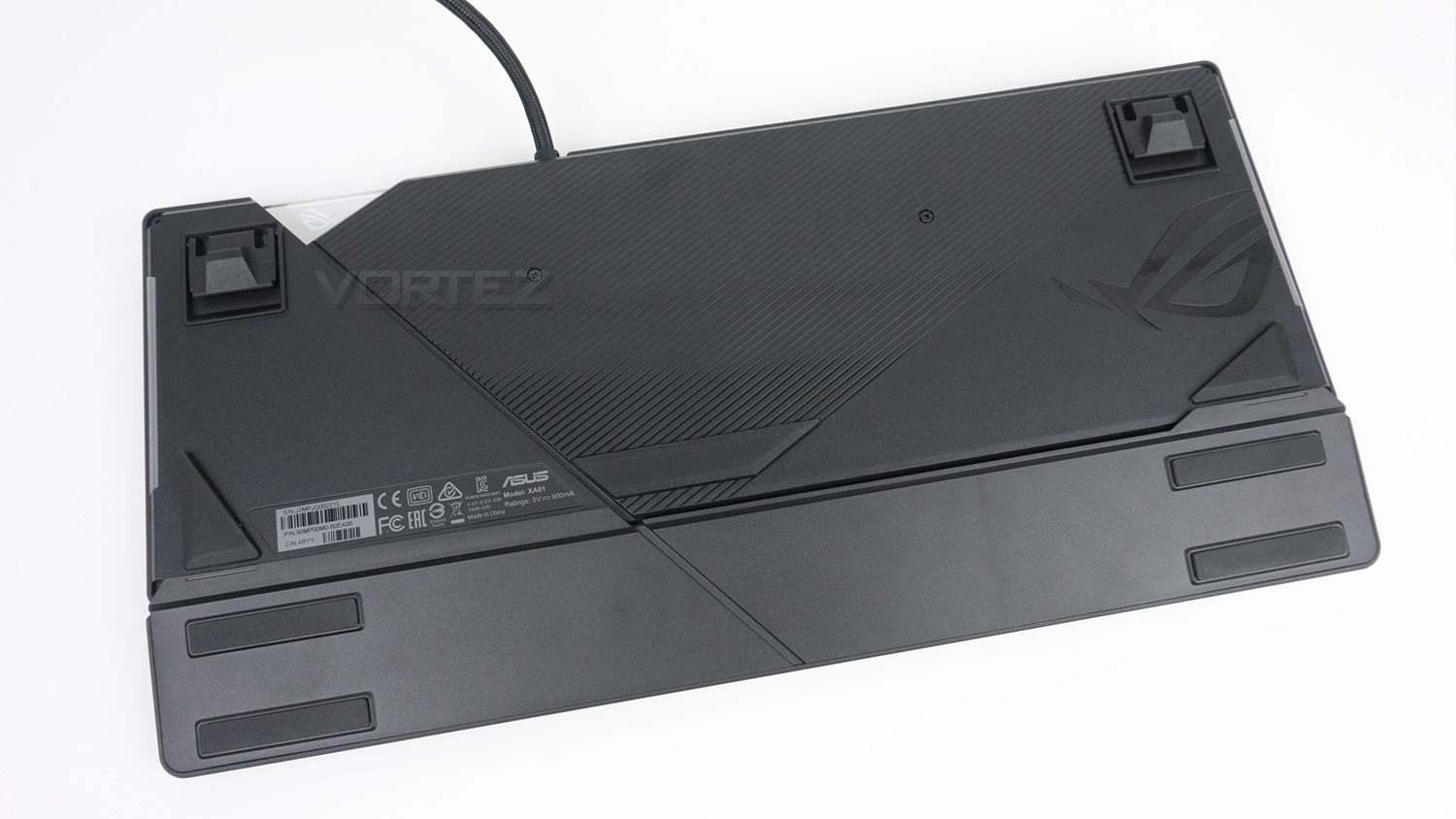
The underside of the keyboard has more design flourishes that you don’t often find here. There is the ROG emblem next to one of the RGB illumination strips as well as a heavily textured section. There are also five decently sized rubber feet placed in different locations on the keyboard, with a further four on the wrist rest. Also, ASUS has included a channel for cable management to more cleanly route any cable inserted into the USB pass through.
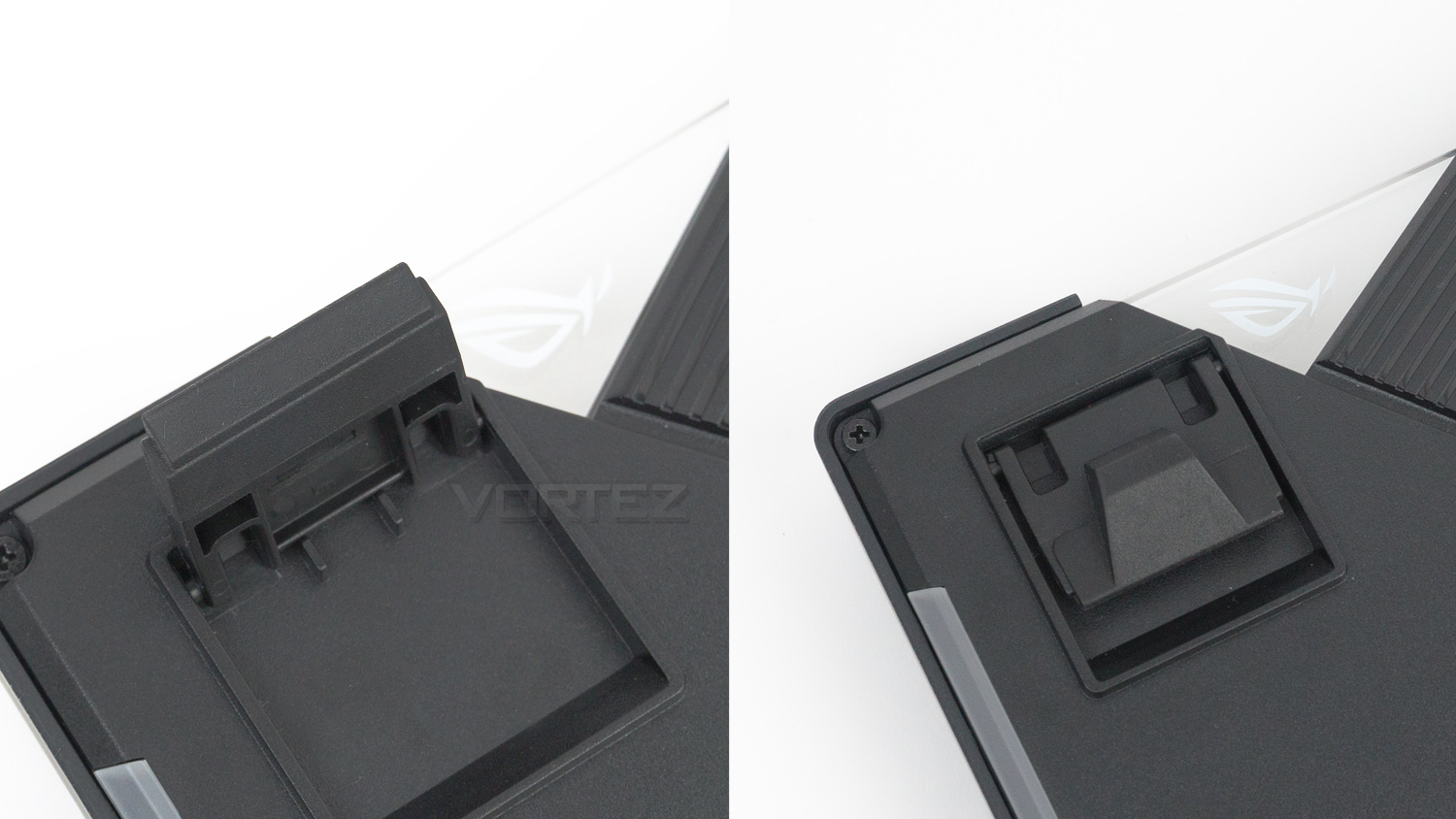
The riser feet have tips that are covered in a rubberised material to help prevent any movement while gaming. When the riser feet are not being utilised, there is a small rubber wedge that provides a small amount of lift so that the keyboard isn’t fully flat.
Software
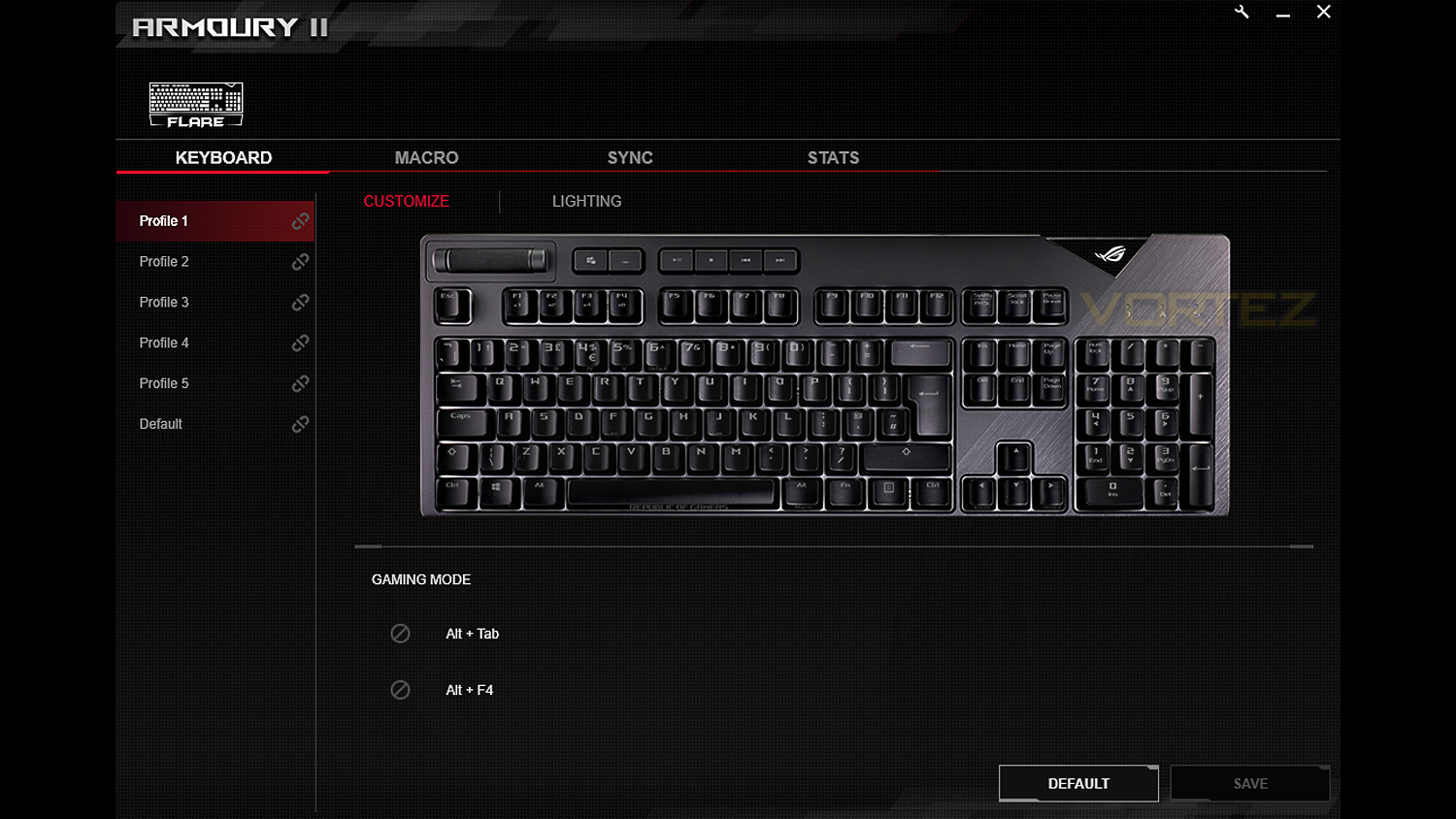
The ROG Strix Flare uses the ARMOURY II software suite that ASUS has designed to work across their range of ROG gaming peripherals.
Below is a short video demonstrating the features of the software.
Performance Testing
Setup & ObservationsSetting up the ROG Strix Flare is an easy process. If you plan on utilising the USB pass-through you will need two empty USB ports to make use of this feature, if you aren’t, then one port is all you need. We did note that the cable is on the thicker side and could pose a potential problem for those looking to obtain really clean cable management. After the initial setup, we’d advise downloading the accompanying ARMOURY II software to make full use of the features found on this keyboard.
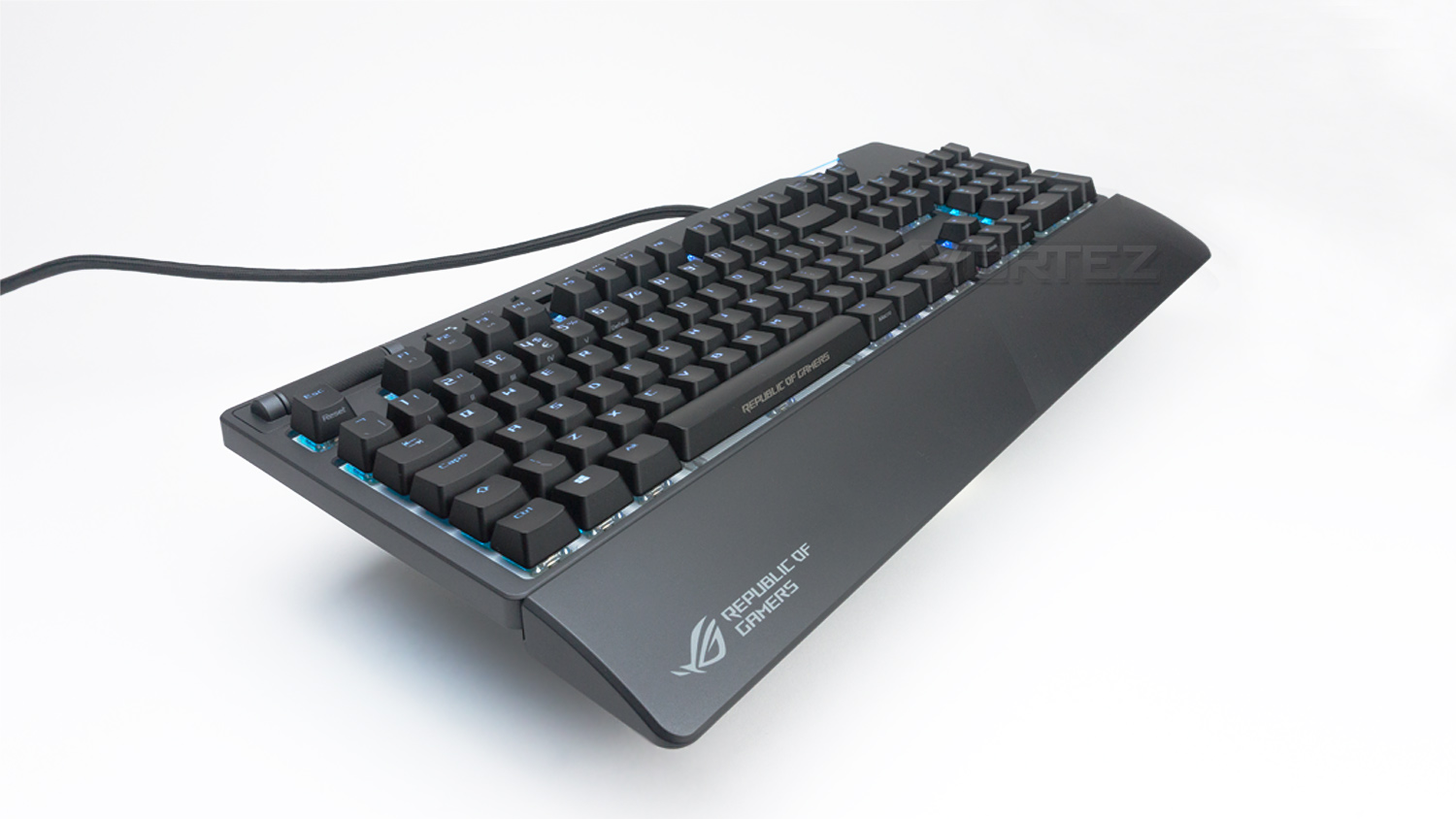
For general everyday use, the ROG Strix Flare is very comfortable and user-friendly thanks to the removable wrist rest and spacious layout of the keyboard. Nothing feels too cramped and there is plenty of spacing between the keys which means document typing and web browsing are handled with ease. The dedicated media keys are well placed and are very useful for controlling any media while performing other tasks. The volume control dial smooth yet quite precise meaning you can make small incremental changes or quickly reduce the volume to zero if needed.
One thing we did find is that when the keyboard is being raised via the riser feet, there is some flex in the chassis. You won’t notice this carrying out everyday tasks, but when applying a bit of pressure to the top middle section, there is some noticeable flex. One other thing to note is the size of the keyboard, it’s full sized and quite large measuring in at 454mm x 155mm. My personal desk space is on the more generous side thus the Strix Flare was fairly easy to accommodate, but if you are confined to a smaller setup, then the Strix Flare may take up too much desk space. So this would be something to keep in mind.
RGB Illumination
The ROG Strix Flare makes use of ASUS’s AURA SYNC lighting which is very impressive. The ARMOURY II software provides a vast amount of control for customising the lighting. There are four main areas that the illumination is visible, there is the main key layout, the customisable badge and the two under-glow strips. However, you can’t simply select all of these individual areas to fully customise them as essentially the effect you apply, carries across the entire keyboard. This, therefore, means you can’t select the under-glow and have that a different colour to the badge or main keys. ASUS does, however, include per-key customisation so you can have the individual keys any colour you would like.
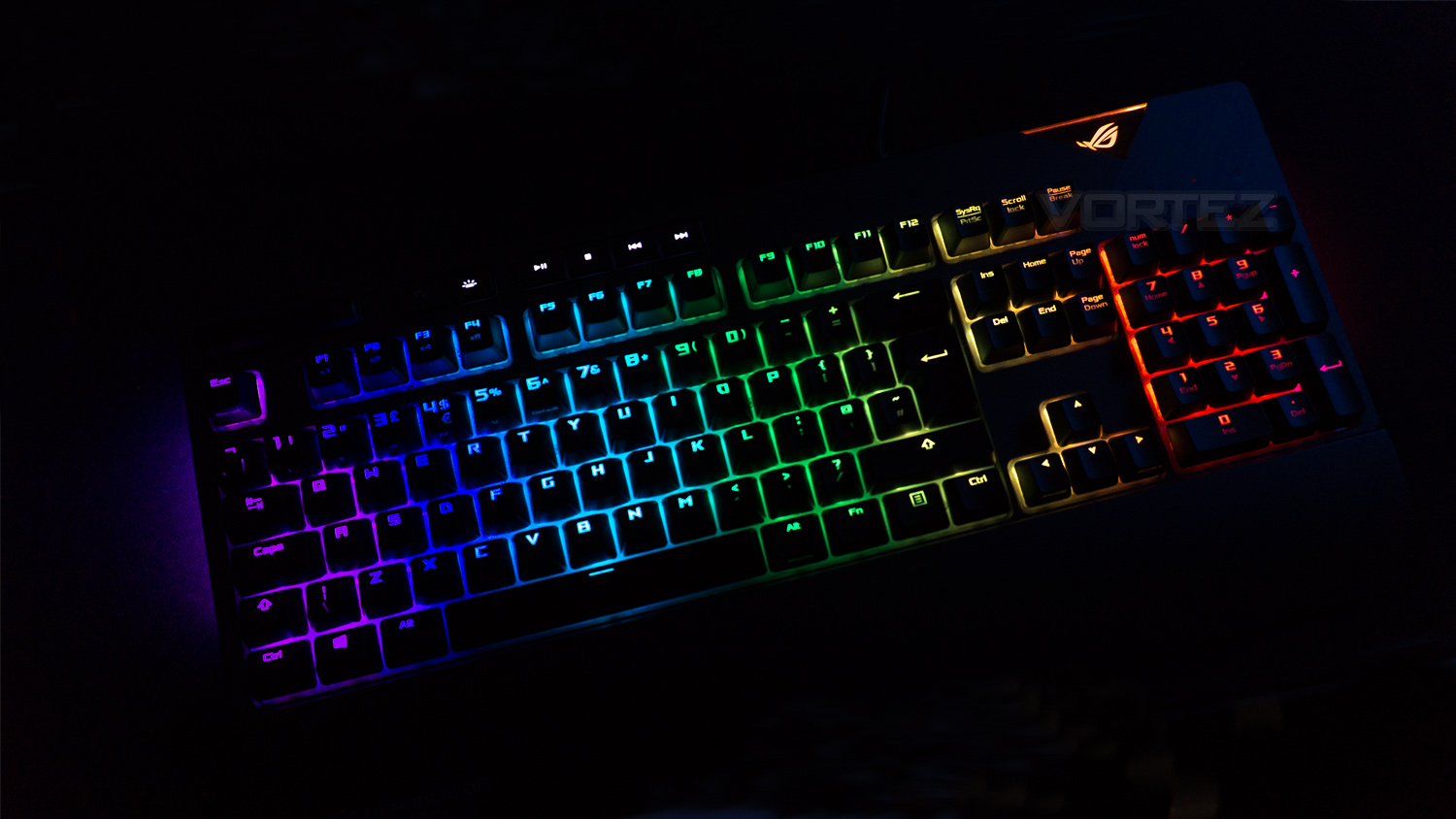
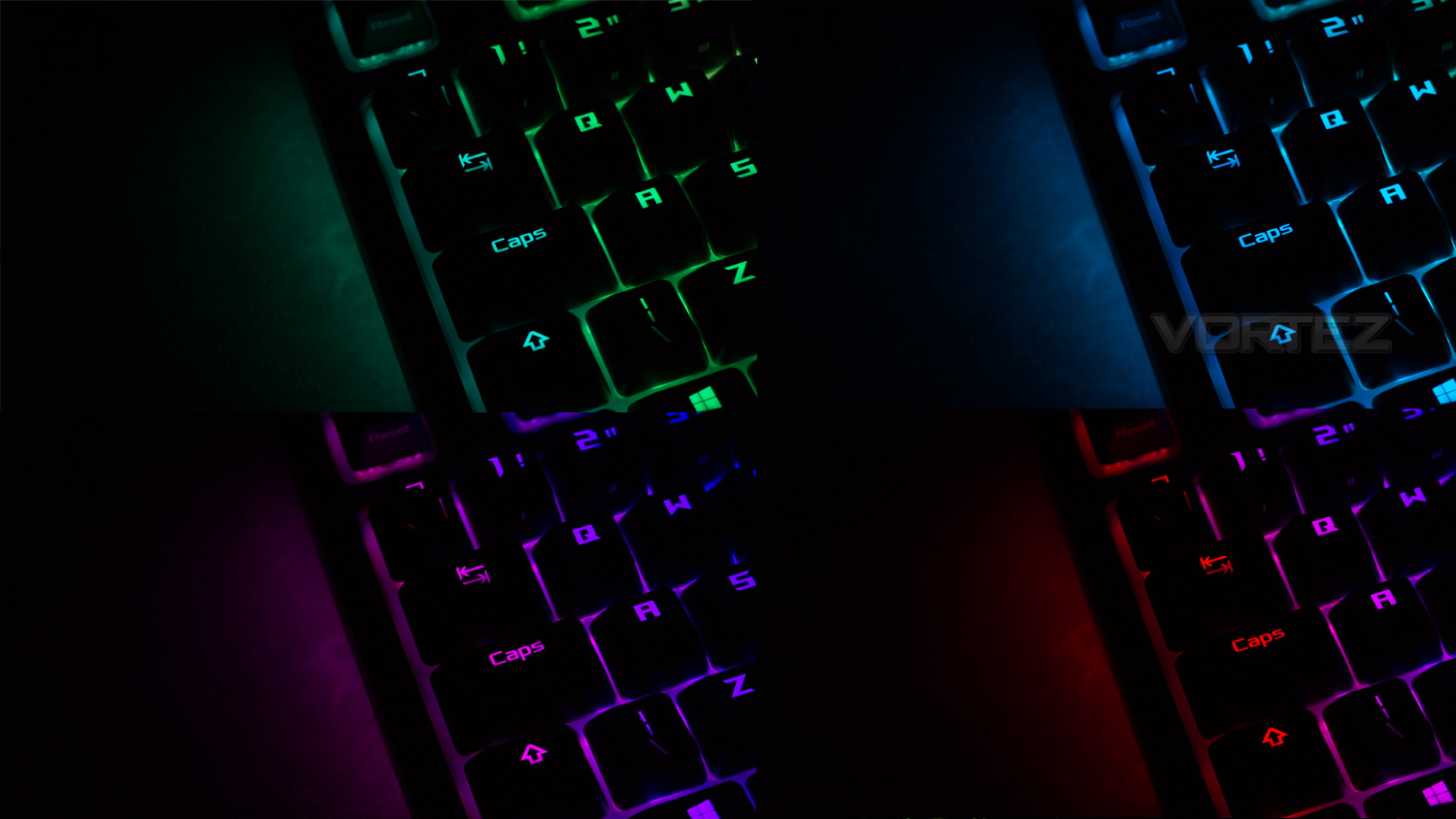
The RGB illumination on the Strix Flare is very good, ASUS has opted for a white backing diffusion to help disperse the lighting more evenly and more vividly. The lighting is very bright and vibrant and can be controlled via the keyboard or software. The colours are nicely saturated all while being accurate in their reproduction, whites aren’t too heavily tinted with either a blue, magenta or yellow hue. Again these can be customised to be made even brighter or to either have increased or decreased saturation. The RGB transition effects are very smooth and seamless when implemented. There is a lot of scope for customisation as well. Within the software – depending on the effect selected, there are plenty of tools to change how the effect looks by allowing the selection of different colours, custom colour selections and even the direction the effect flows.
Performance
As you may be aware, the ROG Strix Flare can be purchased with different Cherry MX switches to suit different play styles and preferences. Our unit has the Cherry MX Reds which offer a linear response as well as being smooth and precise. They have an actuation force of 45g and only require 2mm of key travel to register an input. We used Fortnite, Overwatch, PLAYERUNKNOWN’S BATTLEGROUNDS and Rise of the Tomb Raider to put the Strix Flare through its paces.
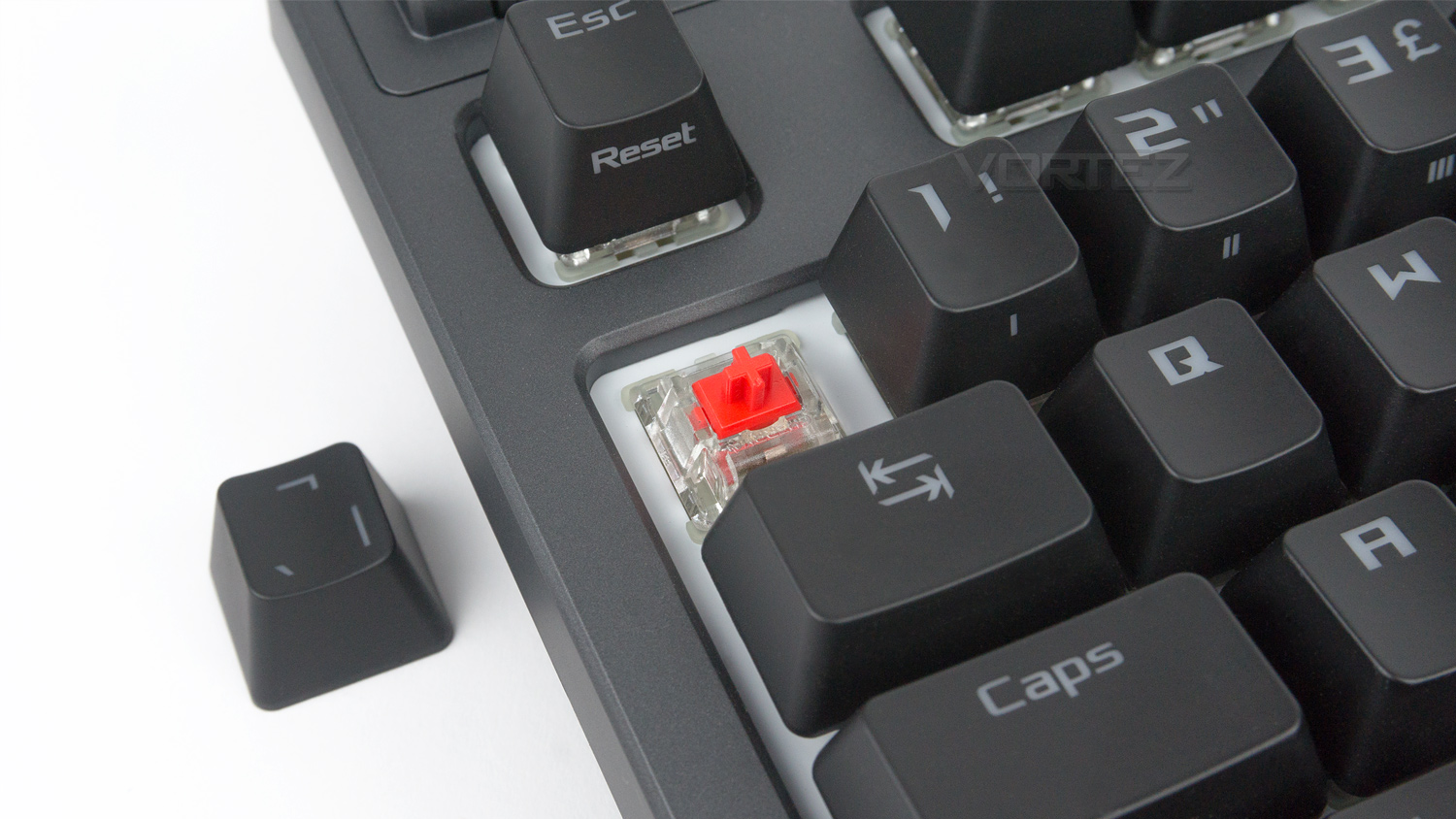
It’s safe to say that the Strix Flare is a great companion for gamers. The Cherry MX Reds on this unit are fast, fluid and very precise. The other switches will provide differing experiences and we would highly recommend trying out the different options to see which suits your style and preference. Back to the Strix Flare and the gaming experience is brilliant, the switches mentioned are fluid with a very linear response. When in use they are so immediate and fast which makes them well suited for fast paced competitive titles. We noted that in Overwatch and Fornite the switches had no trouble keeping up with the most intense and quick movement. Another big plus is the noise level emitted by the switches, in comparison to the very audible MX Blues the MX Reds are noticeably quieter. Although not silent it could be beneficial if you aren’t a fan of the clacky sound made by other mechanical switches.
The dedicated media keys also work great in gaming situations especially if you note that your volume is too low or too high. The positioning of the volume control dial is ideal and means you don’t have to stretch too far away from the WASD keys in order to use them. This could be beneficial to game streamers as you don’t need to fully remove your hand from the keyboard in order to carry out this task, it also means that there is no need to go into the settings or adjust the volume via other means.
Conclusion
As a whole, we have been impressed by what the ROG Strix Flare brings to the table. The design doesn’t follow all the usual trends, and ASUS has made the Flare forge its own path. This choice may divide opinions, but it is arguably a very attractive and stylish keyboard. The construction as a whole nearly meets the more premium price point thanks to the great fit and finish. The only thing that does prevent this, is the slight flex the keyboard does suffer from. The rest of the feature set is well thought out and implemented in a manner that just works. The media keys being a prime example. ASUS could have placed the media keys on the right side of the keyboard, but knowing their core audience, they have placed them in a location that is easy to use on a daily basis. Things like a USB pass-through, macro support, 100% Anti-ghosting and N-key rollover further strengthen the appeal of the keyboard.Gaming performance is again another strong suit and the ROG Strix Flare is a very capable gaming keyboard. The mechanical switches – Red, in this case, are fast, fluid and very linear making this ideal for fast-paced titles. If you play other genres of games, then the Flare is also available with either MX Black, Blue or Brown. The included wrist rest also helps reduce fatigue when gaming for long sessions, although not soft touch like advertised it is very smooth and comfortable.
General everyday use is good too. Although designed with mainly gaming in mind, the Strix Flare is pretty great to type on thanks to the well thought out layout and generous key spacing making it a solid writing companion for those that require a keyboard for work as well as play.
If you’re a fan of RGB then you’re in luck. The Strix Flare and the accompanying software provide a plethora of features to set the lighting up in a variety of different ways. One addition we would like to see is the ability to be able to select the under-glow lighting or removable badge and add a custom effect to that. At the minute this doesn’t appear to be an option, but it is something that would further enhance the overall experience.
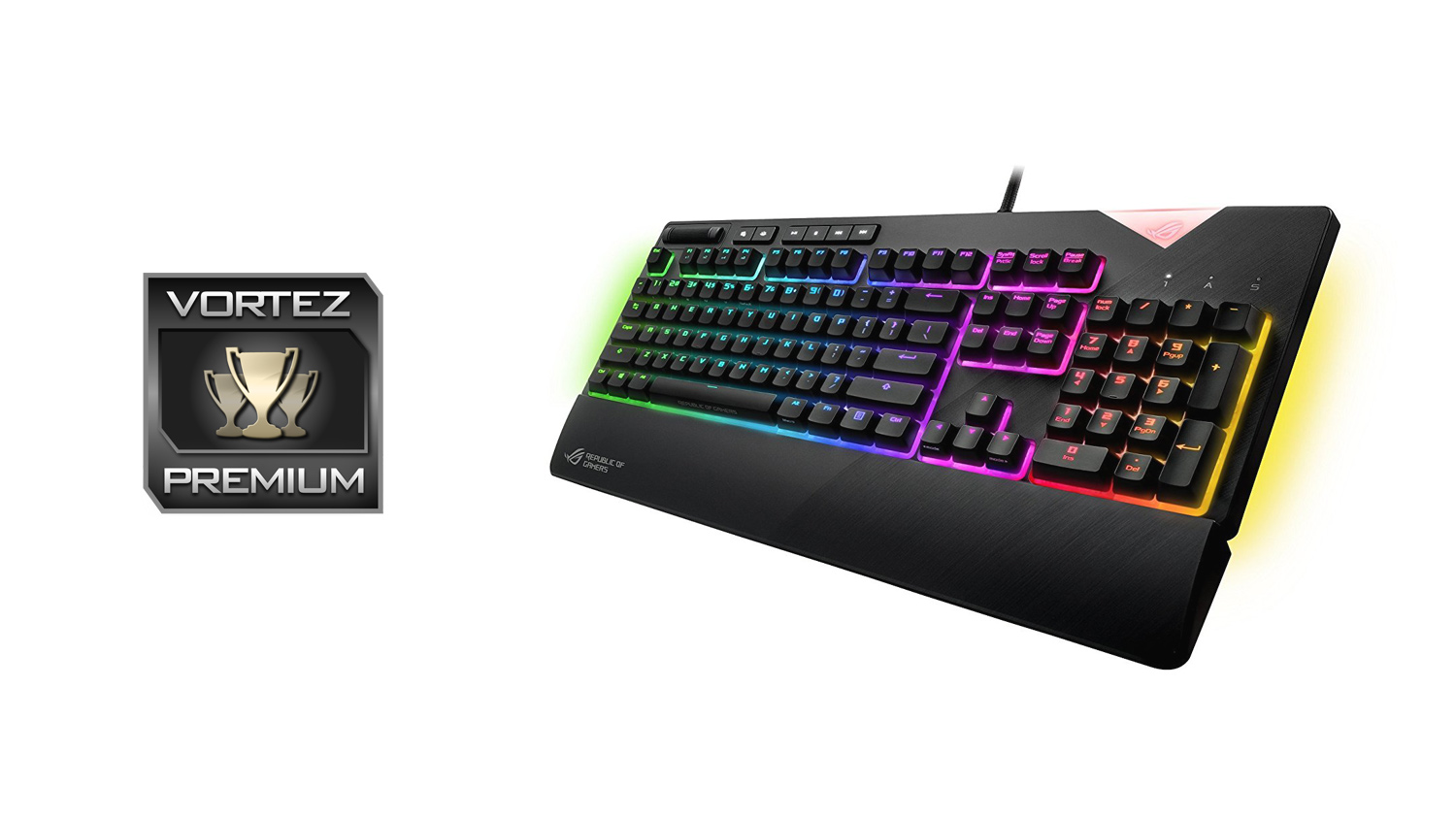
The ASUS ROG Strix Flare does do enough to stand out from the competition thanks to its bold design, impressive feature set and great all-around performance.
Pros
+ Good selection of Cherry MX switches available
+ Dedicated media keys
+ Comfortable for both general use and gaming
+ Detachable wrist rest
+ Brilliant RGB illumination
+ Has macro options
+ Design customisation available
+ Well designed and intuitive software
Neutral
+- Price
+- Thick cable could pose an issue for cable management
+- Styling may divide opinion
Cons
– Keyboard does have some flex
+ Good selection of Cherry MX switches available
+ Dedicated media keys
+ Comfortable for both general use and gaming
+ Detachable wrist rest
+ Brilliant RGB illumination
+ Has macro options
+ Design customisation available
+ Well designed and intuitive software
Neutral
+- Price
+- Thick cable could pose an issue for cable management
+- Styling may divide opinion
Cons
– Keyboard does have some flex
Click here for an explanation of our awards at Vortez.net.
Stay connected with the Vortez Social Media pages:
Join in with the discussions on Discord