The Gammix S11 arrives with a reasonable pricetag and a large heatsink, so how does it perform against the big guns?

Product on Review: XPG Gammix S11
Manufacturer: XPG
Street Price: £139 / $144
If you remember back to August last year, we looked at the ADATA XPG Gammix S10, a very capable NVMe M.2 SSD that struck a great balance between cost and performance, however, more recently, XPG have shown their hand with the SX8200 which we reviewed in April; this SSD put the cat amongst the pigeons, offering 95% of the performance of a similar capacity Samsung EVO or PRO drive at 60% of the cost.
Following on from those two drives, we have the opportunity to test the XPG Gammix S11 drive, fitted with a full-length black and red heatspreader to help alleviate thermal throttling and other heat-induced issues.
The Gammix S11 employs a PCI-E Gen. 3 x4 interface to allow speeds up to 3200MB/s read and 1700MB/s write while conforming to the 2280 M.2 form factor. Due to the use of 2nd generation 64-layer 3D NAND flash, higher capacities have been achieved, as well as better longevity and reliability.
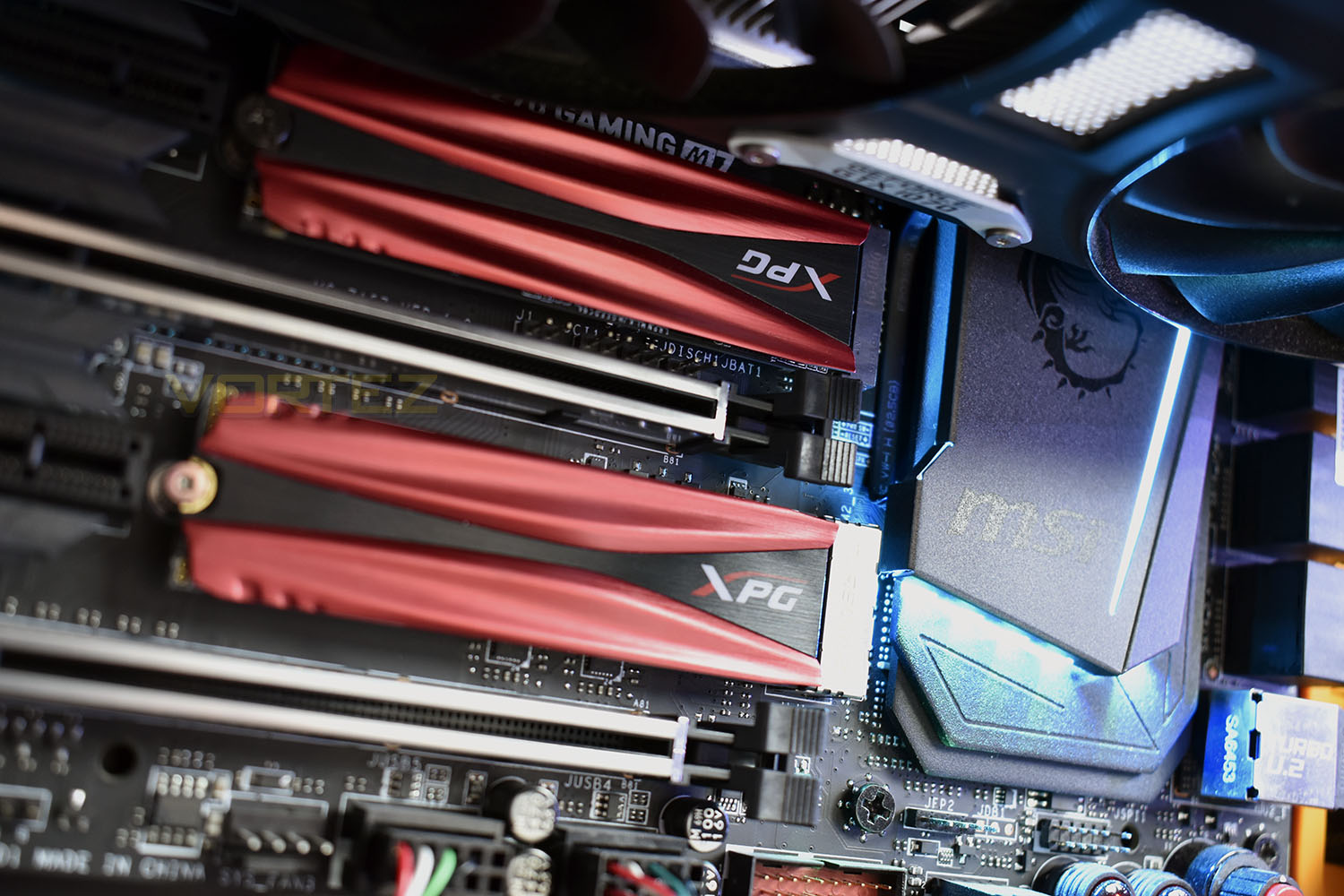
XPG claims the black and red heatsink is capable of reducing temperatures by up to 10°C which helps maintain peak performance during demanding read and write tasks, while SLC Caching, a DRAM Cache Buffer and LDPC ECC technologies work away in the background to ensure everything works the way it should.
The SX8200 impressed us greatly in April, offering a drive of incredible value and amazing performance, so hopefully we can see similar from XPG this time around.
XPG on the Gammix S11:
The GAMMIX S11 M.2 2280 NVMe 1.3 SSD is our fastest SSD to date. It employs the extra-fast PCIe Gen3x4 interface and provides stunning R/W speeds of up to 3200/1700MB per second, outpacing SATA 6Gb/s by a huge margin. Implementing 2nd generation 64-layer 3D NAND flash, the S11 also features higher capacities and greater reliability than ever. The S11 is covered by a slim, cool black and red heatsink with the XPG logo which reduces the SSD’s temperatures by up to 10°C for excellent cooling. With SLC Caching, a DRAM Cache Buffer, and LDPC ECC technologies, it maintains high speeds and data integrity during even the most intense gaming, rendering, overclocking, and other high demand applications.
Technical Specifications
Capacity: 240GB / 480GB / 960GB
Form Factor: M.2 2280
NAND Flash: 2nd Generation 64-layer 3D TLC
Controller: SMI
Dimensions (L x W x H): 22 x 80 x 3.5mm
Weight: 8g / 0.28oz
Interface: PCIe Gen3x4
Performance (Max): Read 3200MB/s, Write 1700MB/s
Maximum 4K random read/write IOPS: up to 310K / 280K
Operating temperature: 0°C – 70°C
Storage temperature: -40°C – 85°C
Shock resistance: 1500G / 0.5ms
MTBF: 2,000,000 hours
Warranty: 5 years
Packaging, Bundle & Closer Look
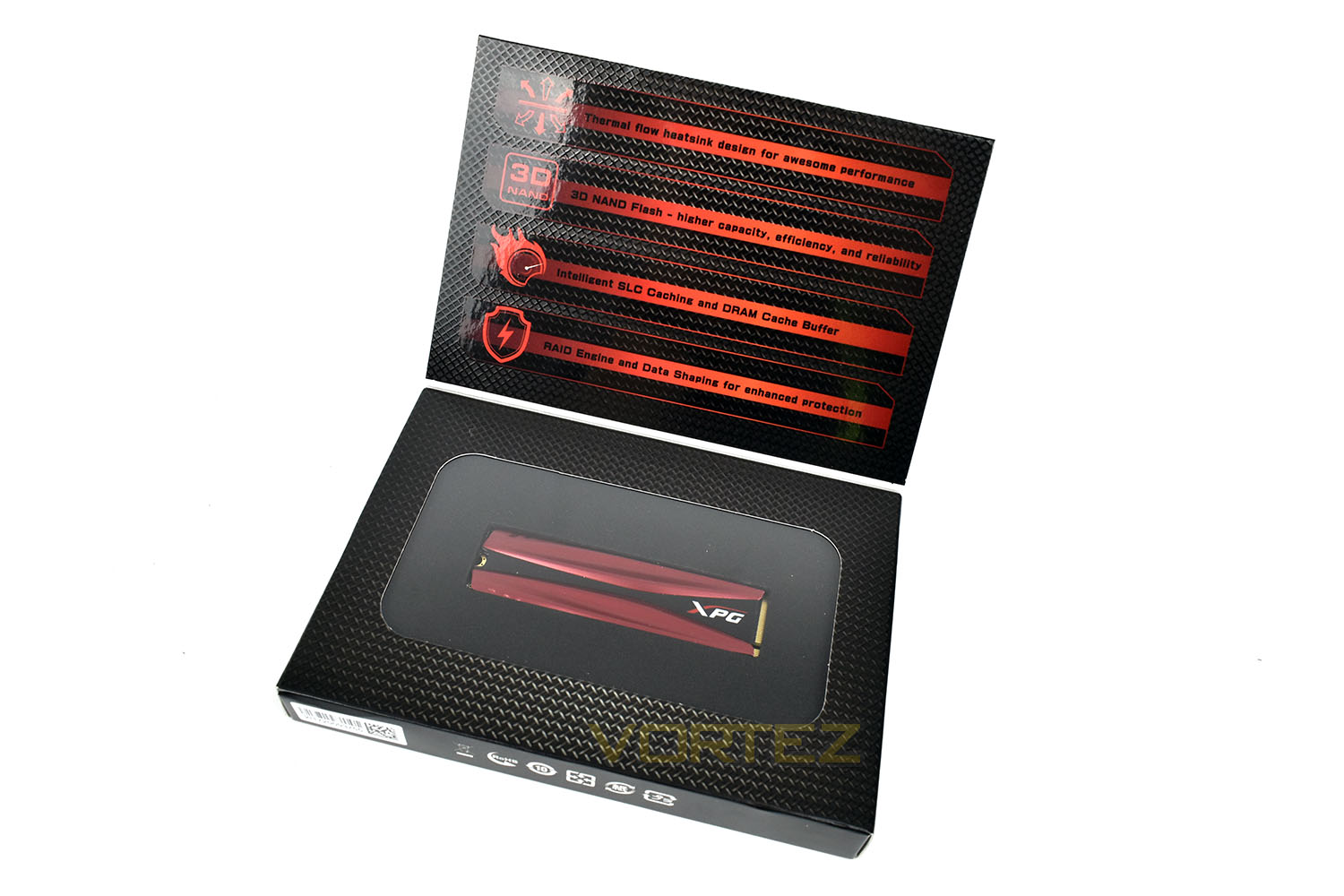
Black and red is the order of the day, so why should the packaging be any different? The model, brief specifications and capacity are clearly listed on the front, alongside a large image of the drive.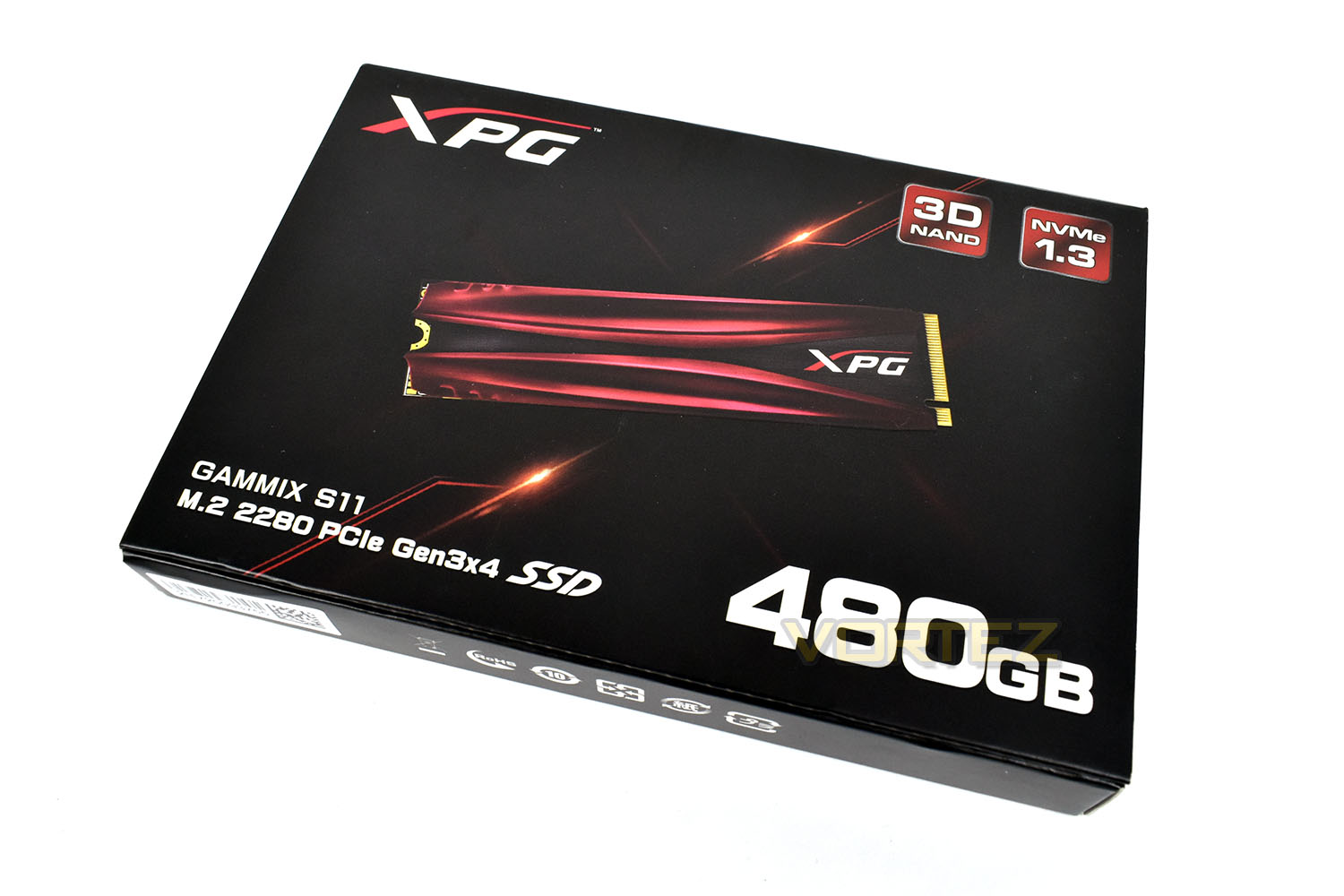
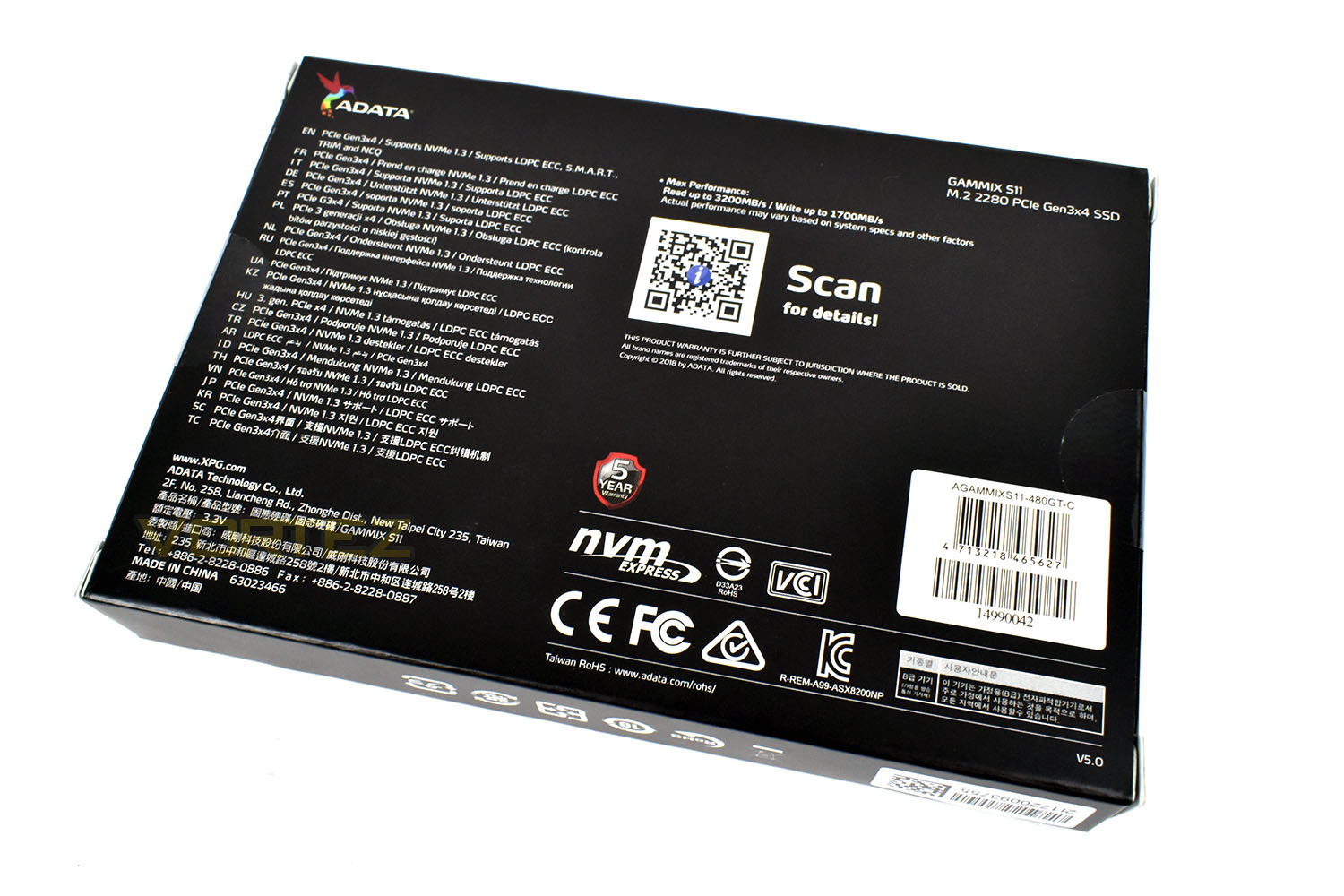
The rear of the packet doesn’t give a great deal away but there’s plenty of links back to the XPG website where everything you need to know can be found.
Flipping up the lid on the front gives a slightly more in-depth view to the technologies used on the SSD, with a clear plastic window showing off the heatsink on the drive. The S11 is held in place inside a thick piece of foam, ensuring the drive is delivered to you in perfect condition.
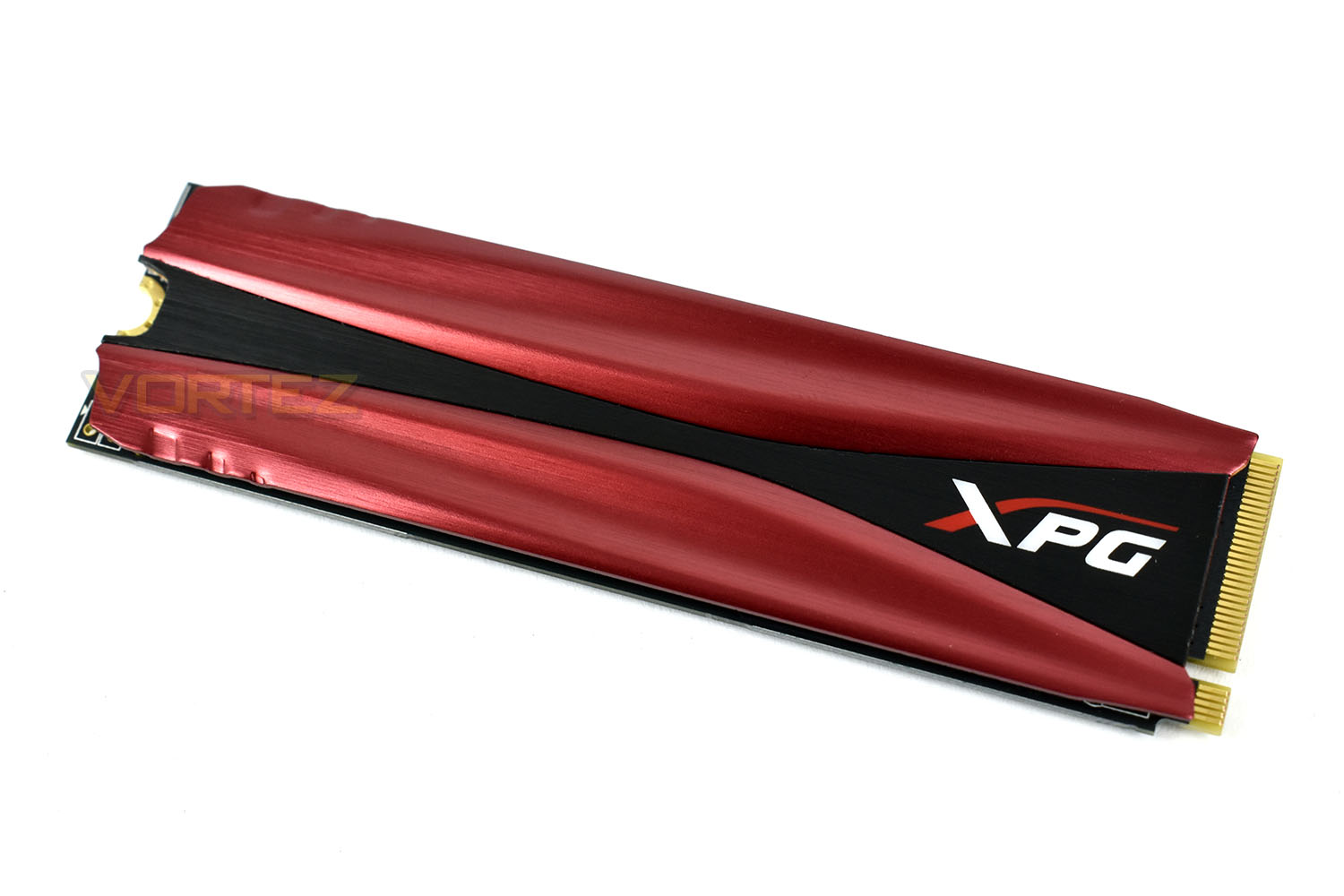
The heatsink design is exactly the same as the Gammix S10 reviewed last year, apart from one small difference. XPG have flipped the logo 180° to be orientated correctly within most systems. This is something we noted in our S10 review so it’s good to know they listen to complaints as well as compliments.
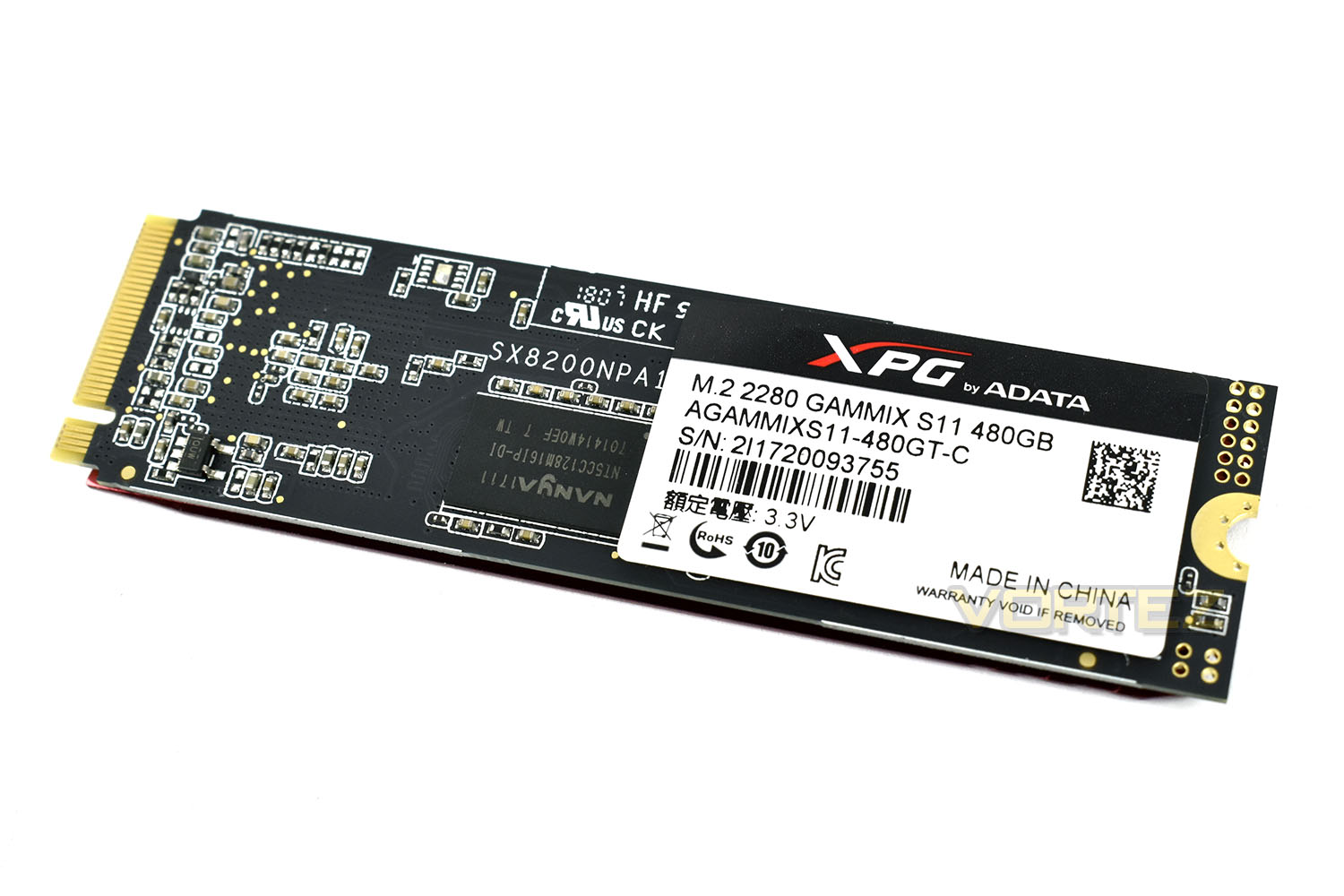
The reverse side looks remarkably similar. The SX8200NPA code is also present on the SX8200 drive tested a couple of months ago; performance, then, should be similar.
Test Setup & Methodology
Our test system is formatted and a fresh version of Windows is installed with just drives in place – no additional applications. Windows is then updated to the latest release and the drivers are installed.Included in the list of benchmarks are the following applications:
Benchmarks
Anvil Pro
AS SSD
ATTO Disk Benchmark v2.46
Futuremark PCMark 8
AIDA64
AS SSD
ATTO Disk Benchmark v2.46
Futuremark PCMark 8
AIDA64
Test system
CPU: Intel Core i7 7700K
Motherboard: MSI Z270 Gaming M7
Graphics: EVGA GTX 1070 SC
Memory: 16GB CORSAIR Vengeance LPX 3200MHz DDR4
Samsung 970 EVO 1TB
XPG Gammix S11 480GB
PSU: BeQuiet Straight Power 11 650W
OS: Microsoft Windows 10 Pro 64-Bit
Monitor: ASUS ROG PG279Q
Motherboard: MSI Z270 Gaming M7
Graphics: EVGA GTX 1070 SC
Memory: 16GB CORSAIR Vengeance LPX 3200MHz DDR4
Samsung 970 EVO 1TB
XPG Gammix S11 480GB
PSU: BeQuiet Straight Power 11 650W
OS: Microsoft Windows 10 Pro 64-Bit
Monitor: ASUS ROG PG279Q
Benchmarks: Anvil Pro
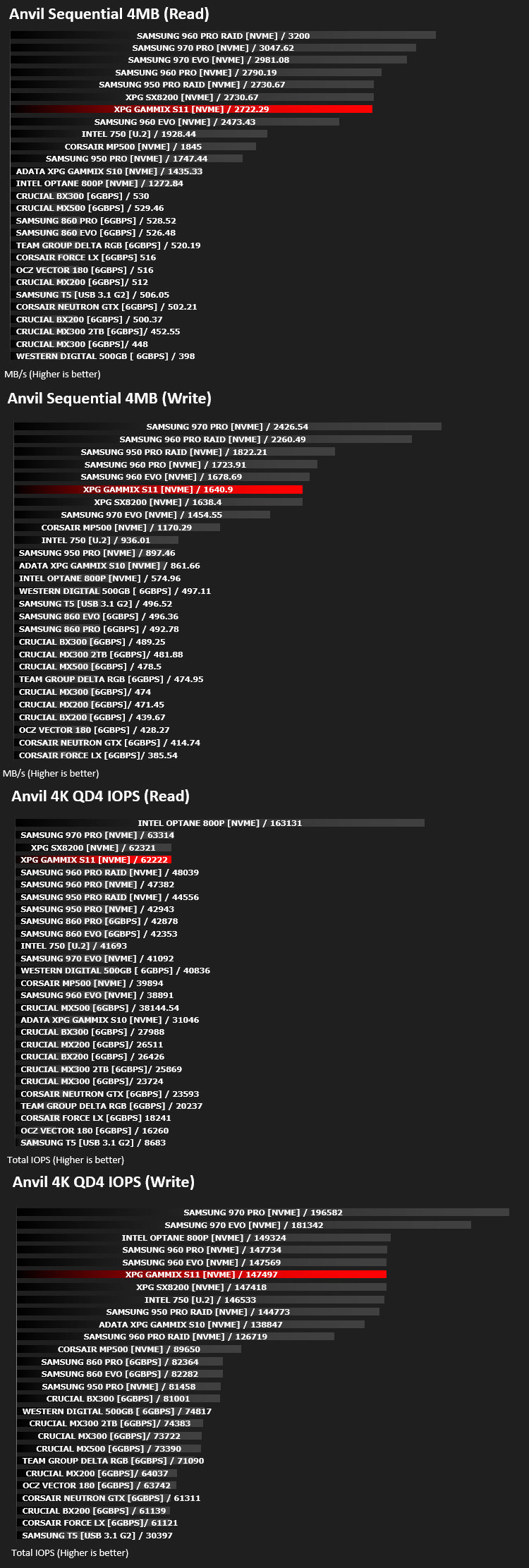
Anvil Pro from Anvil Storage utilities is one of the most popular storage benchmarking utilities today thanks to the large suit of tests available. You can test pretty much anything from Read/write Speed to IOPs with many variables to tweak allowing you to get either a single or host of results to compare with other likeminded enthusiasts. In our test we ran the standard suite 5 times, subtracting both the highest and lowest scores and determined the final result from the average of the remaining three results.
Benchmarks: AS SSD
AS SSD Benchmark is a straightforward tool for measuring the speed of your SSD drive.
Simply launch the program, choose your drive, click Start, and it’ll test your SSD’s read and write speed in a variety of ways, delivering a score for each when it’s done. And if that’s not enough, there are also additional file copy and compression-related benchmarks available from the Tools menu. (The author’s support page is German only, but if you need further English explanations then there’s a thread on the program at the OCZ Technology forum.).
Simply launch the program, choose your drive, click Start, and it’ll test your SSD’s read and write speed in a variety of ways, delivering a score for each when it’s done. And if that’s not enough, there are also additional file copy and compression-related benchmarks available from the Tools menu. (The author’s support page is German only, but if you need further English explanations then there’s a thread on the program at the OCZ Technology forum.).
Benchmarks: ATTO
The ATTO Disk Benchmark performance measurement tool is compatible with Microsoft Windows. Measure your storage systems performance with various transfer sizes and test lengths for reads and writes. Several options are available to customize your performance measurement including queue depth, overlapped I/O and even a comparison mode with the option to run continuously. Use ATTO Disk Benchmark to test any manufacturers RAID controllers, storage controllers, host adapters, hard drives and SSD drives and notice that ATTO products will consistently provide the highest level of performance to your storage.
Benchmarks: AIDA64
With this module, we can measure the performance of the PC’s storage devices, including (S)ATA or SCSI hard disk drives, RAID arrays, optical drives, solid-state drives (SSD), USB drives and memory cards. It also allows us to perform write tests, which helps us detect fake products and errors on the devices. In order to attain reliable benchmark results we have to make sure to close all background applications.
Benchmarks: PC Mark 8
We use the Futuremark PCMark 8 utility to measure storage via Photoshop performance under both light and heavy loading conditions. Accelerated (open CL) is used to perform this test. The test is measured in seconds to complete.
Conclusion
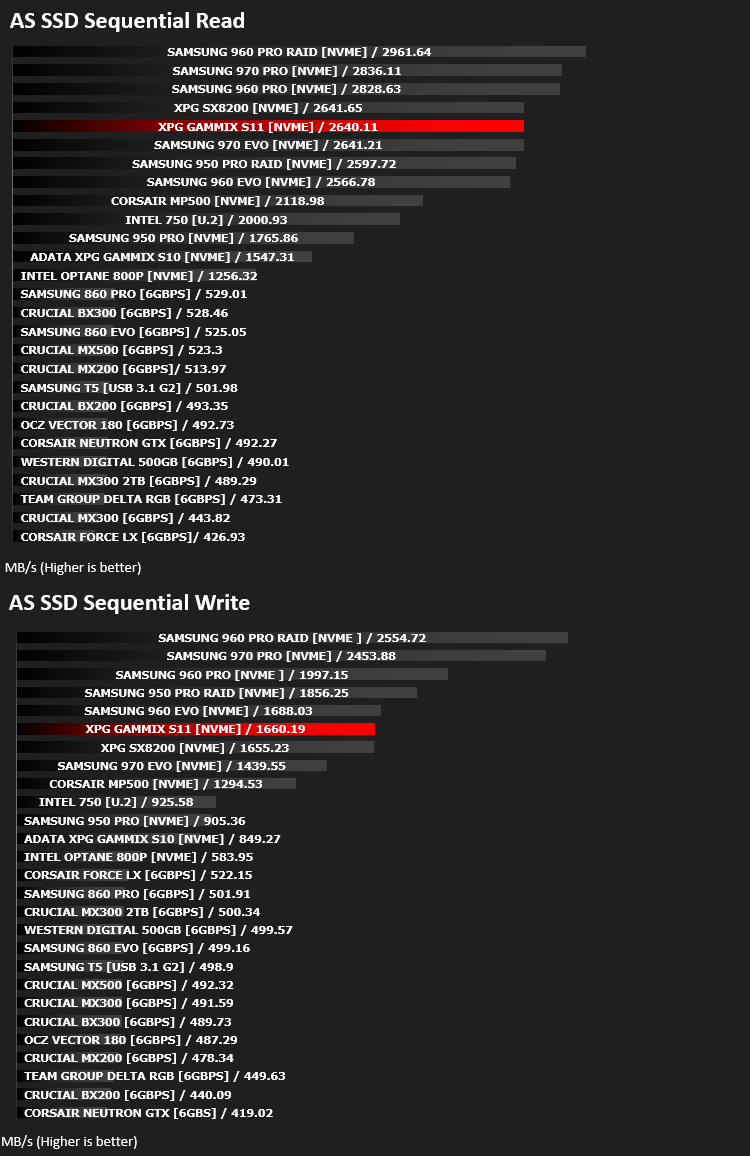
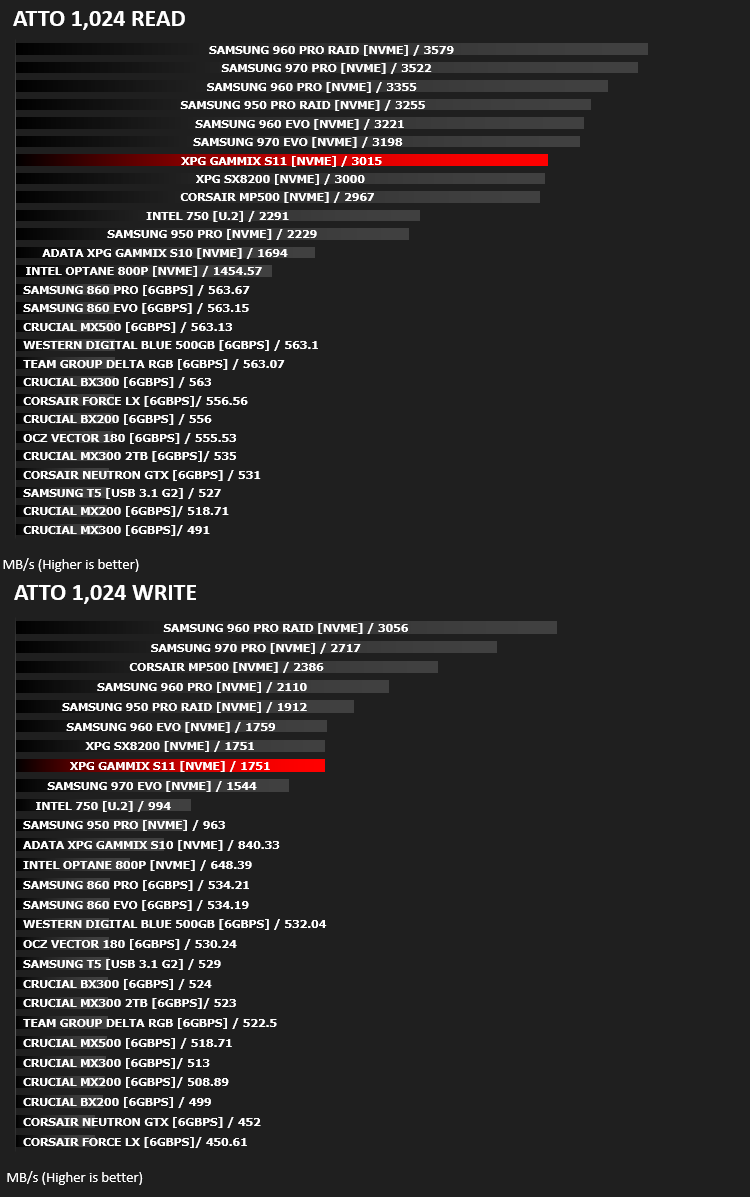
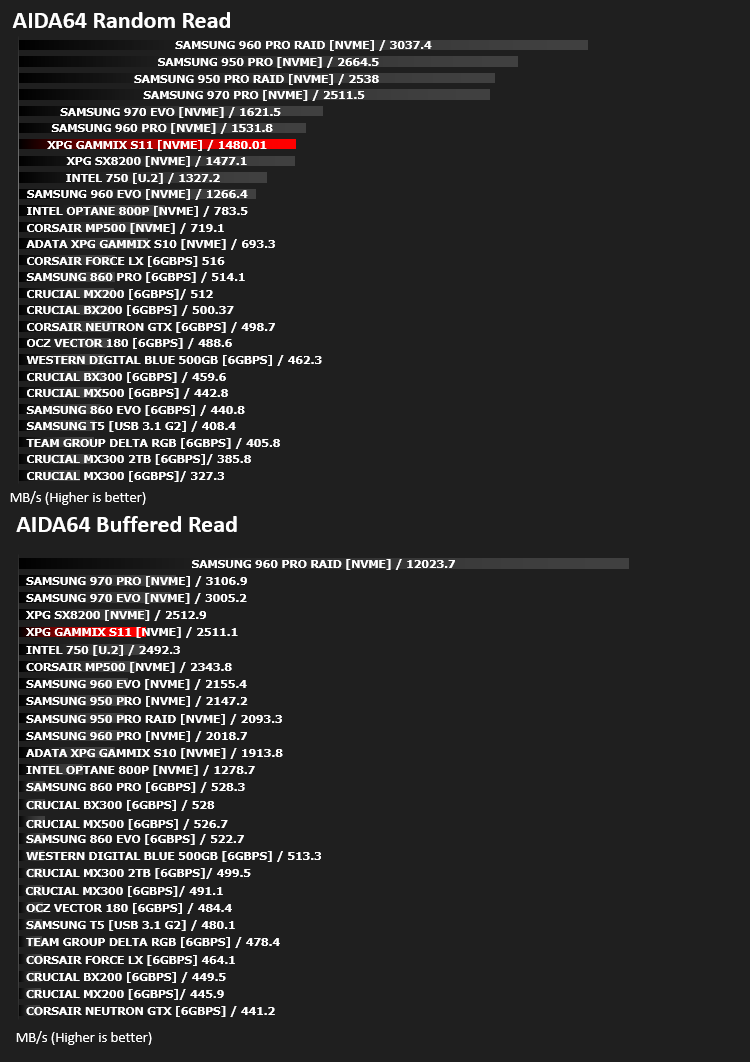
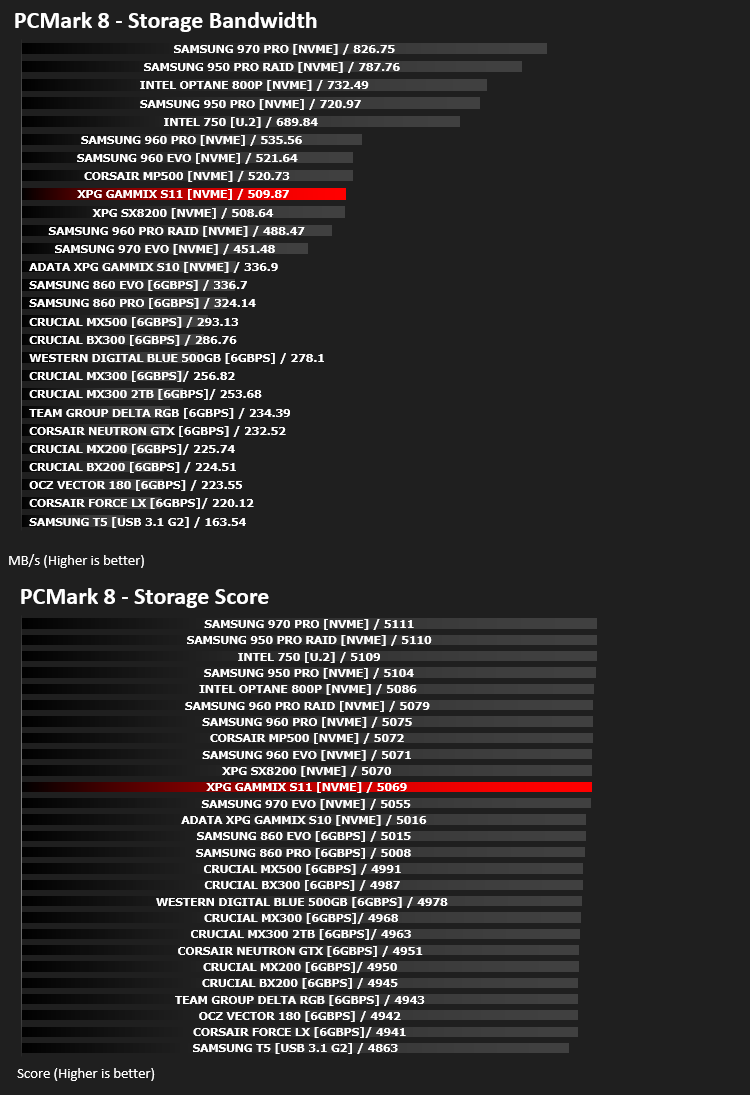
Looking at our performance figures, it’s very difficult to draw any difference between the SX8200 and the Gammix S11; the two drives consistently swap places in our graphs while always remaining within 1% of each other (well within a margin of error.)This raises the question as to the need for the heatsink other than improving the aesthetics of the drive. However, having said that, the price difference, at the time of writing, is £8. If your system is black and red, which many are, the S11 will suit perfectly, and they’ve orientated the XPG logo properly this time.
It may well be a short conclusion, but our outgoing message is most-certainly, buy the SX8200 and pocket the change instead, unless you absolutely must have that red heatsink.
The Gammix S10 which we looked at last year was available in capacities from 128GB through to 1TB. The Gammix S11 has dropped the smallest capacity, starting at 240GB and going through to 960GB.
All in all, the Gammix S11 is an improvement over the S10 in all of our tests, but the SX8200 is better value for money.
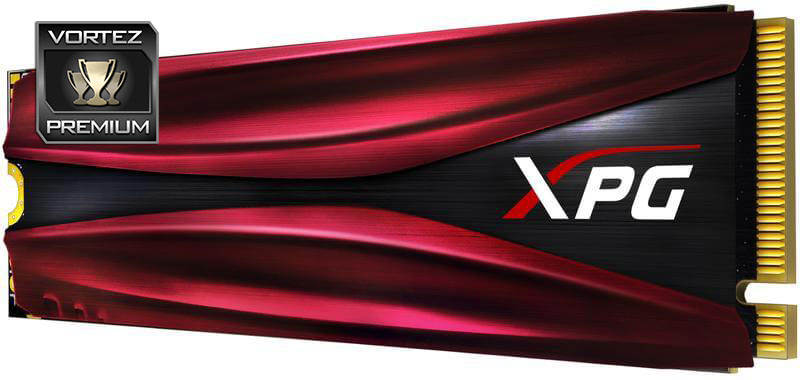
Looks great and performs well but you pay a premium for a thin piece of red metal.
Pros
+ Great performance
+ Looks good in the system
+ Still good value for the speed
+ Small 2280 form factor
+ No wires required
+ XPG logo is the correct way up this time
Cons
– Price premium for little benefit
+ Great performance
+ Looks good in the system
+ Still good value for the speed
+ Small 2280 form factor
+ No wires required
+ XPG logo is the correct way up this time
Cons
– Price premium for little benefit
Click here for an explanation of our awards at Vortez.net.
Stay connected with the Vortez Social Media pages:
Join in with the discussions on Discord