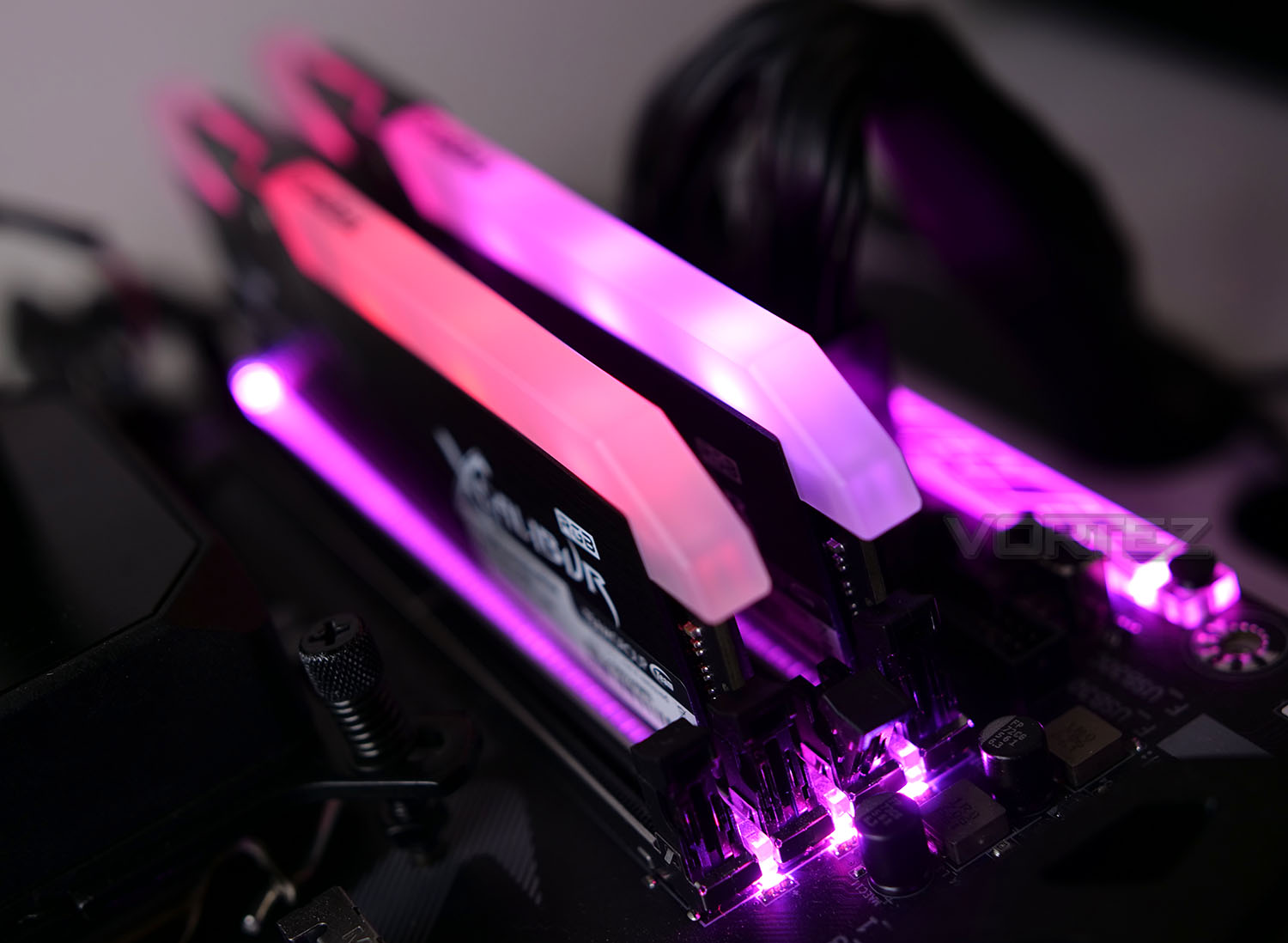
Are you ready to embrace RGB? The new T-Force Xcalibur RGB DDR4 kit takes lighting to the next level and also seeks to deliver up some solid memory performance.

Product on Review: XCALIBUR RGB
Manufacturer: Team Group
Street Price: £218 GBP – $233 USD – $350 AUD
Once upon a time, the pivotal aspect to DRAM was the capacity, frequency and CAS timings, but in 2018, it’s all about that RGB. Yes, RGB is now in full-swing and DRAM manufacturers are tussling over who can be the brightest, eye-catching and vibrant. TEAM GROUP, who are relative newcomers to this market have been actively pushing RGB products – even unveiling the first RGB SSD.
So, in the spotlight today is, as you may have guessed another RGB LED-based product – Xcalibur RGB DDR4. This kit is available in “General Edition” and “Special Edition”. The difference being that the SE kit has a pattern and slightly different design. As well as a 120° ultra-wide angle and support for all of the major motherboard vendors RGB technologies, Xcalibur RGB is available in 16GB (8GBx2) and either 3600MHz or 4000MHz – so if you’re after fast memory, this kit does not shy away from high frequencies.
TEAMGROUP on Xcalibur RGB
TEAMGROUP’s gaming brand T-FORCE has released an all-new, RGB memory module —T-FORCE XCALIBUR in 2018. It not only has the wide-angle glow of the DELTA R, the light guiding panel is embellished with unique totem designs while the TF (T-FORCE) logo is found on the heat spreaders. Gamers will love this all-new visual experience that is sure to be viewed as the perfection of RGB memory module.
Technical Specifications
Below are the technical specifications surrounding the XCALIBUR kit we’re reviewing – obtained directly from TEAM:
Warranty
Limited Lifetime
Memory Type
DDR4
Package Memory Format
DIMM
Package Memory Pin
288
Performance Profile
XMP 2.0
Memory Size
16GB Kit (2 x 8GB)
SPD Latency
18-20-20-44
SPD Speed
3600MHz
SPD Voltage
1.35V
Limited Lifetime
Memory Type
DDR4
Package Memory Format
DIMM
Package Memory Pin
288
Performance Profile
XMP 2.0
Memory Size
16GB Kit (2 x 8GB)
SPD Latency
18-20-20-44
SPD Speed
3600MHz
SPD Voltage
1.35V
Closer Look
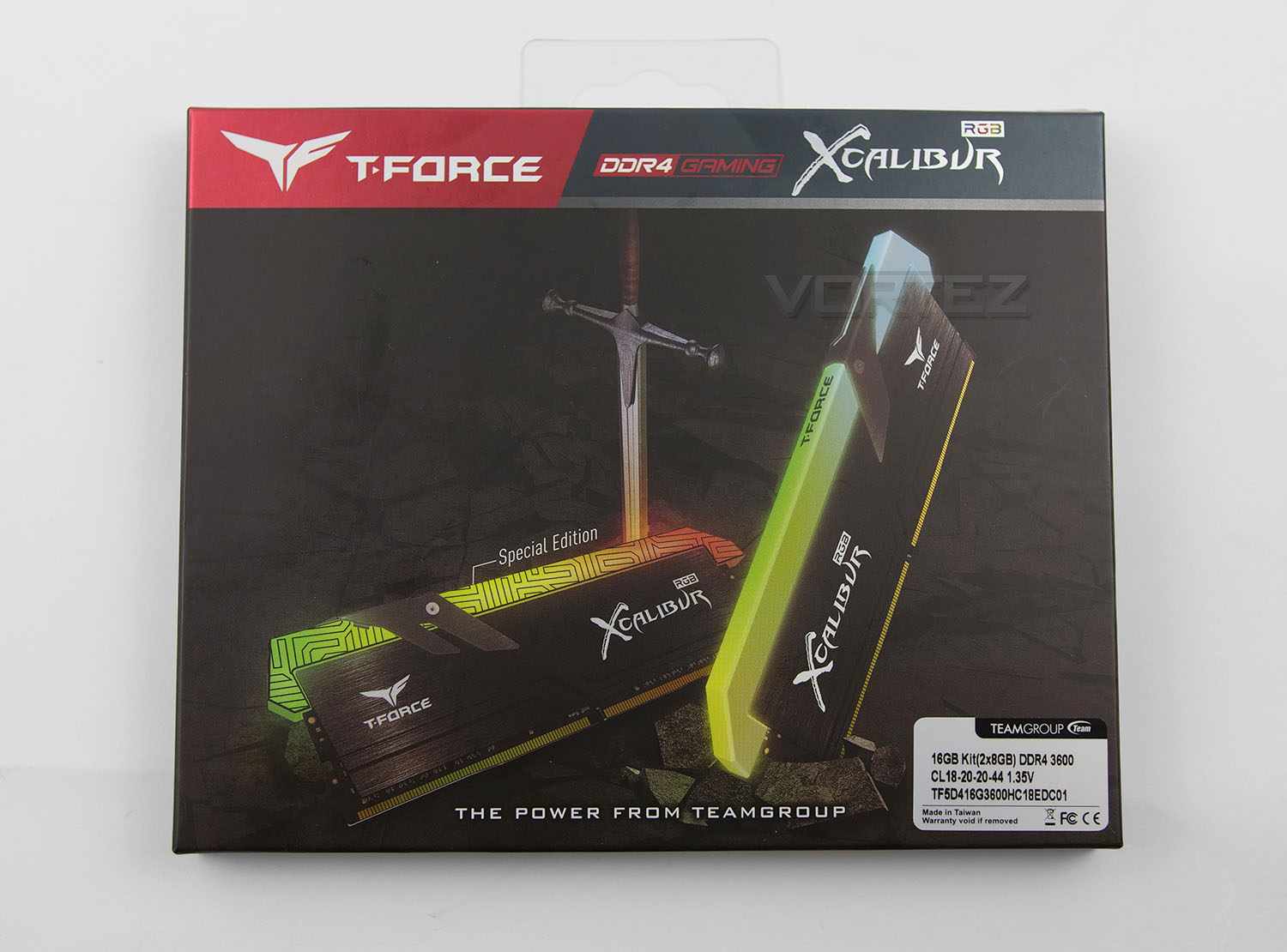
Just like other TEAM memory kits, Xcalibur is presented in an attractive box, showing off imagery of the kit. Aside from the marketing blurb, brief feature list and spec label with capacity, frequency and CAS latencies, there isn’t much else to comment on. Inside, the two DIMMs are found inside a clear plastic sleeve.
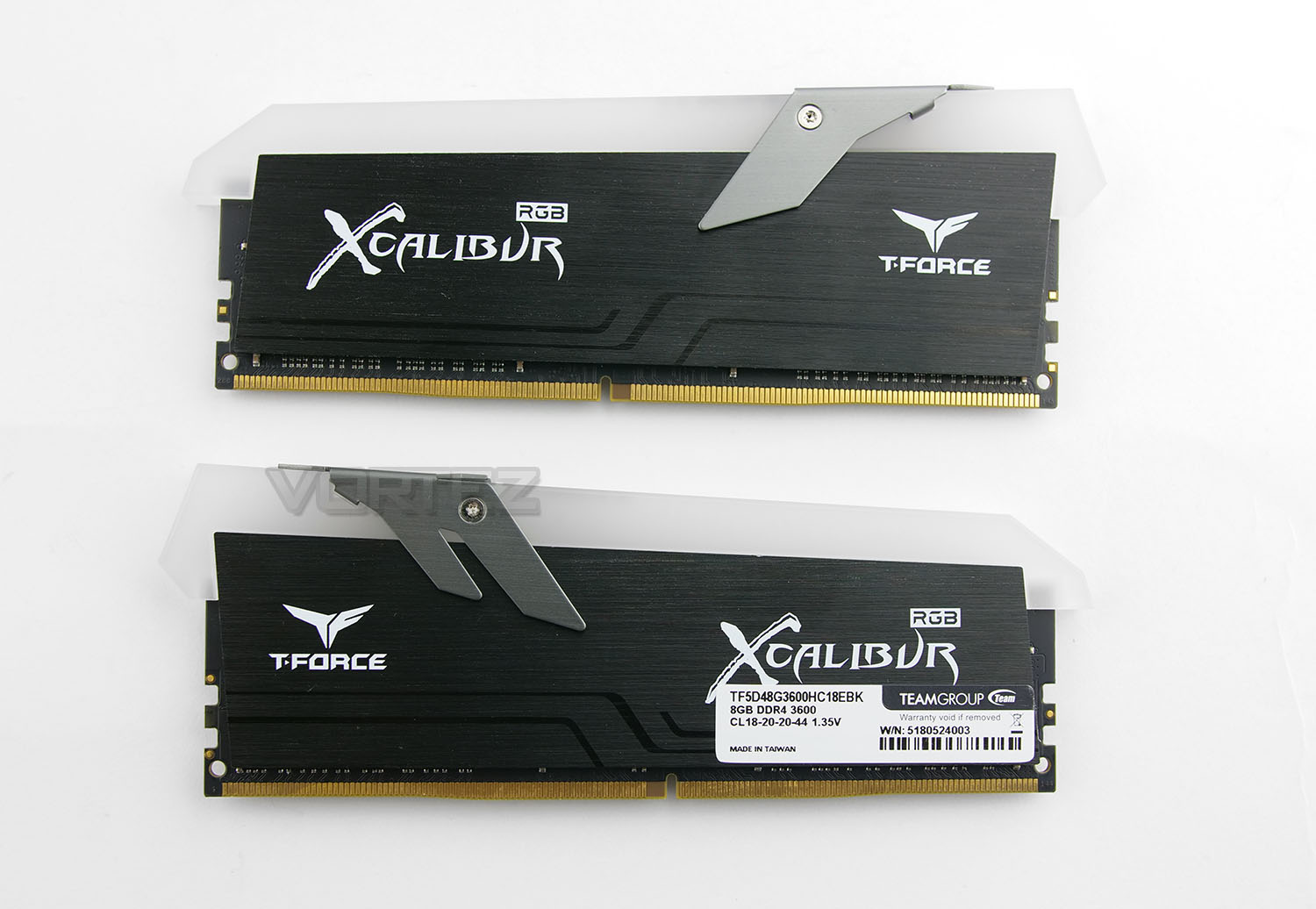
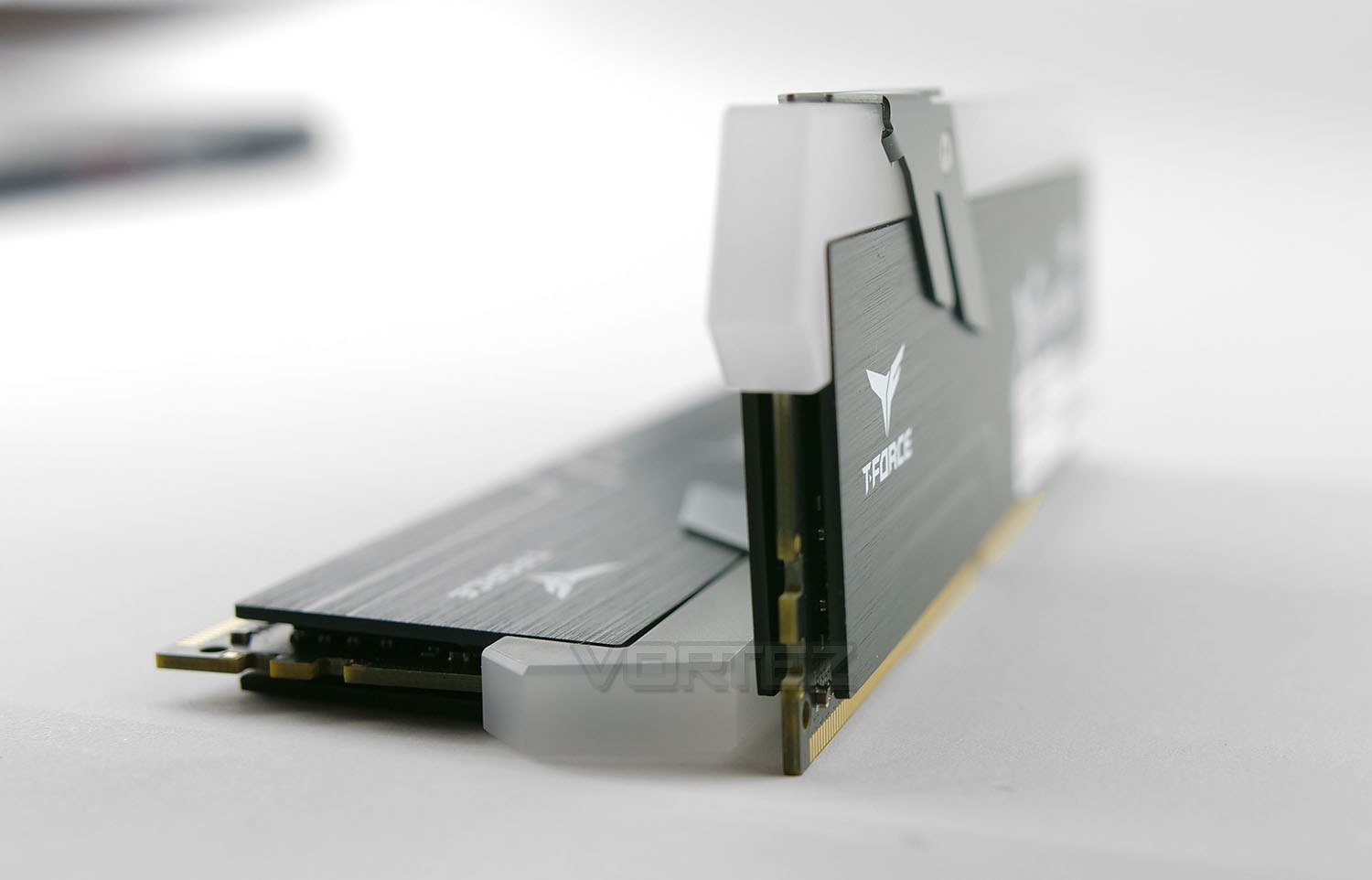
TEAM has created an interesting design with Xcalibur. The modules are covered by basic heatspreaders which both have a brace attached, which holds an angled LED diffuser to the top section. This kit is marketed as offering an “ultra-wide angle 120°” – users will therefore be able to view the illumination from the top and sides, which might be ideal if you have a transparent chassis with the front panel allowing a view across the system too.
Since the design is neutral in theme, this kit will coordinate with almost all configurations – RGB LED lighting is addressable, so creating a specific design is something which is possible and we’ll be exploring this on the lighting on the next page.
For those opting for a heatsink CPU cooler, it should be noted that this memory kit does extend beyond the typical height of standard DDR4 modules. At the highest point, the heatspreader/LED cover extends a further 1.8cm beyond standard memory height.
RGB LED Lighting
It comes as no surprise that Xcalibur’s headline feature is RGB lighting. By default this memory kit will cycle through the rainbow effect, but installing TEAM’s Blitz software allows full customisation for both modules. During our review of this phase of Xcalibur, we encountered a problem when installing the software and this could crop up for other users too.
To obtain the Blitz software, the latest version must be downloaded from TEAM’s website. This arrives in the form of a zip file – simply opening this zip (rather than choosing to save) will present an error during the installation. The wizard does allow you to complete installation, but on trying to execute the installed application it instantly crashes. So, to overcome this problem you should choose to save the zip file when downloading, once complete you will then need to right click > properties and choose “Unblock”. Unlocking the exe will allow for the successful installation of Blitz.
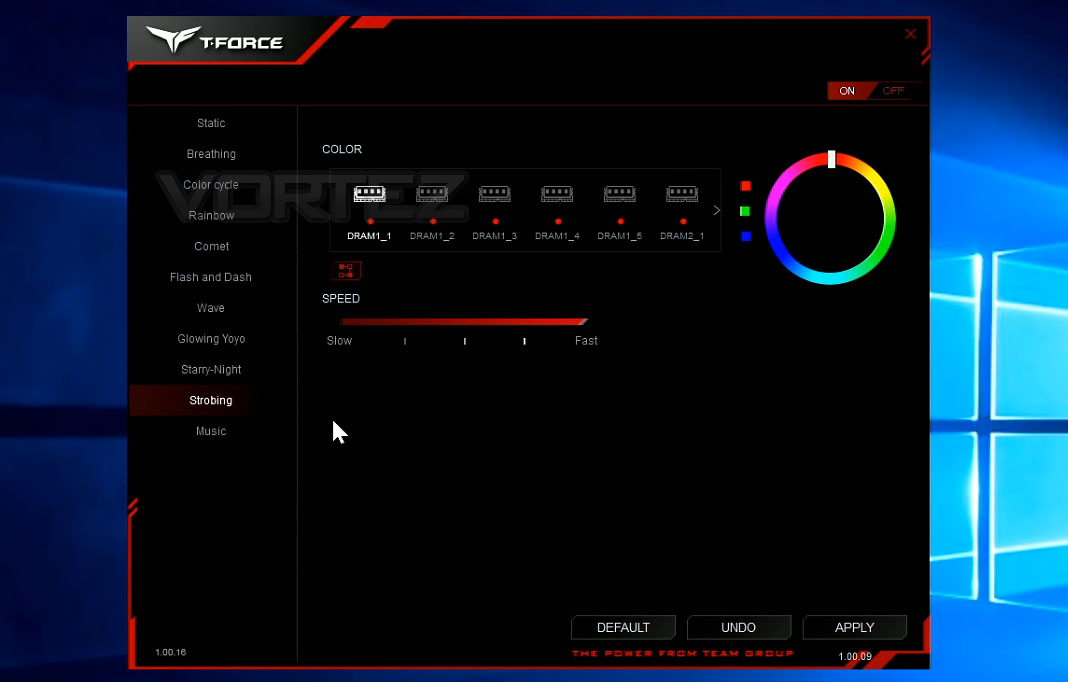
Once inside the software, we have full control over addressing specific colours and modes to the lighting strips on Xcalibur. There are an impressive number of animation effects which can be applied.
It should also be noted that Xcalibur RGB works with: ASUS Aura Sync, GIGABYTE RGB Fusion, MSI Mystic Light Sync and ASRock Polychrome Sync.
Below, we’ve produced a demonstration of the different options available and have even showcased the “music” mode. You can view this Xcalibur RGB Demonstration or simply click the video below.
Test Setup & Methodology
Test Setup
CPU Intel Core i7-8700K
Cooling Corsair H110i GTX
Motherboard AORUS Z370 Ultra Gaming
Graphics NVIDIA GTX 1080 Ti
Storage OCZ Vector 180
PSU Corsair HX1000 80 Plus Gold Certified PSU
Cooling Corsair H110i GTX
Motherboard AORUS Z370 Ultra Gaming
Graphics NVIDIA GTX 1080 Ti
Storage OCZ Vector 180
PSU Corsair HX1000 80 Plus Gold Certified PSU
We’ll be testing the following DDR4 memory kits in today’s review:
– TEAMGROUP T-Force Xcalibur 16GB 3600MHz CL18
– TEAMGROUP T-Force Vulcan TUF 16GB 3200MHz CL16
– Corsair Vengeance LPX 32GB 3200MHz CL16
The above offers a mixture of smaller capacity with the same frequency and similar latencies. This should present us with a good demonstration as to how capacity can affect performance.
To benchmark these DDR4 kits we’ll be using the following benchmarking applications:
AIDA64 (Memory Tests)
SiSoftware SANDRA
Futuremark PCMark 8 with Adobe Photoshop
Passmark Performance Test9
Futuremark 3DMark
Dawn of War III
SiSoftware SANDRA
Futuremark PCMark 8 with Adobe Photoshop
Passmark Performance Test9
Futuremark 3DMark
Dawn of War III
OVERCLOCKING
Most users will use their DDR4 under the XMP profile but we can push memory beyond their tested specifications by jumping into the BIOS and modifying some settings. Our memory kit sits at 3600MHz at the factory settings, and we were only able to nudge this frequency up to 3800MHz – just an additional 200MHz. Taking the frequency beyond this, even with slack timings and extra voltage wouldn’t allow successful operation.So, to achieve a stable result below we modified the CAS timings and nudged up the voltage.
TEAMGROUP T-FORCE Xcalibur RGB 3600MHz
– OC: 3800MHz 20-22-23-43 @ 1.4v
How does this overclock translate? Check out the below results in AIDA64 to see the advantage to nudging up that frequency slightly.
Benchmarks: AIDA64
AIDA64 Product Page
This simple integer benchmark focuses on the branch prediction capabilities and the misprediction penalties of the CPU. It finds the solutions for the classic “Queens problem” on a 10 by 10 sized chessboard. At the same clock speed theoretically the processor with the shorter pipeline and smaller misprediction penalties will attain higher benchmark scores. For example — with HyperThreading disabled — the Intel Northwood core processors get higher scores than the Intel Prescott core based ones due to the 20-step vs 31-step long pipeline. CPU Queen test uses integer MMX, SSE2 and SSSE3 optimizations.
Benchmarks: SiSoftware SANDRA
SANDRA isn’t always a benchmark that is included in hardware reviews but I believe it shouldn’t be ignored. SANDRA provides a vigorous package that tests your system in a rather large array of benchmarks. There are many aspects of benchmark that can be executed. We will be considering – CPU and memory tests.
Benchmarks: PCMark 8 (Adobe Photoshop)
Futuremark 3DMark
PCMark 8 combines performance benchmarking with battery life measurement and includes tests based on popular Adobe and Microsoft applications. Whether you are looking for long battery life, or maximum power, PCMark 8 will help you find the devices that offer the perfect combination of efficiency and performance for your needs. It’s the complete PC performance benchmark for home and business.
Benchmarks: Passmark
Measure the read and write speed of your RAM. Parameters include data size (8 bits to 64 bits) and a selection of two test modes. Linear sequential access across various block sizes or non sequential access with a varying step size. This allows both the effect of RAM caching and the optimizations in the memory controller to be investigated.
Benchmarks: Gaming (3DMark & Dawn of War III)
3DMark Time Spy Product Page
3DMark Time Spy is a DirectX 12 benchmark test for Windows 10 gaming PCs. Time Spy is one of the first DirectX 12 apps to be built the right way from the ground up to fully realize the performance gains that the new API offers.
Conclusion
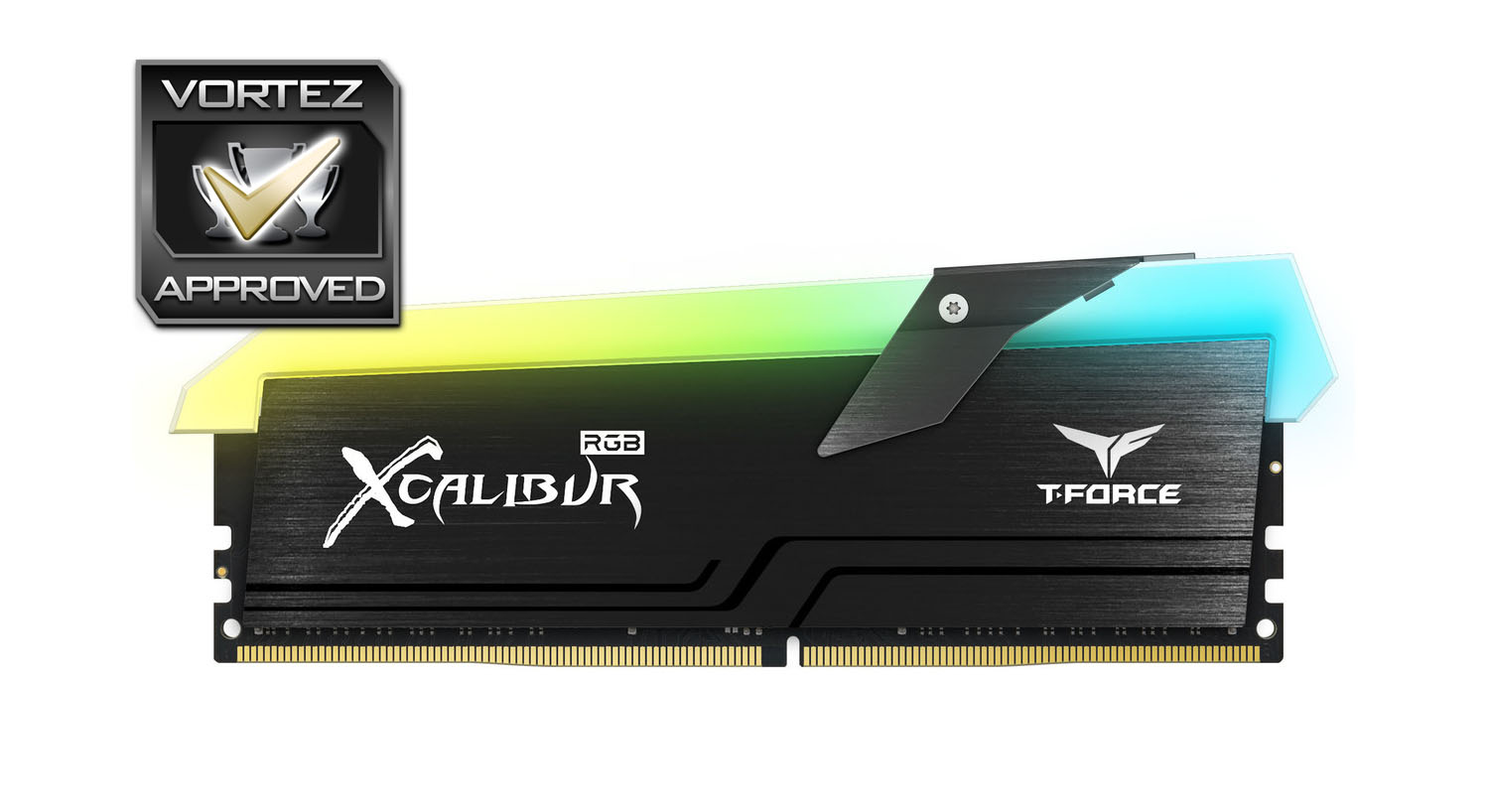
System builders have now come to appreciate that it isn’t only about performance figures – aesthetics and visual appearance play a key role in building any system nowadays and for those seeking to home in on another flashy RGB product, Xcalibur does a superb job.
Although we had a few minor hiccups installing the Blitz software, once set up we were able to enjoy a vast selection of animation effects and customization. As can be seen in our demonstration earlier in this review, the results are great – enhancing the overall appearance of any system. Furthermore, all of the major motherboard partner RGB technologies are also supported too. This covers ASUS Aura Sync, GIGABYTE RGB Fusion, MSI Mystic Light Sync and ASRock Polychrome Sync.
It isn’t just about styling, DRAM obviously has a practical purpose and in the performance department this kit doesn’t disappoint either. Tapping into 3600MHz and CL18 allowed for some decent, reliable results in a range of different scenarios. If fast memory is what you’re seeking, this kit is ideal since it arrives in either 3600MHz or 4000MHz and all that’s needed to get the memory running at these speeds is to enable XMP inside the BIOS.
Overclocking wasn’t as easy as it has been in the past – we were only able to nudge up the frequency to 3800MHz (just an additional 200MHz). As we discovered, even with a subtle modification to the speed, there are benefits to be had. If outright performance is important, then we suggest opting for the 4000MHz kit.
The kit we’ve looked at today (16GB 3600MHz) arrives with a price-tag of £218 GBP – $233 USD – $350 AUD. This seems to be in-line with other kits from rival brands offering the same capacity/speed, so we’re pleased to see TEAM being competitive with this product.
Not only does Xcalibur RGB offer up stunning lighting effects, this kit arrives with high frequencies out of the box and this in turn delivers good overall performance.
Pros
+ Impressive RGB lighting
+ Can be synced with motherboard partners
+ Good overall performance
+ Software allows for plenty of customization
+ Competitively priced
Neutral
-+ Height may obstruct some CPU heatsinks
-+ Marginal manual overclock
Cons
– Software needs unblocking before installation
+ Impressive RGB lighting
+ Can be synced with motherboard partners
+ Good overall performance
+ Software allows for plenty of customization
+ Competitively priced
Neutral
-+ Height may obstruct some CPU heatsinks
-+ Marginal manual overclock
Cons
– Software needs unblocking before installation
Click here for an explanation of our awards at Vortez.net.
Stay connected with the Vortez Social Media pages: