After a couple of years, Razer release the successor to the BlackWidow Chroma V2. Welcome to the BlackWidow Elite with improved mechanical keys, media keys and new chassis design.

Product on Review: Razer BlackWidow Elite
Manufacturer: Razer
Street Price: GBP £169.99 / USD $169.99 / AU $299.95
Razer have long been a household name in the PC gaming peripherals market, with their BlackWidow range of keyboards a “go to” when wanting the best, though they haven’t been without their annoyances in the past. Today we look at the Razer BlackWidow Elite, hoping to improve on the previous formula which, it must be said, wasn’t without its annoyances.
Revisions and on the BlackWidow Elite include dedicated media keys and volume controls, height-adjustable leatherette wrist rest, tweaked ports layout and cable routing built into the underside.
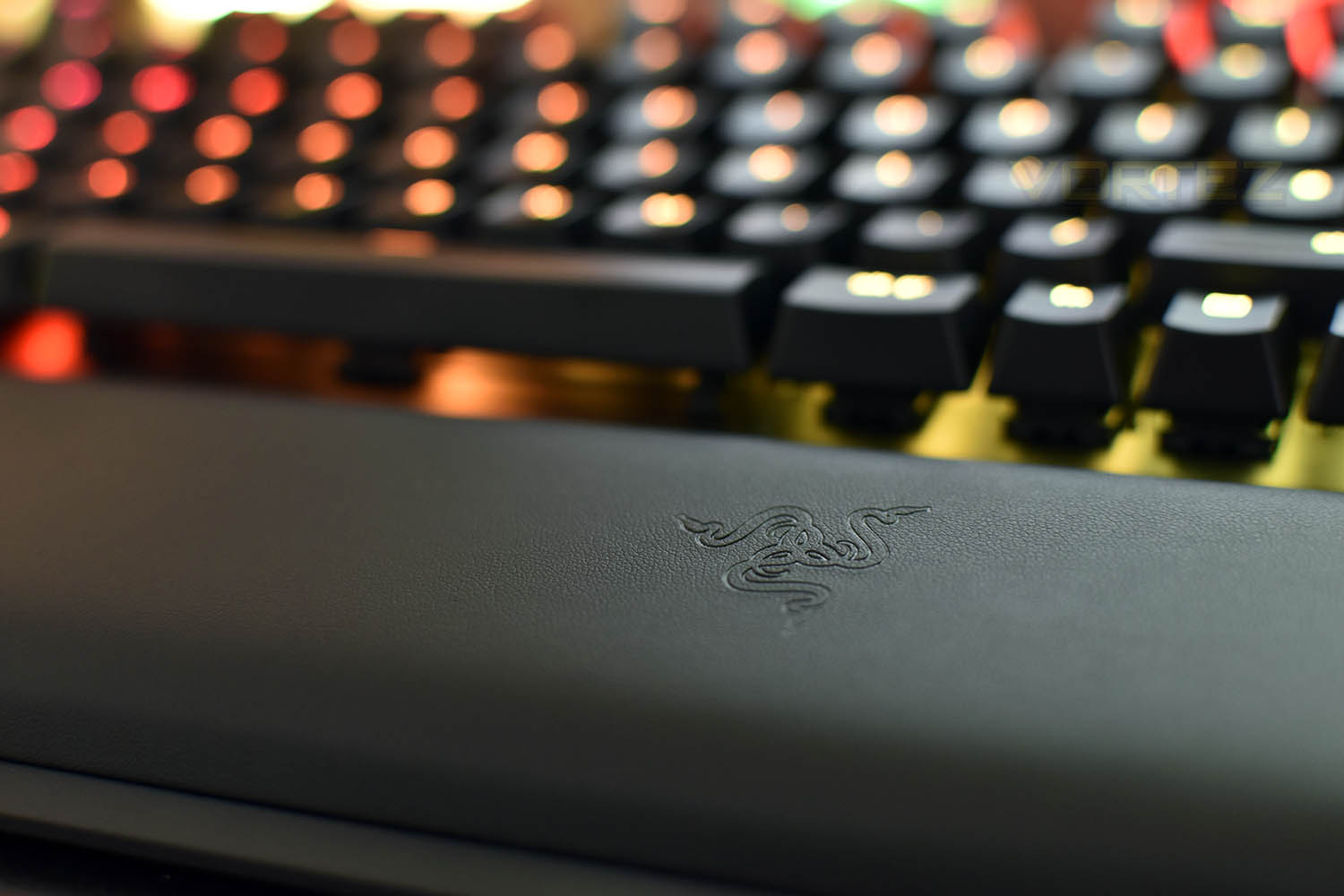
Along with the above improvements, Razer have also implemented sidewalls onto their keyswitches, increasing lateral stability the overall feel of the keys, while the new design also helps reduce the ingress of dirt and moisture.
We’ve actually used the BlackWidow Chroma V2 for the last 18 months, putting us in the perfect position to fuly evaluate the new iteration, so let’s get down to business and see if the Razer BlackWidow Elite is worth the £170/$170/$300 asking price.
Razer on the BlackWidow Elite:
The Razer BlackWidow has always been the gold standard for gaming keyboards, and now we’ve taken its components to the next level—an updated Razer™ Mechanical Switch and the new Multi-Function Digital Dial. Meet the Razer BlackWidow Elite. Designed as the most complete mechanical gaming keyboard in any arena. Featuring Razer Hypershift and Hybrid On-board and Cloud Memory, you can now turn every key into a macro key and activate your preferred settings from anywhere.
Technical Specifications
At a Glance
Razer™ Mechanical Switches
Multi-function digital dial
Ergonomic wrist rest
Fully controllable keys
Up to 80 million keystrokes lifespan
Tech specs
Razer™ Mechanical Switches designed for gaming
80 million keystroke lifespan
Razer Chroma™ customizable backlighting with 16.8 million color options
Ergonomic wrist rest
Multi-function Digital Dial
Dedicated Media Controls
USB 2.0 and audio pass through
Hybrid On-Board Memory and Cloud Storage – up to 5 profiles
Razer Synapse 3 enabled
Cable routing
10 key roll-over anti-ghosting
Fully programmable keys with on-the-fly macro recording
Gaming mode option
1000 Hz Ultrapolling
Military grade metal top construction
Instant Trigger Technology
Razer™ Mechanical Switches
Multi-function digital dial
Ergonomic wrist rest
Fully controllable keys
Up to 80 million keystrokes lifespan
Tech specs
Razer™ Mechanical Switches designed for gaming
80 million keystroke lifespan
Razer Chroma™ customizable backlighting with 16.8 million color options
Ergonomic wrist rest
Multi-function Digital Dial
Dedicated Media Controls
USB 2.0 and audio pass through
Hybrid On-Board Memory and Cloud Storage – up to 5 profiles
Razer Synapse 3 enabled
Cable routing
10 key roll-over anti-ghosting
Fully programmable keys with on-the-fly macro recording
Gaming mode option
1000 Hz Ultrapolling
Military grade metal top construction
Instant Trigger Technology
Packaging & Bundle
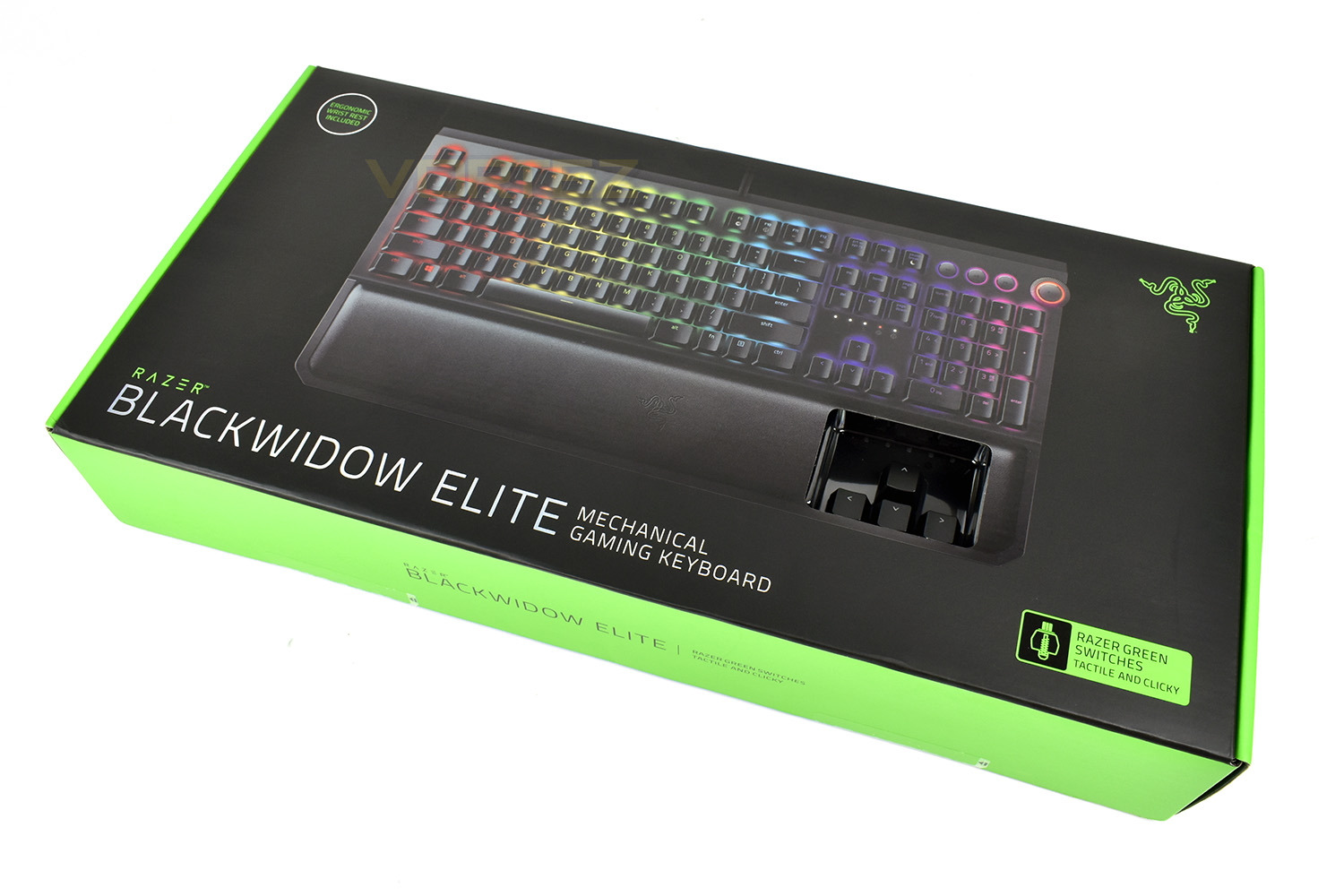
Jet black, neon green and a large picture of the enclosed product; that’s Razer’s recipe and they won’t change it.There’s a small section cut out to allow you to test the Razer Green switches. On the previous version, Razer included a tester key with unique keycap that could be used as a keychain; it’s a shame to see that removed.
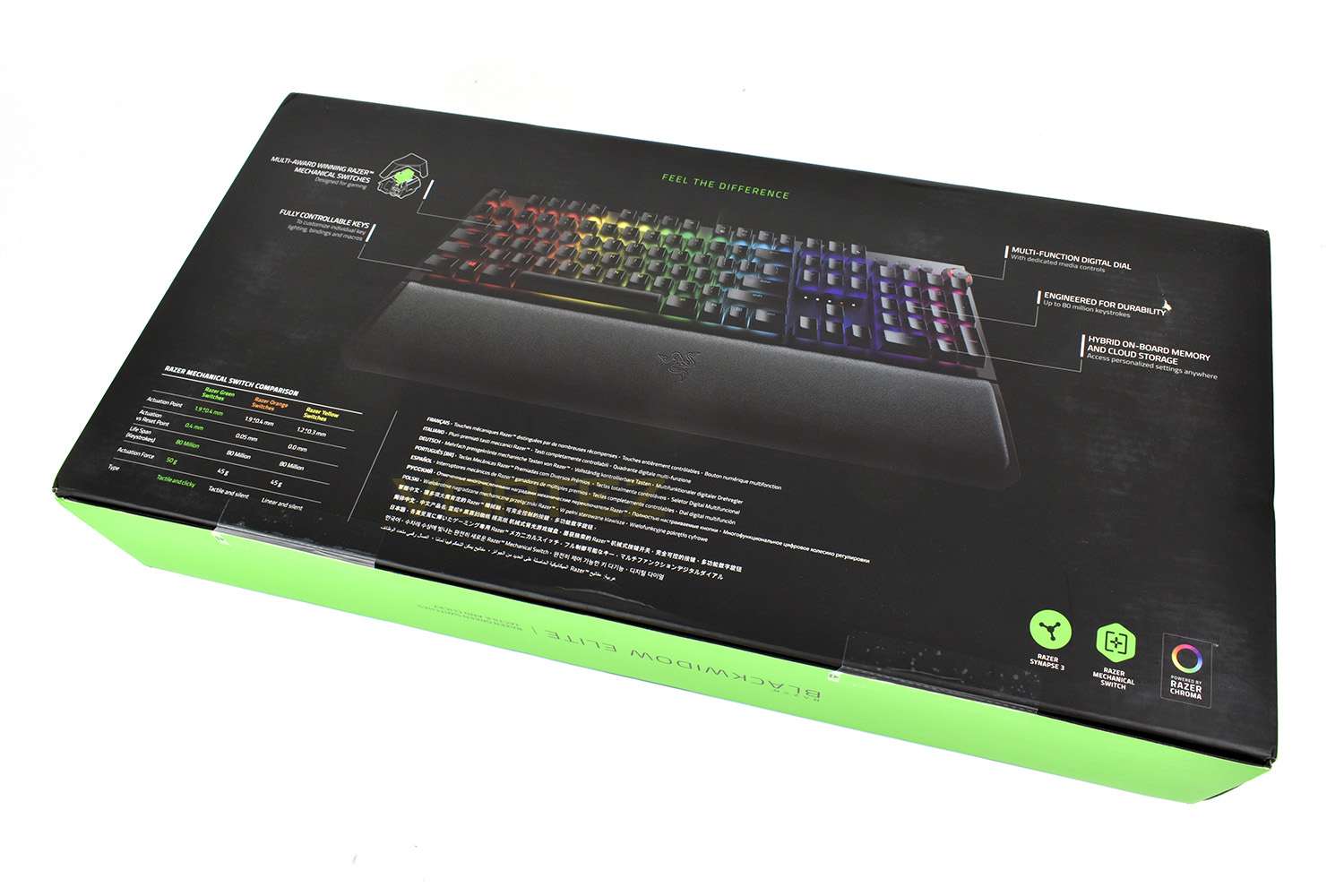
The reverse side of the box gives an annotated look at the keyboard along with details on the Razer keyswitches.
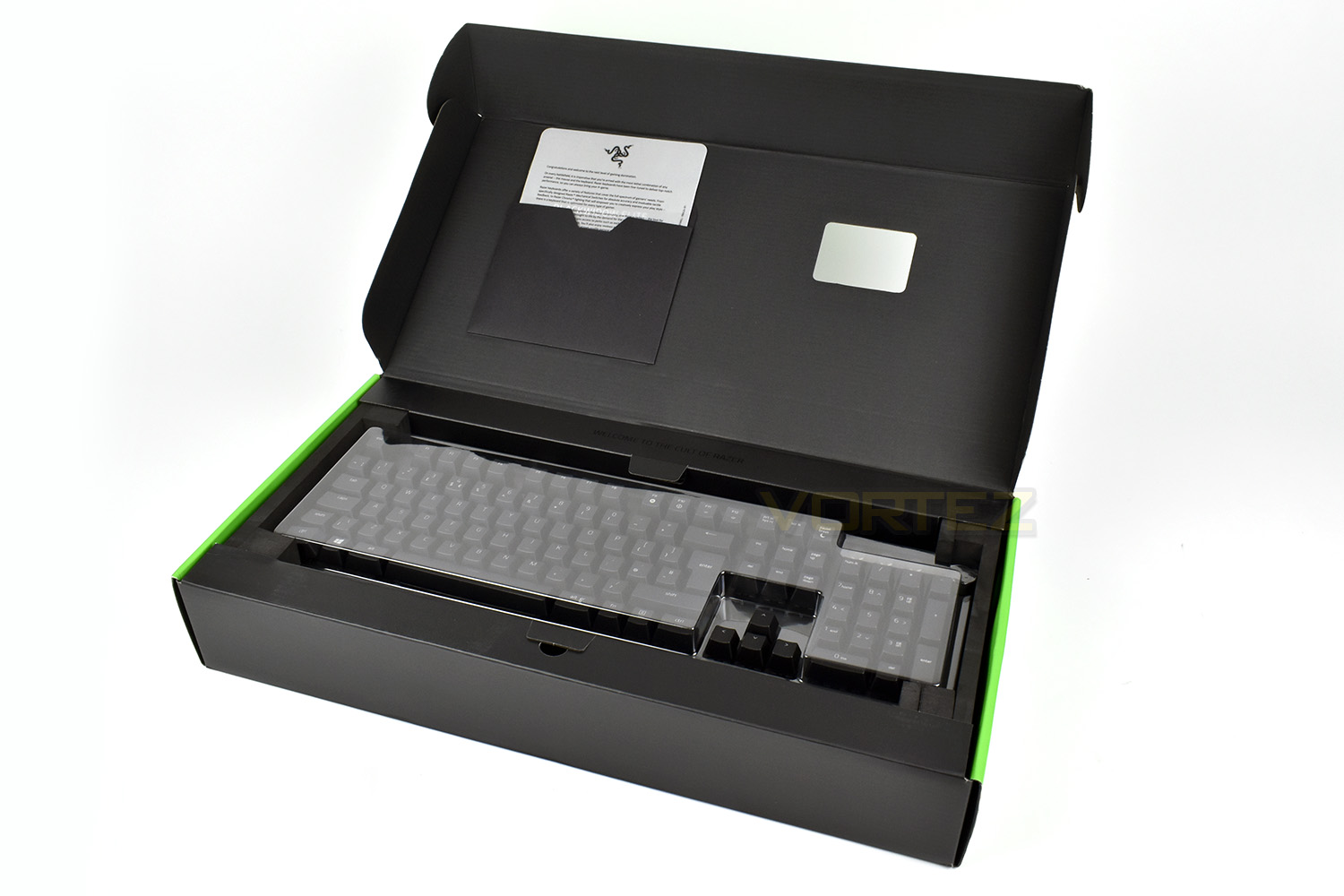
There’s not a great deal bundled with the keyboard, just a welcome page, instruction manual, a pair of small Razer stickers and the wrist rest.
Closer Look
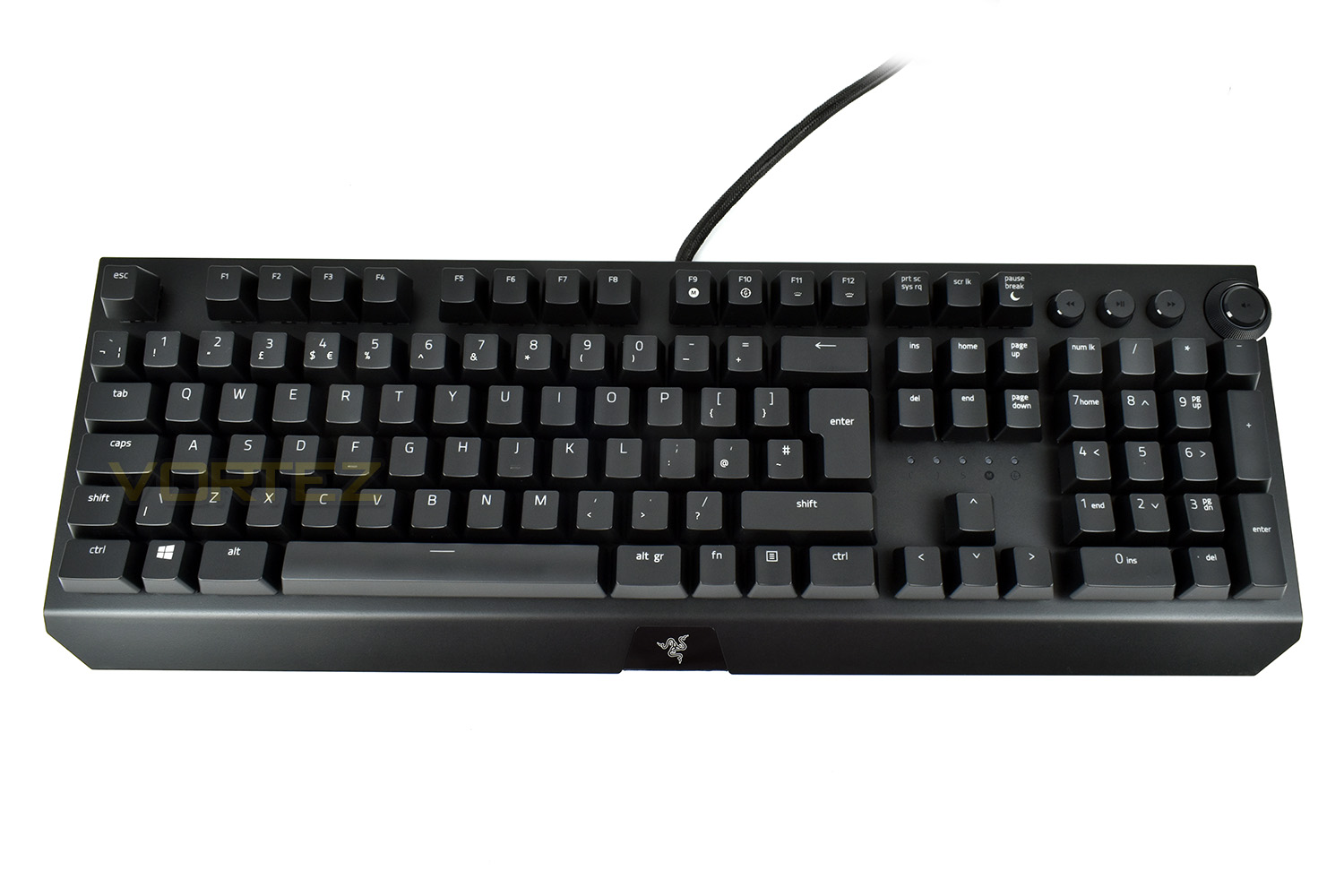
To the keen eyed amongst you, first appearances of the BlackWidow Elite will highlight one big difference from the previous version immediately; the key switches are suspended above the metal backplate, instead of being sunken into a plastic surround, this changes the appearance more than any other aspect, but for the better, we think.Other notable differences are the lack of Macro keys along the left edge and a massively cut down chassis size.
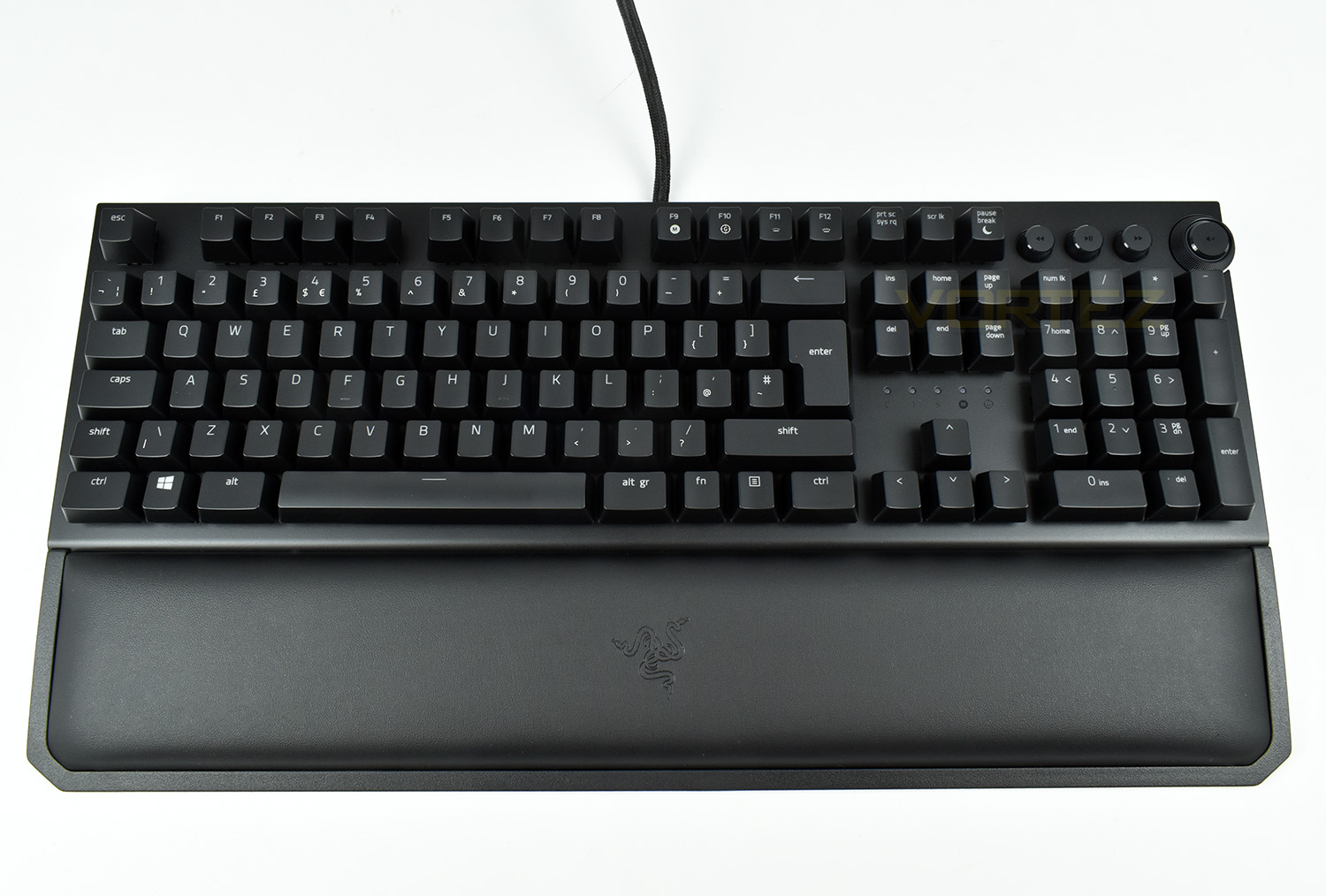
Adding the wrist rest increases the keyboard’s footprint considerably, though also improves posture and comfort. The wrist rest is padded and coated with leatherette for a premium feel. This is something we praised the BlackWidow Chroma V2 heavily for so it’s good to see it carried over.
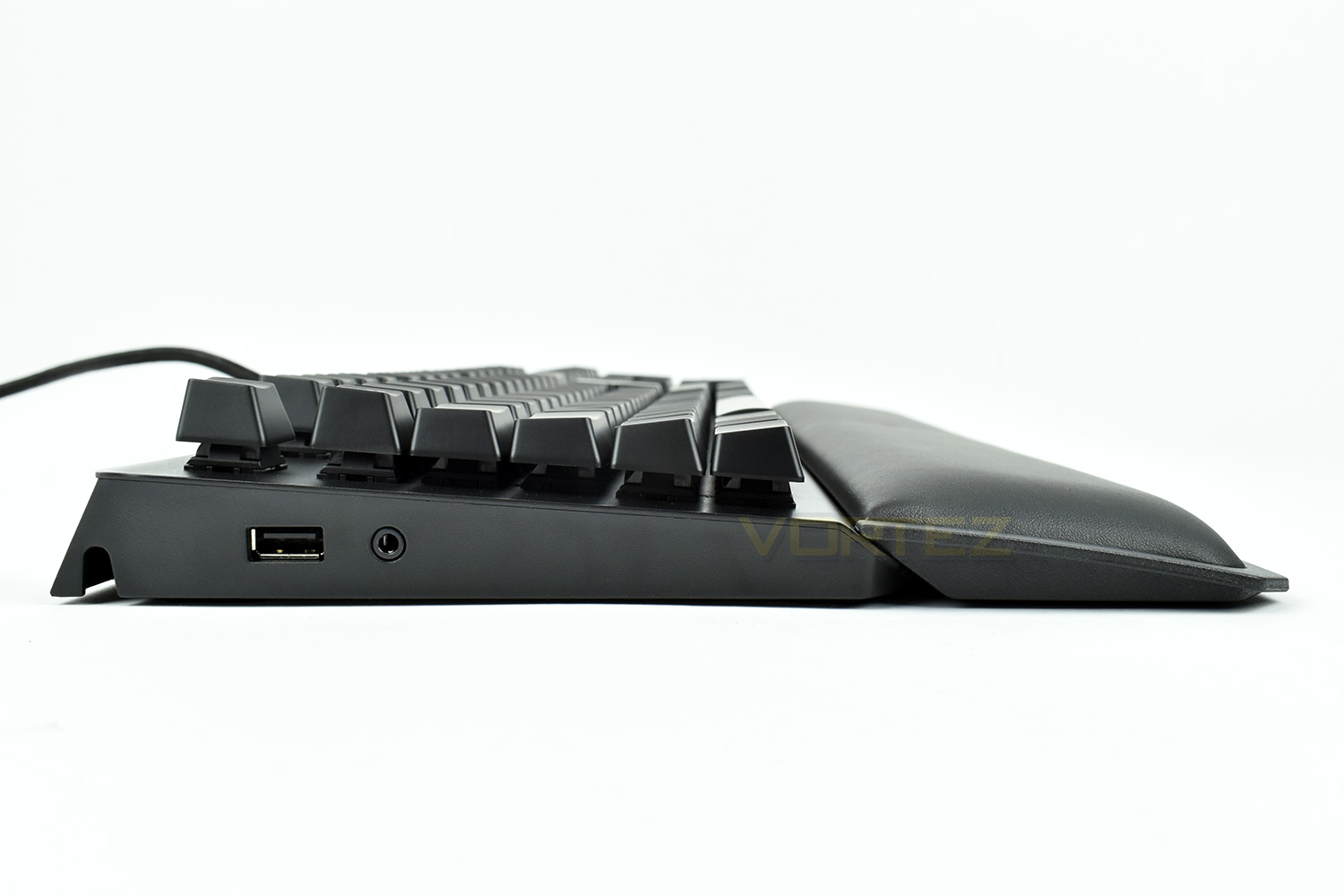
With the keys now sitting above the backplate, keeping the ‘board clean should be a much simpler task. Razer have also moved the USB 2.0 and 3.5mm passthrough to the left side instead of the right, this should help right-handed players if you tend to play with the mouse close to the keyboard.
The wrist rest is still held in place with magnets along the front edge, but this time Razer have designed the angles in such a way that the height can be adjusted without fixing anything in place.
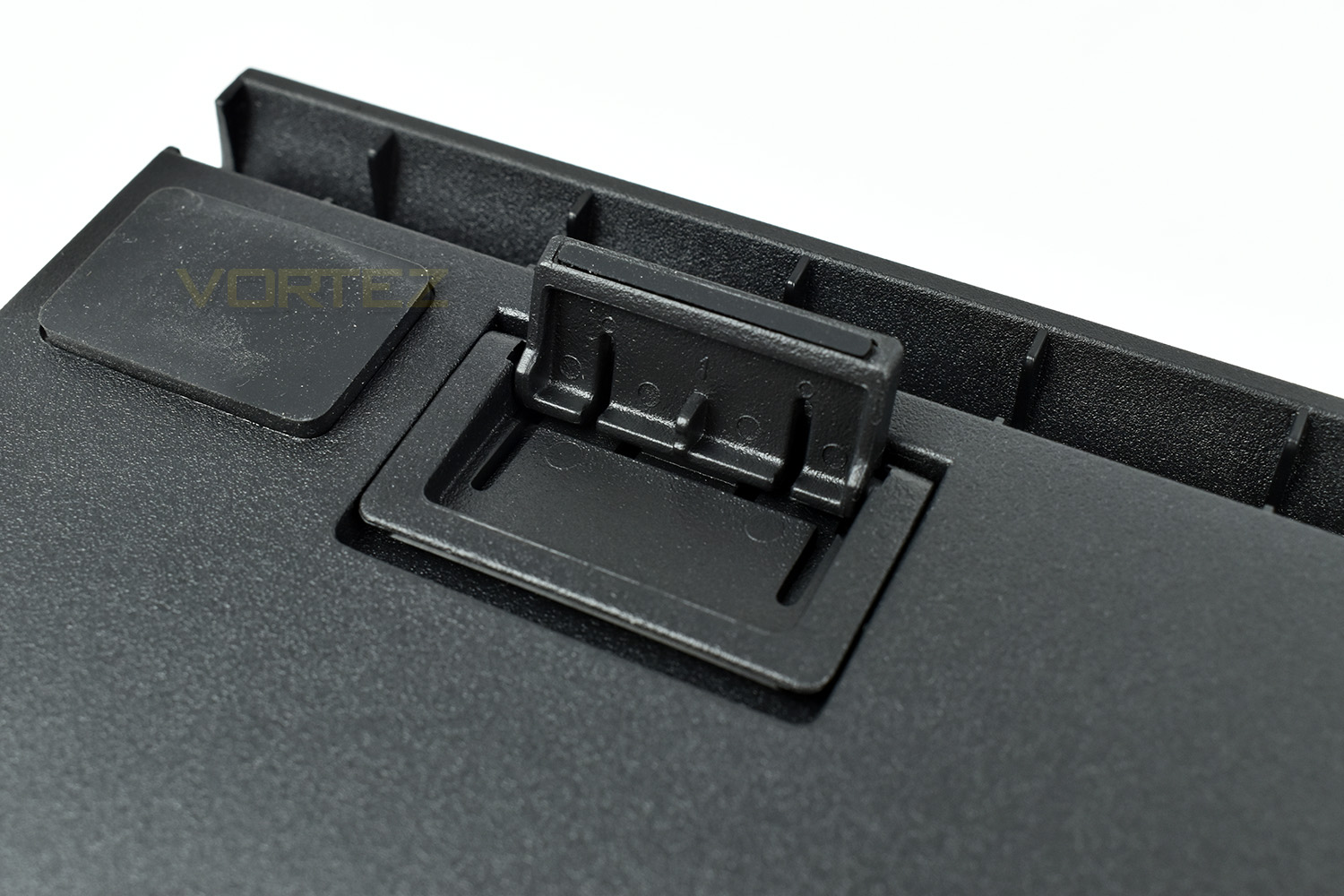
The base of the keyboard has seen some improvements. First off, cable management has been implemented, allowing you to protrude the cable out the rear of the keyboard, or trace it along the channels to come out of the left or right side.
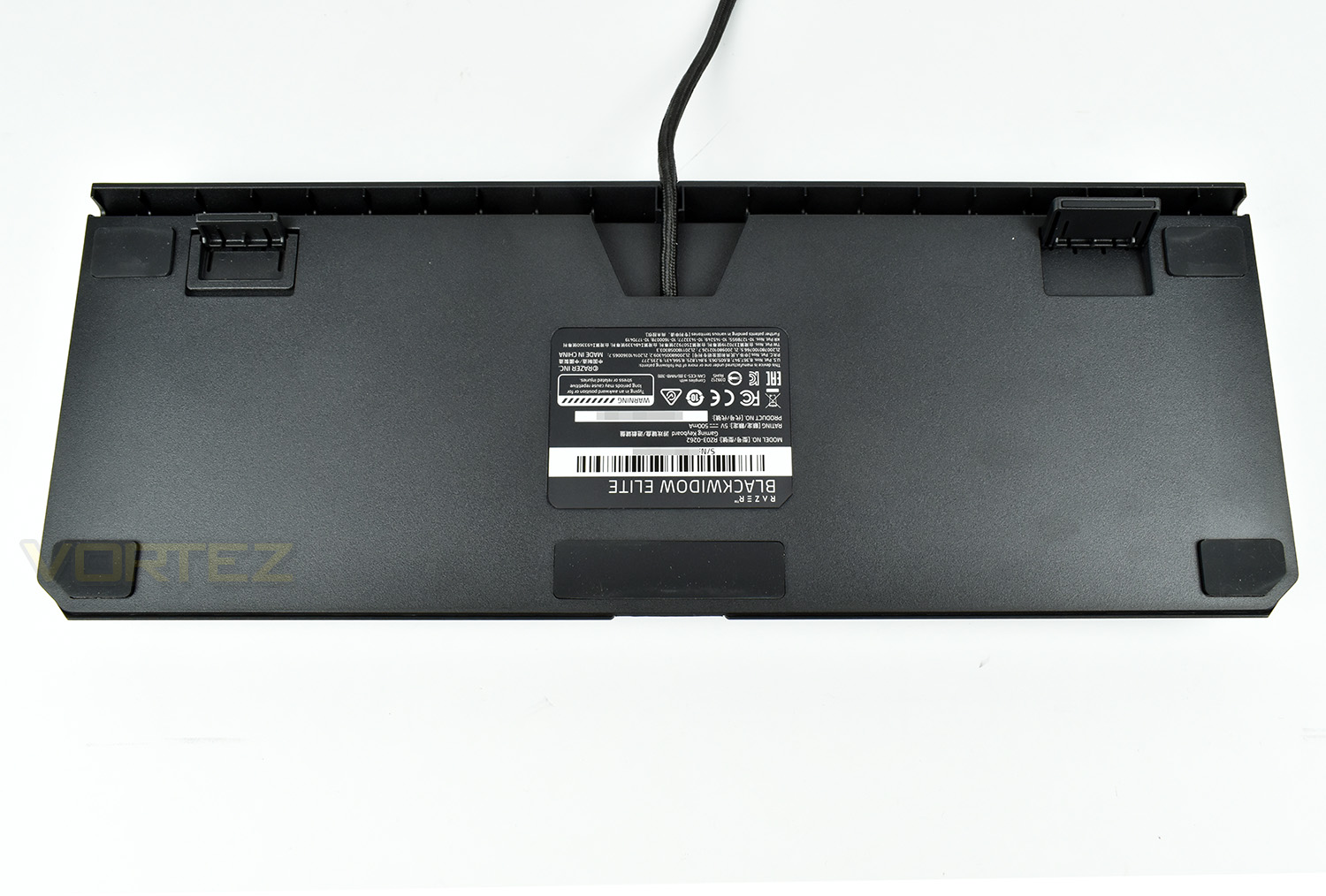
Secondly, the stand-off feet now feature three height options, starting at 26mm when flat, 32mm on the small feet and 39mm at full extension.
Closer Look (Continued)
The top-right of the keyboard is now home to dedicated media keys, giving rewind, play/pause and fast forward as well as a mute switch and volume wheel combo. The edge of these buttons are RGB backlit and can configured within the Razer Synapse software.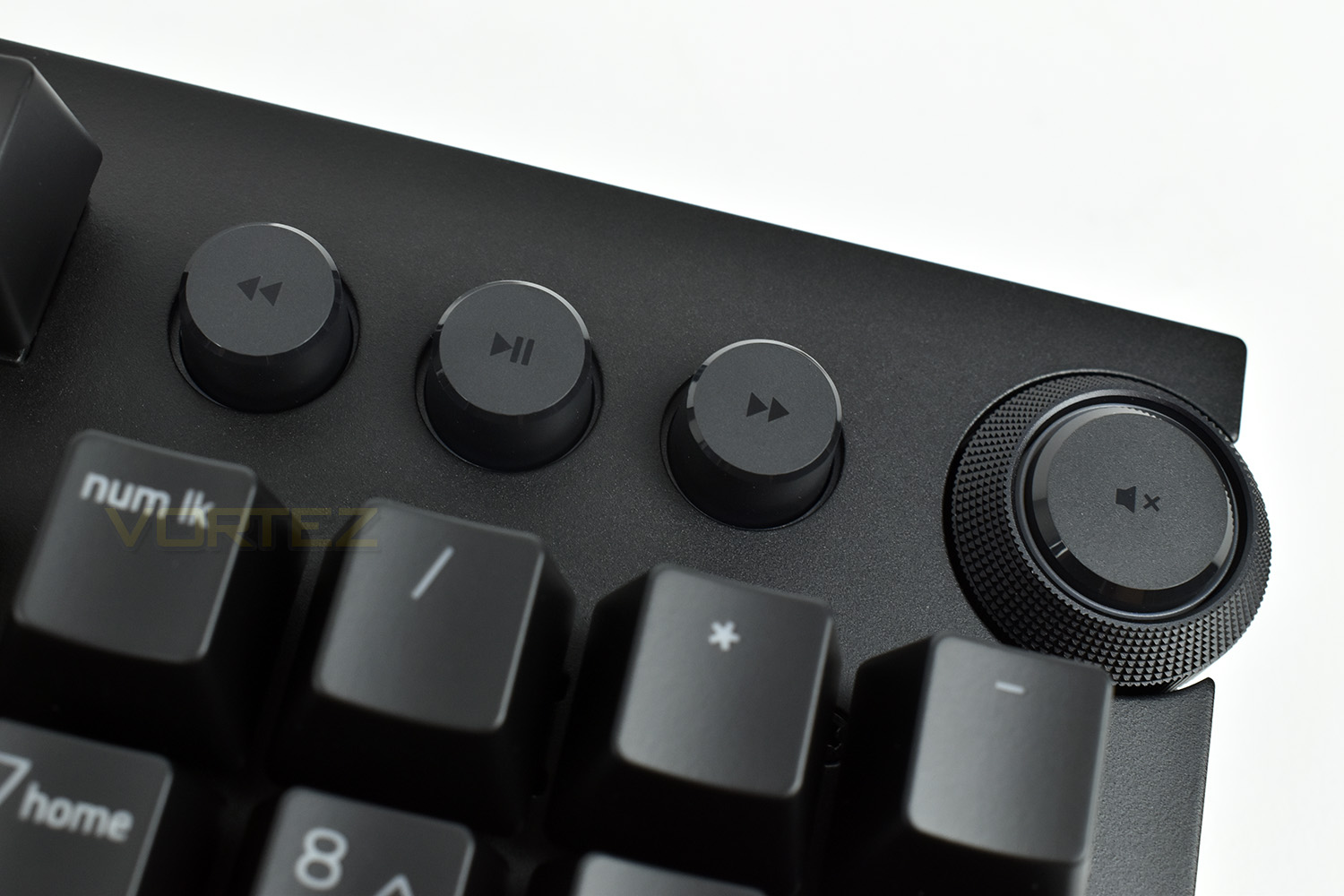
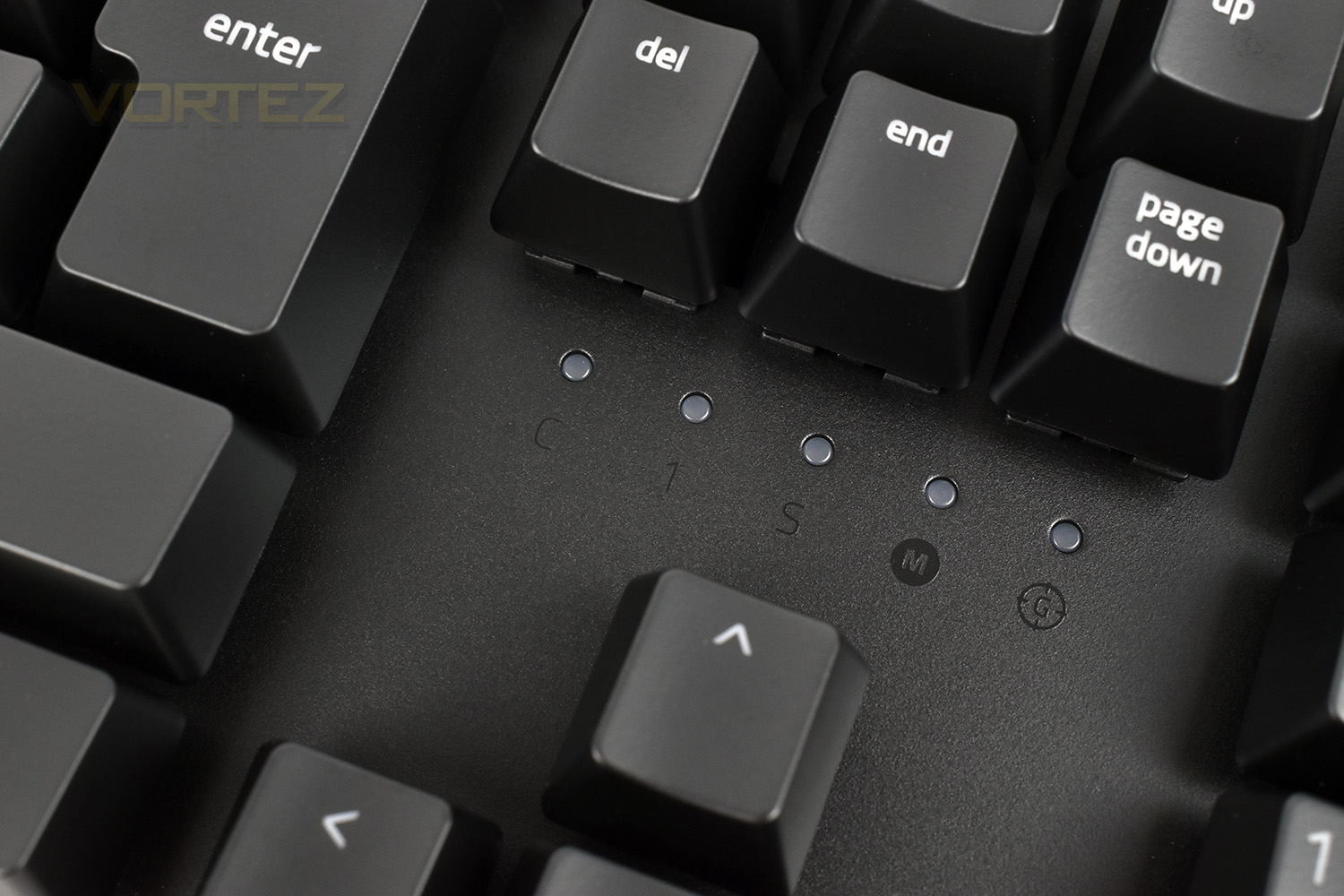
Due to the introduction of the media keys, the LED indicators for CAPS lock etc are now located just above the direction keys. There’s 5 in total, CAPS, Num and Scroll lock as well as Macro recording and Gaming mode. These LEDs are white and cannot be changed.
Razer, back in 2010, were the first to introduce mechanical keys onto a gaming-orientated keyboard, then in 2014 they began to manufacture their own keys to a specific criterion. Since then we’ve seen a few additions with the Razer Yellow and Razer Orange and, most recently, the Razer Purple Optical keyswitches. The latest keyswitches are now re-designed for better stability and consistency with a dual sidewall; the sidewall also helps to reduce dirt and moisture ingress over time, though they are not waterproof or IP certified.

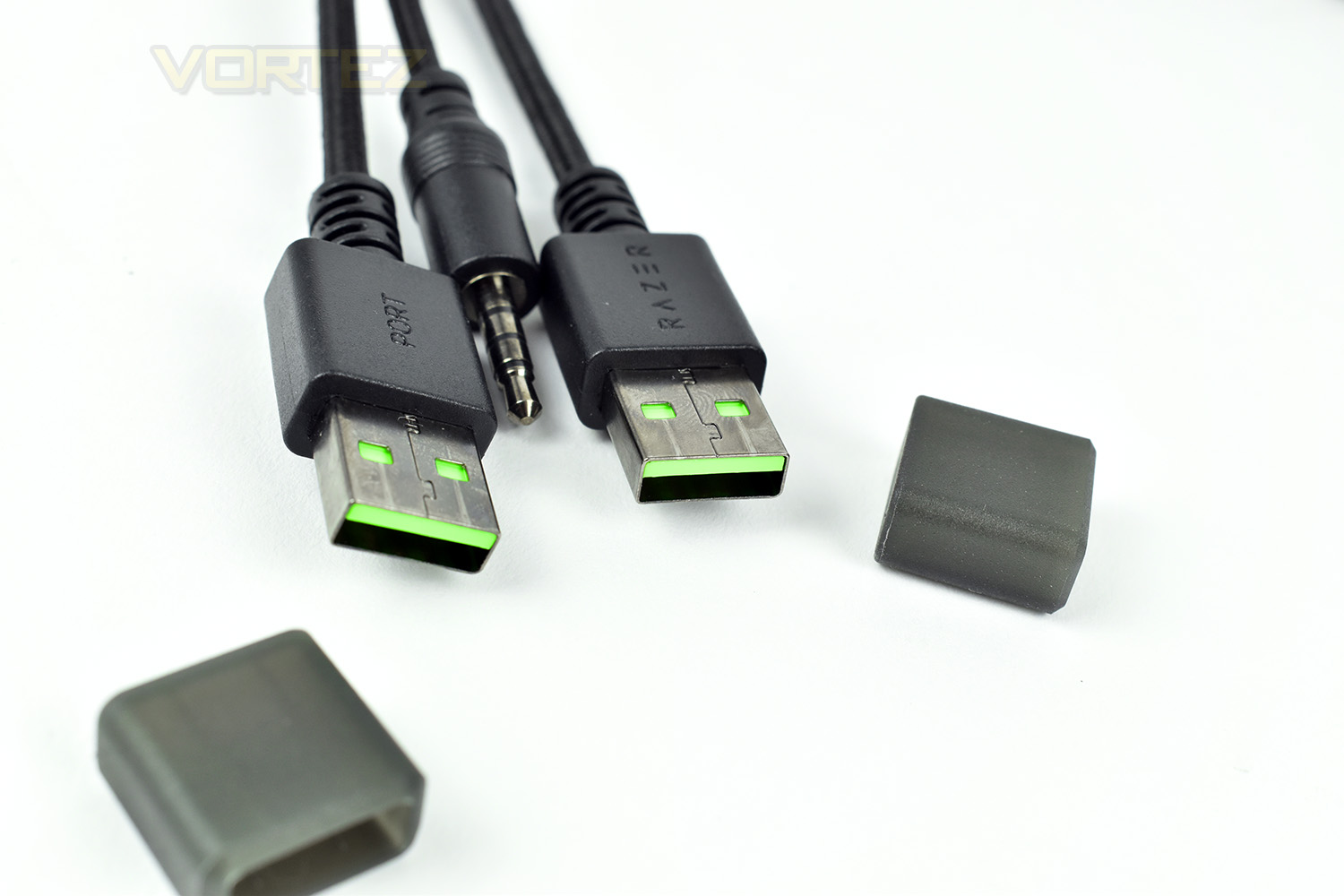
The 1.8M braided USB cable splits into three ports, a pair of USB 2.0 and a single 4-pole 3.5mm jack.
Software
It’s been over a year since we first looked at the Razer Synapse 3.0 beta software, with the Razer Lancehead. Since then, we’ve noticed many improvements to appearance, functionality and stability but we did expect this to come out of the beta phase before now; the list of products which require Synapse 3.0 grows on an almost-weekly basis, sometimes with £200+ pricetags, which we think deserve a final release, or at least not something that is branded as beta.None the less, it does seem largely stable now and is certainly a strong contender.
Check out our short video below for a quick demo on the software’s features and usability.
Performance Testing
First things first, we’ll deal with the appearance of the keyboard. We personally think it looks drastically better than the previous model, the BlackWidow Chroma V2, largely down to the keyswitches protruding from the backplate and the much smaller overall footprint. The Chroma V2 had large bezels around the keyboard, as well as the Macro keys on the left edge which increased its size. Remaining on the topic of appearance, the RGB lighting is stunning, aided by the Chroma section of the Synapse software. However, there’s a couple of small issues we found, with the first being the LED indicators above the direction keys, they can’t be altered from any other colour than white which makes them stand out like a sore thumb. There’re also the media keys in the top-right, the colour can be altered on these, but all three must be the same colour.Razer’s new sidewalls on the mechanical switches have made a marked improvement over the, already great, key switches. There’s a lot less noticeable lateral movement while typing and gaming which seriously improves the overall feel of the keyboard. Having said that, there is one downside to these new sidewalls present, O-rings will no longer fit, if you’re a fan of using them. Maybe best to choose the Razer Orange keys if you want the tactile feel with a little less noise.
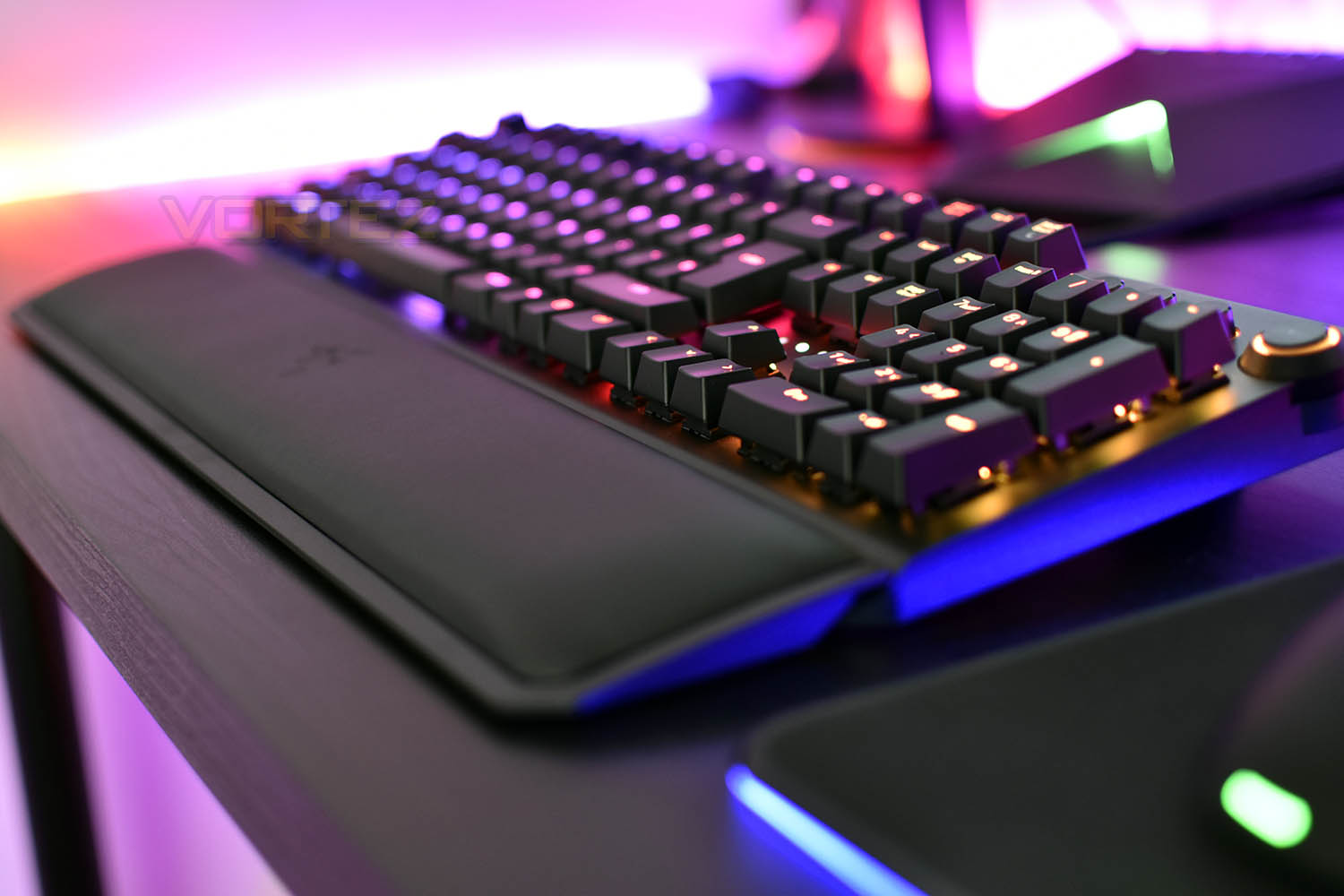
Comfort of use is something we hugely praised the previous version for, and we’re happy to say, that comfort has been carried over with the plush, leatherette wrist rest, this time they’ve improved the rubber pads on the underside and mounted the magnetic attachment system in such a way that the angle of the rest can be altered slightly.
The cable routing built into the underside of the keyboard is handy and certainly welcomed over the previous version, allowing you to be that little bit tidier with your wire management. Razer have also moved the USB and headset passthrough to the left side, giving right-handed users a little more space for mouse movement.
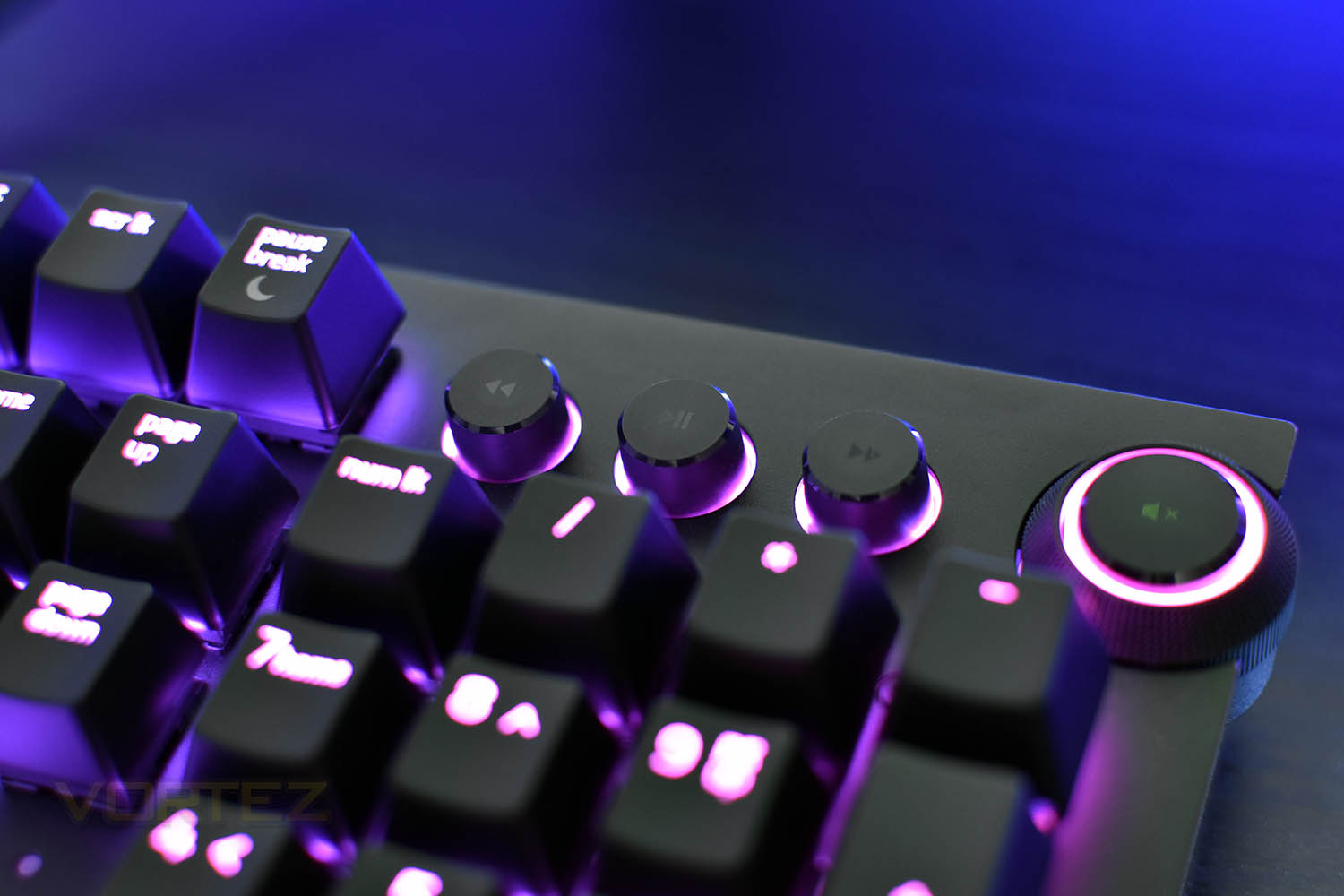
We mentioned in the introduction that we’ve used the BlackWidow Chroma V2 for nearly 18 months so we know the keyboard inside and out. There are two inclusions on the Elite that we can’t believe we lived without, one being the media keys, including skip backwards, play/pause and skip forwards and the volume wheel/mute button. The other function is, when the fn key is depressed, the keyboard’s backlighting is disabled, leaving only the relevant buttons lit with a white backlight.
Conclusion
Razer have really hit the nail on the head this time around, compared to the previous iteration. So many companies release a new version of their keyboard only to actually introduce one or two small improvements, whereas Razer have properly re-designed the keyboard all over again.The sidewalls on the mechanical key switches truly alter the overall feel when typing and gaming, for the better, with the added bonus of also preventing dirt and moisture ingress.
We’re so pleased Razer have carried on the plush wrist rest to the Elite; this is, by a long way, the best one on the market, with Logitech and Cooler Master trying to copy the design but not managing the same comfort and the likes of Corsair and DasKeyboard using hard plastic.
The media keys and fn key backlighting are both excellent additions that we genuinely can’t imagine living without anymore. The volume wheel is positioned perfectly with small tactile clicks as you move it.
The only downsides we can think of with the BlackWidow Elite are the white LED indicators, the lack of RGB lighting choice between the backwards, play/pause and forwards buttons. There’s also the removal of macro keys, though after asking around, it turns out the vast majority of people never use the macro keys on their keyboard anyway. We’re also a little fed up of keyboard manufacturers only including USB 2.0 passthroughs, we feel as though USB 3.0 should be the standard by now. And while we’re describing the negatives, we want to see the mechanical keyswitch keyring make a reappearance; such a unique gift should not be taken away.
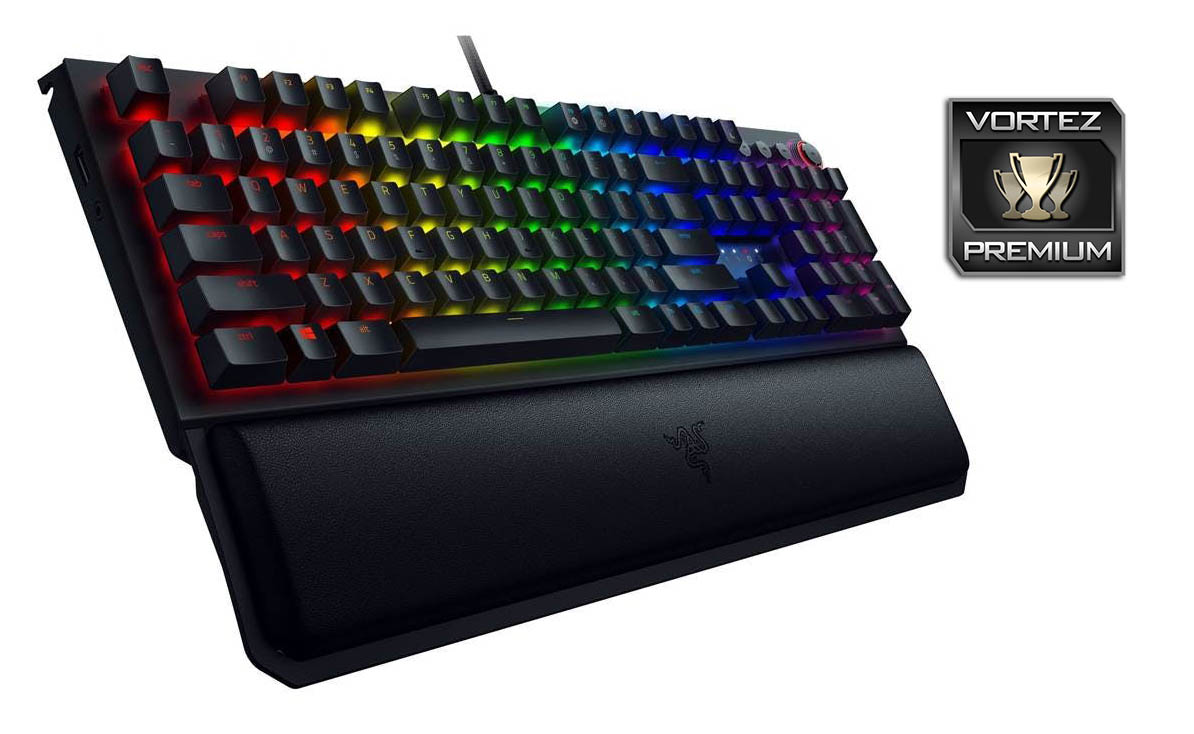
The £170 asking price will take some justifying to the average consumer but considering what else that same money will buy you, we feel this offers the best all-round package.
Pros
+ Keyboard looks excellent
+ Much improved Razer mechanical keys
+ Media keys and volume wheel
+ Better implemented fn key
+ The plush wrist rest
+ Cable management implemented
Neutral
+- No longer comes with a mechanical switch keyring
+- Only USB 2.0 passthrough
+- It’s time Synapse 3.0 became a full release
Cons
– White LED indicators
– Not independent RGB control on media keys
+ Keyboard looks excellent
+ Much improved Razer mechanical keys
+ Media keys and volume wheel
+ Better implemented fn key
+ The plush wrist rest
+ Cable management implemented
Neutral
+- No longer comes with a mechanical switch keyring
+- Only USB 2.0 passthrough
+- It’s time Synapse 3.0 became a full release
Cons
– White LED indicators
– Not independent RGB control on media keys
Click here for an explanation of our awards at Vortez.net.
Stay connected with the Vortez Social Media pages:
Join in with the discussions on Discord