We’re rarely disappointed by Gamer Storm when reviewing their cooling kit, so let’s see if that trend can continue with the Captain 240 Pro with RGB lighting and a leak-proof design.

Product on Review: Gamer Storm Captain 240 Pro
Manufacturer: Gamer Storm
Street Price: GBP £109.99 / USD $114.99
We’ve reviewed a range of cooling units from Gamer Storm, and while they’re still a relative newcomer to the enthusiast cooling scene, they certainly tend to punch well above their pricing structure would suggest.
Today we look at the latest in their range, the Captain 240 Pro. As the title states, this is a 240mm radiator with a pair of 120mm RGB fans and full RGB pump head with a stand-out design.
That may all seem very typical of an all-in-one watercooling solution but Gamer Storm claim something a little unorthodox with this particular unit, in that they believe they’ve solved a problem that we’ve never experienced. This unit will never leak, thanks to an automatic pressure relieving radiator. We’re not sure quite how we can test this so we may just have to take their word on that, however, removing any possibility of a leak certainly helps with peace of mind.
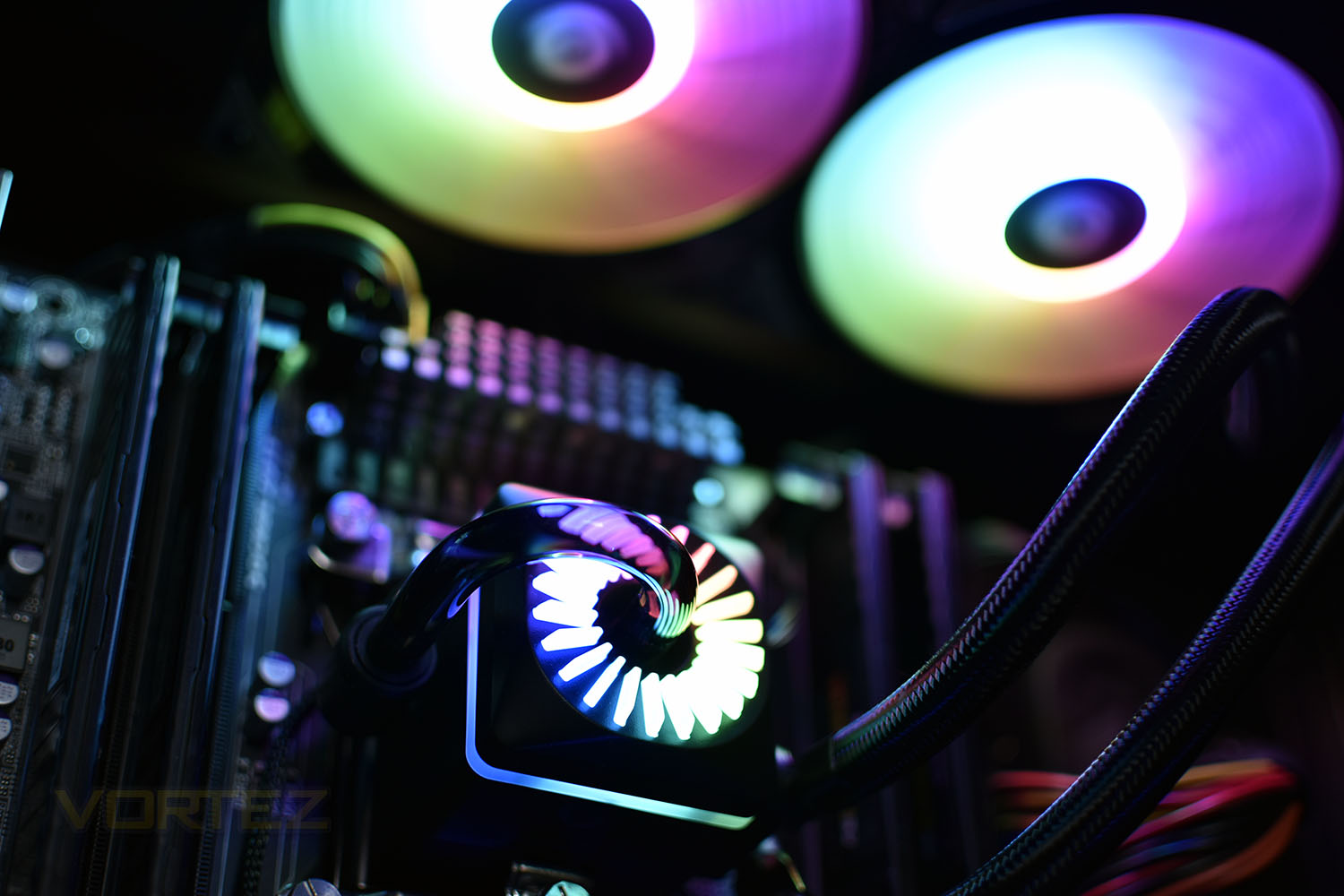
RGB lighting can be provided by the provided RGB controller or through RGB headers on your motherboard, supporting ASUS, Gigabyte, MSI and ASRock along with others.
Anyway, enough of that, let’s unwrap this cooler and see how it looks and performs.
Gamer Storm on the Captain 240 Pro:
Ever since the birth of CPU liquid cooler, leakage has been an inevitable risk for every user. After years of R&  , Gamer Storm has finally got the leakage free solution – the Automatic Pressure Relieving Radiator. With this patented technology, any pressure within the circulation system will be released into the air, Captain Pro has no reason to leak. Meanwhile in Captain Pro, the upgraded Addressable RGB lighting system can be either controlled by the included controller or specified motherboard. With the included 6-port hub, RGB syncing is easier than ever!
, Gamer Storm has finally got the leakage free solution – the Automatic Pressure Relieving Radiator. With this patented technology, any pressure within the circulation system will be released into the air, Captain Pro has no reason to leak. Meanwhile in Captain Pro, the upgraded Addressable RGB lighting system can be either controlled by the included controller or specified motherboard. With the included 6-port hub, RGB syncing is easier than ever!Technical Specifications
Intel:
LGA20XX/1151/1150/1155/LGA1366
AMD:
TR4/AM4/AM3+/AM3/AM2+/AM2/FM2+/FM2/FM1
Radiator Dimensions: 290×120×27 mm
Radiator Material: Aluminum
Net Weight: 1478 g
Tube length: 300 mm
Pump Dimensions: 93.7×93×85 mm
Pump Speed: 2200 RPM±10%
Pump Noise: 17.8 dB(A)
Pump Connector: 3-pin
Pump Rated Voltage: 12 VDC
Pump Rated Current: 0.13 A
Pump Power Consumption: 1.56 W
Fan Dimensions: 120×120×25 mm
Fan Speed: 500~1800 RPM±10%
Fan Airflow: 69.34 CFM
Fan Air Pressure: 2.42 mmAq
Fan Noise: ≤30 dB(A)
Fan Connector: 4-pin PWM
Bearing Type: Hydro Bearing
Fan Rated Voltage: 12 VDC
Fan Rated Current: 0.17 A
Fan Power Consumption: 2.04 W
LED Type: Addressable RGB LED
LED Connector: 3-pin(+5V-D-G)
LED Rated Voltage: 5 VDC
LED Power Consumption: 5.7 W
LGA20XX/1151/1150/1155/LGA1366
AMD:
TR4/AM4/AM3+/AM3/AM2+/AM2/FM2+/FM2/FM1
Radiator Dimensions: 290×120×27 mm
Radiator Material: Aluminum
Net Weight: 1478 g
Tube length: 300 mm
Pump Dimensions: 93.7×93×85 mm
Pump Speed: 2200 RPM±10%
Pump Noise: 17.8 dB(A)
Pump Connector: 3-pin
Pump Rated Voltage: 12 VDC
Pump Rated Current: 0.13 A
Pump Power Consumption: 1.56 W
Fan Dimensions: 120×120×25 mm
Fan Speed: 500~1800 RPM±10%
Fan Airflow: 69.34 CFM
Fan Air Pressure: 2.42 mmAq
Fan Noise: ≤30 dB(A)
Fan Connector: 4-pin PWM
Bearing Type: Hydro Bearing
Fan Rated Voltage: 12 VDC
Fan Rated Current: 0.17 A
Fan Power Consumption: 2.04 W
LED Type: Addressable RGB LED
LED Connector: 3-pin(+5V-D-G)
LED Rated Voltage: 5 VDC
LED Power Consumption: 5.7 W
Packaging & Bundle
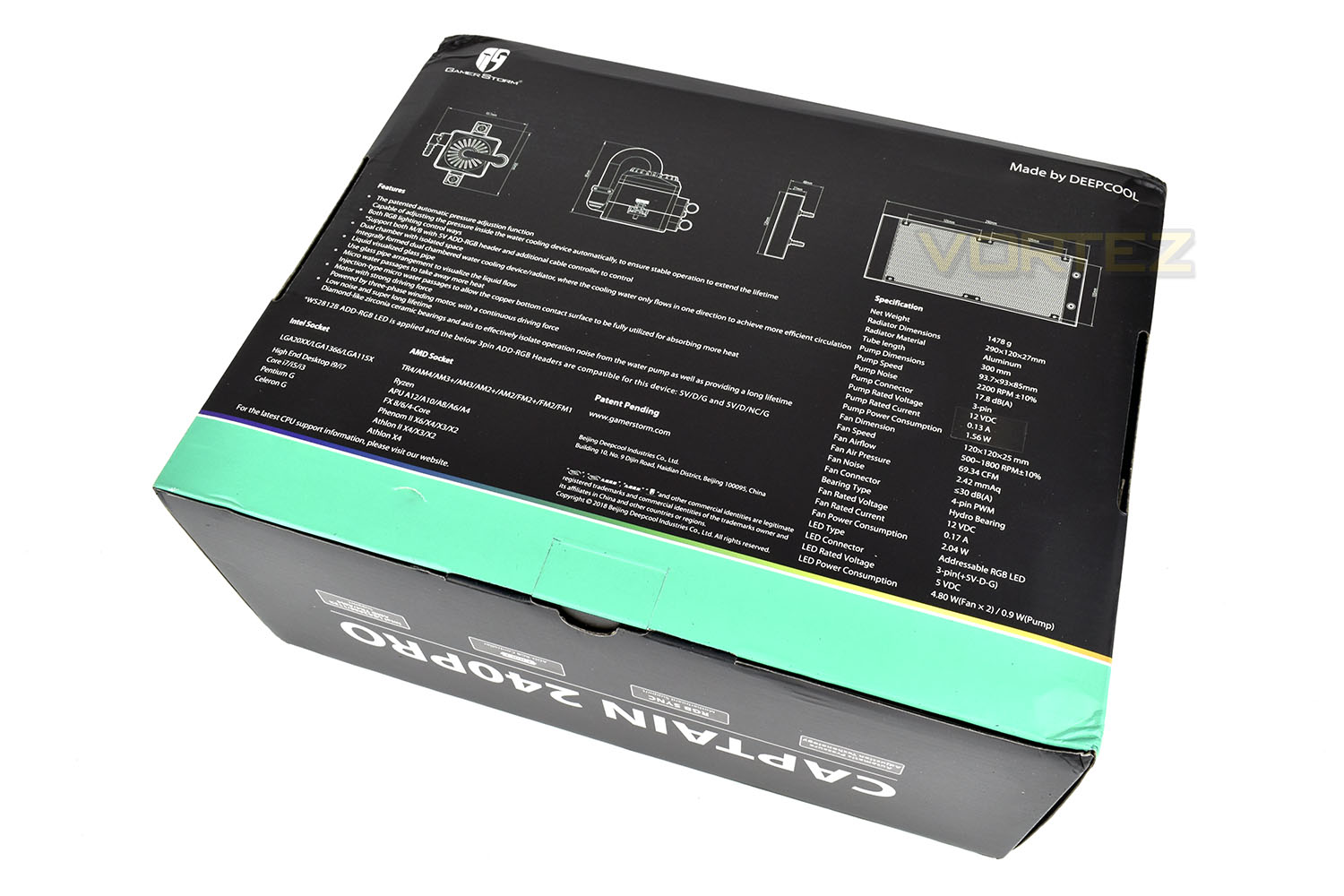
Working with the typical turquoise and black theme, Deepcool deliver the Captain 240 Pro in a large carboard box, though asking a native English speaker might’ve been advantageous with the term adjustion being used, as well as a rogue ‘o’ within techonology. For a Chinese company, we can let them off, however.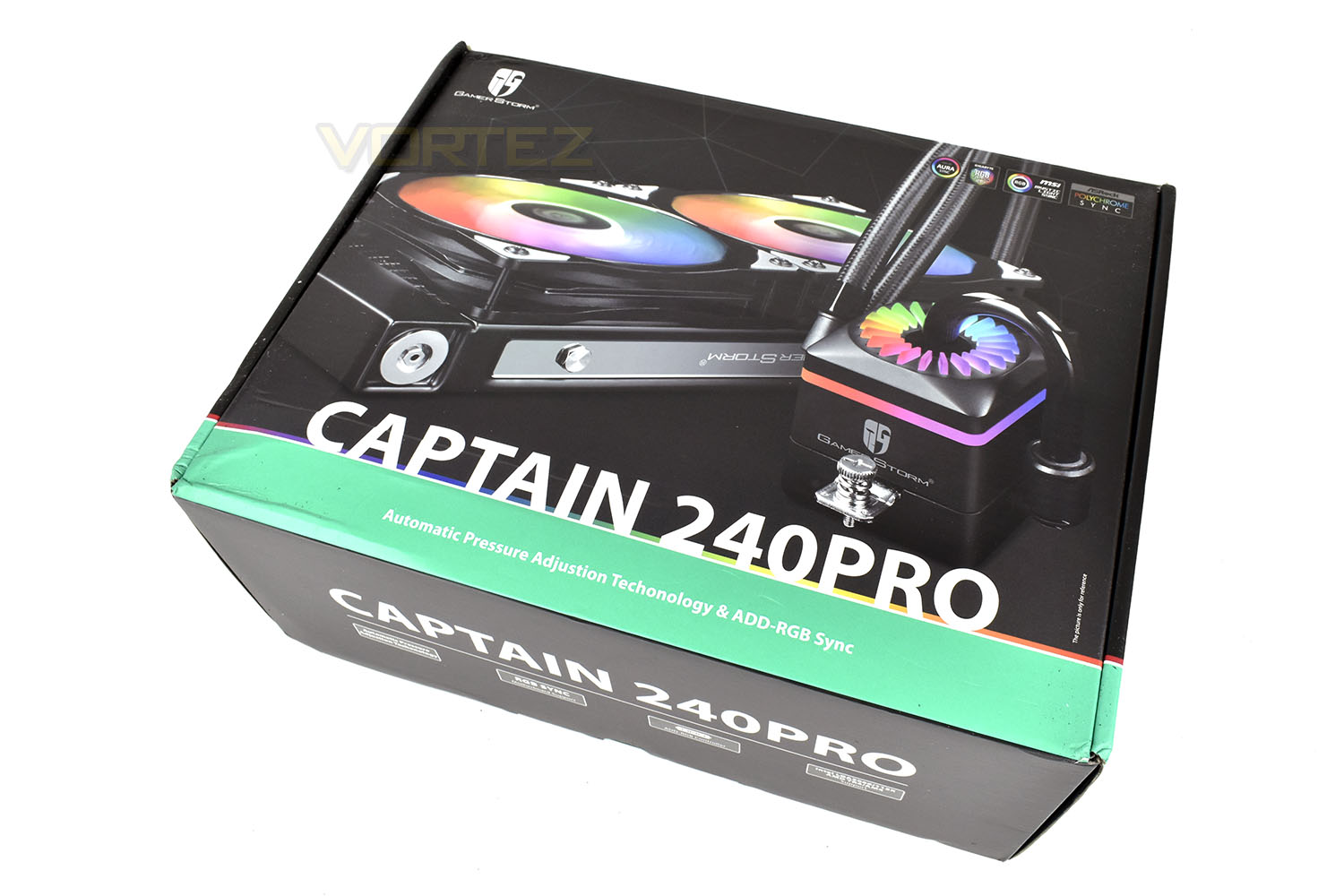
Flipping the box over, the details and specifications are very well laid out with accurate diagrams and plenty of information regarding compatibility.
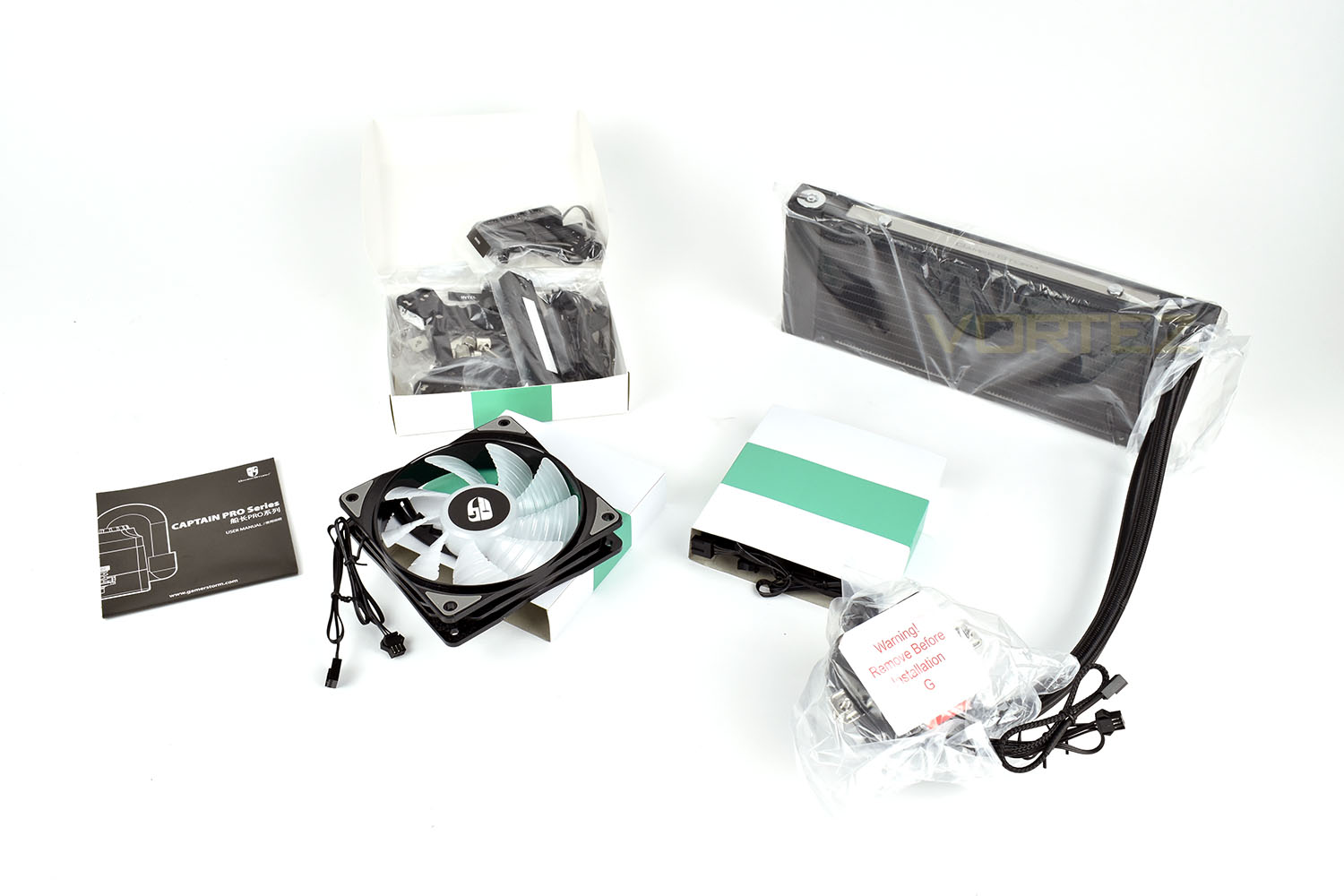
Bundled with the Captain 240 Pro is all of the mounting hardware required for AMD or Intel, excluding Threadripper and a pair of 120mm RGB fans.
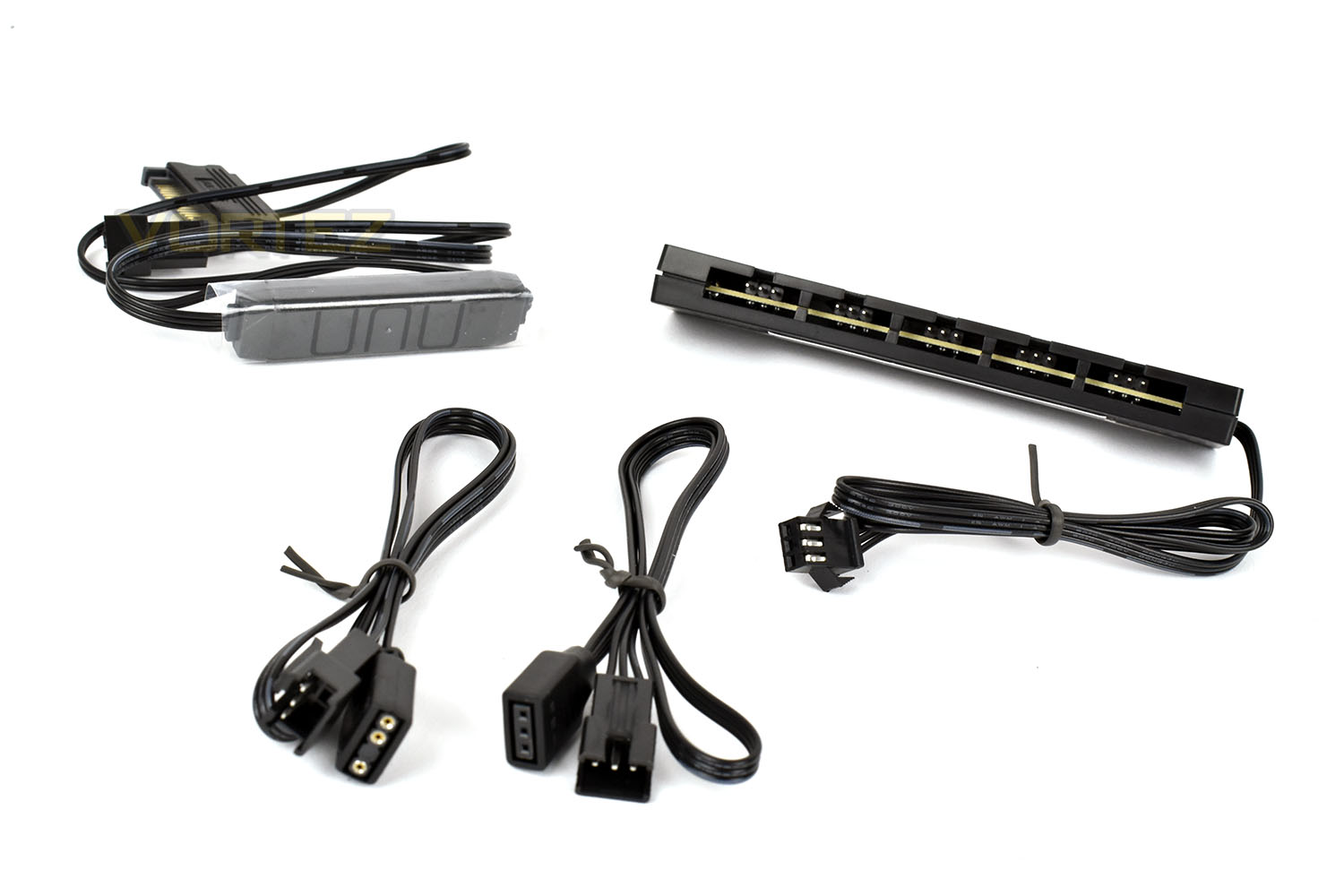
Alongside the fans and cooler is a 6-socket RGB splitter with relevant connections for different motherboard standards or a standalone controller for if your motherboard doesn’t support RGB lighting.
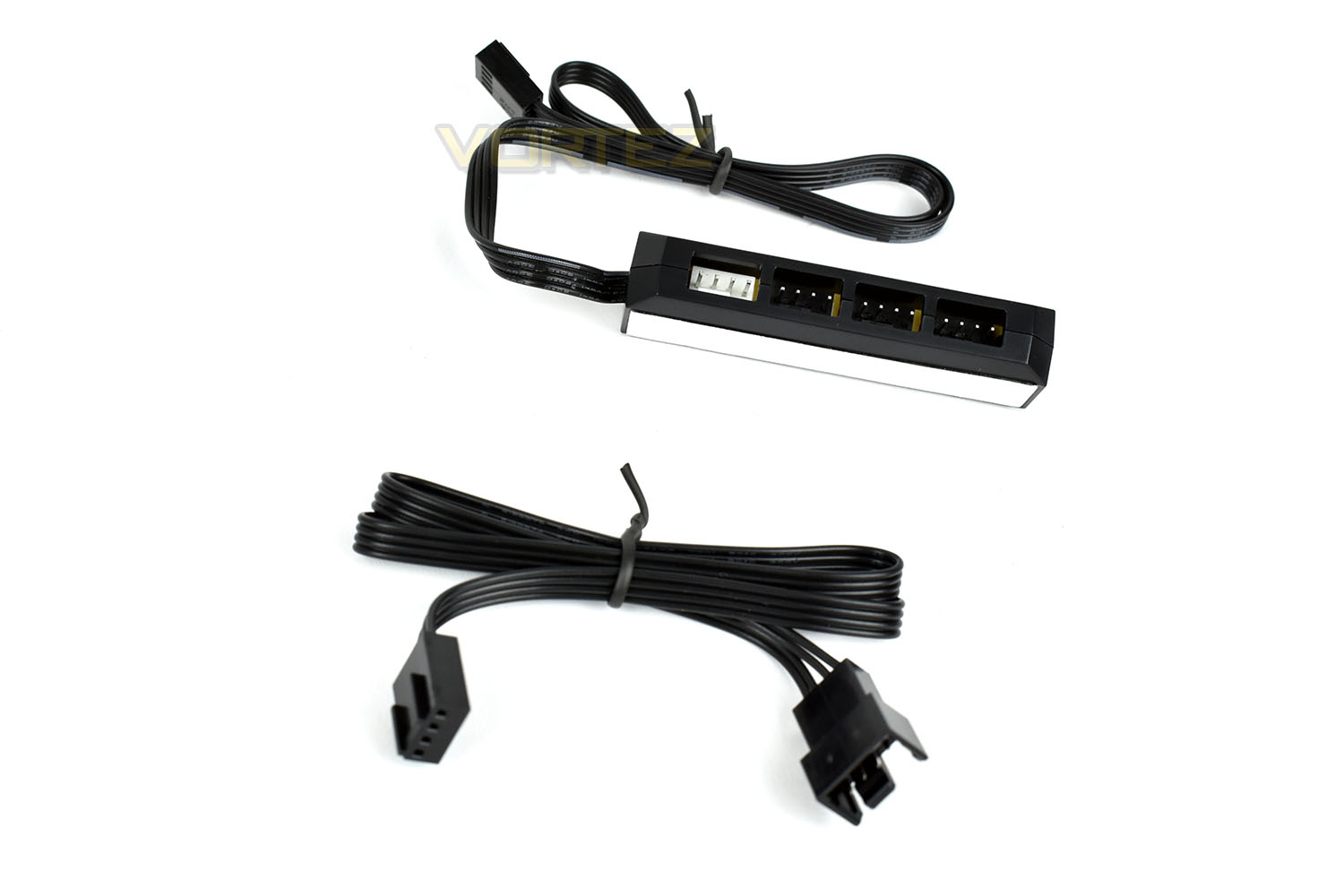
We also get a 4-socket 4-pin PWM fan splitter to ensure both fans spin at the same speed, with space to add a pair of fans to the other side of the radiator as well, to improve cooling if required.
Closer Look
Starting off with the pump housing, the first thing to strike you is the protruding glass tube out of the top, this is apparently to see the liquid flowing inside, but without air or some other kind of foreign object suspended in the system, it’ll be incredibly difficult to see the flow. However, it gives the pump a weirdly modern and old industrial feel.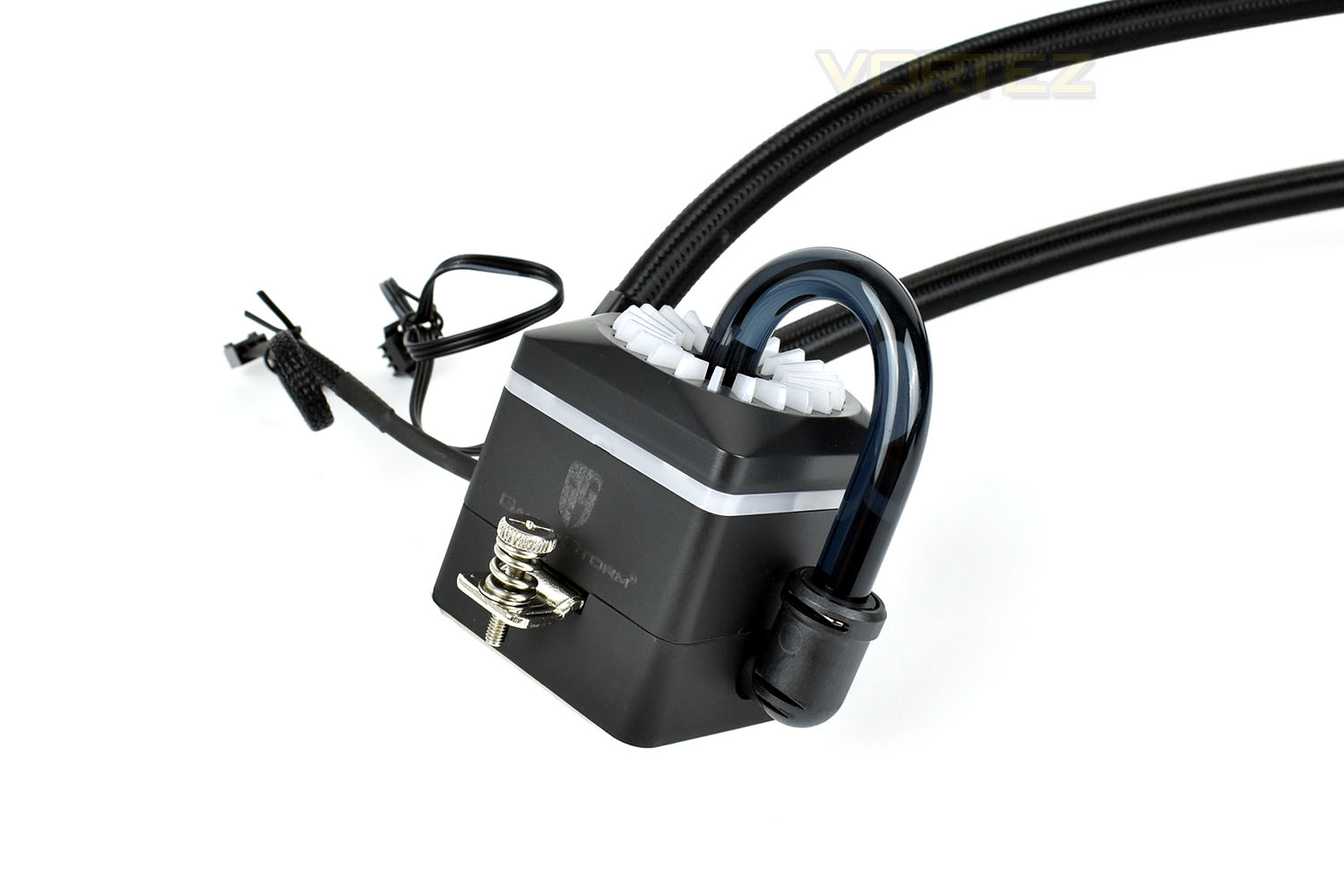
The white translucent plastic sections on top of the pump, as well as the loop of plastic around the sides are responsible for the RGB lighting.
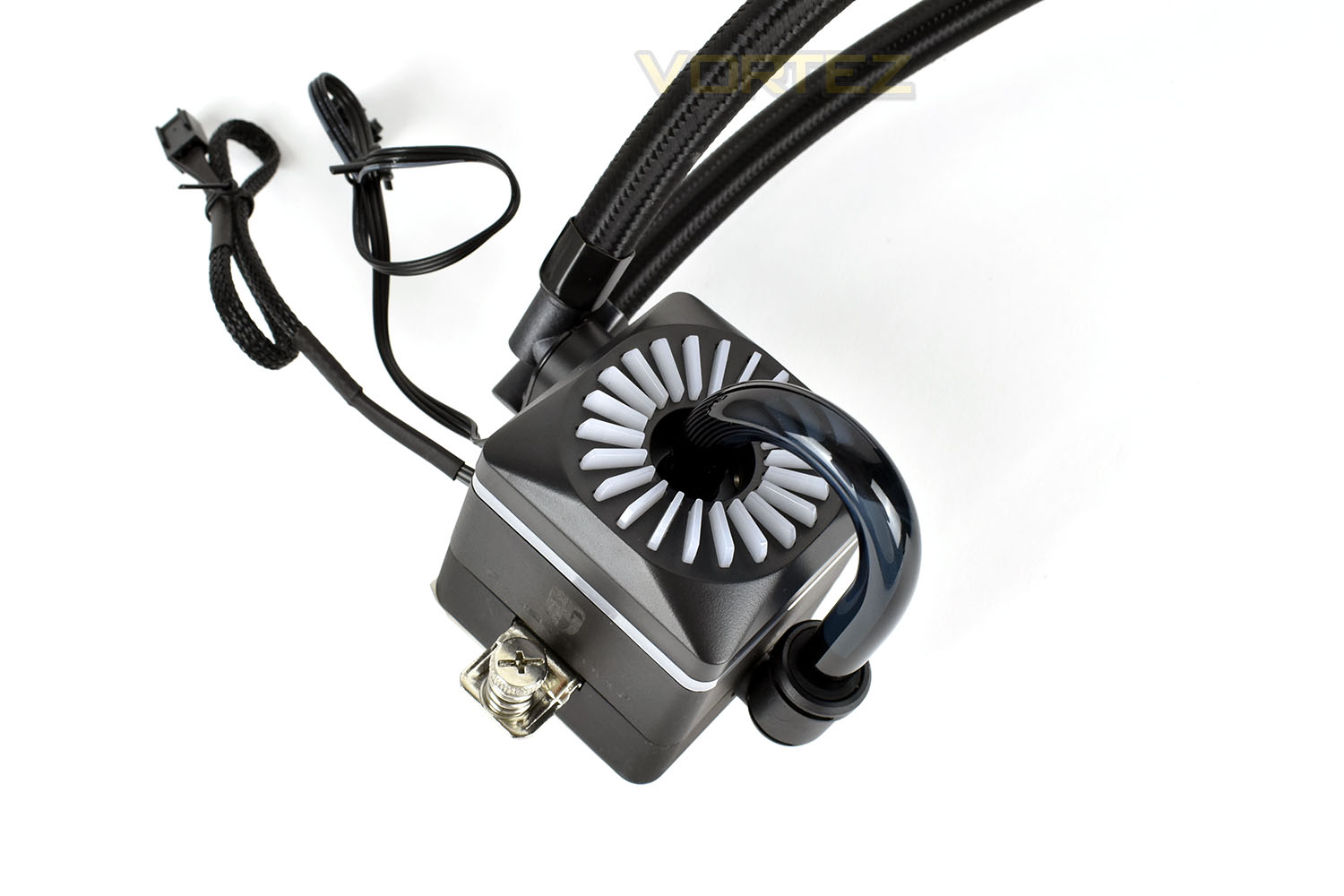
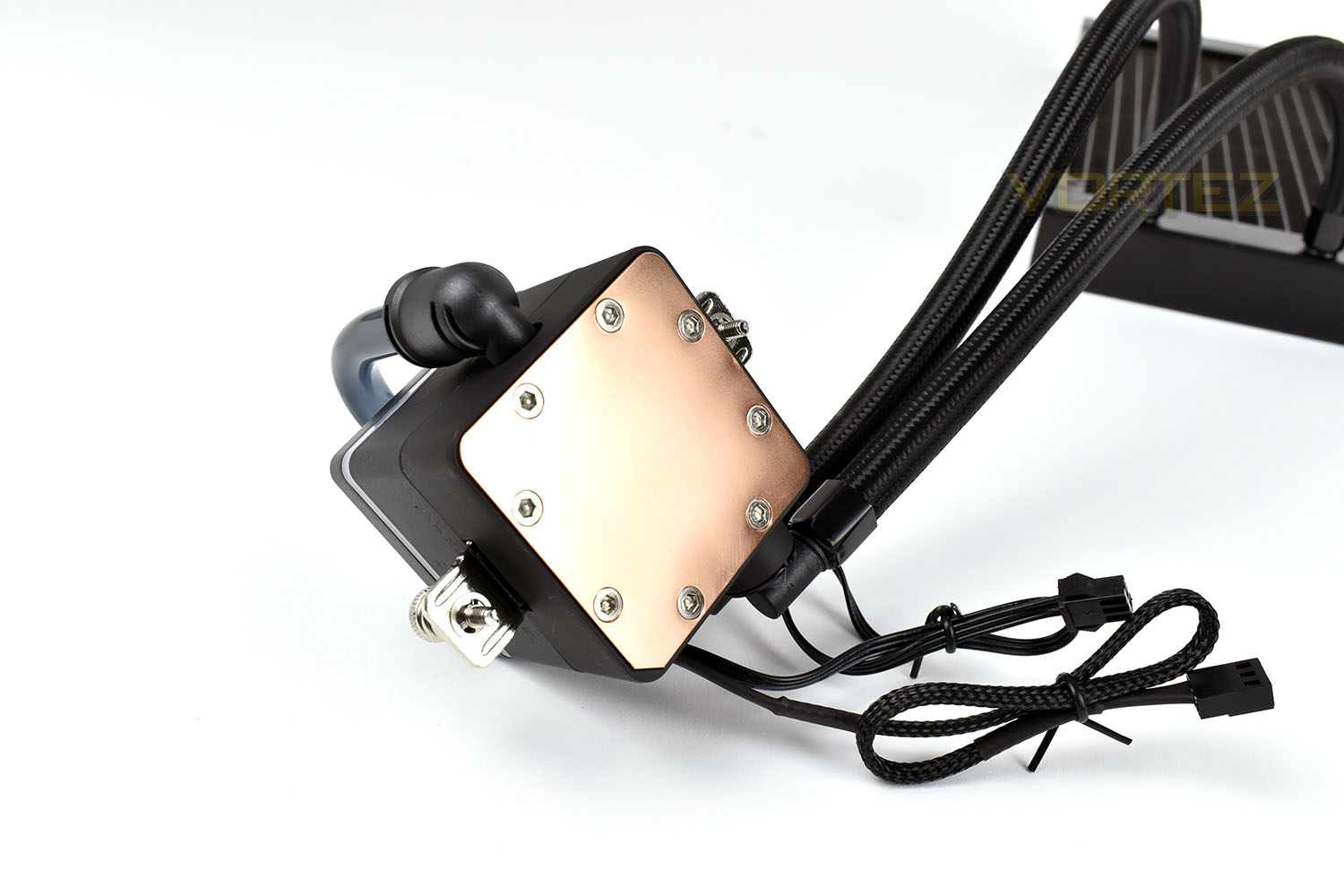
The base is polished to an incredibly smooth finish which should help in a small way to remove heat from the CPU.
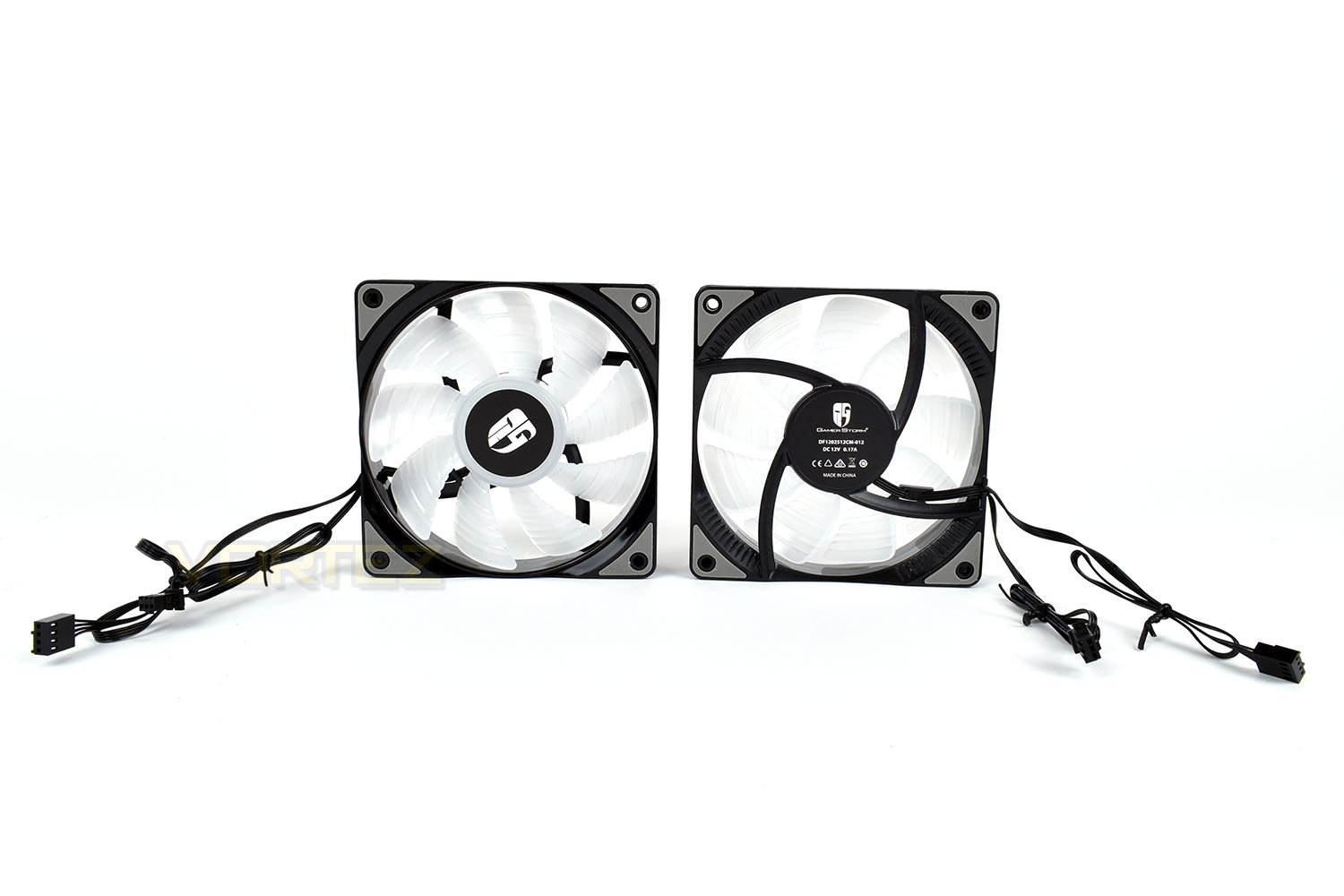
Moving onto the 120mm fans, each fan features a total of 9 ridged, translucent blades which are illuminated from the hub in the centre. Both sides of the fans are rubber mounted in the corners to prevent vibrations from being transferred from the frame into the radiator. The fans operate in a range of 500-1800 RPM which should bode well for quiet idle operation with decent cooling potential at full load.
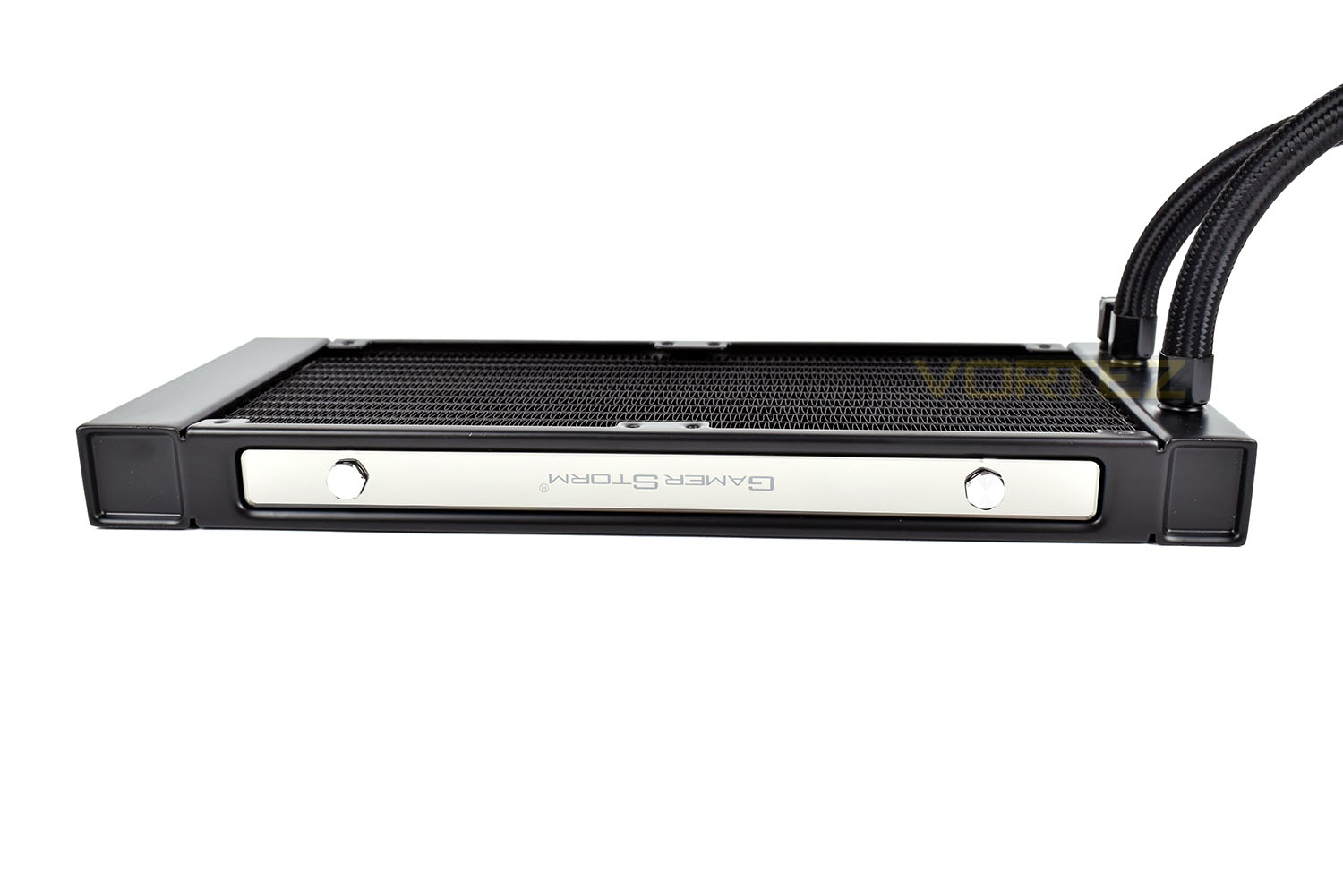
Finally, the radiator. Each edge of the radiator features a fancy polished insert with the parent companies title.
Installation
While most CPU coolers arrive with paste pre-applied or a small tube to use, we try and remove any variance from our testing and use Noctua’s NT-H1 thermal paste instead. A small grain of rice sized blob is enough to cover our Intel Core i7 3930K CPU.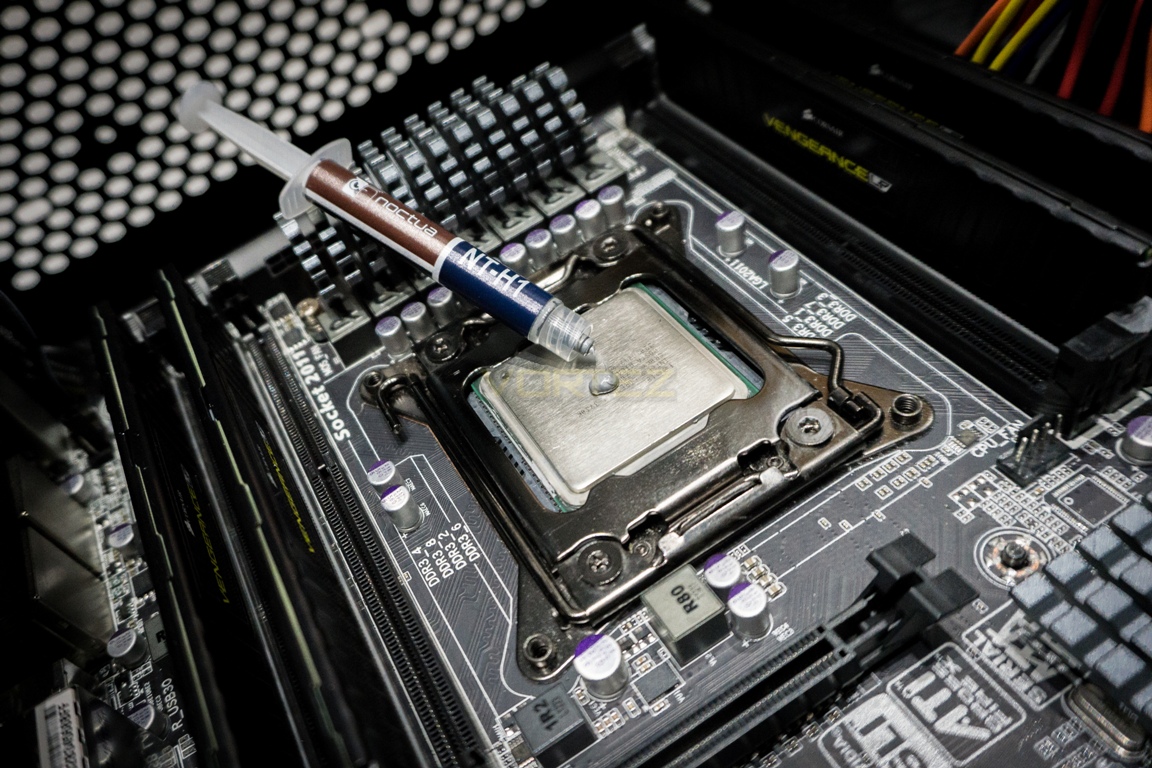
You can also see the mounting points in each corner with the bracket installed across the top and bottom of the socket.
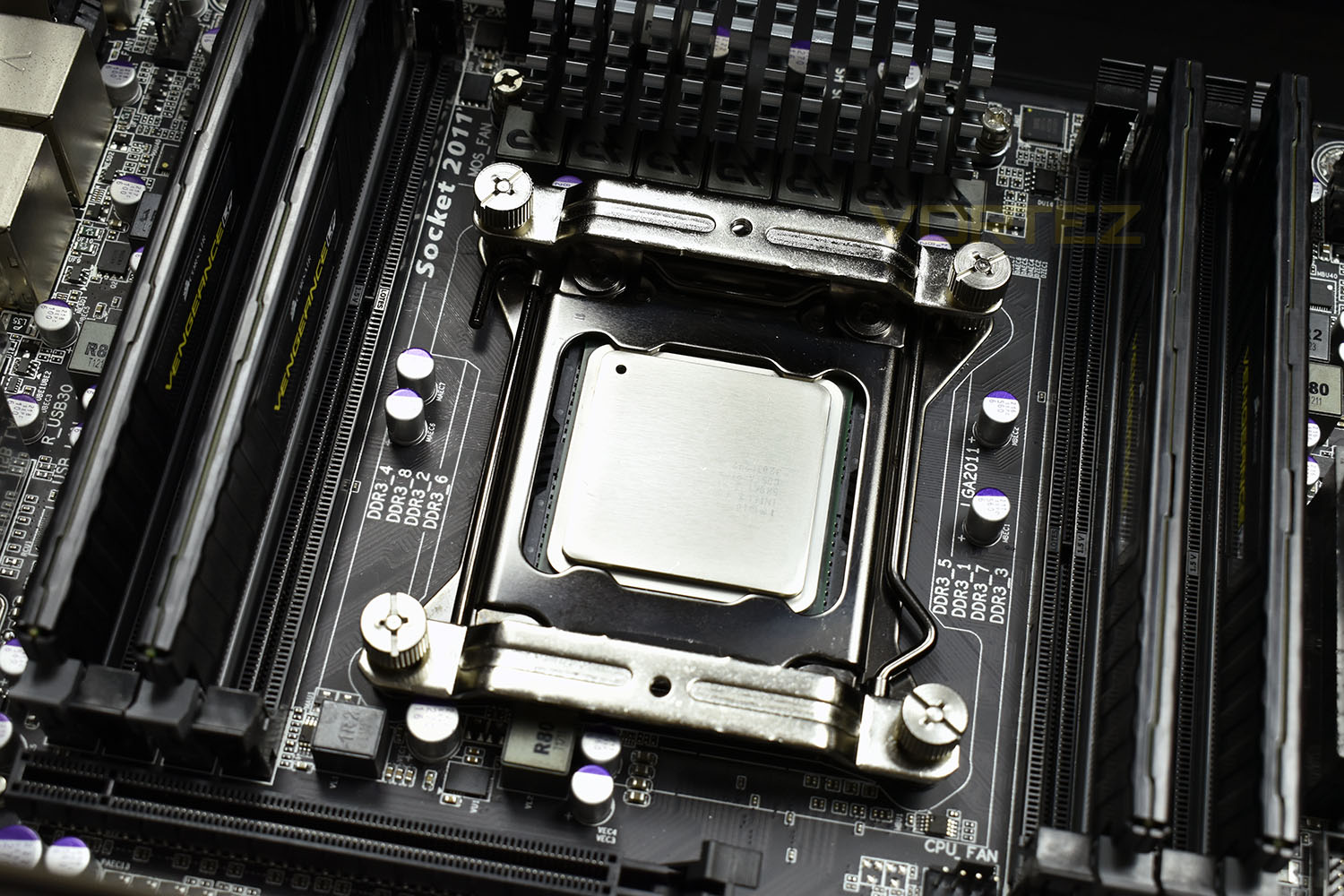
It’s then a case of pushing the pump into place and tightening the top and bottom mounts. The RGB and pump connections must be organised accordingly, we sent the RGB header behind the motherboard to sync with the fans, while the cable which reports fan speed is routed around the pump and to the motherboard header.
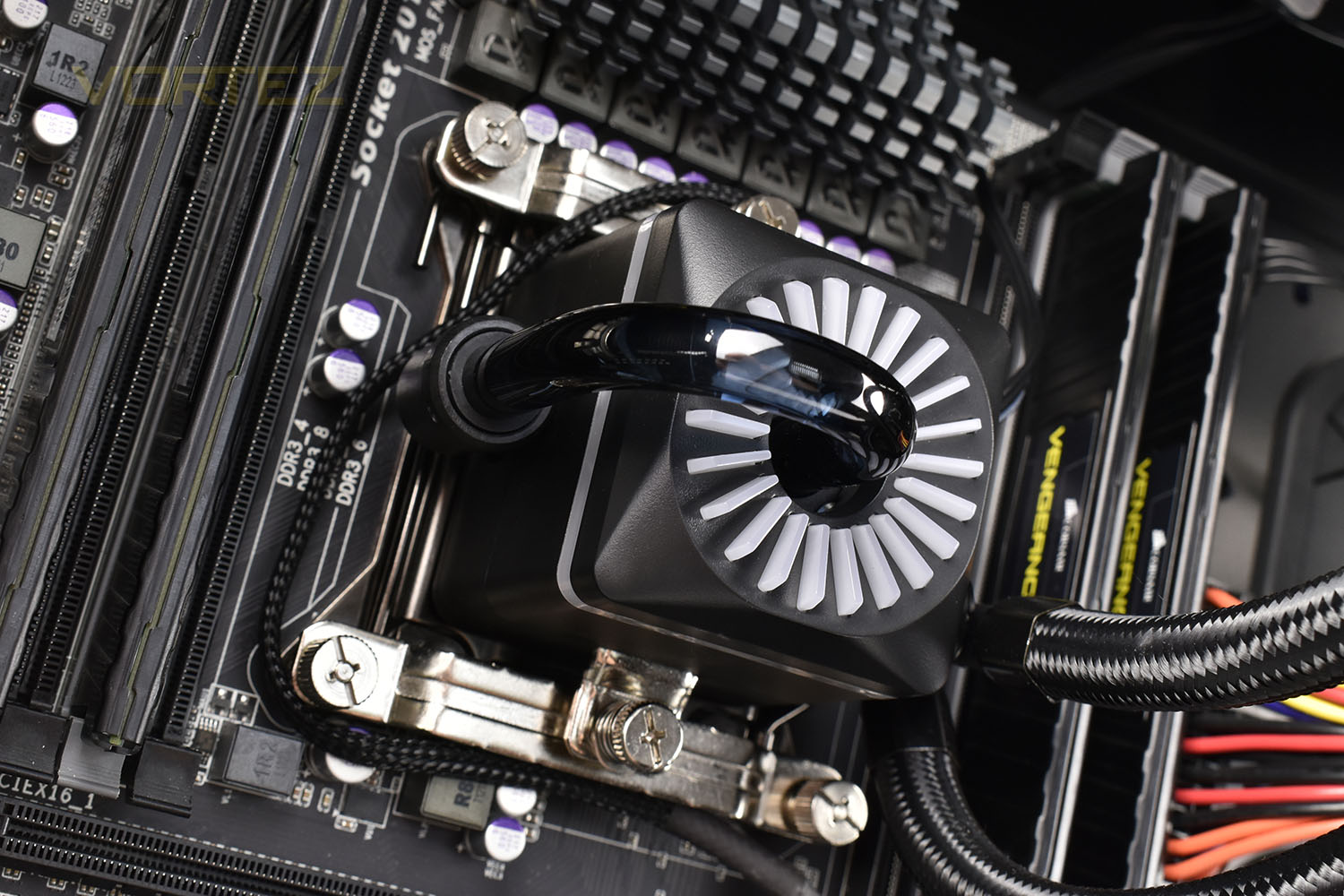
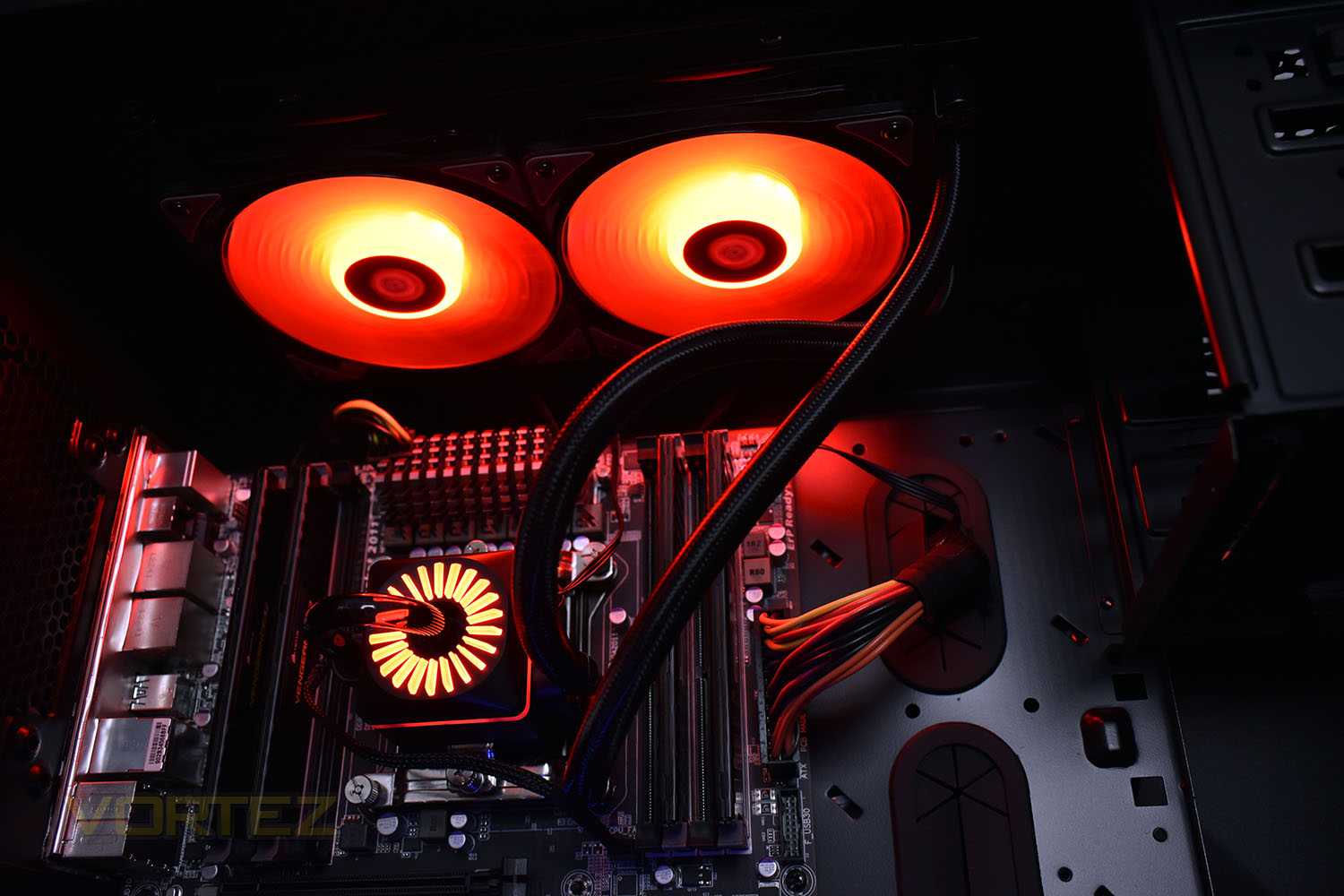
The radiator is then installed into the top of the case with the RGB lighting illuminating the inside.
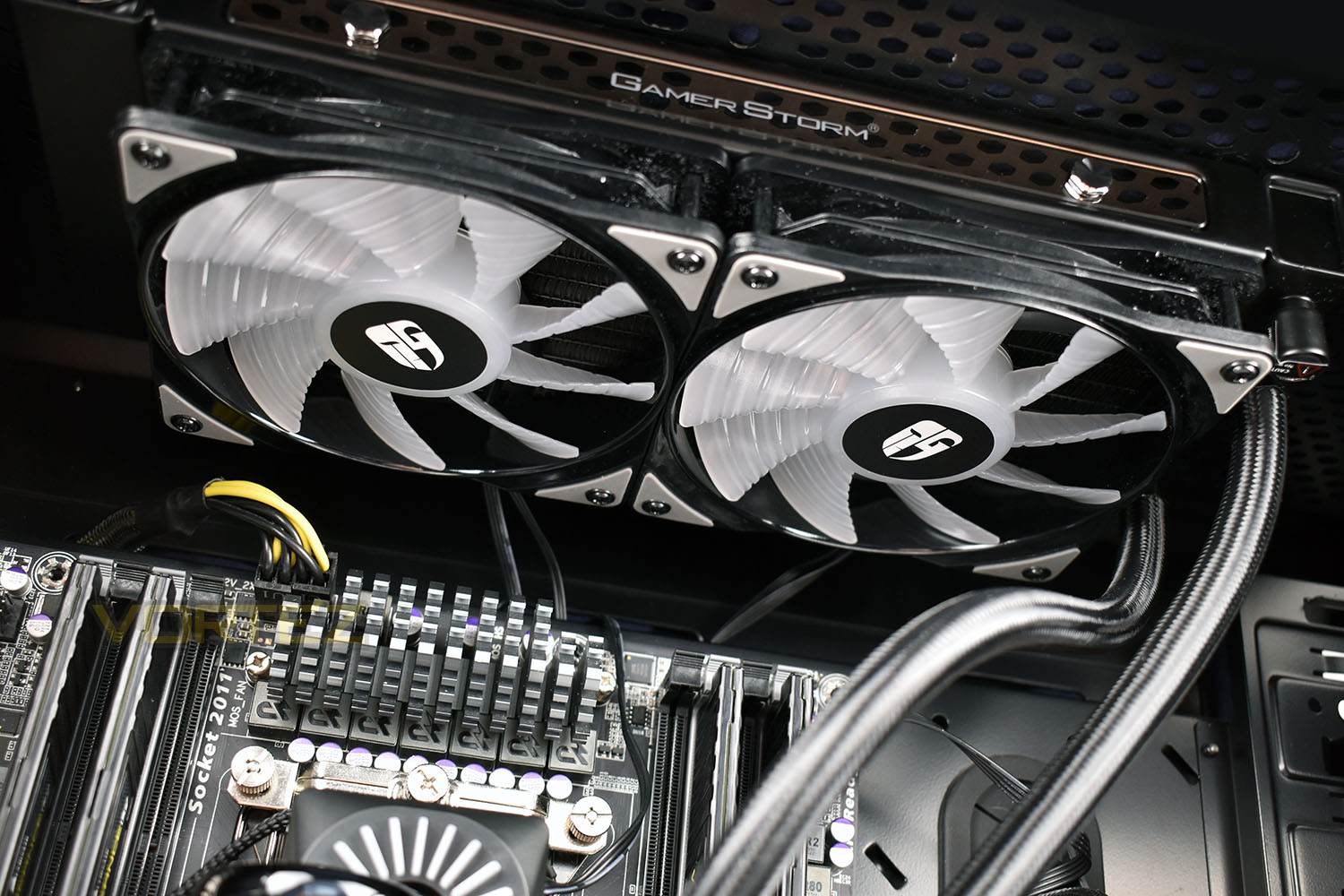
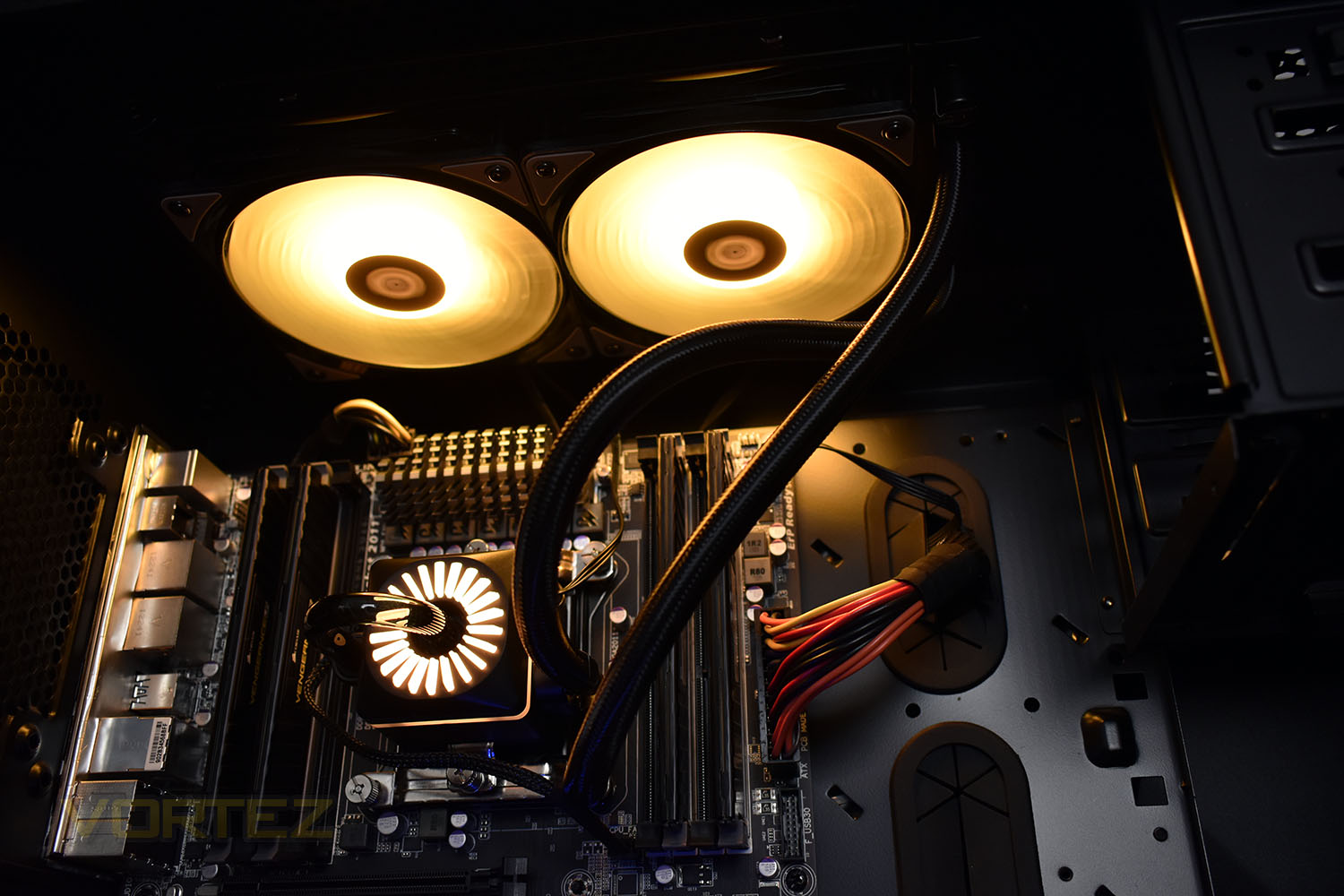
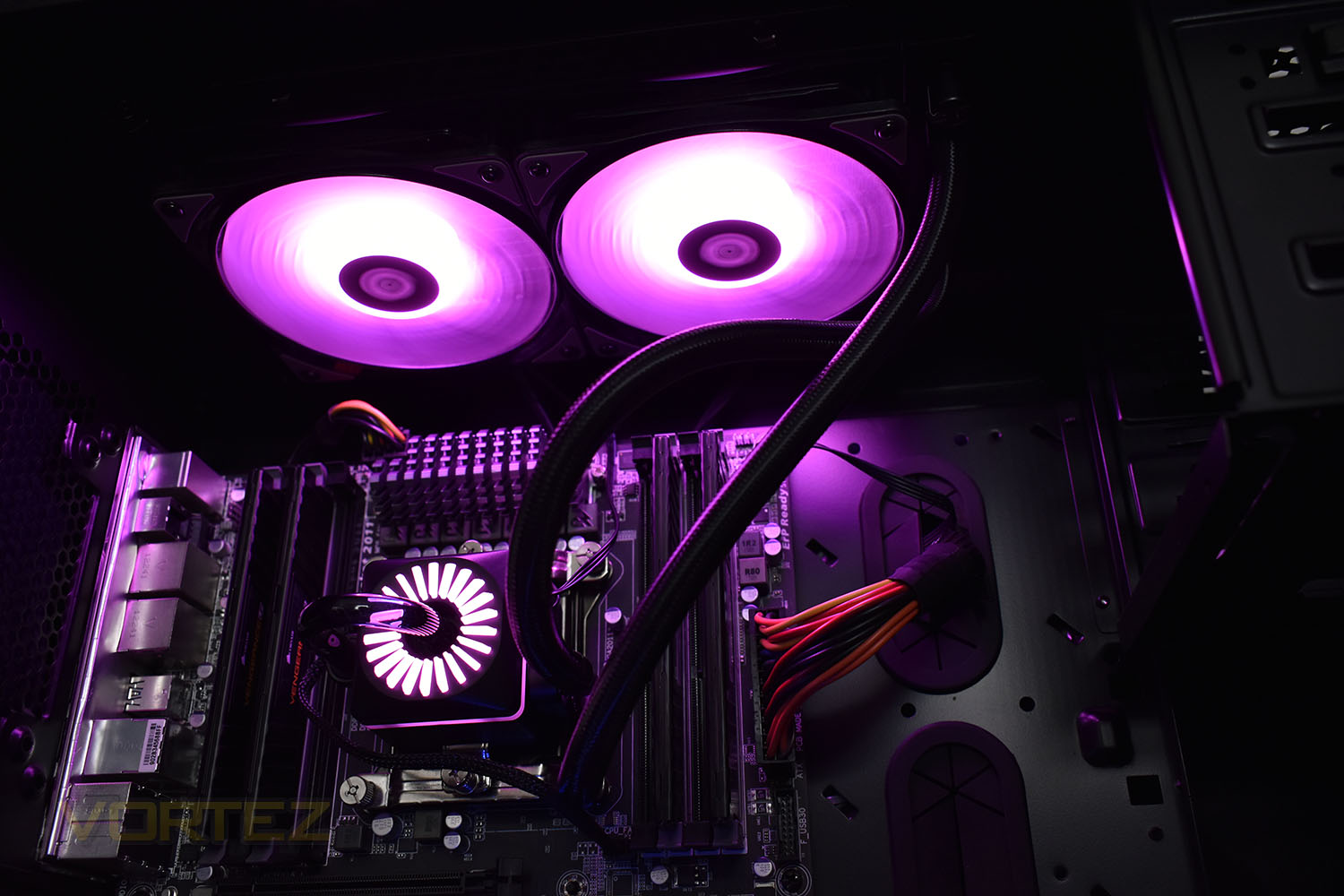
RGB Lighting
Below is a few images of the RGB lighting along with a couple of minutes of us flicking through the various options on the included RGB controller.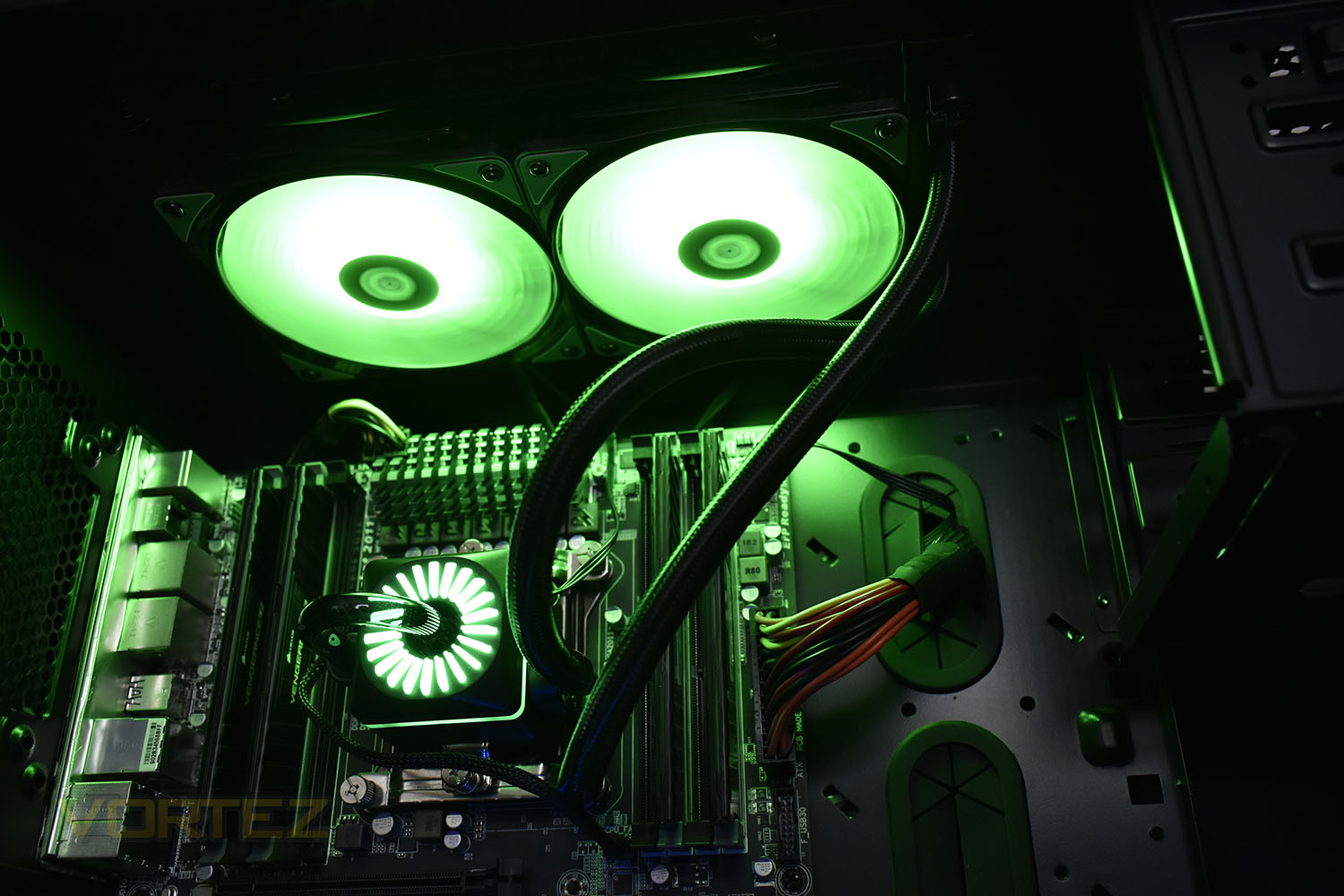
Test Setup & Methodology
We have recently made changes to our cooling department and the associated testing methodology, so please note that the number of results shown will increase over time as we add additional products. We hope that these results will appear clearer to the majority of our readership and look forward to building upon the baselines that we currently have.We perform two individual testing routines with each CPU cooler that we receive – temperatures and acoustics. The system used is as follows and all tests are performed at stock 3.8 GHz and overclocked 4.4 GHz frequencies.
Processor – Intel Core i7-3930K
Motherboard – Gigabyte X79-UP4
Memory – 8GB Corsair Vengeance LP 1600MHz CL9
Video Card – Sapphire Radeon HD 6850 1GB
Power Supply – NZXT Hale90 650W
Storage Drive – Kingston HyperX 240GB SATA III SSD
Case – Corsair Carbide 760T
Monitor ASUS ROG SWIFT PG278Q
Motherboard – Gigabyte X79-UP4
Memory – 8GB Corsair Vengeance LP 1600MHz CL9
Video Card – Sapphire Radeon HD 6850 1GB
Power Supply – NZXT Hale90 650W
Storage Drive – Kingston HyperX 240GB SATA III SSD
Case – Corsair Carbide 760T
Monitor ASUS ROG SWIFT PG278Q
To keep our tests consistent, we always review CPU coolers as they come out of the box – with their factory cooling fans, as the manufacturer intended and as the consumer expects. It should, however, be noted that we do not use supplied thermal paste but instead, Noctua NT-H1 paste to, again, ensure consistency. The paste is applied and the CPU allowed to run for a couple of hours, at idle, to give the thermal compound some time to “bed in.”
In the first test, we record idle and load temperatures as shown by the most current version of the Real Temp monitoring utility. The test system is booted to the Windows desktop and left to idle for 20 minutes to ensure temperatures have stabilised. The average core temperatures are then recorded over a 1 minute period and averaged across the six cores. We then perform a continuous 20 minute AIDA 64 stress test. The maximum absolute core temperatures are recorded immediately after the test has completed and averaged across the six cores. All results are displayed as delta temperatures – these are calculated by subtracting the ambient room temperature from the average core temperatures recorded. For temperature testing, the Corsair 760T chassis door is closed and has all three systems fans powered on to simulate real-world conditions.
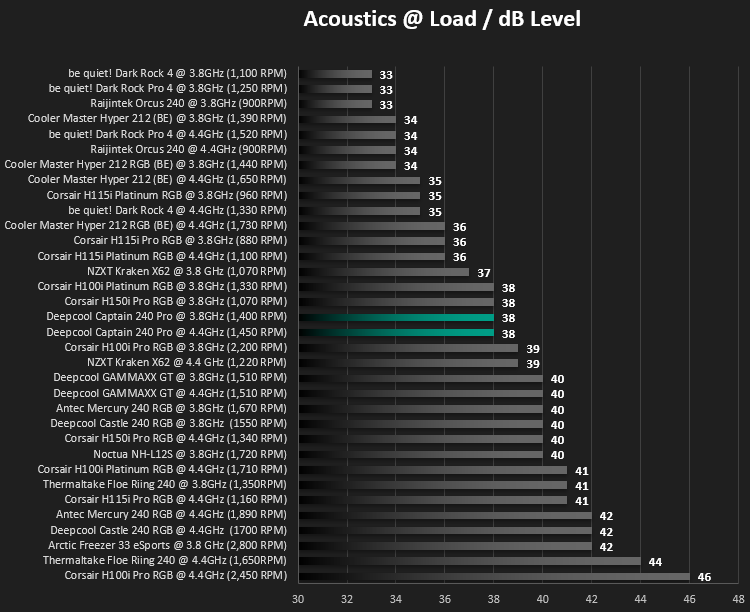
Our second test follows a similar methodology to the first, with the key difference being that the Corsair 760T chassis door is now left open and all three systems fans are disabled. This allows for the CPU cooler fans acoustic profiles to be captured in isolation. From cold, the system is again booted to the Windows desktop and left to idle for 20 minutes to ensure temperatures have stabilised. The acoustic level is then recorded at a distance of 20cm from the CPU cooler and where the individual result is an average level over a 1 minute period. We then perform our continuous 20 minutes AIDA 64 stress test. Acoustic levels are again recorded at a distance of 20cm from the CPU cooler and where the individual result is an average level over a 1 minute period.
Benchmarks – Thermal Results
We start off by letting the CPU cooler “bed in” for a couple of hours, to ensure the paste has time to move around and form an even layer, after which an idle result is taken at both 3.8GHz (stock) and 4.4GHz. The 4.4GHz overclock preset that we use consumes considerably more power and in turn generates more heat than the 3.8GHz stock speed.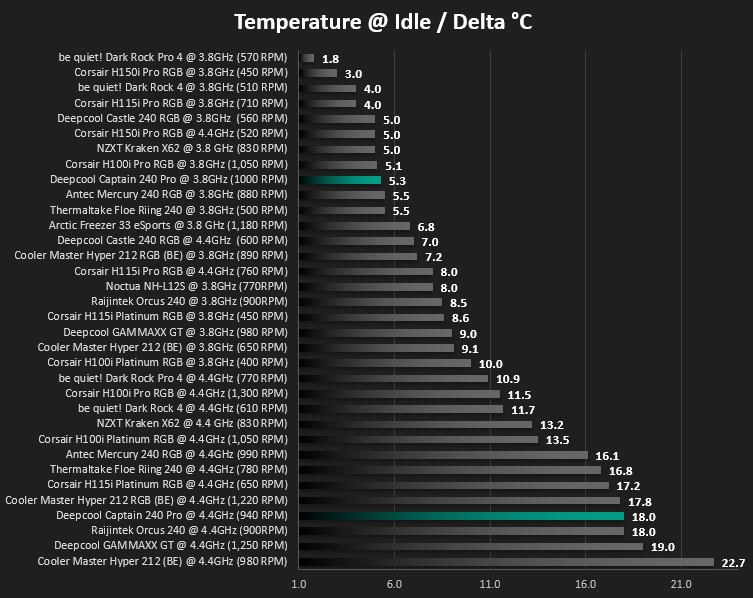
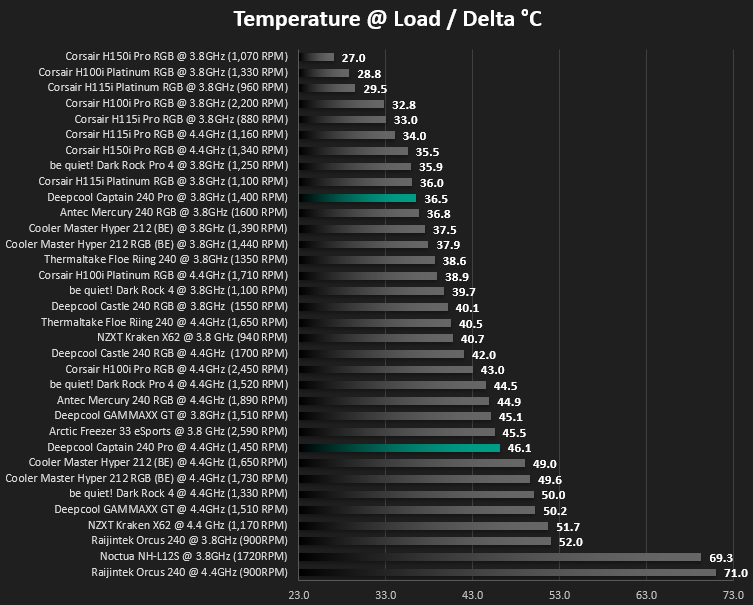
We then launch AIDA64 and run a 20 minute session, giving the system plenty of time to warm up and reach a maximum temperature. We then use Core Temp to take measurements at both 3.8GHz and 4.4GHz.
Benchmarks – Acoustic Results
Much the same as we did for temperature testing, we measure the fan noise and speed at idle. The results are below.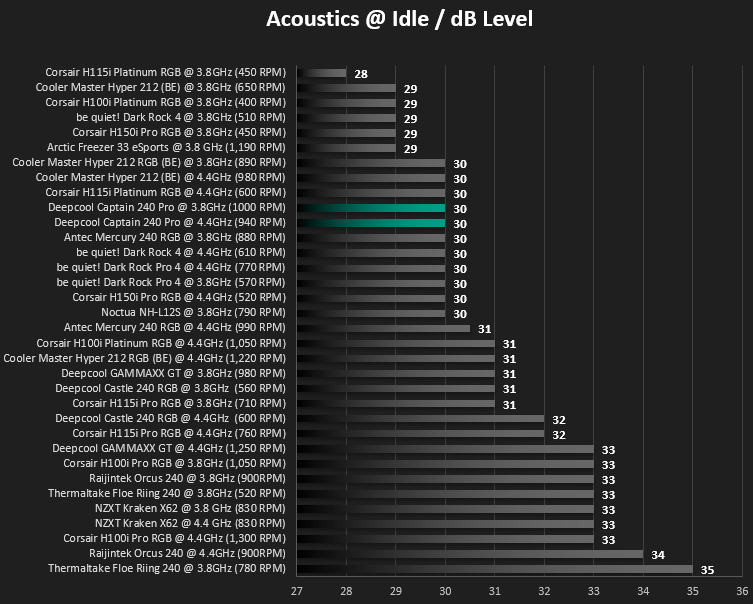
And then at full load.
Conclusion
Again, Gamer Storm have provided us with a solid product for testing, with all of the relevant pieces required for any build.Starting with installation which was as simple as any other all-in-one watercooling loop, though the cables around the back with two different controllers and two connections to each fan can be difficult to manage, Corsair offers a much better solution by controlling everything via a USB header.
Moving onto appearance, the pump is certainly an acquired a taste; one that we didn’t possess, sadly, but we’re certain that others will like the industrial appearance with the RGB lighting, which, while we mention it, is incredibly bright and vibrant and looks fantastic within our chassis.
Build quality is acceptable but difficult to test on something like this, where long-term reliability is what matters most, however, Gamer Storm do claim the loop to be completely leak proof.
The main appeal, for us at least, with Gamer Storm (and Deepcool, who are essentially the same company) is the low pricetag they usually sport. The Captain 240 Pro is different though, almost crashing onto the lap of the Corsair H100i Platinum and leapfrogging their own Castle 240 RGB by around £15. We can’t really see any reason to buy this over the cheaper Castle 240 RGB.
Slightly too costly to fully recommend but a good, capable cooler all the same.
Pros
+ Decent performance
+ Quiet cooling
+ Lovely RGB effects
Neutral
+- The pump design isn’t to our taste
Cons
– Poor spelling on the box and manual
– A lot of cables to deal with
– Pricier than previous models with no discernible reason
+ Decent performance
+ Quiet cooling
+ Lovely RGB effects
Neutral
+- The pump design isn’t to our taste
Cons
– Poor spelling on the box and manual
– A lot of cables to deal with
– Pricier than previous models with no discernible reason
Click here for an explanation of our awards at Vortez.net.
Stay connected with the Vortez Social Media pages: