If you’re serious about gaming on the move, the SteelSeries Stratus Duo might well offer what you’re after, with Bluetooth and 2.4GHz connectivity and a 20 hour battery life.

Product on Review: SteelSeries Stratos Duo
Manufacturer: SteelSeries
Street Price: GBP £59.99 / USD $59.99 / AU $69.99
Mobile phones were once a device used exclusively for communication, then through the years, cameras and other components have been added until we finally reach 2019; at this point you can do almost anything a regular PC is capable of, including serious gaming. That’s where SteelSeries steps in with the new Stratus Duo, offering a more natural-feeling way to enjoy mobile games rather than using awkward touchscreen controls. Titles such as Fortnite Mobile and Real Racing 3 are touted as offering full support.
The Stratus Duo is a full-size gaming controller that also offers full Windows compatibility through Steam’s vast catalogue of over 5000 controller-enabled games.
Back in 2015, we looked at the Stratus XL which also offered a similar layout along with Android and Windows support, so you may be wondering what make this new iteration any better. Well, the main changes come in the form of improved ergonomics, providing additional comfort as well as 2.4GHz support, which gives a more stable connection than Bluetooth. Not only that, but SteelSeries have used higher quality components such as Hall Effect magnetic sensors in the triggers and analog sticks.
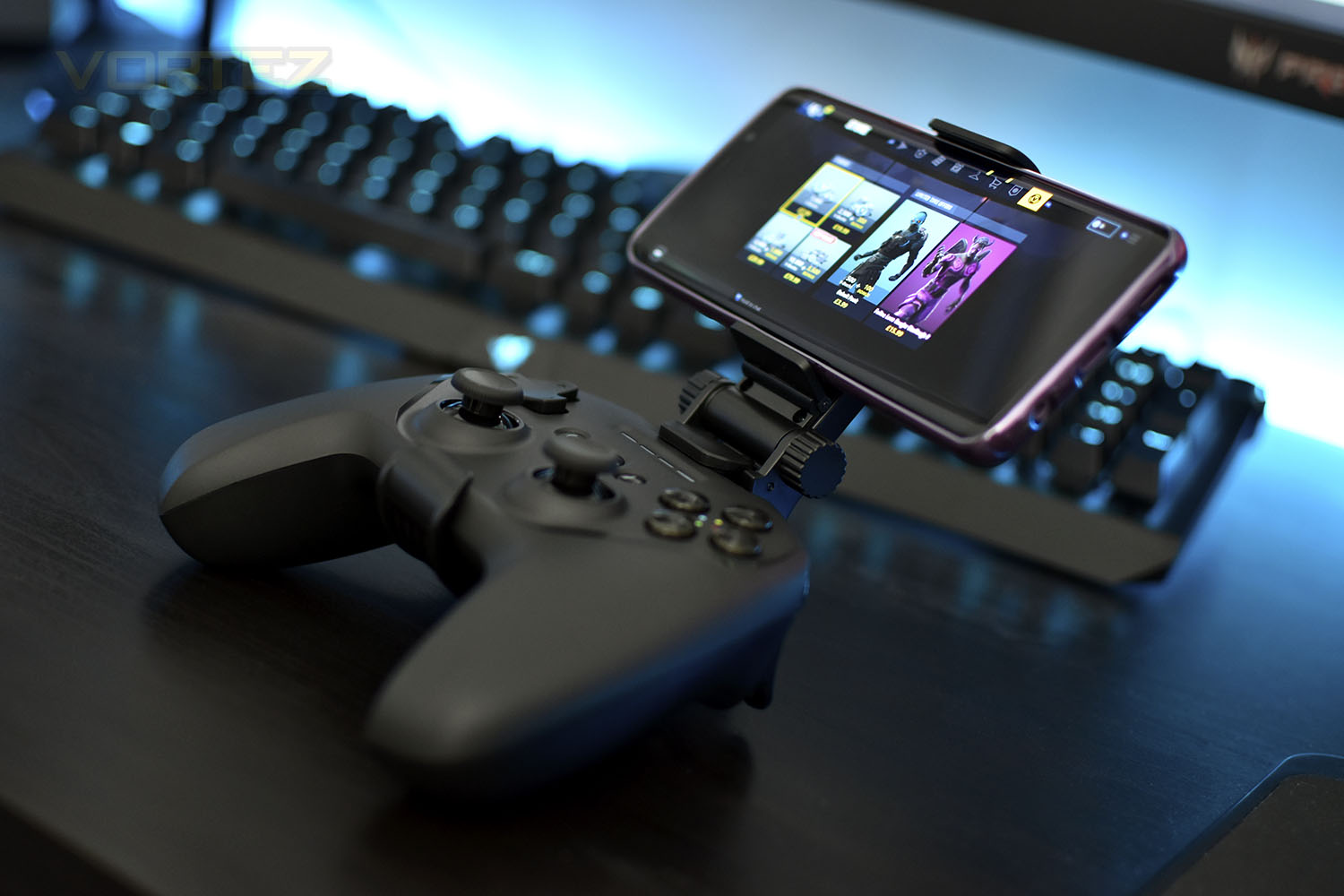
Arriving with a price tag of £59.99 in the UK, and similar in other parts of the world, the obvious competition within the Windows environment is the Xbox One controller which is widely available for £44.99 at most retailers, however, for your extra £15 you do receive a couple of important extras; a built-in lithium-ion battery, which offers over 20 hours of gameplay and a 2.4GHz USB dongle for a more stable experience.
While we look at the controller itself, we’ve also been provided with an optional SteelSeries SmartGrip. The SmartGrip is compatible with most phones ranging from 4” to 6.5” in size and marries the phone and controller together for a more enjoyable experience. The SmartGrip is available for £9.99/$9.99.
SteelSeries on the Stratus Duo:
Hall Effect magnetic sensors are much more durable than their traditional counterparts, allowing for flawlessly smooth actuation from top to bottom, and clickable analog joysticks give you pinpoint 360° precision with minimal dead zone, whether you’re carefully aiming or button mashing.
Technical Specifications
Cable length: 1.8 meters / 5.9 feet
Connectivity: 2.4GHz, Bluetooth v4.1, or Wired USB
Battery Type: Lithium-ion (20+ hours)
Range (2.4GHz): 12 meters / 40 feet
Connector: TypeMicro USB
Width: 150mm / 5.91 inches
Height: 110mm / 4.33 inches
Depth: 63.2mm / 2.49 inches
Weight: 245g
Connectivity: 2.4GHz, Bluetooth v4.1, or Wired USB
Battery Type: Lithium-ion (20+ hours)
Range (2.4GHz): 12 meters / 40 feet
Connector: TypeMicro USB
Width: 150mm / 5.91 inches
Height: 110mm / 4.33 inches
Depth: 63.2mm / 2.49 inches
Weight: 245g
Packaging & Bundle
The orange and white theme, which we’ve seen before from SteelSeries, makes another appearance here across the two boxes. The front of both boxes shows a clear image of the product as well as a few choice features.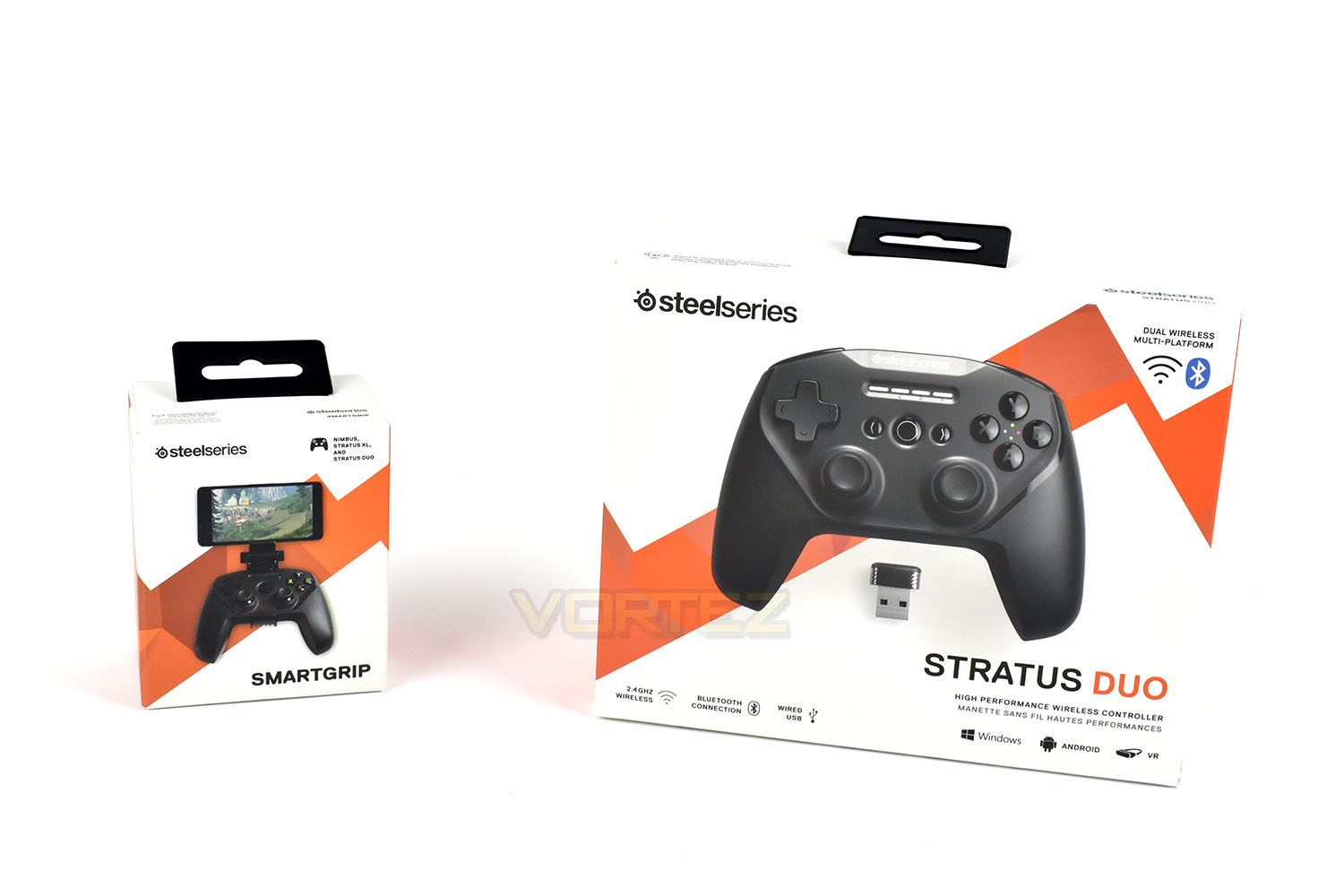
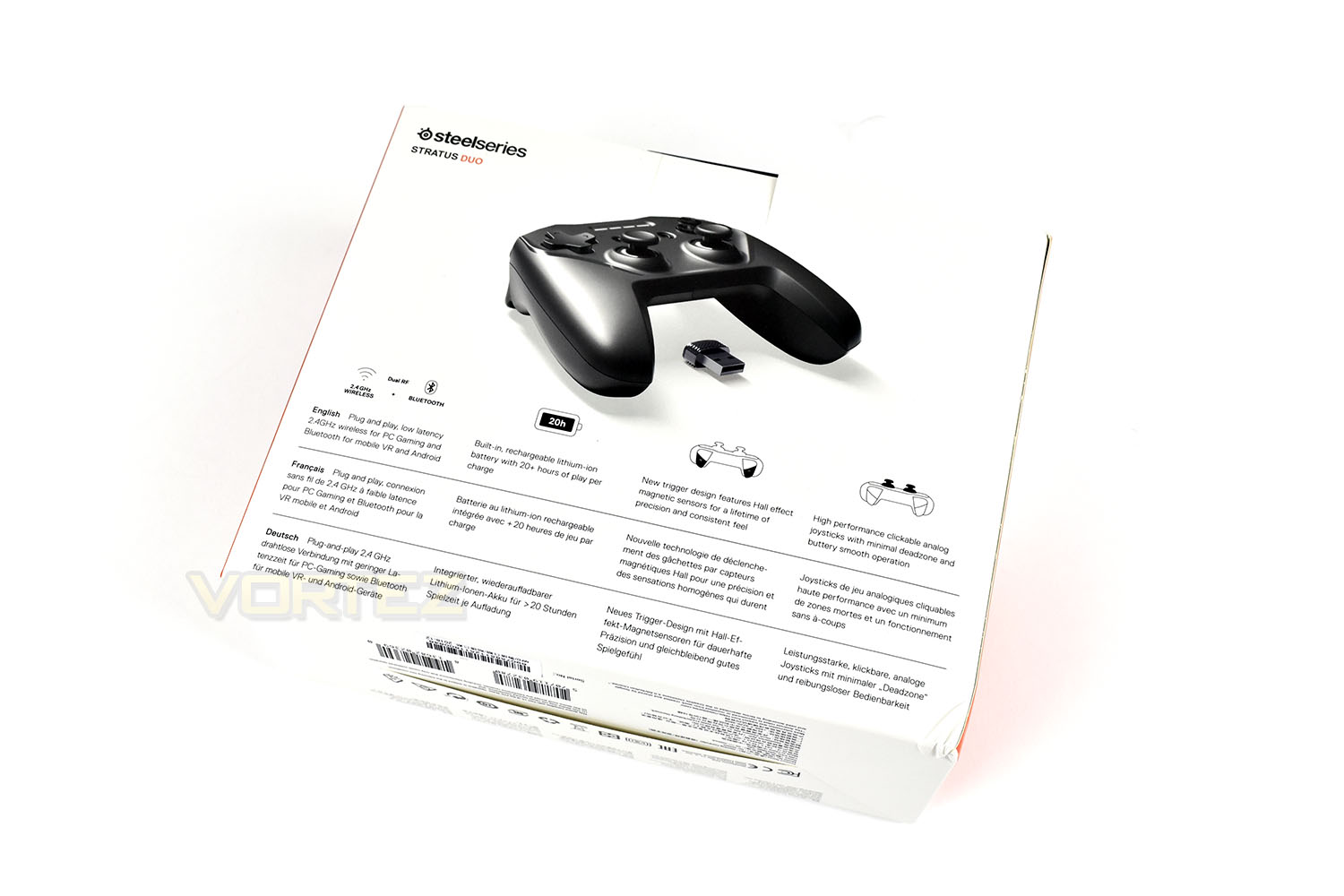
The rear of the Stratus packet summarises things well, with clear and easy to understand annotations. The simple white background also contributes to the clarity of information.
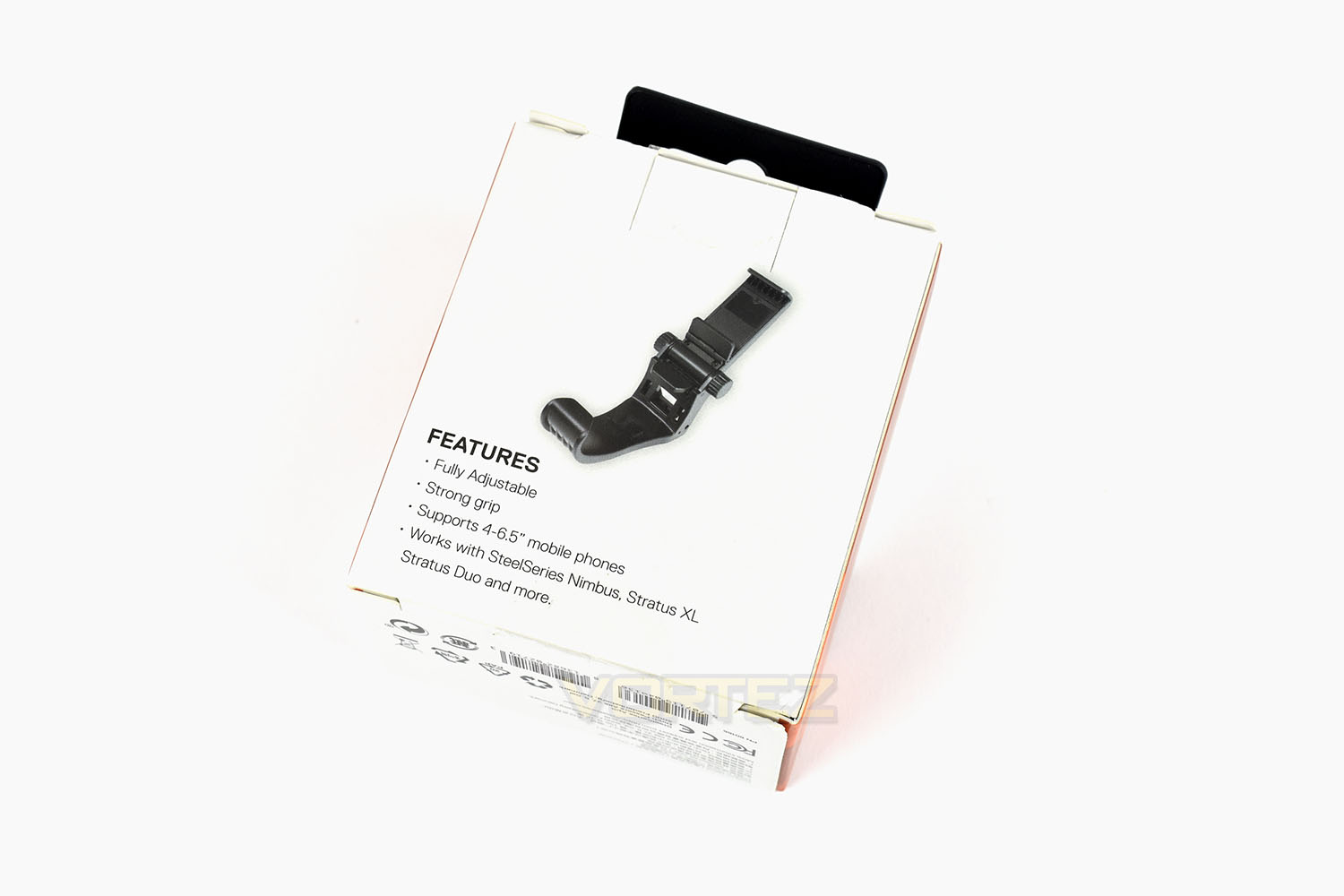
The same applies to the SmartGrip with a simple and clean box.
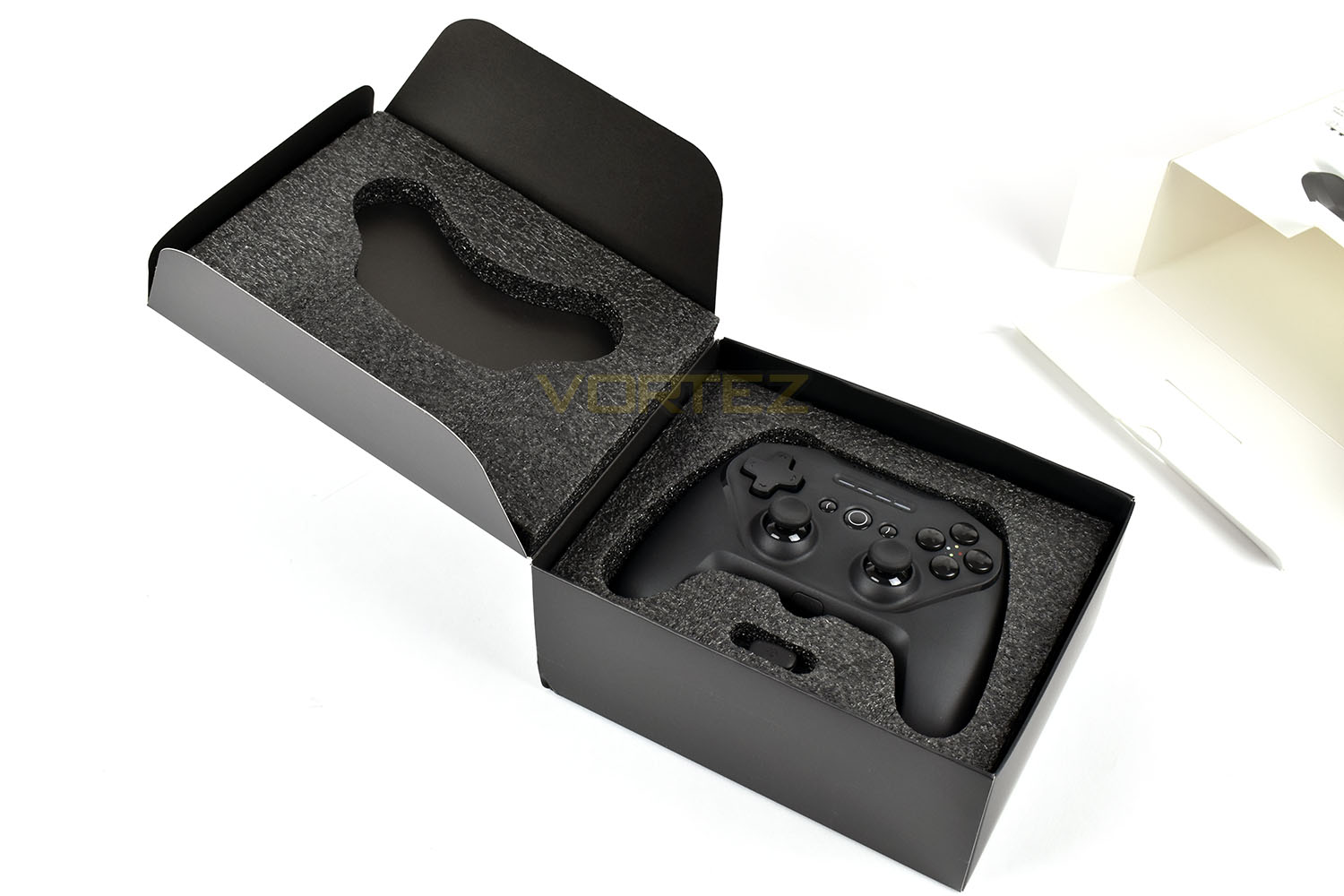
Opening up the controller, the device is held in place by a thick foam padding ensuring it arrives to you in perfect condition. The cable and small USB dongle are both tucked away as well.
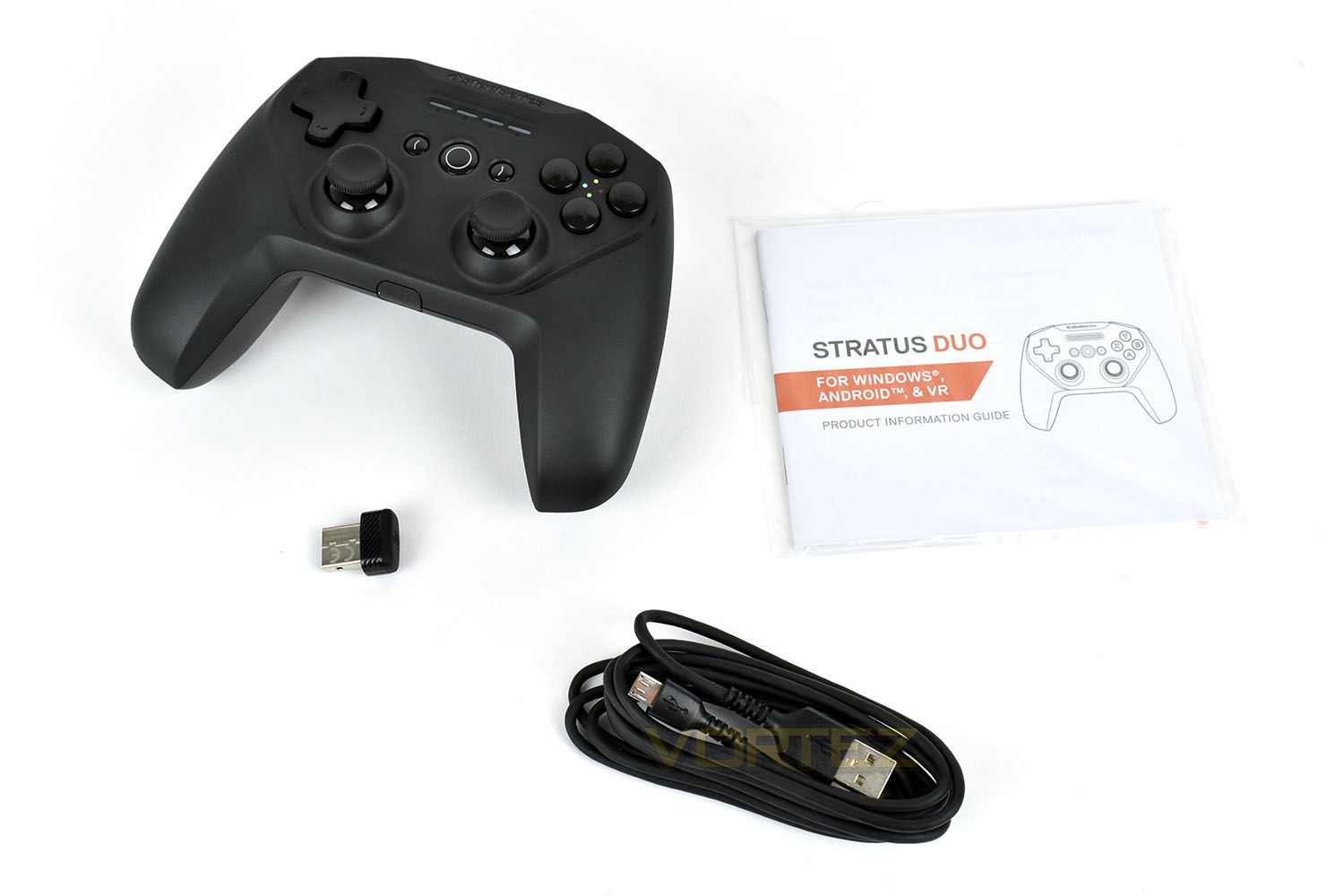
Laying it out, we can see the 2.4GHz USB dongle, the 1.8 metre charging cable and the short information guide.
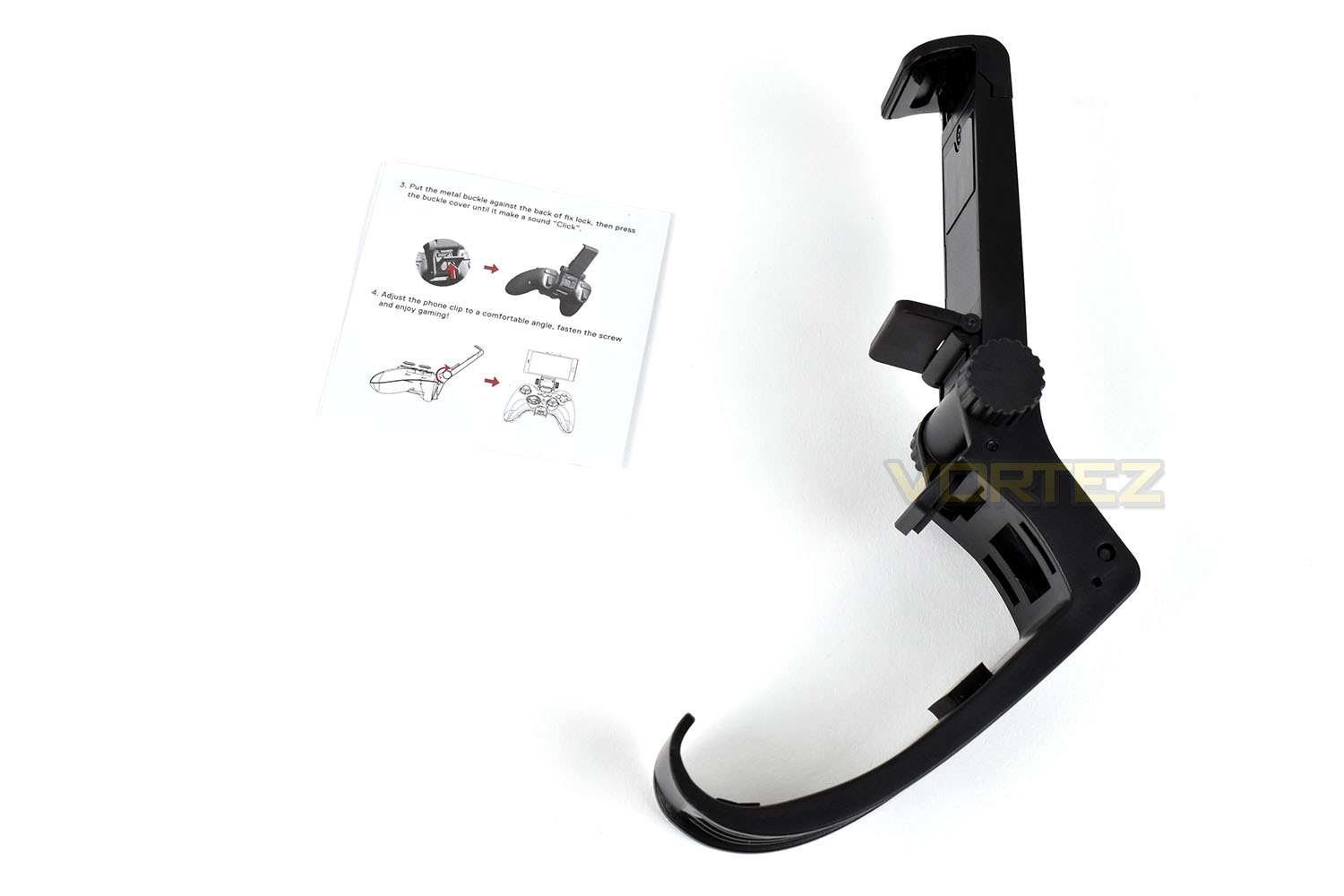
Opening up the SmartGrip, you get a small instruction page and the item itself, though there’s not a lot going on there so we’re happy with what’s provided.
Closer Look (Stratus Duo)
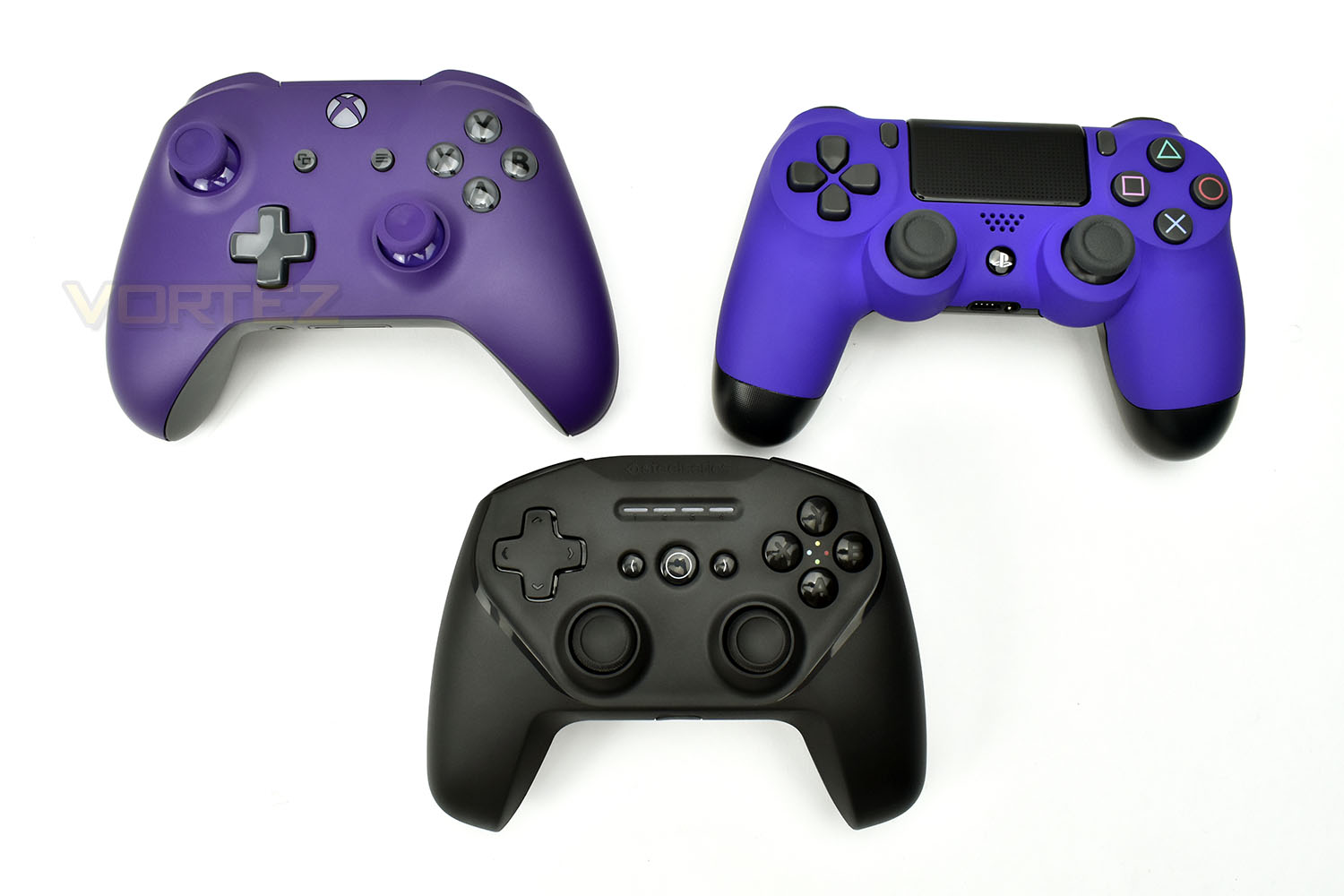
The Stratus Duo features a familiar design, especially to users of an Xbox One controller, though you will notice that the D-Pad and the left analog stick are switched around, being more similar to the PlayStation Dualshock design.The pad weighs in at 245g, without the cable, making it roughly 30g lighter than an Xbox One controller (fitted with Official battery pack) and 25g heavier than the PS4 controller.
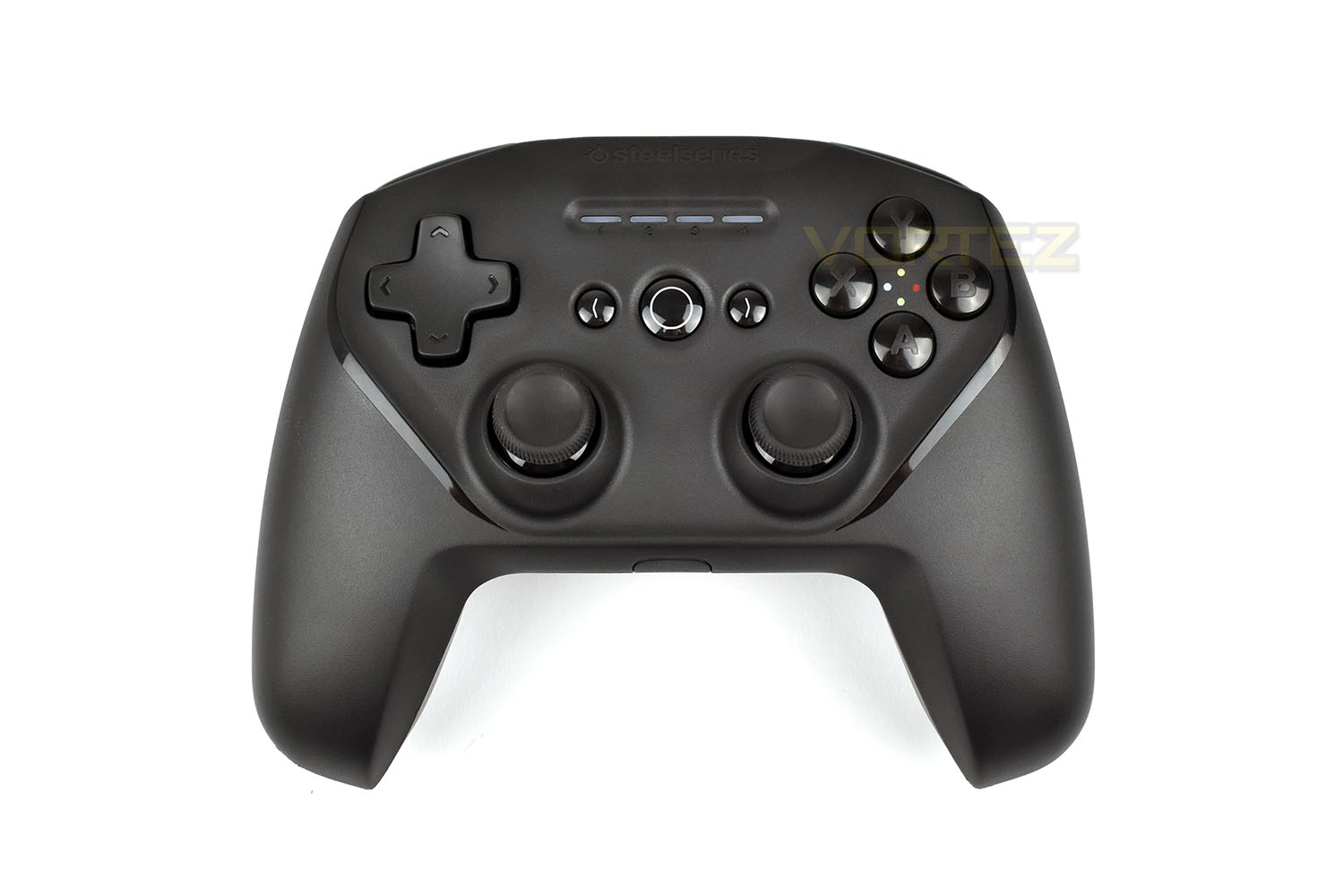
The A, B, X and Y buttons are located where you expect them to be, making in-game prompts relevant and useful, especially if taking advantage of Steam Big Picture mode or something of that kind.
In the centre, featuring the large white circle, is the “home” button, which opens up the Xbox menu in Windows 10. Either side of that are the home and menu buttons.
While we cannot 100% confirm that all four controllers can connect via a singular USB adaptor, the four LEDs indicate which player is assigned to each controller when playing with friends.
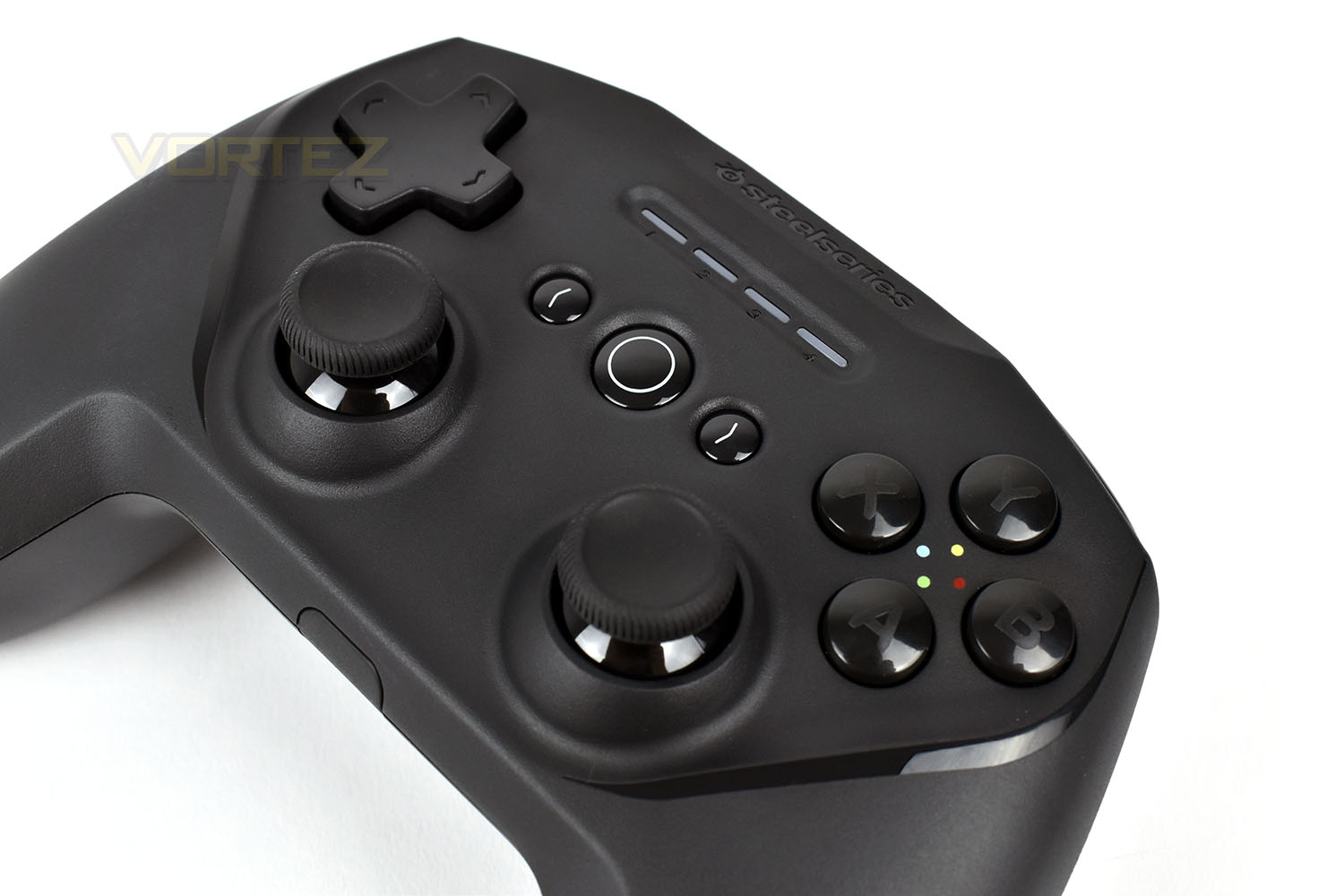
The trigger buttons on the top of the controller have been upgraded with Hall Effect magnets, these are better than traditional movement sensors because of their wear-free operation, potentially helping to improve the life of the controller, especially on two of the most used inputs on the device, as well as their improved accuracy.
R1 and L1, just above the trigger buttons are large and ergonomic compared to most competition in the market, which should be conducive to a more comfortable experience.
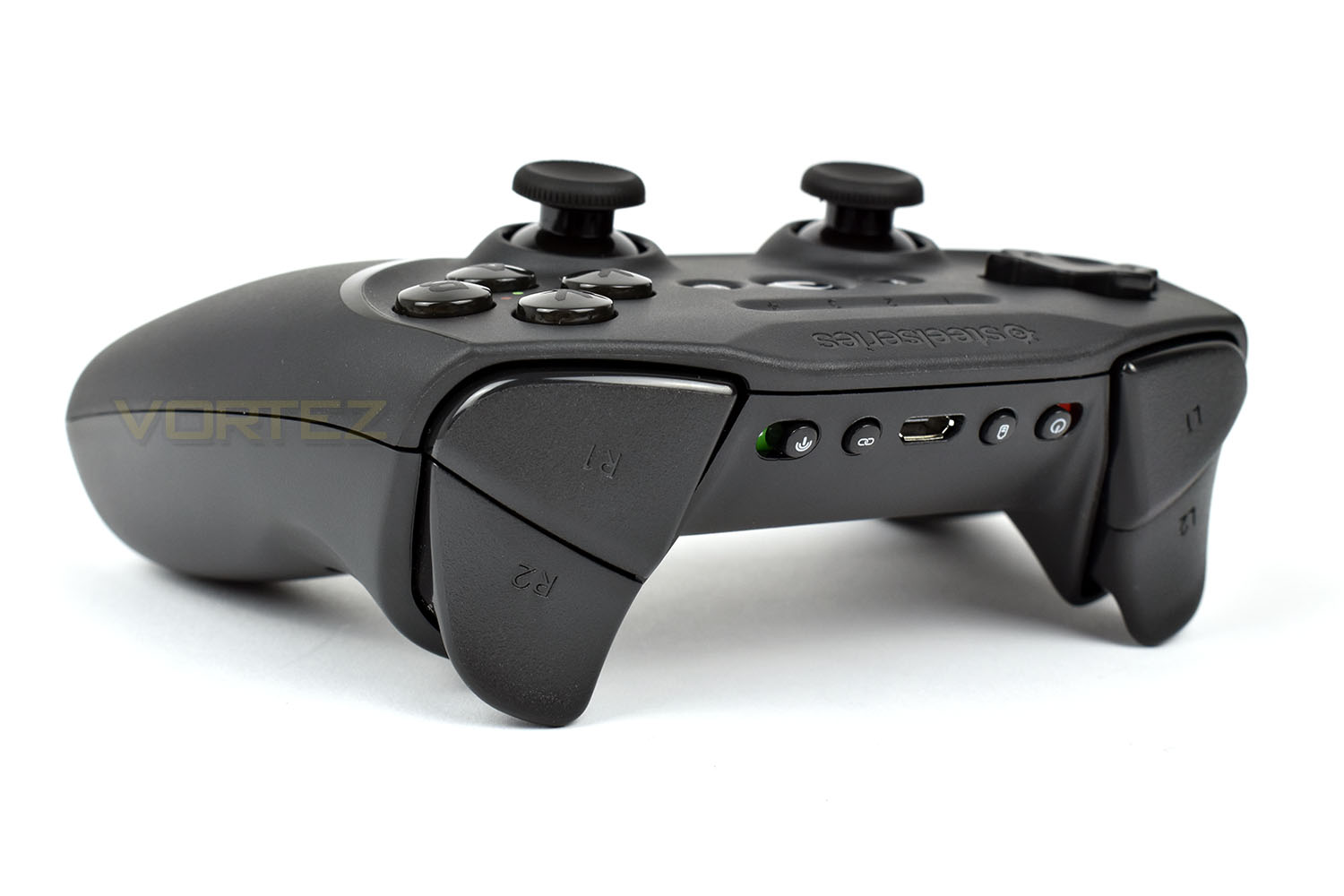
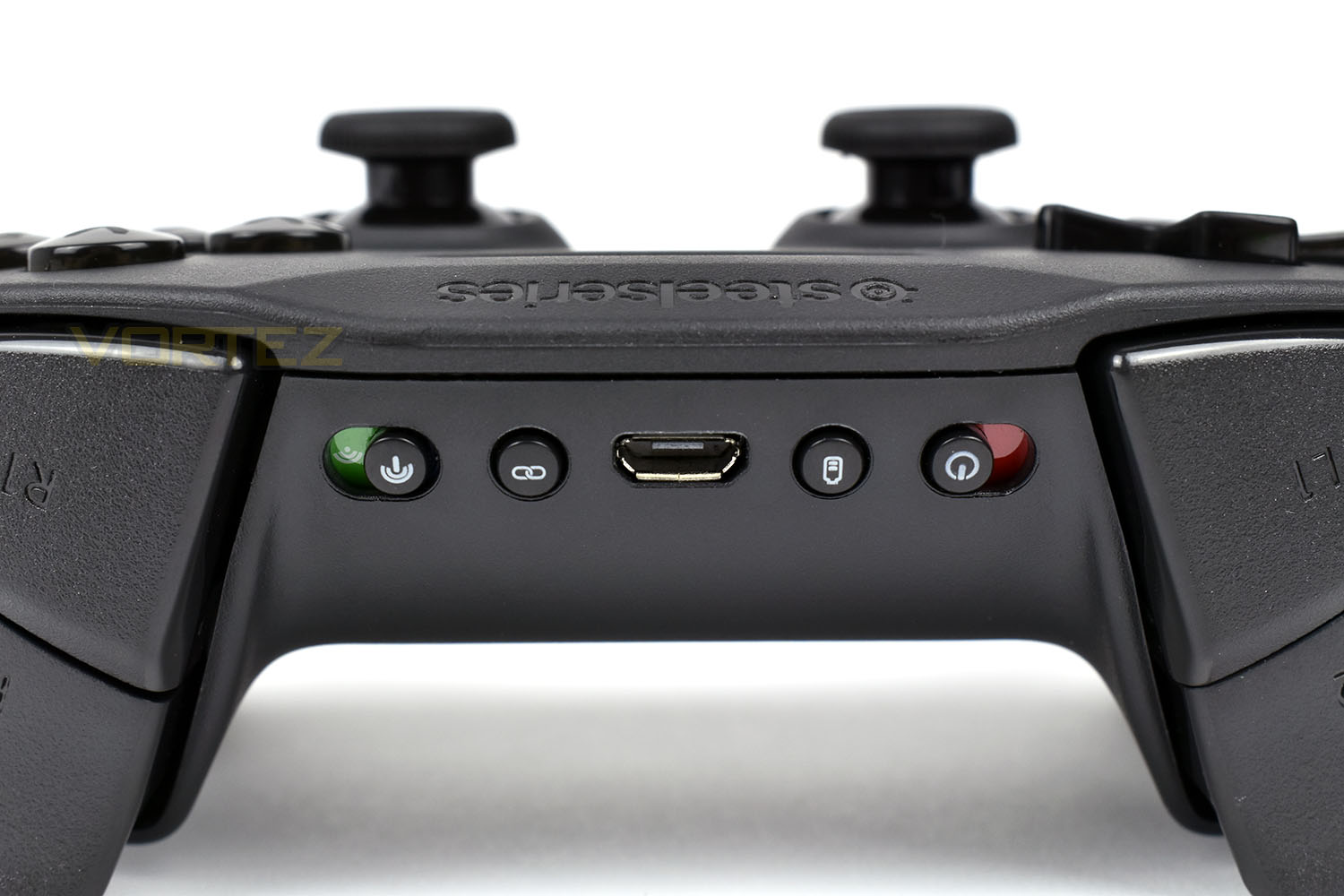
Located between the two shoulder buttons are a few switches and toggles. Starting from the left, there’s a switch to flick between the Bluetooth or 2.4GHz connection options. Next up is a pairing button, for connecting the controller to your phone or Bluetooth enabled PC. In the centre is a familiar Micro USB connection for charging and/or data, if you prefer to use the controller in wired mode with your PC. Moving further right we have a battery button, hitting this will illuminate the LEDs on the front of the device, with each one displaying 25% of the battery. Finally, there’s a power switch making it simple and easy to turn off the device.
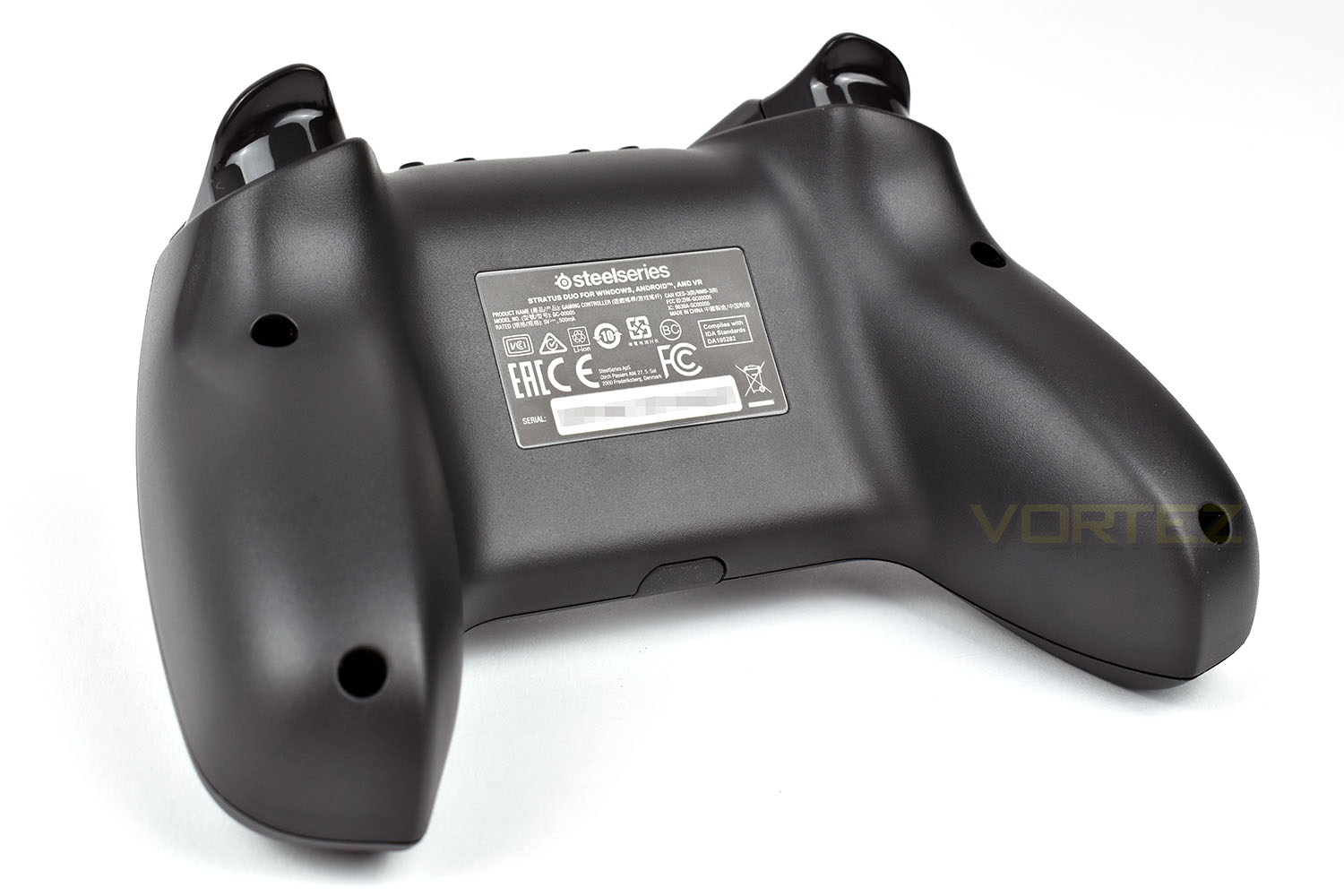
Last, but not least, is the bottom of the controller. This is formed from a single piece of leaving a smooth and uninterrupted finish.
Closer Look (SmartGrip)
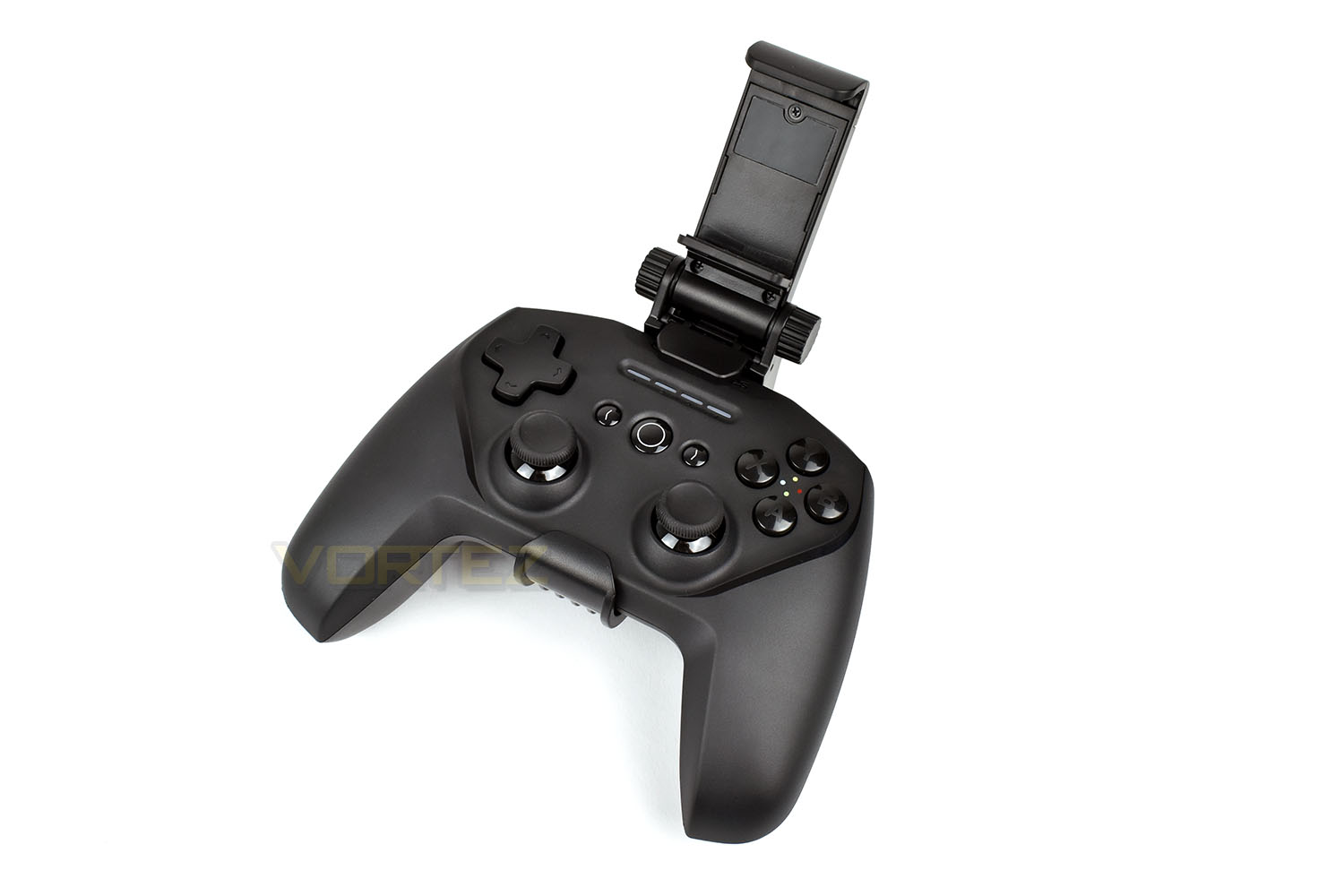
The SmartGrip is a fully adjustable stand-like device that securely attaches your Android mobile phone to the controller for comfortable gaming on-the-go.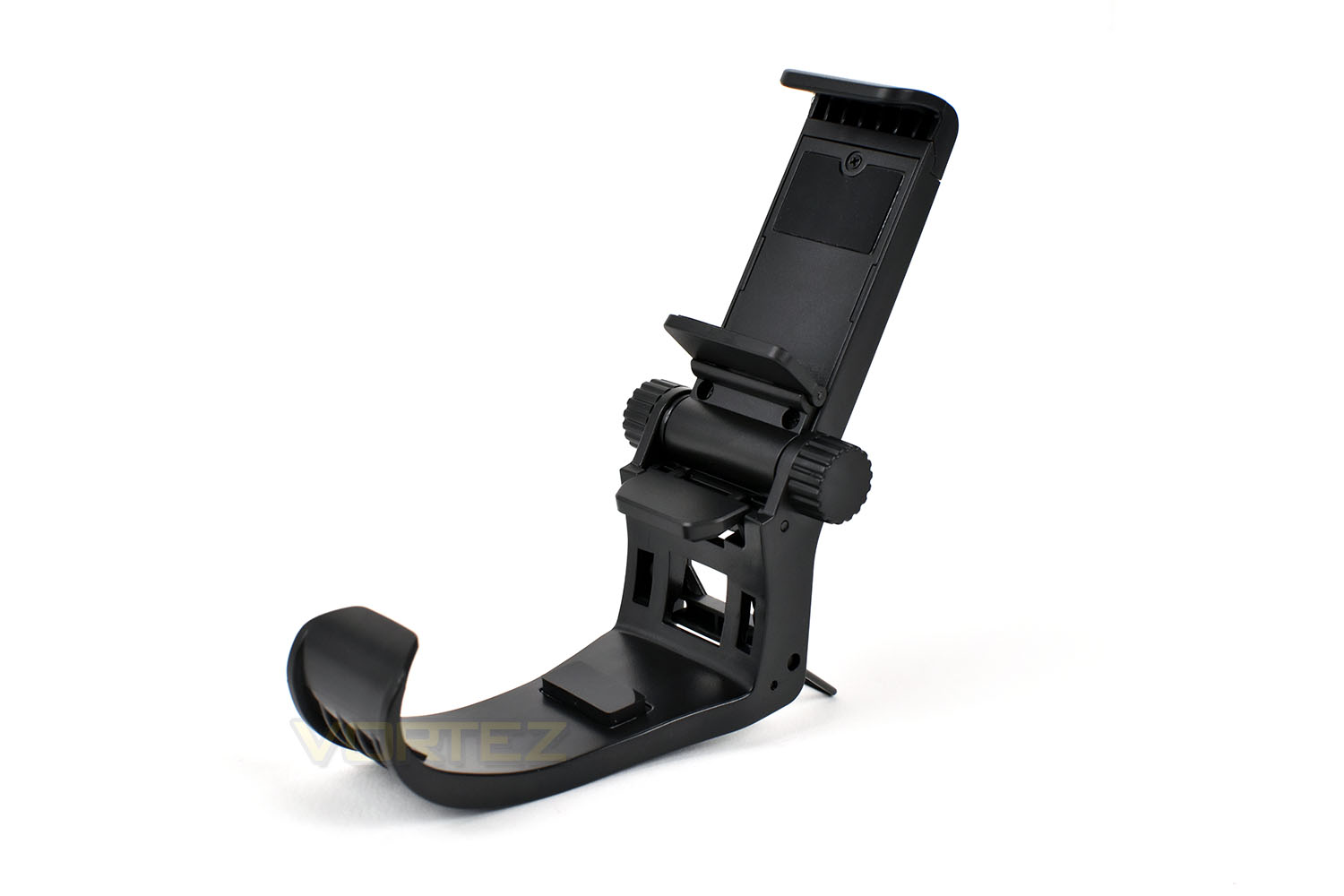
The top section is spring actuated, allowing you to pull it apart then clamp the phone in place, using soft rubber pieces to prevent damage to the device as well as ensuring a solid fit.
On each side are some large thumbscrews, used to angle the device for the best viewing angles.
There’s also the wire stand at the bottom, helping to prevent the device from tipping over when placed flat; this can be especially handy if you’re using something akin to a “phablet” that measures 6 inches or so.
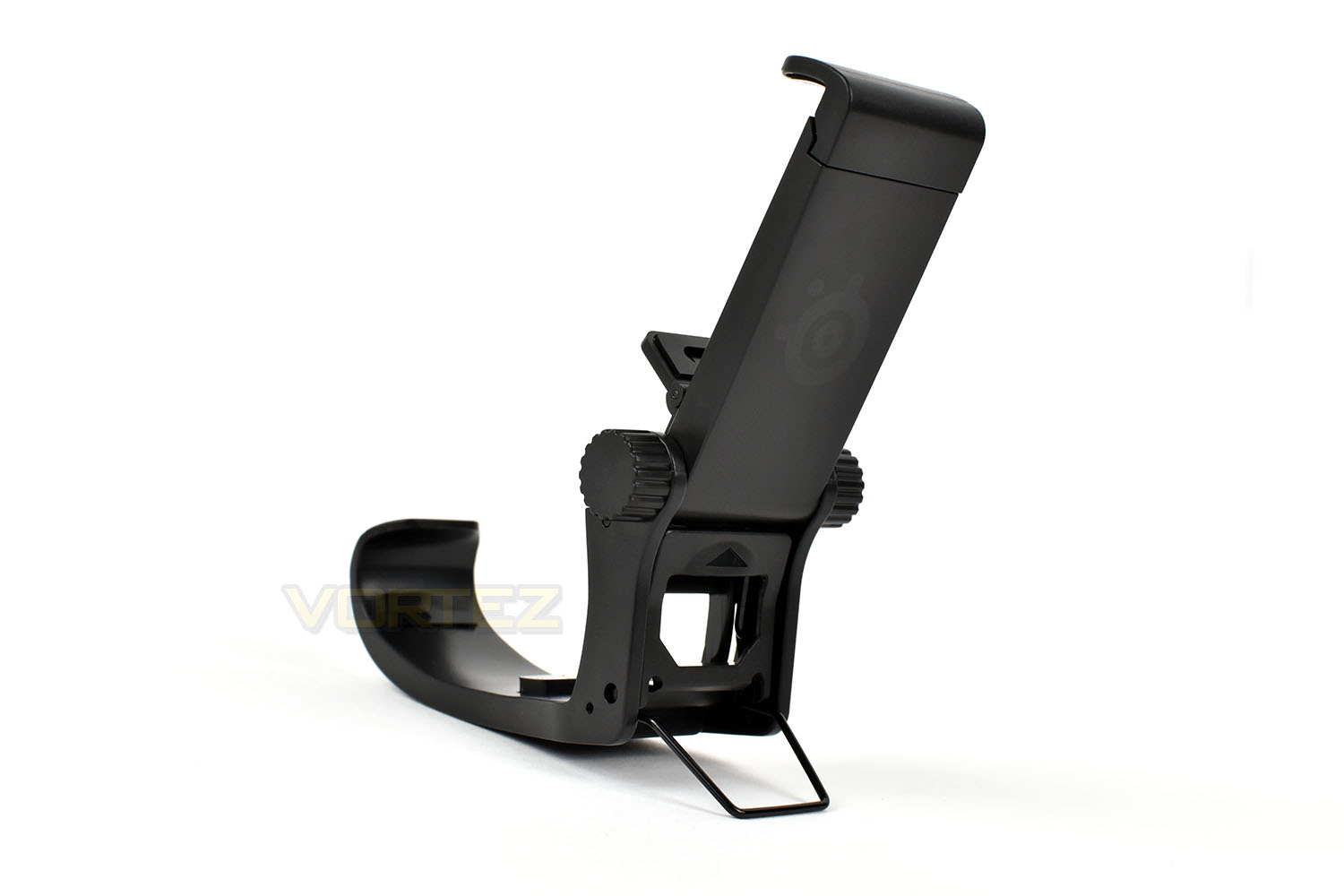
Fitting the stand is easy, with you only being required to open up one section, where the upwards arrow is indicated, and then clamp it down around the controller for a solid connection.
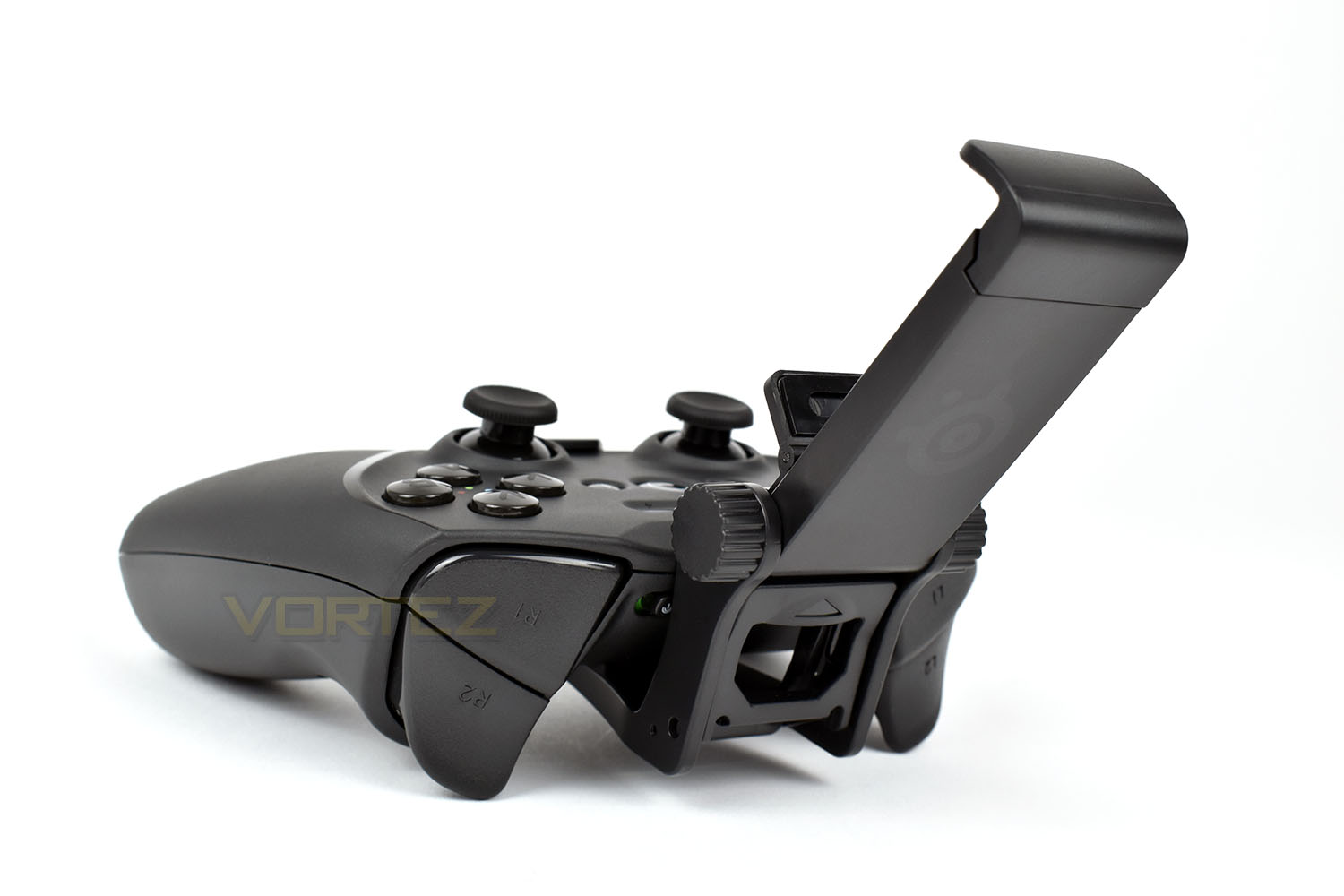
Once locked into place, the SmartGrip is stable and solid.
Performance Testing
For our performance testing section, we will divide this into two separate experiences, helping to differentiate the two.Windows
First things first, connecting the controller to the PC. This process is as simple as it can be, you plug the USB wireless adaptor into any available USB port, give the PC a few seconds to work out what it is then switch the controller on and things automatically pair up. The Windows operating system then detects the controller in the same way it would with an Xbox One controller, enabling full support for over 5000 Steam games and many more from other marketplaces.
We decided a good test for the gamepad would be Rocket League, a fast-paced aerial football style game, where fast reactions and accurate gameplay make all the difference, as well as a couple of racing games, DiRT Rally and Assetto Corsa Competizione, both considered as racing simulations which thrive off fine and accurate throttle, brake and steering inputs.
Starting off with Rocket League, we immediately felt an improvement over the Xbox One controller we’d been using for hundreds of hours. The Hall Effect magnetic sensors in the triggers provided a beautiful feel, with slightly more resistance than our Xbox controller, as well as, what felt like, improved accuracy and uniformity. The difference between the two, when comparing, was night and day. The analog sticks, while we’d prefer the left one to be swapped with the D-Pad, also felt better with tighter springs and a lovely click when depressed. The A, B, X and Y buttons felt largely the same, with no discernible difference between the Xbox pad, even feeling the same as the Dualshock 4 controller, though that’s not a bad thing. Everything up to this point us to believe that higher quality components had been used. However, it wasn’t all positive; the D-Pad feels awfully “mushy”, for lack of a better term, with no defined click or feel when using it, which in Rocket League is typically assigned to quick-chat responses such as “Nice Shot!”. Finally, the shoulder buttons, while they feel fine to press on the outer edges of the controller, when trying to depress them in the centre, they felt a little reluctant to move; sadly, due to the positioning of our hands on the pad, this didn’t feel optimal.
Moving onto racing games, which require a much more methodical, calm approach, as opposed to Rocket League, generally relying entirely on the two triggers, a single analog stick and perhaps a trio of the buttons for gears and the handbrake. Giving it a blast in DiRT Rally, flying through Monte Carlo and Germany, again, the increased accuracy of the triggers gave us improved handling by being able to better modulate the brakes, particular on icy sections where lockups can occur so easily, and balancing the throttle for beautiful slides around the multiple hairpin runs.
We found the same from Assetto Corsa Competizione. A game that most would recommend is run with a steering wheel, which we generally do, also felt great with the Stratus Duo. However, this game, we feel, depends quite heavily on the force feedback for gaining a better sense of how the front wheels are biting into the surface as well as managing wheel lockups and loss of traction at the back, particularly in the rear wheel drive cars used in Competizione; sadly, the total lack of vibration feedback was hugely detrimental to the overall feel of the gamepad in this instance.
Android
Flicking the wireless switch, on the top of the controller, from 2.4GHz to Bluetooth, is all you need to do in terms of setting up the controller, you then hit the pair button and search for the device in the Bluetooth menu. Pairing them up took no more than a few seconds and from there we were good to go. No extra software or apps are required, it just works.
One thing that we have to mention straight away, as this was a bit of a deal breaker for us, is related to the LED lights on the front of the controller. Once synced up to a Samsung Galaxy S9, the lights flashed, repeatedly, forever. We tried restarting the phone and the gamepad as well as re-syncing both devices and found it carried on. Regardless, we carried on with our testing.
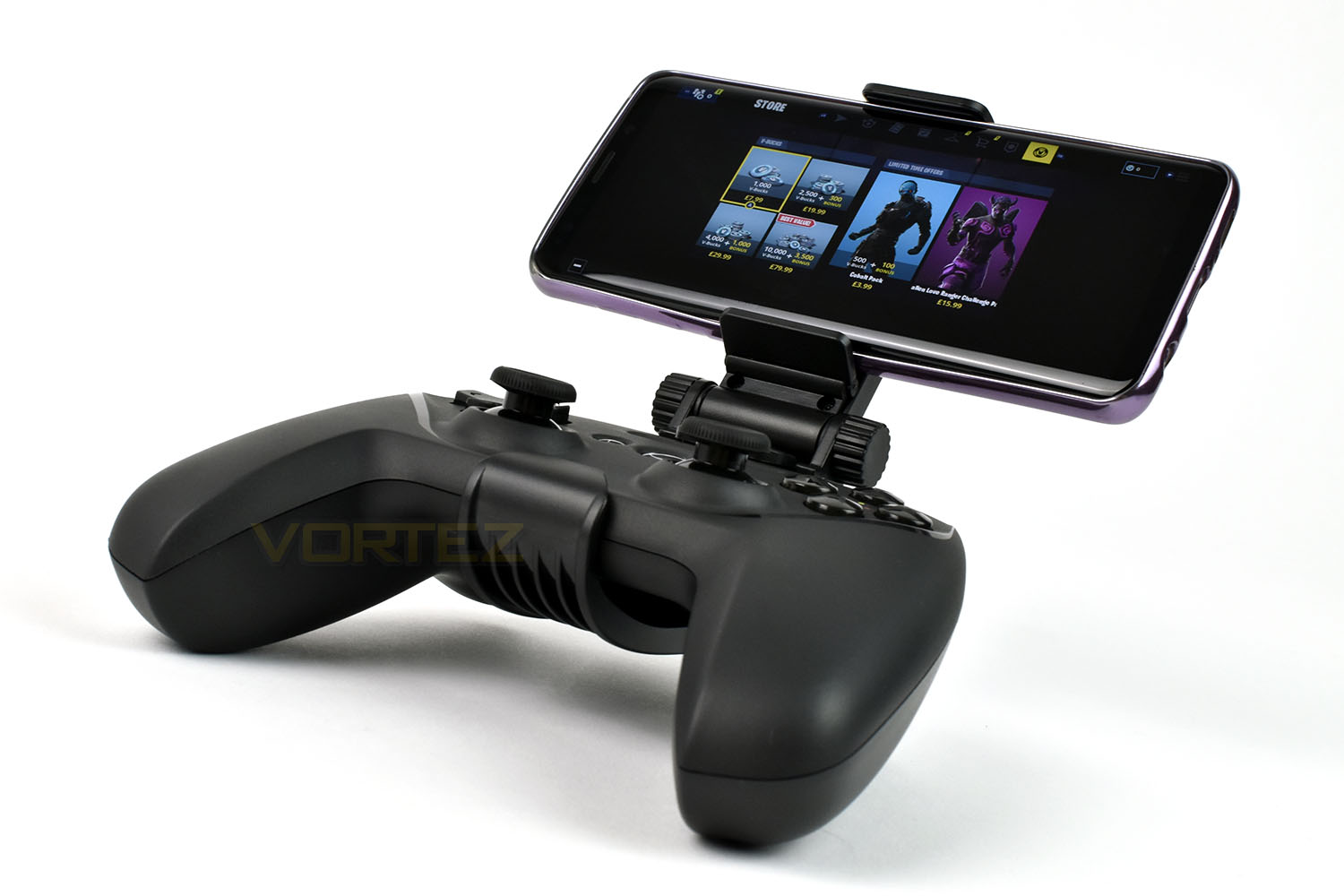
If you’ve looked at SteelSeries’ advertisements or website, you’ll almost certainly have noticed their references to it playing Fortnite at several different points, so we thought that would be a great starting point. To our delight, the button mapping was picked up straight away, using the exact same configuration you’d expect on your PS4 or Xbox One. If you’ve given Fortnite Mobile a go at any point, you may already know how fiddly the on-screen controls are, with their limited feedback and usability – all of that went straight out of the window at this point, providing us with an immediately better experience, everything felt fluid and responsive and thanks to the high-quality components and SmartGrip, it was very comfortable to use for lengthy periods. This kind of controller could definitely help to make public transport a lot more bearable during your daily commute or on long flights.
Conclusion
SteelSeries have a reputation to uphold within the peripherals market, one that they’ve earned over the years, producing good, high-quality hardware for different consoles and the PC. We can safely say, in our opinion, that reputation is in safe hands with the Stratus Duo.Starting with the positives, we love the Hall Effect magnetic triggers; they provide a much better sense of feel and accuracy than anything you would find on the Xbox One or PS4 Dualshock controllers. We also found the analog sticks to be just a bit better as well, not as night and day as the triggers are, but lovely and fluid for accurate use. The A, B, X and Y buttons feel as you would expect and the overall shape is comfortable for hours of use; we especially liked the smooth, one-piece back of the controller.
Wireless communication, with both the Galaxy S9 and the included USB adaptor was rock solid, both in terms of setup and reliability, we noticed no dropouts while gaming over the two weeks of testing we gave the Stratus Duo.
Build quality is exactly what you’d expect for £59.99, there’s very little flex or movement, even when giving it some serious abuse, and all of the components feel great, aside from the D-Pad, at which point we’ll go on to note some points where SteelSeries could perhaps improve.
First off, we want to see vibration feedback at this price point, while it’s a little more expensive than the Xbox One pad, it does provide compatibility with Android and Windows, as well as arriving with a built-in lithium-ion battery and its own 2.4GHz USB adaptor, but that doesn’t excuse the lack of vibration feedback. We would also like to see it supported on iOS devices, which their Nimbus is capable of.
The flashing LEDs while using it with a Galaxy S9 was off putting at first but it quickly developed into downright annoying. We attempted to fix it via a restart but it persisted. Unfortunately, we don’t have another Android device here to try it out with to test for a slight incompatibility, but with the S9 being one of the most popular Android devices out there, running the standard operating system, we’d expect it to work flawlessly.
Also, if we’re being fussy, an audio passthrough for headset use, much like the Xbox One and PS4 controllers feature, would’ve been a good feature. That’s something we have used on both controllers and will continue to use as time goes on so is a shame to see it missing from this device.
As a final touch, perhaps giving a choice of colours, much in the way they do with their headsets, could see improved sales, allowing a little personalisation while out and about, black should suit most users needs but a choice of colour cannot be faulted, however, we can’t exactly mark it down for this either.
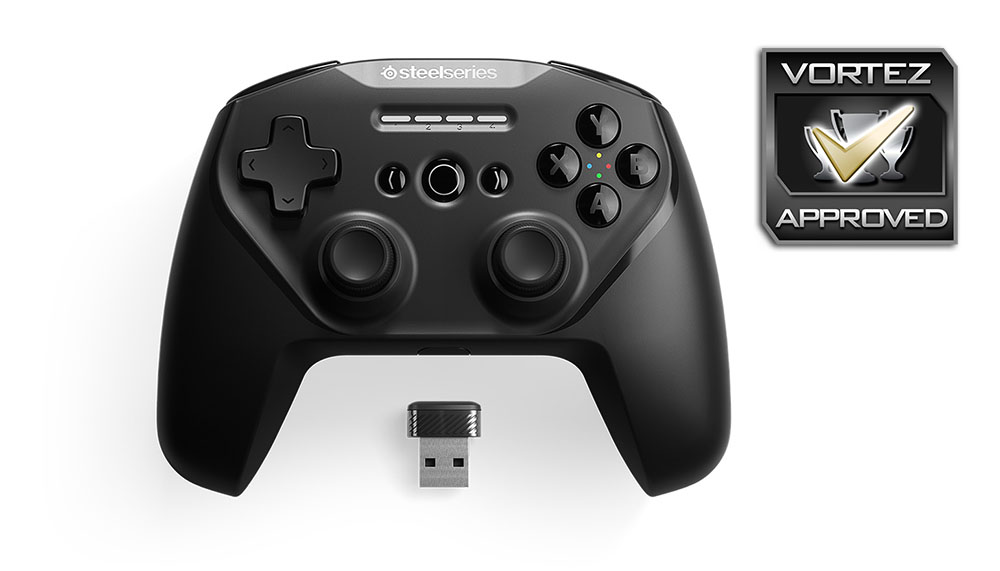
We’ve thoroughly enjoyed using the SteelSeries Stratus Duo, it’s a well-made, comfortable, accurate and dependable controller with decent battery life and solid wireless connection, but at £60, roughly £15 above the PS4 and Xbox One controllers, you really do need to be using it for both Android and PC to get your money’s worth from it, but even then, the extra £10 for the SmartGrip pushes it further from a desirable price point.
Pros
+ Excellent Hall Effect magnetic triggers
+ Comfortable and familiar shape
+ Accurate and reliable components
+ Good build quality
+ Built in battery
+ Supports Windows & Android
+ Straightforward setup
+ Decent battery life
+ Included wireless adaptor
+ Optional SmartGrip offers brilliant mobile gaming
Neutral
+- Costly when compared to Xbox One or PS4 controllers
+- A choice of colours would be nice
Cons
– Flashing LEDs while used with Android
– Mushy D-Pad
– No iOS support
– Lacks vibration feedback
– No headset connection for PC users
+ Excellent Hall Effect magnetic triggers
+ Comfortable and familiar shape
+ Accurate and reliable components
+ Good build quality
+ Built in battery
+ Supports Windows & Android
+ Straightforward setup
+ Decent battery life
+ Included wireless adaptor
+ Optional SmartGrip offers brilliant mobile gaming
Neutral
+- Costly when compared to Xbox One or PS4 controllers
+- A choice of colours would be nice
Cons
– Flashing LEDs while used with Android
– Mushy D-Pad
– No iOS support
– Lacks vibration feedback
– No headset connection for PC users
Click here for an explanation of our awards at Vortez.net.
Stay connected with the Vortez Social Media pages:
Join in with the discussions on Discord