Are you looking for additional immersion in your games and films or maybe just hoping to add some extra colour to your work space? The Ambient RGB Lighting Kit may be just what you need.

Product on Review: NZXT HUE 2 Ambient RGB Lighting Kit
Manufacturer: NZXT
Street Price: GBP £89.99 / USD $99.99
Back in November, NZXT invited us to take a look at their HUE 2 RGB Lighting Kit, this could be used to give new life to old cases or add even more RGB to your already-RGB-laden chassis. Today we examine the HUE 2 Ambient RGB Lighting Kit which aims to illuminate the walls behind your monitor to expand your viewing experience in real-time.
You may have already seen this kind of technology employed on television sets, particularly those under the Philips Ambilight umbrella, but we’re yet to see a gaming monitor that allows such immersion. The kit is available for a range of different monitor sizes, supporting up to 35” Ultrawides (21:9) or 32” Widescreens (16:9).
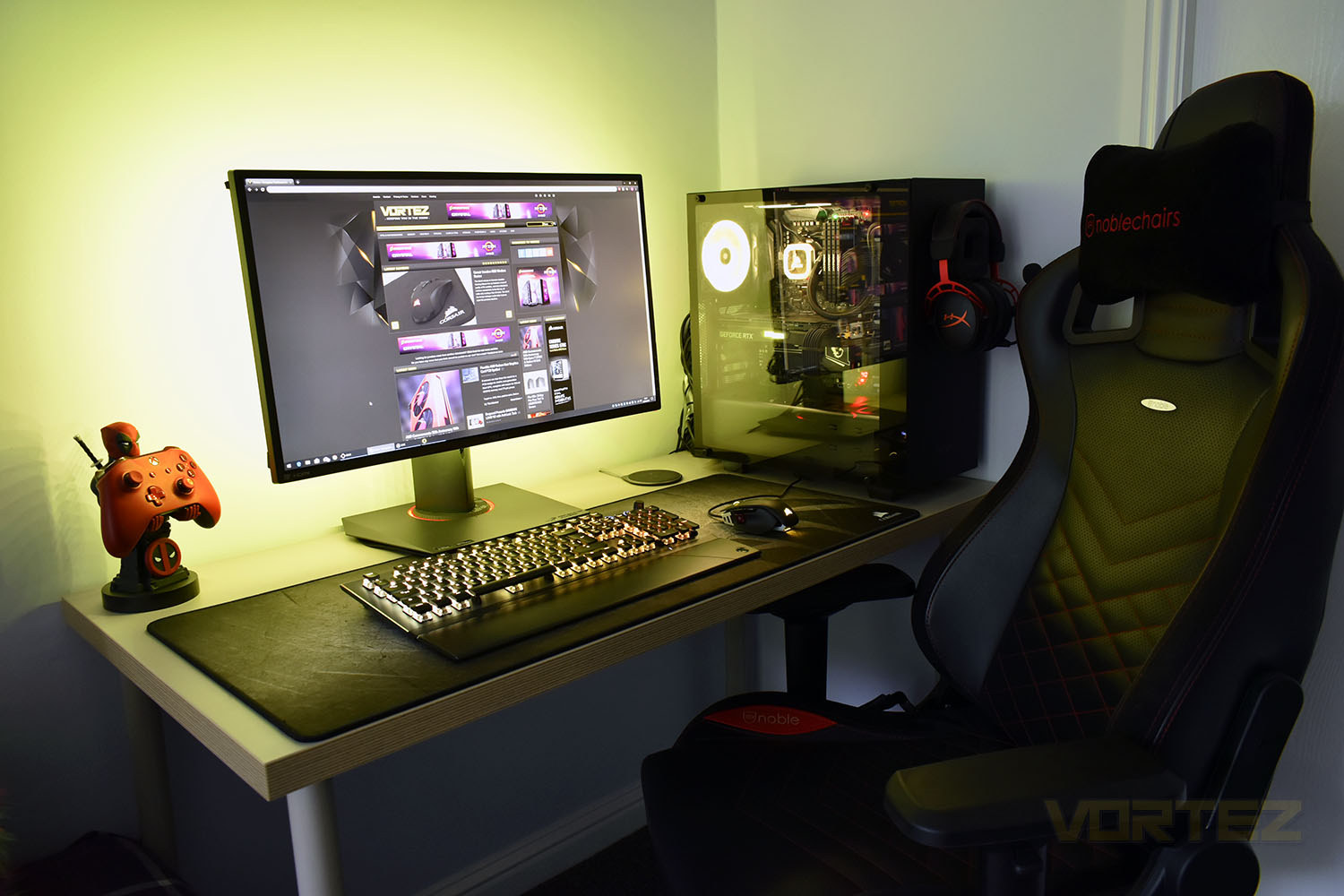
Priced at £89.99 in the UK and $99.99 in the US, it’s certainly more expensive than a cheap set of RGB LEDs from a well-known auction site, but does the real-time illumination really make that much difference when gaming or watching films? Let’s find out.
NZXT on the HUE 2 Ambient RGB Lighting Kit
The HUE 2 Ambient Lighting Kit uses your walls to visually immerse you in your favourite games or create the perfect mood with ambient RGB lighting from the back of your monitor. Everything you need to easily install and control RGB lighting for your monitor is included. Using CAM’s intuitive interface, you’ll choose from dozens of presets or custom lighting options, and even synchronize your RGB effects across other HUE 2 accessories.
Technical Specifications
Specifications:
– Dimensions: 76 x 100 x 15mm
– Weight: 500g
– Form factor: 2.5” Hard Drive bay
– Mounting: On the rear of the display
– Control method: NZXT CAM software
– Monitor support: 26”-32”
Connections:
– Micro-USB Cable: 2.5m x1
– Barrel-type Power Connector: 2.5m x1
– Connection Cable: 150mm x2
– Extension Cable: 150mm x2
– Input connector: 12V DC
– Output channel: voltage 5V DC
– Output channels: 2
Output LED quantity:
– 300mm (10 LEDs)
– 250mm (8 LEDs)
– LED strip length: 300mm x2, 250mm x4
– LED strip width: 10mm
– LED colour: RGB
LED modes:
– Preset
– Smart
– Custom
– Audio
– Game
– Ambient
Warranty:
– 2 Years
– Dimensions: 76 x 100 x 15mm
– Weight: 500g
– Form factor: 2.5” Hard Drive bay
– Mounting: On the rear of the display
– Control method: NZXT CAM software
– Monitor support: 26”-32”
Connections:
– Micro-USB Cable: 2.5m x1
– Barrel-type Power Connector: 2.5m x1
– Connection Cable: 150mm x2
– Extension Cable: 150mm x2
– Input connector: 12V DC
– Output channel: voltage 5V DC
– Output channels: 2
Output LED quantity:
– 300mm (10 LEDs)
– 250mm (8 LEDs)
– LED strip length: 300mm x2, 250mm x4
– LED strip width: 10mm
– LED colour: RGB
LED modes:
– Preset
– Smart
– Custom
– Audio
– Game
– Ambient
Warranty:
– 2 Years
Packaging, Bundle & Closer Look
Of course, sticking to NZXT’s well-established colour scheme, the packaging uses the purple outer edges and bright white background. The front shows the Ambient RGB Lighting Kit mounted to a 16:9 monitor.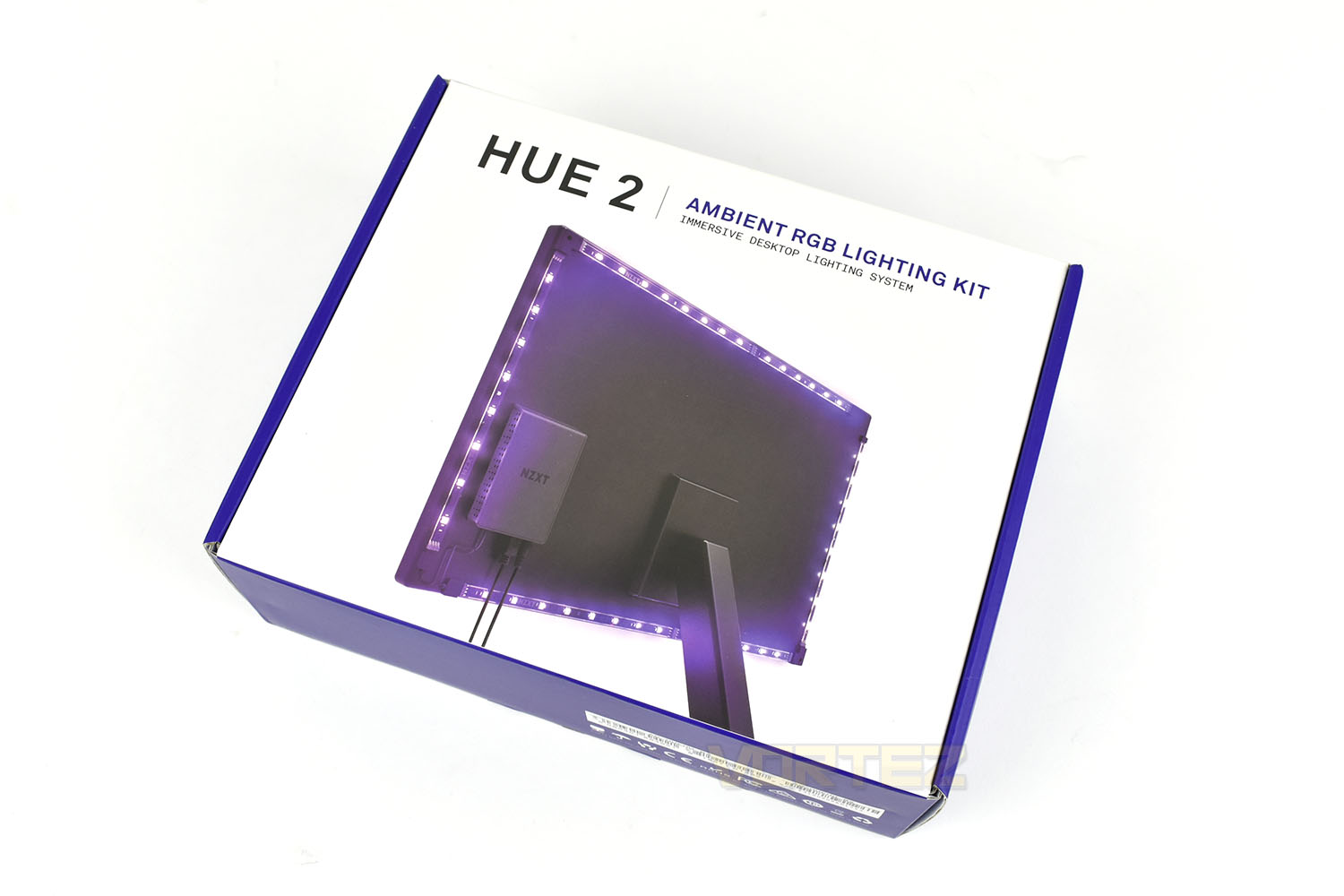
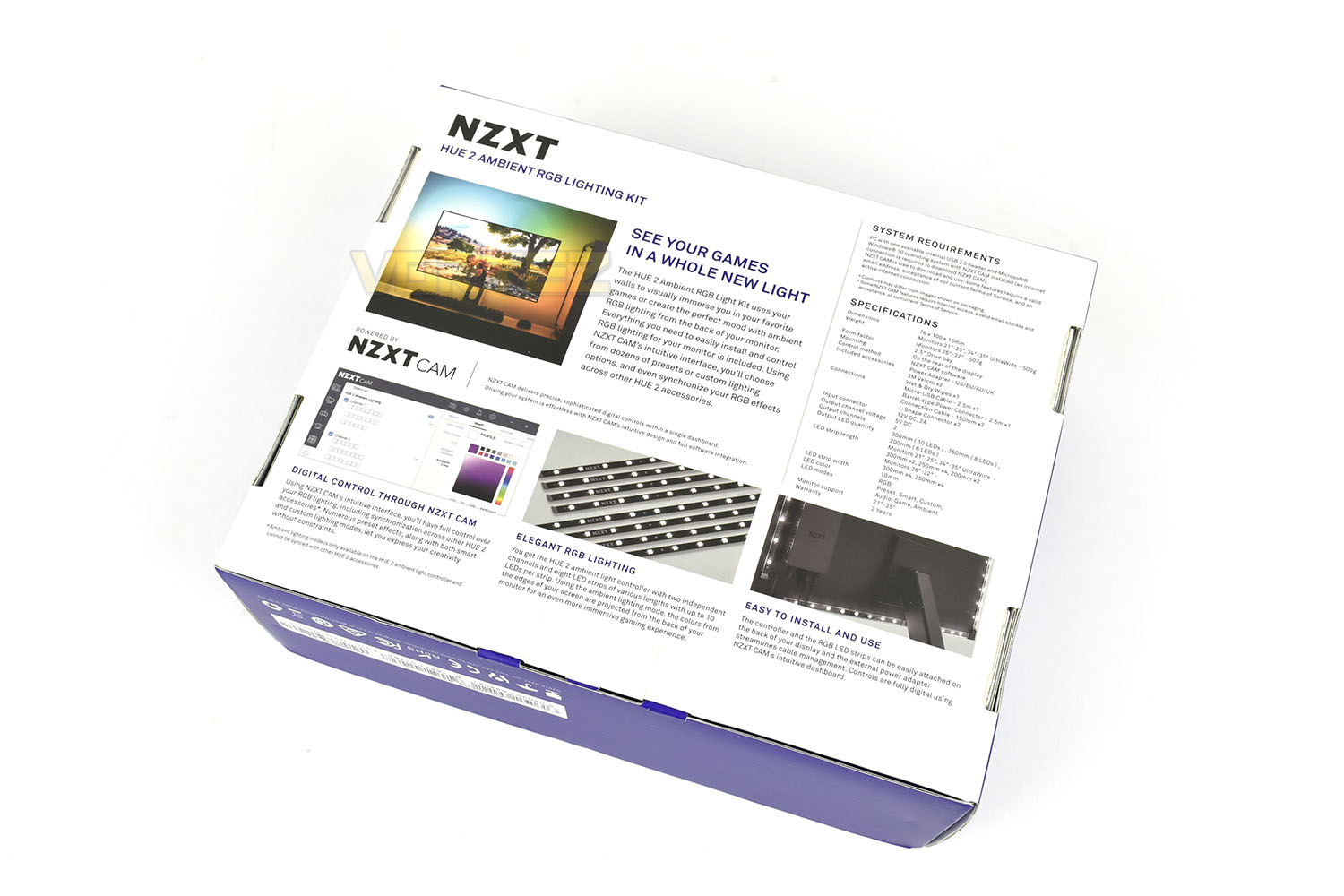
Based on the front giving almost no information what-so-ever, the rear is packed with images and descriptions as well as a full specifications table.
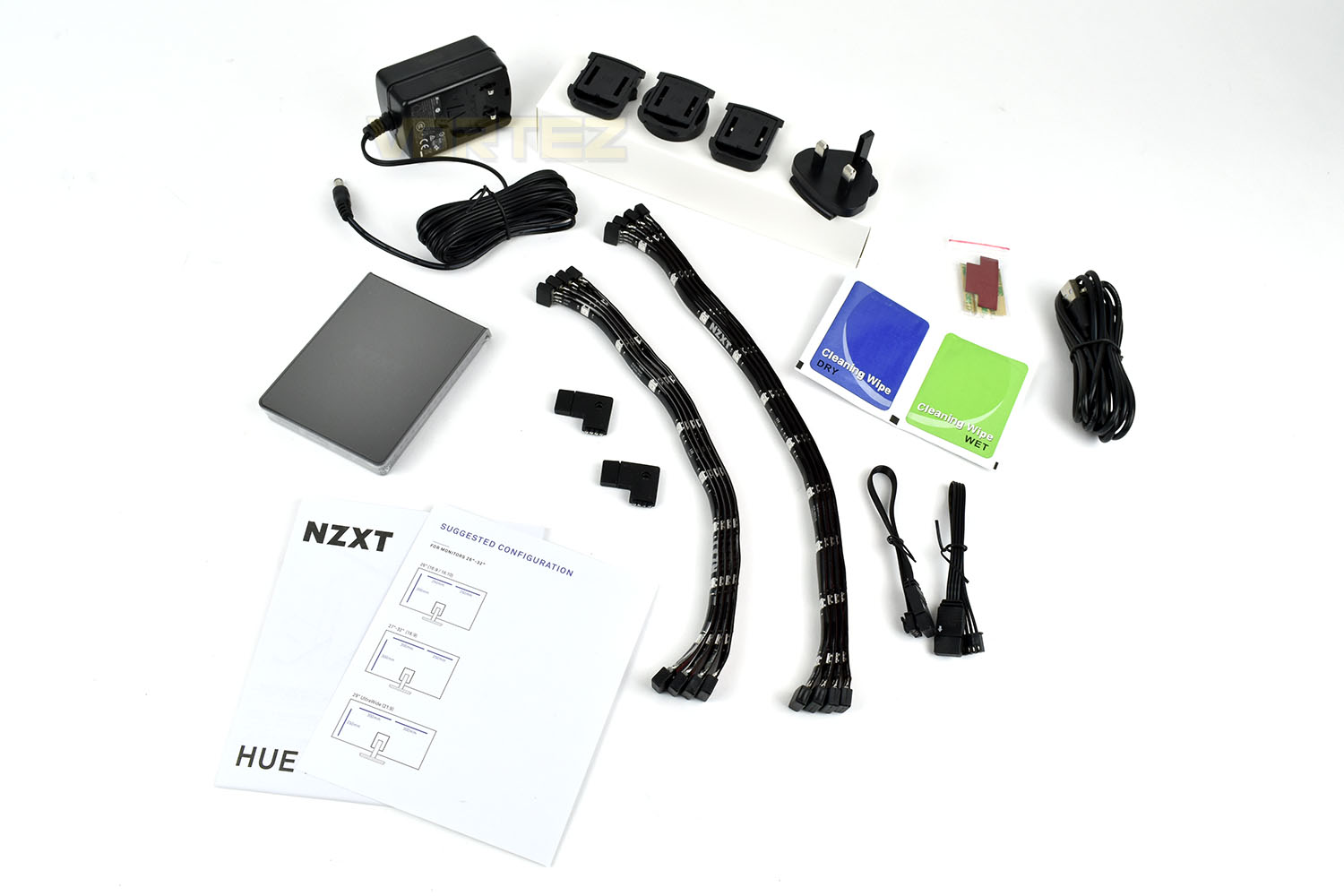
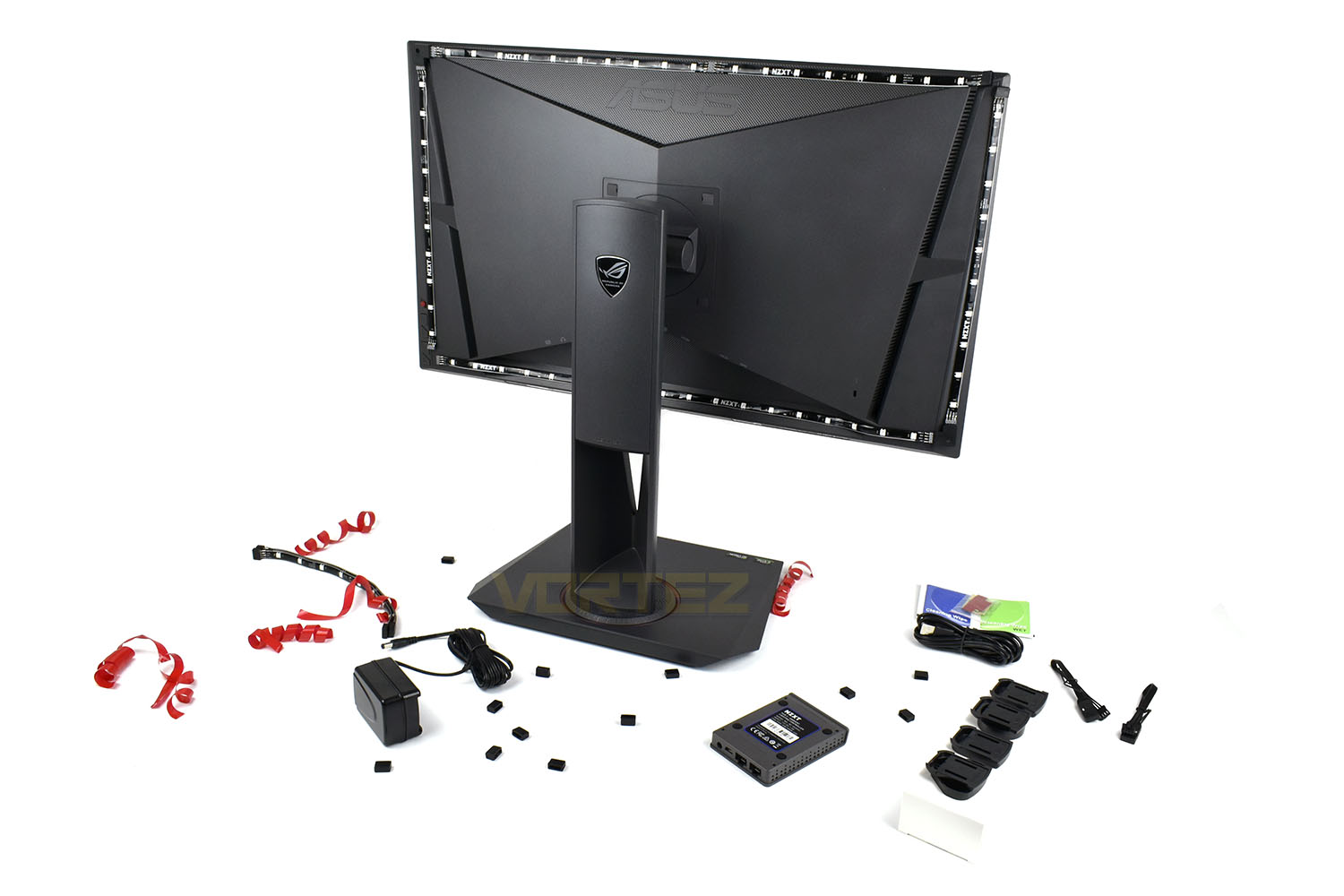
Included with the RGB Lighting hub is the following:
2x Instruction manuals
4x 300mm RGB strips
4x 250mm RGB strips
2x Corner sections
1x US, UK, Aus and EU plugs
1x AC adaptor
2x Cleaning wipes
1x 1.8M Micro USB cable
1x Set of 3M Dual Lock (Velcro) pads.
The Ambient RGB Lighting Hub measures 95mm x 70mm x 15mm and houses all four connections on one end of the device which should aid cable management somewhat.
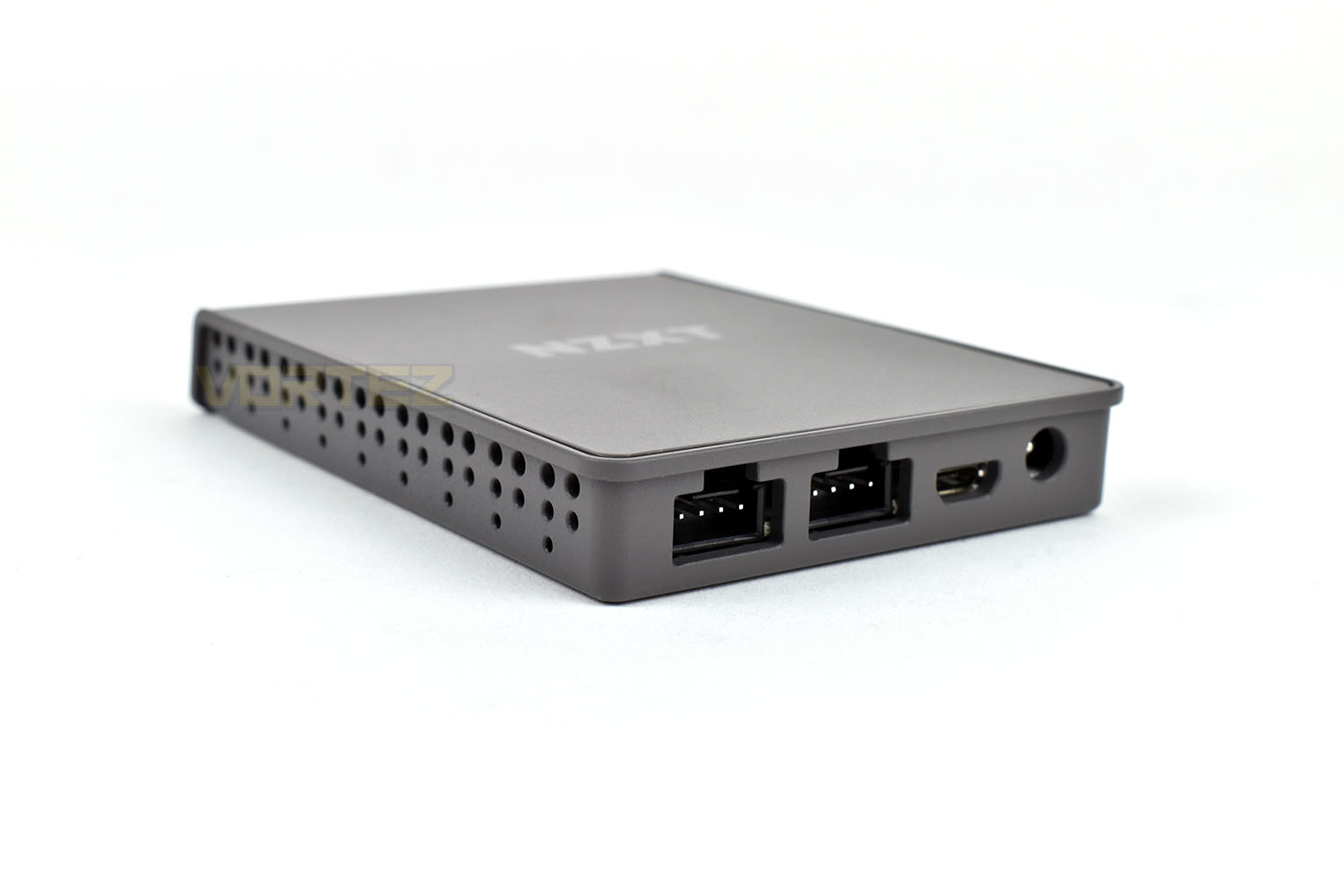
The underside has four small rubber pads, likely to prevent the device from scratching your expensive monitor. The two rectangular sections are the exact size of the included “Velcro” pads.
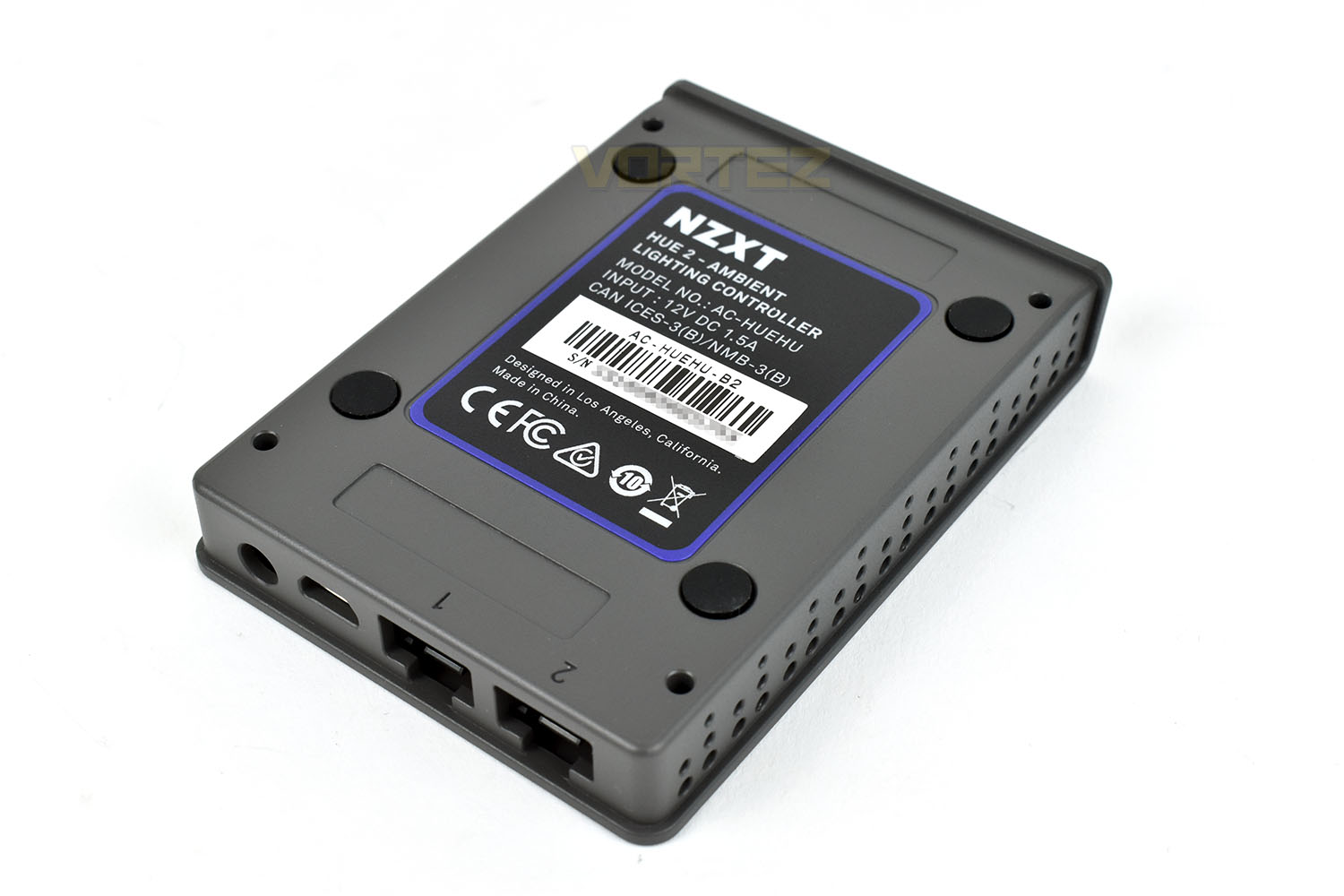
Installation
NZXT provide extensive installation instructions, with screen size recommendations for both 16:9 and 21:9 monitors.Thanks to sticky backing on all of the RGB strips, installing them to the back of the monitor is a breeze. Each strip locks into the next with ease thanks to the 4-pin connections. For our ASUS ROG PG278 we used a 250mm and 300mm strip along the top and bottom and a 300mm strip up the sides. Of course, in NZXTs instructions, they’ve used a monitor with a completely flat back; our ASUS monitor is far from flat on the back. This posed a couple of issues with aligning the strips but overall, thanks to the extreme stickiness of the strips, was easy enough.
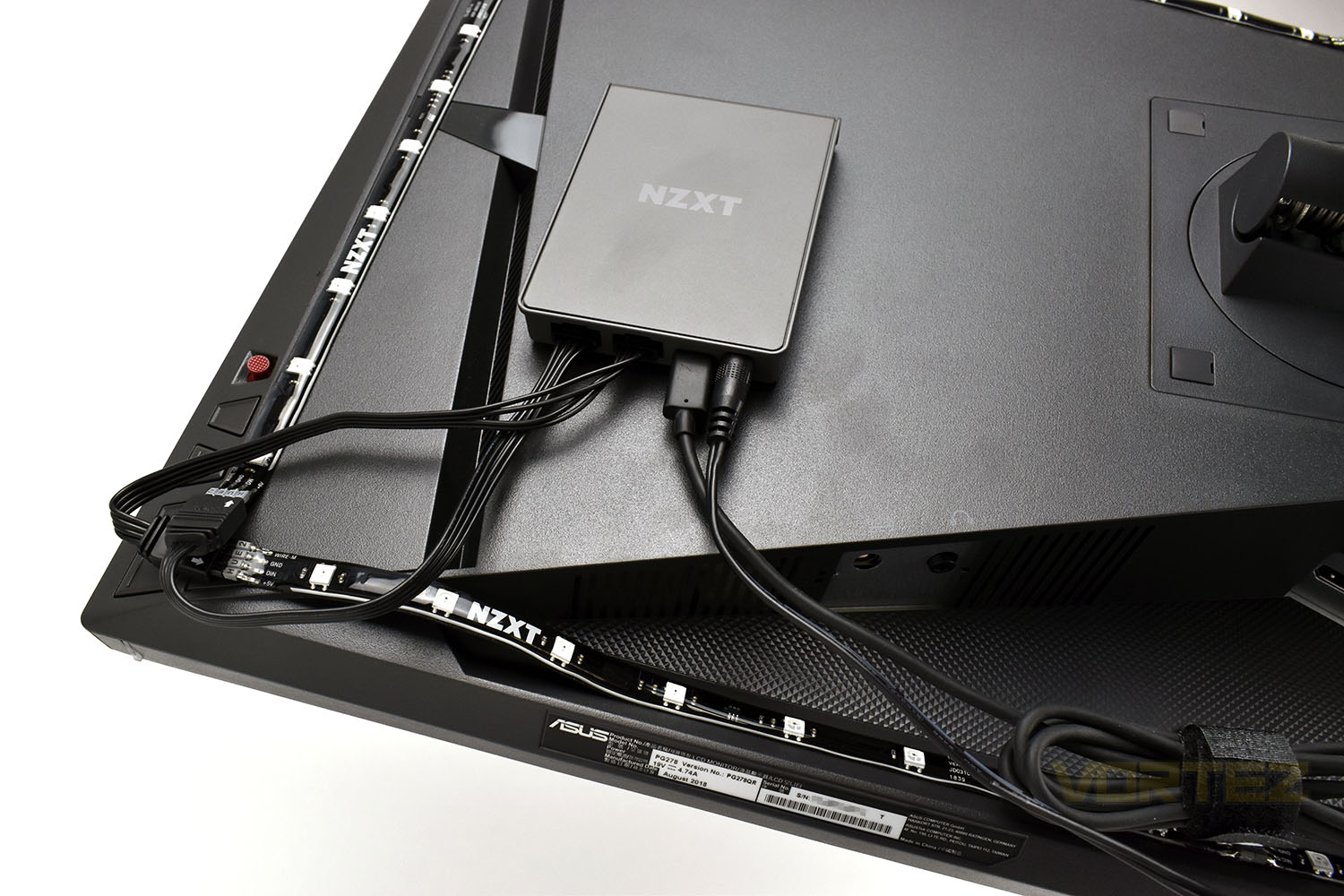
We then mount the RGB Hub to the back of the monitor and connect up the wires. If you’re lucky enough to have a USB hub built into your monitor, you will be able to get away with only a power cable leaving the back of the monitor, helping to keep things tidy and ordered.
And then the finished look below.
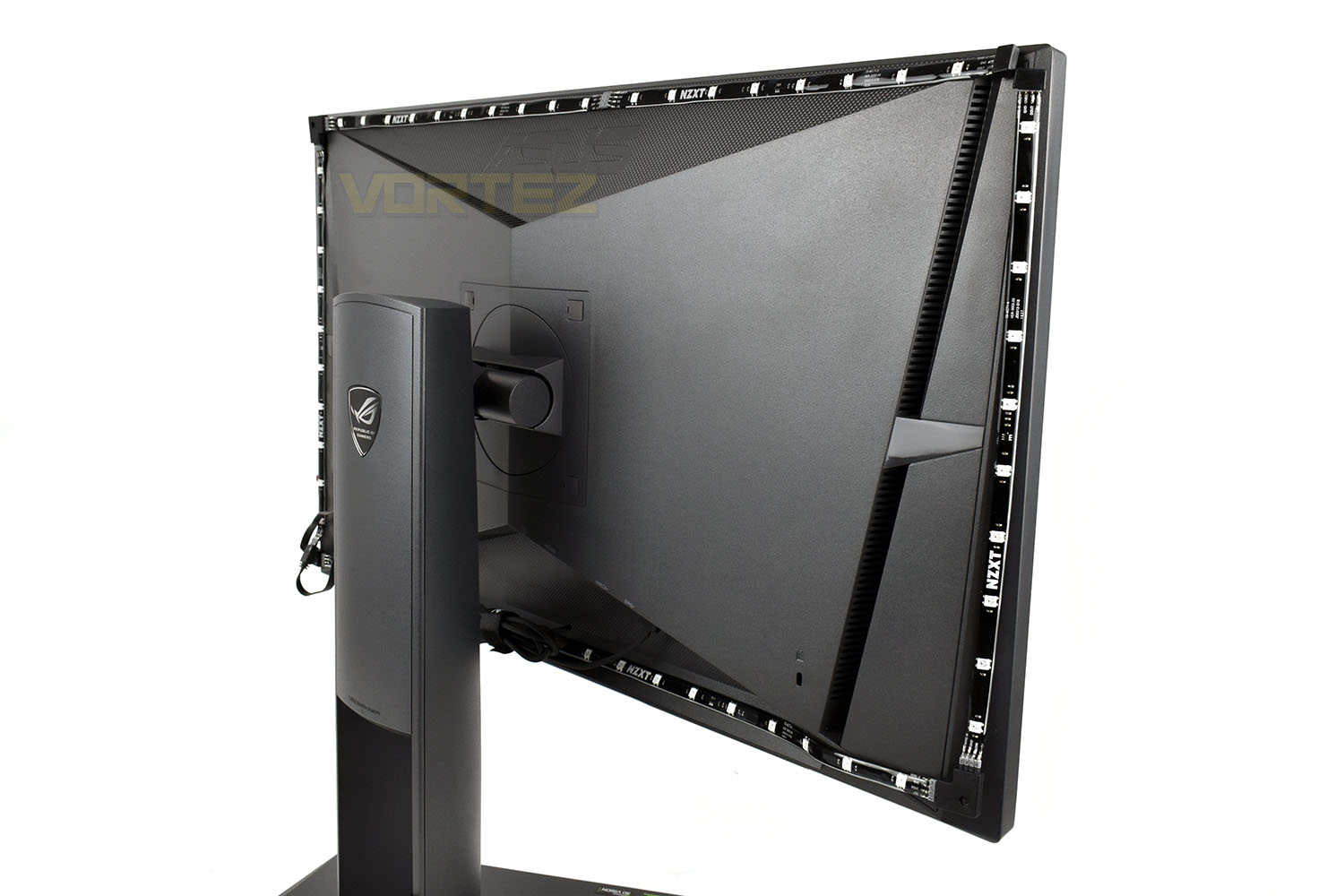
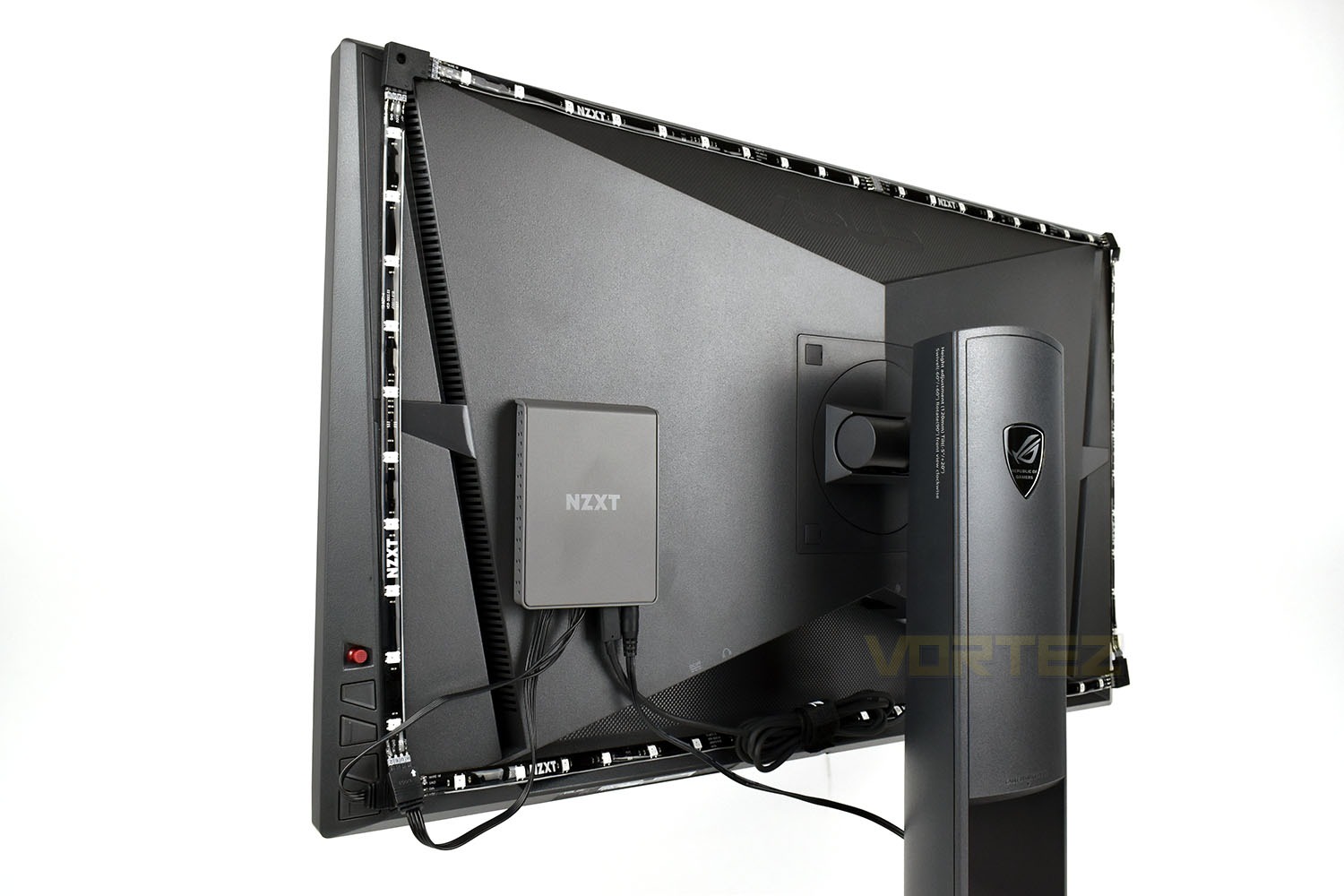
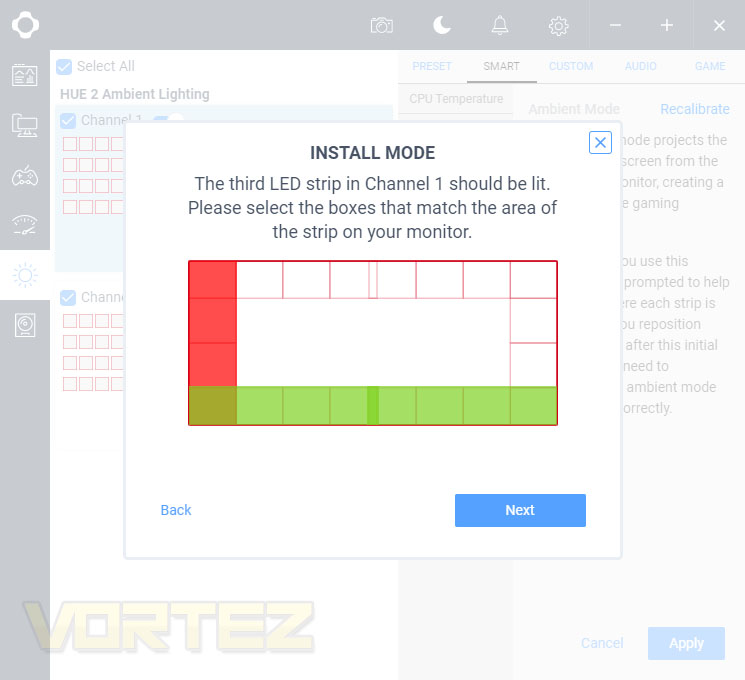
Once installed onto the rear of the monitor, you then need to calibrate the strips with the NZXT CAM software. This process is incredibly straight forward with the software illuminating individual strips and then asking you to plot the strip on the screen. This takes no more than 30 seconds and, once done, should never need to be repeated unless you move the strips.
RGB Lighting
As you can see below, the RGB LEDs are bright and vibrant with reasonably accurate colour reproduction, though it has to be said that there’s a noticeable delay in the background changing when playing fast-paced games or watching films. Films also pose a problem for the backlighting; with the 21:9 aspect ratio that most blockbuster films are distributed in, the letterbox effect on a 16:9 monitor renders the top and bottom LED strips as useless; they’re consistently attempting to relay the black bar onto the wall throughout a movie, resulting in the LEDs being off. If the software could detect the top of the active “window” instead of taking the edge pixels and relaying those to the wall, it would remedy this problem entirely.While using the Ambient Mode in games, we found it to feel a little too washed out and lacking any real punch. Adjusting the in-game brightness helped to accentuate the RGB lighting but we then lost the colour accuracy of our monitor, which isn’t a trade-off we’re willing to make. NZXT could add a saturation or brightness slider to their software to combat this which would help unlock the true potential of the kit. The problem is less noticeable in a dark room but when playing in daylight hours you could easily feel like the LEDs were switched off.
Software
NZXTs CAM software is useful for many other things aside from lighting control of your new HUE 2 Ambient RGB hub. Upon opening the software, you will be presented with a few key monitors of your hardware, such as current clock speeds, temperatures and available drive space. The colour scheme can be changed at any point.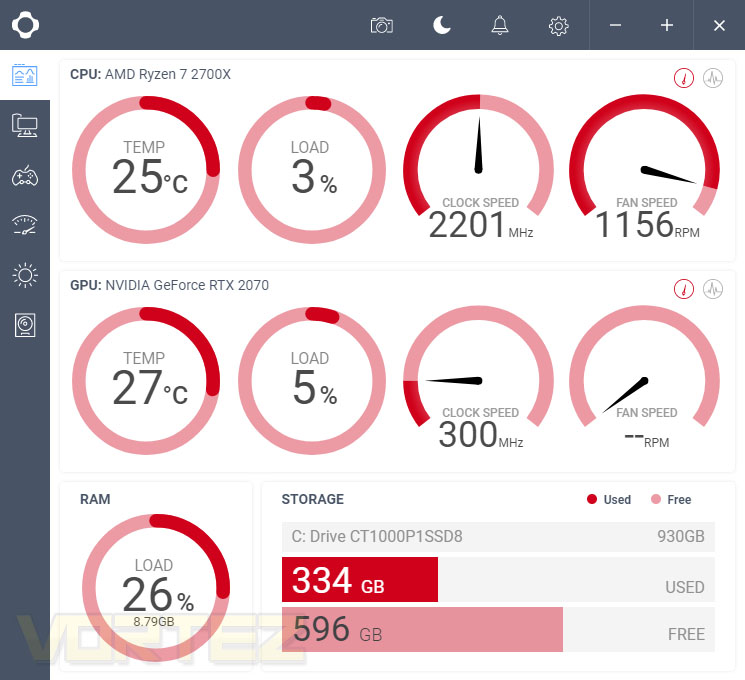
Of course, the RGB strips party trick is the ability to mirror your screen’s output onto the wall, but if you wish, you can individually adjust the LEDs to create whichever affects you like. We found most of the colours to be bright and vibrant but orange and lime green were a faded.
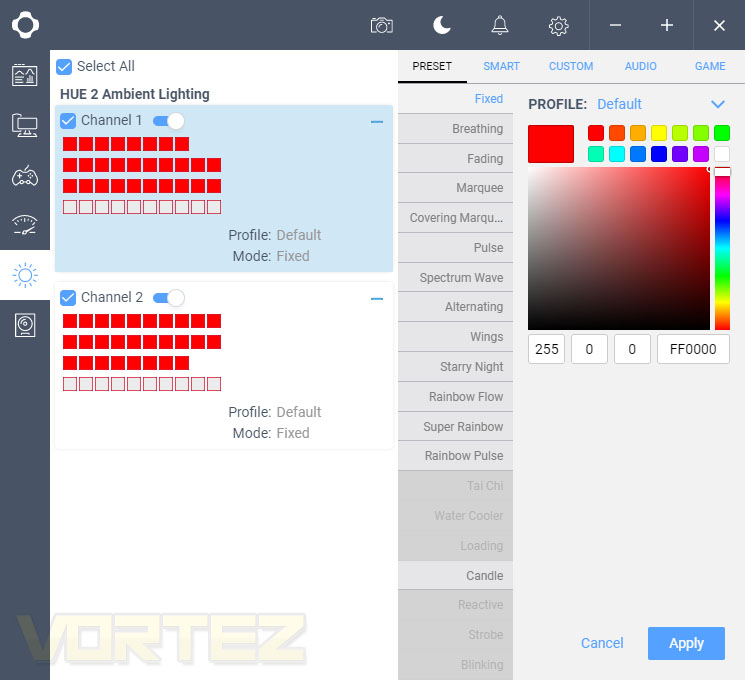
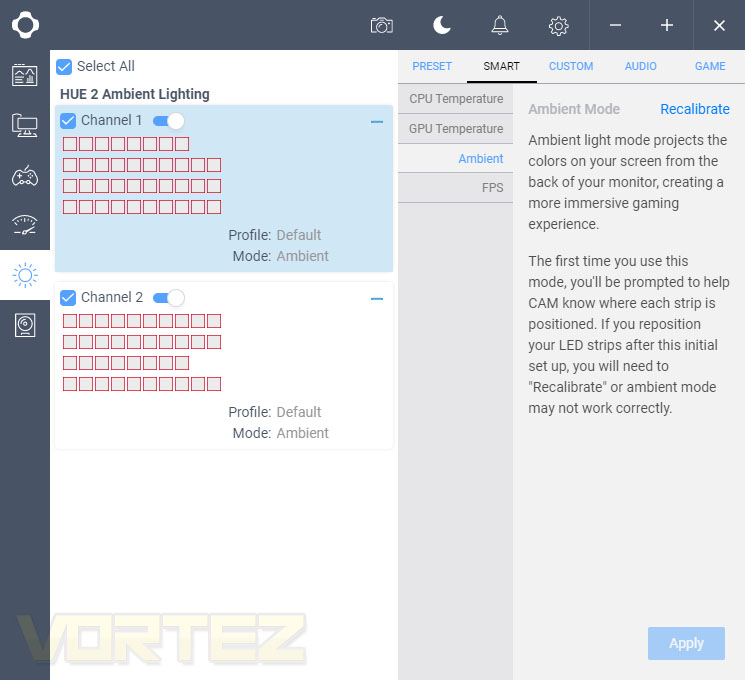
Enabling the Ambient Mode is done via the Smart tab. It’s also possible to set up different zones to indicate current CPU and GPU temperatures, if they’re something you need to monitor constantly.
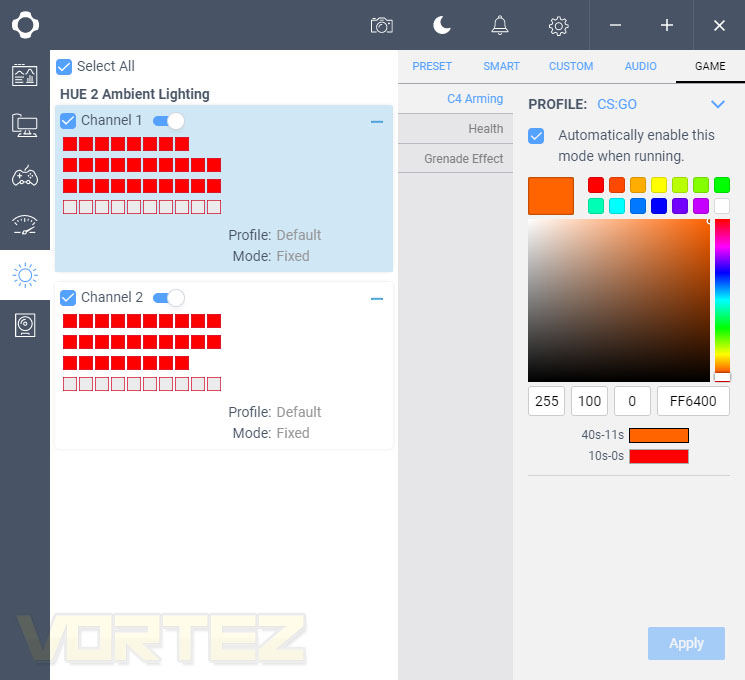
Finally, while playing around we found that the NZXT CAM software supports CS:GO. With this enabled, while playing, you can have the strips display information relating to health, C4 Arming and for Grenade Effect to help you work out where the splash damage came from. Currently CS:GO appears to be the only supported title but hopefully more will be added.
Conclusion
The NZXT Ambient RGB Lighting Kit certainly adds a unique appeal, whether you wish to use it for backlighting to reduce eye fatigue or for the additional ambience that the “Ambient Mode” can add with its real-time colour adjustment, though it’s not without its flaws which are hard to ignore at close to a hundred pounds or dollars.Setting up the lighting, providing you have a bench or table that you can set your monitor onto while you apply the strips, was a very easy process. The sticky-backed strips were just that, sticky, so they went onto the plastic monitor surround without issue. The corner pieces also make lining everything up a doddle, without the hassle of additional cables to hide or bend into shape.
Setup within the software was also painless, especially with the calibration tools at the start. However, having said that, a brightness adjustment would be nice when using the LEDs in their “Ambient Mode”, as sometimes the colours can seem a little washed out compared to the screen’s representation. Turning up the brightness in-game gives the desired effect of strengthening the colours on the wall but ruins the display’s accuracy and colours in the process.
Using the LEDs to illuminate the wall in a colour of your choosing can look fantastic late at night, particularly if you’ve invested in several other RGB LED products, which if you’re looking to buy this, is more than likely.
With the rapid adoption of RGB lighting within the PC industry, the NZXT Ambient RGB Lighting Kit will undoubtedly become popular amongst those with plenty of disposable income, but if you’re buying the kit to add immersion to your game, you may find better value by investing the £90/$100 into a better GPU or CPU instead. Though, on the other hand, if you already have a good desktop PC and are totally hooked on the RGB-train then we’re confident you’ll love this kit.
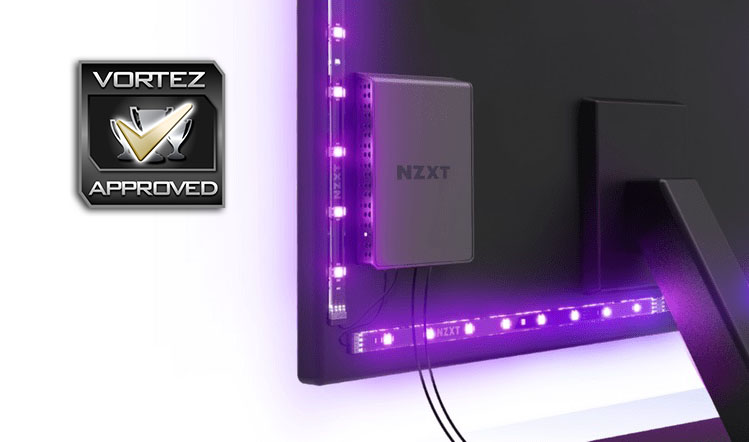
Setup is easy, the RGB LEDs are bright (sometimes), the ambience they add is excellent and the immersion in some games is amazing, but it doesn’t come cheap.
Pros
+ RGB Lighting looks great!
+ Easy to install and setup
+ Easily hidden behind your monitor for a “factory look”
+ Adds genuine immersion in games with brighter colours and higher contrasts
Cons
– Pricey
– Doesn’t play well with 21:9 films on a 16:9 screen
– Ambient Mode can be hit or miss and there’s very little you can do about it
+ RGB Lighting looks great!
+ Easy to install and setup
+ Easily hidden behind your monitor for a “factory look”
+ Adds genuine immersion in games with brighter colours and higher contrasts
Cons
– Pricey
– Doesn’t play well with 21:9 films on a 16:9 screen
– Ambient Mode can be hit or miss and there’s very little you can do about it
Click here for an explanation of our awards at Vortez.net.
Stay connected with the Vortez Social Media pages:
Join in with the discussions on Discord