Packing per-key CAPELLIX RGB LED illumination, Corsair’s Slipstream wireless technology and up to 165 hours on a single charge, the K57 RGB Wireless seems to offer a great deal but it can’t be all good, can it?

Product on Review: Corsair K57 RGB Wireless
Manufacturer: Corsair
Street Price: £89.99 / $99.99
If you’ve ever shopped around for a gaming keyboard you will almost undoubtedly have come across an offering from Corsair. Their K70 is incredibly popular amongst the gaming community with its vast choice of Cherry MX key switches and vast array of features, but priced at roughly £150, it’s out of the reach of some who can’t justify such a cost. That’s where Corsair can use their expertise within the sector to produce a quality keyboard without such a high price tag.
The Corsair K57 RGB Wireless is a full-size keyboard with per-key RGB backlighting, Macro keys for increased functionality, a wide selection of dedicated media keys and support for 2.4GHz wireless, Bluetooth or a wired mode.
We saw Corsair’s CAPELLIX RGB LEDs for the first time back with the Corsair Dominator Platinum RGB DDR4 memory modules where they impressed us massively with their vivid colour production. Corsair have now begun shifting those new LEDs into all of their devices to increase their luminance and the K57 hasn’t been left out with fully customisable per-key RGB backlighting that’s controlled via Corsair’s iCUE software.

Bolstering the gaming credentials of the K57 RGB is Corsair’s proprietary wireless transmission technology, Slipstream. This provides sub-1ms response times via an included USB dongle. Bluetooth connectivity is also included to allow communication with things like your TV or a games console.
Battery life is claimed at up to 175 hours with the backlighting turned off and up to 35 hours with it on; a rechargeable Lithium-ion battery is included within the keyboard so you’ll never have to ratch around for AA batteries.
In the UK and US, the K57 RGB Wireless is priced at £89.99/$99.99 putting it right in the path of many competitors, but does a 2-year warranty, Corsair’s expertise and attention-to-detail help warrant the price-tag? Let’s find out.
Corsair on the K57 RGB Wireless:
Light up your wireless gaming with the K57 RGB Wireless Gaming Keyboard, featuring sub-1ms SLIPSTREAM WIRELESS and brilliant per-key RGB backlighting from CAPELLIX LEDs.
Technical Specifications
Keyboard Warranty:
2 Year
Weight:
0.95kg
Keyboard Backlighting:
RGB
Keyboard Layout:
UK
Macro Keys:
6
HID Keyboard Report Rate:
1000Hz
Key Switches:
Rubber Dome
Matrix:
111 Keys
Keyboard Connectivity:
Wireless, Wired
Adjustable Height:
Yes
Media Controls:
Yes
Keyboard Type Size:
K57
Keyboard Product Family:
K57
Keyboard Rollover:
8-Key Selective (8KRO) with Anti-Ghosting
Size(Full/TKL):
Extended
Wired Connectivity:
USB 2.0 or 3.0 Type-A
Wireless Connectivity:
2.4GHz SLIPSTREAM: Up to 16hrs with standard lighting or 24hrs with lighting off
BLUETOOTH: Up to 30hrs with standard lighting or 50hrs with lighting off
Battery Charging:
USB to Device
On-Board Memory:
Yes
WIN Lock:
Dedicated Hotkey
Media Keys:
Dedicated Hotkeys
Wrist Rest:
Included, detachable, with soft touch finish
Keyboard CUE Software:
Supported in iCUE
Keyboard Cable Type:
Tangle-free rubber
Keyboard Battery Life:
Up to 35 hours with RGB backlighting or 175 hours with backlighting off
Keyboard Battery Type:
Rechargeable Lithium-Ion
2 Year
Weight:
0.95kg
Keyboard Backlighting:
RGB
Keyboard Layout:
UK
Macro Keys:
6
HID Keyboard Report Rate:
1000Hz
Key Switches:
Rubber Dome
Matrix:
111 Keys
Keyboard Connectivity:
Wireless, Wired
Adjustable Height:
Yes
Media Controls:
Yes
Keyboard Type Size:
K57
Keyboard Product Family:
K57
Keyboard Rollover:
8-Key Selective (8KRO) with Anti-Ghosting
Size(Full/TKL):
Extended
Wired Connectivity:
USB 2.0 or 3.0 Type-A
Wireless Connectivity:
2.4GHz SLIPSTREAM: Up to 16hrs with standard lighting or 24hrs with lighting off
BLUETOOTH: Up to 30hrs with standard lighting or 50hrs with lighting off
Battery Charging:
USB to Device
On-Board Memory:
Yes
WIN Lock:
Dedicated Hotkey
Media Keys:
Dedicated Hotkeys
Wrist Rest:
Included, detachable, with soft touch finish
Keyboard CUE Software:
Supported in iCUE
Keyboard Cable Type:
Tangle-free rubber
Keyboard Battery Life:
Up to 35 hours with RGB backlighting or 175 hours with backlighting off
Keyboard Battery Type:
Rechargeable Lithium-Ion
Packaging & Bundle
It wouldn’t be Corsair if it wasn’t bright yellow. The box is a simple affair with a large picture of the keyboard on the front with various snippets of information dotted around the perimeter.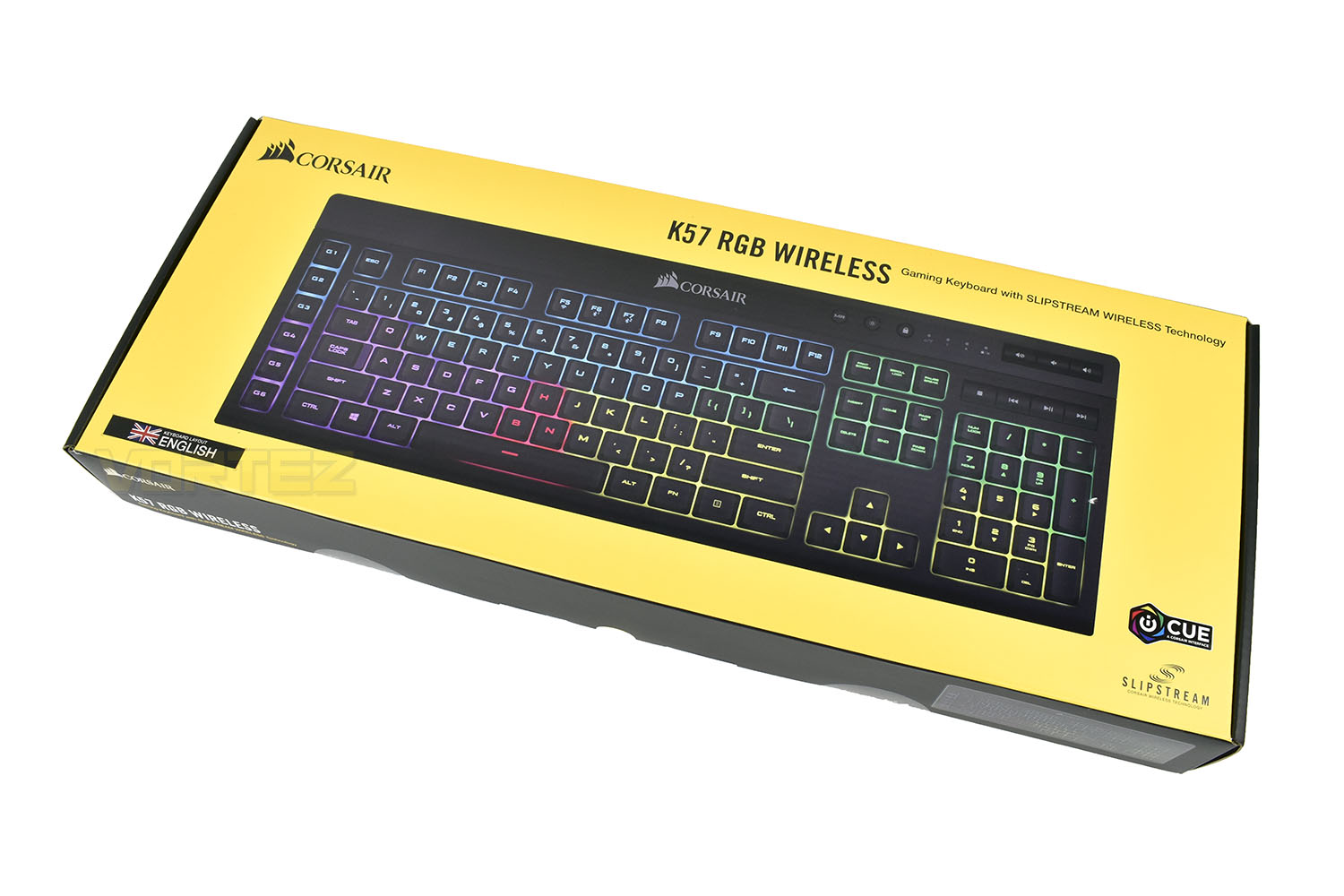
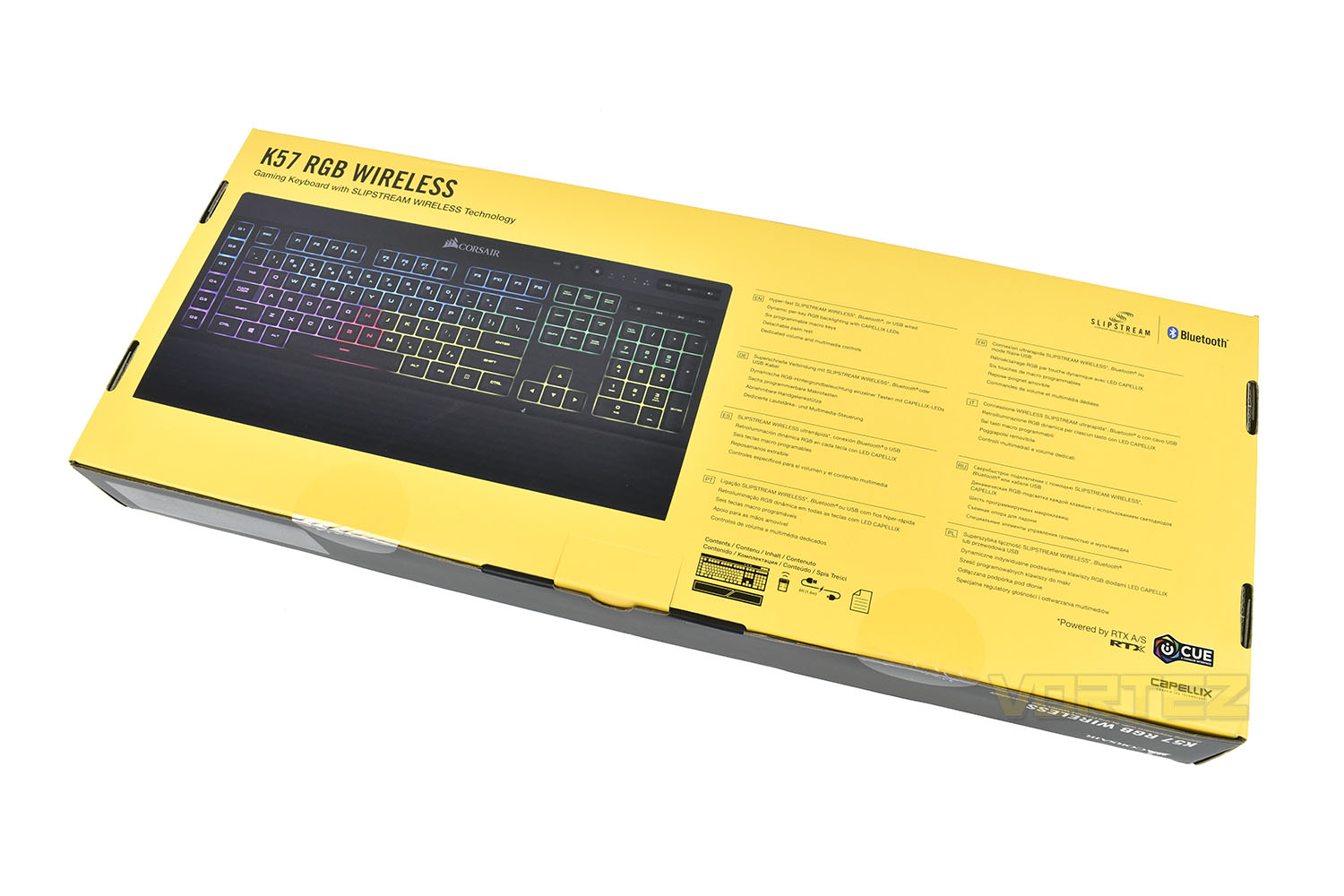
Popping the package on its front, the rear gives a few brief bullet points about the K57 RGB.
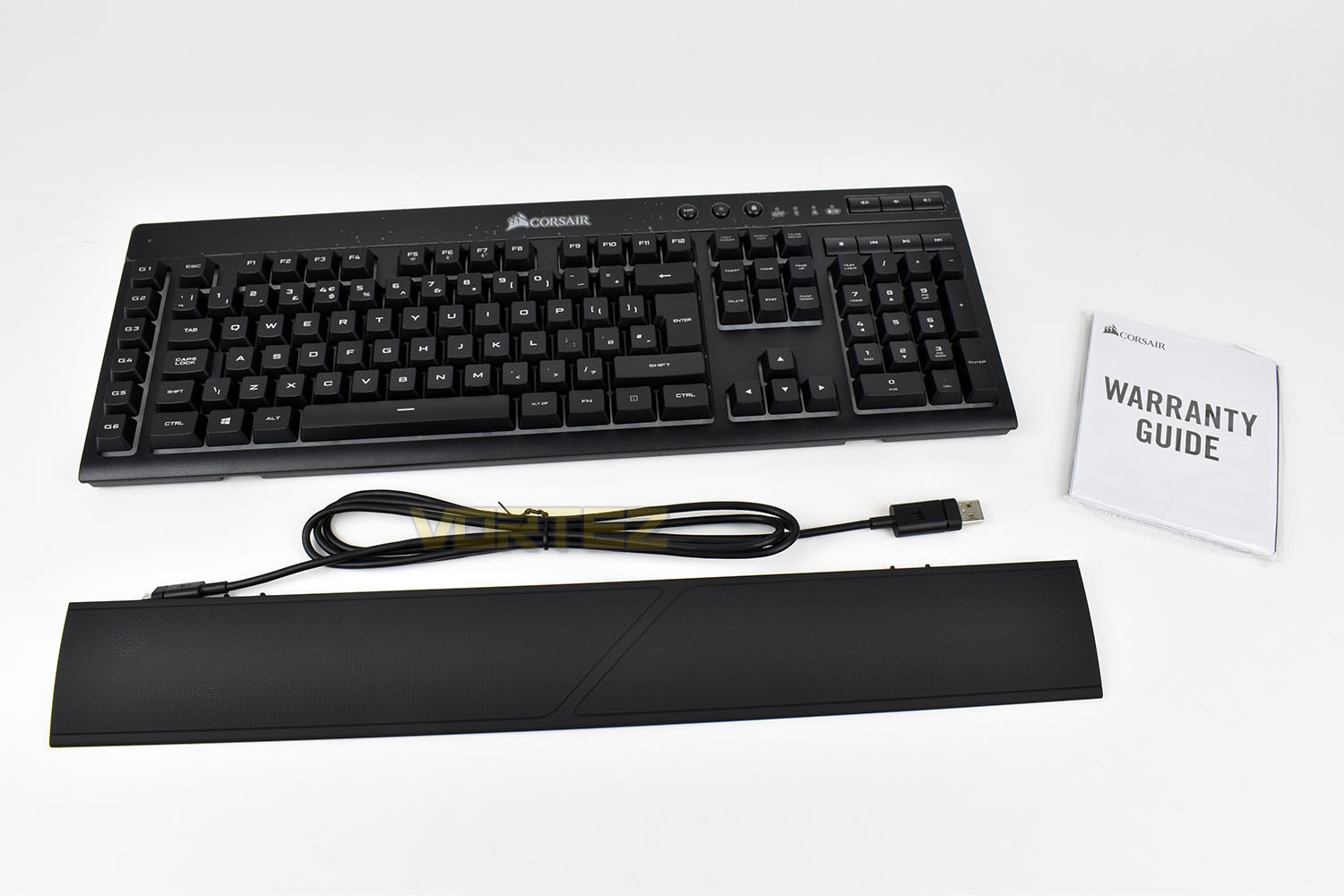
Included with the keyboard is a 1.8M tangle-free rubber-coated USB cable for charging or using the keyboard in wired-mode. There’s also a removeable soft-touch wrist rest and a warranty guide/instructions package.
Closer Look
The extended form factor of the K57 RGB Wireless puts it at 490mm wide and 170mm deep, certainly not the smallest wireless keyboard on the market but it does utilise a standard and familiar key spacing which should mean the learning curve for the new layout is as short as possible.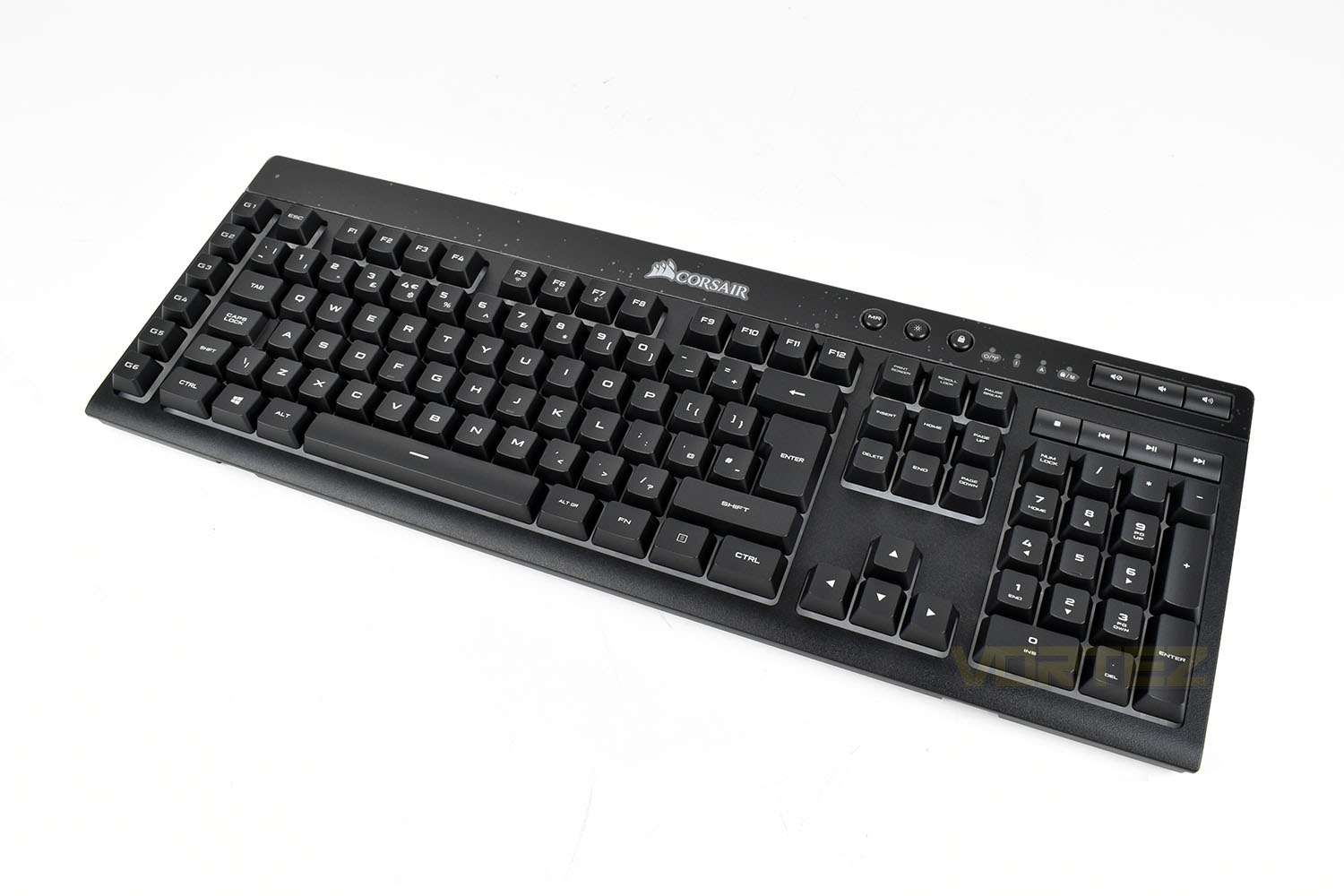
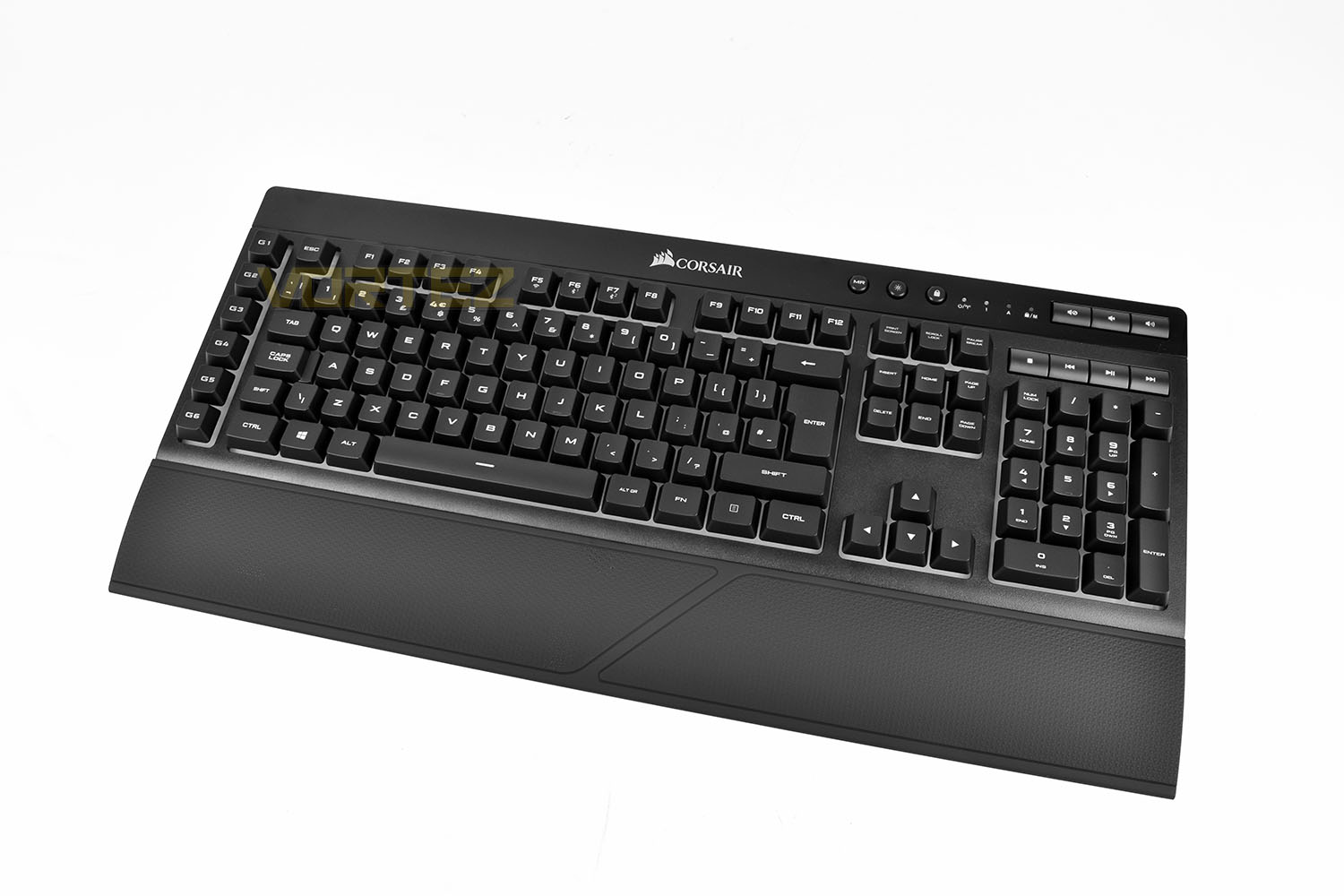
Strapping the wrist rest into place, the keyboard grows further, but now with added comfort.
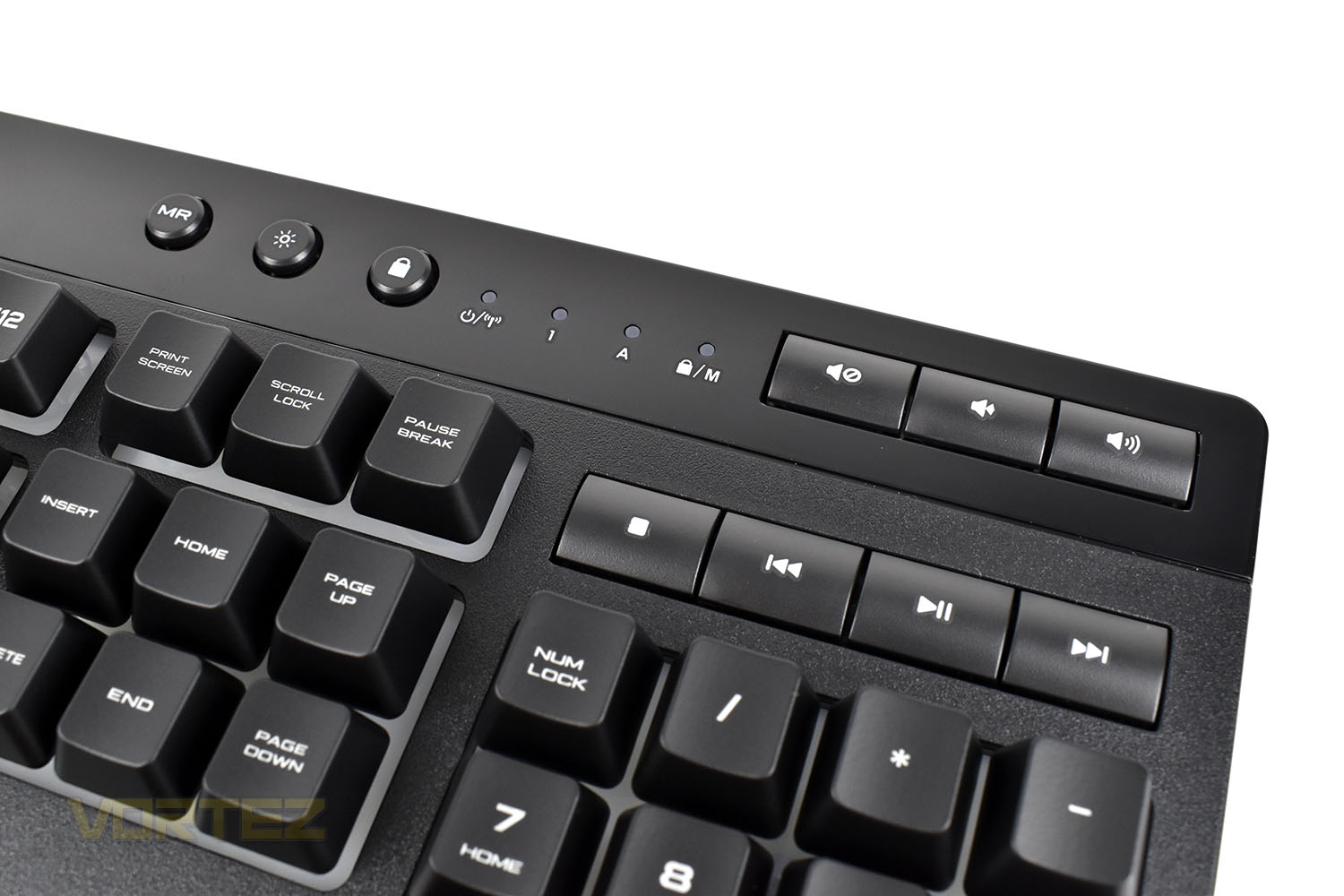
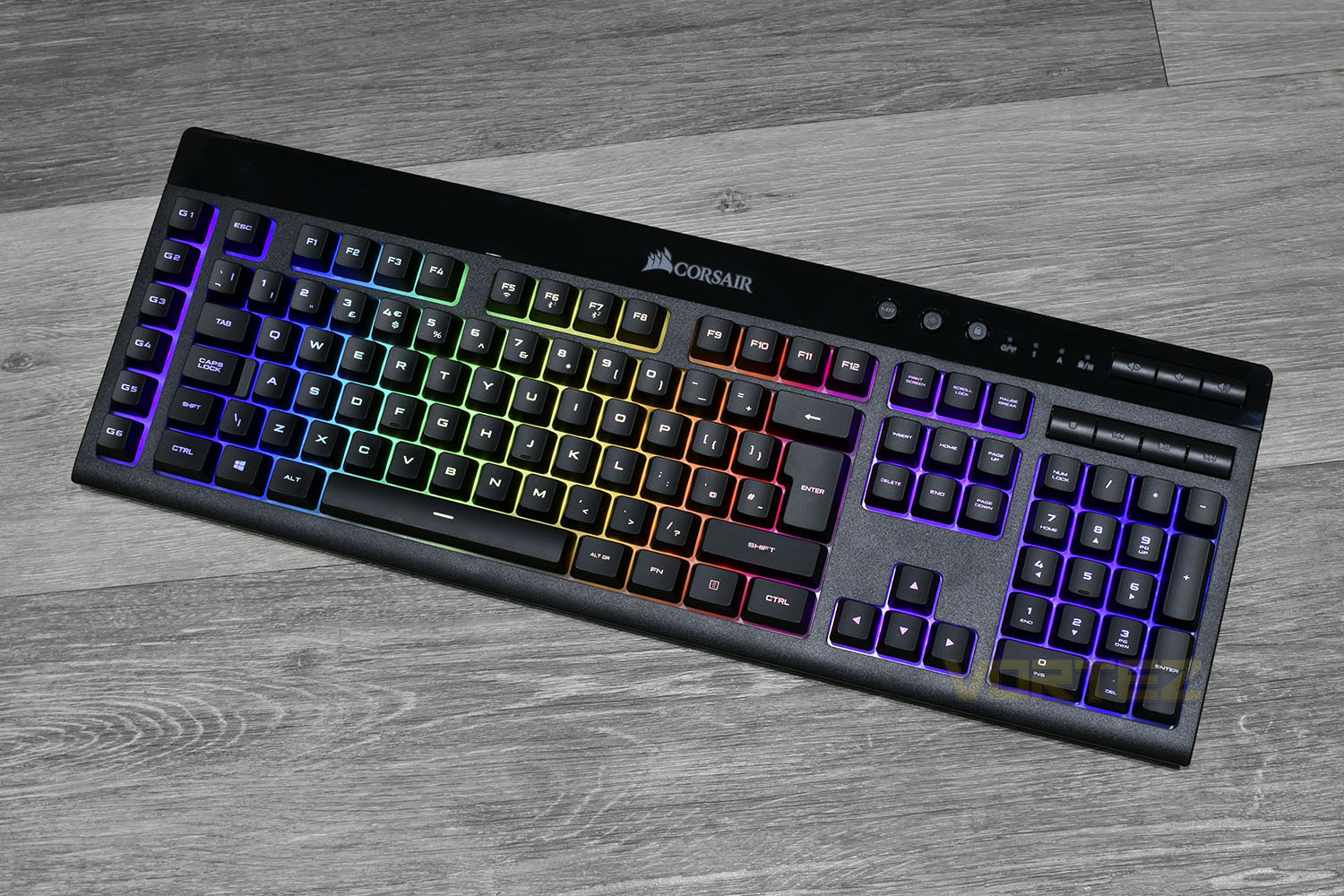
Top-right is home to all of the media and specific-function keys as well as the LED indicators.
Starting with the three circular keys on the left we have a Macro Record key, an LED brightness toggle and a Windows-key toggle which prevents accidentally opening up the Windows menu while in-game.
Between the circular keys and the buttons on the right are four LED indicators, the first is for battery/wireless status, the second and third are for Num Lock and CAPS Lock and the fourth and final LED is to identify Windows-key Lock or Macro Record functions.
Finally, on the right, there are seven keys each with their function clearly printed on top.
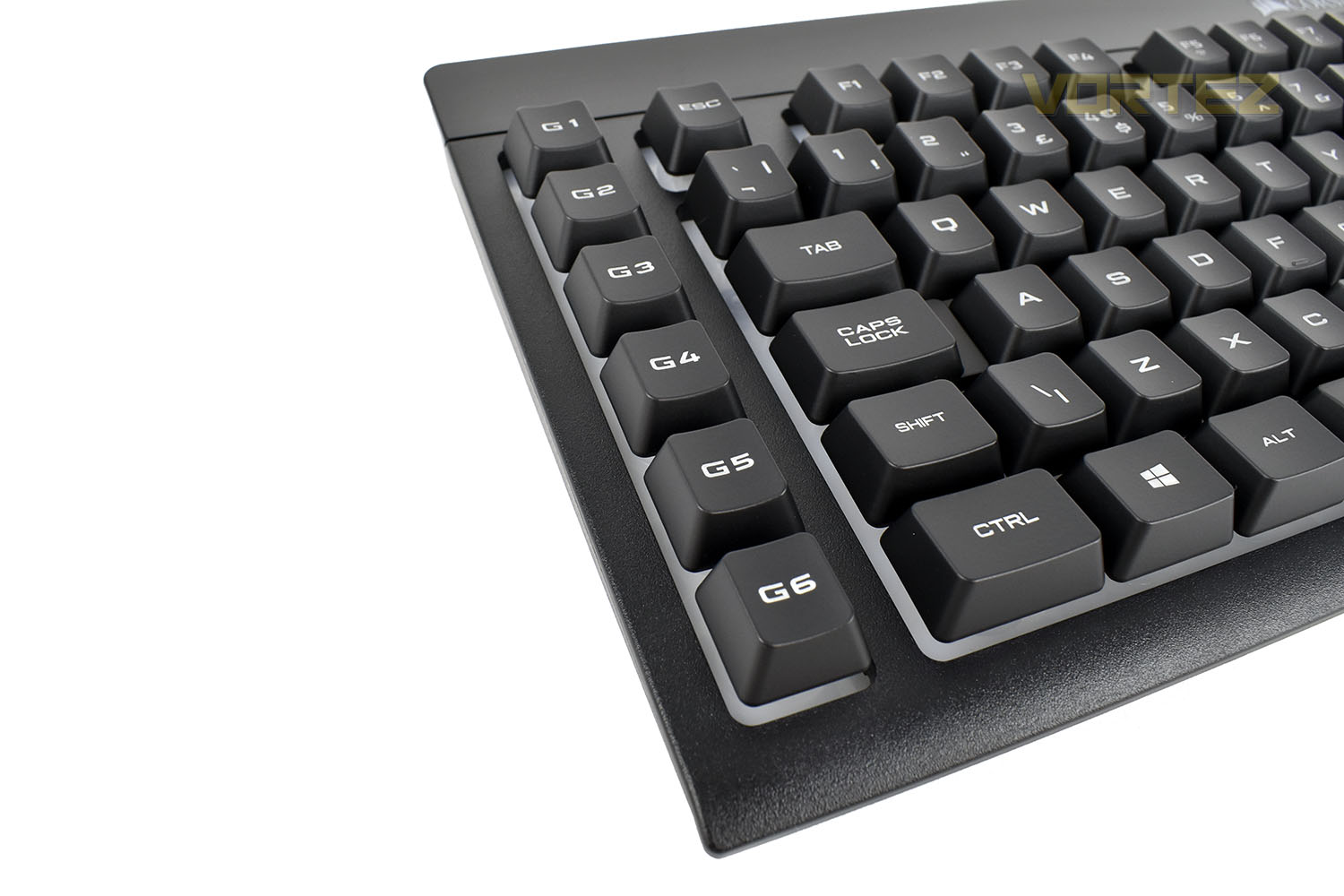
Moving all the way over to the left of the keyboard are six Macro keys. These can be used for almost anything, the possibilities really are endless. I personally find them useful for lengthy key combinations within Photoshop, such as ALT + Shift + CTRL + L for Auto-Contrasting an image.
The K57 RGB Wireless features a tapered shape, when viewed from the sides.
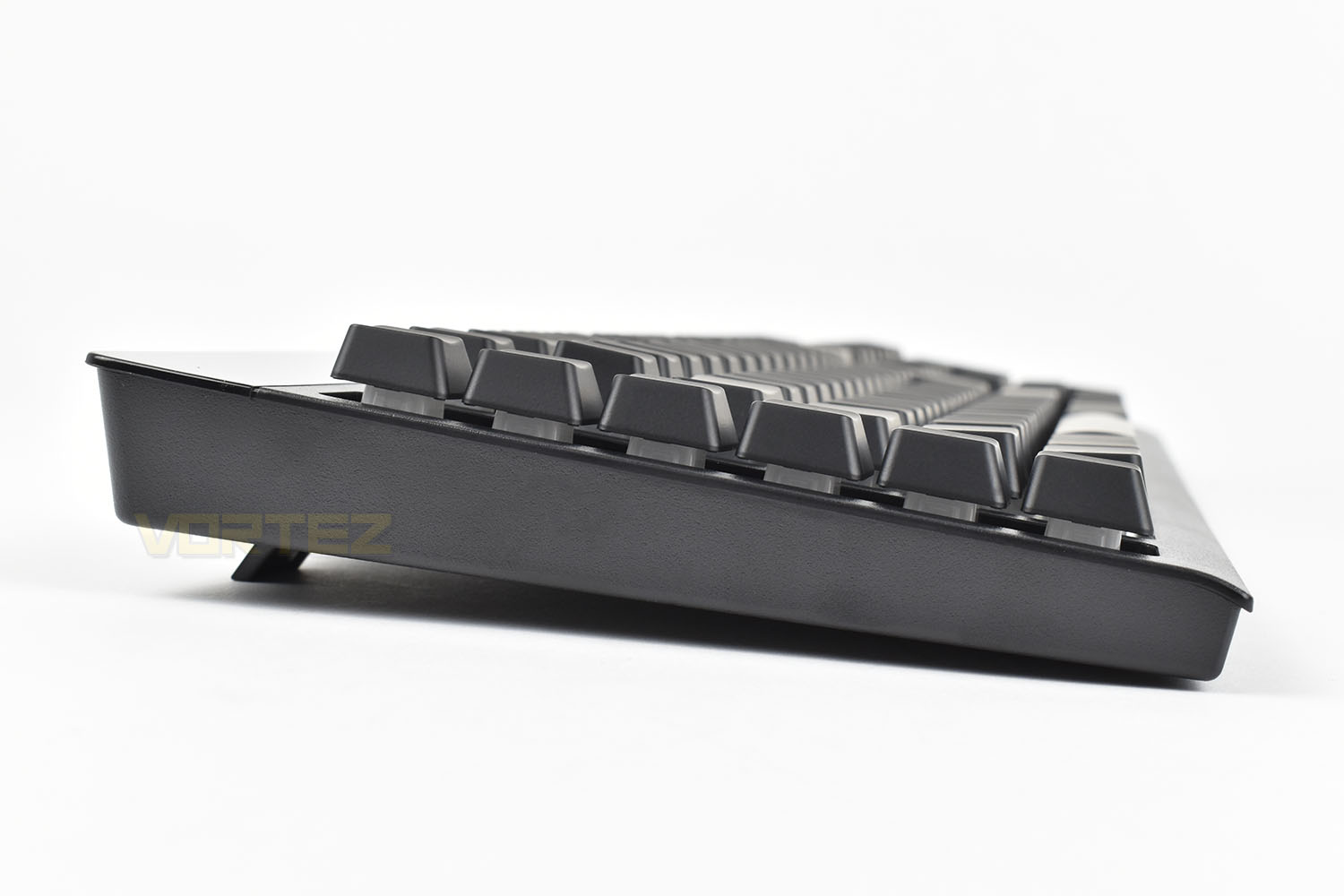
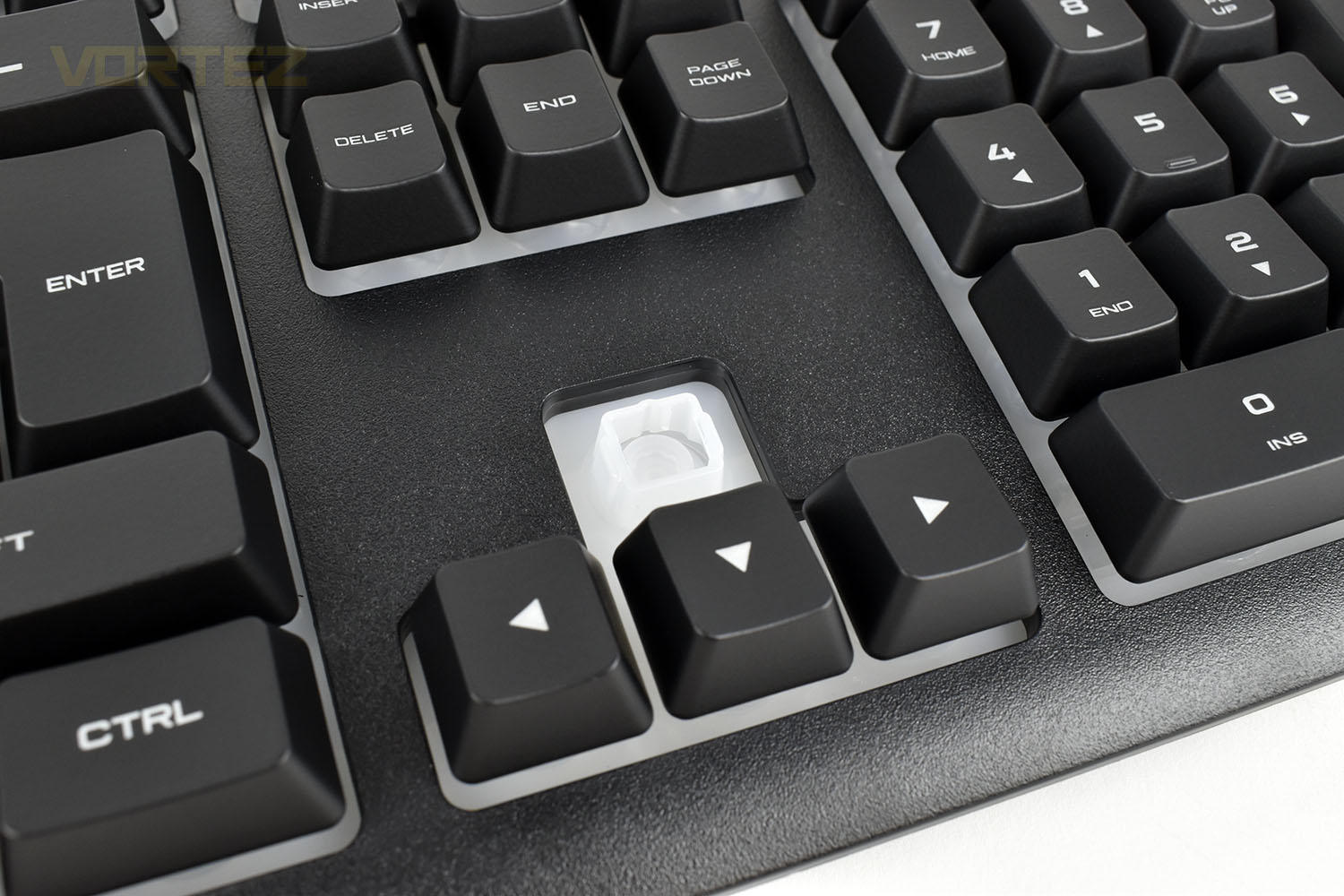
Under the keycaps, particularly when viewed from the side, you’d be forgiven for thinking it’s a mechanical keyboard but when lifted out the way, the rubber domes are visible. While lacking in feel and responsiveness, they’re cheaper to produce and make RGB illumination much easier to sort out thanks to a completely translucent design.
Closer Look (Continued)
Chucking the keyboard on its front, the underside is void of any real features to talk about. There’s two legs in each corner but they lack any rubber feet.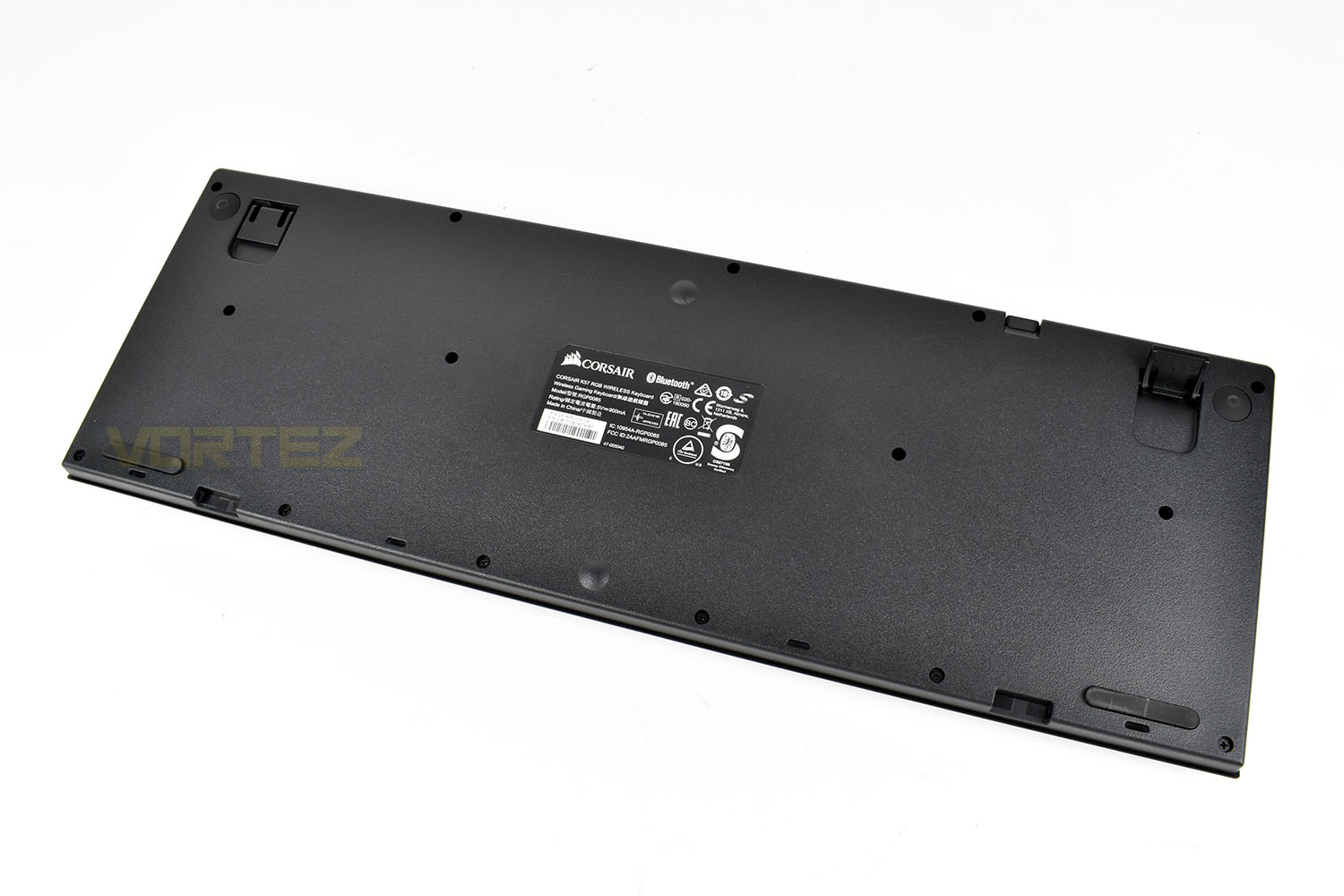
Things are equally as simple along the back of the ‘board.
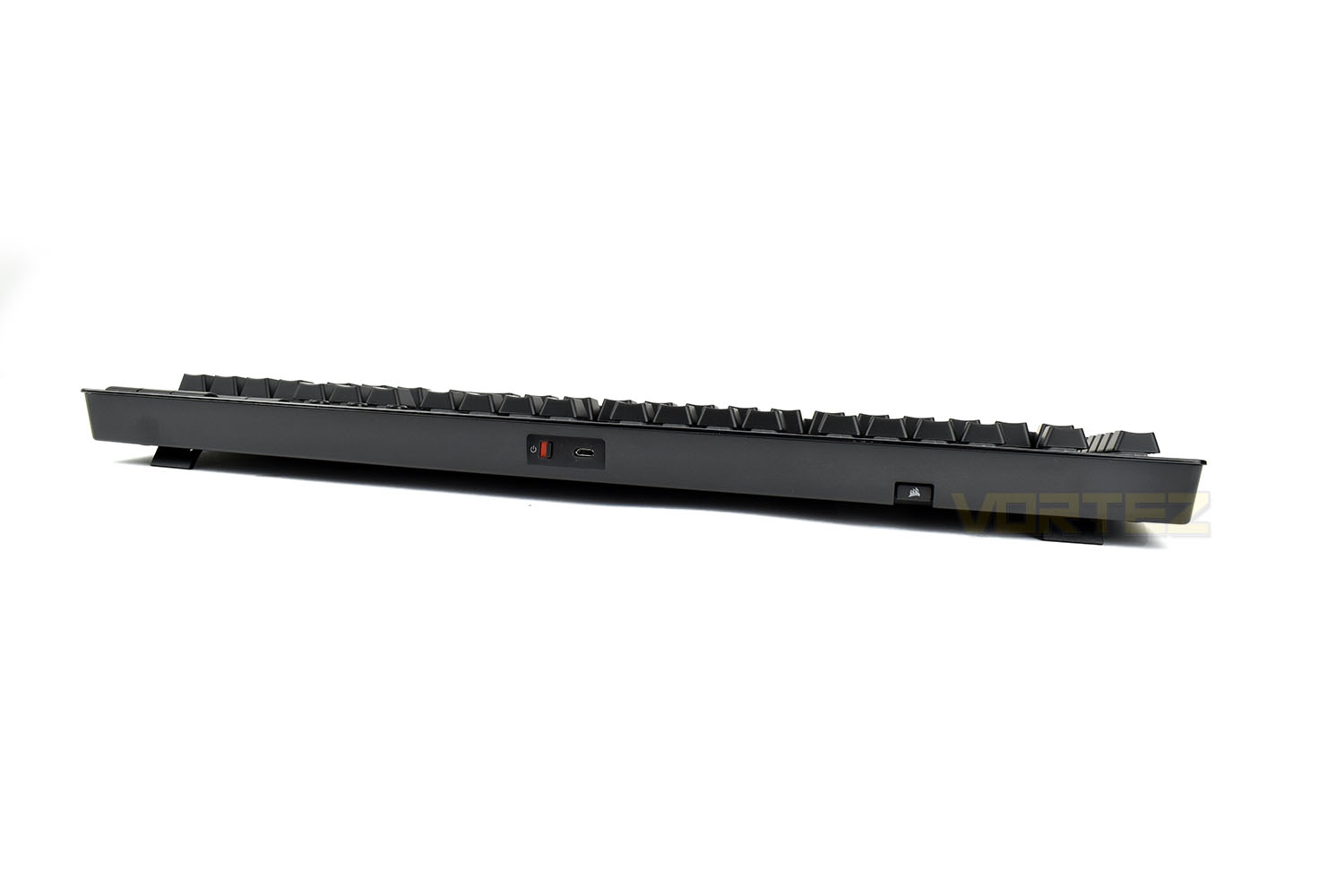
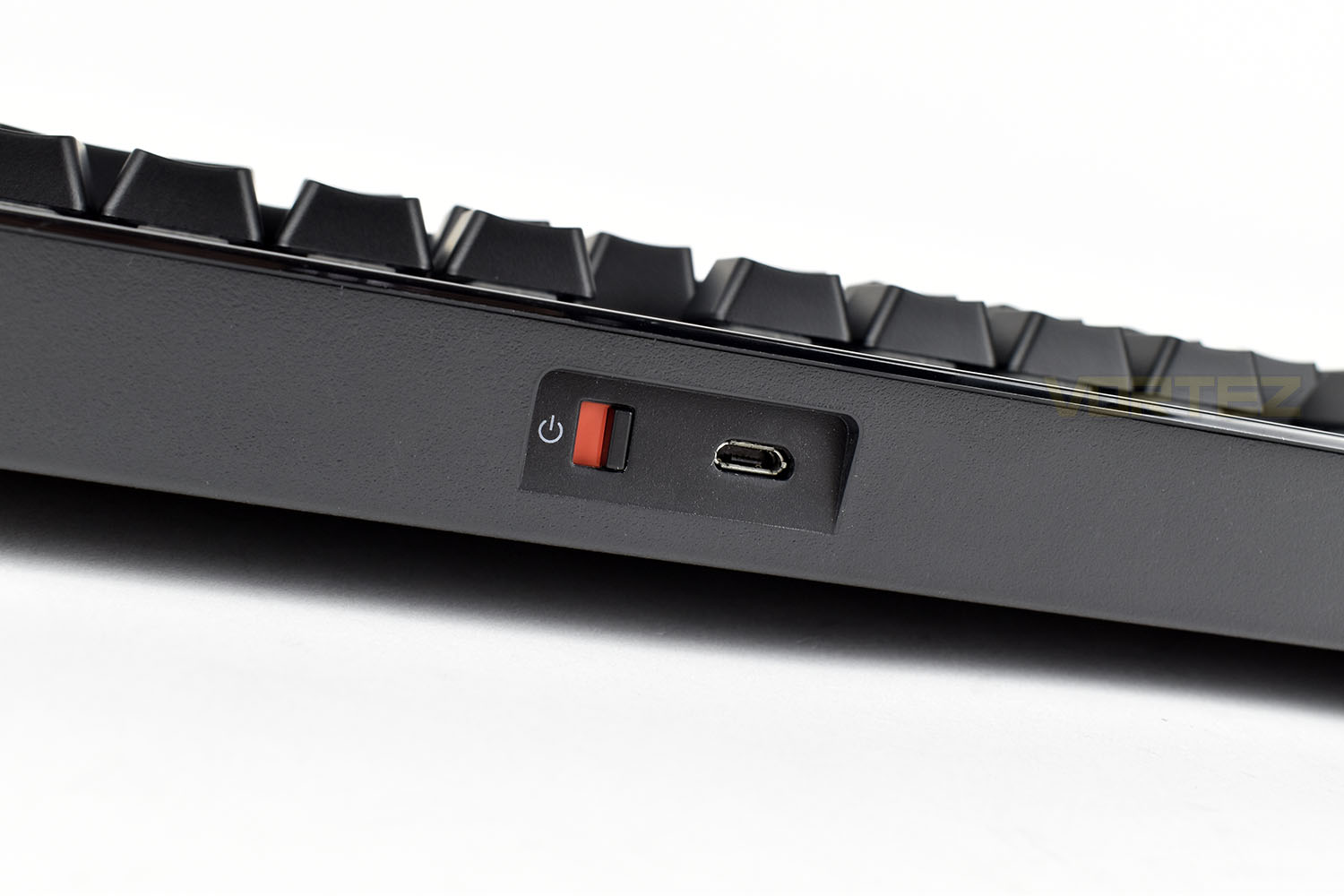
The power switch is a simple on-off affair with red and green to signify which setting you’re on at a glance. Next to that is a Micro-USB charger/data port.
Giving the tiny USB dongle a home is a small cubby hole. Incredibly handy being able to store the two together when not in use, particarly with the miniscule size of the dongle.

Software
Almost everything Corsair produce at the moment is controlled from a singular piece of software, Corsair iCUE. This helps reduce bloat on your system and makes tying up RGB profiles and whatnot very simple and straight forward.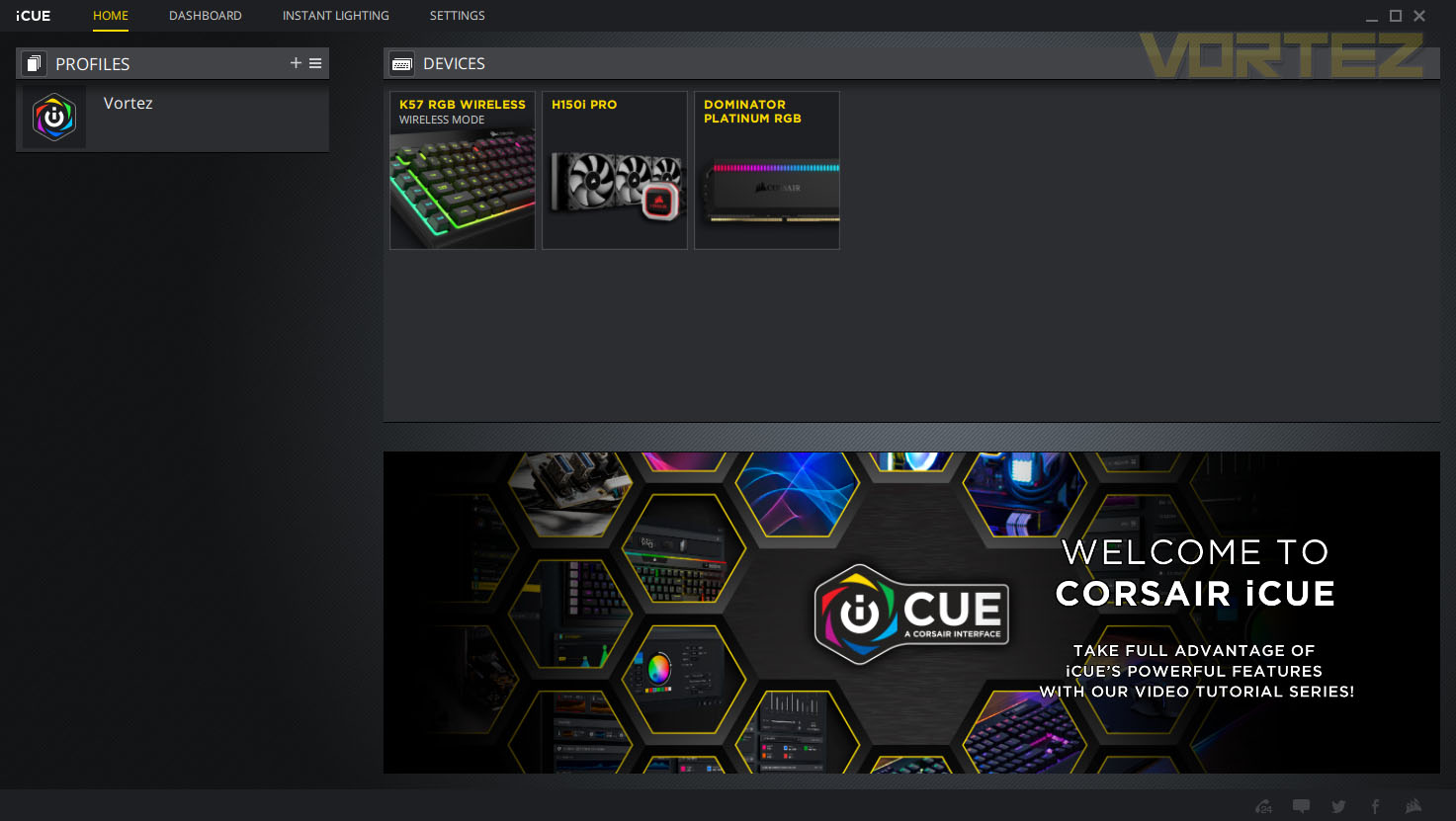
Below is a short clip of the customisation and configuration options available on the Corsair K57 RGB Wireless.
Performance Testing
At the £90/$100 price point, the market is awash with many excellent keyboard choices, particularly if you aren’t bothered about having mechanical switches. The fierce competition surrounding the price point makes the K57s performance all the more important.Starting off with build quality, the K57 doesn’t meet the usual level that we’ve come to expect from Corsair. While an all-plastic construction helps keep the keyboard under 1kg in weight, it also introduces noticeable flex if you try to use the keyboard on your lap. The plastic keycaps and rubber dome key switches also feel equally ‘cheap’, for lack of a better phrase. A metal backplate feels almost mandatory at this price point. One redeeming feature is the 1.8M long USB cable with solid plastic mouldings on each end, this feels like a quality item, if not a little bit redundant for a wireless keyboard.
Having tested keyboards like the Razer Cynosa Chroma and ROCCAT Horde AIMO with their rubber dome switches that have been designed to feel like mechanical keys, it felt like they were almost a good trade-off between the higher cost of mechanical keys with their much nicer feel, and the vastly lower price of rubber dome. However, with the Corsair K57, they’ve stuck to an entirely rubber dome feel, with no real attempt to change the actuation or travel of the key. Each key press has to be bottomed out fully, with a reasonable amount of pressure, with little-to-no tactile feedback whatsoever. If Razer and ROCCAT can manage it, why can’t Corsair? Granted, those two keyboards aren’t perfect but the Corsair isn’t even on speaking terms.
Comfort, on the other hand, is great. The large wrist rest is made of a soft-touch plastic that is gentle on the wrists and the small feet on the rear of the keyboard help to angle the keyboard for a “sitting back in the chair” position. The wide shape of the keyboard also makes it easy to place on your lap if you want to use the keyboard on the sofa, in front of the TV.
Having dedicated media and macro keys, particularly in this price range, is somewhat rare but Corsair have done the end-user a solid favour by including them, having said that, it would’ve been much nicer if they could’ve included their volume roller instead of buttons. We love that volume roller on their other keyboards.
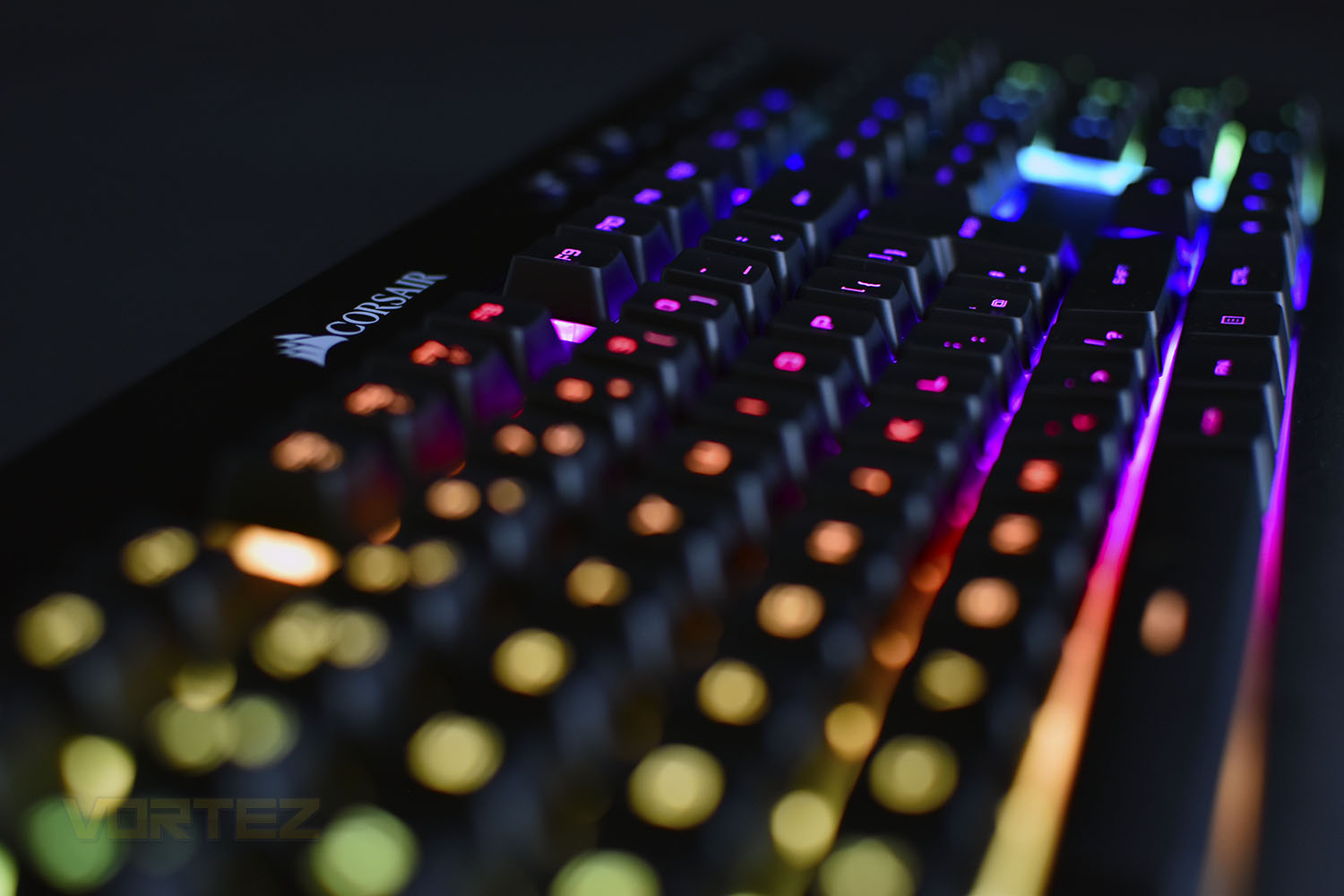
Corsair have gone to great lengths to develop their CAPELLIX RGB LEDs with power efficiency, vivid colours, longer lifespan and higher LED density for a given area all add up to a more enjoyable experience, if RGB lighting floats your boat, that is. The effort they’ve put into developing these LEDs shows hugely, with beautiful lighting effects with immense brightness, way in excess of anything we’ve seen before; particularly impressive for a battery-powered keyboard.
Wireless transmission technologies have, over the years, improved hugely. We no longer suffer from drop-outs and abysmal transfer distances, now being able to sit at the other side of the room with stutter-free operation. Corsair have gone one step further with their Slipstream wireless connection technology, offering sub-1ms response times for the best possible gaming experience. Corsair have also installed Bluetooth connectivity to allow connection to a TV, games console, mobile phone or just about anything that uses Bluetooth.
Conclusion
Corsair are hot stuff within the PC Gaming industry, producing everything from mice, keyboards, headsets, SSDs, watercooling loops and cases. A far cry from a once budget DRAM manufacturer. However, their reputation has been hard-earned and well-deserved with many excellent products; it’s a shame that the same can’t be said for the K57 RGB Wireless.For £90/$100, you get a wishy-washy typing experience on a flexible keyboard, something that many other manufacturers have remedied at the same price point, and something that Corsair should definitely be capable of fixing themselves. A well-designed aluminium backplate wouldn’t add too much to the weight of the keyboard but would considerably improve the overall feel of the keyboard; while adding a more mechanical feel to the key switches, or just any feel whatsoever, would improve the typing experience.
If you’re a fan of RGB lighting, you’re going to love what Corsair have done with the CAPELLIX RGB LEDs in the keyboard. We’ve made a big song and a dance about them in this review but we’ve been blown away with their vibrancy and brightness. The Corsair iCUE software bolsters their effectiveness incredibly well, offering multiple different built-in lighting effects or allowing full control over how you set them up to match your own style.
The wireless performance is equally as impressive. The setup process was instant with the included USB dongle and pairing the keyboard to other devices was just as seamless when following the included instructions.
The keyboard has plenty of positive features but the negatives stack up too high for us to recommend this keyboard at the current price point.
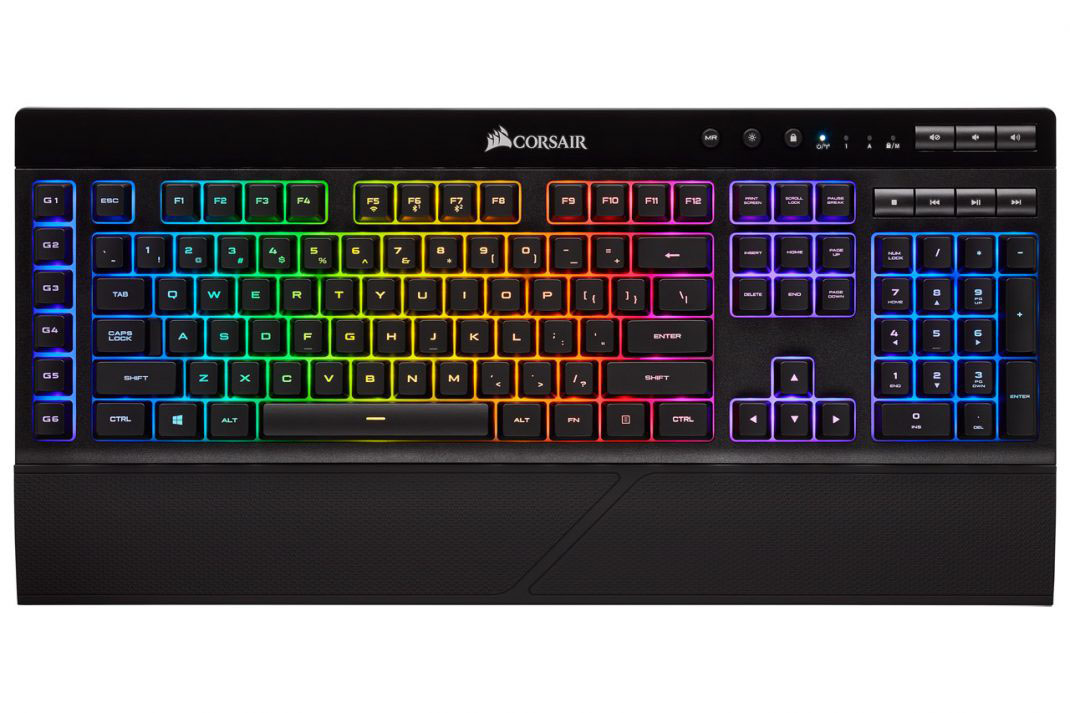
The K57 RGB Wireless offers a decent wire-free experience and truly looks the part but the typing experience is less-than-desireable and the build quality isn’t what we expect from Corsair
Pros
+ Beautiful RGB lighting
+ Multiple connectivity options
+ Included wrist rest
+ iCUE Software is excellent
+ Dedicated Macro keys
+ Dedicated Media keys
Neutral
+- Volume buttons instead of a roller wheel
Cons
– Spongy and numb typing experience
– Too flexible for the asking price
– Costly
+ Beautiful RGB lighting
+ Multiple connectivity options
+ Included wrist rest
+ iCUE Software is excellent
+ Dedicated Macro keys
+ Dedicated Media keys
Neutral
+- Volume buttons instead of a roller wheel
Cons
– Spongy and numb typing experience
– Too flexible for the asking price
– Costly
Click here for an explanation of our awards at Vortez.net.
Stay connected with the Vortez Social Media pages:
Join in with the discussions on Discord