Thanks to the introduction of PCI-E 4.0 with the X570 chipset, a whole new world of bandwidth has been bestowed upon us. GIGABYTE were straight out the blocks with their Gen4 NVMe promising speeds up to 5000MB/s read and 4400MB/s write.

Product on Review: GIGABYTE AORUS NVMe Gen4 SSD
Manufacturer: GIGABYTE AORUS
Street Price:
1TB – GBP £269.99 / USD $259.99 / AUS $529.99
2TB – GBP £469.99 / USD $459.99 / AUS $889.99
GIGABYTE, particularly with their premium AORUS brand, offer computer enthusiasts high performance components and are very well known for their motherboards and graphics processors, however, one market they’re relatively new into is solid state storage but today’s sample hopes to change that.
You might’ve heard with AMD’s 3000-series processors came the X570 chipset which brought with it the latest PCI-E 4.0 interface, offering double the bandwidth of the outgoing PCI-E 3.0 standard. What that means is a whopping (theoretical) 2GB/s per channel, for a total of 32GB/s on a x16 interface. GIGABYTE were obviously keen to capitalise on this massive bandwidth improvement and have released their AORUS NVMe Gen4 SSD in 1TB and 2TB capacities.
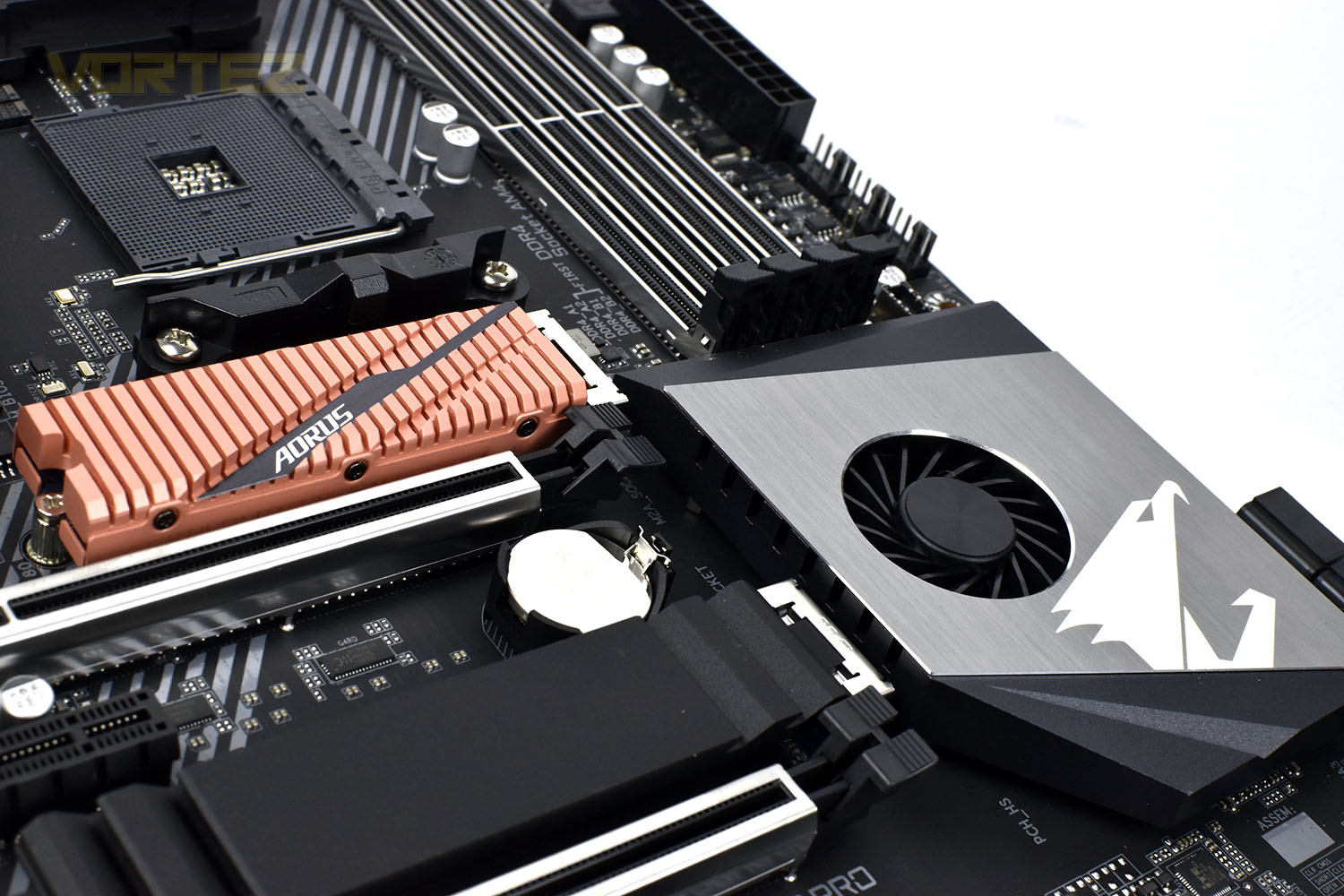
Utilising the industry’s first PCI-E 4.0 storage controller, the Phison PS5016-E16, as well as DDR4 caching and Toshiba’s BiCS4 96-layer NAND, the Gen4 SSD offers read and write speeds of 5000MB/s and 4400MB/s respectively, with 750K and 700K read and write IOPS. If you’re familiar with drives like the Samsung 970 PRO or the Western Digital SN750, the best that PCI-E 3.0 had to offer, the promise of 5GB/s and 4.4GB/s will certainly get the juices flowing.
With all of this increased data throughput, there’s an increase in thermal output which necessitates measures to dissipate that, GIGABYTE have done so by strapping an all-copper heatsink to both sides of the SSD with many deep grooves for improved surface area.
After being trapped below the PCI-E 3.0 ceiling for several years now, we’re excited to see what manufacturers are capable of with the new specification, so let’s jump into our tests and see what’s what.
GIGABYTE on the Aorus NVMe Gen4 SSD:
The World First PCIe 4.0×4 Controller, Phison PS5016-E16 controller, made by 28nm manufacturing technology. The advanced fabrication process ensures PS5016-E16 has enough compute power for ECC processing when adopting the latest 3D TLC NAND flash. PS5016-E16 also features eight NAND channels with 32 CE targets, DDR4 DRAM caching, and a PCIe 4.0×4 interface. As for features, the chip supports the NVMe 1.3 protocol, LDPC error correction, and Wear Leveling, Over-Provision technologies to improve reliability and durability of SSDs.
Technical Specifications
Interface: PCI-Express 4.0×4, NVMe 1.3
Form Factor: M.2 2280
Total Capacity: 2000GB
Warranty: Limited 5-years or 3600TBW
NAND: 3D TLC Toshiba BiCS4
External DDR Cache: DDR4 2GB
Sequential Read speed: Up to 5000 MB/s
Sequential Write speed: Up to 4400 MB/s
Random Read IOPS: up to 750k
Random Write IOPS: up to 700k
Dimension (W x H x L): 80.5 x 11.4 x 23.5 mm
Mean time between failure (MTBF): 1.77 million hours
Power Consumption (Active): Average: R : 6.5W; W : 6.6W
Power Consumption (Idle): 21.1mw
Temperature (Operating): 0°C to 70°C
Temperature (Storage): -40°C to 85°C
Form Factor: M.2 2280
Total Capacity: 2000GB
Warranty: Limited 5-years or 3600TBW
NAND: 3D TLC Toshiba BiCS4
External DDR Cache: DDR4 2GB
Sequential Read speed: Up to 5000 MB/s
Sequential Write speed: Up to 4400 MB/s
Random Read IOPS: up to 750k
Random Write IOPS: up to 700k
Dimension (W x H x L): 80.5 x 11.4 x 23.5 mm
Mean time between failure (MTBF): 1.77 million hours
Power Consumption (Active): Average: R : 6.5W; W : 6.6W
Power Consumption (Idle): 21.1mw
Temperature (Operating): 0°C to 70°C
Temperature (Storage): -40°C to 85°C
Packaging, Bundle & Closer Look
The front of the box is simple and elegant with a shimmery finish on the printing.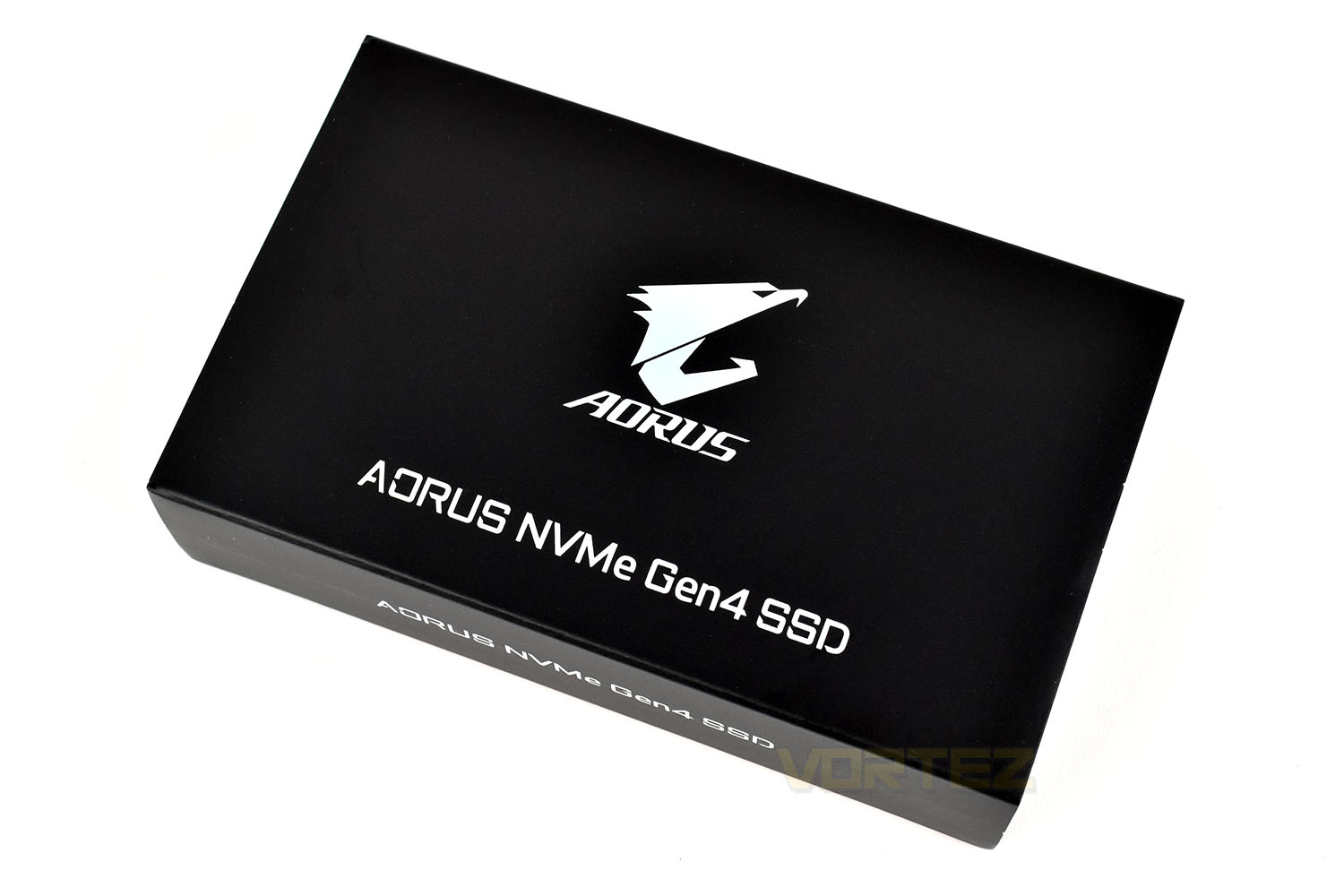
Compared to the front, the rear gives much more information. It states almost everything you’d need to know if you were buying this from a shelf.
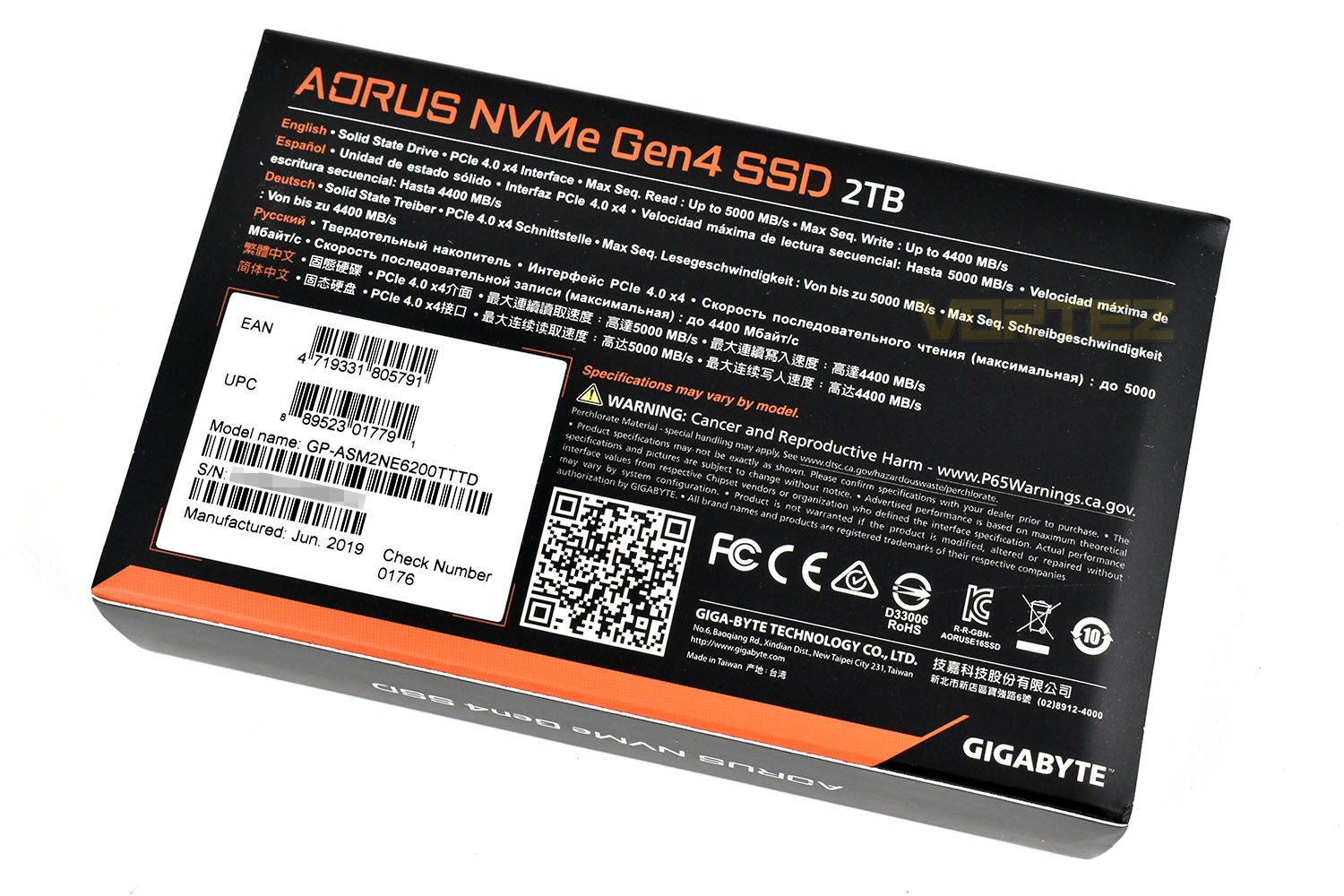
If you’re buying a 2TB SSD for close to £500/$500, you might be forgiven to think you may get something extra, like a case sticker or disk cloning software but Gigabyte haven’t included anything.
Regardless, once you pick up the SSD for the first time, you won’t be bothered about any of that. This SSD is considerably heavier than any NVMe drive we’ve handled so far; it almost feels like a hard drive due to the heft of the copper heatsink.
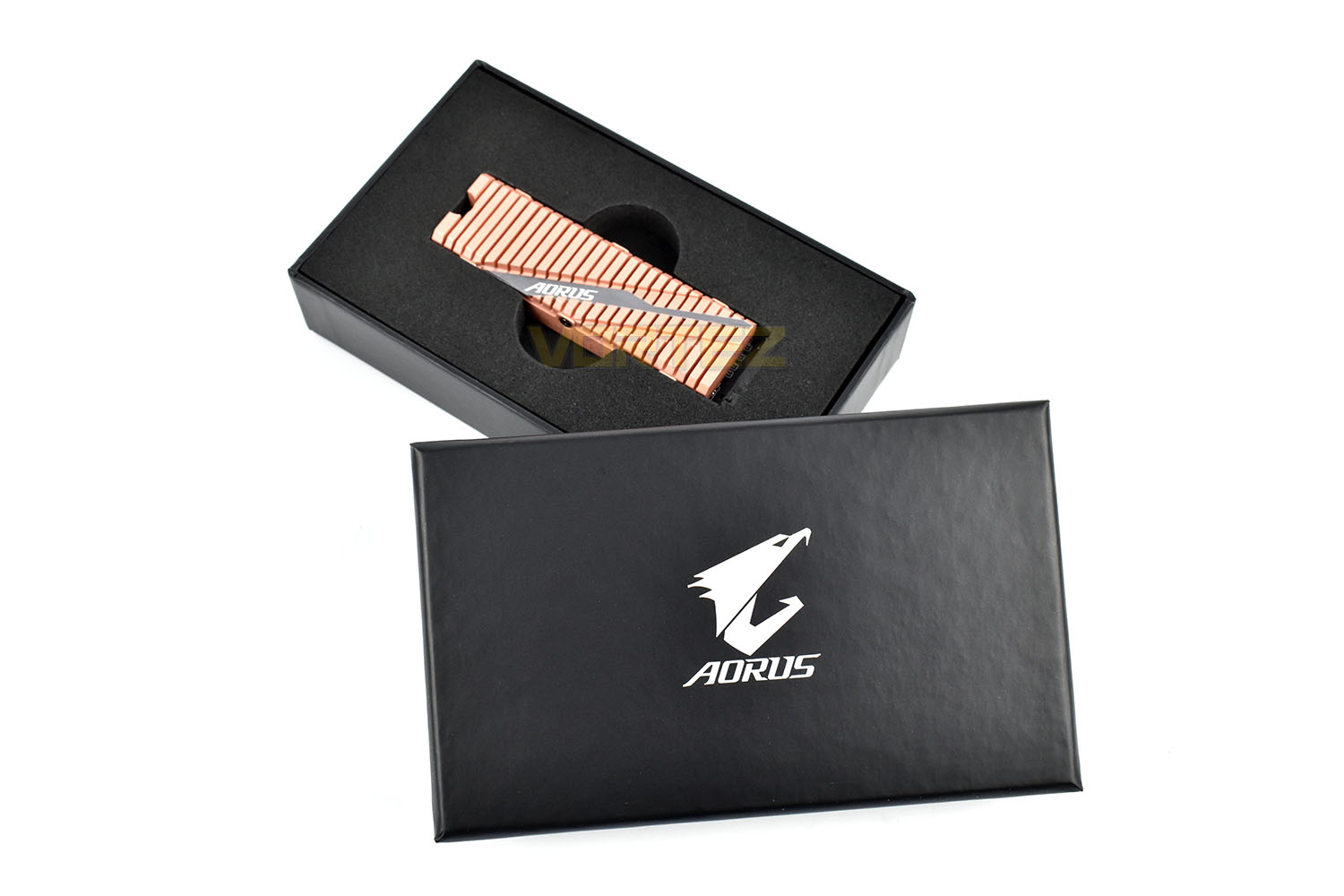
The deep grooves along the top obviously serve the purpose of increasing the surface area of the copper heatsink but the orientation doesn’t strike us as optimal considering the typical airflow through your case. The diagonal recess with the AORUS logo looks great and finishes off the look.
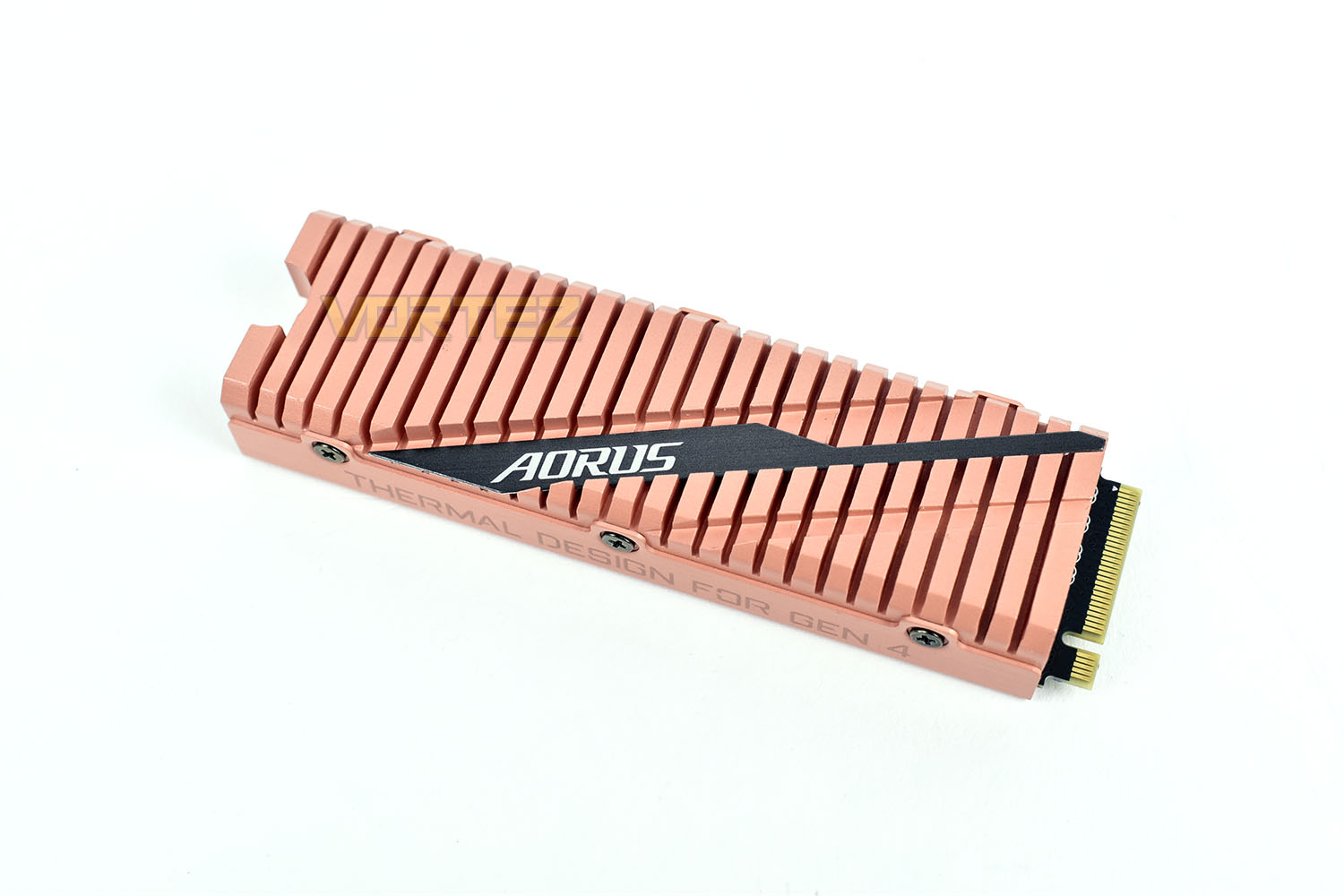
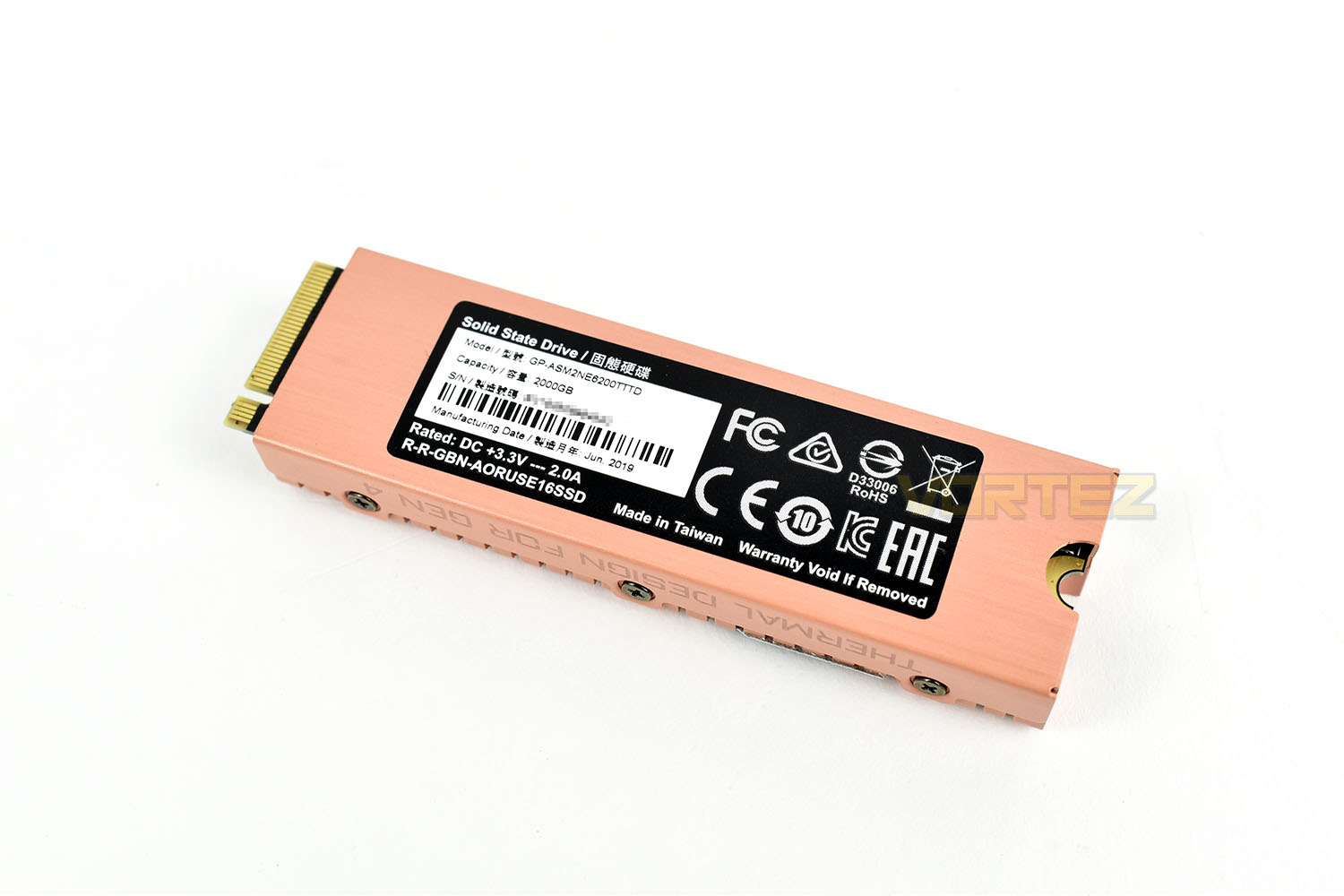
Due to the 2TB capacity of the drive, GIGABYTE have had to populate both sides of the drive with NAND flash, with that being so, they’ve also had to extend the heatsink around the back of the drive with the two sides joined together by 6 screws.
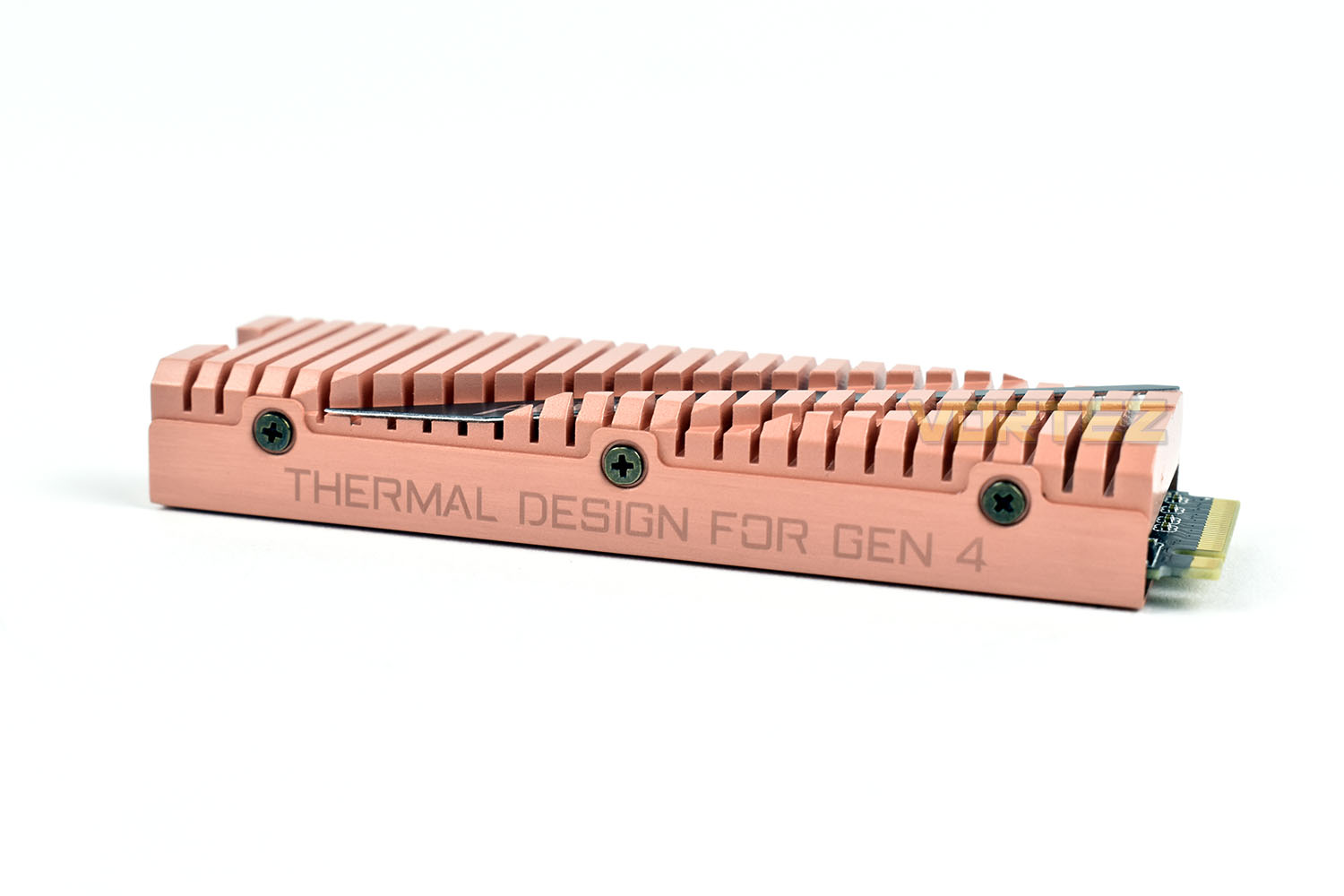
When viewed from the side, the height of the drive becomes apparent. Overall, the dimensions are 80mm long x 28mm wide and 12mm tall.
Closer Look (Internals)
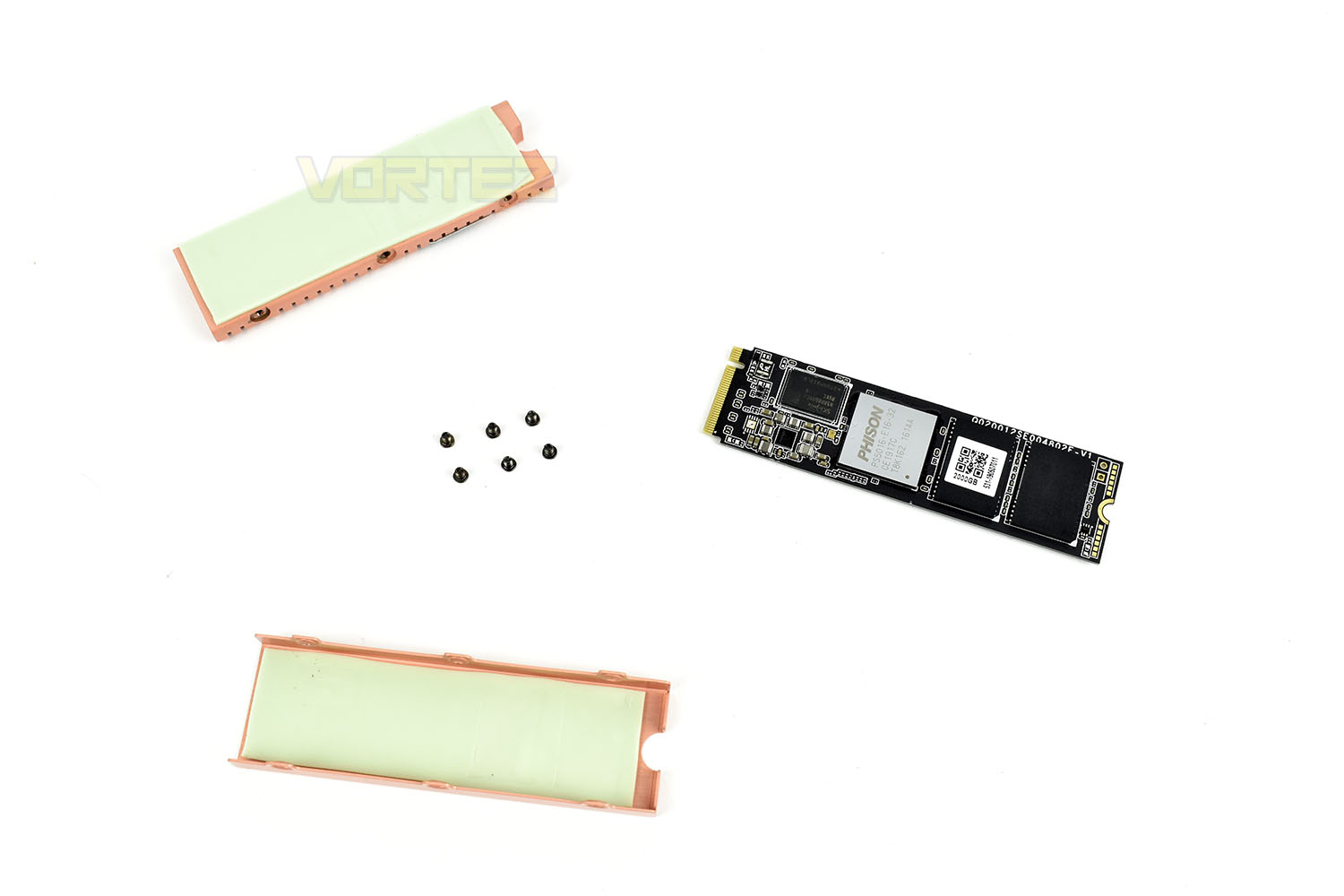
Finally, if you undo the 6 small screws and then carefully pry apart the two pieces which are machined to fantastically tight tolerances, you can see the bare SSD, making it suitable for use with a raft of built-in M.2 heatsinks that many of the X570 motherboards feature.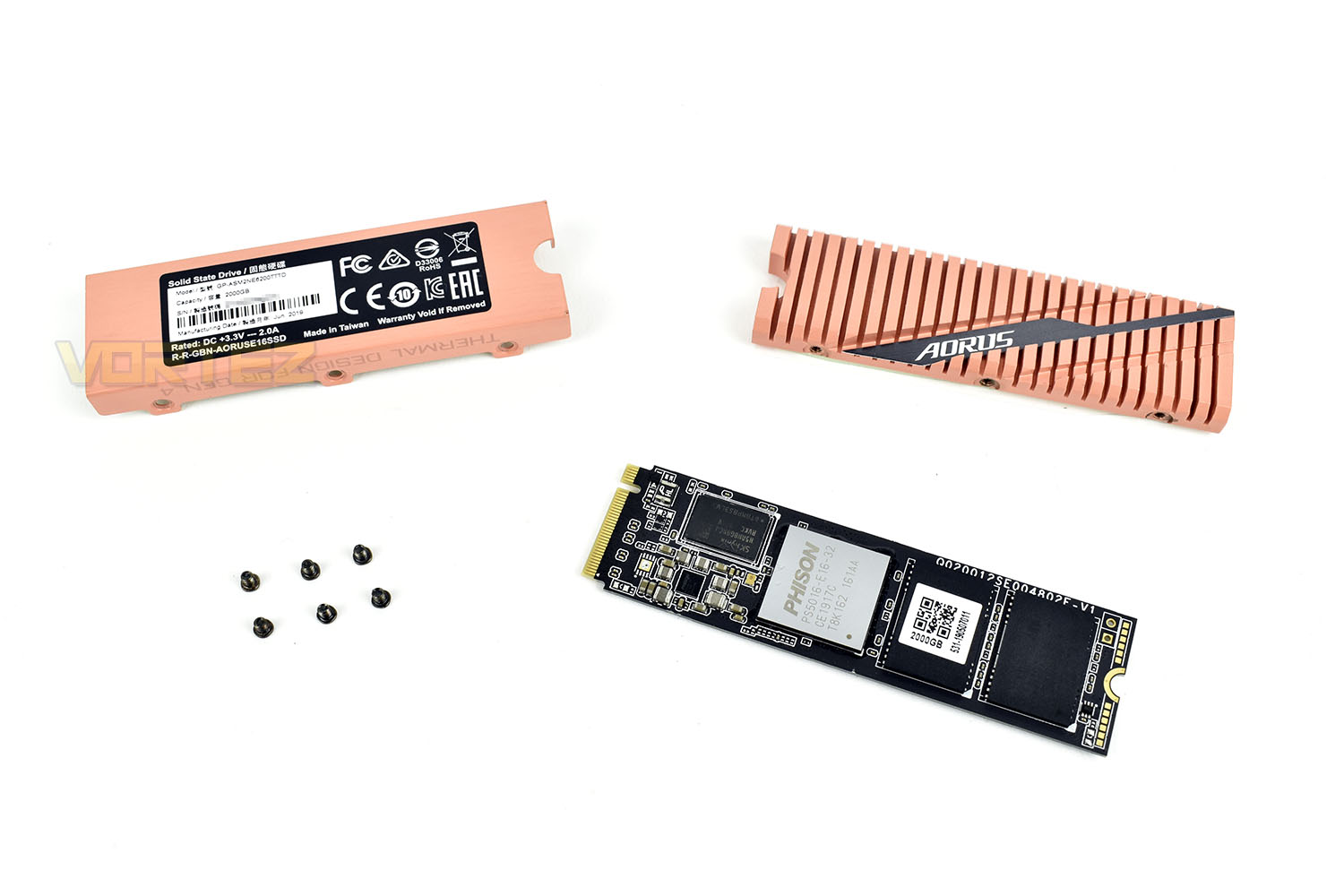
Flipping over the two components of the copper heatsink shows the thermal pads used to efficiently transfer the heat into the hefty copper pieces.
Test Setup & Methodology
Our test system is formatted and a fresh version of Windows is installed with just drives in place – no additional applications. Windows is then updated to the latest release and the drivers are installed.Included in the list of benchmarks are the following applications:
Benchmarks
Anvil Pro
AS SSD
ATTO Disk Benchmark v2.46
AIDA64
CrystalDiskMark 6.0.2 x64
AS SSD
ATTO Disk Benchmark v2.46
AIDA64
CrystalDiskMark 6.0.2 x64
Test Setup
CPU AMD Ryzen 7 3800X
Cooling Corsair H150i Pro RGB – Balanced Profile
Motherboard
Memory 16GB Corsair Vengeance LPX 3000MHz @ 3000MHz @ 15-17-17-38-58
Graphics AMD Radeon RX 480 8GB
Storage Corsair Force LE 480GB
PSU Corsair RM750X 80 Plus Gold Certified PSU
Cooling Corsair H150i Pro RGB – Balanced Profile
Motherboard
Memory 16GB Corsair Vengeance LPX 3000MHz @ 3000MHz @ 15-17-17-38-58
Graphics AMD Radeon RX 480 8GB
Storage Corsair Force LE 480GB
PSU Corsair RM750X 80 Plus Gold Certified PSU
Benchmarks: Anvil Pro
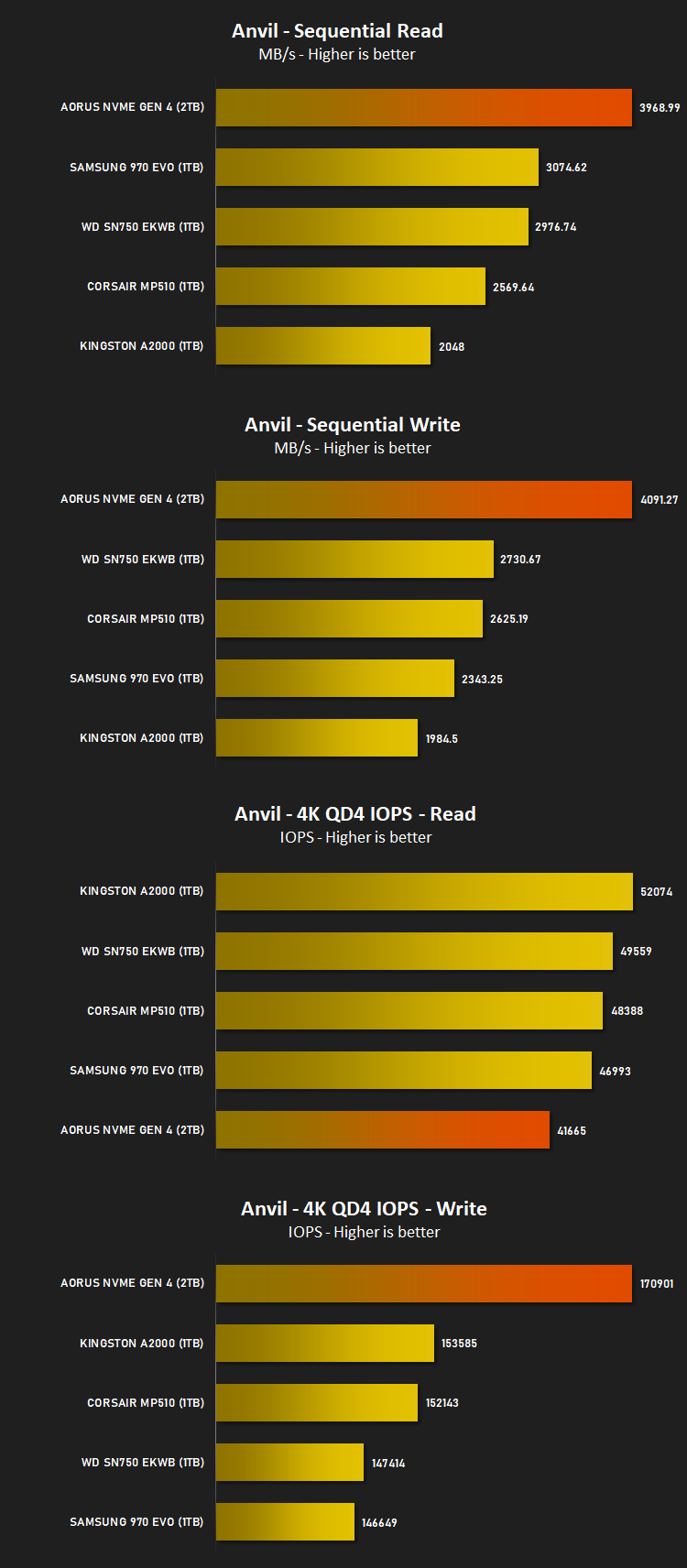
Anvil Pro from Anvil Storage utilities is one of the most popular storage benchmarking utilities today thanks to the large suit of tests available. You can test pretty much anything from Read/write Speed to IOPs with many variables to tweak allowing you to get either a single or host of results to compare with other likeminded enthusiasts. In our test we ran the standard suite 5 times, subtracting both the highest and lowest scores and determined the final result from the average of the remaining three results.
Benchmarks: AS SSD
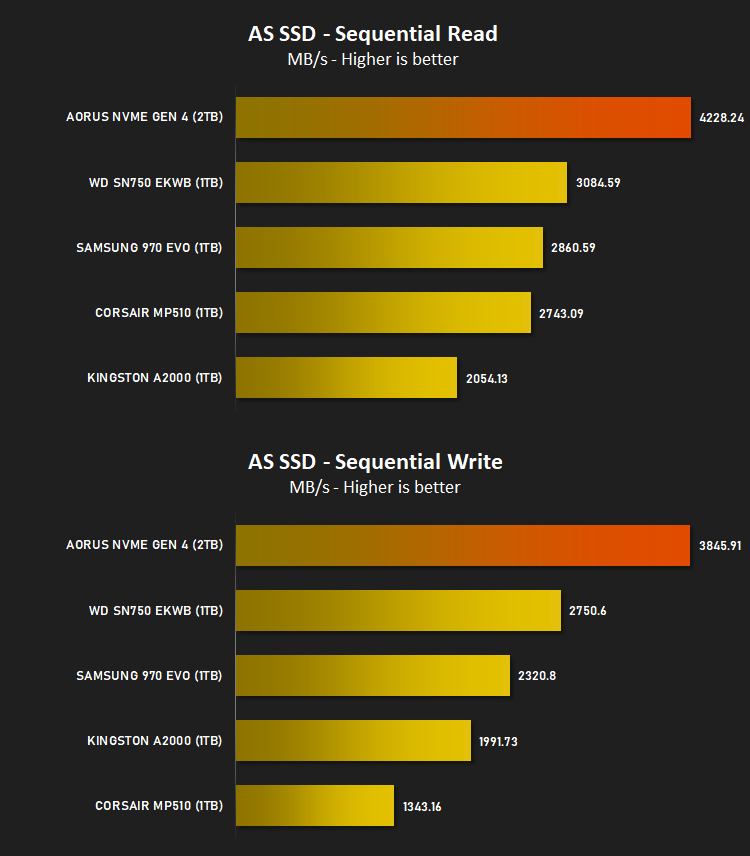
AS SSD Benchmark is a straightforward tool for measuring the speed of your SSD drive.
Simply launch the program, choose your drive, click Start, and it’ll test your SSD’s read and write speed in a variety of ways, delivering a score for each when it’s done. And if that’s not enough, there are also additional file copy and compression-related benchmarks available from the Tools menu. (The author’s support page is German only, but if you need further English explanations then there’s a thread on the program at the OCZ Technology forum.).
Simply launch the program, choose your drive, click Start, and it’ll test your SSD’s read and write speed in a variety of ways, delivering a score for each when it’s done. And if that’s not enough, there are also additional file copy and compression-related benchmarks available from the Tools menu. (The author’s support page is German only, but if you need further English explanations then there’s a thread on the program at the OCZ Technology forum.).
Benchmarks: ATTO
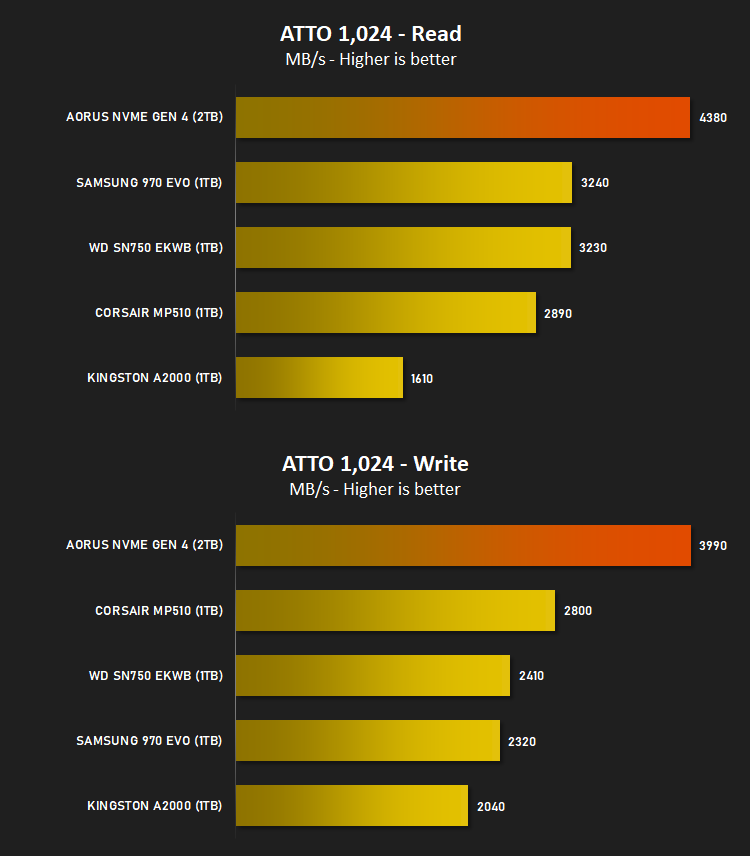
The ATTO Disk Benchmark performance measurement tool is compatible with Microsoft Windows. Measure your storage systems performance with various transfer sizes and test lengths for reads and writes. Several options are available to customize your performance measurement including queue depth, overlapped I/O and even a comparison mode with the option to run continuously. Use ATTO Disk Benchmark to test any manufacturers RAID controllers, storage controllers, host adapters, hard drives and SSD drives and notice that ATTO products will consistently provide the highest level of performance to your storage.
Benchmarks: AIDA64
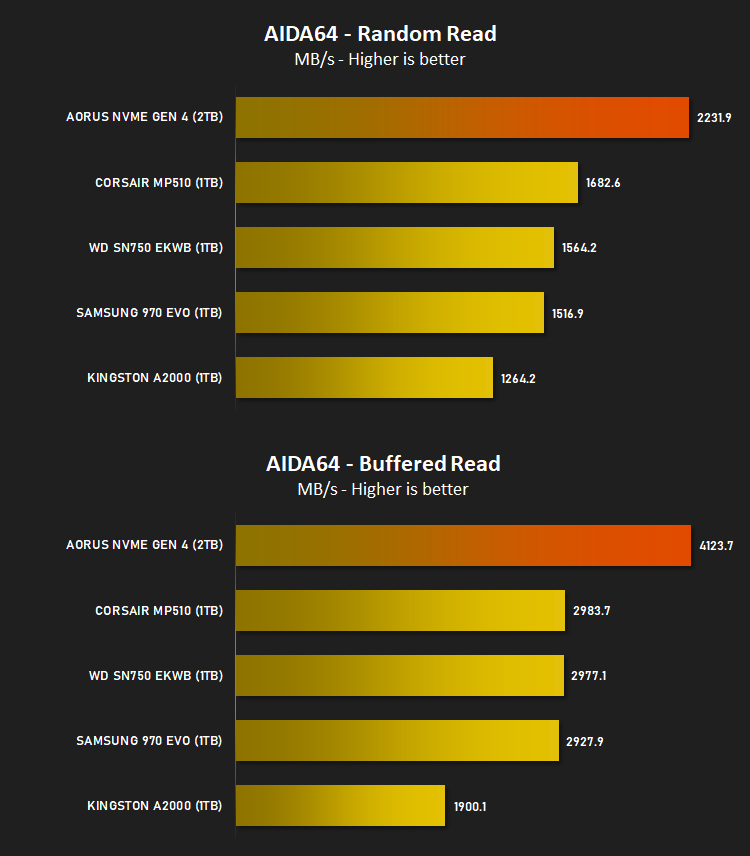
With this module, we can measure the performance of the PC’s storage devices, including (S)ATA or SCSI hard disk drives, RAID arrays, optical drives, solid-state drives (SSD), USB drives and memory cards. It also allows us to perform write tests, which helps us detect fake products and errors on the devices. In order to attain reliable benchmark results we have to make sure to close all background applications.
Benchmarks: CrystalDiskMark
CrystalDiskMark is an open source disk drive benchmark tool for Microsoft Windows. Based on Microsoft’s MIT-licensed Diskspd tool, this graphical benchmark is commonly used for testing the performance of solid-state storage. It works by reading and writing through the filesystem in a volume-dependent way. It generates read/write speeds in sequential and random positions with varying numbers of queues and threads.

Conclusion
Heading into the review we obviously had high hopes about the drives performance and, quite frankly, we were excited to see what would now be possible.GIGABYTE AORUS, in partnership with Phison and Toshiba have now raised the bar massively, completely swamping the raw throughput performance of the fastest PCI-E 3.0 had to offer, but there are a few caveats to that, chief amongst which is the reliance on the relatively expensive X570 chipset and the cost of the AORUS Gen4 SSD.
The copper heatsink not only looks fantastic but it also prevented our SSD from throttling during all of our testing. We kept an eye on the temperatures with a laser thermometer and found it hitting 70°C during prolonged testing but no drops in performance were measured at all. This was measured on an open testbench with one 120mm fan blowing air over the motherboard so your mileage very well may vary. We’d prefer if the drive arrived without the heatsink attached to the drive, making the installation optional.
As a first generation NVMe 4.0 drive, the 5GB/s read and 4.4GB/s write is impressive but with theoretical limits a whopping 2GB/s higher than that, we’ll be waiting with baited breath to see what’s possible in the coming years.
GIGABYTE back the drive with a 5-year warranty and a 3600TBW rating on the 2TB model, 1800TBW on the 1TB drive, so they’re certainly confident about the longevity of the SSD; always nice to have that peace of mind.
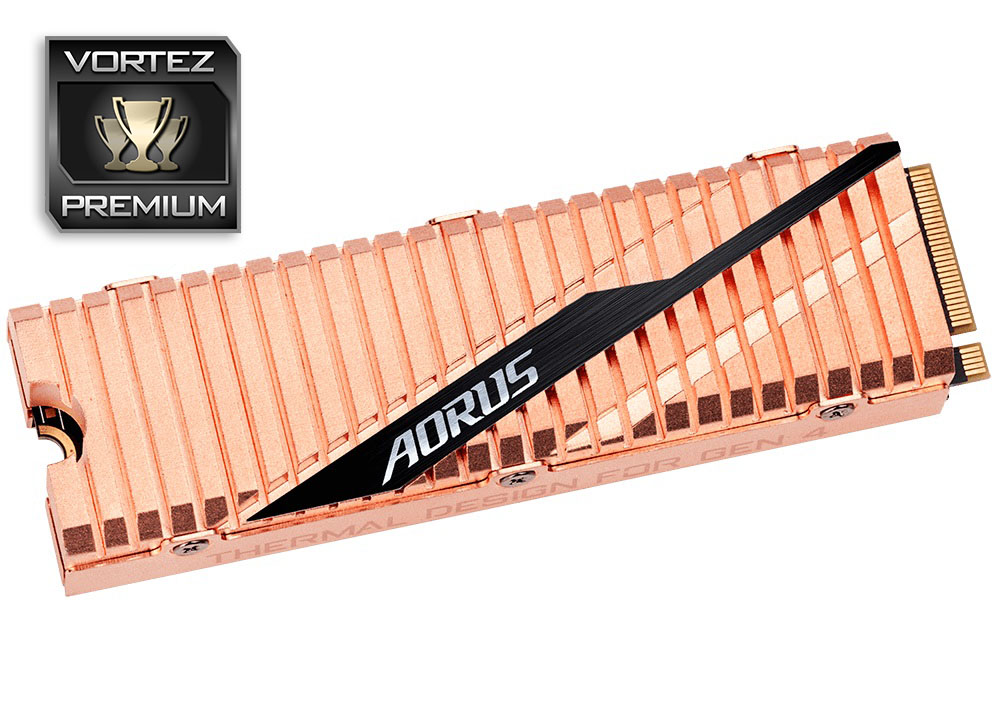
If you’ve already invested into an X570 motherboard with one of AMD’s latest and greatest Zen2 processors, it’s likely that you find joy in seeking out the fastest components. If that sounds like you, the GIGABYTE AORUS NVMe Gen4 SSD will absolutely provide you with the fastest M.2 SSD money can buy.
Pros
+ Insanely fast
+ Hefty copper heatsink looks great and performs well
+ 3600TBW endurance rating
+ 5-year warranty
+ Easy to install
Cons
– Very expensive
– Only works on the X570 chipset at present
+ Insanely fast
+ Hefty copper heatsink looks great and performs well
+ 3600TBW endurance rating
+ 5-year warranty
+ Easy to install
Cons
– Very expensive
– Only works on the X570 chipset at present
Click here for an explanation of our awards at Vortez.net.
Stay connected with the Vortez Social Media pages:
Join in with the discussions on Discord