NAS enclosures can run users into the hundreds of pounds for complex functionality and features they don’t need, but TerraMaster aims to offer a compelling alternative at a much lower price with the F2-210.

Product on Review: TerraMaster F2-210
Manufacturer: TerraMaster
Street Price: GBP £139.99 / USD $139.99 / AUS $209.99
TerraMaster, founded in 2010, have gone from strength to strength producing storage products, including network attached storage and direct attached storage. TerraMaster produce mainly for the home user and small to medium sized businesses. They pride themselves on strong software development abilities and excellent hardware design.
As we all take more photos, watch more movies & TV series, store more data and generally rely on storage, it’s nice to have that available in a centralised device, for access from multiple users and even from remote locations when out of the house, which is where a NAS device is useful.
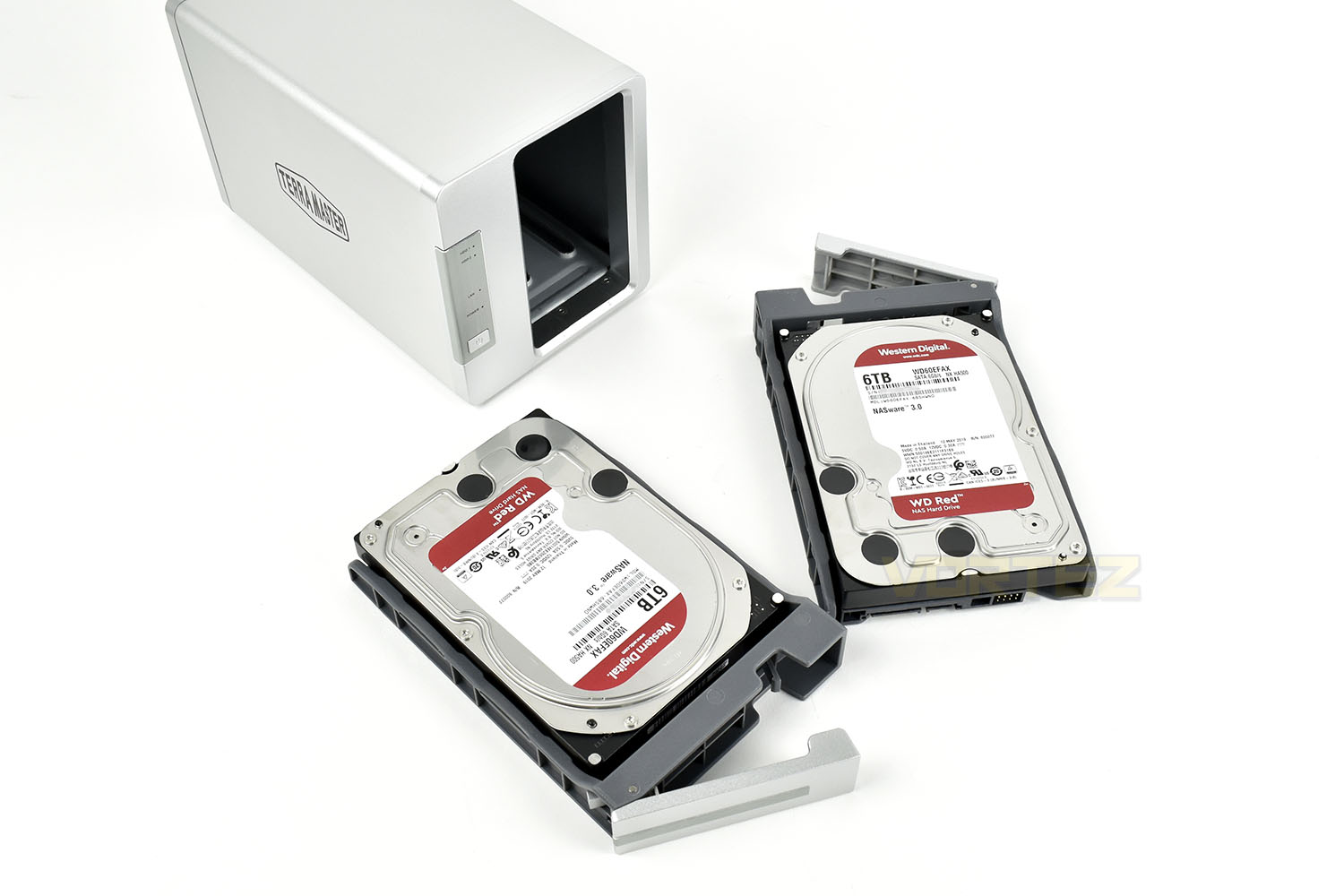
We’ve been sent the F2-210 for evaluation, the most affordable NAS enclosure in their line-up, sporting two drive bays with a capacity of up to 16TB each, a quad core 1.4GHz ARM processor and 1GB of RAM. The device is capable of up to 124MB/s in read and write and supports RAID0, RAID1, JBOD and SINGLE drive configurations. 3.5” and 2.5” SATA drives can be used, in either HDD or SSD.
The TerraMaster NAS enclosures run on the TOS Operating System, offering an intuitive interface and easy setup to get you up and running in no time. There’s also an application store sporting dozens of free programs including Plex Media Server, Docker, Mail Server and many more.
With features including file storage, multimedia management, data backup, cloud synchronisation, remote access, 4K video transcoding and more, the TerraMaster F2-210 appears to offer everything a home user could want, at an affordable price, however, with many other well-established brands in the market, how does the TerraMaster compare? Let’s find out.
TerraMaster on the F2-210:
TerraMaster’s F2-210 is equipped with an ARM V8 64-bit quad-core processor, a frequency of up to 1.4 GHz, and a read/write speed reaching 124 MB/s (RAID 0, WD Red 4TB x 2). With functions including file storage, multimedia management, data backup, cloud synchronization, remote access, 4K HD video transcoding, and many more, the device is suitable for applications ranging from home multimedia entertainment to small office and home office (SOHO) settings. As an affordable device, the F2-210 is only half the price of a NAS with an Intel x86 quad-core processor.
Technical Specifications
Drive Bays: 2
CPU: Realtek RTD1296 Quad Core
RAM: 1GB (non upgradeable)
1GB LAN Port: 1
Max Raw Storage Capacity: 32TB (2x 16TB)
USB Port: 2x USB 3.0
Supported RAID Types: RAID 0, RAID 1, JBOD, Single
Case Material: Aluminium-alloy
Power consumption: 25.6W (Access), 2W (HDD Hibernation)
CPU: Realtek RTD1296 Quad Core
RAM: 1GB (non upgradeable)
1GB LAN Port: 1
Max Raw Storage Capacity: 32TB (2x 16TB)
USB Port: 2x USB 3.0
Supported RAID Types: RAID 0, RAID 1, JBOD, Single
Case Material: Aluminium-alloy
Power consumption: 25.6W (Access), 2W (HDD Hibernation)
Packaging & Bundle
The TerraMaster F2-210 arrives in a square, blue box, with the TerraMaster logo across the front. Despite appearances to the contrary, they have no affiliation with peripheral and cooling brand Cooler Master.The white label on the side indicated the exact model inside; we presume they use the same or similar packaging for other devices.
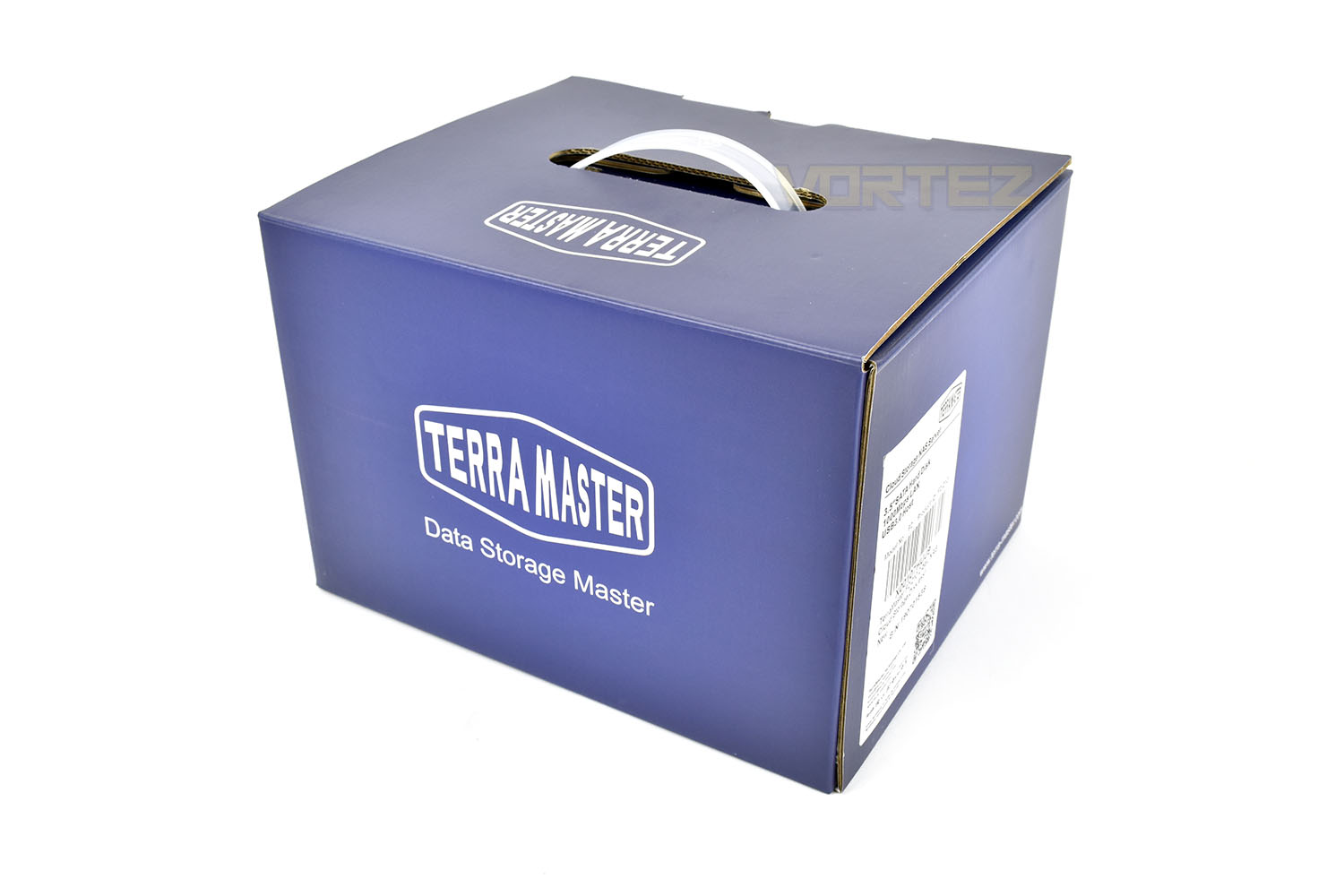
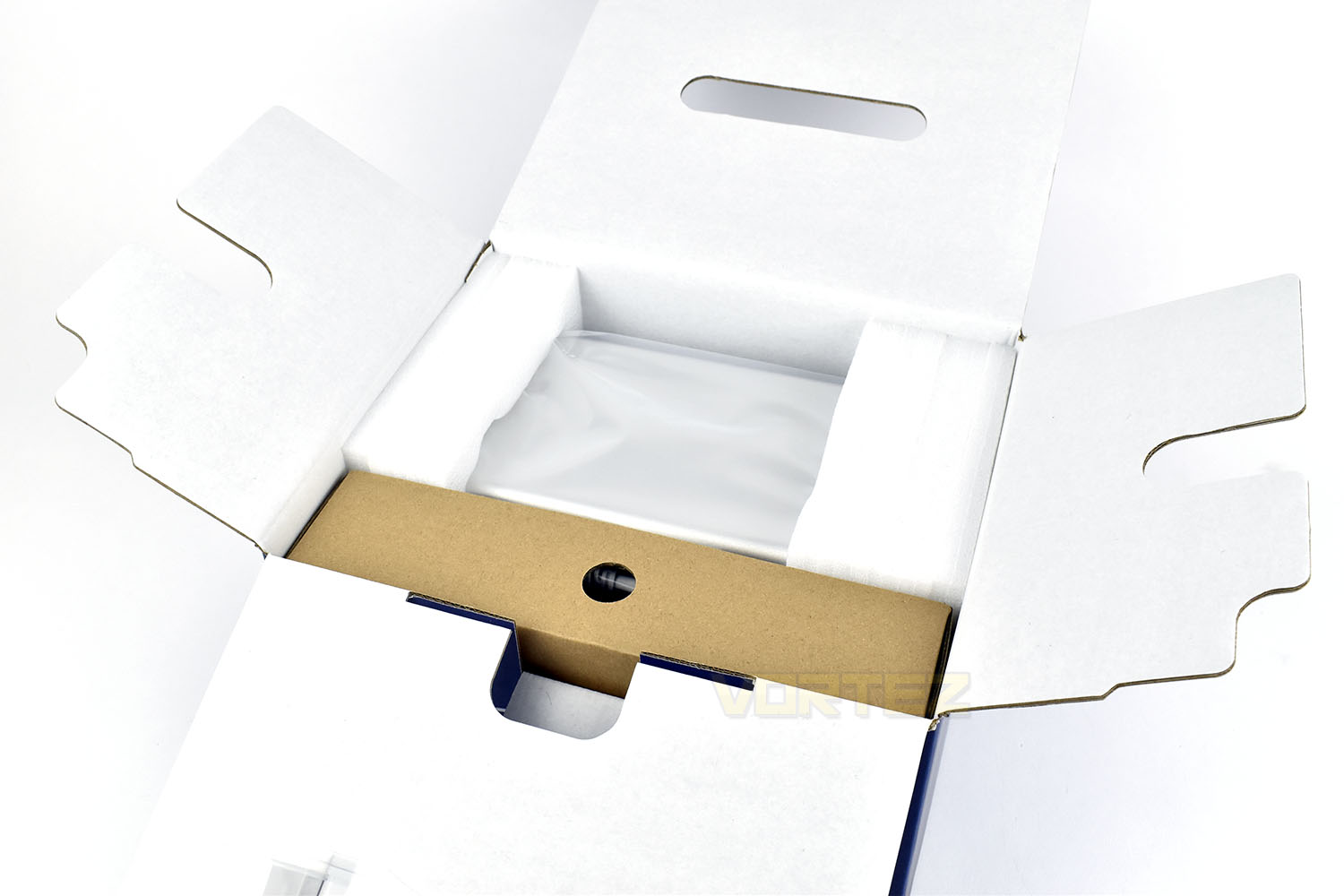
Inside the box is a thin cardboard box containing all of the extras and the NAS enclosure itself is tucked away between some thick foam inserts, ensuring it arrives in perfect condition.
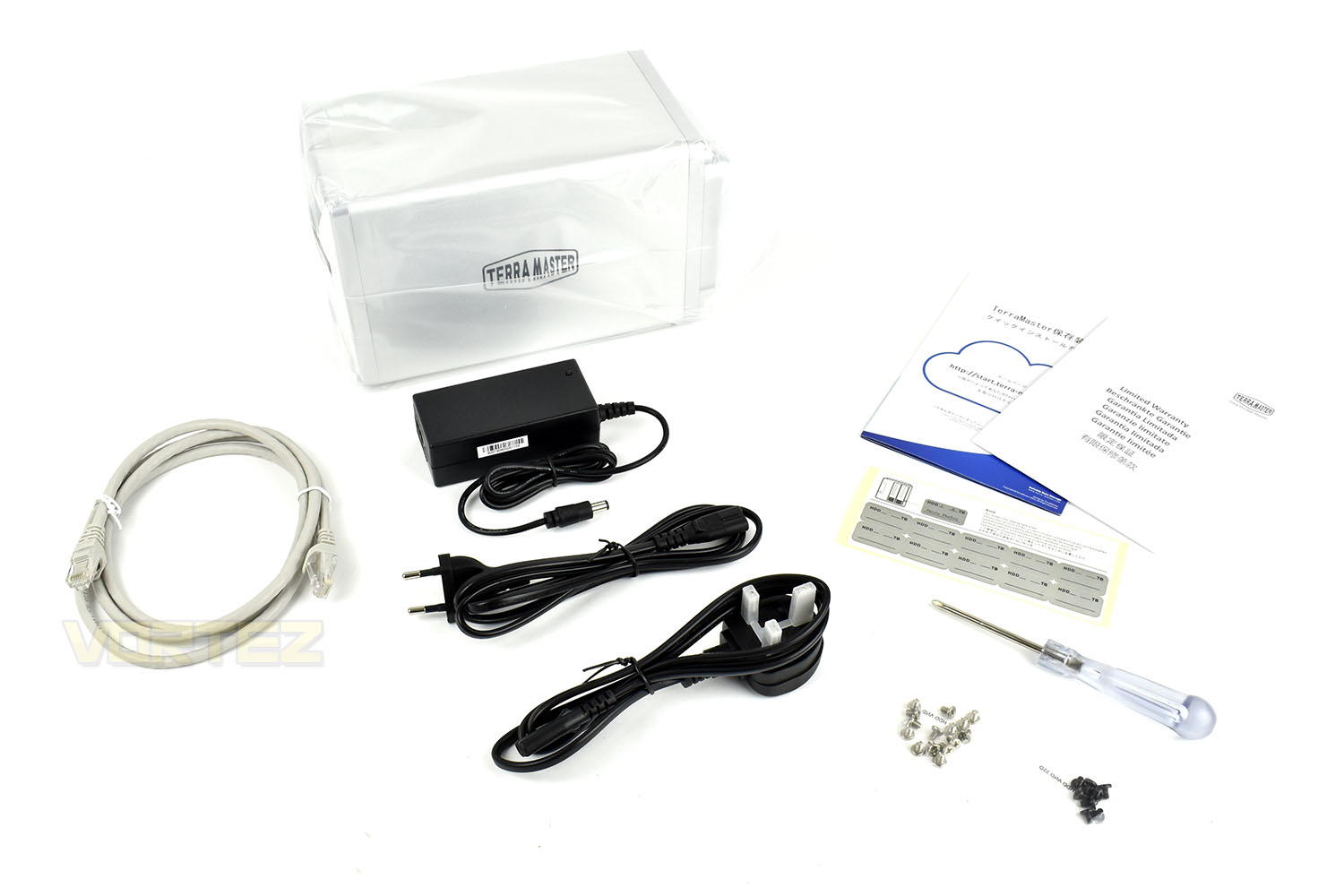
Emptying the contents of the cardboard insert, there’s an external power supply, with EU and UK power adaptors, a 1M ethernet cable, a screwdriver for installing the HDDs, associated screws for installing SSDs and HDDs and installation/setup documentation. We like the inclusion of a screwdriver.
Closer Look
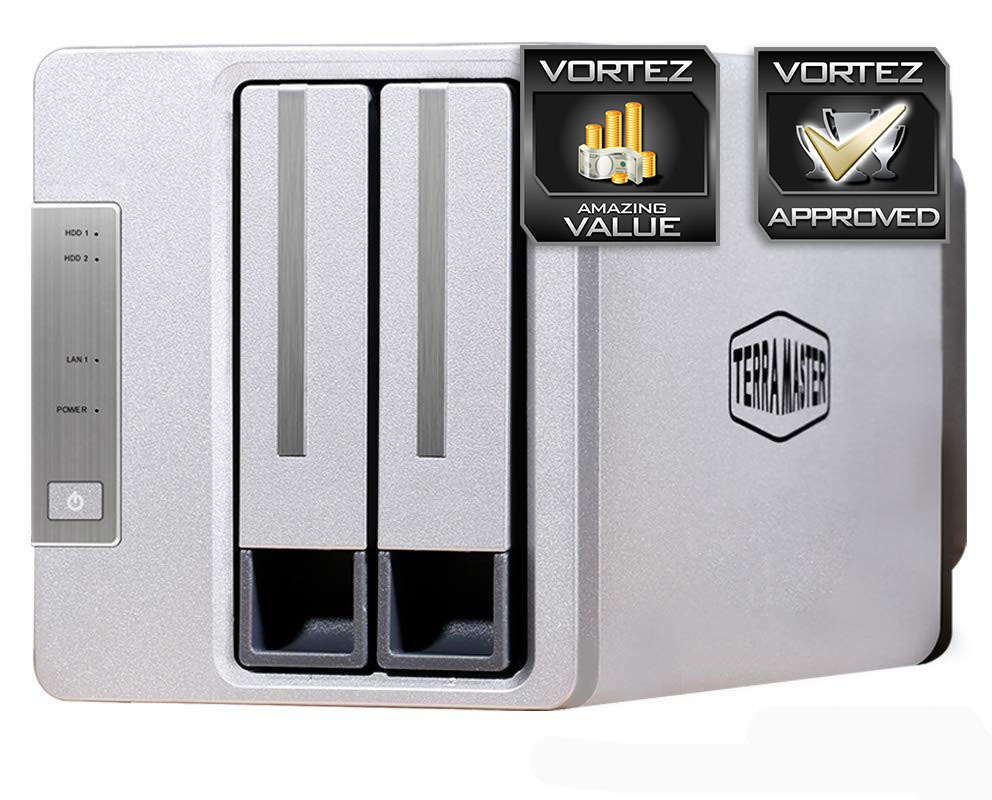
The NAS enclosure, measuring in at 120mm wide x 135mm tall x 230mm long, is made up from a mixture of aluminium and plastic, with the sides being aluminium.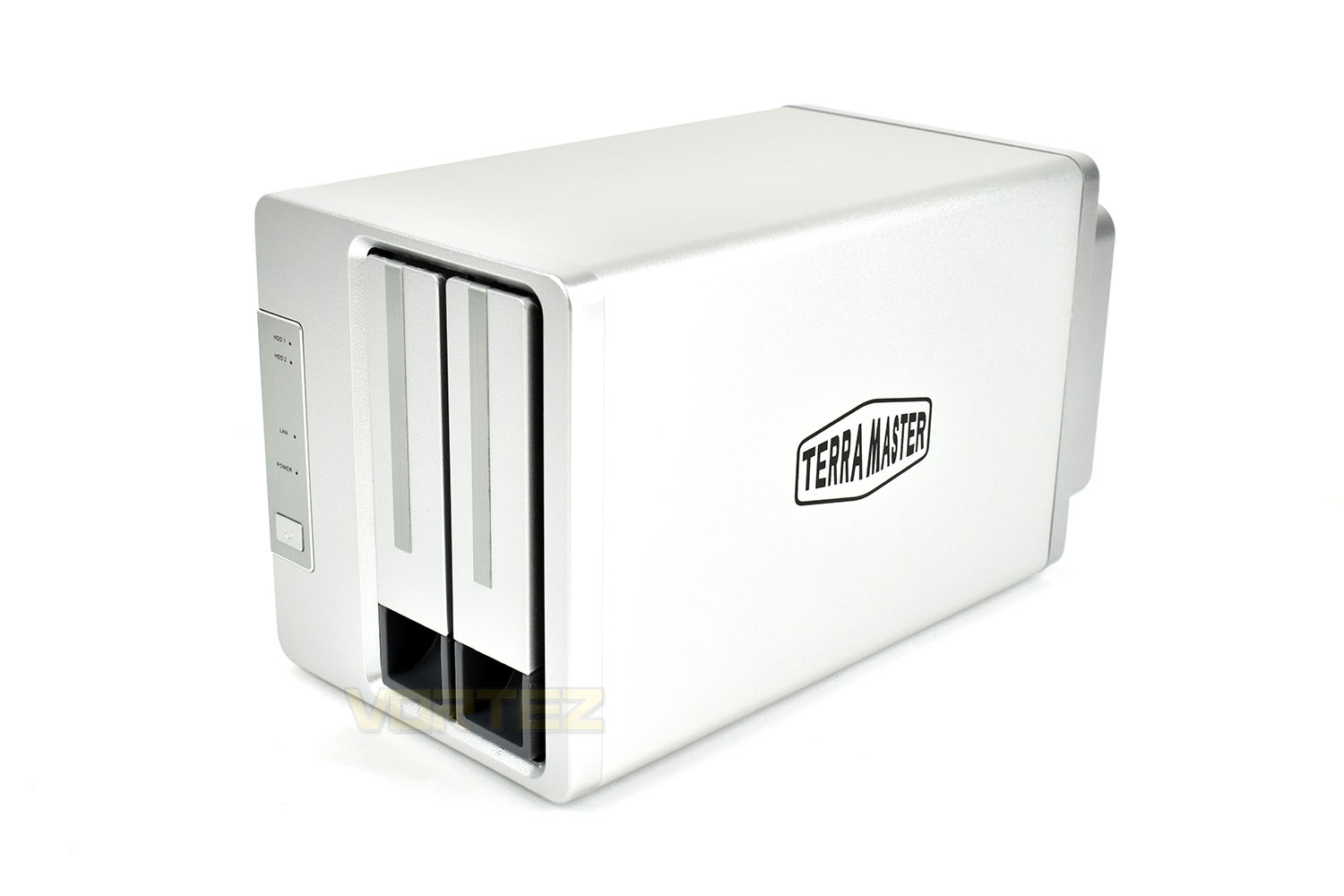
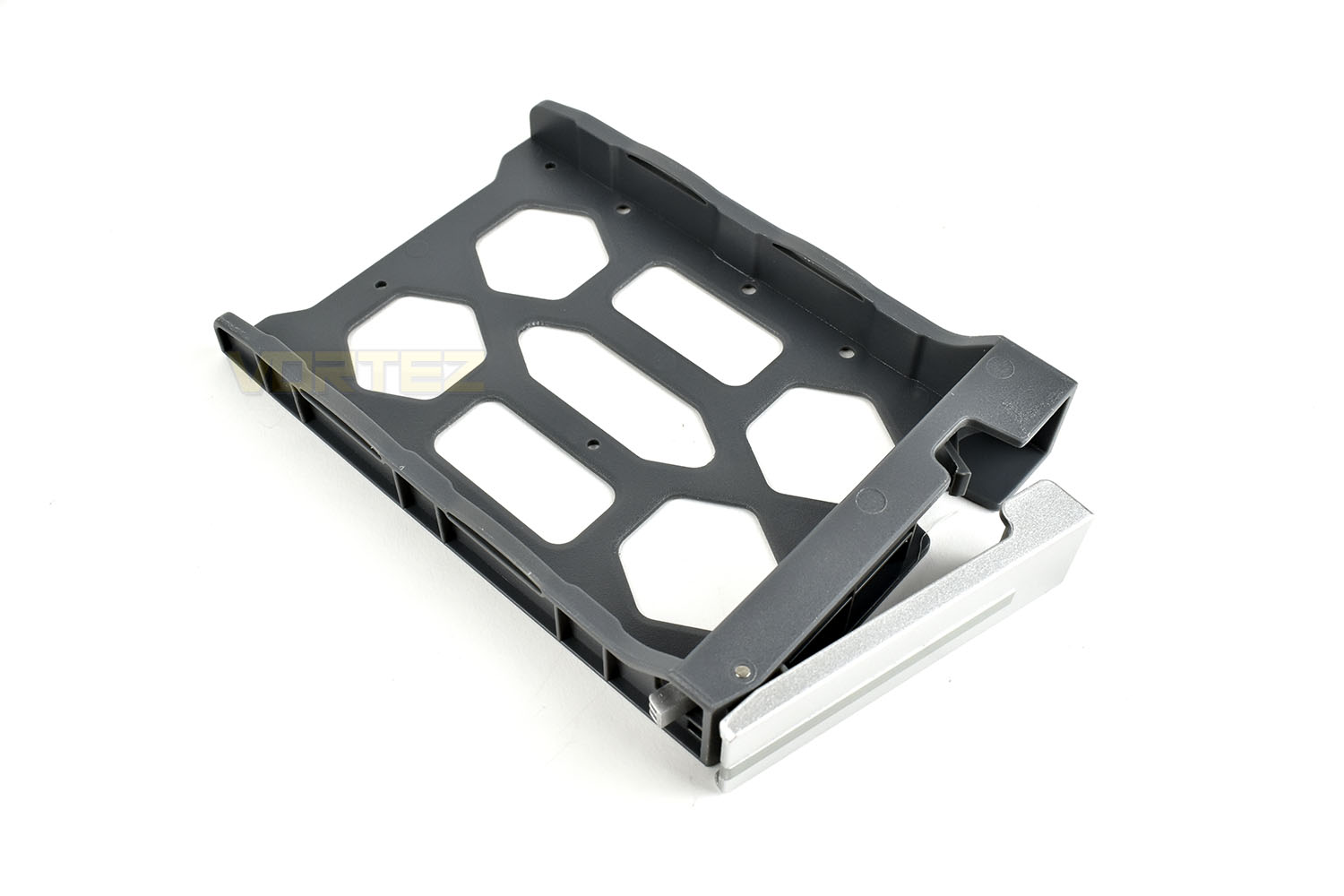
The two drive bays are removed by lifting the levers on the front and sliding them out. These are constructed from plastic but feel plenty strong enough for their purpose.
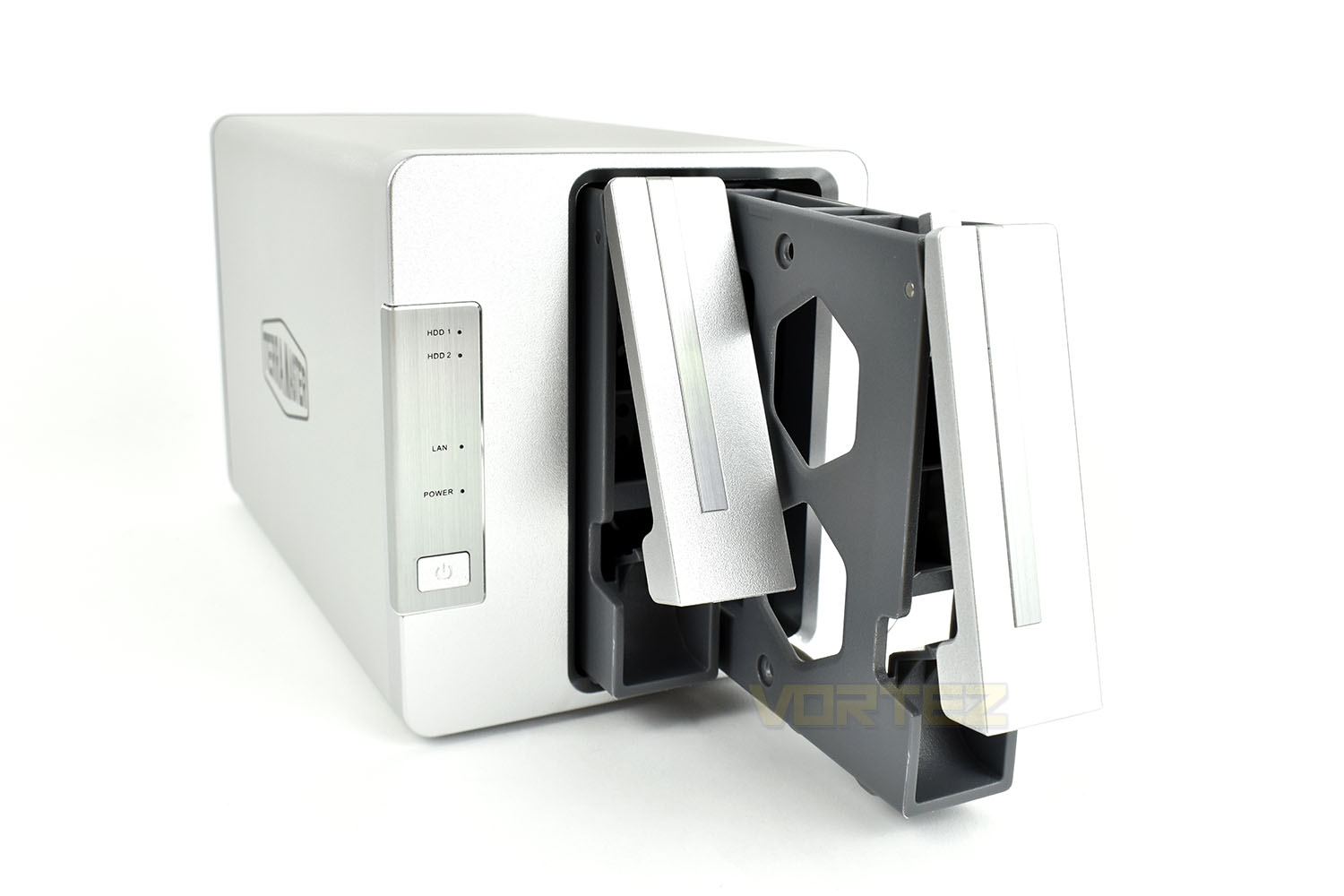
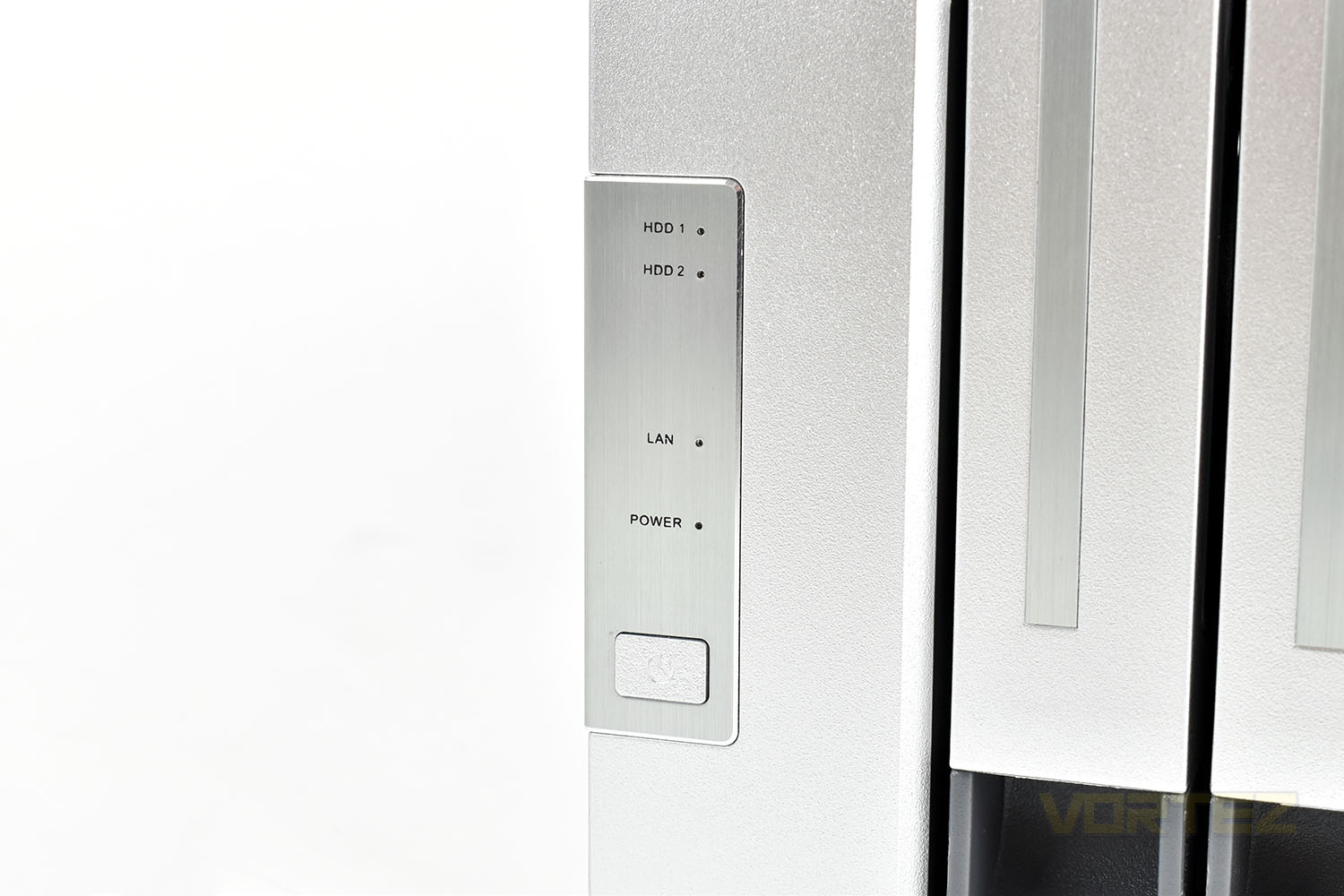
The front panel houses four tiny green indicator LEDs, as labelled. Below those is the power button, which only functions to turn the device on and can’t be used to turn it off again.
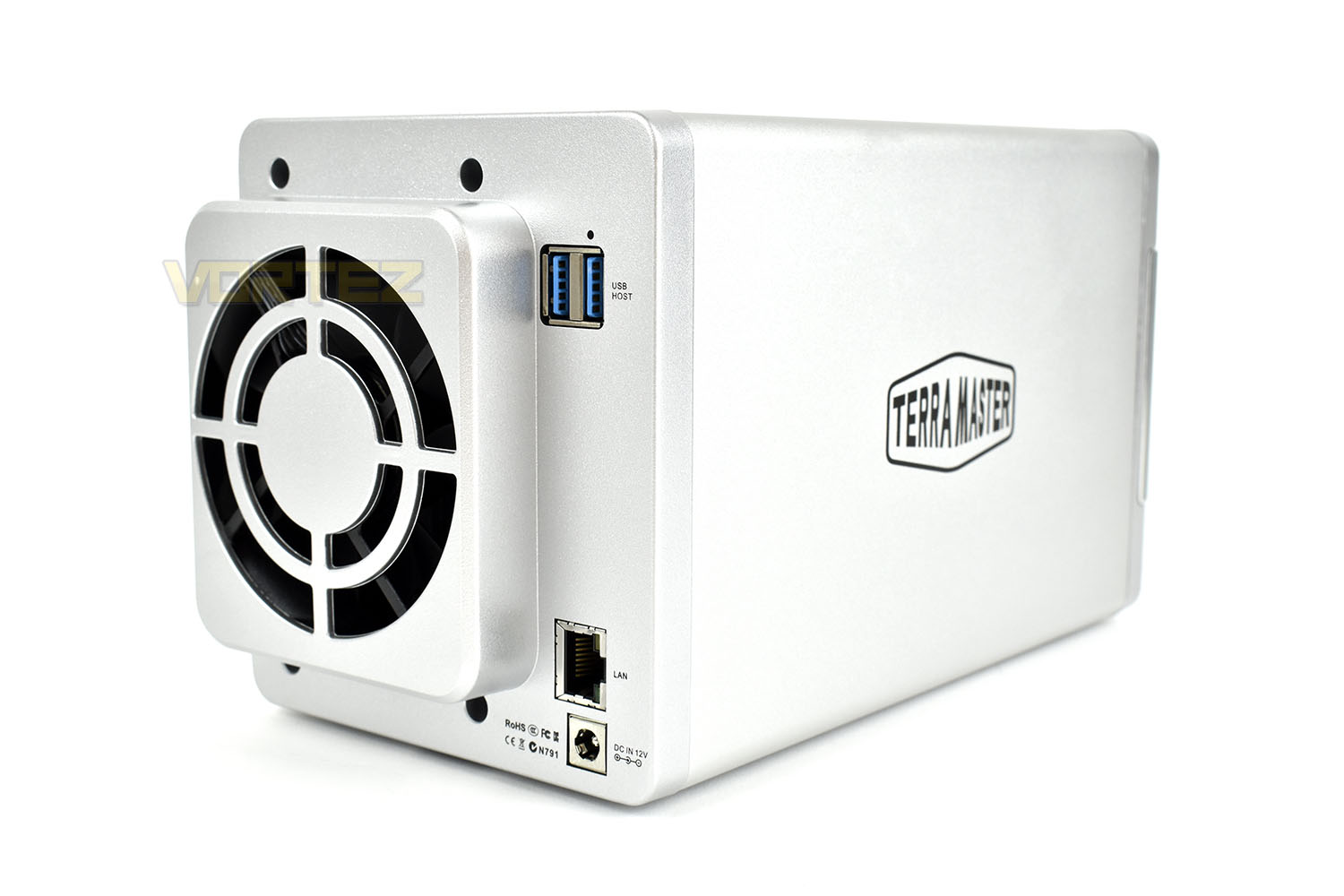
Swinging around the to the back of the device, there’s an 80mm x 25mm fan that exhausts out of the rear, a pair of USB 3.0 ports, a Gigabit LAN port and the DC power connector.
The hard drive slots are drilled to accommodate both 3.5” and 2.5” drives, allowing you to install SSD drives if you wish (though do bear in mind that you’ll be limited by the Gigabit LAN to the tune of 125MB/s) or 3.5” drives up to 16TB in each slot.
center]
Setup & UI
SetupSetting up the TerraMaster F2-210, when everything is functioning as it should, is a relatively straight forward task that almost anyone could undertake with a little bit of research and guidance, but, as we found out, when things don’t quite go to plan, the process is infuriating and downright unacceptable for a finished product.
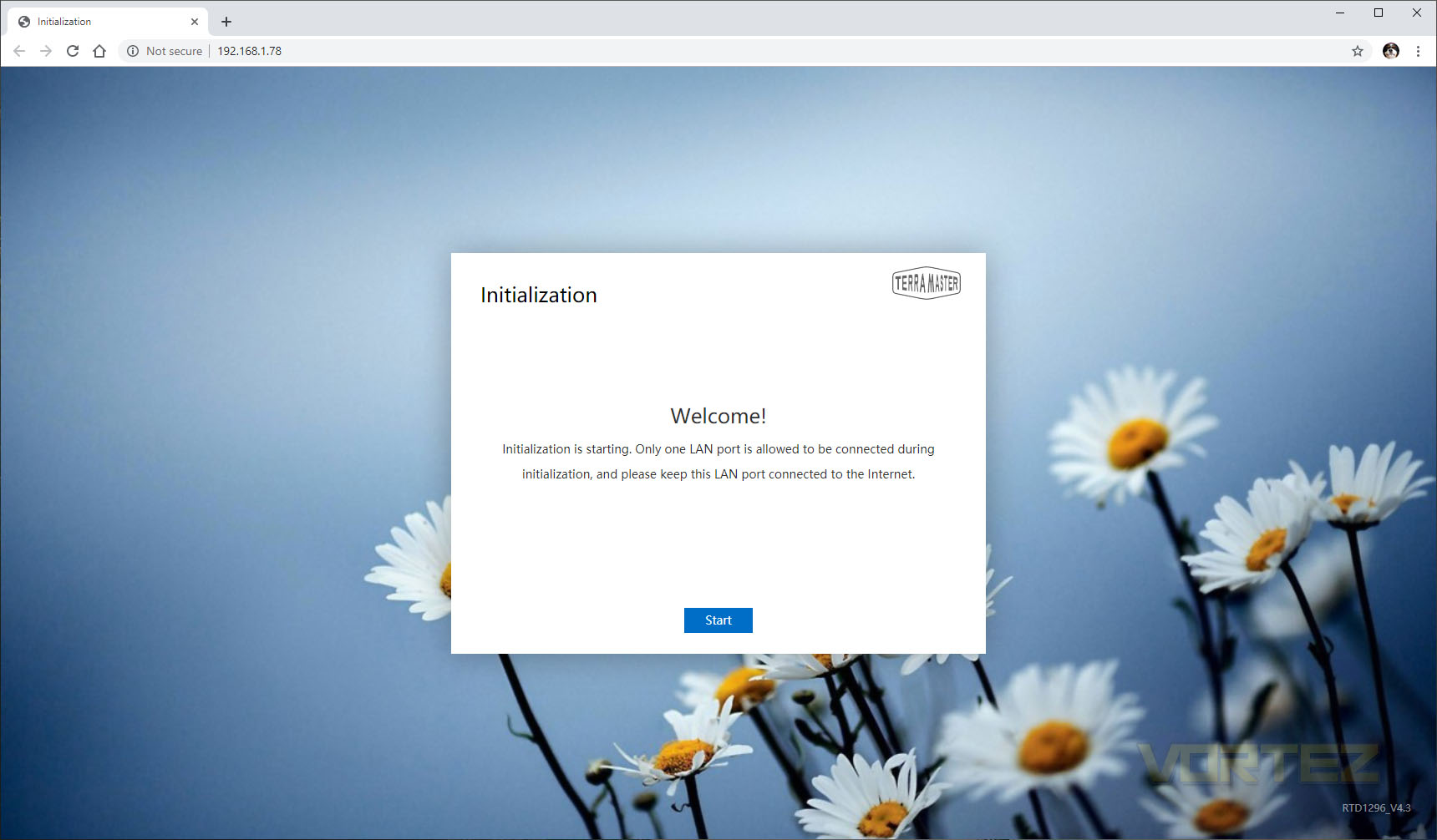
Starting with the good, TerraMaster have done a decent job of explaining the process and hold your hand throughout the setup procedure. There’s not too many steps meaning you can be up and running inside of 10 minutes, including installing and initialising brand-new hard drives. We’d give the overall experience a good 7/10.
However, when we first unboxed the device and began our evaluation, we ran into a tiny issue that rapidly turned into a huge problem. TerraMaster’s setup procedure went as planned, but once into the device’s Operating System, we were unable to obtain an internet connection; we tried opening ports on our router, removed switches and other devices from the network, swapped out ethernet cables, entered the DHCP settings manually, tried the NAS enclosure at another premises, we even had a network specialist take a look, all to no avail. That wasn’t the end of it though, we delved deeper and logged into the backend of the machine via SSH and had a root around with PuTTY. This unearthed an even more frustrating problem, where the device was reporting it had a functioning internet connection and was resolving addresses. We could even have the device send out test emails without delay. What was going on?
We contacted TerraMaster’s helpdesk on the Friday afternoon but had to wait until the Monday afternoon before we received a reply.
Hi Mattew,
Sorry the application server has some problem, we are fixing it now.
Any news will let you know.
Sorry the application server has some problem, we are fixing it now.
Any news will let you know.
It turned out, after about 10 hours of fiddling around, spread across 3 days, reattempting the setup process several times, all with zero error messages, that TerraMaster’s servers weren’t responding to our device and, based on that, it was refusing to even attempt to obtain any kind of connection. To this day, around a fortnight later, we’re still struggling to get full operability from the Applications Store.
UI/Software
We’ve included a video demo of the TNAS Operating System below, running on version 4.1.10-2924. As you’ll see in the demo, the OS feels incredibly snappy, responsive and fluid, it also looks decent with some lovely background wallpaper options and colourful icons. There are a few niggly little issues like it showing the internet as disconnected all of the time and there being no way of seeing which application/service is accessing the HDDs but they’re certainly not deal-breakers.
Test Setup & Methodology
To test the NAS enclosure, we populate the device with a pair of 6TB Western Digital Red NAS drives and configure them in a RAID0 arrangement.
We connect the device up to a Gigabit network and run a couple of tests to determine the enclosure’s throughput speeds.
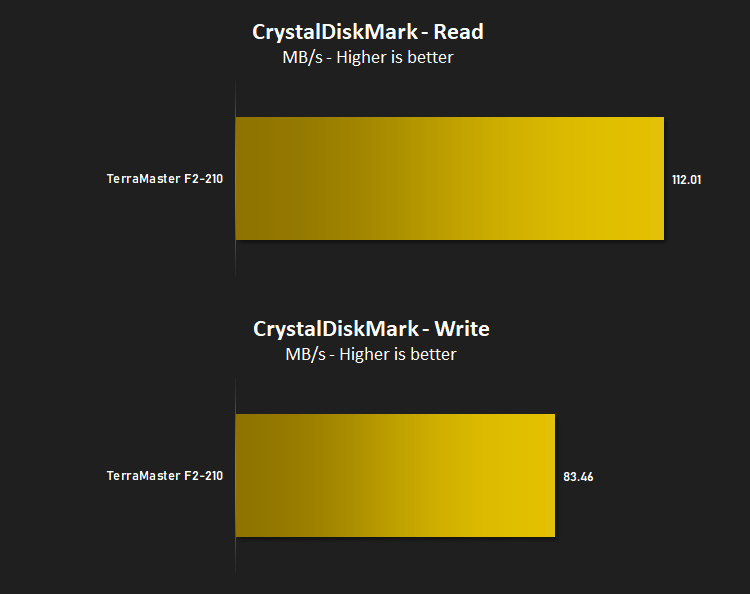
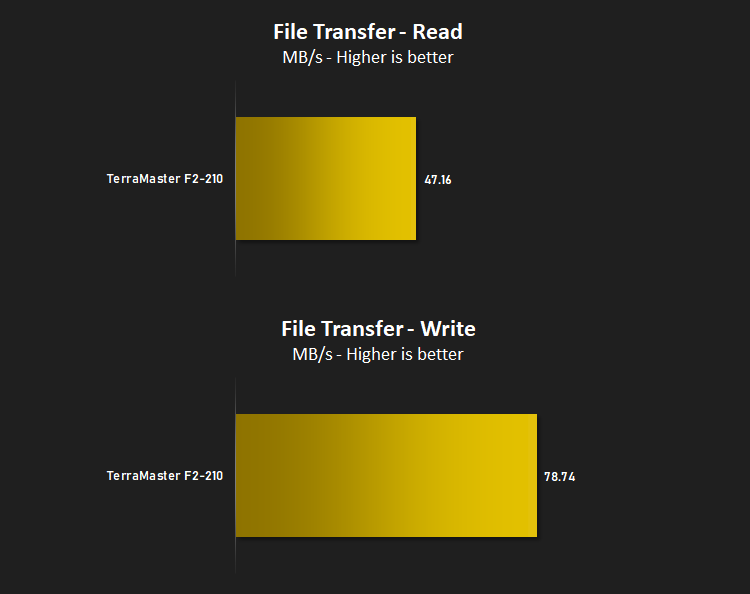
We first run CrystalDiskMark 7.0 and measure the Sequential 1MB Q8T1 test, noting the read and write speeds. We then move onto a 10GB file from Speed.Hetzner and measure the transfer rate of moving the file to and from the device.
Benchmarks: CrystalDiskMark & File Transfer
We’re not expecting excellent random access times, so we’ll focus on the absolute throughput measured by CrystalDiskMark’s 1MB Q8T1 test.
It’s important to measure the time taken to transfer a large file, in both directions, so we borrow the 10GB.bin file from speed.hetzner and use that as a bandwidth measurement.
Conclusion
TerraMaster made no bones about the F2-210 being a value-orientated option for those on a budget, so measuring it from that viewpoint, we have many reasons why we’d recommend the enclosure, but also a couple of reservations.The metal chassis with plastic elements feels robust enough to hold its own, but we’d have liked to see metal drivebays instead of plastic; hard drives are fragile and can easily cost more than the enclosure if you aim for 6TB or above. The rear-mounted 80mm fan is more than up to the job of keeping the enclosure cool at its lowest speed but it does produce a small high-pitched sound, something to bear in mind if you’re putting this within earshot. The fan can be ramped up to 2000RPM if you plan to install the device in a warmer environment, which moves a considerable amount of air.
TerraMaster have equipped the device with just enough hardware to offer a pleasant experience without costing a fortune, with 1GB of RAM and a quad-core 1.4GHZ processor; thanks to that, performance is decent, with speeds above 100MB/s in CrystalDiskMark and close to that in extended file transfers, however it did struggle to transfer that data back to our system for some reason. We tested the Plex usability and found it absolutely suitable for streaming films throughout your network, but transcoding is a bit above the processor’s ability.
TerraMaster’s Operating System is a work in progress, we feel. The issues we encountered during setup should be set up in such a way that there are error messages which describe the problem instead of leaving users in the dark, and with the unit still showing as “Disconnected”, two to three weeks later, you’d be forgiven if you thought the unit was faulty. There’s also still Chinese tooltips present in the software and some instability/chance work in the process of installing applications. Having said that, it does work really well, once you’re up and running, providing the user with a seamless, smooth and elegant experience that feels just like running a desktop operating system.
The biggest reservation we have with this unit is that it only has 2 drivebays, limiting upgrade options further down the line, as well as which RAID types can be deployed. It also caps the total capacity that you can install to begin with, if you’re limited to a smaller budget in the outset. The F4-210, with an additional two drive bays (for 4 total) and an extra 1GB of RAM (for 2GB total) is exactly £100 more in the UK, which does somewhat negate the value aspect of the idea but the 4-bay is still excellent value compared to equivalent models.
Looking for an inexpensive NAS enclosure to backup cherished memories and data that can run a Plex Media Server and do much more? The F2-210 fits the home/small business user perfectly.
Pros
+ Robust, simple enclosure
+ Easy to setup and use
+ Snappy and elegant operating system
+ Relatively quiet when idle and under operation
+ Excellent value
Neutral
+- Plastic drivebays
Cons
– If the setup goes badly, it goes really badly
– Waited 72 hours for a response from Customer Services
+ Robust, simple enclosure
+ Easy to setup and use
+ Snappy and elegant operating system
+ Relatively quiet when idle and under operation
+ Excellent value
Neutral
+- Plastic drivebays
Cons
– If the setup goes badly, it goes really badly
– Waited 72 hours for a response from Customer Services
Click here for an explanation of our awards at Vortez.net.
Stay connected with the Vortez Social Media pages:
Join in with the discussions on Discord