Rocking AMD’s 12 core behemoth and AMD’s fastest graphics processor, this colourful PC offers excellent performance but should you buy it? Let’s have a look.

Product on Review: CyberPowerPC Hydro-X Ultra
Manufacturer: CyberPowerPC
Street Price: £2509.20
A few months back, we checked out the CyberPowerPC Infinity X66 GTX which we were rather impressed with, today we get to bring you something else from CyberPower, something much more powerful and impressive.
Packing AMD’s 12 core, 24 thread Ryzen 9 3900X processor and an AMD Radeon RX 5700XT, gaming and workstation performance is almost guaranteed, with those standout features augmented further by a PCI-E 4.0 NVMe SSD from Corsair and 16GB of Corsair 3200MHz RGB RAM.
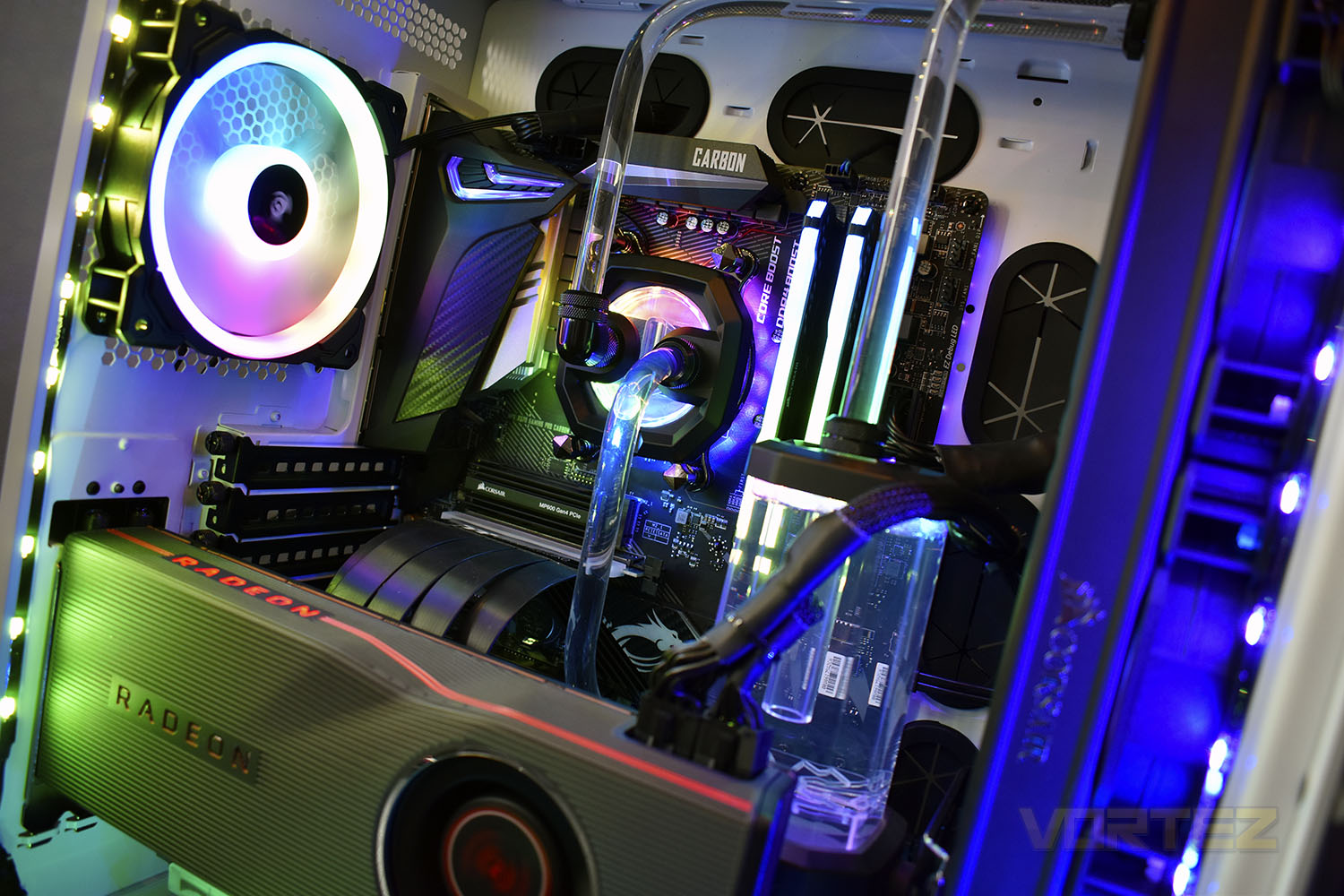
Cooling on the CPU is provided through a custom-loop Corsair Hydro X system, sporting a 360mm radiator and Corsair’s powerful ML120 RGB fans. Alongside the custom loop is a multitude of RGB lighting, with fans, a waterblock, a reservoir, the motherboard and LED strips all around the case emitting their own lightshow.
All of that is contained within a Corsair chassis, with individual chambers for the hard drives, cables and power supply for a neater appearance.
With more RGB lighting than you can shake a stick at, and one of AMD’s most powerful CPUs to date, the Hydro-X Ultra from CyberPowerPC is certainly exciting, but is it worthy of £2500 of your hard-earned cash? Let’s take a look.
Technical Specifications
Processor: AMD Ryzen 9 3900X
Motherboard: MSI MPG X570 Gaming Pro Carbon WiFi
Memory: 2x 8GB Corsair Vengeance Pro RGB 3200MHz
Storage:
1x Corsair MP600 NVMe 1TB
1x Seagate ST2000DM008 2TB
Graphics: AMD Radeon RX 5700XT 8GB
Chassis: Corsair 680X (white)
Power Supply: Corsair 650w Vengeance Series
Motherboard: MSI MPG X570 Gaming Pro Carbon WiFi
Memory: 2x 8GB Corsair Vengeance Pro RGB 3200MHz
Storage:
1x Corsair MP600 NVMe 1TB
1x Seagate ST2000DM008 2TB
Graphics: AMD Radeon RX 5700XT 8GB
Chassis: Corsair 680X (white)
Power Supply: Corsair 650w Vengeance Series
Packaging & Bundle
The system arrived on a wooden pallet, a full-size wooden pallet delivered by a specialist pallet firm, with ample foam, wrapping and strapping used to make sure the system got to us in tip-top condition. Unfortunately, it was a bit too large to get into your photography area to grab any photos.After CyberPower are finished putting your system together, they box it back up in the original packaging. Corsair have already provided the custom-fit polystyrene and cardboard so it’d be stupid not to re-use them for the sake of some branding. Much better for the environment this way, too.
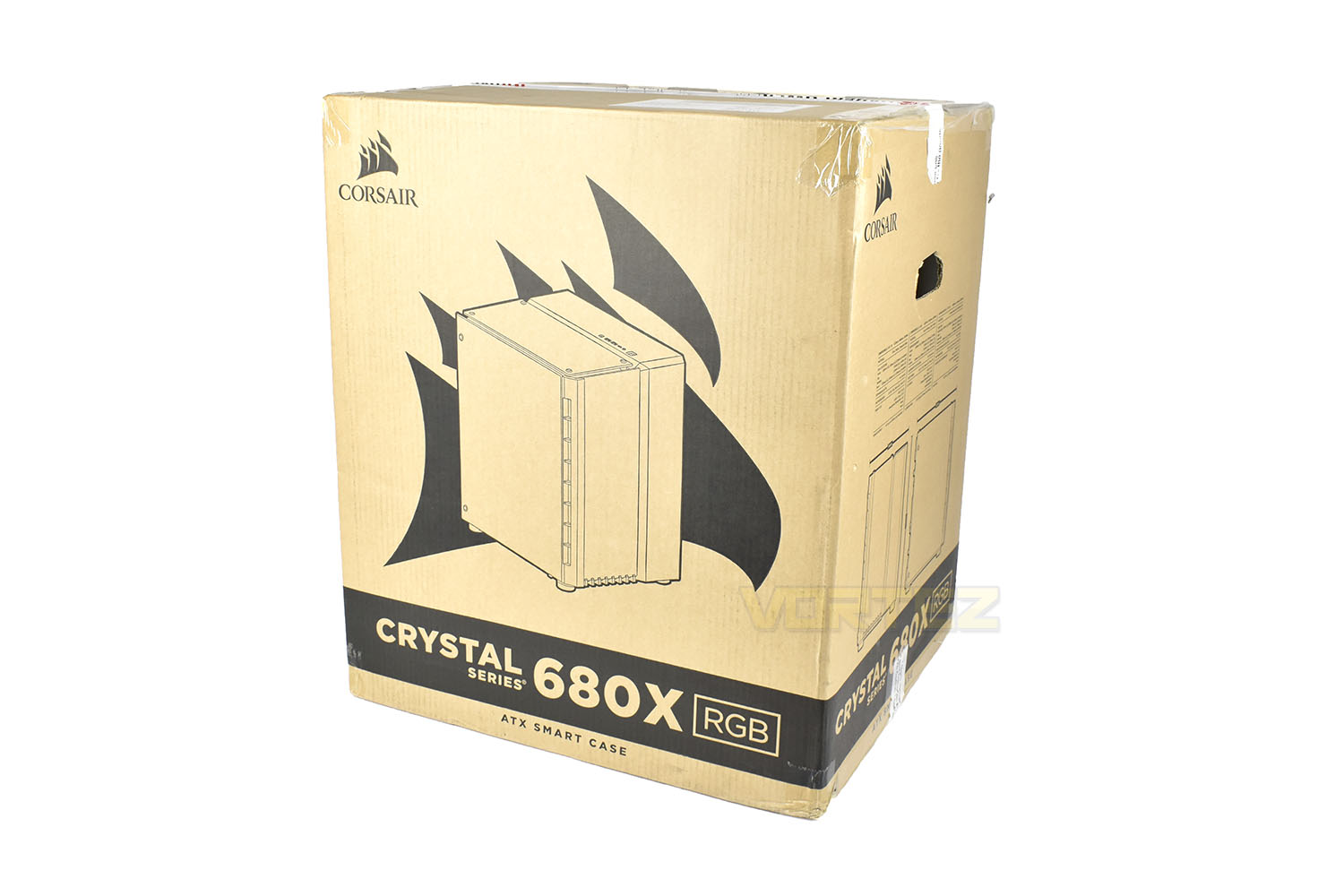
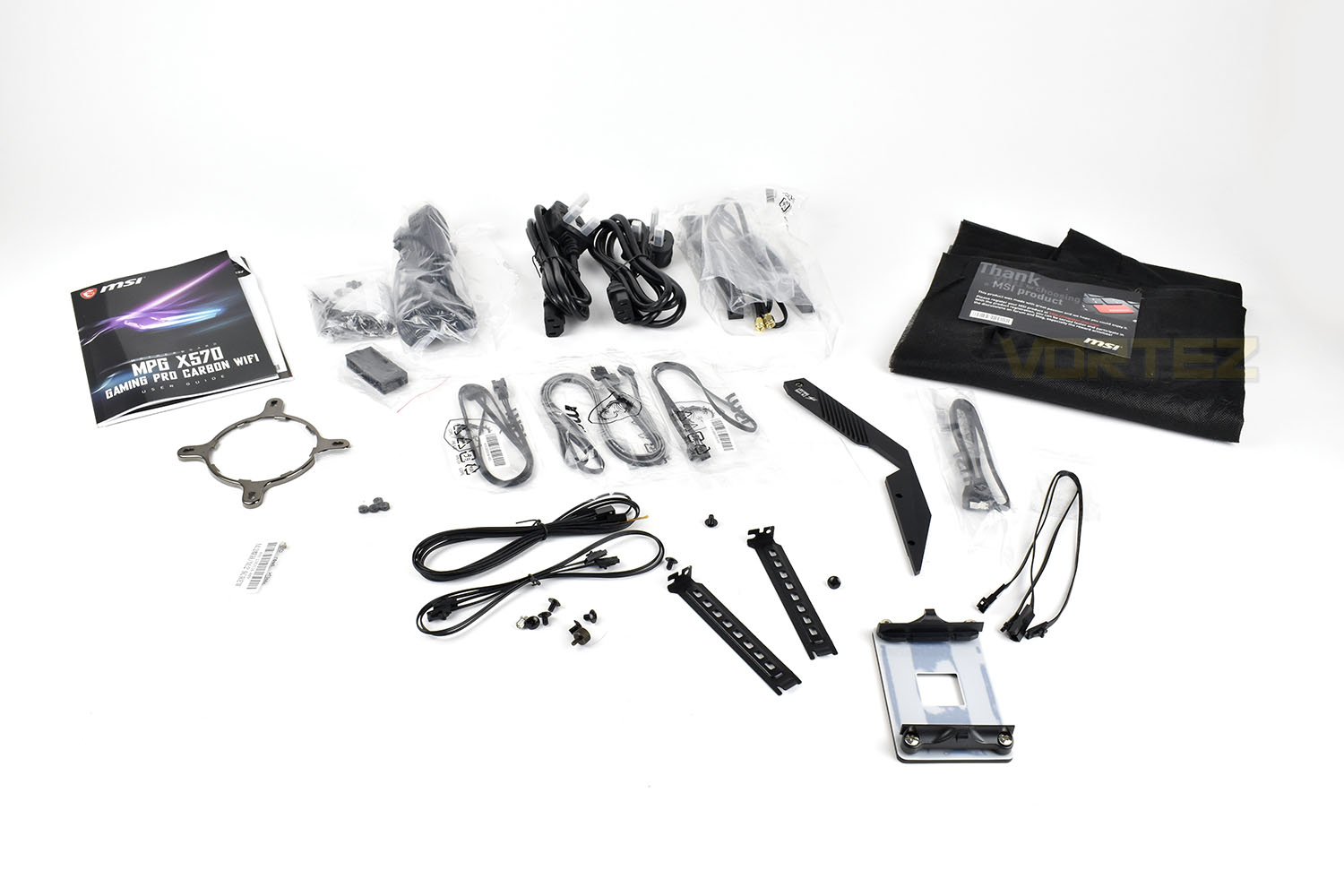
You also get a smaller box containing all of the accessories.

We’d be here all day listing all of the extras, but everything they’ve removed or that came with included components is present and accounted for, including manuals and installation media.
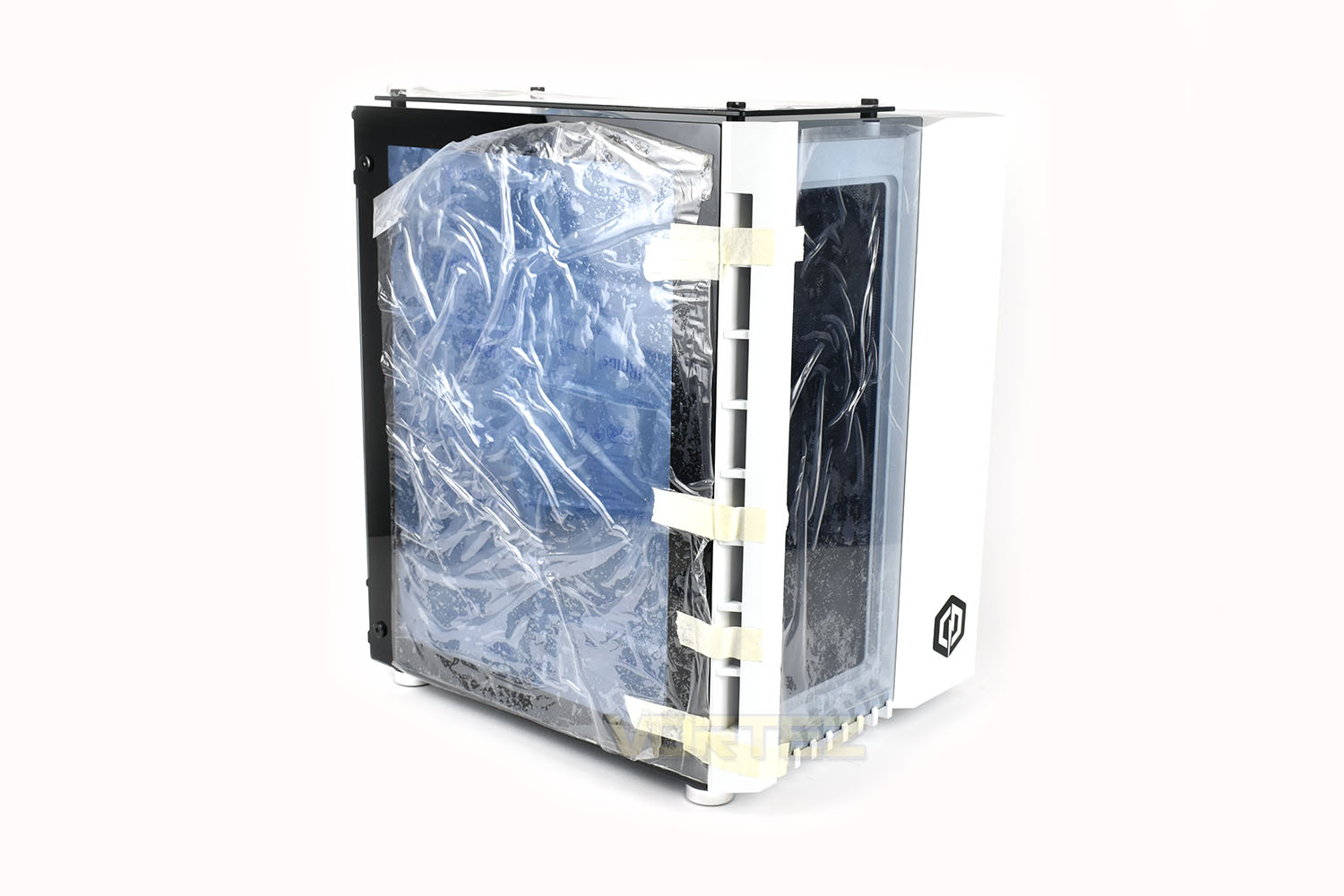
The inside of the PC has been packed to the rafters with large-size bubble wrap ensuring nothing can move about or snap off, with the door then taped shut.
Closer Look
The Hydro-X Ultra system can be configured in either black or white, with our review sample in the bright white. You’ll need to make sure you have ample room under or on your desk for this chassis, measuring in at 420mm x 340mm x 500mm.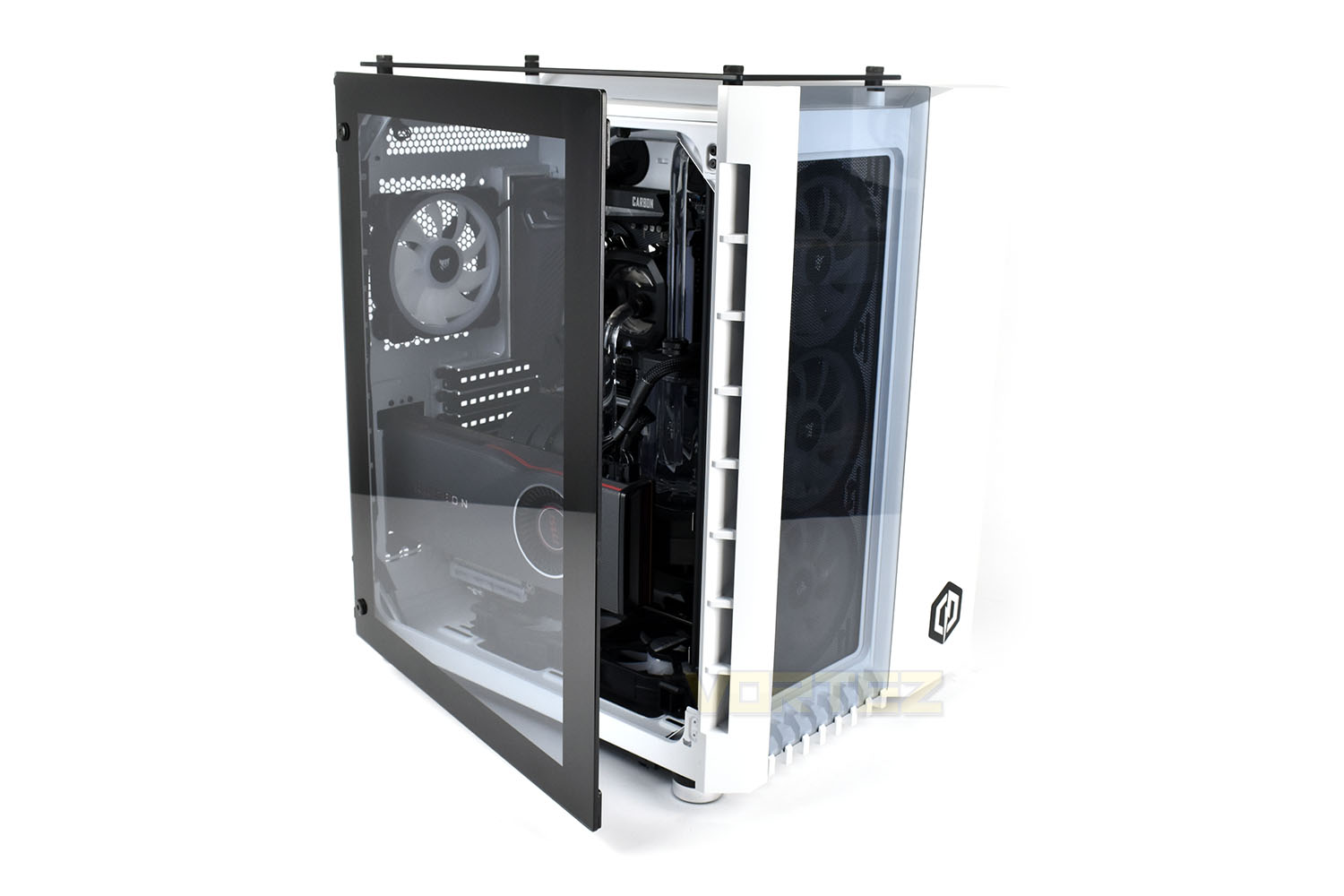
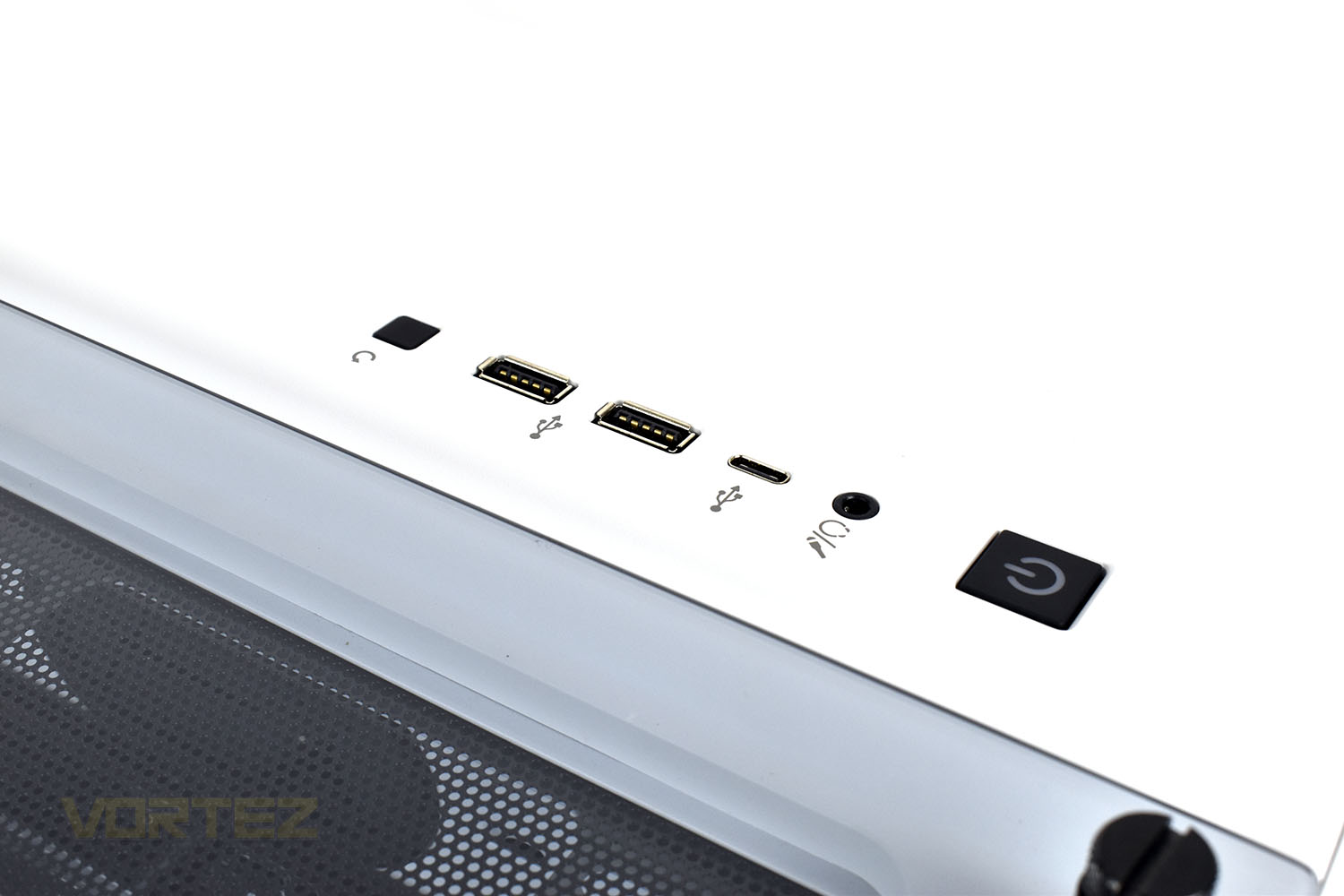
On top of the chassis is the “front” I/O. Here you get a paid of USB 3.0 ports, a reset switch, a USB Type-C and a 4-pole 3.5mm jack. And of course, the power button.
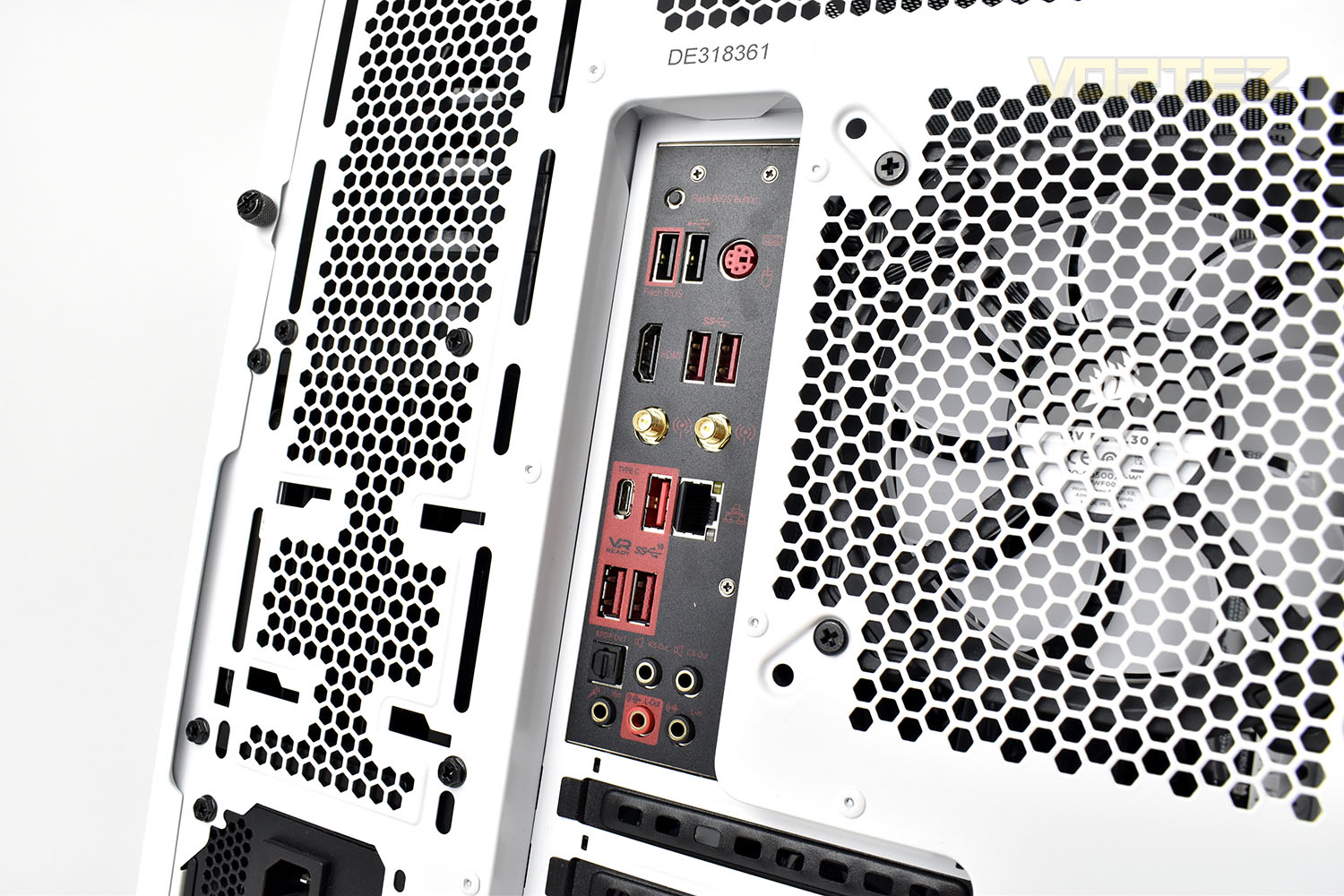
The rear IO is very well equipped, thank to MSI. We get loads of USB ports including a Type-C, WiFi 6, a PS/2 port, Gigabit ethernet and 7.1 audio.
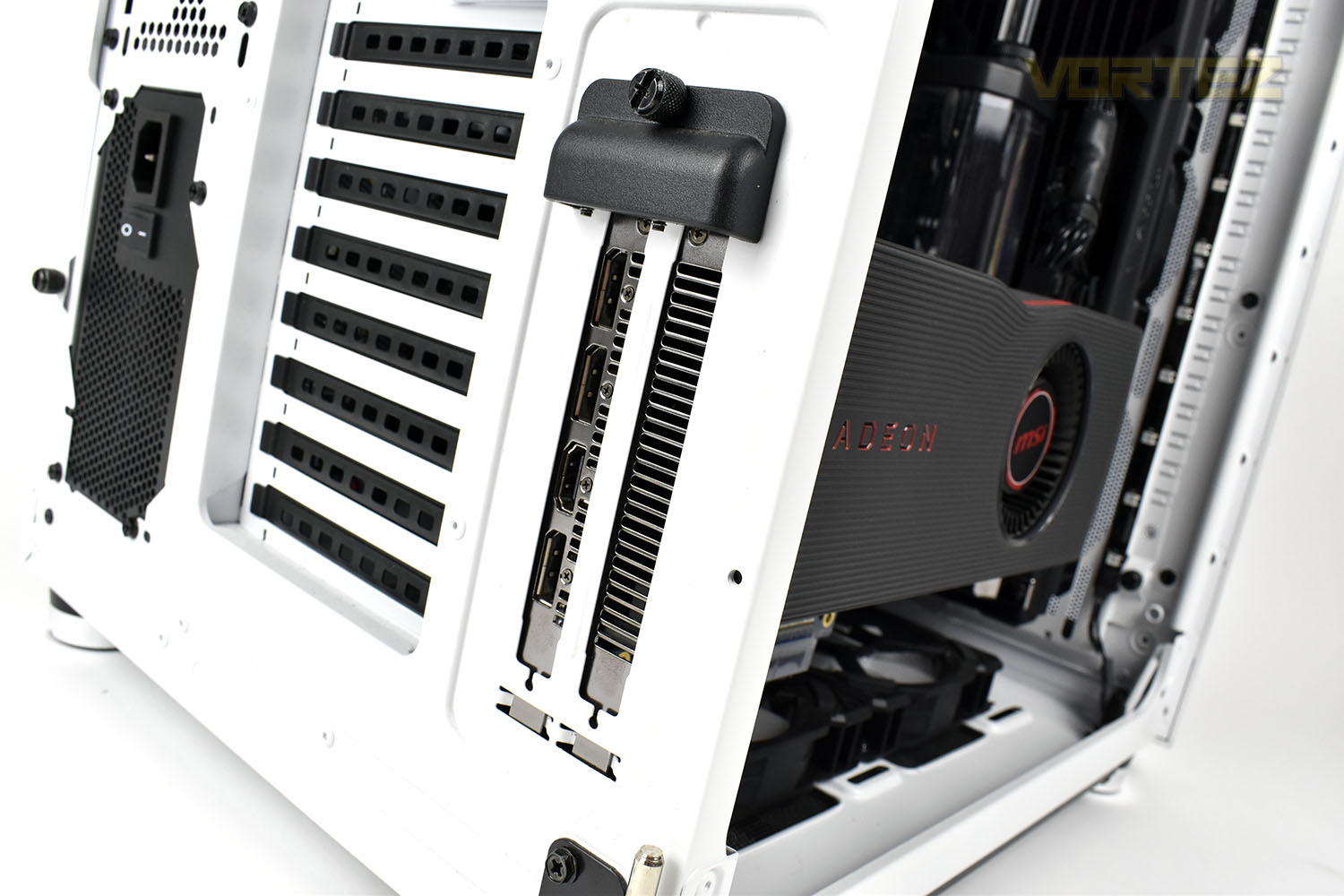
Due to the positioning of the GPU, the ports are obviously sideways on, but they work just the same. There’s a trio of DisplayPort adaptors and a single HDMI.
Closer Look (Internals)
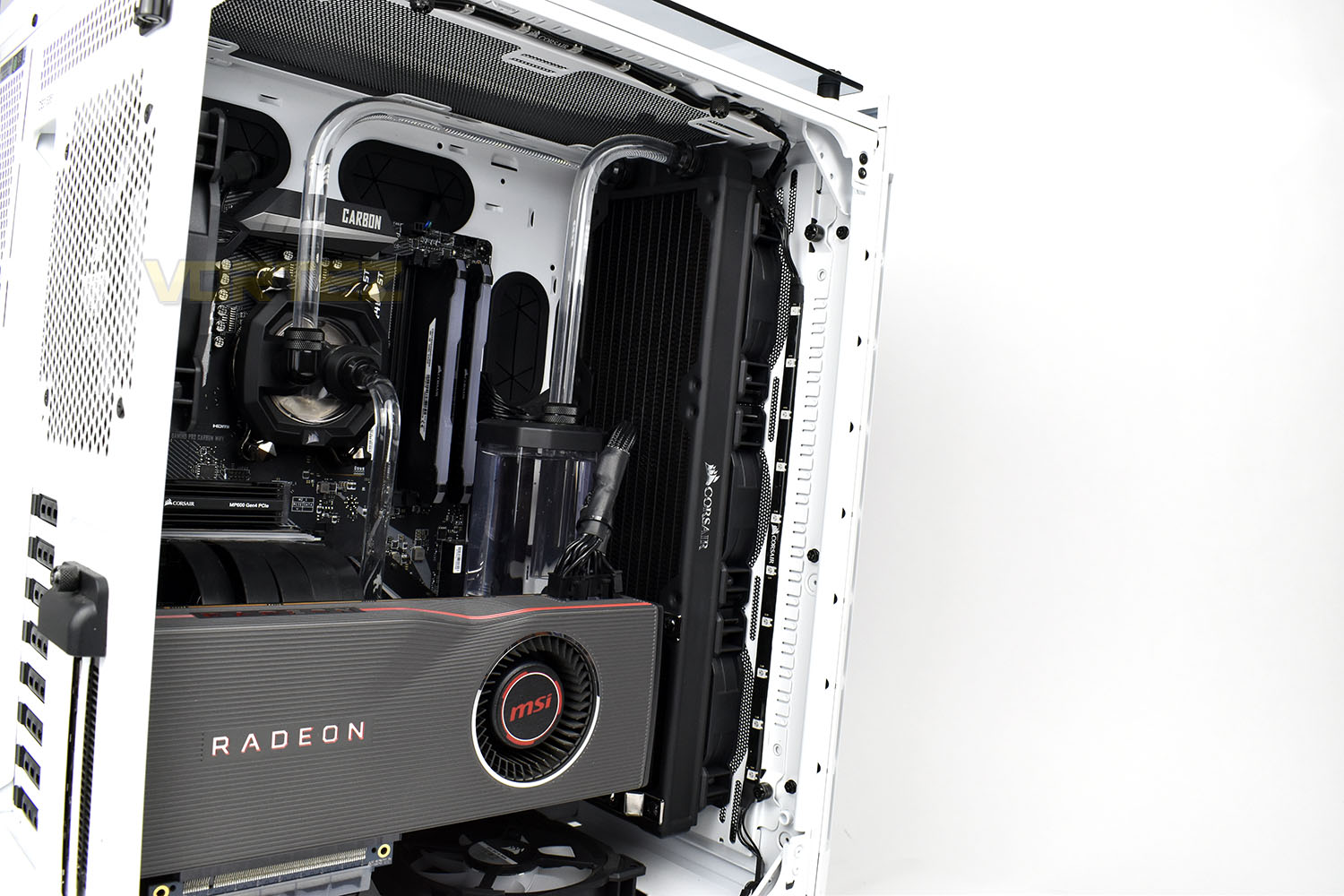
Swinging open the tempered glass panel (which can be removed very easily) we get a great look inside the Corsair 680X chassis. The white paint inside the case helps to brighten everything up, which made things much easier for us taking the photos.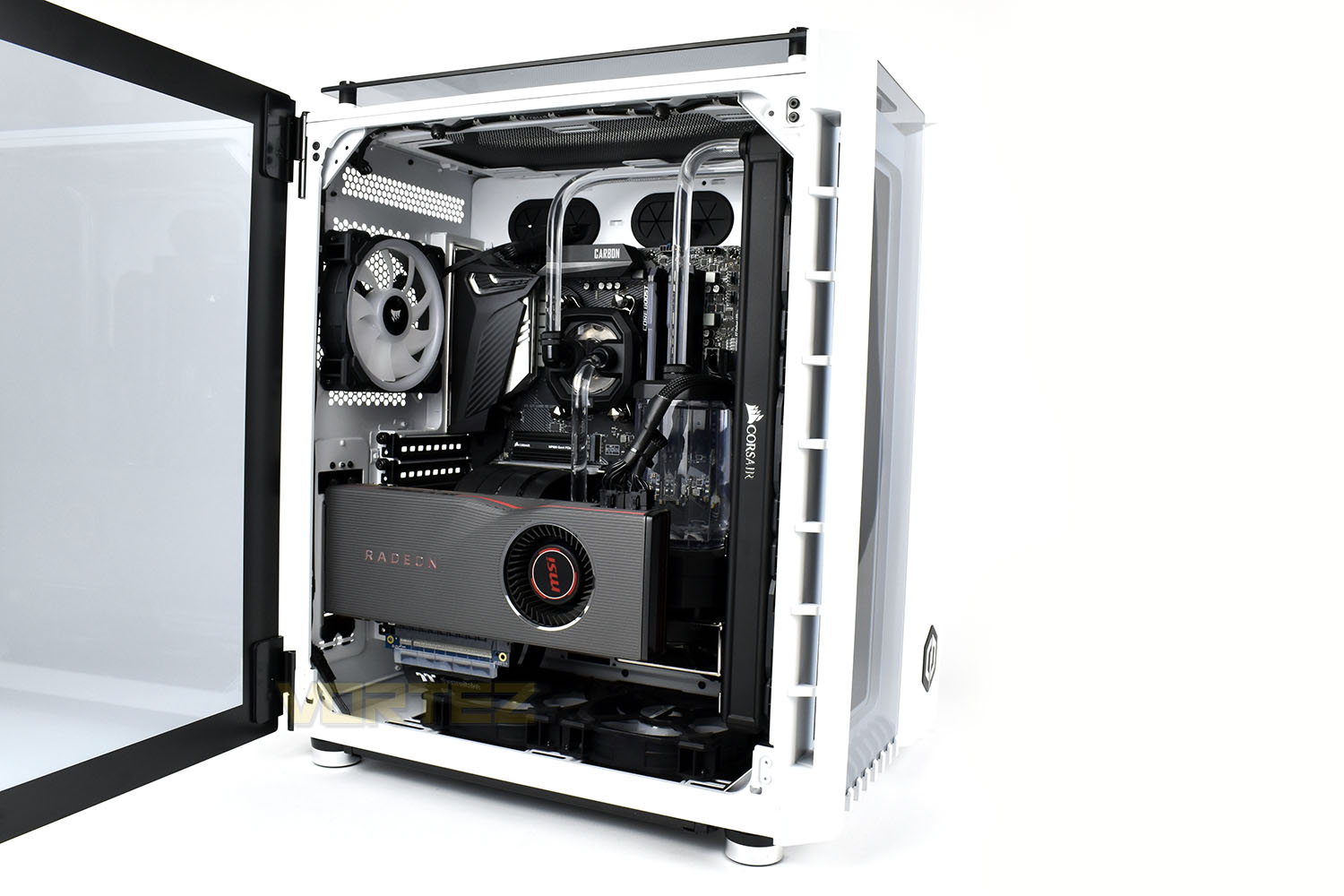
The first thing you’ll likely notice is the upright graphics processor, this mounting orientation is becoming quite trendy of late, allowing something a bit different to the norm but we’ll have to keep a close eye on temperatures with the blower cooler and glass panel being in close proximity to each other.
CyberPower have installed the AMD Radeon RX 5700XT, the current top-tier AMD card available, produced on the 7nm manufacturing process with Navi architecture. We get 8GB of GDDR6 and 2560 Stream Processors to provide enough oomph for any of today’s AAA titles.
Helping to keep things cool, there’s a pair of Corsair LL120 fans in the bottom, acting as intakes. This should draw nice, cool air in for the GPU and FCH, often two components which can produce the most noise, particularly on the newer X570 chipset with the increased demands of the PCI-E 4.0 specification.
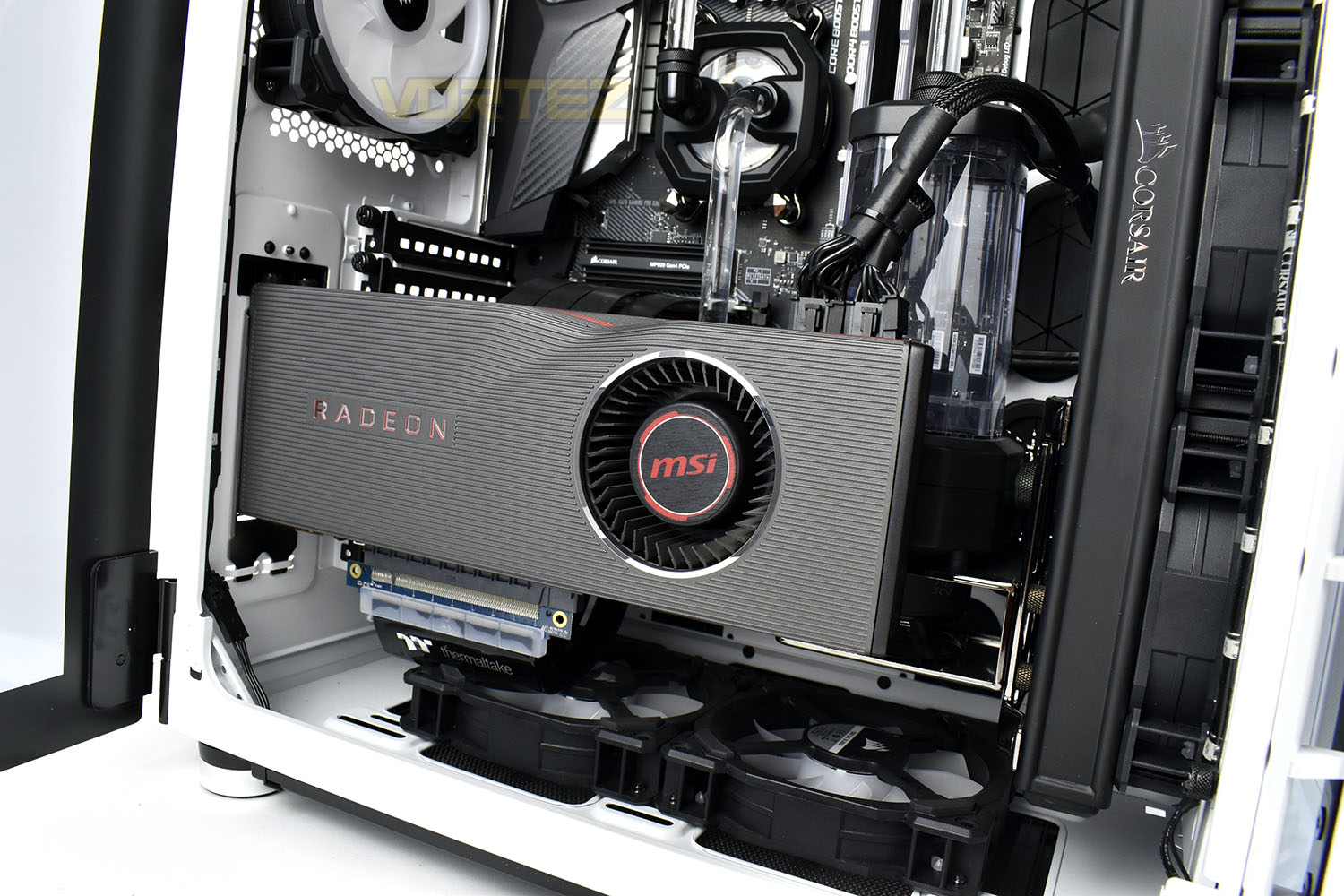
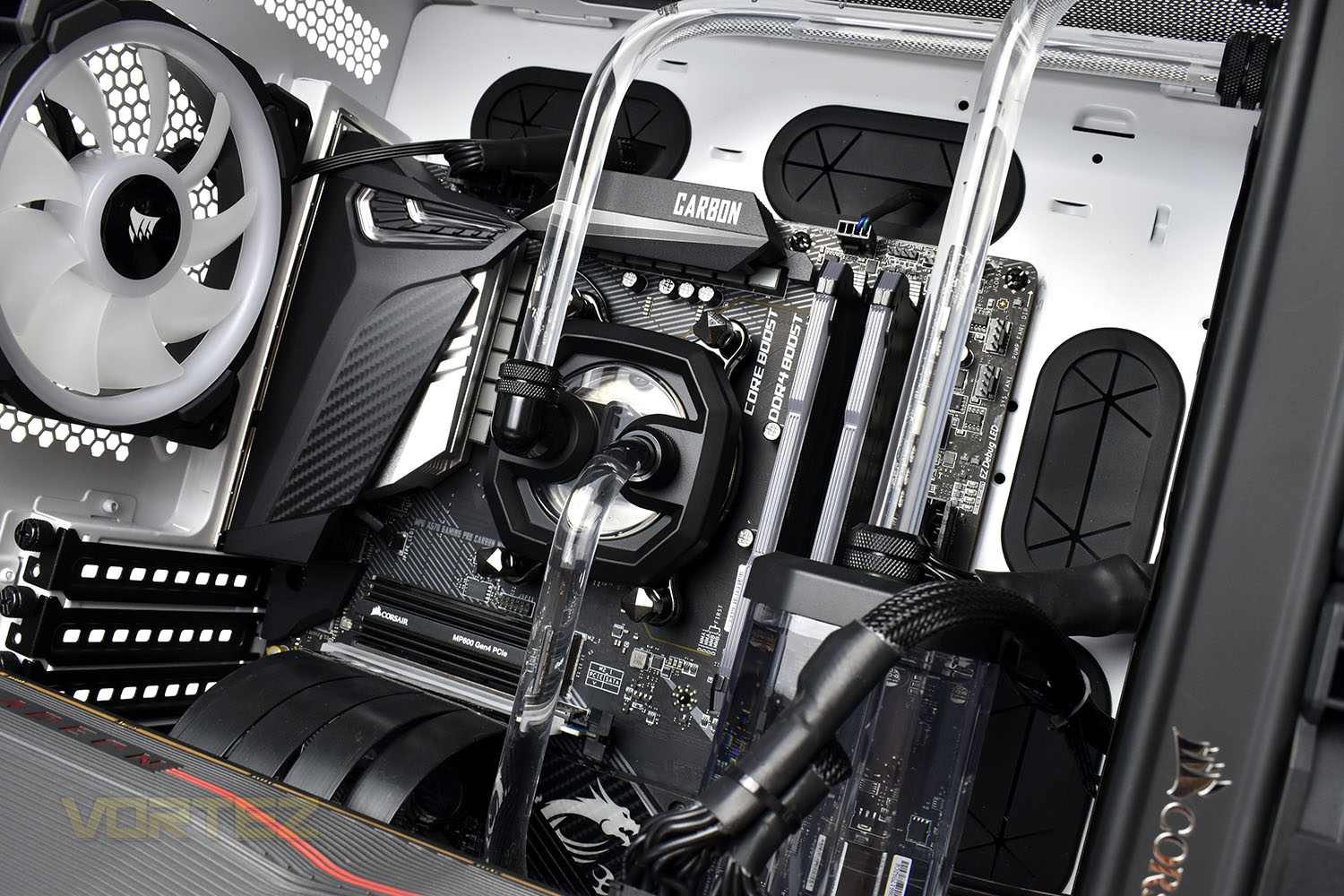
The backbone of the system is the MSI MPG X570 Gaming Pro Carbon WiFi, with a duo of M.2 NVMe slots, RGB lighting, WiFi 6 connectivity, powerful overclocking options and extensive cooling. Mounted into that is the crown-jewel, the AMD Ryzen 9 3900X, rocking 12 cores with SMT for 24 total computing threads at up to 4.6GHz. This processor provides both excellent horsepower for compute-heavy tasks and the high frequencies required by high framerate titles like FPS and racing simulations.
Augmenting that is 16GB of DDR4-3200MHz memory from Corsair, their Vengeance Pro RGB which offers, arguably, the best possibly light show of any available RGB memory kit. The MSI motherboard has room to add another 16GB, and with current memory pricing, you might find another 16GB would do you well, particularly with something as powerful as a 3900X.
Closer Look (Internals, Continued)
Almost as a cherry on the cake, the X570 chipset brings with it the PCI-E 4.0 specification, twice as fast as 3.0 which many SSD manufacturers had already maxed out. Here we get the Corsair Force Series MP600 Gen. 4 SSD with read speeds approaching the 5000MB/s barrier and read/write IOPS are both in excess of 600K. We should see some incredible performance from this.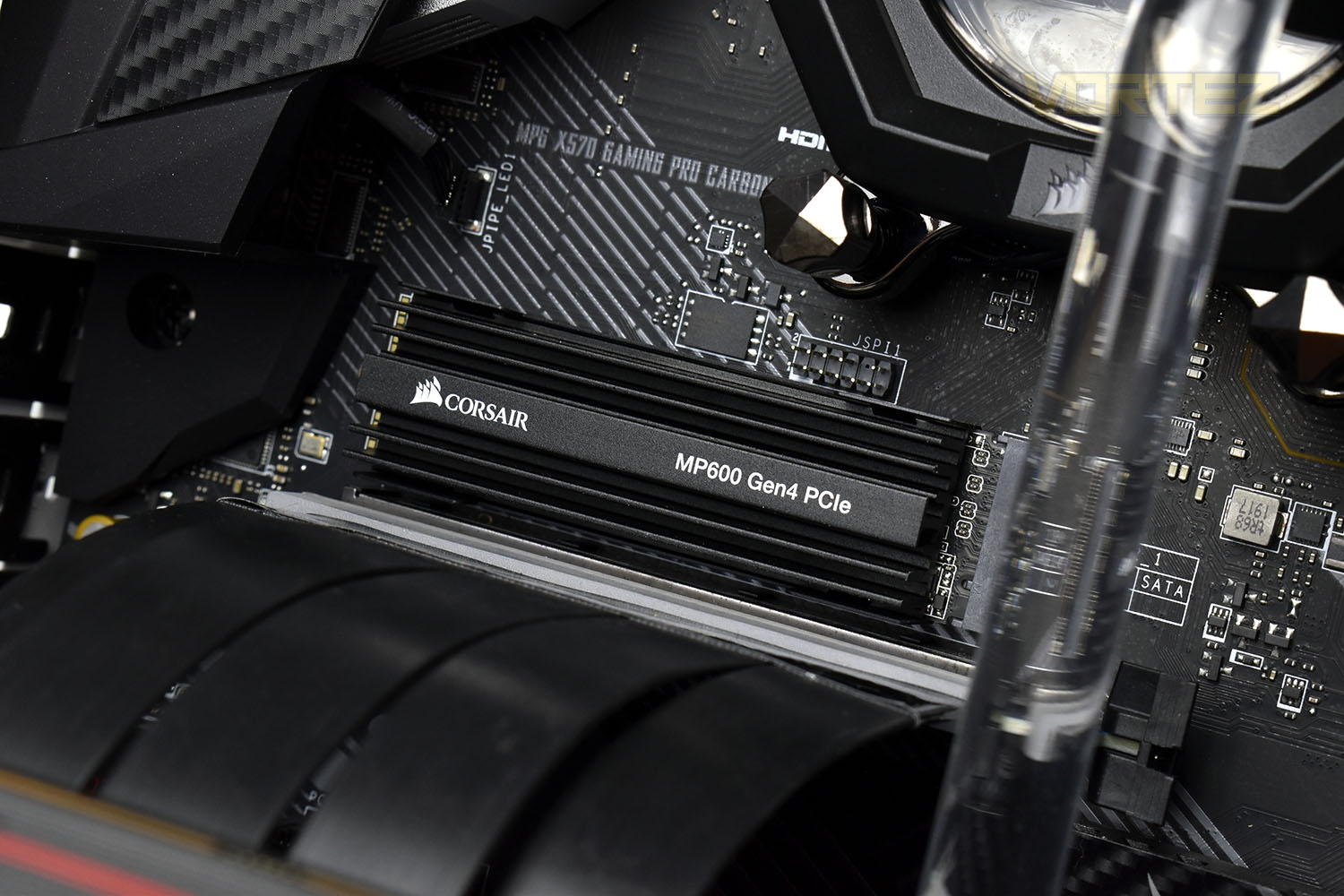
Ensuring the 3900X, which despite its 7nm Zen 2 architecture, is kept within a decent operating window is no small task; using Corsair’s latest Hydro X range of custom watercooling parts, CyberPower have hooked up a 360mm radiator, with 3x Corsair LL120 intakes, all hard-tubed with clear tubing. The end result looks fantastic, but just wait until we power this on.
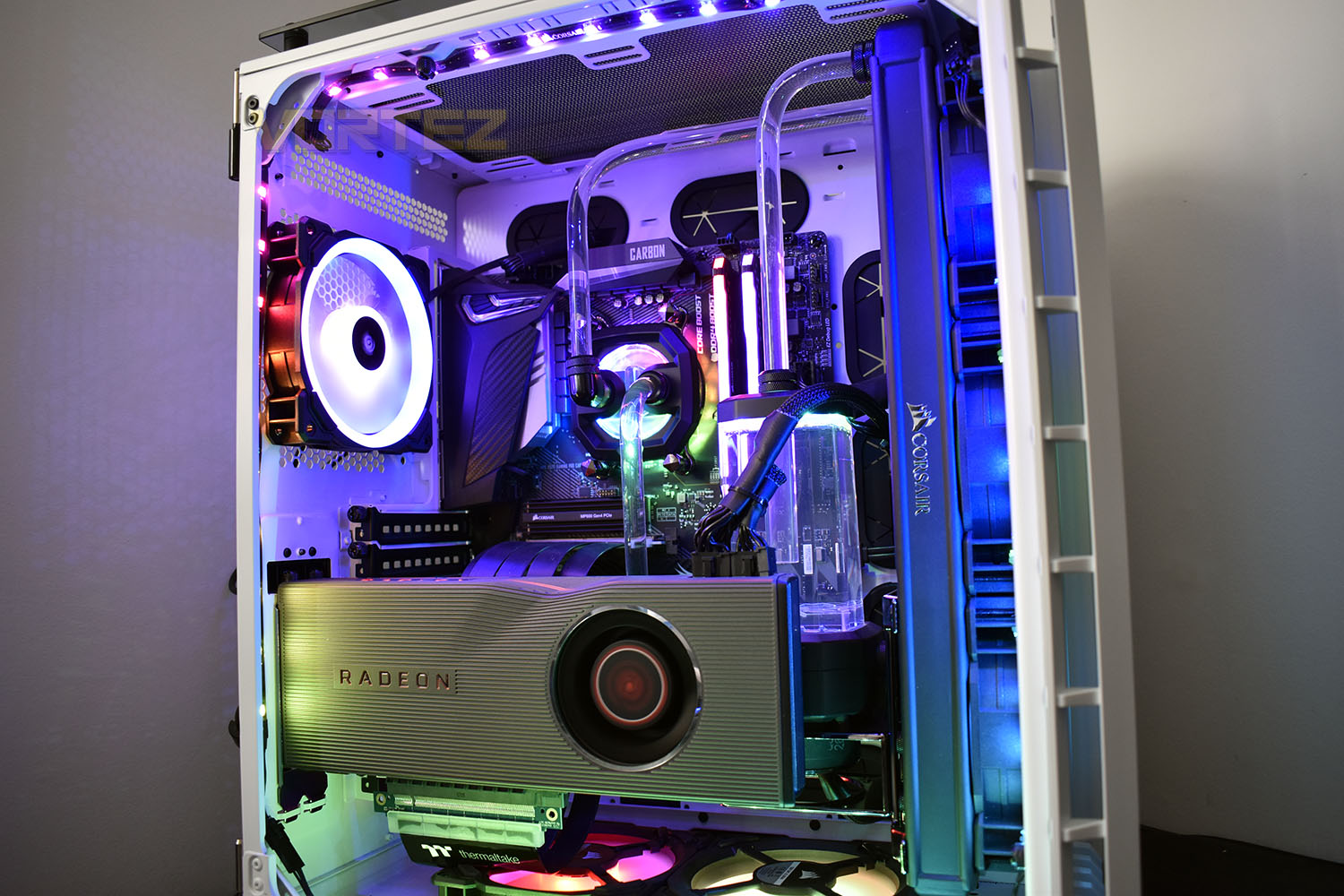
Thanks to four Corsair RGB strips along each inside edge, RGB on the motherboard, all 6 of the fans, the RGB memory and on the CPU waterblock, the internals of the case are awash with RGB lighting which lights up the entire room.
Benchmarks: Temperatures & Boot Time
For our first benchmark test we observe the max. CPU/GPU temperatures of the system while allowing Unigine Heaven 4.0 to run on a 30-minute loop. To report back on the temperatures we use RealTemp and GPU-Z which provide the peak figures.

In this test we observe how fast the boot into Windows 10 is by using a digital stopwatch.

Benchmarks: Cinebench R20 & Handbrake
Cinebench is a real-world cross-platform test suite that evaluates your computer’s hardware capabilities. Improvements to Cinebench Release 20 reflect the overall advancements to CPU and rendering technology in recent years, providing a more accurate measurement of Cinema 4D’s ability to take advantage of multiple CPU cores and modern processor features available to the average user.

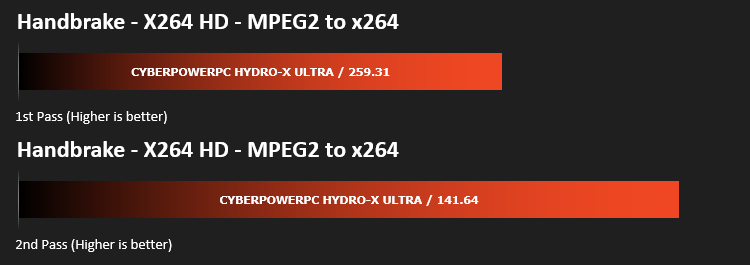
HandBrake is a tool for converting video from nearly any format to a selection of modern, widely supported codecs. We run an x264 benchmark through HandBrake to measure the system’s video processing speed. Results are delivered in a first pass and second pass format.
Benchmarks: PCMark 10, Unigine Heaven & 3D Mark
PCMark 10 combines performance benchmarking with battery life measurement and includes tests based on popular Adobe and Microsoft applications. Whether you are looking for long battery life, or maximum power, PCMark 10 will help you find the devices that offer the perfect combination of efficiency and performance for your needs. It’s the complete PC performance benchmark for home and business.

Time Spy is a DirectX 12 benchmark test for gaming PCs running Windows 10. With its pure DirectX 12 engine, built from the ground up to support new API features like asynchronous compute, explicit multi-adapter, and multi-threading, Time Spy is the ideal benchmark for testing the DirectX 12 performance of the latest graphics cards.

Extreme performance and stability test for PC hardware: video card, power supply, cooling system. Check your rig in stock and overclocking modes with real-life load! Also includes interactive experience in a beautiful, detailed environment.

Benchmarks: Gaming (1080p)
The CyberPowerPC Hydro-X Ultra uses the AMD Radeon RX 5700XT for graphics delivery, in this section we test the latest gaming titles to see how effective the 3D capabilities are. We report on the average framerate using FRAPS.

Benchmarks: Gaming (1440p)
The CyberPowerPC Hydro-X Ultra uses the AMD Radeon RX 5700XT for graphics delivery, in this section we test the latest gaming titles to see how effective the 3D capabilities are. We report on the average framerate using FRAPS.
Benchmarks: Gaming (2160p)
The CyberPowerPC Hydro-X Ultra uses the AMD Radeon RX 5700XT for graphics delivery, in this section we test the latest gaming titles to see how effective the 3D capabilities are. We report on the average framerate using FRAPS.

Conclusion
If you’re spending £2500 on a computer, without even considering the peripherals, it needs to really stand out from the crowd, both in terms of performance and aesthetics. We want the RGB to flood the room and the performance to crash through any task we can throw at it. In some aspects, the Hydro-X Ultra excels, but others it falls short of the mark.When you open up your new system and power it on for the first time, you’ll be, almost quite literally, blown away by the RGB lighting inside. Everything sparks into life at the same time and the flood of rainbow comes pouring out of every possible opening. I tried to count the RGB LEDs inside but I’ve never counted that high before. The fans, the RAM, the waterblock and the motherboard all throw out their own lighting, and then CyberPowerPC have gone and thrown in another 4 Corsair RGB LED strips just to brighten things up further. Let’s just say, if you’re not a fan of RGB then you should’ve stopped considering this PC a long time ago.
Performance in creative tasks such as video or photo editing will be munched up by the Ryzen 9 3900X, which is kept below 70°C by the custom watercooling loop, allowing the processor to maintain high Boost speeds across the board. However, 16GB of RAM, especially with today’s pricing, frankly isn’t enough for a £2500 system. We quite often exceed 16GB of RAM with day to day tasks, and games are often asking for a “recommended” 12GB, so it won’t be long before 16GB is recommended. Having said that, the 1TB NVMe 4.0 Corsair SSD, with a 2TB HDD for bigger storage, offers some incredible speeds, bringing our boot times down to around 10 seconds, or in other words, barely noticeable.
Gaming performance from the AMD Radeon RX 5700XT isn’t terrible, far from it, but we definitely expected better for £2500. 4K gaming in any AAA title is probably out of the equation with this card, and 1440p high framerate is pushing it somewhat, where this kind of system should really be excelling. We’d really like to see an RTX 2080 SUPER at this price range, where you’d see roughly 15-20% better performance. Also, in terms of the GPU used, mounting it in an upright position, you’d typically expect a GPU cooler with multiple fans and some RGB to show off through the tempered glass but CyberPowerPC have used a blower cooler.
The custom Hydro-X watercooling loop from Corsair looks absolutely fantastic, it reflects the RGB lighting around the case and gives a real professional appeal to the whole assembly, but it does also add quite a considerable cost, at around £350 from what we can see, and that’s just to cool the CPU. While it keeps the processer under 70°C, we’ve seen similar performance from Corsair’s H150i Pro RGB, at around half the cost, which would open up more budget for additional RAM or a jump up in GPU performance. CyberPower have also mounted the radiator in the front of the case, taking up all three of the 120mm intakes at the front, so the other components are breathing in hot air; there are a pair of 120mm intakes at the bottom but their effectiveness was questionable, especially if you’re sitting the system on a carpet. The single 120mm exhaust at the rear isn’t enough for a system as powerful as this, which is probably why they’ve also used a blower-style cooler on the GPU, to help get air out of the rear as best as possible. Because of this, the system does get loud, much louder than a custom watercooling loop would lead you to believe.
All things considered, the Hydro-X Ultra is certainly a head turner and would look fantastic on your desk but there’s been too much focus put onto the aesthetics and not enough on actual, usable performance. We’ve also found almost identical systems for £600 less at other system integrators, minus the custom watercooling loop, which is a hefty price to pay for some CPU cooling.
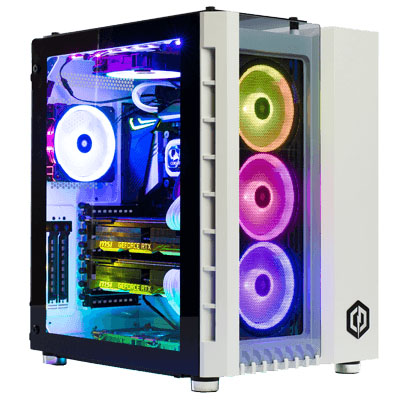
If you like RGB, and I mean really really like RGB, this PC should absolutely be considered but we’d want more RAM and a more powerful GPU to really recommend it.
Pros
+ RGB coming out the wazoo
+ Custom watercooling looks great
+ NVMe 4.0 SSD provides blisteringly fast load times
+ Incredible CPU performance
Neutral
+- Only 16GB of RAM
+- Might be difficult to upgrade in the future
Cons
– Too much value placed on aesthetics
– Noisy under load
– Almost identical specifications available for £600 less elsewhere
– Side mounted blower-style GPU doesn’t look the best
+ RGB coming out the wazoo
+ Custom watercooling looks great
+ NVMe 4.0 SSD provides blisteringly fast load times
+ Incredible CPU performance
Neutral
+- Only 16GB of RAM
+- Might be difficult to upgrade in the future
Cons
– Too much value placed on aesthetics
– Noisy under load
– Almost identical specifications available for £600 less elsewhere
– Side mounted blower-style GPU doesn’t look the best
Click here for an explanation of our awards at Vortez.net.
Stay connected with the Vortez Social Media pages:
Join in with the discussions on Discord