Plonked right between the PRO and Platinum range of H-series all-in-one watercooling loops is the new PRO XT range, offering the performance benefits of the Platinum range and the pricetag of the PRO. Sounds like a good marriage to us, let’s find out if it works in practice.

Product on Review: CORSAIR iCUE H100i RGB PRO XT
Manufacturer: CORSAIR
Street Price:
H100i PRO XT: GBP £119.99 / USD $119.99
H115i PRO XT: GBP £139.99 / USD $139.99
H150i PRO XT: GBP £169.99 / USD $159.99
Arguably one of the largest forces we’ve ever seen in the games industry, CORSAIR, have come a long way from their humble beginnings of producing DRAM modules. We see them producing high-quality products in a multitude of different sectors, one of which that they do best in is the all-in-one watercooler market.
Today we’re going to look at yet another enclosed watercooling loop from CORSAIR, it may feel like they’re on a weekly release schedule at the moment but they produce some excellent kit and they’re promising big things with the RGB PRO XT series so bear with us on this one. We’re focussing on the iCUE H100i PRO RGB XT in this article.
Available in a 240mm, 280mm or 360mm arrangement, the PRO XT finds itself between the PRO and the Platinum range of CORSAIR’s AIOs, with the hope to offer the consumer the best of both worlds.
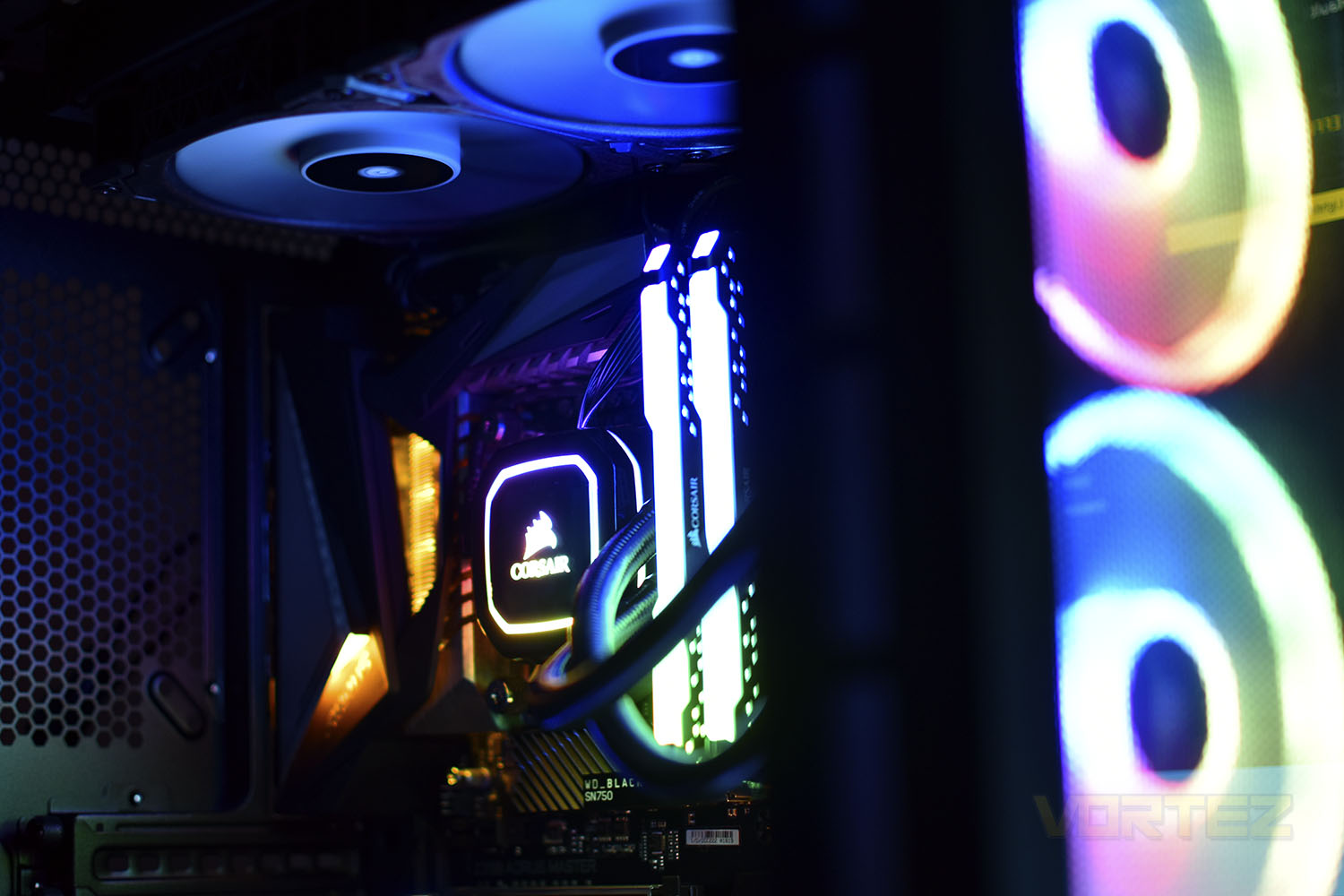
The RGB PRO XT series aims to offer their best coldplate and pump, first seen in their Platinum range of AIOs, paired with their performance-orientated radiator system with improved cooling core. However, unlike on their Platinum range, CORSAIR have removed the RGB ML120 fans and replaced them with their, arguably better from a performance point of view, bog-standard ML120 fans (they feature a wider operating range from 0 RPM up to 2400 RPM). Also carried forwards is the multi-zone lighting on the pump housing, allowing for greater and brighter RGB effects.
But what’s new? Well, CORSAIR have painted the pump housing in black this time, which should settle nicely into more builds. They’re also bundling the RGB PRO XT series with a TR4 bracket, allowing you to cool your Threadripper processors with this loop, however we’d probably recommend that you look at the H115i or H150i if you’re going down that route.
Priced at only £5/$5 less than the Platinum series, which arrives with a pair of RGB fans but potentially sacrifices on performance due to the upper limit on their fans, you have a choice between aesthetics or cooling. But let’s see what’s what with the latest H100i PRO XT.
CORSAIR on the iCUE RGB PRO XT:
The CORSAIR iCUE RGB PRO XT Series are all-in-one liquid CPU coolers built for both low noise operation and extreme CPU cooling, with a dense radiator and CORSAIR ML PWM fans. Control the 16 LEDs in each pump with CORSAIR’s iCUE software, with full support for animation and light layers that you’ve grown accustomed to with our other RGB products. Control your cooler by adjusting fan speeds through iCUE and enable Zero RPM mode to keep the noise down at low temperatures. With a thermally optimized cold plate and low-noise pump design, along with easy installation on most major CPU sockets, the CORSAIR PRO XT Series pairs killer looks with chiller performance.
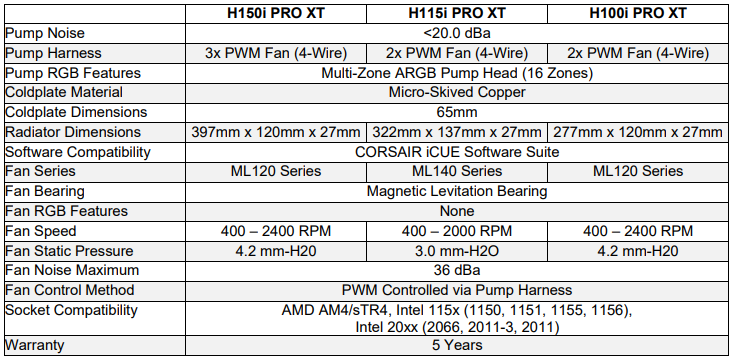
Technical Specifications
Packaging & Bundle
The front of the packaging tells you everything you need to know, at a glance. The picture of the entire loop is clear and shows exactly what you’re buying and the size and multi-zone RGB lighting is listed.
The reverse of the box is a different story, however, there’s loads of information here, with detailed schematics of the radiator, with and without the fans, and plenty of specifications listed.

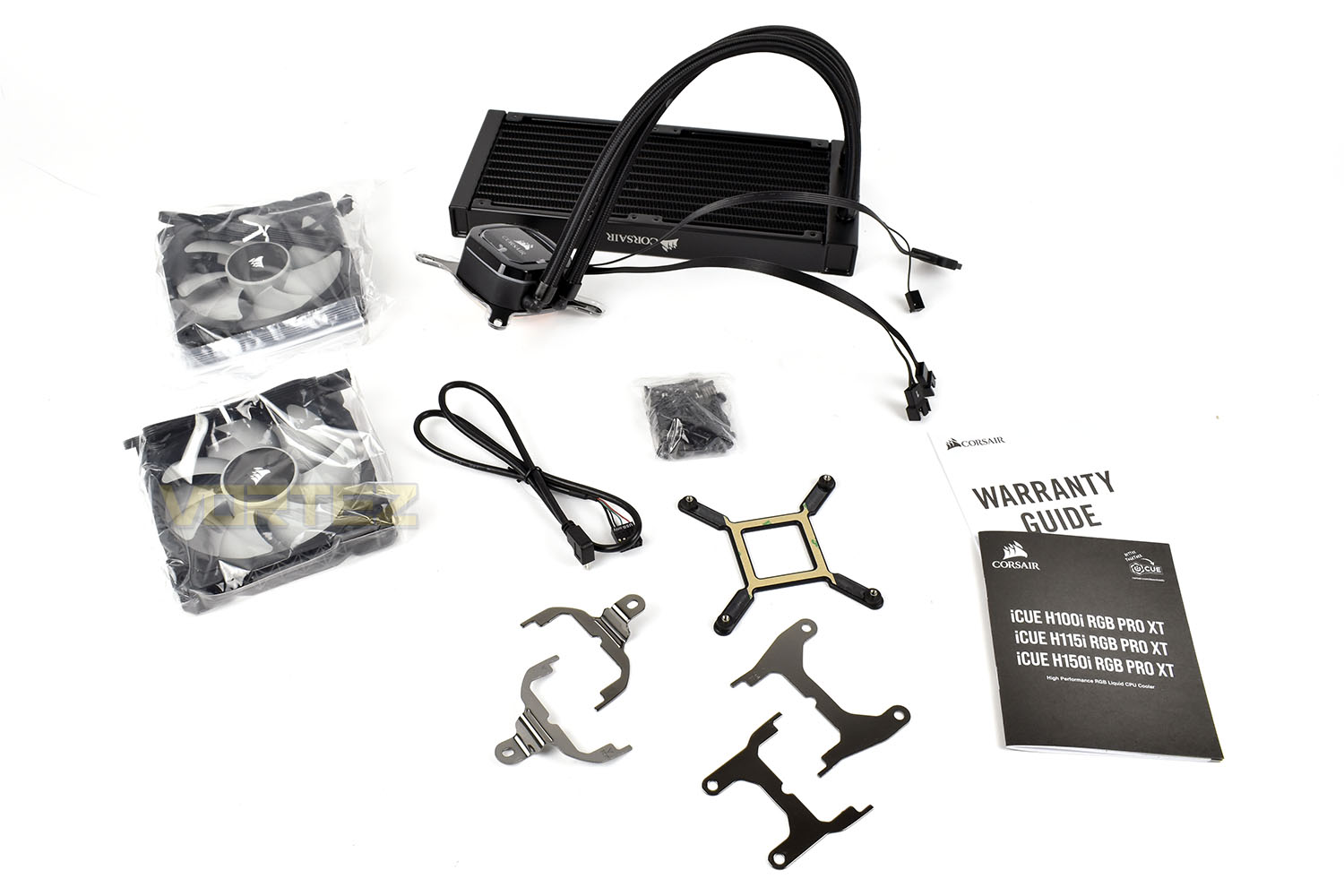
Included with the H100i PRO XT loop are a pair of ML120 (non-RGB) cooling fans, an internal USB cable, mounting hardware for Intel and AMD, including Threadripper and an instruction manual. Can’t ask for a lot more than that, really.
Closer Look
This time around, CORSAIR have coloured the pump housing in black, which should contrast really nicely against the multi-zone RGB lighting once it’s plumbed in. Other than the colour though, it doesn’t look any different to the Platinum H100i, and it shouldn’t, in fairness.The Micro-USB cable still plugs into the left edge with the rest of the connections leaving out of the top to, hopefully, be connected up behind your motherboard tray for tidiness.

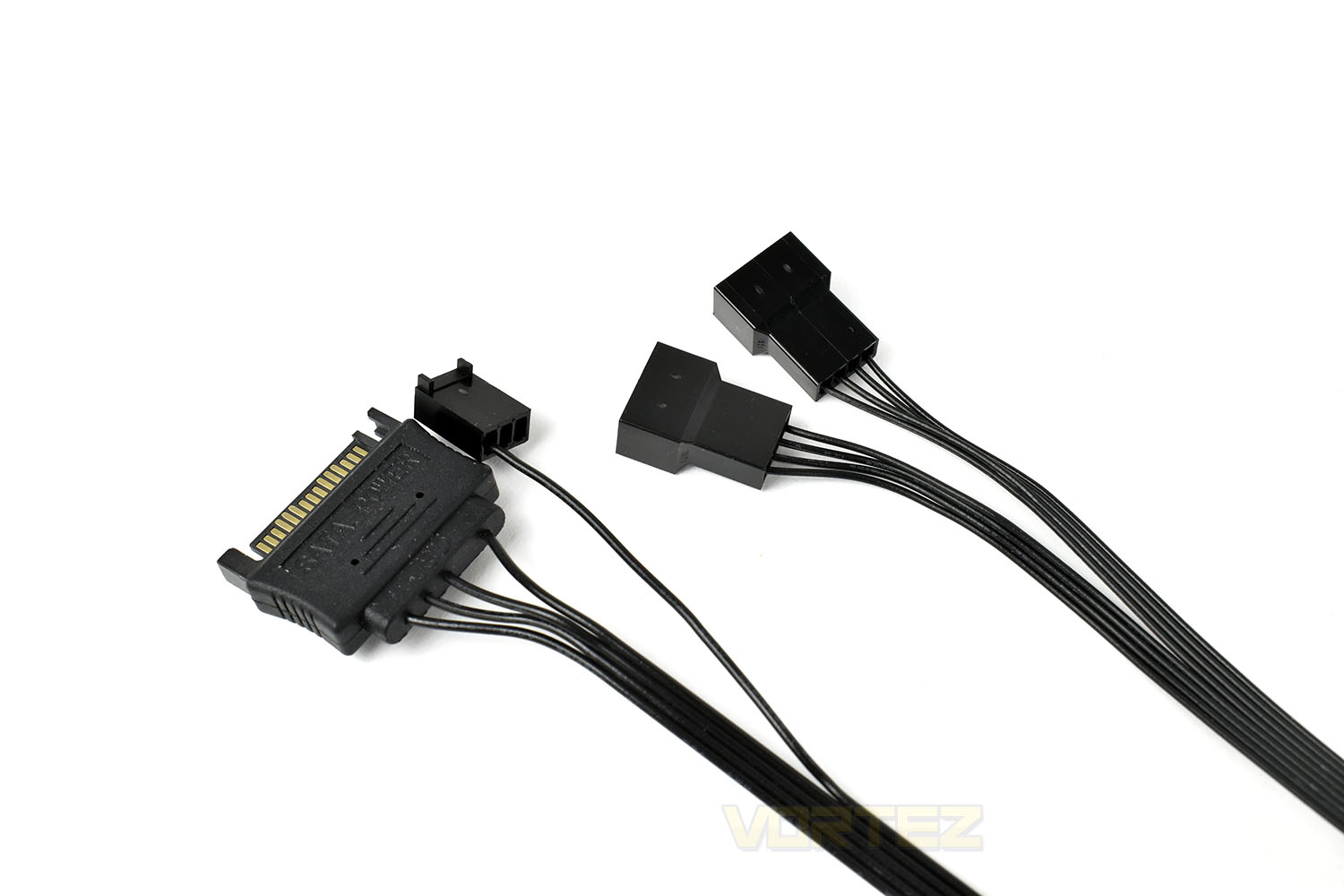
At the other end of those cables is a 3-pin fan connection, to allow the motherboard to monitor the pump speed, a SATA power connector the RGB lighting, pump power and fan connections, and of course, a pair of 4-pin PWM fan headers to control the two ML120 cooling fans through CORSAIR’s iCUE software.
The coldplate, measuring at 55mm square, is also the same as the Platinum-series, with a pre-applied layer of thermal paste.

Removing the paste with some rubbing alcohol, you can see how well machined/polished the coldplate is, for optimal thermal transfer. The large size affords it good compatibility with Ryzen and Threadripper CPUs too.

The aluminium radiator, which is a standard 25mm thick, has been improved over the PRO-series, with an enhanced thermal core for better dissipation of heat. A work of art from this angle.

Providing the airflow through the radiator is a pair of ML120 cooling fans, these have been proven time and time again in previous reviews, particularly for their static pressure output, which is a useful characteristic when forcing air through a tightly-packed radiator. No RGB and a lack of rubber damping pads is a shame though.
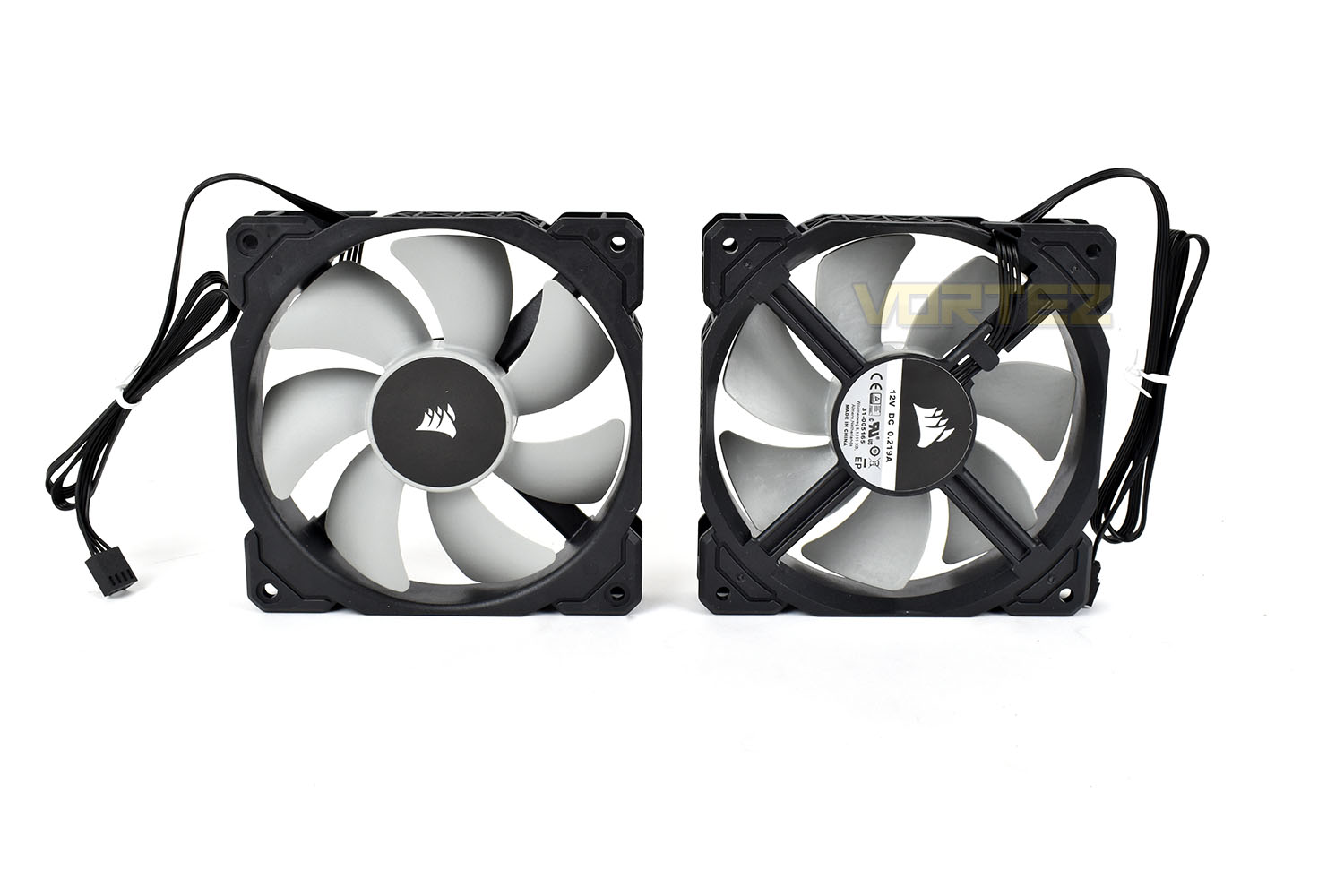
The fans line up on the radiator without much issue but CORSAIR have changed the screws for this latest iteration which caused us an issue. More on that on the next page.

Installation
To start with, one of the strongest arrows in CORSAIR’s quiver was the ease of install; their mounting brackets, thumb screws, mounting screws, washers etc were always machined to an impeccable standard, usually much better than any competitor in the same price range, but that sadly seems to have changed, for whatever reason.When we start our installation, the first thing we do is clean off any pre-applied paste and use Noctua’s NT-H1 thermal paste to ensure results are comparable across all of our tests.
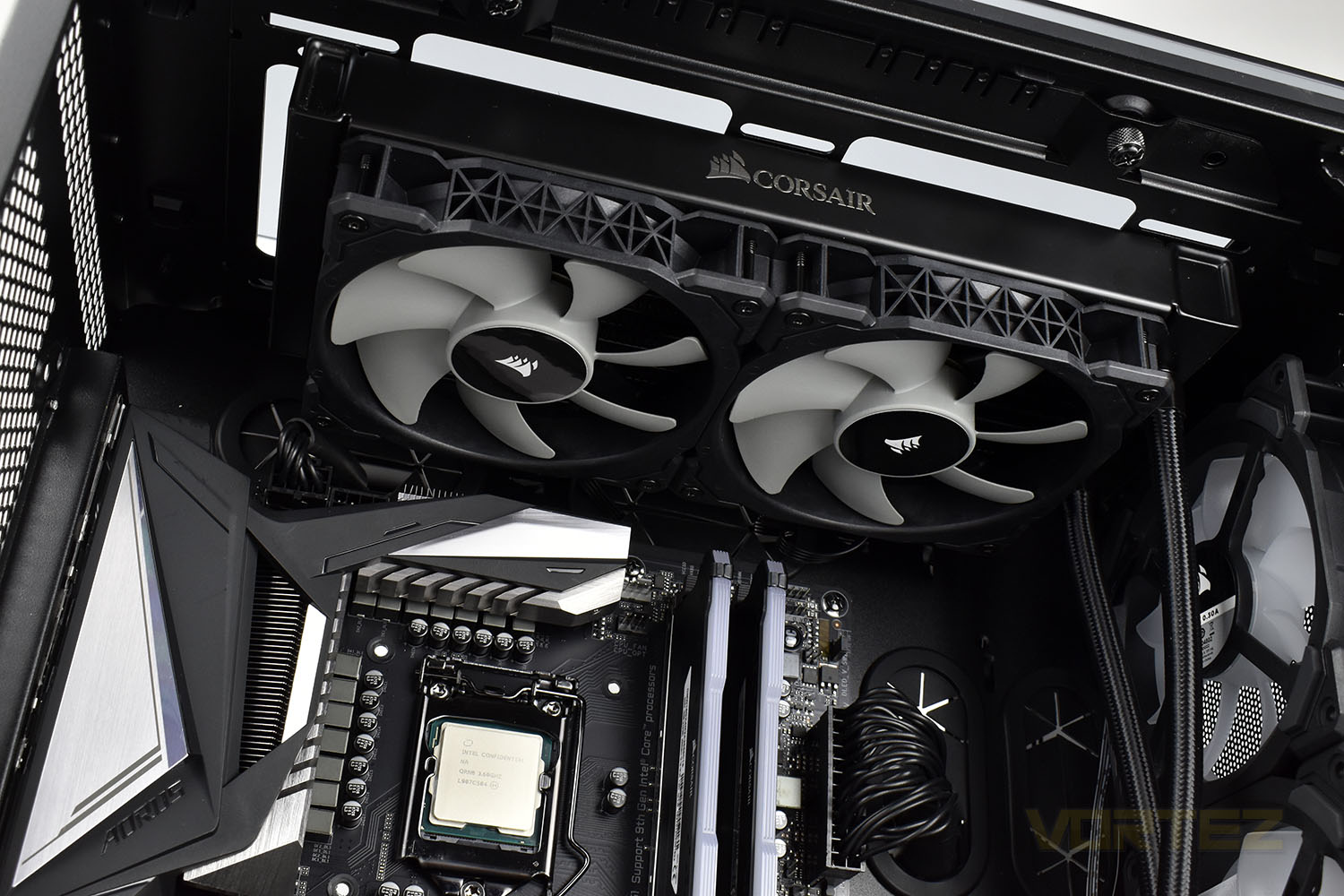
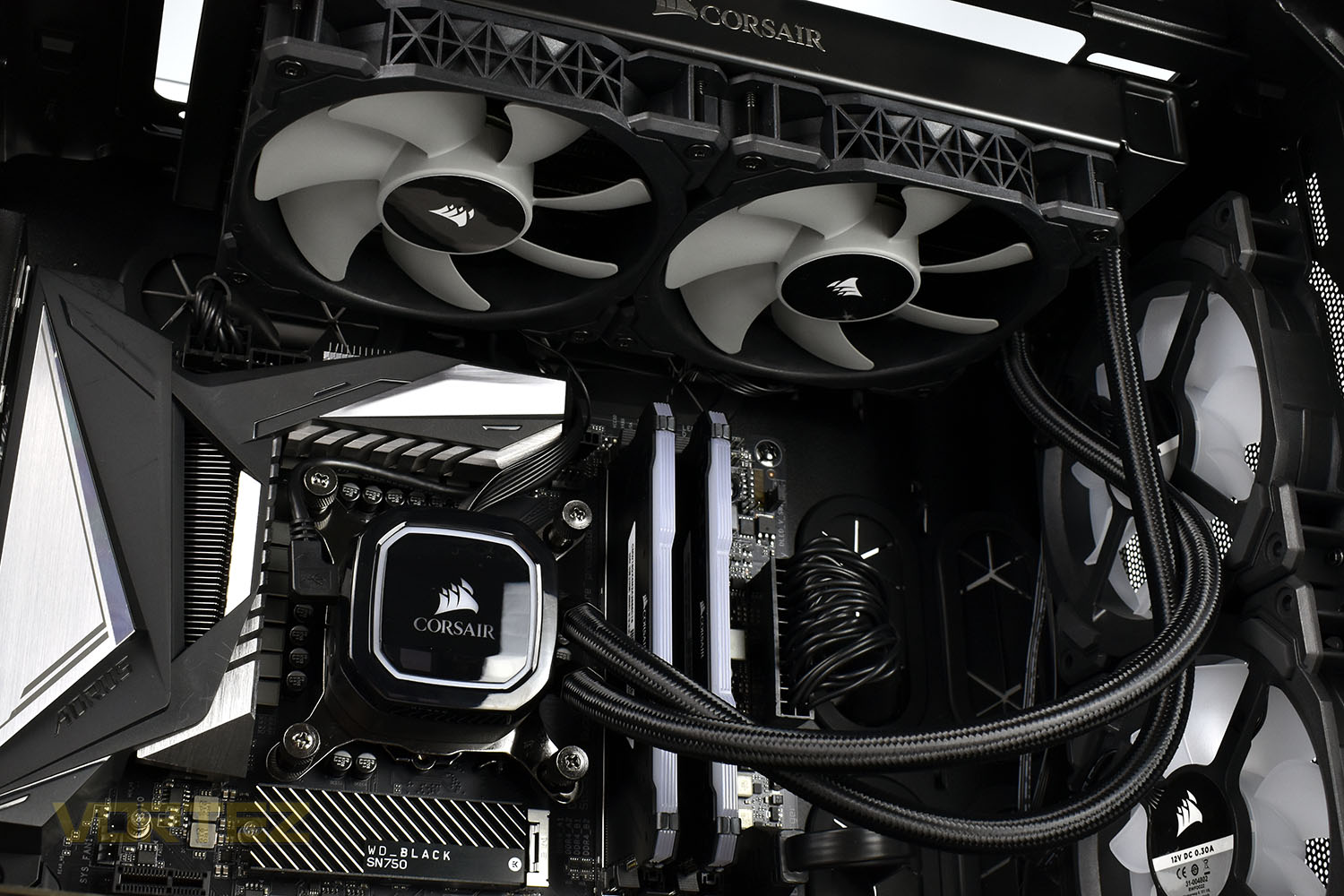
We then bolt in the radiator to the top of the chassis, taking care to ensure we mount the fans in such a way that the 4-pin PWM cables are pointing towards the back of the case so they can be routed in the tidiest way possible.
Normally this would be easy and straight-forward but CORSAIR’s engineers seem to have dropped the ball here. The problem we faced was the ridiculous tightness of the screwholes, on both sides of the radiator. Screwing the fans into place required huge amounts of torque applied into screwheads, which for some reason CORSAIR have changed as well. This caused some skipping and jumping when trying to tighten everything up and has chewed the screwheads up slightly. I was honestly under the impression that I was doing something wrong, it was that tight; my right arm was killing me after doing up the 8 screws for the fans and the other 8 for the radiator mounting into the case.
Perhaps they’ve used a stronger aluminium to prevent the threads from getting chewed up if too much torque is applied to the screws, but this just felt wrong to us.
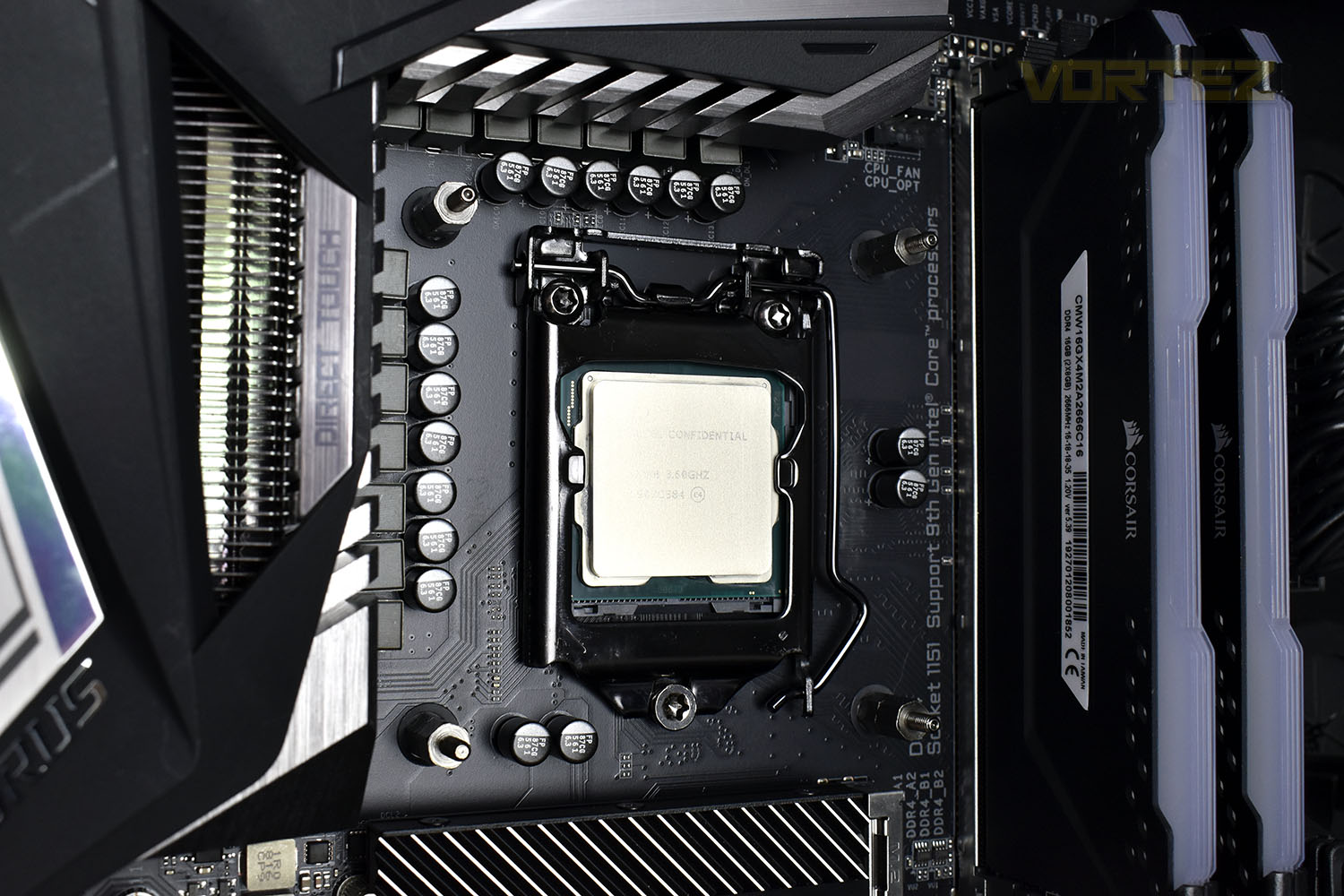
Next up, line up the backplate with the four holes in our LGA 1151 socket and screw in the correct mounting feet. These went in without a hitch and are still the correct size for our multi-bit screwdriver to tighten them up.
Now’s the time to install the pump enclosure. The Intel mounting plate is pre-installed when the cooler arrives but swapping them out for AM4 or TR4 is a doddle. The thumbscrews are easy to do up by hand, to about 70%, but then turning them with a screwdriver isn’t as easy as it should be. Previous iterations of the H-series coolers have used a deeper recess that’s allowed more torque to be applied, and limiting the amount that someone can tighten these isn’t exactly a bad idea but they’ve gone too far here, causing them to slip before they’re fully tightened.
Once that’s installed, doing up the cables behind the motherboard tray takes a couple of minutes, including plugging the USB header into the motherboard.
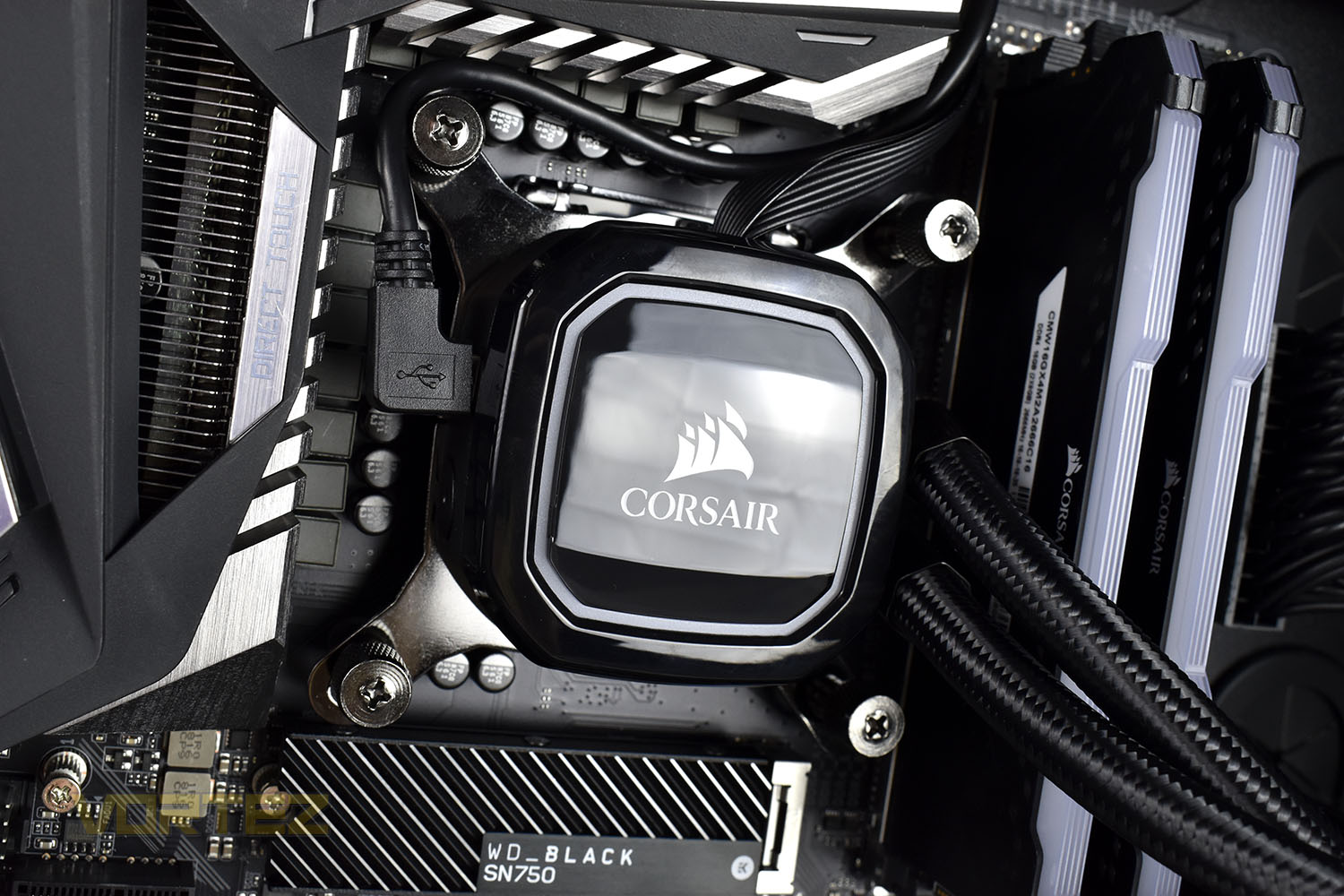
Overall, the process of installing the cooler is still relatively easy but they seem to have followed the age-old adage of “if it’s not broken, fix it until it is” here. Take it back to how it was please.
Test Setup & Methodology
Due to popular demand, we have retired the long-standing cooling rig that we once used and replaced it with a shiny new system with an Intel Core i7 9700K at its heart. This should benefit you, the reader, in a couple of ways. The first being it can provide you with results on a CPU that is currently available to buy and secondly, the mounting instructions on our installation page will be far more relevant than the outgoing LGA 2066 was, with its pre-installed backplate.We perform two individual testing routines with each CPU cooler that we receive – temperatures and acoustics. The system used is as follows and all tests are performed at stock frequencies.
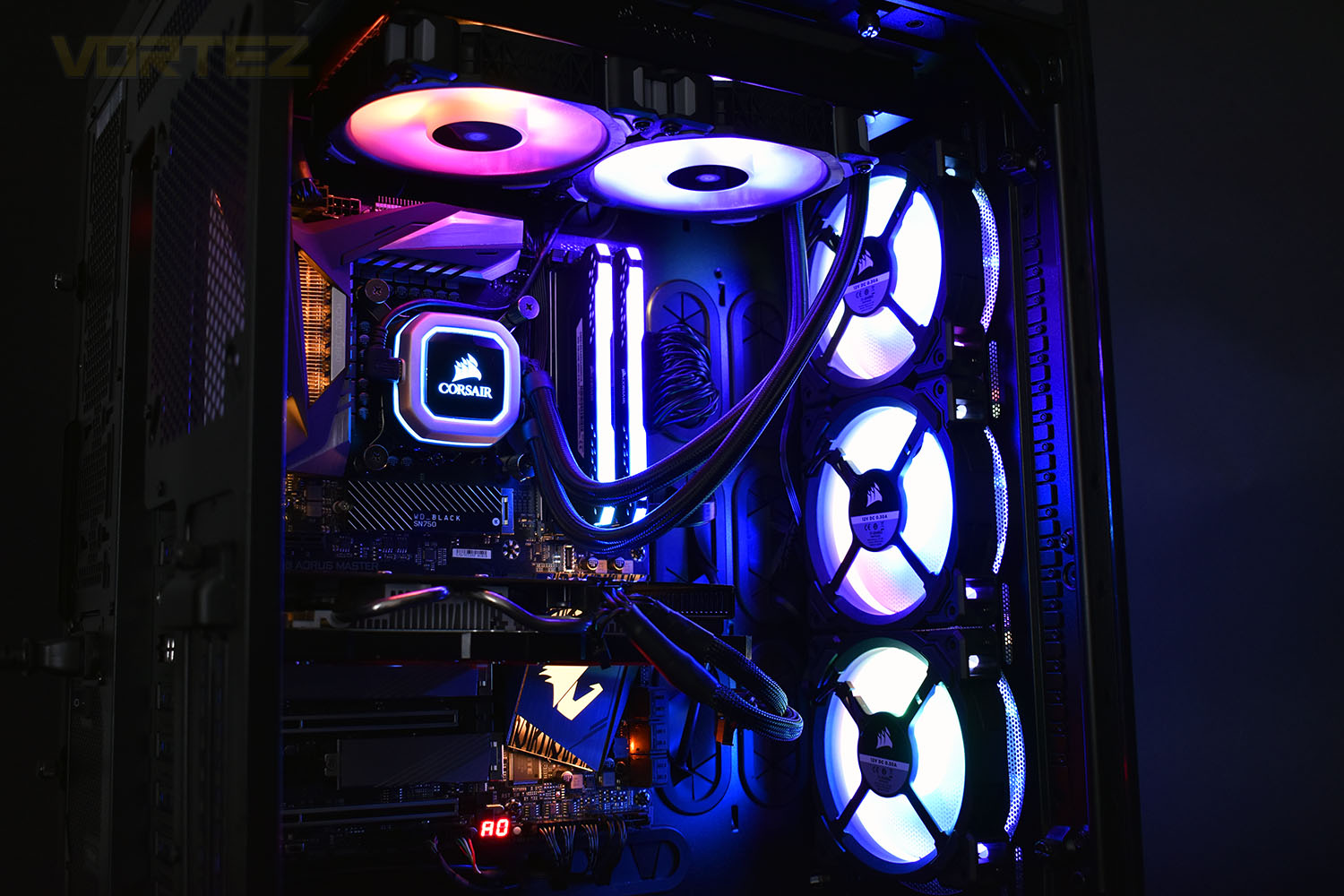
Processor – Intel Core i7 9700K
Motherboard – GIGABYTE Z390 AORUS MASTER
Memory – Corsair Vengeance RGB PRO 16GB – 2666MHz – C16
Video Card – XFX AMD Radeon RX560
Power Supply – Corsair RM650x
Storage Drive – Western Digital Black SN750 1TB NVMe SSD
Case – Corsair Crystal Series 280X RGB
Monitor ASUS ROG SWIFT PG278Q
Motherboard – GIGABYTE Z390 AORUS MASTER
Memory – Corsair Vengeance RGB PRO 16GB – 2666MHz – C16
Video Card – XFX AMD Radeon RX560
Power Supply – Corsair RM650x
Storage Drive – Western Digital Black SN750 1TB NVMe SSD
Case – Corsair Crystal Series 280X RGB
Monitor ASUS ROG SWIFT PG278Q
To keep our tests consistent, we always review CPU coolers as they come out of the box – with their factory cooling fans, as the manufacturer intended and as the consumer expects. It should, however, be noted that we do not use supplied thermal paste but instead, Noctua NT-H1 paste to, again, ensure consistency. The paste is applied and the CPU allowed to run for a couple of hours, at idle, to ensure any and all updates or processes are completed to give a true idle reading.
In the first test we record the idle and load temperatures across a 60 second period, with the results logged to file. This way we can provide you with an accurate average temperature over a longer period, instead of, for example, a maximum or minimum temperature. We believe this is the fairest possible method and most representative of what is going on as temperatures will fluctuate even with a consistent load on the CPU. We have three case fans on the front of the PC running with the door closed for this test.
We aim to measure acoustics with our second test, this time with the three case fans on the front disabled and all other ambient noise reduced to an absolute minimum. Our testing room measures around 25dB(A) without the system running. We measure the system acoustics for 60 seconds with the microphone in a set and unchanging position with the chassis door removed completely. An average is then taken across the 60 seconds.
Benchmarks – Thermal Results
For thermal results we have all case fans running and only a single 120mm fan on our Corsair H100i Pro RGB radiator. We then measure the thermal results at idle, both at 1000 RPM and maximum RPM:
And then again after a 20 minute Stability Test within AIDA64:

Benchmarks – Acoustic Results
For our acoustic results, all other fans in the case are disabled and the Corsair’s H100i Pro RGB’s pump is turned down to quiet (roughly 1100 RPM) and measure the fan noise at 1000 RPM, both as a case fan and as a radiator fan:
And then again at maximum RPM:

Conclusion
Kicking off with performance, it’s difficult to see what CORSAIR were thinking when they decided this would be a good launch. Sure, it performs reasonably well and would keep things cool and quiet, but it doesn’t offer anything over the CORSAIR H100i RGB Platinum, other than faster fans which don’t really improve the performance by a noticeable margin.Aesthetically, the black pump housing looks lovely and we’re scratching our heads wondering why it took CORSAIR so long to do this, it looks a hundred times better than the silver they’ve been using for the past few years. It’s the same pump housing as the Platinum, only in black, but it makes so much sense. Having said that, it makes less impact than two RGB ML120 fans do, which can push a perfectly adequate amount of air through the radiator despite it’s lower top speed, but they add tonnes of lighting to the case, far more than the 16 RGB LEDs in the pump can.
The installation method has been played around with as well, but the reasoning isn’t clear. The review guide we were provided doesn’t make any mention of this, but it impacted the ease of install quite significantly, at least in our opinion. The screws were just too damn tight, they required an unreasonable amount of force to turn in the first time; if you’ve just spent £120 on a new cooling loop, the last thing you want to do is force screws into the radiator, which is exactly what you need to do: force them in.
Pricing, at £120, puts it about where it should be, but for the extra £5, we’d recommend the RGB Platinum instead, unless you really fancy the new blacked on black theme.
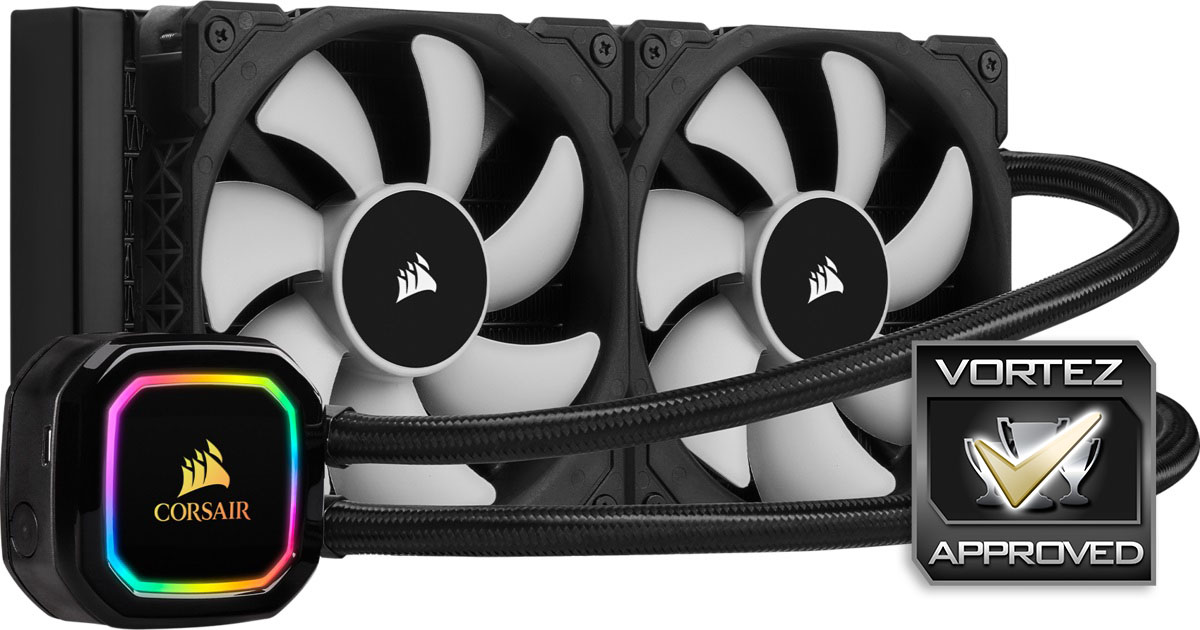
Don’t get us wrong, it’s a good cooler, but we’re struggling to see what it does over the Platinum, other than drop the RGB fans and gain an all new black colour scheme.
Pros
+ Good performance
+ Black pump housing looks excellent
+ Solid iCUE software, as usual
+ TR4 socket support
Neutral
+- Price
Cons
– More difficult to install than previous iterations
– No RGB fans
– Difficult to recommend
+ Good performance
+ Black pump housing looks excellent
+ Solid iCUE software, as usual
+ TR4 socket support
Neutral
+- Price
Cons
– More difficult to install than previous iterations
– No RGB fans
– Difficult to recommend
Click here for an explanation of our awards at Vortez.net.
Stay connected with the Vortez Social Media pages: