ASUS already have a strong selection of X570 motherboards to choose from but the budget-conscious amongst us will be much more interested in what B550 has to offer, here’s the B550-F Gaming (Wi-Fi).

Product on Review: ASUS ROG Strix B550-F Gaming (WiFi)
Manufacturer: ASUS ROG
Street Price: GBP £209 / USD $209.99
ASUS, and particularly their Republic of Gamers sub-brand, have carved out quite a corner of their market through giving the consumer what they want. Their ASUS ROG Strix line of motherboards typically performs remarkably well with a whole heap of features that often aren’t found elsewhere. Today we’re looking at one of their first B550 offerings, the Strix B550-F Gaming (Wi-Fi).
As a quick introduction to B550, it’s essentially a chipset aimed more towards the budget end of the market, for those who still wish to take advantage of new and exciting features but are willing to make some sacrifices to save a buck. One of the biggest compromises is the lack of support for Zen and Zen+ CPUs, with only Zen2 (and future CPUs) supported. In regards to system connectivity, the B550 offers up to eight SATA III connections, with support for RAID 0, 1 and 10. We also see PCI-E specifications upgraded from the previous-gen flagship, the X470 chipset, with four PCI-E 3.0 lanes and eight PCI-E 2.0 lanes, while the X470 offered only eight PCI-E 2.0 and the B450 and B350 chipsets had to make do with only six PCI-E 2.0 lanes. We also get up to two USB 3.2 Gen. 2 ports, six USB 3.1 ports, six USB 2.0 ports and native overclocking support right out of the box.
Aside from the B550 chipset, the Zen2 Ryzen CPUs give native support for PCI-E 4.0, to the upper-most M.2 and PCI-E x16 port for GPU and NVMe support.
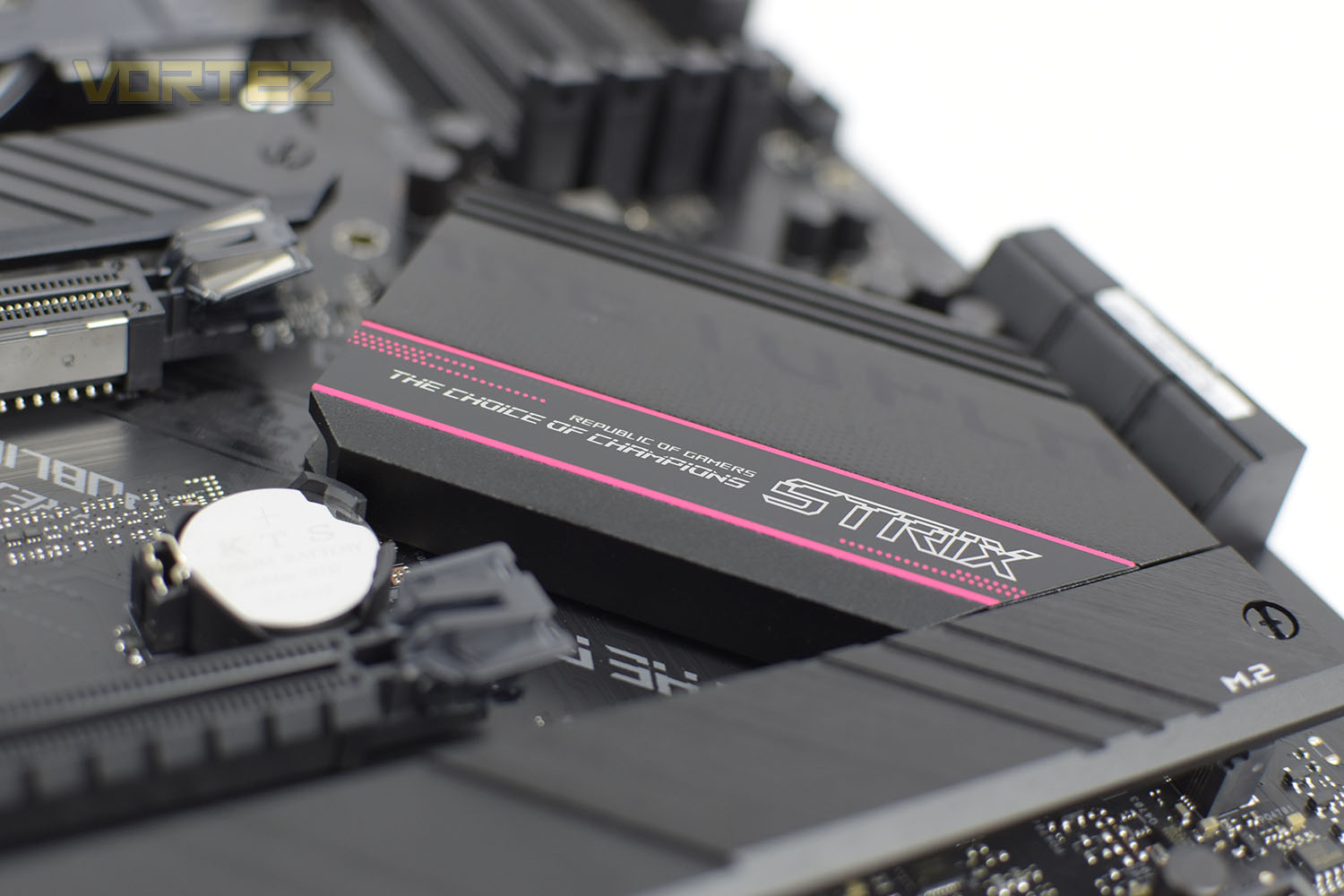
One rung from the top-step, the B550-F Gaming (Wi-Fi) is rammed full of features, including a strong CPU power delivery, extensive heatsinks in various locations, SupremeFX S1220A onboard audio, an array of USB 3.2 Gen. 2 and Gen. 1 ports, Intel 2.5G ethernet and WiFi 6 connectivity.
Priced at £209/$209, the ASUS ROG Strix B550-F Gaming (Wi-Fi) teeters scarily close to the bottom end of the X570 market, so what exactly sets this apart and warrants that pricetag over the objectively better chipset?
ASUS ROG Strix on the B550-F Gaming (Wi-Fi):
ROG Strix B550 Gaming series motherboards offer a feature-set usually found in the higher-end ROG Strix X570 Gaming series, including the latest PCIe® 4.0. With robust power delivery and effective cooling, ROG Strix B550 Gaming is well-equipped to handle 3rd Gen AMD Ryzen™ CPUs. Boasting futuristic aesthetics and intuitive ROG software, ROG Strix B550-F Gaming (Wi-Fi) gives you a head start on your dream build.
Technical Specifications
CPU
AMD AM4 Socket 3rd Gen AMD Ryzen™ Processors
* Refer to www.asus.com for CPU support list
Chipset
AMD B550
Memory
3rd Gen AMD Ryzen™ Processors
4 x DIMM, Max. 128GB, DDR4 4600(O.C)/4400(O.C)/4133(O.C.)/4000(O.C.)/3866(O.C.)/3600(O.C.)/3466(O.C.)/3200/3000/2800/2666/2400/2133 MHz Un-buffered Memory
Next Generation AMD Ryzen PRO Processors
4 x DIMM, Max. 128GB, DDR4 5100(O.C)/5000(O.C)/4800(O.C.)/4600(O.C)/4400(O.C)/4133(O.C.)/4000(O.C.)/3866(O.C.)/3600(O.C.)/3466(O.C.)/3200/3000/2800/2666/2400/2133 MHz Memory
Dual Channel Memory Architecture
OptiMem II
ECC Memory (ECC mode) support varies by CPU.
* Refer to www.asus.com for the Memory QVL (Qualified Vendors Lists).
Graphic
Integrated Graphics Processor
1 x DisplayPort 1.2
1 x HDMI 2.1(4K@60HZ)
*Graphics specifications may vary between CPU types.
Multi-GPU Support
Supports AMD 2-Way CrossFireX Technology
Expansion Slots
3rd Gen AMD Ryzen™ Processors
1 x PCIe 4.0 x16 (x16 mode)
AMD B550 Chipset
1 x PCIe 3.0 x16 (x4 mode) *
3 x PCIe 3.0 x1
Storage
Total supports 2 x M.2 slots and 6 x SATA 6Gb/s ports
3rd Gen AMD Ryzen™ Processors :
1 x M.2_1 socket 3, with M key, type 2242/2260/2280/22110 storage devices support(SATA & PCIe 4.0 x4 mode)
AMD B550 Chipset :
1 x M.2_2 socket 3, with M key, type 2242/2260/2280/22110 storage devices support (SATA & PCIE 3.0 x 4 mode)*
6 x SATA 6Gb/s port(s)
Support Raid 0, 1, 10
LAN
Intel® I225-V 2.5Gb Ethernet
ASUS LANGuard
Wireless Data Network
Intel® Wi-Fi 6 AX200
2×2 Wi-Fi 6 (802.11 a/b/g/n/ac/ax) support 1024QAM/OFDMA/MU-MIMO
Supports dual band frequency 2.4/5 GHz
Supports channel bandwidth: HT20/HT40/HT80/HT160
Bluetooth
Bluetooth v5.1*
*BT 5.1 function will be ready in Windows 10 build 19041 or later.
Audio
ROG SupremeFX 7.1-Channel High Definition Audio CODEC S1220A
– Dual OP Amplifiers
– Impedance sense for front and rear headphone outputs
– Supports : Jack-detection, Multi-streaming, Front Panel Jack-retasking
– High quality 120 dB SNR stereo playback output and 113 dB SNR recording input
– Supports up to 32-Bit/192kHz playback *
Audio Feature :
– SupremeFX Shielding™ Technology
– Optical S/PDIF in port(s) at back panel
– Audio Shielding
– Premium Japanese audio capacitors
– Audio Cover
* Due to limitations in HDA bandwidth, 32-Bit/192kHz is not supported for 8-Channel audio.
USB Ports
Rear USB Port ( Total 8 )
2 x USB 3.2 Gen 2 port(s)(1 x Type-A +1 x USB Type-C®)
4 x USB 3.2 Gen 1 port(s)(4 x Type-A)
2 x USB 2.0 port(s)
Front USB Port ( Total 6 )
2 x USB 3.2 Gen 1 port(s)
4 x USB 2.0 port(s)
Software Features
ROG Exclusive Software
– RAMCache III
– ROG CPU-Z
– GameFirst VI
– Sonic Studio III + Sonic Studio Virtual Mixer
– Sonic Radar III
– DTS® Sound Unbound
– Overwolf
– Anti-virus software
ASUS Exclusive Software Features
Armoury Crate
– Aura Creator
– Aura Sync
– AI Noise Cancelling Microphone
AI Suite 3:
– PPSU
EPU
DIGI+ VRM
Fan Xpert 4
TurboV EVO
– EZ update
WinRAR
UEFI BIOS
ASUS EZ DIY
– ASUS CrashFree BIOS 3
– ASUS EZ Flash 3
– ASUS UEFI BIOS EZ Mode
ASUS Special Features
Aura Sync
– Standard RGB header(s)
– Addressable Gen 2 RGB header(s)
ASUS Q-Design
– ASUS Q-DIMM
– ASUS Q-LED (DRAM [yellow],CPU [red], VGA [white], Boot Device [yellow green)
– ASUS Q-Slot
ASUS Thermal Solution
– Aluminum M.2 heatsink
ASUS EZ DIY
-BIOS FlashBack™ button
-BIOS FlashBack™ LED
-Clear CMOS header
-ProCool
-Pre-mounted I/O shield
– SafeSlot
Back I/O Ports
1 x Intel® I225-V 2.5Gb Ethernet
1 x DisplayPort
1 x HDMI
2 x USB 3.2 Gen 2 (1 x Type-A+1 x USB Type-C®)
4 x USB 3.2 Gen 1
2 x USB 2.0
1 x Optical S/PDIF out
5 x Audio jack(s)
1 x BIOS FlashBack™ Button(s)
ASUS Wi-Fi module (Wi-Fi 802.11 a/b/g/n/ac and Bluetooth v5.0)
Internal I/O Ports
1 x CPU Fan connector(s)
1 x CPU OPT Fan connector(s)
3 x Chassis Fan connector(s)
1 x AIO_PUMP connector
1 x AAFP connector
2 x Aura RGB Strip Header(s)
1 x Addressable Gen 2 header(s)
1 x USB 3.2 Gen 1(up to 5Gbps) connector(s) support(s) additional 2 USB 3.2 Gen 1 port(s)
2 x USB 2.0 connector(s) support(s) additional 4 USB 2.0 port(s)
1 x M.2 Socket 1 with M key, type 2242/2260/2280/22110 storage devices support(SATA & PCIe 4.0 x4 mode)
1 x M.2 Socket 2 with M key, type 2242/2260/2280/22110 storage devices support (SATA & PCIE 3.0 x 4 mode)
6 x SATA 6Gb/s connector(s)
1 x Thunderbolt header(s)
1 x 24-pin EATX Power connector(s)
1 x 8-pin ATX 12V Power connector(s)
1 x 4-pin ATX 12V Power connector(s)
1 x System panel(s)
1 x Thermal sensor connector(s)
1 x Clear CMOS jumper(s)
Accessories
User’s manual
4 x SATA 6Gb/s cable(s)
1 x Supporting DVD
1 x ROG Strix stickers
1 x Cable ties pack(s)
1 x Extension cable for Addressable LED
1 x ROG Thank you card
1 x Wi-Fi moving antenna
1 x M.2 SSD screw package(s)
1 x M.2 Rubber Package(s)
BIOS
256 Mb Flash ROM, UEFI AMI BIOS
Manageability
WOL by PME, PXE
Operating System
Windows® 10 64-bit
Form Factor
ATX Form Factor
12 inch x 9.6 inch ( 30.5 cm x 24.4 cm )
Note
* Share bandwidth with PCIe3.0 x1_1, PCIe3.0 x1_2, PCIe3.0 x1_3
* When the M.2_2 Socket 3 is populated , SATA6G_5/6 ports will be disabled.
AMD AM4 Socket 3rd Gen AMD Ryzen™ Processors
* Refer to www.asus.com for CPU support list
Chipset
AMD B550
Memory
3rd Gen AMD Ryzen™ Processors
4 x DIMM, Max. 128GB, DDR4 4600(O.C)/4400(O.C)/4133(O.C.)/4000(O.C.)/3866(O.C.)/3600(O.C.)/3466(O.C.)/3200/3000/2800/2666/2400/2133 MHz Un-buffered Memory
Next Generation AMD Ryzen PRO Processors
4 x DIMM, Max. 128GB, DDR4 5100(O.C)/5000(O.C)/4800(O.C.)/4600(O.C)/4400(O.C)/4133(O.C.)/4000(O.C.)/3866(O.C.)/3600(O.C.)/3466(O.C.)/3200/3000/2800/2666/2400/2133 MHz Memory
Dual Channel Memory Architecture
OptiMem II
ECC Memory (ECC mode) support varies by CPU.
* Refer to www.asus.com for the Memory QVL (Qualified Vendors Lists).
Graphic
Integrated Graphics Processor
1 x DisplayPort 1.2
1 x HDMI 2.1(4K@60HZ)
*Graphics specifications may vary between CPU types.
Multi-GPU Support
Supports AMD 2-Way CrossFireX Technology
Expansion Slots
3rd Gen AMD Ryzen™ Processors
1 x PCIe 4.0 x16 (x16 mode)
AMD B550 Chipset
1 x PCIe 3.0 x16 (x4 mode) *
3 x PCIe 3.0 x1
Storage
Total supports 2 x M.2 slots and 6 x SATA 6Gb/s ports
3rd Gen AMD Ryzen™ Processors :
1 x M.2_1 socket 3, with M key, type 2242/2260/2280/22110 storage devices support(SATA & PCIe 4.0 x4 mode)
AMD B550 Chipset :
1 x M.2_2 socket 3, with M key, type 2242/2260/2280/22110 storage devices support (SATA & PCIE 3.0 x 4 mode)*
6 x SATA 6Gb/s port(s)
Support Raid 0, 1, 10
LAN
Intel® I225-V 2.5Gb Ethernet
ASUS LANGuard
Wireless Data Network
Intel® Wi-Fi 6 AX200
2×2 Wi-Fi 6 (802.11 a/b/g/n/ac/ax) support 1024QAM/OFDMA/MU-MIMO
Supports dual band frequency 2.4/5 GHz
Supports channel bandwidth: HT20/HT40/HT80/HT160
Bluetooth
Bluetooth v5.1*
*BT 5.1 function will be ready in Windows 10 build 19041 or later.
Audio
ROG SupremeFX 7.1-Channel High Definition Audio CODEC S1220A
– Dual OP Amplifiers
– Impedance sense for front and rear headphone outputs
– Supports : Jack-detection, Multi-streaming, Front Panel Jack-retasking
– High quality 120 dB SNR stereo playback output and 113 dB SNR recording input
– Supports up to 32-Bit/192kHz playback *
Audio Feature :
– SupremeFX Shielding™ Technology
– Optical S/PDIF in port(s) at back panel
– Audio Shielding
– Premium Japanese audio capacitors
– Audio Cover
* Due to limitations in HDA bandwidth, 32-Bit/192kHz is not supported for 8-Channel audio.
USB Ports
Rear USB Port ( Total 8 )
2 x USB 3.2 Gen 2 port(s)(1 x Type-A +1 x USB Type-C®)
4 x USB 3.2 Gen 1 port(s)(4 x Type-A)
2 x USB 2.0 port(s)
Front USB Port ( Total 6 )
2 x USB 3.2 Gen 1 port(s)
4 x USB 2.0 port(s)
Software Features
ROG Exclusive Software
– RAMCache III
– ROG CPU-Z
– GameFirst VI
– Sonic Studio III + Sonic Studio Virtual Mixer
– Sonic Radar III
– DTS® Sound Unbound
– Overwolf
– Anti-virus software
ASUS Exclusive Software Features
Armoury Crate
– Aura Creator
– Aura Sync
– AI Noise Cancelling Microphone
AI Suite 3:
– PPSU
EPU
DIGI+ VRM
Fan Xpert 4
TurboV EVO
– EZ update
WinRAR
UEFI BIOS
ASUS EZ DIY
– ASUS CrashFree BIOS 3
– ASUS EZ Flash 3
– ASUS UEFI BIOS EZ Mode
ASUS Special Features
Aura Sync
– Standard RGB header(s)
– Addressable Gen 2 RGB header(s)
ASUS Q-Design
– ASUS Q-DIMM
– ASUS Q-LED (DRAM [yellow],CPU [red], VGA [white], Boot Device [yellow green)
– ASUS Q-Slot
ASUS Thermal Solution
– Aluminum M.2 heatsink
ASUS EZ DIY
-BIOS FlashBack™ button
-BIOS FlashBack™ LED
-Clear CMOS header
-ProCool
-Pre-mounted I/O shield
– SafeSlot
Back I/O Ports
1 x Intel® I225-V 2.5Gb Ethernet
1 x DisplayPort
1 x HDMI
2 x USB 3.2 Gen 2 (1 x Type-A+1 x USB Type-C®)
4 x USB 3.2 Gen 1
2 x USB 2.0
1 x Optical S/PDIF out
5 x Audio jack(s)
1 x BIOS FlashBack™ Button(s)
ASUS Wi-Fi module (Wi-Fi 802.11 a/b/g/n/ac and Bluetooth v5.0)
Internal I/O Ports
1 x CPU Fan connector(s)
1 x CPU OPT Fan connector(s)
3 x Chassis Fan connector(s)
1 x AIO_PUMP connector
1 x AAFP connector
2 x Aura RGB Strip Header(s)
1 x Addressable Gen 2 header(s)
1 x USB 3.2 Gen 1(up to 5Gbps) connector(s) support(s) additional 2 USB 3.2 Gen 1 port(s)
2 x USB 2.0 connector(s) support(s) additional 4 USB 2.0 port(s)
1 x M.2 Socket 1 with M key, type 2242/2260/2280/22110 storage devices support(SATA & PCIe 4.0 x4 mode)
1 x M.2 Socket 2 with M key, type 2242/2260/2280/22110 storage devices support (SATA & PCIE 3.0 x 4 mode)
6 x SATA 6Gb/s connector(s)
1 x Thunderbolt header(s)
1 x 24-pin EATX Power connector(s)
1 x 8-pin ATX 12V Power connector(s)
1 x 4-pin ATX 12V Power connector(s)
1 x System panel(s)
1 x Thermal sensor connector(s)
1 x Clear CMOS jumper(s)
Accessories
User’s manual
4 x SATA 6Gb/s cable(s)
1 x Supporting DVD
1 x ROG Strix stickers
1 x Cable ties pack(s)
1 x Extension cable for Addressable LED
1 x ROG Thank you card
1 x Wi-Fi moving antenna
1 x M.2 SSD screw package(s)
1 x M.2 Rubber Package(s)
BIOS
256 Mb Flash ROM, UEFI AMI BIOS
Manageability
WOL by PME, PXE
Operating System
Windows® 10 64-bit
Form Factor
ATX Form Factor
12 inch x 9.6 inch ( 30.5 cm x 24.4 cm )
Note
* Share bandwidth with PCIe3.0 x1_1, PCIe3.0 x1_2, PCIe3.0 x1_3
* When the M.2_2 Socket 3 is populated , SATA6G_5/6 ports will be disabled.
Packaging & Bundle
With the ROG eye in their lovely blue/pinky/red colours and the motherboard almost in full view. There are a few features written across the bottom but the front of the packaging is more style over substance.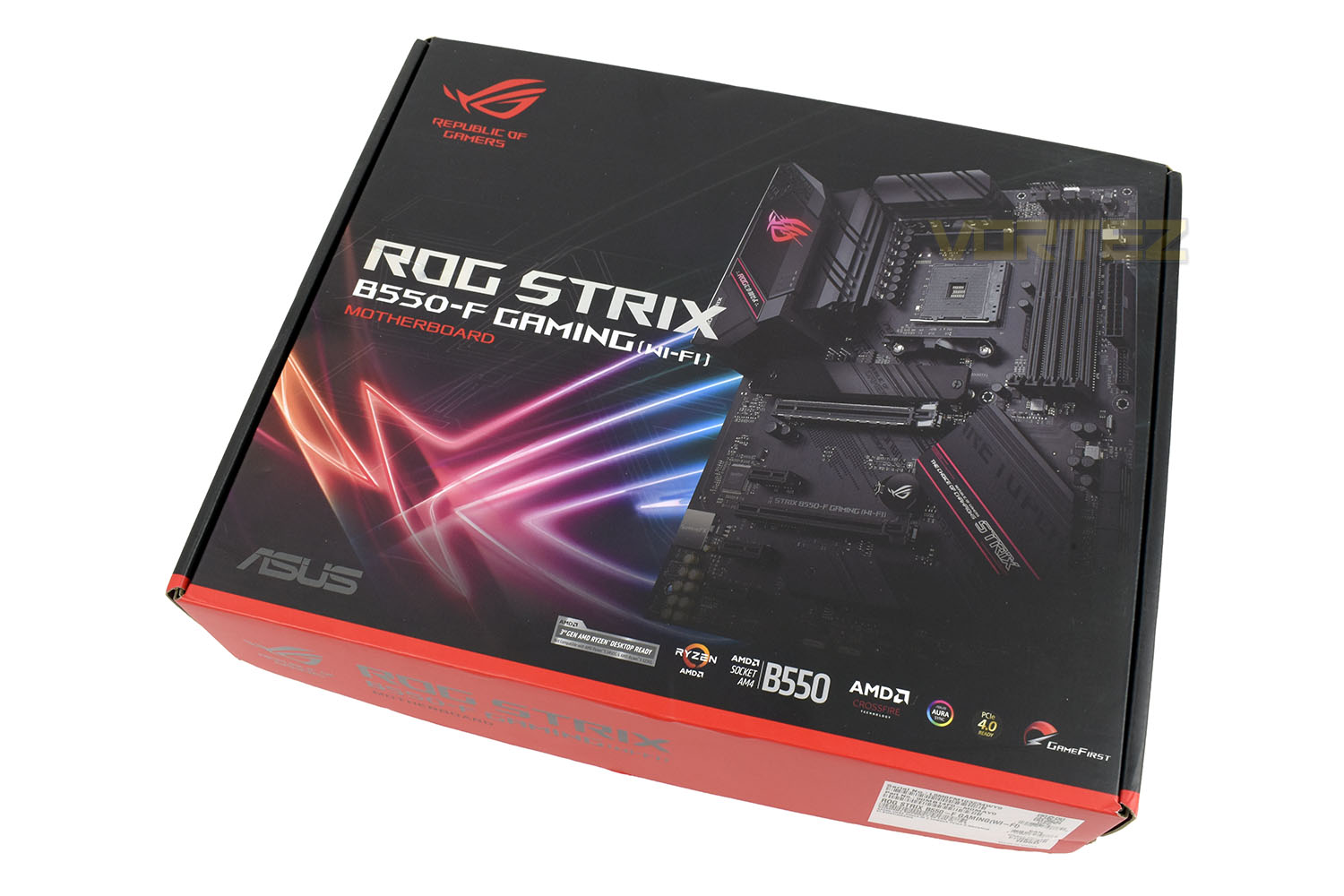
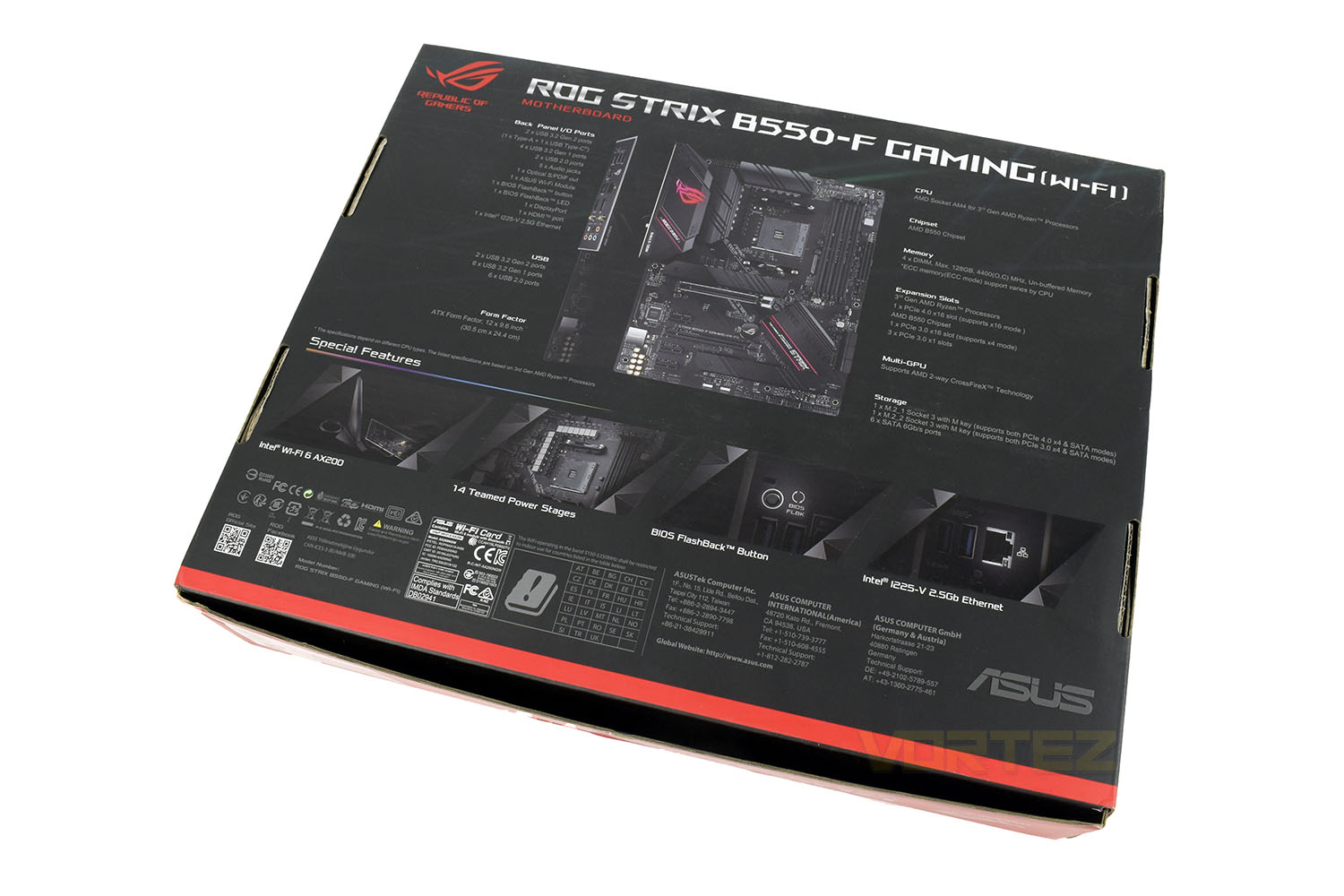
The reverse side of the packaging is a lot more explanative with a full breakdown of the motherboard’s ports and main features.
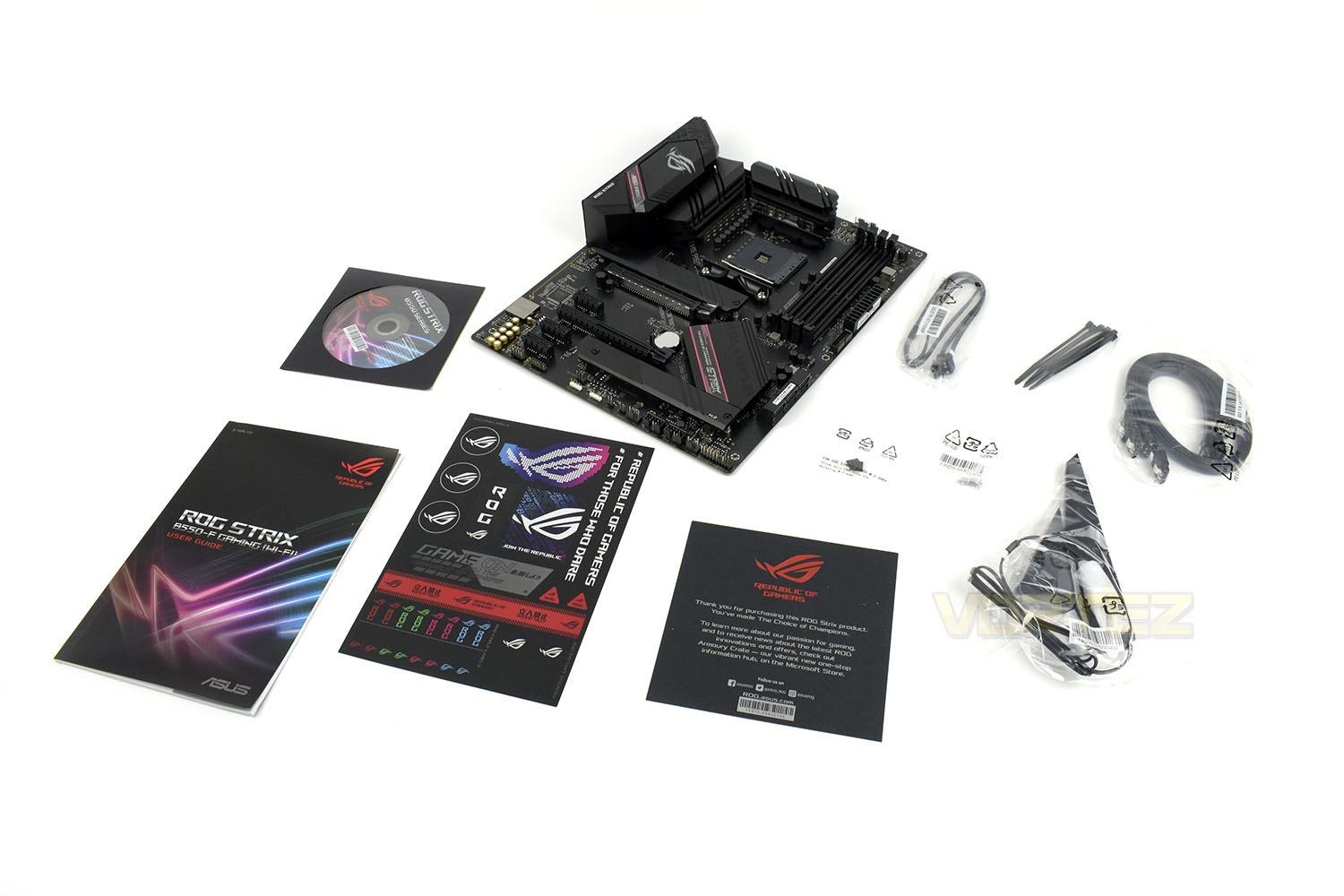
Along with your new B550 motherboard, ROG throw in a few extras to play around with. There are four SATA cables, a handful of cable ties, an RGB extension cable, some M.2 screws, a couple of M.2 pads to help push the drive into the motherboard’s M.2 heatsinks, a sticker page, installation CD and, of course, an instruction booklet.
Closer Look
The Republic of Gamers are well-known within the industry for their lovely aesthetics, with the B550-F Gaming (Wi-Fi) being absolutely no exception. The board sports a dark and stealthy style with some bright pink accents along the heatsinks. The motherboard conforms to the ATX standard.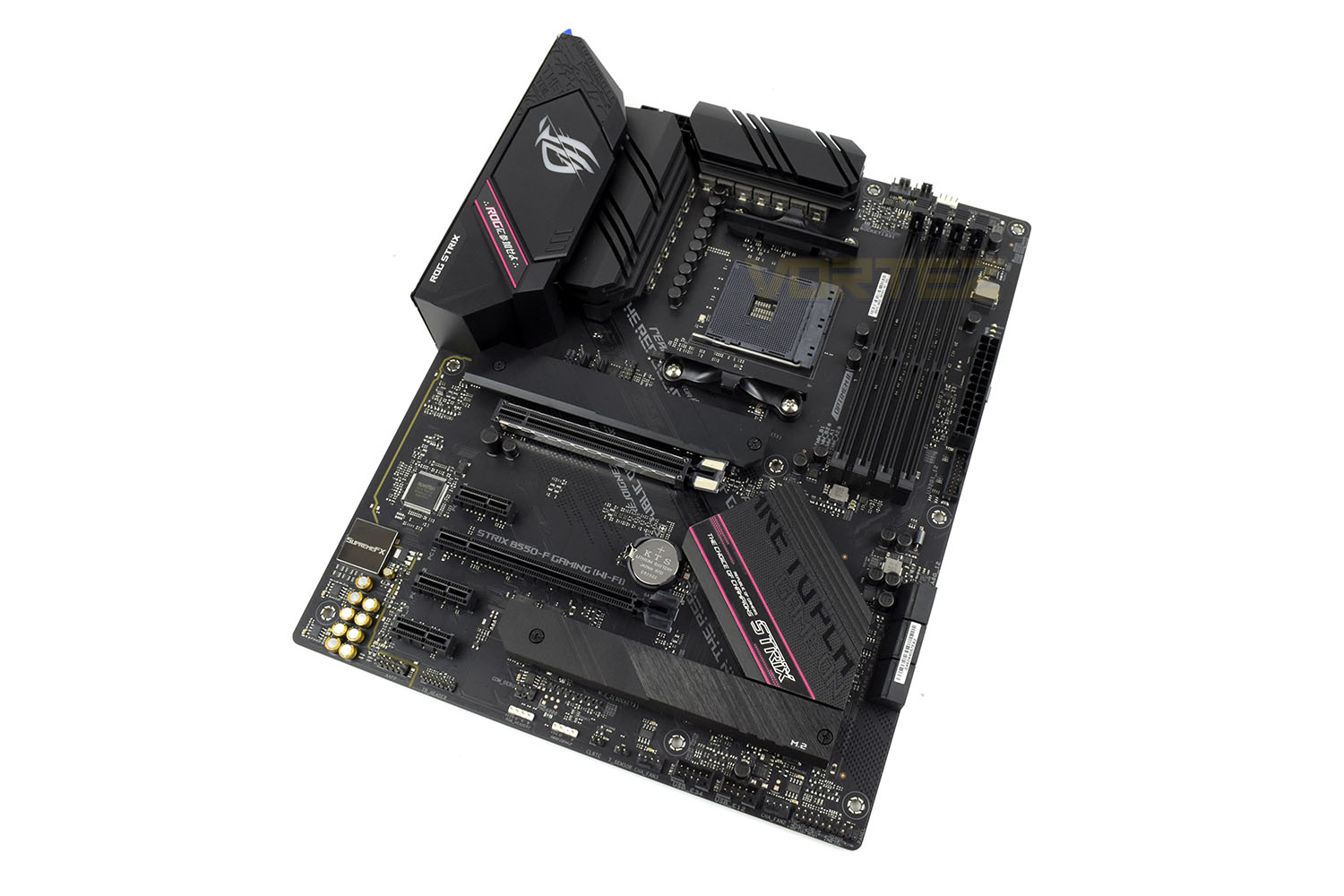
Flanking the AM4 CPU socket is an ASUS DIGI+ Power Control VRM with 12+2 power phase for digital, clean power delivery to both the CPU and DRAM.
Ensuring heat can be dissipated quickly, there’s a large metal heatsink applied directly on top of each bank of VRM phases.
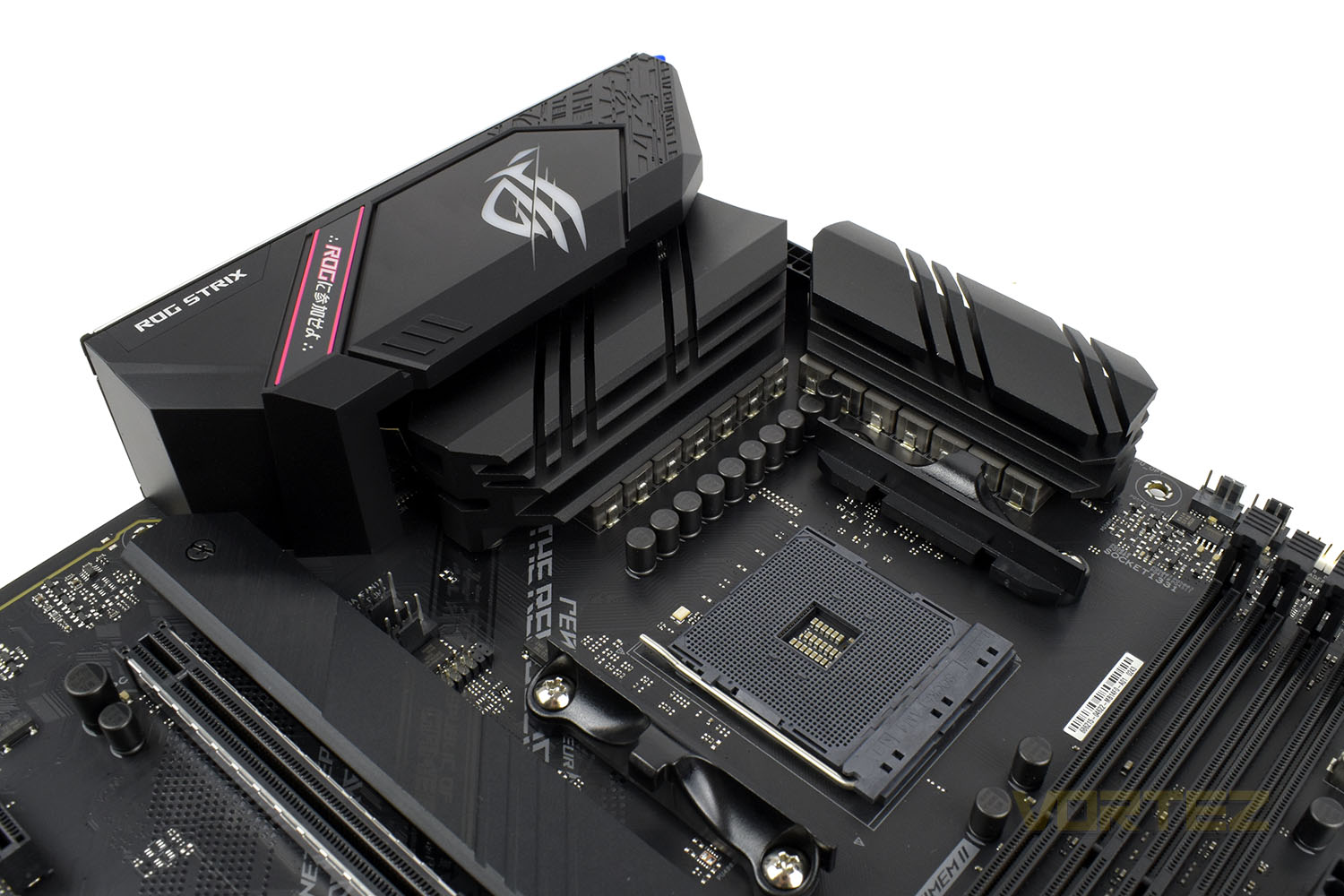
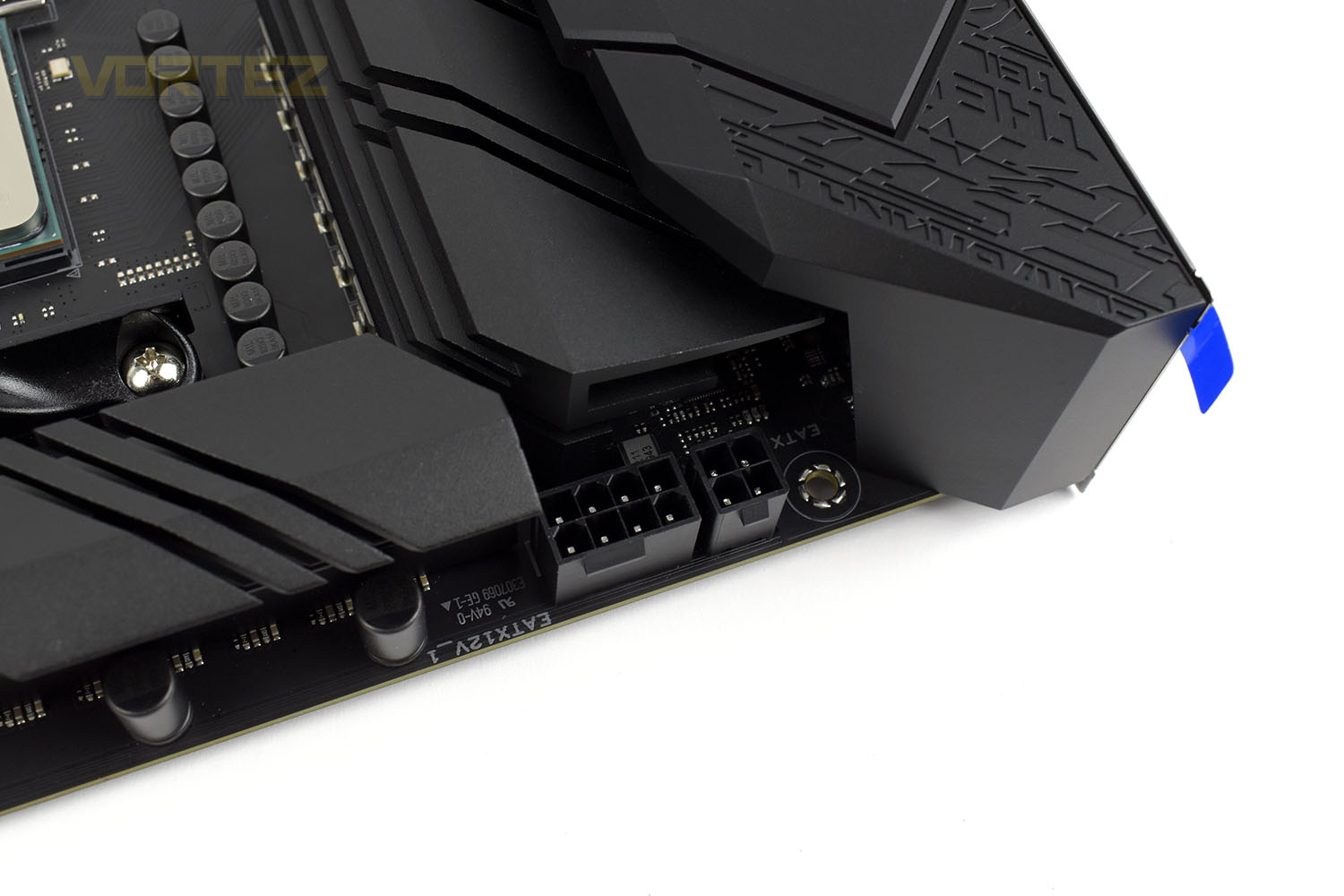
Plonked between the two VRM heatsinks are the CPU power delivery connections. ROG have decided to equip the board with an 8+4 arrangement, giving the option of turning the juice up to 11. These connections also sport something ASUS calls ProCool, this is designed to ensure a flush contact with the power cables for lower impedance and less heat build up.
Featuring OPTIMEM II, which aims to improve overclocking headroom and add stability through clever route-tracing and signal shielding, the B550-F Gaming (Wi-Fi) can house up to 128GB of DDR4 with support for frequencies up to 5100MHz.
You can also see a couple of CPU PWM 4-pin headers for the cooling option of your choice, and an RGB header next to that.
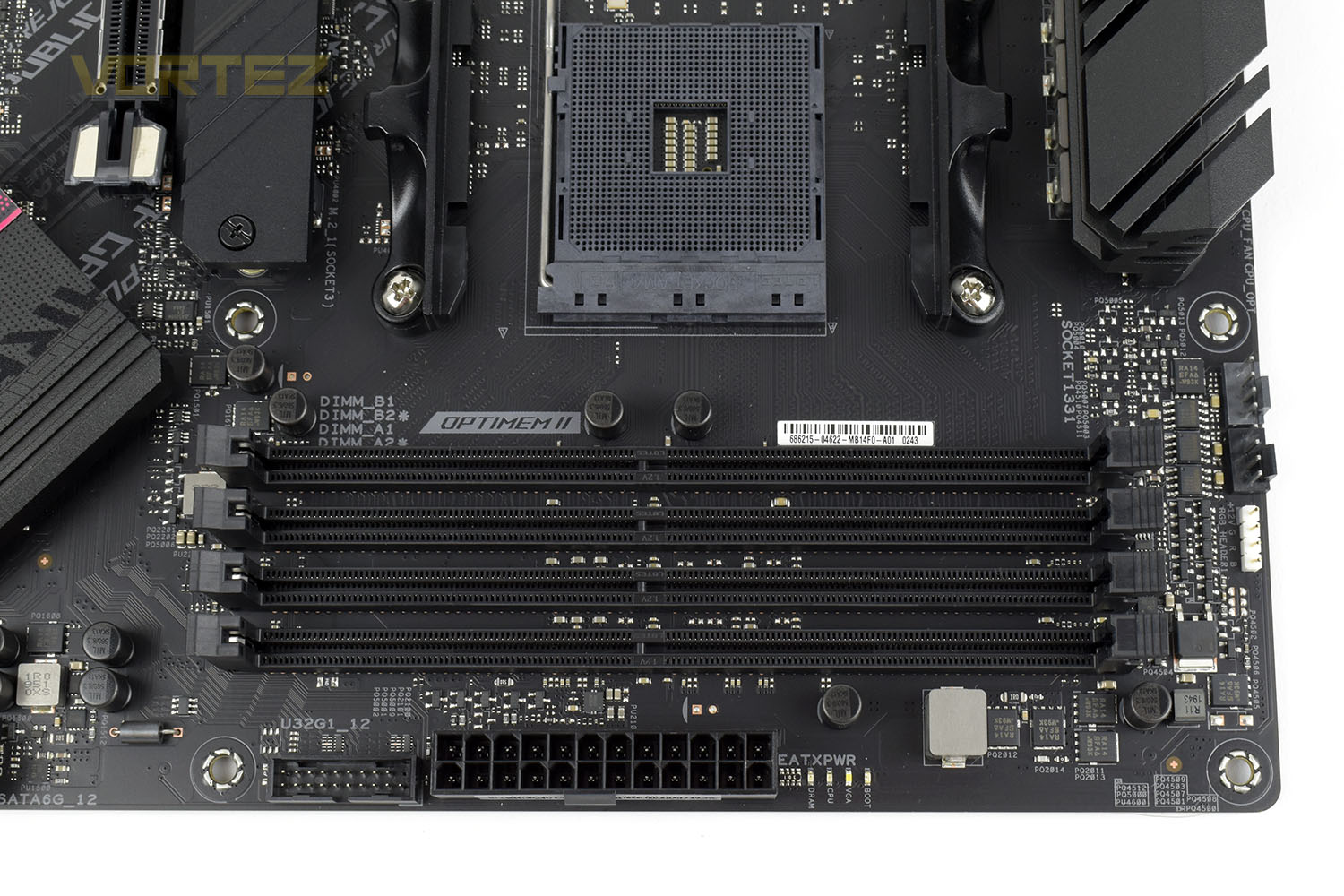
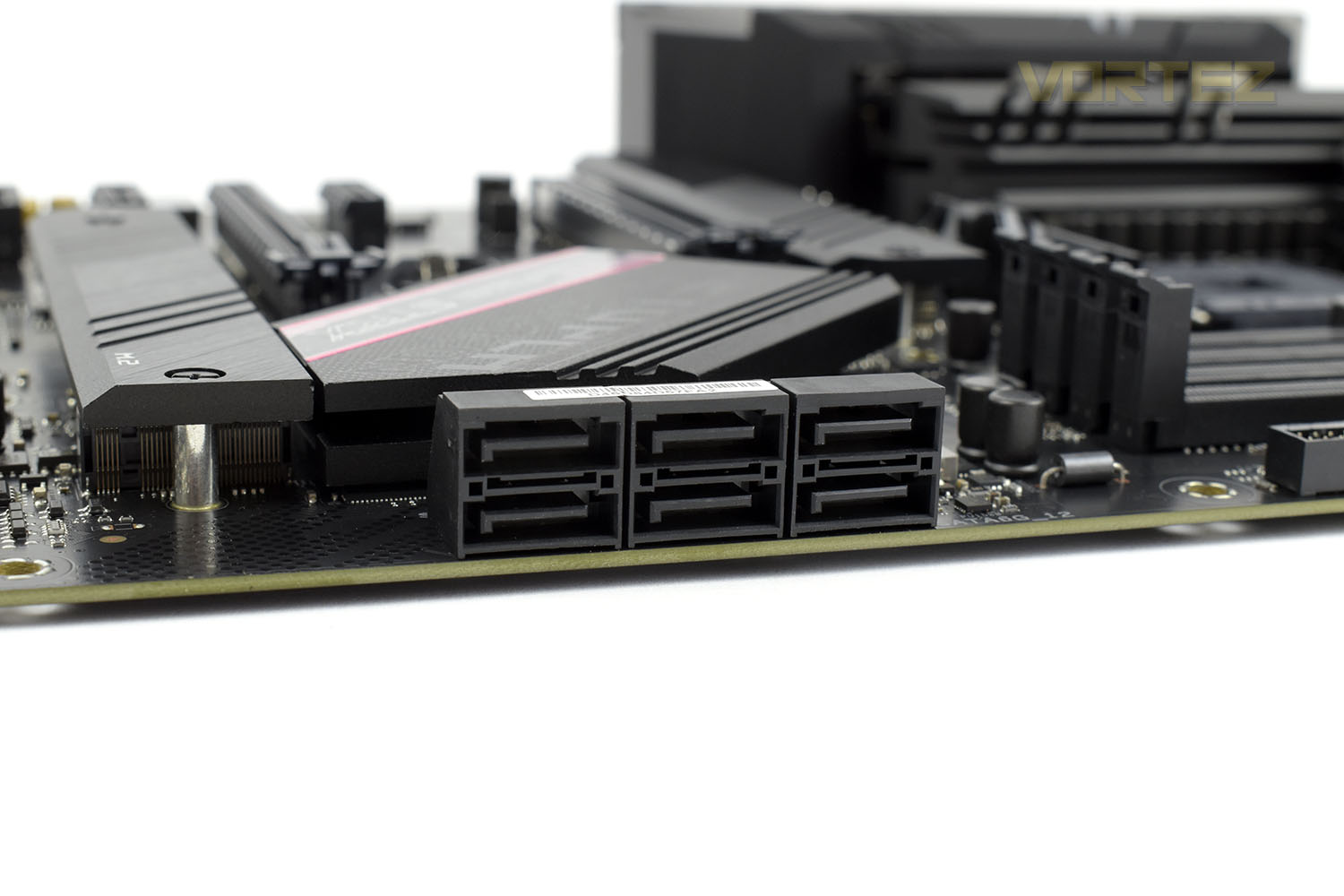
Moving along the right-edge of the board to the bottom, there are six 90° SATA connections.
Closer Look (Continued)
In terms of PCI-E and M.2 connectivity, we get an M.2 NVMe and PCI-E x16 slot at the top of the board, these are fed by the AMD Ryzen 3rd Gen. CPU and operate on the 4.0 interface. The three PCI-E x1 and single PCI-E x16 slot below those are plumbed into the B550 chipset nearby and operate on PCI-E 3.0. The bottom M.2 slot is also the same. Both NVMe slots can operate on the SATA or NVMe interfaces.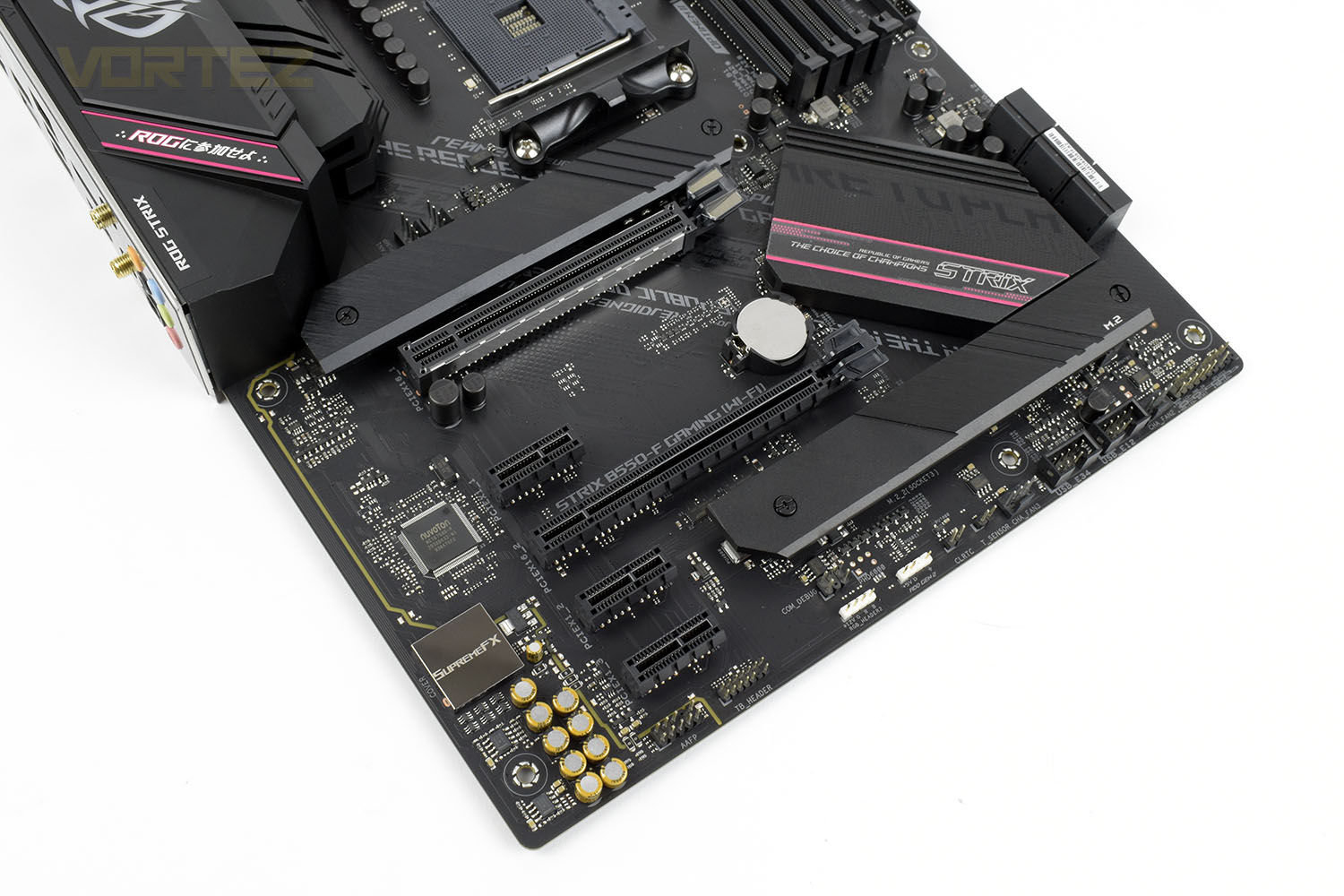
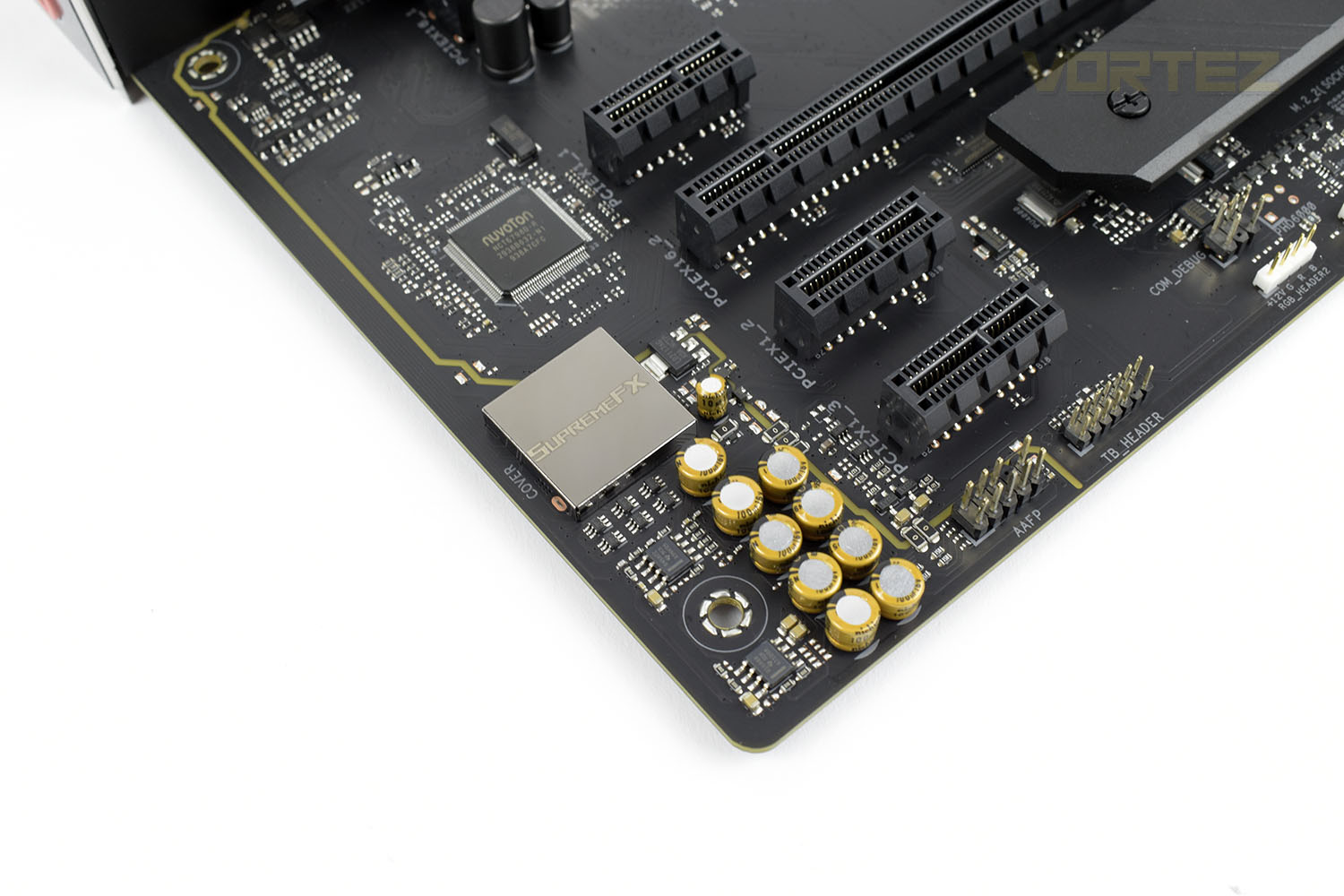
In the bottom-left of the motherboard is an isolated section housing the onboard soundcard. Sound processing is done through the SupremeFX audio chip with premium Nichicon audio capacitors that provide a warmer, natural sound. Dual OP amplifiers are utilised for driving individual stereo cans with impedance ratings between 32 and 600Ω.
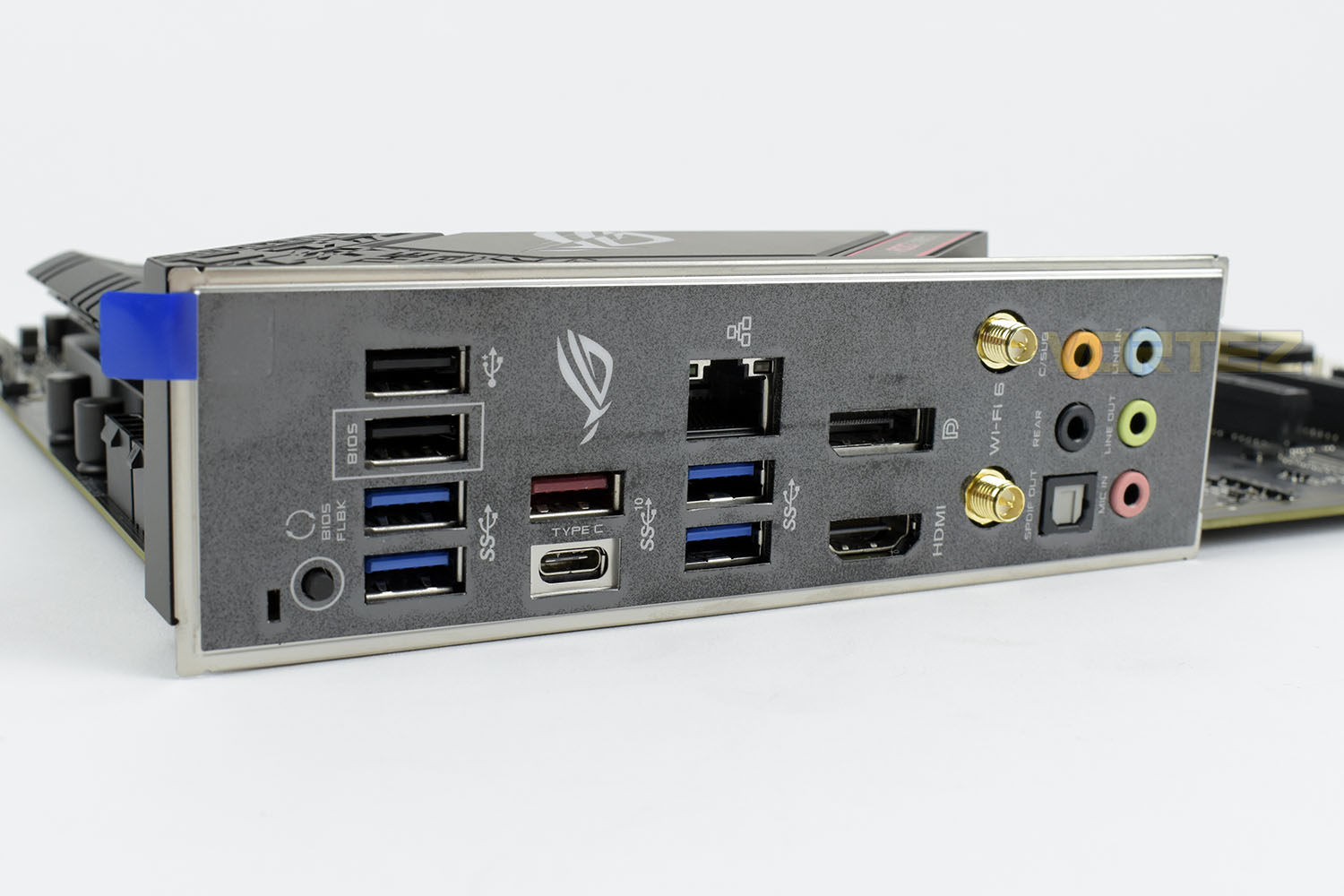
Last up is the rear I/O with a pre-attached rear I/O shield. Starting from the left we have:
1x BIOS Flashback button
2x USB 2.0 (Black)
2x USB 3.2 Gen. 1 (Blue)
1x USB 3.2 Gen. 2 (Type A)
1x USB 3.2 Gen. 2 (Type C)
1x Intel I225-V 2.5G ethernet
2x USB 3.2 Gen. 1 (Blue)
1x DisplayPort
1x HDMI
2x WiFi 6 antenna connections
5x 3.5mm Audio Jacks
1x S/PDIF Out
BIOS
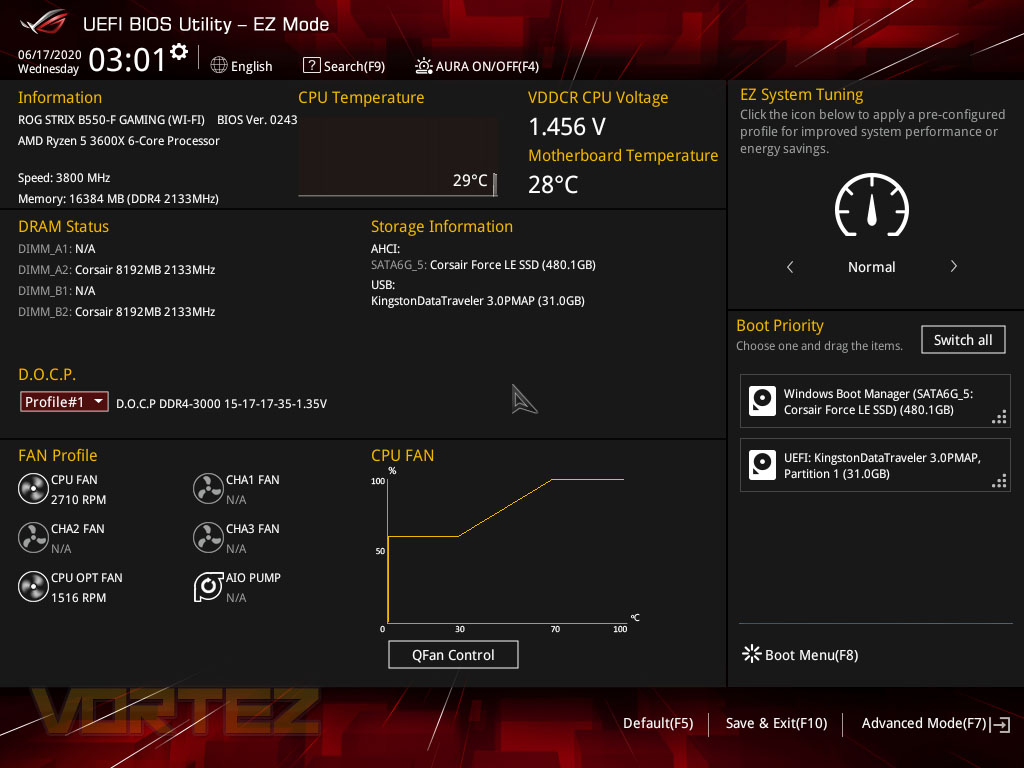
We often find that ASUS motherboards, despite their massive success within this industry, fall a little short of the mark in their layout and simplicity of use. One thing that particularly gets under my skin is their reluctance to use the term “XMP”. Setting up your DRAM kit is something that almost everyone that reads this review will have done several times across multiple generations of PCs, perhaps even helped a friend or family member with it. If you purchase a, let’s say, DDR4-3000MHz kit and never enable XMP, you’re theoretically wasting almost a third of your performance by leaving it at 2133MHz.ASUS seem set in their ways at keeping their D.O.C.P. (Direct Over Clock Profile) instead of naming it XMP. If you use the search function for “XMP”, you can’t find it, so if you don’t know exactly what you’re looking for, this is going to be a frustrating exercise.
Anyway, when you first boot into the BIOS you’re given the basic overview page, this shows you RAM speeds, connected drives, voltage and temperature information as well as some low-level fan curve adjustment. You’ll see highlighted in the middle-left that we’ve selected the XMP setting for our CORSAIR memory kit.
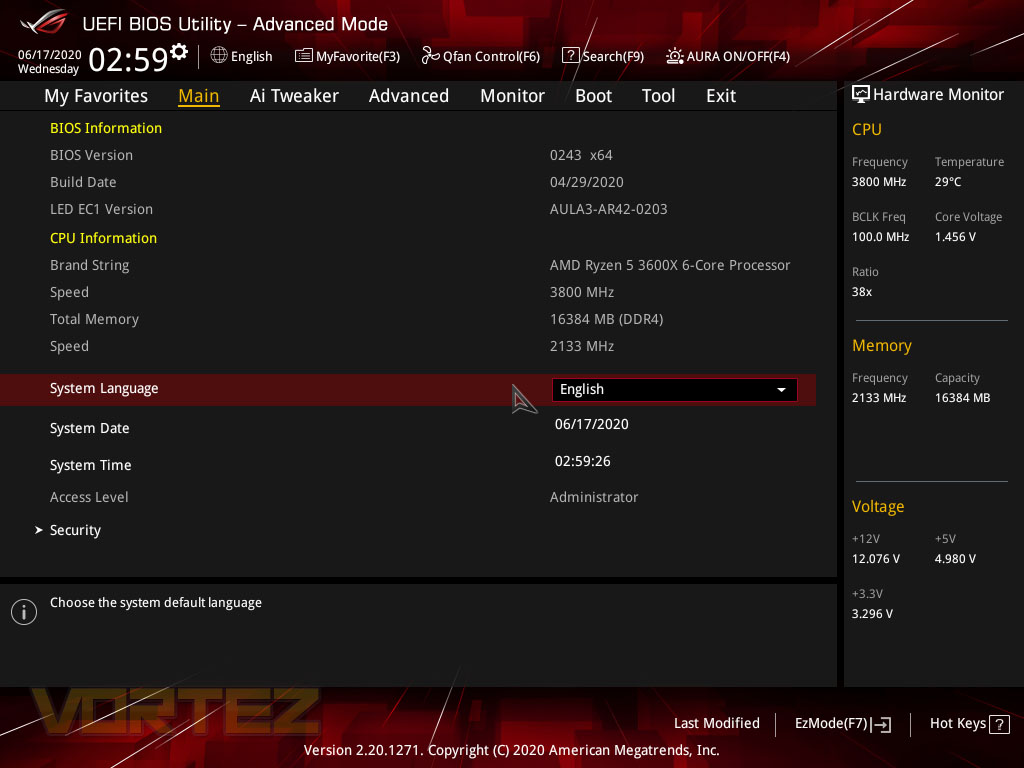
Hitting F7 transports you into an advanced section of the BIOS, here settings can be tweaked much further. The Main page gives you a list of information relating to the system with frequencies and voltage always listed on the right-hand-side.
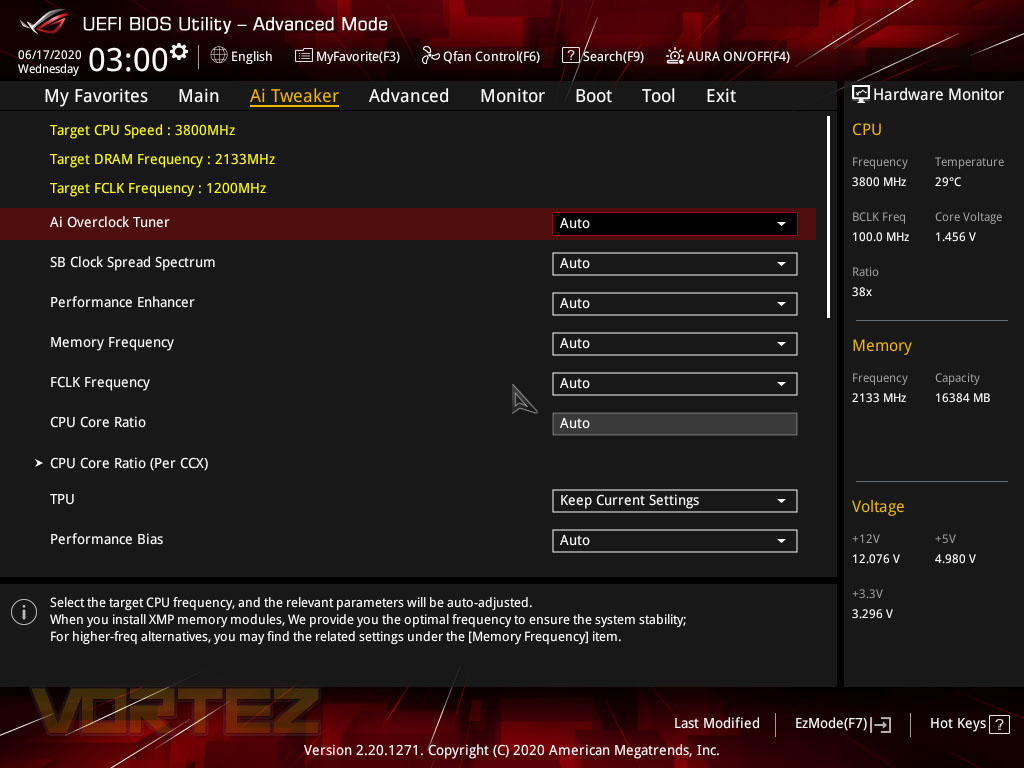
ASUS call their overclocking section the AI Tweaker, this can be left to Auto so the motherboard, along with the engineers’ knowhow, can be put to work to extract as much performance as possible from your CPU or you can delve in and set things up to your own liking. We find that with the 3rd Gen. Ryzen processors that they’re pretty much turned all the way up to 11 anyway so we leave things as they are.
Last up there’s a set of ASUS tools that you can set to work. Updating your BIOS version is usually a good starting step if you’re getting any funny issues with your system, but there’s utilities to erase HDDs/SSDs, read SPD info from your RAM kit and give information on your GPU, amongst others.
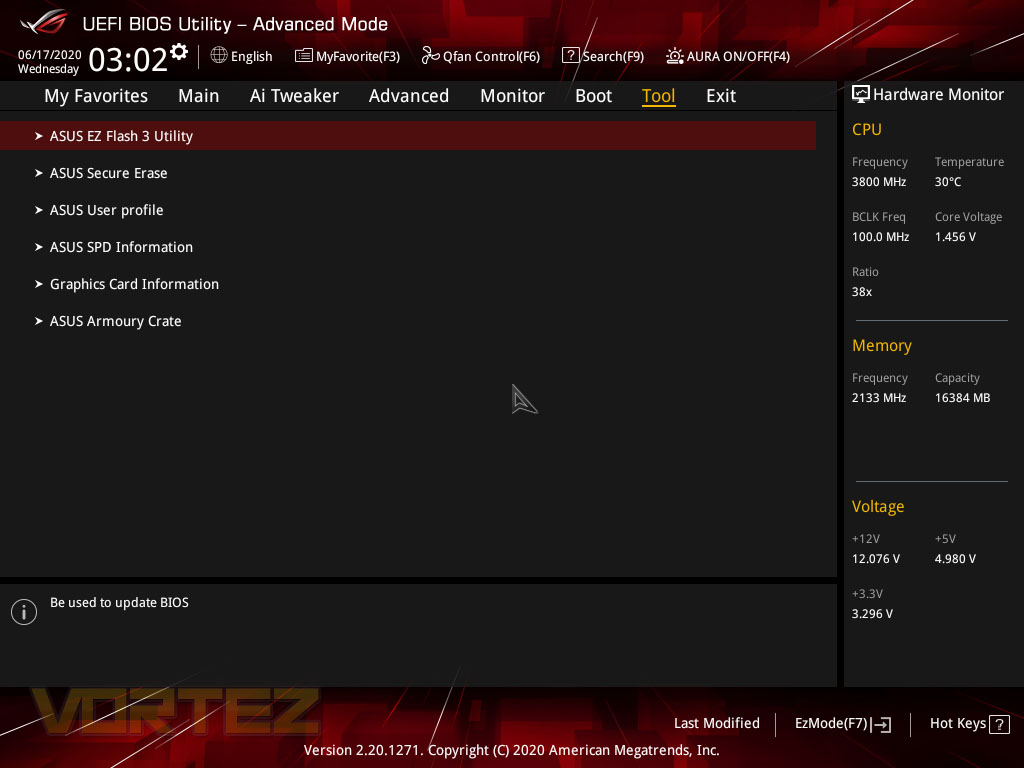
All things considered, the BIOS isn’t the worst but we feel it lacks behind the likes of MSI and Gigabyte Aorus.
Test Setup & Methodology
Notes: We’ve revamped our benchmark regime by removing a number of tests which reveal little, to no difference between each motherboard model. Gaming performance is one such area which has been removed due to the inability for each motherboard to offer any advantage over another. Instead, we have focussed on meaningful/tangible analysis which examines the VRM/chipset design, and the storage performance which will be far more informative to the end user.TEST SETUP
CPU AMD Ryzen 5 3600XCooling: Corsair Hydro Series H150i
Motherboard: As tested
Memory: 16GB Corsair Vengeance LPX 3000MHz
Graphics: AMD Radeon RX 480
Storage: Intel S3500 128GB SATA SSD + Western Digital SN750 EKWB 1TB
PSU: Corsair HX1050 80 Plus Gold Certified PSU
Monitor: AOC U2879VF
BENCHMARKS
PCMark 10 – Overall Extended ScoreSiSoftware SANDRA – SATA/PCIe Storage Tests
SiSoftware SANDRA – Processor Image Processing
OTHER SOFTWARE
Temperature Analysis: HWMonitorStress Testing Software: AIDA64 Stability Test
CPU Specification Monitoring: CPU-Z
Benchmarks: Power Consumption
It’s interesting to note the power consumption across all motherboards. Although they are using the B550 chipset, energy results can fluctuate between manufacturers due to the features and specifications that are integrated. First of all, for the idle tests the system is cold booted into Windows and no additional applications are executed – the watts are noted on the external energy monitor we use and then the system is loaded with 3DMark FireStrike – watts are again monitored for the duration of the test and the highest rated wattage result is then noted down. Below are the results of this energy test.
Benchmarks: VRM & Chipset Cooling
Each motherboard manufacturer designs their board with a unique set of heatsinks to cover key areas like the VRM/mosfets and the chipset itself. In these test we use HWMonitor to identify the minimum values for VRM and chipset and then we load up Aida64 stability test again and perform a 20 minute run, recording the maximum value for both attributes.
Benchmarks: PCMark 10
PCMark 10 features a comprehensive set of tests that cover the wide variety of tasks performed in the modern workplace. With a range of performance tests, custom run options, and the new Battery Life Profile, PCMark 10 is the complete PC benchmark for the modern office.
Benchmarks: SATA Performance
In order to ascertain the SATA performance for our motherboards we use SiSoftware SANDRA and the File System Bandwidth performance test. This allows us to obtain the sequential read/write transfer rates for the drive being tested – Intel S3500 128GB SSD.
Benchmarks: PCIe M.2 Performance
In order to ascertain the PCIe M.2 performance for our motherboards we use SiSoftware SANDRA and the File System Bandwidth performance test. This allows us to obtain the sequential read/write transfer rates for the drive being tested – Western Digital SN750 EKWB 1TB.
Conclusion
The B550 chipset, much like many of AMD’s chipsets before it, has proven its worth in our tests but how have we found ROG’s implementation of it within the market?First off, we’re big into the appearance of the B550-F Gaming. The new distorted ROG eye logo, equipped with RGB lighting, on the rear IO looks very smart, blended with the pink accents and funky characters dotted around the place, it looks amazing. The It’s just enough colour to be interesting while not being in your face. Very well judged by ASUS ROG.
Being priced the way it is, upwards of £200, the B550-F Gaming (Wi-Fi) is well into X570 territory so it must ensure it provides features that give substance to its price tag. For a start, there’s no real lack of PCI-E ports or SATA connections, the 2.5G LAN port offers forwards compatibility with faster networking standards that are now becoming commonplace, while the 10Gbps USB ports are there for rapid USB storage. Another thing to note is, thanks to the frugal B550 chipset, no fans are needed on the motherboard which helps to keep noise levels down. The WiFi 6 connectivity adds further bonus and the SupremeFX soundcard provides well-isolated powerful audio without spending a fortune.
Performance was way up there with no weak points that we could find. SATA and PCI-E data rates were up there, VRM and chipset temperatures were excellent, never getting hot, though we imagine the 12 and 16-core processors might stress the VRM more thoroughly, we expect it to fair fine within a case with decent airflow.
All things considered, the B550-F Gaming (Wi-Fi) is a well-rounded board with solid features, it does the B550 chipset proud and will serve anyone looking towards the budget-end of the market very well.
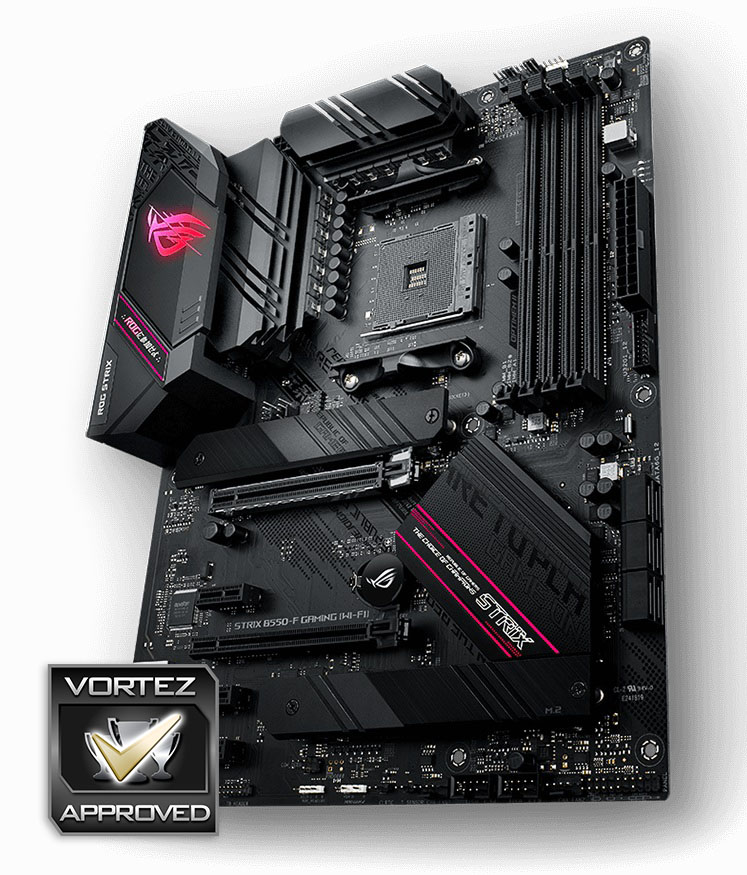
Rocking the ASUS ROG appearance, with the performance to match, and plenty of connectivity to boot, the B550-F Gaming definitely presents a good argument, but it’s spendy.
Pros
+ Excellent aesthetic, very ROG
+ Abundance of USB 3.2 at your disposal
+ 802.11ax WiFi
+ 2.5G LAN port
+ Strong onboard audio solution
Cons
– Steps on the toes of X570 boards with pricing
– No front USB 3.2
+ Excellent aesthetic, very ROG
+ Abundance of USB 3.2 at your disposal
+ 802.11ax WiFi
+ 2.5G LAN port
+ Strong onboard audio solution
Cons
– Steps on the toes of X570 boards with pricing
– No front USB 3.2
Click here for an explanation of our awards at Vortez.net.
Stay connected with the Vortez Social Media pages:
Join in with the discussions on Discord