Elgato are the talk of the town within the streaming industry with their ever-increasing portfolio and expertise being highly regarded. How does their first stab at a microphone fair in a massively competitive sector?

Product on Review: Elgato Wave 1
Manufacturer: Elgato
Street Price: GBP £129.99 / USD $129.99
Elgato, now owned by CORSAIR, are endlessly developing new and impressive tools to be used within the streaming industry. Green screens, key lights, Stream Decks, capture cards and much more, all part of an impressive portfolio that’s established Elgato as the go-to manufacturer for streaming and content creation hardware. Today they introduce the Wave range of microphones, just one more piece that’s designed to complete the complex puzzle that is a streaming workstation.
Developed in tandem with the seasoned professionals over at LEWITT, who let’s just say know a thing or two about audio recording, Elgato have worked from the ground up to produce a purpose-built microphone for content creators. For launch, there’s the Wave 1 and Wave 3, both offering a majority of the same features with the Wave 3 going slightly above and beyond. We’ve been provided the Wave 1 to play about with and present our verdict.
Sporting an internal pop filter which shields the microphone from plosive sounds, a condenser capsule with a tight cardioid pattern that’s perfectly tuned for speech and 24-bit 48kHz analog to digital sound conversion to pick up every tiny detail, the Wave 1, on paper at least, is off to a good start.
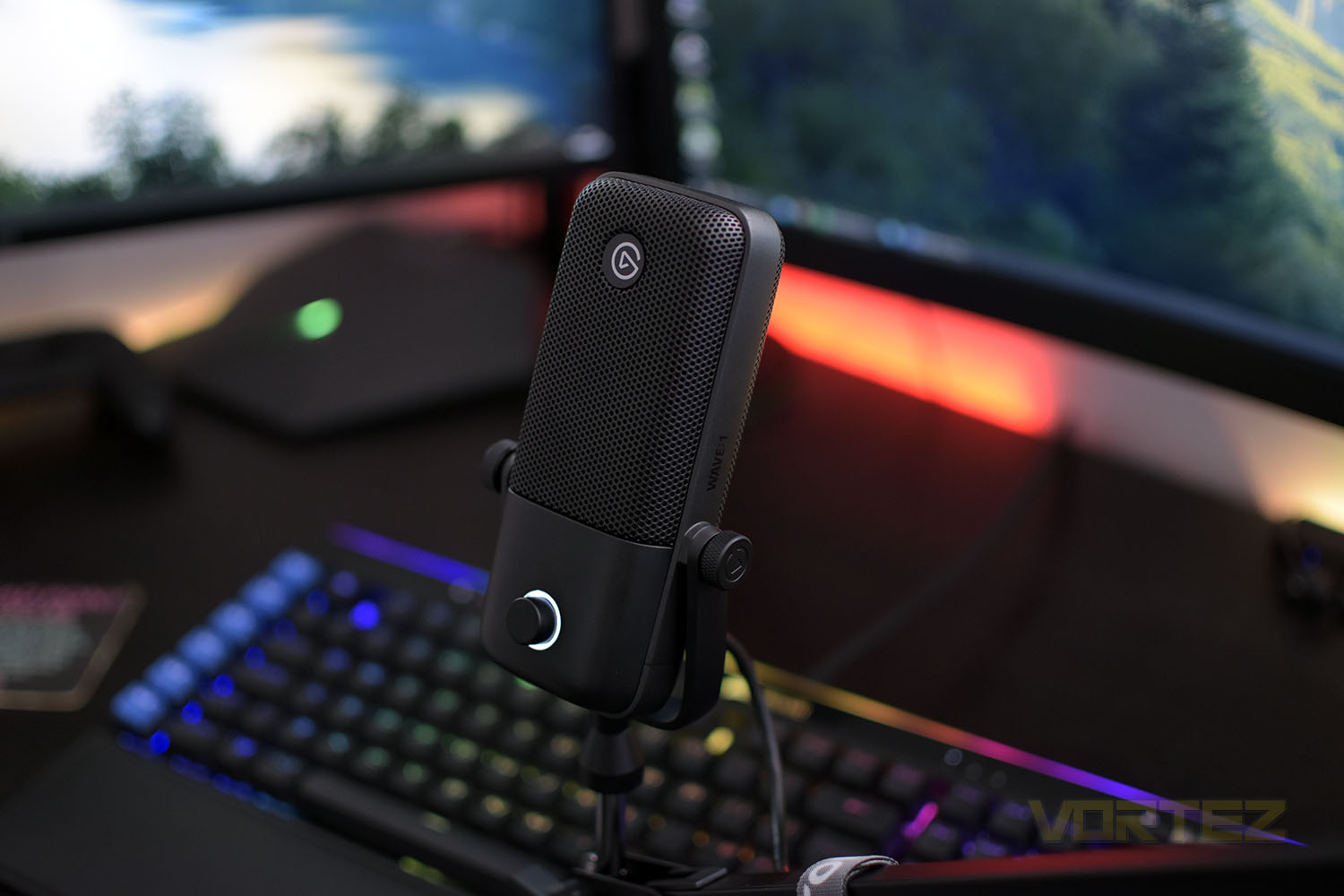
The hardware isn’t the be all and end all of the microphone, far from it in fact. Elgato are also introducing Wave Link, their custom-built software suite that ensures perfect audio quality and control for your stream, podcast or video with many features that are tailored directly towards content creation.
The Wave 1, and Wave 3, arrives with a heavy metal stand so the microphone is ready to go out of the box, with the option of mounting on almost all boom arms. There’s also an additional pop filter, extension rods and a shock mount if you wish to improve your setup further.
With this being Elgato’s first effort at a microphone, you would assume that we’re bound to find weaknesses but with their portfolio of equipment and the expertise of LEWITT on their side, we might be pleasantly surprised here. The wave 1 lands at £129.99/$129.99, competing with a few well-established brands out there at the moment, but it’s not ridiculous money for a competent mouse. Let’s plug it in and have a play.
Elgato on the Wave:
Great passion, thought and effort has gone into making Wave. It’s the first of its kind in two ways: a microphone built from the ground up for creators like you, and mixing software designed for your unique audio workflow, one which will evolve to incorporate community feedback and ultimately become the best broadcast audio application for all creators.
Technical Specifications
CAPSULE: 17 mm Electret
POLAR PATTERN: Cardioid
RESOLUTION: 24-bit
SAMPLE RATE: 48 kHz
FREQUENCY RESPONSE: 70 – 20000 Hz
SENSITIVITY: -25dBFS (min gain) | 15dBFS (max gain)
MAX SPL: 120dB (140dB Clipguard engaged)
DYNAMIC RANGE: 95dB (115dB Clipguard engaged)
INTERFACE: USB-C
DIMENSIONS: 141 x 66 x 40 mm / 5.6 x 2.6 x 1.6 in
WEIGHT: Mic & U-Mount 245 g / 8.64 oz | Base 310 g / 10.93 oz
IN THE BOX: Wave:1, USB-C Cable, Desktop Stand, Boom Arm Adapter, Quick Start Guide
POLAR PATTERN: Cardioid
RESOLUTION: 24-bit
SAMPLE RATE: 48 kHz
FREQUENCY RESPONSE: 70 – 20000 Hz
SENSITIVITY: -25dBFS (min gain) | 15dBFS (max gain)
MAX SPL: 120dB (140dB Clipguard engaged)
DYNAMIC RANGE: 95dB (115dB Clipguard engaged)
INTERFACE: USB-C
DIMENSIONS: 141 x 66 x 40 mm / 5.6 x 2.6 x 1.6 in
WEIGHT: Mic & U-Mount 245 g / 8.64 oz | Base 310 g / 10.93 oz
IN THE BOX: Wave:1, USB-C Cable, Desktop Stand, Boom Arm Adapter, Quick Start Guide
Packaging & Bundle
In a surprisingly large box, the Elgato colouring scheme is obvious from the outset. There’s a fancy design and the product title but it’s pretty much style over function here.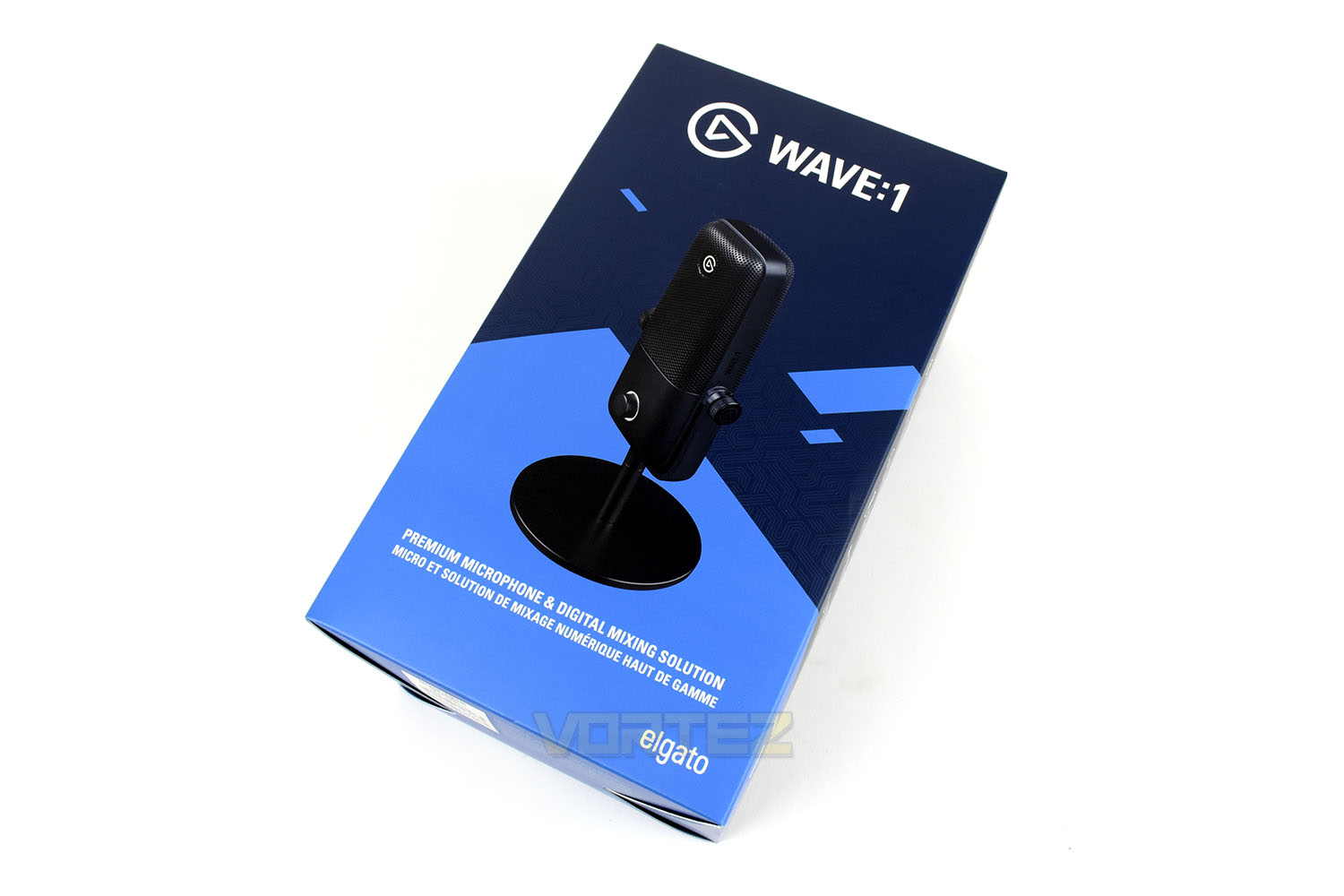
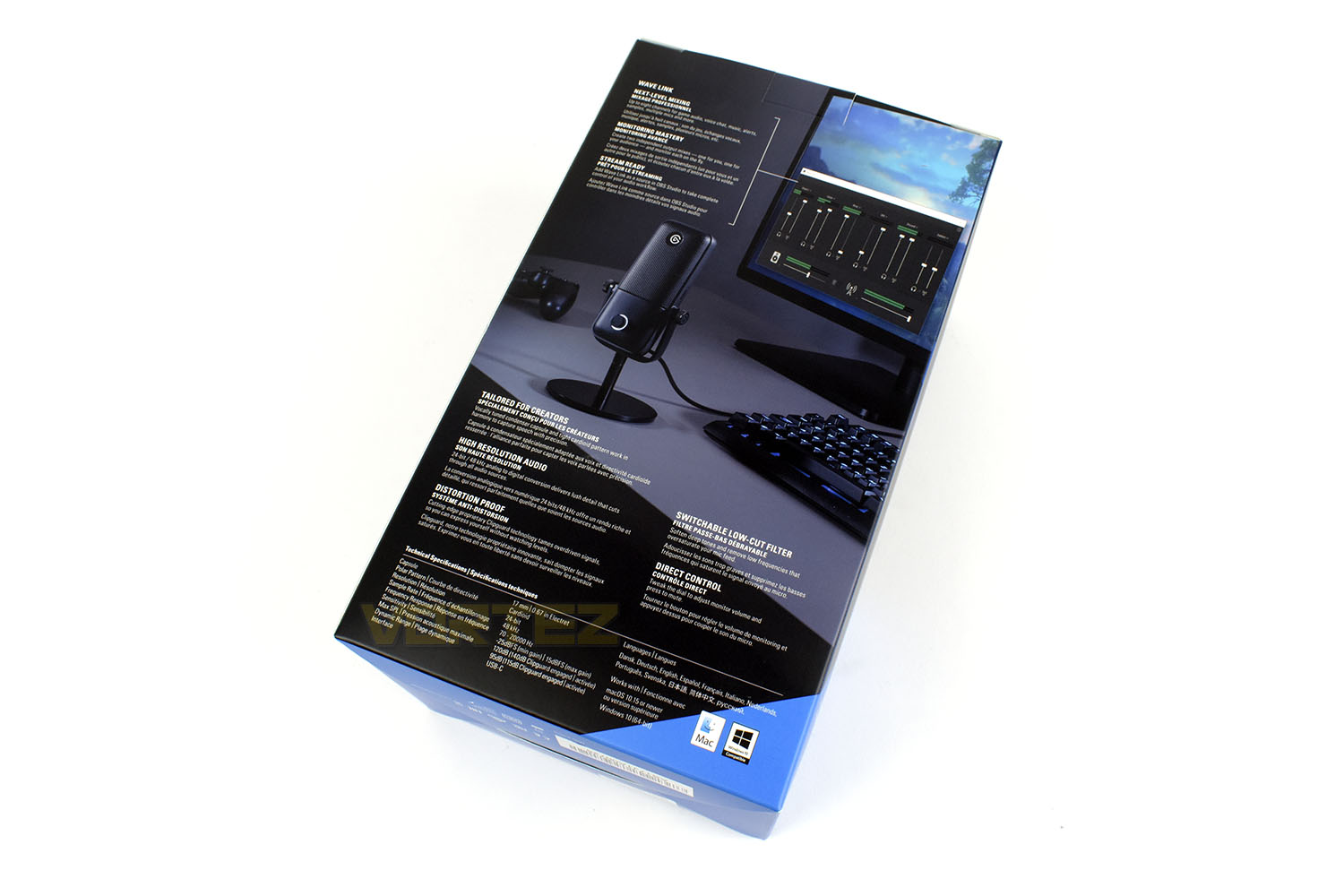
Any information that was lacking on the front is more than made up for on the back. There’s plenty here to work from, as well as a practical image of the microphone in use with a preview of the software also.
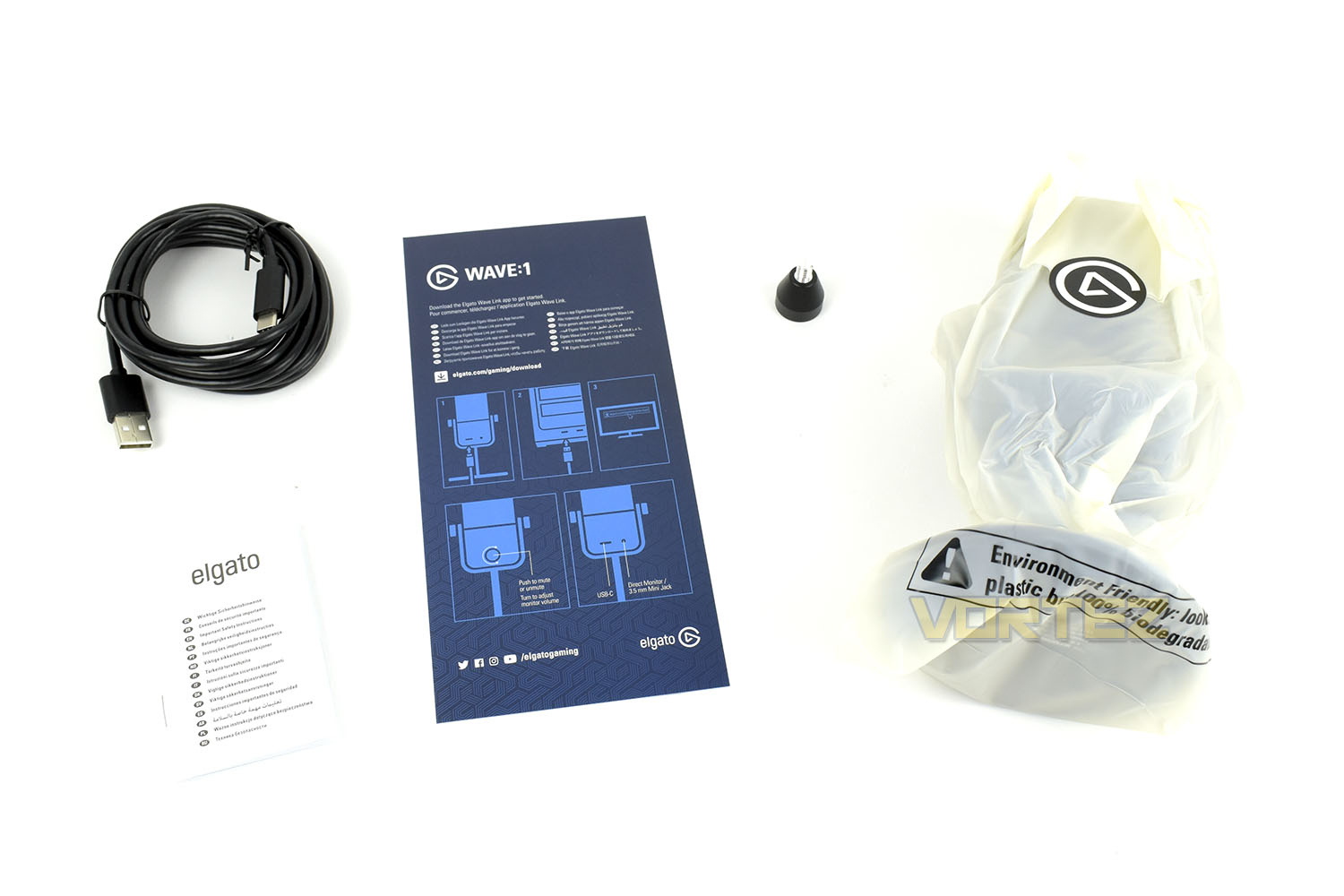
Along with the Wave 1 you’ll also find a brief instruction page, a Type-A to Type-C rubber cable and an adaptor for mounting the microphone on a boom arm. Nice and simple.
Closer Look
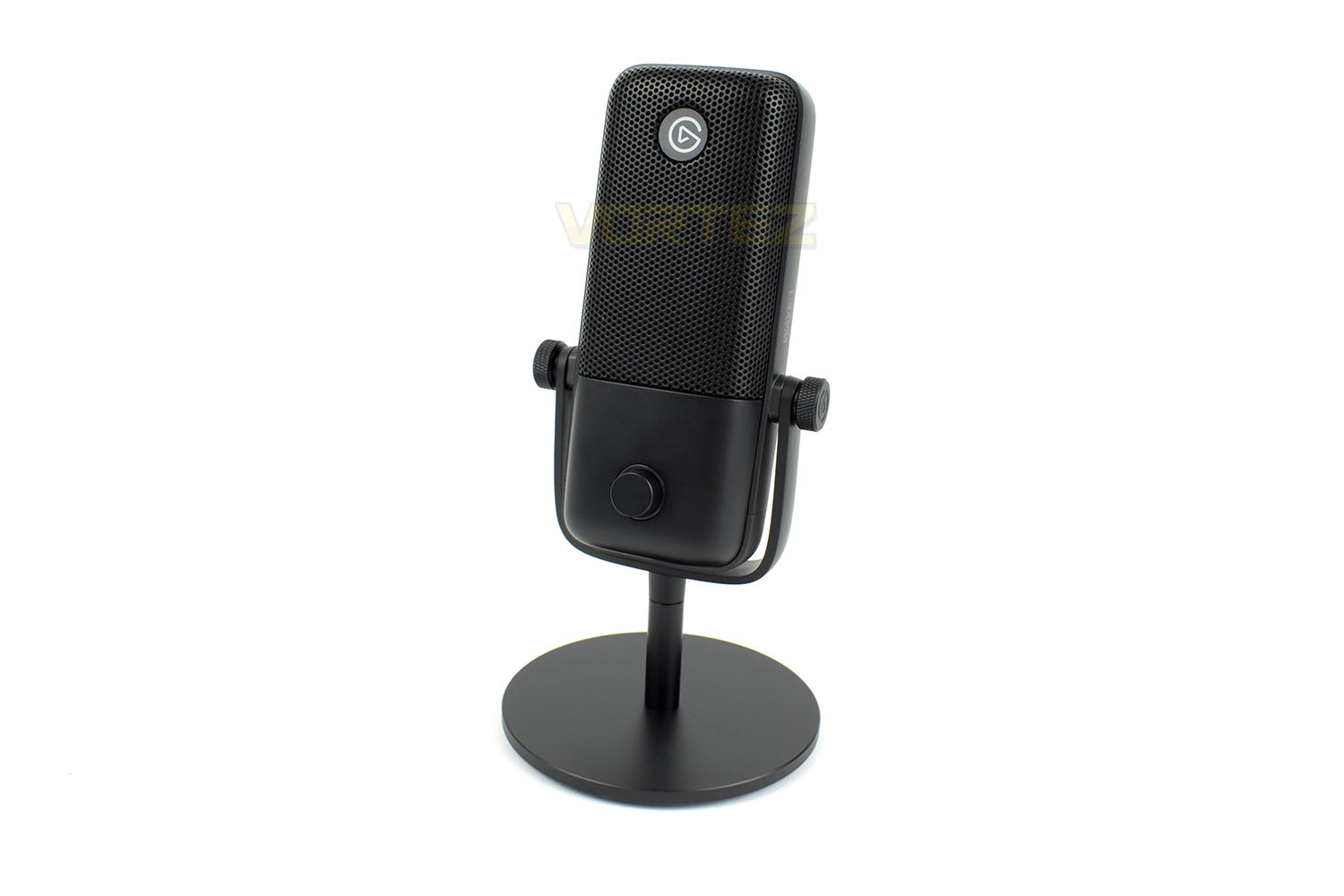
First impressions of the device are very positive, the 555g overall weight gives it a real amount of heft, with 310g of that being just the base. Standing roughly 200mm tall it’ll be positioned well in front of your face, with a hinge mechanism that allows you to adjust the angle towards your mouth.The condenser module beneath the multiple layers of noise shielding, designed to reduce plosive sounds, has been fine-tuned for speech with a cardioid solar pattern that picks up audio most strongly from directly in front.
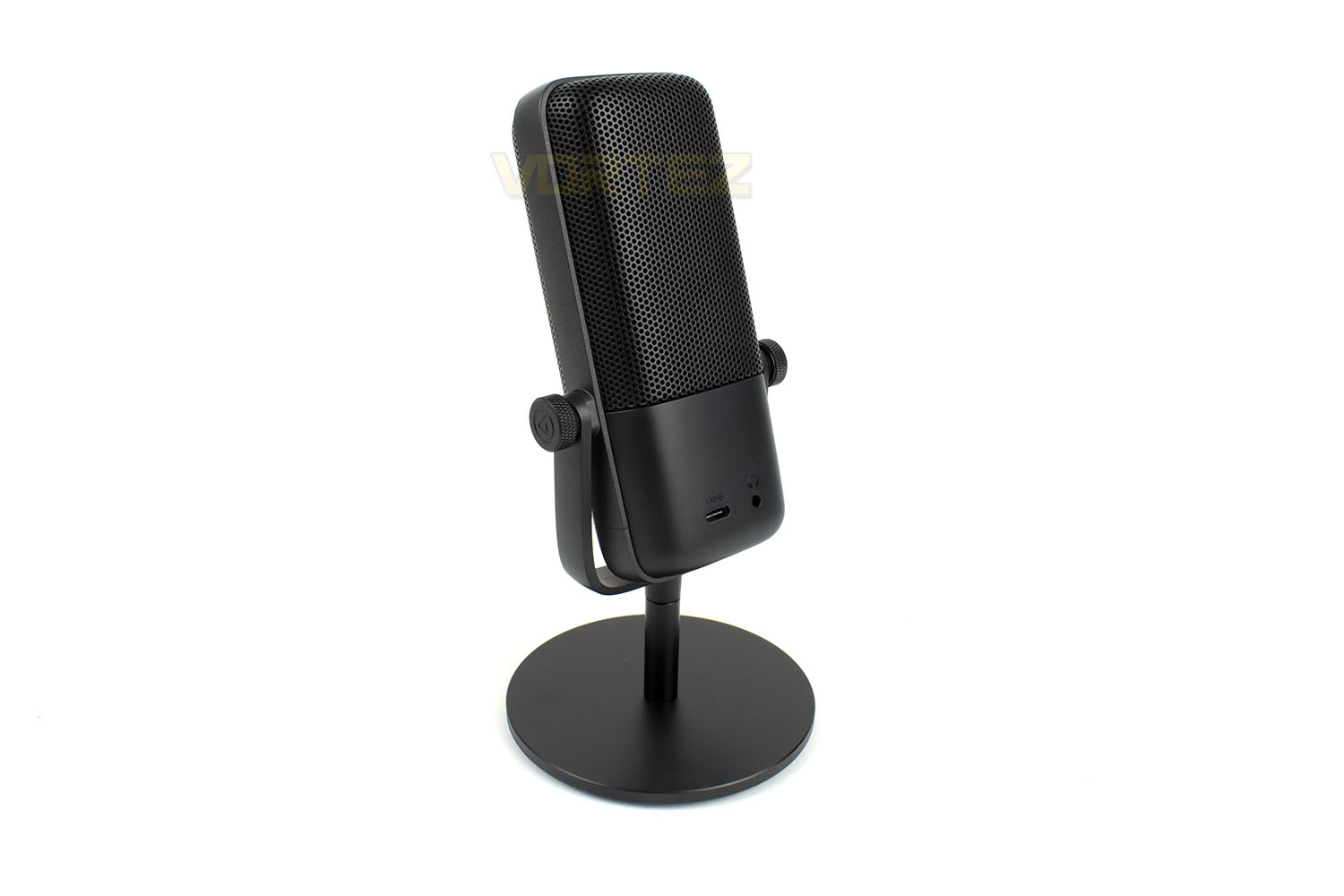
The reverse of the device, rather oddly, doesn’t feature any kind of Elgato branding despite not being particularly useful for audio pickup. This is the side that will face the webcam when used for professional streaming.
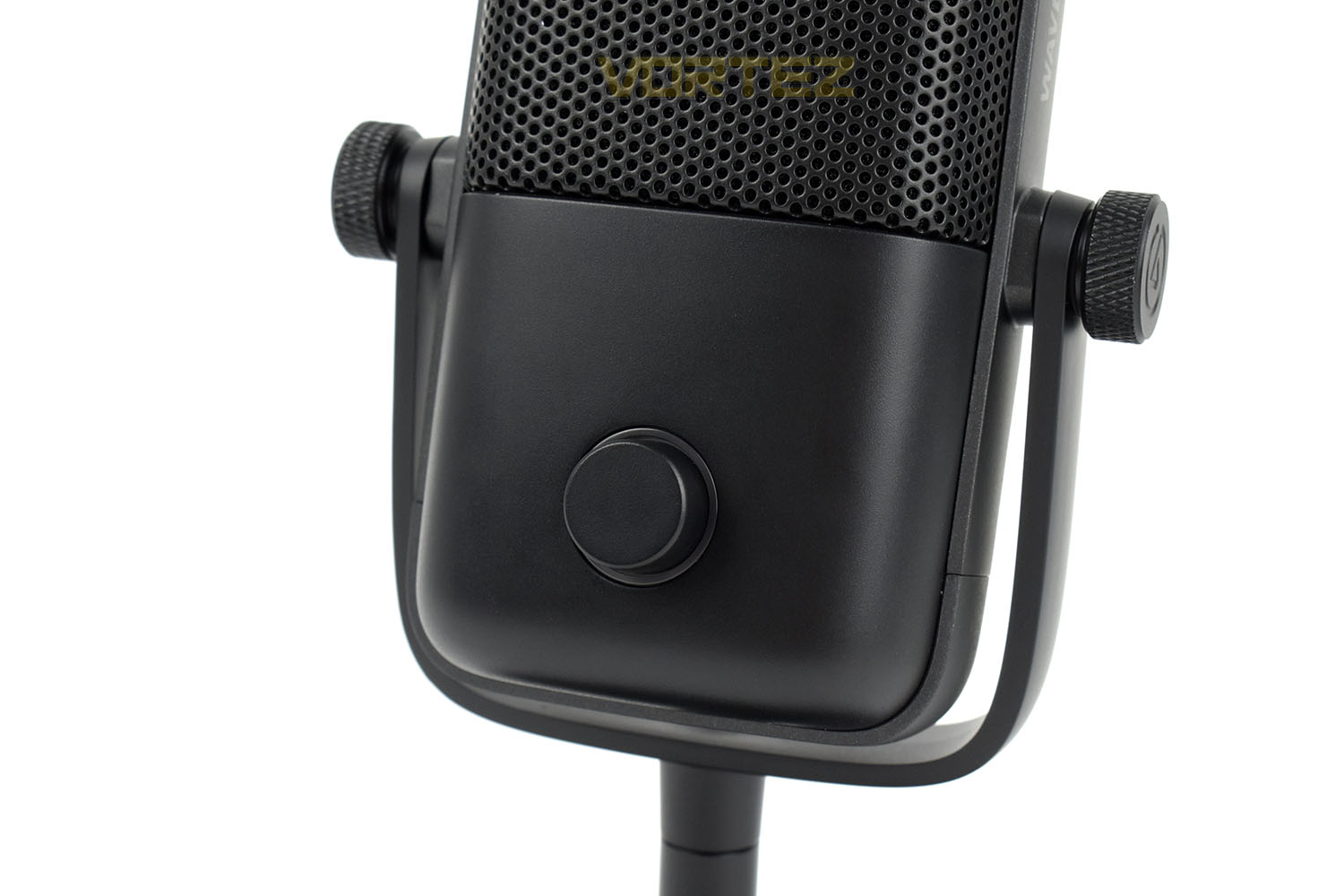
At the bottom of the main body of the device is an adjustment dial, this can be pushed to mute the microphone or turned to adjust the headphone output volume for latency-free monitoring of your audio.
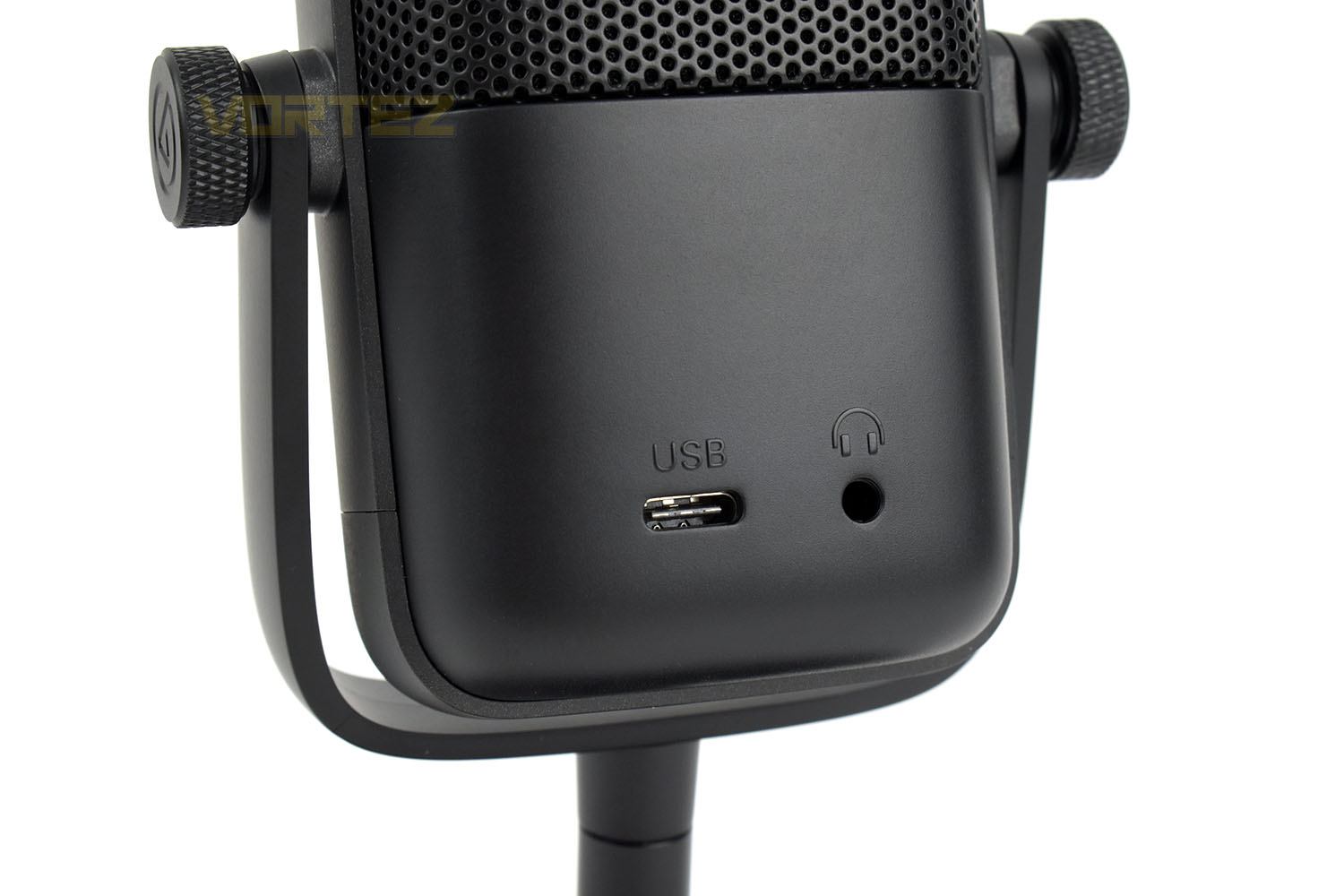
Spinning the device around once more, there’s a USB Type-C connection and 3.5mm audio jack. The USB connects the microphone to the PC while the audio output is for monitoring your own input.
Performance Testing & Software
Performance TestingWe’ll quickly touch on the setup process and build quality before getting into the software and audio quality.
Downloading, installing and setting up the microphone to a working condition took a little longer than expected, around 15 minutes but the software has a lot of work to do, in regards to installing several audio connections to the Windows operating system and linking into the Stream Deck software if you have one.
Once you’re plugged in and have the software running, you can go about finding a comfortable location for the microphone. Sadly, this was where we found our first issue. Elgato recommends that you place the microphone parallel with your face and have it two fists, or one Shaka sign, away from your mouth. This typically means having it right at the edge of your desk in front of you, where your keyboard is. That is, at least, unless you sit really close to your PC and are able to place it behind your keyboard. The large 100mm base, with a thick rubber pad, gives the device a considerable amount of stability but it also makes it difficult to place in certain orientations. It’s a different kind of problem to a typical tripod setup though, so you could argue that this is a better way of going about things.
We opted to mount the microphone on a boom arm for testing, which thanks to the supplied lengthy cable and mounting screw, took only a few minutes to achieve some tidy cable management.
Below is a brief demo of the microphone’s ability:
Software
As part of the overall package, Elgato have developed Wave Link, a software suite that ties into your Streamdeck software and is promised to evolve and develop over time as more features are requested from the community.
Installation and setup takes a few minutes but once you’re in, everything is nicely pre-configured with up to 6 inputs in total that can be fed through your recording/streaming software, all in perfect quality. The levels can be tuned on-the-fly, both from within software or with configurable buttons on your Streamdeck.
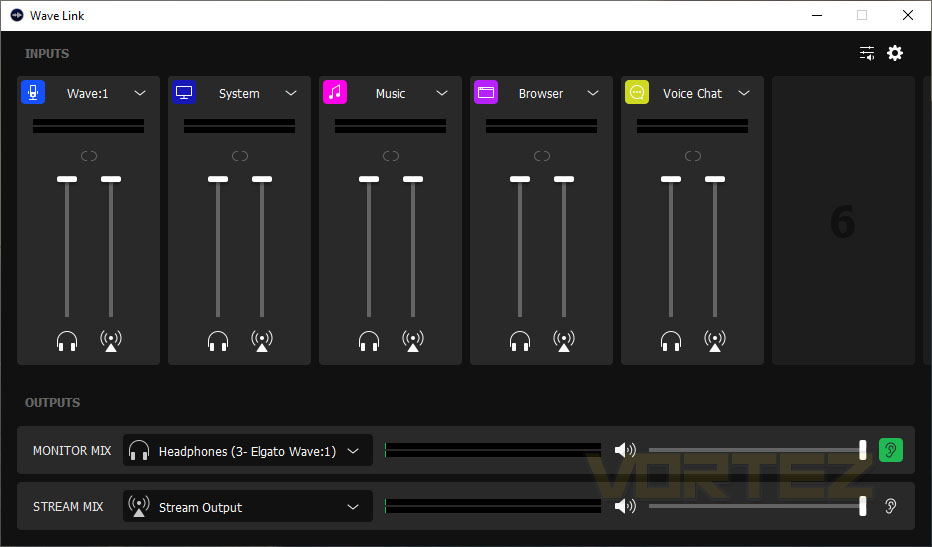
Inputs can be named however you like, and tweaked infinitely, with tie-ins to any application on your PC that can output sound. You can do it all from the Wave Link software to bring your stream or content to life.
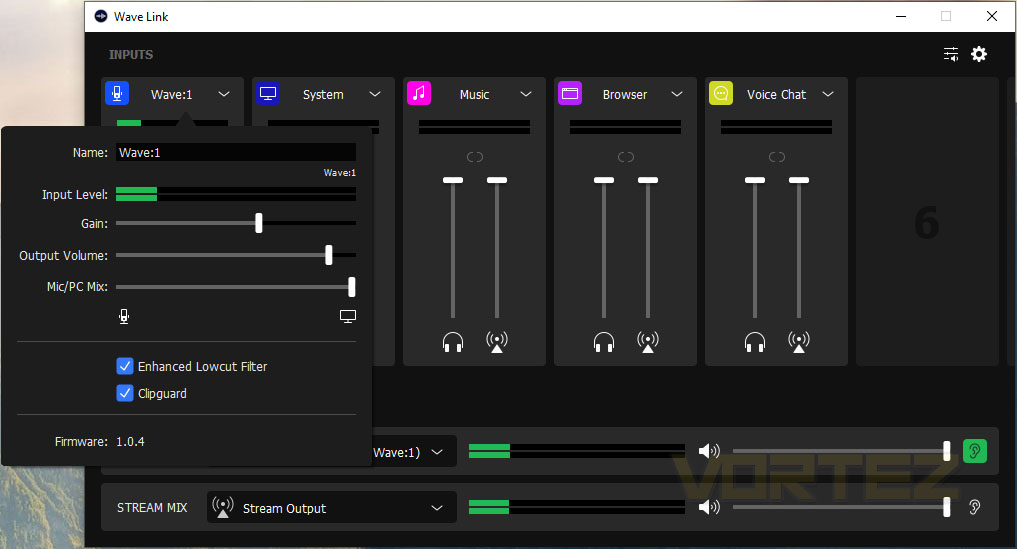
Overall the software is relatively basic and easy to use, but we definitely look forward to seeing what it’s capable of in the coming months and years as tweaks, improvements and adjustments are made.
Conclusion
Elgato, once again, have given their guns a good flexin’ and shown the industry what they can do if they put their minds to it, but there’s some improvements we’d like to see to achieve a perfect score.Build quality is something that we just can’t touch. There’s not a single bad word we’ve got to say about any of it. The base, the hinge, the microphone housing , it’s all top-notch and well worthy of the Elgato name plate.
Moving onto performance, we tested the microphone for a number of gaming sessions and, without telling anyone on the other end, were met with many compliments on the clarity, real-to-life likeness and overall quality of the sound. We found the same when testing it and were pleasantly surprised by how easy it was to set up and use.
Wave Link is a fancy software suite with some nifty features but it feels a little empty and lacking when it really boils down to it. Perhaps Elgato will bring much more to the roster in the near future but as it stands it really needs more. Perhaps some fancy voice modifications software or a soundboard to play crazy noises. The world’s their oyster. We’d also like to see a software option to change what the front dial does. This is set to adjust headphone output volume, but only if your headphones are plugged directly into the Wave 1. We found this to be completely pointless.
Pricing, however, is a different matter. We’ve been heavy on the praise so far but the price, at £130 for the “base model” seems a little steep. You have to consider the value of the software that comes alongside the microphone, and the future updates they plan, but that’s all a big unknown at the moment. Despite that, we’re sure it’ll sell in droves on brand name alone.
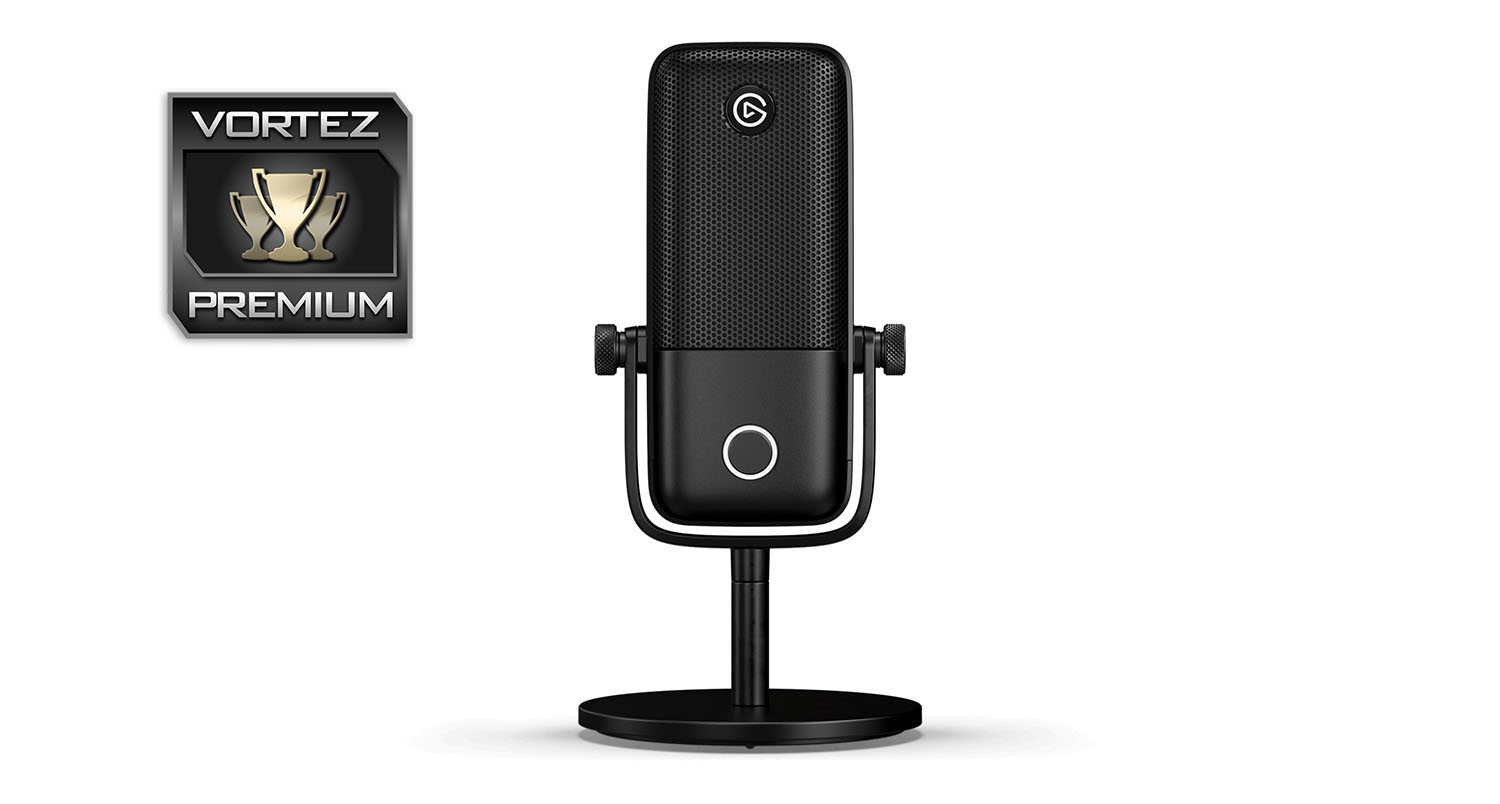
Excellent quality, easy to use, solid build quality, fancy software, it has it all. And a big brand name to go with it. Definitely worth consideration if you want to take your stream quality to the next level.
Pros
+ Super clear voice recording
+ Easy to set up and use
+ Looks elegant and classy
+ Bombproof build quality
+ Wave Link is simple and easy
Cons
– Wave Link could do with more features
– Pricey
– No dial function adjustment
+ Super clear voice recording
+ Easy to set up and use
+ Looks elegant and classy
+ Bombproof build quality
+ Wave Link is simple and easy
Cons
– Wave Link could do with more features
– Pricey
– No dial function adjustment
Click here for an explanation of our awards at Vortez.net.
Stay connected with the Vortez Social Media pages:
Join in with the discussions on Discord