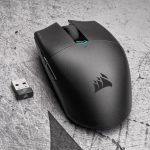
A new lightweight wireless gaming mouse enters the market this week, complete with CORSAIR SLIPSTREAM and Bluetooth 5 support, but can it cut the mustard?

Product On Review: KATAR PRO WIRELESS
Manufacturer: CORSAIR
MSRP (inc. V.A.T. where applicable): UK: £44.99 / EU: €49.99 / US: $39.99
CORSAIR have plenty planned for September and October 2020, and the latest product launch is for a mouse that’s a fair bit more utilitarian than our most recent review. But, while it may seem like a major deflation to go from the K100 RGB to basically any other peripheral in their range, you have to remember that sometimes the most intriguing and widely-used components are much more every-day in nature.
And that is close to the design ethos of the KATAR PRO WIRELESS gaming mouse. With an MSRP of just £44.99 it slips in some way under most wireless gaming mice, but still packs in class-leading features such as dual-wireless, 1000Hz polling, 10,000 DPI sensor and more.
Speaking of dual-wireless, the mouse takes advantage of CORSAIR’s SLIPSTREAM technology, a low-latency 2.4GHz implementation with 1000Hz USB polling packed into a USB mini receiver. At the flick of a switch more productivity-oriented devices such as Windows laptops, MacBooks and tablets can pair with the mouse using the Bluetooth 5 protocol (backwards compatible with earlier versions of Bluetooth). That’s an important level of versatility for this price point.
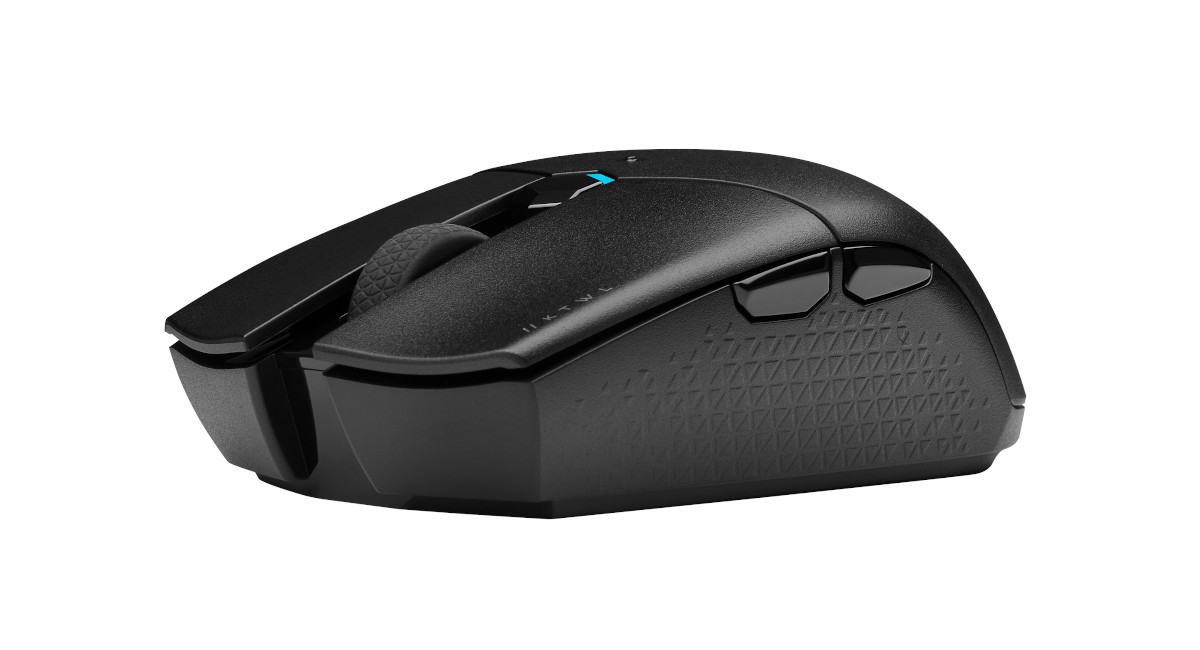
Despite these heavyweight features, the gaming credentials of the KATAR PRO WIRELESS are augmented by a lightweight chassis that comes in at just 96g (including the single non-rechargable AA battery) and symmetrical shape with right-handed layout. And somehow they’re still able to squeeze up to 135hrs of operation from the single shiny cylinder.
The KATAR model name goes back to the originals of 2015 vintage, but you’d be hard pressed to see much common DNA between the earlier designs and these PRO variants. Only their compact shape appears to be drawn as inspiration, to the extent that they may as well have been designed from scratch.
On paper it lines up well against the Razer’s Atheris and Logitech’s M520, and could also be considered as a low-cost alternative to CORSAIR’s own HARPOON. In terms of price the KATAR is positioned between the M520 and Atheris; critical differentiating factors are therefore likely to be in niche areas of functionality, build quality and software, each of which CORSAIR are well prepared for.
This wireless model launches alongside a wired PRO variant that comes in at just 69g. Both should be available today from retailers worldwide.
Technical Specifications
Buttons:- 6, remappable
Sensor:- 10,000 DPI PixArt PMW3325 Optical Sensor
Wireless:- 2.4GHz CORSAIR SLIPSTREAM or Bluetooth 5 selectable dual-wireless
Connector:- USB Mini-Dongle for 2.4GHz operation
Weight:- 96g (inc. Battery)
Shape:- Symmetric, RH thumb buttons, claw/fingertip grip
Dimensions (approx):- 116mm x 65mm x 35mm
Mousing feet: Two oversized low-friction pads
Battery: 1 x AA (included), non-rechargable
Battery Life: up to 135hrs (software-configurable power profile)
Sensor:- 10,000 DPI PixArt PMW3325 Optical Sensor
Wireless:- 2.4GHz CORSAIR SLIPSTREAM or Bluetooth 5 selectable dual-wireless
Connector:- USB Mini-Dongle for 2.4GHz operation
Weight:- 96g (inc. Battery)
Shape:- Symmetric, RH thumb buttons, claw/fingertip grip
Dimensions (approx):- 116mm x 65mm x 35mm
Mousing feet: Two oversized low-friction pads
Battery: 1 x AA (included), non-rechargable
Battery Life: up to 135hrs (software-configurable power profile)
The PixArt PMW3325 is a workhorse optical sensor capable of up to 12000CPI (here restricted to 10000 for the wireless variant) and has nominal acceleration and maximum tracking speeds of 20 G and 100 IPS (2.54 m/s) respectively. It is considered to be one of the better optical sensors at the affordable end of the spectrum and is present in a wide range of popular mice from multiple brands. Expectations would place it at the entry level of competitive/esports gaming.
About CORSAIR SLIPSTREAM WIRELESS Technology
SLIPSTREAM WIRELESS delivers hyper-fast 2.4GHz gaming grade wireless speed, transmitting twice the packets of previous generation wireless devices, and ensuring your signal stays strong even in heavy wireless traffic with Intelligent Frequency Shift (IFS). Combining the confidence of tournament-ready wireless performance with a robust wireless range up to 33ft, SLIPSTREAM WIRELESS lets you play your way, whether from the desktop or the couch.
CORSAIR claim that SLIPSTREAM is capable of <1ms wireless latency, making it a defining feature in a world where click-to-screen latency is an ever more critical part of the gameplay process. Until recent years wireless mice had the same reputation as wireless networking when it came to gaming - sub-optimal, to put it mildly – and it’s only proprietary technologies such as this that have made them competitive.
Latency aside, IFS should mean that even wireless environments congested in the 2.4GHz band won’t undermine the KATAR PRO WIRELESS’ reliability. That will be of particular importance in modern smart-connected homes and university dorms alike, where wireless reception is often abysmal.
Packaging & Bundle
Those of you who checked out our K100 RGB review will recognise CORSAIR’s striking black and luminous yellow livery, this time on the KATAR PRO WIRELESS’ compact packaging. There’s no wasted volume here, something which we always appreciate, and it bears the PAP recycling symbol (indicating a combination of paper and cardboard-based recyclable materials).
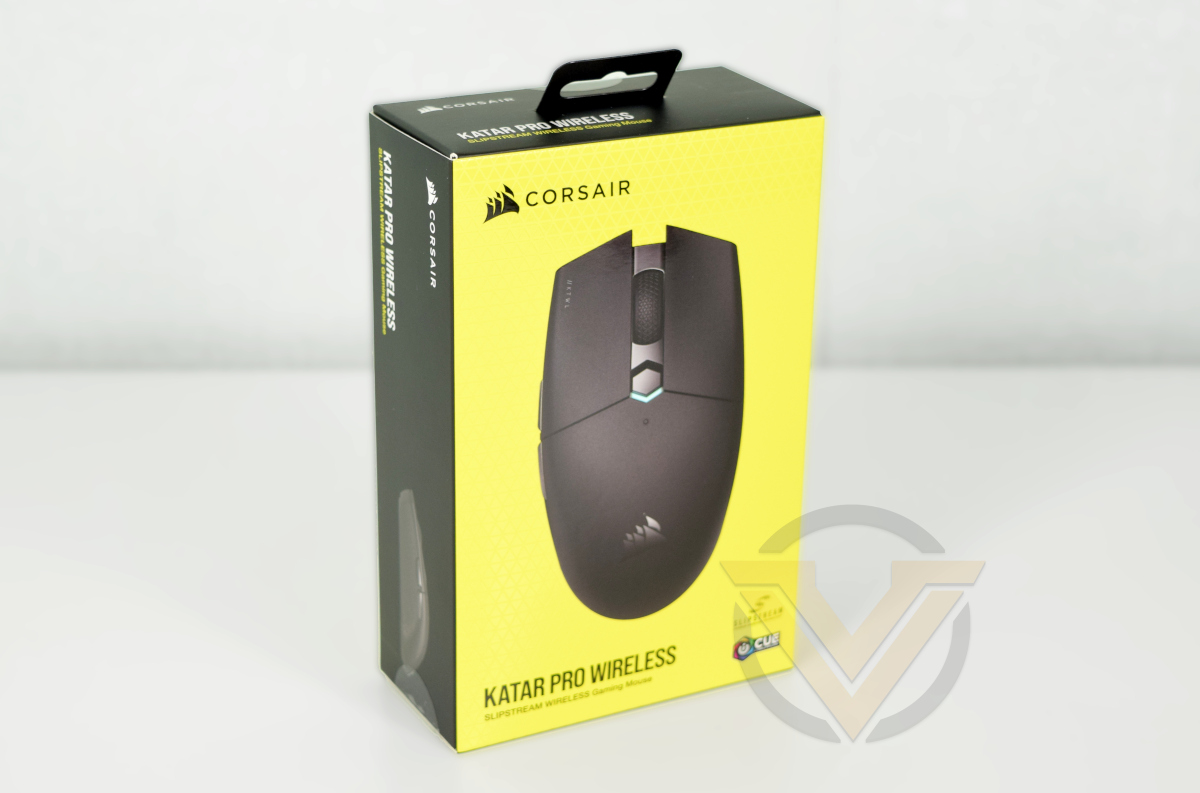
The exterior lists a limited feature set and system requirements on the rear, and that’s about it. SLIPSTREAM wireless technology and iCUE compatibility take pride of place alongside the main shot of the mouse, but it remains to be seen how strong those trademarks are in the minds of consumers. We should also note that it’s not altogether clear that RGB lighting isn’t present on the mouse in any meaningful sense, potentially confusing those who associate iCUE with customisable RGB lighting alone.
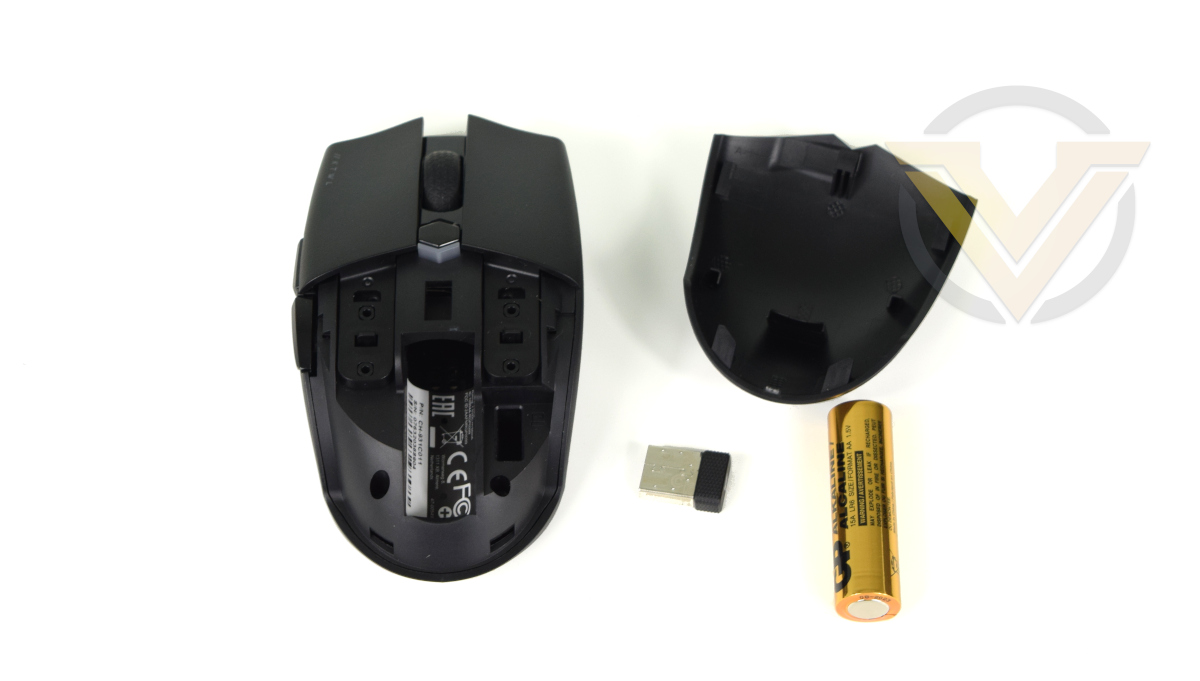
The KATAR PRO WIRELESS bundle includes mouse, wireless 2.4GHz USB mini-dongle receiver, AA battery and documentation. The receiver is housed inside the mouse interior cavity during shipping which keeps it safe and secure.
Closer Look
The KATAR PRO WIRELESS’ symmetrical shape sets a tone for the mouse’s no-frills design. In fact, without the lightly polished CORSAIR logo you’d struggle to differentiate it from a well-made but generic design, and that’s perhaps intentional.
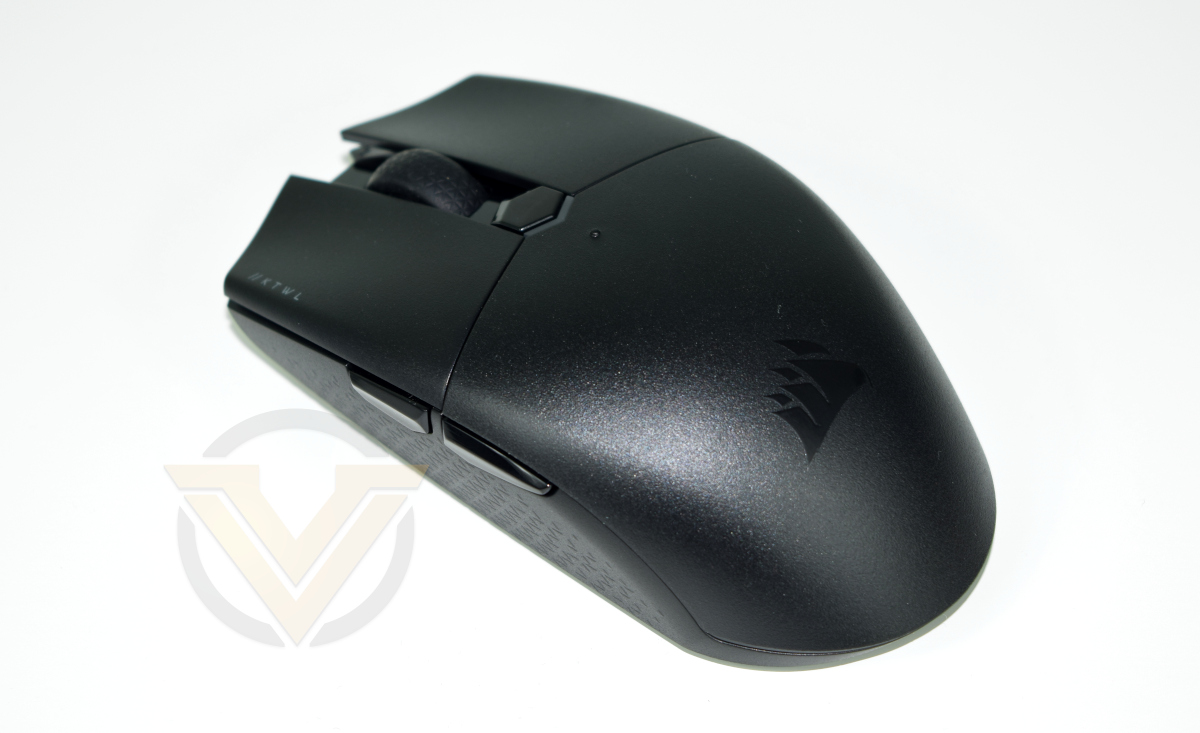
Although ostensibly ambidextrous in shape, the button layout is right-handed by virtue of two thumb buttons located on the left of the mouse.
Just below the mouse wheel is a button which by default is used for DPI selection (but can be re-bound), and below which is a small LED zone that indicates when the DPI level has changed and to which preset its changed to. Despite being an RGB LED it only illuminates for a few moments after the DPI changes, aggressively conserving battery power.
The entire palm rest area slides off to reveal the battery compartment and a small cubby-hole for the wireless dongle. When not in use it’s an ideal place to store it and keep it safe.
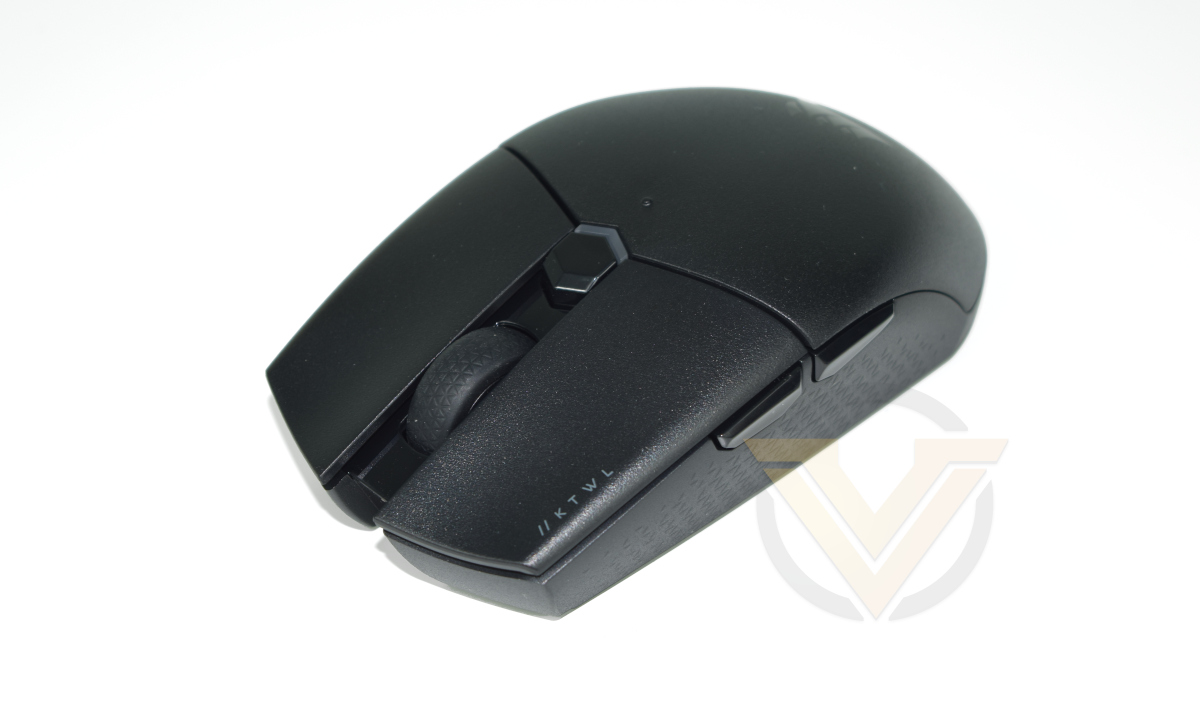
Each of the two major buttons are contoured to offer a more consistent feel to each finger and equalise the force across their respective switches.
The central mouse wheel meanwhile has solid spacing between each position on its rotation rather than a clutchless ‘free-spinning’ style. There’s no left-right wobble on the wheel but we did notice a slight squeak that should work itself out over time. The middle click is stable and has positive feedback, a pleasant plus given this mouse’s light-weight construction.
CORSAIR have opted to angle the side walls inward at the bottom and add a textured, grippy finish, making the mouse easier to lift from the mousing surface. It would also serve to shave a few grams off the weight.
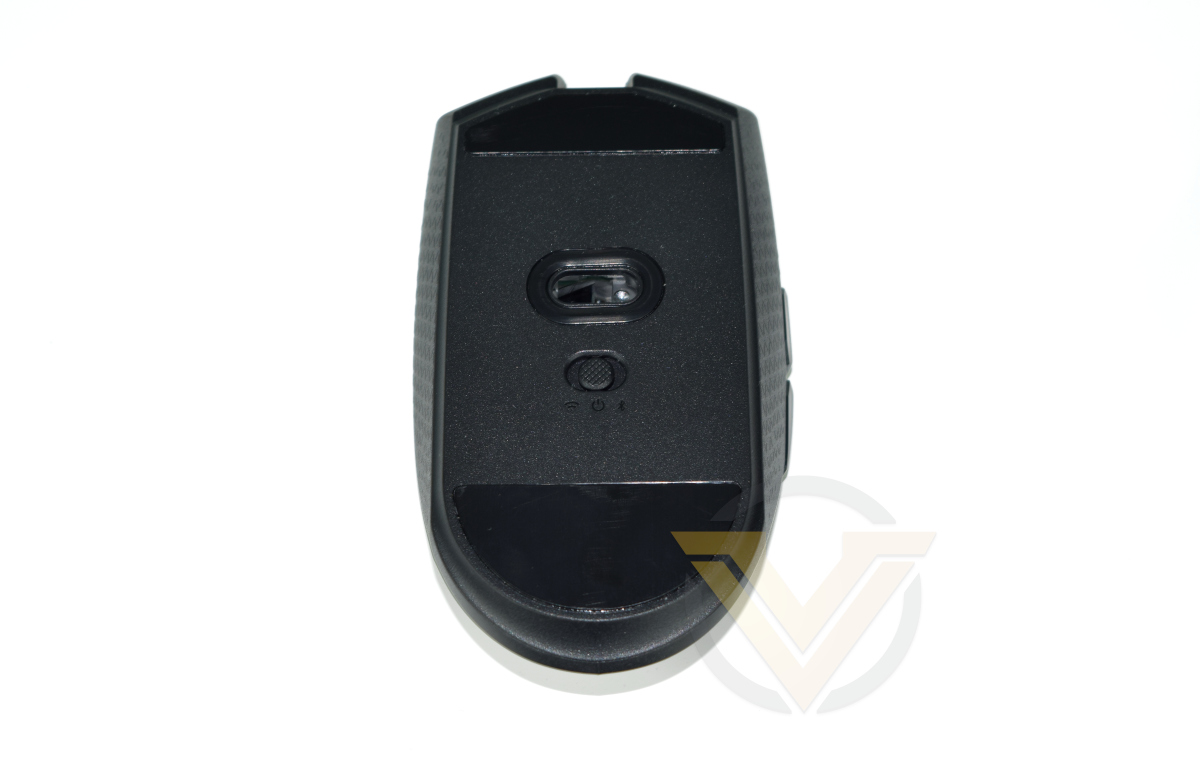
On the mouse floor we can see the main optical sensor, two large low-friction pads for mousing, and a single three-way switch. These indicate switchable modes for Wireless 2.4 GHz, Off, and Bluetooth operation, with the off version once again helping to save battery life overnight and when in transit.
Performance & Software
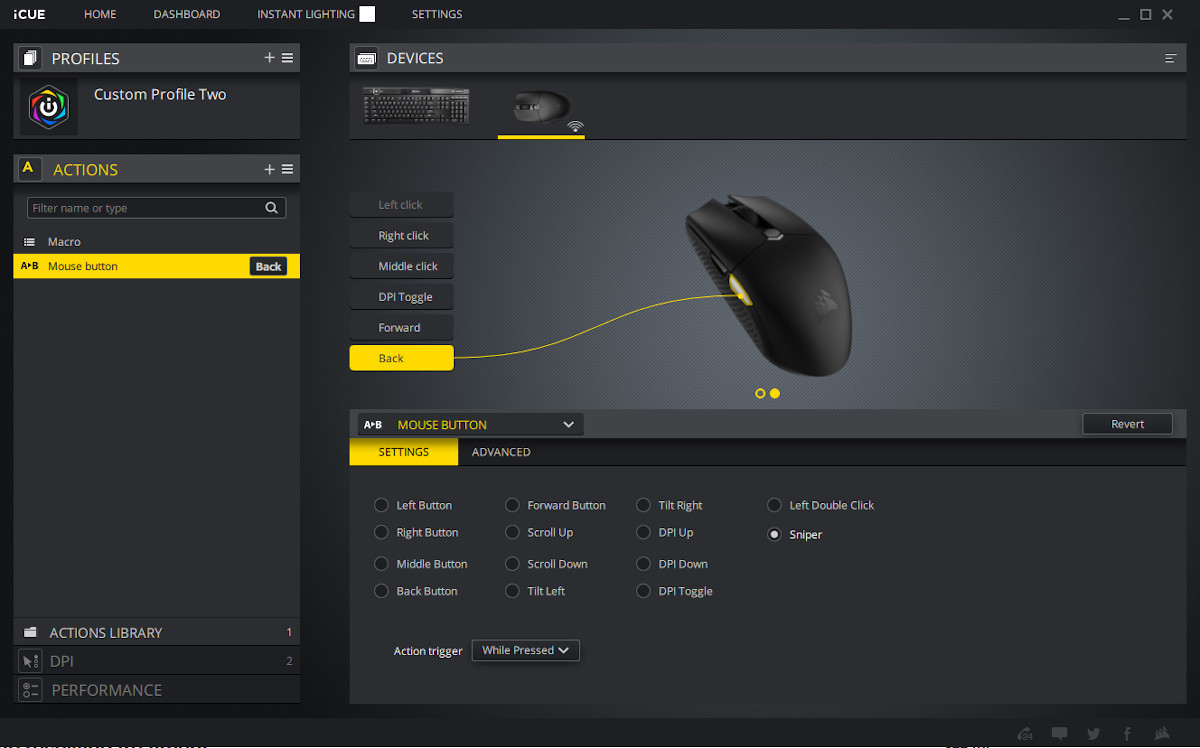
CORSAIR are striving to leverage their iCUE unified software as widely across their peripheral range as possible, so it’s no surprise to see it in use even when connected to the no-frills KATAR PRO WIRELESS. Despite the lack of RGB lighting there are still a number of core features the software controls:
– Button re-mapping to custom actions including keystrokes.
– Custom DPI levels to cycle between and customise the LED indicator
– Profiles for the above
– Broader mouse settings
– Custom DPI levels to cycle between and customise the LED indicator
– Profiles for the above
– Broader mouse settings
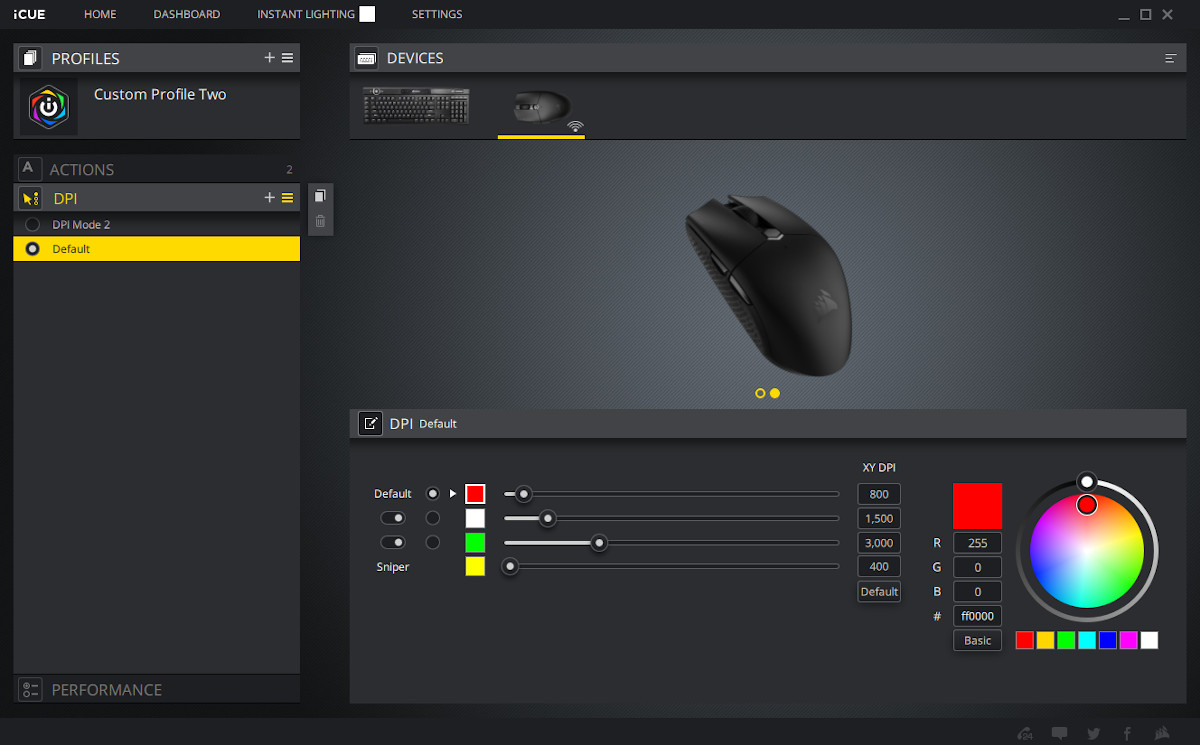
The software is as easy to configure for the mouse as it was for the K100 RGB, once again indicating how much of an asset it has become. Setting up simple keybinds is straightforward and there are ample online resources to create and apply more complex macros and actions.
Included among these actions is a dedicated ‘Sniper Mode’ toggle-able DPI level. In the absence of a Sniper button, this preset can be bound to any button on the mouse using the Mouse Action -> Sniper button remapping. That could be a very nifty feature when playing FPS titles if used in configuration with software profiles.
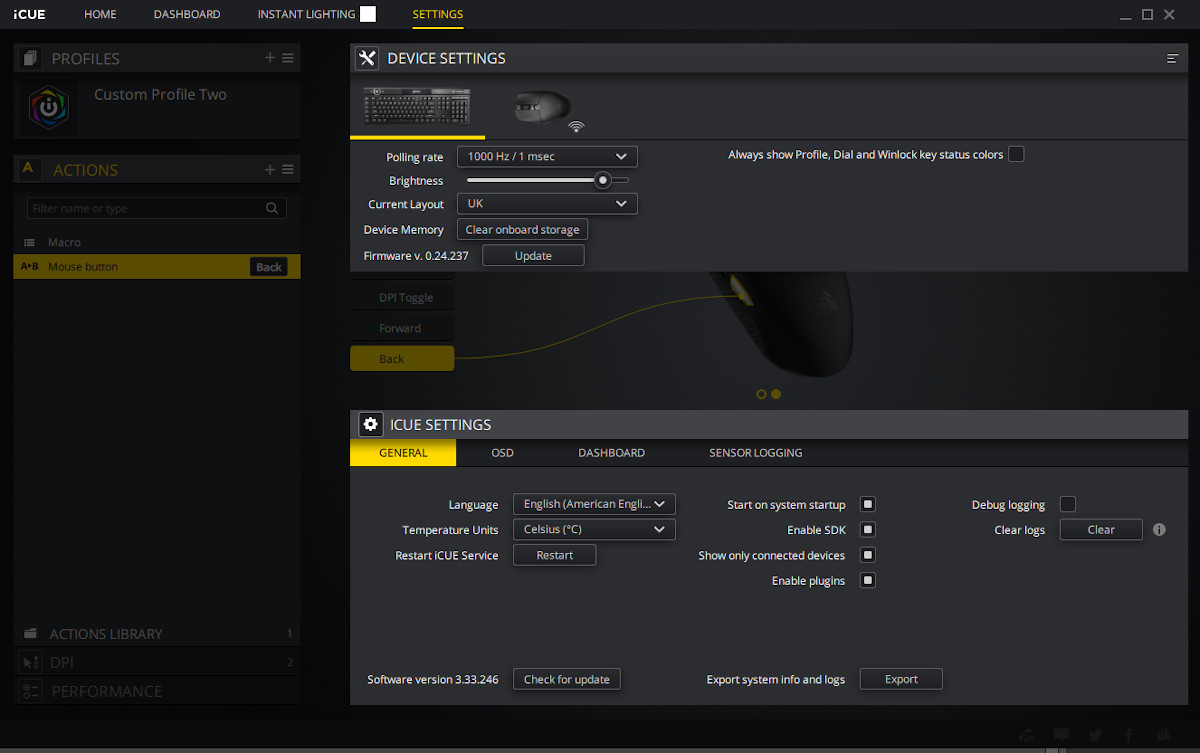
In addition to what could be considered ‘standard’ features, the iCUE software also unlocks more advanced performance and power-saving options. You can set up modes that define when the sensor enters low-power sleep, and enable battery indicators in the system taskbar, each with a view to either improving performance of eking out more battery life. Plus, the receiver polling rate can be configured up to 1000Hz. Not bad for such an unassuming mouse.
—
To assess the performance of the mouse we turned to two current favourites: Hades and DOOM Eternal, an RPG Roguelite and FPS respectively.
Weight has always been an issue in the plethora of wireless mice we’ve engaged with over the years, particularly in ARPGs and FPS titles. The more lightweight the better for reaction times, whereas the inverse is true in typical MMOs (where travel distances are short and more buttons are infinitely more useful).
During testing the lighter weight of the KATAR PW was immediately obvious, making it far less of a struggle than is typical with wireless mice. A long DOOM Eternal session with wide mouse movement didn’t lead to fatigue, and the short but precise staccato movements necessary in Hades weren’t an issue.
The PixArt PMW3325 optical sensor doesn’t appear to show any evidence of angle snapping, but users should take care to disable ‘Enhance Pointer Precision’ in the iCUE Performance settings to remove the most obvious acceleration. The lift-off distance by contrast is not adjustable and sits at a few millimetres.
More broadly, the main and right-click are solid and satisfying with no play before the actuation point. Similarly, the wheel offers good feedback in each notch and was stable at fast rotation with no over-spin. Its middle-click was also reassuringly stable if a little stiff, and one of few mice where the middle-click can be used in standard operation without requiring more than usual finger dexterity.
The KATAR PW’s ‘Forward’ side button is reasonably responsive with actuation point early in the press. Its ‘back’ side button was another story; initial tests showed it to be mushy and unresponsive with a difficult to detect actuation point. Such was the poor quality that accidental double-clicking was an infrequent result. At first blush therefore we would not like to use it in gaming if reliability was primary concern (including as a Sniper DPI Mode button or as a main button in MMO/RPG/MOBA gaming).
After investigation we discovered that the ‘Back’ button was fouling on the removable palm rest section of the shell, preventing it from actuating smoothly. Pushing the shell to the right (in a manner that didn’t appear to be intended) mitigated against it, and the fit clearly isn’t perfect. It’s a disappointing flaw that in fairness might be specific to our sample.
The balance point is slightly towards the rear of the mouse, but centrally located on the horizontal axis. That’s to be expected given the location of the battery, and by no means a problem in day-to-day usage.
Finally, 2.4GHz wireless range was excellent, easily exceeding 5m through two internal (stud partition) walls despite the receiver being located within 75cm of a 802.11ac wireless router.
Conclusion
Last week we had the pleasure of reviewing CORSAIR’s brand new flagship keyboard, but this week we return to a somewhat more nuts and bolts member of their peripheral portfolio. The KATAR WIRELESS PRO mouse is certainly an important member of the range, but for very different reasons.
As a more utilitarian construct – even as a gaming mouse – the KATAR bares the design down to crunch to a <100g weight limit while maintaining reasonable battery life. That's clearest in two aspects: no superficial RGB lighting, and equipping the mouse with only one AA battery rather than two - but remains a factor throughout.
Its chief competition is Razer’s Atheris and the Logitech M510, fitting slap bang in the middle of the two in terms of price. The overall feature set is comparable with the Atheris (exceeding the M510 thanks to Bluetooth compatibility), but 30% lighter due to the use of only one AA battery. On the face of it the KATAR WIRELESS PRO should have this won hands down.
Unfortunately there is one critical aspect where the mouse falls down: build quality. Not throughout, nor even in the vast majority; the core issue is play in the removable palmrest/shell. It can shift from right to left with a little bit of pressure, and if not all the way right it fouls on the ‘Back’ mouse button.
At that point the back button feels, frankly, awful to use. Mushy, very much unlike the ‘Forward’ and other buttons, and prone to a double-click effect. With the shell slid over to the right it’s not bad per se, but still not great.
Which is a great shame because in almost all other aspects the mouse does impressively well. It’s travel-sized but with high performance credentials, has satisfying and responsive main mouse buttons and wheel, great profile integration with other iCUE-compatible peripherals and a high quality optical sensor. Dual wireless still isn’t common at this price point, particularly with low-latency modes and excellent range in the 2.4GHz mode. Even the iCUE software adds value to the bundle thanks to some great customisation and configuration features. With those facts presented anyone would be tempted.
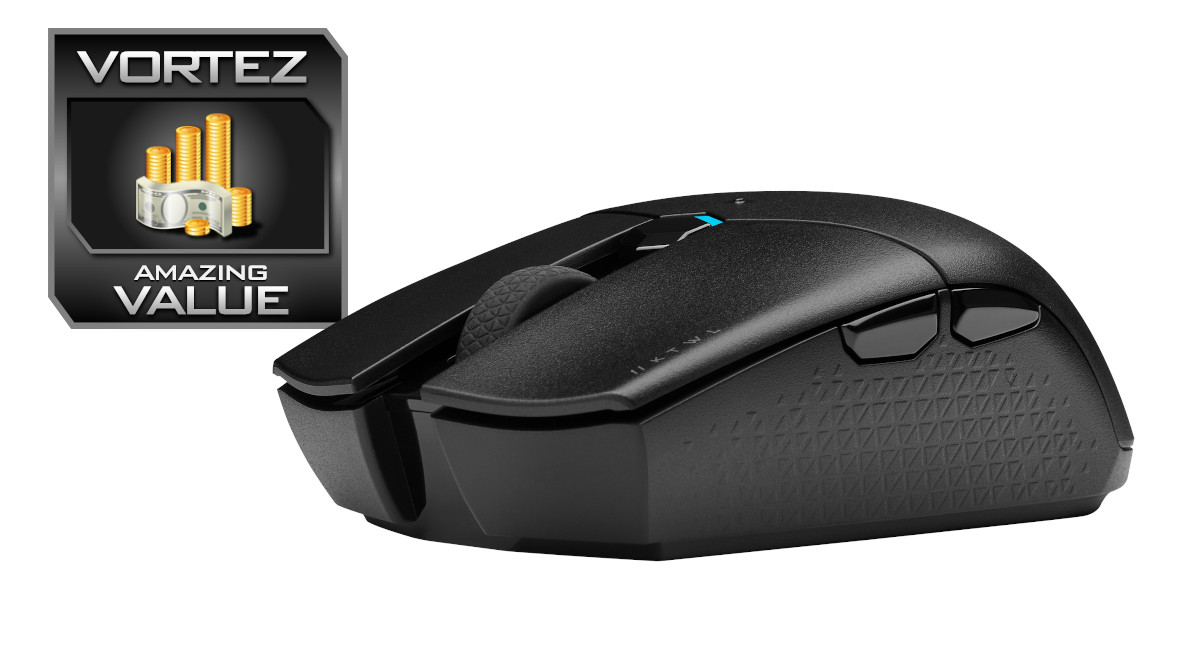
We hope that the issue outlined above is specific to our review sample, but assuming that it’s not we have to knock off a few marks in our assessment; it misses out on the Vortez Approved Award by a hairs breadth. However the total package as a set of features and functionality is impossible to ignore, garnering the KATAR WIRELESS PRO an Amazing Value award. If you’re willing to deal with the side button issue through some judicious manipulation of the shell section then you could do far worse than to pick it up.
The KATAR WIRELESS PRO is the latest in a flurry of new peripheral products from CORSAIR this quarter, offering lightweight wireless mousing for gaming at a very assertive price. Well worth considering if you need a performance mouse while travelling, particularly to pair with a Bluetooth-enabled laptop or Tablet, it has all the features you should expect without superficial additions.
Pros
+ Lightweight
+ Great sensor
+ Well balanced
+ Customisable power profiles
+ Internal cubby-hole for compact wireless dongle storage
+ Satisfying main buttons and wheel
+ Good battery life
+ iCUE software profile integration.
+ Great 2.4GHz wireless range.
Cons
– Some build quality issues
– Lacklustre to poor thumb button feel
– Isolated back button phantom double-clicks
+ Lightweight
+ Great sensor
+ Well balanced
+ Customisable power profiles
+ Internal cubby-hole for compact wireless dongle storage
+ Satisfying main buttons and wheel
+ Good battery life
+ iCUE software profile integration.
+ Great 2.4GHz wireless range.
Cons
– Some build quality issues
– Lacklustre to poor thumb button feel
– Isolated back button phantom double-clicks
Click here for an explanation of our awards at Vortez.net.
Stay connected with the Vortez Social Media pages:
Join in with the discussions on Discord