A revamped design hits CORSAIR’s new lineup of liquid CPU coolers, promising to be brighter and more colourful. If you’re keen on RGB, then this one’s for you!

Product on Review: iCUE H100i ELITE CAPELLIX
Manufacturer: CORSAIR
Street Price: £150 GBP | $150 USD | $229 AUD
Regarded as perhaps one of the forerunners in the closed loop liquid CPU cooling market, CORSAIR are renowned for their Hydro Series. Over the years, the lineup has undergone various engineering adjustments, feature enhancements and facelifts. If we rewind just 10 months ago, CORSAIR unveiled the iCUE H100i RGB PRO XT and today we’ll be seeing the successor to this unit in the form of yet another 240mm model.
This month, CORSAIR brought to market the new iCUE ELITE CAPELLIX – a liquid CPU cooling range available in 240, 280 and 360mm versions. Perhaps one of the most notable feature inclusions is the re-designed CPU block and ML RGB cooling fans. CORSAIR has gone all-out in their RGB quest, the block/pump alone includes 33 ultra-bright “CAPELLIX RGB LEDs”.
It’s unlikely we’ll see any dramatic performance improvements but rather this is more of a cosmetic upgrade to an already strong product line.

CORSAIR on the CAPELLIX
The CORSAIR iCUE H100i ELITE CAPELLIX Liquid CPU Cooler delivers powerful, low-noise cooling for your CPU, with a 240mm radiator, two CORSAIR ML120 RGB PWM fans, and an ultra-bright CAPELLIX RGB pump head.
Technical Specifications
Below are the technical specifications surrounding the H100i ELITE CAPELLIX, directly from CORSAIR:
Model
H100i ELITE CAPELLIX
Radiator Dimensions:
277mm x 120mm x 27mm
Socket compatibility
Intel 1200, 1150, 1151, 1155, 1156, 1366, 2011, 2066
AMD AM4, AM3, AM2, sTRX4, sTR4
Fan model, number
2x ML RGB 120mm
Noise level (dB(A))
10 – 37 dBA
Pump connector
3-pin
H100i ELITE CAPELLIX
Radiator Dimensions:
277mm x 120mm x 27mm
Socket compatibility
Intel 1200, 1150, 1151, 1155, 1156, 1366, 2011, 2066
AMD AM4, AM3, AM2, sTRX4, sTR4
Fan model, number
2x ML RGB 120mm
Noise level (dB(A))
10 – 37 dBA
Pump connector
3-pin
Packaging & Bundle
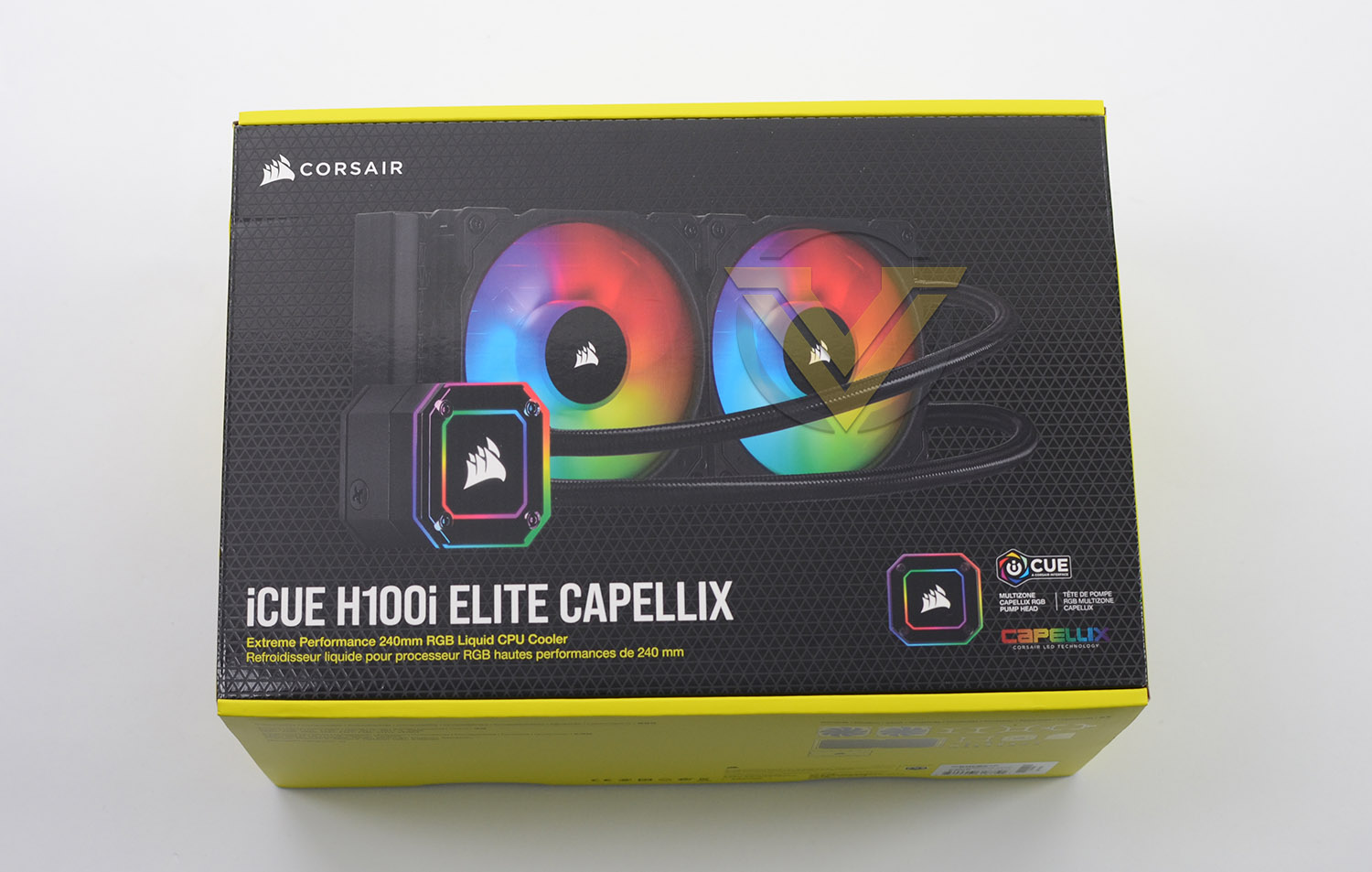
CORSAIR always take extra care with the packaging of their products and the CAPELLIX is no exception. The cooler arrives in a bright and attractive box with the depiction of the cooler on the front. Around the back, on the reverse, there is a listing of the technical specifications.
Inside, all of the items are wrapped in plastic and well-protected in a large cardboard tray which is the standard packaging for products of this nature.
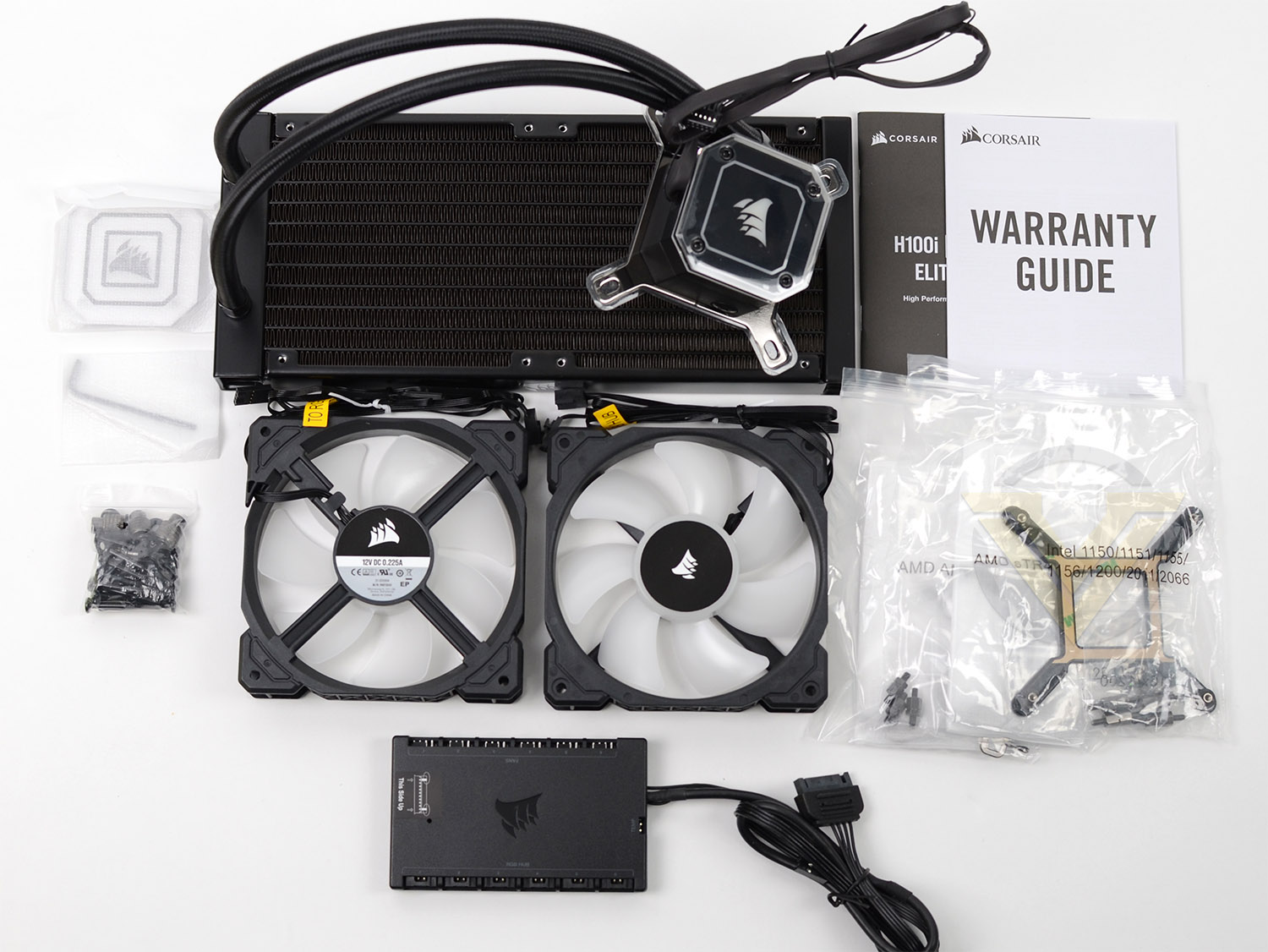
There is a large assortment of included accessories included with CAPELLIX. The bundle consists of:
– Radiator/pump
– 2x ML120 RGB fans
– Mounting kit for Intel/AMD platforms
– Replacement pump cap cover (Transparent)
– RGB/Fan controller – Commander CORE
– User manual
Since the cooling fans have two cables (one for PWM functionality and the other for RGB) CORSAIR has provided the Commander CORE to manage connectivity and reduce the need to connect fans to your motherboard. The included controller can accommodate up to 6 fans.
Closer Look
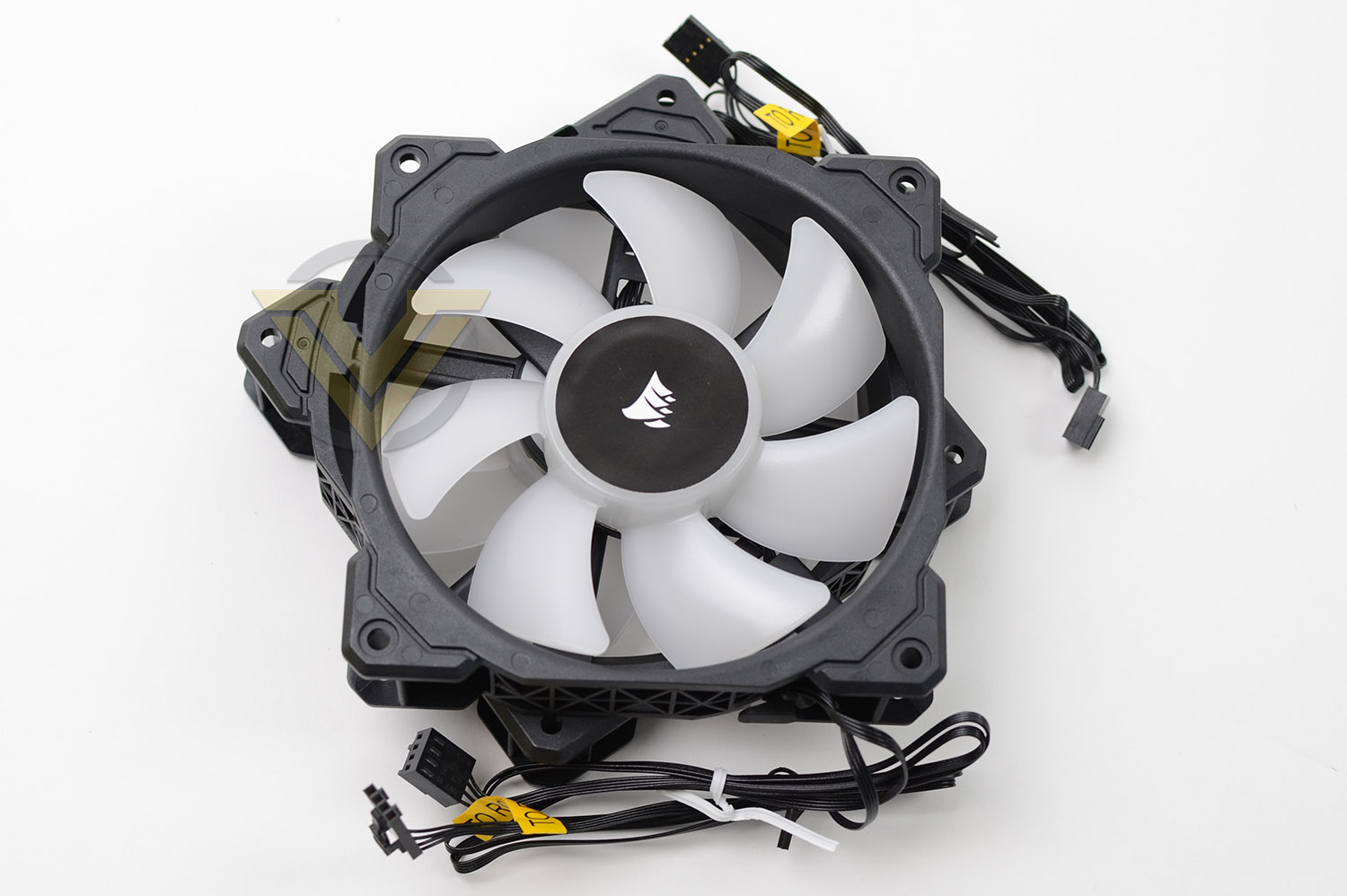
Included with this cooler are two 120mm ML RGB PWM cooling fans – capable of 400-1600 RPM and airflow of 47.3 CFM. There is also the added bonus of “Zero RPM” mode with the fans as the iCUE software can be configured to allow the fans to remain silent under idle conditions – thus reducing noise.
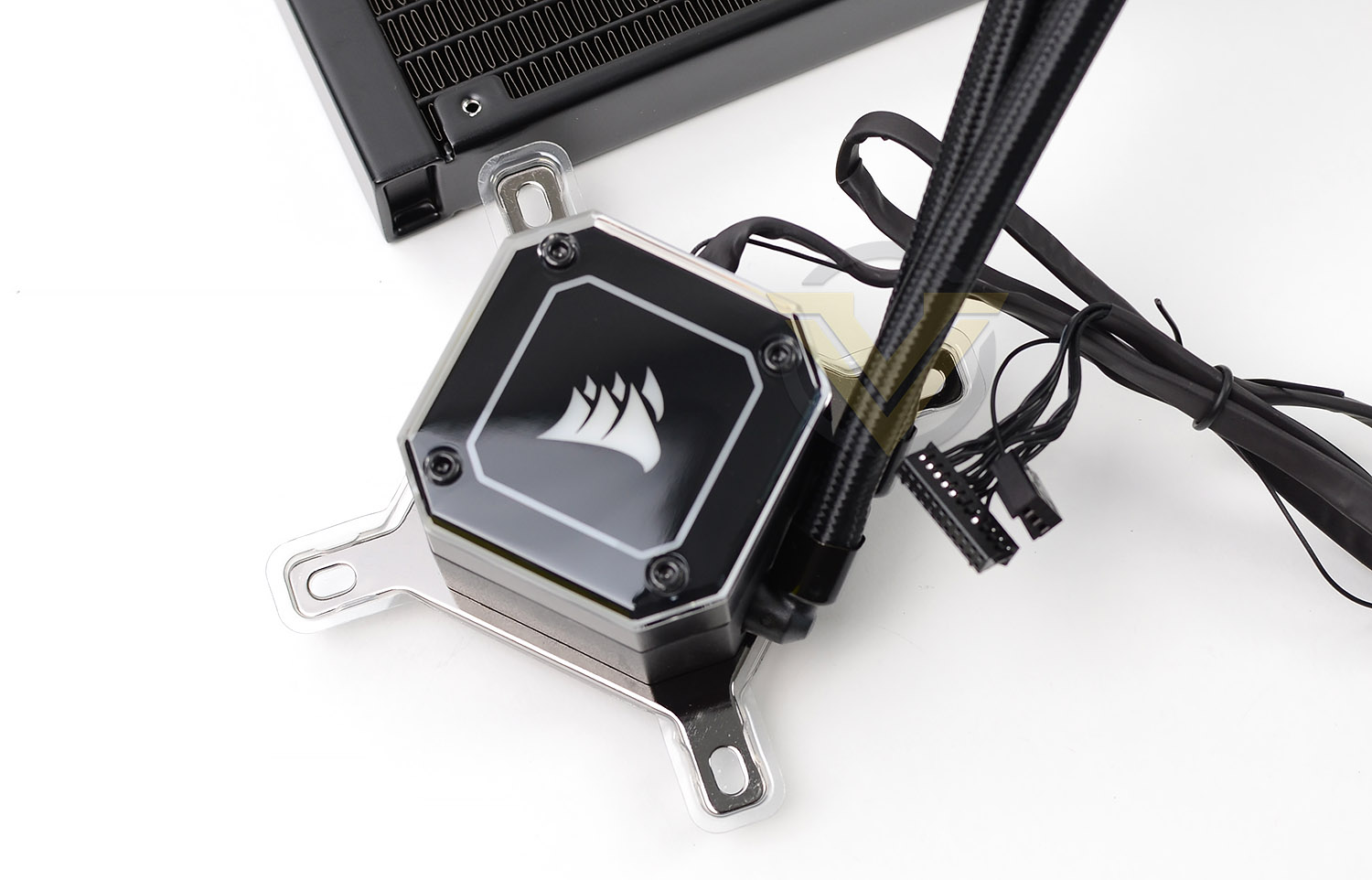
While the pump OEM remains the same (CoolIT) we have a revamp in terms of the design. The shape, size and look definitely makes more of an impact. By default, CORSAIR includes a black cap but this can be swapped out for the transparent version to allow for an even better view of the LEDs underneath.
Cables from the pump include a 3-pin which goes directly into the motherboard header and a long connector for use with the Commander NODE.
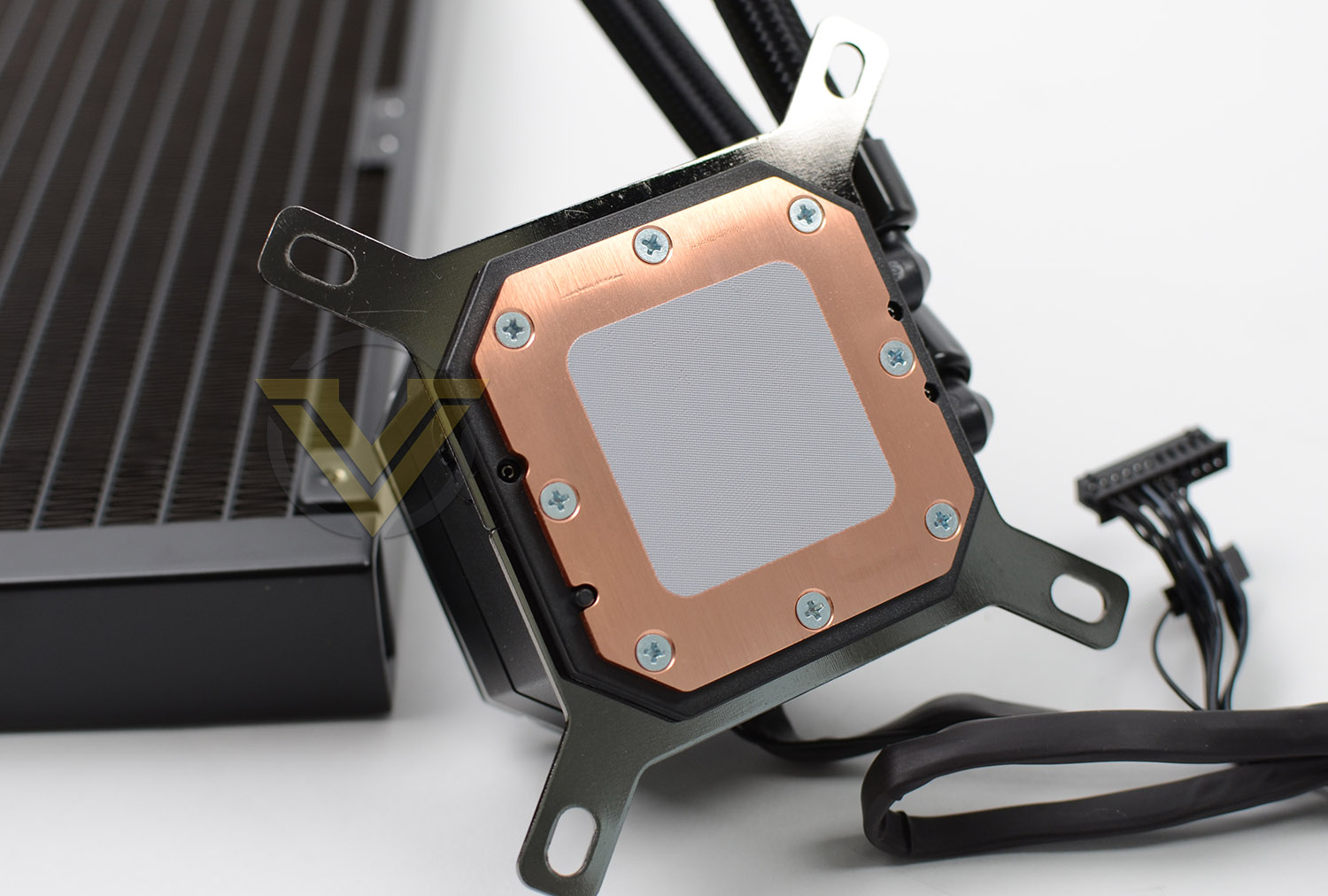
On the reverse of this pump we have the copper baseplate – this has pre-applied thermal paste to provide optimal coverage – though, with HEDT CPUs listed as being compatible, this surface area would definitely not cover the entirety of the heatspreader.
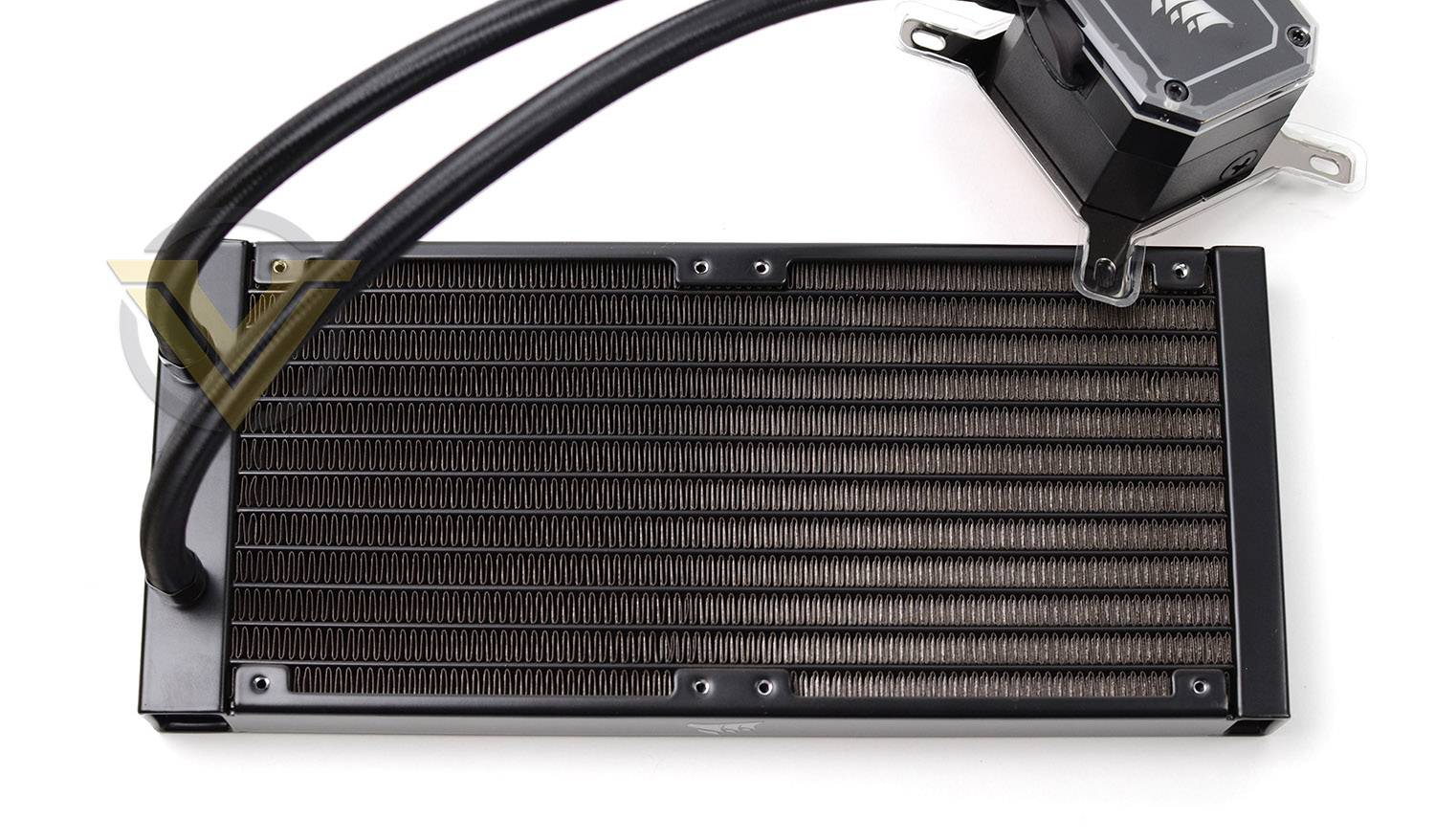
There are various models within the CAPELLIX lineup, under review today is the 240 model which features a 240mm radiator.
Installation Process
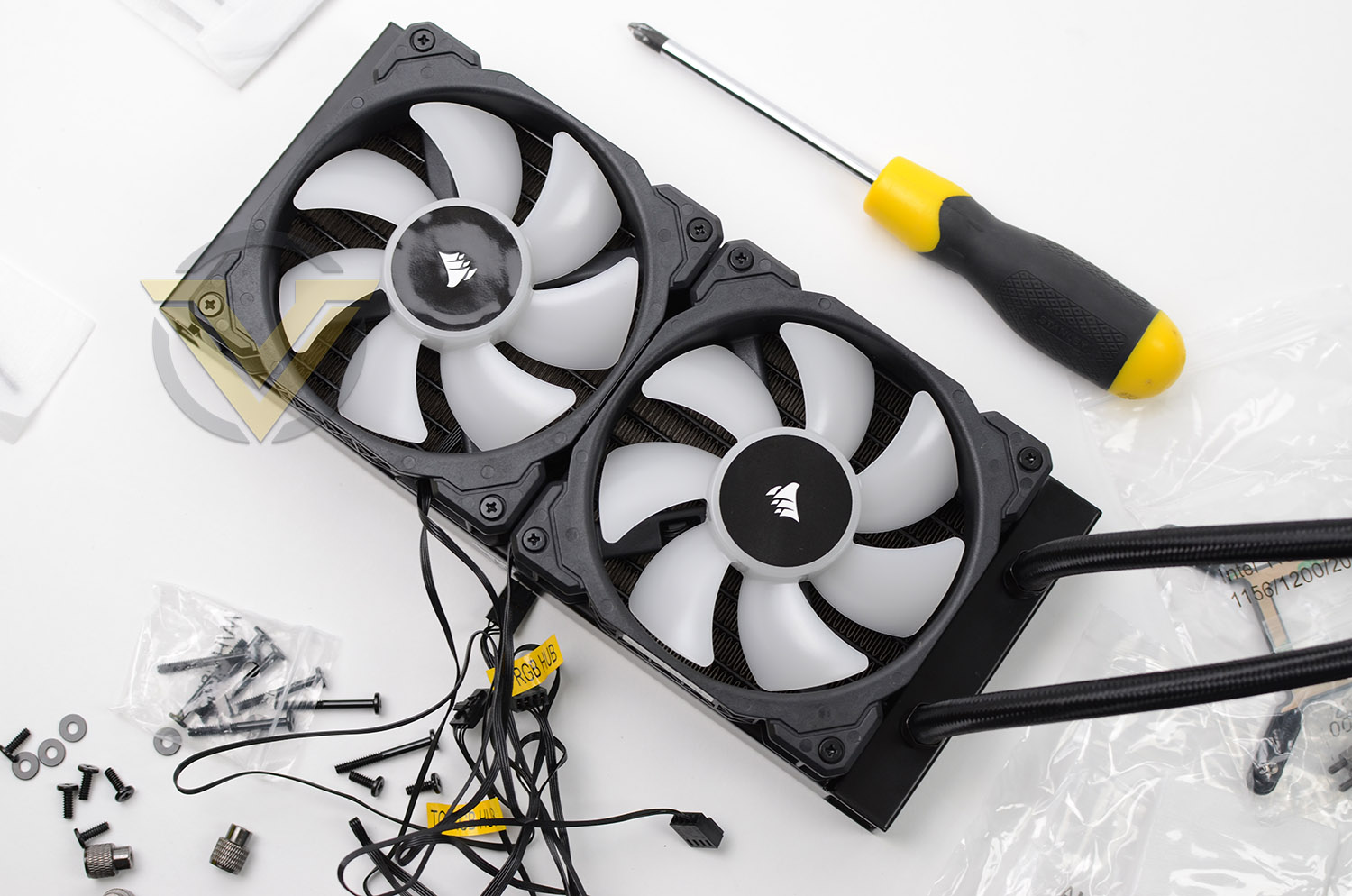
In the very first step of installing CAPELLIX into our test system, we attached the two cooling fans to the radiator. A push configuration is the usual course of action for this type of cooler, so we install the fans in this orientation – with airflow facing the radiator. As usual, long screws need to be tightened into all four corners of each fan.
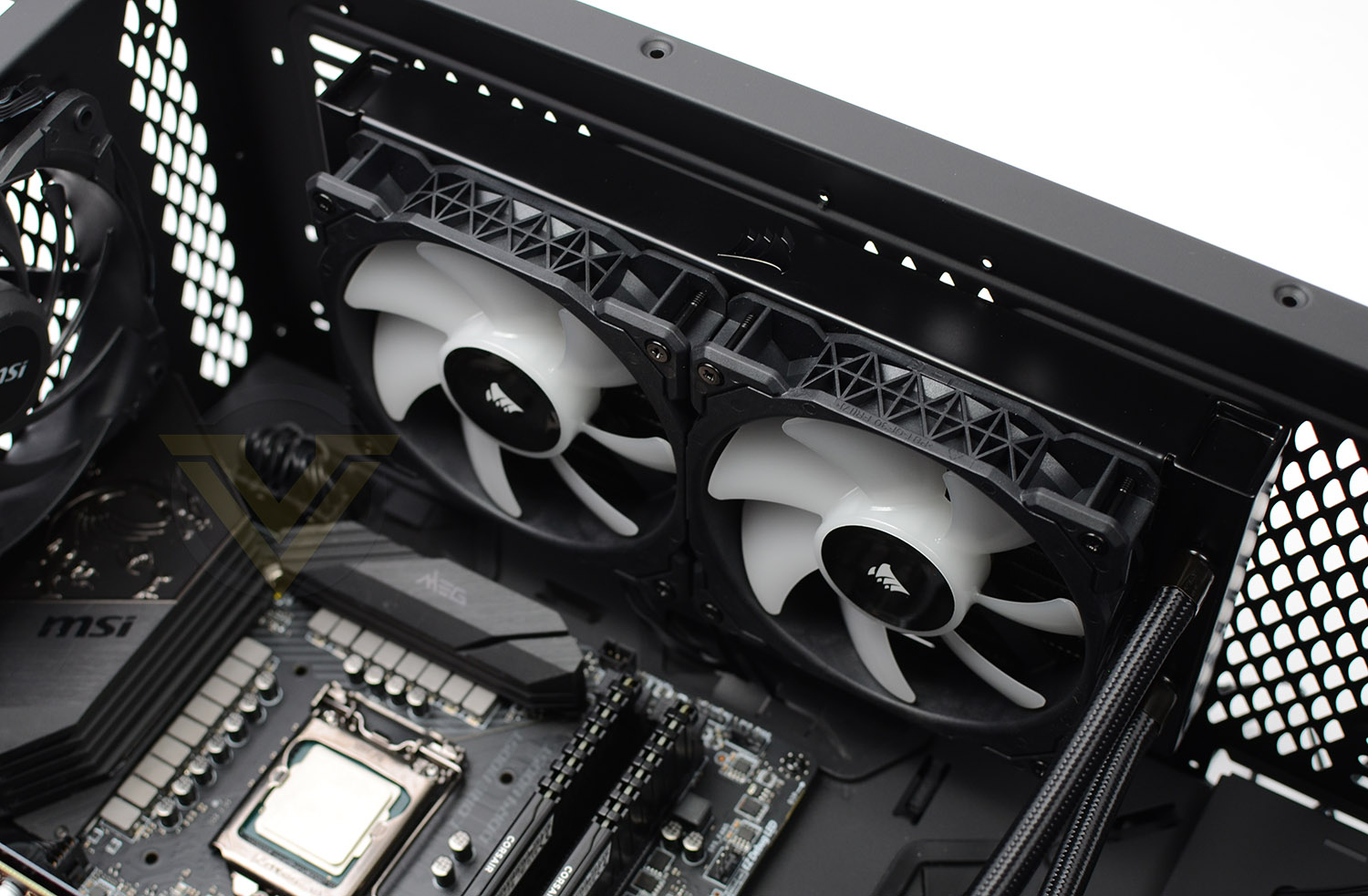
The largest and most challenging aspect to installing a liquid cooler within a case comes when trying to fix the radiator and fan combo into the roof of the case, so this is the next phase of our installation. Since our case has plenty of space, and we’re dealing with the smaller dual-fan model of CAPELLIX, we have plenty of space to move into a position of choice. Screws just need to be attached to the top-side.
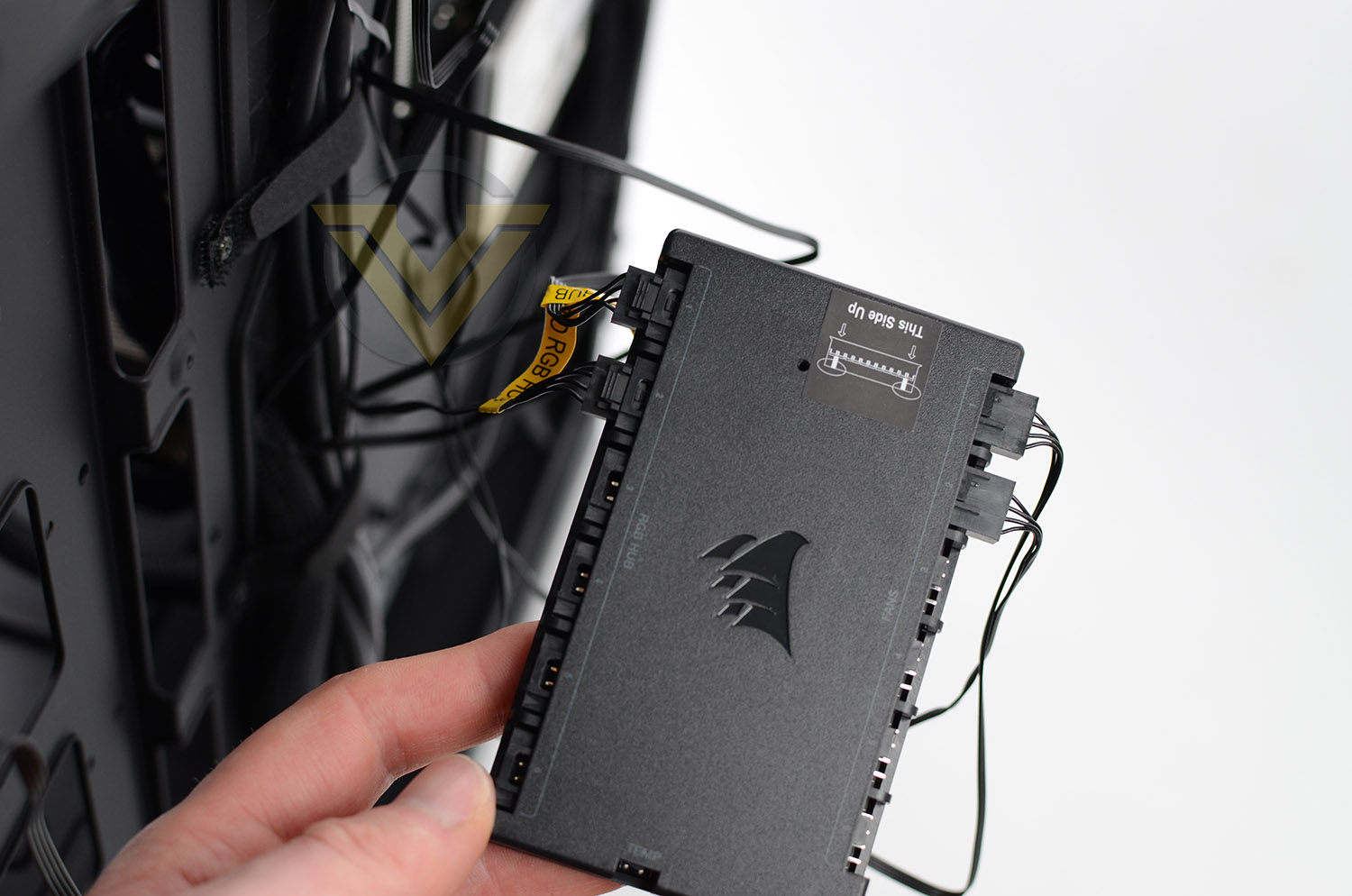
Next, we attached all four cables to the Commander NODE – RGB cables on one side, PWM cables on the other. This unit also requires SATA power from the PSU.
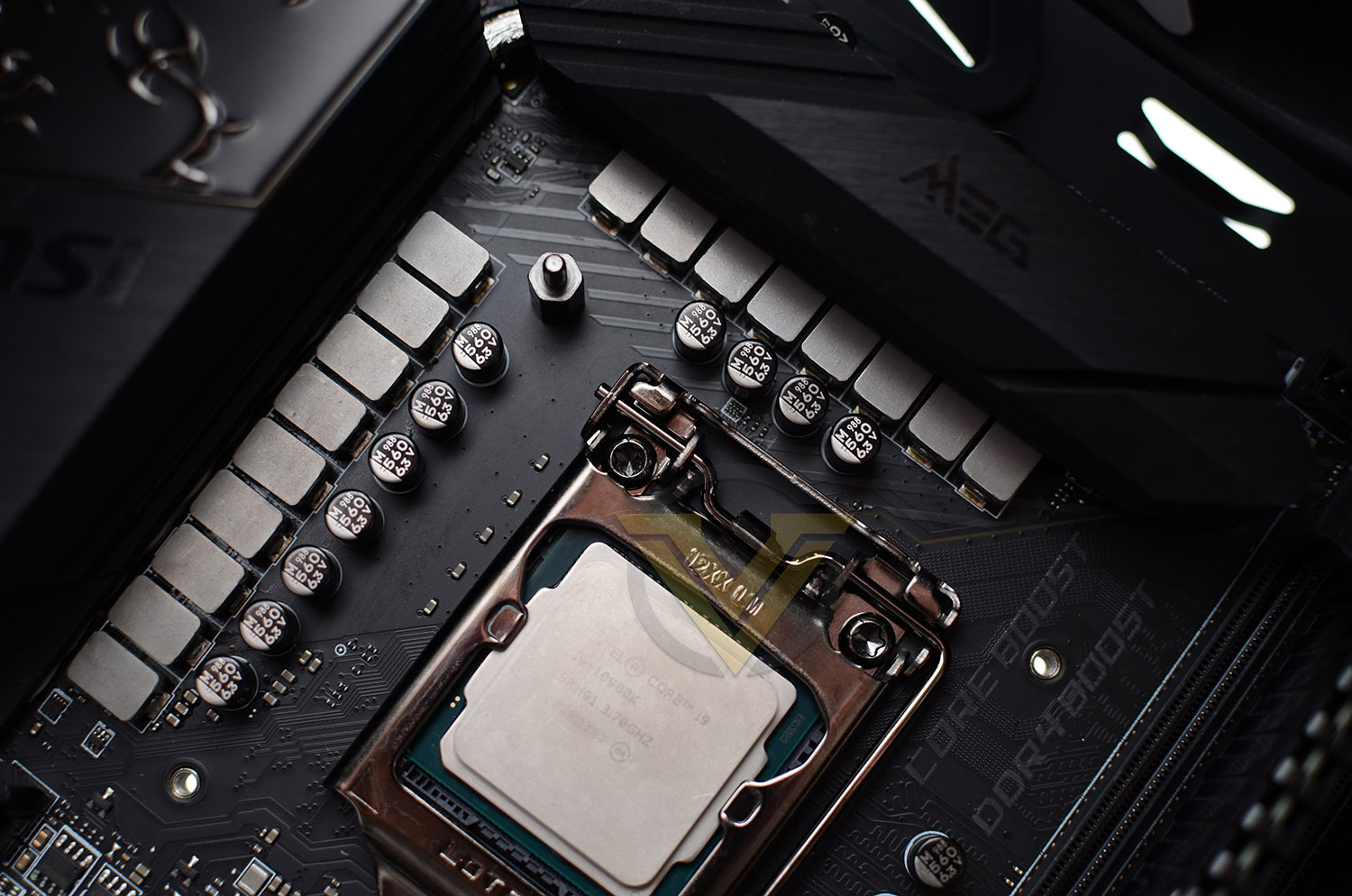
For our CPU cooler reviews we’re using LGA 1200, which is Intel’s new socket for 10th Gen. processors. This configuration fits into the same dimensions as previous Intel sockets bearing the LGA 115x. A backplate simply needs to be placed through the back of the motherboard so the mounting holes are visible on the front side and then standoffs need to be screwed into the four mounting holes which appear as shown above.
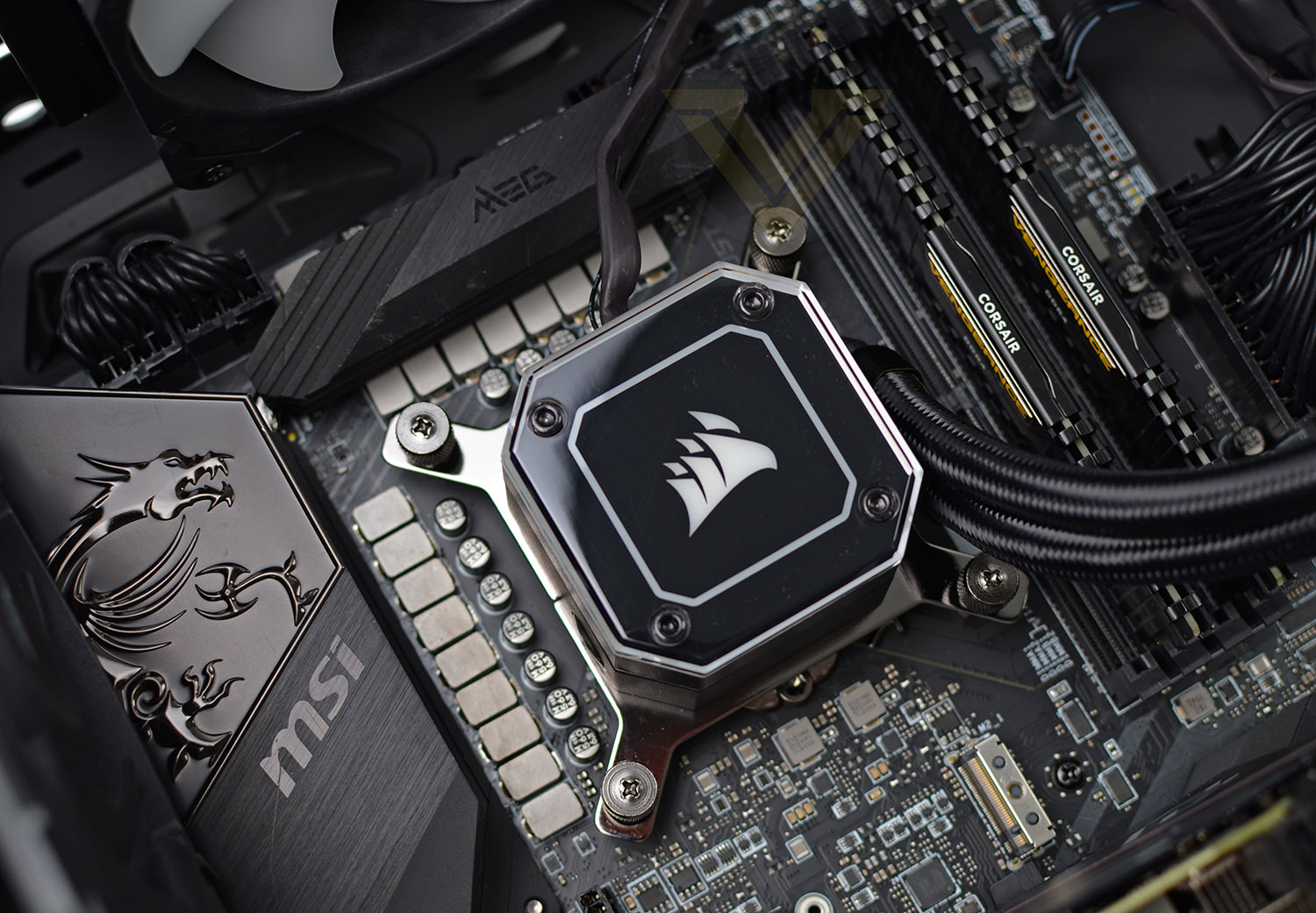
The final step in the install process is to place the block/pump over the CPU and tighten the four thumbscrews – tightening in a diagonal manner to apply even pressure.
Before switching on, we always check that all cables are properly connected – including the pump header.
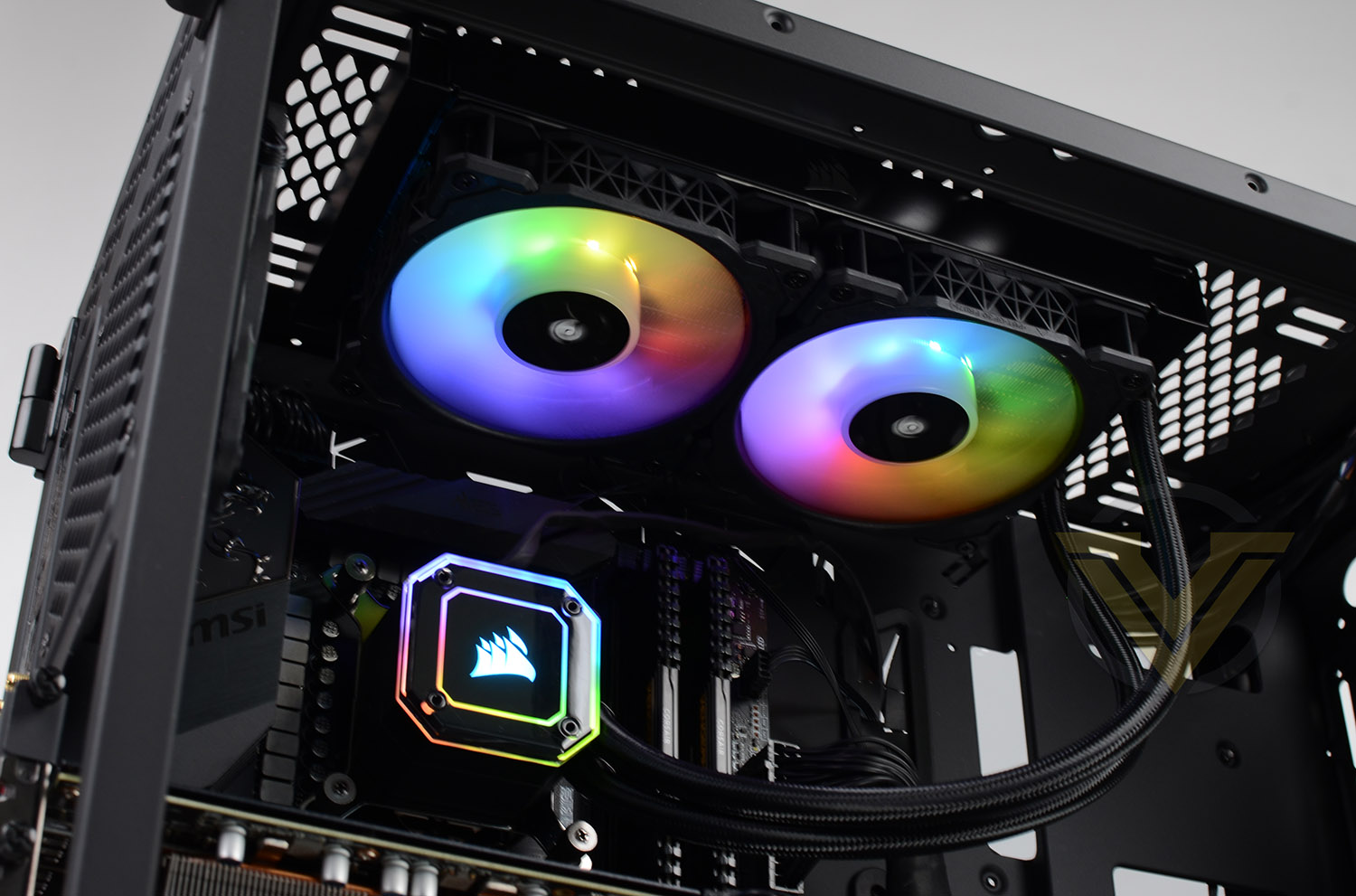
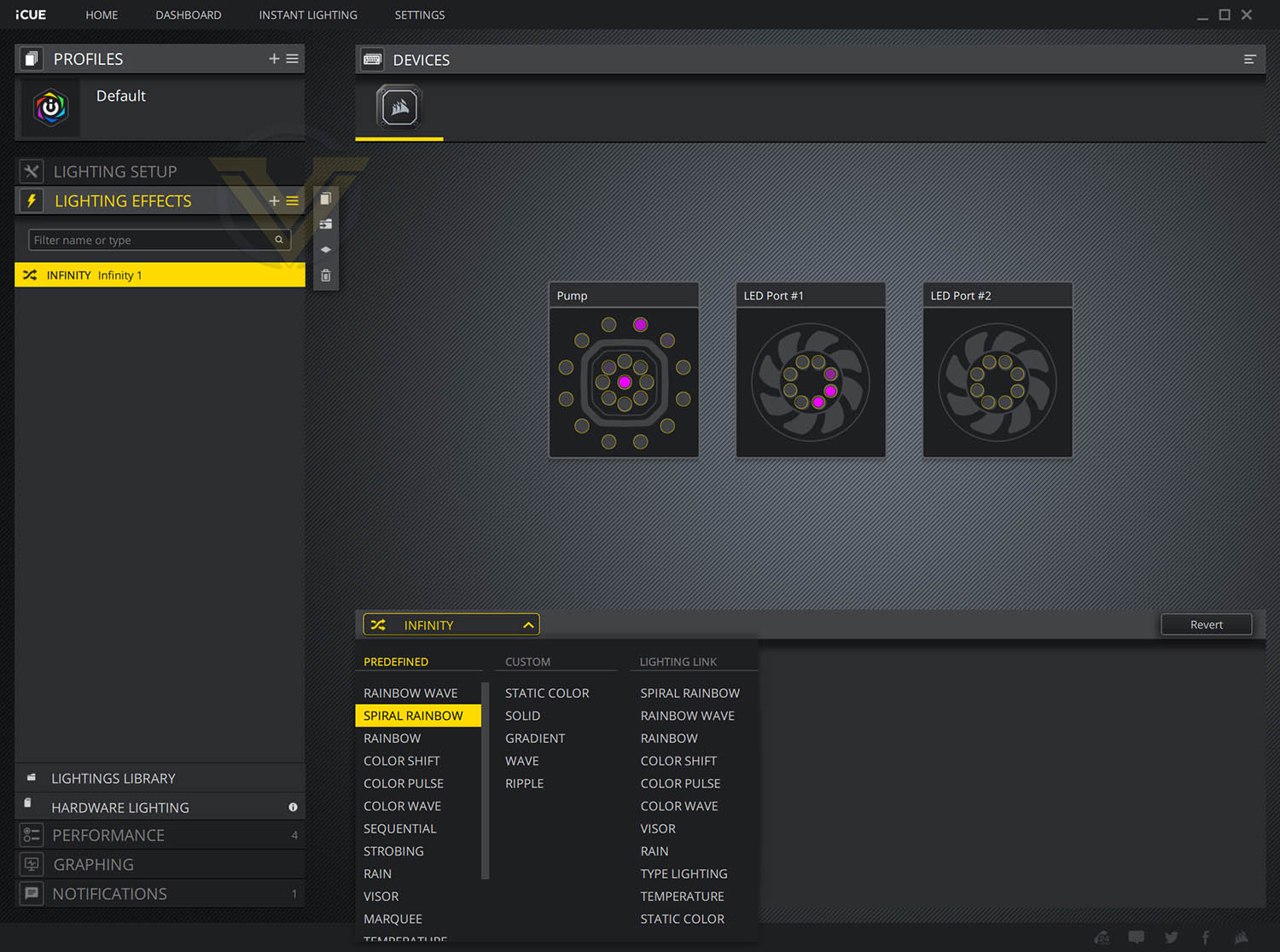
With all these steps complete, we’re left with a dazzling display. The default lighting profile for this cooler is the rainbow mode which you can see above but this can be fully customised using the iCUE software. Different lighting profiles can be applied and performance profiles can also be adjusted as per other Hydro Series models.
Overall the installation process is very easy and hassle-free.
Test Setup & Methodology
HARDWARE
Rather than analyse CPU coolers on a test bench, we prefer to simulate a real-world configuration where all of the components are housed within a computer case. By doing this, our readers are able to see the CPU cooler in a real-world scenario.Special thanks go to Intel, MSI, Corsair, Noctua and AverMedia for providing the hardware configuration for our CPU cooler reviews:
Motherboard:
CPU: Intel Core i9-10900K
MSI Z490 UNIFY
RAM – Corsair Vengeance LPX 3600MHz
Graphics Card – ASRock Phantom Gaming RX 5600 XT (0 dbA)
Power Supply – Corsair RMx850
Hard Drive – Intel S3500 128GB
Case – MSI SEKIRA 500G
CPU: Intel Core i9-10900K
MSI Z490 UNIFY
RAM – Corsair Vengeance LPX 3600MHz
Graphics Card – ASRock Phantom Gaming RX 5600 XT (0 dbA)
Power Supply – Corsair RMx850
Hard Drive – Intel S3500 128GB
Case – MSI SEKIRA 500G
BENCHMARKS
In order to perform our thermal and acoustics tests we use AIDA64 Stability test. The 10900K CPU is left in its default stock state with EIST, Turbo enabled.For the moment, the comparison results highlight only a small number of CPU coolers, this is because we’ve updated our hardware configuration. The number of tested coolers will increase.
To reflect the most accurate user experience we always test our coolers in their out of the box state, with the cooling fans/components they are sold with. However, we do not use the supplied thermal paste as this would skew results – for our thermal paste we use Noctua NT-H2 which provides us with that level playing field and consistency.
To record the idle temperatures result, our system is booted into Windows and left to idle for 20 minutes. The average core temperatures are recorded (Using Core Temp), and then we following this we apply the AIDA64 Stability test to apply an intensive load on the CPU. After 20 minutes have elapsed, we then record the average core temperatures.
All temperature results are delta, this is calculated by subtracting the ambient from the average core temperature. Ambient temperature is recorded using a digital thermometer placed near the front intake of the case.
In regards to acoustics we use the exact methodology above except all case system fans are disabled. This isolates the CPU cooler fans and allows us to accurately report on the decibel readings. We record acoustics using the NDI KC-330D Sound Level Meter at a distance of approximately 30cm.
Thermal Results
Below are the results for our thermal test. We record both the idle and load temperatures – stress is applied to the CPU using AIDA64’s stability test.
Acoustic Results
In terms of the acoustics test, we disable all case fans and place our sound level meter approximately 30cm away from the cooling fans and the result is then obtained.
Conclusion
It’s evident that a cosmetic upgrade is the main selling point for the new CAPELLIX range. Going all-out with RGB LED lighting is a natural progression and something we expected CORSAIR to do sooner actually. The pump design has retained a similar design for countless generations of the Hydro Series so an overhaul was long overdue and we really like what CORSAIR has done – the aesthetics make more of an impact and the option to swap out the pump cap for a transparent version is a nice touch!
It’ll come as no surprise that performance is similar to that which we’ve experienced in the past and that can’t be knocked, it’s positive and good. We now get the added bonus of being able to experience “Zero RPM” mode, which means when the system is idle, the fans will stop spinning – much like how most graphics cards operate. This will assist in keeping overall system noise to a minimum.
For the LGA 1200 – Intel’s 10th Gen. We found the installation process easy and hassle-free. Anyone looking to install one of these coolers should have no problems getting up and running and if it’s your first time, it’ll be relatively plain sailing.
Although it’s probably a necessity, we really like that CORSAIR has included the iCUE Commander NODE – this RGB/fan controller assists with connectivity, helping to tidy up the internals and also allows for a total of 6 fans, which is a great feature for other devices you may have.
The CAPELLIX range is by no means the cheapest set of liquid CPU coolers out there, the intention isn’t to hit the entry level market at all. These coolers are at the upper-end and the included RGB functionality should highlight that, if you want lights… it’s gonna cost ya! Our 240mm model has a price-tag of £150 GBP | $150 USD | $229 AUD and comes with a huge 5 year warranty.
The iCUE H100i ELITE CAPELLIX is a solid liquid CPU cooler which performs well and if RGB LED lighting is what you desire, then look no further!
Pros
+ Impressive pump design
+ Multiple size options (240-360mm)
+ Good overall performance
+ Low-noise operation with zero RPM mode
+ Includes Commander NODE
+ Includes transparent pump cap
+ Massive 5 years warranty
Cons
– None!
+ Impressive pump design
+ Multiple size options (240-360mm)
+ Good overall performance
+ Low-noise operation with zero RPM mode
+ Includes Commander NODE
+ Includes transparent pump cap
+ Massive 5 years warranty
Cons
– None!
Click here for an explanation of our awards at Vortez.net.
Stay connected with the Vortez Social Media pages:
Join in with the discussions on Discord