CORSAIR return with new entrants to its deep well of peripherals: the ultralightweight KATAR PRO XT gaming mouse and extra-large MM700 RGB mousemat.
Products on Review: KATAR PRO XT & MM700 RGB
Manufacturer: Corsair
MSRP:
– KATAR PRO XT: US$29.99 (excl tax) / £34.99 (inc. V.A.T.) / AUS$69.00 (inc. Tax) / €39.99 (inc. Tax)
– MM700 RGB: US$59.99 (excl tax) / £59.99 (inc. V.A.T.) / AUS$99.00 (inc. Tax) / €69.99 (inc. Tax)
In recent months we’ve had the pleasure of reviewing a number of CORSAIR products – cases and peripherals – and that reflects a wider refresh of vast swathes of their product lineup in 2020 and 2021. The process continues today as they launch two new peripherals catering to emerging and established segments, with the designers aspiring to be the first name on everyone’s lips whenever a product is recommended. And in fairness, CORSAIR have certainly been more successful in that than not in recent history.
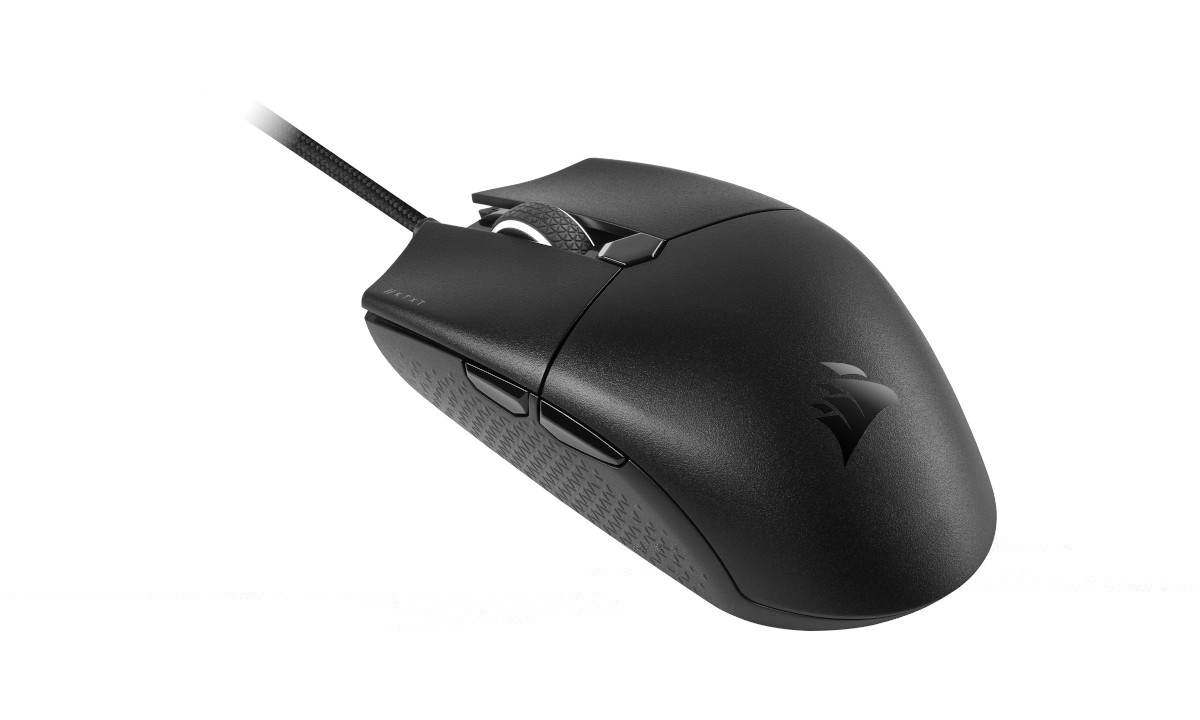
First up is the KATAR PRO XT, an ultralight wired gaming mouse that’s another member of the revamped KATAR PRO ultralight range. You may recall the KATAR PRO WIRELESS from last year; well this is a variant that adds a little bit more colour while going down a more conventional USB I/O route. It’s a compact 73g 6-button design equipped with OMRON switches, 18,000 DPI sensor and just a hint of RGB lighting, coming in a hair under $30 in the US. That’s immediately going to make it an attractive proposition for fans of either CORSAIR mice or the new trend in ultralight rodents.
Something of a deluxe counterpoint to the few-frills KATAR PRO XT is the second peripheral we’re looking at. CORSAIR’s MM700 RGB is an oversized mouse mat – a style commonly referred to as a ‘deskmat’ or ‘deskpad’ – edged with RGB illumination configurable to your own tastes. This is their first extra-large mat with this level of lighting integration, and is very much intended as a complement to their copious selection of iCUE RGB hardware designs in the peripheral, enclosure and component segments.
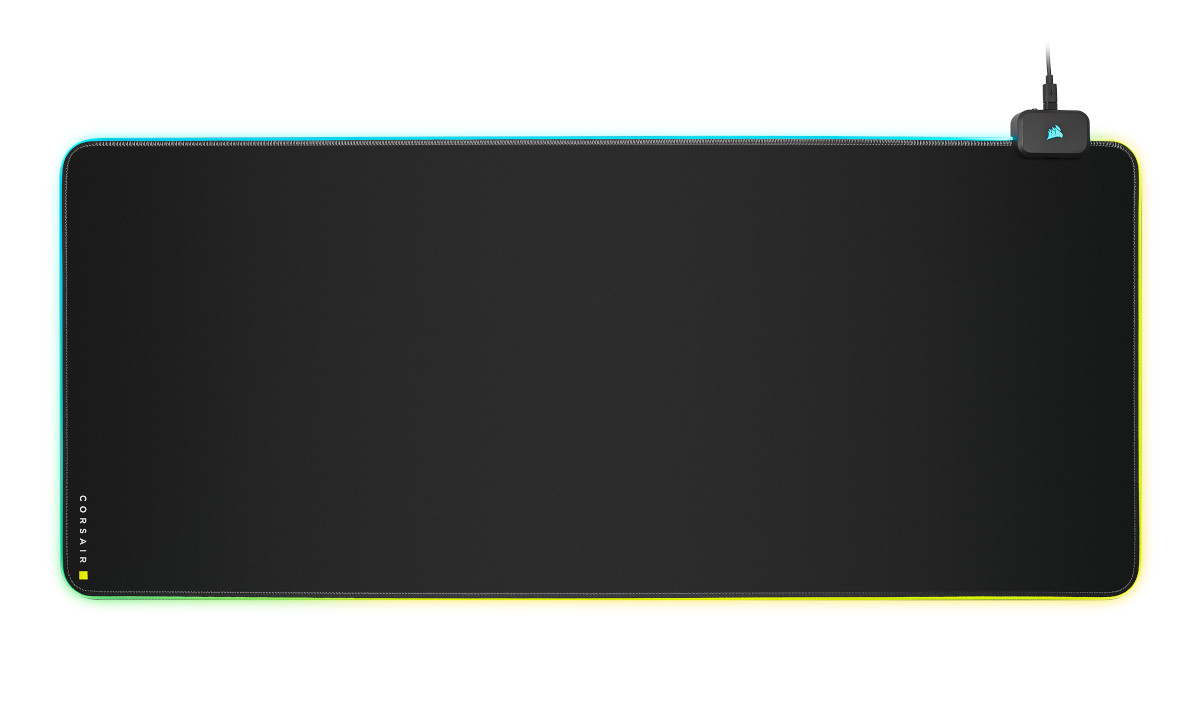
Where the KATAR PRO XT is by its nature a relatively spartan design, the MM700 RGB adds a little bit of spice with a small USB 2.0 hub, ideal for connecting low-power peripherals such as mice and headsets. In that respect it’s perhaps a more fitting match for the flagship K100 RGB – which incidentally we reviewed last year.
This premium nature is reflected in the price: $59.99/£59.99. So the question is whether the quality and customisation potential warrants the cost. Time to get started.
Technical Specifications
KATAR PRO XTWired Connectivity:- USB 2.0 Type-A
Sensor:- PMW3391
Sensor Type:- Optical
Resolution:- 100 DPI – 18,000 DPI
On-Board Profiles:- 1 (lighting and DPI settings only)
Backlight:- 1-Zone RGB
Buttons:- 6
USB Report Rate:- 1,000Hz
Color:- Black
Mouse Feet:- Large PTFE
Cable:- 1.8m / 6ft, drag-reducing paracord, black, fixed
CORSAIR iCUE (Software):- Supported
Dimensions 115.8mm(L) x 64.2mm(W) x 37.8mm(H) / 4.56in(L) x 2.53in(W) x 1.49in(H)
Weight (w/o cable and accessories):- 73g
Warranty:- Two years
Sensor:- PMW3391
Sensor Type:- Optical
Resolution:- 100 DPI – 18,000 DPI
On-Board Profiles:- 1 (lighting and DPI settings only)
Backlight:- 1-Zone RGB
Buttons:- 6
USB Report Rate:- 1,000Hz
Color:- Black
Mouse Feet:- Large PTFE
Cable:- 1.8m / 6ft, drag-reducing paracord, black, fixed
CORSAIR iCUE (Software):- Supported
Dimensions 115.8mm(L) x 64.2mm(W) x 37.8mm(H) / 4.56in(L) x 2.53in(W) x 1.49in(H)
Weight (w/o cable and accessories):- 73g
Warranty:- Two years
MM700 RGB
Color:- Black
Surface Material:- Textile-weave cloth
Base Material:- Anti-slip rubber
Lighting:- Three-zone RGB, 12 built-in and user-selectable lighting modes, customizable in iCUE
Connectivity:- 1 x USB Type-C
USB hub:- 2 x USB 2.0 (low power devices recommended)
iCUE (Software):- Supported in Windows 10 and macOS 10.15 or later
Cable:- 1.8m / 6ft, braided, detachable, USB Type-C to Type-A
Product Surface Dimensions:- 930mm(L) x 400mm(W) x 4.0mm(H) / 36.61in(L) x 15.75in(W) x 0.16in(H)
Product Weight:- 1.02kg
Warranty:- Two years
Surface Material:- Textile-weave cloth
Base Material:- Anti-slip rubber
Lighting:- Three-zone RGB, 12 built-in and user-selectable lighting modes, customizable in iCUE
Connectivity:- 1 x USB Type-C
USB hub:- 2 x USB 2.0 (low power devices recommended)
iCUE (Software):- Supported in Windows 10 and macOS 10.15 or later
Cable:- 1.8m / 6ft, braided, detachable, USB Type-C to Type-A
Product Surface Dimensions:- 930mm(L) x 400mm(W) x 4.0mm(H) / 36.61in(L) x 15.75in(W) x 0.16in(H)
Product Weight:- 1.02kg
Warranty:- Two years
The PWM3391 is a PixArt PMW3389 that has been optimised by CORSAIR’s in-house engineers, and is a sensor with a good track record thus far as part of the M65 Elite and Ironclaw models. It features no angle snapping or hardware acceleration in stock configuration. Accuracy characteristics aside, its major claim to fame is allowing single DPI resolution increments for those who really want to nail down their perfect pointer sensitivity.
The quoted six buttons includes both the mouse wheel and DPI selector, five of which can be easily remapped in software to macros and other functionality. Speaking of software, the single on-board profile is strictly for DPI presets and lighting behaviour; mappings are configured and stored in CORSAIR’s iCUE app.
Both of the primary buttons feature what CORSAIR are calling ‘QUICKSTRIKE’. The buttons are spring-loaded and pre-tensioned to minimise space between the button and switch, reducing travel time and improving reactive speed. These will help in all games, but particularly twitch-heavy FPS titles and MOBA titles.
Switching across to the MM700 RGB, it should be noted that connecting only low power devices to the hub (e.g. wireless mice receivers, USB mice and standard stereo headsets) is strongly recommended. Additionally, the total external dimensions listed are exclusive of the lighting channel, which adds 0.6cm to total length and width.
Packaging and First Look
CORSAIR Yellow and Black, we meet again. The recognisable livery returns once more, with both products clearly visible on their respective fronts. There will be no mistaking them on retailer shelves… when we can visit retailers again that is.
The MM700 RGB retail packaging has a cut-away through which you can see and feel the weave of the pad’s surface as well as judge its colour. Hopefully they don’t spend too long out of storage as this is an easy way for dust to get in the package.
The rear of both packages includes an overview of technical specifications and features, plus another extended view of the mat in the MM700’s case. Neither goes into the same level of detail as the specs listed on the website, with the lack of notification regarding the low-power USB 2.0 hub being perhaps the most egregious example. At the very least we hope that CORSAIR will be upfront on both the product web pages and ensure that retailers accurately reflect any limitations.
A cardboard tube holds the MM700 RGB in place within its box, ensuring it doesn’t coil too far or become compressed in transit. Doing so would potentially crack the edging conduit, interrupting the lighting.
The majority of packaging for both products is recyclable, with only a small amount of single use plastics. CORSAIR continues to drive down their use, and we’d love to see them go 100% recyclable.
The KATAR PRO XT easily comes out of its cardboard bracket which keeps it in place during shipping. A warranty and quick-start guide are the only useful additions you’ll see, accessories being quite unnecessary for this mouse.
Closer Look – KATAR PRO XT
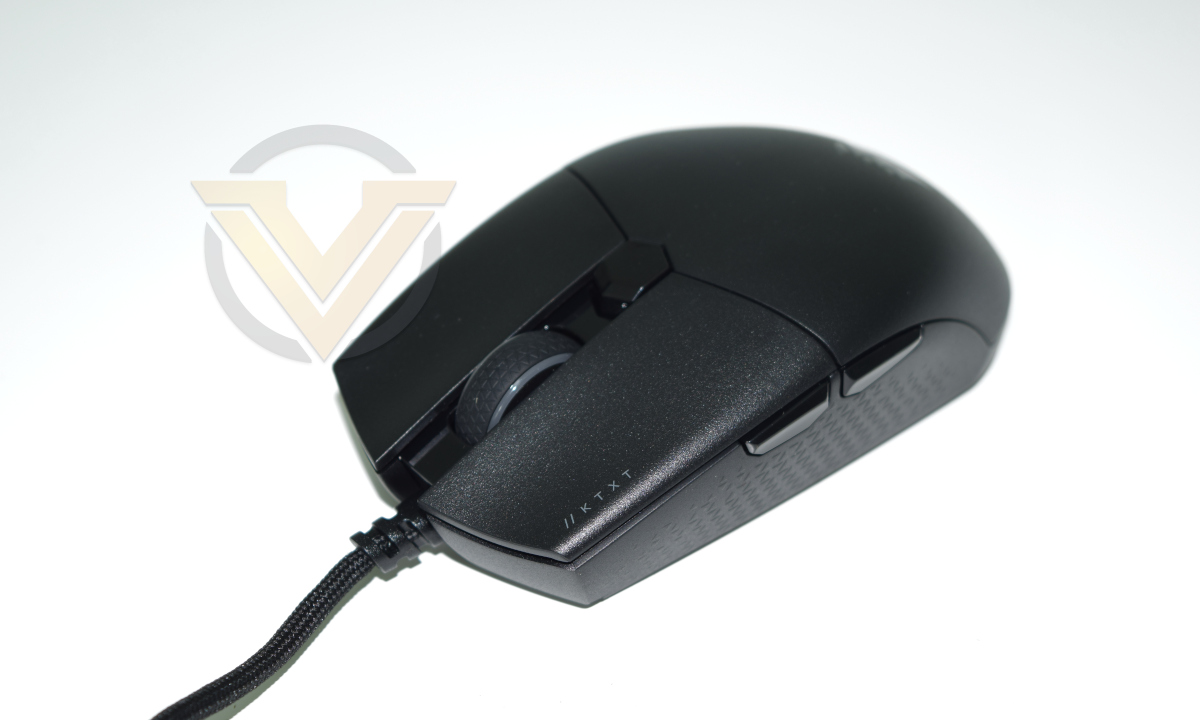
In line with the other member of the KATAR PRO family, the PRO XT is somewhat minimalist in design and only the glossy CORSAIR logo identifies it as part of their portfolio.
The shape and dimensions of the PRO XT are effectively identical to the PRO Wireless, even if the weight differs slightly. Its palm rest section is however held in place securely rather than detachable so we don’t expect a repeat of the issues experienced with its wireless sibling.
Although ambidextrous in shape rather than following curved ergonomics, the location of the side browser buttons make it suitable only for use in the right hand.
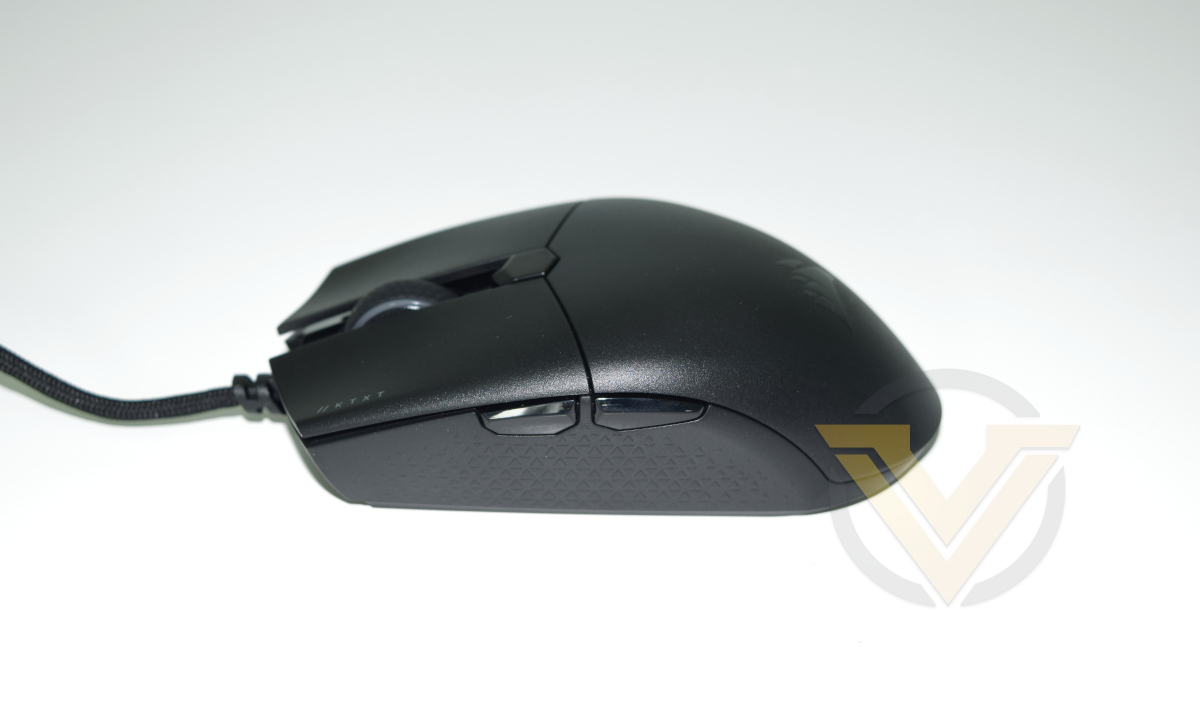
The mouse cross-section flares outwards at the top and narrows at the base, with textured sides to aid with fingertip grips.
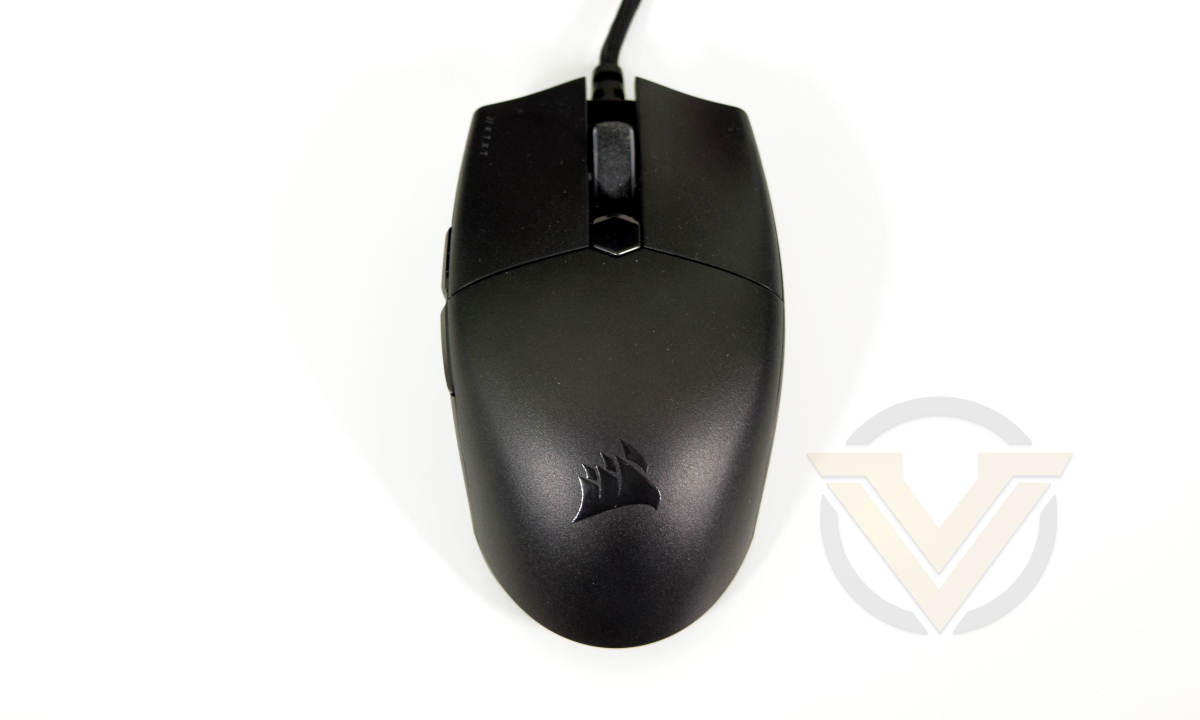
A button just below the mouse wheel acts as a DPI selector. However, rather than illuminating a small LED just above it when pressed, it temporarily overrides the mouse wheel lighting to shine a colour that reflects the DPI level. Levels 1, 2 and 3 default to red, white and green respectively; both colours and individual DPI resolution can be customised in software.
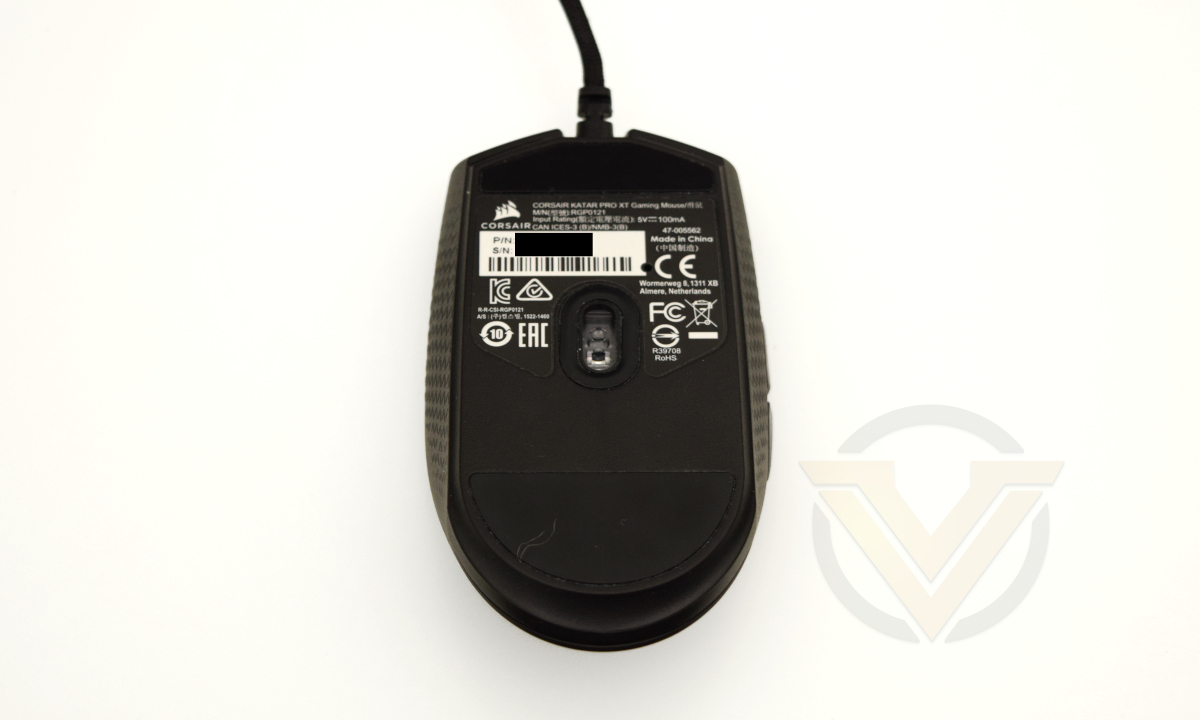
The KATAR PRO XT’s floor is as basic as you can get: two large low-friction ‘feet’ and an alcove for the sensor assembly. Corsair have also added a small pad around the alcove to minimise wear on soft rubber-back surfaces and mitigate against fluff getting in.
Closer Look – MM700 RGB
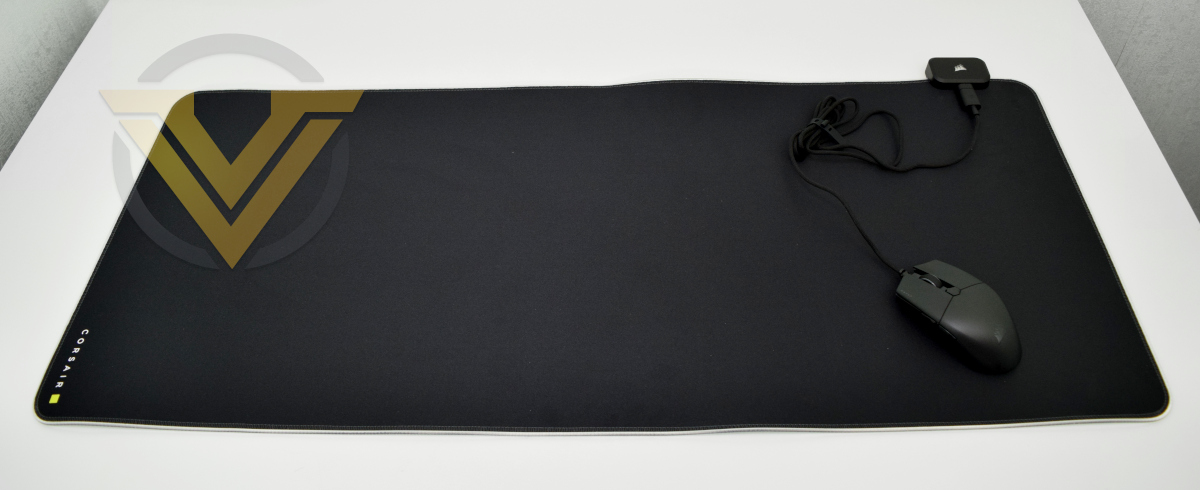
Unrolling the MM700 will be no easy task if your desk is on the narrower side. It’s also dark and almost completely unpatterned, with only some discrete CORSAIR branding to identify it on the bottom-right. That in itself might be enough of a selling-point to those who appreciate a cleaner canvas upon which to bestow their RGB largess.
The MM700’s mousing surface is a dense fabric weave that’s pitch black. Brand new it will pick up some light, but should dull a little with wear. The surface is relatively fast/low friction for a fabric top, but slower than hard surface pads in our experience. It will also readily pick up dust and particulates so keeping it clean will be a must.
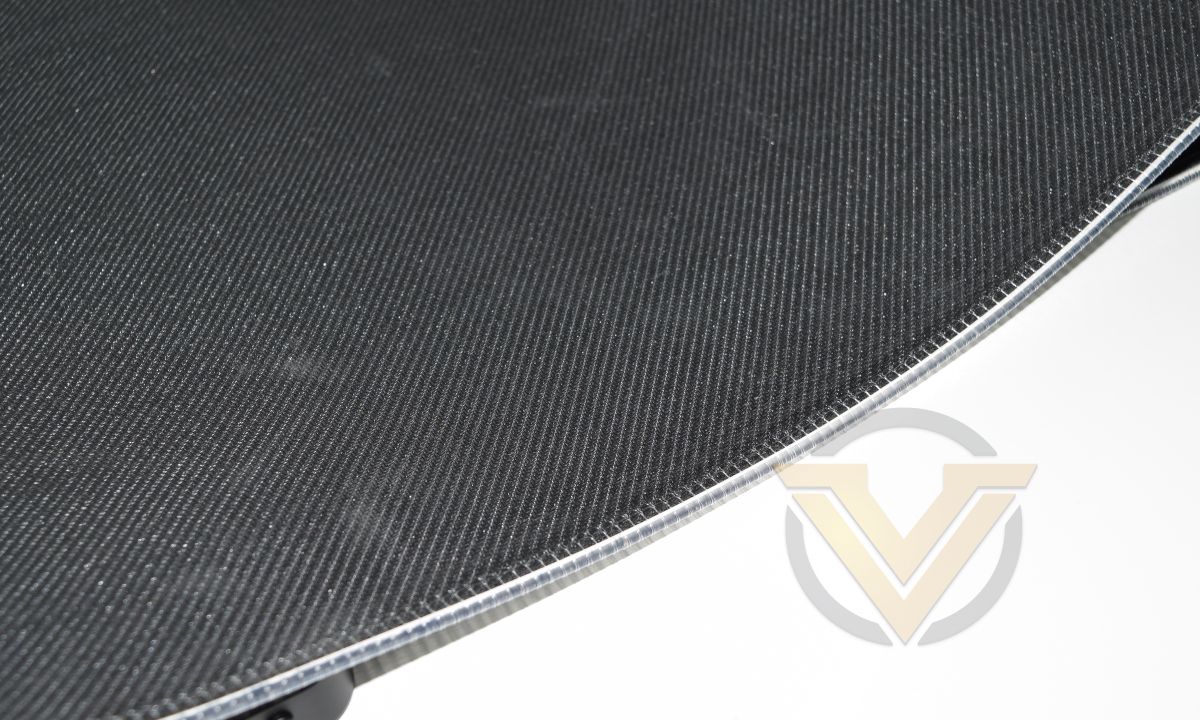
The mat is backed by 4mm thick rubber, giving it a little bit of cushioning while also holding it tight to the desk.
To the uninitiated the MM700 RGB looks like a standard XL mousemat with white edging reinforcement, but there’s more to it than that. The key is the module at the top-right, which acts as both lighting controller/emitter and USB 2.0 hub.
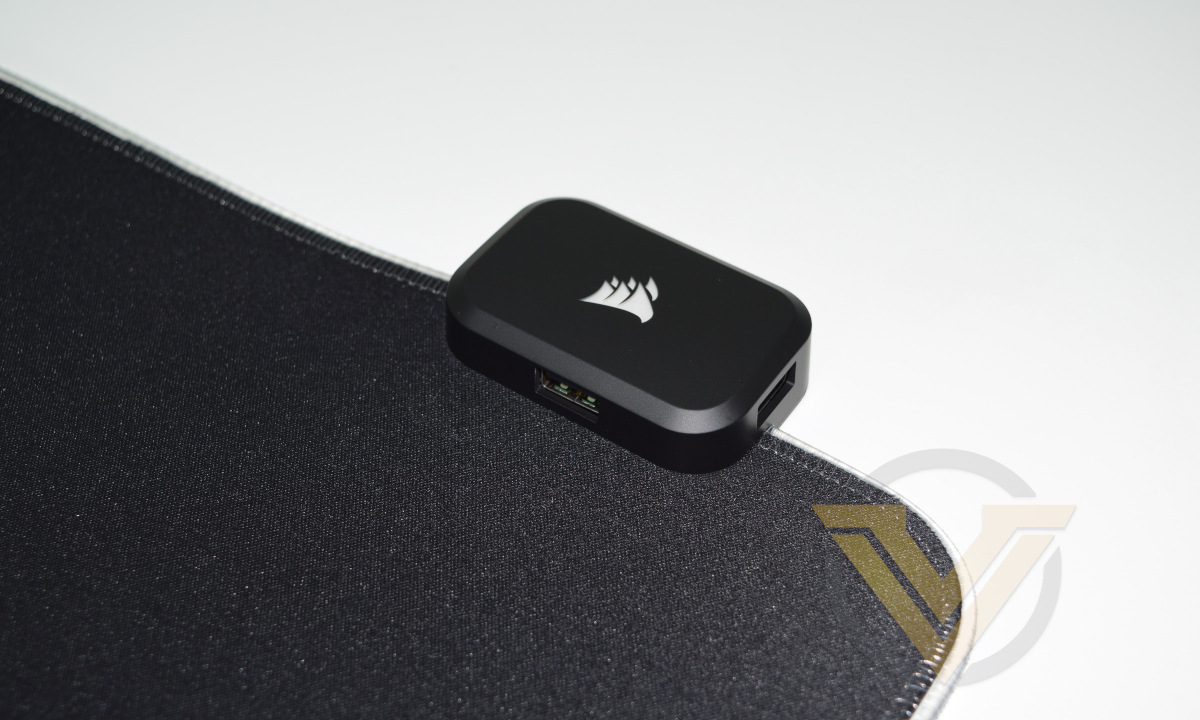
Said module has a USB-C input and two USB-A outputs, and the bundle includes a 1.8m USB-A to -C cable for connecting PC to pad (and taking the guess-work out of installation). Use of Type-C rather than Type-B also keeps the module relatively short.
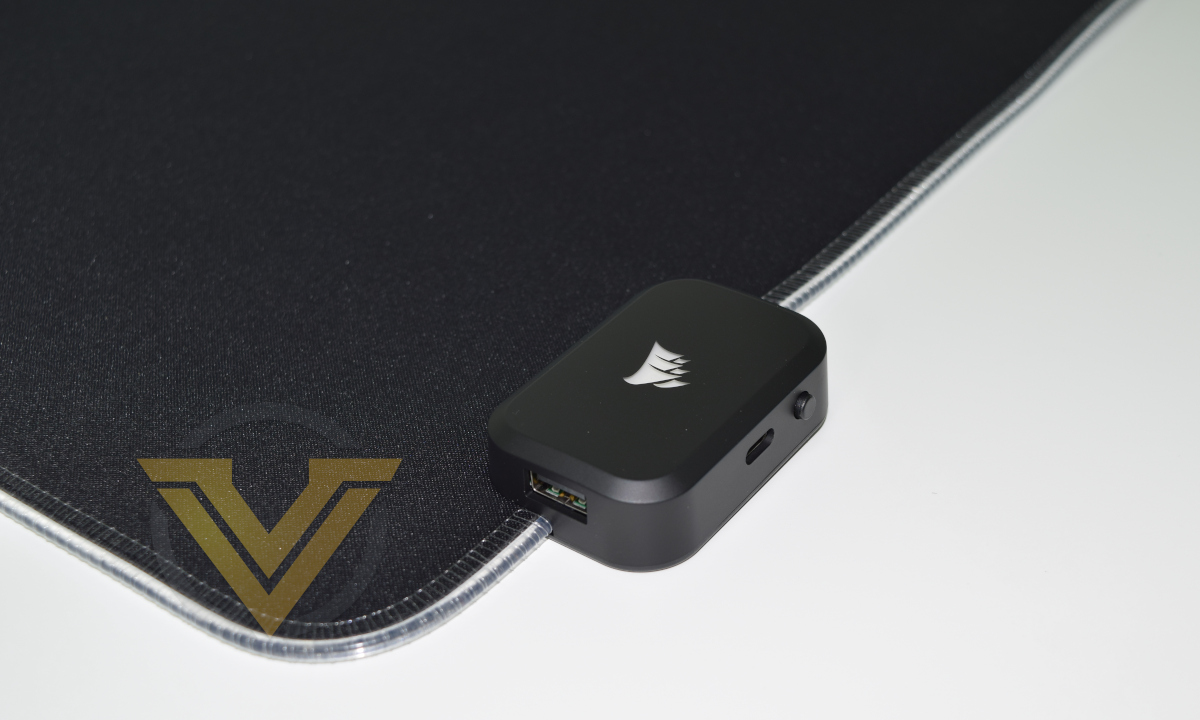
Here’s where the smart bit comes in. Rather than utilising dozens of LEDs to edge the mat, CORSAIR have opted for plastic lighting conduit illuminated by an LED emitter at either end. Not only does this keep costs down, it also makes the mat much more durable in the long run. It also means that two of the three lighting zones are not completely independent, but more on that later.
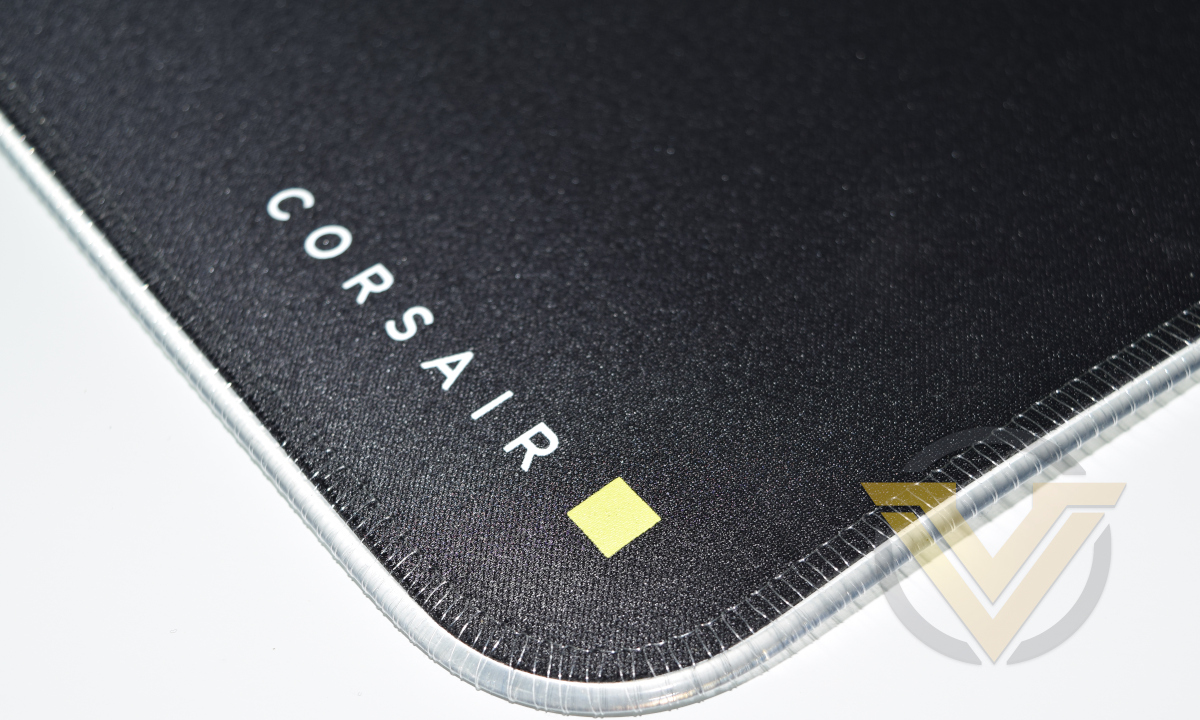
An unintended side-effect of the use of plastic conduit and storing the mat rolled is that it takes some time for it to settle flat on the desk. The conduit is relatively rigid compared to the mat and so it might lift off the surface of the desk at the edges. It’s possible to help the process by gently rolling the mat in the opposite direction but best practice is generally to let it do its thing over time.
Overall we’re left with a very positive first impression of the MM700 RGB. It certainly feels like a high quality mousing surface and there are no major downsides immediately apparent.
KATAR PRO XT Performance & Software
Final Testing performed in Windows 10 with iCUE Software version 3.37.140The KATAR XT PRO utilises CORSAIR’s iCUE software for buttons and illumination customisation, which acts as a single unified app for all their proprietary peripheral functionality. Button remapping functionality is identical to that of the PRO Wireless variant, while illumination control is also present.
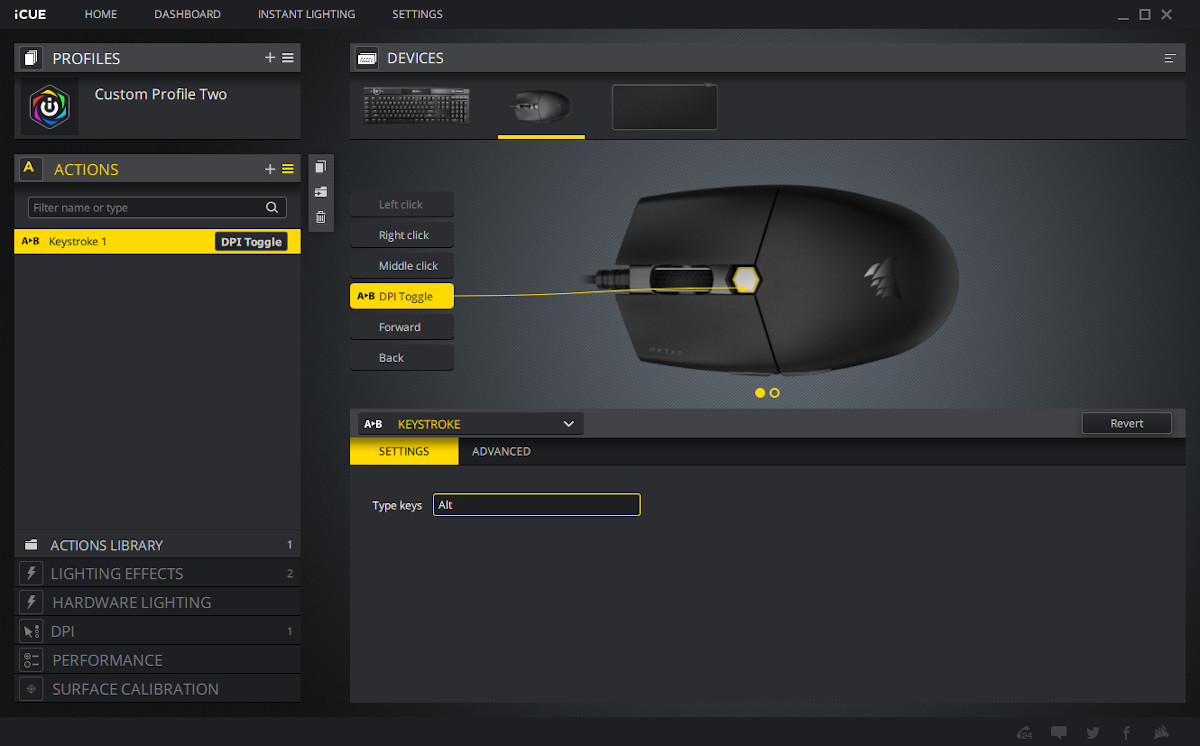
Keybindings are only stored in software, so transitioning from one PC to the next won’t retain your settings.
The iCUE software also allows customisation of three DPI preset levels which can be cycled between. When selected the mouse wheel will briefly pulse the colour of that DPI level before reverting back to the active illumination mode. A fourth ‘Sniper’ preset can be used as a sensitivity toggle, and the buttons can be remapped to give access to this functionality.
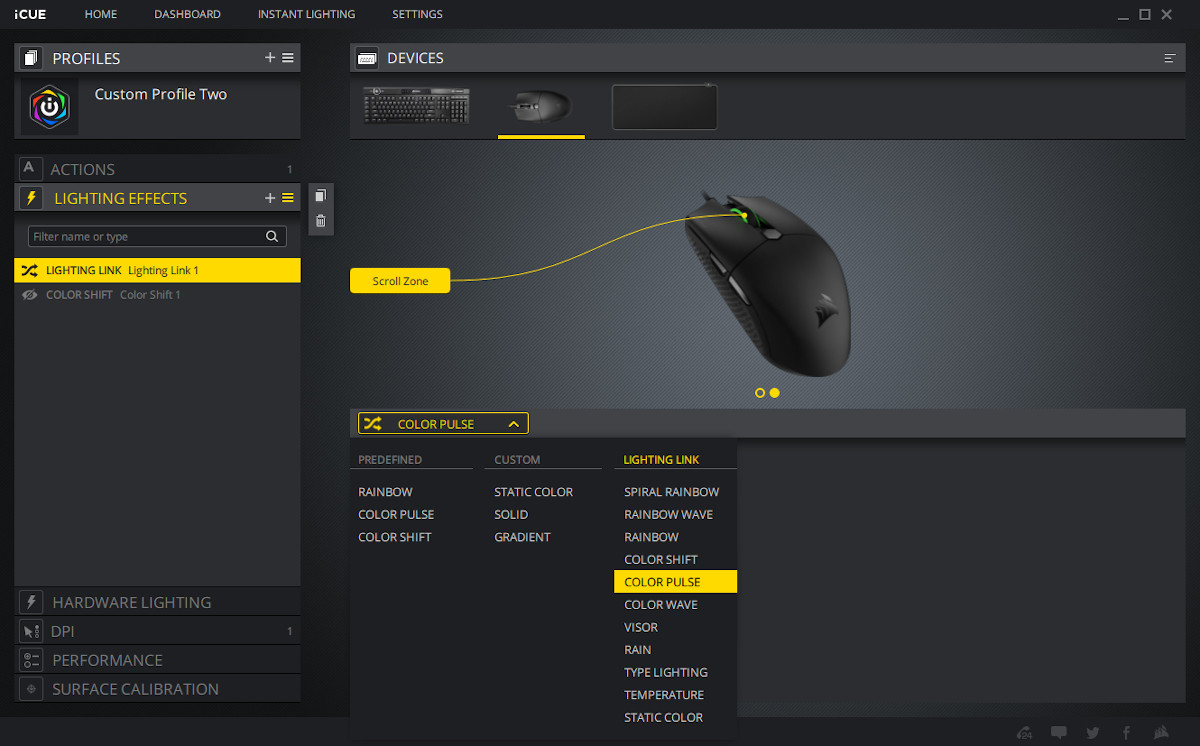
With only one discrete Lighting Zone the hardware lighting effects available aren’t quite as broad as an entire keyboard. Lighting Link effects add a synchronised lighting layer to all connected peripherals, with the software placing the mouse in a virtual location to the right of the keyboard. Effects that transition across the keyboard from left to right will therefore continue to the mouse as if it were part of the same physical chain.
As with all iCUE RGB peripherals, additional layers can be added to the overall lighting effect to account for transparencies or gaps in a particular preset. For example: the COLOR PULSE effect cycles between off and fully illuminated, but adding a static colour layer underneath this Lighting Link effect will mean it transitions between this and the pulsed colour instead.
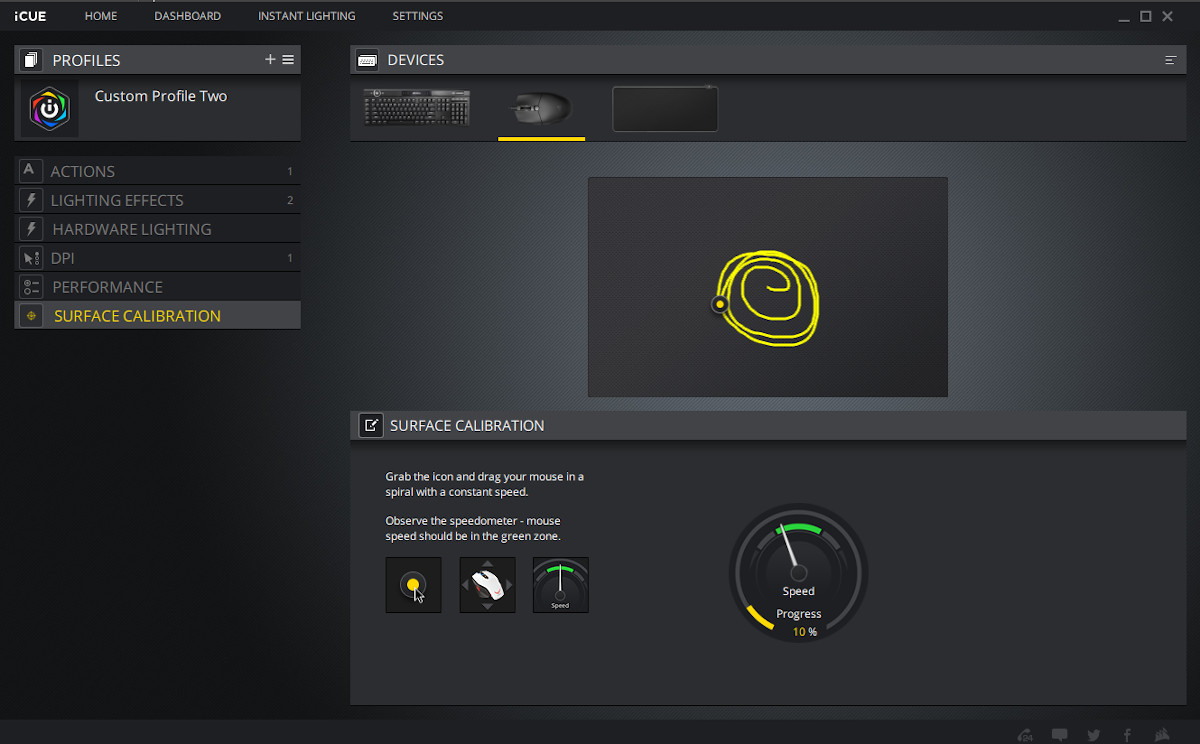
The last major feature of the software is a surface calibration tool. Once applied the sensor should more accurately track on the mousing surface; the mouse itself is pre-calibrated to CORSAIR’s mouse mat range, but we saw no difference in generally excellent pointer dynamics on other surfaces available.
—
It will be unsurprising to learn that the most noticeable aspect of the mouse when first picked up is its low weight. The design isn’t the lightest on the market, some models marketed as ultralightweight near 53g rather than the PRO XT’s 73g, but that makes it a little easier to adapt to when transitioning from heavier designs. It’s also well balanced both horizontally and vertically with a vertical centre of mass between the thumb buttons, helping it feel a little lighter than expected.
Complementing the low weight is the mouse’s USB cable. We were sceptical but the soft braiding and low tension definitely makes a difference in how easy the mouse feels to move and hold in place.
The mouse profile is subjectively good for both claw and palm grips. It’s relatively short and has a lowish cross-section, but by widening at the top it feels more stable in the hand than might otherwise be the case.
The scroll wheel has a medium to low resistance and clear but not aggressive delineation between each notch. It’s audible but not harsh, and has a consistent on-screen response rather than sometimes scrolling multiple times for each ‘notch’. The middle mouse button is stiff but functional, and enough resistance is present in the wheel to top it from accidentally scrolling when pressed.
To test performance we once again broke out DOOM 2016 for some high paced FPS gameplay, Hades for Roguelite action, and for the first time in a while World of Warcraft to more thoroughly assess the two thumb buttons.
Although we didn’t necessarily notice any clear difference in minute by minute gameplay in transitioning to this new light-weight design, longer gaming sessions were markedly easier on the arm and shoulder than our usual more heavy-weight (103g) gaming mouse. The PRO XT’s better overall weight balance was almost certainly a factor in medium-term comfort, and pointer accuracy, too.
We found the main buttons to be excellent for responsiveness and consistency. Both feel like they’re sitting directly on the switch with no travel distance to actuate, keeping reaction times as low as possible. Hades and DOOM gameplay were both enjoyable and it didn’t take as long to adapt to the shape and weight as expected.
The PMW3391 sensor tracks exceptionally well, with no apparent acceleration or angle snapping. You can turn these on in software but we wouldn’t recommend it for gaming. The effective lift-off distance is lower than 2mm.
Although the main buttons and scroll wheel were just as responsive in WoW as DOOM, we were pulled up short by the thumb/browser buttons. WoW, like many MMOs, leverages the thumb buttons as additional hotkeys for second-by-second gameplay, so it helps for them to offer the same consistent responsiveness as the main buttons. That wasn’t in evidence when using the PRO XT.
Each side button has a slight amount of play where you can push them in some distance before you feel the resistance of the switch it’s intended to actuate. Furthermore, pushing one very slightly moves the other, indicating that both are anchored to the same piece of plastic that isn’t quite as stationary as desired.
This makes them feel spongy and slow to respond rather than sharp, which is suboptimal for both MMOs and MOBAs. Early on in our testing what felt like a button press during gameplay failed to register in-game, which could be critical in competitive and stressful group play. It’s possible to compensate by being more deliberate, slowing down your actions when you’d otherwise be more reactive.
More generally, the textured and angled sides offer plenty of purchase with even a relatively light grip, and make lift-off and repositioning trivial matters. The overall construction too is solid and of good quality, with only those side buttons letting the team down a little. It certainly doesn’t have the same issues we experience with the PRO Wireless. The soft braided cable is a subtly excellent inclusion that we’d love to see adopted more widely, including it’s smart rubber reusable cable tie.
MM700 RGB Software & Lighting
Before we get to the MM700 RGB’s lighting options, it behoves us to reinforce the sheer size of this unit. It measures 931mm x 431mm total, which will take up a substantial area of any desk top and indeed be too large for some. Double-check whether it would still allow space for your monitor if your own setup is particularly cramped.That does also mean that you will comfortably be able to sit a full-sized keyboard on it and have plenty of space for mousing. Most cap out at 480mm (the K100 RGB for instance is 470mm wide), leaving almost half the mat just for mousing.
Also, don’t be concerned by a potent chemical smell. It’s common to surface-treated fabrics and will dissipate over time.
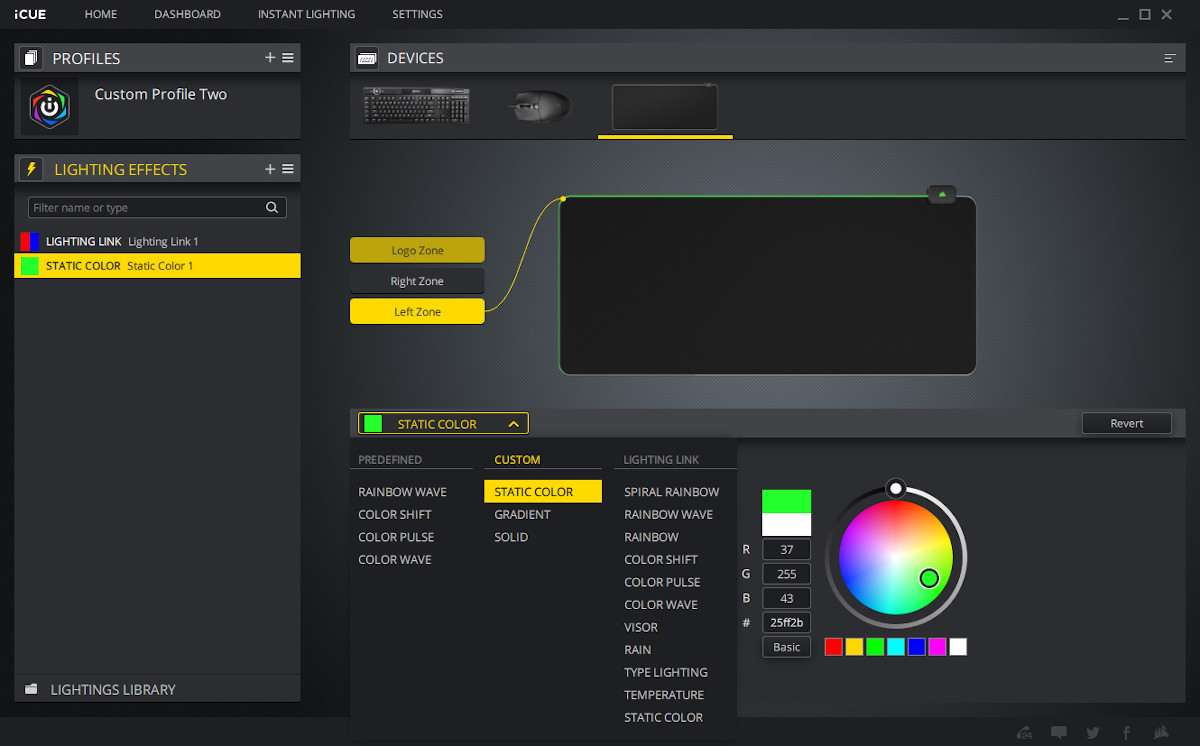
The MM700 RGB appears in iCUE just like any other compatible device. Lighting configuration follows the same process as other RGB peripherals: individual lighting zones and one or more layered effects.
The MM700’s Logo Zone is solely for the logo on top of the USB hub area, and it lights up independently of the other two zones. It’s fully RGB and so can be configured as if it were just a simple zone like the mouse wheel of the KATAR PRO XT.
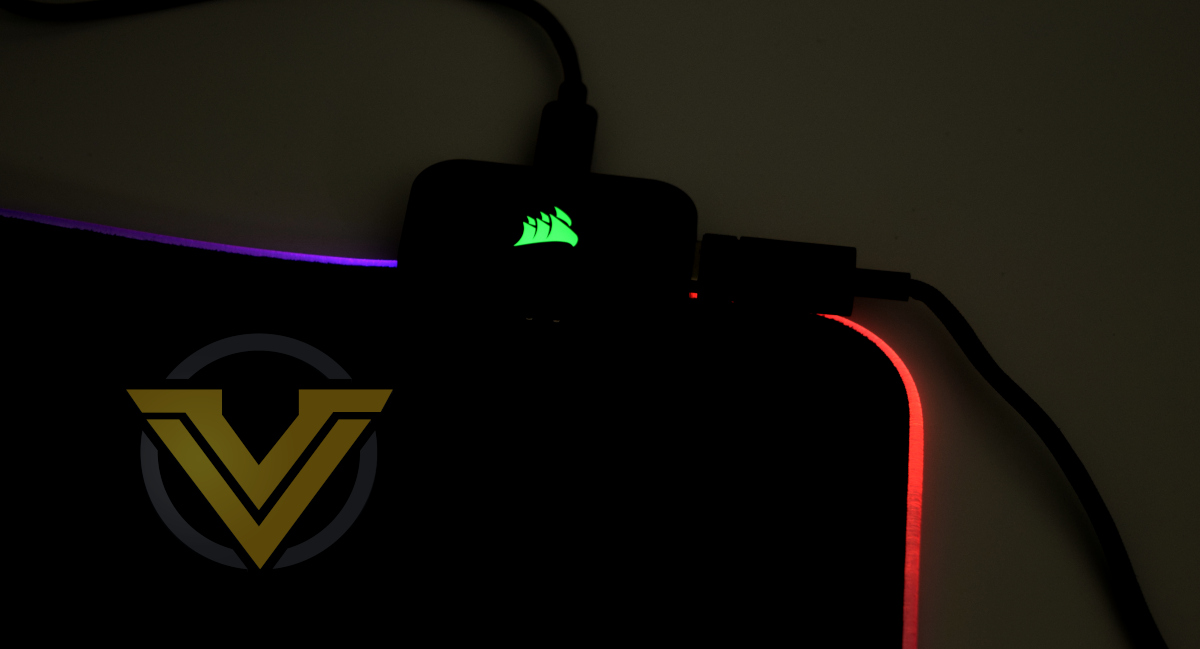
The Left and Right Zones however aren’t really zones per se. They refer to emitting RGB LEDs that shoot light through the plastic conduit in opposite directions, dimming slightly as they progress.
While you can configure each LED independently, the colour of the conduit edging will always be a combination of the two colours emitted. Select red for Left Zone and blue for Right Zone and the edging will be a purple gradient, notably redder on the left of the USB module and more blue to the right.
The same is true when you set up more complex lighting effects; the colour of the edge will always be a combination of the two colours emitted rather than discrete blocks of colour.
Nonetheless the colours reproduced are vibrant and match the KATAR PRO XT mouse wheel and K100 RGB.
That being said, CORSAIR should take another look at the iCUE Lighting Link effects, where the behaviour is a little erroneous. The Visor effect for instance is supposed to show a band of colour transitioning across the lighting zones, from left of keyboard to right, to mouse. For some reason however iCUE believes that the USB hub is positioned between mouse and keyboard, and has also transposed the left and right zones (illuminating right first, then left).
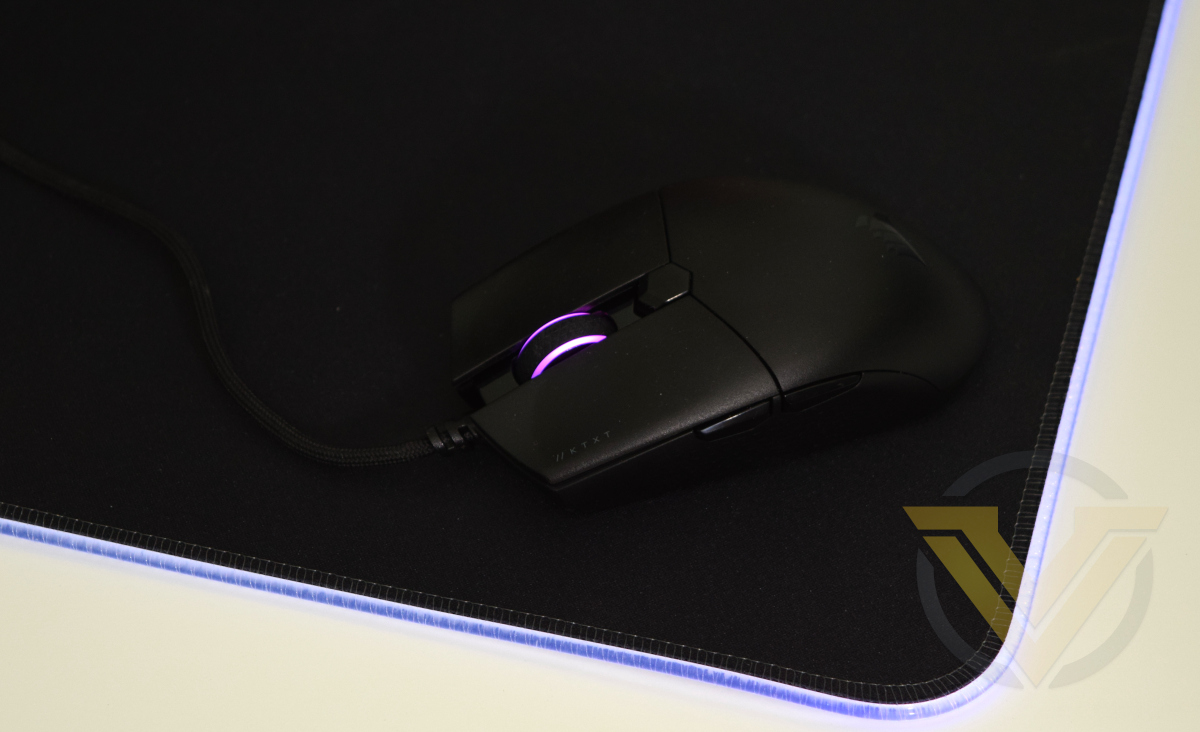
To be clear, slightly wonky effect presets are absolutely not a dealbreaker. Indeed in any case many of the effects will be inappropriate given the way this lighting works, which is best suited to static and slowly transitioning borders. Dynamic lighting based on in-game circumstances could also powerfully leverage this style, either for more immersive environmental illumination or reactive ‘health/MP’ metering.
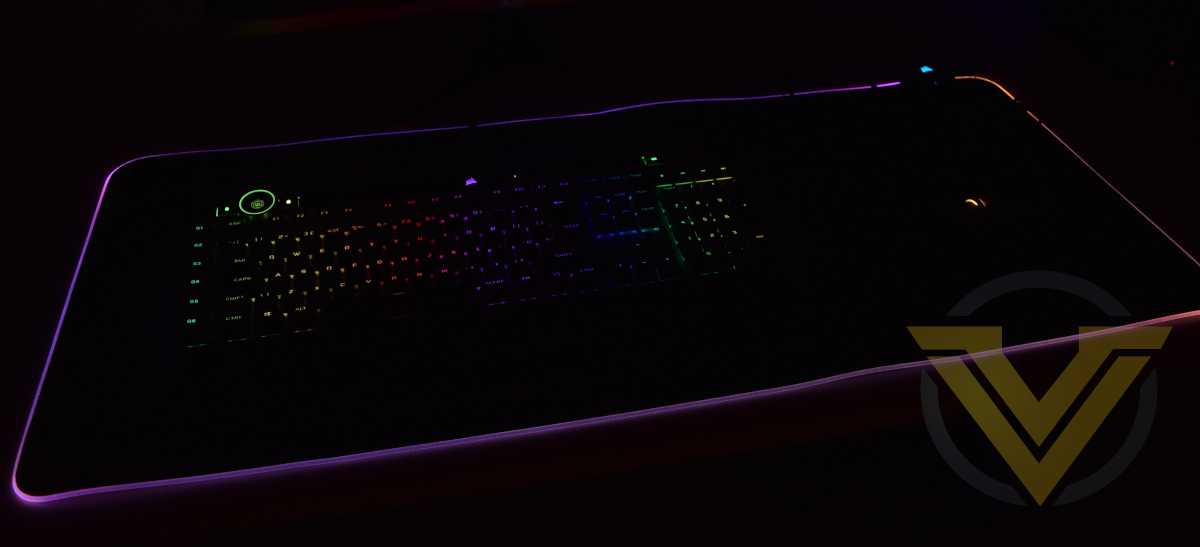
The MM700 RGB, KATAR PRO XT and K100 RGB under low light conditions
One further note of caution: unlike most mouse mats, cleaning the MM700 RGB won’t be a trivial process. Integrated electronics mean you can’t immerse it in water, so spot-cleaning will be the order of the day. Take care of it if you want it to remain in tip-top condition.
Conclusion
CORSAIR have engineered two very creditable products in the KATAR PRO XT and MM700 RGB, but that’s certainly not the whole story.
KATAR PRO XT is good in a few specific areas. Both main mouse buttons are great, being very responsive and offering immediate actuation points. The weight is low and feels evenly distributed, although an ‘ultralight’ claim might be pushing it at 73g – some competitors are hovering below 55g. Its mouse wheel is great, with a gentle subtle scroll click and responsive middle button. And of course the sensor works exactly as well as you would expect – it’s a proven quantity of great quality.
Its major downside is the thumb side buttons. Where the main buttons are responsive, the side buttons are spongy and some distance between rest point and actuation. Furthermore they don’t seem to be independently articulated – pressing one slightly moves the other towards its actuation. The result is inconsistency, the bugbear of many game mice.
In fairness to CORSAIR this is unlikely to be of a concern to FPS gamers who will really thrive on the quality of the main buttons. But MOBA and MMO/RPG players who heavily leverage the thumb button arrays will be frustrated.
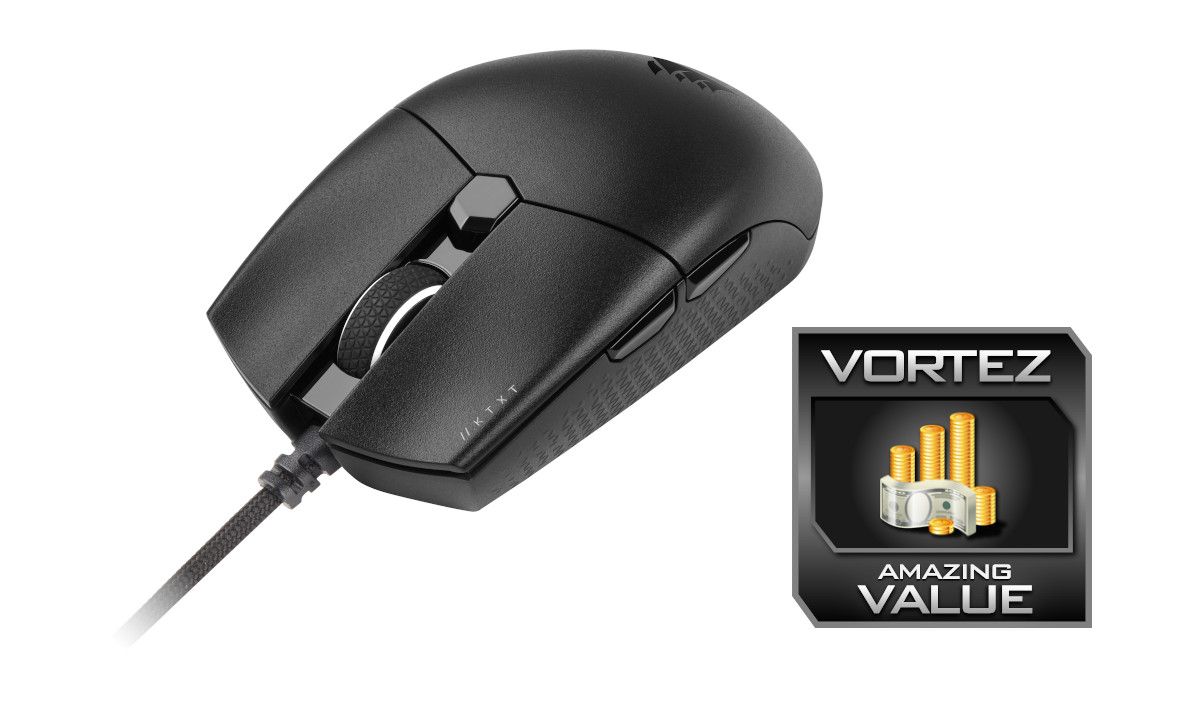
What isn’t a frustration is the MM700 RGB. As a mousing surface it’s smooth and quick, offering little resistance to the KATAR PRO XT and our far larger and more weighty daily use mouse. The hub is a handy bonus, but USB 2.0 data transfer speed limitations make it unsuitable for modern thumb drives and camera connectivity; this certainly isn’t going to be replacing the ports on your case front panel.
That being said, it allows for an extremely clean desk space with few cables, potentially just the one in fact if both mouse and keyboard utilise a wireless dongle. But that might be to the detriment of the lighting, where the MM700 really shines.
And it’s this that’s most impressive. With just two emitting LEDs you have vibrant lighting stretching the length of the mat that is an extremely close match to CORSAIR’s other RGB peripherals, for a very coherent look. The 3rd lighting zone on the module itself is almost unnecessary, but we can certainly see practical as well as aesthetic reasons for it (indicating the active Keyboard/Mouse profile for instance).
The built-in iCUE lighting profiles, particularly Lighting Link modes, could do with some work. As bugbears go however it’s trivially minor, and just encourages the end user to experiment to create their own personalised effects.
So we come to our final judgement. When it comes to the KATAR PRO XT it’s somewhat mixed: generally good aspects – particularly the QUICKSTRIKE main button features – are let down by an aspect that to some will be irrelevant, to others critical. If you’re an FPS gamer in need of an affordable lightweight mouse this should definitely be on your radar; MOBA and MMO gamers may want to look further afield. At below $30 it’s still good value whatever your calling.
Our approval of the MM700 RGB is much less reserved. Its MSRP is competitive despite substantially larger dimensions than the alternatives, the lighting is excellent and even throughout the edging, and it performs well as a mousing surface. It doesn’t quite have the lighting customisation options of the 15-zone edge lit MM800C RGB Polaris, but we’re confident that even with a cursory knowledge of iCUE an end user will be able to craft a look in keeping with their system.
CORSAIR’s MM700 RGB and KATAR PRO XT are two more worthy additions to their ever-grown gaming peripheral lineup. Those with a flair for the dramatic style of a setup steeped in RGB should not miss the former, and FPS gamers in need of a lightweight wired mouse would do well to at least consider the latter.
KATAR PRO XT
Pros
+ Excellent main buttons
+ Excellent wheel
+ Good weight distribution
+ Soft low-tension cable
+ Just 73g
+ Cheaper than many alternatives
Cons
– Poor thumb buttons
—
MM700 RGB
Pros
+ Smooth mousing surface
+ True XL dimensions
+ Vibrant Lighting with customisation potential
+ USB 2.0 hub
+ Good anti-slip backing
+ Competitive Price
Cons
– Not fully edge-lit with individual LEDs
– Some edge lifting
– iCUE lighting modes could do with some work
Pros
+ Excellent main buttons
+ Excellent wheel
+ Good weight distribution
+ Soft low-tension cable
+ Just 73g
+ Cheaper than many alternatives
Cons
– Poor thumb buttons
—
MM700 RGB
Pros
+ Smooth mousing surface
+ True XL dimensions
+ Vibrant Lighting with customisation potential
+ USB 2.0 hub
+ Good anti-slip backing
+ Competitive Price
Cons
– Not fully edge-lit with individual LEDs
– Some edge lifting
– iCUE lighting modes could do with some work
Click here for an explanation of our awards at Vortez.net.
Stay connected with the Vortez Social Media pages:
Join in with the discussions on Discord