On the heels of the H3 Headset’s release EPOS return with a new microphone for content creators and streamers eager to add a little pep into their broadcast, but does the audio specialists new hardware cut through the clamour of the competition?
Product on Review: B20 Streaming Microphone
Manufacturer: EPOS
MSRP: £179.99 (inc. V.A.T.), €199 (inc. V.A.T.), $199 (excl. Tax)
The future of Sennheiser as a brand is complex indeed, made muddier still by its recent acquisition by medical audio firm Sonova earlier this month. As a result there’s no better time for EPOS, a spin-off of the older company’s Enterprise-grade and Gaming audio divisions, to strengthen their own name and presence in the consumer market.
Most recently EPOS launched the H3, a design that ticked all the right boxes for a headset that’ll be critical to enjoying long sessions comfortably. This week however they’re aiming a little higher by venturing into the streaming audio peripherals segment, leapfrogging the entry-level to offer more rounded functionality at a higher price point.
Enter the EPOS B20 Streaming Microphone. This cylindrically shaped discrete microphone is fitted with three ECM mics for variable pickup pattern on a hardware level, and is pitched at the growing band of plucky streamers and content creators who wish to improve the quality of their broadcast setup without compromising gaming features.
The EPOS B20’s main claim to fame is in offering ‘studio broadcast quality’ audio (24bit, 48kHz sampling) for streaming via a USB interface on PC, macOS and Playstation 4. Plug and play like most of the competition, it’s further augmented by their Gaming Suite software to help you tweak the output to a level that’s best for your channel. Other features, including adjustable pickup pattern, poseable mounting point (to the supplied base or 3/8ths inch thread comptable stand) and integrated gain control, clearly set it apart from many mainstream alternatives.
At £180 the B20 sits just above the Elgato Wave 3, a more advanced variant of the Wave 1 we reviewed in June 2020, and on par with the RODE Podcaster. At the top end of the consumer broadcast market is the Shure MV7, £40 more than the B20 but with a currently unmatched industry pedigree. Each has their own trade-offs, driven by their position in the market and the brands they’re backed by, and that also influences less obvious boons and drawbacks.
The B20 in the words of EPOS:
One microphone to rule them all
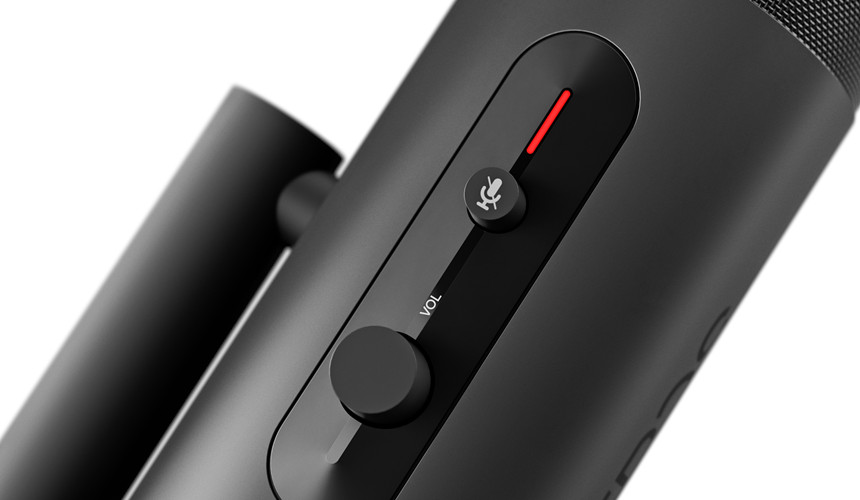
The B20 is a broadcast quality studio microphone designed not only to be sturdy and durable but also look great on stream. The design team chose to house the delicate electronics inside in a solid aluminum housing that protects against damage while feeling great in the hand. The controls are easy to access and mounted symmetrically, giving the steamer instant and intuitive access to all the most important controls – the mute button and volume on the front with an LED indicator that clearly shows when the microphone is active, plus the microphone gain and polar pattern dial around the rear. It’s simple to use and feels just right when you’re making adjustments.
The B20 is a broadcast quality studio microphone designed not only to be sturdy and durable but also look great on stream. The design team chose to house the delicate electronics inside in a solid aluminum housing that protects against damage while feeling great in the hand. The controls are easy to access and mounted symmetrically, giving the steamer instant and intuitive access to all the most important controls – the mute button and volume on the front with an LED indicator that clearly shows when the microphone is active, plus the microphone gain and polar pattern dial around the rear. It’s simple to use and feels just right when you’re making adjustments.
Technical Specifications
Dimensions (inc stand):- 111.8 x 239.3 mm
Weight:- 495g
Connectors:
– USB-C for power & data
– 3.5mm for headphone
Microphone Pick-up pattern:- Uni-directional ECM Microphone (3 Microphone Array)
Frequency Response:- 50 – 20,000 Hz
Analog to Digital Sampling:- 24-bit @ 48kHz
Temperature Range:- 0C to 50C / 32F to 122F
Relative Humidity:- 10 to 80%
Warranty:- 2 yrs
Cable:- 2.9m USB-A to USB-C
Plug-and-play Compatibility:- Windows PC, macOS, Playstation 4
Software Compatibility:- Windows 10 Only
Weight:- 495g
Connectors:
– USB-C for power & data
– 3.5mm for headphone
Microphone Pick-up pattern:- Uni-directional ECM Microphone (3 Microphone Array)
Frequency Response:- 50 – 20,000 Hz
Analog to Digital Sampling:- 24-bit @ 48kHz
Temperature Range:- 0C to 50C / 32F to 122F
Relative Humidity:- 10 to 80%
Warranty:- 2 yrs
Cable:- 2.9m USB-A to USB-C
Plug-and-play Compatibility:- Windows PC, macOS, Playstation 4
Software Compatibility:- Windows 10 Only
The EPOS B20 utilises a design that incorporates three unidirectional ECM microphones, combining their output such that the signal can be modulated to match four different pick-up patterns: Stereo, Omnidirectional, Cardoid and Bidirectional. Each has a particular use-case, which EPOS details as follows:
Cardioid is perfect for solo recording as sound is picked up from the front of the microphone, while background noise is dampened. Stereo opens up a wider sound field and makes for more immersive, natural sounding audio. Bidirectional records from both the front and back of the microphone, while dampening sound on either side of the microphone, making it optimal for casting with a partner, while the omnidirectional pickup pattern picks up sound from every direction, making it suitable for collaborative game streaming.
Selection of the pick-up pattern is via a dial on the side of the unit rather than a software control mechanism, aiding it in their claims of plug and play functionality.
The microphone utilises a USB rather than analog connector to the PC. There’s therefore no need for an external DAC, but by the same token the B20 is not a suitable match for a prosumer mixing desk.
An ADC sampling at 24bit/48kHz is good, but not the highest available on the market. Both RODE and Elgato have solutions that sample at 24bit/96kHz within a similar price bracket. There are arguments over whether 96kHz sampling is meaningfully better than 48kHz for faithful vocal recording, but it’s one for sound engineers and audiophiles primarily; we mention it merely for completeness without taking a stand either way.
Packaging and First Look
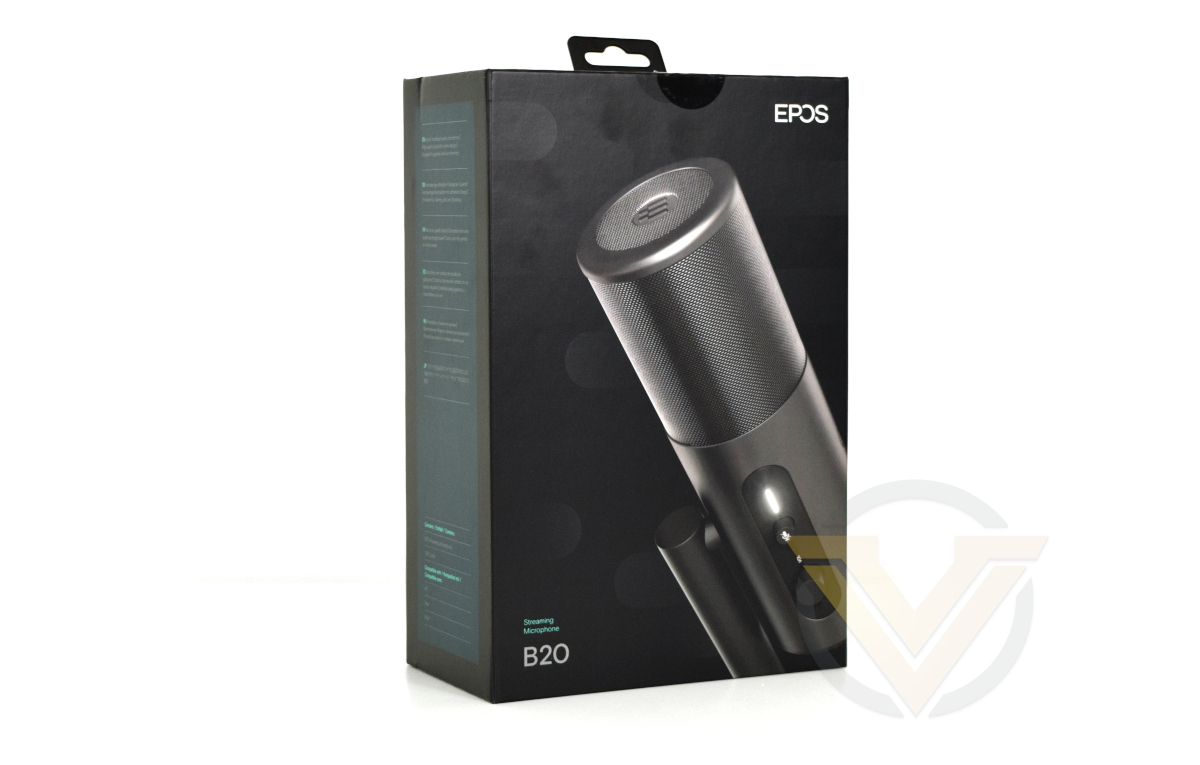
EPOS are certainly acquiring a reputation for having a well-rounded brand look. Black, greys and teal highlights have a note of professionalism you’d expect from products that have a prosumer ethos, if not pricing, and they eschew the more garish ‘gamer’ traits the competition often leverages.
One aspect that some may feel is lacking is the amount of technical information conveyed by this exterior. EPOS choose to include only the barest compatibility information and a few key features that wouldn’t be sufficient if you were merely browsing at a brick-and-mortar retailer. Perhaps that’s not required in today’s convention of etailer purchases for hardware, but it’s something that they may wish to work on.
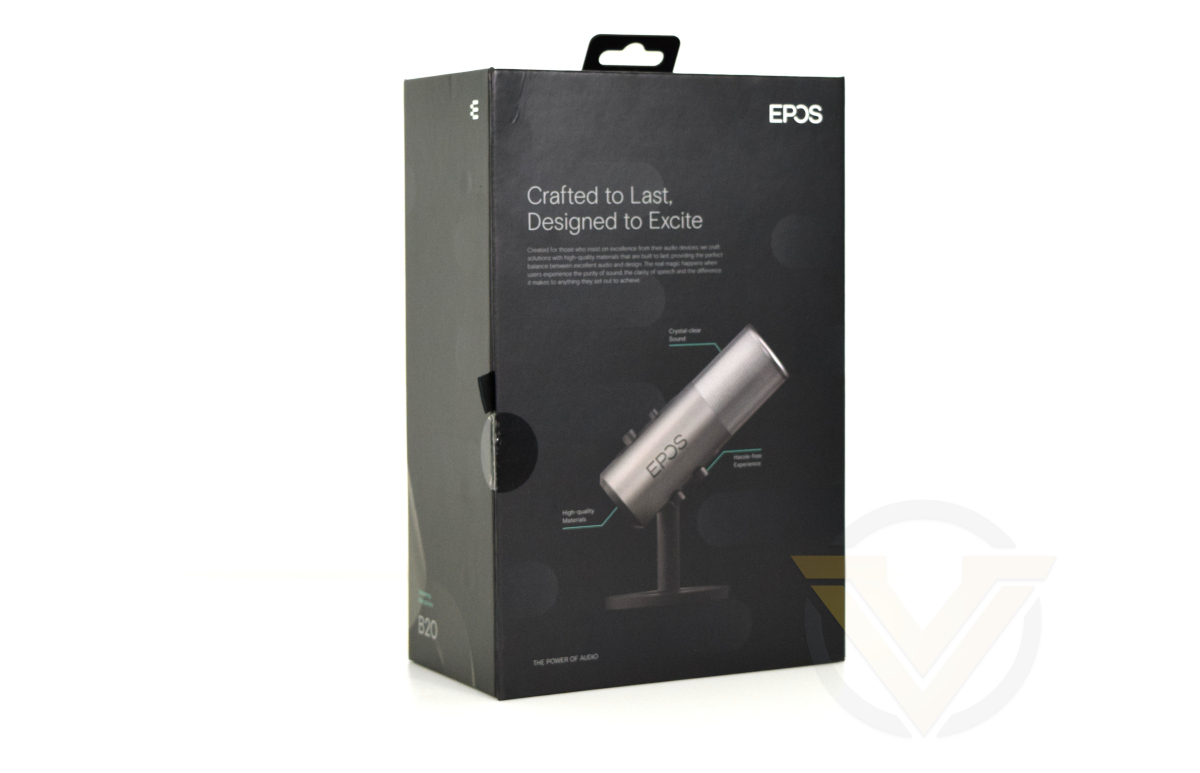
The bottom features a QR code for the B20’s product page, and this could be a little more prominently displayed. EPOS could similarly make a little more fuss over the software, which incorporates important additional functionality such as noise gating and cancellation.
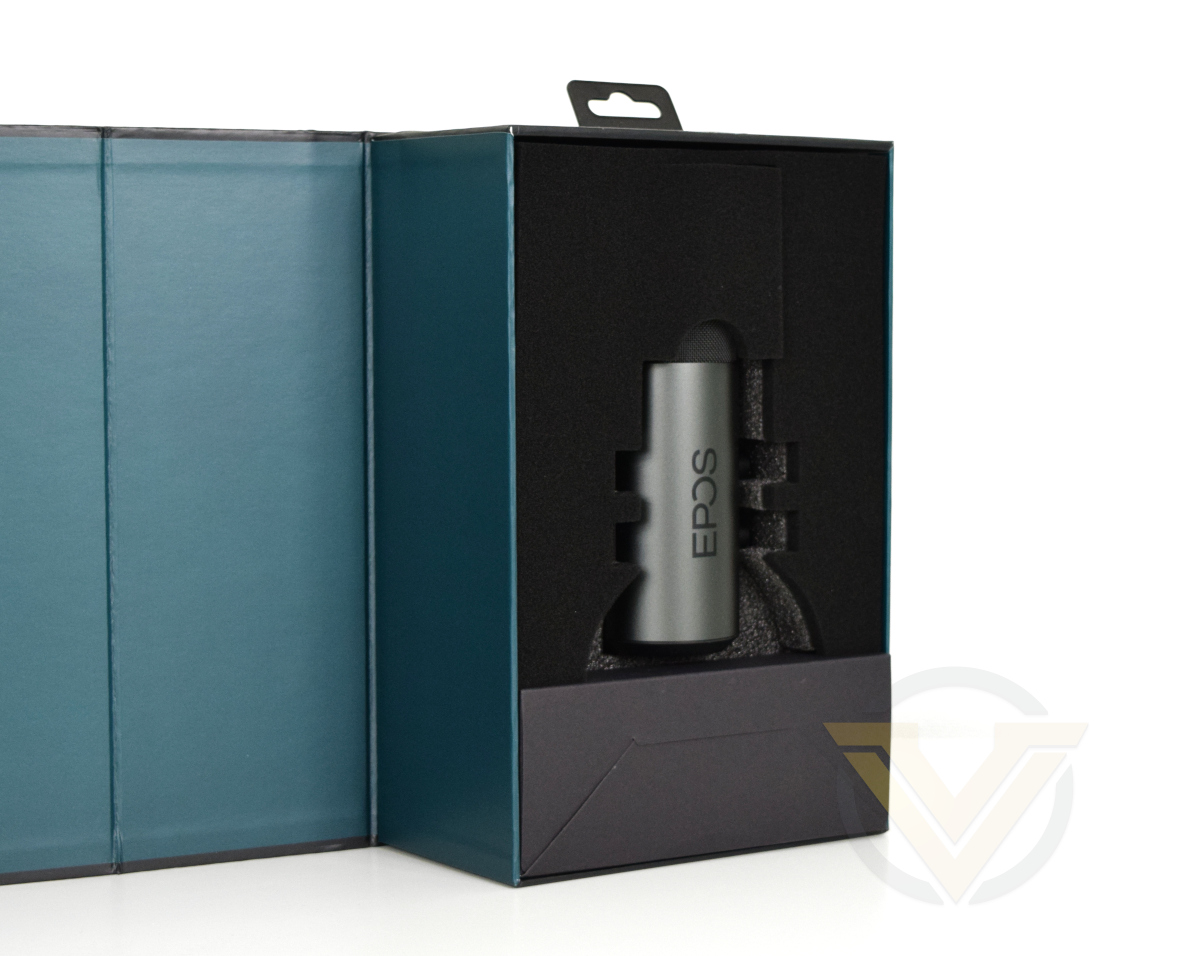
EPOS aren’t skimping on shipping protection for the B20. Microphones are notoriously sensitive devices and their packaging design team have done their best to cushion it with thick foam, and just a touch of felt to make it feel like a more premium unboxing experience.
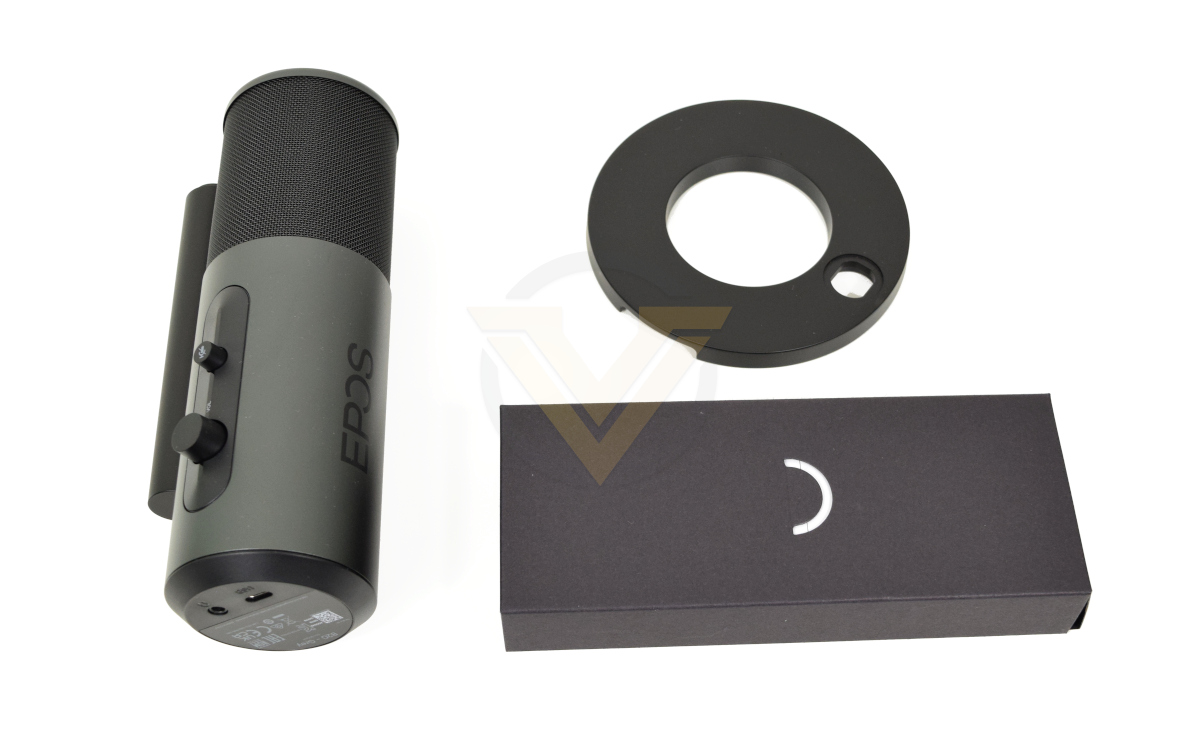
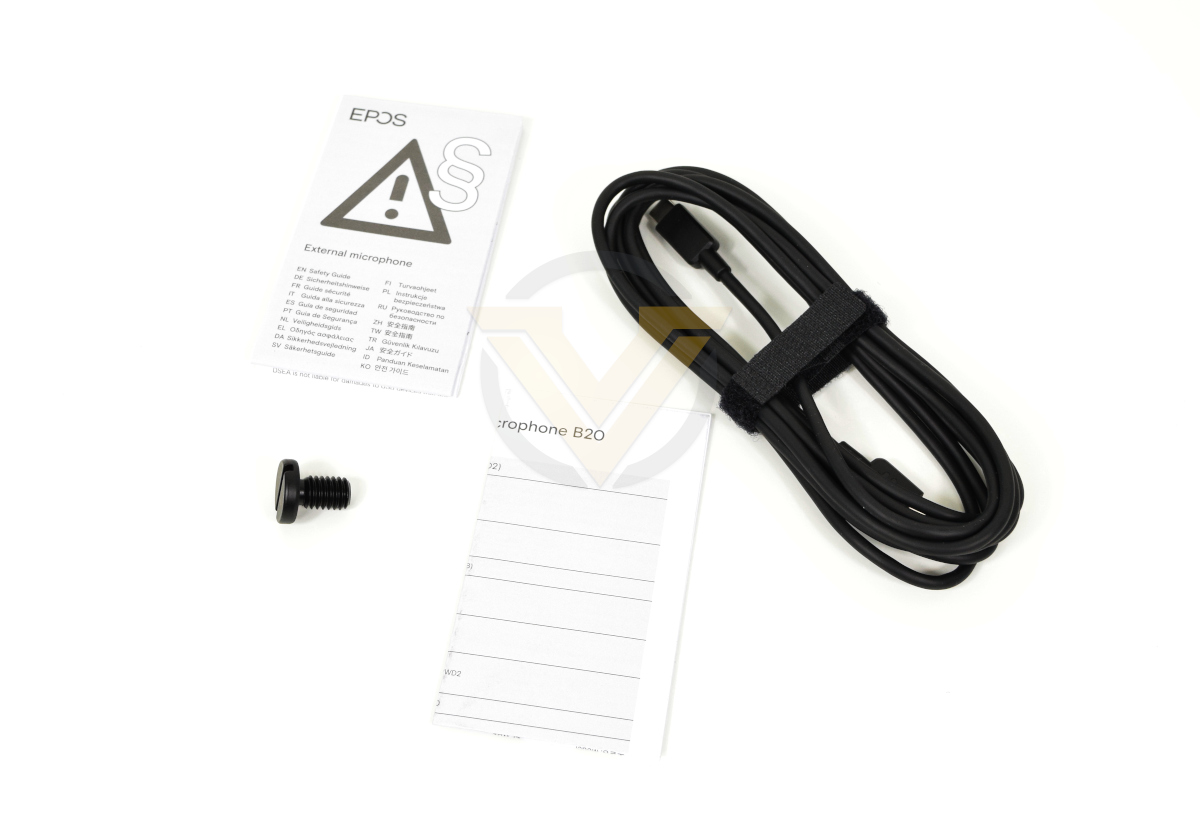
The B20 arrives with a small circular base stand, screw to hold it in place, USB-A to USB-C cable and a small amount of documentation detailing warranty and safety information. EPOS are keeping to the necessities rather than loading it down with frivolous accessories, but thanks to the supplied 2.9m USB-A to USB-C cable it should be possible to place the B20 anywhere within your setup.
Closer Look
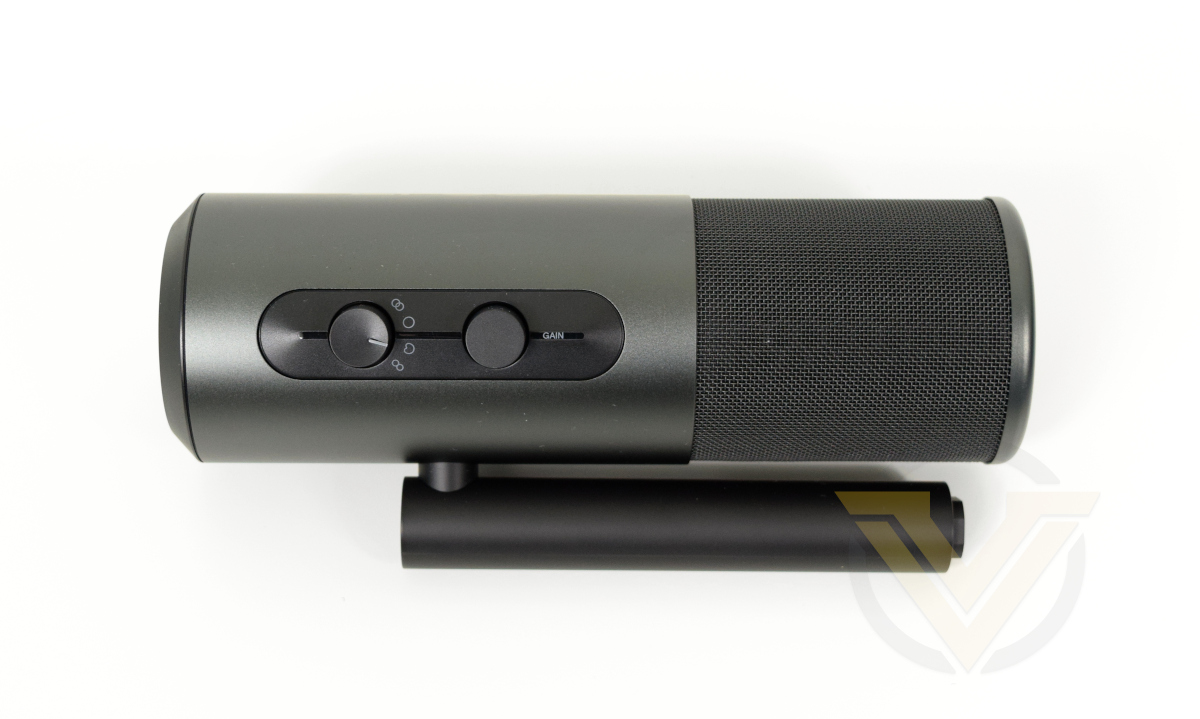
The B20 is formed of two parallel aluminium cylinders articulated at a point two-thirds down the wider of the two. The smaller serves as the mounting stalk by attaching the supplied circular base or to a 3/8ths inch threaded microphone stand. The larger of the two cylinders is the microphone body itself.
One side of the microphone body features the Gain and Pick-up Pattern controls. Each is relatively stiff and will remain in place when the mic is inverted, nudged or shaken. The oval section surrounding these dials has a slight ridge to it, on which is printed the relevant control iconography.
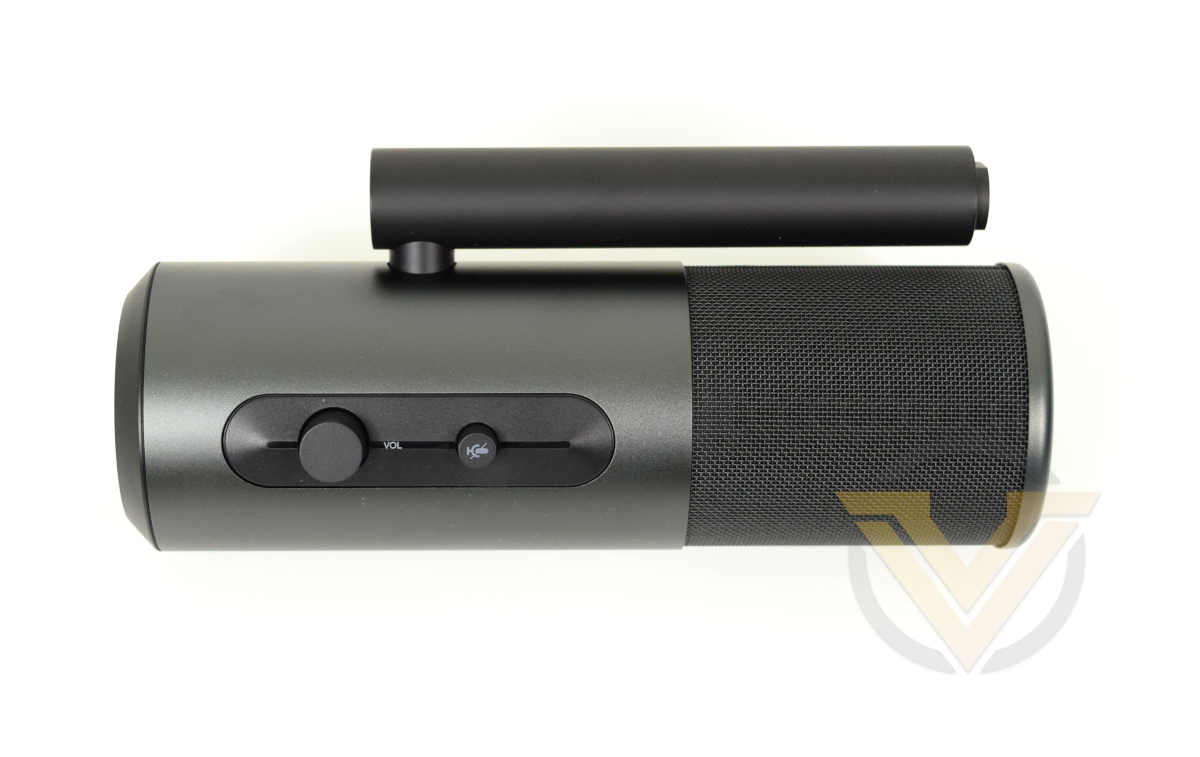
The other side, the ‘front’ side as described by EPOS into which you speak when in cardoid mode, has both a volume button for headphone output and the dedicated microphone mute button. Just above the mute button is an indicator LED strip that is a dim white when the microphone is active, and uniform red when muted.
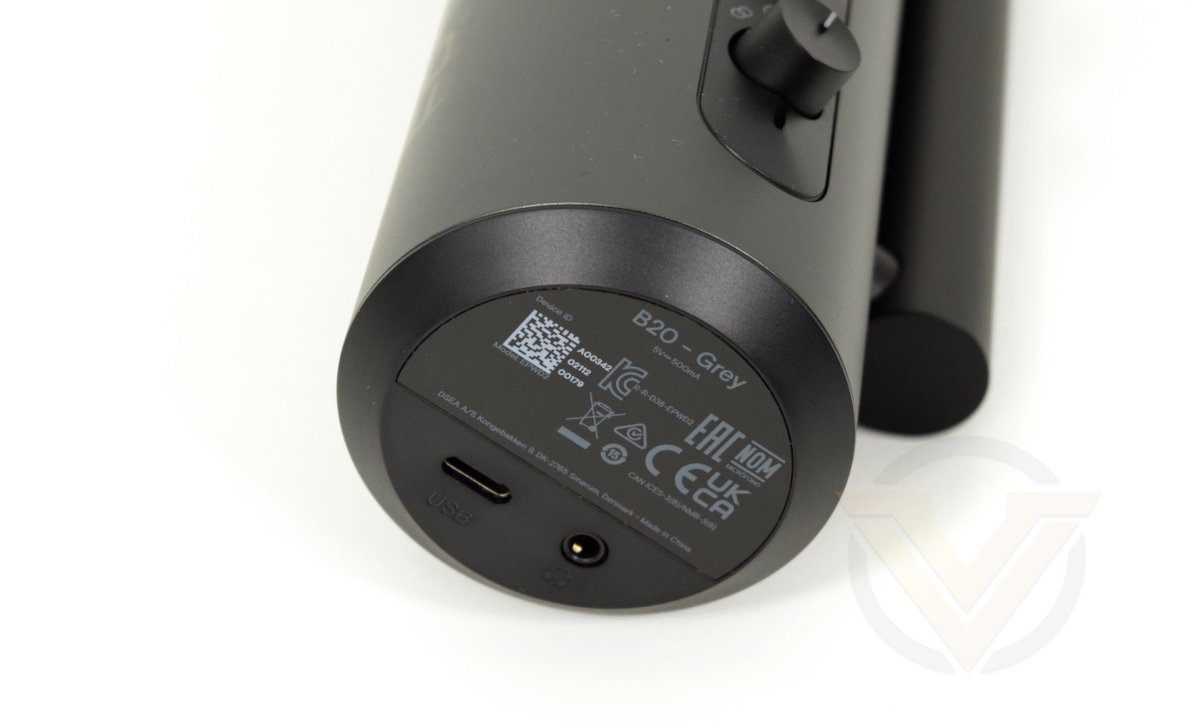
Moving to the underside, the base of the microphone incorporates a USB-C port for connecting to PC/console and a headphone out port. Product certification information is also printed here.
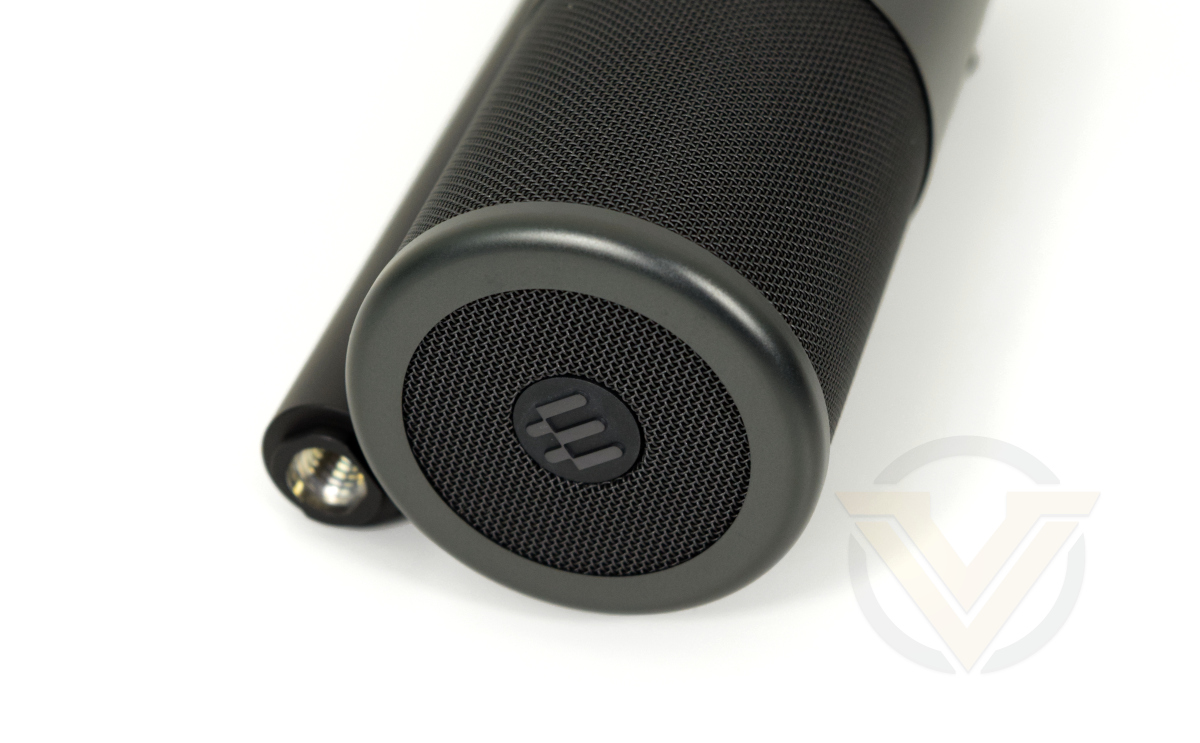
The upper section of the microphone is perforated, acting as an integrated pop-shield through which sound ingresses. At the very top is the EPOS logo.
One potential snag for the round ‘doughnut’ base and its accompanying screw is storage, particularly for the latter, when not in use. There’s no section to attach it to or safely stow it away, meaning it could easily get lost.
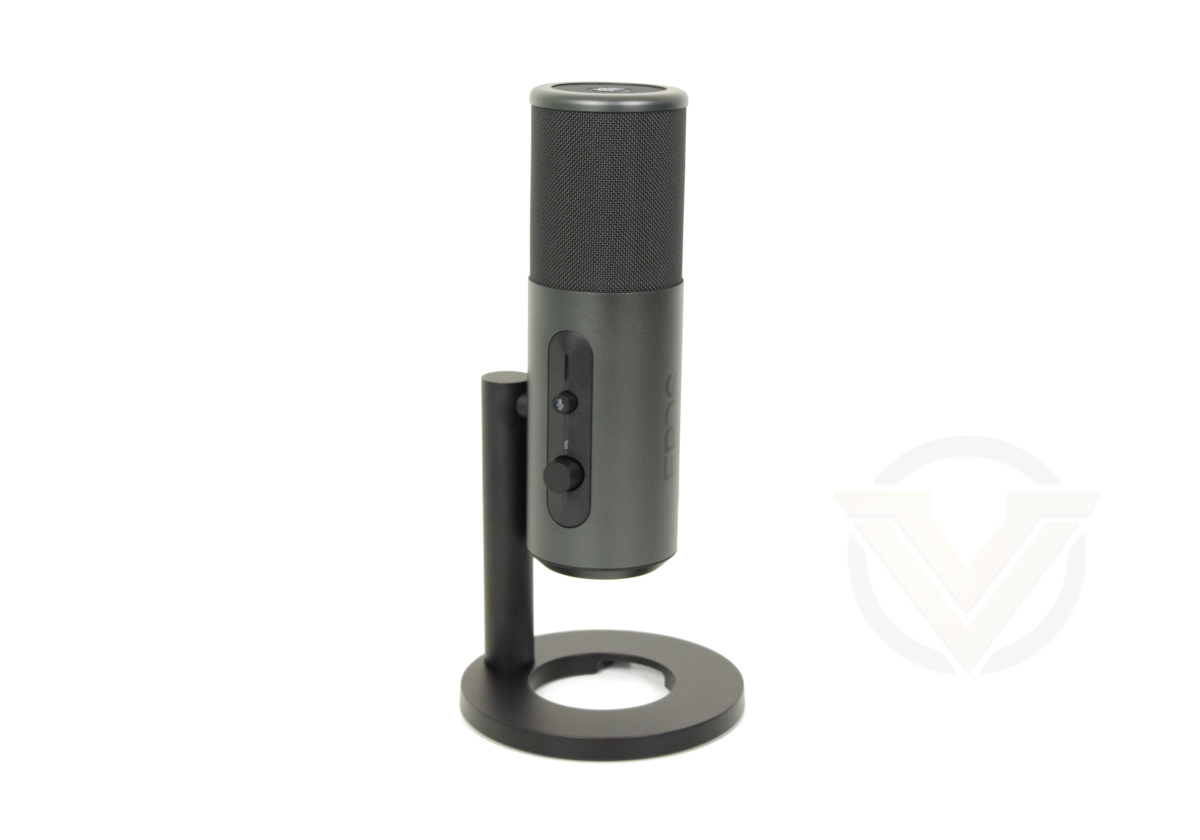
Fitted into its stand, the B20 is a professional-looking compact microphone that doesn’t distract from an overall setup. The stand itself has a small hollowed out section under which cables can be threaded, and both stand and microphone stalk are keyed so they only fit together in a fixed orientation.
Software
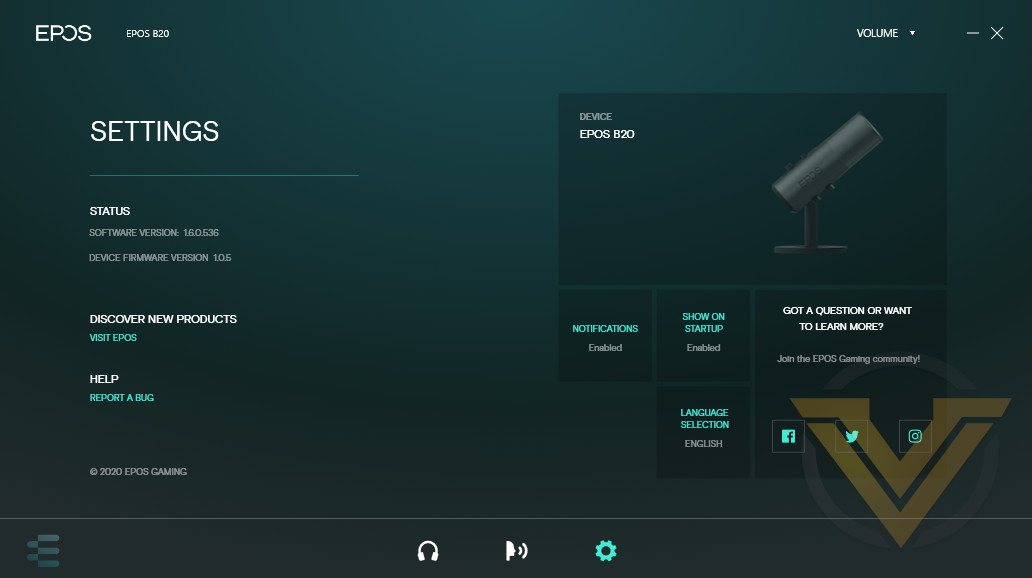
The EPOS product range is in the process of being augmented through the development of a unified software utility they’re calling the EPOS Gaming Suite. Although it has relatively straightforward functionality at present, it has the potential to be a foundation upon which a more fully-featured product portfolio can be developed.
The software is downloaded via https://www.eposaudio.com/en/gb/gaming/audio/epos-gaming-suite and, although it isn’t strictly necessary to effectively use the B20, the additional functionality it offers is relevant to most use-cases. The current version doesn’t auto-update, but will notify users on the Settings page when an update is available. We utilised software version 1.6.0.536 and B20 device firmware 1.0.5 during testing, which was the most recent at the time.
Our first issue occurred during the update process, which triggered a False Positive response from Avast Antivirus. Disabling Avast allowed installation to proceed without further complication, and we’re confident it’s a problem with Avast rather than the Suite itself. However that wasn’t the end to the teething issues.
We’re not sure why but, although the B20 is picked up by the Gaming Suite when first plugged in, it loses the microphone on system restart. It’s still seen by the OS so will operate in its default modes, but customisation will be unavailable unless and until the software recognises it again. Needing to unplug and replug the microphone on every system restart is a frustration any aspiring streamer can do without, but once again EPOS should be able to fix this through an update.
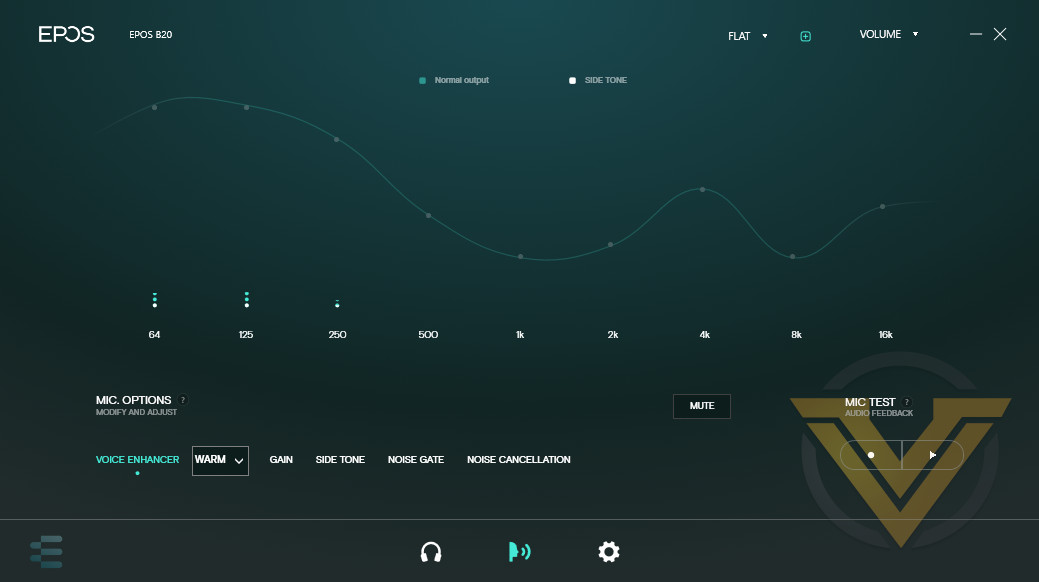
Once plugged in the B20 will register as a device in the Suite’s Settings tab and the Microphone icon (mimicking a speaking face rather than an actual microphone) at the bottom of the window will be active. Clicking here takes you to a new tab laying out the software functionality.
Voice Enhancer
Possibly the least important (but still handy) feature of the software, the Voice Enhancer utilises pre-defined equaliser settings to adjust vocal inputs to make them clearer, warmer, or a custom preset. Clear presets accentuate the highs, whereas warm presets boost lower frequencies.
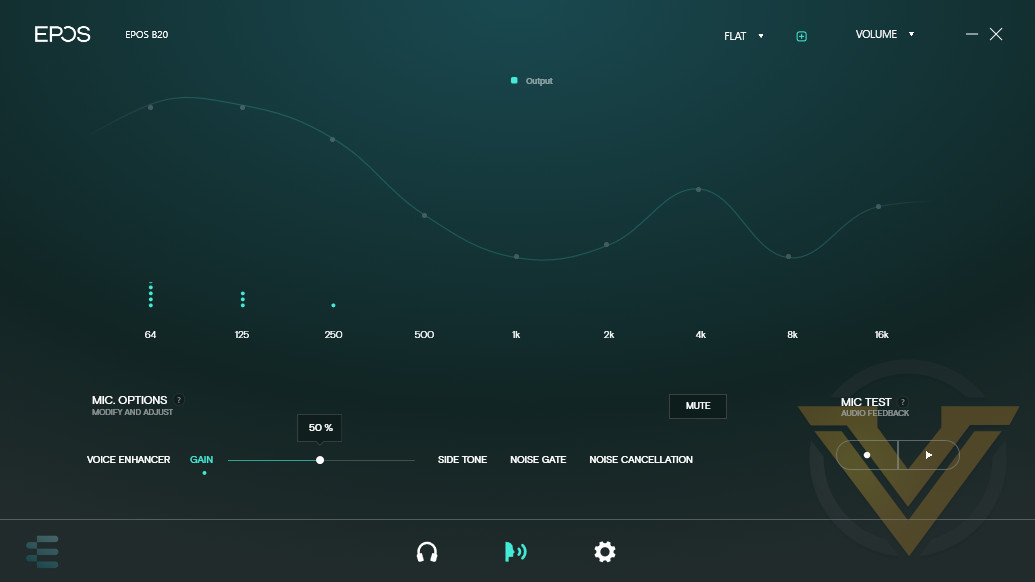
Gain
Broadly speaking, the Gain is the volume of the vocals output by the microphone. Higher gain will be louder, but also tend to increase underlying noise levels. Turning the Gain knob on the microphone will also adjust this setting and a future firmware update will make this dial a little less sensitive than it currently is.
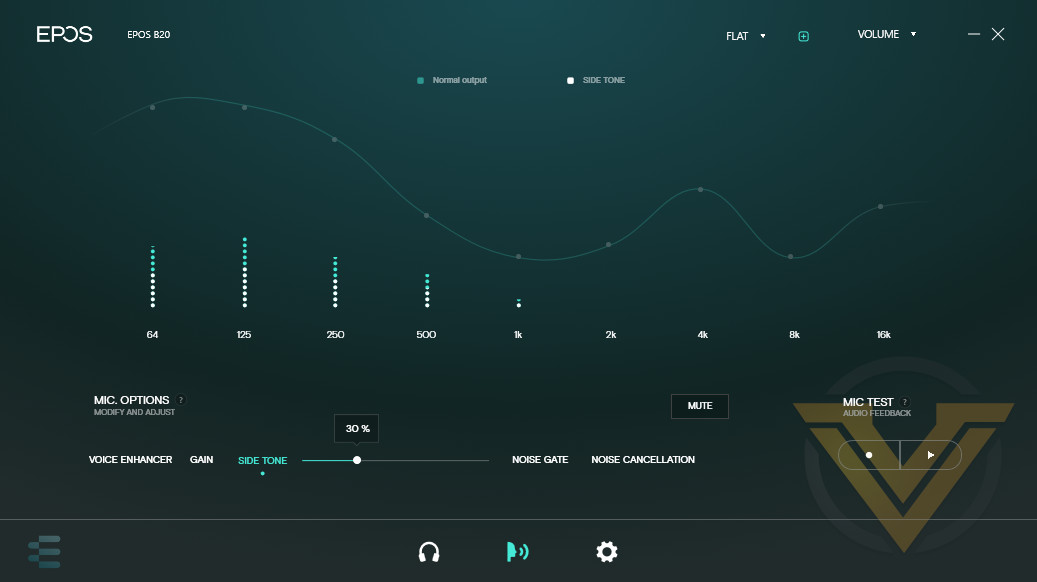
Side Tone
If you have a headset plugged into the B20 then you can utilise a zero-latency side tone to hear your microphone input. The volume is adjustable just in case you find is distracting.
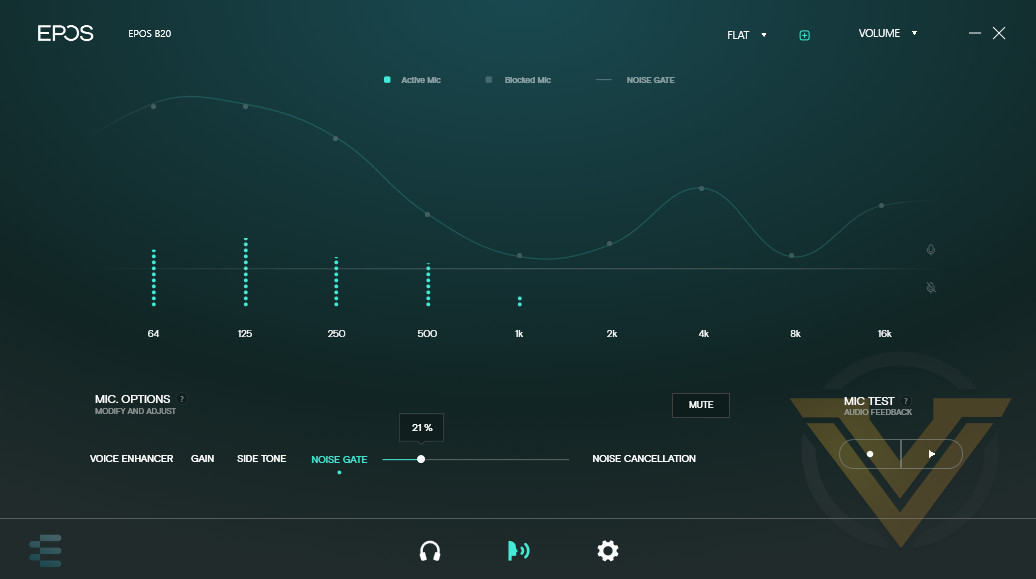
Noise Gate
The noise gate setting cuts off sound that falls below a volume threshold. Although it can be useful for filtering out keyboard keystrokes and background noise, you will no-doubt need to customise this setting significantly to make it worthwhile.
Noise Cancellation
This feature filters out low-level repetitive noise – hums, hisses and the like – which can be particularly useful when operating at higher levels of gain. Noise cancellation has its limits however; this implementation cannot remove mechanical keyboard keypresses for instance. The software offers two levels of noise cancellation, which can operate in tandem with a Noise Gate to reduce repetitive background sounds it does not eliminate. If you’re listening closely it’s possible to hear that the Noise Cancellation can take a second or two to kick in, and it can have difficultly if the noise is peaking above and below a noise gate level, appearing to be turning on and off every two to three seconds. Constant drones, such as a fan, were the best to suppress.
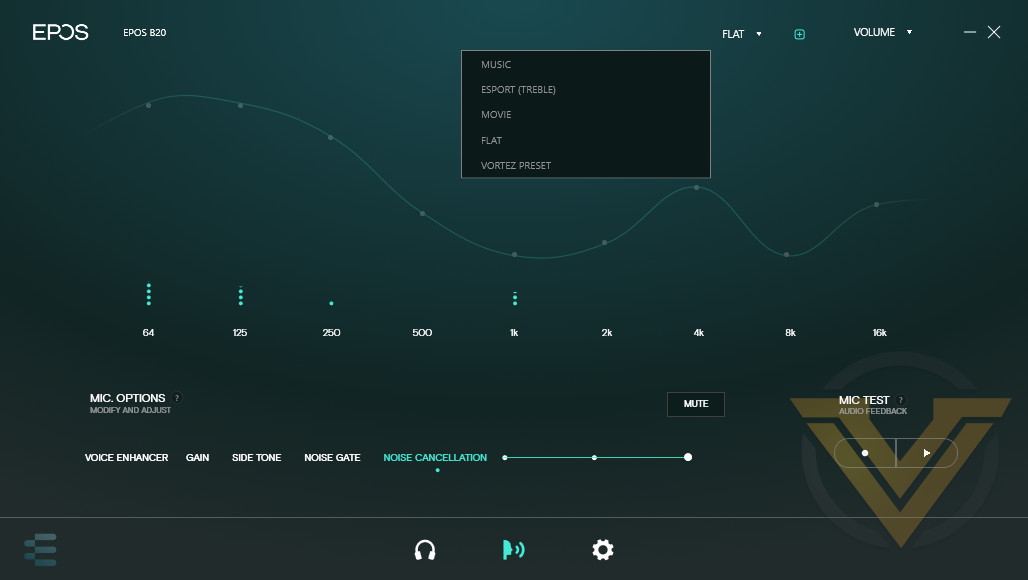
The software also allows you to record and play back a short snippet of audio for testing purposes.
Settings are stored on a profile basis which are selected from a drop-down menu in the top-right. You can use one of four supplied defaults, or create your own and save them alongside these defaults. The defaults – Music, Esport, Movie and Flat – cannot be edited and overridden, but any profile you create yourself can be.
—
We can appreciate the Gaming Suite software for what it does, while recognising that it’s not yet on a level with the more comprehensive solutions offered by some of their competitors. As their first foray it’s serviceable with few frills, and something to build on for the future.
Performance
From a mechanical standpoint the B20 is good, but not perfect. Construction appears exceptionally robust thanks in part to the aluminium body, but the connection made between the circular stand base and stalk is just fractionally loose. It will also be vulnerable to tipping, though we imagine that dangling wires routed under the base would be the chief culprit. On the other hand, the B20 is stable when attached to a RODE PSA1 mic stand via the native 3/8ths inch thread, and would absolutely be our configuration of choice if possible.
The supplied documentation and microphone itself don’t make it clear but the side with Volume and Mute buttons is the ‘front’, a fact you’ll need to dig into the B20’s product page to uncover. It wouldn’t hurt for EPOS to be a little clearer on this.
EPOS recommend that the microphone be positioned approx. 20cms from the mouth at a Gain of 50% when using the cardoid pick-up pattern, and we used this as the basis for our testing with the device. It’s a pretty good fit for the microphone all things considered, though less confident broadcasters will need to get used to projecting their voice more than they might be comfortable with.
The Gain dial is a little sensitive out of the box, making the software a more reliable avenue for adjusting levels. EPOS do have a firmware fix planned for this however.
From a pure audio standpoint, the B20 clearly captures vocal tones while passively filtering out extraneous noises, particularly those outside of its pickup radius. It eliminated most of the plosive ‘pops’ and some more of the sibilant ‘Ss’ without noticeably degrading the quality or losing any exclamation or pronunciation quirks. Teammates on voice comms noted the vocal clarity but did not express any issues with background noise, despite PC case fans running in the background.
With the weather heating up we cranked open some windows to let the world in, and with built-in filters and moderate noise cancellation levels the dull hum of the outside was effectively eliminated. Sharper and more spontaneous noises were still picked up, but you can’t expect miracles.
Speaking of vocals, the explicitly defined and customisable side-tone channel should be applauded here. Many mic users either don’t know they exist or how to use one they have, so to have it well implemented and configurable in software – that is then saved as a setting to the device – will allow less accomplished users to take better advantage of the functionality. And in so doing they will become a lot more comfortable with their own voice as it’s not deadened by noise-isolated headphones through this channel.
When positioned in front of the monitor the B20 using a cardioid pickup pattern didn’t register any bounceback from either the monitor screen or wall directly behind it. Eliminating these small niggles certainly helps to de-stress the process of gaming and streaming, and marked a welcome departure from some other microphones we’ve used in the past.
Other pickup patterns operated as advertised, although some amount of tinkering is required to get the proper gain and noise gate levels for each. We did struggle to really envision a scenario where each would be preferable when used as a solo streamer/content creator over the simple cardioid pattern, although granted the world isn’t quite set up for collaborative in-person content creation at present.
One aspect of the B20 we’ll miss is the dedicated mute button. Windows 10 doesn’t currently offer a hotkey/shortcut key to just mute microphone inputs and other mics often have to make do with 3rd party software, to our endless frustration. Microphones, both discrete and those integrated into headsets, should have them but frequently don’t; the B20 does and we used it frequently.
Another welcome inclusion was the very subtle indicator LEDs. Some manufacturers have started to ape ‘gaming’ aesthetic styles with adaptive RGB lighting, so a dim white bar for ‘on’ turning to a gentle red when the mic is muted was a pleasant surprise. It’s not at all distracting, and white is far better than blue for not standing out like a sore thumb. They also shouldn’t reflect too strongly in your glasses if you wear them, once again making it a little more appropriate for streaming.
Whether attached to the stand base or a 3rd party mount, the B20’s stiff articulation between mic and stalk makes it pose-able in a single 360-degree elliptical. Rubber feet on the included stand base keep the microphone in place on a desk, but we did court disaster once or twice when moving cables without care.
Finally, we did notice one potential problem with the hardware itself. Very rarely, once every 20mins or so, we heard an audible pop through our headset when connected through the mic’s side-tone channel. It’s brief and no loud but still clearly audible. It might be due to the mic, headset, or system on which it was tested, but we would be remiss not to mention it.
To sum up, the B20 captured voice crisply and cleanly, and rewarded tinkering with software and hardware settings in a manner that isn’t common amongst consumer audio devices.
Conclusion
The quality of audio hardware released by EPOS since the split from Sennheiser has deeply impressed us over the past 18 months, and we’re pleased to note that the B20 Streaming Microphone hasn’t broken that trend. By offering high quality voice pickup and uncommon versatility in this price bracket EPOS are planting a flag in the ground in the streaming and amateur broadcasting market segment.
In terms of the fundamentals, EPOS are off to a good start. Out of the box vocal clarity is of good quality for broadcast streaming, and excellent for voice comms through common applications such as Discord and in-game functionality. Feedback from teammates during gaming sessions was extremely positive, much more so than any headset solution and at least on par with other stand-alone microphones.
Two aspects really highlight its usability for amateur and hobbyist streamers as well as some gamers who want more control over their voice comms. Zero-latency side-tones, the process by which microphone input is fed-back into sound-isolating headphones to help you modulate your own speaking volume, is a feature that some may overlook or take for granted that really shouldn’t be. The fact that the B20 can also act as a separate audio output device for game sounds or team comms is also underrated if you have discrete speakers alongside an open-back headset.
Another feature that we appreciate is the dedicated mute button. It’s often missing on less expensive alternatives, but without a mixing desk or OS-level hotkey functionality it’s the simplest and best way to cut all microphone input in the event you need to. And such events can happen more often than you think. The subtle indicator LED is the correct final touch to this solution.
The Gaming Suite software on the other hand is… lets just say a work in progress. At a base level the functionality it offers is strong, particularly side tone customisation and noise gating. The Profile system is basic, letting you save settings to a profile and offering a set of four defaults to work from. Preset ‘Voice Enhancer’ EQ settings are a nice touch, but nothing really blew us away. You’ll be wanting to augment your mic skill with 3rd party mixing software to really make the most of the B20.
By including four different pick-up patterns EPOS are clearly attempting to tap into the collaborative streaming segment. Real-world events have put paid to that concept for now, but in the not too distant future we can see it picking up. In such scenarios both the bidirectional (for podcasting) and omnidirectional (console streaming in a larger space) could be key tools in the B20’s arsenal.
On a more functional note, it’s good to see EPOS embrace current mounting standards rather than sell adapters separately; where the B20 may lose out however is finding compatible accessories. Pop filters, if they’re needed beyond the built-in design, should be trivial to acquire and adapt; suitable shock mounts by contrast may be much more difficult to source due to the mic’s non-standard shape, dials and connector locations.
At £179.99, the B20 is facing some stiff competition from Elgato and RODE, who both offer extremely competitive alternatives in lower price brackets. The B20 really wins in its out-the-box adaptability and potential to take a budding venture to the next level. Competitors may however have the advantage in the selection of 1st party accessories and wider adoption of their products offering a deeper community knowledge pool to draw from.
The EPOS B20 Gaming Microphone is a solid new entrant at the higher end of the consumer USB microphone market, but offers some features difficult to find elsewhere. Although lacking in native accessories, and with software that is foundational rather than fully mature, the B20 will be a device that allows streamers and content creators to take their productions to the next level, without compromising gaming.
Pros
+ Clear Voice Recording
+ Plug and Play without software
+ Professional appearance
+ Exceptional build quality
+ Selectable pick-up patterns for a range of scenarios
+ Wide selection of hardware and software controls
+ Supports PS4 and hopefully PS5 in the near future.
Cons
– Software teething issues
– Lacking additional accessory options at launch
– Towards the expensive end of mics in the gaming segment.
+ Clear Voice Recording
+ Plug and Play without software
+ Professional appearance
+ Exceptional build quality
+ Selectable pick-up patterns for a range of scenarios
+ Wide selection of hardware and software controls
+ Supports PS4 and hopefully PS5 in the near future.
Cons
– Software teething issues
– Lacking additional accessory options at launch
– Towards the expensive end of mics in the gaming segment.
Click here for an explanation of our awards at Vortez.net.
Stay connected with Vortez social media pages: