Fractal’s new Lumen AIO CPU Coolers are poised to strike the perfect balance between thermal performance and pricing. We check out the Lumen S28 RGB.

Product on Review: Lumen S28 RGB AIO CPU Cooler
Manufacturer & Sponsor: Fractal Design
Street Price: GBP: £104 USD: $120
This month, Fractal has unveiled a multitude of new products. Last week they brought to market the Ion+ 2 Platinum 860W PSU, Prisma AL-180 PWM ARGB cooling fans, and the very popular Torrent Computer Chassis. Well, today they are back at it again – this time with a focus on the cooling division.
Today sees the launch of the Lumen AIO CPU Cooler. Lumen is available in RGB and non-RGB, and offers sizes of 240-360mm. We’ll be checking out Lumen S28 RGB, the 280mm RGB variant.
While the cooler itself carries some impressive features, the pricing is by its very nature impressive too. For the 280mm version in particular, it will be positioned as one of the cheapest in its category. Is it because we have an inferior product in our hands? Let’s find out!
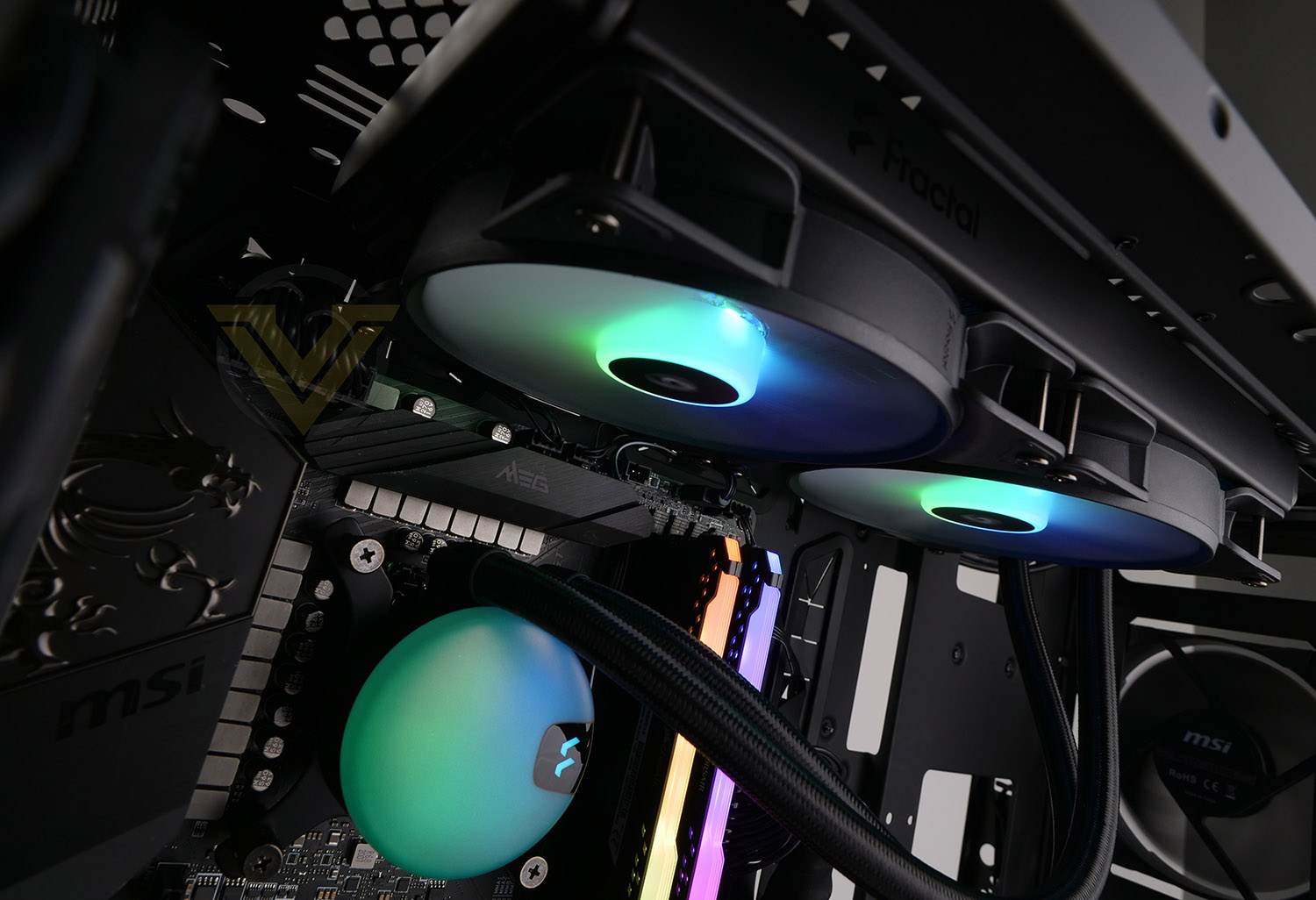
Fractal on Lumen:
Lumen features Fractal Design’s newly released Aspect PWM fans with daisy-chainable power/ARGB connectors and comes pre-applied with optimal thermal paste coverage, making it an attractive AIO solution for both starting and seasoned builders. Options for controlling the pump’s integrated ARGB effects include Asus AURA, Gigabyte Fusion, MSI Mystic Light, Razer Chroma and ASRock Polychrome support.
Technical Specifications
Below are the technical specifications surrounding the Lumen S28 RGB, directly from Fractal:
Model
Lumen S28 RGB
Radiator Dimensions:
312mm x 140mm x 27mm
Socket compatibility
Intel 1200, 1150, 1151, 1155, 1156, 1366, 2011, 2066
AMD AM4, AM3, AM2, sTRX4, sTR4
Fan model, number
2x Aspect 14 PWM 140mm
Noise level (dB(A))
10 – 35 dBA
Pump connector
3-pin
Lumen S28 RGB
Radiator Dimensions:
312mm x 140mm x 27mm
Socket compatibility
Intel 1200, 1150, 1151, 1155, 1156, 1366, 2011, 2066
AMD AM4, AM3, AM2, sTRX4, sTR4
Fan model, number
2x Aspect 14 PWM 140mm
Noise level (dB(A))
10 – 35 dBA
Pump connector
3-pin
Packaging & Bundle
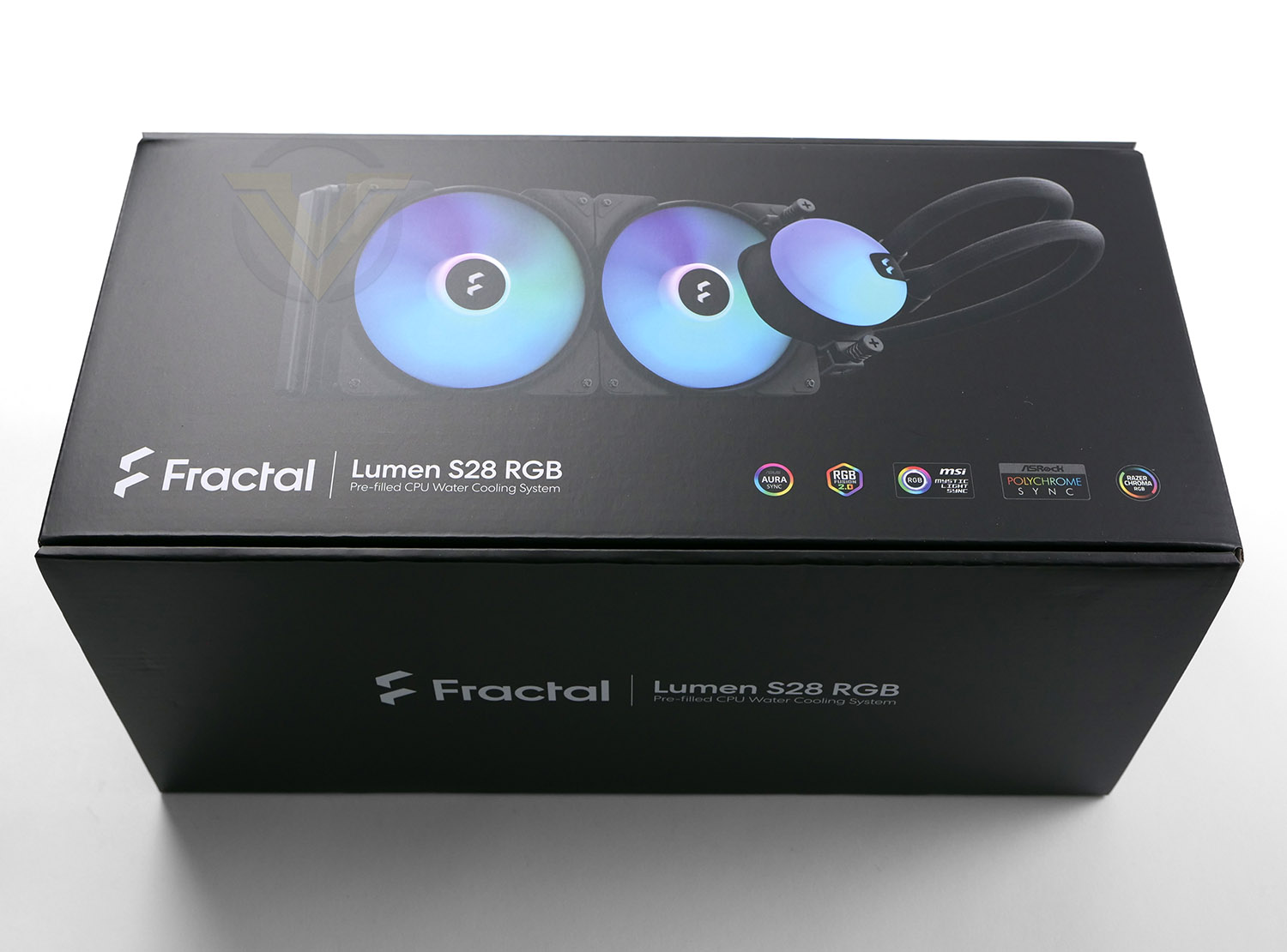
Fractal’s Lumen S28 RGB arrives in a large, nicely designed box with the depiction of the cooler on the front. The technical specifications can be found on the reverse.
Inside, all of the items are wrapped in plastic and well-protected in a large cardboard tray which is the standard packaging for products of this nature.
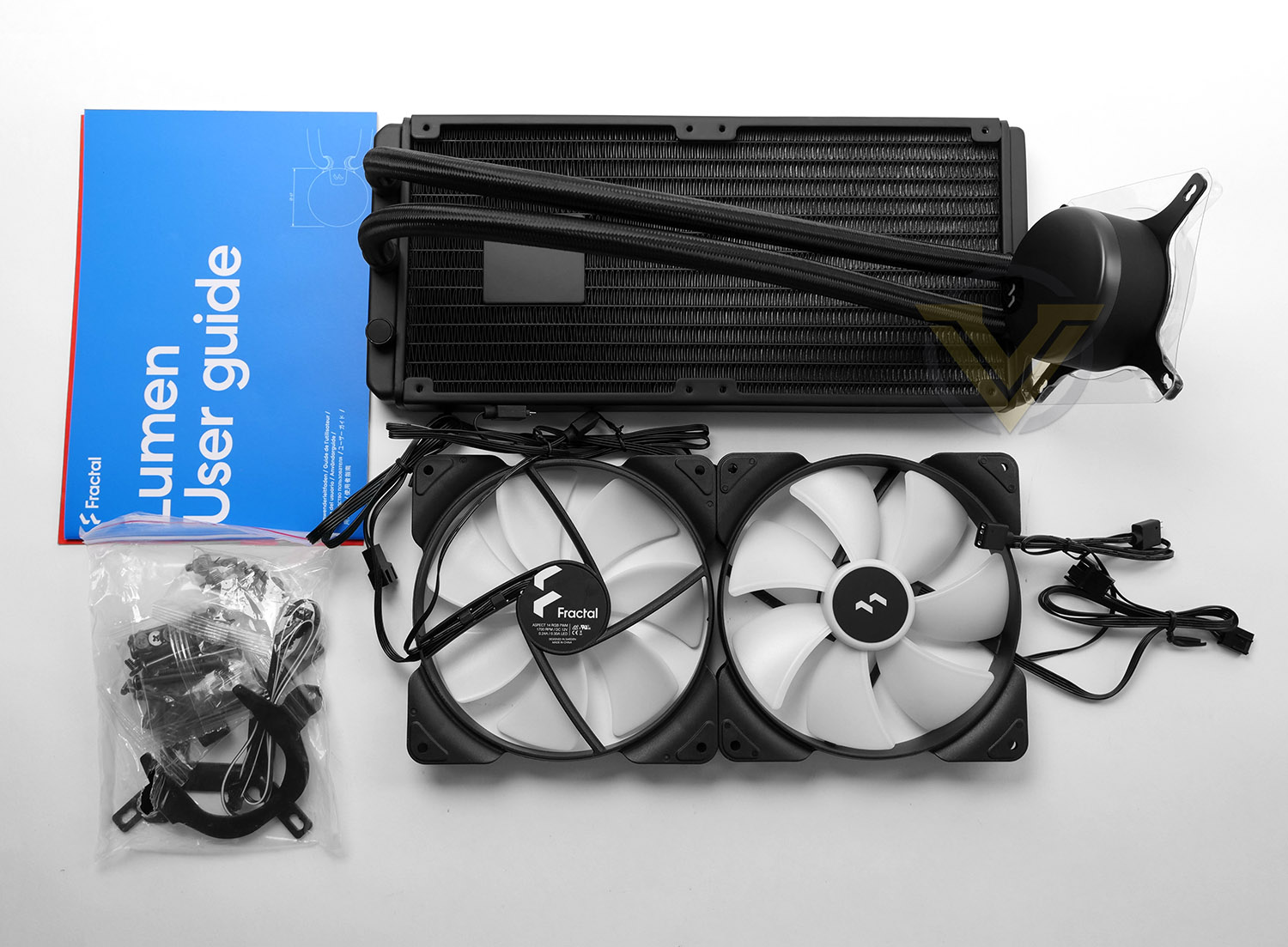
There are various parts for installing this cooler into a computer case since it is compatible with numerous socket types. The bundle consists of:
• Radiator/block
• 2x Aspect 14 PWM fans
• Mounting kit for Intel/AMD platforms
• Installation guide
Closer Look
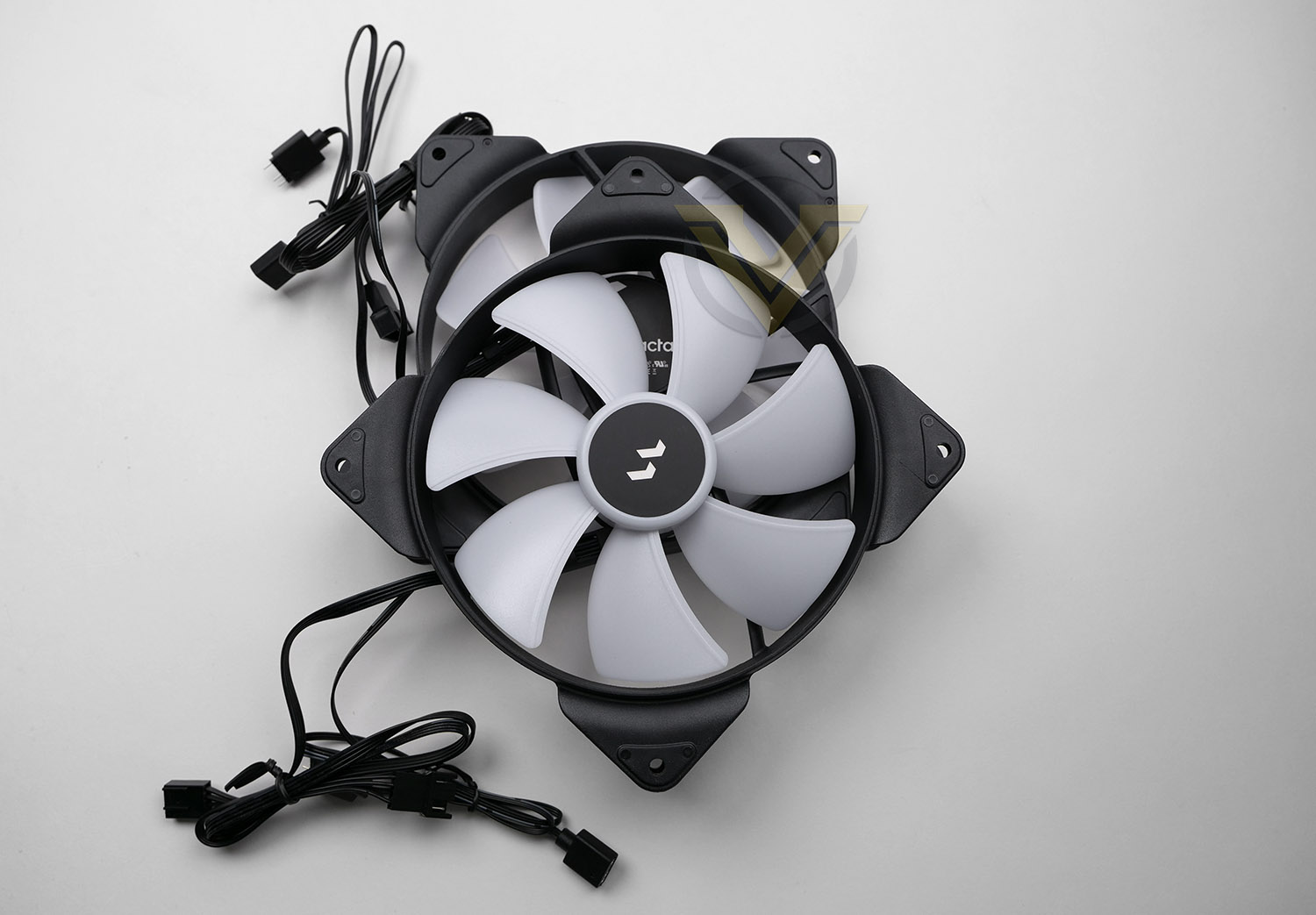
Included with this cooler are two 140mm RGB fans – Aspect 14 PWM. These fans are capable of 500-1700 RPM and airflow of up to 78 CFM.
Both fans have two cables since they offer the option of RGB lighting. Thankfully, Fractal has allowed the 5v RGB (and the 4-pin connectors) connectors to daisy chain which means that only a single header for PWM and a single header for 5v RGB are required, thus freeing up the headers on your motherboard.
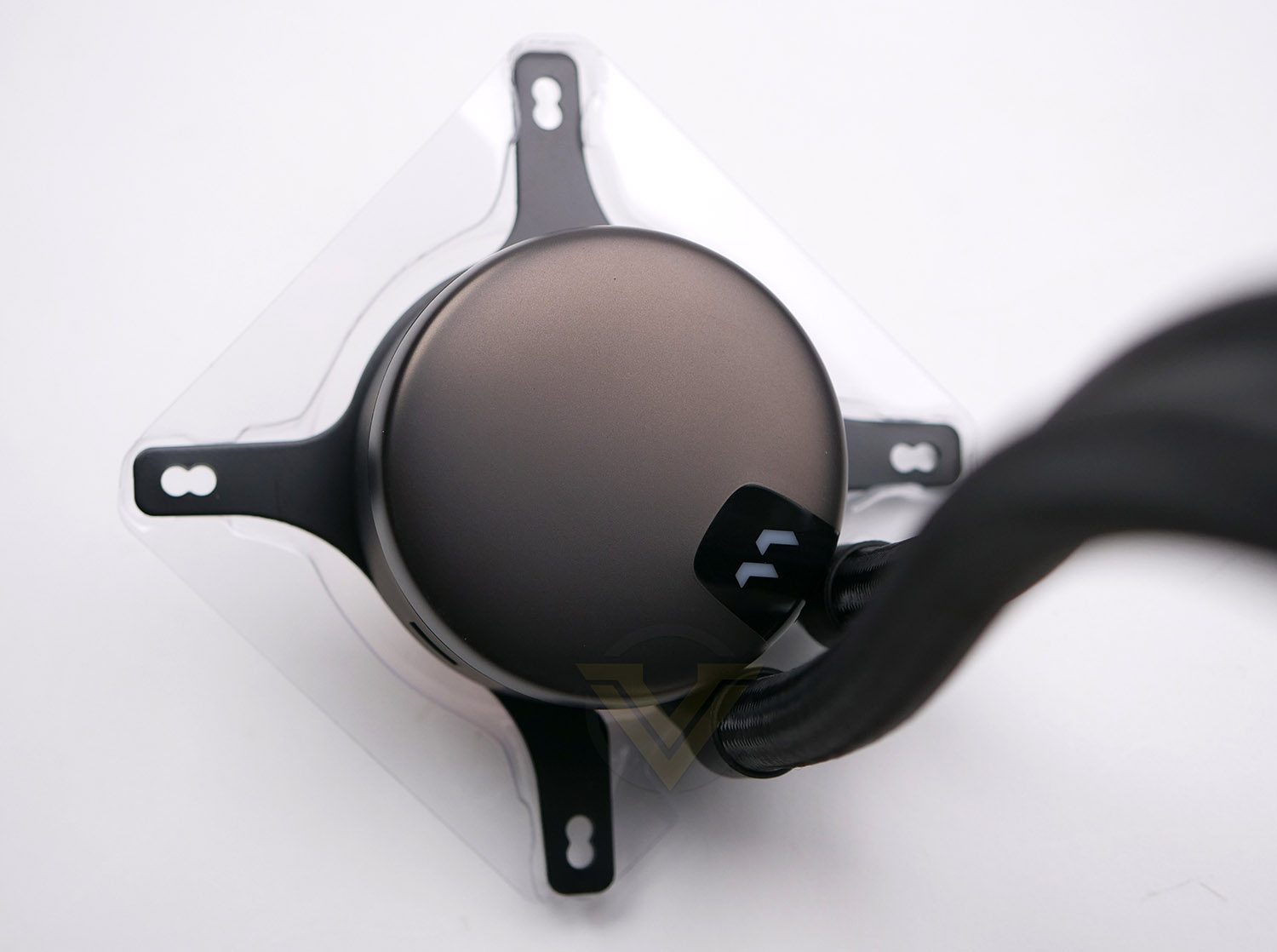
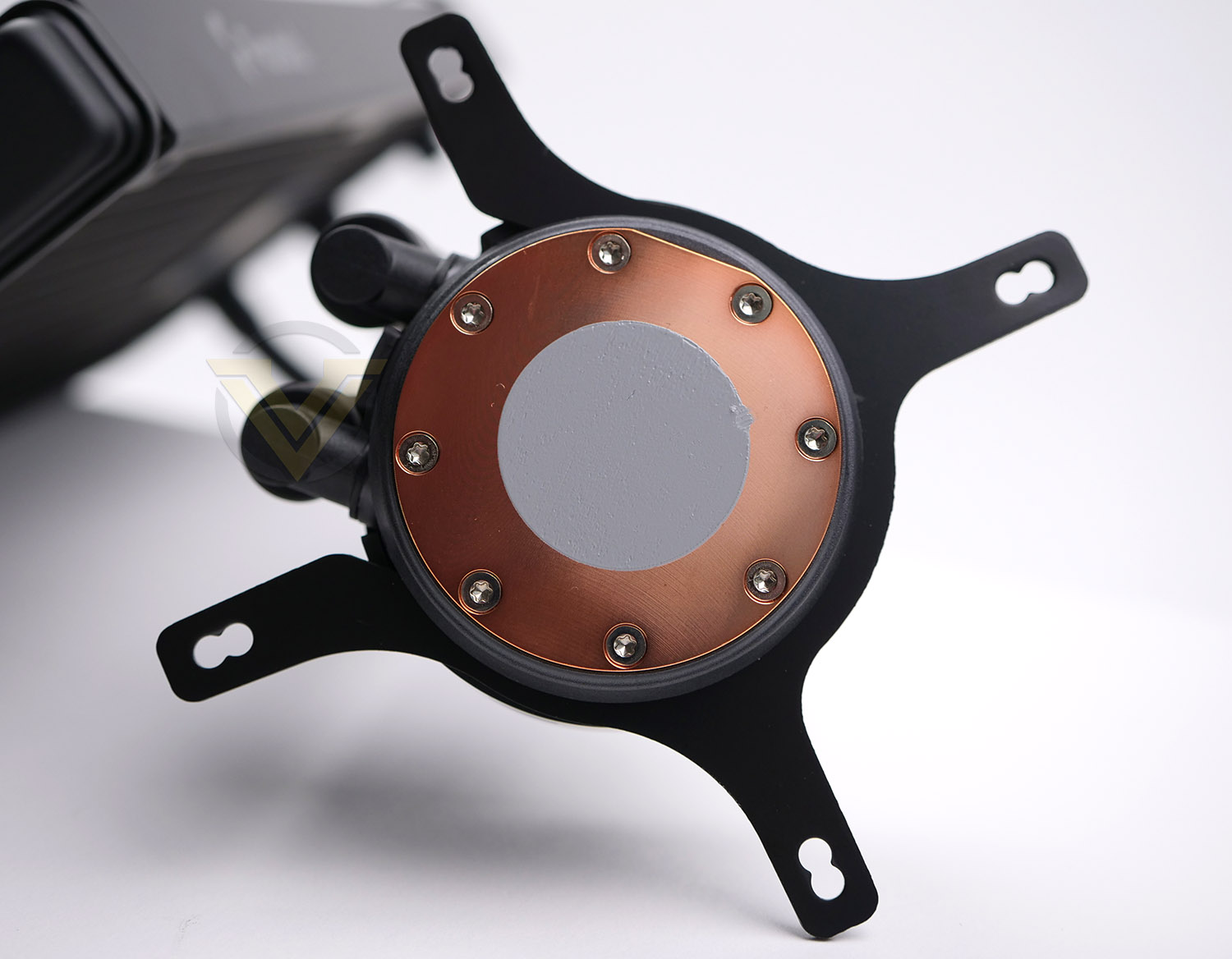
The design of the block is very simple – it features a plastic cap which has an anodized finish. This cap can be repositioned as shown in the next section of the review. There is nylon tubing which marries the block to the radiator – we should point out that the pump in this cooler is located in the radiator itself. Although there isn’t a cable pictured, to achieve RGB lighting the provided cable needs to be attached to the side of the block and into the daisy chained RGB (or 5v RGB header on the motherboard).
On the bottom-side of the block, we can see the copper baseplate and pre-applied thermal paste. The circumference of this is unlikely to cater for larger CPUs which fall into the HEDT category. Lumen comes with the Intel bracket pre-installed.
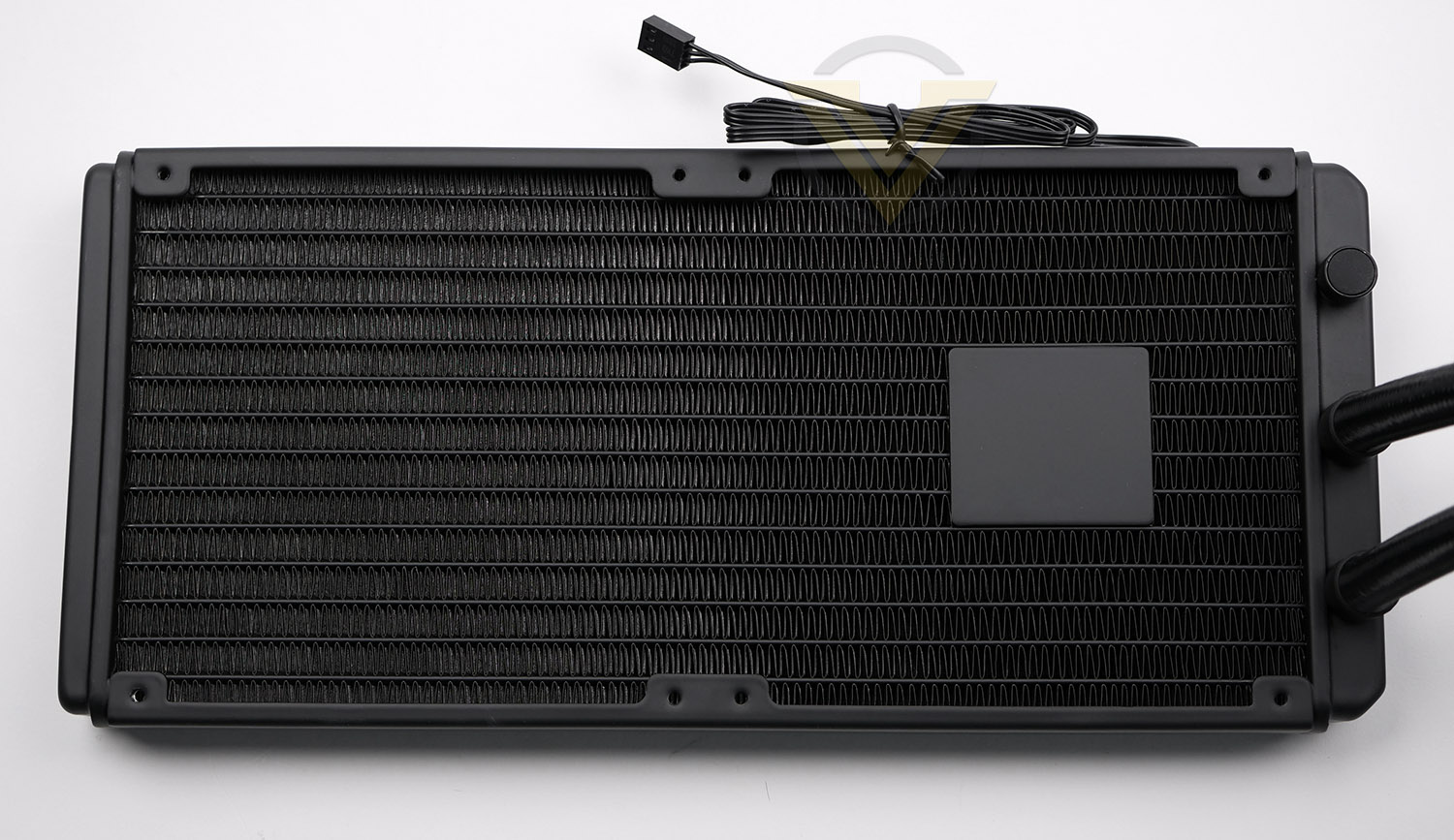
There are various models within the Lumen lineup, under review today is the 280 model which features a 280mm radiator. This radiator is aluminium and as mentioned, has the pump incorporated, the pump is DC with ceramic bearing and can hit 4000 RPM. A cable feeds from this pump (3-pin) and marries up to the pump header on the motherboard.
Fractal has included a re-fill port on the edge, next to the tubing.
Installation Process
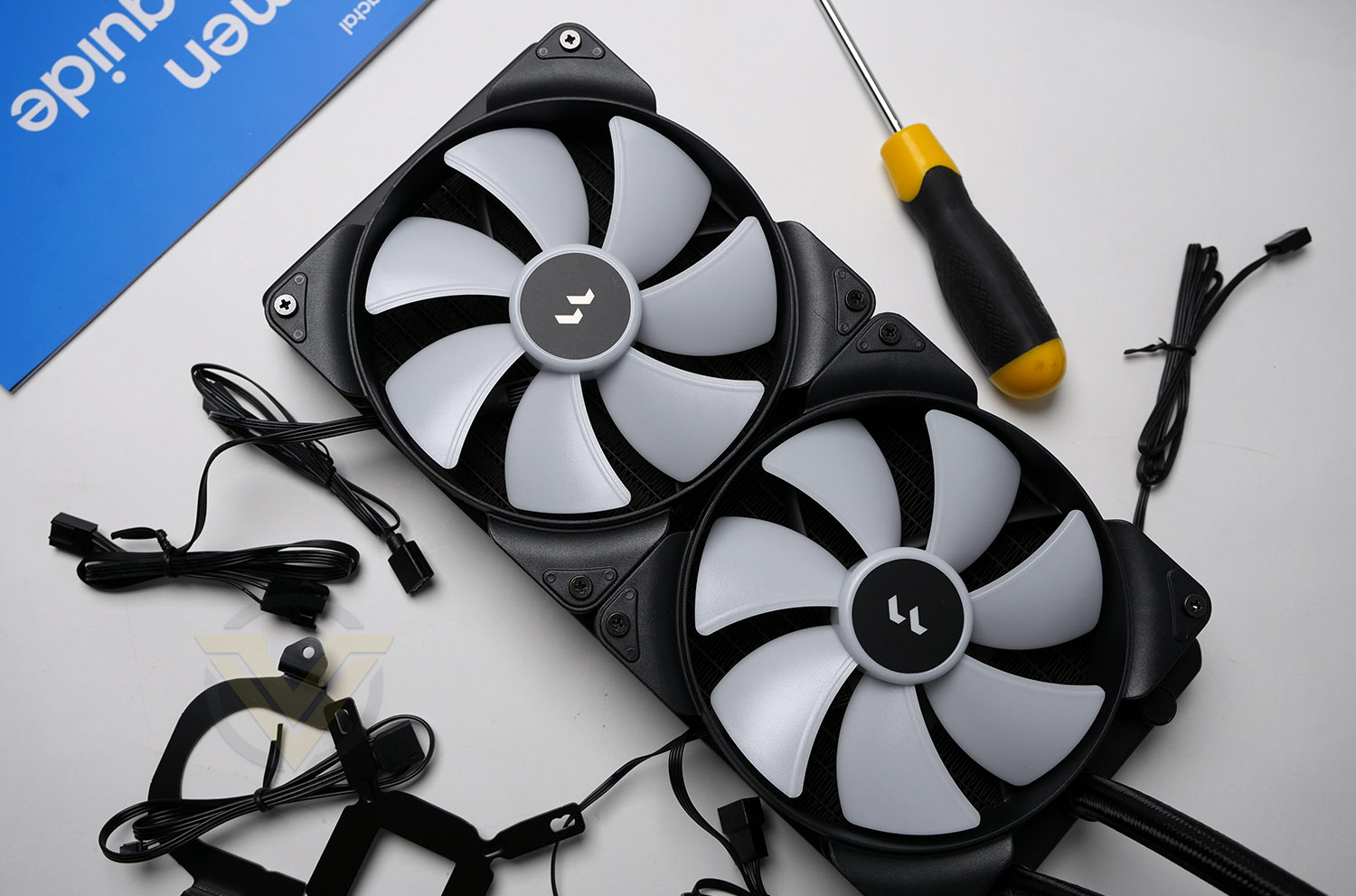
As part of the first step for installing Lumen, we attached the two cooling fans to the radiator. A push configuration is the usual course of action for this type of cooler, so we install the fans in this orientation – with airflow directed at the radiator. As usual, long screws need to be tightened into all four corners of each fan.
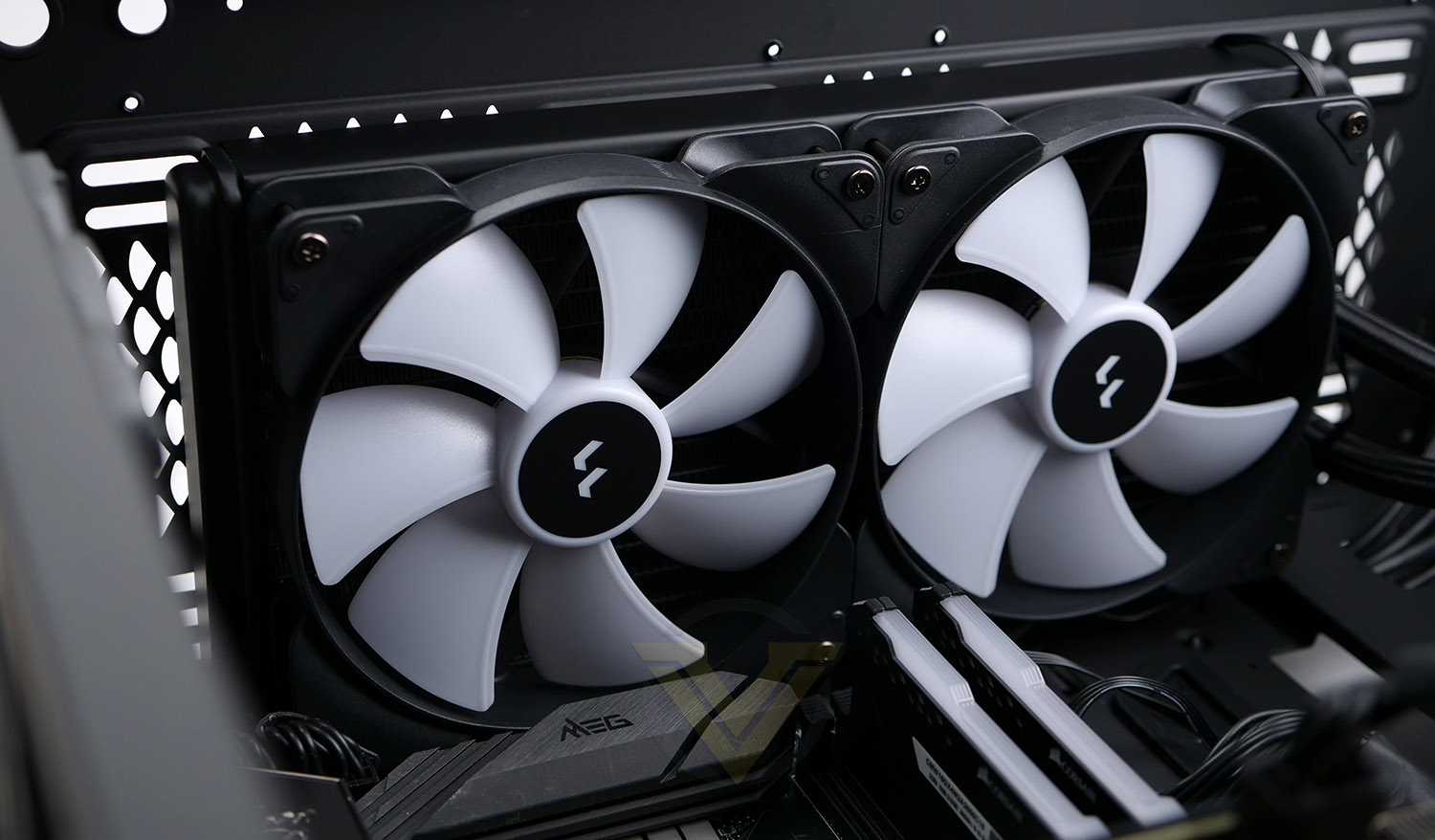
The largest and most challenging aspect to installing a liquid cooler within a case comes when trying to fix the radiator and fan combo into the roof of the case, so this is the next phase of our installation. Most cases have allocation at the front or top for different sized radiators – 240/280 or even 360. Our case can accommodate 240 and 280, all we do is move the radiator/fan combo into the desired spot and attach the smaller screws provided to fix into place.
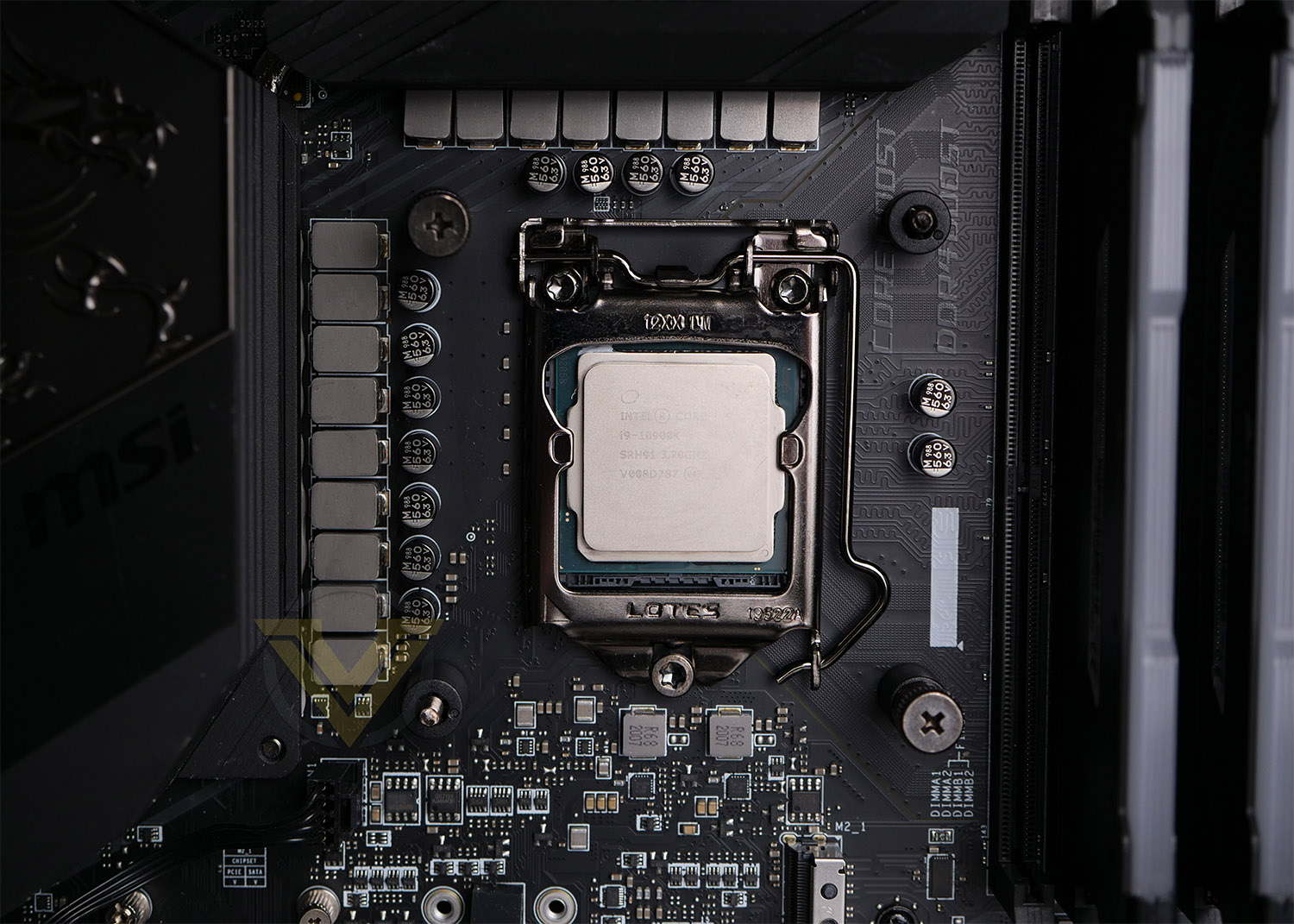
For our CPU cooler reviews we’re using LGA 1200, which is Intel’s socket for 10/11th Gen. processors. This configuration fits into the same dimensions as previous Intel sockets bearing the LGA 115x. A backplate simply needs to be placed through the back of the motherboard and long screws pass through the backplate. This part can be tricky because the screws need to be held into place (otherwise they fall) while the block is positioned and bolts attached. Fractal could have made this easier by pre-attaching screws to the backplate. For the picture, we had to attach two of the bolts keep the screws from falling out the back.
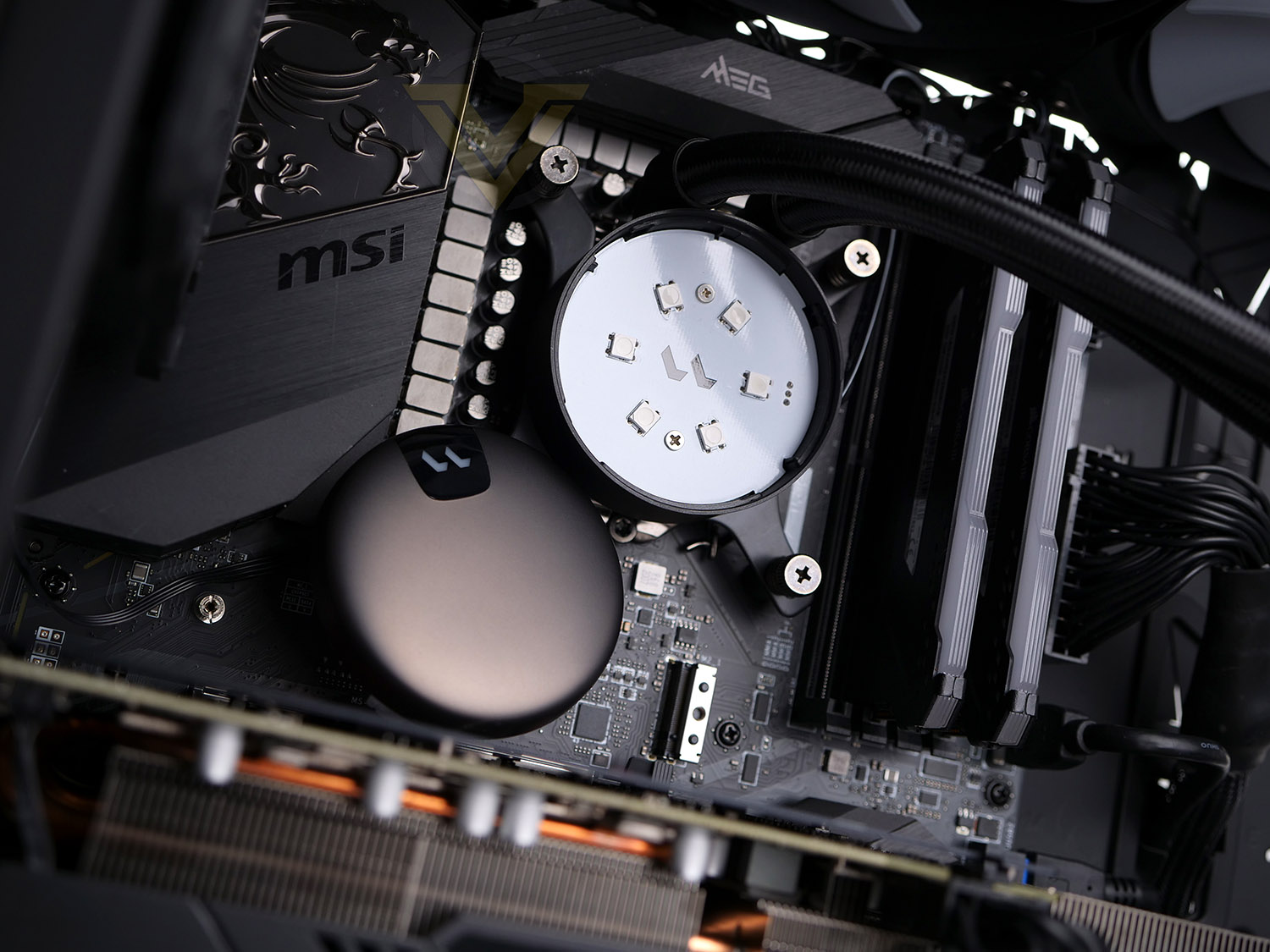
The last step is to place the block over the CPU/screws and attach the spring-loaded bolts. It is recommended that this be done in a diagonal sequence to apply even pressure.
The block features a detachable cover shown in the picture above. Removing this reveals the RGB LEDs underneath. Fractal has designed this cover to be detachable so that it can be oriented in the correct manner with the logo upright.
All cabling should be properly connected – 5v RGB cables can from the block and fans can be daisy chained so that only one header is needed on the motherboard. In the same way, the PWM fan cables can be combined too, for this we connect to the CPU fan header on the motherboard. The 3-pin pump connector plugs into the pump header on the motherboard.
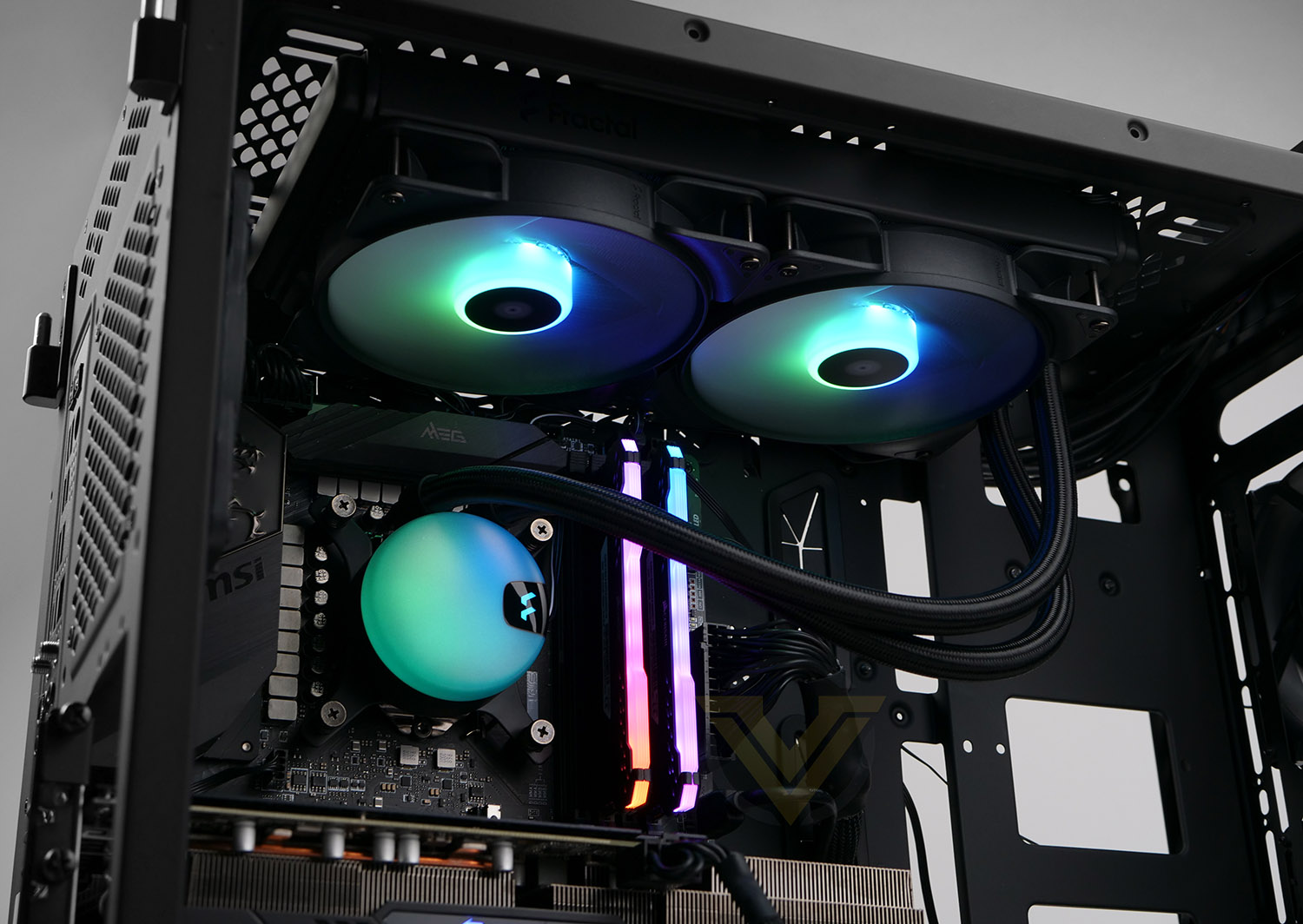
The finished look is impressive!
The RGB lighting can be controlled via the motherboard’s RGB software (all motherboards have their own in-house lighting technology and Lumen is compatible with this). To manage the speed of the pump and fans, again, this can be managed using the BIOS or software. In our case, we use the MSI BIOS to ensure all devices are using “PWM”.
Test Setup & Methodology
HARDWARE
Rather than analyse CPU coolers on a test bench, we prefer to simulate a real-world configuration where all of the components are housed within a computer case. By doing this, our readers are able to see the CPU cooler in a real-world scenario.Special thanks go to Intel, MSI, Corsair, Noctua and AverMedia for providing the hardware configuration for our CPU cooler reviews:
Motherboard:
CPU: Intel Core i9-10900K
MSI Z490 UNIFY
RAM – Corsair Vengeance LPX 3600MHz
Graphics Card – ASRock Phantom Gaming RX 5600 XT (0 dbA)
Power Supply – Corsair RMx850
Hard Drive – Intel S3500 128GB
Case – MSI SEKIRA 500G
CPU: Intel Core i9-10900K
MSI Z490 UNIFY
RAM – Corsair Vengeance LPX 3600MHz
Graphics Card – ASRock Phantom Gaming RX 5600 XT (0 dbA)
Power Supply – Corsair RMx850
Hard Drive – Intel S3500 128GB
Case – MSI SEKIRA 500G
BENCHMARKS
In order to perform our thermal and acoustics tests we use AIDA64 Stability test. The 10900K CPU is left in its default stock state with EIST, Turbo enabled.For the moment, the comparison results highlight only a small number of CPU coolers, this is because we’ve updated our hardware configuration. The number of tested coolers will increase.
To reflect the most accurate user experience we always test our coolers in their out-of-the-box state, with the cooling fans/components they are sold with. However, we do not use the supplied thermal paste as this would skew results – for our thermal paste we use Noctua NT-H2 which provides us with that level playing field and consistency.
To record the idle temperatures result, our system is booted into Windows and left to idle for 20 minutes. The average core temperatures are recorded (Using Core Temp), and then we following this we apply the AIDA64 Stability test to apply an intensive load on the CPU. After 20 minutes have elapsed, we then record the average core temperatures.
All temperature results are delta, this is calculated by subtracting the ambient from the average core temperature. Ambient temperature is recorded using a digital thermometer placed near the front intake of the case.
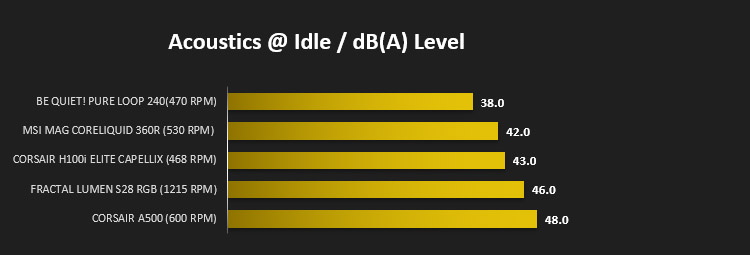
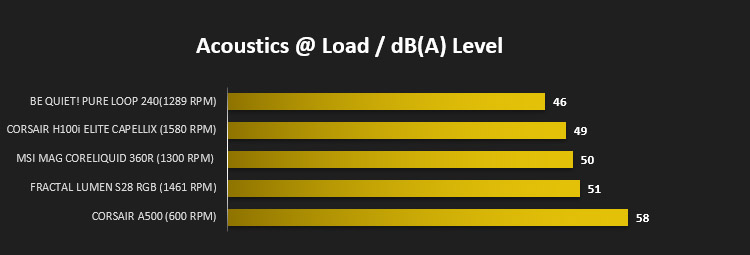
In regards to acoustics we use the exact methodology above except all case system fans are disabled. This isolates the CPU cooler fans and allows us to accurately report on the decibel readings. We record acoustics using the NDI KC-330D Sound Level Meter at a distance of approximately 30cm.
Thermal Results
Below are the results for our thermal test. We record both the idle and load temperatures – stress is applied to the CPU using AIDA64’s stability test.
Acoustic Results
In terms of the acoustics test, we disable all case fans and place our sound level meter approximately 30cm away from the cooling fans and the result is then obtained.
Conclusion
The Lumen S28 RGB is quite a simple AIO cooler and doesn’t fall into the usual trappings of being overengineered. It’s a great product at an attractive pricepoint.
Cooling performance is the top priority for CPU coolers and Fractal’s Lumen operates well in terms of the thermal results and acoustics. While it didn’t ascend to the top of our current leaderboard for both attributes, the overall outcome is great.
Our cooling test system uses LGA 1200 – Intel’s 10th Gen. and we found the installation fairly easy, though attaching the backplate and screws was somewhat fiddly, however this is only a minor point. The entire process of getting Lumen installed into a case and onto a system is without any problems and we’re pleased that Fractal gives the option to daisy chain both PWM and 5v RGB cabling. Without the option for this, things would get quite messy for cable management and you’d soon run out of headers on your motherboard. Going down this route means that Fractal doesn’t have to include a PWM/RGB controller (which would increase costs).
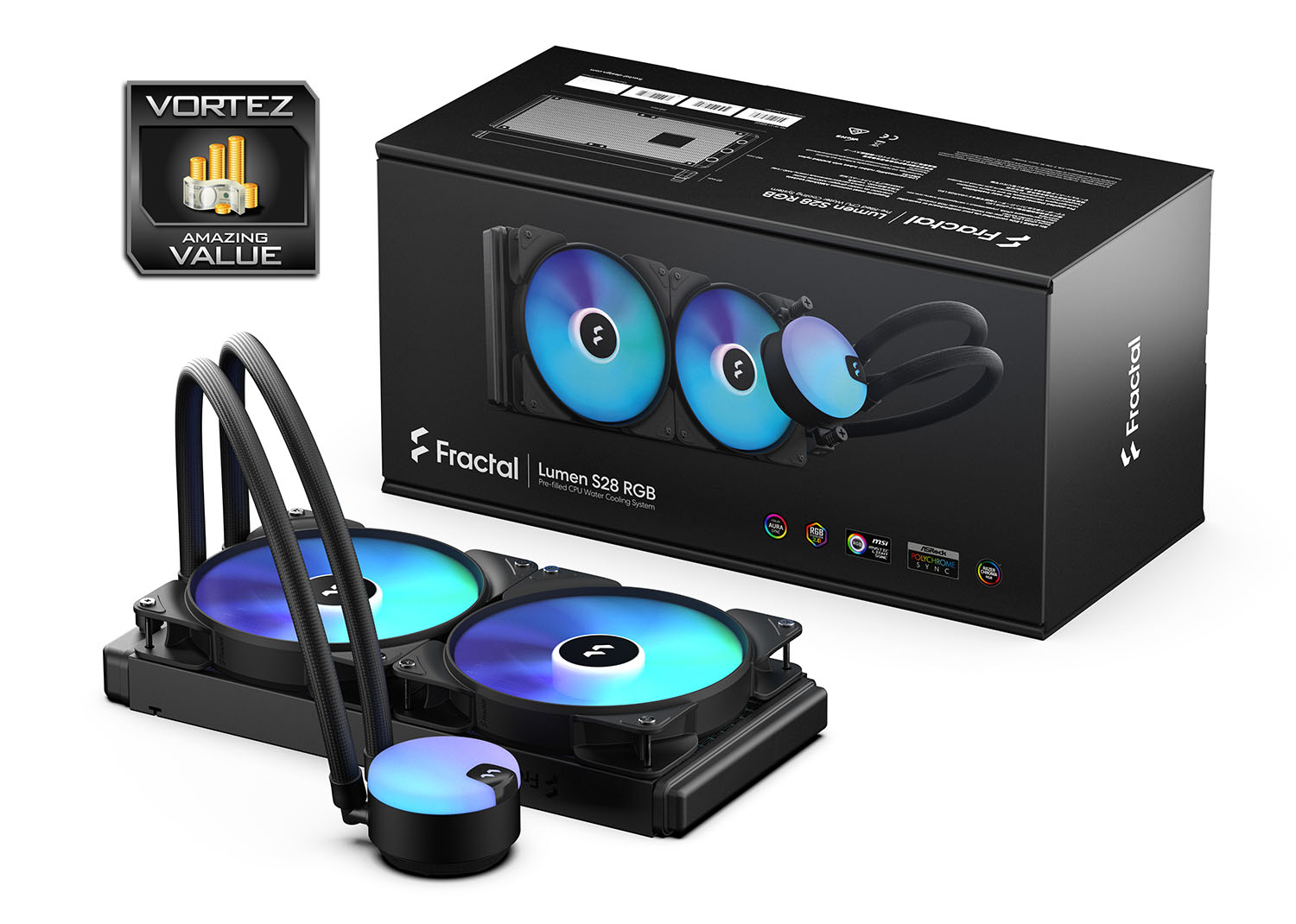
The best thing about the Lumen range, and more specifically the S28 RGB, is the pricing. Among the 280mm AIOs on the market, this one will come in as one of the cheapest at: GBP: £104 USD: $120, and that also comes with a generous 5 year warranty.
Lumen is another successful product launch for Fractal, they’ve managed to release an AIO which performs well and won’t cost you the earth!
Pros
+ Subtle, but appealing visuals
+ Multiple size options (240-360mm)
+ Decent performance
+ Good overall performance
+ Low-noise operation
+ Cables can be daisy chained
+ Affordable
+ Impressive 5 years warranty
Cons
– None!
+ Subtle, but appealing visuals
+ Multiple size options (240-360mm)
+ Decent performance
+ Good overall performance
+ Low-noise operation
+ Cables can be daisy chained
+ Affordable
+ Impressive 5 years warranty
Cons
– None!
Click here for an explanation of our awards at Vortez.net.
Stay connected with the Vortez Social Media pages:
Join in with the discussions on Discord