A condensed version of Torrent makes an appearance, boasting a design which should be well-suited for high airflow. Should you consider this new computer case?

Product on Review: Torrent Compact
Manufacturer & Sponsor: Fractal Design
Street Price: GBP: £159 USD: $149 AUD $229
Back in August of last year Fractal launched a new computer case called Torrent, designed specifically for high airflow and it has to be agreed that it’s been a great success. So much so, that we now have more variations of making an appearance and today we’ll be taking a look at one of them.
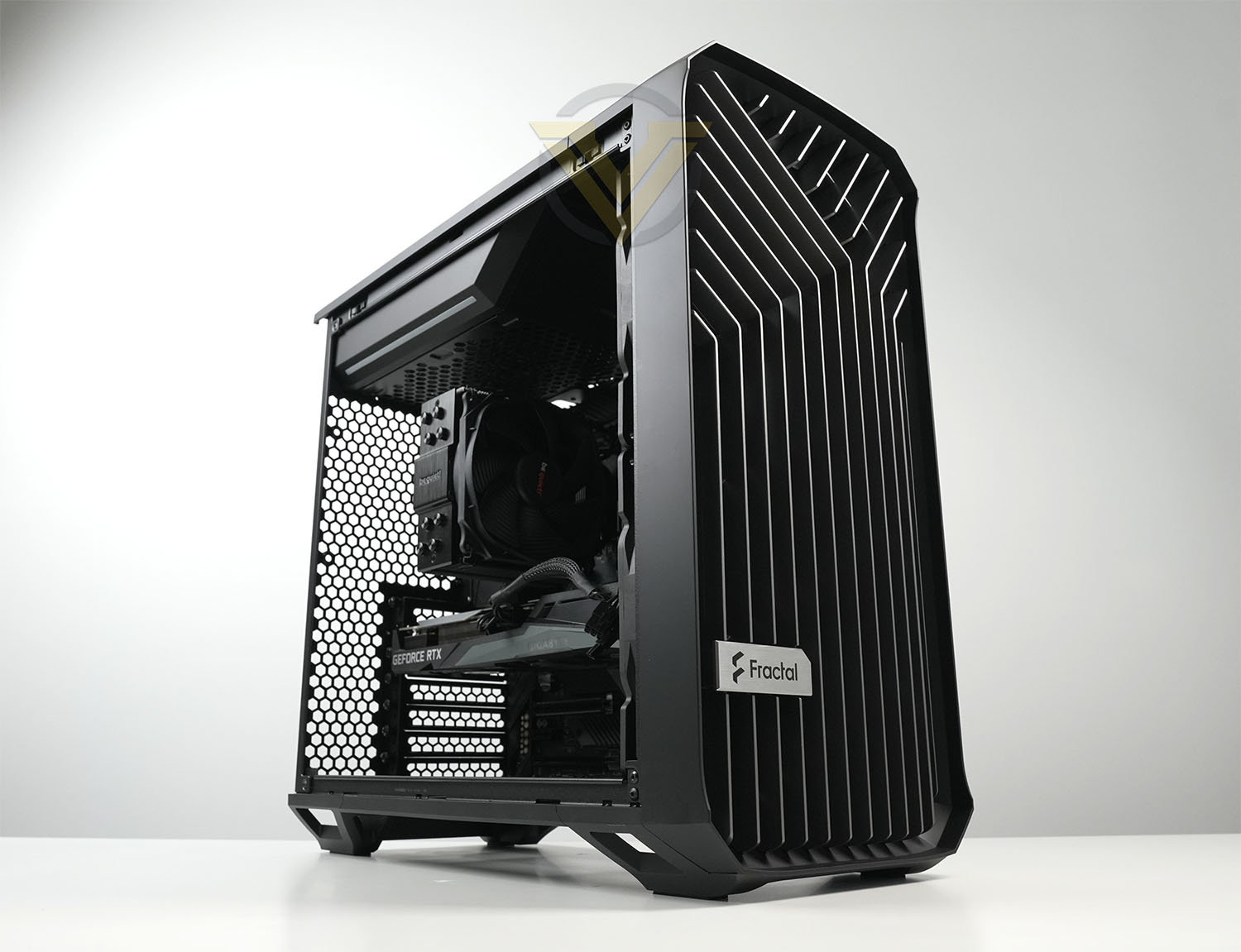
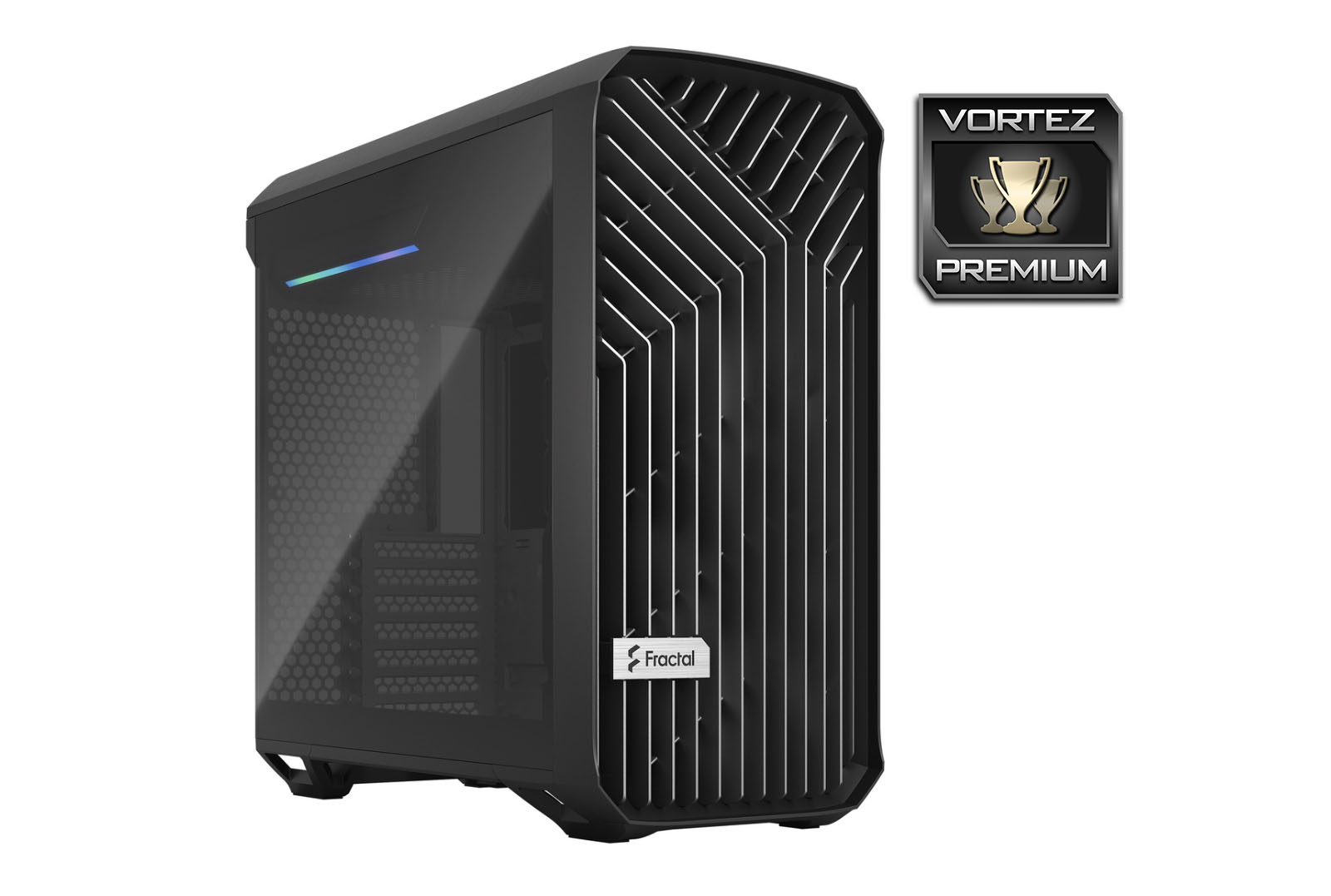
In the spotlight today is the Torrent Compact. The intention behind this new enclosure is that it will provide a downsized version of the original Torrent and of course, come in with a smaller price tag. Compact arrives in many different colour options and is armed with two 180mm PWM fans. Will it be able to match the prowess of its larger sibling?
Fractal on their Torrent Compact
The Torrent Compact is built to air cool your compact build as efficiently as possible through an open front grille and two of our 180 x 38 mm Dynamic PWM fans (Prisma for RGB version), making it a perfect fit for air cooling aficionados looking for a compact case.
Technical Specifications
Below are the technical specifications surrounding the Torrent Compact:
Closer Look
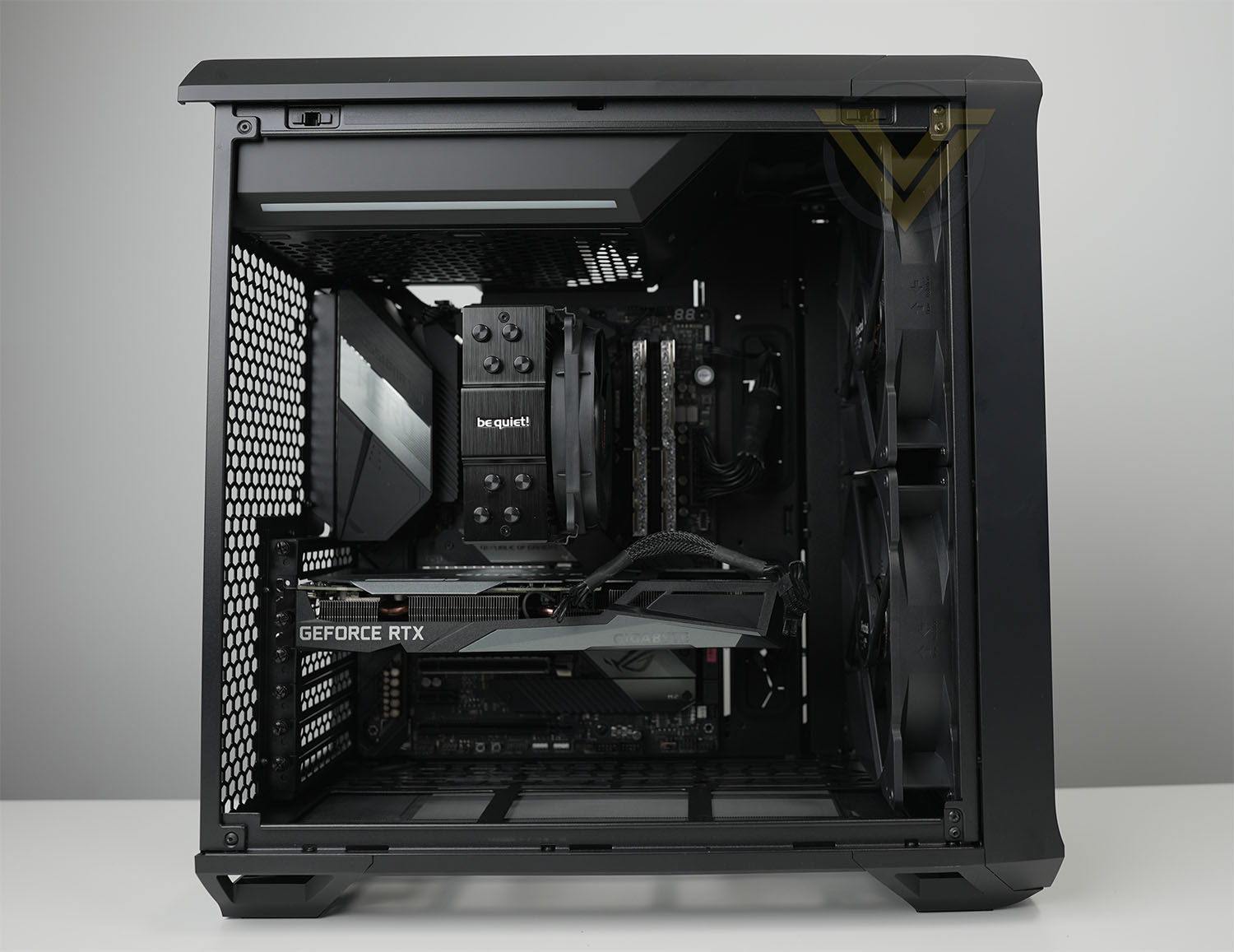
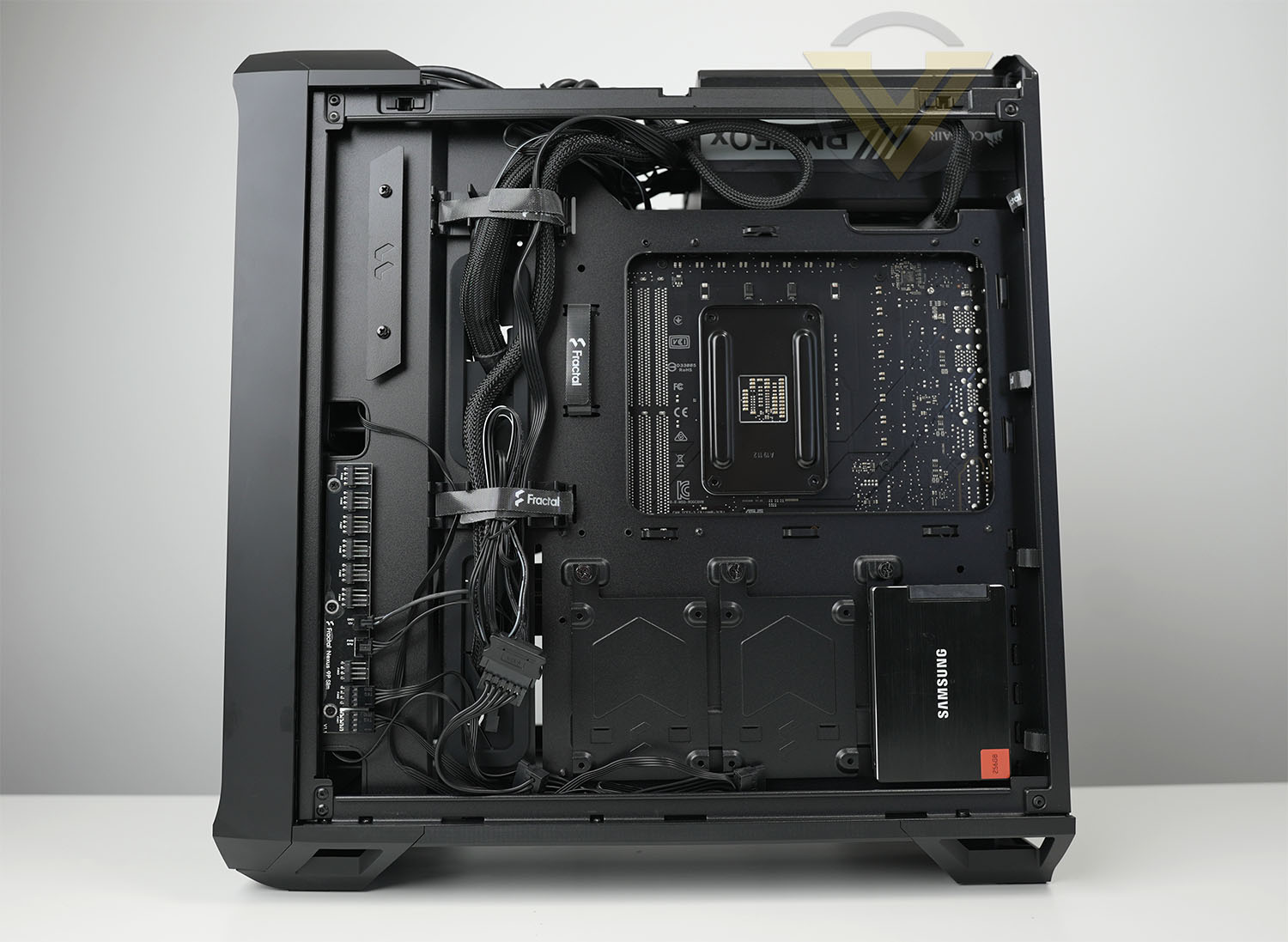
Compact follows a similar layout to most computer cases – although it takes the power supply into the upper section. Depending on the version you opt for, you will either get solid steel panels or tempered glass – these panels are tool-less and are attached via magnet.
Inside, we have an arrangement which permits the E-ATX form factor with enough room for large CPU coolers (up to 174mm) and long graphics cards (up to 330mm). Both of these limitations will prevent some hardware being fitted but a majority will fit without any problems.
On the reverse side there are plenty of integrated Velcro ties for cable management, a Nexus 9P Slim fan hub and a series of 3x SSD attachment trays. There isn’t a huge amount of space between the motherboard tray and side panel, so some time spent with arranging cables is required.
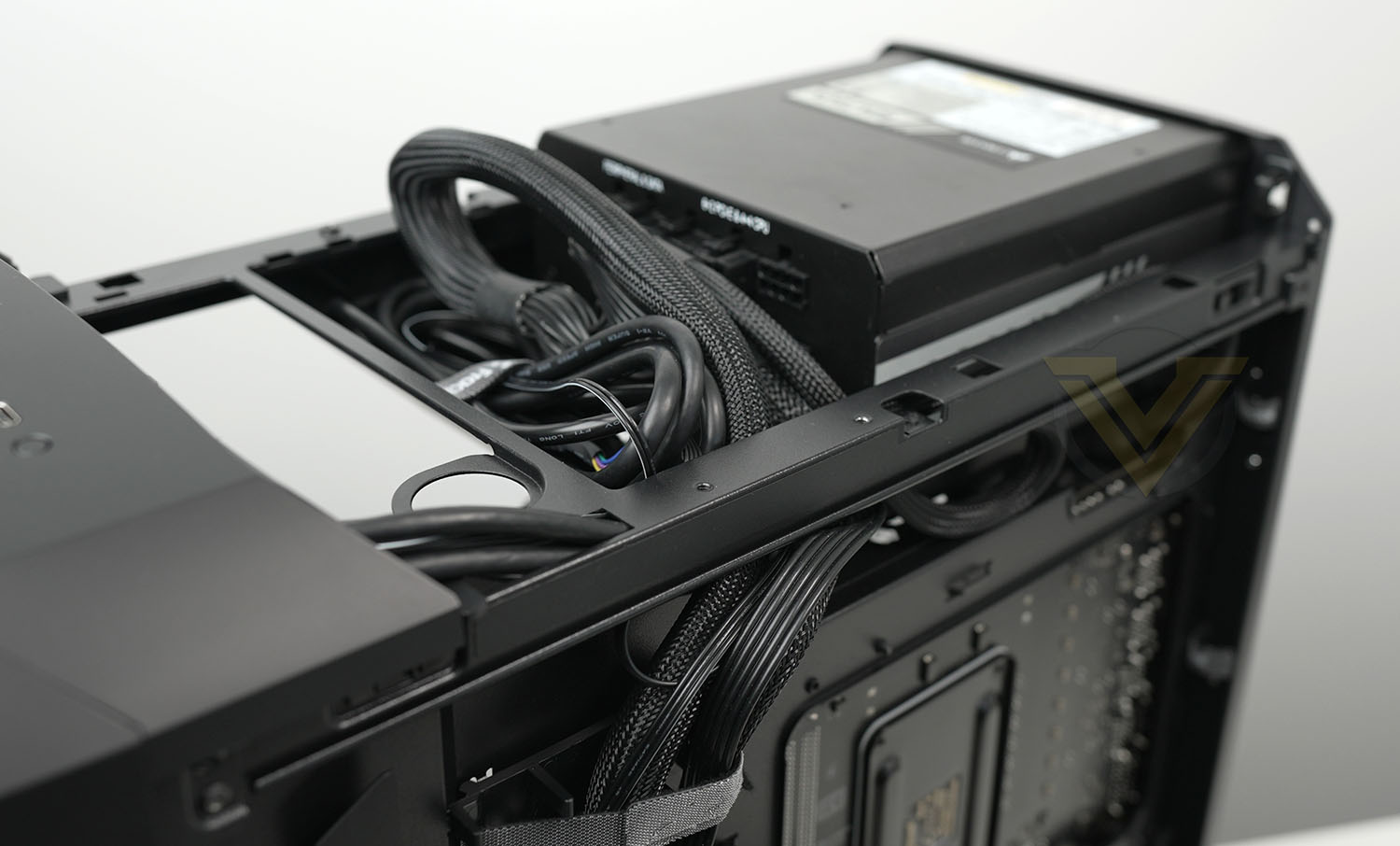
Up at the very top of Compact, Fractal has designed a cavity for the PSU to reside. In our configuration with a 180mm PSU, we had to remove the 3.5” inch HDD tray – but in the default configuration, this tray can be installed to house 3.5” storage. 3
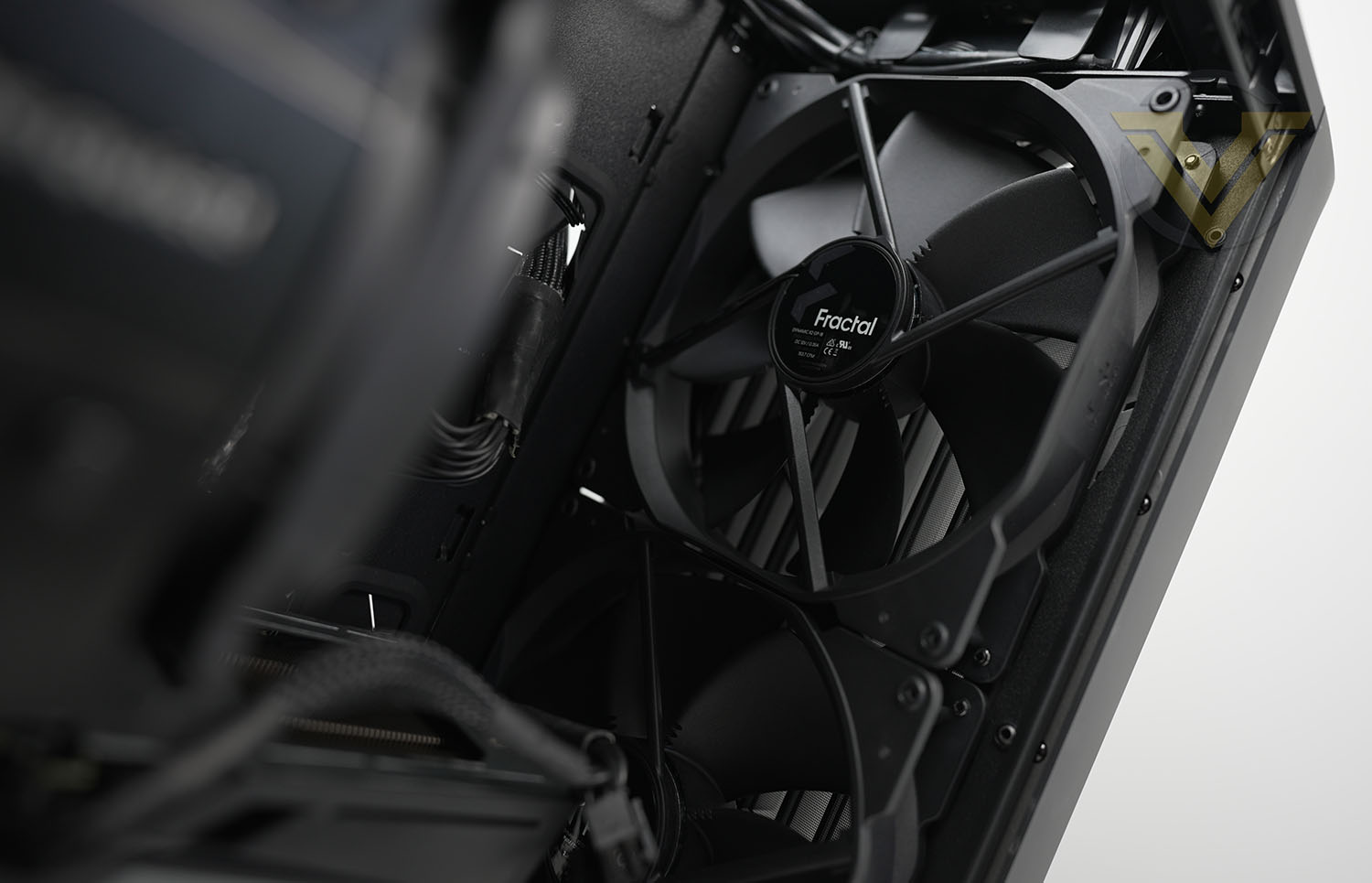
Compact either comes with two Prisma ARGB PWM fans or Dynamic X2 PWM fans. Either are 180mm and are installed at the front of the chassis to bring cool air across the system. This space has an easy to remove dust filter, as does the bottom of the chassis which can also house two 180mm, 140mm or three 120mm fans for additional cooling.
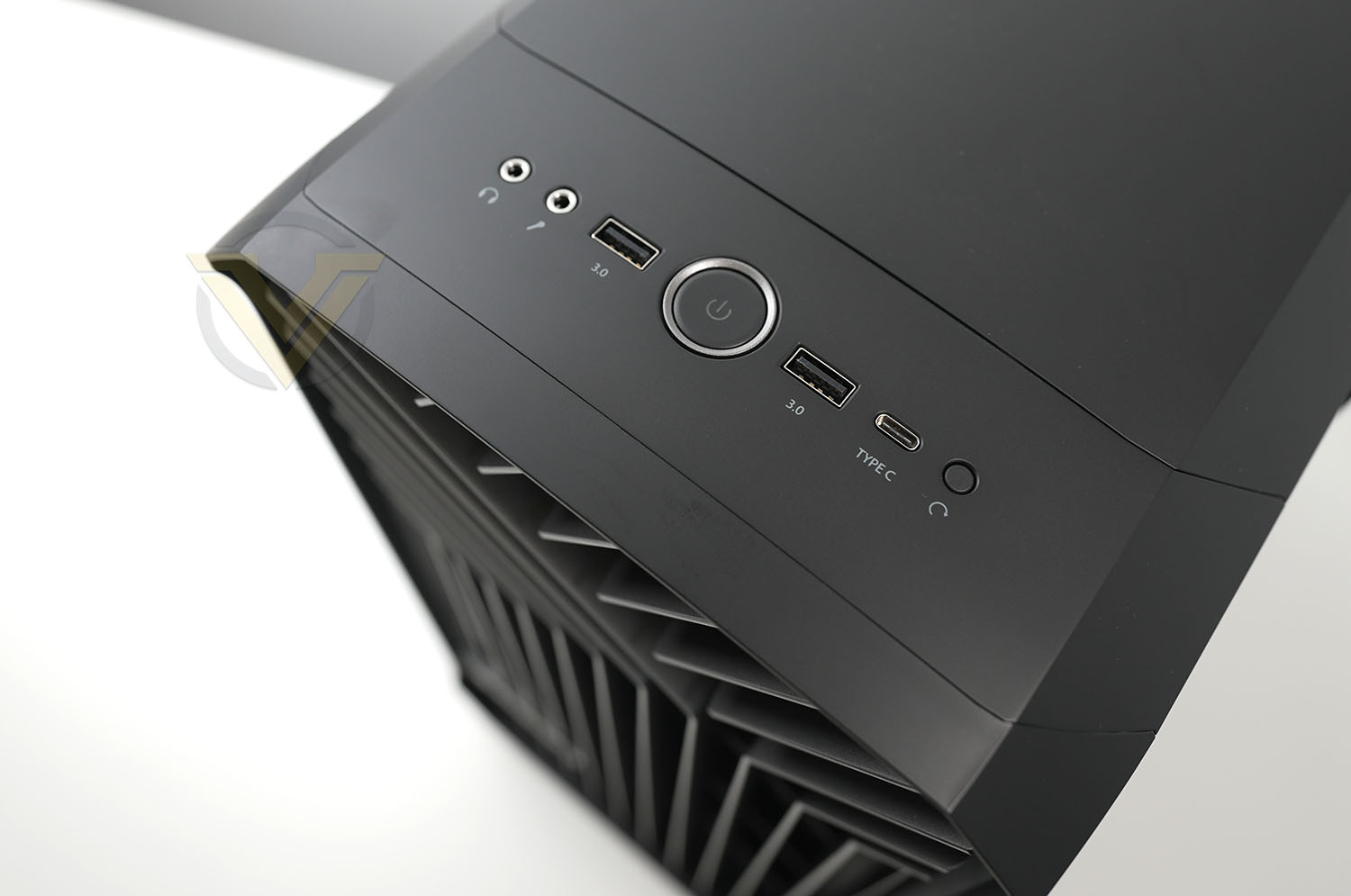
Up at the top of Compact we have the front panel connectivity which involves 2x USB 3.2 Gen1 Type A ports, 1x USB 3.2 Gen2 Type-C, Audio Jacks and power/reset buttons.
Note: Compact can accommodate a 360/240 radiator at the front, 280/240 radiator at the bottom and a 120mm radiator at the rear if you’d like to install liquid cooling.
Thermal Performance Testing
Inside Compact there are two 180mm cooling fans – placed as front intakes. We would have liked to see a push-pull configuration out of the box as this would typically yield better results, but if we only have the choice of intake or exhaust, intakes are more favourable for cooling.
To discover the thermal performance of Compact we will record idle temperatures after 20 minutes from a cold boot. We will then stress the system and temperatures will again be monitored after 30 minutes have elapsed.
For the purpose of accurate analysis, the idle and load temperatures for CPU will be recorded and the range between idle and load will be calculated to determine how efficient cooling is.
NOTE: Ambient temperature is 20C
The below system configuration is different to that which is displayed/installed within the pictures. We use this below configuration for historic comparison.
System Components
CPU Intel Pentium K G3258 @ 4GHz
Motherboard GIGABYTE Z87X-D3H
CPU Cooler Cooler Master Hyper 212 EVO (Different to cooler in pictures)
Graphics NVIDIA GTX 760
Memory 4GB Kingston HyperX DDR3
HDD Samsung Spinpoint 500GB SATA-II
PSU DeepCool DQ750
Motherboard GIGABYTE Z87X-D3H
CPU Cooler Cooler Master Hyper 212 EVO (Different to cooler in pictures)
Graphics NVIDIA GTX 760
Memory 4GB Kingston HyperX DDR3
HDD Samsung Spinpoint 500GB SATA-II
PSU DeepCool DQ750
Noise
The noise emitted from Compact is noticeable but certainly not disruptive.
Conclusion
It was inevitable that we’d get variations of Fractal’s Torrent computer chassis. Torrent was a huge success for the company and brought to market a strong airflow centric case. Compact is more of the same, in a slightly smaller shell.
As with Torrent before it, Compact adopts an aggressive front panel which lends itself to being able to draw in cool air for the dual 180mm cooling fans. Cooling is once again a headline feature and Compact excels in it.
Fractal has made good use of space within Compact, including a spot for housing the PSU at the top, supplying locations for amplifying the cooling and 2.5-inch storage is also generously supplied. For those still sporting a 3.5-inch drive in their build, there is an adapter which sits over the PSU but you will need a PSU shorter than 180mm for this to comfortably fit.
Cable management is something which initially seems to be well-catered for, with a Nexus 9P Slim PWM fan hub and ample Velcro ties, but it is pretty tight between the back of the motherboard tray and the side panel. Extra time is definitely needed to carefully tuck away cables so the side panel fits back onto the chassis.
Compact arrives with a price-tag of GBP: £159 | USD: $149 | AUD $229– which we feel represents reasonable value for money with what’s on offer.
It might be smaller but Compact still packs a punch. It delivers great cooling performance and arrives with some excellent features!
Pros
+ Attractive to the eye
+ Magnetic side panel attachment
+ Includes USB 3.2 Gen2 Type-C
+ Excellent cooling potential
+ Small, but still houses E-ATX form factor
+ Good build quality
+ Features PWM fan hub
Cons
– Predominately 2.5-inch storage
– Push cooling configuration only
– Tight space between motherboard tray and side panel
+ Attractive to the eye
+ Magnetic side panel attachment
+ Includes USB 3.2 Gen2 Type-C
+ Excellent cooling potential
+ Small, but still houses E-ATX form factor
+ Good build quality
+ Features PWM fan hub
Cons
– Predominately 2.5-inch storage
– Push cooling configuration only
– Tight space between motherboard tray and side panel
Click here for an explanation of our awards at Vortez.net.
Stay connected with the Vortez Social Media pages: