Does the Steel Legend offer a good balance of motherboard features in the AMD X670E arena?

Product On Review: X670E Steel Legend
Manufacturer: ASRock
Street Price:
US: $299.99
UK: £369.95 (inc. V.A.T.)
Editor: Tim Harmer
The desktop PC landscape was forever altered this autumn with the release of AMD’s brand new Ryzen 7000-series of CPUs, which exploited a whole new processor architecture to bring more performance and improved power efficiency to the table. An integral part of this release was the launch of brand new motherboard chipsets, accommodating a new CPU socket and support for the latest memory standards; and today we’re taking a closer look at the first of these components that landed on our doorstep.
At first glance X670E might appear to be a simple evolution of X570 to adapt to a new socket and memory type. AM4 has been replaced by AM5, a new 1718-pin LGA-type socket that’s compatible with a subset of AM4 coolers (but you’ll need to check compatibility listings for your specific HSF/AIO). Up to four slots of DDR5 memory enters the picture, with no alternate support for DDR4 in this generation of motherboards. Sixteen PCIe 5.0 lanes are supported to discrete GPUs, greatly improving available bandwidth, and four more for the latest PCIe Gen5 NVMe SSDs. Each of these might be compelling aspects to the platform for a significant subset of end-users.
However, with X670E being the apex, the landscape of 600-series motherboards is quite complex by AMD’s standards. At the top sits X670E (or X670 ‘Extreme’), after which there are X670, B650E and B650. Each step down sacrifices either raw performance (dropping from PCIe 5.0 x16 to PCIe 4.0 x16 for instance, in the case of X670E -> X670) or significant native I/O capability (i.e reducing the number of USB 3.0 10Gbps & 20Gbps ports). And that’s before addressing the value-added functionality added by AMD’s own motherboard partners throughout their premium, performance, gaming and mainstream ranges.
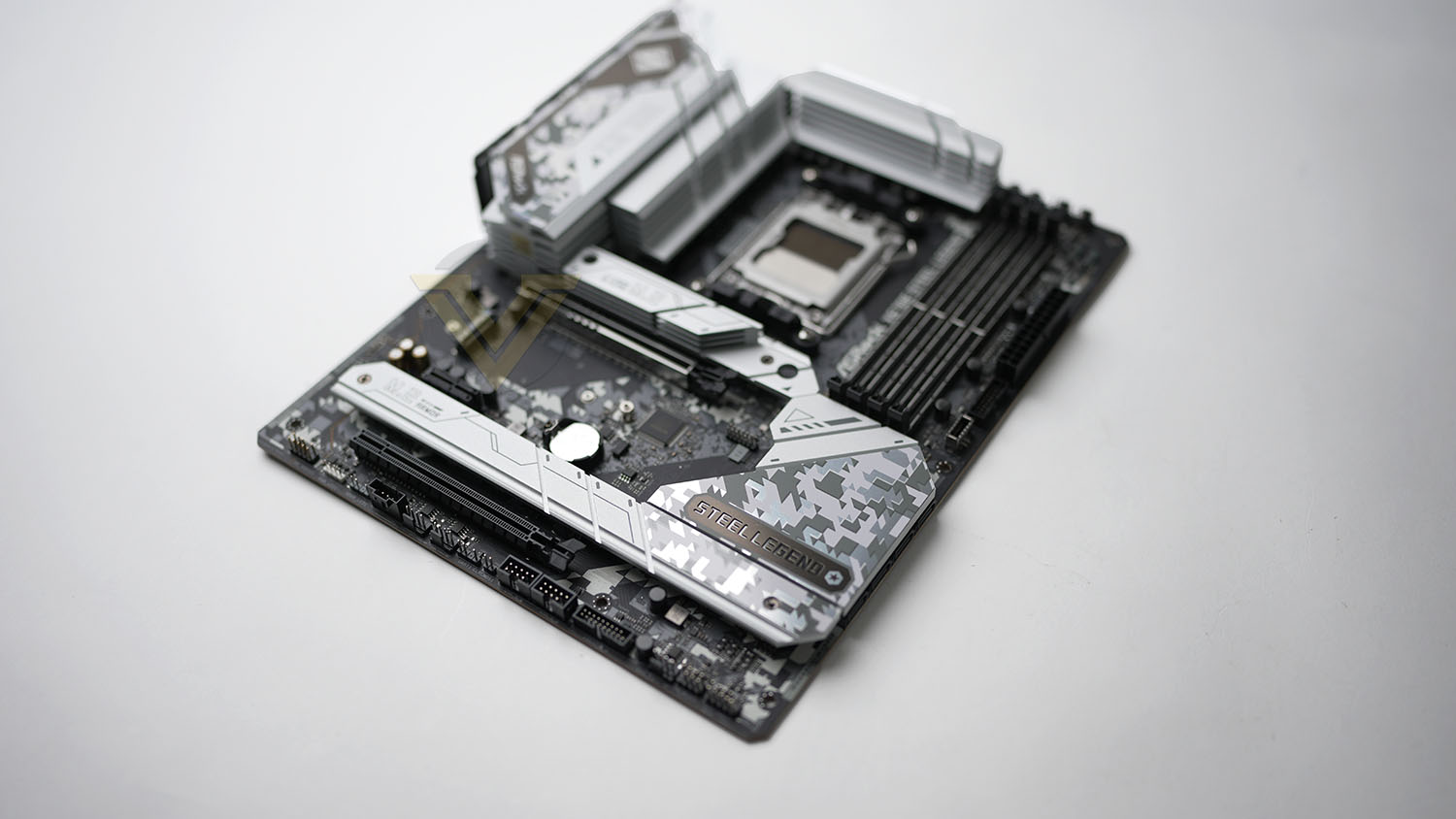
ASRock’s Steel Legend brand has been a strong one for a handful of generations now, serving as a welcome mid-range gaming model that sits below their flagship Taichi series in the stack for any given chipset. The X670E Steel Legend applies the same to the 600-series, but is absolutely one of the more premium-priced variants released by the Taiwanese company simply by virtue of X670E’s component cost.
In the recent past we’ve been impressed by the balance of price and features that ASRock have brought to bear in Steel Legend designs, and as always have welcomed the alacrity with which they’ve released BIOS updates that address performance and reliability concerns. That’s going to be critically important given the newness of the platform; those buying today are essentially early adopters into an almost brand new ecosystem.
In addition to the performance-oriented toolkit available through the X670E chipset, ASRock’s Steel Legend variant builds up from a strong base through a 16+2+1 Phase Power Design, 8-layer PCB to improve signalling and electrical isolation for sensitive DDR5 and PCIe 5.0 components, high-speed memory support up to DDR5-6600MHz (OC) and third-party audio thanks to Nahimic by Steelseries.
At £369.95 the ASRock X670E Steel Legend isn’t the most affordable X670E motherboard available, but it is also far from the premium end of a range that typically exceeds £500. Not unsurprisingly it’s US price is much more attractive, potentially making it a keener option for those in the market for AMD’s top-end designs.
About ASRock
ASRock Inc. is established in 2002, specialized in the field of motherboards. ASRock strives to build up its own brand. With the 3C design concept, “Creativity, Consideration, Cost-effectiveness”, the company explores the limit of motherboards manufacturing while paying attention on the eco issue at the same time, developing products with the consideration of eco-friendly concept.
ASRock has been growing fast and become world third largest motherboard brand with headquarter in Taipei, Taiwan and branches in Europe and the USA. The young and vibrant company targets from mainstream to enthusiast MB segments for different kinds of users, owning reputation around the world market with its reliability and proficiency.
ASRock has been growing fast and become world third largest motherboard brand with headquarter in Taipei, Taiwan and branches in Europe and the USA. The young and vibrant company targets from mainstream to enthusiast MB segments for different kinds of users, owning reputation around the world market with its reliability and proficiency.
Board Layout and Features
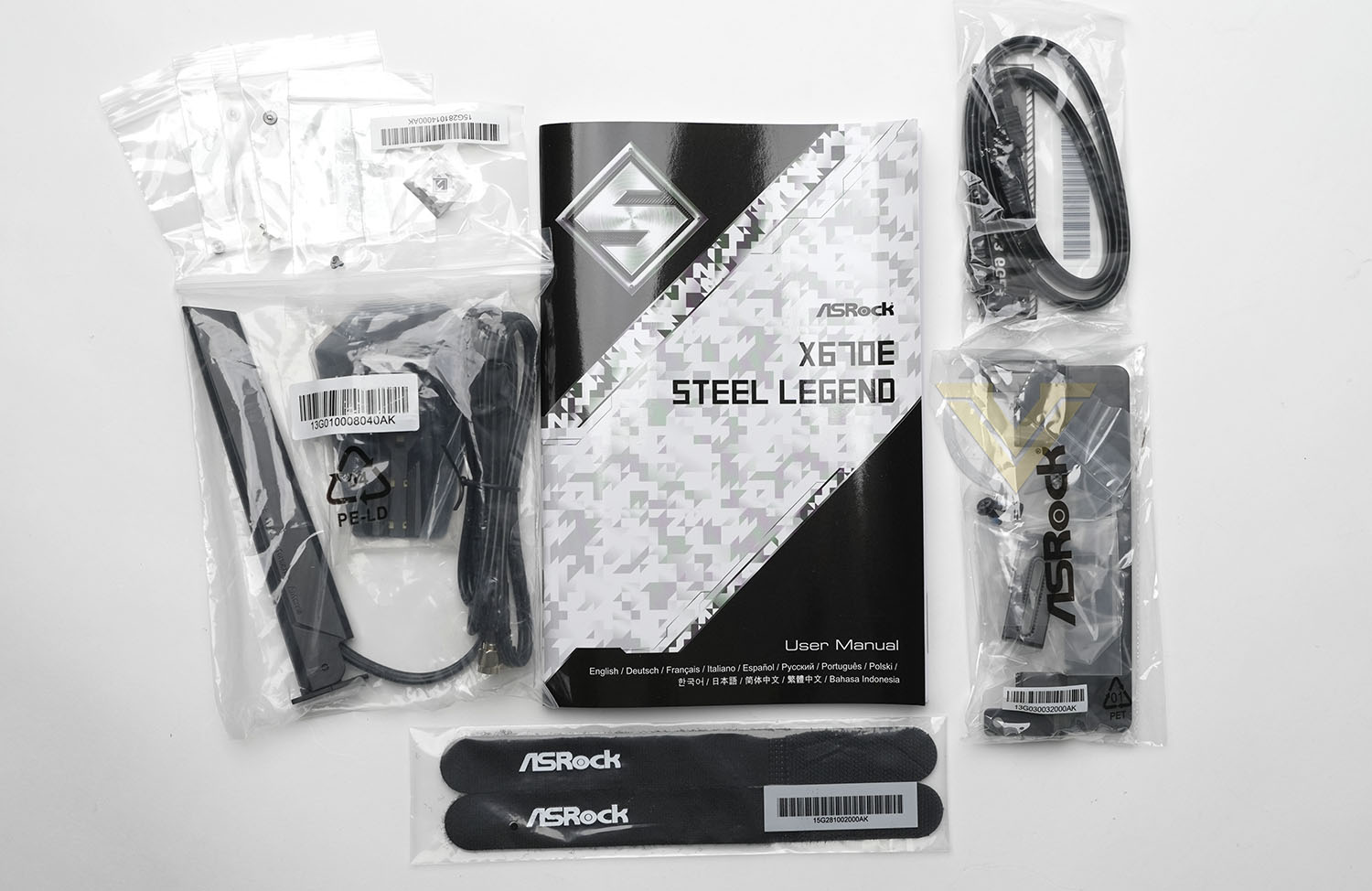
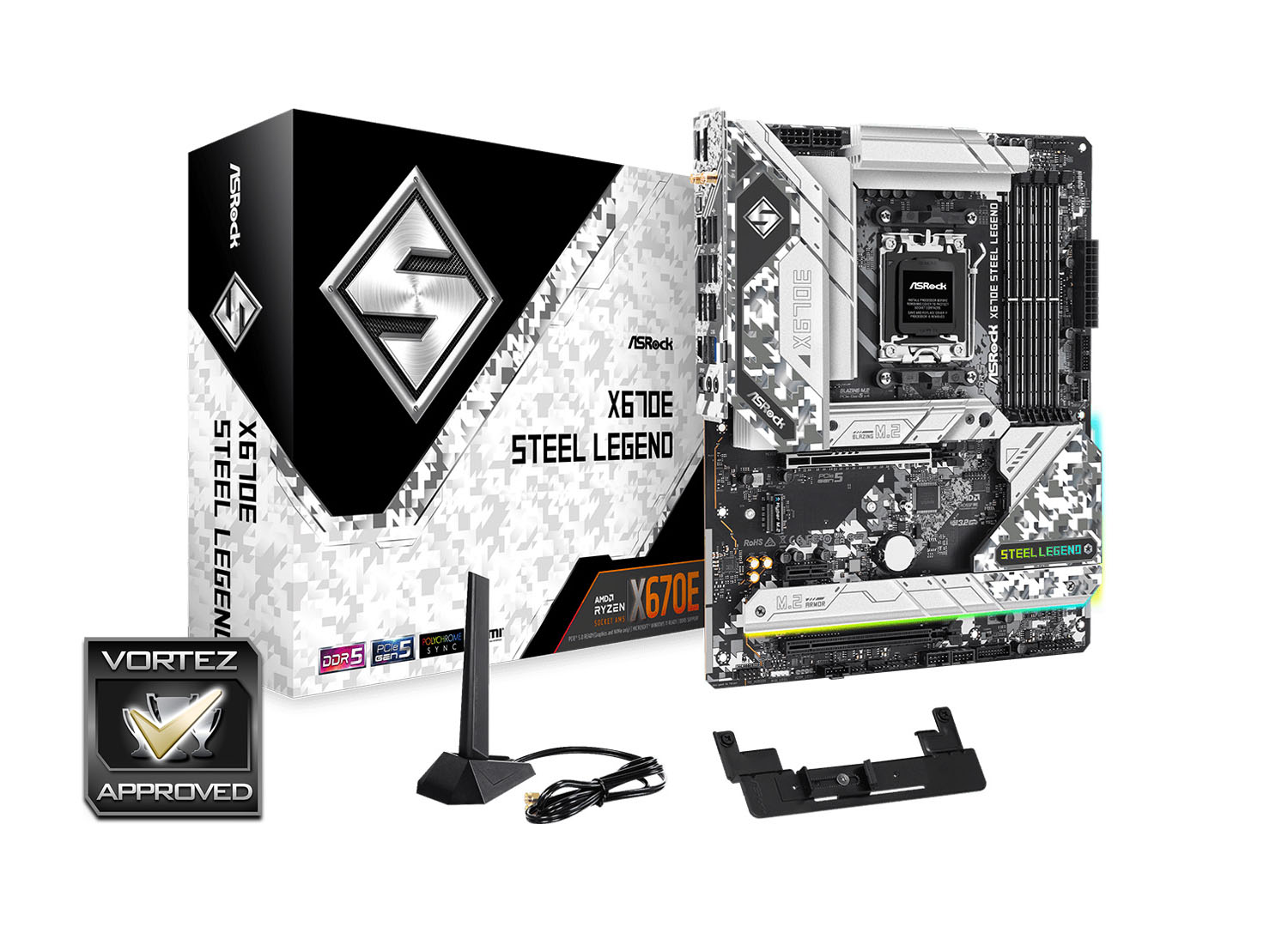
As an entry-to-mid-range X670E design, the X670E Steel Legend doesn’t arrive with the host of accessories which you might expect from a ‘board hitting $300. The wireless antenna is an expectation considering the platform natively supports WIFI 6E, but a graphics card support bracket is a nice addition considering the weight of some of the latest high performance RTX 4000-series and upcoming RX 7000-series will be. The full list of accessories is:
– 1 x User Manual
– 2 x SATA Data Cables
– 1 x ASRock WiFi 2.4/5/6 GHz Antenna
– 4 x Screws for M.2 Sockets
– 1 x Standoff for M.2 Socket
– 1 x Graphics Card Holder
– 2 x SATA Data Cables
– 1 x ASRock WiFi 2.4/5/6 GHz Antenna
– 4 x Screws for M.2 Sockets
– 1 x Standoff for M.2 Socket
– 1 x Graphics Card Holder
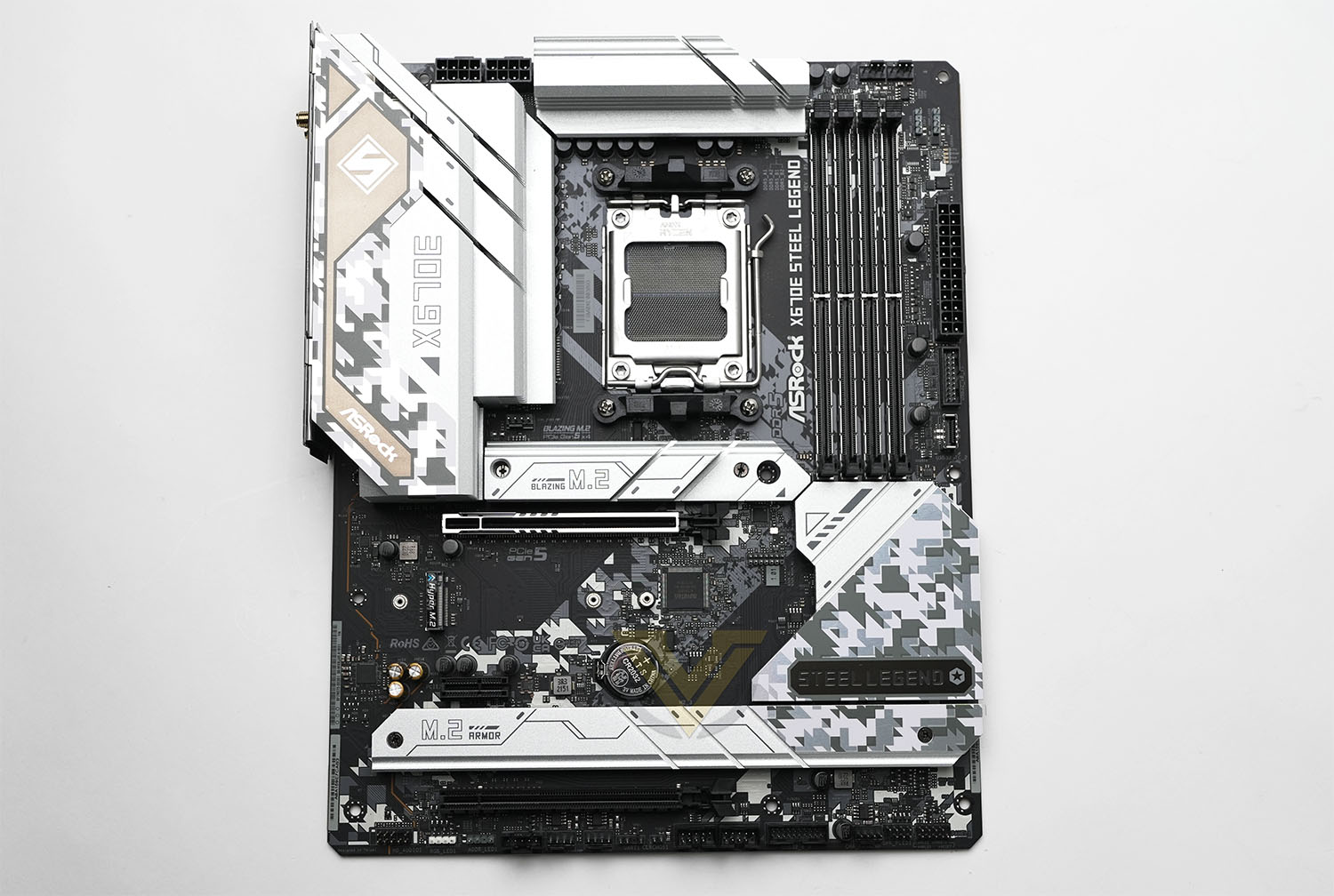
This motherboard conforms to a standard ATX form factor, making it compatible with the vast majority of PC cases on the market today. ASRock’s design team have built on the Steel Legend black/white camo colour scheme by extending it to the rear IO shroud, chipset heatsinks and M.2 heatspreaders. It’s not quite the blank canvas some would prefer, but has just enough going on to make it look at home on a predominantly white build without succumbing to blandness.
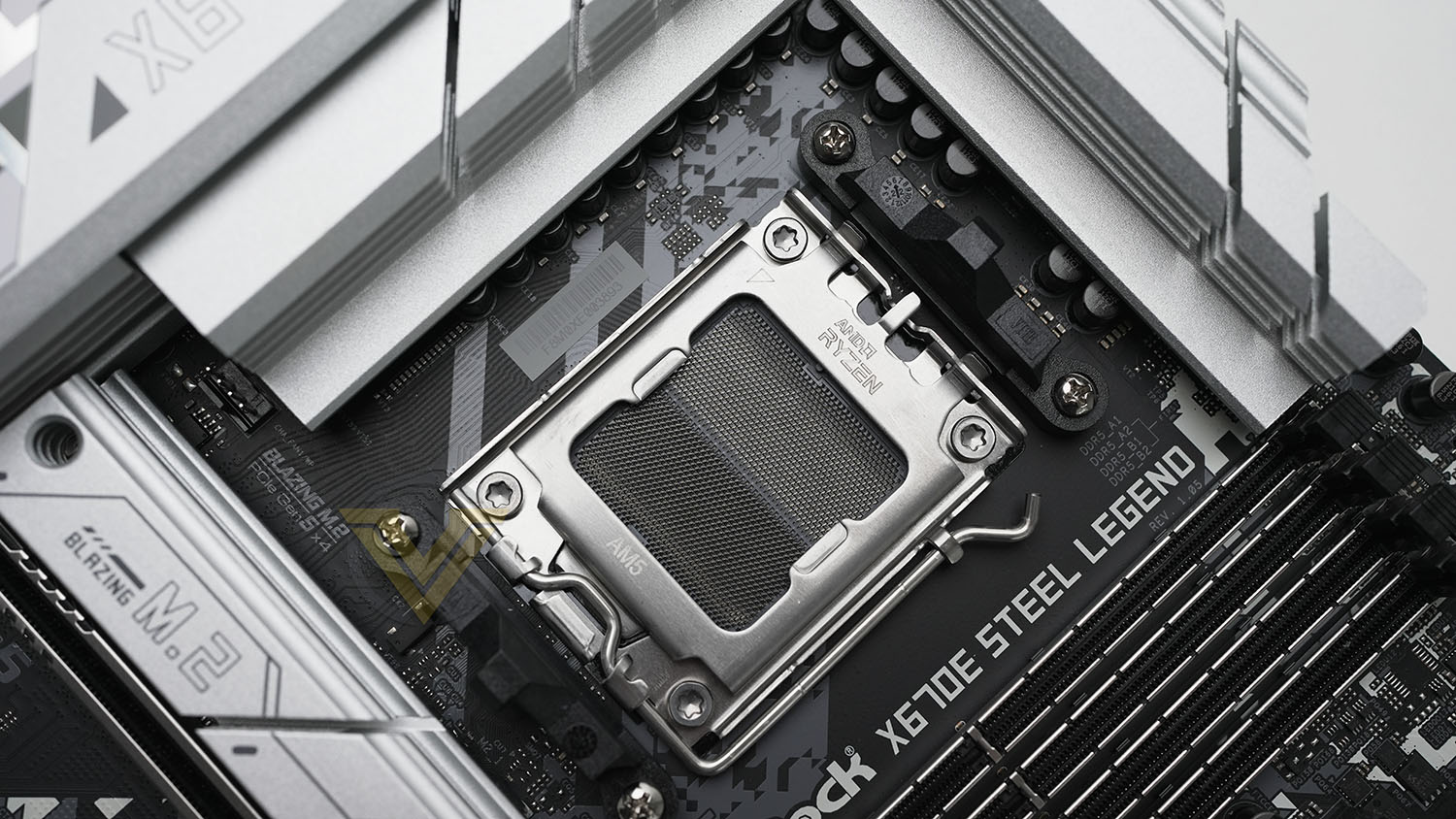
Thanks to an AM5 socket this motherboard supports only AMD’s Ryzen 7000-series CPUs, including the daunting Ryzen 9 7950X. Users new to LGA sockets should be aware that the pins are exceptionally fragile, requiring greater care than prior PGA-based AMD desktop solutions. By the same token, the Ryzen 7000-series CPU itself should be much more robust due to the lack of pins on its underside.
AM4 CPU coolers which utilise the clip retention system should be compatible out of the box, but other designs may need an upgrade kit before the model is supported. High performance cooling will be a must – even in only its default configuration the 7950X TDP is 170W, and potentially will exceed that under certain loads even when not overclocked.
Feeding the CPU directly are two 8-pin 12V connectors, below and to the right of which are two large heatsinks that help cool the power circuitry. The 24-pin connector is along the right edge, next two USB 3.2 Gen 1 and 3.2 Gen 2 front panel headers. Fan headers are located next to the CPU socket (1x), on the motherboard’s top-right edge (2x), and along the bottom edge (3x) to a not particularly impressive total of six.
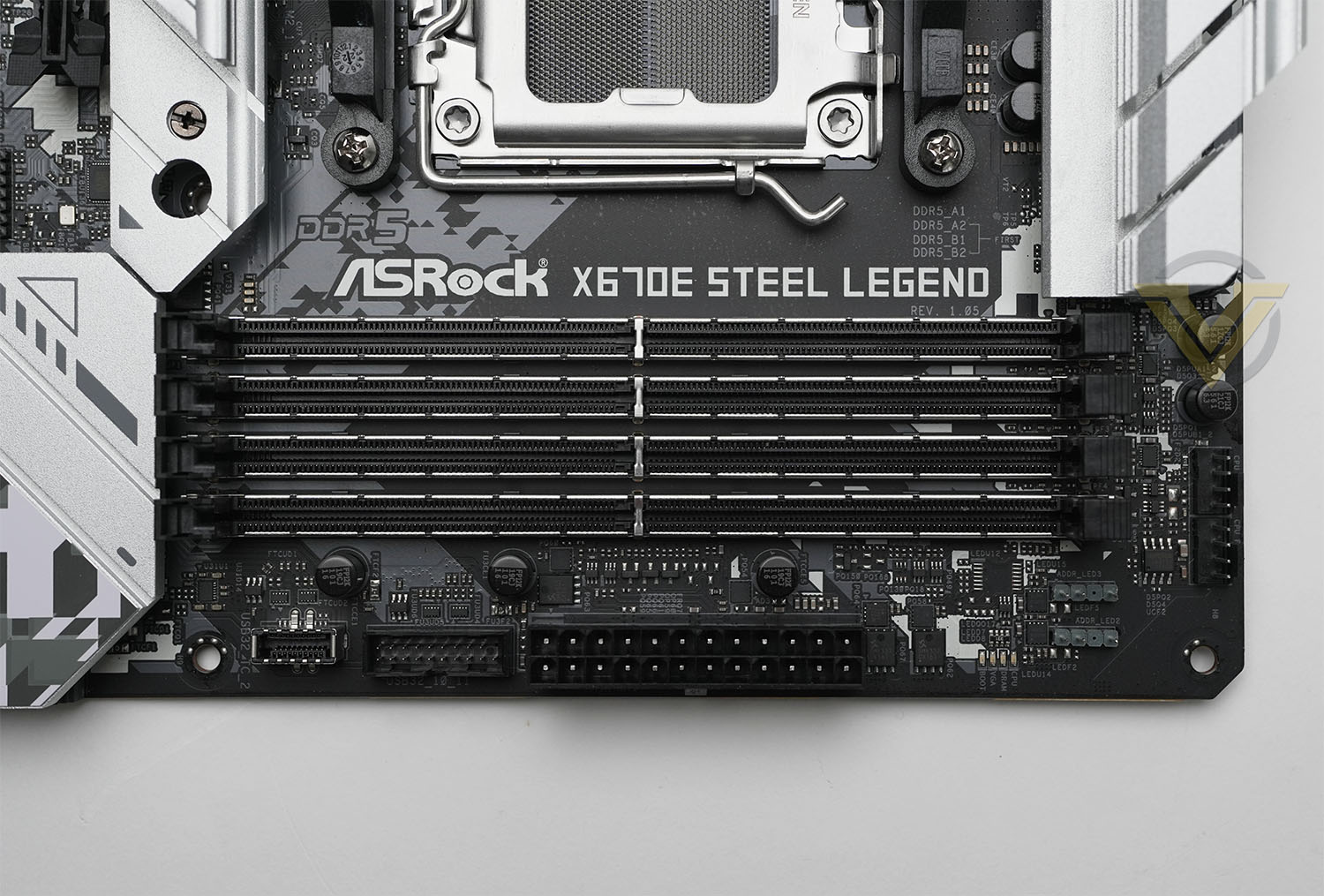
ASRock have chosen to place the RGB headers (3 and 4-pin) at the top-right and bottom-left of the board, giving you some options for cable routing to supported lighting. On-board lighting is subdued – two strips to the right and below the chipset heatspreader as well as the Steel Legend logo itself are all that users and bank on out of the box.
Up to 128GB of DDR5 memory in 4x32GB DIMMs is supported, although at this stage you’re unlikely to be able to hit the advertised 6600MHz OC in this configuration. Each slot has been reinforced, making it just a touch more robust when installing and removing DIMMs. The CPU has a dual-channel memory controller so two matching DIMMs are a reasonable configuration on all but the most RAM-hungry of scenarios.
To the right of the DIMM slots and between the top-most RGB headers and 24-pin ATX connector is an indicator LED array, which should help to troubleshoot problems during the POST and boot-up sequence.
Not visible under the motherboard heatspreaders are not one but two X670 chipsets, which come together to offer X670E & X670’s significant peripheral I/O options. B560E & B650 by contrast are equipped with just one of these, effectively halving the number of available USB and integrated storage options.
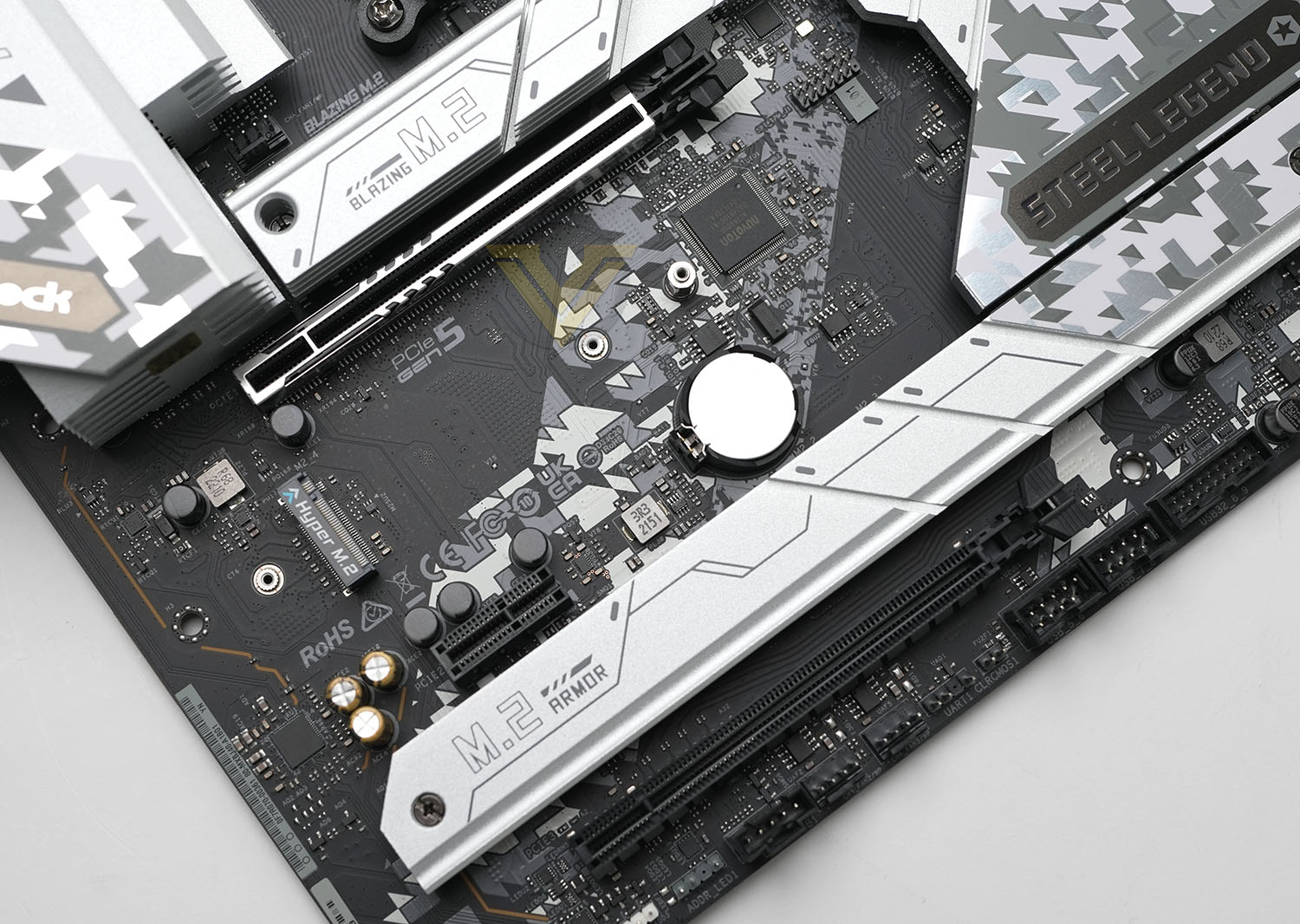
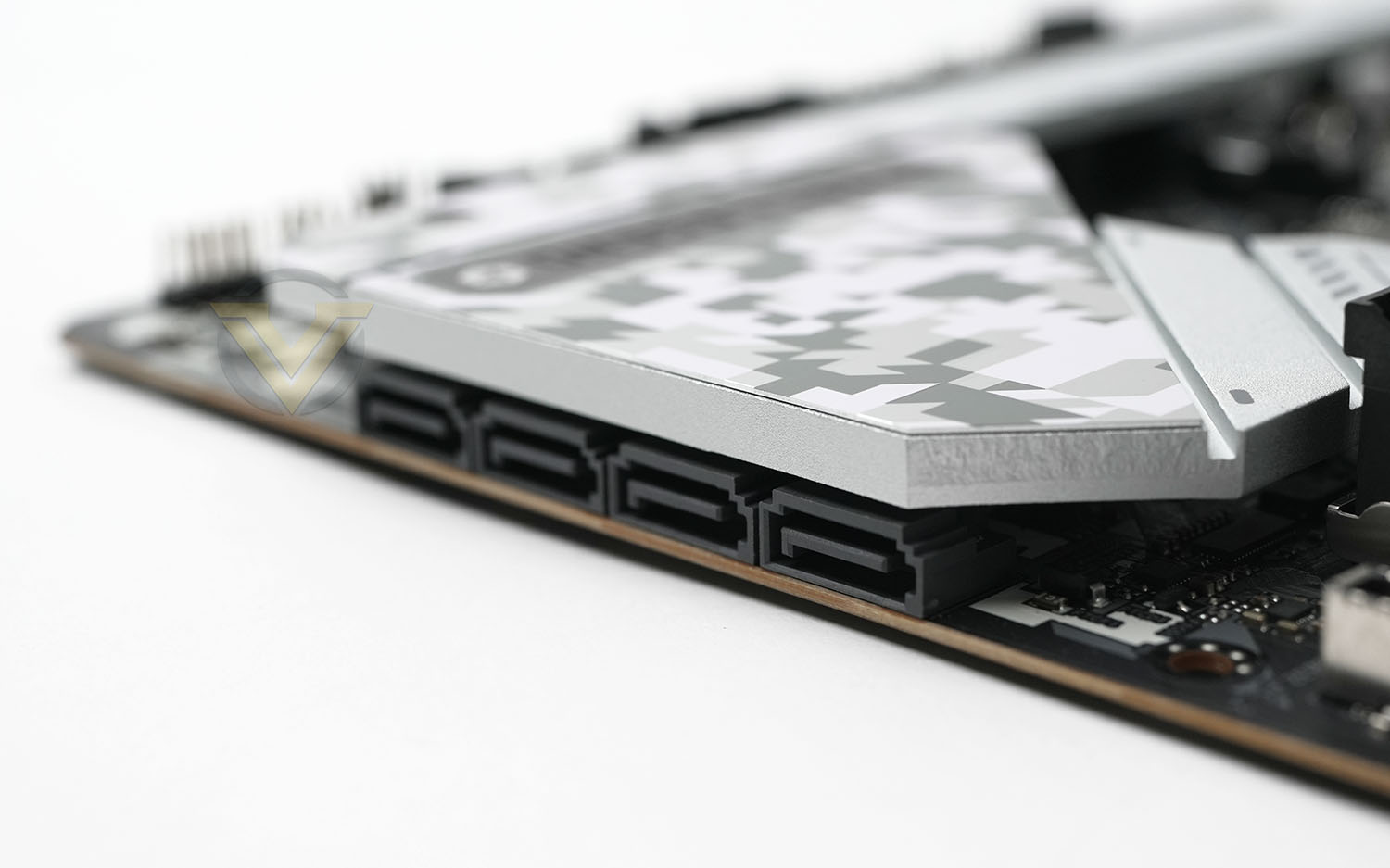
The storage support for ASRock’s X670E Steel Legend prioritises NVMe M.2 slots over SATA connectors, with four of the former being paired with just four SATA 3 6Gps headers. Only one of the NVMe slots supports PCIe 5.0; each of the others are ‘limited’ to PCIe 4.0 via the chipset controller. A simple heatspreader covers the M.2 slots, offering limited cooling.
The main PCI-Express x16 slot supports PCIe 5.0 signalling to discrete GPUs, and has been reinforced to better support heavy cards that put a lot of weight on this sensitive connector. There’s ample room between this and the PCIe x1 slot for thick 2-slot coolers, and plenty between the top and bottom PCIe X16 slots for even gargantuan RTX 4090 designs.
ASRock have leveraged RealTek’s ALC1220 Audio Codec and opted for electrically isolated (as much as is viable) left and right channels by passing them through different layers. Nahimic’s influence is through the included software suite that augments the audio soundscape with better implied location info and highlighting of more subtle sounds. Voice comms should also be notably clearer with this solution than standard.
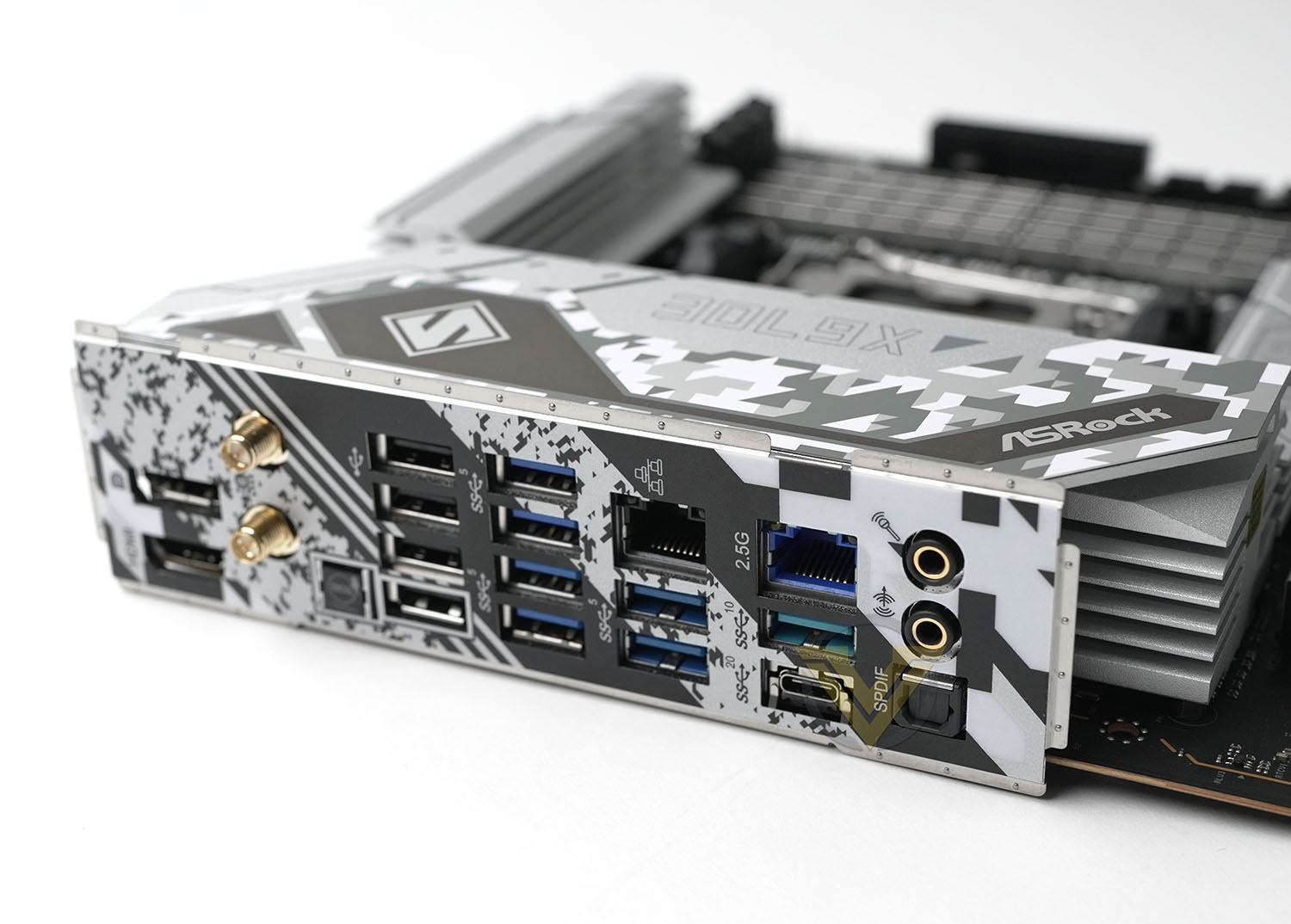
Finally we come to the rear I/O, which has an admittedly unconventional layout. At the top are the HDMI and DisplayPort 1.4 graphics output options, taking advantage of the on-board GPU present on all 7000-series CPUs. Wifi is next, supporting up-to WiFi 6E, then a ‘BIOS Flashback’ button that will allow users to flash the BIOS without booting up the system or even installing a CPU. Two banks of four USB connectors support USB 2.0 and 3.0 respectively, and would be priorities for keyboard and mouse. Realtek Gbps LAN and two more USB 3.0 ports are next, followed by the 2.5G LAN, USB 3.2 Gen 2 10Gbps and USB 3.2 Gen 2 20Gbps (Type-C) ports respectively. Finally, Mic-In, Line-out and SPDIF audio round out the connectivity options.
Clearly the hardware featureset is far from bare-bones, but nothing leaps out as a premium addition or unique solution to a recognised issue in the platform. As a result the X670E Steel Legion has the air of a good value entry-point rather than premium performance or deluxe feature design which is a little at odds with a >£350 price point. It’s relative naturally – X670E has turned out to be a very pricey beast in many markets – but those expecting more at this price point may be a little disappointed.
Test Setup & Methodology
Notes: We’ve revamped our benchmark regime by removing a number of tests which reveal little, to no difference between each motherboard model. Gaming performance is one such area which has been removed due to the inability for each motherboard to offer any advantage over another. Instead, we have focussed on meaningful/tangible analysis which examines the VRM design, and the storage performance which will be far more informative to the end user.
TEST SETUP
CPU AMD Ryzen 9 7950XCooling: Corsair Hydro Series H110i
Memory: 32GB Kingston FURY 5200 MHz
Storage: Crucial MX300 SATA SSD + Kingston KC2500 PCIe 3.0 SSD
PSU: Corsair HX1050 80 Plus Gold Certified PSU
Monitor: AOC U2879VF
BENCHMARKS
PCMark 10 – Overall Extended ScoreSiSoftware SANDRA – SATA/PCIe Storage Tests
SiSoftware SANDRA – Processor Image Processing
OTHER SOFTWARE
Temperature Analysis: HWMonitorStress Testing Software: AIDA64 Stability Test
CPU Specification Monitoring: CPU-Z
Benchmarks: Power Consumption
In this first test we analyse the power efficiency from the wall for each motherboard (Minus the GPU). While each model uses the same chipset/platform, energy results can fluctuate between manufacturers due to the features and specifications that are integrated. First of all, for the idle tests the system is cold booted into Windows and no additional applications are executed – wattage is noted on the external energy monitor we use and then we open Aida64 stability test and execute a stress test, noting the highest reading on the monitor. Below are the results of this energy test.
Benchmarks: VRM Cooling
Each motherboard manufacturer designs their board with a unique set of heatsinks to cover key areas like the VRM/mosfets and the chipset itself. We load up Aida64 stability test again and perform a 20 minute run, recording the maximum value for both attributes.
Benchmarks: PCMark 10
PCMark 10 features a comprehensive set of tests that cover the wide variety of tasks performed in the modern workplace. With a range of performance tests, custom run options, and the new Battery Life Profile, PCMark 10 is the complete PC benchmark for the modern office.
Benchmarks: SATA Performance
In order to ascertain the SATA performance for our motherboards we use SiSoftware SANDRA and the File System Bandwidth performance test. This allows us to obtain the sequential read/write transfer rates for the drive being tested – Crucial MX300 SSD.
Benchmarks: PCIe M.2 Performance
In order to ascertain the PCIe M.2 performance for our motherboards we use SiSoftware SANDRA and the File System Bandwidth performance test. This allows us to obtain the sequential read/write transfer rates for the drive being tested – Kingston KC2500.
Benchmarks: CPU Image Processing
In our last test we observe the Image Processing performance from the CPU attached to the motherboard. For this we use SiSoftware SANDRA and the benchmark specifically designed for measuring the common algorithms associated with processing imagery.
Conclusion
We have plenty more from AMD and Intel in the pipeline and with that in mind we chose the ASRock X670E Steel Legend as an ideal baseline for AMD’s high performance chipset and the next generation of motherboards as a whole.
First however we must comment on the price. UK pricing is distorted compared to the US due to poor exchange rates during the Ryzen 7000-series, but it may come into line further into the platform’s life cycle. Regardless, £350 is a large investment, especially for a motherboard with the Steel Legend’s frugal feature set; potential users on a more restricted budget should consider looking at other chipset options. That’s especially the case if you’re not planning to invest in a PCIe 5.0 GPU and/or don’t need the additional connectivity that X670/X670E provides over B650E.
Transitioning to performance, the ASRock Steel Legend definitely has one major issue. While the PCMark10 result is distinctly middle of the pack, SiSoft SANDRA M.2 Read/Write results are significantly below that of the reset of the 600-series range. This may be due to some immaturity in the BIOS that can be ironed rather than a design flaw, but it is a little disappointing to say the least.
The other notable result was in the arena of VRM temperature. The Steel Legend was toasty, not to a worrying extent but nonetheless hotter than some competitors. It shouldn’t be a problem in cases with reasonable air flow but we’d be concerned in hot boxes that are a little sparse with fan coverage.
The build quality and aesthetics of the X670E Steel Legend are solid, although the camo look of the motherboard heatspreaders will need the right case to really make it pop. You don’t get much lighting included, and that perhaps for the better as you have more control by opting for your own lighting peripherals. The inclusion of the GPU bracket meanwhile is a nice idea that’s a little more integrated than some support stands we’ve seen included in GPU and mobo accessory kits.
Fundamentally, ASRock’s X670E Steel Legend is a fair mainstream motherboard with pricing scaled up to X670E norms. It won’t blow anyone away, but nor should it outrage consumers based on the X670E landscape as a whole. Recommendations are really based on whether you absolutely need X670E, in which case it’s a fine choice on the cheaper end, or whether you can be persuaded to a more full-fat model that’s based on AMD’s other chipsets.
Pros
+ Striking design
+ Good layout
+ Plenty of M.2 storage support
+ PCIe 5.0 GPU & Storage support
+ Lots of RGB headers
+ Plenty of USB connectivity
+ Support for up to 6600MHz DDR5 memory
= Affordable for a X670E motherboard, expensive in absolute terms
Cons
– Slow storage benchmark results
+ Striking design
+ Good layout
+ Plenty of M.2 storage support
+ PCIe 5.0 GPU & Storage support
+ Lots of RGB headers
+ Plenty of USB connectivity
+ Support for up to 6600MHz DDR5 memory
= Affordable for a X670E motherboard, expensive in absolute terms
Cons
– Slow storage benchmark results