Looking for a more affordable option to upgrade to a new AMD 7000 Series CPU? We take a close look at the B650 AORUS ELITE AX.
Product on Review: B650 AORUS ELITE AX
Manufacturer: GIGABYTE
Street Price:
US: $229.99
UK: £269.99 (inc. V.A.T.)
AUS: $389.99 (inc. Tax)
AMD’s 600-series motherboards for Ryzen 7000-series CPUs now comprise models from US$200 all the way to US$800 (and in some instances far beyond that), but it’s also one of the more complex platform ecosystems in recent memory. The innovation of the dual-chipset X670-series added cost, and a means to ameliorate that cost was offered in the form of the B650-series; however, PCI-Express 5.0 graphics and storage options also called for both E (for EXTREME) and non-E sub-types which portion off this functionality. As a consequence we have X670E, X670, B650E and B650 chipsets, and each motherboard based on a chipset might have contrasting capabilities due to proprietary or SKU-specific features. And that’s before the expected introduction of the A620 chipset later this year.
Today we’re looking at GIGABYTE’s B650 AORUS ELITE AX, a Socket AM5 motherboard adhering to the ATX form factor and one of a limited number of B650 designs in GIGABYTE’s range. It’s not the most affordable B650 motherboard but is also far from the most expensive, and thus should be considered something of a mid-range option.
As a B650 (non-E) design the AORUS ELITE AX eschews PCIe 5.0 GPU signalling in favour of PCIe 4.0, but does support PCIe 5.0 signalling through one full-length M.2 storage slot. B650 also incorporates only one of the chipsets present in X670, thereby reducing its total I/.O capabilities by roughly half. Its suitability as a platform is therefore largely determined by your budget and need for the fastest GPU interface, although your budget will take a slight hit due to the platform’s DDR5 memory requirement.
That’s not to say that the AORUS ELITE AX lacks features, quite the contrary in fact. The model still boasts WiFi 6E, Bluetooth 5.2, 2.5GbE LAN, two more M.2 slots (at PCIe 4.0 speeds), and USB 3.2 Gen2x2 Type-C and other USB ports. Cooling is in theory excellent – particularly for a B650 design – thanks to two large heatsinks marshalling the MOSFETS into line. Plus, proprietary features such as PCIe EZ-Latch, M.2 EZ-Latch, Q-Flash and RGB Fusion customisable LED lighting are all present on this design that at a glance looks to punch well above its weight.
So, with competition keen in the $200-$350 price bracket from other B650 boards, the cheapest X670 designs, and indeed Intel’s own comprehensive range for their 13th Core processors, can this motherboard live up to its ‘Elite’ billing?
Closer Look
GIGABYTE’s B650 AORUS ELITE AX conforms to an ATX form factor and standard layout built around AMD’s AM5 LGA socket. Many AM4 coolers/heatsinks will be compatible with AM5, particularly those that piggy-back onto AMDs clip retention system, but it’s best to check with your cooler manufacturer.
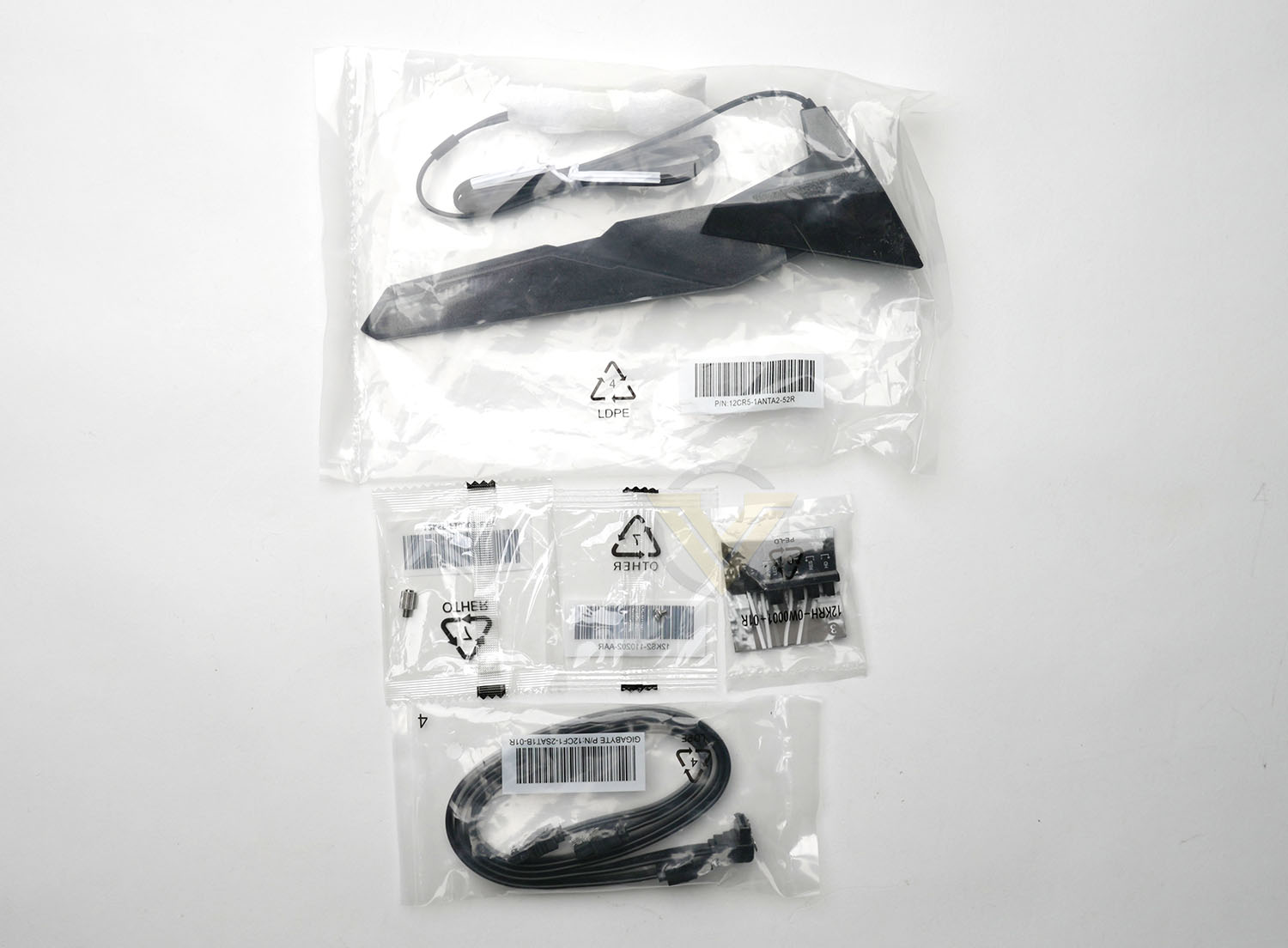
The board arrives bundled with the following accessories:
– WiFi 6E Antenna
– Two SATA III cables
– G Connector
– One M.2 screw/standoff
– Two SATA III cables
– G Connector
– One M.2 screw/standoff
which is a fairly sparse collection of items that speaks to the mid-range nature of the B650 AORUS ELITE AX. You get the essentials as well as GIGABYTE’s G Connector, which is a handy little module that will make hooking up your Power, Reset and LED front panel wires a doddle. If this is an effort to keep costs down then we absolutely applaud it, even if it doesn’t scream ‘Elite’.
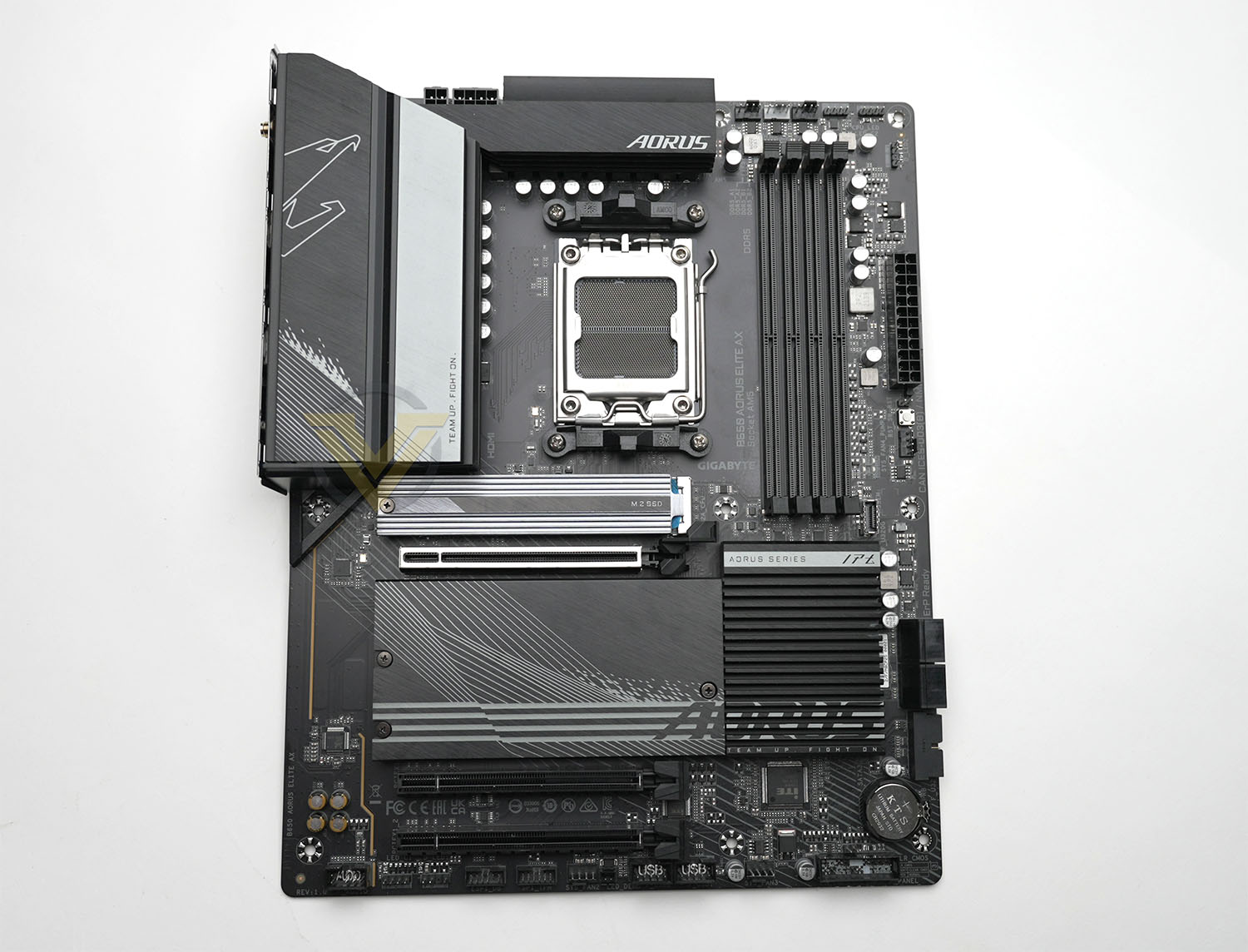
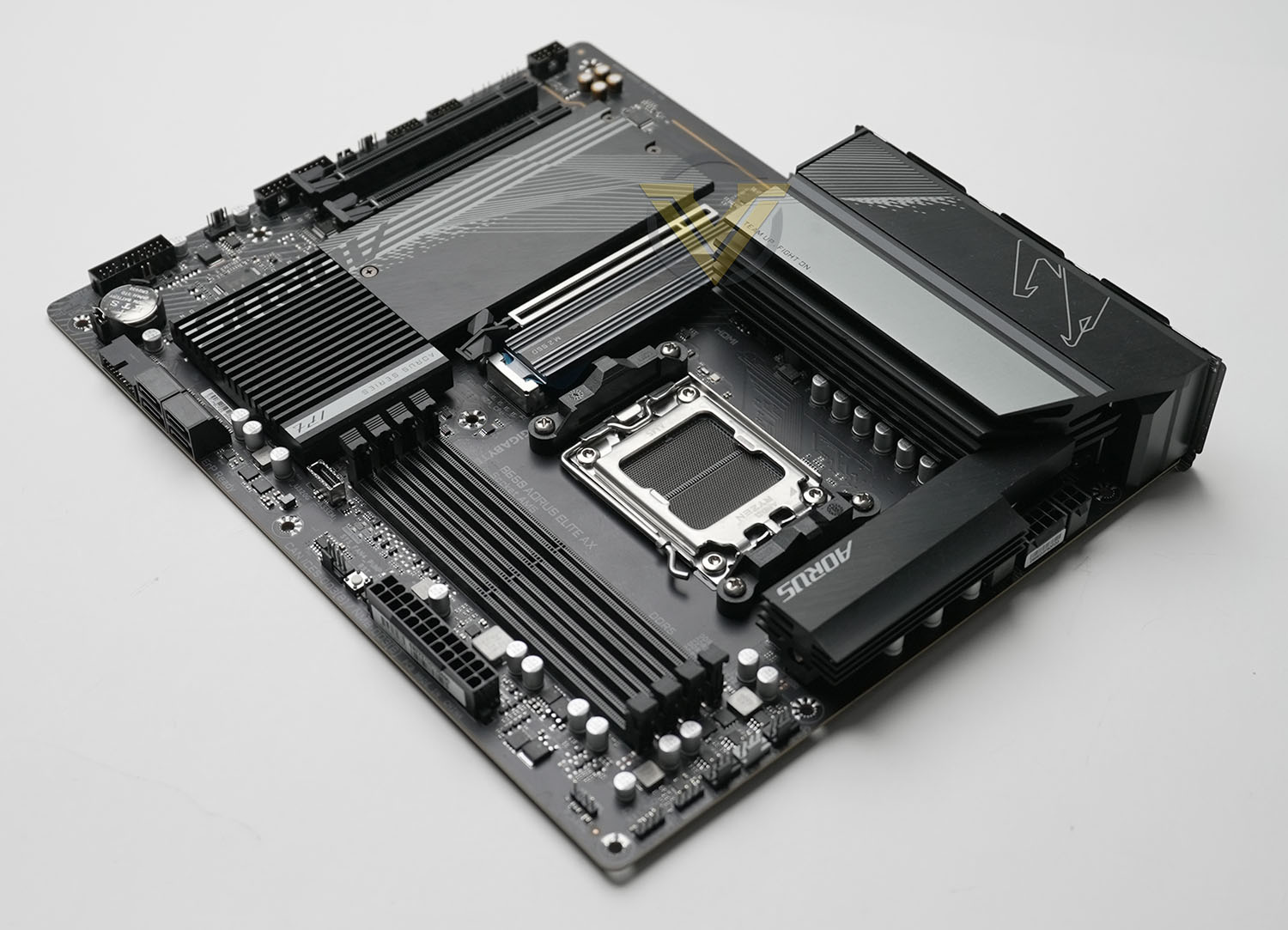
The B650 AORUS ELITE AX sports a predominantly black design with silver highlights, aping the X670E AORUS MASTER we reviewed a little while ago. It’s smartly presented overall, although GIGABYTE perhaps didn’t need to repeat the AORUS branding four times across the board. This model incorporates heatspreaders for surface-mounted storage and the chipset, although it’s not quite so elaborate as its pricier siblings as only one chipset chip needs to be cooled.
Starting with the top-left of the motherboard, above the AM5 socket, we see the first major divergence from X670E designs we’ve looked at recently. This motherboard sports only an 8-pin + 4-pin 12V CPU power rather than the dual-8-pin connectors common to the premium chipset, hinting at the lesser power infrastructure on this model. Hidden under the oversized MOSFET heatsinks is a 14+2+1 power phase configuration, a step down from the 16+2+2 Digital VRM design of the X670E AORUS MASTER (as an example). This shouldn’t have a significant impact on stock and modestly overclocked CPU performance, but might restrict high-end and extreme overclocking potential.
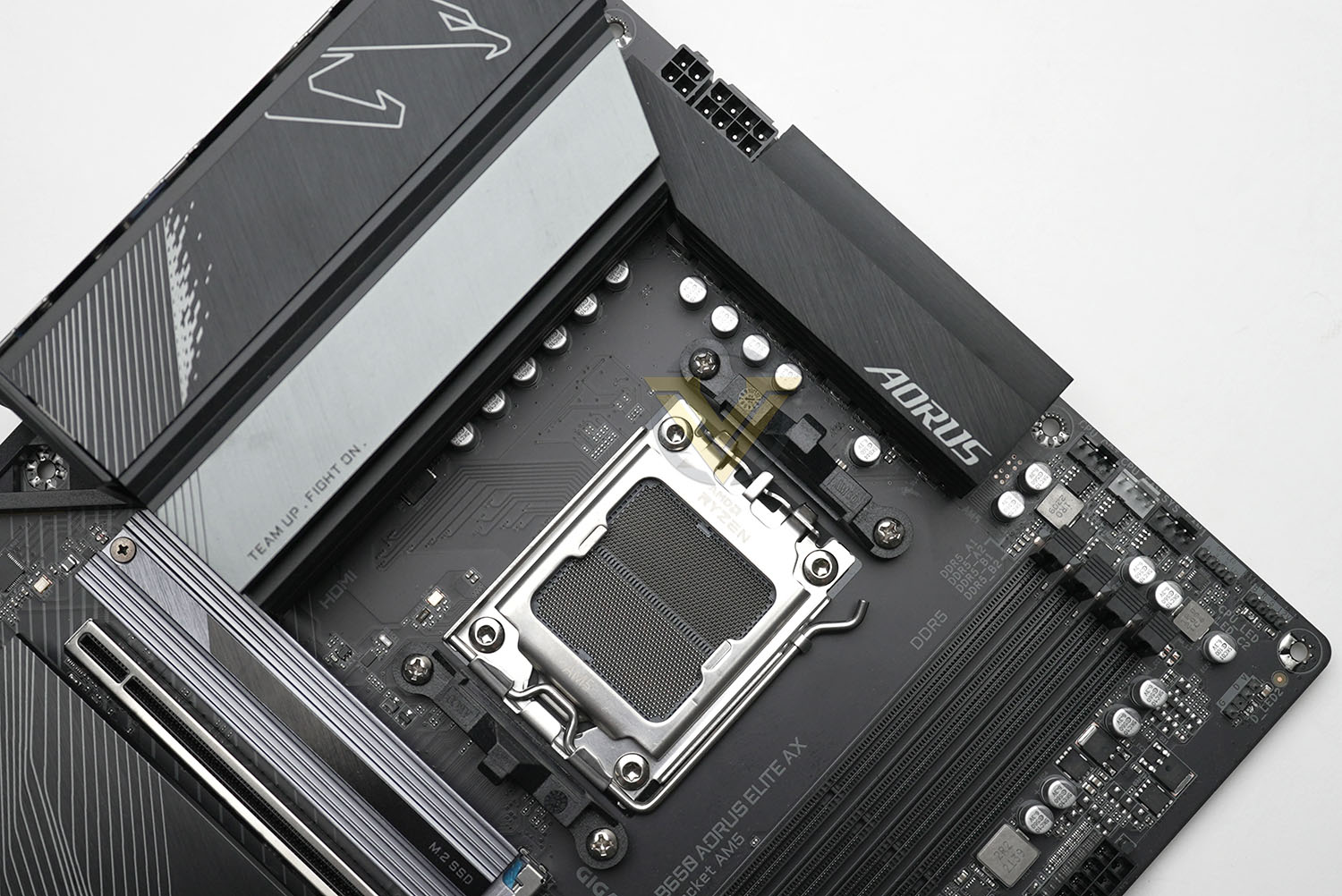
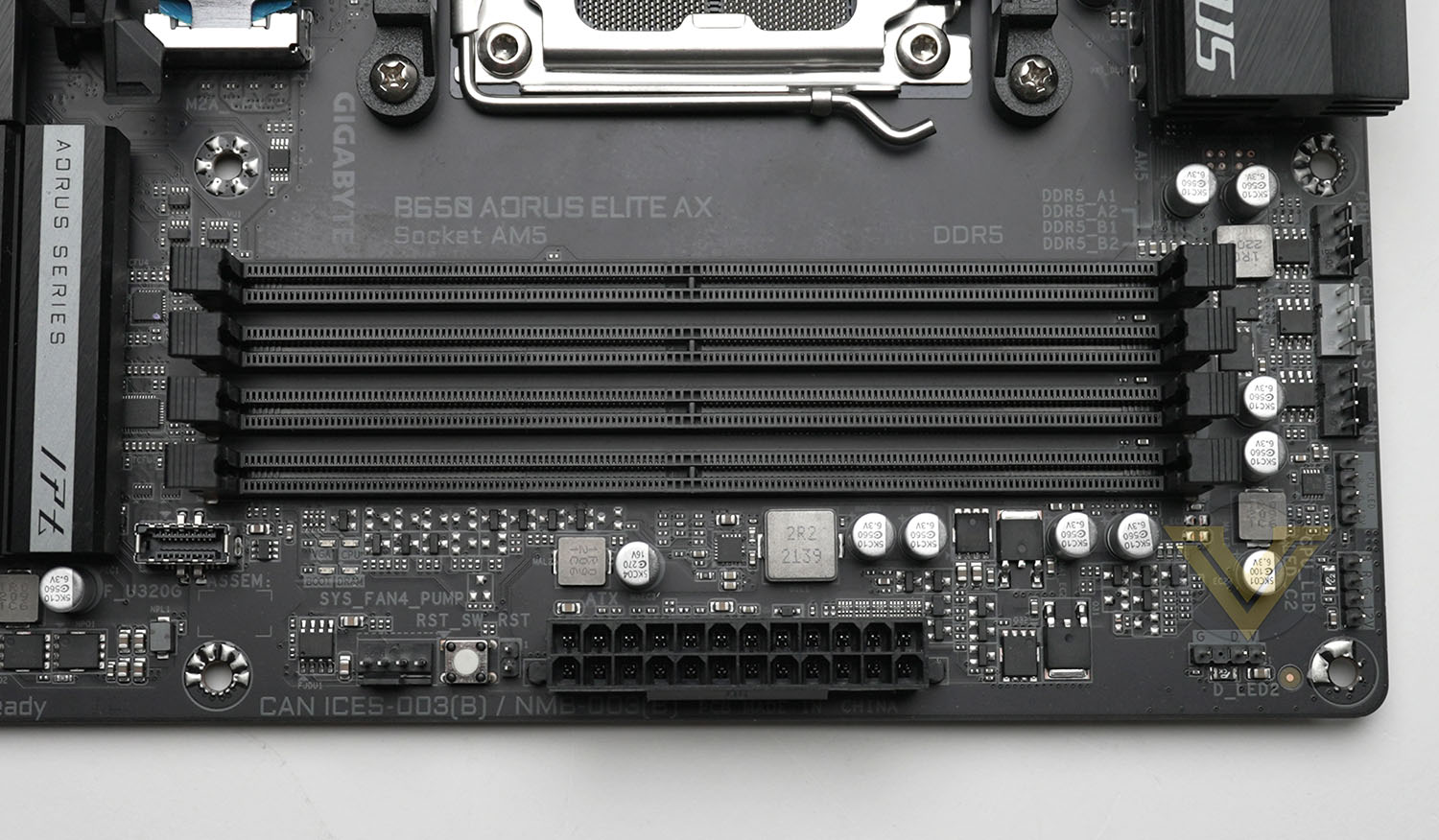
The AM5 CPU socket – an LGA style rather than AM4’s PGA – is centrally located below the secondary VRM heatsink, and to the right are a bank of three 4-pin PWM fan connectors. Following them and above the four DDR5 DIMM slots is a 4-pin RGB LEG header tagged CPU_LED, with further 4-pin and 3-pin RGB headers as we round the corner.
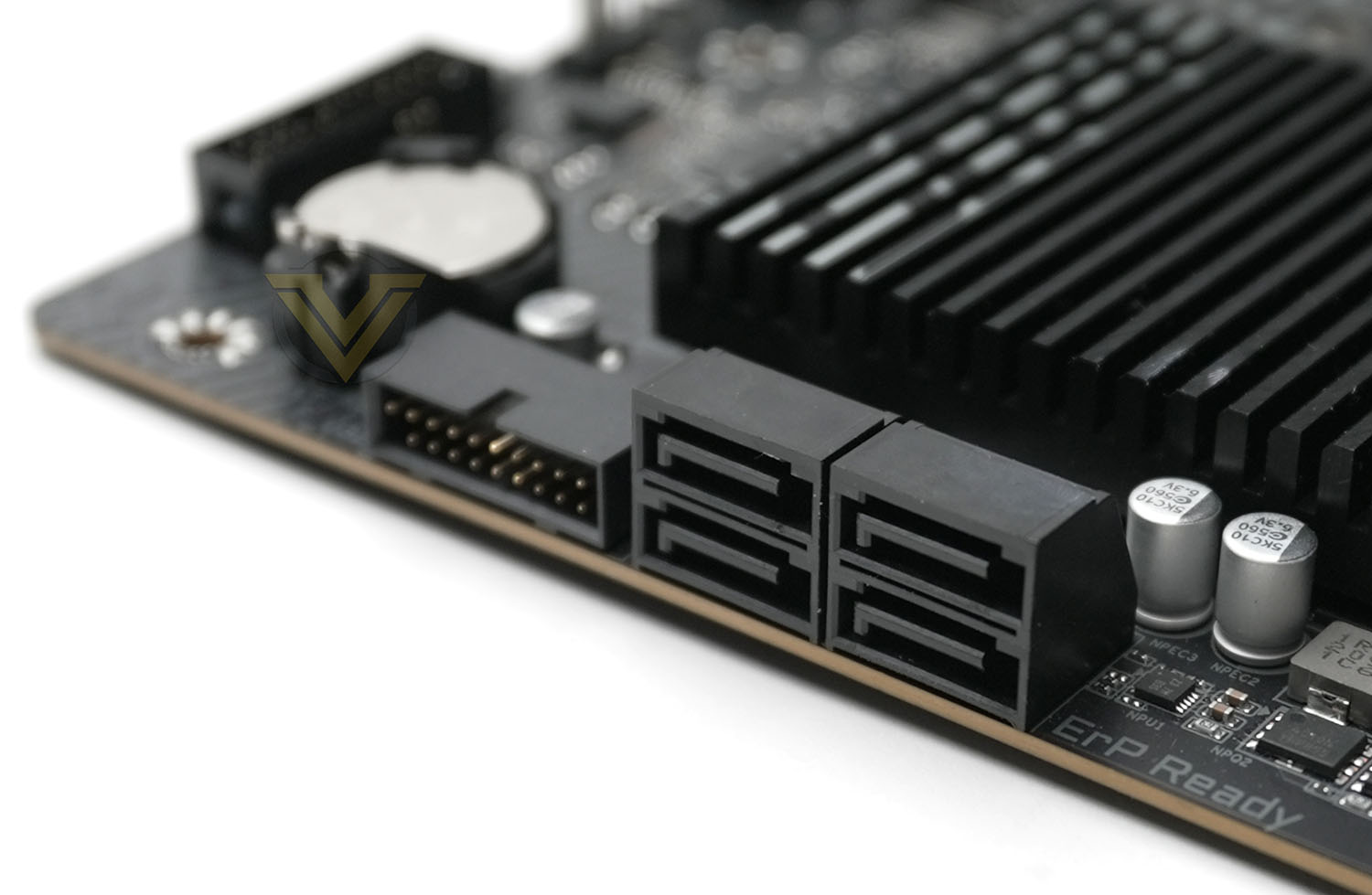
Transitioning to the right hand side there’s a short gap to the 24-pin power connector, followed by the proprietary ‘Multi-key’ (a multi-function button that can be programmed in BIOS) and another 4-pin PWM fan header. Next up, located slightly away from the edge, is the USB 3.2 Gen2x2 Type-C header, intended for compatible front I/O panels. Next to the chipset heatsink and oriented parallel to the motherboard are four SATA III 6Gbps headers and a USB 3.0 header, completing the lineup for that edge.
Two small RGB zones are located on the right and bottom of the chipset heatspreader, providing only subtle illumination rather than the more in-your-face lighting present on many premium boards.
Distributed along the bottom edge is the front-panel PWR/RST/HDD LED header (which you can use with or without the included G Connector) and clear CMOS jumper, two additional system fans, two USB 2.0 headers, a 3-pin LED header, 4-pin LED header and front panel audio header. It is by far the busiest edge of the board, and warrants motherboard tray cutouts for cable routing if possible.
Taking a look at the expansion slots, first up is the primary M.2 slot which has direct signalling to the CPU. It supports PCIe 5.0 NVMe M.2 drives as long and wide as the 25110 standard, which makes it somewhat future-proofed compared to other boards that only support up to 2280/22110 drives. Thermal pads are present both underneath and above where the NVMe drive would sit, and the headspreading cover is entirely removable if said drive has its own attached heatsink. The drive is however located in close proximity to both GPU and CPU, making it a relatively high temperature that may struggle with air flow and clearance.
Next is the PCIe slot that supports up to 16 lanes at PCIe 4.0 speeds. This slot has been reinforced for heavier graphics cards, and includes the PCIe EZ Latch mechanism for straightforward card removal.
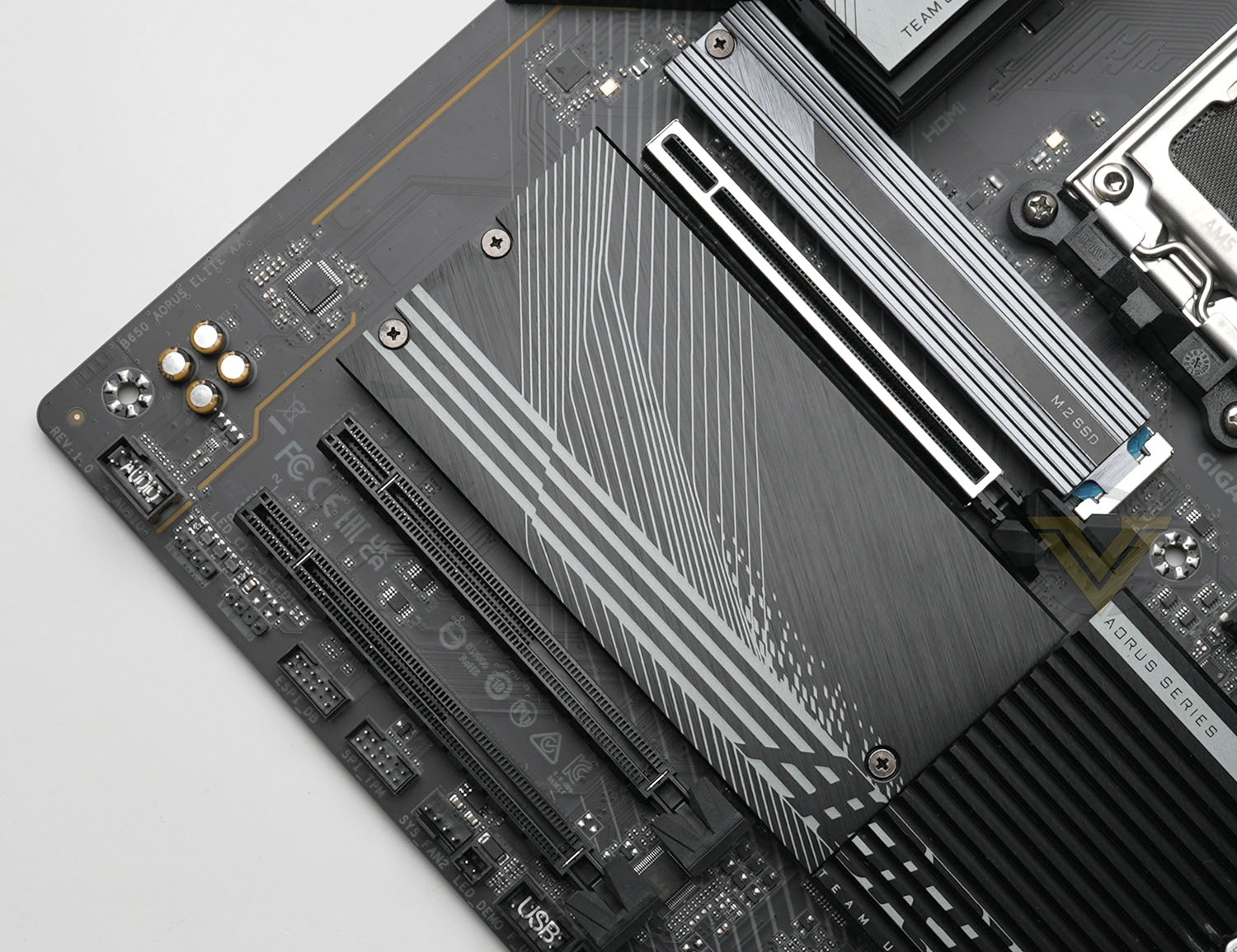
Directly below that and under the large drive area cover is the first secondary PCIe 4.0 M.2 slot, which is also wired directly to the CPU and supports M.2 drives up to 25110. Below that is the PCIe 4.0 M.2 slot which is connected to the chipset. These drives slots would typically be obstructed by the GPU so it makes sense to populate them with slower, cooler drives if possible.
Note that none of these M.2 slots support M.2 SATA SSD pinouts.
The lower two PCIe x16 slots are wired for PCIe 3.0 x1 operation, making them most suitable for low bandwidth peripherals such as sound cards and mainstream networking.
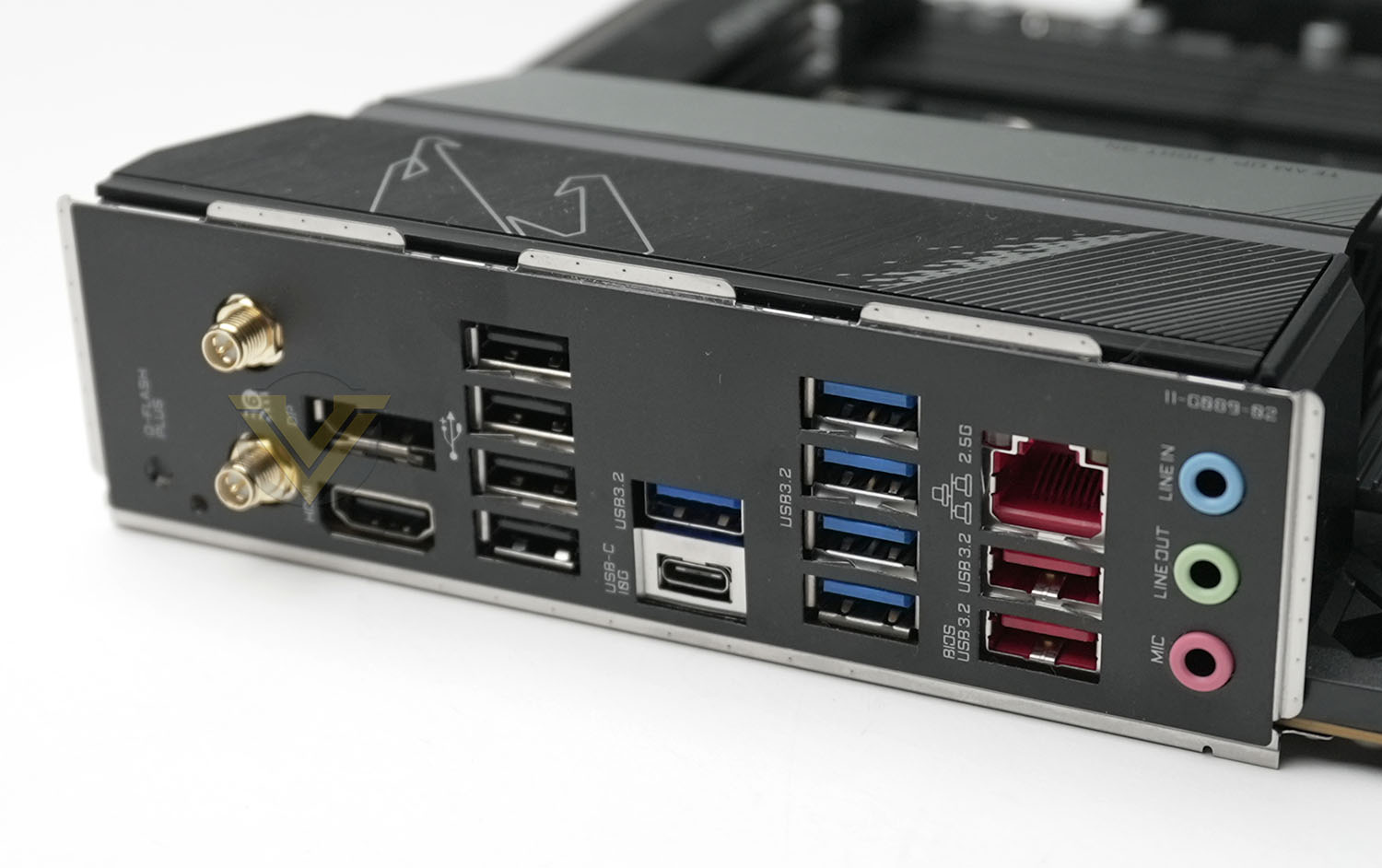
And lastly, the Rear I/O. While not as well equipped as an X670 board, the B650 AORUS ELITE AX nonetheless supports:
– Q-Flash PLUS button,
WiFi 6E (802.11ax) antenna sockets,
Displayport and HDMI for on-board VGA
4x USB 2.0 (Black Ports)
5x USB 3.2 Gen2 Type-A (Blue Ports)
USB 3.2 Gen 2 Type-C (10Gbps) port also supporting Displayport signalling
2.5GbE Port and two USB 3.2 Gen 2 Type-A (Red Ports)
Mic In/Centre/Sub Out, Line in/Rear Speaker Out, Line Out/Front Speaker Out (configuration set through software)
WiFi 6E (802.11ax) antenna sockets,
Displayport and HDMI for on-board VGA
4x USB 2.0 (Black Ports)
5x USB 3.2 Gen2 Type-A (Blue Ports)
USB 3.2 Gen 2 Type-C (10Gbps) port also supporting Displayport signalling
2.5GbE Port and two USB 3.2 Gen 2 Type-A (Red Ports)
Mic In/Centre/Sub Out, Line in/Rear Speaker Out, Line Out/Front Speaker Out (configuration set through software)
The most glaring omissions from this bank of I/O are a USB 3.2 Gen2x2 Type-C port and, somewhat perplexingly, an SPDIF audio out. The former is only available through the front panel header, whereas the latter is just a strange discrepancy. Up-to 7.1-surround audio is supported through front panel audio alongside the 3 available rear jacks.
All in all the B650 AORUS ELITE AX is a well appointed design with only a few shortcomings that concern us. With the exception of those outline above, the lack of advanced troubleshooting features – specifically the boot code LED panel – undermines the ELITE claims of this design. It’s not a deal-breaker, the four indicator boot status LEDs does help somewhat, but we expect a little more from a motherboard priced above £250/AUD$350.
Test Setup & Methodology
Notes: We’ve revamped our benchmark regime by removing a number of tests which reveal little, to no difference between each motherboard model. Gaming performance is one such area which has been removed due to the inability for each motherboard to offer any advantage over another. Instead, we have focussed on meaningful/tangible analysis which examines the VRM/chipset design, and the storage performance which will be far more informative to the end user.
TEST SETUP
CPU AMD Ryzen 9 7950XCooling: Corsair Hydro Series H110i
Memory: 32GB Kingston FURY 5200 MHz
Storage: Crucial MX300 SATA SSD + Kingston KC2500 PCIe 3.0 SSD
PSU: Corsair HX1050 80 Plus Gold Certified PSU
Monitor: AOC U2879VF
BENCHMARKS
PCMark 10 – Overall Extended ScoreSiSoftware SANDRA – SATA/PCIe Storage Tests
SiSoftware SANDRA – Processor Image Processing
OTHER SOFTWARE
Temperature Analysis: HWMonitorStress Testing Software: AIDA64 Stability Test
CPU Specification Monitoring: CPU-Z
Benchmarks: Power Consumption
In this first test we analyse the power efficiency from the wall for each motherboard (Minus the GPU). While each model uses the same chipset/platform, energy results can fluctuate between manufacturers due to the features and specifications that are integrated. First of all, for the idle tests the system is cold booted into Windows and no additional applications are executed – wattage is noted on the external energy monitor we use and then we open Aida64 stability test and execute a stress test, noting the highest reading on the monitor. Below are the results of this energy test.
Benchmarks: VRM Cooling
Each motherboard manufacturer designs their board with a unique set of heatsinks to cover key areas like the VRM/mosfets and the chipset itself. We load up Aida64 stability test again and perform a 20 minute run, recording the maximum value for both attributes.
Benchmarks: PCMark 10
PCMark 10 features a comprehensive set of tests that cover the wide variety of tasks performed in the modern workplace. With a range of performance tests, custom run options, and the new Battery Life Profile, PCMark 10 is the complete PC benchmark for the modern office.
Benchmarks: SATA Performance
In order to ascertain the SATA performance for our motherboards we use SiSoftware SANDRA and the File System Bandwidth performance test. This allows us to obtain the sequential read/write transfer rates for the drive being tested – Crucial MX300 SSD.
Benchmarks: PCIe M.2 Performance
In order to ascertain the PCIe M.2 performance for our motherboards we use SiSoftware SANDRA and the File System Bandwidth performance test. This allows us to obtain the sequential read/write transfer rates for the drive being tested – Kingston KC2500.
Benchmarks: CPU Image Processing
In our last test we observe the Image Processing performance from the CPU attached to the motherboard. For this we use SiSoftware SANDRA and the benchmark specifically designed for measuring the common algorithms associated with processing imagery.
Conclusion
AMD’s X670-series motherboards are notorious for their pricing, driven in part by the cost of the chipset and requirements for PCIe 5.0/DDR5 signalling, so this B650 review has provided us with welcome perspective on the state of the mainstream market. In short, it’s kind of a mixed bag.
GIGABYTE’s B650 AUROS ELITE AX is very much an upper-midrange design in line with pricing, but it’s still a pricey board compared to designs just a generation ago. The cost is quite keen in the US, but UK and AUS markets are still warped by exchange rates and local conditions, pushing this model well above the £250/AUD$350 lines. It’s far from the cheapest ATX B650 model (which, for the record, was £195 at the time of writing), but still so far below typical X670/X670E designs that it will be a go-to option for those building a new system this Spring.
The motherboard certainly looks the part, enjoying some of the best that B650 offers as a baseline while building on it with quality of life features that we appreciate even if we’d realistically hope to be using them a handful of times over the lifespan of the system. When features like PCIe EZ-Latch are useful, they’re really useful; all credit to GIGABYTE for including them. Marks come off however for the relative dearth of trouble-shooting features, for much the same reason.
Perhaps the most telling aspect of the AUROS ELITE AX though is that, at no point in our testing, did it show itself to be a meaningful step down from its X670E counterparts. Theoretically of course they have higher bandwidth graphics and other aspects that would, on paper, mark them out as clearly superior models, but it’s very difficult to leverage those advantages except at the very margins of operation and system specification.
 /center]
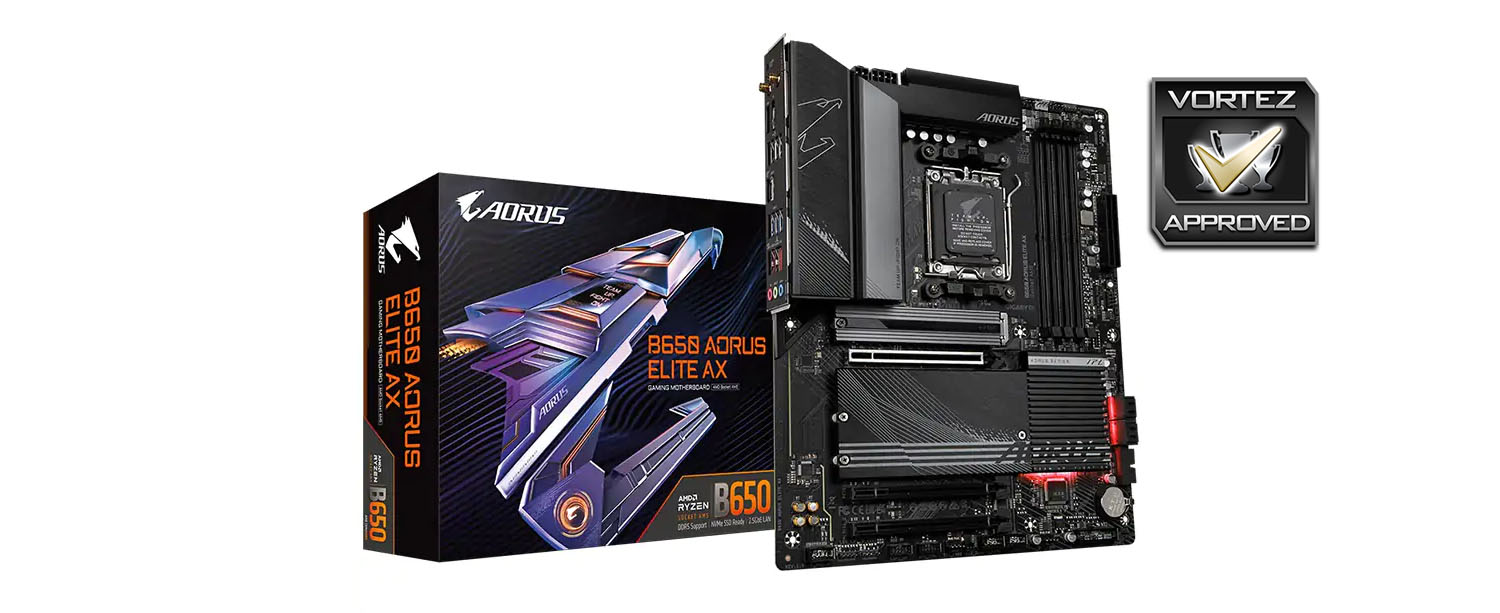
Furthermore, the B650 AORUS ELITE AX enjoyed lower power consumption and temperatures that were competitive with the rest of the field. For simple day-to-day operation (including gaming) it quite simply appears to be the most attractive option unless all of the additional benefits that X670 fields are used.
Aesthetically, this design is more of a blank canvas than most, but still has some of those small branding highlights that can be frustrating to those aspiring to a unique vision for their PC. Keeping everything stock however won’t embarrass you at your local LAN, and there’s plenty of headers for custom RGB if that’s your thing.
The elephant in the room is Intel’s 13th Generation Core platform. Their mature Z790-series doesn’t carry the same price premium as AMD’s 600-series and isn’t burdened by the requirement of DDR5 memory, while the performance of their CPUs is also widely recognised as most competitive in the mid-range. It’s therefore not all smooth sailing for this and the wise selection of B650 motherboards available today.
The B650 AORUS ELITE is a realistic mid-range entry into the widening 600-series landscape, bringing competitive features and new technologies without an astronomical price. It will prove to be an excellent starting point for any new AMD system build, and should comfortably be the board of choice over most X670 SKUs for the vast majority of potential owners. Only the pricing outside the US (and particularly in the UK) makes this design other than a slam dunk for GIGABYTE.
Pros
+ Build Quality
+ Solid VRM and M.2 cooling
+ 14+2+2 phase power delivery
+ PCIe & M.2 EZ Latch for graphics card and primary NVMe SSD storage
+ Thoughtful header layout
+ Plenty of RGB support
+ Far more attractive pricing than any X670 motherboard.
Cons
– Price outside the US
– Lack of troubleshooting features
– USB 3.2 Gen2x2 support only through a motherboard header rather than on the rear I/O..
+ Build Quality
+ Solid VRM and M.2 cooling
+ 14+2+2 phase power delivery
+ PCIe & M.2 EZ Latch for graphics card and primary NVMe SSD storage
+ Thoughtful header layout
+ Plenty of RGB support
+ Far more attractive pricing than any X670 motherboard.
Cons
– Price outside the US
– Lack of troubleshooting features
– USB 3.2 Gen2x2 support only through a motherboard header rather than on the rear I/O..