The new Aerox 5 Wireless and Aerox 9 Wireless are here, packed full of features but lacking in weight, at only 74g and 89g respectively. 2.4GHz, Bluetooth, 18,000 CPI sensor, PrismSync RGB, they’ve got it all, but are they any good?

Product on Review: SteelSeries Aerox 5 Wireless & SteelSeries Aerox 9 Wireless
Manufacturer: SteelSeries
Street Price:
Aerox 5 Wireless: GBP £134.99 / USD $139.99 / AUD $149.99
Aerox 9 Wireless: GBP £139.99 / USD $149.99 / AUD $159.99
SteelSeries are bouncing from win to win within the peripheral market, even going as far as being “the winningest (is that a word?) peripheral manufacturer in eSports” helping eSports competitors to win more prize money than any other brand since 2001. This is all good news if you play at an insanely high level with the reaction times of a house fly, but what does that mean for the mere mortal?
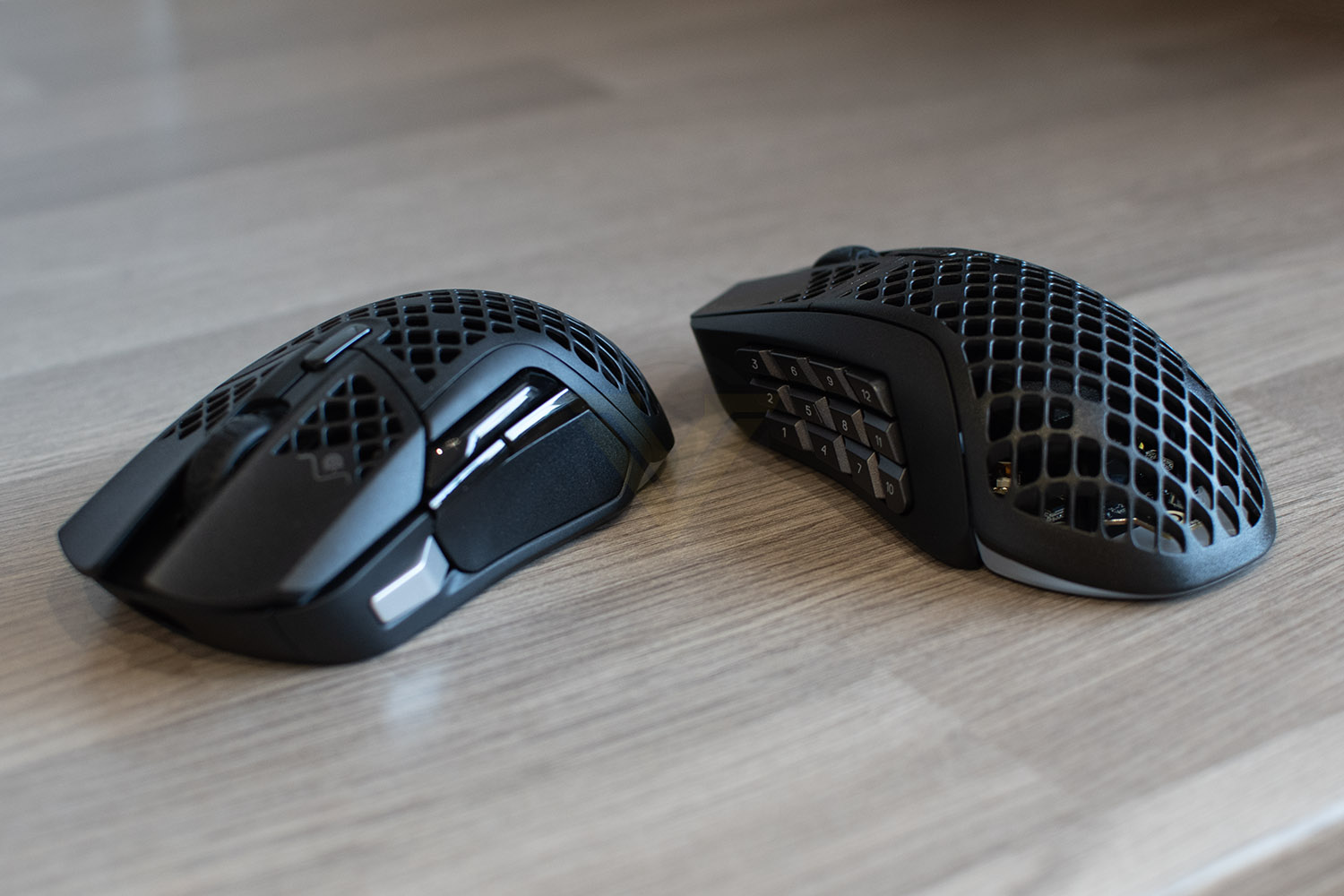
Today we’re looking at two new mice, the Aerox 5 Wireless and Aerox 9 Wireless, both incredibly similar, sharing the same chassis, processor, sensor and body, the only major difference being the thumb button layout – the Aerox 5 sports only 5 buttons here, in a unique layout, while the Aerox 9 is aimed firmly at MMO/MOBA fans, or those who love a good macro.
The focus of the Aerox 5 and 9 has been to minimise weight as much as possible, but also ensuring battery life doesn’t suffer and that aesthetics are on point. The Aerox 5 weighs in at just 74 grams while the Aerox 9, with its additional buttons, comes in at 89 grams. Battery life, according to SteelSeries, is up to 180 hours of continuous play with fast-charging built into both devices for when the occasional charge is required.
On the underside you’ll find an 18,000 DPI TrueMove Air sensor which was co-developed with PixArt, who know a thing or two about sensors. SteelSeries claim that the groundbreaking sensor offers unrivalled precision due to the 1-to-1 tracking, ability to handle up to 400 IPS and 40Gs of acceleration, all impressive numbers, that’s for sure.
Of course, as par for the course these days, we find ourselves looking at a three-zone PrismSync RGB set up, allowing you to illuminate the inside of the mouse through the honeycomb structure.
RRP for the two mice are £134.99 and £139.99, so they’re certainly a premium offering from SteelSeries, but are they worth the asking price? There’s only one way to find out, let’s give them some time on the mouse mat and see what’s what.
SteelSeries on the Aerox 5 Wireless:
The Aerox 5 Wireless is optimized for the fastest swipes, so you beat the competition to the trigger. When milliseconds count, speed matters.
Technical Specifications
Aerox 5 WirelessSensor:
Sensor: SteelSeries TrueMove Air
Sensor Type: Optical
CPI: 100–18,000 in 100 CPI Increments
IPS: 400, on SteelSeries QcK surfaces
Acceleration: 40G
Polling Rate: 1000Hz / 1 ms
Hardware Acceleration: None (Zero Hardware Acceleration)
Design:
Back Cover Material: Black Matte Finish
Core Construction: ABS Plastic
Shape: Ergonomic, Right-Handed
Grip Style: Palm or Claw
Number of Buttons: 9
Switch Type: SteelSeries mechanical switches, rated for 80 million clicks
Illumination: 3 RGB Zones
Weight: 74g
Length: 128.8mm / 5.07 inches
Width: 62.8 mm / 2.47 inches (front), 68.2mm / 2.68 inches (back)
Height: 26.7mm / 1.05 inches (front), 42.10mm / 1.65 inches (back)
Connection: 2.4GHz / Bluetooth 5.0
Battery Life: Up to 80 hours 2.4GHz, Up to 180 hours Bluetooth
Compatibility
OS: Windows, Mac, Chromebook (ChromeOS), Xbox, and Linux. USB port required.
Software: SteelSeries GG, Windows 8.1 or newer, MacOS 10.13 or newer
Box Content
Product Information Guide: Download Aerox 5 Wireless Product Information Guide
Aerox 5 Wireless Gaming Mouse
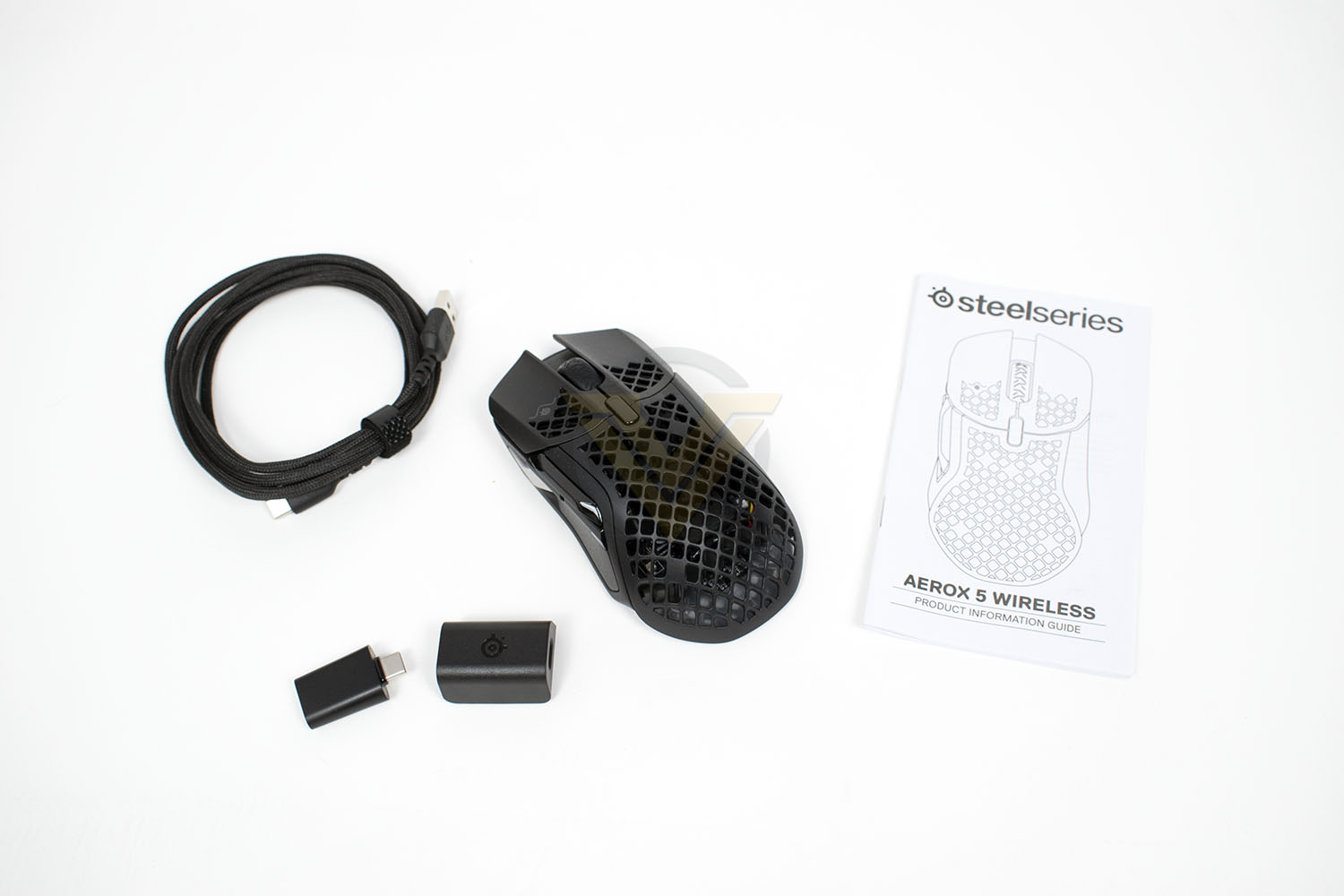
USB Type-C Dongle
USB Type-C to USB Type-A Super Mesh Data/Charging Cable
Extension Adapter
Sensor: SteelSeries TrueMove Air
Sensor Type: Optical
CPI: 100–18,000 in 100 CPI Increments
IPS: 400, on SteelSeries QcK surfaces
Acceleration: 40G
Polling Rate: 1000Hz / 1 ms
Hardware Acceleration: None (Zero Hardware Acceleration)
Design:
Back Cover Material: Black Matte Finish
Core Construction: ABS Plastic
Shape: Ergonomic, Right-Handed
Grip Style: Palm or Claw
Number of Buttons: 9
Switch Type: SteelSeries mechanical switches, rated for 80 million clicks
Illumination: 3 RGB Zones
Weight: 74g
Length: 128.8mm / 5.07 inches
Width: 62.8 mm / 2.47 inches (front), 68.2mm / 2.68 inches (back)
Height: 26.7mm / 1.05 inches (front), 42.10mm / 1.65 inches (back)
Connection: 2.4GHz / Bluetooth 5.0
Battery Life: Up to 80 hours 2.4GHz, Up to 180 hours Bluetooth
Compatibility
OS: Windows, Mac, Chromebook (ChromeOS), Xbox, and Linux. USB port required.
Software: SteelSeries GG, Windows 8.1 or newer, MacOS 10.13 or newer
Box Content
Product Information Guide: Download Aerox 5 Wireless Product Information Guide
Aerox 5 Wireless Gaming Mouse
USB Type-C Dongle
USB Type-C to USB Type-A Super Mesh Data/Charging Cable
Extension Adapter
Aerox 9 Wireless
Sensor:
Sensor: SteelSeries TrueMove Air
Sensor Type: Optical
CPI: 100–18,000 in 100 CPI Increments
IPS: 400, on SteelSeries QcK surfaces
Acceleration: 40G
Polling Rate: 1000Hz / 1 ms
Hardware Acceleration: None (Zero Hardware Acceleration)
Design:
Back Cover Material: Black Matte Finish
Core Construction: ABS Plastic
Shape: Ergonomic, Right-Handed
Grip Style: Palm or Claw
Number of Buttons: 18
Switch Type: SteelSeries mechanical switches, rated for 80 million clicks
Illumination: 3 RGB Zones
Weight: 89g
Length: 128.8mm / 5.07 inches
Width: 62.8 mm / 2.47 inches (front), 68.2mm / 2.68 inches (back)
Height: 26.7mm / 1.05 inches (front), 42.10mm / 1.65 inches (back)
Connection: 2.4GHz / Bluetooth 5.0
Battery Life: Up to 80 hours 2.4GHz, Up to 180 hours Bluetooth
Compatibility
OS: Windows, Mac, Chromebook (ChromeOS), Xbox, and Linux. USB port required.
Software: SteelSeries GG, Windows 8.1 or newer, MacOS 10.13 or newer
Box Content
Product Information Guide: Download Aerox 9 Wireless Product Information Guide
Aerox 9 Wireless Gaming Mouse
USB Type-C Dongle
USB Type-C to USB Type-A Super Mesh Data/Charging Cable
Extension Adapter
Sensor: SteelSeries TrueMove Air
Sensor Type: Optical
CPI: 100–18,000 in 100 CPI Increments
IPS: 400, on SteelSeries QcK surfaces
Acceleration: 40G
Polling Rate: 1000Hz / 1 ms
Hardware Acceleration: None (Zero Hardware Acceleration)
Design:
Back Cover Material: Black Matte Finish
Core Construction: ABS Plastic
Shape: Ergonomic, Right-Handed
Grip Style: Palm or Claw
Number of Buttons: 18
Switch Type: SteelSeries mechanical switches, rated for 80 million clicks
Illumination: 3 RGB Zones
Weight: 89g
Length: 128.8mm / 5.07 inches
Width: 62.8 mm / 2.47 inches (front), 68.2mm / 2.68 inches (back)
Height: 26.7mm / 1.05 inches (front), 42.10mm / 1.65 inches (back)
Connection: 2.4GHz / Bluetooth 5.0
Battery Life: Up to 80 hours 2.4GHz, Up to 180 hours Bluetooth
Compatibility
OS: Windows, Mac, Chromebook (ChromeOS), Xbox, and Linux. USB port required.
Software: SteelSeries GG, Windows 8.1 or newer, MacOS 10.13 or newer
Box Content
Product Information Guide: Download Aerox 9 Wireless Product Information Guide
Aerox 9 Wireless Gaming Mouse
USB Type-C Dongle
USB Type-C to USB Type-A Super Mesh Data/Charging Cable
Extension Adapter
Packaging & Bundle
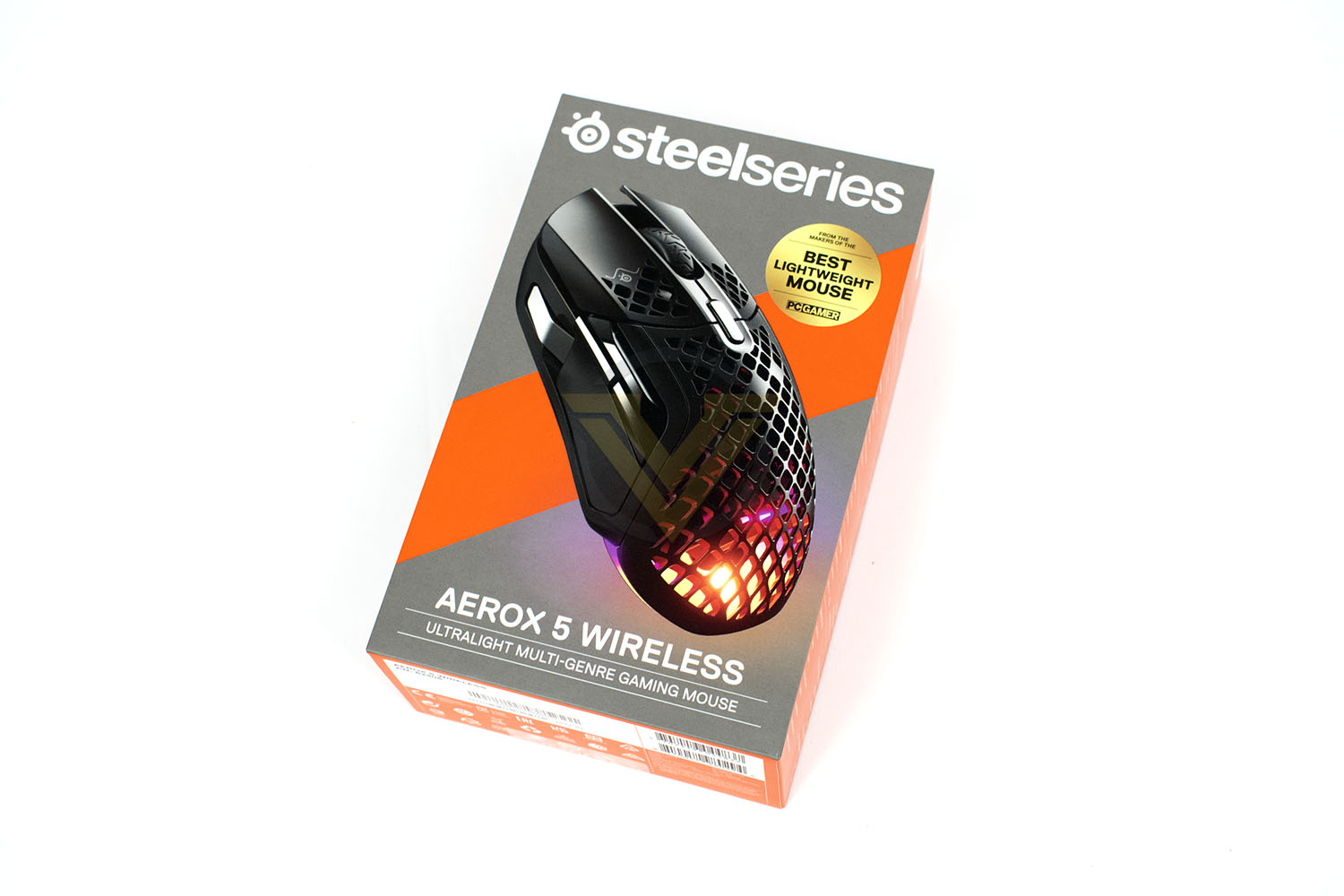
We’ll cover both mice on the single page here as there are no important differences between the two.Packaging wise, the SteelSeries formula remains exactly the same throughout the range, orange on grey with a clear product image and title, they keep things nice and simple.
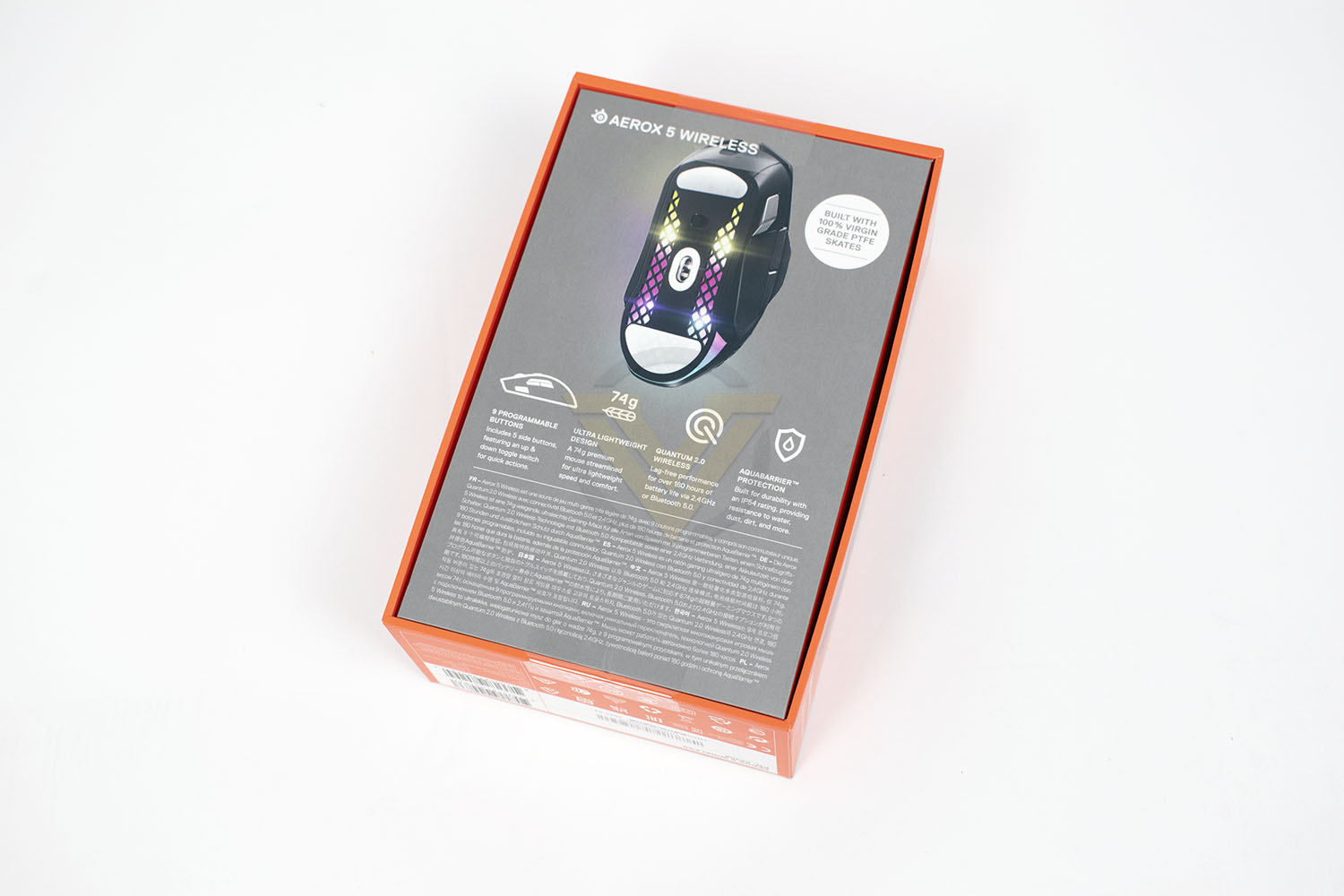
Flipping the box over, there are more details of the specifications with an image of the underside of the mouse. All basic stuff, but useful non-the-less.
Lifting the lid on the box for the first time shows off your fancy new toy, kept in place by a more-planet-friendly cardboard seat, instead of the usual plastic. Under this is where you’ll find all of the necessary accessories.
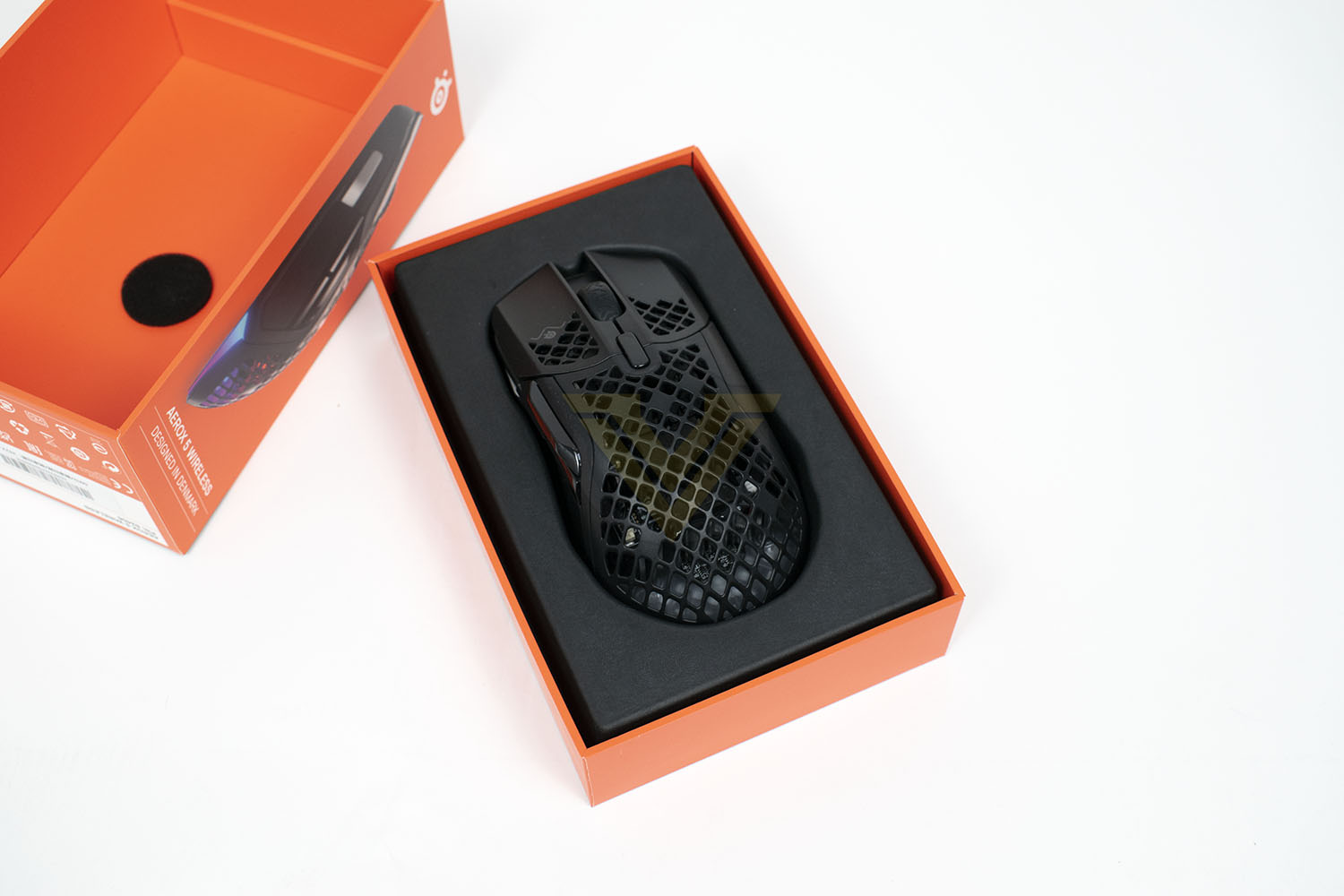
Obviously, included within the box is the mouse itself, but you’re also provided USB-C Super Mesh cable, a wireless dongle and extension adapter and a product guide.
Closer Look
To save us from having to repeat ourselves on the next page, and to save your precious time, we’ll combine the two mice into one page here, and show the differences between them, which aren’t huge.SteelSeries have extensive experience in producing lightweight mice at this point, so they know where they can and can’t remove material. As you can see here, it’s evident that you can remove plenty before you run into problems. There’s not a great deal left over. Inside the chassis is a re-engineered PCB that is 50% slimmer than “other mice”, helping to shed weight, while a 6 gram battery aids weight loss further, with those same “other mice” typically using batteries weighing in around 20 grams.
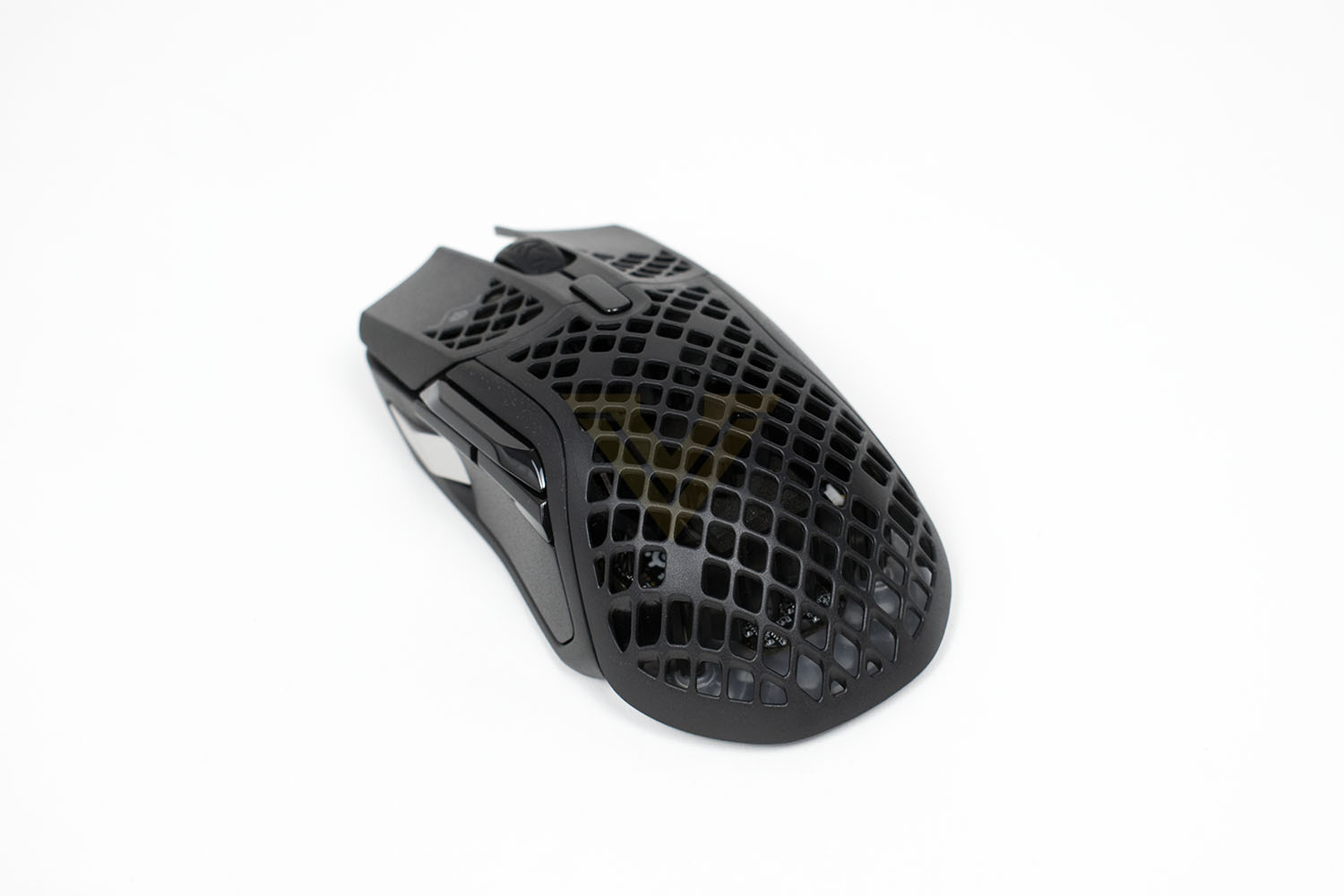
Around the front, they’ve limited the removal of plastic to maintain a level of comfort on the main mouse buttons, while also improving its appearance. The two main buttons are hinged at the top and sit above SteelSeries-designed Golden Micro Switches with a durability rating of over 80M clicks.
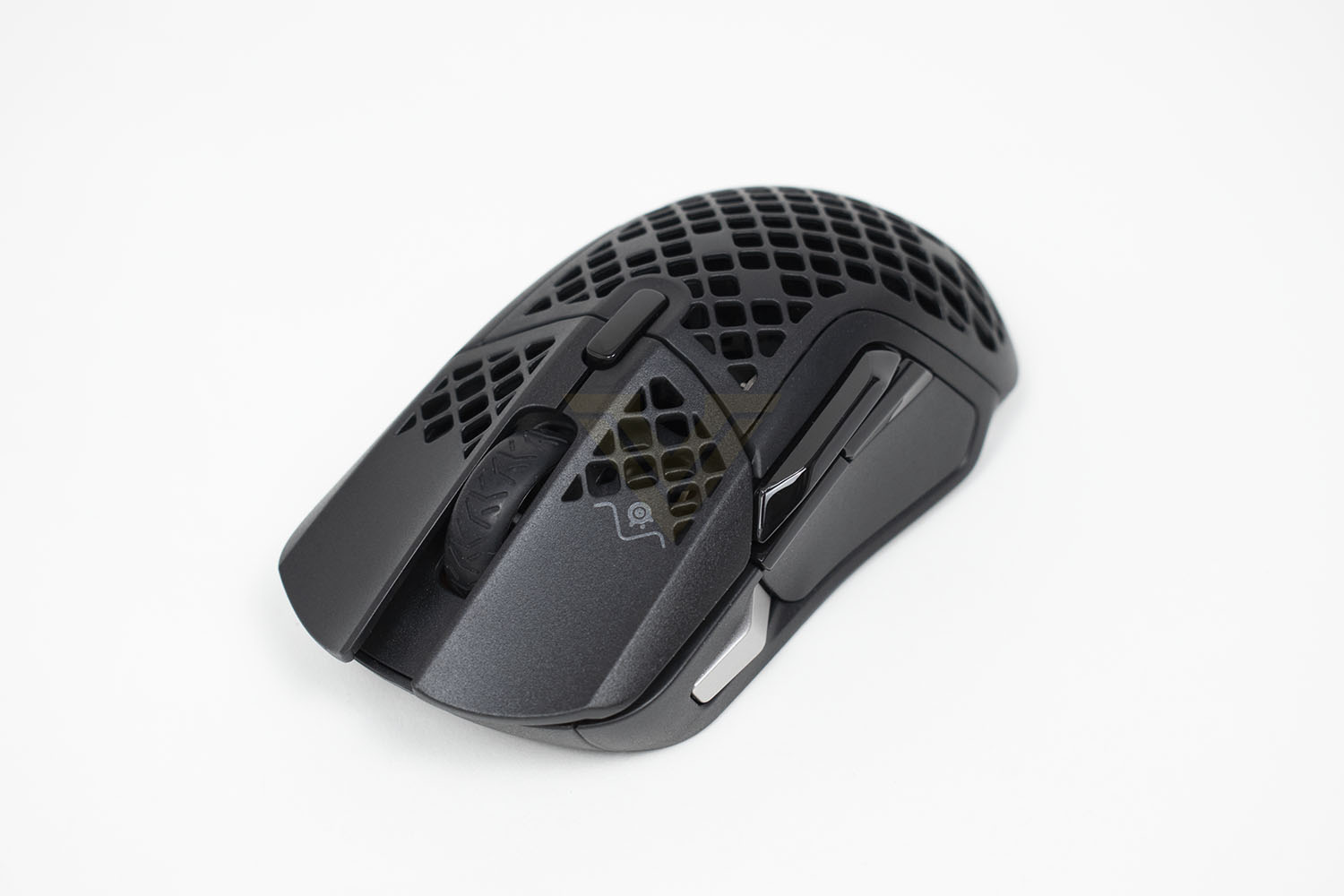
Being a right-handed design, the right edge of the mouse features no buttons or anything of any note, but they have kept this section as an entire piece of plastic rather than opting to remove sections for reduced weight.
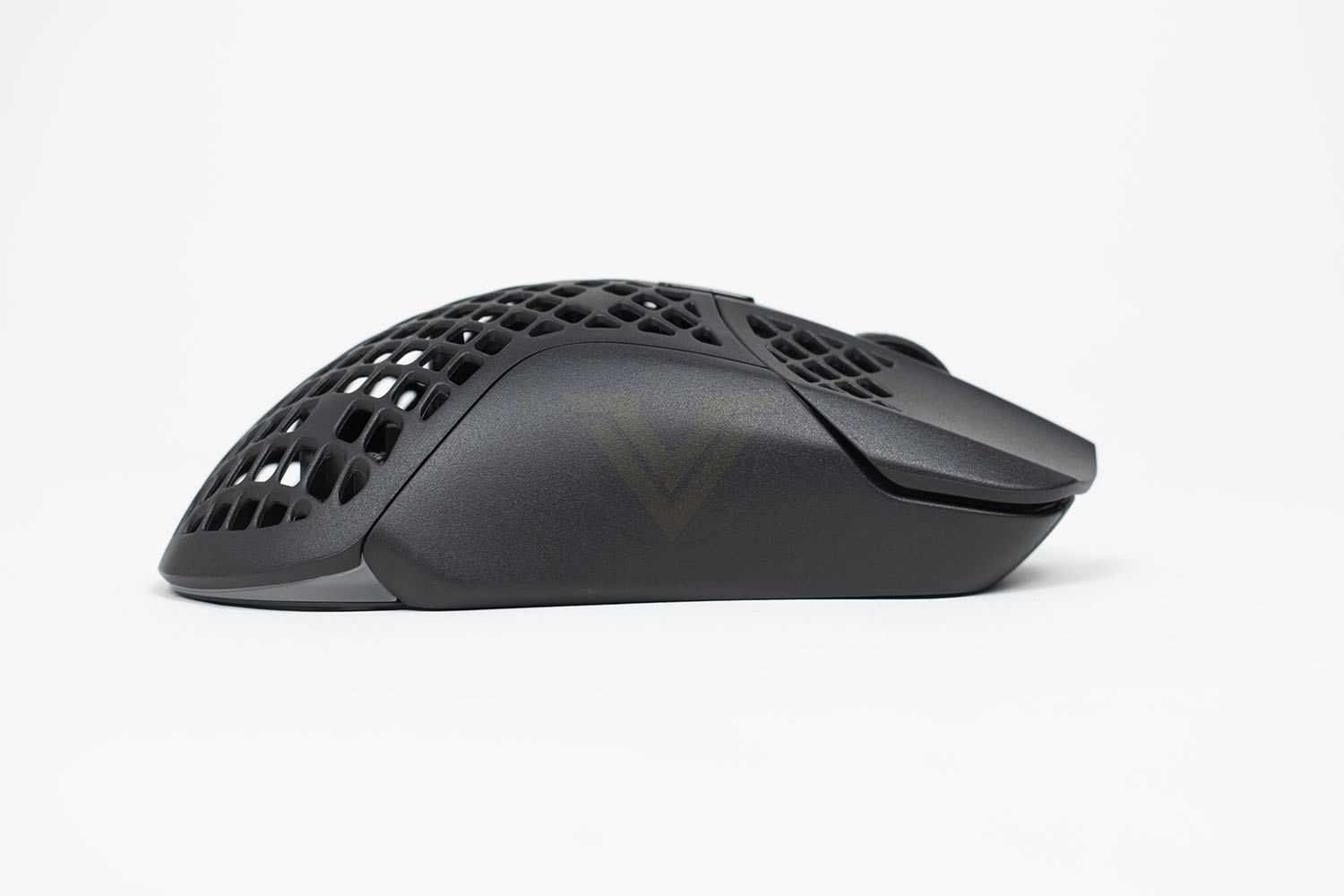
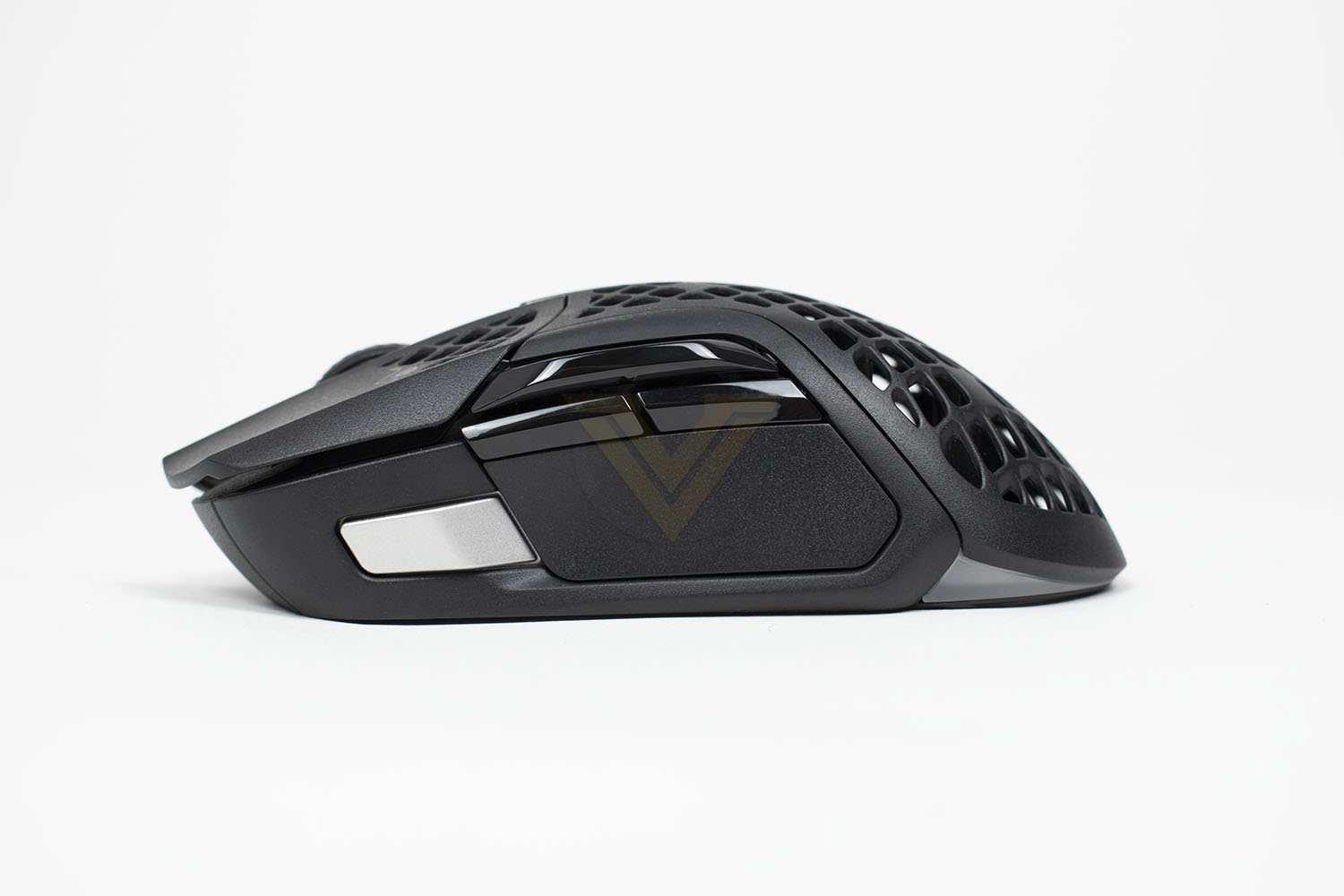
The left edge of the Aerox 5 Wireless, where the real party is, features 4 proper buttons. The silver button towards the front sits under the thumb, ready to click at a moment’s notice, with a further three buttons above your thumb. These can be given just about any function you want through the SteelSeries Engine software.
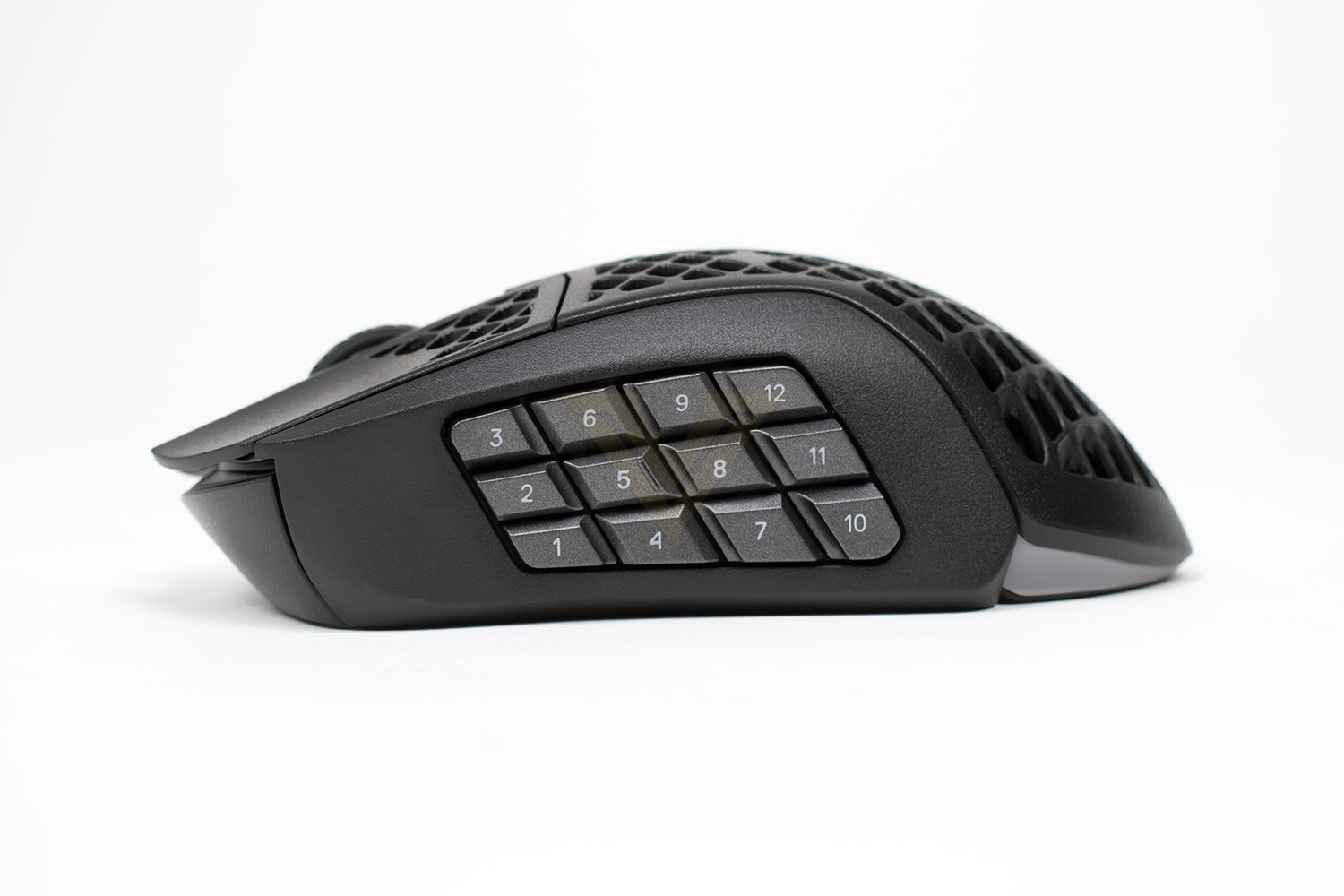
Now, onto the Aerox 9 Wireless, aimed at MOBA and MMO players who need many functions to hand, there are 12 differently shaped buttons where your thumb will sit, they’re small, but they need to be to fit into the area. The world is your oyster here, go wild with macros and functions.
Closer Look (Continued)
The front of the mouse has the USB-C connection for charging. There’s nothing special about the connection here, meaning you can use your own cable if you wish.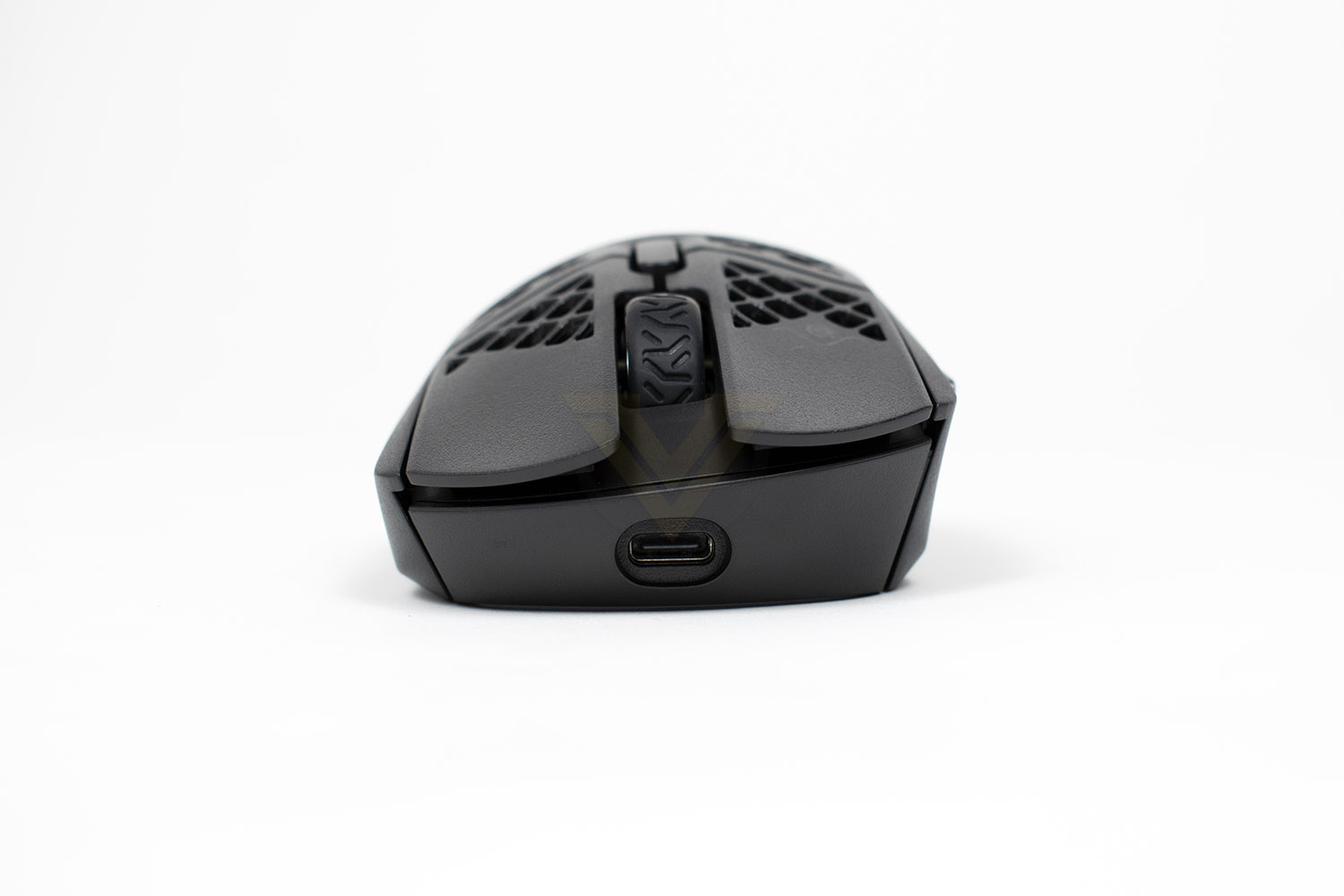
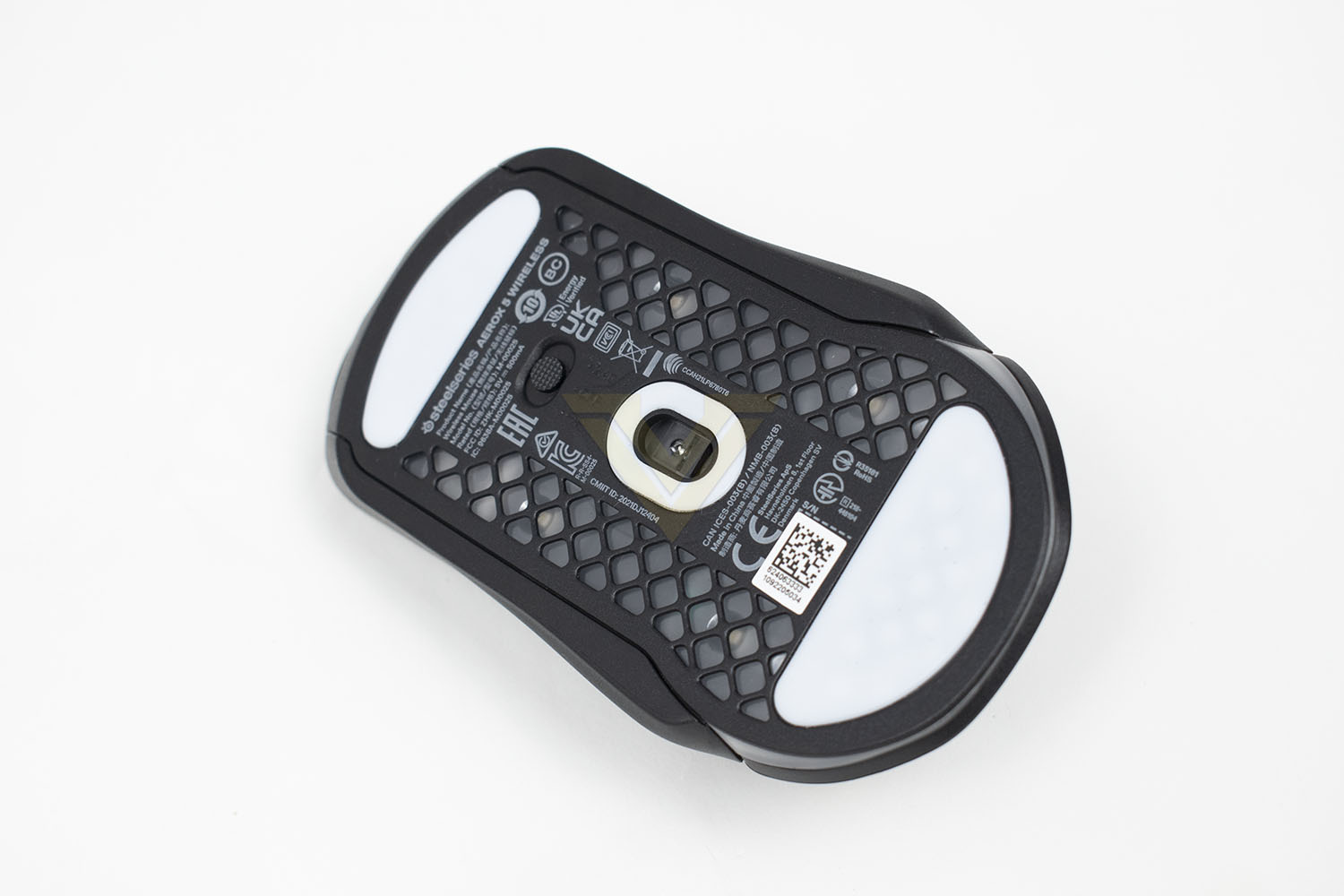
On the underside of the Aerox 5 there is further weight shedding with the plastic cut away. The TrueMove Air sensor sits right in the middle of the mouse, where it should be, to give the most natural feel. Top and bottom are host to large 100% PTFE glide skates to reduce friction as much as possible, with a much smaller skate around the perimeter of the sensor. The switch above the sensor allows you to turn the mouse off fully, or switch between the 2.4GHz and Bluetooth connectivity.
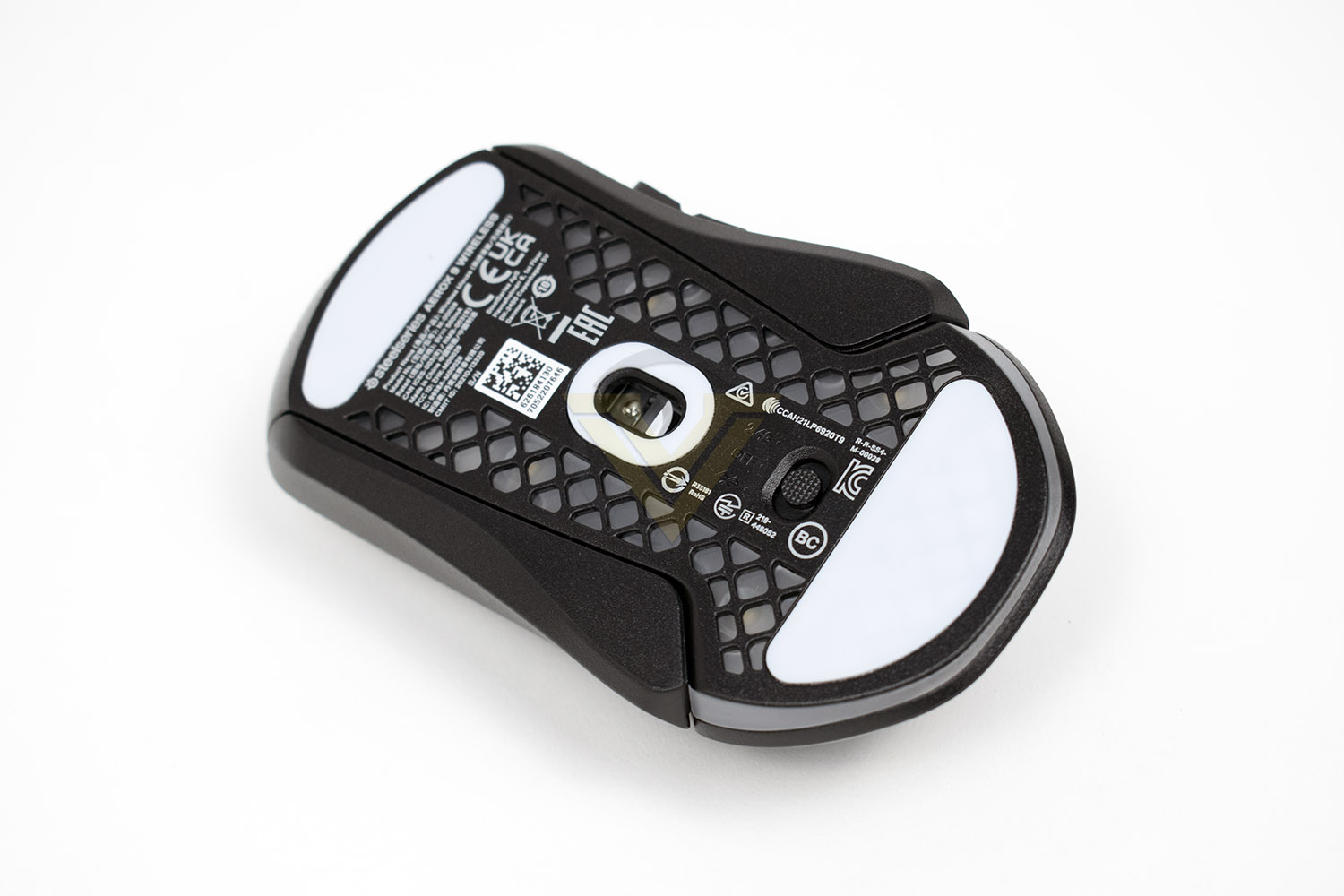
The underside of the Aerox 9 is largely the same, only the connectivity toggle/power switch is moved towards the rear of the mouse.
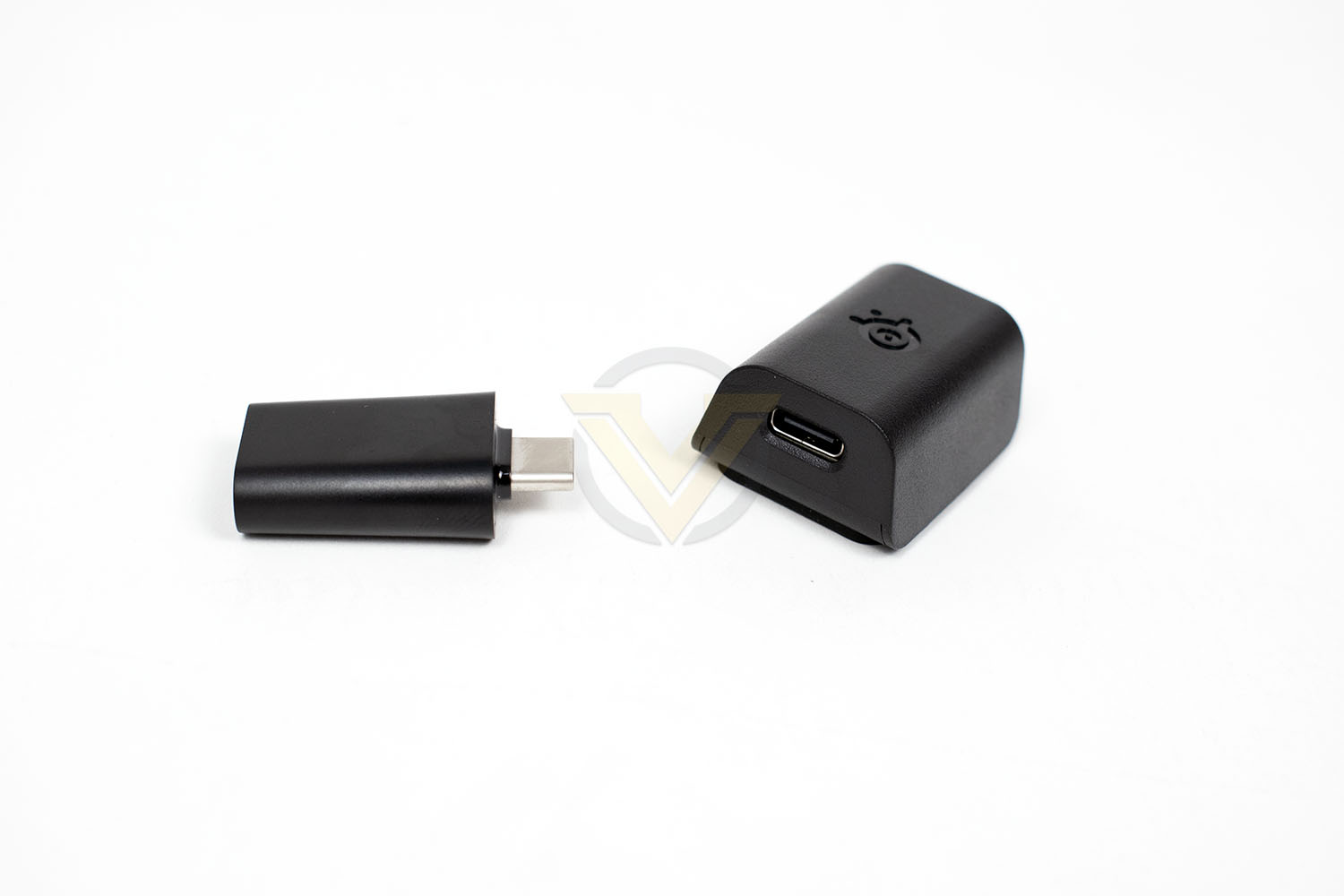
SteelSeries provide an extension adaptor (this has a USB-C on each end) with the USB-C dongle, which allows you to place the dongle as close to your mousemat as possible, this gives you a handy Type-C cable that you can plug the mouse into for charging, while also helping to reduce any chance of interference; having said that, the new Quantum 2.0 wireless connectivity should resolve any possible issues, but it can’t hurt to help it along.
Software
We’ve witnessed the SteelSeries software suite evolve over the years, from a much more basic and simplistic approach a few years ago to what it has evolved into today, the SteelSeries GG. Currently, amongst the big players within the PC peripheral market, the SteelSeries probably just about wins out for overall performance, appearance and features; it’s a great bit of design.The Home page works as a news, sales, offers and information splash screen, giving you the lowdown in a condensed format. It can be overwhelming but there’s plenty of stuff going on.

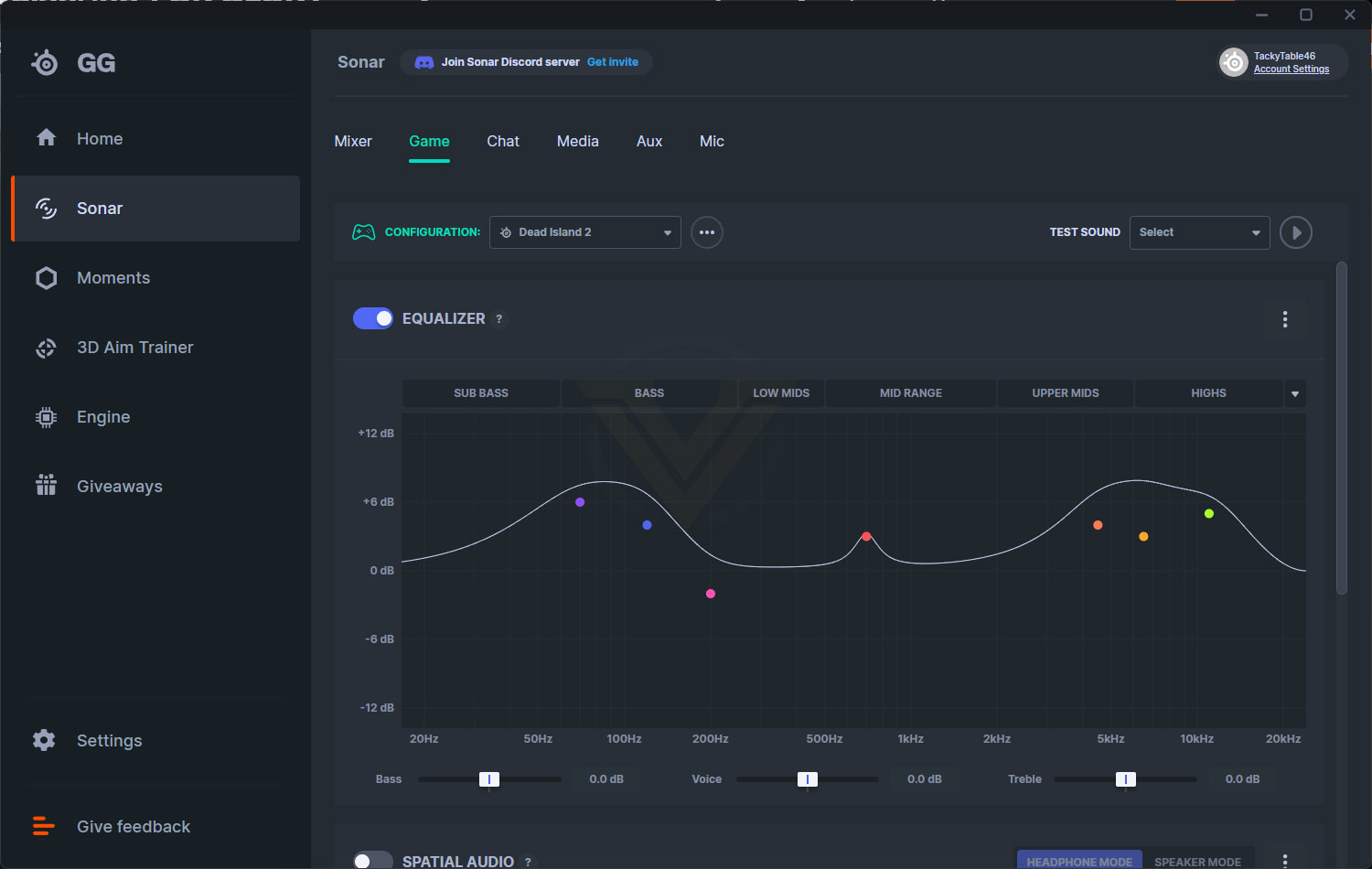
The Sonar page focusses on a pro-audio grade equaliser that you can fine-tune to individual games to pin-point specific noises, such as footsteps, reloading, changing weapons, the beep of a bomb being planted, pretty much anything, by making those sounds more pronounced. This isn’t something we’re going to focus on in this review but you can read more about it here.
Next up is Moments, a piece of clipping software that’s similar to NVIDIA’s Shadowplay or AMD’s ReLive, this works well and is easy to use, and comes with integrations for a lot of today’s popular titles.
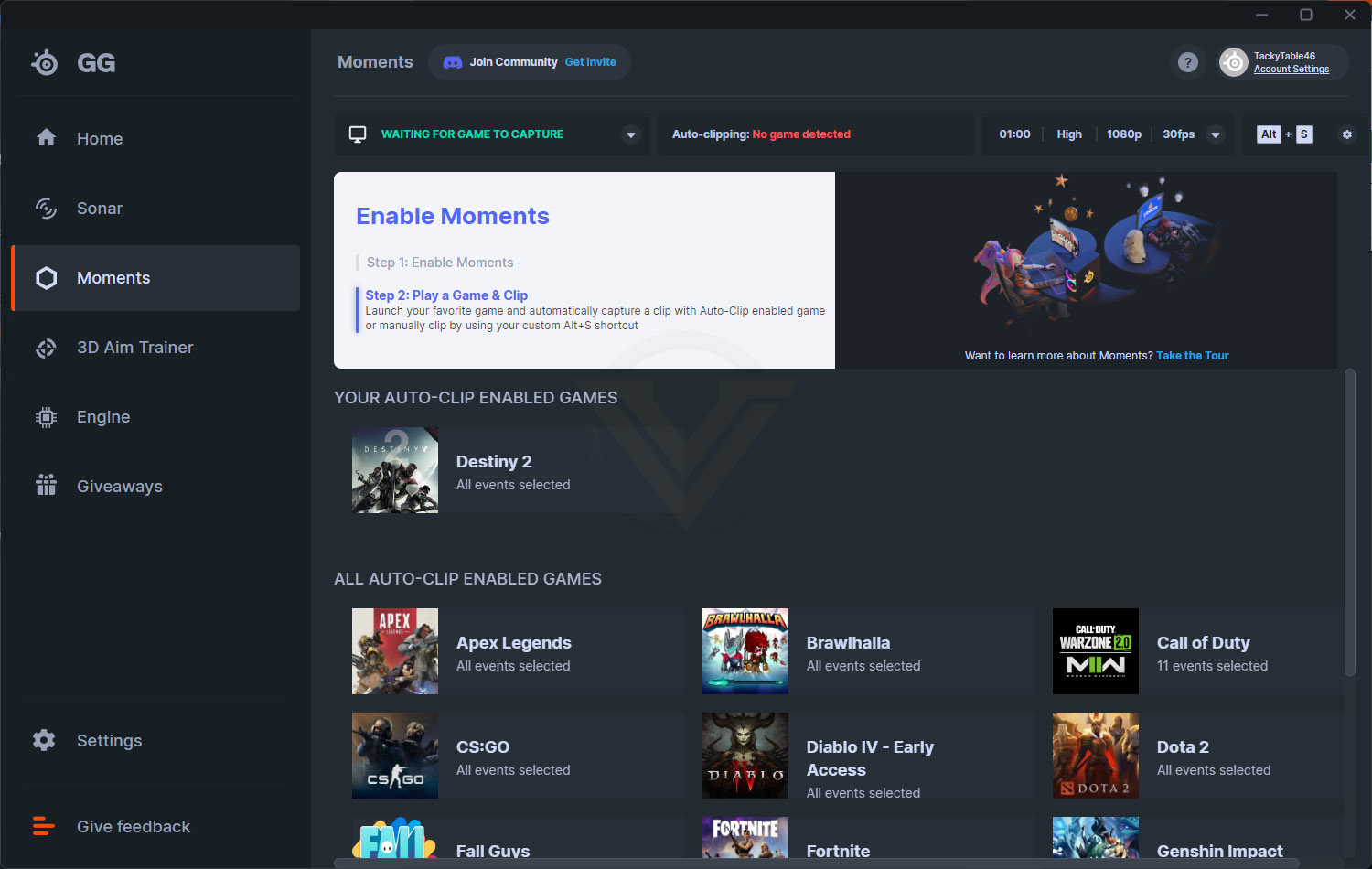
The latest addition to GG is the 3D Aim Trainer, this is currently in Early Access but it’s already really fun and feels beneficial. There’s a wide range of supported games and game modes built in, it runs well and doesn’t require a super computer to operate. Definitely have a go, it’s genuinely very fun.

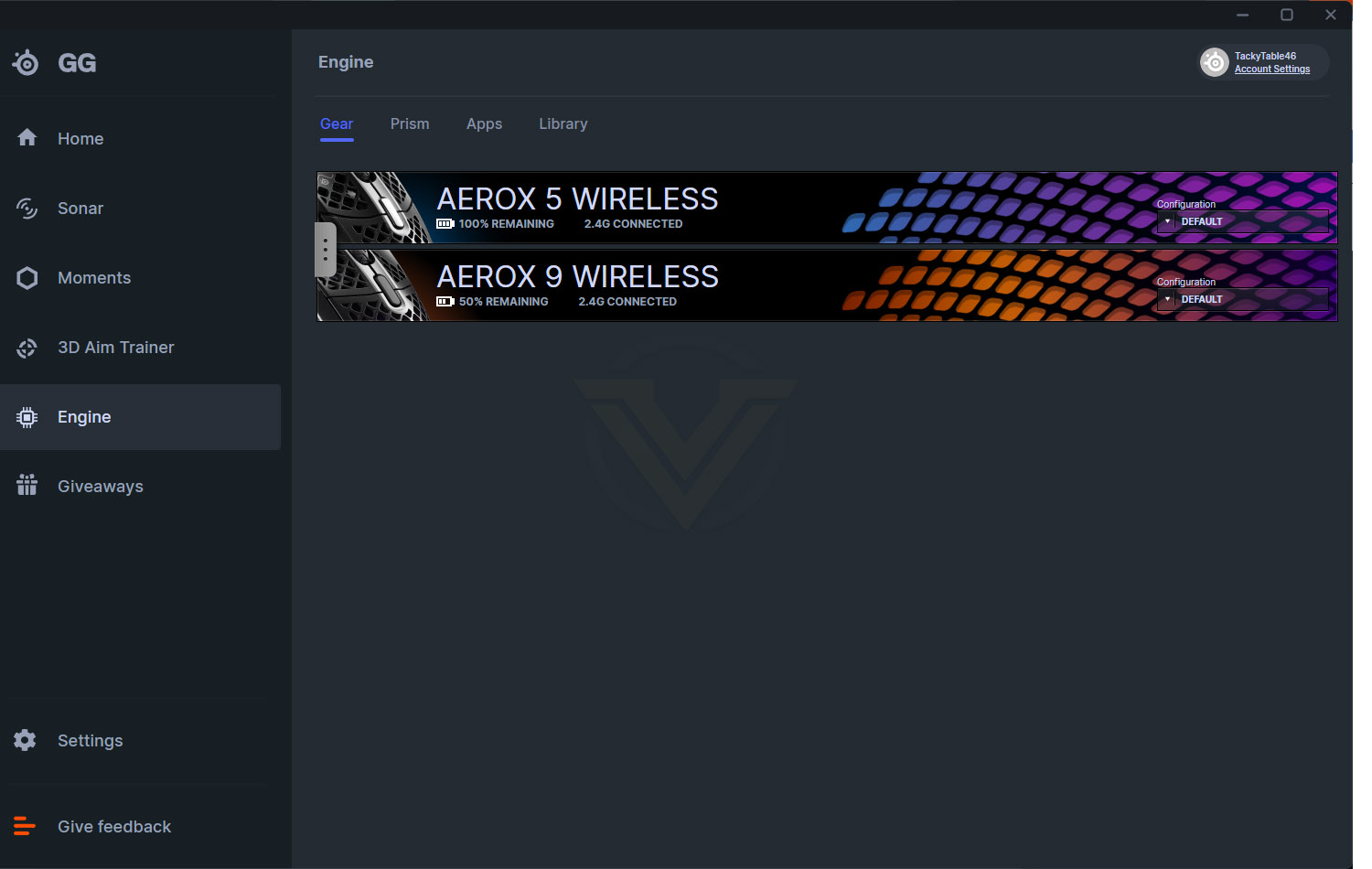
Engine, the heart of the driver, is where you make all of the important changes to your device, all of your SteelSeries peripherals will appear in this list and give you things like battery life information, as well as the ability to quickly change profiles.
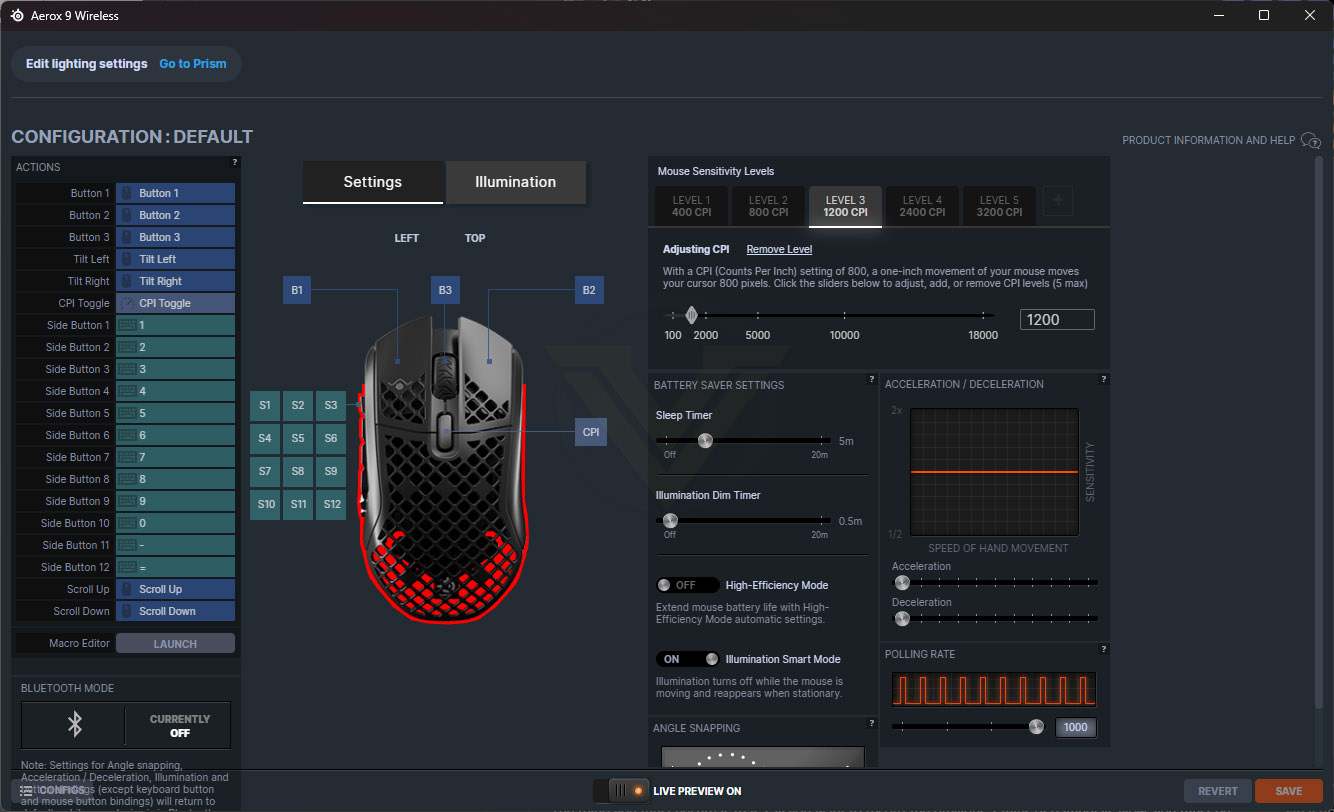
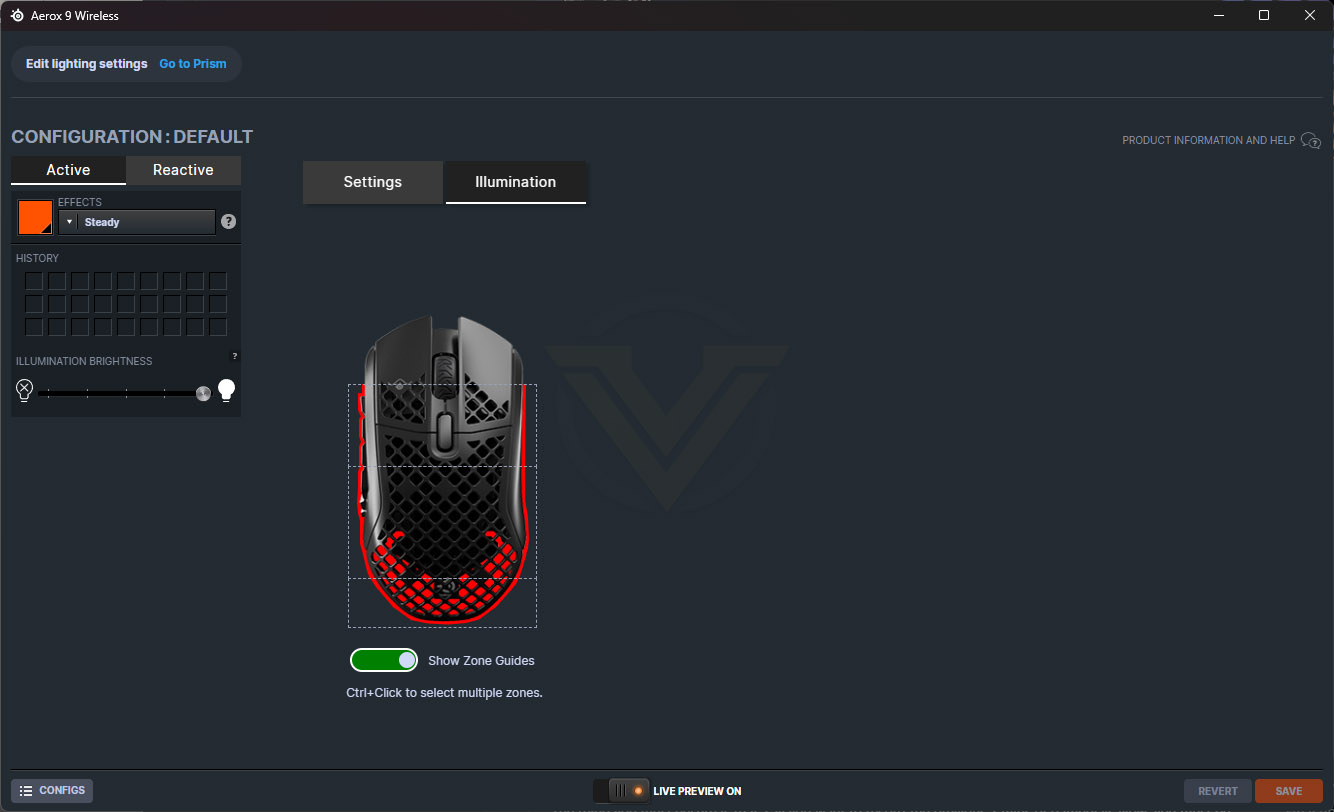
When you select into one of your devices you can adjust everything, such as RGB lighting effects, sensitivity and acceleration, button mapping and much more. Things are well laid out, easy to configure and have a very shallow learning curve. As we mentioned earlier, this is a great piece of software design which helps to make your life just that little bit easier.
Performance Testing
Setting up the mice was a doddle, the GG software detected them and downloaded their firmware updates, which can be completed over the air rather than needing to connect the mouse with a Type-C cable; this is just a small quality of life improvement but useful non-the-less.RGB lighting on the mice is really good, it’s diffused well, illuminates a lot of the mouse, and comes with a really clever tricks to preserve battery life, which is that the lighting switches off as you move the mouse, there’s no point illuminating the palm of your hand, is there? Having said that, there are two LEDs on the underside of the mouse that don’t appear to do anything other than waste power, they don’t illuminate the skirt of the chassis, they’re barely visible through the mesh of the mouse, they’re just shining into the mousemat underneath it.
Battery life isn’t all that good, it’s a far cry from the 180 hours that SteelSeries claims. Their website doesn’t specify under what conditions it needs to be used to reach the 180 hours, but it most likely requires it to be in Bluetooth mode and definitely have the RGB illumination disabled. We found it was closer to 10-15 hours using the 2.4GHz connectivity and with the lighting turned on, so if you’re using it all day for work and then switch to playing games after your shift, you might find it needs charged up daily. Allowances can be made in the pursuit of a lightweight mouse but 10% of the quoted battery life? Not great. Charging, however, is very quick, allowing you to get a good boost of battery life in a surprisingly short period of time, and if you are forced to use the mouse in the meantime, the Super Mesh Cable is highly flexible and doesn’t drag on the surface of your desk.
The heart of the device, the TrueMove Air sensor, with its 1-to-1 tracking, 18,000 CPI to track every single movement, up to 40Gs of acceleration and tilt tracking, all add up to feel excellent whether you’re owning noobs in Overwatch, producing a PowerPoint presentation or just messing around in Farming Simulator, it just works and works very well.
Moving onto comfort, we’ll discuss the two separate devices in their own paragraphs.
The Aerox 5 Wireless is the lighter of the two, weighing in at only 73g, and you can feel every inch of their weight-saving efforts. It glides around on the mousemat with zero friction (more-so due to the large PTFE glides on the bottom but the weight is important too), it’s beautifully balanced and fits the hand well for most grip styles, but the chassis does feel a bit too long for my own personal grip style, it pushes my hand backwards which makes the side buttons sit in the wrong place, as well as my fingers resting on the diamond cut-outs on the right and left click rather than the flat plastic at the front. The side buttons feel too close together, and the grey button towards the front is way too far forwards, it just isn’t in the correct place at all for my grip style.
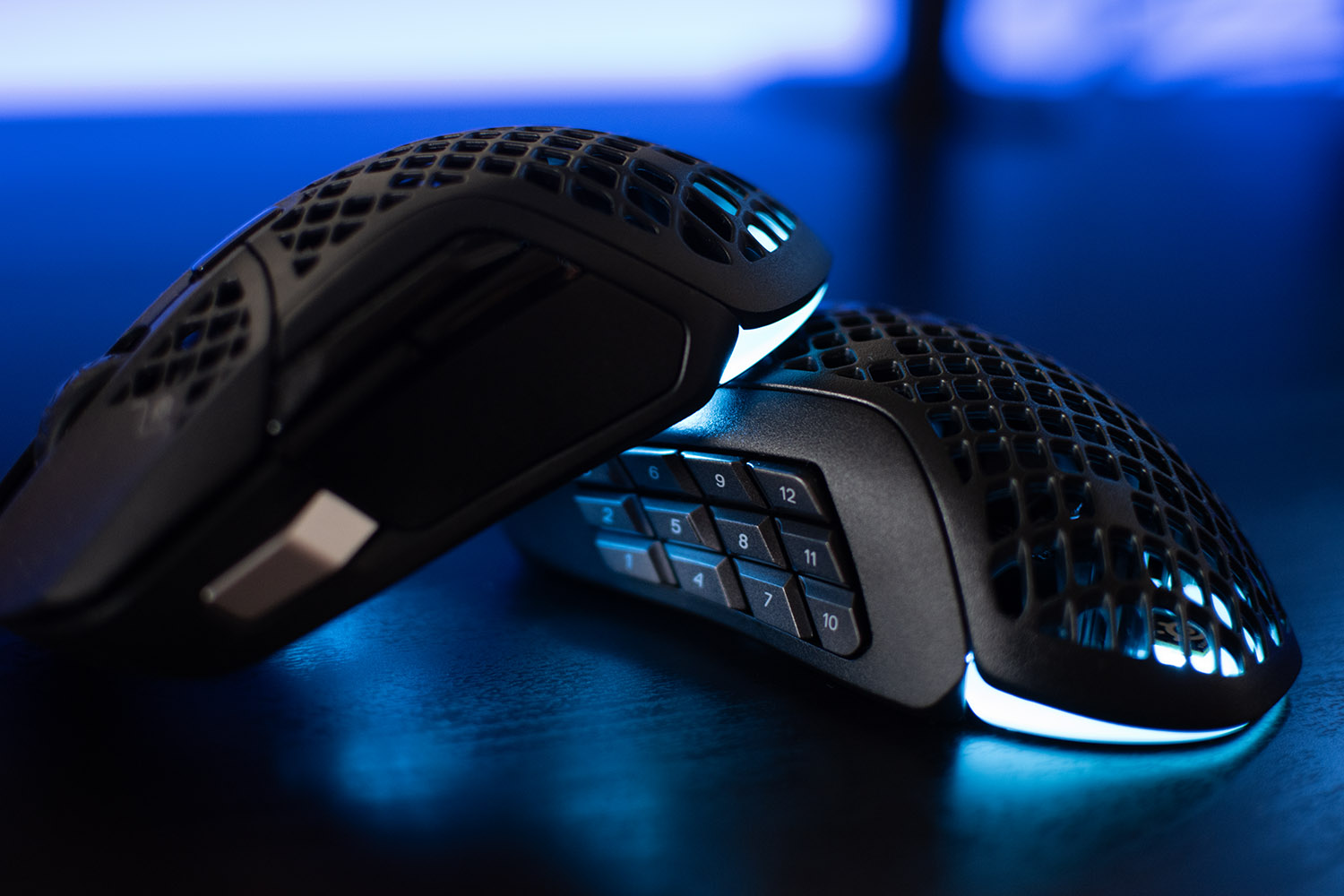
Moving onto the Aerox 9 Wireless, which shares the exact same chassis as the 5, is 14g heavier due to all of the extra buttons on the side, of which there are 12. The same issue exists here, where the mouse feels too long, drawing your hand away from the front of the mouse, though with the 12 buttons on the side, my thumb did find itself right in the middle, capable of pressing most of them without adjusting my grip too much at all; maybe the chassis design makes sense for this model. The Side buttons feel surprisingly good considering their small size, they don’t move around much under the thumb and have a snappy, deliberate click, allowing you to still grip the mouse with your thumb in place but not accidentally press a button.
Merging the two again, the right and left click which are placed on top of the next-gen Golden Micro IP54 switches, rated for at least 80M click durability, feel properly nice. They’ve got an audible click with a lot of push-back so they’re ready to be clicked again immediately. The scroll wheel, which can be clicked left and right for additional macro options, unfortunately has a bit of an issue; it’s too easy to click, though it does feature a nicely defined click as you roll it over, and it’s quiet at the same time.
Testing a manufacturer’s wireless transmission protocol is no easy task without a very expensive laboratory, many test samples and umpteen other things, but we can give you our experience with it. The Quantum 2.0 Wireless technology performed perfectly for us, not a single problem. We did try to move the mouse away from the PC, into another room in fact, and it still performed just fine. There’s also the Bluetooth 5.0 connectivity to give you that additional flexibility, connecting to your iPad or MacBook, for example, without a dongle.
Conclusion
SteelSeries are a household name in the PC gaming industry, producing some of the most popular peripherals out there. The Aerox 5 Wireless and Aerox 9 Wireless are good mice, it has to be said, but they aren’t without their flaws.Starting with the positives, the PrismSync RGB lighting is nicely diffused, easy to play about with to get the right effect, turns itself off while your hand is on the mouse to save battery life (we like that, that’s a good feature) and it features really smooth transitions between the separate colours.
Thanks to their extensive engineering efforts the mice, in particular the Aerox 5, are very lightweight; this is all the rage at the moment with users wanting less friction, less inertia and more kills. The PTFE glide skates on the bottom (which are replaceable and sold by SteelSeries, FYI) do their job just as they should, with minimum friction, letting you make faster movements with enhanced control. The chassis is comfortable to use, you don’t really notice the diamond-work on the plastic shell at all after the first few minutes, but it is a bit too long for my particular grip-style, forcing my hand to sit further backwards than I’d like, rendering the side buttons on the Aerox 5 Wireless a bit off-centre.
The Golden Micro IP54 switches have a great range of movement with a positive click and forceful response, plenty of rebound and a satisfying sound to go with it. They’re rated for 80 million clicks, which should see you through plenty of gaming, and thanks to the IP54-rated AquaBarrier, you need not worry about all those holes on the surface of your new mouse – it’s protected.
As is the case for any mouse from a reputable manufacturer, the TrueMove Air sensor is flawless, it has been developed in partnership with PixArt, who know a thing or two about making an optical sensor, we can’t fault it at all.
The left edge of the Aerox 9 Wireless works well, the thumb buttons feel great with sturdy feedback, they’re spaced and arranged in a very well-thought-out pattern and sit under the thumb in just the right place. The Aerox 5 Wireless, on the other hand, isn’t the same happy story unfortunately; the front-most silver button is too close to the front of the mouse and the upper buttons are too close together and fiddly, I’ve just not found myself able to gel with it at all.
SteelSeries GG, their driver suite, is a cracking bit of software, it’s firmly my favourite to use at the moment; it’s full of great features, it’s nicely laid out, a doddle to use, looks good, is light on system resources and now comes with a surprisingly fun 3D Aim Trainer, a small built-in game, with hundreds of modes, that lets you hone your skills.
Moving onto the negatives, we’ll start with the biggest one for us, battery life; it just isn’t good enough if you want to use the RGB lighting. We found ourselves needing to charge it every couple of days as a minimum, up to every day. 180 hours is a massive claim from SteelSeries, while providing no information on what configuration you need to use to achieve that, we found it was closer to 10-15 hours. That being said, it does charge remarkably quickly!
The scroll wheel was something I didn’t get on well with, despite its excellent feel and quiet operation, it was just too easy to click which results in the annoying logo appearing and the whole web page moving around at a thousand miles per hour.
The lightness is impressive, build quality is solid, they look great and perform very well, but the little niggles and poor battery life are a bit of a turn off (pardon the pun).
Pros
+ Extremely light
+ 2.4GHz and Bluetooth connectivity
+ Charges very quickly
+ Lovely PrismSync RGB lighting
+ Solid build quality
+ Fantastic software
Cons
– Super pricey
– Scroll wheel is too easily depressed
– Battery life isn’t good, at all
+ Extremely light
+ 2.4GHz and Bluetooth connectivity
+ Charges very quickly
+ Lovely PrismSync RGB lighting
+ Solid build quality
+ Fantastic software
Cons
– Super pricey
– Scroll wheel is too easily depressed
– Battery life isn’t good, at all
Click here for an explanation of our awards at Vortez.net.
Stay connected with the Vortez Social Media pages:
Join in with the discussions on Discord