ARCTIC’s Liquid Freezer CPU cooling solutions reach their 3rd generation with new fans and augmented VRM cooling; it’s time we took their 240mm model out for a spin.

Product on Review: Arctic Liquid Freezer III 240 A-RGB White
Manufacturer: ARCTIC
MSRP:
– UK: £69.99 inc. V.A.T.
– US: $127.99 excl Tax
– AUS: $169.99 inc. Tax.
Introduction
ARCTIC are one of a narrow cohort of brands who have become synonymous with DIY PC building over the course of the last twenty or so years. Founded in 2001 as Arctic Cooling, their CPU air coolers have been a mainstay of home builds at all budgets and in the not too distant past have been go-to recommendations thanks to their performance and ease of installation for even novice users. New models can therefore be quite a big deal, with wallet-easing consequences all the way down the performance tiers.
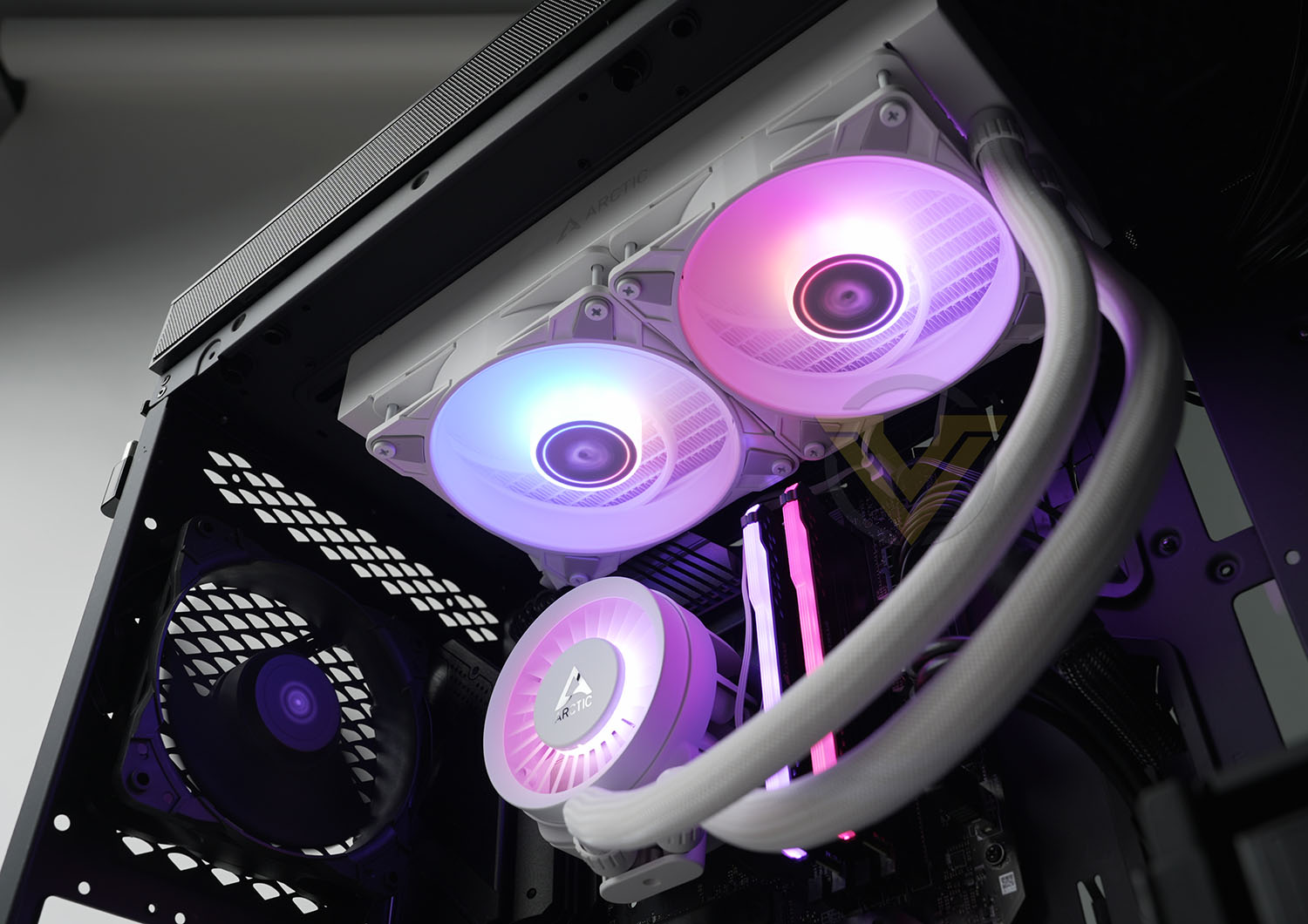
It took a while for ARCTIC to find their feet in the now-mature Liquid Cooling AIO arena, something it genuinely shares with their competitors. This is a key sector these days despite relative costs compared to air coolers, not only due to aesthetics but also because not anchoring half a kilo or more of heatsink to a CPU socket tends to ease shipping concerns for consumers, SIs and those just moving a system from home to an event. Offering better performance, keener pricing or fresh aesthetics can make a big difference when it comes to generating attention.
The Liquid Freezer III is ARCTIC third mainstream generation of AIO liquid coolers. Its general design will be familiar to many: closed loop cooling with pump integrated into the coldplate unit and variable sizes of radiator depending on performance system requirements. Where it differs is in the inclusion of a VRM fan on the pump unit to cool surrounding motherboard components. The model we’re reviewing today is the commonly preferred 240mm radiator form factor, but models supporting 280mm, 360mm and even 420mm radiators are also available. It’s also available in white or black, with some variation in price and availability based on region.
These coolers support a wide selection of CPU sockets including the latest mainstream Intel LGA1700 and AMD AM5 variants, with mounting hardware for each included in the retail product should you upgrade. ARCTIC are also one of the manufacturers with more robust aftermarket support for mounting hardware upgrades for future sockets upon release, future-proofing the cooler you buy.
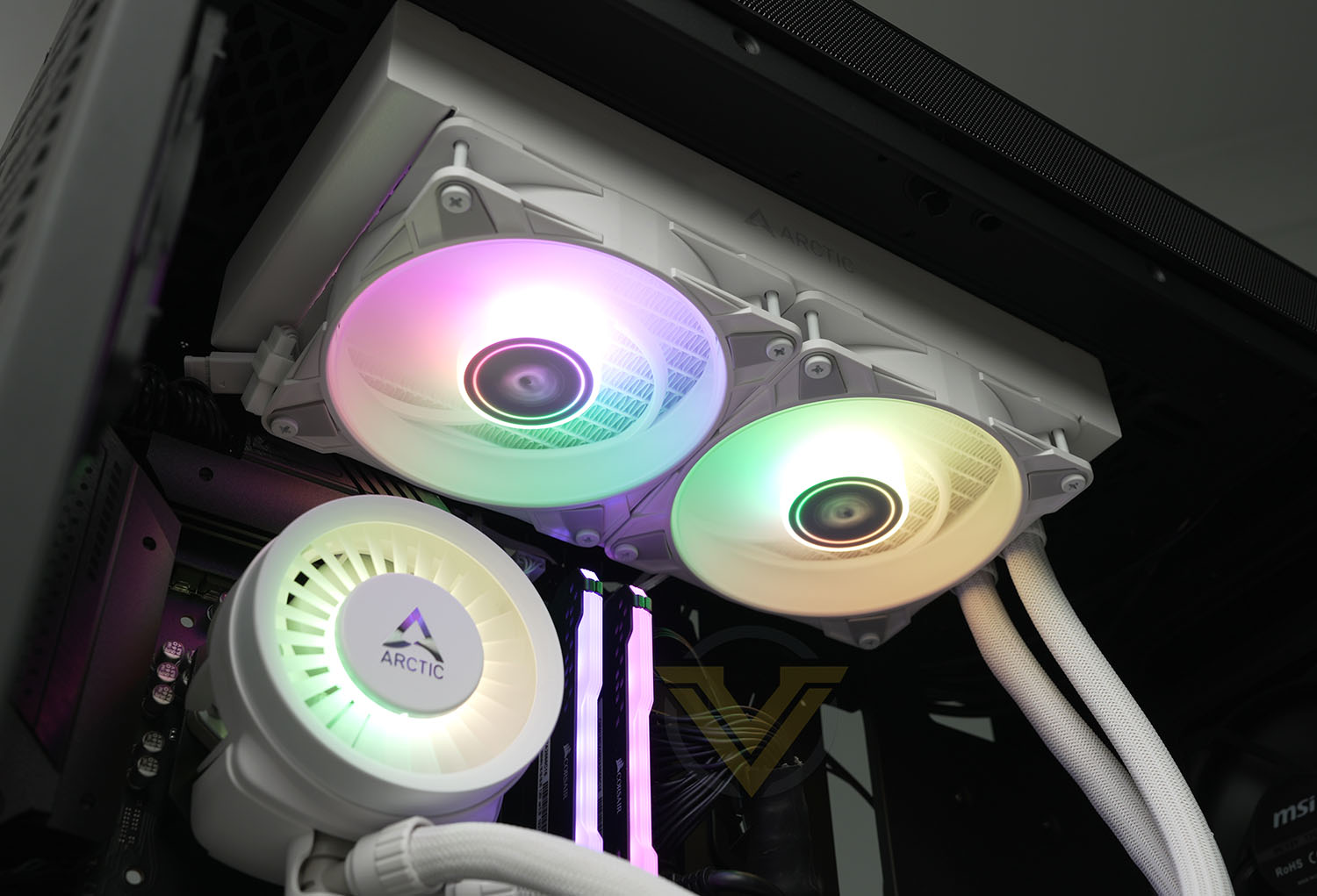
As the name suggests, this cooler incorporates Addressable RGB lighting on both the included 120mm fans and pump unit.
That being said, perhaps the most eye-opening aspect of this 240mm model in particular is its price. UK retailers are listing it as low as £69.99 inc. V.A.T., an exceptional price for a model from a reputable brand and a great downward cost pressure on performance components for systems built today. But, before we can call it an obvious go-to option for new projects within its wheelhouse, we need to see how it stacks up in testing.
About ARCTIC
Our Mission
At ARCTIC, everything we do is in service to our customers.
Our initial goal of creating quiet cooling for computers continues to drive us forward, and as our customers’ computers and workstations grow more powerful and generate more heat, we work toward innovative solutions that will serve our customers today and in the future.
ARCTIC products are designed for long-term use, come with a 6-year warranty, and we intentionally make them adaptable so that they can be used as long as possible.
We think beyond the initial purchase and support our customers throughout the life of their ARCTIC product. By providing enthusiastic customer service throughout the life of a product, we aim to keep our customers satisfied in every interaction they have with ARCTIC.
At ARCTIC, everything we do is in service to our customers.
Our initial goal of creating quiet cooling for computers continues to drive us forward, and as our customers’ computers and workstations grow more powerful and generate more heat, we work toward innovative solutions that will serve our customers today and in the future.
ARCTIC products are designed for long-term use, come with a 6-year warranty, and we intentionally make them adaptable so that they can be used as long as possible.
We think beyond the initial purchase and support our customers throughout the life of their ARCTIC product. By providing enthusiastic customer service throughout the life of a product, we aim to keep our customers satisfied in every interaction they have with ARCTIC.
Technical Specifications & Features
Technical Specs.
Compatibility
Intel:- 1700
AMD:- AM5, AM4
PI | NNPI:- 308 | 230
TIM:- MX-6 (0.8 g)
Operating Ambient Temperature:- 0—40 °C
Weight:- 1490 g
LED Connector:- 3-Pin A-RGB Connector
All-In-One Connector:- 4-Pin PWM Connector
Split Connector:- 3x 4-Pin PWM Connector
Pump
Pump:- 800—2800 rpm (PWM controlled)
Current | Voltage:- 0.35 A | 12 V DC
Cold Plate:- Copper, Micro Skived Fins
Tube Length:- 450 mm
Tube Diameter:
– Outer: 12.4 mm
– Inner: 6.0 mm
Radiator
Material:- Aluminium
Dimensions:- 277 (L) x 120 (W) x 38 (H) mm
VRM Module
VRM Fan:- 400—2500 rpm (PWM controlled)
Current | Voltage:- 0.05 A | 12 V DC
LEDs:- 12x A-RGB LEDs
Current | Voltage:- 0.40 A | 5 V DC
Radiator Fans
Fan:- 2x P12 PWM PST A-RGB
Speed:- 200—2000 rpm
Air Flow:- 48.82 cfm | 82.91 m3/h
Static Pressure:- 1.85 mmH2O
Bearing:- Fluid Dynamic Bearing
Current | Voltage:- 0.11 A | 12 V DC
Cable Length:- 40 mm
Connector:- 4-Pin PWM Connector
RGB
LEDs:- 12x A-RGB LEDs
Current | Voltage:- 0.40 V | 5 V DC
Cable Length:- 40 mm + 80 mm Splitter Cable
Connector:- 3-Pin A-RGB Connector + 3-Pin Plug
Warranty:- 6 Years Limited Warranty
Intel:- 1700
AMD:- AM5, AM4
PI | NNPI:- 308 | 230
TIM:- MX-6 (0.8 g)
Operating Ambient Temperature:- 0—40 °C
Weight:- 1490 g
LED Connector:- 3-Pin A-RGB Connector
All-In-One Connector:- 4-Pin PWM Connector
Split Connector:- 3x 4-Pin PWM Connector
Pump
Pump:- 800—2800 rpm (PWM controlled)
Current | Voltage:- 0.35 A | 12 V DC
Cold Plate:- Copper, Micro Skived Fins
Tube Length:- 450 mm
Tube Diameter:
– Outer: 12.4 mm
– Inner: 6.0 mm
Radiator
Material:- Aluminium
Dimensions:- 277 (L) x 120 (W) x 38 (H) mm
VRM Module
VRM Fan:- 400—2500 rpm (PWM controlled)
Current | Voltage:- 0.05 A | 12 V DC
LEDs:- 12x A-RGB LEDs
Current | Voltage:- 0.40 A | 5 V DC
Radiator Fans
Fan:- 2x P12 PWM PST A-RGB
Speed:- 200—2000 rpm
Air Flow:- 48.82 cfm | 82.91 m3/h
Static Pressure:- 1.85 mmH2O
Bearing:- Fluid Dynamic Bearing
Current | Voltage:- 0.11 A | 12 V DC
Cable Length:- 40 mm
Connector:- 4-Pin PWM Connector
RGB
LEDs:- 12x A-RGB LEDs
Current | Voltage:- 0.40 V | 5 V DC
Cable Length:- 40 mm + 80 mm Splitter Cable
Connector:- 3-Pin A-RGB Connector + 3-Pin Plug
Warranty:- 6 Years Limited Warranty
Additional Features
Some of the key features of the ARCTIC Liquid Freezer III coolers include:
– Integrated pump-mounted VRM fan that cools motherboard components immediately surrounding the socket including power delivery circuitry,
– Addressable RGB LED lighting on fans and pump top,
– Replacement contact frame for Intel LGA1700 ILM to ensure stable mounting with even pressure on the CPU,
– Native AMD off-set mounting, centralising the coldplate over the hottest zones on the CPU,
– Dual control modes allows for either independent or combined PWM curves for radiator fans, pump speed and VRM fan,
– Ready-to-install design with pre-installed fans in push config,
– MX-6 thermal paste supplied.
– Addressable RGB LED lighting on fans and pump top,
– Replacement contact frame for Intel LGA1700 ILM to ensure stable mounting with even pressure on the CPU,
– Native AMD off-set mounting, centralising the coldplate over the hottest zones on the CPU,
– Dual control modes allows for either independent or combined PWM curves for radiator fans, pump speed and VRM fan,
– Ready-to-install design with pre-installed fans in push config,
– MX-6 thermal paste supplied.
Packaging and Bundle
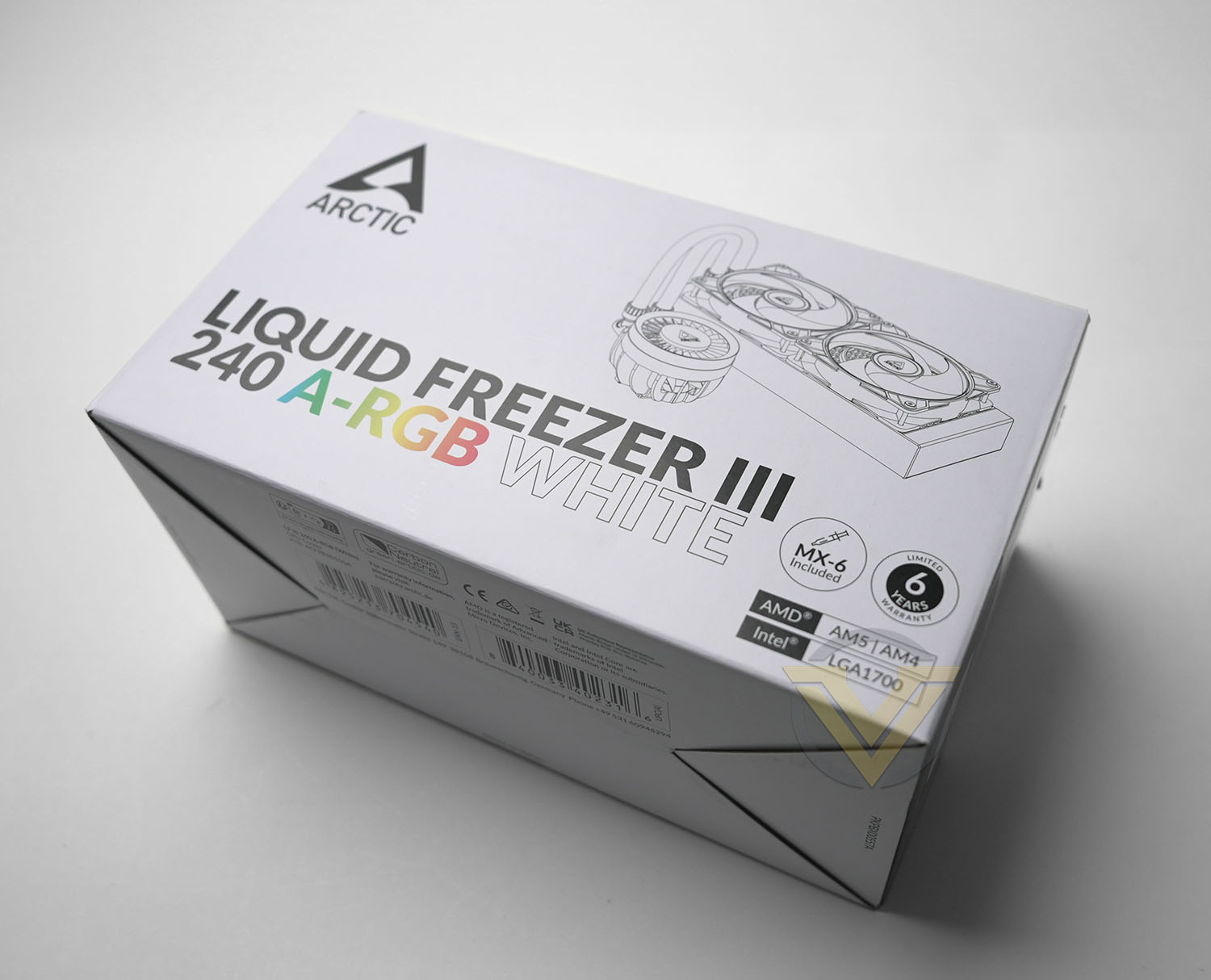
There’s nothing particularly out of the ordinary when it comes to the Liquid Freezer III’s packaging. An image of the cooler itself is of course prominent and socket compatibility is noted on the front but a quick glance won’t reveal all the cooler’s secrets.
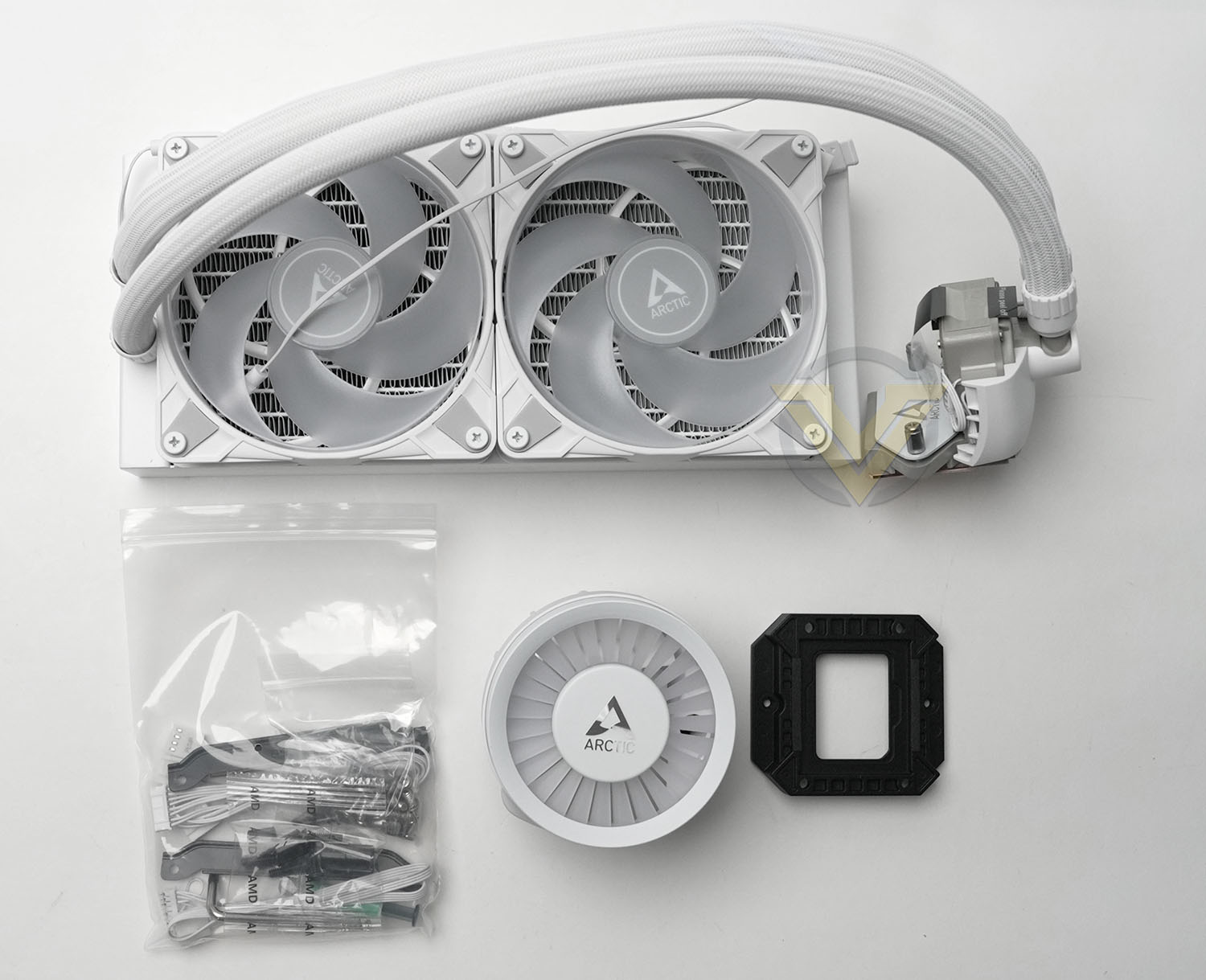
The supplied bundle of accessories and mounting hardware is quite comprehensive.
– Radiator/block with 2x120mm fans pre-installed
– VRM fan
– MX-6 thermal paste tube
– Mounting kit for Intel/AMD platforms
– Black Contact frame for Intel LGA1700
– Individual and All-in-One cables for PWM control
– Installation guide
– VRM fan
– MX-6 thermal paste tube
– Mounting kit for Intel/AMD platforms
– Black Contact frame for Intel LGA1700
– Individual and All-in-One cables for PWM control
– Installation guide
This should be all that’s necessary for installing the cooler in a suitable LGA1700, AM4 or AM5 system. It’s a perfectly adequate selection for a mainstream model, great for a budget unit, and doesn’t include superfluous items that a lot of users simply leave in the box. A tube of MX-6 TIM should also serve for at least a couple of discrete installs if required.
Closer Look
Closer Look
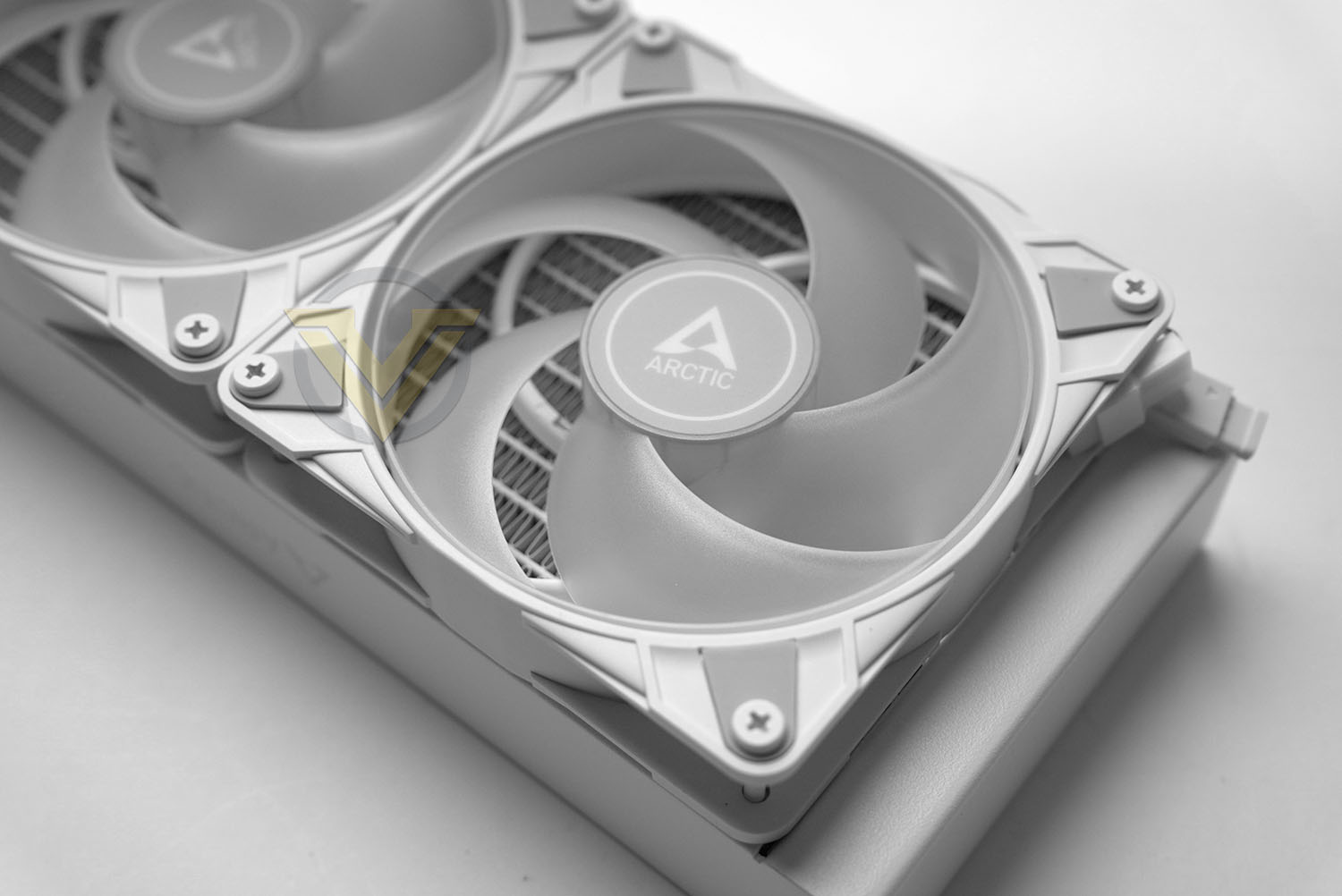
The included white 120mm PWM fans have an operating speed of 200-2000rpm. Their blades are oriented and curved to maximise static pressure to push air through the radiator fins and have a rated airflow of 48 cfm, a relatively low number but not necessarily indicative or final performance.
Each screw hole has rubberised pads to reduce transmitted vibration (and hence overall noise generated). The fan LED lighting is daisy-chained and configured via a 3-pin A-RGB connector.
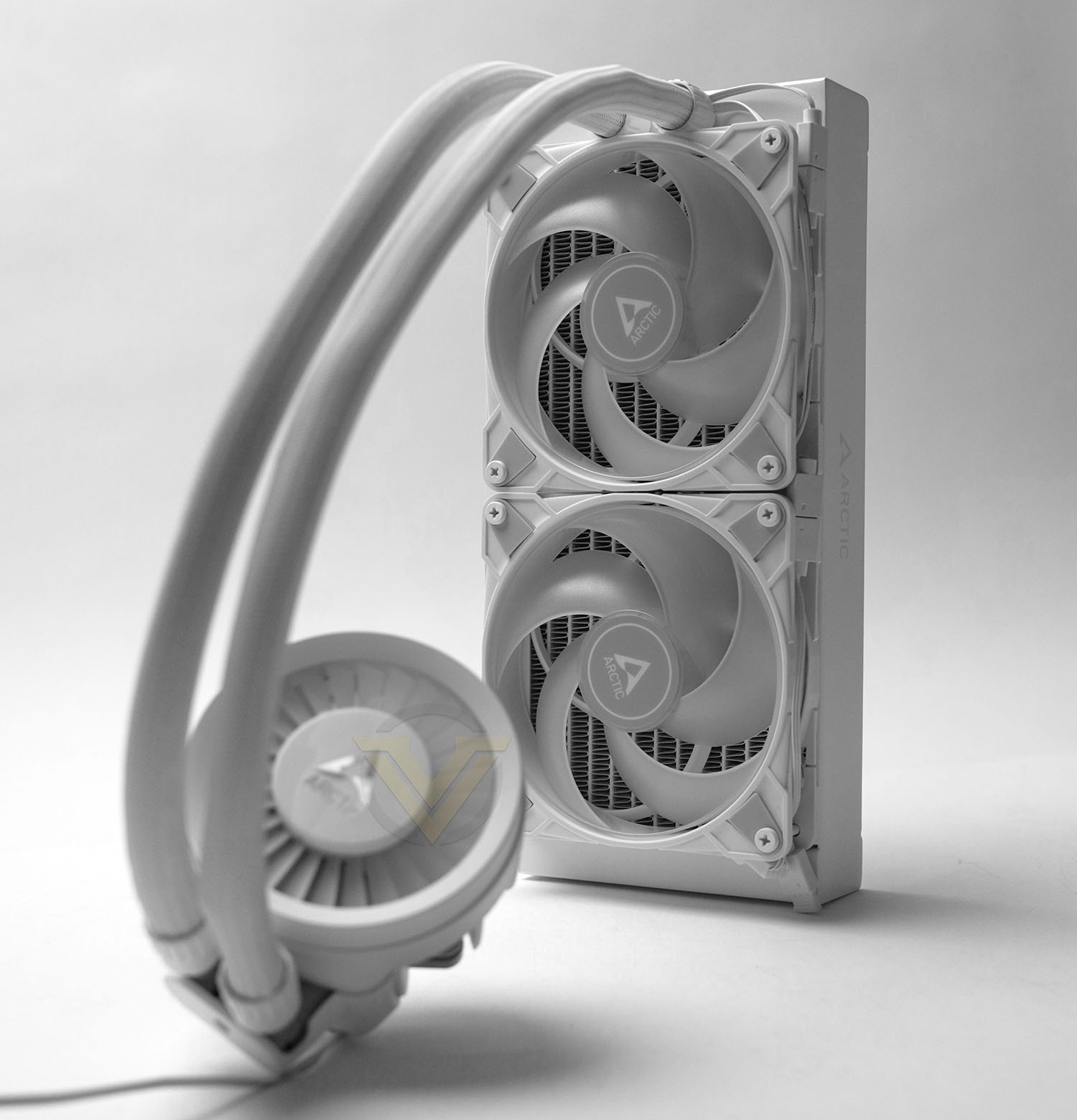
The circular pump top cover is styled to evoke the look of a turbine engine’s fins, through which air is drawn by a small fan. It’s illuminated by an array of twelve LEDs.
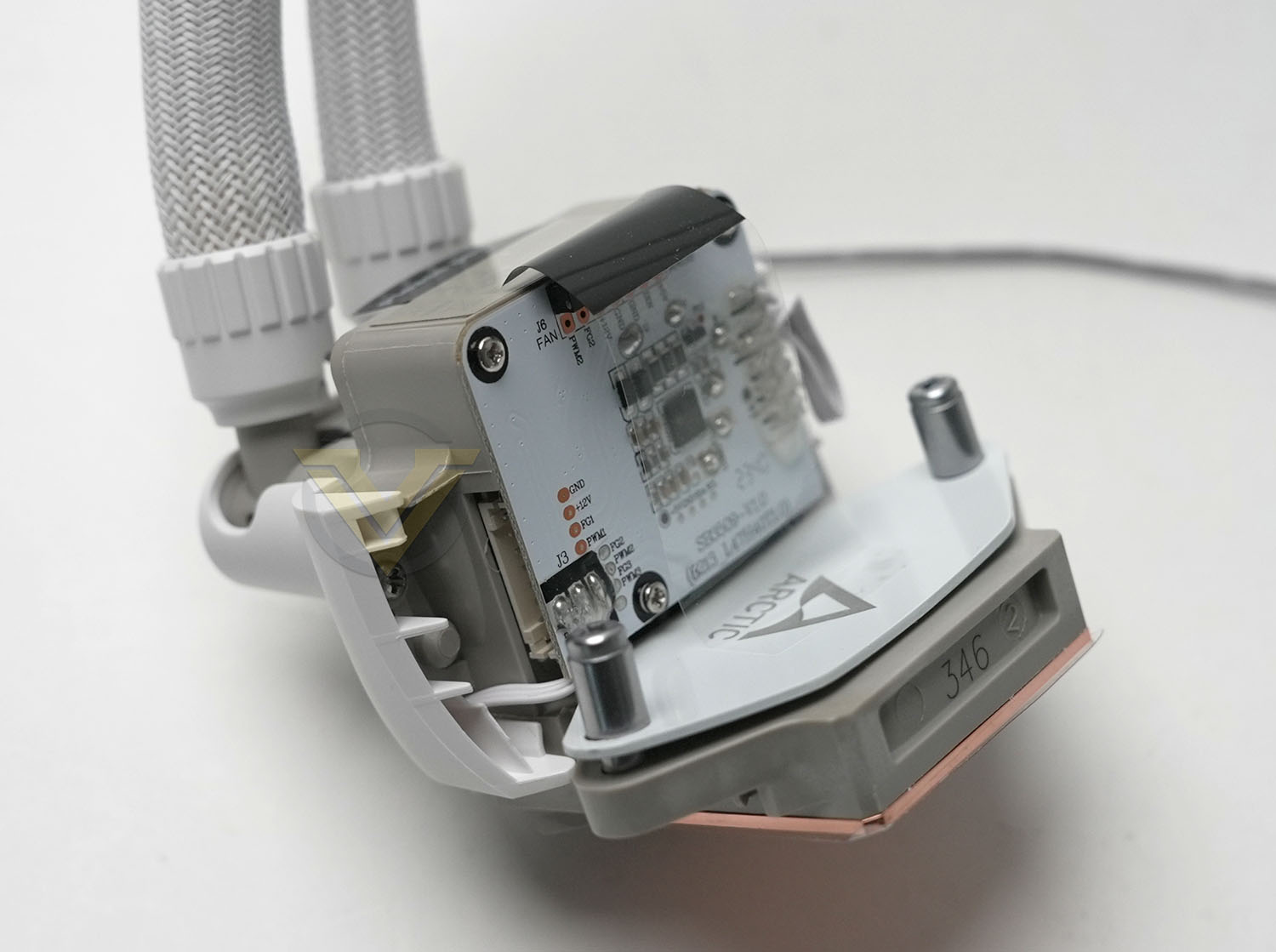
This fan assembly clips on to the back of the pump assembly, leaving it quite proud of the socket compared to some more streamlined AIO models. It shouldn’t pose any compatibility issues but may be not quite the ‘look’ some would prefer.
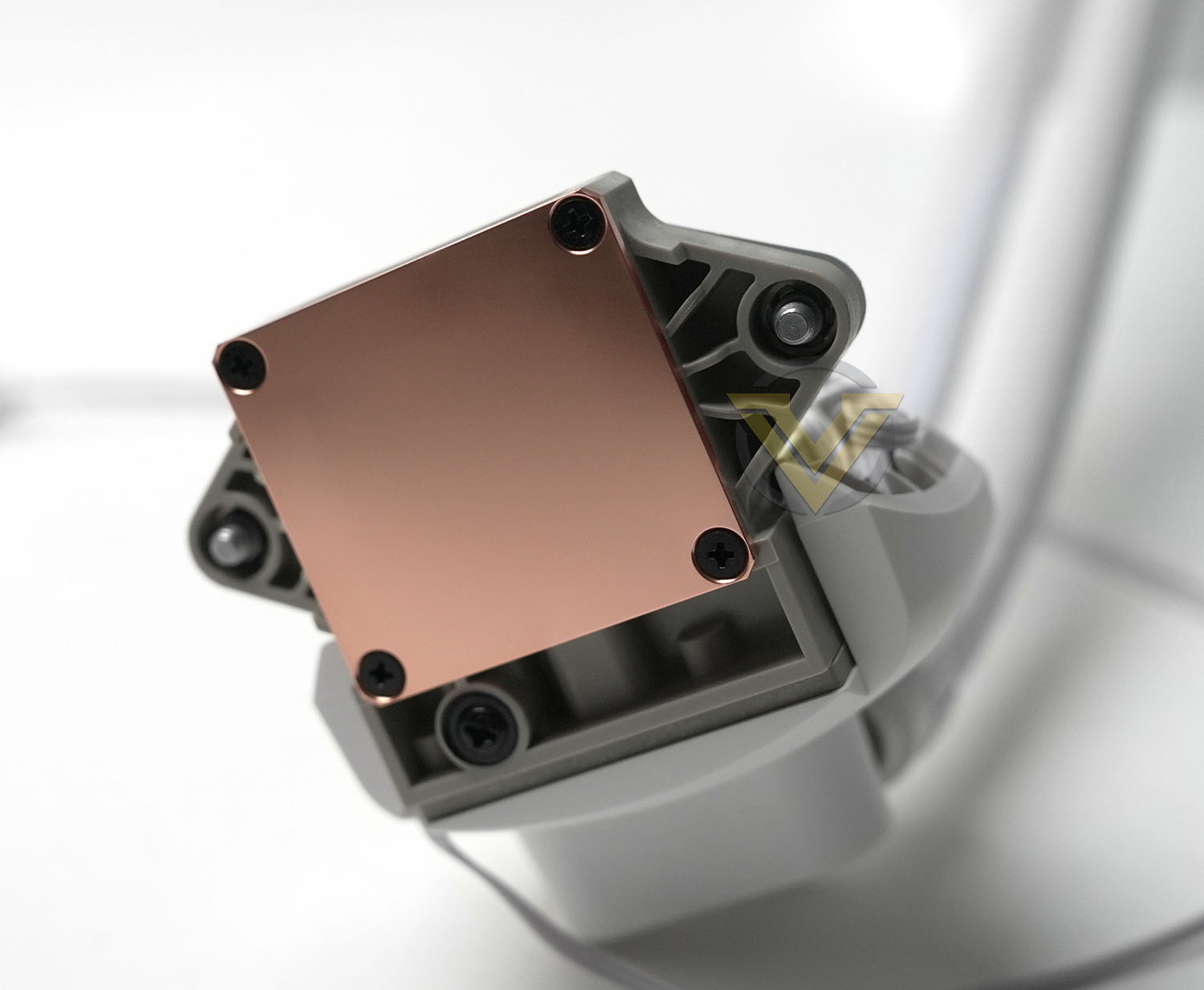
The coldplate is a flat copper square the lacks the customary mirror finish. As previously noted, this coldplate is offset slightly when using AM4/5 mounting hardware to locate it optimally over the hotter regions on the CPU heatspreader.
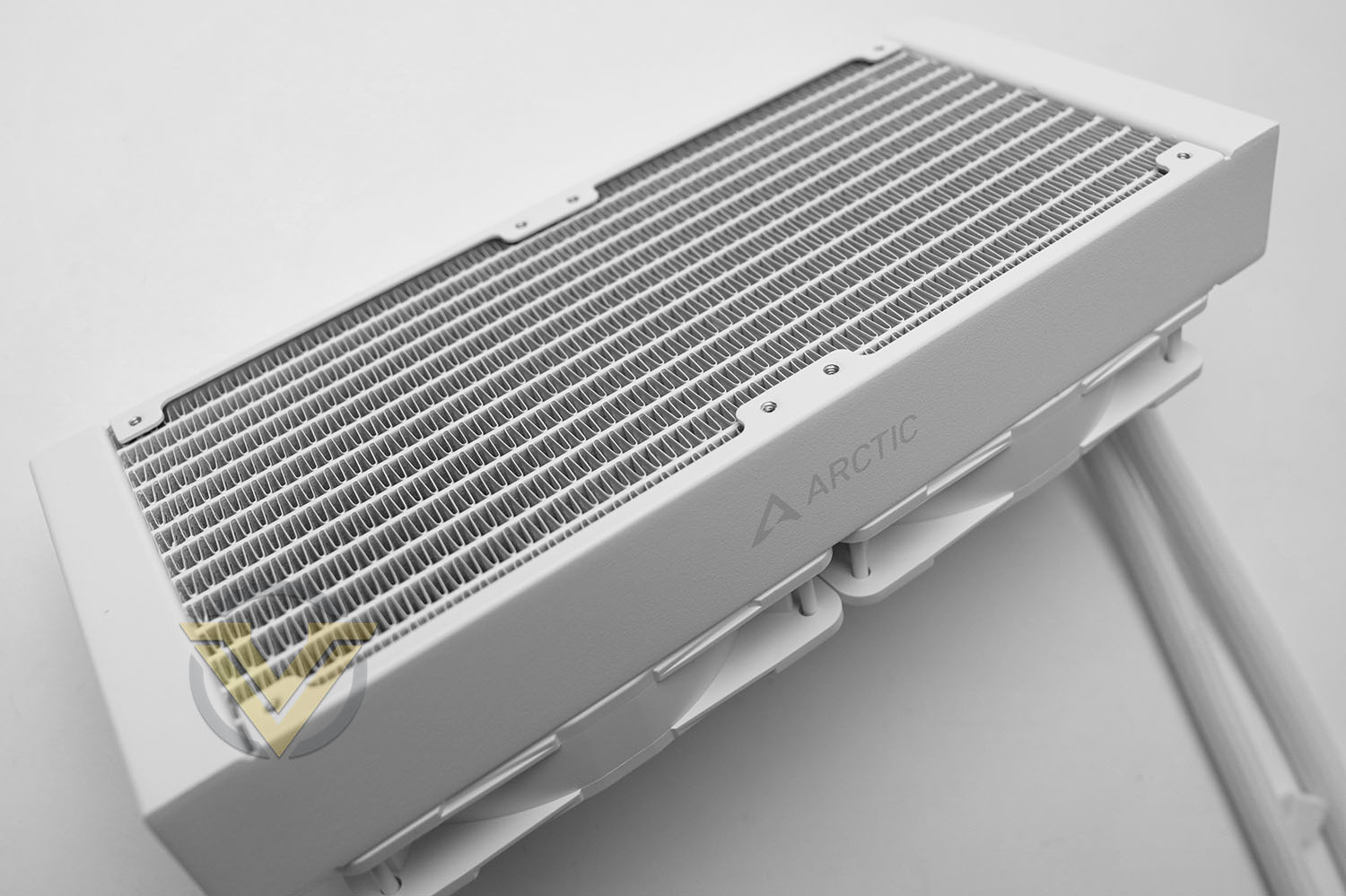
The white 240mm radiator is a meaty 38mm thick and has a very dense fin stack requiring high static pressure fans. An ARCTIC logo runs down each long edge but the finish is otherwise exceptionally clean and sharp.
Installation Process
A CPU cooler is ideally easy to install while making tight, even contact with the CPU heatspreader, all while looking great once installation is complete. Here’s how ARCTIC’s Liquid Freezer III system stacked up prior to thermal tests.
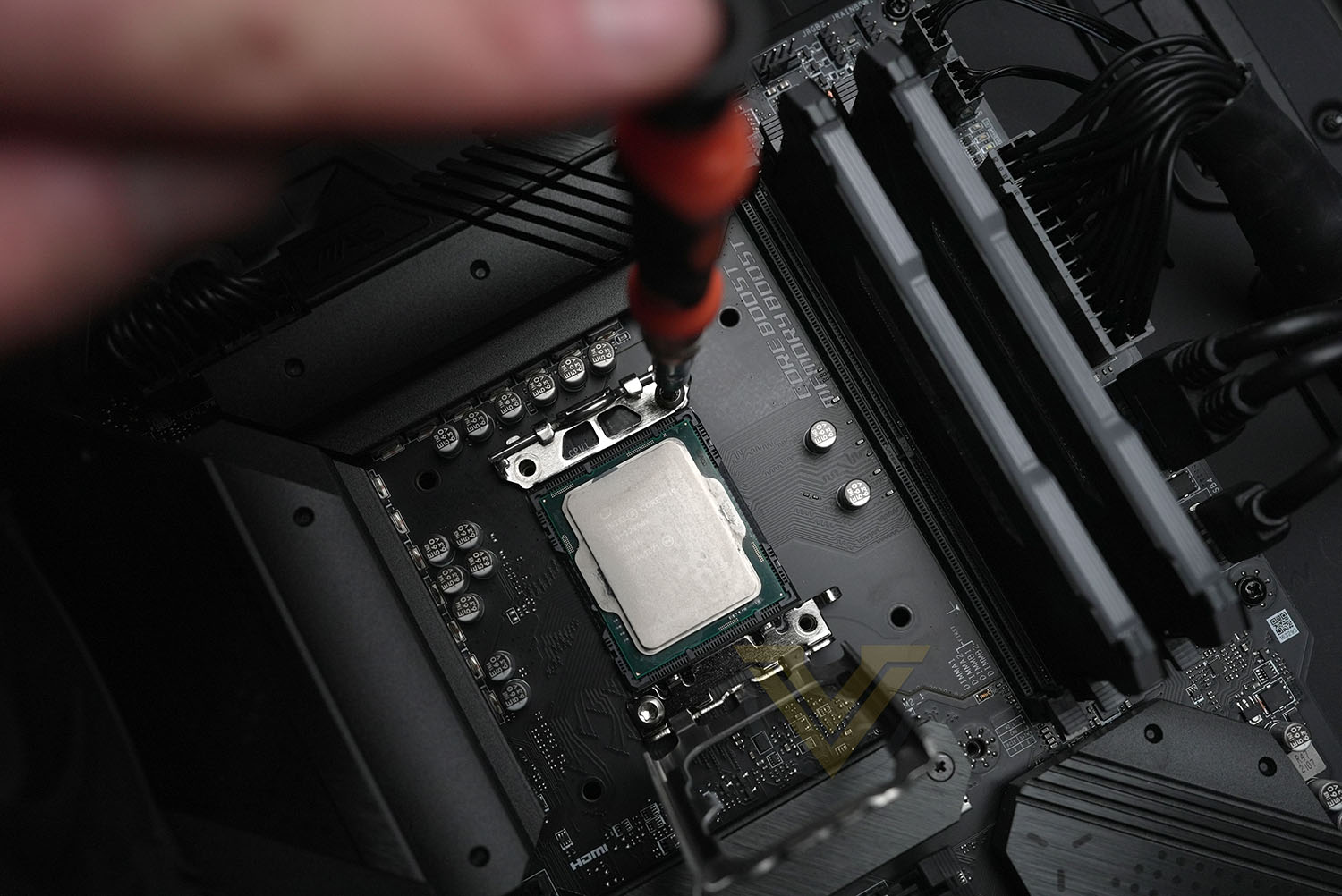
Before…
The first step as part of installation into an Intel LGA1700 system is the removal of Intel’s Integrated Lever Mechanism (ILM) from around the CPU socket. This step is necessary due to Intel’s standard socket imparting a slight horizontal across the CPU heatspreader which prevents even mating pressure between it and the cooler coldplate. It will be daunting to novices who may want some assistance from more experienced system builders, but the act of swapping the hardware isn’t difficult so long as care is taken.
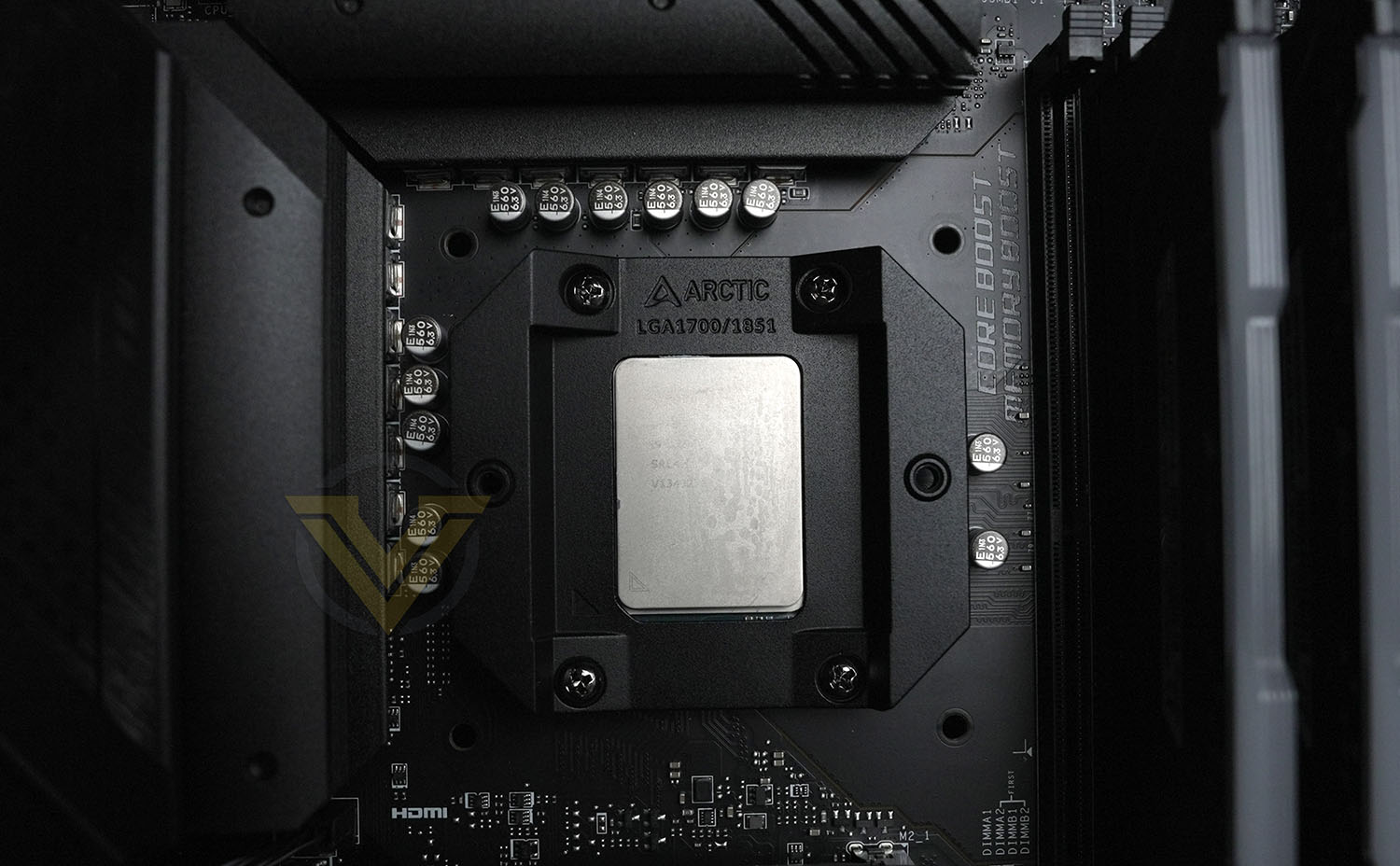
… and after
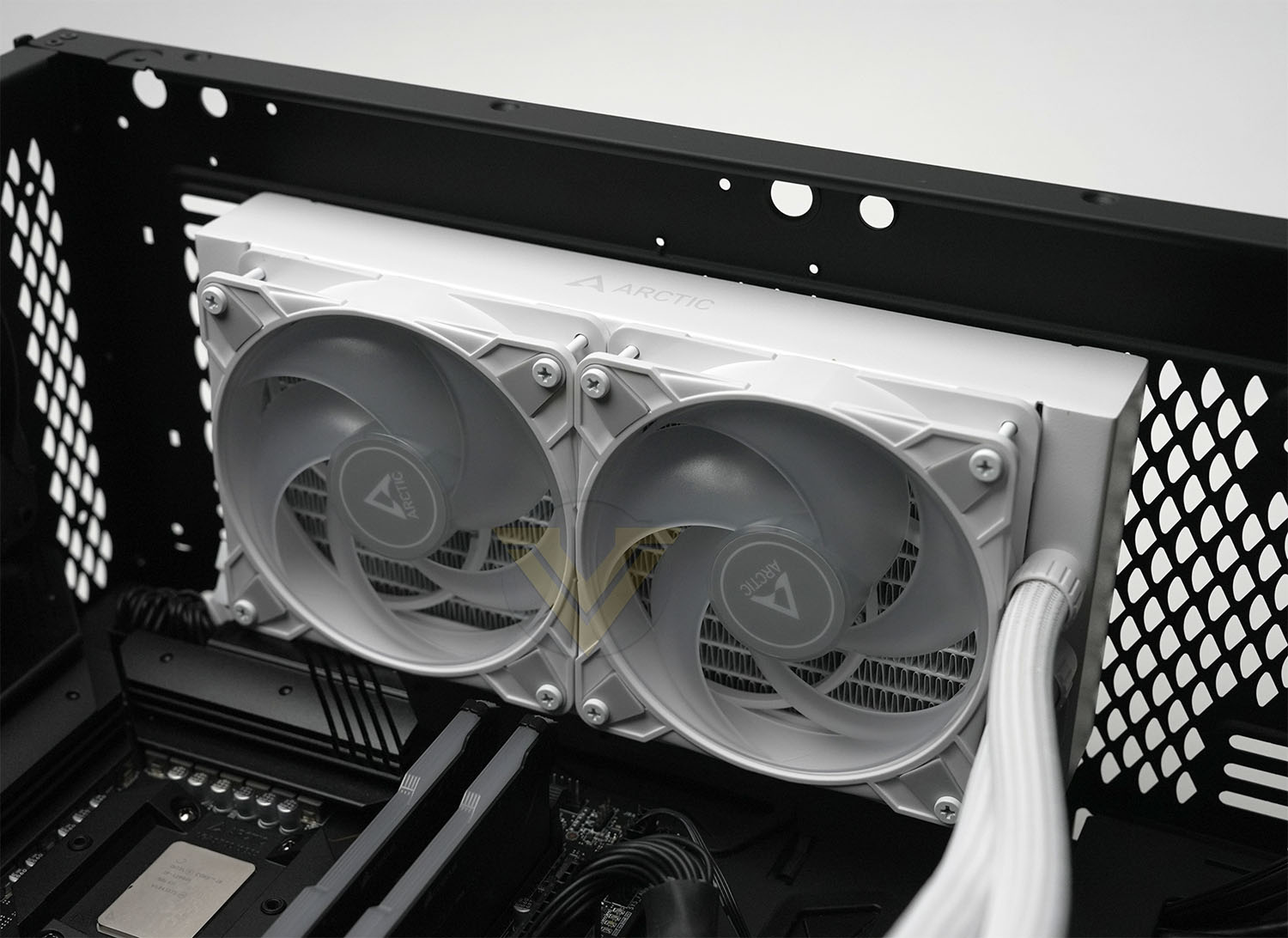
Next up is screwing the radiator to the PC case. Having the fans pre-installed will generally make your life a little easier here, but on a small subset of systems RAM DIMM clearance and low roofs might require a little flexibility. Generally speaking we like to install the radiator with tubing at the front of the case to give us as much room to work with as possible.
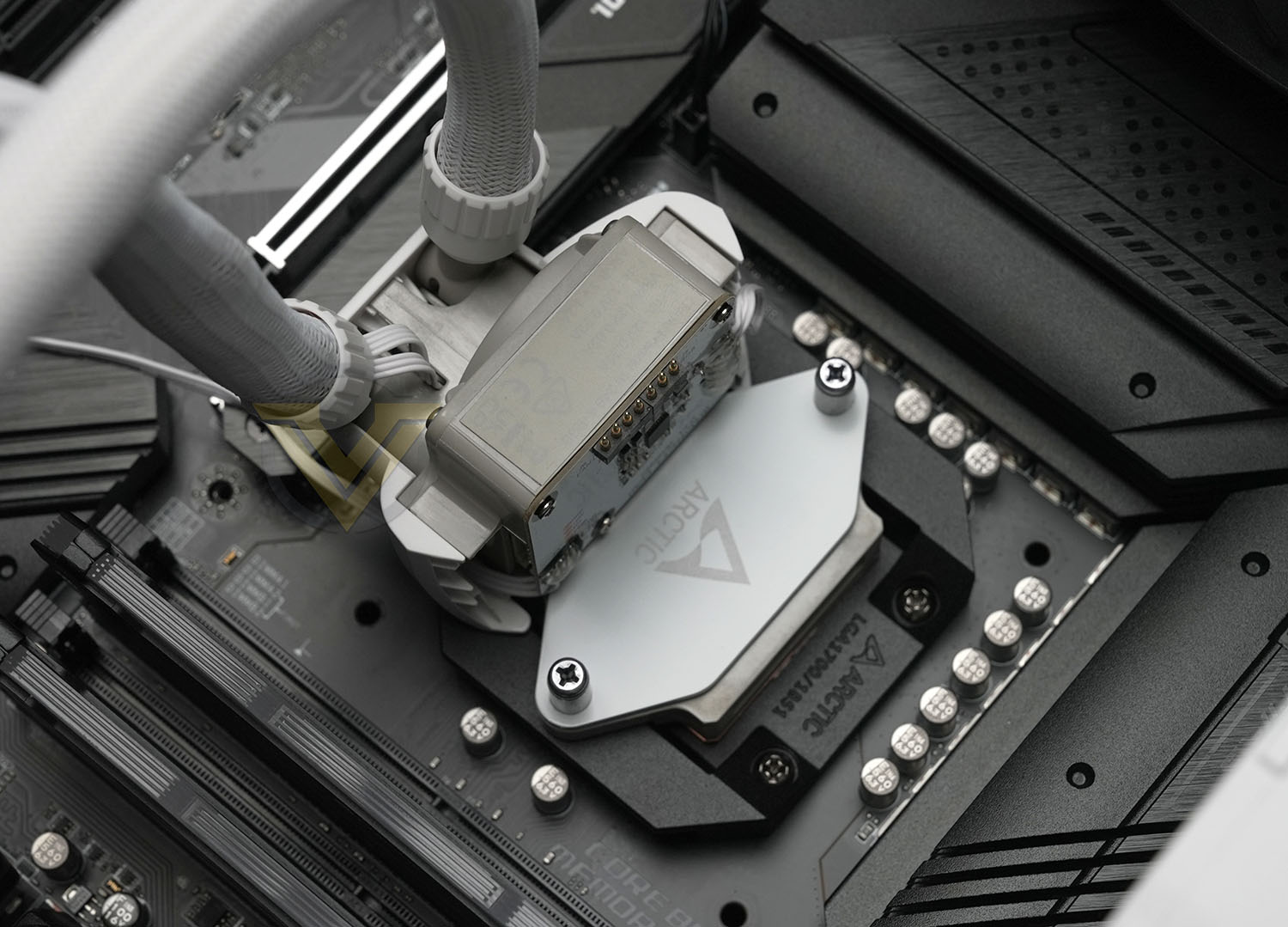
The pump unit is up next, a simple matter of two screws into the installed contact frame. AM4/5 sockets won’t be too different, although the contact frame will be replaced with two struts on either side of the socket.
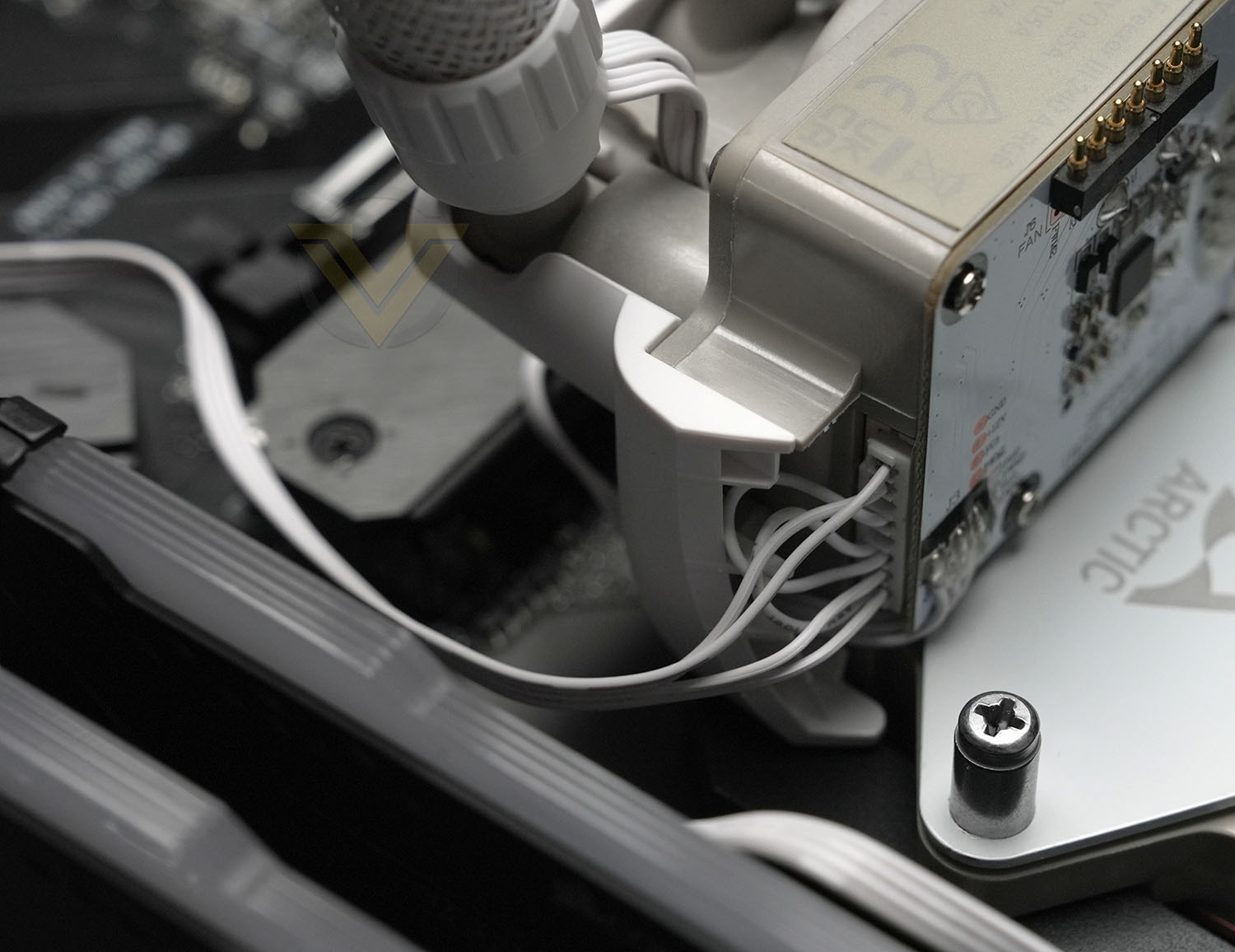
It’ll be best to plug in the PWM connector at this point as it’ll be a little more awkward once the VRM fan is in place. You can choose between an all-in-one cable that will allow for fan/pump control from one PWM header, or a cable that splits this functionality out between three headers. The all-in-one is cleaner but less configurable.
And here’s the final installation of the Liquid Freezer III 240 White A-RGB. Note that the PWM cable for the 120mm fans runs up the sleeved coolant tubing for a very neat finish. All in all, it really does look the business in this monochromatic black chassis, and should look equally as good (if not better) in a white case too.
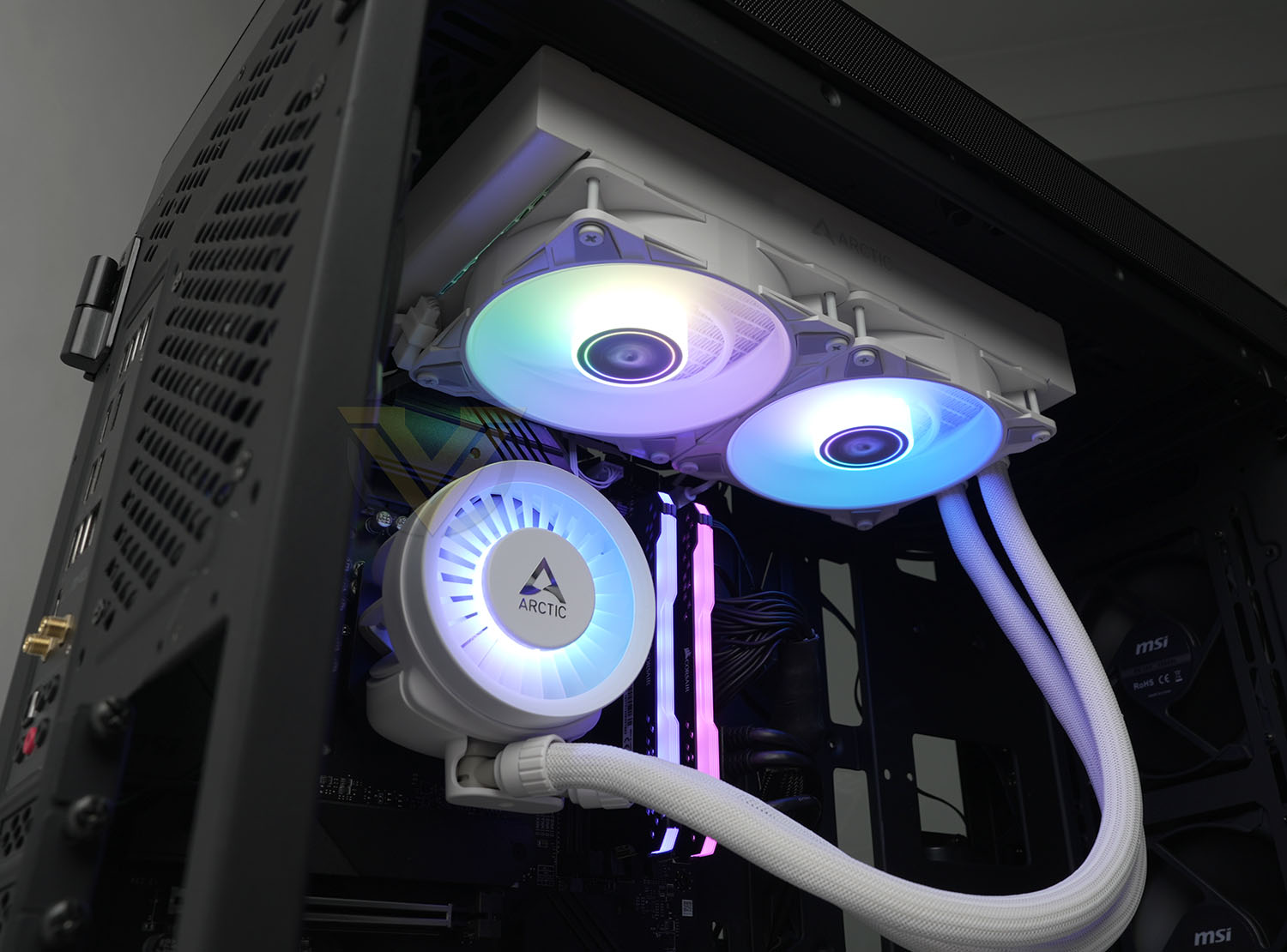
Despite a few nerves with the contact frame this was a very straightforward and painless process. It compares very favourably with other designs that have much more complex mounting hardware including rear backplates and variable-force brackets, making it ideal for confident users who just lack a little experience.
Test Setup & Methodology
HARDWARE
Rather than analyse CPU coolers on a test bench, we prefer to simulate a real-world configuration where all of the components are housed within a computer case. By doing this, our readers are able to see the CPU cooler in a real-world scenario.
Special thanks go to Intel, MSI, Corsair, Noctua and AverMedia for providing the hardware configuration for our CPU cooler reviews:
CPU – Intel Core i9-12900K
Board – MSI MAG B660 Tomahawk WiFi DDR4
RAM – Corsair Vengeance RGB PRO SL (16GB)
Power Supply – Corsair RMx850
Hard Drive – Intel S3500 128GB
Case – MSI SEKIRA 500G
Board – MSI MAG B660 Tomahawk WiFi DDR4
RAM – Corsair Vengeance RGB PRO SL (16GB)
Power Supply – Corsair RMx850
Hard Drive – Intel S3500 128GB
Case – MSI SEKIRA 500G
BENCHMARKS
In order to perform our thermal and acoustics tests we use AIDA64 Stability test. The 12900K CPU is left in its default stock state with EIST, Turbo enabled.
For the moment, the comparison results highlight only a small number of CPU coolers, this is because we’ve updated our hardware configuration. The number of tested coolers will increase.
To reflect the most accurate user experience we always test our coolers in their out-of-the-box state, with the cooling fans/components they are sold with. However, we do not use the supplied thermal paste as this would skew results – for our thermal paste we use Noctua NT-H2 which provides us with that level playing field and consistency.
To record the idle temperatures result, our system is booted into Windows and left to idle for 20 minutes. The average core temperatures are recorded (Using Core Temp), and then following this we apply the AIDA64 Stability test to apply an intensive load on the CPU. After 20 minutes have elapsed, we then record the average core temperatures.
All temperature results are delta, this is calculated by subtracting the ambient from the average core temperature. Ambient temperature is recorded using a digital thermometer placed near the front intake of the case.
In regards to acoustics we use the exact methodology above except all case system fans are disabled. This isolates the CPU cooler fans and allows us to accurately report on the decibel readings. We record acoustics using the NDI KC-330D Sound Level Meter at a distance of approximately 30cm.
Thermal Results
Below are the results for our thermal test. We record both the idle and load temperatures – stress is applied to the CPU using AIDA64’s stability test.
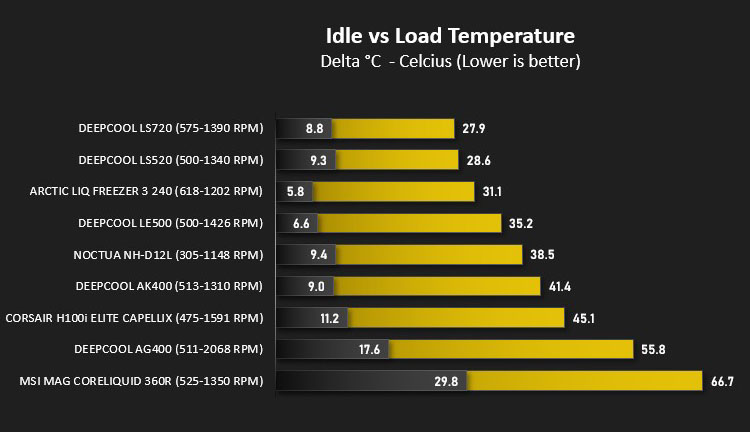
The Liquid Freezer III 240 performs admirably, with excellent idle temperature deltas and very good load deltas.
Acoustic Results
In terms of the acoustics test, we disable all case fans and place our sound level meter approximately 30cm away from the cooling fans and the result is then obtained.
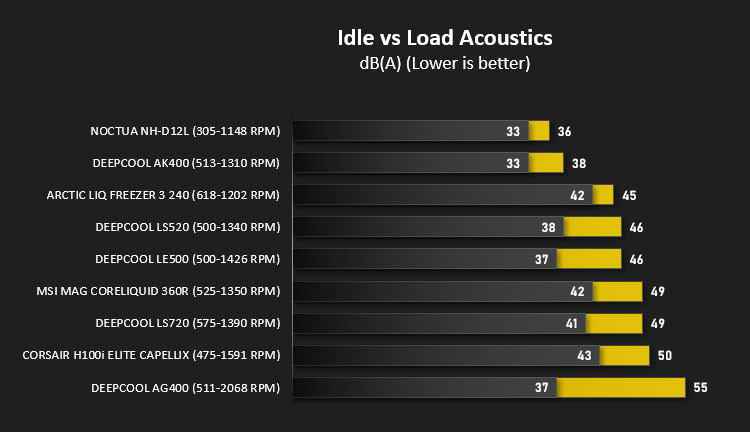
Default behaviour for the Liquid Freezer III has slightly more aggressive fan speeds at the low end of CPU load, accounting for lower idle temperatures. At the top end of performance however it’s not quite as aggressive as its competitors, generating lower noise. Perhaps more importantly its noise level under ‘out the box’ curves is very consistent across all load levels; this could be important for those who are particularly sensitive to changes in fan noise pitch.
Conclusion
The desktop PC market has in recent years been blessed with a wide selection of excellent value-oriented CPU coolers, both in terms of air and AIO liquid solutions, and so ARCTIC was was always going to have it’s work cut out in setting itself above the competition. In that respect the Liquid Freezer III has certainly impressed us, much more so than we were expecting.
That being said, there is a slight wrinkle in our assessment: regional pricing is exceptionally variable, with the UK and EU being ultra-competitive and the US/NA/AUS regions far less so. In the former this cooler is technically well within the budget bracket, whereas elsewhere it’s far more mid-range in its pricing. We’ll try and reflect that in our conclusion.
Clearly this model’s cooling performance is more than up to scratch, rivalling more expensive models with larger radiators. That’s partially due to a relatively thick 38mm radiator (the DeepCool LE500 for instance is only 27mm thick), but the fans are also deserving of praise in pushing air through this dense fin stack. There will be some compatibility issues with specific cases and motherboards, particularly cases that do not off-set their 120mm roof fan mounts, which potential users will need to account for.
Adding a dedicated VRM fan is an interesting design choice. It arguably shouldn’t be necessary – general case air flow should be sufficient – but it does add some peace of mind when overclocking or using Intel and AMD’s most power-hungry CPUs. The trade-off is one of noise – while not loud you can expect it to add a higher-pitched tone to the aggregate fan noise profile. Independently setting fan curves and running the VRM fan at low RPM may be a sensible approach for the noise-sensitive.
Acoustics are generally good, even though the fans are working commensurately harder to maintain good airflow through the radiator. That’s particularly noticeable during light workloads, where the default fan profile is notably more aggressive than some competitors.
Another wrinkle is the need to use a contact frame when paired with Intel LGA1700 systems. It’s not a problem per se but it’s easy for an inexperienced user to make a mistake and cause damage to the CPU socket. The blame rests firmly with Intel who engineered a poor retention system for this generation of CPUs, but it is something to be aware of prior to purchasing.
In terms of aesthetics, this model is just great. We’re always suckers for a clean all-white finish but the black version should be just as good, and the A-RGB lighting is vibrant and attractive. White sleeving for the coolant tubes works well, and running the PWM fan cables up the length of this tubing leads to a nice, clean finish. Even a novice should be able to put together a system that looks great with this cooler.

Fundamentally, ARCTIC have hit a great price/performance sweetspot without neglecting aesthetics. It’s arguably merely good in the US and Australia at ~$120 and AUS$170 respectively, but exceptional affordability in the UK and EU make this cooler almost a no-brainer. If your case supports it, you’d be a fool not to at least consider this solution at £69.99.
Due to these factors we’re more than happy to grant the ARCTIC Liquid Freezer III 240 A-RGB our Approved award and, in the UK and EU specifically, the Amazing Value award.
Whether you’re keeping costs down or attempting to maximise cooling within a 240mm radiator footprint, ARCTIC’s Liquid Freezer III 240 A-RGB ticks all the right boxes to be in the running against more recognisable brands. If you pay in £’s or €’s it should go right to the top of your shortlist for consideration.
Pros
+ Looks great
+ Multiple size options
+ Excellent performance
+ Low-noise operation
+ Exceptionally good value for money in the UK and EU
+ Long 6 years warranty
Cons
– Requires changing the Intel LGA1700 ILM with a contact frame
– Pricing varies greatly depending on geographic region
– A thick radiator will impact case/motherboard compatibility
+ Looks great
+ Multiple size options
+ Excellent performance
+ Low-noise operation
+ Exceptionally good value for money in the UK and EU
+ Long 6 years warranty
Cons
– Requires changing the Intel LGA1700 ILM with a contact frame
– Pricing varies greatly depending on geographic region
– A thick radiator will impact case/motherboard compatibility
Click here for an explanation of our awards at Vortez.net.
Stay connected with the Vortez Social Media pages:
Join in with the discussions on Discord