Arctic returns to the competitive air cooling market with the Freezer 36, a budget design available in multiple colourways with sharp lines and high expectations.

Product on Review: Freezer 36 Black CPU Cooler
Manufacturer: ARCTIC
Street Price:
– US: $38.98 excl Tax
– UK: £19.24 inc. V.A.T.
– AUS: $49 inc. Tax
Introduction
CPU cooling has ever been a hot topic in the consumer PC technology space. Whether it be the soaring TDPs of high-performance processors or the merits of liquid vs air cooling, there’s always a handful of ready opinions when one will suffice. This is particularly the case in the more cost-conscious markets, where making the most bang out of your buck is very much the name of the game.
Cooling specialists ARCTIC are never far from these discussions. They’ve been a presence in all areas of the CPU cooling market for decades at this point. In years gone by their Freezer cooler range has been synonymous with exceptional value for mainstream self-built systems. The newest iteration, Arctic’s Freezer 36, aims to continue this custom by bringing great performance at a low price.
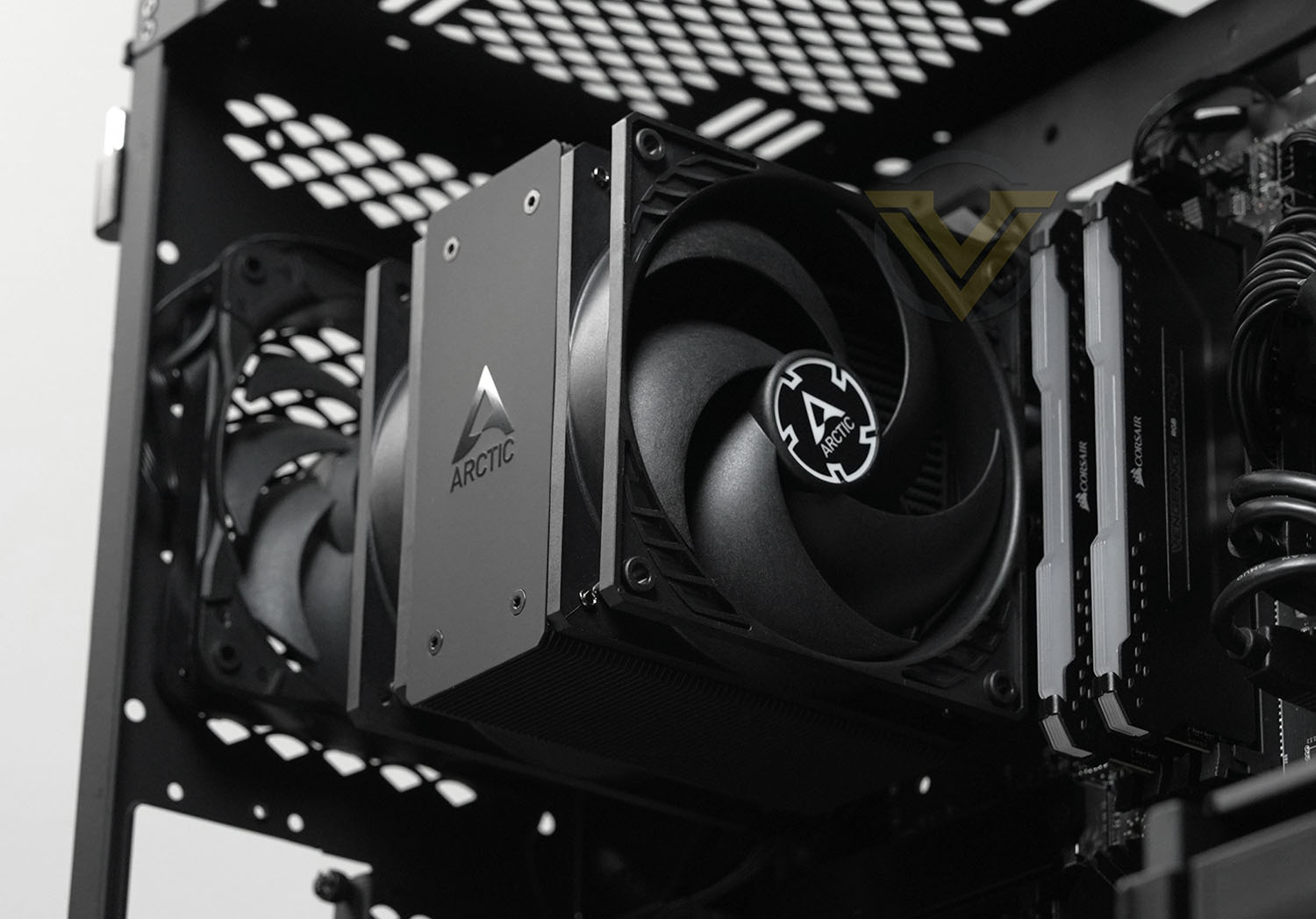
The Freezer 36 is a single-tower design similar to previous Freezer models that builds on prior efforts through improved fans, a more dense heatsink fin stack, and sharper aesthetics. Now boasting two 120mm fans in push-pull configuration, it compensates for its relatively narrow body by maintaining well-channelled continuous air-flow across the fin-stack.
Additional changes include improved socket retention mechanisms and better fan mounting that’s more in keeping with the clean lines of the cooler. Any and all improvements will be welcome in a segment that’s increasingly competitive, thanks mainly to affordable designs with ever-improving performance.
The specific model we’re reviewing is the Freezer 36 Black, a variant that incorporates black anodised fins and plated heatpipes alongside two 120mm fans that eschew RGB of any kind. Fear not however, a more conventional style with bare aluminium fins, or illuminated models with RGB fans, are also available at slightly different price points.
ARCTIC on their Freezer 36:
With its push-pull configuration, the Freezer 36 not only impresses with its efficient cooling performance, but also with its design. The soldered ends of the heatpipes are concealed by the screwed aluminium cover, allowing it to blend seamlessly into any PC setup and highlight both performance and appearance.
The Freezer 36 will have its work cut out trying to keep our Intel Core i9-12900K cooled under load, which would be an impressive outcome for a HSF oriented more towards the Core i5 and Ryzen 5 end of the market. Indeed, for <£20, this might be the worthy replacement to the legendary Freezer 7 and 12 budget coolers of prior decades.
Technical Specifications
Socket compatibility*:-
– Intel: LGA 1700, LGA 1851 (forthcoming)
– AMD: AM5, AM4
Dimensions:- 104 (L) x 126 (W) x 159 (H) mm
Weight:- 890g
Heatpipes:- 4x 6mm diameter, Copper
Fin Stack:- 59x 0.4 mm, Aluminium
Fa:- 2 x 120mm P12 PWM PST
Speed:- 200 – 1800 rpm, PWM Controlled (0 rpm below 5 % PWM)
Bearing:- Fluid Dynamic Bearing
Current / Voltage:- 0.10 A / 12 V DC
Cable Length:- 200 mm + 80 mm Splitter Cable
Connector:- 4-Pin PWM-Connector + 4-Pin Plug
Warranty:- 6 Years
*Mounting kits for LGA1200/115x are also available separately
– Intel: LGA 1700, LGA 1851 (forthcoming)
– AMD: AM5, AM4
Dimensions:- 104 (L) x 126 (W) x 159 (H) mm
Weight:- 890g
Heatpipes:- 4x 6mm diameter, Copper
Fin Stack:- 59x 0.4 mm, Aluminium
Fa:- 2 x 120mm P12 PWM PST
Speed:- 200 – 1800 rpm, PWM Controlled (0 rpm below 5 % PWM)
Bearing:- Fluid Dynamic Bearing
Current / Voltage:- 0.10 A / 12 V DC
Cable Length:- 200 mm + 80 mm Splitter Cable
Connector:- 4-Pin PWM-Connector + 4-Pin Plug
Warranty:- 6 Years
*Mounting kits for LGA1200/115x are also available separately
Arctic are returning to a single product for both Intel and AMD systems with the Freezer 36, rather than the split product lines of previous generations. As a result the ‘A’ and ‘i’ prefixes variants are also not present in this series of coolers.
In addition to standard AM4/AM5 mounting systems, the Freezer 36 makes use of a patent-pending LGA1851 / LGA1700 contact frame for Intel 12th, 13th and 14th generation CPUs. Intel’s stock CPU retention solution present on 600 and 700-series motherboards was found to slightly bow and warp the heatspreader of LGA1700 processors, leading to uneven contact and degraded performance. Arctic recommend replacing it with their design that more evenly distributes the downward pressure on the CPU heatspreader.
Installing the contact frame is not a trivial process for inexperienced PC users. Detailed instructions are provided but it should nonetheless be treated with exceptional care to ensure that the fragile socket isn’t damaged.
The two included fans are Arctic’s own 120mm P-Series models optimised for high static air pressure through the densely packed fins. High quality bearings reduce heat build-up over time for higher durability while also improving the cooler’s overall noise profile.
Packaging & First Look
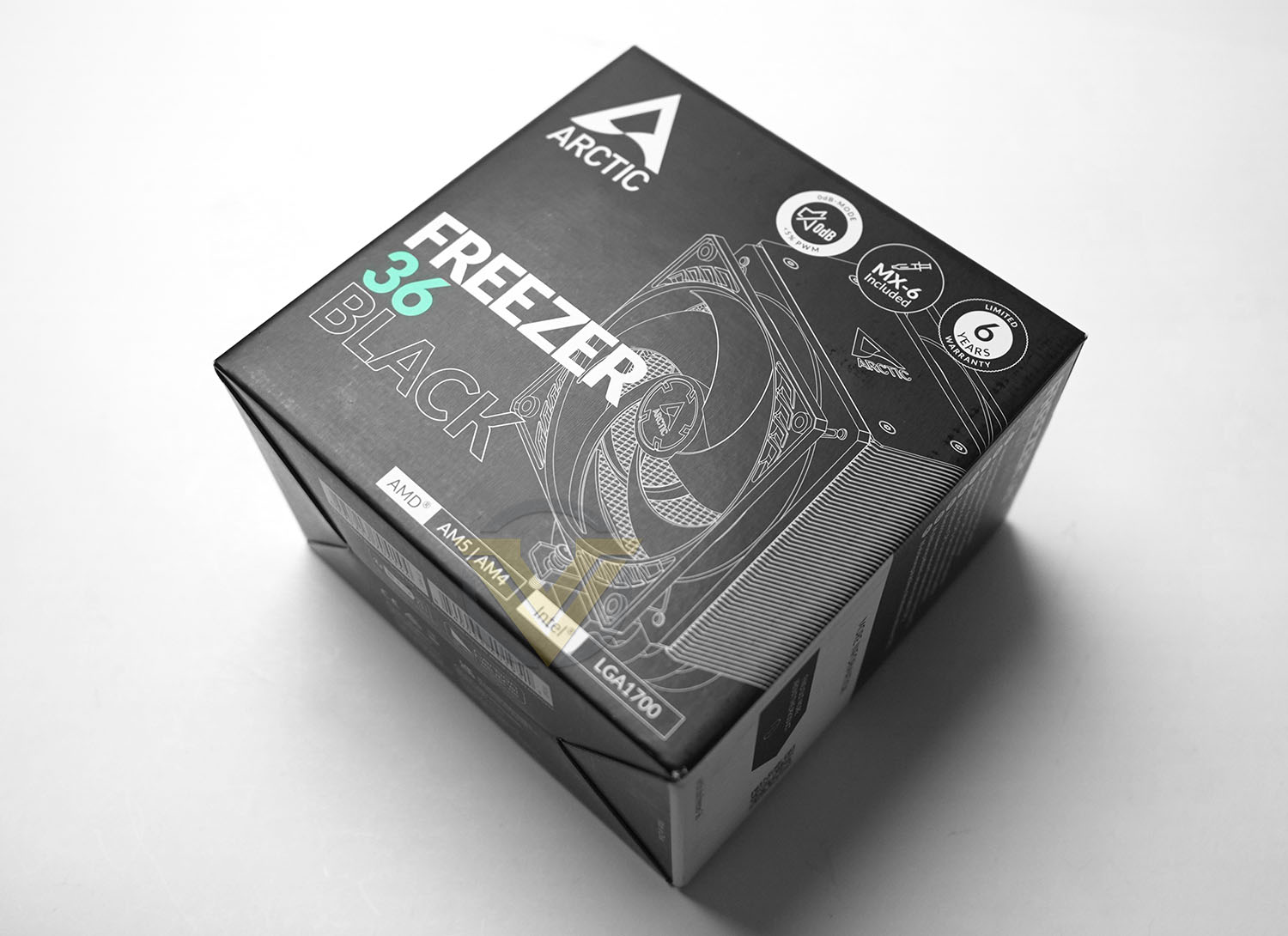
Arctic’s Freezer 36 Black almost shouts its arrival in the most monochromatic way possible. It’s certainly not shy in declaring itself, leveraging the black theme as a livery of sorts on the packaging.
The packaging exterior prominently displays the most critical information: socket compatibility. It also indicates that thermal paste – Arctic’s own MX-6 TIM in fact – is included in the bundle, just in case it was a concern. And of course it claims that it’s a low-noise solution.
Intel’s LGA1851 was unannounced at the time the packaging was printed, explaining its absence, but the mounting system does indeed support it. Expect this to be confirmed on future packaging revisions.
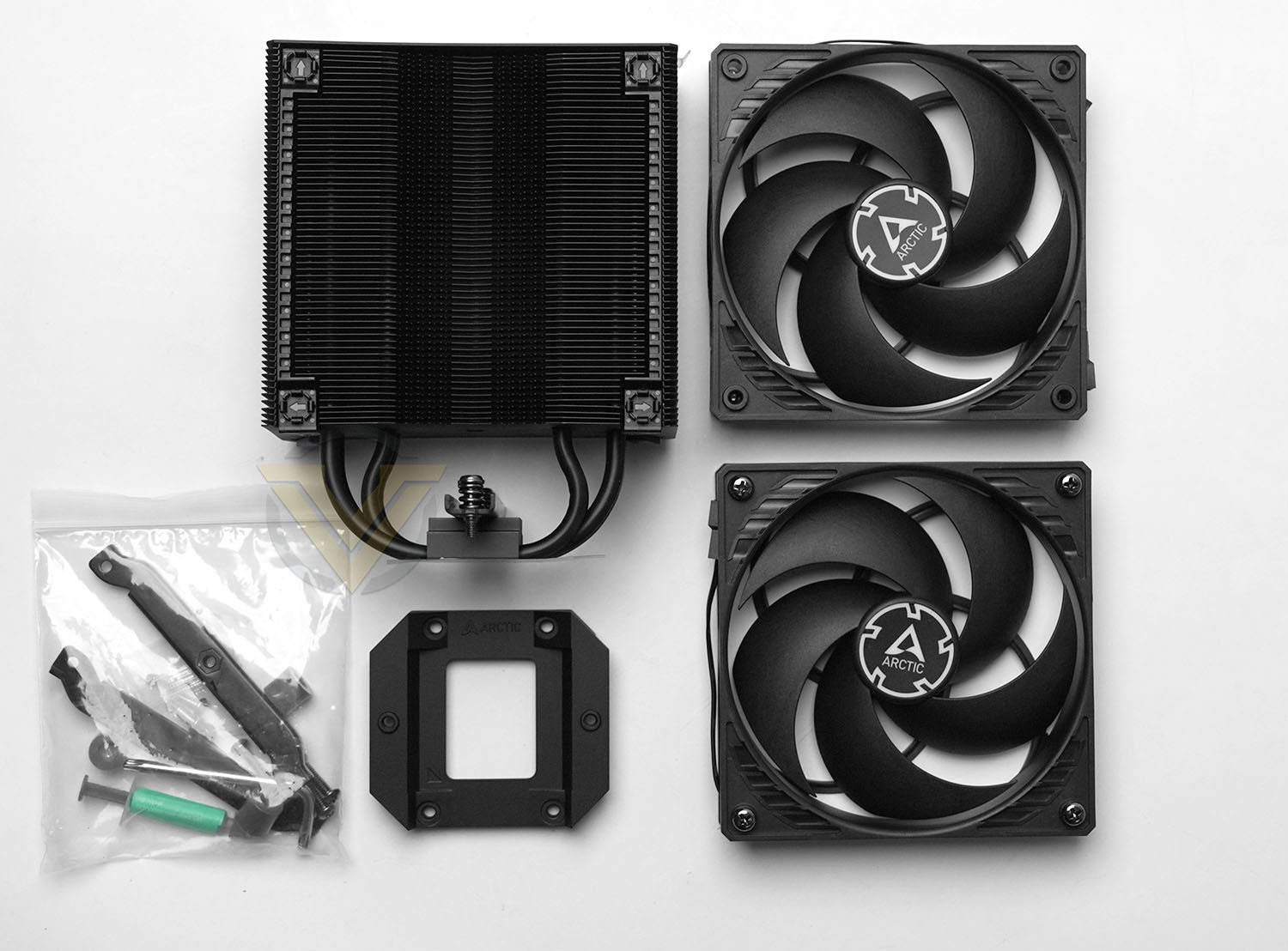
The retail bundle is sparse but also exactly what you need. The heatsink assembly is joined by the two 120mm P-Series fans, Intel LGA1700/1851 contact frame, and AM4/5 mounting kit components. A T20 driver is included to unscrew the Intel CPU retention system.
So, no frills but also no waste. The full bundle consists of:
– Heatsink
– – 2 x 120mm Fans
– Intel LGA1700/1851 contact frame
– 4 Philips-head screws
– Tube of MX-6 Thermal Paste
– AM4/AM5 mounting hardware
– T20 driver
– – 2 x 120mm Fans
– Intel LGA1700/1851 contact frame
– 4 Philips-head screws
– Tube of MX-6 Thermal Paste
– AM4/AM5 mounting hardware
– T20 driver
Closer Look
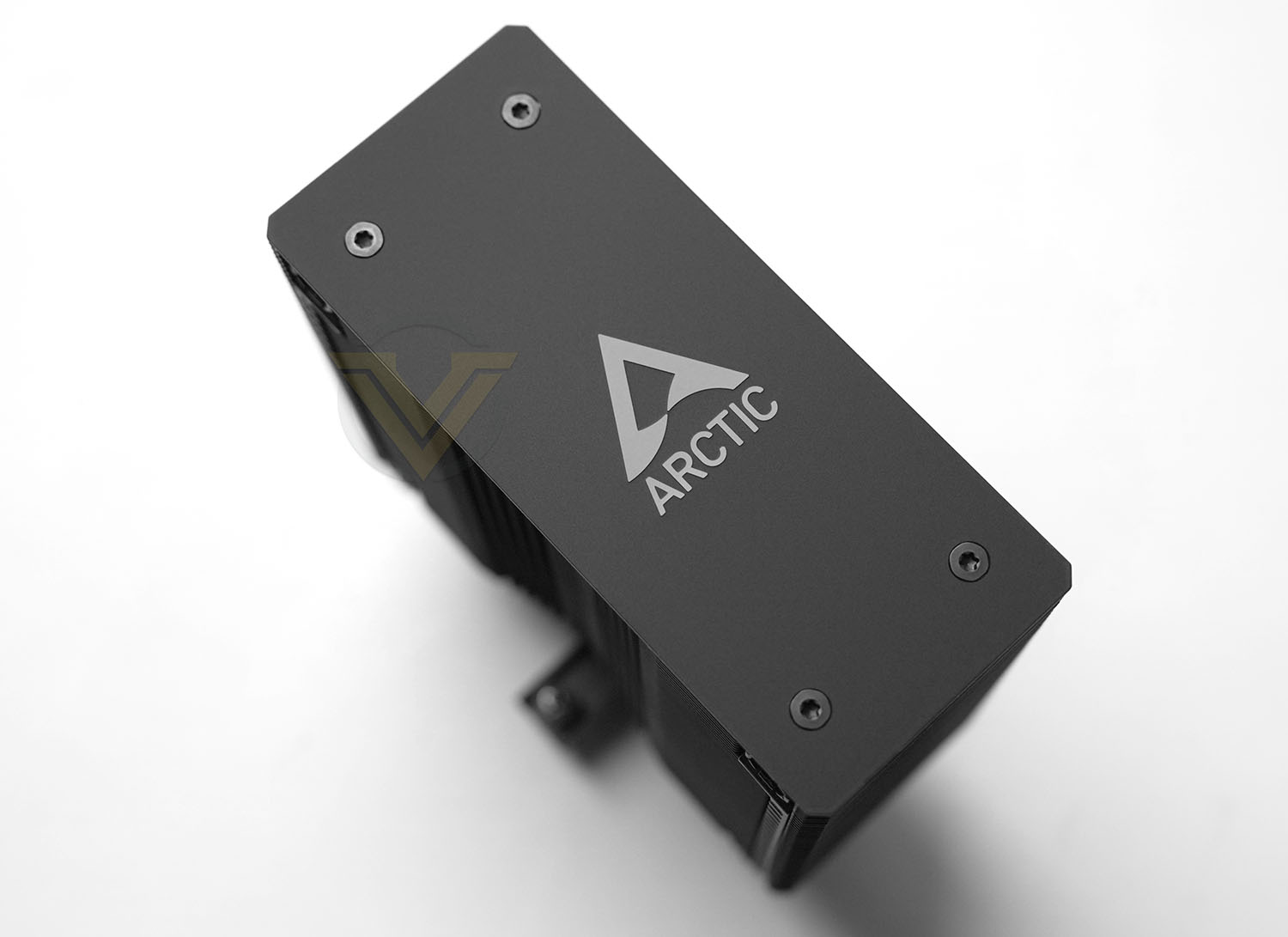
The Freezer 36 Black has a dense stack of fifty-nine black anodised aluminium fins measuring approx. 5 cm by 12.5 cm. It stands 159 mm tall, fractionally taller than the standard yardstick of Cooler Master’s most modern Hyper 212 but effectively matching the Noctua NH-U12S and be quiet Dark Rock and Dark Rock Slim designs. There will be some PC cases where this is too tall, typically small form factor designs, but standard ATX and mATX chassis shouldn’t pose a problem.
A black anodised aluminium top-plate shows off Arctic’s branding but we wouldn’t be surprised to see 3D printable detachable fascia plans appear in hobbyist catalogues. As-is, it’s a clean look for minimalist or ‘blank canvas’ system initernals.
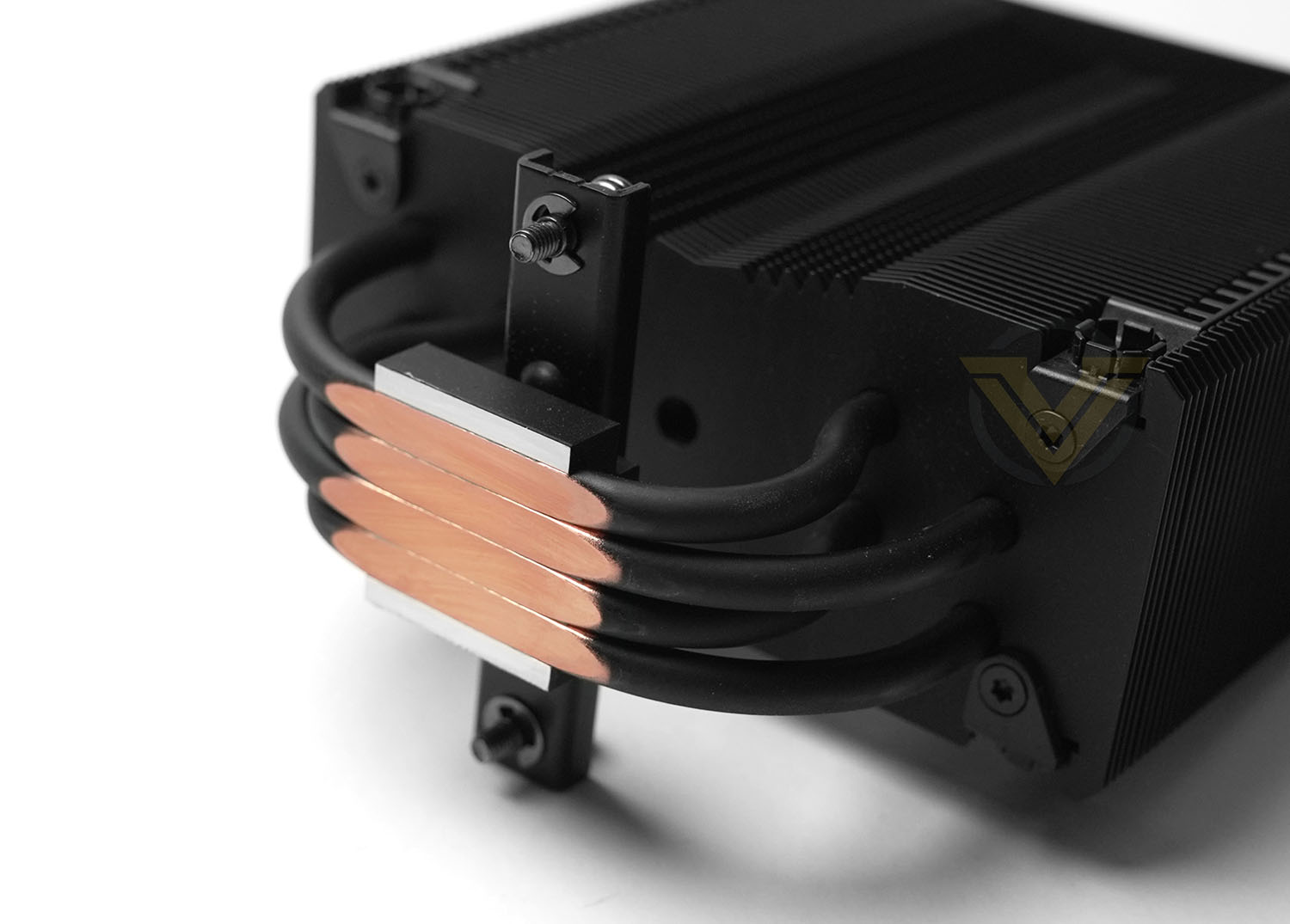
A quick look at the underside exposes the 6mm diameter heatpipes. For the best thermal conductivity Arctic have opted for a flattened ‘direct contact’ approach to mating with the CPU heatspreader rather than an intermediate layer. From this angle you can also see the matte black coating to the heapipes and bracketing retention square.
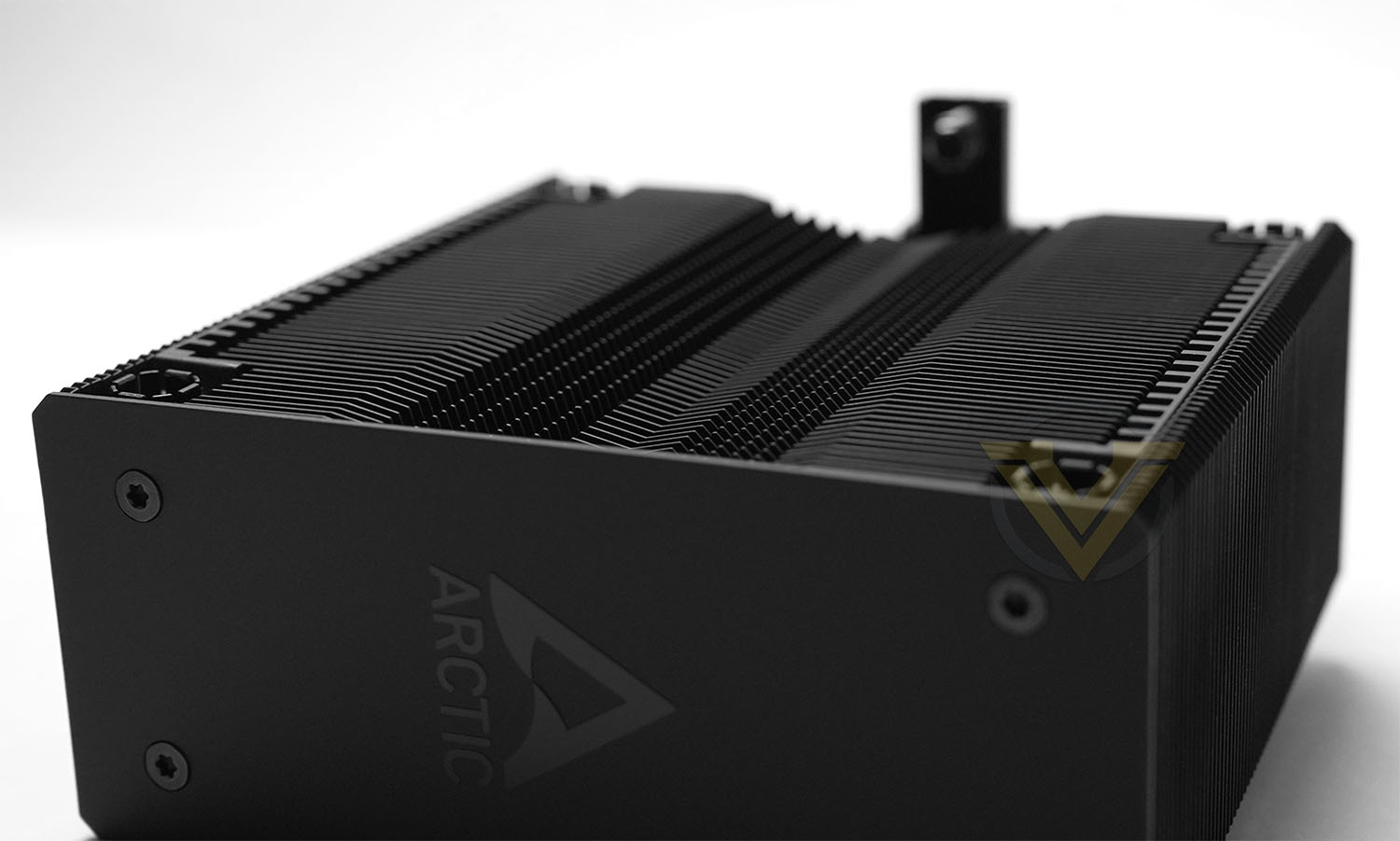
Here it’s possible to see the recessed mounting points for one of the two 120mm fans. These spring-loaded recesses grip on to the screws affixed to the fan, holding it tightly.
The contoured fin cross-section on this side of the fin stack is also most clearly visible from this angle, a feature intended to reduce turbulence and improve overall air flow. The rear side by comparison is totally flat.
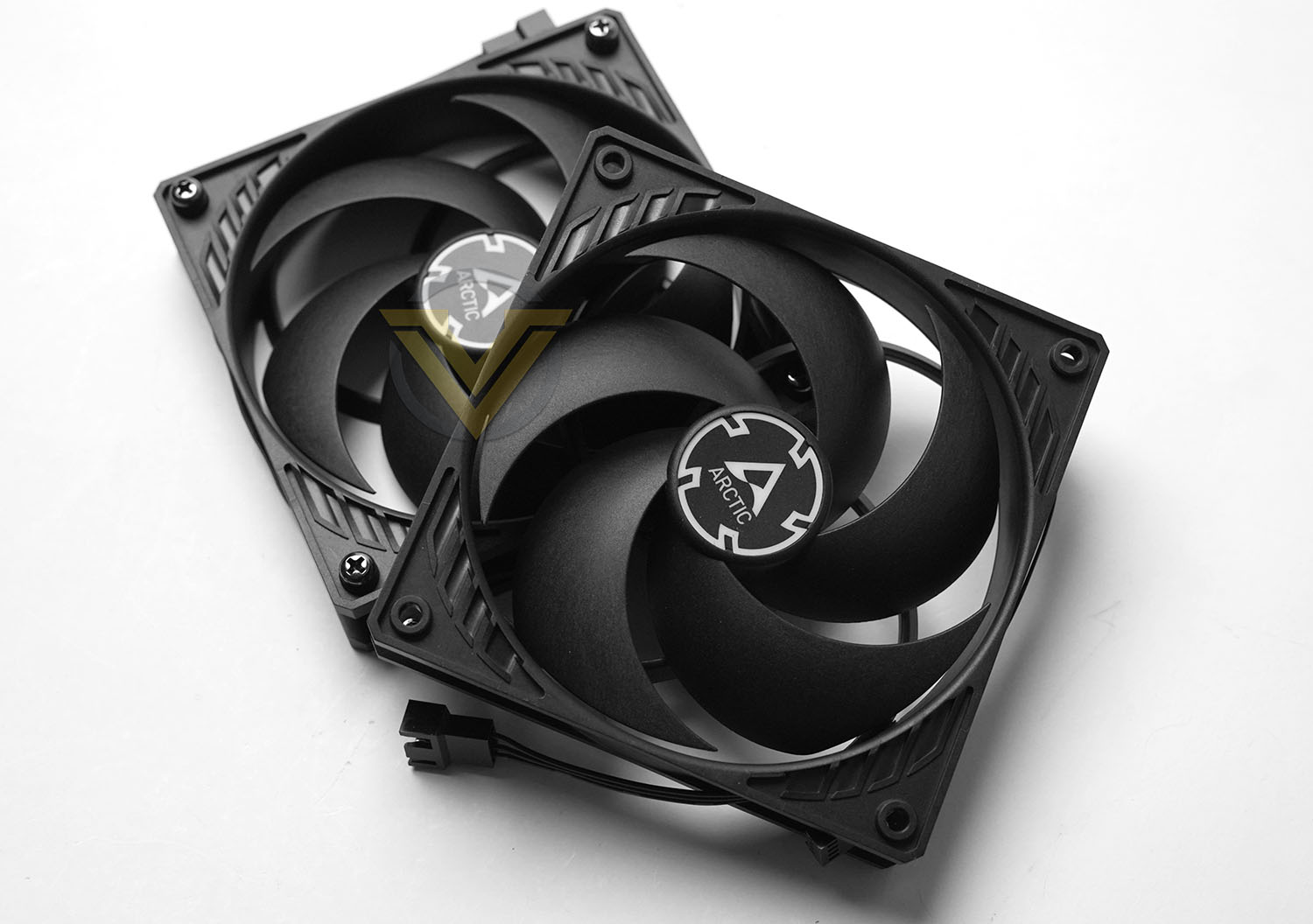
Finally here are the two fans. They conform to standard 120mm spacings so in theory you can swap them out for other standard 120mm fans if preferred. Note that there is no integrated noise dampening material on the heatsink or fans to reduce vibrations induced by fan operation. Fitting rubber O-rings between heatsink and fan should be possible should it prove necessary.
Installation Process
Our CPU cooler tests are performed with Intel’s formidable Core i9-12900K which also gives us the opportunity to try the tricker of the two mounting processes. The AM4/AM5 style will be trivial by comparison.
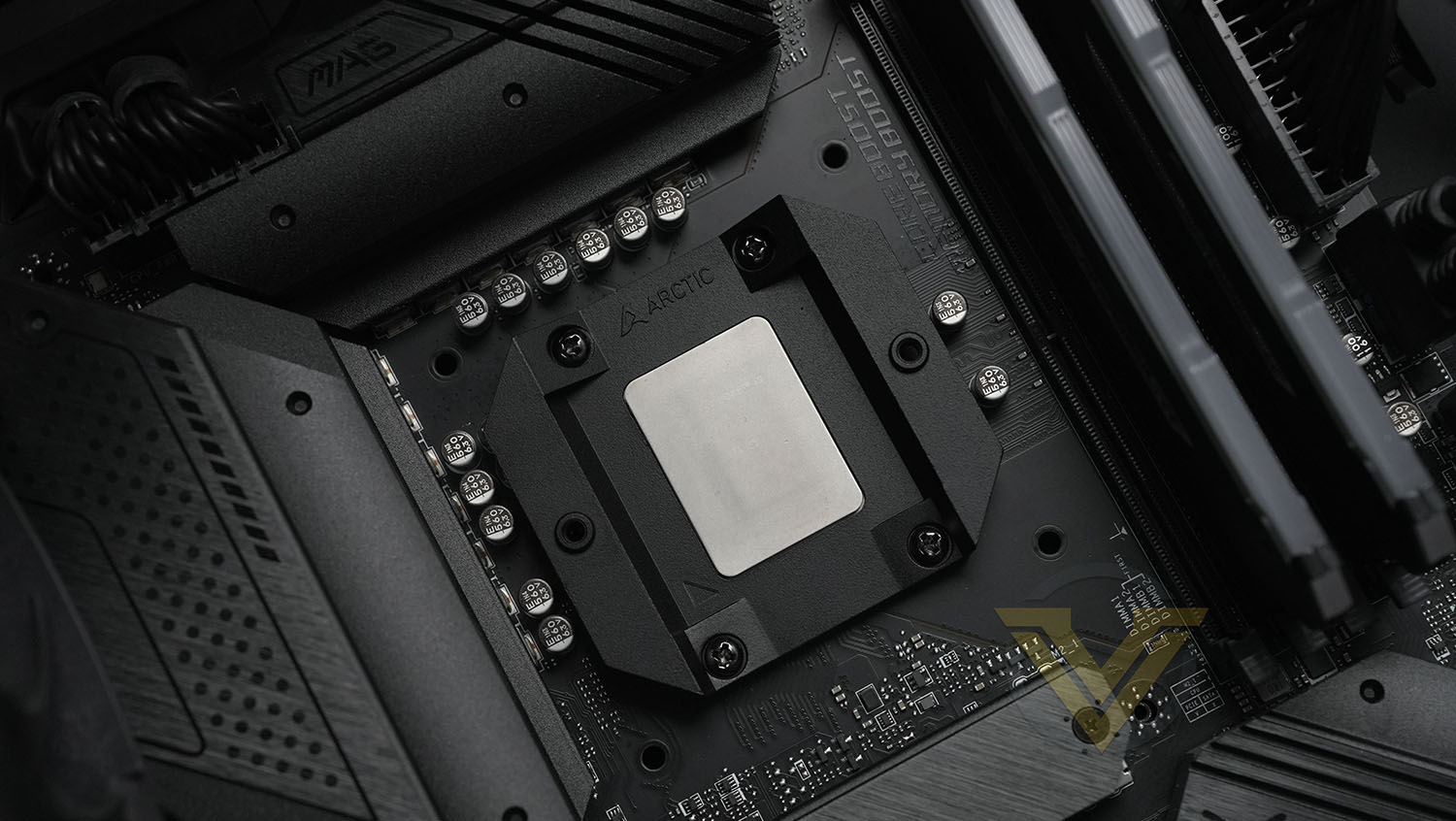
Installation of the Freezer 36 begins in untypical fashion: removal and replacement of the Intel CPU retention mechanism using the supplied T20 driver. It’s recommended that you have the CPU in place when removing the retention hardware to better protect the socket’s fragile array of pins.
Arctic’s contact frame is placed over the CPU and aligned with four holes in the motherboard PCB; the rim around the CPU heatspreader is the primary load-bearing zone. Four screws are placed and gently tightened evenly to maintain even pressure over the CPU (and thus the pins underneath).
Once installed, the contact frame exposes just the surface of the CPU’s heatspreader to mate with the heatsink’s lower section. We liberally applied TIM over this surface to ensure full coverage.
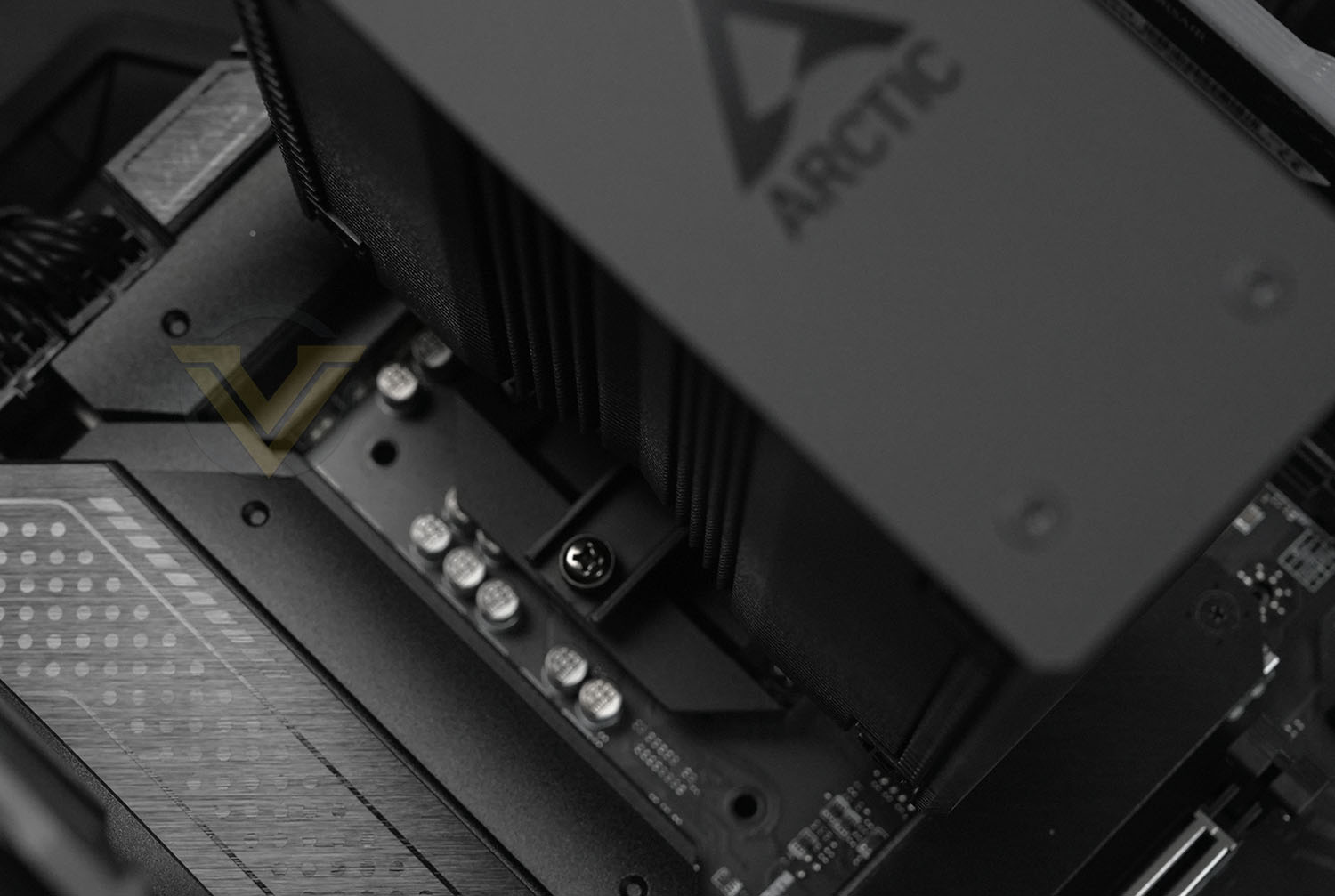
The two screws on the heatsink’s cross-brace are spring-loaded to ensure optimal pressure on the CPU surface. A long-shafted screwdriver is ideal for tightening these screws in particular, especially if the motherboard is already installed into a case.
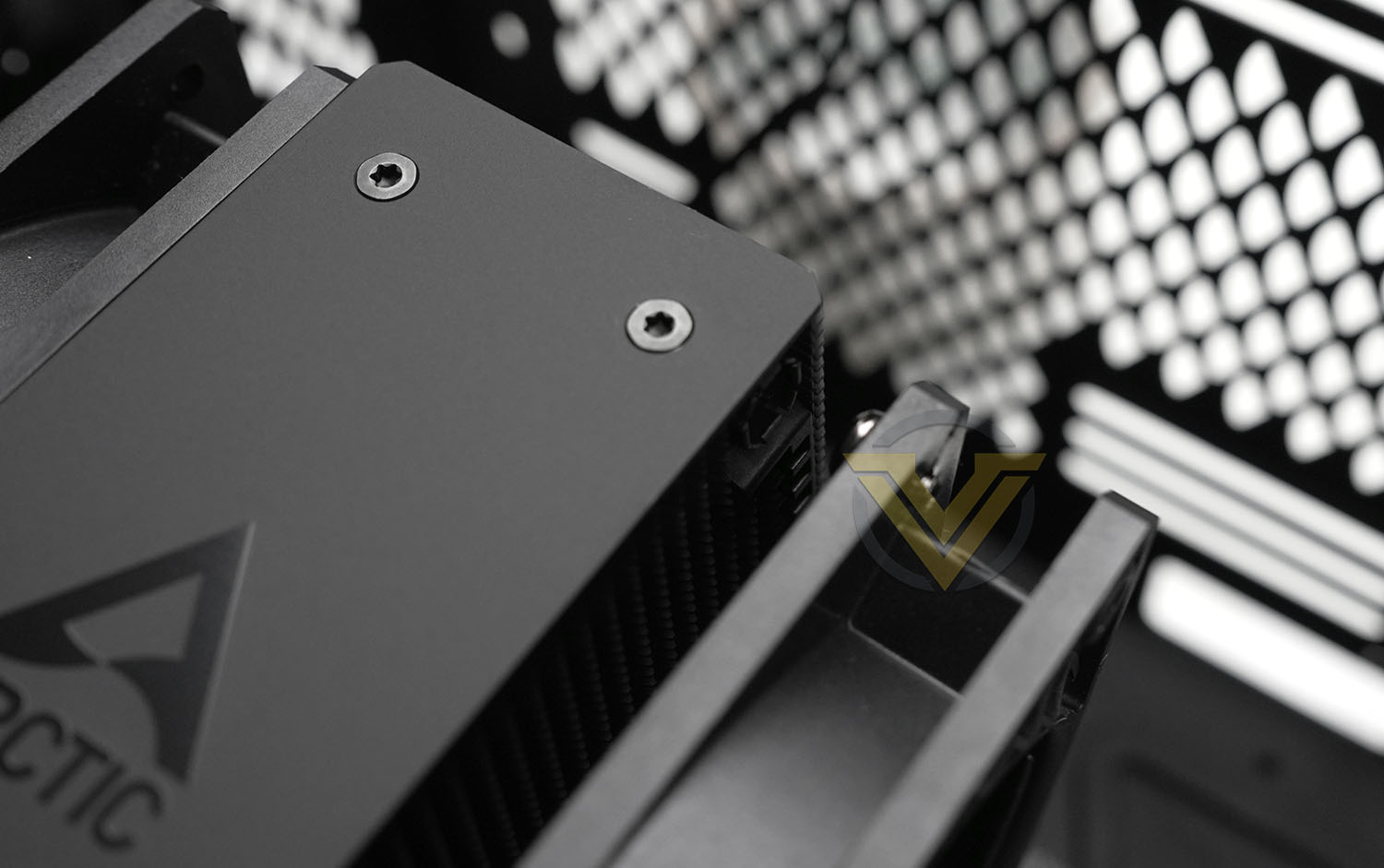
Four short screws are already in place on each of the two 120mm fans, and all that needs to be done is to clip them in place into the recessed holes.
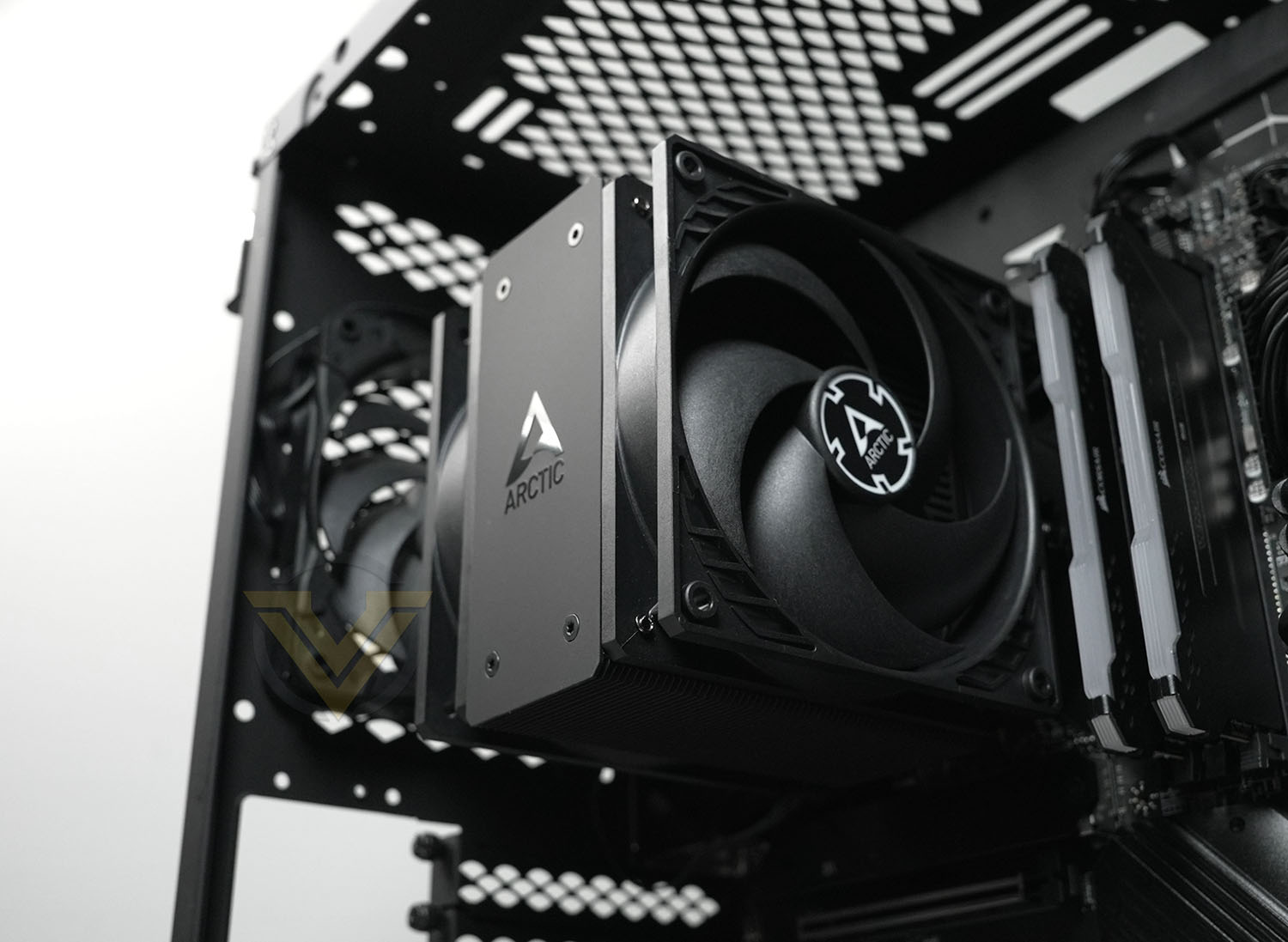
The final look is exceptionally clean. Installation was very easy overall and shouldn’t be a problem so long as the user takes their time and follows the instructions provided. Further directions can be found on the official Arctic Youtube Channel which includes an installation guide.
Test Setup & Methodology
HARDWARE
Rather than analyse CPU coolers on a test bench, we prefer to simulate a real-world configuration where all of the components are housed within a computer case. By doing this, our readers are able to see the CPU cooler in a real-world scenario.Special thanks go to Intel, MSI, Corsair, Noctua and AverMedia for providing the hardware configuration for our CPU cooler reviews:
CPU:- Intel Core i9-12900K
Board:- MSI MAG B660 Tomahawk WiFi DDR4
RAM:- Corsair Vengeance RGB PRO SL (16GB)
Power Supply:– Corsair RMx850
Hard Drive:– Intel S3500 128GB
Case– MSI SEKIRA 500G
Board:- MSI MAG B660 Tomahawk WiFi DDR4
RAM:- Corsair Vengeance RGB PRO SL (16GB)
Power Supply:– Corsair RMx850
Hard Drive:– Intel S3500 128GB
Case– MSI SEKIRA 500G
BENCHMARKS
In order to perform our thermal and acoustics tests we use AIDA64 Stability test. The 12900K CPU is left in its default stock state with EIST, Turbo enabled.For the moment, the comparison results highlight only a small number of CPU coolers, this is because we’ve updated our hardware configuration. The number of tested coolers will increase.
To reflect the most accurate user experience we always test our coolers in their out-of-the-box state, with the cooling fans/components they are sold with. However, we do not use the supplied thermal paste as this would skew results – for our thermal paste we use Noctua NT-H2 which provides us with that level playing field and consistency.
To record the idle temperatures result, our system is booted into Windows and left to idle for 20 minutes. The average core temperatures are recorded (Using Core Temp), and then we following this we apply the AIDA64 Stability test to apply an intensive load on the CPU. After 20 minutes have elapsed, we then record the average core temperatures.
All temperature results are delta, this is calculated by subtracting the ambient from the average core temperature. Ambient temperature is recorded using a digital thermometer placed near the front intake of the case.
In regards to acoustics we use the exact methodology above except all case system fans are disabled. This isolates the CPU cooler fans and allows us to accurately report on the decibel readings. We record acoustics using the NDI KC-330D Sound Level Meter at a distance of approximately 30cm.
Thermal Results
Below are the results for our thermal test. We record both the idle and load temperatures – stress is applied to the CPU using AIDA64’s stability test.
Thermal performance is creditable, allowing the cooler to handle the i9-12900K at high sustained loads, speaking to the efficiency of heat transfer to and through the unit.
Acoustic Results
In terms of the acoustics test, we disable all case fans and place our sound level meter approximately 30cm away from the cooling fans and the result is then obtained.
Despite incorporating two fans into the overall solution, both of which are ‘high static pressure’ designs at that, the Freezer 36 remained surprisingly quiet at load.
Conclusion
We continue to be impressed with the effectiveness of modern air coolers, particularly in lower-cost segments where AIOs are impractical and simply introduce an additional point of failure (i.e. the pump). That they’re also far more attractive than they used to be, and are available in many variations all clustered around the same keen price point, is another huge draw for a segment of the market that has often been underappreciated by enthusiasts.
In terms of cooling, the Arctic Freezer 36 posted fair numbers on par with the more expensive Deepcool AK400 and far better than the AG400 from the same brand. Comparisons to the twin-tower-style Noctua NH-D12L appear unfavourable until put into the context of it being less than one-quarter the price. This design is absolutely ample for its target performance segment of modern Core i5 and Ryzen 5 CPUs, but will also be enough for some Ryzen 7 and Core i7 models too.
The downside to this will be noise, but not necessarily in absolute terms. The two 120mm fans are pretty quiet at load with less audible hum than you’ll experience with similar roof-mounted 120mm fans attached to AIO radiators, generating noise roughly on par with the single 120mm fan on the AK400. That’s despite these fans not technically being optimised for silent operation.
Where the Freezer 36 trips up, as with many single-tower design coolers, is that they’re very sensitive to CPU temperature and can get overwhelmed. They take in heat readily and expel it just as quickly, leading to highly variable fan RPM as software ramps them up and down in response to CPU load according to aggressive fan curves. Larger coolers and AIOs with more thermal mass can afford to more gently ramp up and down fan speeds, making the noise profile more pleasant for the end-user.
Judicious tinkering with fan curves can alleviate this but they inevitably lead to operating at higher fan RPM minimums generally, losing some of the benefits of their PWM design. It’s for that reason that sticking to appropriate CPU performance/TDP bands is recommended, even if the cooler is technically capable of more.
Installation, even with the tricky replacement of Intel’s LGA1700 CPU retention mechanism, was pretty easy. Arctic have done a great job in making the directions easy to follow, complemented by a good Youtube video guide.
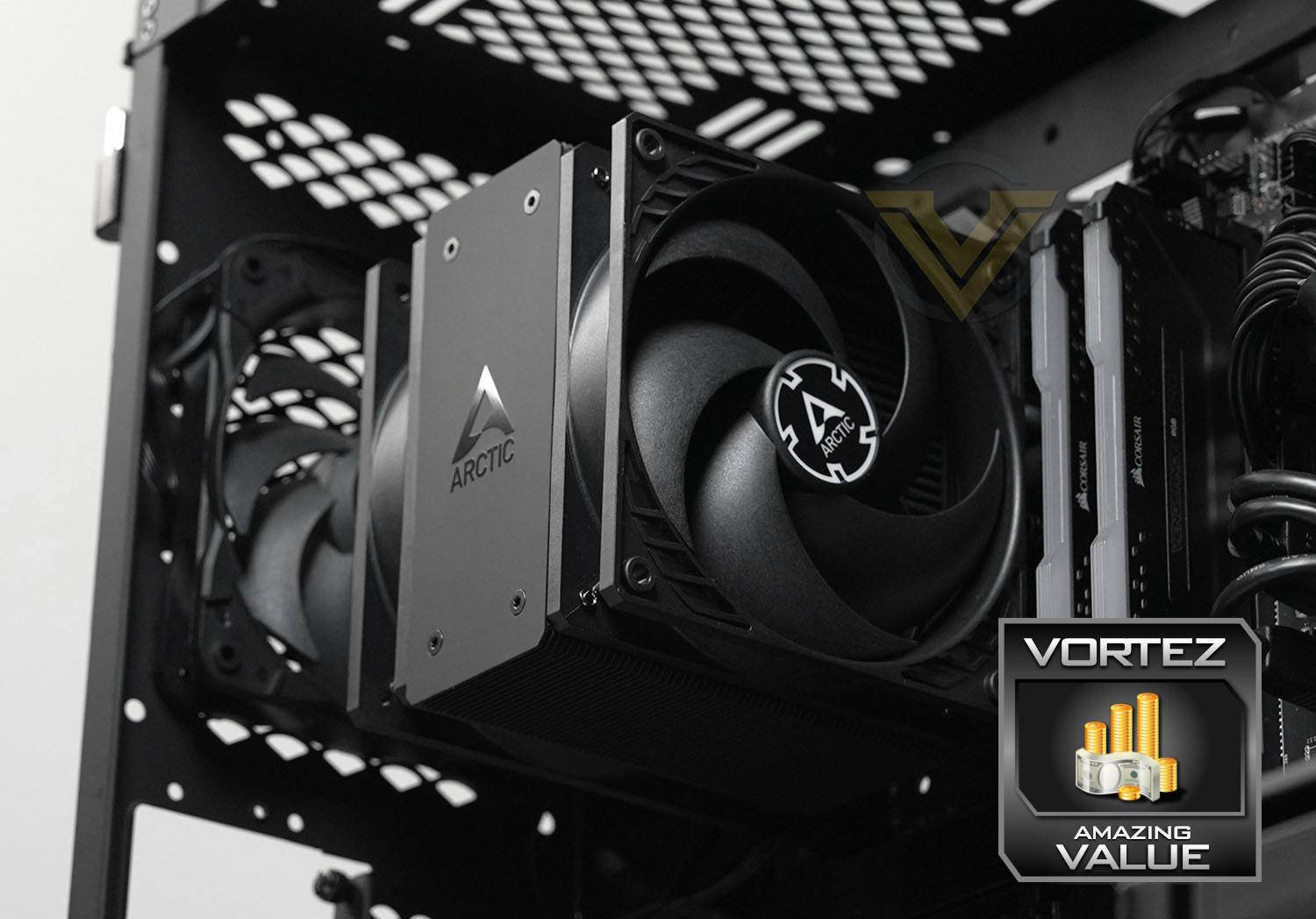
Finally, and highly subjectively, Arctic have aesthetically hit it out of the park with the Black model. It’s a minimalist design that will complement almost any system eschewing garish RGB (with often proprietary control systems), but can be modified with RGB 120mm fans at a later date if desired. The Freezer 36 is also available in multiple variants with different looks including all-white or with RGB straight out of the box if preferred.
At less than £20 including VAT in the UK the Arctic Freezer 36 Black is very hard to beat for those on tight budgets. It looks great, performs well, and will be a great companion for a mid-tier CPU from either Intel or AMD. It comfortably gets the Great Value award and is sure to be on the recommendation lists for low-cost home systems with style.
Pros
+ Very affordable
+ Looks great
+ Good performance
+ Supports latest CPUs from AMD and Intel
+ Well laid out installation process
= An abundance of care should be taken when installing in Intel systems.
Cons
– Not ideal for highest performance CPUs
– Very strong performance air coolers exist for just a little more money
– No noise-dampening between fans and heatsink
+ Very affordable
+ Looks great
+ Good performance
+ Supports latest CPUs from AMD and Intel
+ Well laid out installation process
= An abundance of care should be taken when installing in Intel systems.
Cons
– Not ideal for highest performance CPUs
– Very strong performance air coolers exist for just a little more money
– No noise-dampening between fans and heatsink
Stay connected with the Vortez Social Media pages:
Join in with the discussions on Discord