We take a look at what ASRock has to offer in the top-tier Intel Z890 motherboard, the renowned TAICHI. Should it be your top-pick for Intel Arrow Lake?

Product On Review: Z890 Taichi
Manufacturer: ASRock
Street Price: USD 500 | GBP 720 | AUD NA
The ASRock Z890 Taichi is a flagship offering that aims to blend cutting-edge technology with premium aesthetics, targeting enthusiasts and gamers who demand top-tier performance. As part of ASRock’s Taichi lineup, this motherboard is built around the Intel Z890 chipset, supporting the the recently released Intel Arrow Lake CPUs aka 14th-generation Intel Core processors.
This review delves into the Z890 Taichi’s extensive feature set, including its robust power delivery system, expansive connectivity options, and advanced cooling solutions. Highlighting standout features such as DDR5 memory support, PCIe 5.0 lanes, and Thunderbolt 4 integration, we will evaluate how well the motherboard caters to the needs of gamers, content creators, and overclocking enthusiasts.
To provide a comprehensive assessment, this review examines the Z890 Taichi’s performance under various workloads and we’ll also compare it against competing models and by the end, you’ll have a clear understanding of whether the ASRock Z890 Taichi deserves a spot in your next PC build or whether other alternatives may better suit your needs.
Closer Look
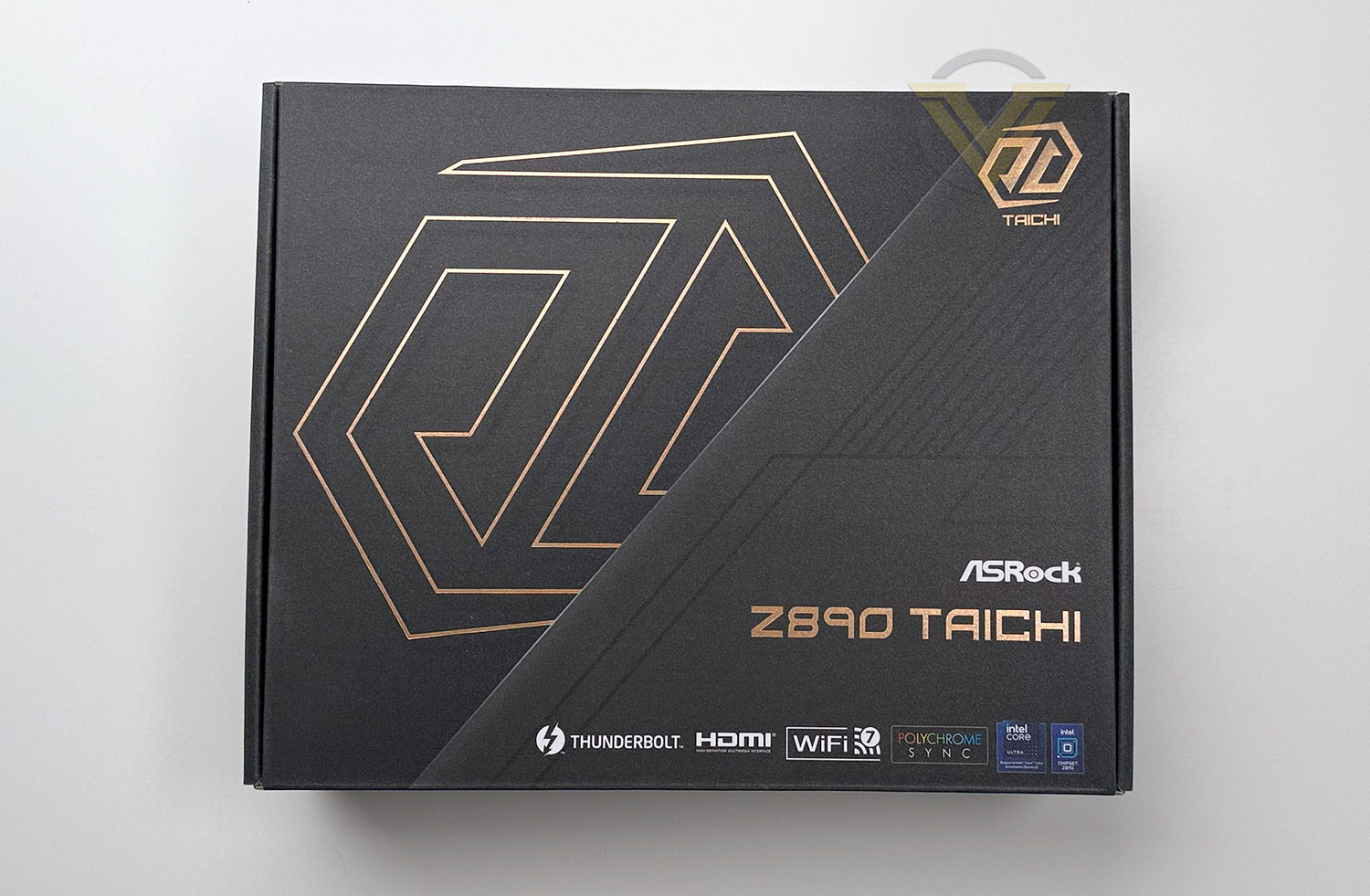
Taichi comes in an attractive looking box which, the front simply showcases the logo, while the reverse has a breakdown of all the significant features. Inside the box, all of the accessories are stored within their own cardboard container, and the board itself is found within an anti-static bag.
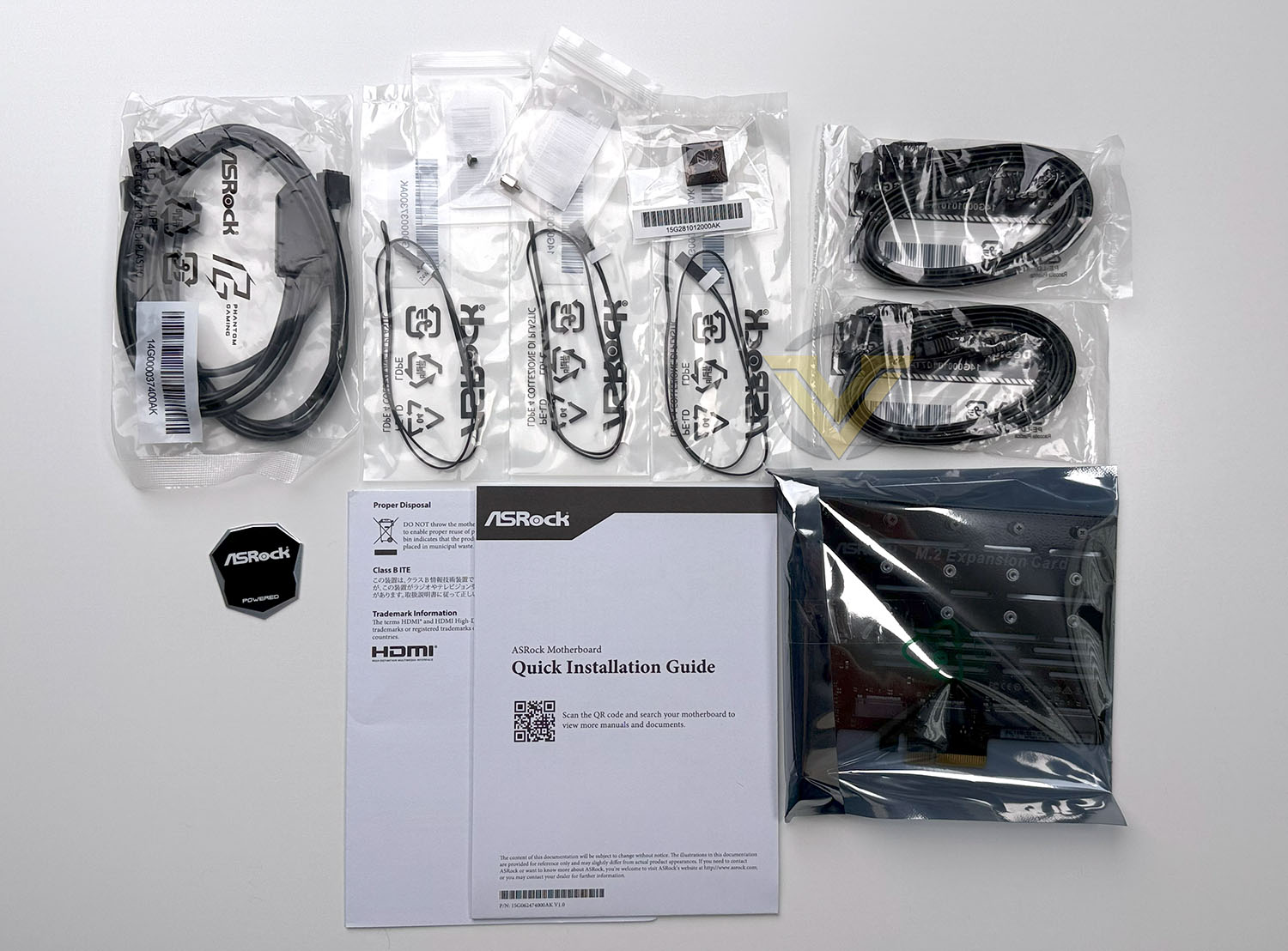
Taichi is ASRock’s top-end motherboard within their lineup and as such, it comes with an array of bundled accessories, including an M.2 expansion card which can support an additional four M.2 devices and will operate in Gen4x1 mode. This is what the accessories bundle looks like:
– 4 x SATA Data Cables
– 1 x M.2 Expansion Card
– 1 x ASRock WiFi 2.4/5/6 GHz Antenna
– 1 x ARGB Splitter Cable
– 3 x Thermistor Cables
– 1 x Screw for M.2 Socket
– 1 x Standoff for M.2 Socket
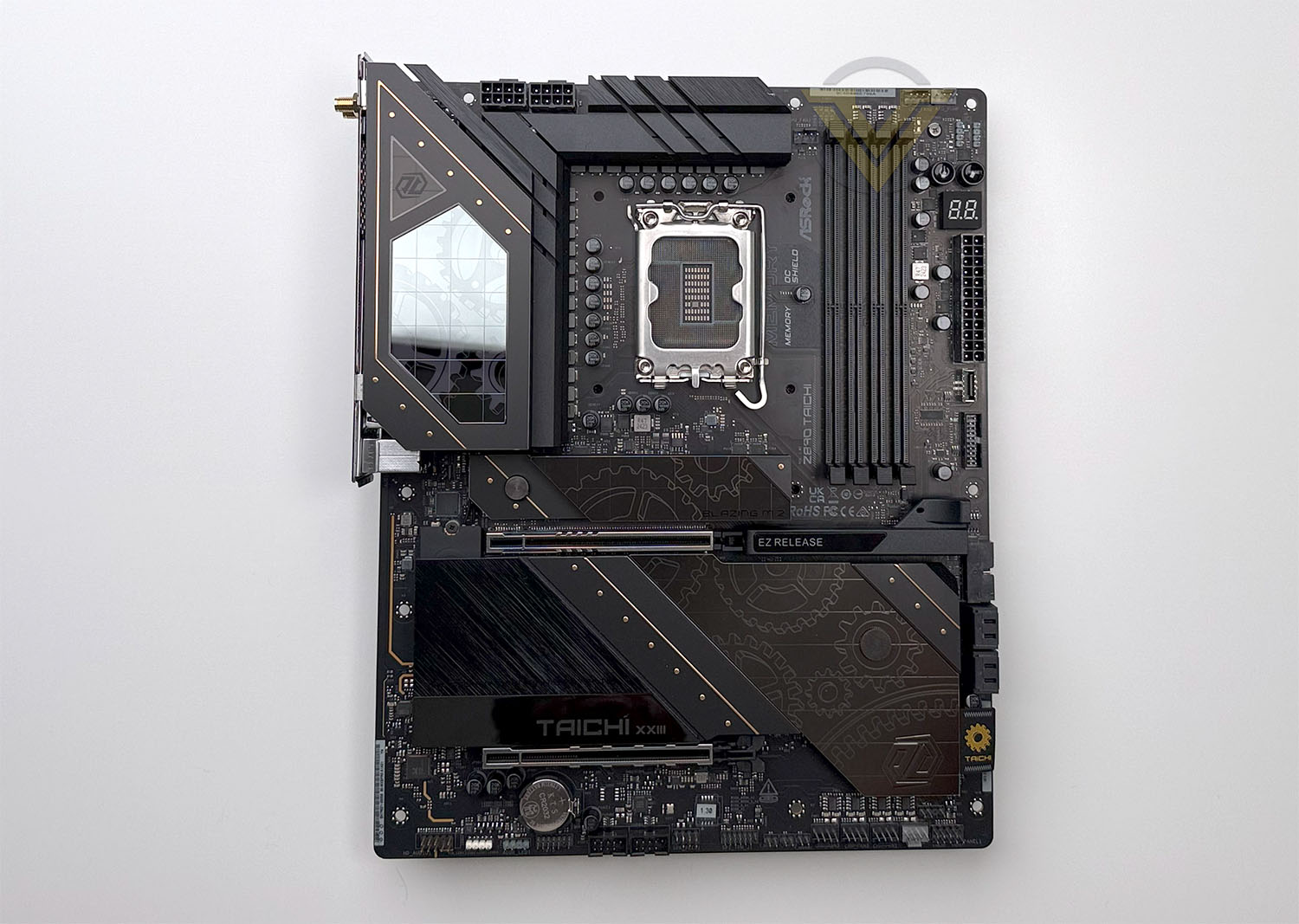
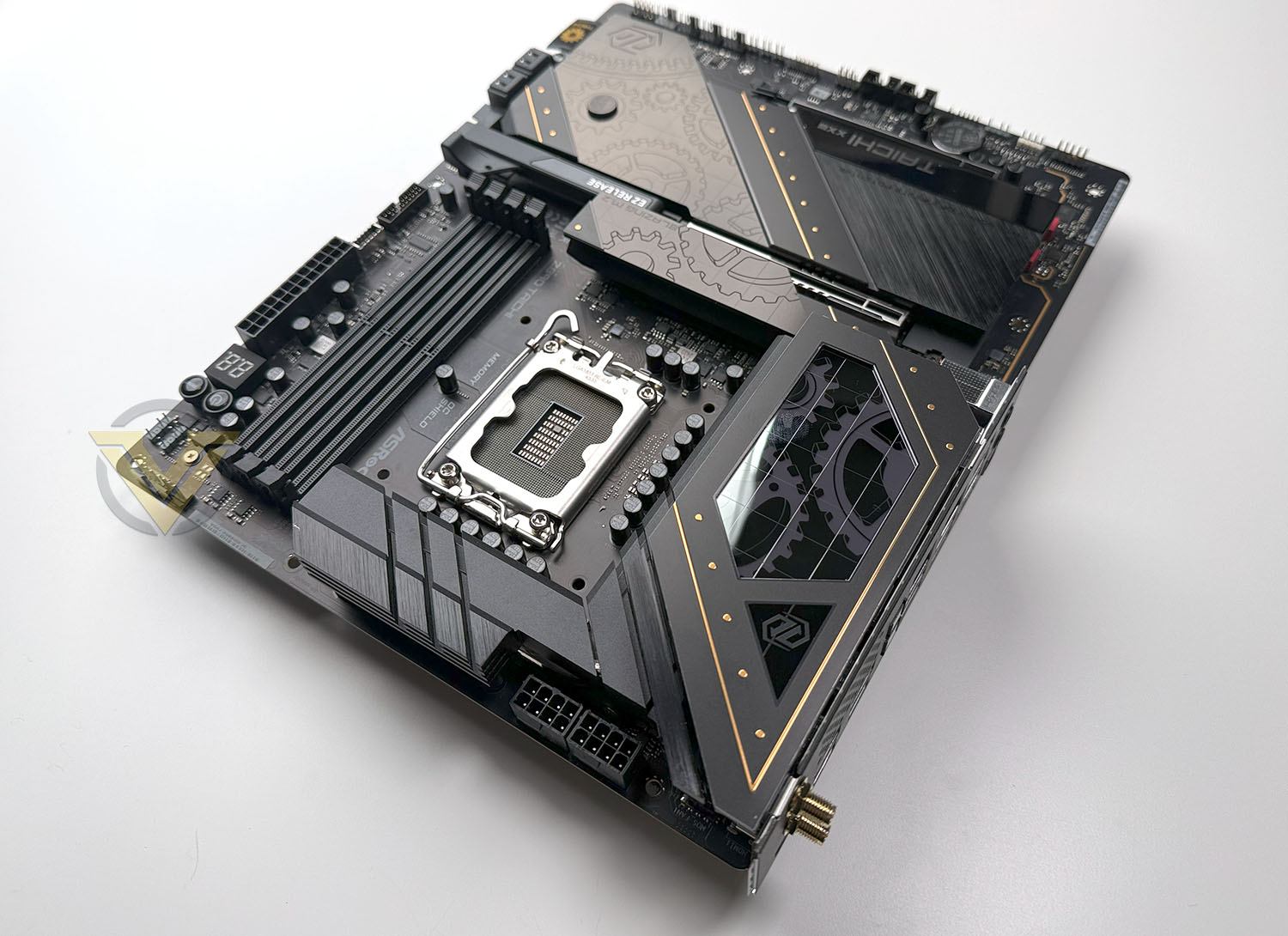
Taichi conforms to the ATX Form Factor and will therefore fit into most mid-tower cases.
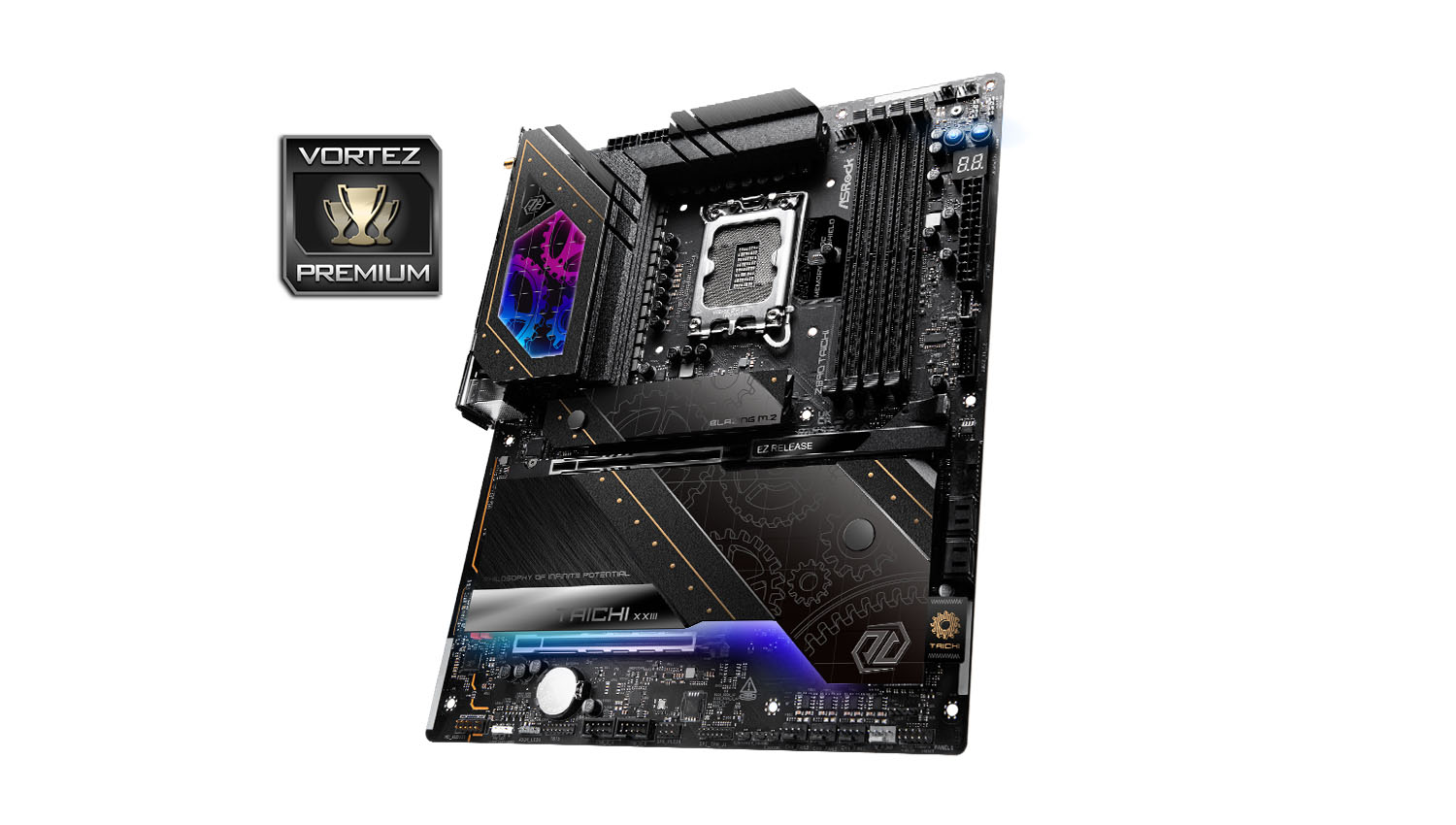
The design of TAICHI is sleek and it is adorned in a black and gold aesthetic. The gold accents are a particularly nice touch – providing the board with that luxury feel. There is no doubt that this has been given premium treatment.
Being a Z890 motherboard, the socket is LGA 1851 and has support for Intel 15th Gen. Processors (Arrow Lake). TAICHI comes in with a phenomenal 24+2+1 phase SPS VRM power delivery and the board uses an 8-layer server-grade PCB. There are two gigantic heatsinks which cover the VRMs – and as we discovered in our testing, the thermal design is exceptional – keeping temperatures well within the realms of adequate. Behind these heatsinks we have twin 8-pin CPU connectors.
There are 8x 4-pin fan headers spread out at the top, side, bottom and middle of the board with designated compatibility for water pumps. 4 RGB LED headers are also present for additional lighting and these come in the form of 1x RGB LED and 3x addressable LED.
Memory support sees us able to use up to 256GB of DDR5 and up to 9600MHz. In the memory region there is also Debug LED panel which is a handy diagnostic feature identifying any problems on bootup and an onboard power/reset buttons which are useful if you have this board on a test bench.
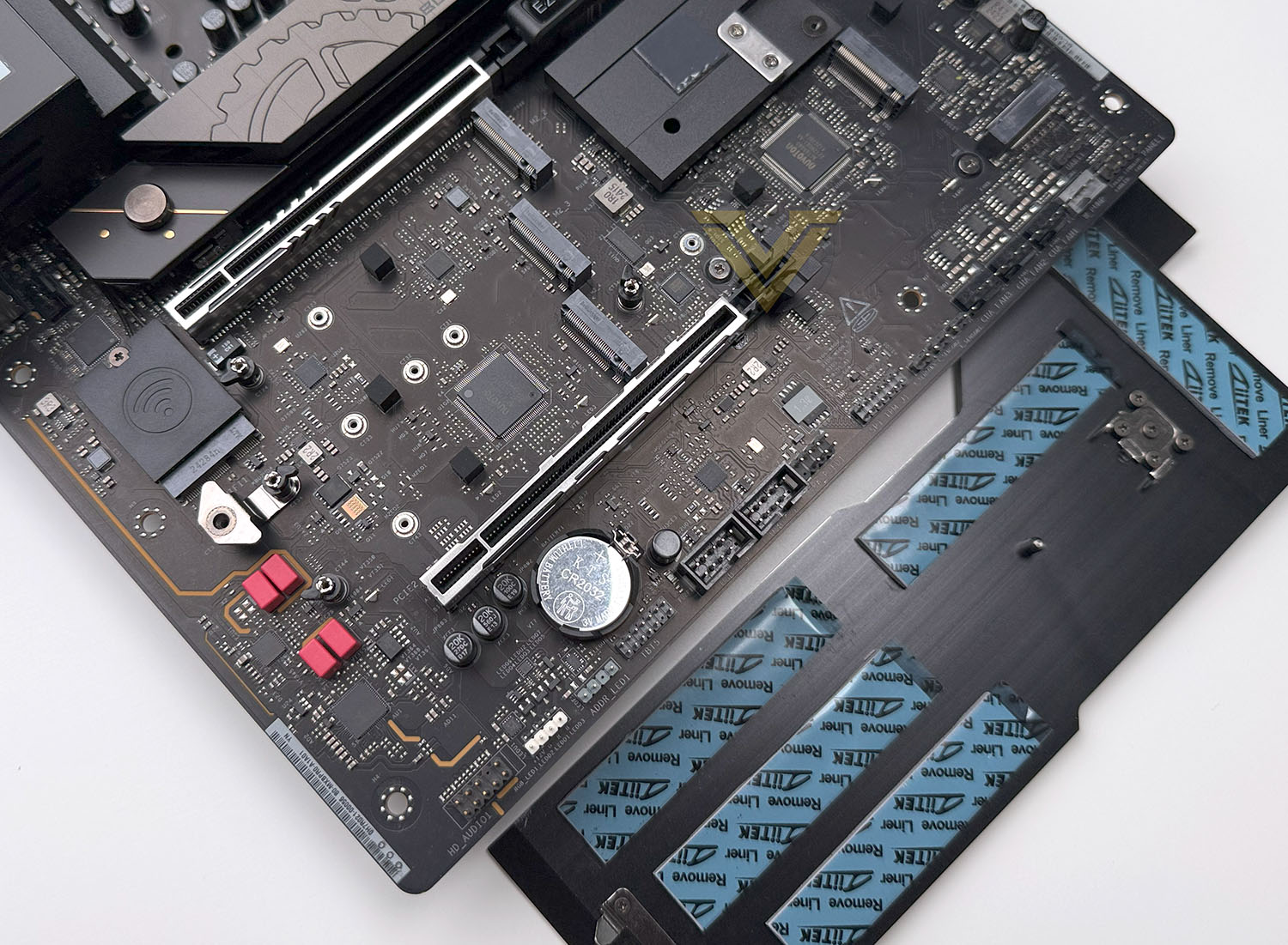
Connectivity for your computer case comes in the form of 1x USB 3.2 Gen 2×2 header and 2x USB 3.2 Gen 1 headers for the front panel. In terms of storage, there are up to 4x SATA 6GB/s ports and a whopping 5x PCIe M.2 slots – 4x are Gen4x4 and the remaining one is Gen5x4. All M.2 slots feature a corresponding heatsink to control temperatures – the upper slot (which is Gen5) has been given it’s own supersized aluminium fin stack.
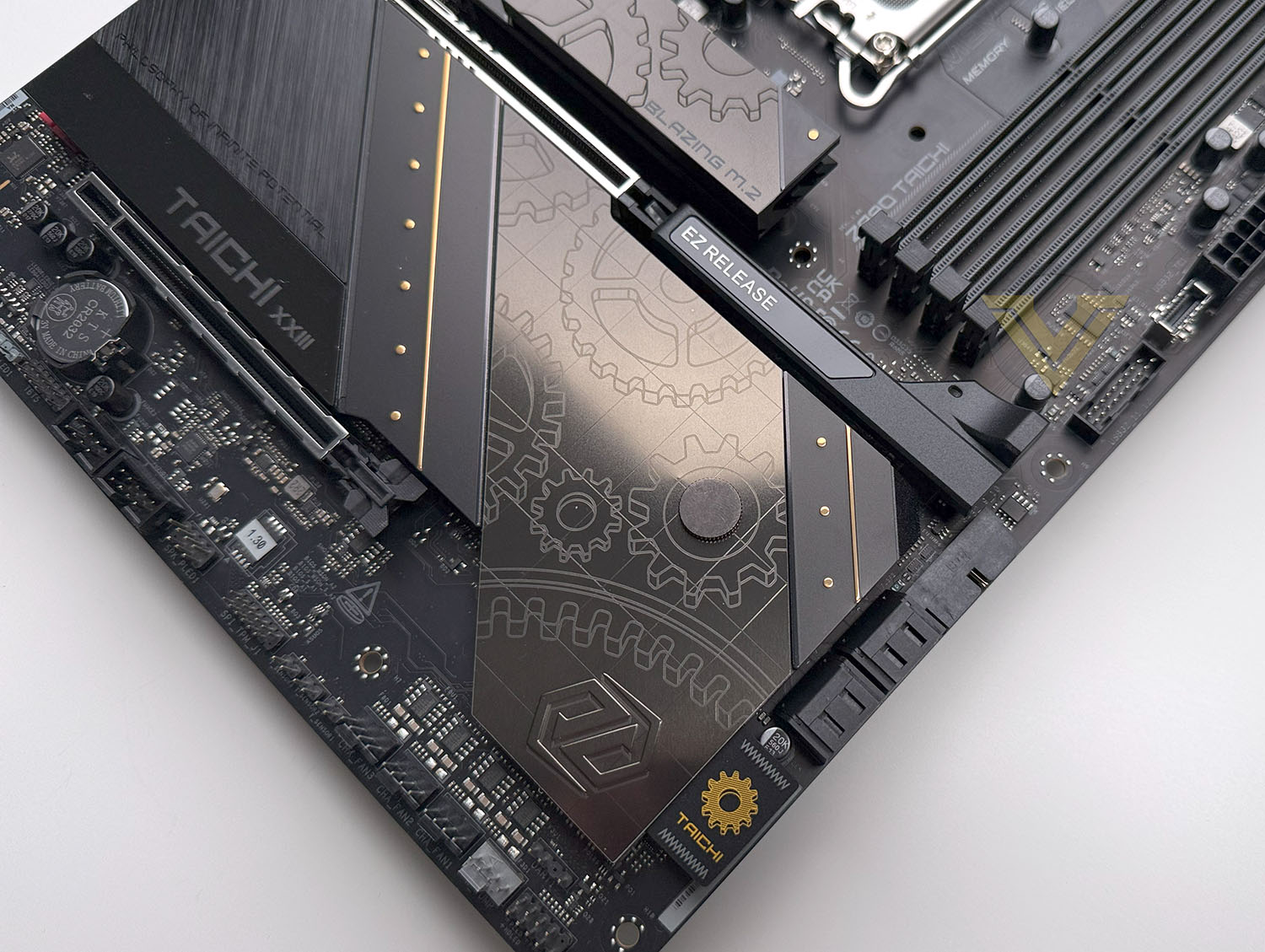
For graphics delivery there is 1x PCIe 5.0 X16 slot and 1x PCIe 4.0 x16 slot. The upper slot is Gen5 and should be used if a single graphics card is operating – it operates at the full 16 lanes and features enhanced steel slot protection.
For audio, TAICHI uses the Realtec ALC 4082 processor. And the audio package itself includes:
– WIMA Audio Capacitors (For Rear Outputs)
– ESS SABRE9219 DAC for Rear Panel Audio (130dB SNR)
– Individual PCB Layers for R/L Audio Channel
– Direct Drive Technology on Front headphone port (Supports up to 600 Ohm headsets)
– Nahimic Audio
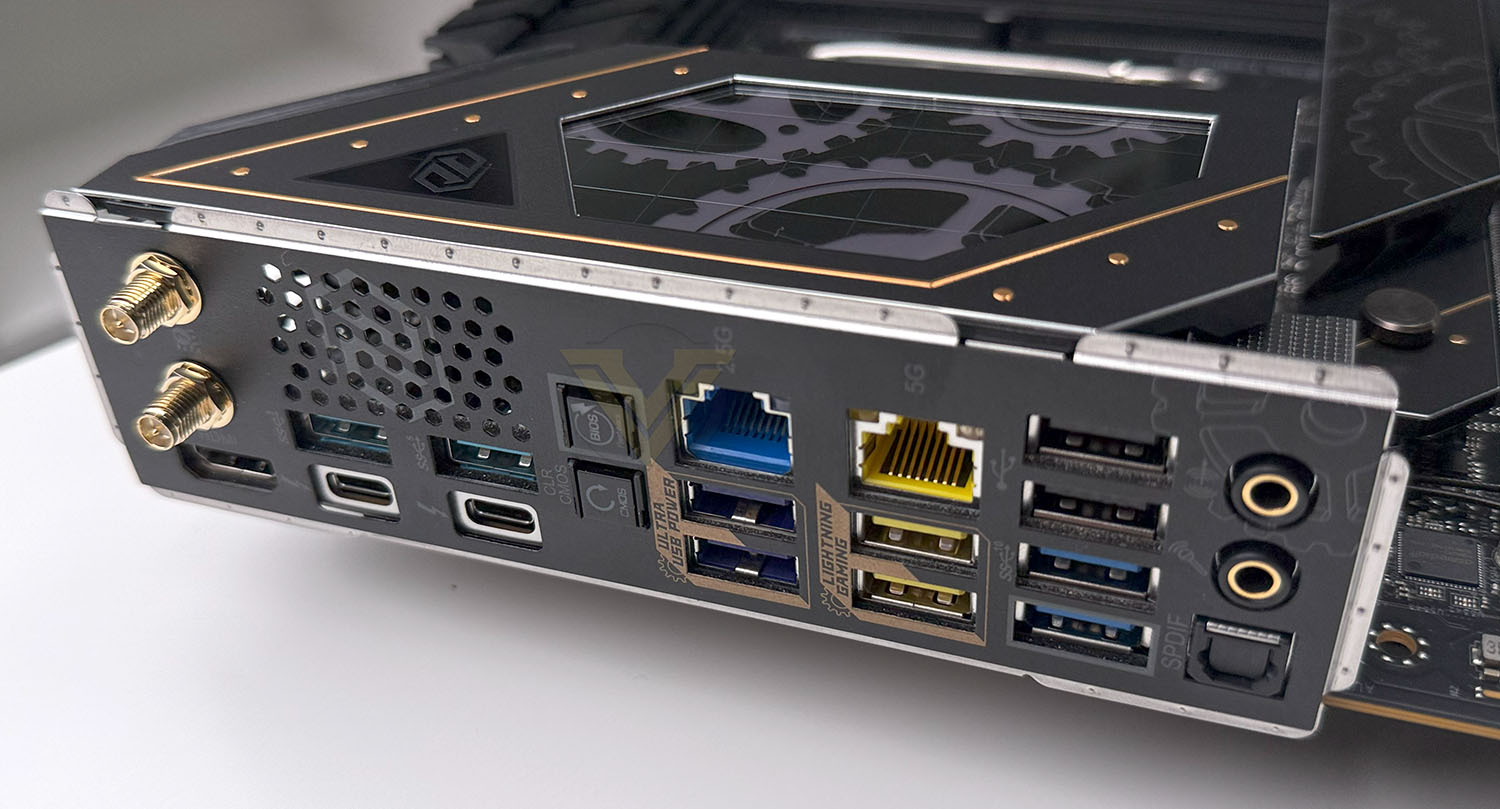
The back panel of TAICHI is jam-packed with features and connectivity – Available we have:
– 2 x Antenna Ports (WIFI7)
– 1 x HDMI Port
– 1 x Optical SPDIF Out Port
– 2 x Thunderbolt™ 4 Type-C Ports (40 Gb/s)
– 4 x USB 3.2 Gen2 Type-A Ports (10 Gb/s)
– 4 x USB 3.2 Gen1 Ports
– 2 x USB 2.0 Ports
– 2 x RJ-45 LAN Ports (2.5G and 5G)
– 1 x Clear CMOS Button
– 1 x BIOS Flashback Button
– 1 x Line Out Jack (Gold Audio Jack)
– 1 x Microphone Input Jack (Gold Audio Jack)
It’s wonderful to see the backpanel laden with so many USB ports, and even Thunderbolt 4, which content creators will definitely find useful.
We of course have the inclusion of WiFi 7 with this being a Z890 motherboard for those wanting to take advantage of wireless connectivity.
Test Setup & Methodology
Notes: We’ve revamped our benchmark regime by removing a number of tests which reveal little, to no difference between each motherboard model. Gaming performance is one such area which has been removed due to the inability for each motherboard to offer any advantage over another. Instead, we have focussed on meaningful/tangible analysis which examines the VRM/chipset design, and the storage performance which will be far more informative to the end user.
TEST SETUP
CPU Intel Core Ultra 9 285KCooling: Corsair iCUE LINK TITAN 360 RX RGB
Memory: 32GB Kingston FURY Renegade 7600 MHz
Storage: Silicon Power A55 512GB + Silicon Power XPower XS70
PSU: Corsair HX1050 80 Plus Gold Certified PSU
Monitor: AOC U2879VF
BENCHMARKS
PCMark 10 – Overall Extended ScoreSiSoftware SANDRA – SATA/PCIe Storage Tests
SiSoftware SANDRA – Overall System Score
OTHER SOFTWARE
Temperature Analysis: HWMonitorStress Testing Software: AIDA64 Stability Test
CPU Specification Monitoring: CPU-Z
Benchmarks: Power Consumption
In this first test we analyse the power efficiency from the wall for each motherboard (Minus the GPU). While each model uses the same chipset/platform, energy results can fluctuate between manufacturers due to the features and specifications that are integrated. First of all, for the idle tests the system is cold booted into Windows and no additional applications are executed – wattage is noted on the external energy monitor we use and then we open Aida64 stability test and execute a stress test, noting the highest reading on the monitor. Below are the results of this energy test.
Benchmarks: VRM & PCH Cooling
Each motherboard manufacturer designs their board with a unique set of heatsinks to cover key areas like the VRM/mosfets and the chipset itself. We load up Aida64 stability test again and perform a 20 minute run, recording the maximum value for both attributes.
Benchmarks: PCMark 10
PCMark 10 features a comprehensive set of tests that cover the wide variety of tasks performed in the modern workplace. With a range of performance tests, custom run options, and the new Battery Life Profile, PCMark 10 is the complete PC benchmark for the modern office.
Benchmarks: SATA Performance
In order to ascertain the SATA performance for our motherboards we use SiSoftware SANDRA and the File System Bandwidth performance test. This allows us to obtain the sequential read/write transfer rates for the drive being tested – Crucial MX300 SSD.
Benchmarks: PCIe M.2 Performance
In order to ascertain the PCIe M.2 performance for our motherboards we use SiSoftware SANDRA and the File System Bandwidth performance test. This allows us to obtain the sequential read/write transfer rates for the drive being tested – Kingston KC2500.
Benchmarks: Geekbench
Geekbench 6 measures your processor’s single-core and multi-core power, for everything from checking your email to taking a picture to playing music, or all of it at once. Geekbench 6’s CPU benchmark measures performance in new application areas including Augmented Reality and Machine Learning, so you’ll know how close your system is to the cutting-edge.
Conclusion
The ASRock Z890 TAICHI stands out from its close rivals with a robust feature set, making it a strong contender for enthusiasts and professionals alike. Its design exudes premium quality, featuring sleek aesthetics that complement high-end PC builds. In terms of performance, this model consistently delivers across the different scenarios in which we placed it, ensuring smooth operation even under demanding workloads. With a plethora of connectivity options and thoughtful design elements like quick-release latches for devices, it’s built for both convenience and efficiency.
Cooling and thermal management are well-executed, with VRM temperatures remaining impressively low even during heavy usage. This makes it a great choice for overclockers or users running power-hungry CPUs under the umbrella of Arrow Lake. Additionally, the audio capabilities are excellent, providing clear and rich sound output that will please gamers and audiophiles alike. ASRock has clearly invested in creating a motherboard that doesn’t just perform well but offers a holistic experience for the user.
The motherboard’s only significant drawback is its high price, which may deter budget-conscious buyers – costing USD $500 and GBP 720 respectively. While the extensive feature set and premium build quality justify the cost for many, it remains a hurdle for those prioritizing affordability. Still, for those who can stretch their budget, the Z890 TAICHI offers exceptional value in terms of reliability, performance, and design.
Z890 TAICHI is an outstanding motherboard that caters to high-performance needs with style and efficiency. While its steep price point might not suit every user, those seeking top-tier features and a polished experience will find it a worthwhile investment. It strikes an excellent balance between functionality and aesthetics, making it a strong recommendation for premium PC builds.
PROS
+ Strong feature-set
+ Sleek, premium styling
+ Good VRM temperatures
+ Excellent audio
+ Consistently good performance
+ Lots of connectivity
+ Handy quick release latches for devices
CONS
– Expensive
+ Strong feature-set
+ Sleek, premium styling
+ Good VRM temperatures
+ Excellent audio
+ Consistently good performance
+ Lots of connectivity
+ Handy quick release latches for devices
CONS
– Expensive
Click here for an explanation of our awards at Vortez.net.
Stay connected with the Vortez Social Media pages:
Join in with the discussions on Discord