The next NVIDIA Blackwell graphics card is here, next into the foray is the RTX 5060 by way of the ASUS PRIME RTX 5060 OC – designed for 1080p/1440p gamers.

Product on Review: PRIME RTX 5060 OC
Manufacturer ASUS
Street Price: USD 380 | GBP 335 | AUD 650
The ASUS PRIME RTX 5060 OC is the latest addition to NVIDIA’s mid-range GPU lineup, and it brings with it the promise of next-gen gaming performance, improved power efficiency, and updated architectural features powered by the Ada Lovelace architecture. Positioned to replace the aging RTX 4060, this card targets 1080p and 1440p gamers who demand high frame rates, ray tracing capabilities, and solid productivity performance without breaking the bank. ASUS’s PRIME series design ethos—known for its balance between functionality and understated aesthetics—also provides an interesting hardware implementation, with a dual-fan cooling solution, reinforced backplate, and minimalist white-silver shroud to appeal to both builders and performance enthusiasts.
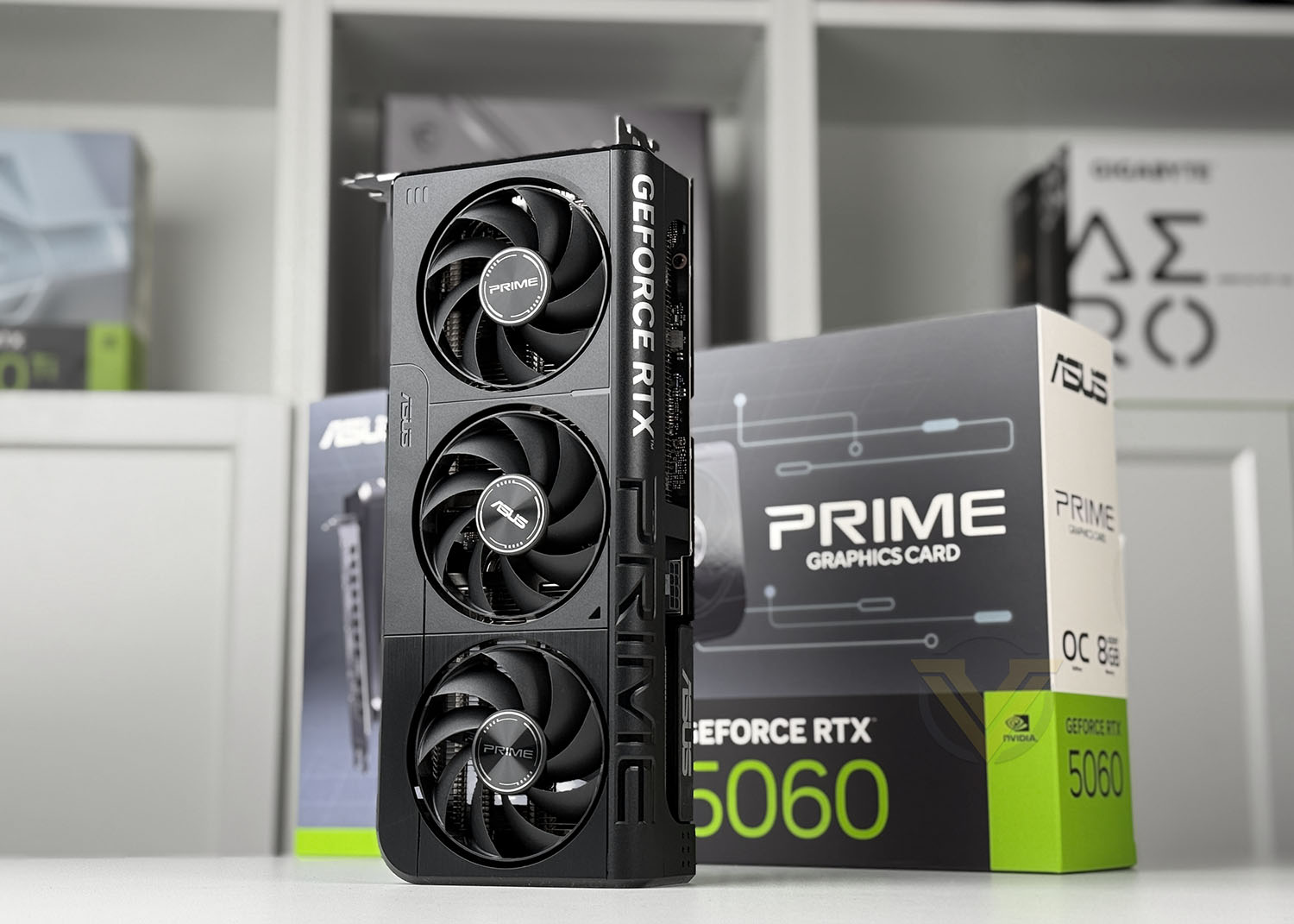
In this review, we’ll take a deep dive into the technical capabilities of the PRIME RTX 5060 OC, examining its core specifications, including the CUDA core count, memory bandwidth, clock speeds, and power draw. We’ll be benchmarking the GPU across a suite of AAA titles and synthetic workloads to gauge real-world gaming performance, thermals, and efficiency compared to its predecessor and similarly priced alternatives like the AMD Radeon RX 7600 XT or even RX 9060.
We’ll also put the ASUS PRIME thermal and acoustic design to the test to assess its effectiveness under both gaming and stress scenarios. ASUS claims an optimized heat dissipation system that maintains low noise levels, even under extended load, thanks to its axial-tech fans and Auto-Extreme manufacturing process. In our hands-on testing, we’ll validate those claims by monitoring core and and memory temperatures. Ultimately, this review will determine whether the ASUS PRIME RTX 5060 OC delivers a well-rounded balance of performance, cooling, and value, and if it deserves a place in your next build.
Technical Spec
Below are the technical details surrounding the PRIME RTX 5060 OC:
Model
PRIME-RTX5060-O8G
Graphic Engine
NVIDIA® GeForce RTX™ 5060
AI Performance
630 TOPs
Bus Standard
PCI Express 5.0
OpenGL
OpenGL®4.6
Video Memory
8GB GDDR7
Engine Clock
OC mode: 2595MHz
Default mode: 2565MHz (Boost Clock)
CUDA Core
3840
Memory Speed
28 Gbps
Memory Interface
128-bit
Resolution
Digital Max Resolution 7680 x 4320
Interface
Yes x 1 (Native HDMI 2.1b)
Yes x 3 (Native DisplayPort 2.1b)
HDCP Support Yes (2.3)
Maximum Display Support
4
NVlink/ Crossfire Support
No
Accessories
1 x Speedsetup Manual
1 x Thank You Card
Software
ASUS GPU Tweak III & MuseTree & GeForce Game Ready Driver & Studio Driver: please download all software from the support site.
Dimensions
268.3 x 120 x 50 mm
10.56 x 4.72 x 1.97 inches
Recommended PSU
550W
Power Connectors
1 x 8-pin
Slot
2.5 Slot
SFF Ready
Compatible
Closer Look
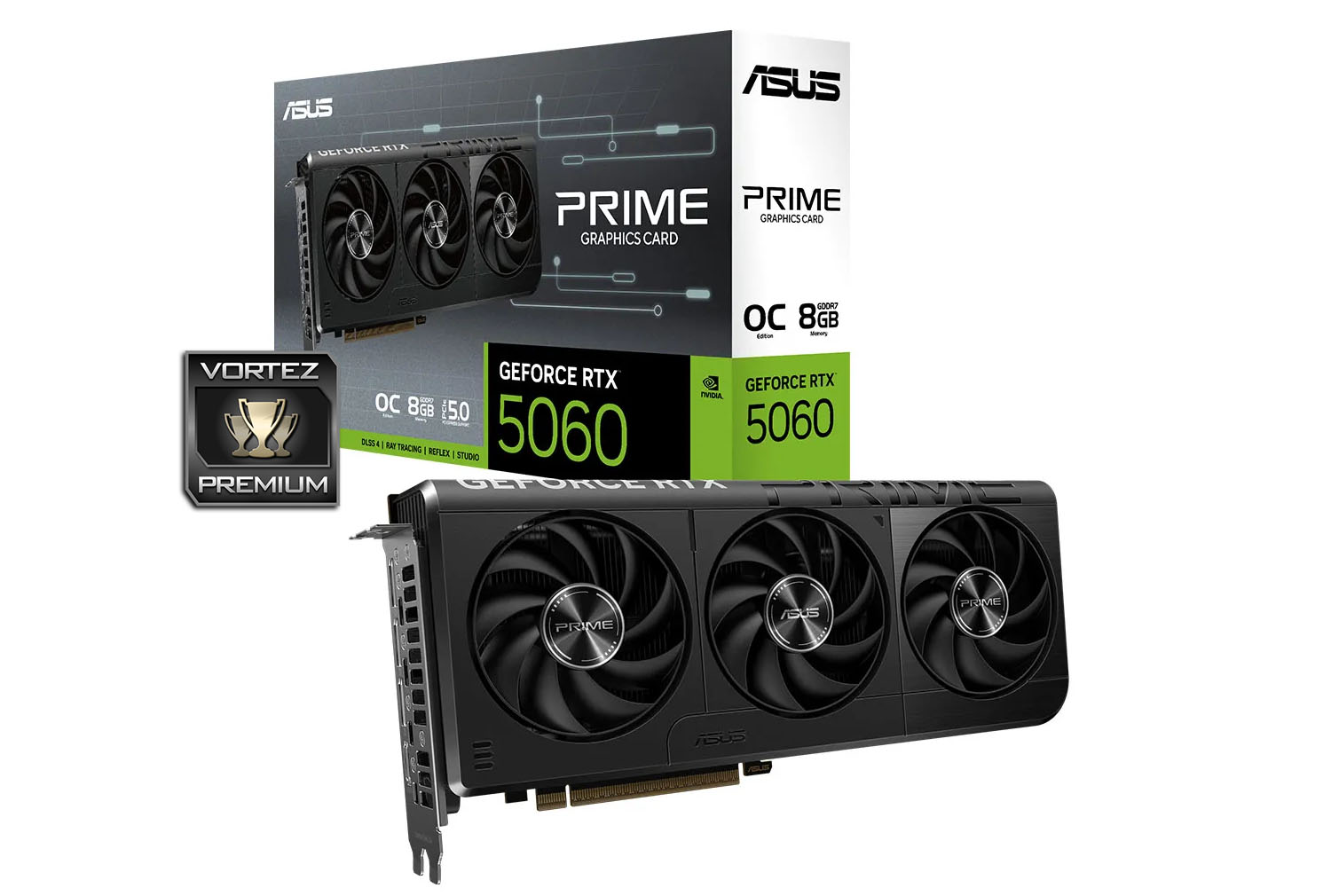
PRIME comes packaged in a nicely designed, large box. The front shows a depiction of the graphics card and lists some of the main features/standards involved. Inside, apart from documentation there are no other items included in the bundle.
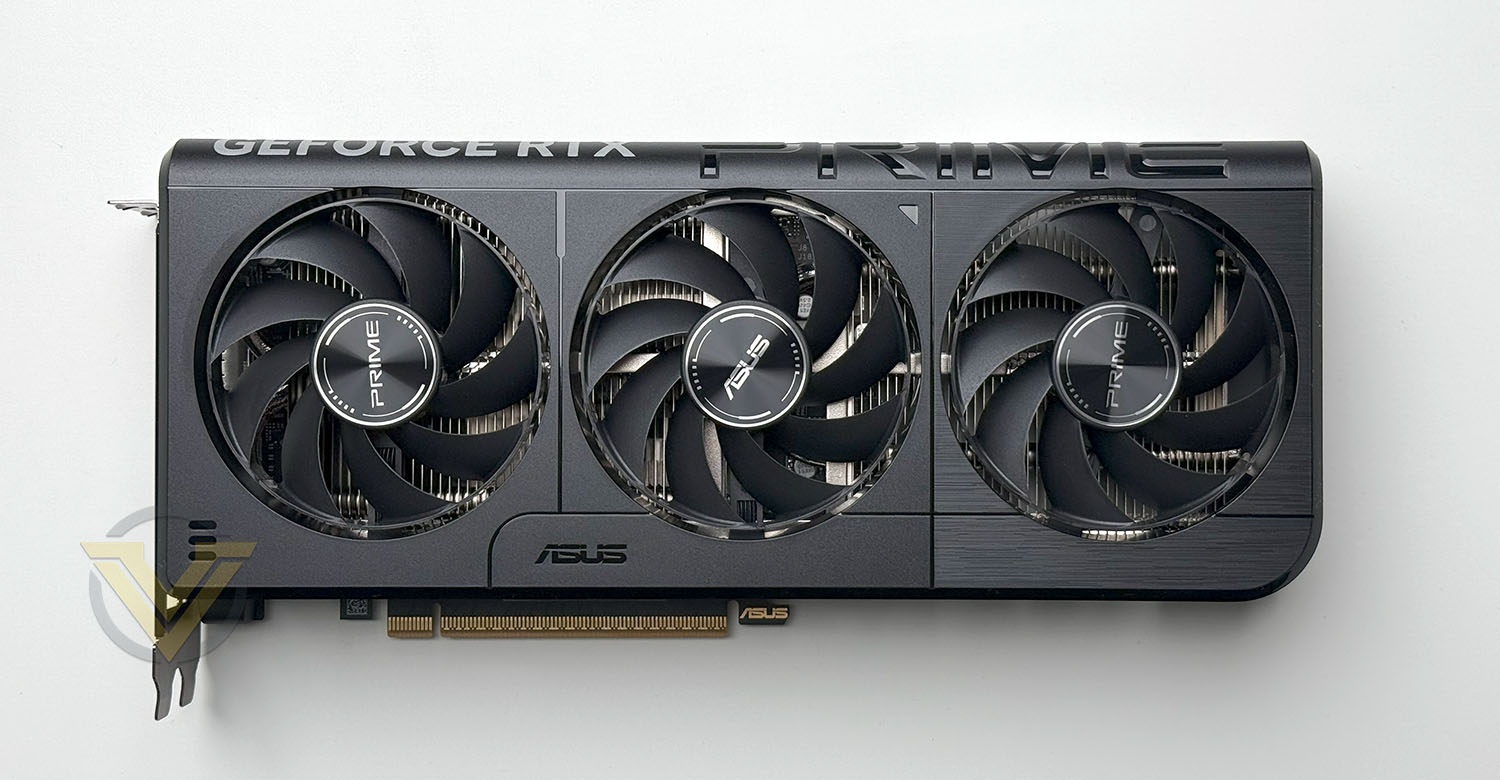
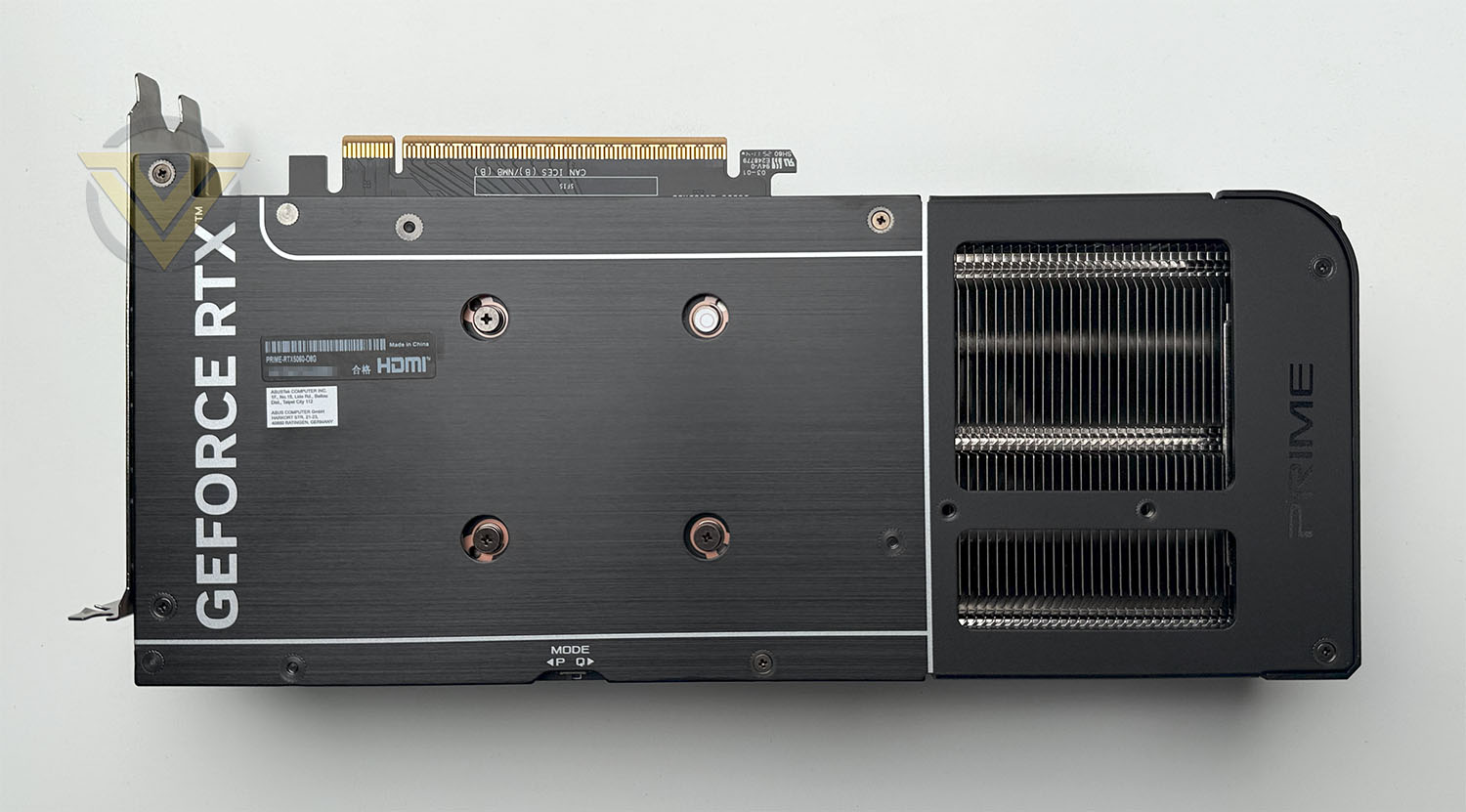
The styling and design of PRIME is fairly simple – it adopts an all-black livery. The main focus which captures the attention is the triple fan cooler which sits over the GPU. ASUS are using their MaxContact thermal design for PRIME. The cooling fans are Axial-tech which are dual ball bearing and feature 0dB technology – so they’ll stop spinning when under 55C (during moments of low-load and idle state).
While the front shroud is plastic, the reverse features a metal backplate and this also has a vented section to helps to alleviate heat and enhance disputation.
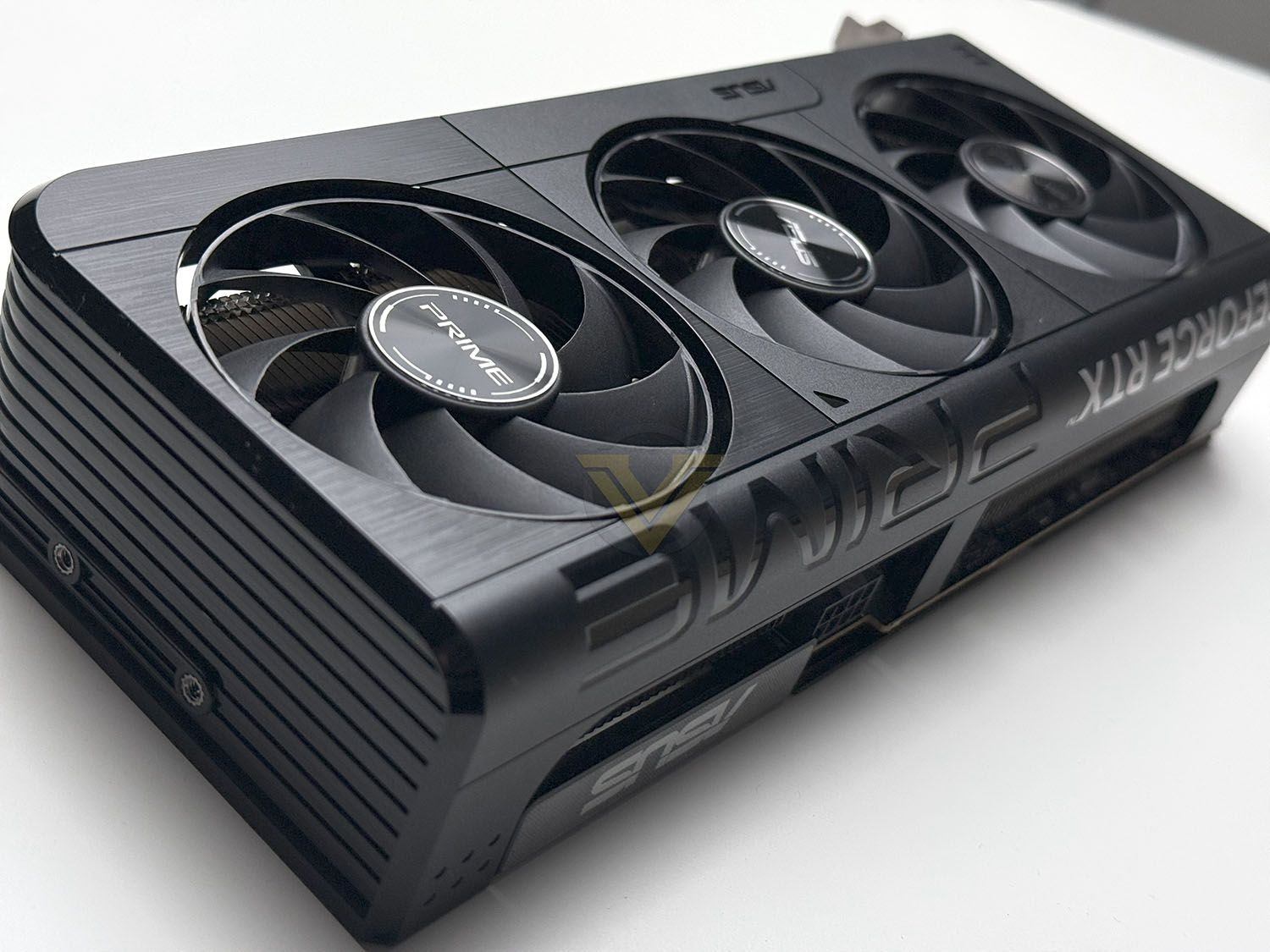
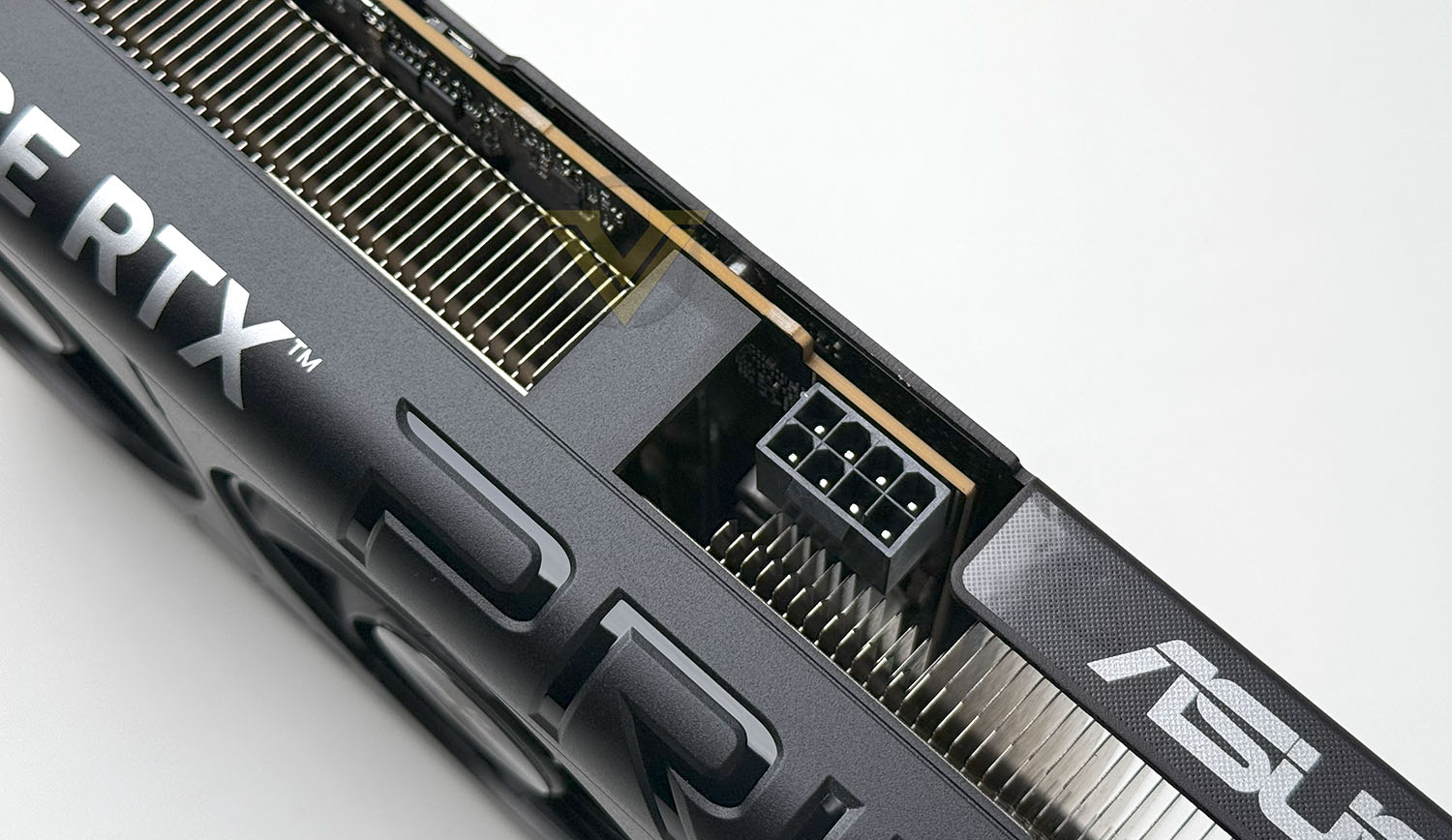
This card features a single 8-pin PCIe connector and ASUS are recommending a 550W power supply for this graphics card.
On the outer edge ASUS has included a switch to allow users to toggle between performance or quiet mode with dual BIOS.
Being one of ASUS lower-priced graphics cards, PRIME lacks the RGB functionality to keep costs down. This might be something which some users prefer.
Since PRIME is a 2.5 slot design this graphics card is SFF compatible – it’s also significantly lighter than many cards we’ve tested, weighing just 900g.
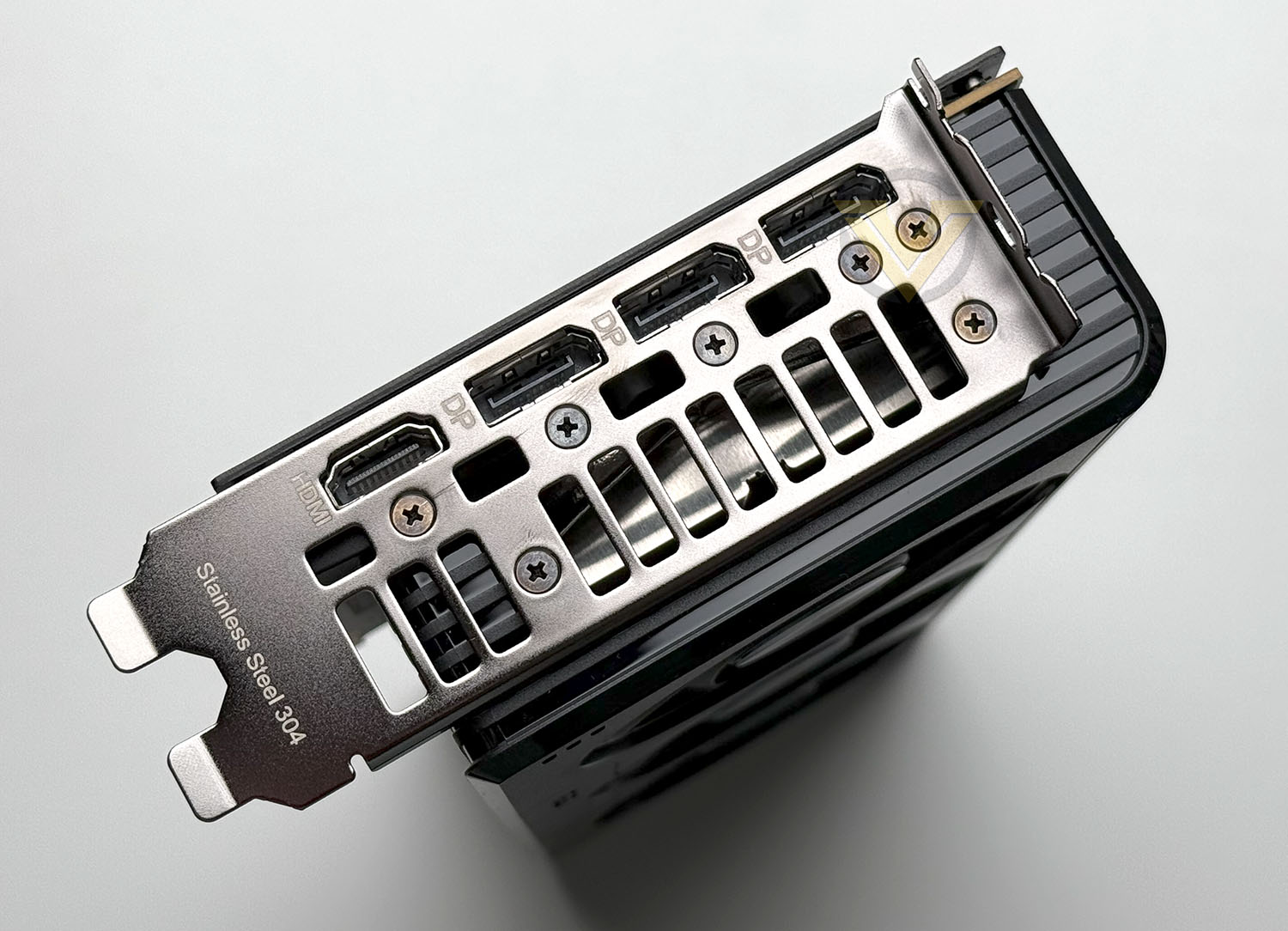
On the rear IO panel there are a total of four video outputs – 3x DisplayPort 2.1b and 1x HDMI 2.1b. So, if you need additional display support, it will have to come by way of DP.
PRIME comes with a factory overclock, boosting the GPU clock to 2595MHz. This represents a marginal increase over NVIDIA’s reference RTX 5060 clock boost, which is set at 2565MHz —an uplift of 30MHz MHz.
Video Review
For this graphics card we’ve also produced a video review over on our YouTube channel. You can click here or view below:
Test Setup & Methodology
HOW WE TEST GRAPHICS CARDS
Testing a graphics card is an extremely lengthy process. We sometimes see reviews where a graphics card has been tested using out of date equipment, out of date games and even out of date drivers. While the latter can be excused due to the sheer amount of driver updates making a thorough review impossible we will however notify the reader when we have used a different driver to the normal for example a pre-release driver. For the most part however we will always use the same hardware and latest drivers so this does certainly need to be taken into consideration when viewing our testing results. Each game and benchmark is tested times with the lowest and highest scores omitted out of the 5 results and the average then taken from the three remaining to give us our final result for each resolution and setting used.HARDWARE
In Q1 2025 we decided to upgrade our test system to the very latest AMD X870E platform with the renowned AMD Ryzen 7 9800X3D – currently regarded as one of the best gaming CPUs to date. AMD’s platform is one of the most popular choices for gamers and by using such a configuration, we can hopefully showcase to our readership what they can expect.This new platform provides us with the very latest technology and standards to be able to accurately report back on performance of modern graphics cards.
Graphics Cards on test:
MSI VENTUS 2X OC RTX 4060 TI
ASUS PRIME RTX 4070 SUPER
INNO3D RTX 4080 SUPER X3
PNY RTX 4090 XLR8 VERTO EPIC-X
ASUS PRIME RTX 5060 OC
GIGABYTE RTX 5070 TI EAGLE OC ICE
GIGABYTE RTX 5080 GAMING OC
GIGABYTE RTX 5080 AERO OC SFF
AORUS RTX 5090 MASTER
GIGABYTE RX 7700 XT GAMING OC
POWERCOLOR RED DEVIL RX 7800 XT
POWERCOLOR HELLHOUND RX 7900 GRE
XFX MERC 310 RX 7900 XTX
POWERCOLOR REAPER RX 9060 XT
POWERCOLOR HELLHOUND RX 9070
Special thanks go to MSI and Corsair for providing the hardware configuration for our graphics card reviews:
CPU: AMD Ryzen 7 9800X3D
RAM – 32GB HyperX FURY Renegade 7600MHz
Power Supply – Corsair RM1000X
Hard Drive – Samsung 990 PRO
Cooler – Corsair iCue Link Titan 360 RX LCD
BENCHMARKS
If you are a regular reader of our reviews you will know we like to test the latest hardware with the latest games and benchmarks on the market. Here are the games we’ve chosen:Indiana Jones and the Great Circle
Black Myth: Wukong
Silent Hill 2 Remake
TEKKEN 8
Horizon Forbidden West
To capture framerates we use CapFrameX.
Other benchmark tools have been included to give a broad overview of performance and these include:
PugetBench for Davinci Resolve
ProCyon AI Image Generation
ProCyon Video Editing
3DMark SpeedWay
3DMark Nomad
Let’s see how today’s graphics card performed…
Power, Temperatures, Acoustics
To test for power consumption, we take a measurement from the plug socket. It is important to note that the figures below represent total system power use and not just the GPU. The CPU was always in a fixed state so did not affect the additional power load when the GPU was placed under 100% load using AIDA64 stability test (GPU Only) which was ran for 20 minutes at which point a load reading was taken. Idle readings were taken 5 minutes after system boot to ensure any background services and applications had loaded.
TEMPERATURE
To test temperatures we measured idle temperatures after booting windows, letting all applications finish loading and ran a few benchmarks. Once the benchmarks were complete we left the card to reach a cooling plateau where we then took the idle temperatures. For the load tests we use GPU-Z and have this running throughout all of our benchmarks, and then report back on the maximum temperatures at the end of this exhaustive session.ACOUSTICS
For the purpose of testing audio levels we have the NDI KC-3300 sound level meter. During the temperature recording above, while in Black Myth Wukong benchmark we monitored the audio and the results are found below. All graphics cards are tested in their out of the box state (auto).PugetBench for Davinci Resolve
Procyon AI Image Generation
Procyon Video Editing Benchmark
Procyon benchmarks use real applications to test performance whenever possible. The Procyon Video Editing Benchmark uses Adobe Premiere Pro in a typical video editing workflow.3DMark Speed Way
3DMark Steel Nomad
S.T.A.L.K.E.R 2
Silent Hill 2 Remake
Indiana Jones and the Great Circle
Black Myth: Wukong
TEKKEN 8
Horizon Forbidden West
Conclusion
The ASUS PRIME RTX 5060 OC positions itself as a solid mid-range contender, particularly for gamers focused on 1080p performance. Across our benchmarks, the card consistently delivered smooth frame rates in most modern titles at high settings, with some room to spare for enabling ray tracing and DLSS where available. While the card is technically capable of 1440p gaming, performance at that resolution is more variable and heavily dependent on the game engine and optimisation. In more demanding titles, users will likely need to dial back settings to maintain a playable experience, making this card better suited to high refresh 1080p gaming than a future-proof 1440p solution.
Physically, the PRIME RTX 5060 OC is an interesting case—it’s lightweight, making it easy to install in a wide range of cases, but its overall footprint is still quite large for a GPU in this tier. ASUS opts for a minimalist, industrial aesthetic, with a clean white and silver shroud and no RGB lighting, which may appeal to users seeking a more understated build. While the lack of visual flair might be a downside for those who value lighting customization, the design feels deliberate and cohesive, aligning well with the PRIME brand’s focus on balance and function over flash.
A limitation of the of the RTX 5060 is its 8GB of VRAM, which is starting to show its age in today’s more demanding games. While the GPU itself is capable of handling ray tracing and high-quality settings at 1080p, the memory capacity can quickly become a constraint—especially at 1440p or when using features like ray tracing and high-resolution textures. This often forces compromises in visual fidelity to maintain smooth performance. For a card positioned as a modern mid-range option, a larger VRAM buffer would have made it far more future-proof.
One of the strongest aspects of this card is its thermal and acoustic performance. Thanks to ASUS’s dual-fan axial-tech cooler and efficient layout, the card runs impressively cool and stays virtually silent even under full load. Coupled with its modest power draw, the PRIME RTX 5060 OC proves to be an exceptionally efficient card, ideal for small form factor or low-noise PC builds. In extended stress testing, temperatures remained well within safe limits, and the fan curve never ramped up to a distracting level—evidence of excellent thermal design in what could otherwise have been a neglected category.
At a retail price of USD 380 / GBP 335 / AUD 650, the ASUS PRIME RTX 5060 offers good value, especially when compared to AMD’s latest RX 9060 XT, which it outperforms in both raw performance and efficiency. While it may not be the go-to choice for high-end gaming or 4K workflows, it fills an important niche in the market: a quiet, cool, and capable 1080p GPU with enough headroom for casual 1440p gaming and productivity use. For gamers and builders looking for reliability, low noise, and a clean aesthetic without overspending, the ASUS PRIME RTX 5060 OC is a compelling option.
VIDEO REVIEW – Vortez TV – YouTube
+ Decent 1080p performance
+ Card is lightweight
+ Basic but stylish aesthetics
+ Low consumption
+ Excellent thermal solution – cool, and quiet
+ Beats the AMD RX 9060 XT
Cons
– Quite large for a low-end GPU
– 8GB VRAM means sacrificing RT and other features
– Affordable
Click here for an explanation of our awards at Vortez.net.
Stay connected with the Vortez Social Media pages:
Join in with the discussions on Discord