In the spotlight, one of GIGABYTE’s very latest laptop offerings – the AERO X16 EG61H, featuring the AMD Ryzen AI 7 350 and RTX 5070.

Product on Review: AERO X16 EG61H CoPilot+ PC
Manufacturer: GIGABYTE
Street Price: GBP £1300 | USD $1390 | AUD $2000
The GIGABYTE AERO X16 (EG61H) has arrived on our desk, and at first glance, it looks like a machine designed to balance sleek portability with serious performance. This 16-inch creator and gaming-focused laptop is built around AMD’s latest Ryzen AI 7 350 “Kraken Point” processor, a chip that promises not only strong multi-core performance but also next-generation AI acceleration. Paired with a high-refresh display and a slim form factor, the AERO X16 positions itself as a versatile tool for both productivity and entertainment.
Under the hood, GIGABYTE has equipped this model with 16GB of Crucial DDR5 memory running at 5600MHz, giving it plenty of bandwidth for heavy multitasking, creative workloads, and demanding software. Storage is handled by a 1TB Kingston PCIe Gen4 NVMe SSD, which should deliver blistering load times and fast file transfers—a crucial factor for creators working with large media files. On the graphics side, the inclusion of an NVIDIA RTX 5070 with 8GB of VRAM immediately catches the eye, positioning this laptop as a serious contender for gaming at high settings, as well as GPU-accelerated workloads like 3D rendering and video editing.
In this review, we’ll be putting the AERO X16 through its paces to see how well these components come together in real-world use. From gaming benchmarks to productivity tests, and from thermal performance to battery life, we’ll examine whether GIGABYTE’s latest machine lives up to its promise as a performance powerhouse in a portable chassis. On paper, the AERO X16 offers an impressive balance of cutting-edge hardware—but the real question is how it performs when pushed to its limits.
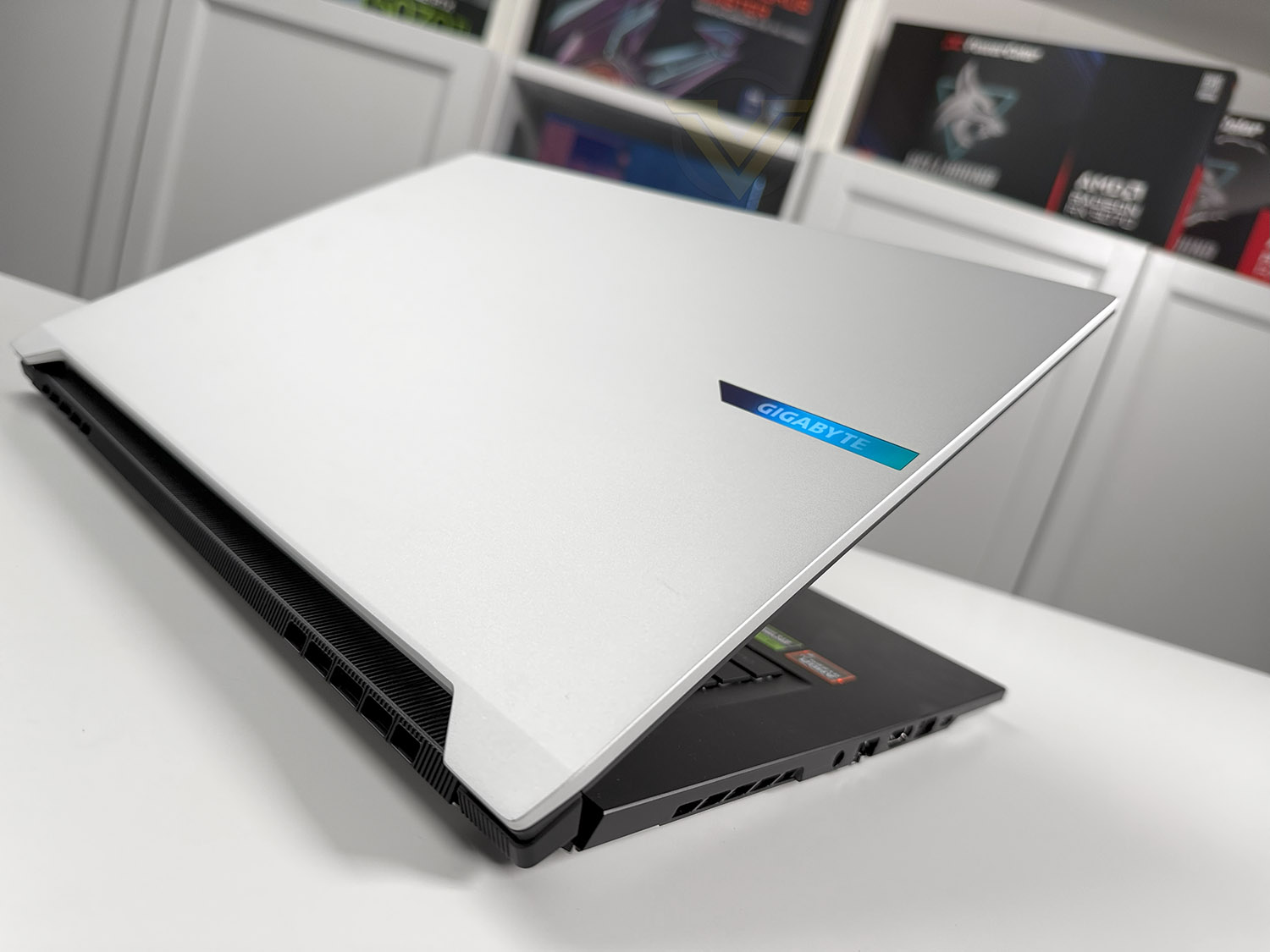
GIGABYTE on the AERO X16:
Meet GIGABYTE AERO X16, the one notebook to do them all. Here’s the latest AMD Ryzen™ AI 300 Series processor with best-in-class CPU and NPU performance to support your productivity workflows. Powered by NVIDIA® GeForce RTX™ 50 Series Laptop GPUs up your game and boost your creativity with AI-enhanced performance and graphics. Thanks to GiMATE, the all-new GIGABYTE AI agent, various AI capabilities are right at your fingertips tailored to your needs, so intuitively. Measuring only 16.7 millimeters and 1.9 kilograms, GIGABYTE AERO X16 is perfectly designed to game, create or simply entertain on the go.
Technical Specifications
Below are the technical details surrounding the AERO X16:
OS
Windows 11 Home
Display
16″ (2560×1440) 165Hz IPS
CPU
AMD Ryzen AI 7 350
Graphics
NVIDIA RTX 5070 (8GB)
Memory
16GB (1×16) DDR5 (5600MHz)
SSD
1x 1TB M.2 SSD Gen4
Webcam
FD 1080p IR Webcam (Windows Hello)
Communication
WiFi – 802.11ax 2×2 (WiFi 6E)
1x RJ45 (1Gbps)
Audio Jack
1x Mic-in 1x Headphone-out
USB 4 Type C
1x
USB 3.2 Gen1 Type A
2x
USB 2.0 Type A
1x
Video Out
1 x HDMI 2.1
Audio
2x 2W Speakers – Dolby Atmos
Battery (Type)
Li-Polymer 76Wh
AC Adapter
150W adapter
Dimension (WxDxH) mm
355 x 250 x 19
Weight (kg w/ Battery)
1.9 KG
Windows 11 Home
Display
16″ (2560×1440) 165Hz IPS
CPU
AMD Ryzen AI 7 350
Graphics
NVIDIA RTX 5070 (8GB)
Memory
16GB (1×16) DDR5 (5600MHz)
SSD
1x 1TB M.2 SSD Gen4
Webcam
FD 1080p IR Webcam (Windows Hello)
Communication
WiFi – 802.11ax 2×2 (WiFi 6E)
1x RJ45 (1Gbps)
Audio Jack
1x Mic-in 1x Headphone-out
USB 4 Type C
1x
USB 3.2 Gen1 Type A
2x
USB 2.0 Type A
1x
Video Out
1 x HDMI 2.1
Audio
2x 2W Speakers – Dolby Atmos
Battery (Type)
Li-Polymer 76Wh
AC Adapter
150W adapter
Dimension (WxDxH) mm
355 x 250 x 19
Weight (kg w/ Battery)
1.9 KG
Closer Look Video Review
For this review we’ve produced a video review which showcases the design and features. Watch the AERO X16. Or click below:
Benchmarks: Temperatures
For our first benchmark test we observe the max. CPU/GPU temperatures of the system while allowing Unigine Heaven 4.0 to run on a 30 minute loop. To report back on the temperatures we use CoreTemp and GPU-Z which provide the peak figures.
Benchmarks: Boot Time & Battery Uptime
In this test we observe how fast the boot into Windows is by using a digital stopwatch. Battery uptime is another important observation, for this we charge the notebook up to 100% and then disconnect the charging unit and leave Heaven 4.0 running on a continuous loop until the notebook loses all power.
Benchmarks: Cinebench R20 & 7-Zip
Cinebench is a real-world cross-platform test suite that evaluates your computer’s hardware capabilities. Improvements to Cinebench Release 20 reflect the overall advancements to CPU and rendering technology in recent years, providing a more accurate measurement of Cinema 4D’s ability to take advantage of multiple CPU cores and modern processor features available to the average user. Best of all: It’s free.
Benchmarks: PCMark 10
PCMark 10 is the latest version in our series of industry standard PC benchmarks. Updated for Windows 10 with new and improved workloads, PCMark 10 is also faster and easier to use.
PCMark 10 features a comprehensive set of tests that cover the wide variety of tasks performed in the modern workplace. With express, extended, and custom run options to suit your needs, PCMark 10 is the complete PC benchmark for the modern office.
PCMark 10 features a comprehensive set of tests that cover the wide variety of tasks performed in the modern workplace. With express, extended, and custom run options to suit your needs, PCMark 10 is the complete PC benchmark for the modern office.
Benchmarks: 3DMark TimeSpy & Port Royal
Time Spy is a DirectX 12 benchmark test for gaming PC. With its pure DirectX 12 engine, built from the ground up to support new API features like asynchronous compute, explicit multi-adapter, and multi-threading, Time Spy is the ideal benchmark for testing the DirectX 12 performance of the latest graphics cards.
Benchmarks: Video Editing
To test the laptops ability with Video Editing, two tests are run using Puget Systems Davinci Resolve and Procyon Video Editing Suite which uses Adobe Premiere Pro. This should offer good comparison between two different video editing applications.Benchmarks: 1080p Gaming
Aero X16 uses RTX 5070 8G for graphics delivery, in this section we test popular gaming titles to see how effective the 3D capabilities are. We report on the average framerate using CapFrameX or in-game benchmark tool. Since we have revamped the games list, we have no other models to compare against.
Conclusion
The GIGABYTE AERO X16 (EG61H) leaves a strong impression as a well-engineered laptop that successfully blends performance with portability. Its slim, lightweight chassis and appealing design make it easy to carry around, yet it doesn’t compromise on power. The AMD Ryzen AI 7 350 delivers excellent multi-core performance, and paired with the RTX 5070, the laptop proves capable not only in productivity workloads but also in delivering solid gaming experiences. Add to that a generous set of connectivity options—including USB 4—and you’ve got a machine that feels versatile enough for both creators and gamers.
One of the standout elements is its responsiveness in everyday use. The Kingston PCIe Gen4 SSD ensures fast boot times and quick loading of applications, while the system’s overall balance of CPU and GPU power makes multitasking smooth. The AERO X16 manages to offer performance levels that would once have been reserved for bulkier, desktop-replacement laptops, all within a portable form factor that doesn’t weigh you down.
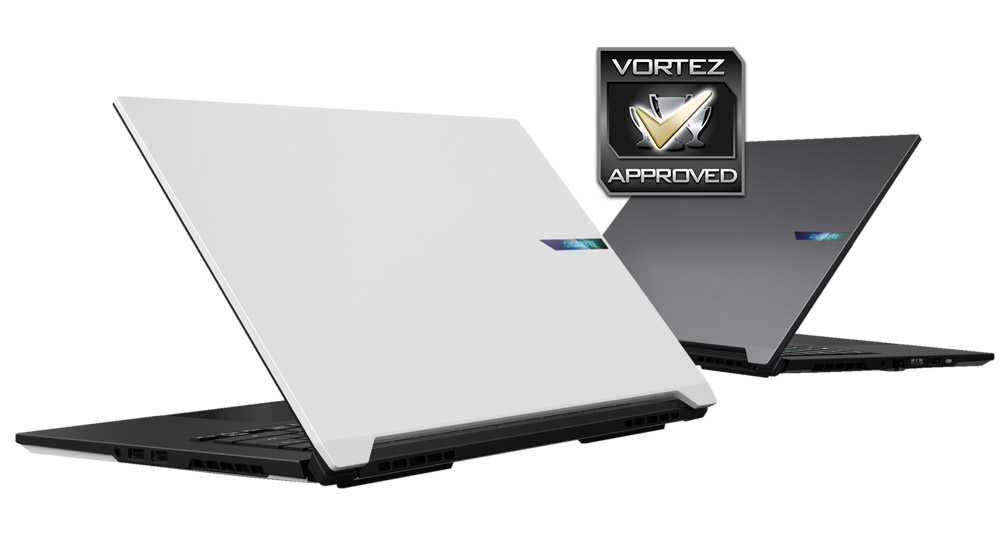
That said, there are compromises worth noting. The display, while sharp and smooth, tops out at a 165Hz refresh rate—good, but not class-leading for competitive gamers who demand the highest frame responsiveness. The absence of an SD card reader is also a surprising omission for a laptop positioned toward creators, as it forces reliance on external accessories. Additionally, the use of single-channel memory limits potential performance in certain scenarios, especially when compared to dual-channel setups that can provide better bandwidth.
Overall, the AERO X16 delivers on its promise of being a thin, powerful, and versatile laptop that appeals to both professionals and gamers. While it isn’t perfect, its strengths in build quality, CPU performance, and connectivity outweigh the drawbacks. For users who prioritize portability without giving up strong multi-core processing and respectable graphics performance, the GIGABYTE AERO X16 stands out as a compelling choice in its category.
Watch the video review of GIGABYTE AERO X16:
Pros
+ Well made, appealing design
+ Thin and lightweight
+ Excellent multi-core performance
+ Decent 3D/gaming performance
+ Good selection of ports including USB 4
+ Features fast PCIe 4 SSD
Cons
– Refresh rate only 165Hz
– No SD Card reader
– Just single channel memory
+ Well made, appealing design
+ Thin and lightweight
+ Excellent multi-core performance
+ Decent 3D/gaming performance
+ Good selection of ports including USB 4
+ Features fast PCIe 4 SSD
Cons
– Refresh rate only 165Hz
– No SD Card reader
– Just single channel memory
Click here for an explanation of our awards at Vortez.net.
Stay connected with the Vortez Social Media pages:
Join in with the discussions on Discord