CORSAIR add two new mid-tower cases to the FRAME series, the 4000D WOOD RS and 4000X RS. Should you consider these new chassis?

Product on Review: FRAME 4000D WOOD RS + 4000X RS
Manufacturer: CORSAIR
Street Price: 4000D WOOD RS $130 USD | 4000X RS $140 USD
The CORSAIR FRAME 4000X RS and CORSAIR FRAME 4000D WOOD RS arrive as the latest entries in CORSAIR’s evolving FRAME family, expanding a platform that’s clearly aimed at modern DIY builders who value flexibility as much as aesthetics. Sitting firmly in the mid-tower category, both cases build on the underlying FRAME 4000 chassis, introducing fresh design directions while retaining the core philosophy of adaptability and performance. Whether it’s the RGB-forward styling of the 4000X RS or the more refined, natural look of the WOOD RS, these additions broaden the appeal of the series without straying from its enthusiast roots.
A defining feature of these new models is just how modular they are. Built around the FRAME Modular Case System, both cases allow users to swap out panels, adjust internal layouts, and tailor the chassis to suit specific hardware or visual preferences. This goes beyond simple customisation—components like front panels, motherboard trays, and I/O modules can be reconfigured or replaced entirely, making the case feel more like a platform than a fixed enclosure. For builders who like to tweak, upgrade, or completely reinvent their systems over time, this level of flexibility is a major selling point.
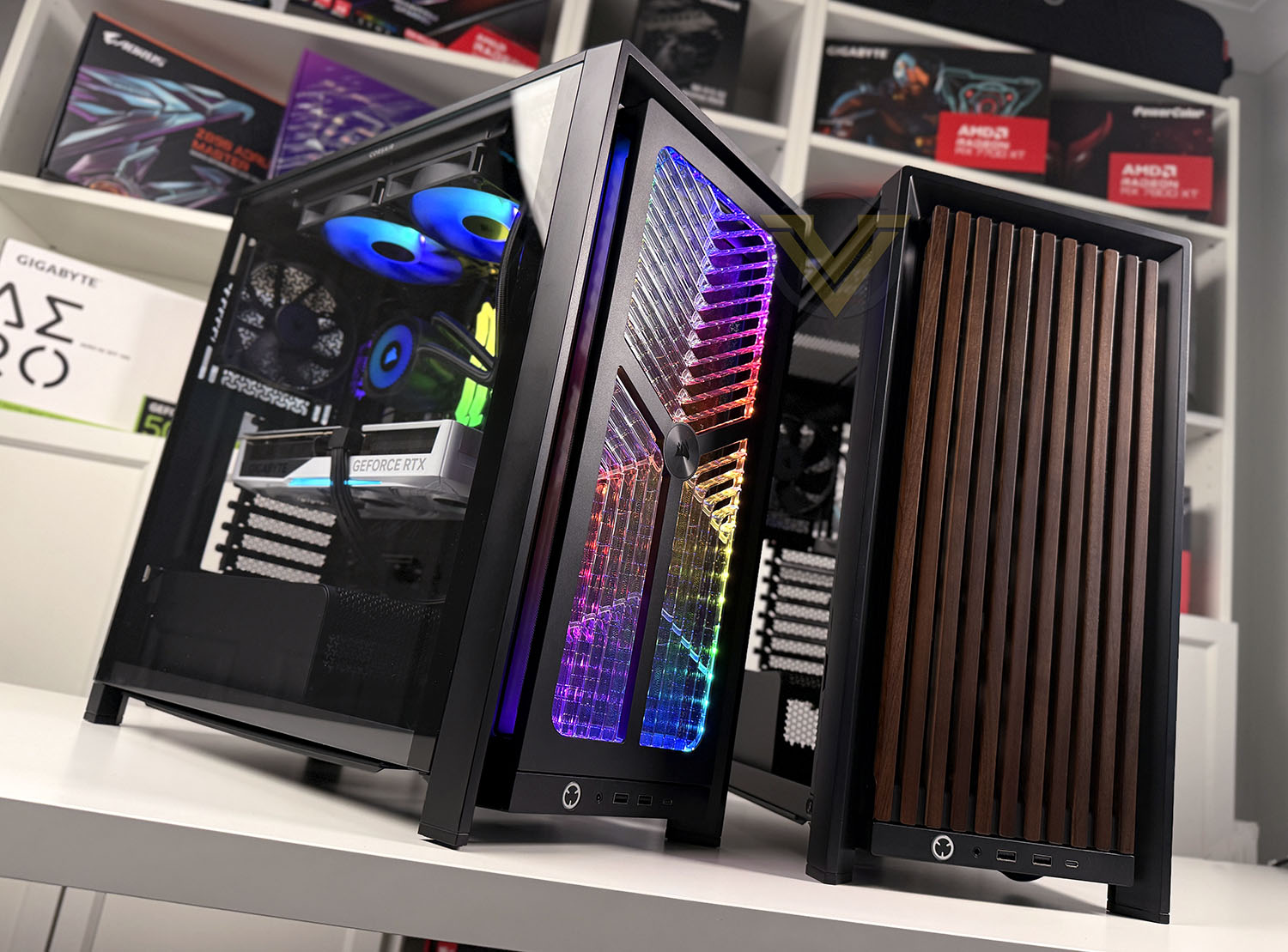
That modularity is paired with a strong focus on cooling and airflow. Both cases support extensive fan and radiator configurations, including multiple 360mm radiator mounting positions and up to 13 fan mounts throughout the chassis. CORSAIR’s InfiniRail fan mounting system further enhances this by allowing precise fan placement without the constraints of fixed mounting points, giving builders fine control over airflow paths. Out of the box, both variants come equipped with RS120 fans to ensure solid thermal performance from the start, while features like tempered glass panels and PSU shrouds keep builds clean and showcase-ready.
In this review, we’ll be taking a closer look at what these cases bring to the table in practice—exploring their features in detail, building a full system inside each chassis, and putting their cooling capabilities to the test to see how they perform in real-world use.
Technical Specifications
Below are the technical specifications surrounding the FRAME 4000X RS:
Closer Look Video Review
For this review we’ve also created a YouTube video which highlights all of the key features, shows a full system install and identifies the good/bad points regarding this computer case. Click the video below or go to the CORSAIR FRAME 4000D WOOD RS + 4000X RS:
Thermal Performance Testing
Inside FRAME 4000X RS there are four 120mm cooling fans – in a push/pull configuration. Three as intakes at the front, and a single rear exhaust. This set up typically yields great results.
To discover the thermal performance of FRAME 4000X RS we will record idle temperatures after 20 minutes from a cold boot. We will then stress the system and temperatures will again be monitored after 30 minutes have elapsed.
For the purpose of accurate analysis, the idle and load temperatures for CPU will be recorded and the range between idle and load will be calculated to determine how efficient cooling is.
NOTE: Ambient temperature is 20C
The below system configuration is different to that which is displayed/installed within photos/video. We use this below configuration for historic comparison.
System Components
CPU Intel Pentium K G3258 @ 4GHz
Motherboard GIGABYTE Z87X-D3H
CPU Cooler Cooler Master Hyper 212 EVO (Different to cooler in pictures)
Graphics NVIDIA GTX 760
Memory 4GB Kingston HyperX DDR3
HDD Samsung Spinpoint 500GB SATA-II
PSU DeepCool DQ750
Motherboard GIGABYTE Z87X-D3H
CPU Cooler Cooler Master Hyper 212 EVO (Different to cooler in pictures)
Graphics NVIDIA GTX 760
Memory 4GB Kingston HyperX DDR3
HDD Samsung Spinpoint 500GB SATA-II
PSU DeepCool DQ750
Noise
FRAME 4000X RS is highly ventilated and as such, the fan noise is definitely noticeable but is by no means disruptive or overbearing. Since the case is clearly designed for airflow, this is one of the expected trade-offs. To see the audio results please check out our video review.
Conclusion
The CORSAIR FRAME 4000X RS and FRAME 4000D WOOD RS ultimately deliver a very cohesive experience, built on a shared internal design that emphasises flexibility, performance, and ease of use. Both cases utilise the same FRAME modular architecture, meaning the internal layout, mounting system, and overall build process are identical across the two models. From the adjustable motherboard tray elements to the InfiniRail fan mounting system, everything is designed to give builders precise control over component placement and airflow. This consistency ensures that no matter which version you choose, you’re getting the same highly capable foundation.
That foundation proves itself during the build process. These cases are exceptionally easy to work in, with thoughtful touches like pre-installed PSU thumbscrews, generous cable routing channels, and ample tie-down points that make cable management straightforward and clean. The inclusion of a GPU anti-sag bracket adds further practicality for modern, heavier graphics cards, while front panel connectivity—highlighted by a USB 3.2 Gen2x2 Type-C port—keeps things future-ready. Combined with strong out-of-the-box airflow from the included RS120 fans and support for extensive fan and radiator configurations, both cases are well-equipped for high-performance systems.
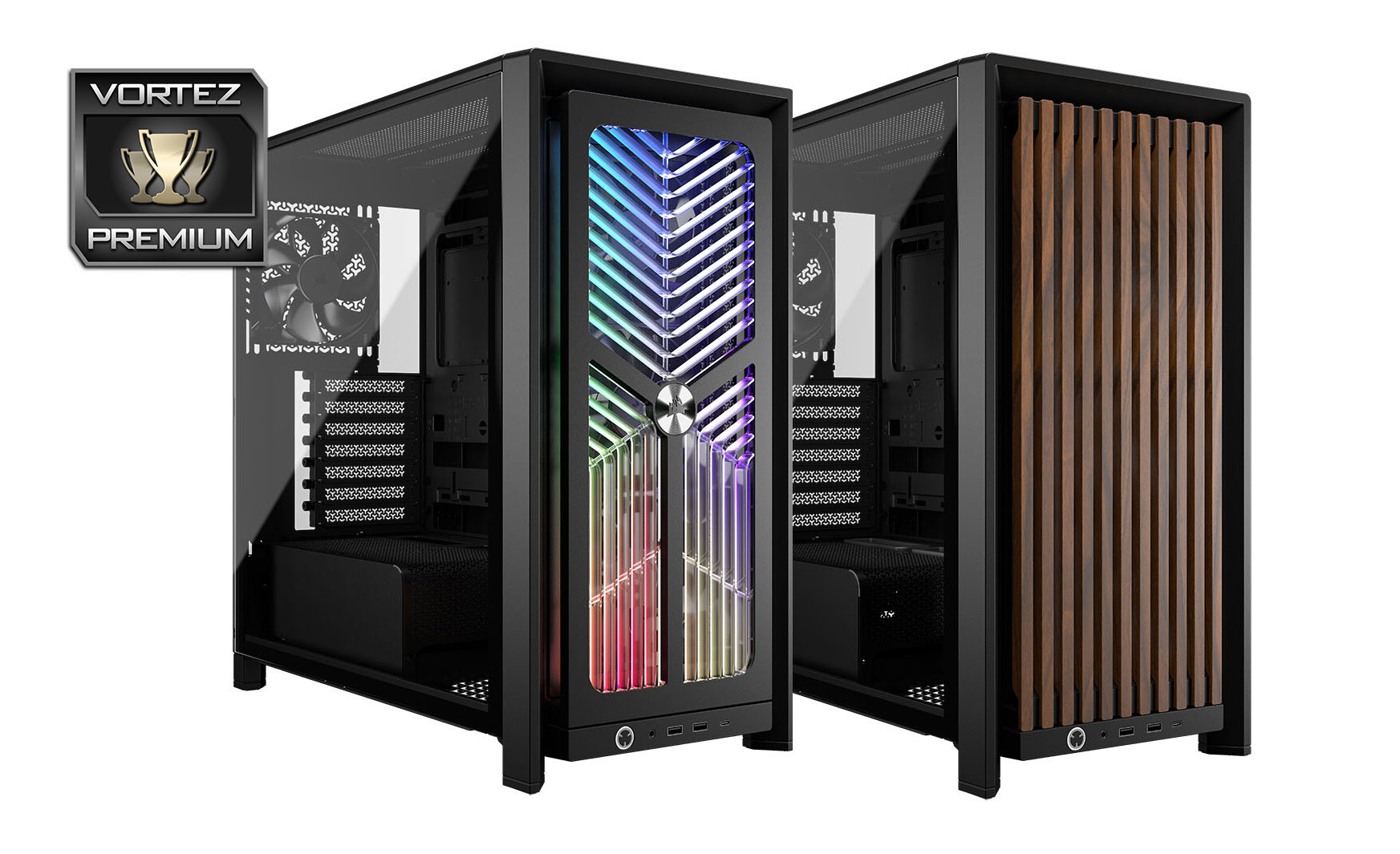
Where the two models diverge is in their external identity. The FRAME 4000X RS leans into a more traditional gaming aesthetic, featuring an RGB-lit front panel that pairs well with illuminated components and showpiece builds. In contrast, the FRAME 4000D WOOD RS takes a more refined approach, incorporating real wood accents that bring warmth and understated elegance to a setup. It’s a meaningful distinction—both cases offer the same internal capabilities, but cater to very different visual preferences, allowing users to prioritise either vibrant lighting or a more sophisticated, minimalist style.
There are a few minor drawbacks worth noting. The lack of a top dust filter may be a concern for those in dust-prone environments, and the side panels can be a little fiddly to remove and reattach. Even so, these are relatively small compromises in the context of what’s otherwise a highly modular, well-designed mid-tower platform.
With strong cooling performance, excellent usability, and competitive pricing, both the FRAME 4000X RS and 4000D WOOD RS stand out as versatile and compelling options in the current case market.
Pros
+ Highly modular
+ Easy to build inside
+ GPU anti-sag feature
+ Excellent out of the box cooling
+ Extensive cooling options within
+ Includes USB 3.2 Gen2x2 Type-C
+ Pre-installed thumbscrews for PSU install
+ Excellent cable management options
+ Decent value for money
Cons
– No dust filter at the top of cases
– Panels can be tricky to detach/attach
Click here for an explanation of our awards at Vortez.net.+ Highly modular
+ Easy to build inside
+ GPU anti-sag feature
+ Excellent out of the box cooling
+ Extensive cooling options within
+ Includes USB 3.2 Gen2x2 Type-C
+ Pre-installed thumbscrews for PSU install
+ Excellent cable management options
+ Decent value for money
Cons
– No dust filter at the top of cases
– Panels can be tricky to detach/attach
Stay connected with the Vortez Social Media pages: