Radeon™ Software Adrenalin Edition 18.2.1 offers optimum support for Final Fantasy 12: The Zodiac Age, as well as various bug fixes.
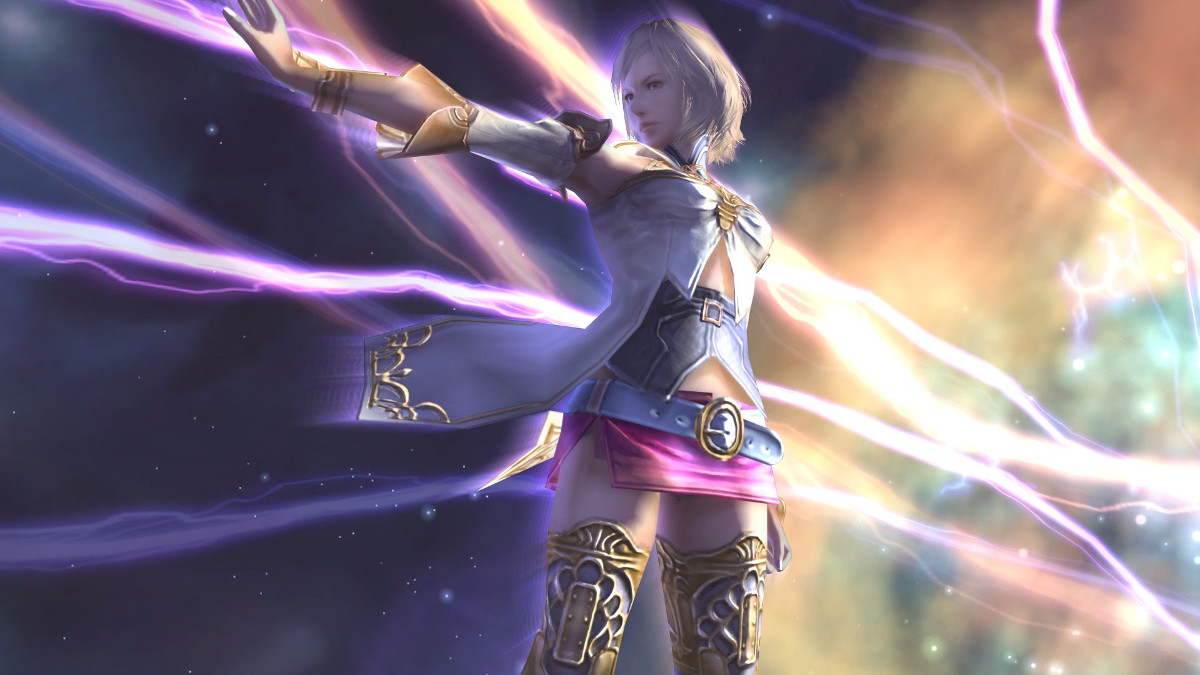
February is likely to be particularly busy for AMD‘s driver update team, but they’ve started well by offering their first new release in the first week of the month. Radeon™ Software Adrenalin Edition 18.2.1 is designed for optimum support for the newly remastered Final Fantasy 12: The Zodiac Age, not to mention more than a few bug fixes to popular Radeon features.
Final Fantasy 12: The Zodiac Age’s PC release incorporates new in-game features, audio, 60fps gameplay and 21:9 widescreen monitor support, and (as is common with DirectX 11 games) should benefit quite a bit from driver optimisation. It’s now available on the Steam store, as a tempting treat before Final Fantasy XV’s release next month.
In addition, Radeon™ Software Adrenalin Edition 18.2.1 contains a couple of fixes for Radeon FreeSync (most notably a long-standing bug with Samsung CF791 displays), rectifies Civ 5’s HUD failing to load in DirectX 9 API mode, and improves Radeon Overlay’s compatibility with games using the Vulkan API. As has been the case for a while now, AMD also make note of a selection of bugs currently on their hit-list for the next driver release.
Radeon™ Software Adrenalin Edition 18.2.1 can be downloaded from the official AMD support site, and is compatible with 32-bit and 64-bit versions of Windows 7 and 10. AMD GCN-based graphics hardware, including HD 7000-series GPUs and mobile APUs, are supported by this release (the latter in a limited form).
Release Notes
Introducing Radeon™ Software Adrenalin Edition, artfully designed and meticulously crafted to unleash the powerful performance and innovation built into Radeon™ Graphics through an incredibly intuitive and utterly beautiful user interface for both PCs and mobile devices.
Radeon Software Adrenalin Edition 18.2.1 Highlights
Support For
– Final Fantasy® 12: The Zodiac Age
Resolved Issues
– Radeon FreeSync may rapidly change between min and max range when enabled causing stutter in fullscreen games on single display system configurations.
– Sid Meier’s Civilization® V may fail to launch on Hybrid Graphics system configurations when using DirectX®9 API.
– Radeon FreeSync may exhibit a black screen on some games when using Samsung™ CF791 displays.
– Radeon Chill game settings profiles may fail to enable on Vulkan™ API games.
– Radeon Overlay may fail to open in some Vulkan™ API games.
– Need for Speed™ Payback may exhibit corruption on some terrain.
– Textures in Hyperdimension Neptunia Re;Birth3 V Generation™ may appear corrupted or exhibit flickering colours.
Known Issues
– Radeon FreeSync may intermittently incorrectly engage during Chrome video playback resulting in playback flicker.
– Radeon Overlay hotkey may fail to bring up the overlay or may cause a Radeon Host Application crash intermittently on a limited number of gaming titles.
– Radeon FreeSync may rapidly change between min and max range when enabled causing stutter in fullscreen games on multi display system configurations.
– Flickering may be observed on the performance metrics overlay when Enhanced Sync is enabled on some Radeon FreeSync connected displays.
– A random system hang may be experienced after extended periods of use on system configurations using 12 GPU’s for compute workloads.
– Water textures may appear to be missing in World of Final Fantasy™.
– The GPU Workload feature may cause a system hang when switching to Compute while AMD CrossFire is enabled. A workaround is to disable AMD CrossFire before switching the toggle to Compute workloads.
Package Contents
The Radeon Software Adrenalin Edition 18.2.1 installation package contains the following:
– Radeon Software Adrenalin Edition 18.2.1 Driver Version 17.50.17.03 (Windows Driver Store Version 23.20.15017.3008)
Radeon Software Adrenalin Edition 18.2.1 Highlights
Support For
– Final Fantasy® 12: The Zodiac Age
Resolved Issues
– Radeon FreeSync may rapidly change between min and max range when enabled causing stutter in fullscreen games on single display system configurations.
– Sid Meier’s Civilization® V may fail to launch on Hybrid Graphics system configurations when using DirectX®9 API.
– Radeon FreeSync may exhibit a black screen on some games when using Samsung™ CF791 displays.
– Radeon Chill game settings profiles may fail to enable on Vulkan™ API games.
– Radeon Overlay may fail to open in some Vulkan™ API games.
– Need for Speed™ Payback may exhibit corruption on some terrain.
– Textures in Hyperdimension Neptunia Re;Birth3 V Generation™ may appear corrupted or exhibit flickering colours.
Known Issues
– Radeon FreeSync may intermittently incorrectly engage during Chrome video playback resulting in playback flicker.
– Radeon Overlay hotkey may fail to bring up the overlay or may cause a Radeon Host Application crash intermittently on a limited number of gaming titles.
– Radeon FreeSync may rapidly change between min and max range when enabled causing stutter in fullscreen games on multi display system configurations.
– Flickering may be observed on the performance metrics overlay when Enhanced Sync is enabled on some Radeon FreeSync connected displays.
– A random system hang may be experienced after extended periods of use on system configurations using 12 GPU’s for compute workloads.
– Water textures may appear to be missing in World of Final Fantasy™.
– The GPU Workload feature may cause a system hang when switching to Compute while AMD CrossFire is enabled. A workaround is to disable AMD CrossFire before switching the toggle to Compute workloads.
Package Contents
The Radeon Software Adrenalin Edition 18.2.1 installation package contains the following:
– Radeon Software Adrenalin Edition 18.2.1 Driver Version 17.50.17.03 (Windows Driver Store Version 23.20.15017.3008)