







From the Dead Silence Series, DS200 is a mid-tower chassis available in a variety of lively colours and comes with a handy LCD fan controller and much more!

Product on Review: DS200
Manufacturer & Sponsor: Aerocool
Street Price: £75 GBP
In the last twelve months Aerocool has been stepping up their game in the computer chassis market by introducing a new line of cases under their “Dead Silence” Series. Today we are to look at a mid-tower chassis which is their second offering within this portfolio.
As part of the Dead Silence Series, DS200 has its focus around elegance, minimalism and of course, silence. All of this mid-tower’s panels are closed off to prevent noise from leaking out of the chassis and Aerocool has furnished the insides of the side panels with noise damping material to further aid this pursuit.
There are also numerous features to explore – a unique and handy LCD fan controller sits at the top of the case and inside, there is support for 240/280mm radiators in different locations.
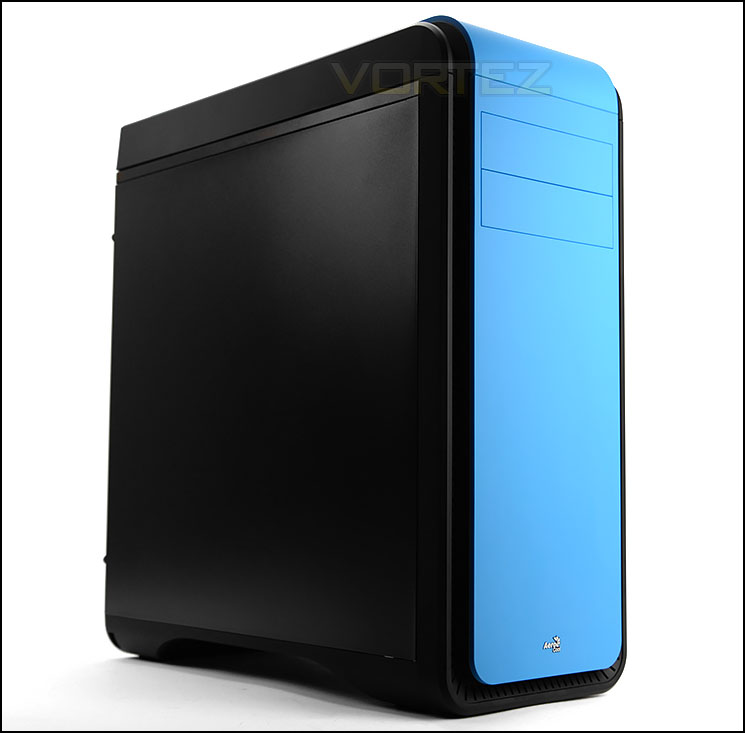
Aerocool on their DS200
After the successful launch of DS Cube in the last season of 2013, Aerocool is glad to introduce DS-200: a new model from the same DS(Dead Silence) series which is of a mid tower size with more advanced features such as built-in fan controller with LCD, noise insulator on side panels, support 240mm/280mm water cooling system on both front and top panels and an additional top cover included to make sure the ” Dead Silence ” is achieved. For those of you who likes DS Cube but did not prefer the small form factor, now it is your chance to own a DS case in mid tower chassis and with tons more features!
Technical Specifications
Case Type
Middle Tower
Material
0.8mm
Motherboards
ATX/Micro ATX / Mini ITX
Chassis Dimensions
210(W) x 527(H)x 485(D) mm
Drive Bays
5.25″ bay x 2 (Exposed)
3.5″ FDD bay x 1 (5.25” To 3.5”Adapter)
3.5” Drive Bays x 5
(Internal 3.5” HDD Tray, all compatible with 2.5”HDD/SSD)
2.5” Drive Bays x 2 (Internal 2.5” HDD Tray)
Expansion Slots
7
Max length space available for PCI slots
290mm (410mm – Without 3×3.5″ HDD Tray)
I/O Ports
2 x USB3.0 / 2 x USB2.0 / HD Audio + Mic / 1 x Temperature LCD display and Fan Controller
Height limit for CPU coolers
170m
Middle Tower
Material
0.8mm
Motherboards
ATX/Micro ATX / Mini ITX
Chassis Dimensions
210(W) x 527(H)x 485(D) mm
Drive Bays
5.25″ bay x 2 (Exposed)
3.5″ FDD bay x 1 (5.25” To 3.5”Adapter)
3.5” Drive Bays x 5
(Internal 3.5” HDD Tray, all compatible with 2.5”HDD/SSD)
2.5” Drive Bays x 2 (Internal 2.5” HDD Tray)
Expansion Slots
7
Max length space available for PCI slots
290mm (410mm – Without 3×3.5″ HDD Tray)
I/O Ports
2 x USB3.0 / 2 x USB2.0 / HD Audio + Mic / 1 x Temperature LCD display and Fan Controller
Height limit for CPU coolers
170m
Packaging & First Look
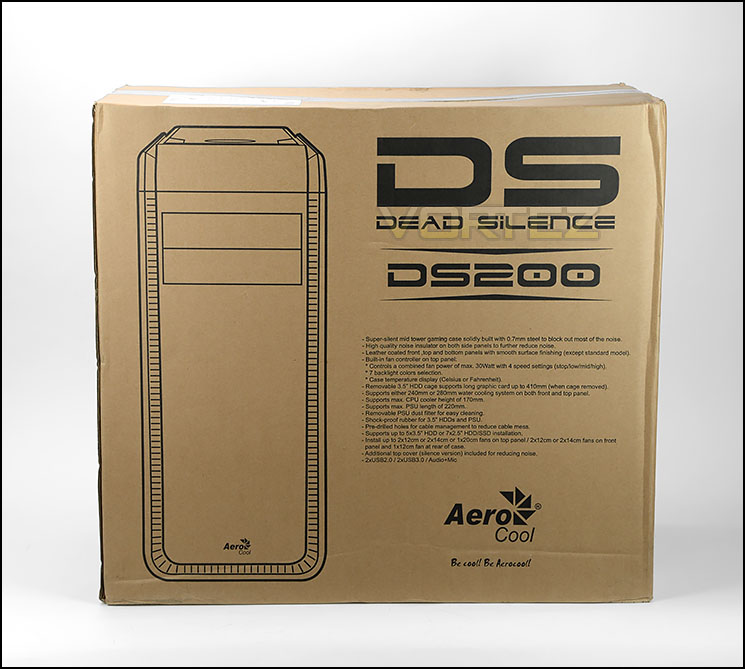
Packaging for DS200
DS200 is packaged within a large eco-friendly box which uses double reinforced cardboard. The front and back of this box are identical – showing an illustration of the case along with a listing of the fundamental features.
Inside, the case is covered in a clear plastic sheet and two Styrofoam pillars help to protect the case whilst it’s in transit with the courier.
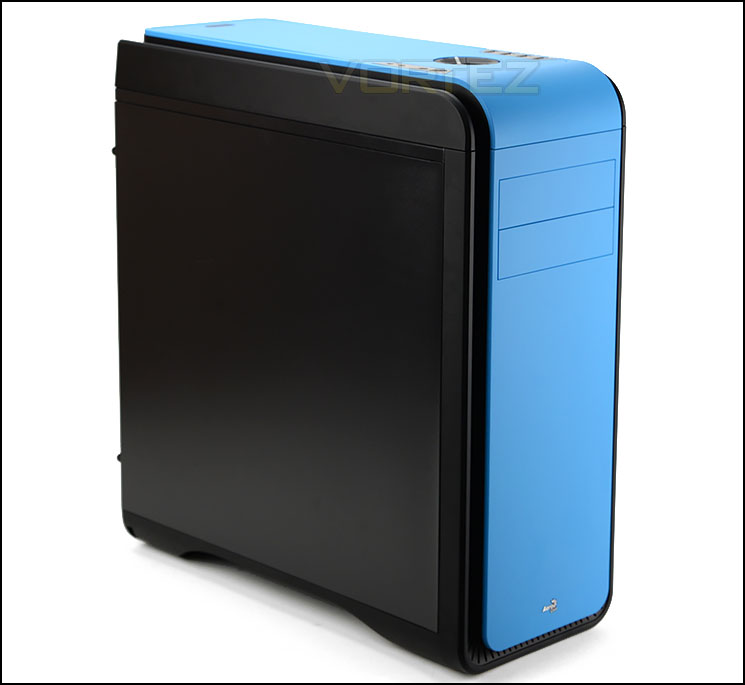
No distinct features on the prominent side
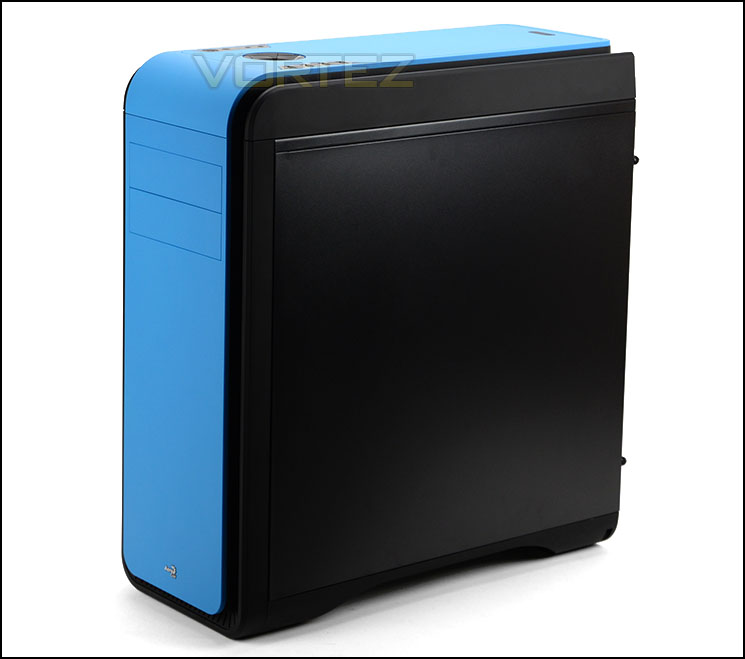
Closed off panels and minimalist styling
Taking the case out of its packaging, we can see DS200 for the first time. This case is available in an assortment of exciting colours – we’re reviewing the blue edition today.
DS200 uses minimalist and elegant styling. These smooth lines are synonymous with the type of case DS200 hopes to be – silent. Furthermore, this case has closed off panels throughout. The side panels are insulated with special material to dampen noise and therefore we have no stand-out features on these panels – they are just solid steel.
On the next page we’ll be looking at the external aspects of DS200
Exterior
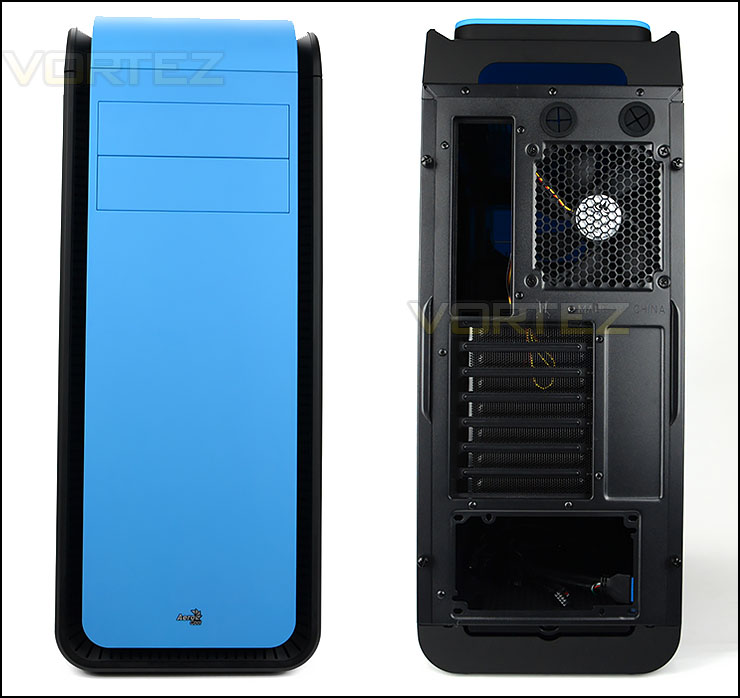
The front and back of DS200
At the front of DS200 there is a smooth, matt panel which wraps from the front over to the top. This panel sits on top of a ventilated section – this allows cool air to enter the case. There is an Aerocool emblem in the lower section and 2×5.25” drive bay covers towards the top section, these covers follow the same design as the front panel.
Around the back there is an opening at the bottom for mounting the PSU and a series of seven PCI expansion slot covers – each having ventilation for better airflow. Above this there is a 120mm rear exhaust cooling fan and two circular rubber grommets.
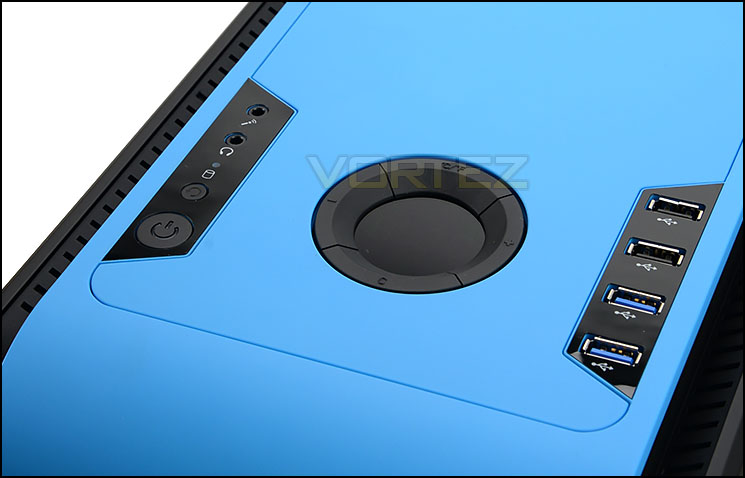
Numerous ports and buttons at the top of DS200
At the top of DS200 there is a section marked out for the front panel connectivity. This region has been equipped with an LCD fan controller. This fan controller works in conjunction with the thermal sensor – this sensor can be placed anywhere in the case and the temperature readout will display on the circular screen. The cooling fans can be turned off from this panel or have their speed adjusted to 50%, 75% or 100%. The colour of the display on this LCD can be altered too.
Aside from this there are:
• 2x USB 2.0 ports
• 2x USB 3.0 ports
• Power/Reset buttons
• Headphone/Microphone jacks
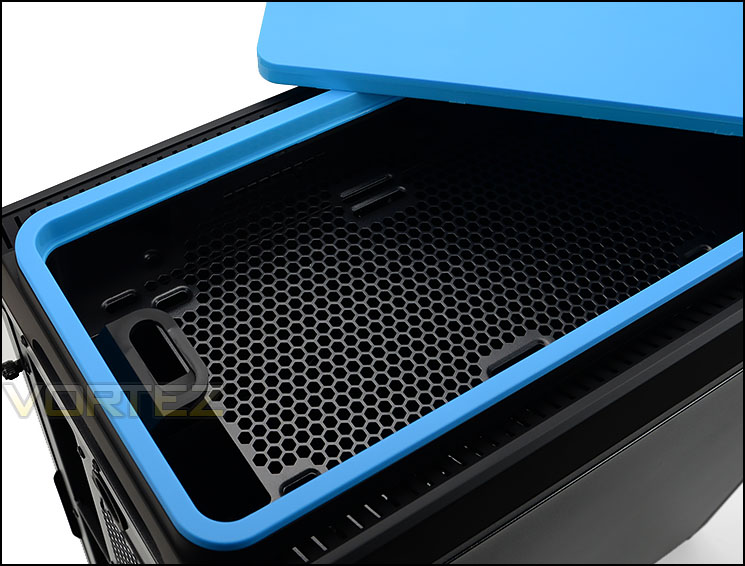
Detachable top fascia
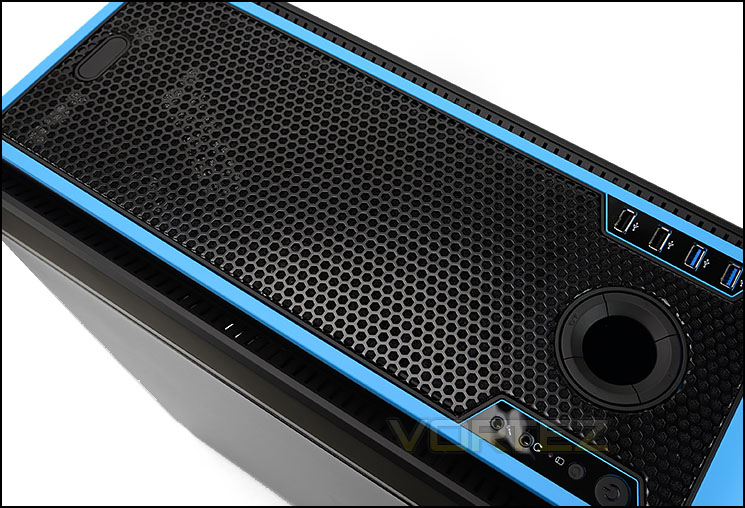
Alternative panel can be interchanged
Further back from these ports there is a detachable panel. After removing this there is a deep cavity and mounting holes for attaching 2x 120/140mm cooling fans. This should allow us support for 240/280mm radiators – we’ll investigate this further in the review.
Aerocool provide an alternative panel which can be installed at the top instead of the solid blue option. This secondary fascia is heavily perforated – offering better ventilation.
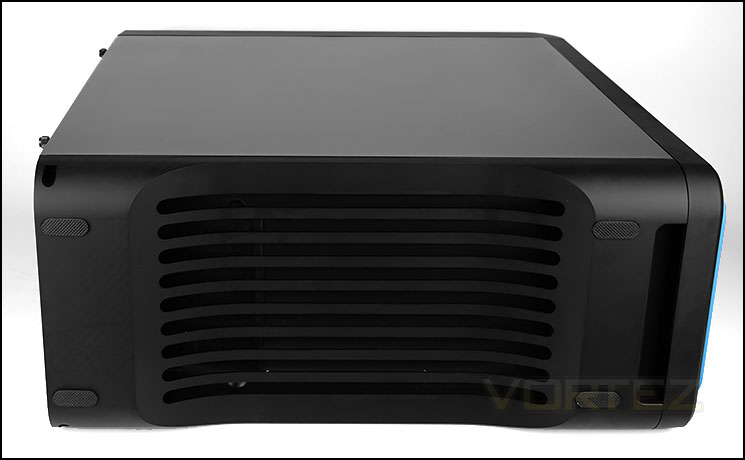
The underside of DS200
At the bottom of the case there is a section of ventilation with four rubber pads – these pads help to prevent any slipping when the case is placed on a smooth surface.
Interior
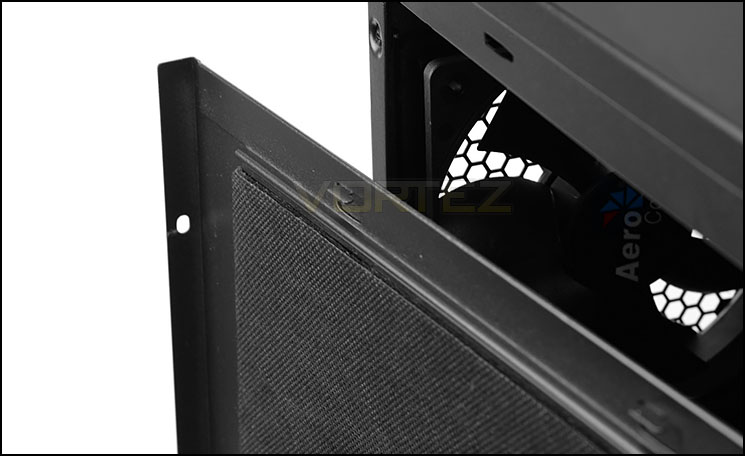
Insulating material for noise damping
The side panels on DS200 are fixed into place with two thumbscrews on either side. These side panels are weighty and feature a thick layer of insulation material to reduce the noise from escaping out of the case.
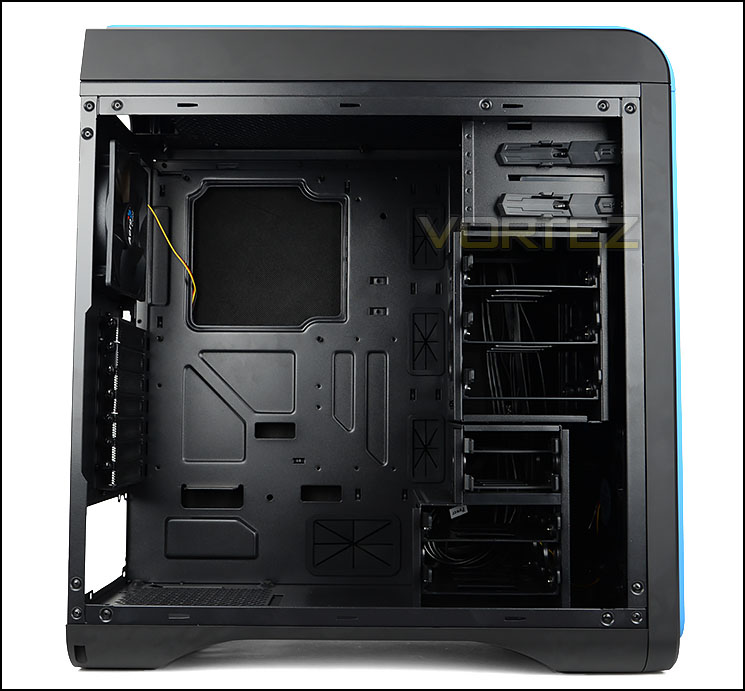
An overview of the inside
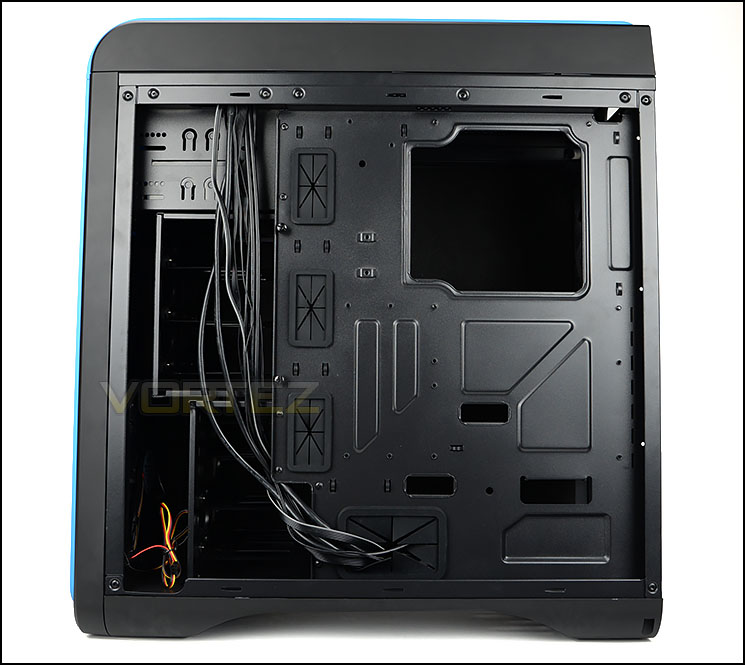
Powder coated black internals
Inside DS200 there are plenty of tool-free mechanisms for installing kit and rubber grommets to aid cable management. All elements of the internal design is coated black to maintain a sleek visual
DS200 can accommodate ATX, Micro ATX and Mini-ITX form factors.
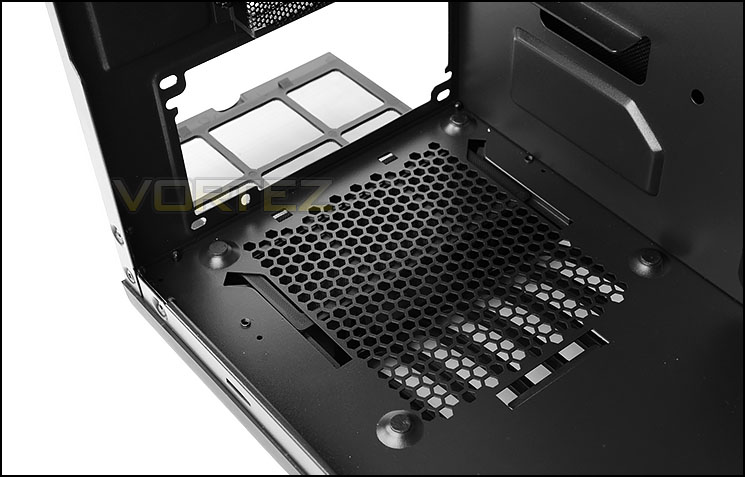
Area for mounting the PSU at the bottom
At the bottom of the case there is an area marked out for mounting the PSU. Aerocool has furnished this region with honeycomb ventilation for the PSU fan and there are four rubber pads to cushion the unit. Underneath the honeycomb mesh there is a detachable dust filter which can be slid out while the case is stood up.
On the next page we’ll continue our look at the internal aspects of DS200.]
Interior (Continued)
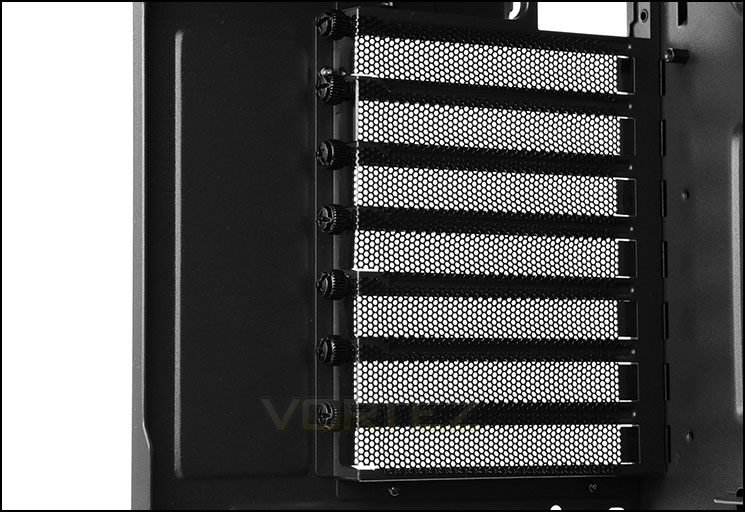
Multi-GPU support
Moving further up, there are up to seven PCI expansion slot covers for multi-GPU support – each of these covers has ventilation and a handy thumbscrew for each removal.
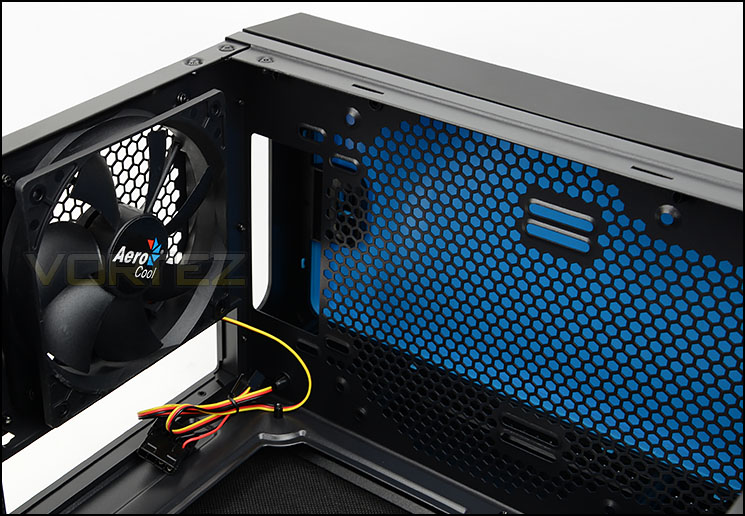
120mm rear exhaust cooling fan
Aerocool have pre-installed a 120mm rear exhaust cooling fan inside DS200 which has a 3-pin / Molex connector for powering this fan and each of these fans can be hooked up to the fan controller.
At the top of DS200 there are mounting holes to install dual 120/140mm cooling fans or 240/280mm radiator.
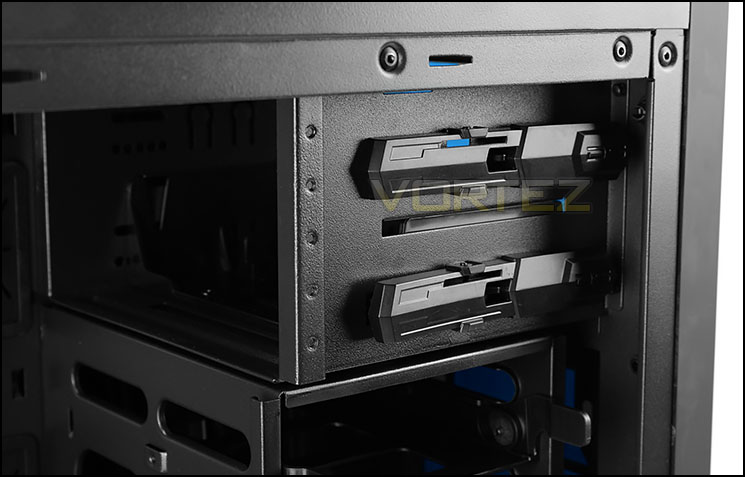
Tool-free mechanism for optical drives
Over on the other side there are two bays for 5.25” devices and each bay has a tool-less mechanism for installing such hardware. The latch simply slides and pivots to lock things into place.
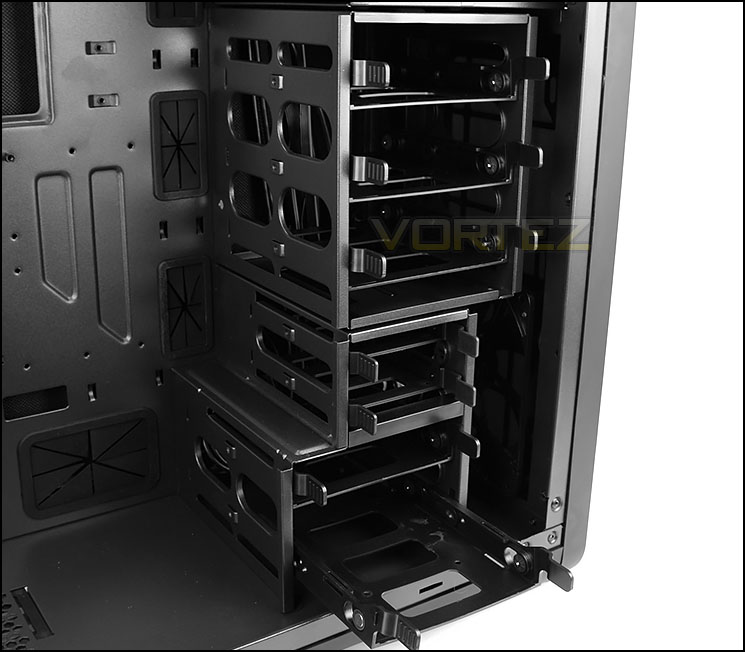
Numerous HDD allocation
At the front of DS200 there are three cages to house different sized HDDs. At the top and bottom up to 5x 3.5”/2.5” drives can be installed and in the middle cage just 2x 2.5” drives. Each of the drives fit into a tool-free tray.
Installation
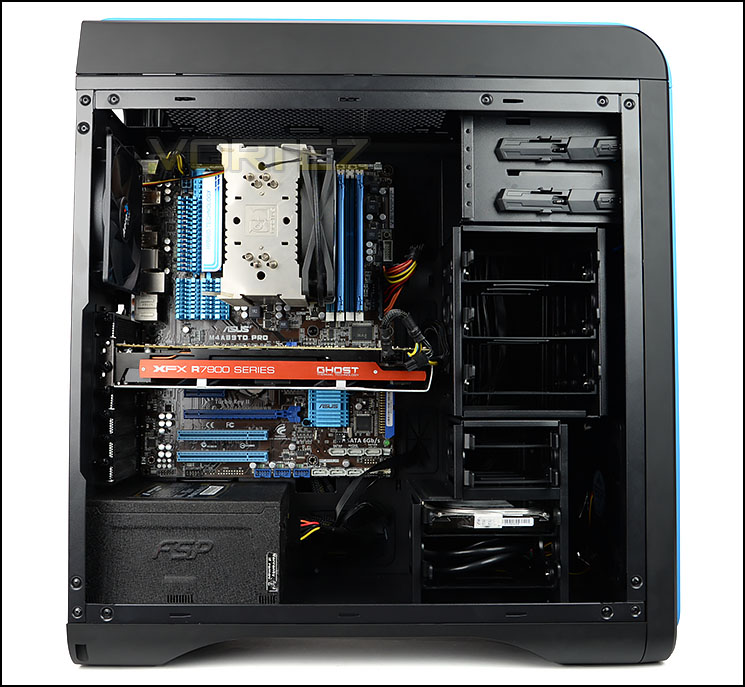
Installation complete
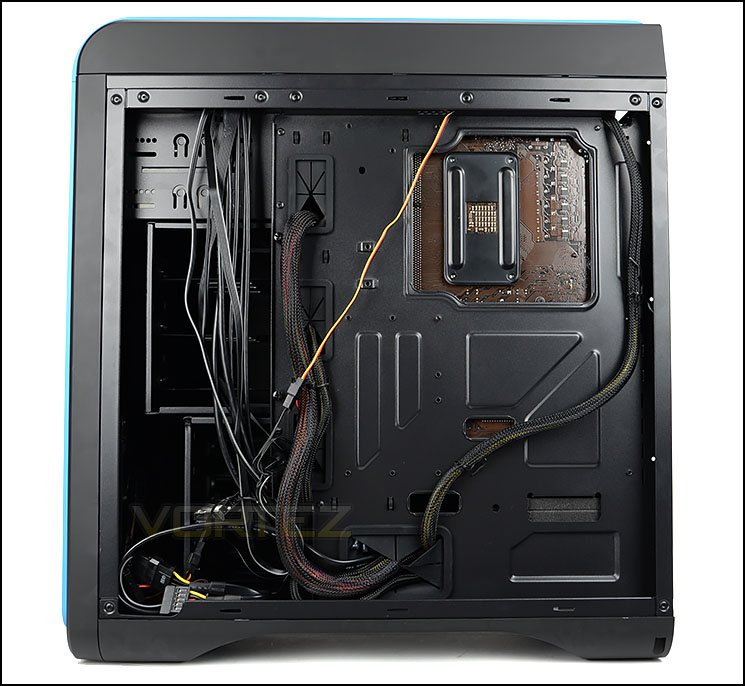
Cable management is easy to control
Since DS200 can accommodate the ATX form factor as its biggest size, we have installed our ATX test system inside this chassis. DS200 can handle this configuration without any problem at all. Thanks to the tool-free mechanisms inside and the rubber grommets, getting hardware into DS200 is easy and cable management can be arranged in a clean and tidy manner.
On the next page we’ll look into the clearance options for key hardware.
Clearance – CPU Cooler, GPU, WC, Cable Management
Establishing the clearance options inside DS200 is essential for system builders who want to know the limitations of the chassis.
CPU Cooler
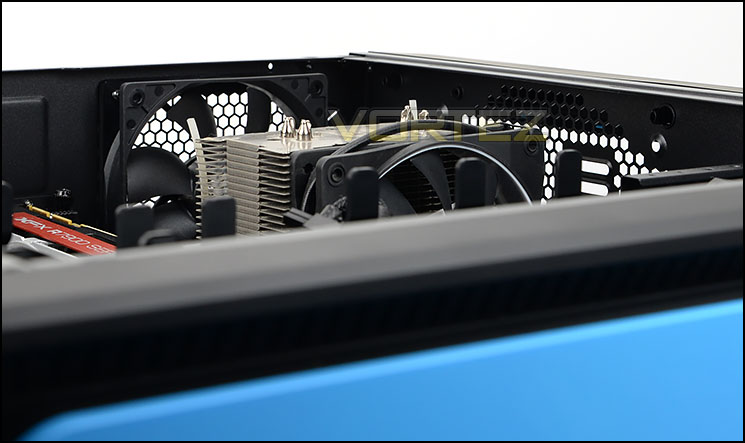
Space for big CPU coolers
For those going down the air cooling route there is approximately 170mm for the total height of the CPU cooler before it touches the side panel. Pictured is Noctua NH-U12P which is 158mm in height. This picture clearly shows plenty of space for flagship coolers which are usually around 160mm.
Graphics Card
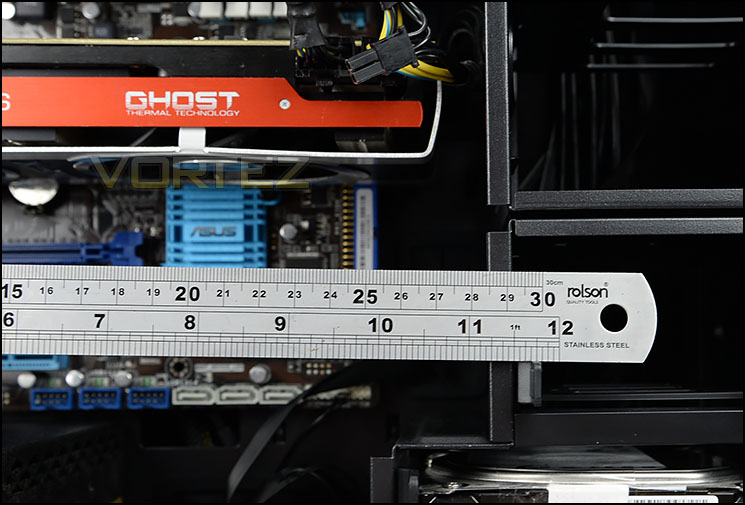
DS200 can house long graphics cards
DS200 has a detachable upper HDD cage which can allow for extended compatibility for long graphics cards. Removing this cage will supply room for any card currently on the market but leaving the cage inside DS200 there is approximately 11” / 280mm. Pictured is XFX HD 7970 DD which is 10.5” / 270mm long.
Water Cooling
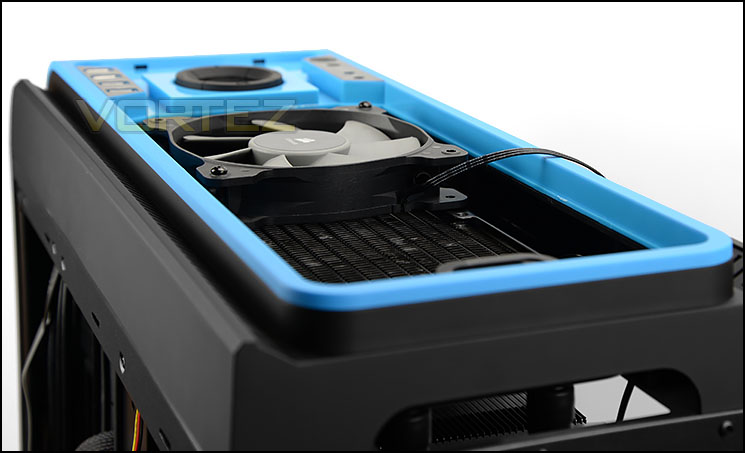
Room at the top for radiators
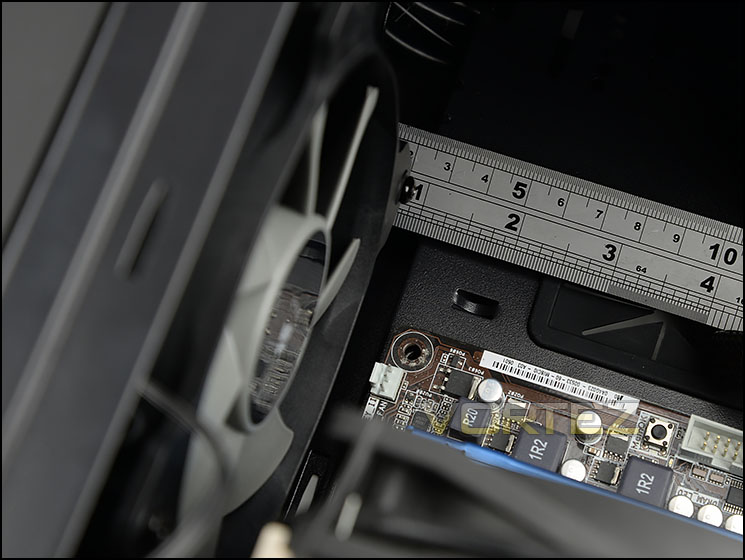
Just over 1” / 2.5cm at the top of the motherboard
There is space at the front of DS200 there is sufficient space for mounting a 240/280mm radiator but the HDD cages will need to be removed.
The more common place which enthusiasts will make use of is the top of the chassis. Aerocool has intentionally designed the top of DS200 to comfortably suit 240/280mm radiator support. Both radiator and cooling fan can fit within the cavity inside the top panel and a cooling fan can be attached on the other side of the radiator, inside the chassis since there is 1” / 2.5cm of clearance as shown above.
Adding in an ALC like the one pictured above (Corsair Hydro Series H100i) will not work very well with the default panel attached – because it is solid. So the inclusion of the secondary top panel is more preferable as it will allow ventilation, causing air to pass through it.
Cable Management
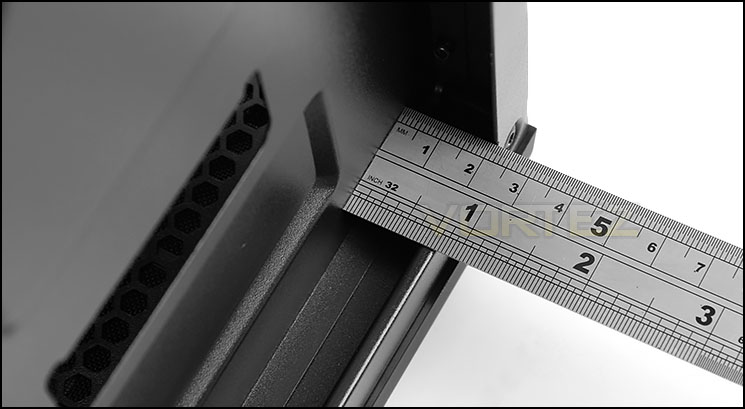
2cm behind the motherboard tray
The space behind the motherboard tray is essential for practising good cable management. In this region there is approximately 2cm of clearance between the back of the tray and the side panel – allowing for plenty of space to neatly arrange cables.
Thermal Performance Testing
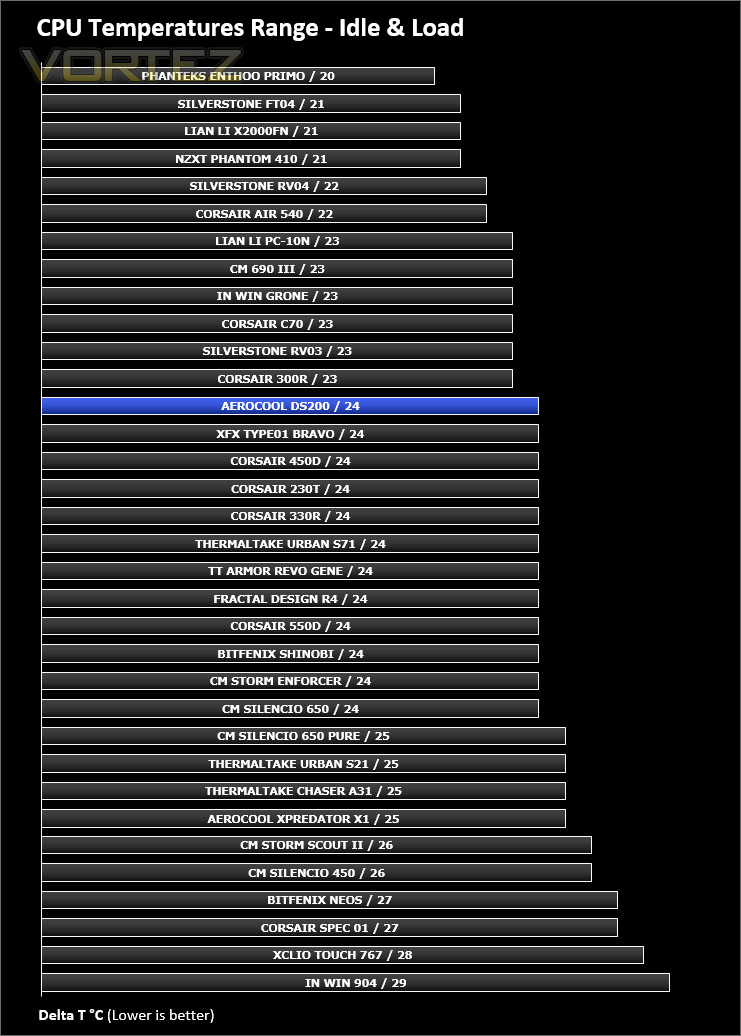
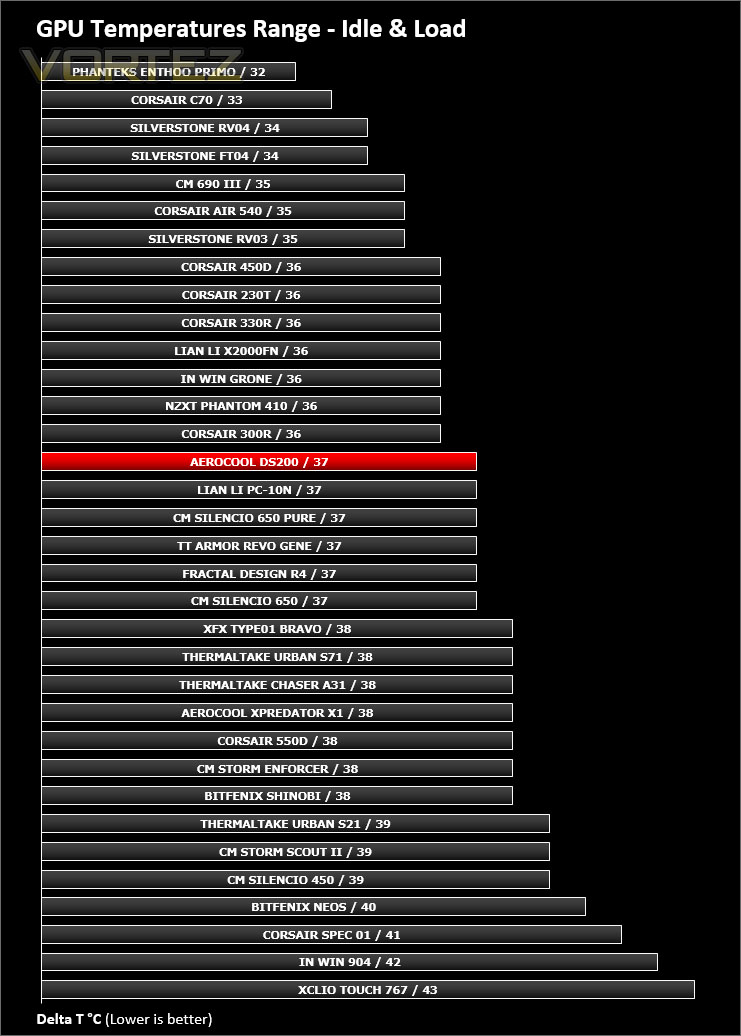
Inside DS200 we have two cooling fans – a 140mm intake fan at the front and a 120mm rear exhaust at the back. This design follows traditional airflow techniques and should yield good results.
To discover the thermal performance of DS200 we will record idle temperatures after 20 minutes from a cold boot. We will then stress the system and temperatures will again be monitored after 30 minutes have elapsed.
Fan controller will be set to maximum – 100%
For the purpose of accurate analysis the idle and load temperatures for CPU and GPU will be recorded and the range between idle and load will be calculated to determine how efficient cooling is.
NOTE: Ambient temperature is 20C
System Components
CPU AMD Phenom II X6 1055T 2.8GHz
Motherboard ASUS M4A89TD PRO
Graphics NVIDIA GTX 480 (Different from card pictured)
Memory 4GB Kingston HyperX DDR3
HDD Samsung Spinpoint 500GB SATA-II
PSU FSP AURUM GOLD 650M
Motherboard ASUS M4A89TD PRO
Graphics NVIDIA GTX 480 (Different from card pictured)
Memory 4GB Kingston HyperX DDR3
HDD Samsung Spinpoint 500GB SATA-II
PSU FSP AURUM GOLD 650M
Noise
The aim with DS200 is to reduce as much noise emitted from the internal components as possible. All of the panels are closed off and have insulation to assist with this and we can confirm that DS200 is indeed a very quiet case, the noise levels are barely audible even with fans set to 100%.
Conclusion
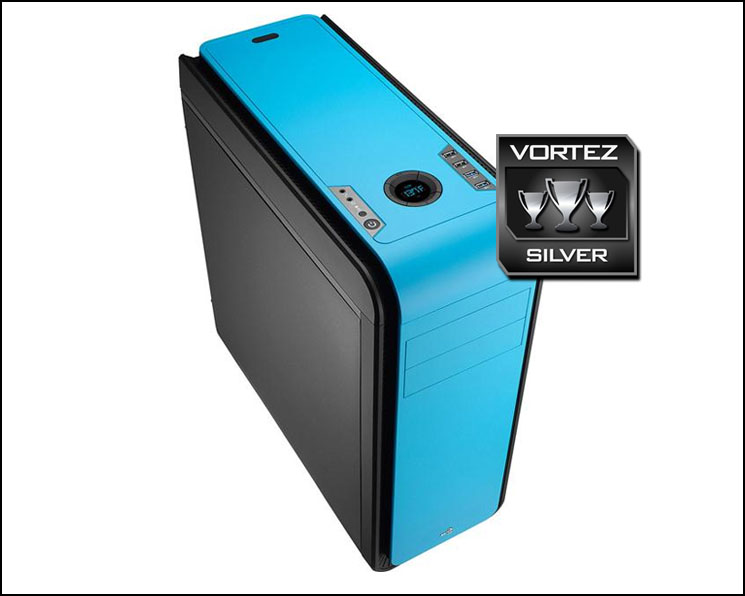
Elegantly styled computer cases always go down a treat because they are easy on the eye and can complement the office and other appliances. The DS200 adheres to this because of its sleek and minimalist aesthetics and since there are a variety of different flavours to choose from, you can easily coordinate the overall design of an office or den to your exact preference.
Aerocool has peppered DS200 with a broad spectrum of different and useful features. We especially like the inclusion of the LCD fan controller which outputs the temperature reading from the thermal sensor – which you can place anywhere in the system to obtain on-the-fly temperature analysis. This handy controller can also adjust the speed of the cooling fans inside the case, allowing the user to switch between off, 50%, 75% and 100%.
Inside the chassis there is plenty of space for high-end hardware, including 240/280mm radiator support at the top and front. The cavity design inside the top panel and the clearance from the top of the motherboard to the chassis paves the way for a push/pull configuration – something which is uncommon in most cases of this calibre and something which is sure to be welcomed by enthusiasts.
The ample noise damping material and closed off panels present system builders with an enclosure which achieves what it sets out to – silence. Certainly with the fans set to 50% we found noise to be at an absolute minimum.
Our experience and feedback with DS200 is largely positive but there are a few areas for improvement – why Aerocool didn’t braid or even insulate the fan cables in black remains a mystery. At present they are bare, showing bright yellow, red and black, standing out like a sore thumb. Although this is a small detail, it’s definitely something which many enthusiasts look for. The overall finish of the inside of DS200 lacks the finesse we have found with other cases in this price-range too. We’d have liked to see the same focus on the interior as the exterior.
Costing £75 GBP the DS200 represents good value for money. There are other silent cases in a similar price-range with a slightly different feature-set which you could argue isn’t as strong as our Aerocool counterpart.
Aerocool’s DS200 achieves the low-noise operation it sets out to and does so in style by offering a sleek, minimalist chassis with lots of flexibility.
Pros
+ Attractive design
+ Available in many colours
+ Useful LCD fan controller
+ Good radiator support
+ Easy to control cable management
+ Can house high-end kit
+ Quiet
Cons
– Cheap internals
– Unbraided fan cables
+ Attractive design
+ Available in many colours
+ Useful LCD fan controller
+ Good radiator support
+ Easy to control cable management
+ Can house high-end kit
+ Quiet
Cons
– Cheap internals
– Unbraided fan cables

Click here for an explanation of our awards at Vortez.net.


