Akasa introduce a fully addressable RGB 120mm fan, with everything you need in the box. How does it perform? Let’s find out.

Product on Review: Akasa
Manufacturer: Akasa
Street Price: GBP £15.49 / USD $19.95
It goes without saying that the RGB craze has happened and is still happening, with no end in sight; making use of that, Akasa have introduced RGB lighting to their case fan range.
Today we look at the Akasa Vegas AR7 RGB, a 120mm case fan with several addressable RGB LEDs built into the frame. RGB lighting is supported by Gigabyte’s RGB Fusion, ASUS Aura Sync, MSI Mystic Light Sync and ASRock RGB LED. The fan also features anti-vibration mounting for quiet operation.
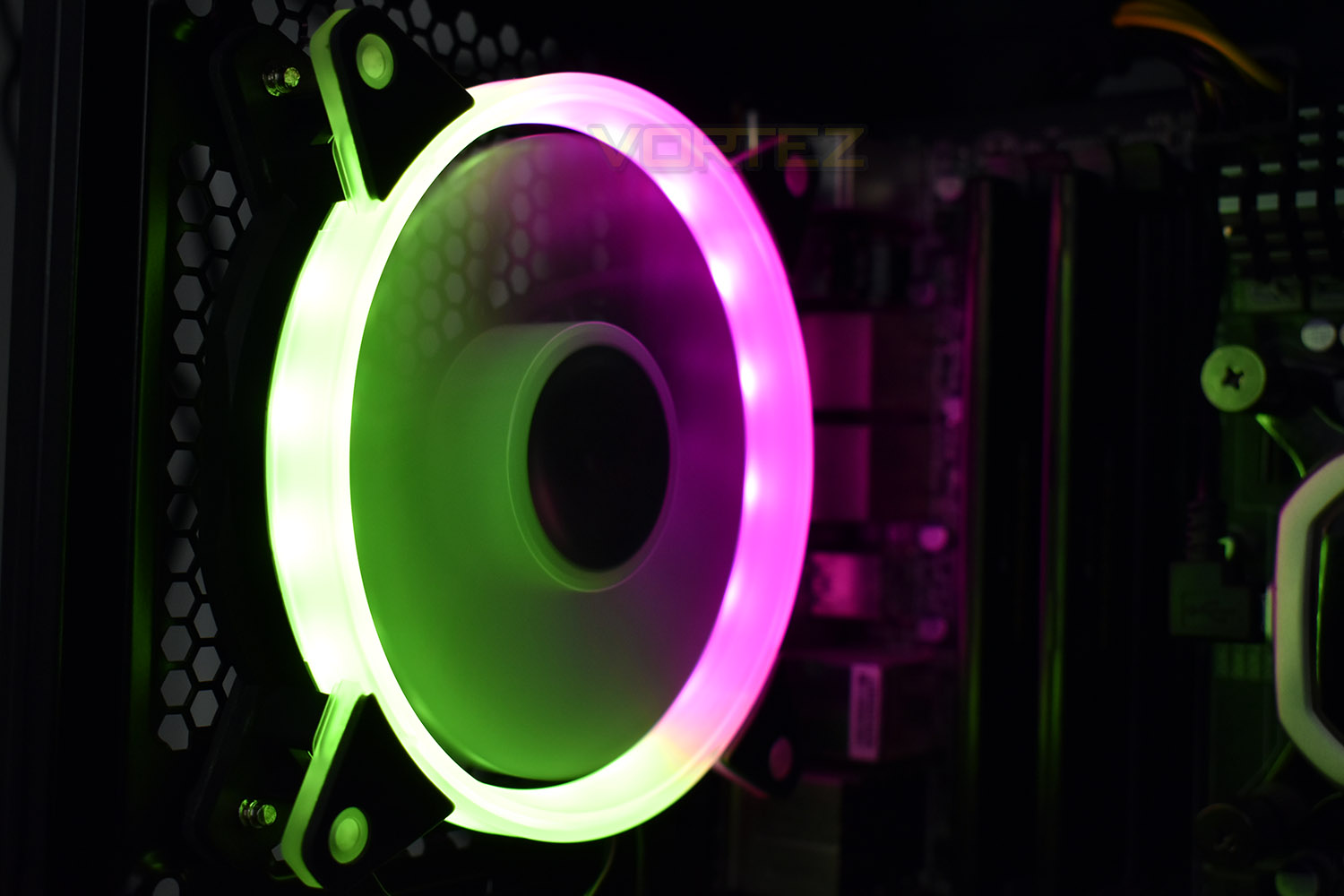
Due to the 3-pin fan connection, the speed is fixed at 1500 RPM which will ensure constant airflow if that’s something you require.
Pricing is also reasonable, costing a little over £15 in the UK and leaving change from $20 in the US. Let’s see how it performs and how the RGB lighting looks in our system.
Akasa on the Vegas AR7 RGB:
Be it a case, cooler, fan or cable – Akasa has an extensive range of PC accessories and has been enriching the community with innovative and affordable products for many years. With the Vegas AR7 , the manufacturer presents a digitally addressable RGB LED fan in 120 mm format, which not only looks absolutely stylish with its integrated LEDs, but also offers good performance and quiet operation. In addition, it is compatible with ASUS Aura Sync, MSI Mystic Light Sync, Gigabyte RGB Fusion and ASRock RGB LED and can therefore be perfectly adapted to the rest of the system via the motherboard.
Technical Specifications
– Compact 120mm format
– 1,500 revolutions per minute
– 35.2 CFM
– 1.04 mm H2O static pressure
– Low volume of only 23.8 dB (A)
– Stylish digitally addressable RGB LED lighting
– ASRock RGB LED / ASUS Aura Sync / MSI Mystic Light Sync / Gigabyte RGB Fusion
– Integrated anti-vibration pads
– 1,500 revolutions per minute
– 35.2 CFM
– 1.04 mm H2O static pressure
– Low volume of only 23.8 dB (A)
– Stylish digitally addressable RGB LED lighting
– ASRock RGB LED / ASUS Aura Sync / MSI Mystic Light Sync / Gigabyte RGB Fusion
– Integrated anti-vibration pads
Packaging & Bundle
The packaging is absolutely no larger than it needs to be, and is quite frugal, using only a single piece of cardboard with no plastic insert. The front of the box gives a large image of the fan as well as plenty of information about the size and features.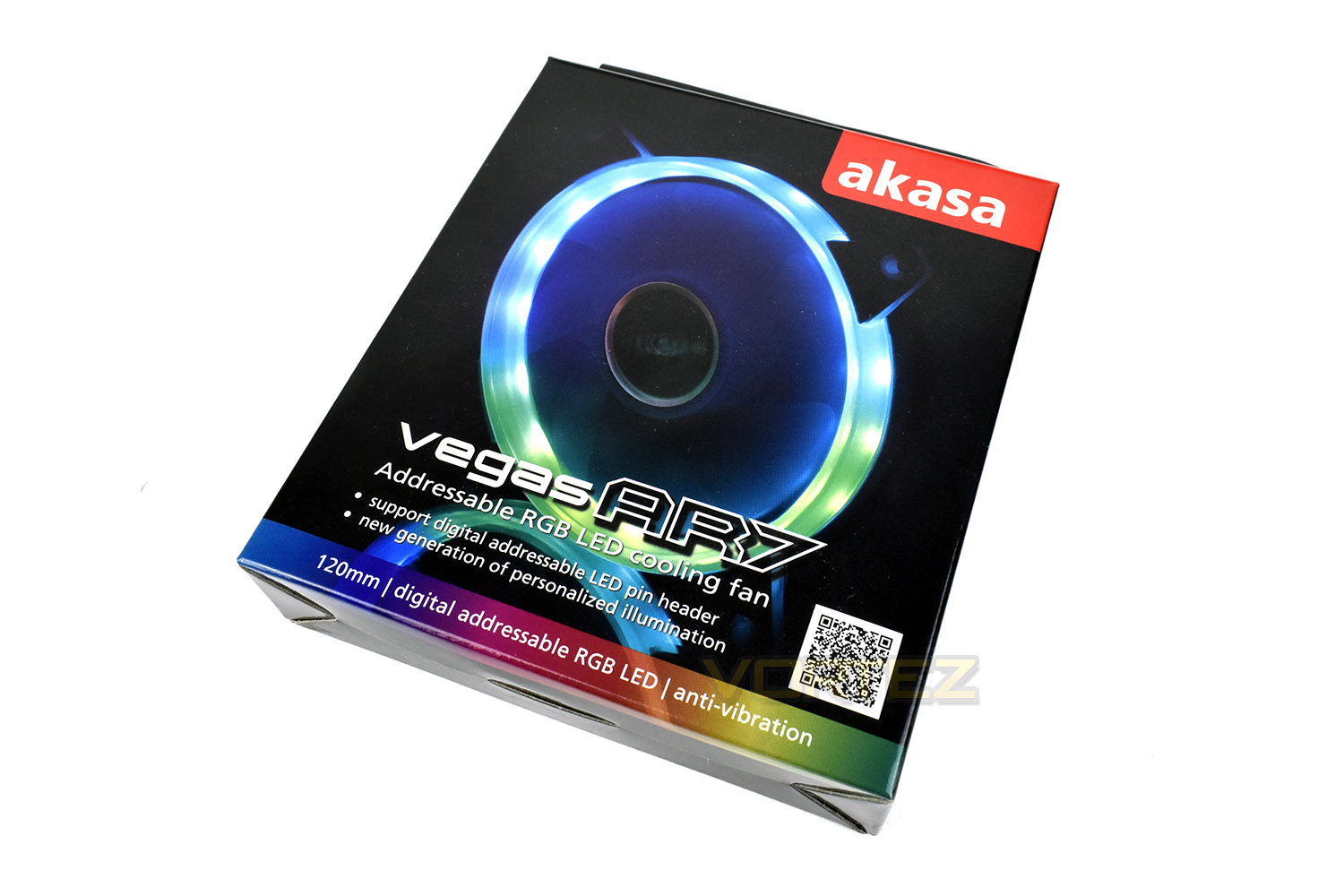
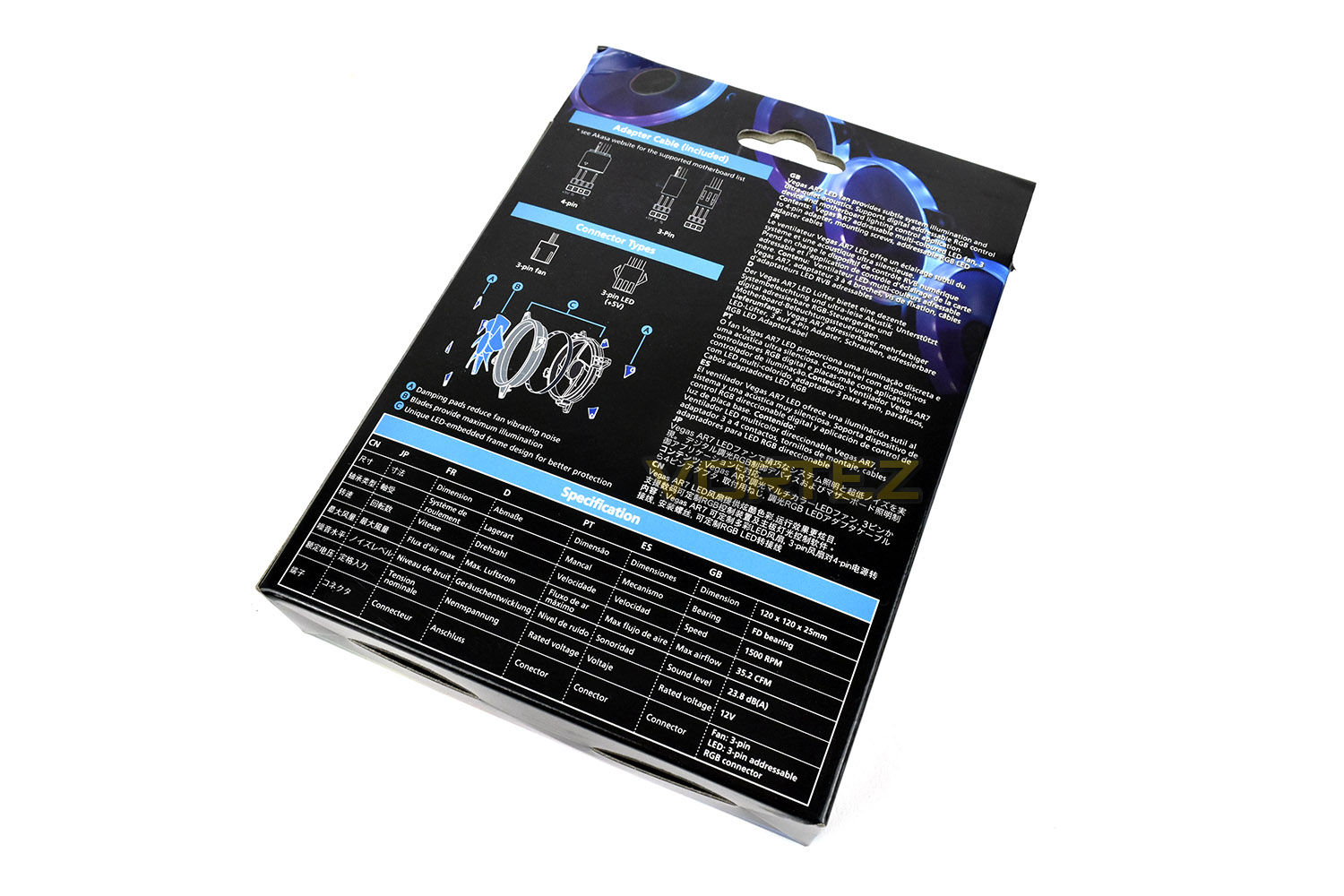
Flipped over, the packaging gives ample specifications and diagrams, handy if you’re unsure of an exact connection or size.
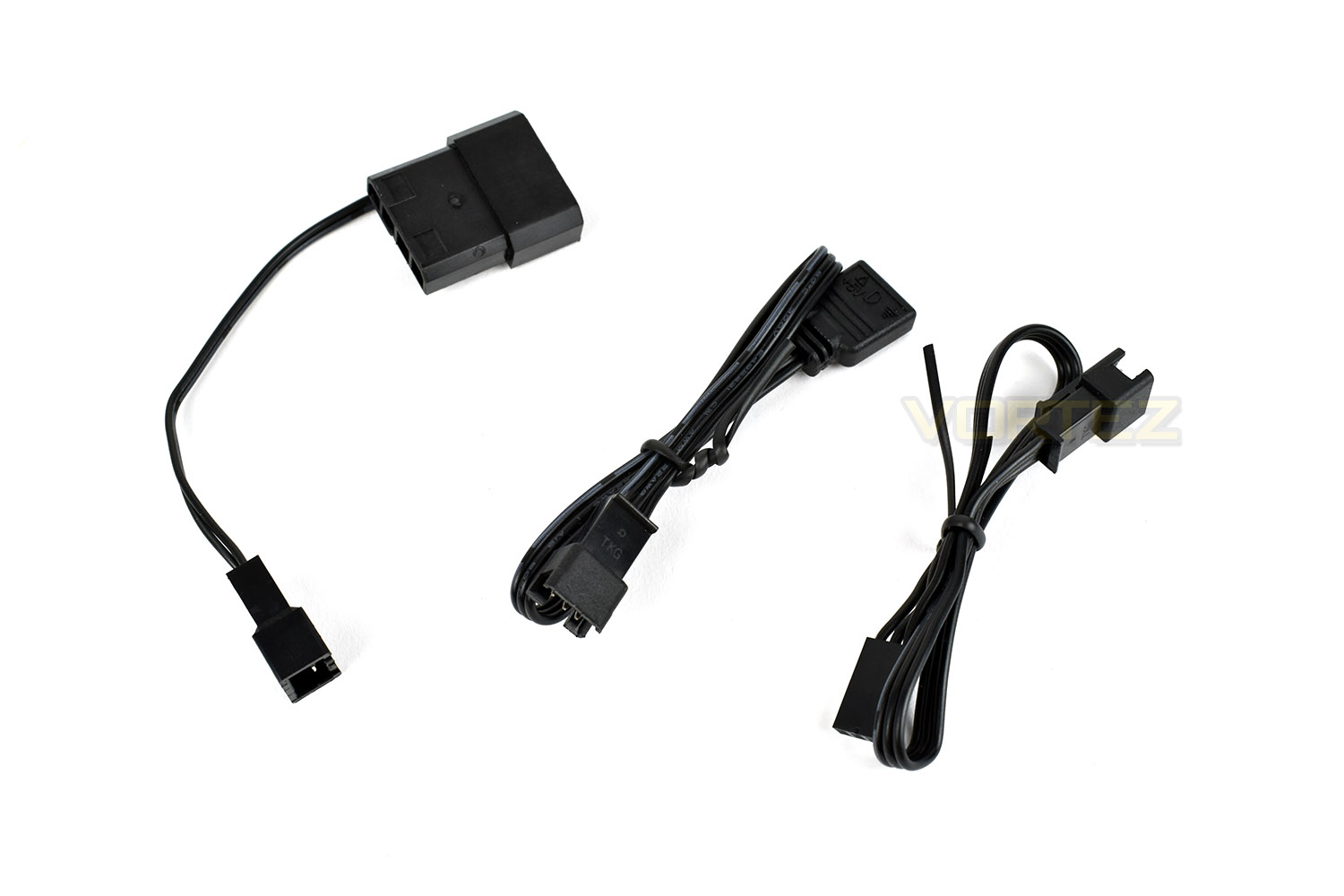
Included with the AR7 fan is a trio of connectors, one of which provides power to the fan motor in the absence of any 3 pin motherboard connectors while the other two are used for different RGB connections that manufacturers use.
Closer Look
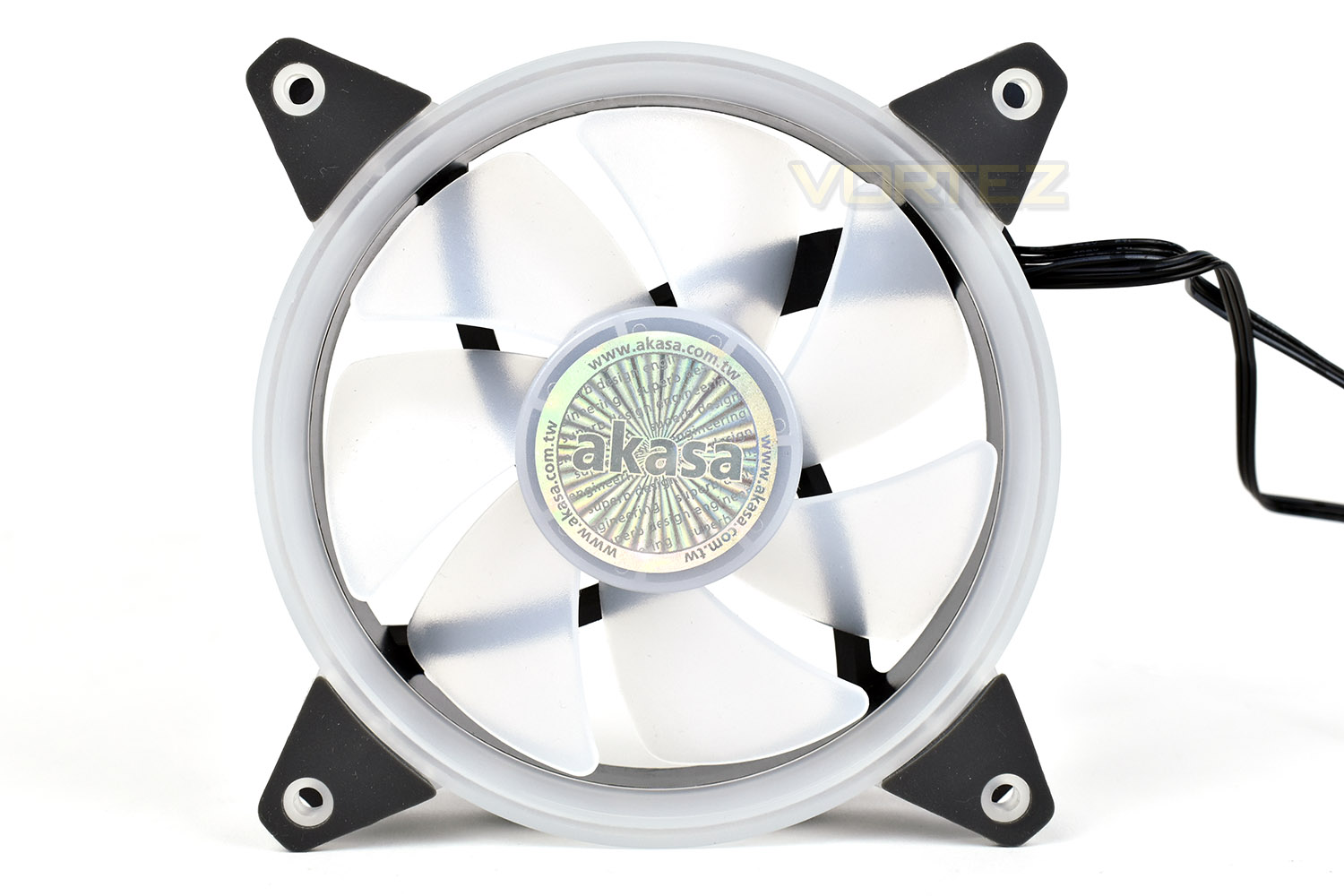
Akasa have chosen to use a 7-blade impeller to move air around, providing up to 35CFM of airflow and 1.04mm H2O of static pressure. The blades are translucent to help diffuse the lighting from the rim while they’re spinning.The mounting point in each corner is padded by thin rubber pieces which should help to prevent reverberation between the fan and the chassis which can be a huge contribution to overall system noise in some scenarios.
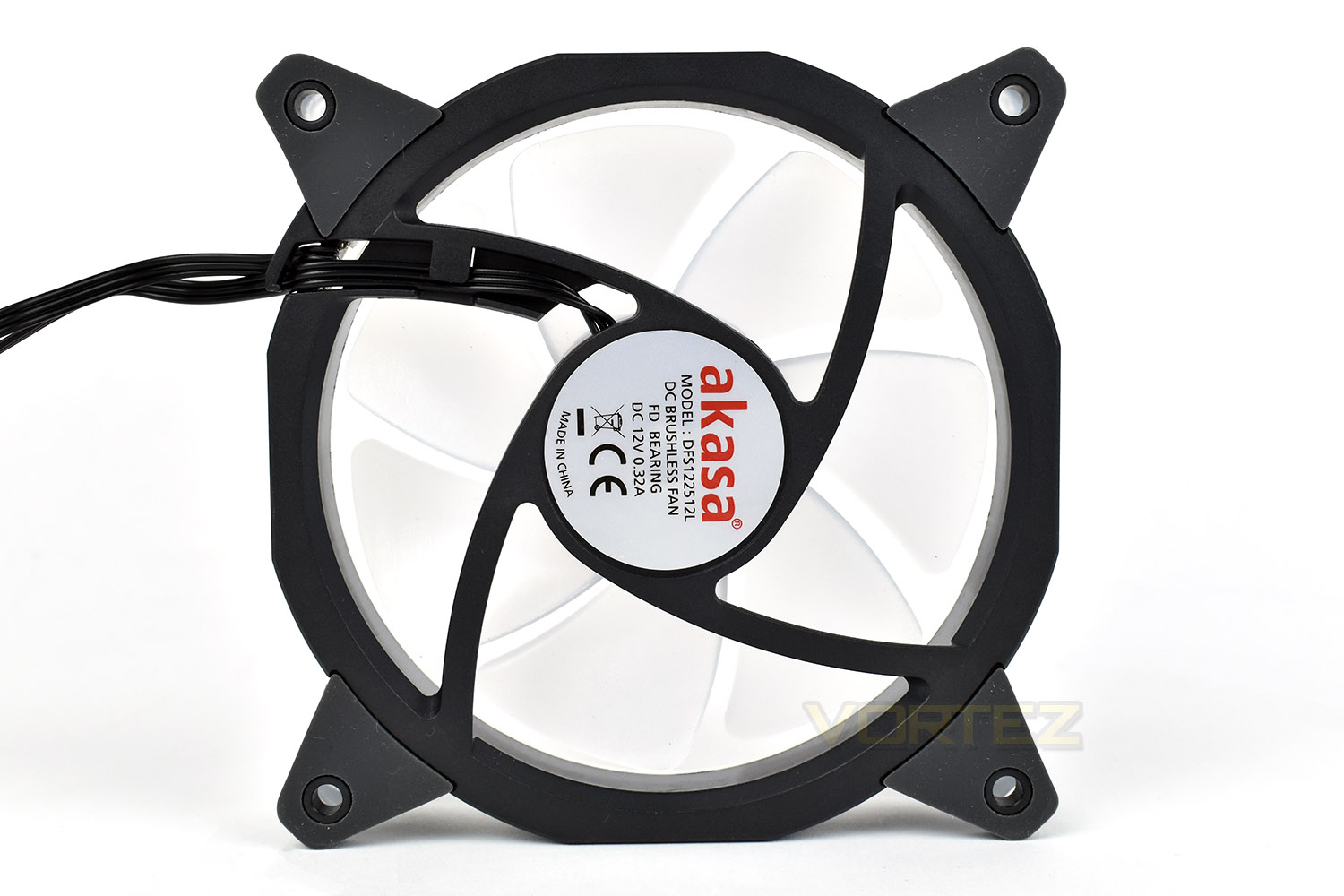
The reverse side of the fan is nothing fancy or ground breaking, but Akasa have used a twisted fan mount which looks cool. The AR7 doesn’t require any kind of controller and is entirely self-sufficient for lighting effects.
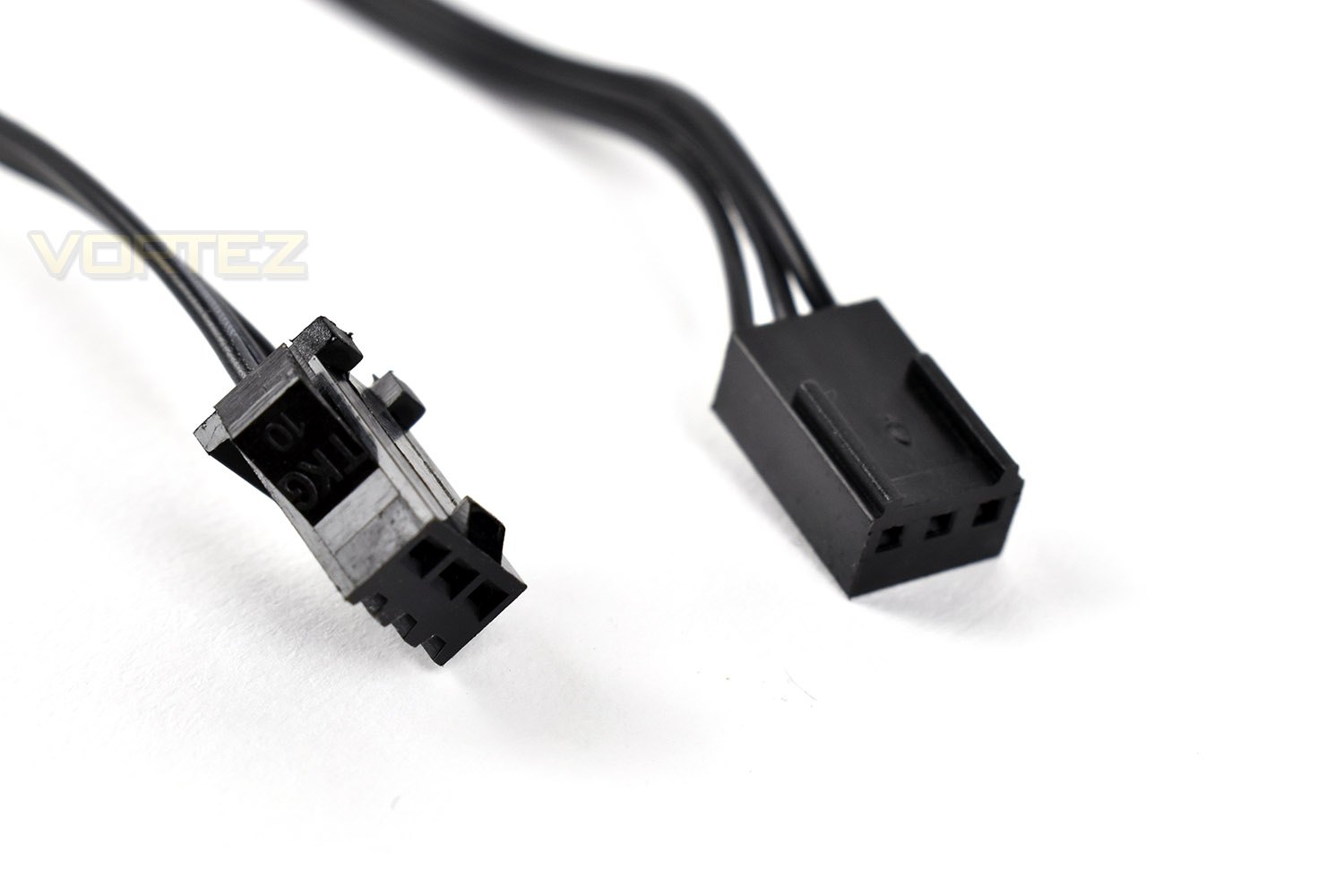
Lastly the connections, both of which are three pin. The fan header is on the right, with a standard 3-pin connection that will marry up to any motherboard to power the fan at 1500 RPM. RGB lighting is sorted out using the left cable, which can be adapted to work on most mainstream motherboards.
RGB Lighting
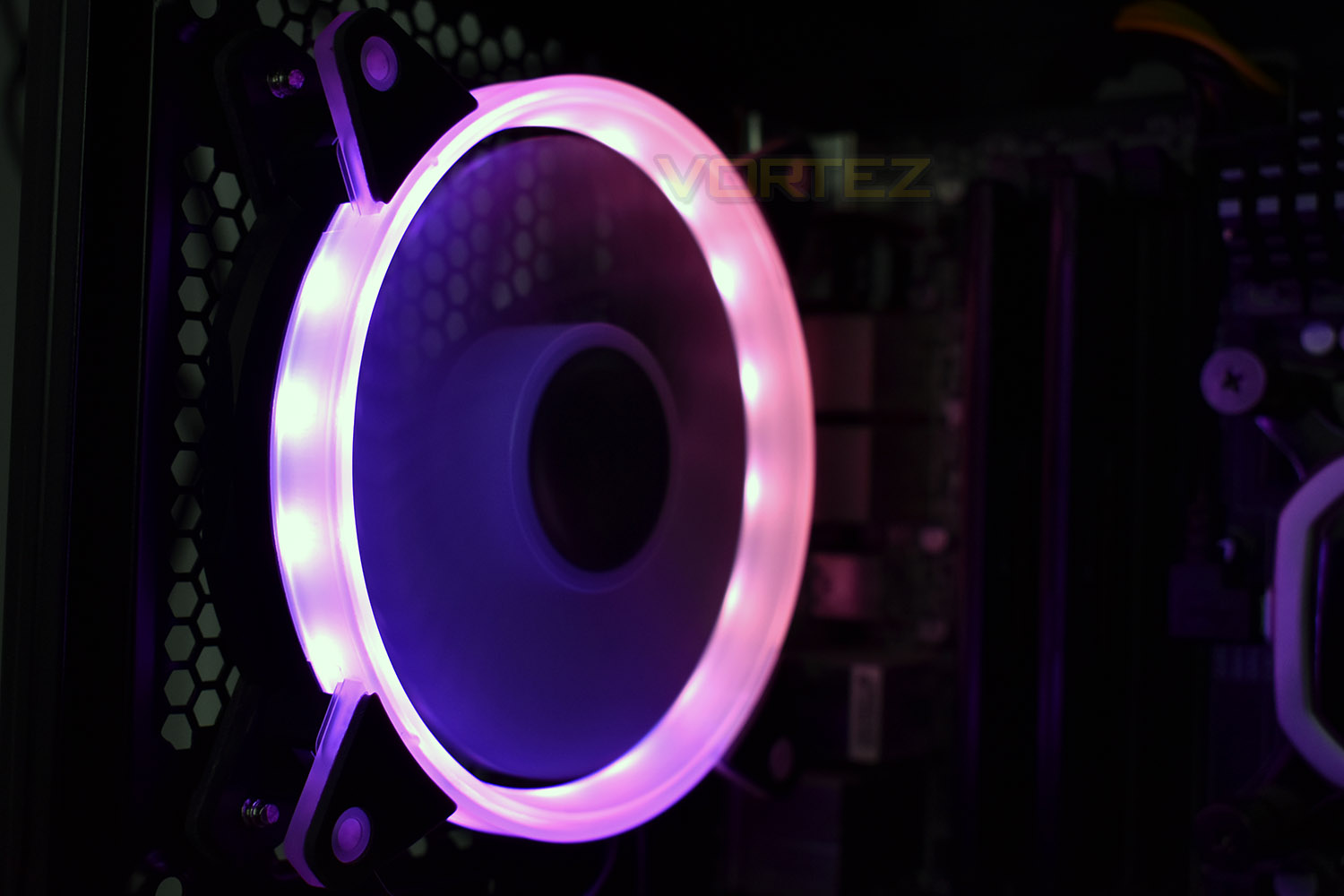
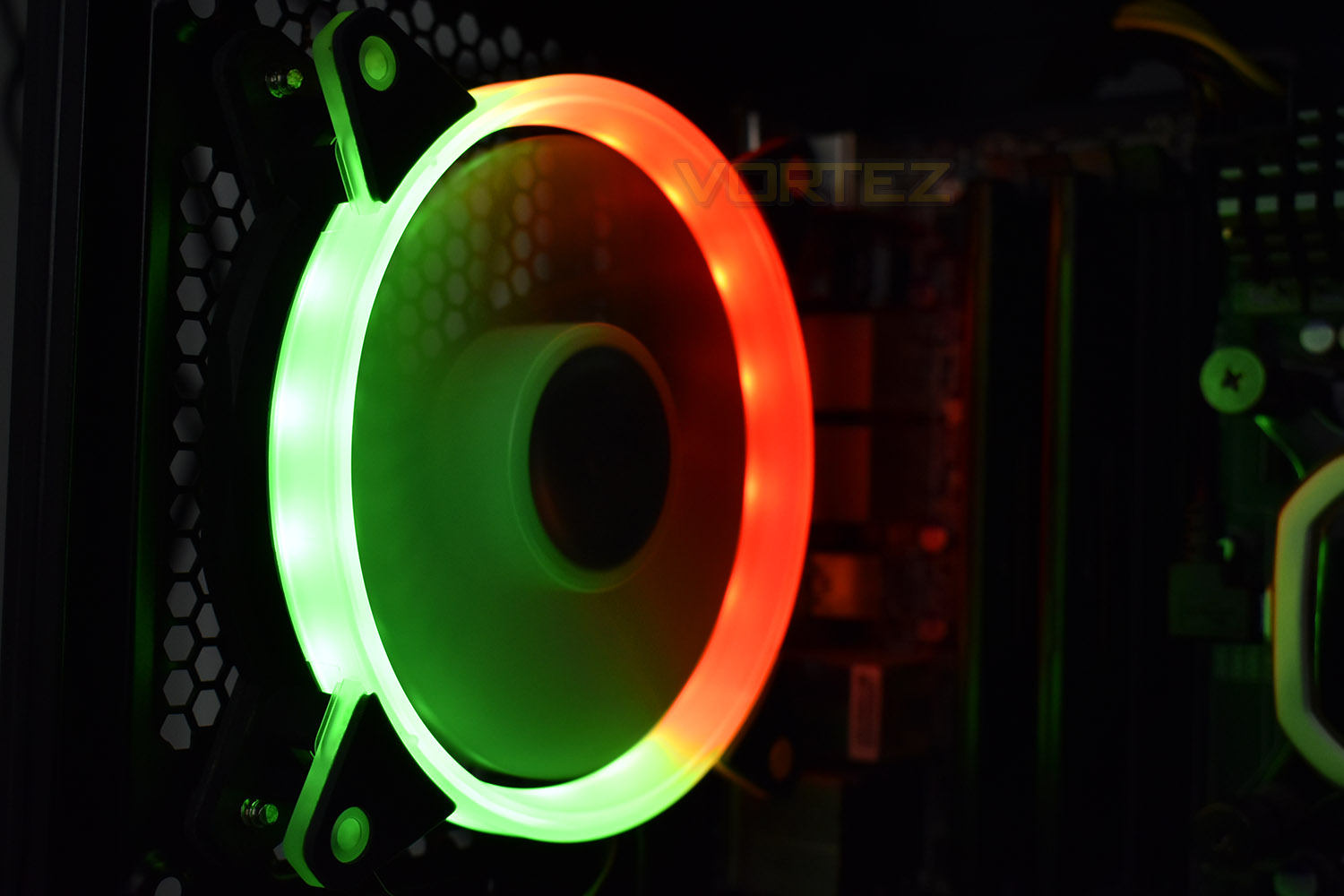
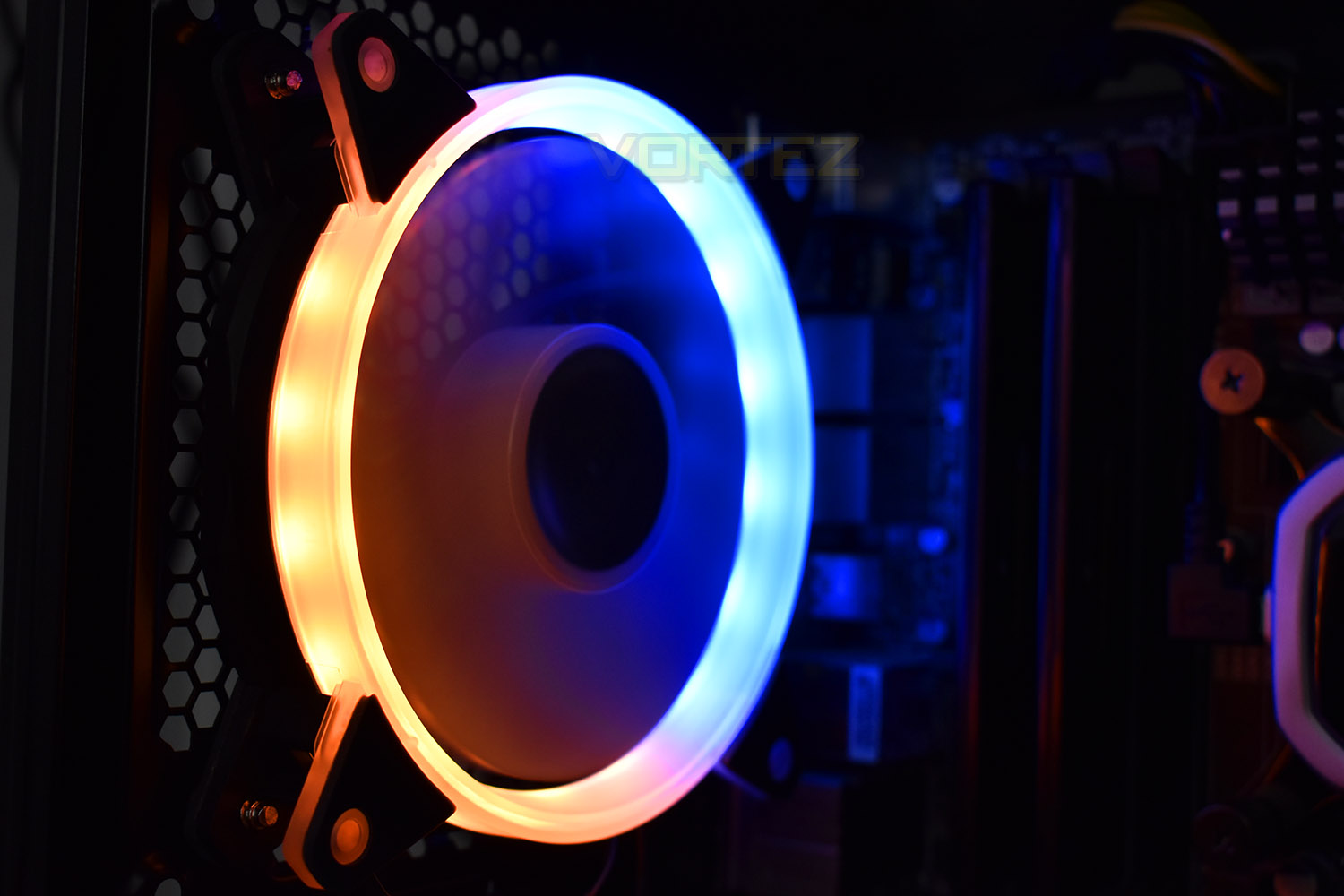
Here’s a few images and a short video to demonstrate the RGB lighting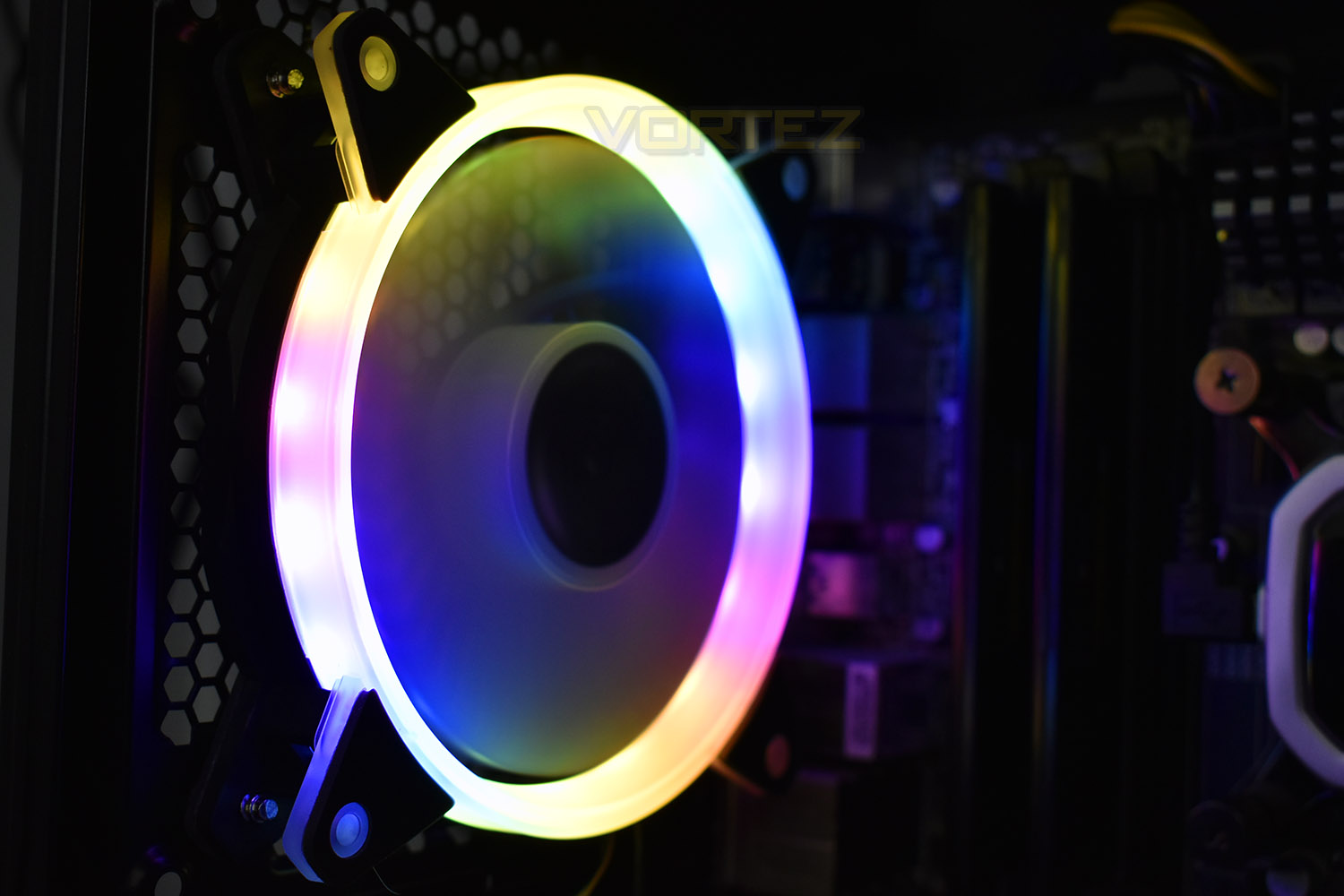
Test Setup & Methodology
We have recently made changes to our cooling department and the associated testing methodology, so please note that the number of results shown will increase over time as we add additional products. We hope that these results will appear clearer to the majority of our readership and look forward to building upon the baselines that we currently have.Processor – Intel Core i7-3930K
CPU Cooler – Corsair H100i Pro RGB
Motherboard – Gigabyte X79-UP4
Memory – 16GB Corsair Vengeance LP 1600MHz CL9
Video Card – Sapphire Radeon HD 6850 1GB
Power Supply – NZXT Hale90 650W
Storage Drive – Kingston HyperX 240GB SATA III SSD
Case – Corsair Carbide 760T
CPU Cooler – Corsair H100i Pro RGB
Motherboard – Gigabyte X79-UP4
Memory – 16GB Corsair Vengeance LP 1600MHz CL9
Video Card – Sapphire Radeon HD 6850 1GB
Power Supply – NZXT Hale90 650W
Storage Drive – Kingston HyperX 240GB SATA III SSD
Case – Corsair Carbide 760T
We test our fans at both 1000 RPM and maximum RPM, or if the fan only has one setting, it’s only included in the maximum RPM graphs.
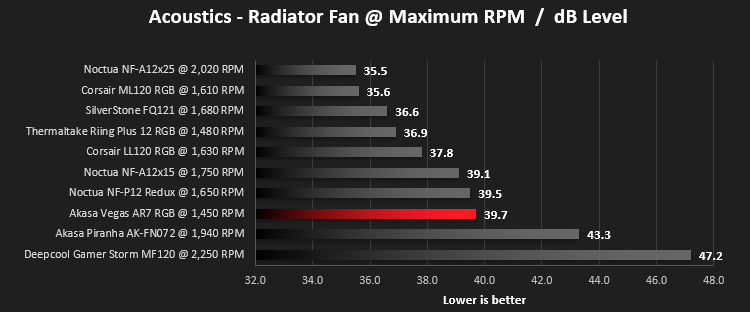
Firstly, we’ll test acoustics, both as a case fan, mounted on the rear of our Corsair Graphite 760T chassis, and as a radiator fan on the Corsair H100i Pro RGB. (with the pump turned down to 1,100 RPM and all other case fans disabled). We measure the average dB(A) noise levels over 60 seconds in a quiet room with an ambient noise level of around 24dB(A). Acoustics are measured from the same point within the case (20cm from the fan), with every effort taken to ensure test parameters are as close as possible during every test.
We then test the fan’s performance both at 1000 RPM and maximum RPM by running an AIDA64 20-minute stress test while running only a single 120mm fan on the 240mm radiator of the Corsair H100i Pro RGB. This allows us to test single fans as well as multi packs by only relying on a single 120mm fan. We mount the fan under the radiator, inside the case, blowing through the radiator. We measure the average core temperature over a 60-second period and minus the ambient room temperature from this. That leaves us with a Delta °C measurement which is applied to the graphs. Our average room temperature is kept as close to 21°C as possible, roughly the room temperature of most homes and offices. Obviously, if you live in a warmer climate with warmer room temperatures, you can expect higher temperatures.
To ensure the fans RPM are measured consistently, we use the Noctua NA-FC1 fan control unit, allowing the speed of our fans to be infinitely adjusted and monitored via a nearby header on the motherboard.
Benchmarks – Thermal Results
We test the thermal performance by relying on a single fan to cool the CPU via a Corsair H100i Pro RGB cooler. The Vegas AR7 is fixed at roughly 1,500 RPM so we only include the results in our Maximum RPM graphs.We monitor temperatures without any load on the CPU, measuring over 60 seconds and averaging the results.
We then push AIDA64’s Stability Test at the Intel Core i7 3930K and measure temperatures after 20 minutes, giving the coolant time to warm up.
Benchmarks – Acoustic Results
To begin our testing, we strap the Akasa Vegas AR7 fan to our Corsair chassis and measure sound levels.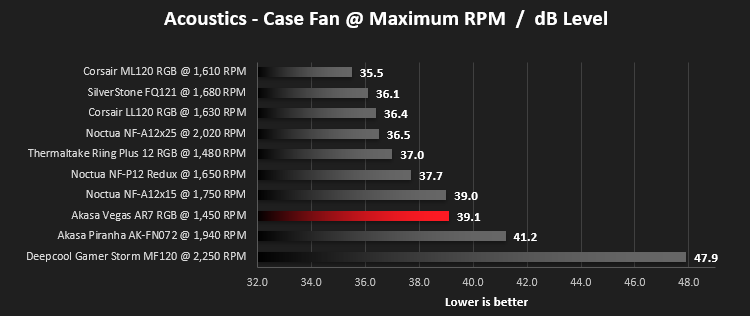
We then move that same fan over to the Corsair H100i Pro RGB radiator and measure it’s acoustics as a radiator fan.
Conclusion
At a price of a little over £15 in the UK ($20 in the US), the Akasa Vegas AR7 offers good value for an RGB-equipped fan, largely helped by its lack of any reliance on a controller.However, moving onto the performance, which was average, at best, while also creating quite a lot of noise. If you’re running a beefed-up system that requires generous helpings of airflow to maintain optimal performance, this fan likely won’t cut the mustard.
Acoustics were helped by the rubber mounting points but the fixed speed at roughly 1500 RPM hurts the overall appeal when using the PC for every day, mundane tasks that generate little heat within the system.
The RGB lighting is excellent, and thanks to the multitude of connections, it will work on most modern motherboards, but make sure your board has at least one of the required headers. Our testbench, due to the motherboard being released in 2012, lacks any kind of RGB compatibility. The effects and smoothness of the lighting is great.
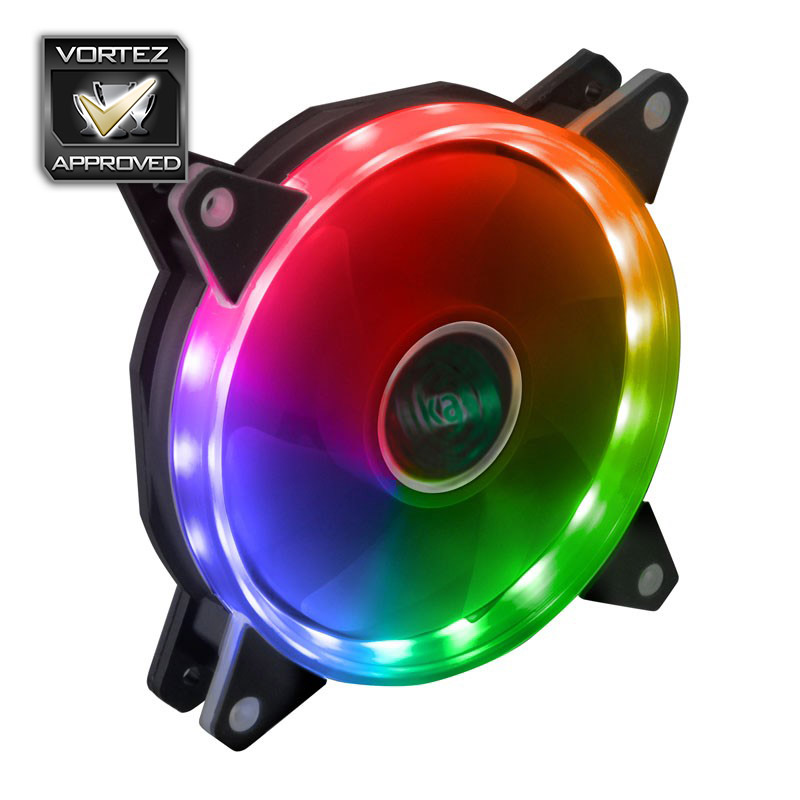
The RGB lighting is beautiful and will add a touch of bling to any chassis, but the fixed RPM and loud noise make this slightly unfitting compared to slightly more expensive PWM fans.
Pros
+ Impressive RGB lighting
+ Good price
+ Doesn’t require a controller for lighting
+ Supported by most motherboard manufacturers
Cons
– Noisy
– Lacks performance
+ Impressive RGB lighting
+ Good price
+ Doesn’t require a controller for lighting
+ Supported by most motherboard manufacturers
Cons
– Noisy
– Lacks performance
Click here for an explanation of our awards at Vortez.net.
Stay connected with the Vortez Social Media pages: